
5 Best eDiscovery Software for More Defensible Discovery
Handling evidence has changed dramatically in the recent decade. Nearly every modern case involves thousands of emails, chat messages, and cloud-stored documents that need to be collected, reviewed, and produced with precision.
Managing all this data manually just isn’t realistic anymore, and that’s why eDiscovery software has become a standard tool for legal professionals.
These platforms help law firms and corporate legal teams organize massive amounts of electronically stored information (ESI), automate repetitive steps, and maintain compliance through every phase of the discovery process.
But with so many options available, how do you know which eDiscovery software actually fits your team’s needs?
This guide takes a closer look at what eDiscovery software does, the features that matter most, and which solutions stand out for legal teams that need reliable, modern tools for managing digital evidence.
What Is eDiscovery Software?
eDiscovery software (short for electronic discovery software) helps legal professionals manage ESI during litigation, investigations, or regulatory reviews.
The eDiscovery process involves identifying, collecting, reviewing, and producing digital evidence that could be relevant to a case.
This type of legal discovery software makes it easier to sort through massive data volumes quickly and accurately while maintaining compliance and preserving data integrity. It’s especially important in modern legal practice, where most evidence exists in digital form.
Examples of electronically stored information include:
- Emails and attachments
- Chat messages and text logs
- Cloud-stored documents or files
- Social media posts or metadata
- Databases and transaction records
By automating tasks like data filtering and tagging, eDiscovery software helps teams save time and reduce human error. It also provides search tools, audit trails, and review capabilities that make the entire discovery process defensible and organized throughout.
What Are the Must-Have Features for eDiscovery Software?
The right eDiscovery software provider should offer tools that make the electronic discovery process faster, more accurate, and easier to manage.
Modern electronic discovery solutions combine legal process automation with advanced technology like artificial intelligence and machine learning to handle large volumes of data efficiently.
A fast and intuitive platform saves hours of manual work and reduces the risk of missing key evidence. Here are the must-have features to look for:
- Data collection and processing: Collect information from multiple sources and convert it into searchable formats.
- AI and machine learning: Identify relevant documents automatically and speed up document review.
- Advanced search tools: Use filters, metadata, and keyword logic to locate important files quickly.
- Redaction and privilege tagging: Protects confidential or attorney-client data before sharing.
- Audit trails: Track every action to maintain transparency and defensibility.
- Collaboration tools: Let teams review and comment on documents in real time.
- Reporting and analytics: Provides detailed insights into review progress and costs.
Choosing the right software vendor means finding a balance between ease of use, scalability, and automation. Let’s keep that in mind as we go to the next section.
Need an alternative to expensive eDiscovery solutions? Book a demo with Briefpoint.
5 Top eDiscovery Tools for Modern Legal Teams
Now that we’ve covered the key features to look for, let’s explore some of the best eDiscovery software options available today:
1. Logikcull
Logikcull is a trusted e-discovery software that helps legal professionals simplify the entire discovery workflow, from data processing to document review. It’s particularly useful for small and mid-sized law firms that need powerful tools without enterprise-level complexity.

Source: G2
The platform automates many steps of the electronic data management process. Its goal is to make it easy to organize, tag, and review files without relying on IT support or external vendors.
Once data is uploaded, Logikcull automatically scans, indexes, and categorizes it, which allows teams to analyze electronic data and locate relevant documents faster.
It also helps maintain regulatory compliance by tracking every action within the platform, keeping a full audit trail that meets legal standards.
Best Features
- Automatic deduplication: Removes duplicate files to reduce review volume and focus on unique evidence.
- Smart filters and search: Uses metadata, keywords, and file types to locate specific records quickly.
- Built-in redaction tools: Protects confidential information and marks privileged content before production.
- Audit-ready reports: Creates detailed logs for defensibility and compliance documentation.
- Cloud integrations: Supports uploads from services like Google Drive, Slack, and Dropbox.
- Real-time collaboration: Allows multiple users to review, comment, and tag documents simultaneously.
Pros
- Simple interface with minimal setup time
- Transparent, predictable pricing structure
- Fast document uploads and efficient search functions
- Secure data protection with encryption and strict access controls
2. Everlaw
Everlaw is a cloud-based eDiscovery platform designed for large law firms, government agencies, and legal departments managing complex cases.
It provides a complete platform for handling the full discovery cycle, ranging from early case assessment and data processing to final review and production.

Source: G2
Essentially, the software helps teams manage large volumes of digital data efficiently while keeping sensitive data secure through strict access controls and compliance standards.
Everlaw’s combination of automation, analytics, and collaboration tools allows teams to quickly identify the most relevant documents in massive data sets.
Additionally, its visual interface and reporting features make it easier for attorneys and investigators to understand case progress and evidence connections at a glance.
Best Features
- Early case assessment: Analyzes large volumes of digital data early in the litigation process to refine search strategies.
- AI-assisted document review: Uses predictive analytics to identify the most relevant documents faster.
- Efficient data management: Automatically organizes uploads for quicker navigation and review.
- Collaboration tools: Lets attorneys and legal departments comment and tag documents together in real time.
- Advanced redaction and security: Protects sensitive data with audit trails and permission-based access.
- Comprehensive reporting: Delivers visual insights into case timelines, reviewer activity, and production sets.
Pros
- Smooth user experience with minimal training
- Fast review and production process for complex cases
- Strong compliance for handling confidential and regulated information
3. Nextpoint
Nextpoint is a cloud-based eDiscovery platform built to manage the entire litigation workflow. Unlike some complex enterprise tools, it focuses on simplicity and speed to give legal teams a platform that’s both powerful and approachable.

Source: G2
Its intuitive interface allows attorneys, paralegals, and investigators to quickly upload, search, and organize evidence from multiple data sources. Nextpoint also helps firms maintain strict compliance requirements through built-in audit trails and secure storage options.
With features such as predictive coding, legal hold notifications, and robust reporting, it supports teams through every phase of discovery while reducing the time spent on manual review.
Plus, the platform’s advanced analytics highlight key insights, which can help users find relevant information and prioritize what matters most in each case.
Best Features
- Legal hold management: Preserves data automatically and confirms acknowledgments for compliance.
- Predictive coding: Uses AI to surface relevant information and streamline document review.
- End-to-end workflow: Handles processing, review, and production without external lawyer tools.
- Advanced analytics: Identifies patterns and key custodians to guide case strategy.
- Robust reporting: Tracks user activity, review progress, and data exports.
- Intuitive interface: Makes large-scale projects easier to manage and navigate.
Pros
- Clear, user-friendly layout suited for busy legal teams
- Good compliance features with defensible audit trails
- Fast performance when processing large volumes of data
- Comprehensive analytics that support better case preparation
4. DISCO
DISCO is recognized as a market leader in efficient eDiscovery for law firms, corporations, and government agencies. Built as a fully cloud-native platform, it helps legal teams handle everything from litigation to internal investigations with speed and accuracy.

Source: G2
Its focus on legal automation and information governance makes it a strong choice for organizations that deal with large volumes of electronic information and need dependable performance.
The platform combines AI-driven document review with an intuitive interface that allows users to locate sensitive information quickly while maintaining defensibility.
And with its scalable performance, DISCO supports both small matters and enterprise-level cases. This gives teams the flexibility to expand as data grows.
It also integrates easily with other tools, so legal professionals can connect their existing systems while staying compliant with discovery rules and regulations.
Best Features
- AI-assisted review: Accelerates document analysis by identifying patterns and reducing manual review time.
- Information governance: Keeps electronic information organized and secure throughout the discovery lifecycle.
- Compliance management: Helps teams ensure compliance through audit trails and secure access controls.
- Scalable performance: Handles growing data volumes and multiple matters without slowdowns.
- Integrations with other tools: Connects with case management and productivity systems for seamless workflows.
- Sensitive information protection: Offers advanced redaction and encryption to prevent unauthorized access.
Pros
- Fast and reliable cloud performance
- Easy-to-use interface for both attorneys and support staff
- Reliable security and compliance capabilities
- Good scalability for high-volume discovery projects
5. Relativity
Relativity is one of the most established names in eDiscovery software, trusted by large law firms and corporations for handling complex cases and investigations.
The platform combines traditional discovery workflows with modern tools like generative AI to classify data, summarize content, and predict relevance.

Source: G2
Relativity integrates seamlessly with popular platforms like Google Workspace and Microsoft 365, so users can collect and review data directly from familiar environments.
Moreover, its robust security framework includes multi-factor authentication, access controls, and encryption to keep sensitive files safe throughout the discovery process.
While Relativity is powerful, it’s known for having a moderate learning curve, especially for teams new to advanced analytics or custom workflows. However, once mastered, it becomes one of the most flexible and scalable discovery solutions available.
Best Features
- Generative AI capabilities: Automates classification, summarization, and relevance scoring.
- Comprehensive case preparation tools: Streamlines review, tagging, and production in one platform.
- Google Workspace integration: Simplifies data collection from Gmail, Drive, and Docs.
- Custom workflows: Adapts to specific review processes and compliance policies.
- Multi-factor authentication: Protects user access and sensitive data.
Pros
- Strong AI and automation for large, complex cases
- Highly customizable workflows for diverse team needs
- Secure and compliant environment with full audit trails
- Broad integration support and scalable infrastructure
Get an Alternative to Expensive eDiscovery Solutions—Briefpoint
Choosing the best eDiscovery software depends on your organization’s data volume, budget, and workflow needs.
Platforms like Logikcull, Everlaw, Nexpoint, DISCO, and Relativity all deliver strong features for document review, data processing, compliance, and everything in between.
Yet for many legal teams, the challenge isn’t just finding the right tool. It’s keeping costs predictable and workflows simple.

Briefpoint and its new product, AutoDoc, provide a smarter way forward. These solutions help legal professionals handle discovery tasks faster with automation that reduces manual work and administrative costs.
Briefpoint automates discovery responses to save hours typically spent on formatting and reviewing, while AutoDoc accelerates document creation and management across matters.
Together, they serve as an alternative to expensive eDiscovery solutions, offering speed, consistency, and accuracy without enterprise-level pricing.
Are you ready to modernize your discovery process once and for all? Book a demo and experience how Briefpoint and AutoDoc turn hours of discovery work into minutes, without the heavy software costs.
FAQs About the Best eDiscovery Software
What eDiscovery software do most law firms use?
Many law firms rely on established platforms such as Relativity, Logikcull, and DISCO because they offer complete control over the electronic discovery process. These tools are known for their scalability, security, and strong customer support, which make them suitable for both small and large legal teams.
Why is eDiscovery so expensive?
The cost often comes from the massive data volumes involved and the need for secure storage, hosting, and review. Some software vendors also charge based on data size or user access. Many firms now look for alternative eDiscovery solutions like Briefpoint to control costs while maintaining compliance.
What is the future of eDiscovery?
The future is driven by AI, automation, and predictive analytics. Tools with unique features such as generative AI and real-time collaboration are helping firms process data faster, make more informed decisions, and reduce risk during litigation and investigations.
How does eDiscovery software simplify document review?
eDiscovery tools use AI and keyword filters to group related files, prioritize important data, and reduce manual review time. This improves accuracy and helps attorneys focus on the most relevant evidence instead of sorting through repetitive information.
How do eDiscovery tools handle data security?
Modern eDiscovery platforms use encryption, access controls, and audit logs to protect sensitive information. Features like role-based permissions and two-factor authentication help legal teams maintain confidentiality throughout the entire process of discovery.
The information provided on this website does not, and is not intended to, constitute legal advice; instead, all information, content, and materials available on this site are for general informational purposes only. Information on this website may not constitute the most up-to-date legal or other information.
This website contains links to other third-party websites. Such links are only for the convenience of the reader, user or browser. Readers of this website should contact their attorney to obtain advice with respect to any particular legal matter. No reader, user, or browser of this site should act or refrain from acting on the basis of information on this site without first seeking legal advice from counsel in the relevant jurisdiction. Only your individual attorney can provide assurances that the information contained herein – and your interpretation of it – is applicable or appropriate to your particular situation. Use of, and access to, this website or any of the links or resources contained within the site do not create an attorney-client relationship between the reader, user, or browser and website authors, contributors, contributing law firms, or committee members and their respective employers.
RFP Responses Examples: How to Respond to Common Requests
Handling discovery can be one of the most time-consuming parts of litigation. Each request for production (RFP) asks for specific documents that could affect the outcome of a case, so accuracy and organization are key.
Legal teams need a clear system for collecting, reviewing, and producing information while keeping everything compliant and easy to follow.
This guide breaks down what RFPs are, what makes a strong response, and includes real-world examples you can use for reference. In the final sections, we’ll look at how RFP automation tools can simplify the process and save time across multiple matters.
What Is a Request for Production?
A request for production is part of the discovery process in a lawsuit. It’s a formal written request that one party sends to another, asking for documents, records, or files that contain necessary information about the case.
These could include:
- Contracts
- Emails
- Reports
- Financial statements
- Any materials that help clarify the facts in dispute
The goal of an RFP is to make sure both sides have access to the same information before going to court. This makes sense because it allows each party to prepare its arguments based on complete and accurate evidence.
When a law firm receives an RFP, it reviews each request carefully, gathers the relevant materials, and decides which documents can be shared. Privileged or confidential data must be reviewed and redacted before being produced.
Managing this process manually takes time and increases the chance of missing important files. To handle it more efficiently, many firms use RFP automation tools that organize, tag, and produce documents automatically.
This saves hours of work and gives both the firm and the client confidence that every request has been handled correctly and consistently throughout the discovery process.
What Makes a Strong RFP Response
A strong RFP response depends on the case, the client, and the type of legal documents requested. But usually, here’s what makes an RFP response clear, defensible, and useful to both sides.
- Complete and accurate: It includes all the information requested, organized by request number and supported with clear references or exhibits.
- Concise and focused: The response avoids unnecessary detail and keeps the language direct. Each answer should make sense without long explanations.
- Well-structured: Every response lists the request first, followed by the reply. This helps readers follow the document easily.
- Relevant and precise: The response focuses only on materials related to the request and avoids mixing unrelated topics.
- Transparent: When documents are withheld or redacted, the reason is clearly stated. This helps demonstrate fairness in the discovery process.
- Professional tone: Even when objecting, the wording stays neutral and polite.
Sometimes, it’s also helpful to include additional information that clarifies how the data was collected or reviewed.
Overall, a good RFP response should demonstrate that the producing party handled the process carefully and in good faith. This shows both preparation and respect for the opposing side’s right to review evidence.
RFP Response Examples
These examples show how law firms usually structure their replies to different types of requests for production. They’re based on common discovery situations and demonstrate how to stay professional, clear, and compliant with court rules.
Each example reflects a different scenario:
Full Compliance Response
Request No. 1:
Produce all contracts signed between Plaintiff and Defendant from January 2021 through December 2023.
Response:
Defendant will produce all responsive documents. The legal team reviewed every contract within the requested time frame, confirmed that each document is accurate and complete, and attached the full set as Exhibit A.
No documents are being withheld. All materials were collected directly from the client’s files and verified before submission.
This example shows a thorough, direct reply written in active voice. It explains what actions the team took (reviewing, confirming, and attaching) and makes it clear that production is complete.
The language is confident, transparent, and easy to read, which helps maintain credibility during discovery.
Partial Compliance Response
Request No. 2:
Produce all internal emails between company executives regarding the product recall from 2020 to 2023.
Response:
Defendant objects to this request as overly broad and not limited in scope or time. After review, the legal team identified relevant communications concerning the Model X recall between March and August 2023.
Defendant will produce those emails as Exhibit B. All unrelated or privileged communications have been withheld.
This one shows how to comply in part while keeping the response reasonable. It demonstrates that the team reviewed the request, narrowed the focus, and provided only what was relevant.
Plus, the wording stays factual and professional, which acknowledges the discovery objection but still shows cooperation and good faith in the production process.
Objection Due to Scope or Relevance
Request No. 3:
Produce all employee performance evaluations from 2018 to 2024.
Response:
Defendant objects to this request on the grounds that it seeks irrelevant and confidential information not related to the issues in dispute. The request also lacks reasonable limits in time and subject matter. No documents will be produced in response.
This response shows a clear and professional objection. It explains the reason for refusing production (irrelevance and confidentiality) without unnecessary language. The response stays direct and avoids emotional or defensive wording.
A well-written objection like this helps protect client data while keeping the tone neutral and respectful, which can make future negotiations or revisions to the request smoother.
Clarification or Request for Narrower Terms
Request No. 4:
Produce all documents related to communications with third-party vendors.
Response:
Defendant objects to this request as vague and overly broad. It is unclear which vendors or time period the request covers.
Defendant requests clarification or a narrower scope limited to specific vendors and relevant projects. Once clarified, Defendant will review and produce responsive documents.
This type of response shows professionalism while maintaining control of the discovery process. It acknowledges the request, identifies the pain points, and invites clarification instead of rejecting the RFP issuer outright.
That approach demonstrates cooperation and helps avoid unnecessary disputes about scope or interpretation later in the case.
Extension or Need for Additional Time
Request No. 5:
Produce all reports and internal communications concerning the termination of the joint venture.
Response:
Defendant has begun collecting and reviewing the requested materials but requires additional time to complete the process. The legal team expects to finish review and production within 14 days.
Defendant will notify Plaintiff immediately once the responsive documents are ready for delivery.
This example reflects a practical and honest update. It shows that the responding party is taking action, managing the workload responsibly, and keeping communication open.
Formatting and Best Practices
A well-organized response makes the legal drafting process smoother and helps both sides review materials without confusion. Consistency across documents is key, especially when handling multiple RFPs in one case.
A clear format also reduces errors and gives the court more insight into how the documents were collected and reviewed.
Here are a few best practices for creating an effective RFP response:
- Use a clear structure: List each request, followed by its response. Keep numbering consistent throughout the entire process.
- Keep tone and language professional: Avoid unnecessary explanations or defensive language.
- Reference exhibits properly: Link each response to exhibits or attachments when relevant.
- Include an RFP cover letter: Summarize what’s being produced, note any objections, and provide contact details for follow-up.
- Work from a standard template: Templates save time, help maintain accuracy, and make future RFPs easier to manage.
Automation tools like AutoDoc make this far simpler. AutoDoc auto-drafts every RFP, cites exact Bates pages, and packages the finished response with its production, ready for review in seconds. In other words, it replaces weeks of manual review with one upload.
If you’d like to end repetitive discovery work, join the AutoDoc waitlist for early access and see how it can handle your next round of RFPs in just 3–10 seconds per request.
Automating RFP Responses
RFP response software helps legal teams create accurate responses to requests for production without spending hours on manual review.
It takes over the repetitive parts of the job, like collecting files, applying Bates numbers, formatting discovery responses, and organizing attachments. With those tasks out of the way, your team can focus on higher-level work.
If you’ve ever managed discovery manually, you know how time-consuming it can be to search through folders, rename files, and double-check references.
Automation replaces those steps with a structured system that identifies responsive documents, fills in response templates, and keeps everything consistent across cases.
Here’s what automated RFP tools often handle:
- Auto-draft responses: Build complete answers from uploaded files or data sources.
- Apply Bates numbers automatically: Assign clear page identifiers in seconds.
- Locate responsive materials: Detect and attach relevant files to each request.
- Support collaboration: Allow attorneys, paralegals, and other team members to review and edit in one shared workspace.
Automation lets your team spend less time on administrative work and more time supporting clients and refining case strategies.
It also keeps a reliable record of each action taken, so that every RFP response stays organized, consistent, and defensible throughout the discovery process.
End Repetitive RFP Work With Briefpoint Autodoc
Each RFP is different, but the goal stays the same: produce complete, accurate, and defensible responses without wasting days on formatting and document review. That’s where Briefpoint helps you work smarter.
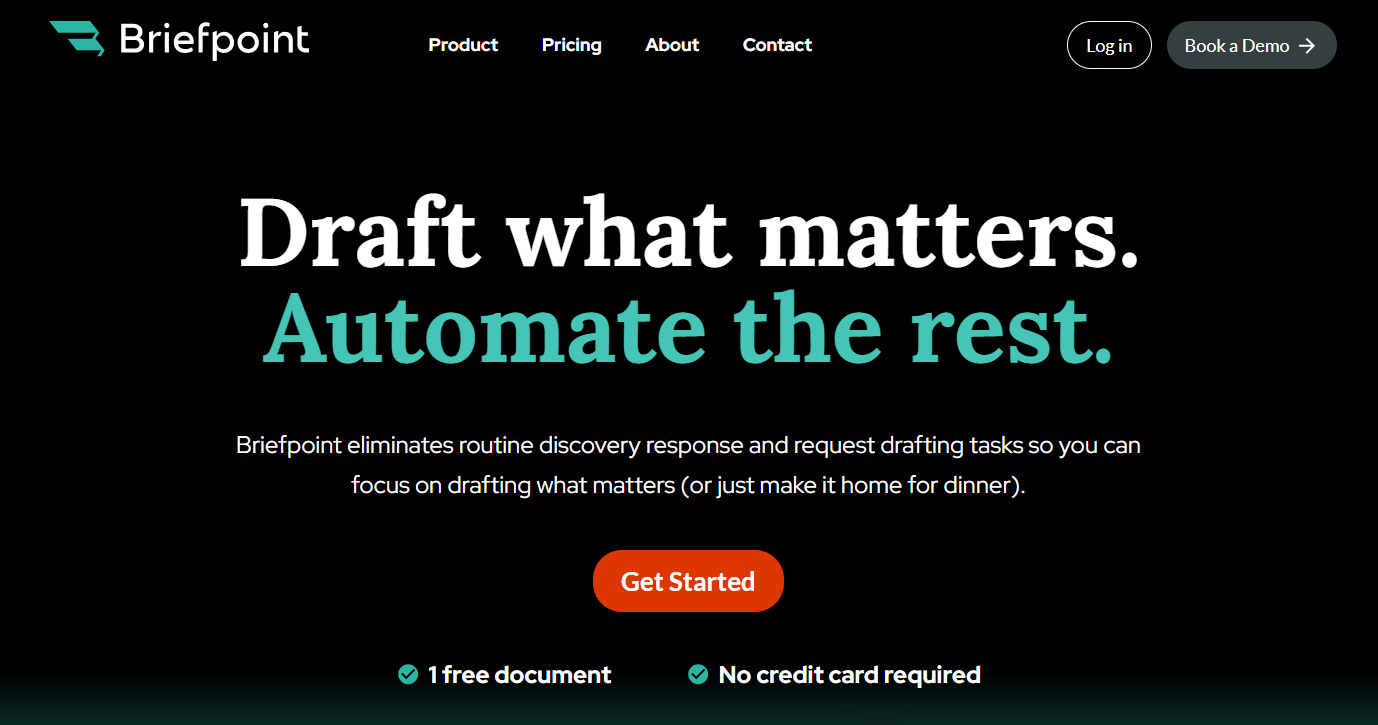
With Briefpoint, you can propound and respond to RFPs, RFAs, and interrogatories across every U.S. state and federal district in just a few clicks.
Upload a discovery request, review AI-assisted objections, and export a formatted response ready to serve. It’s designed for real legal workflows that should be fast, defensible, and fully editable.
For teams managing heavy discovery workloads, Briefpoint eliminates the slow parts of the process. You’ll draft high-quality responses that match your firm’s preferred language, maintain compliance with local court rules, and keep every matter organized from start to finish.
Ready to see how it all works? Book a demo with Briefpoint today.
FAQs About RFP Responses Examples
What are examples of good RFP responses?
Good RFP responses are clear, complete, and well-organized. They address each request directly, include the right supporting documents, and explain any objections professionally. A strong response helps build trust with the opposing side by showing accuracy and transparency.
What are RFP responses?
RFP responses are written replies that a party provides during discovery to share or object to requested documents. They show which materials are being produced, which are withheld, and why.
What does a successful RFP look like?
A successful RFP response follows a clear plan, keeps formatting consistent, and references exhibits correctly. It’s also timely, defensible, and easy for others to review and understand.
How can you make RFP responses more engaging and complete?
Focus on clarity and relevance. Each response should maintain the reader’s interest, address the request with a direct solution, and present the information in a way that supports your overall case strategy.
The information provided on this website does not, and is not intended to, constitute legal advice; instead, all information, content, and materials available on this site are for general informational purposes only. Information on this website may not constitute the most up-to-date legal or other information.
This website contains links to other third-party websites. Such links are only for the convenience of the reader, user or browser. Readers of this website should contact their attorney to obtain advice with respect to any particular legal matter. No reader, user, or browser of this site should act or refrain from acting on the basis of information on this site without first seeking legal advice from counsel in the relevant jurisdiction. Only your individual attorney can provide assurances that the information contained herein – and your interpretation of it – is applicable or appropriate to your particular situation. Use of, and access to, this website or any of the links or resources contained within the site do not create an attorney-client relationship between the reader, user, or browser and website authors, contributors, contributing law firms, or committee members and their respective employers.