MyCase vs. PracticePanther: What Are the Key Differences?
What Is MyCase?
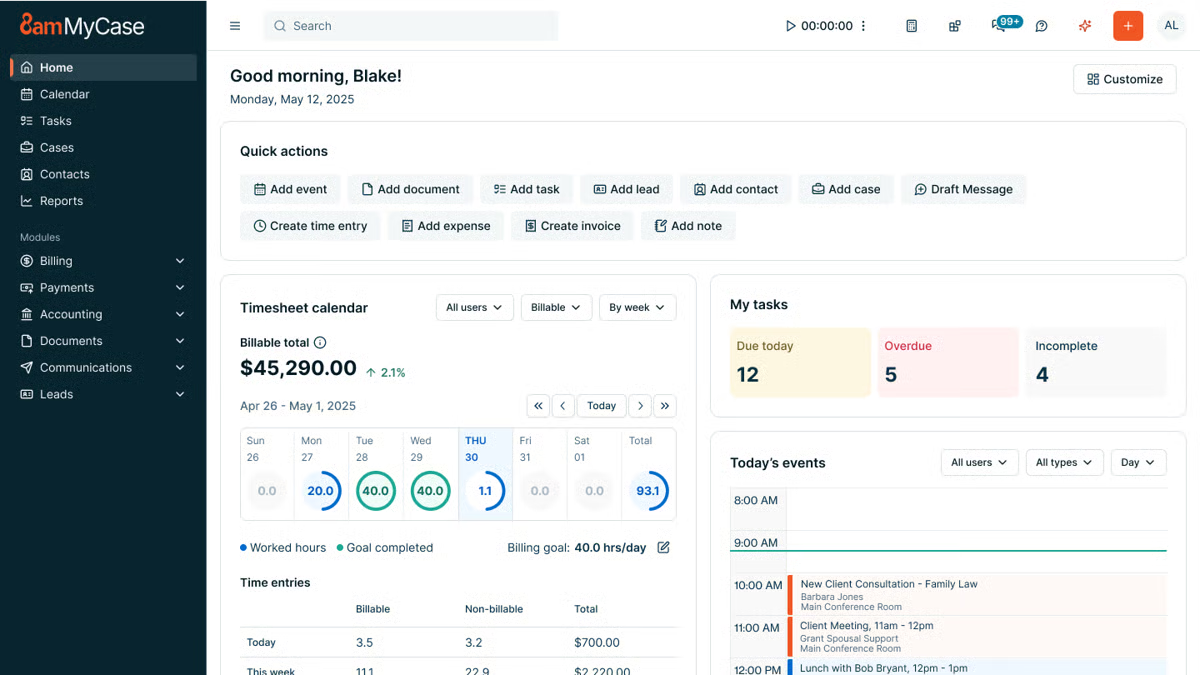
MyCase is a cloud-based legal practice management software that gives you one place to organize your firm’s work. It’s essentially a system that keeps your tasks, contacts, billing, calendar, and legal documents from living in ten different tabs.
It first launched in 2010 and quickly picked up traction with small and midsize firms that wanted something modern but easy to learn.
Source: G2
Part of its appeal comes from its straightforward layout. You don’t need a week of training to get comfortable. Most users jump in and start managing matters, sending invoices, or uploading documents without much friction.
Its document management setup is also a big reason people choose it. You can store files, share them with your team, and keep everything tied to the right case.
Something else you might appreciate is how client-friendly it feels. The built-in portal, online payments, and messaging tools help you cut down on emails and long phone chains. Clients get a clearer view of what’s happening, and you spend less time tracking small updates.
Overall, MyCase works well for firms that want an all-in-one platform that keeps everyday tasks moving and brings your documents, communication, and case details into one organized space.
What Is PracticePanther?
PracticePanther is a legal practice management platform built for firms that want a system they can grow into.
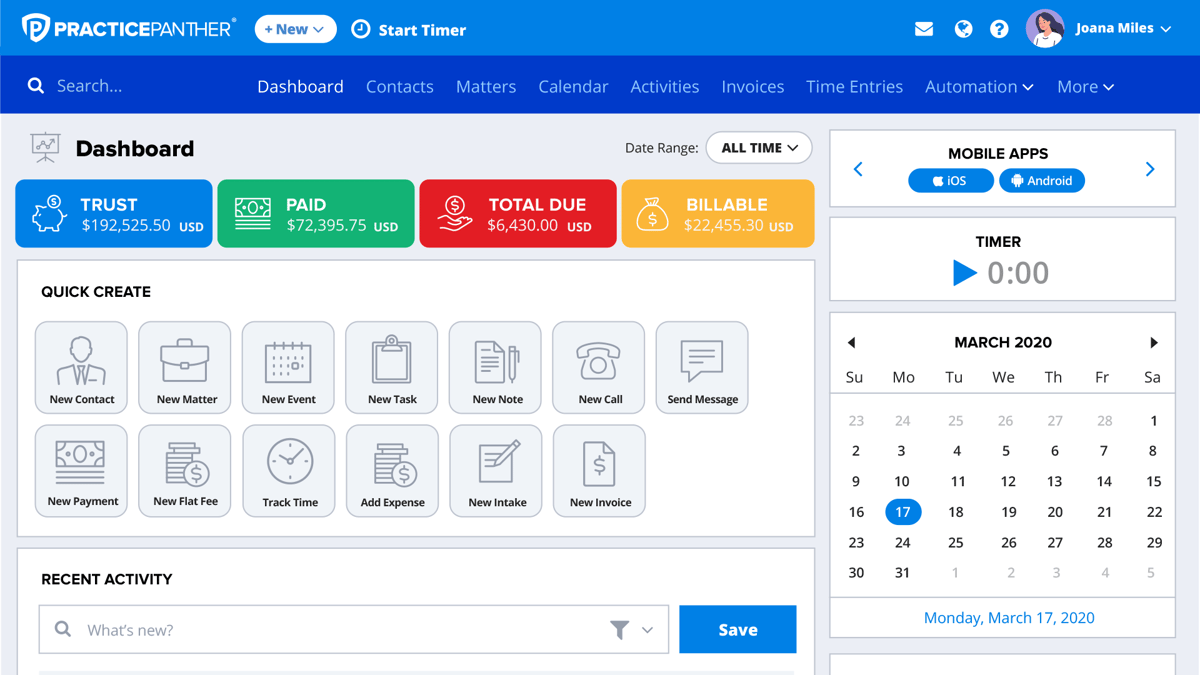
You get a cloud-based dashboard that brings your matters, billing, calendar, and communication together, but the real draw is how flexible the software feels once you start using it.
Source: G2
If you’ve ever felt boxed in by rigid legal workflows, this tool tends to be a nice change of pace. You can customize tasks, automate repetitive steps, and shape processes around the way your firm already works.
In other words, it’s designed to support everything from simple daily checklists to more specific tasks that vary from case to case.
Another standout trait is its connection to third-party tools and apps for lawyers. Email, payment processors, document services; PracticePanther plugs into many of the platforms firms already rely on, which keeps transitions smooth and avoids extra busywork.
And because the platform scales well, it fits solo attorneys just as comfortably as expanding teams. You get comprehensive features, plenty of control over how you work, and a structure that adapts as your caseload grows.
MyCase vs. PracticePanther: An In-Depth Comparison
Not sure which tool to choose? This quick comparison gives you a clearer sense of which option fits the way your firm actually works.
Main Purpose
When you look at the core purpose of each platform, the differences become easier to spot.
MyCase simplifies daily work for law firms that want an organized, all-in-one hub. Its goal is to cut back on time-consuming admin tasks and give you a straightforward system for matters, billing, communication, documents, and more.
If you want something that works smoothly as long as you have an internet connection and doesn’t overwhelm your team, MyCase offers a very direct path.
PracticePanther takes a slightly different angle. The platform aims to give firms more control over how they work, offering deeper customization and more flexible workflows.
PracticePanther excels when you want to tailor your processes, connect with third-party tools, and build out legal automations that match your firm’s habits. It also focuses on scalability, so teams with growing caseloads or more complex workflows often appreciate its structure.
When you’re comparing MyCase and PracticePanther, it really comes down to what you value most.
Overall, MyCase offers simplicity and a clean workflow that keeps everything in one place. PracticePanther offers more advanced functionality and the freedom to shape the software around your firm. Both solve everyday challenges, just in different ways.
Key Features
Taking a closer look at the features helps you understand how each platform supports your daily flow and where its strengths differ:
MyCase’s Key Features
- Secure client portal: Clients can view case files, send secure messages, and pay invoices while keeping everything confidential.
- Automated time tracking: Tracks time as you work, so billing and completing invoices feel easier.
- Customizable invoicing: Lets you adjust formats, payment options, and payment history.
- Document solution: Stores case files, supports customizable templates, and connects with Google Drive.
- Google Calendar sync: Keeps deadlines and events aligned across your devices.
- Accounting software: Helps you manage retainers and trust balances accurately.
- Client communications: Offers secure messages and organized updates in one place.
PracticePanther’s Key Features
- Custom fields and custom tags: Lets you tailor matters with details that match your legal workflow.
- Automated time tracking: Captures billable time in the background.
- Customizable templates: Helps you create repeatable documents for recurring or specific tasks.
- Third-party integrations: Works with Google Drive, payment systems, email tools, and other solutions.
- Secure client portal: Gives clients protected access to documents, invoices, and messages.
- Trust accounting: Tracks retainers, payments, and transfers with clear reporting.
- Reporting dashboard: Helps you gain insights into billing performance and law firm productivity.
Who It’s Best For
MyCase usually clicks with lawyers who want something they can get comfortable with right away. If your priority is a clean layout, easy case management, and quick access to the basics, it fits that style well.
Legal professionals who don’t want to spend time configuring every detail tend to appreciate how smoothly it handles law firm communication, scheduling, and billing. It’s especially appealing for small firms or teams that want things organized without juggling extra setup.
PracticePanther leans toward firms that like having more control. If your practice area involves complex steps, custom fields, or a need to connect with a bunch of other tools, the platform gives you that extra flexibility.
Many lawyers choose it because they want something that grows with their client base and adapts as workloads shift. Its advanced features and customization options make it a comfortable match for teams with expanding needs or more structured workflows.
Pricing
Pricing for both platforms depends on the plan you choose and the size of your team, but here’s what you can expect at a high level.
MyCase Pricing
- Basic plan: $49 monthly: Core case management, billing, payments, client messaging, and the secure client portal.
- Pro plan: $99 monthly: Everything in Basic plus advanced reporting and enhanced document management tools.
- Advanced plan: $119 monthly: Adds MyCase Drive, advanced document automation, and expanded analytics.
PracticePanther Pricing
- Solo plan: $59 monthly: Designed for individual attorneys with core case management, billing, and calendar tools.
- Essential plan: $79 monthly: Adds integrations, automated workflows, and more robust document management.
- Business plan: $99 monthly: Includes advanced features like deeper automation, advanced reporting, and more customization options.
Add Briefpoint to Strengthen Your Legal Tech Stack
Choosing between MyCase and PracticePanther comes down to what your firm values. Both tools cover case management, billing, communication, and client-facing features, so you’re already headed in the right direction with either one.
That said, no practice management platform handles everything on its own, especially when you’re dealing with heavy document work.
This is where Briefpoint becomes a smart addition to your legal tech stack. It automates routine litigation drafting, helps you move through legal documents faster, and keeps your work product consistent across matters.
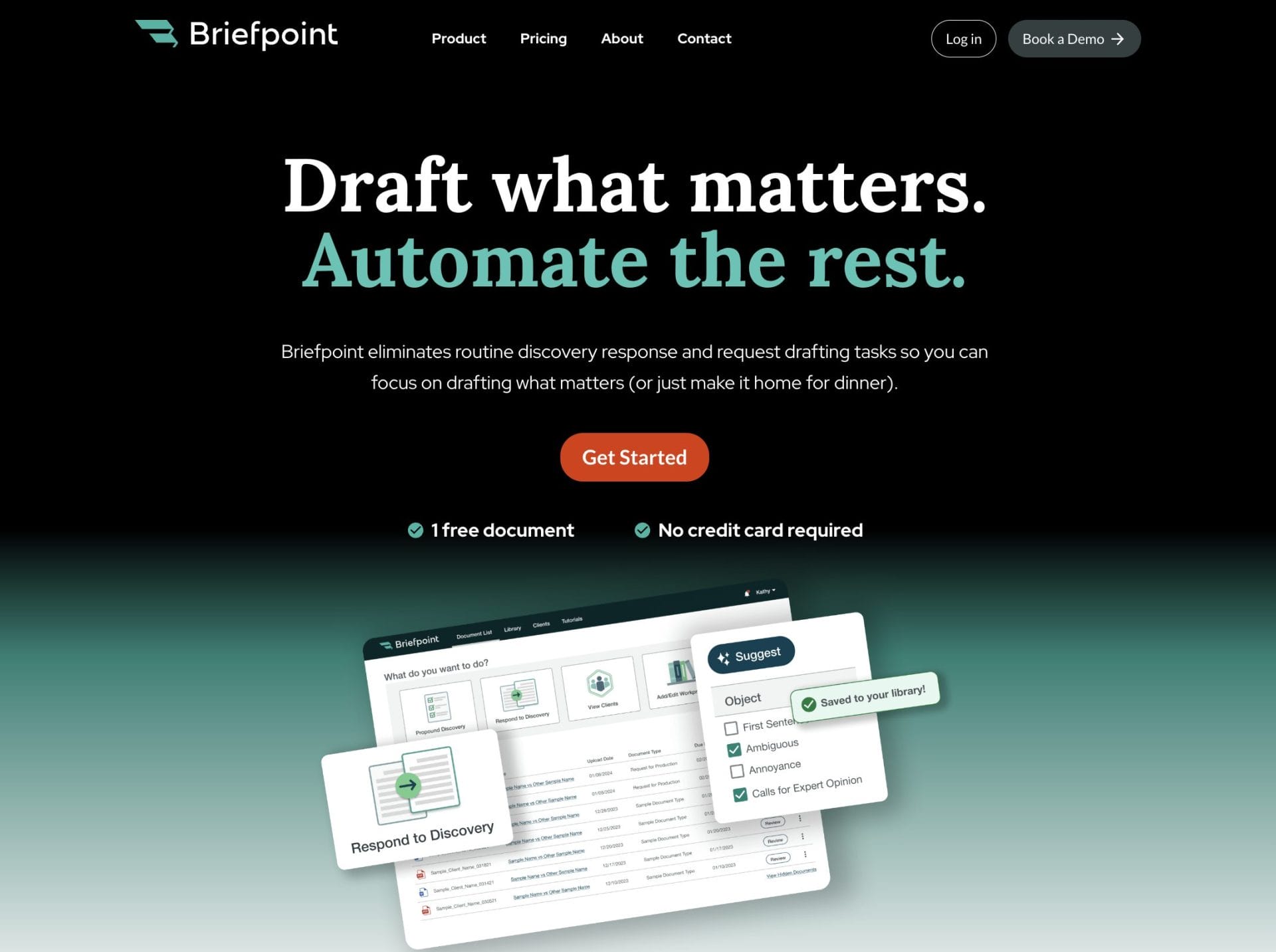
If you’re already using systems like MyCase or PracticePanther, Briefpoint fits right in by handling the pieces those platforms don’t focus on.
You can also take advantage of the Autodoc feature for quick, accurate document assembly when you’re under pressure with multiple deadlines. It generates ready-to-serve discovery responses, complete with Bates numbering and page-level citations, so you’re not piecing things together manually.
The combination saves time and keeps your workflows running smoothly, no matter which practice management system your firm prefers.
