What Are RFP Responses?

What Are RFP Responses?

RFP responses are easy to underestimate until you get into the details. We have gone over RFP response examples before, but it also helps to step back and look at the bigger picture. 

Once you understand the structure behind these responses, the examples make a lot more sense.

In litigation, a response to a request for production does more than give a yes or no answer. It tells the other side what documents will be produced, what objections apply, and how the responding party plans to handle the request.

This guide walks through the response process so you can understand what these responses usually include and what makes them effective.

What Are RFP Responses?

RFP responses are the written answers a party gives after receiving a request for production in a lawsuit. A request for production asks for documents, electronically stored information, or other tangible items related to the case.

The response process usually involves reviewing each request, stating any objections, and saying what will be produced.

In most cases, an RFP response does a few things at once. It tells the other side if you will produce the requested materials, if you object to part of the request, or if you do not have anything responsive in your possession, custody, or control.

If documents will be produced, the response should make that clear. And if an objection applies, it should be specific and tied to the request.

What Is Typically Included in RFP Responses?

RFP responses usually follow a pretty standard structure, even though the details change from case to case. Here is what it usually includes:

Written Responses

Written responses are part of the RFP process, where you answer each request in writing. They tell the other side:

  • If you will produce documents
  • If you object
  • If no responsive materials are available

Each response should match the request closely and reflect the facts tied to the specific client and case.

A written response can be simple, but it still needs to be clear. If documents will be produced, say so. If only some documents will be produced, that should be stated too. If nothing responsive exists, the response should say that plainly.

For example: “Responding party will produce nonprivileged documents responsive to this request that are in the party’s possession, custody, or control.”

That kind of language gives the other side a direct answer and creates a record of what will happen next.

Objections

Discovery objections are a part of an RFP response where you explain why a request goes too far, seeks protected material, or asks for something improper under the rules.

Strong objections connect to the actual wording of the request and give a clear basis for the response. When documents will still be produced in part, that should be stated plainly.

Common objections include:

  • Relevance: The request seeks material that has little or no connection to the claims or defenses in the case.
  • Overbreadth: The request sweeps too widely and reaches beyond what is reasonably needed for the dispute.
  • Vagueness or ambiguity: The wording is unclear, which makes the scope of the request hard to pin down.
  • Undue burden: A response would require unreasonable time, effort, or expense compared with the likely value of the material sought.
  • Privilege: The request calls for protected information, such as attorney-client communications or attorney work product.
  • Possession, custody, or control: The requested material is not within the responding party’s control.

Want a quicker way to draft objections? Check out Briefpoint’s discovery objections cheat sheet.

Document Production

Document production is where the requested materials are actually gathered and turned over.

After the written response is served, the producing party still has to locate responsive documents, review them, and submit the nonprivileged materials tied to each specific RFP.

Documents can include emails, contracts, invoices, internal records, photos, and other files kept by a business, company, or entity in question.

A typical document production usually includes a few key steps:

  • Collection: Relevant documents are pulled from the places where they are stored, such as email accounts, shared drives, cloud platforms, and paper files.
  • Review: The documents are checked for relevance, privilege, confidentiality, and completeness before production.
  • Organization: Materials are arranged in a usable way, often to match the request numbers or categories listed in the discovery set.
  • Redactions: Protected or private information may be blacked out when the rules allow it, while the rest of the document is still produced.
  • Production format: Documents may be produced as PDFs, native files, spreadsheets, or other agreed formats.
  • Supplementation: More documents may need to be produced later when new information is found.

Why Is a Good RFP Response Important?

A good RFP response can heavily influence the rest of the discovery. It helps you gather information, state your position clearly, and avoid problems that can drag the case out.

Since this part of litigation is often time-consuming, clear and complete responses can also save time later by cutting down on meet-and-confer fights, follow-up requests, and motion practice.

A strong response helps in a few important ways:

  • Clarity: Clear answers tell the other side what documents will be produced, what objections apply, and where the response stands.
  • Credibility: Careful responses show that the case is being handled thoughtfully, which can affect how opposing counsel approaches discovery.
  • Efficiency: Organized responses reduce confusion and make it easier to manage deadlines, follow-ups, and document production.
  • Accuracy: Good responses reflect the facts, the available records, and any technical details tied to the requests.
  • Strategy: The response process can reveal weak spots, missing records, and other pain points that deserve more research.
  • Risk reduction: Weak or sloppy responses can lead to disputes, motions to compel, or avoidable court involvement.

How Long Do You Have to Respond to RFPs?

Under the Federal Rules of Civil Procedure, most RFPs must be answered in writing within 30 days after service.

There is one common exception: when the request is delivered before the parties’ Rule 26(f) conference under Rule 26(d)(2), the response is due 30 days after that first Rule 26(f) conference.

The court can set a different deadline, and the parties can agree in writing to a shorter or longer time under Rule 29.

That said, the deadline for the entire response process can feel tighter than it looks. You still need time to:

  • Review each request
  • Gather documents
  • Check for privilege issues
  • Confirm facts with the client
  • Prepare the actual submission

In a busy practice, especially when you are also handling work for other clients, those 30 days can move fast. That is one reason lawyers often start document collection and response drafting early.

How Lawyers Do the RFP Process

Lawyers usually prepare RFP responses in a fairly structured way, even though the exact workflow can vary from case to case.

The main goal is to review the requests carefully, gather the right materials, and draft responses that match the specified requirements of the case without wasting valuable time.

A general process often looks like this:

  1. Review the requests: Each request is read closely to understand what documents are being sought and how broad the language is.
  2. Identify issues early: Lawyers look for requests that may call for objections, privilege review, or follow-up questions for the client.
  3. Gather information and documents: The client helps collect records, emails, files, and other materials that may be responsive.
  4. Draft the written responses: Each response is prepared to state what will be produced, what objections apply, and what limits need to be stated.
  5. Review for accuracy and consistency: The full set is checked to make sure the answers line up with the facts, the case strategy, and prior responses.
  6. Finalize and serve: Once everything is complete, the responses and any production are prepared for service on the other side.

Done well, this process helps achieve a response that is clear, defensible, and easier to manage later in discovery.

How Technology Helps With RFP Responses

Technology can make RFP responses a lot less tedious. There are different types of RFP software, too. Some tools focus on document organization, some help with drafting, and some support the full workflow from intake to production.

For firms handling repeated objections, similar requests, and tight deadlines, it helps to use a system that keeps materials organized and makes past work easier to reuse.

Essentially, good software can speed up drafting, keep language consistent, and make it easier to support more clients without starting from scratch every time.

A few ways it can help:

  • Faster legal drafting
  • More consistent responses
  • A centralized library
  • A searchable content library
  • Easier revisions
  • Better team collaboration
  • Cleaner organization
  • A stronger technical approach
  • Less repetitive work
  • Simpler supplemental responses

Achieve a Smoother Finish for RFP Responses With Briefpoint

RFP responses can eat up hours from start to finish. First comes reviewing the request, then collecting documents, drafting responses, applying objections, organizing production, and cleaning everything up for service.

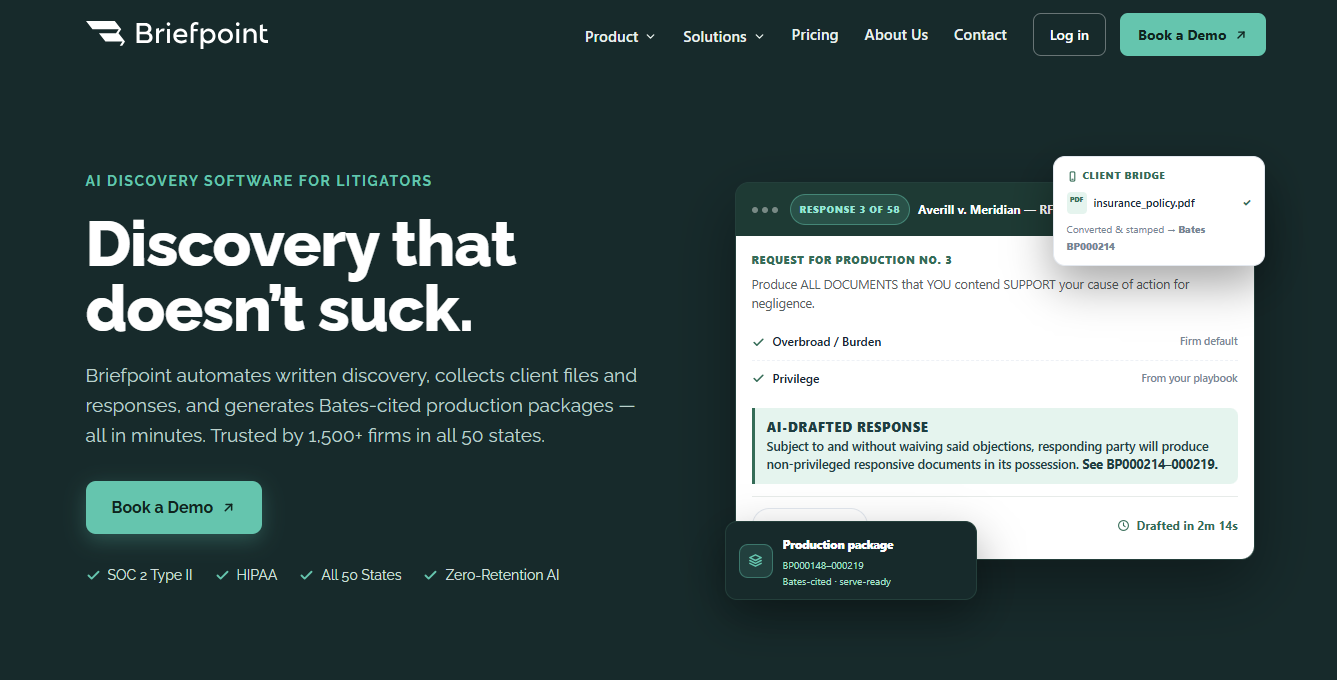
Briefpoint helps move that work along without forcing you to build each response set from scratch.

briefpoint

You can upload a request for production, work through the requests, and generate objection-aware responses in a structured workflow built for discovery.

Briefpoint also supports client-collected responses and Bates-ready production packages, which help keep the drafting and production sides connected in one place. It’s already used by more than 1,500 law firms nationwide.

Autodoc takes things further when the heavy lift is in the documents themselves. It can turn productions and case files into ready-to-serve discovery responses, with page-level Bates citations and production packages, which cuts down a lot of manual sorting and formatting.

And when new information comes in later, Supplemental Responses help you generate updated RFP responses while keeping prior answers intact and easy to reference.

Book a demo today and see how Briefpoint can help.

FAQs About What Are RFP Responses

What is an RFP in simple terms?

An RFP, or Request for Production, is a discovery request one side sends to the other in a lawsuit to ask for documents, files, emails, or other records related to the case. It is one of the main ways parties gather evidence during litigation.

Who gets RFPs?

RFPs are usually sent to a party in a case, such as a plaintiff or defendant. In some situations, documents can also be requested from nonparties through a subpoena, though that is a different process from party-to-party RFPs.

Can ChatGPT write an RFP response?

ChatGPT can help draft a starting point for an RFP response, organize objections, or clean up wording, but it should not replace legal review. Discovery responses need to match the facts, the rules, and the strategy of the case, so a lawyer still needs to check the final language carefully.

What happens after RFP responses are served?

After RFP responses are served, the next step is usually document production. That may include turning over responsive documents, discussing objections with the other side, or supplementing responses later when new information comes up.

The information provided on this website does not, and is not intended to, constitute legal advice; instead, all information, content, and materials available on this site are for general informational purposes only. Information on this website may not constitute the most up-to-date legal or other information. 

This website contains links to other third-party websites. Such links are only for the convenience of the reader, user or browser. Readers of this website should contact their attorney to obtain advice with respect to any particular legal matter. No reader, user, or browser of this site should act or refrain from acting on the basis of information on this site without first seeking legal advice from counsel in the relevant jurisdiction. Only your individual attorney can provide assurances that the information contained herein – and your interpretation of it – is applicable or appropriate to your particular situation. Use of, and access to, this website or any of the links or resources contained within the site do not create an attorney-client relationship between the reader, user, or browser and website authors, contributors, contributing law firms, or committee members and their respective employers.

READ MORE


7 Best Ways to Use AI for Legal Discovery

7 Best Ways to Use AI for Legal Discovery

Legal discovery is one of the easiest places to see where AI can be useful and where it still needs a lawyer’s judgment.

The work is repetitive, detail-heavy, and often pressed for time, which makes it a natural fit for tools that can do things like help sort documents, draft first-pass responses, and pull useful information from a large record.

What makes this worth a closer look is how legal teams can use AI without turning the process over to it.

Discovery still depends on context, strategy, and careful review. AI can help move the routine parts faster, but the real value comes from using it in ways that support the work rather than complicate it.

With all that in mind, let’s talk about seven practical ways AI can help with legal discovery and where it fits best.

What Are the Biggest Benefits of AI-Powered Legal Discovery?

The clearest benefit is that you get some of your time back. Discovery has a way of filling the day with routine legal work, and AI platforms can help move that work along with less manual work or input.

In modern litigation, AI’s capabilities can lead to real efficiency gains while leaving you more room for analysis and case strategy.

Some of the biggest benefits include:

  • Saving time: AI can speed up review, drafting, summarizing, and other repetitive steps that would otherwise take up hours.
  • Cost savings: When work takes less time, the total spend tied to discovery can come down, too.
  • More strategic aspects: Leveraging AI can free you up to spend more time on judgment calls, planning, and overall case strategy.
  • Better consistency: AI platforms can help keep wording, formatting, and workflow steps more uniform from one task to the next.
  • Higher capacity: You can handle more discovery work without every new request throwing off the rest of your workload.
  • Smoother legal work: The process tends to feel less clogged with admin tasks, which helps legal teams work smarter under pressure.

1. Use AI to Review Large Volumes of Documents Faster

A few parts of discovery take up more time than document review. Most of the time, a large production can leave you with thousands of legal documents to sort through, and getting to the useful ones can take longer than it should.

AI helps cut through that first wave of volume, so you can get to the records that look most relevant sooner.

For many teams, legal AI tools and technology-assisted review (TAR) make the early stage of review feel more manageable. Artificial intelligence can identify names, dates, topics, and repeated language, then group similar files together so the set starts to make more sense.

As those review decisions build, machine learning can also help push likely relevant documents closer to the top.

For example, in a trade secret case, you may have years of emails, attachments, internal messages, and draft agreements sitting in one production.

AI can pull together documents tied to a product name, a former employee, or a specific date range, which gives you a cleaner place to begin. That can take a lot of repetitive tasks off your plate and make document review move faster from the start.

2. Use AI to Draft Responses to Interrogatories

Interrogatories often follow a familiar rhythm. You read the request, sort out what it is really asking, check prior materials, and start shaping language that fits the case.

AI can help move that work along by giving you a first draft to react to, which is often much easier than building every response from scratch.

In a legal practice with a steady flow of discovery, the extra speed adds up. For instance, AI can help organize interrogatories one at a time, keep formatting clean, and suggest standard objection language when it fits the request.

It can also help legal professionals keep discovery responses consistent, especially when similar issues come up again in later sets or from opposing counsel.

The useful part is not that AI writes the final answer for you. Instead, it gives you something to work with. You can refine the wording, add the facts that matter, and adjust the response so it matches your strategy and your client’s position.

That makes the manual process feel less draining and gives you more room to focus on the parts of the response that call for your judgment.

3. Use AI to Prepare Responses to Requests for Production

After interrogatories, requests for production call for a slightly different use of AI. The job here is not only to draft a written response. You also need a clear read on:

  • What is being requested
  • How the requests relate to each other
  • What follow-up needs to happen behind the scenes

AI can help sort that out early. It can pull out the subject of each request, group overlapping requests, and draft response language that fits your existing processes. That function makes the set easier to work through and gives your team a more organized starting point.

For example, if several requests all relate to one vendor dispute, AI can connect the ones dealing with emails, contract drafts, invoices, and internal communications. That helps you prepare responses with more consistency and makes it easier to track what still needs review or collection.

A lot of the value comes from structure. When the team spends less time manually untangling similar requests, the work moves more cleanly. For legal teams handling active discovery, those AI capabilities can take a time-consuming part of the process and make it feel lighter.

4. Use AI to Help With Requests for Admission

Requests for admission usually call for a tighter drafting approach than requests for production.

You are not sorting through categories of documents in the same way. Rather, you are dealing with short statements that need a clear response, and the wording can carry significant weight in the discovery process.

Again, AI can help make that stage easier to manage. It can separate each request, keep the responses aligned in tone and structure, and help draft admits, denials, or qualified answers based on the information available. That is especially helpful when the set is long and the requests start to blend together.

In a personal injury case, for example, one side may serve requests tied to medical treatment or the authenticity of records. AI can help organize those requests and match them with the relevant data already gathered, which gives you a faster starting point for drafting.

Plus, it can help keep the response set consistent from one request to the next. That makes it easier to review the whole set as one piece of work rather than a series of disconnected answers.

5. Use AI to Summarize Case Materials and Evidence

Another practical use of AI during the discovery process is summarizing the material your team already has. Once documents start piling up, it helps to get a faster read on what is in the record before you dig into every page line by line.

But when you use AI, it can help pull key evidence from electronic discovery files, deposition transcripts, emails, reports, and other electronically stored information.

It can surface dates, names, and other details that may not stand out through simple keyword searches alone. Some large language models can also give you a quick summary of a long document set, while machine learning algorithms can identify patterns in the background as more material comes in.

Those features can be useful for data collection and early case analysis, particularly when you need to get up to speed without losing sight of the bigger picture.

Common practical applications include:

  • Deposition transcripts
  • Email threads
  • Medical records
  • Contracts and amendments
  • Internal reports
  • Chat logs
  • Chronologies
  • Witness statements

Used carefully, AI can make large sets of client data easier to review and easier to organize before the deeper legal analysis starts.

6. Use AI to Flag Privileged or Sensitive Information

Privilege review asks you to slow down and look more carefully at what is in the file. Before anything is produced, you need to spot documents that may call for extra protection.

AI can help with that first sweep. It can surface relevant information that looks tied to legal privilege, confidential business records, or sensitive client data, so you have a clearer sense of what deserves closer review.

If you are dealing with a large production, that can save your litigation team a lot of backtracking later. AI can pick up things like law firm email domains, common legal terms, confidentiality labels, or names tied to counsel.

One of the key benefits is that you are not forced to hunt through the full set blindly before finding the documents that need special attention.

Sensitive information may include:

  • Attorney-client communications
  • Work product
  • Internal legal notes
  • Settlement discussions
  • Trade secrets
  • Financial account details
  • Medical records
  • Social Security numbers
  • Personnel files
  • Private customer information

7. Use AI to Keep Discovery Workflows More Consistent

After a while, the value of AI starts to show up in the workflow itself. You see it in how discovery requests get drafted, how review moves from one step to the next, and how much less cleanup is needed at the end.

When the process is more consistent, your team spends less time fixing avoidable gaps and more time on the strategic aspects of the case.

That can be greatly helpful when different people touch the same matter. AI systems can keep wording, formatting, and response structure more aligned, while still leaving room for manual review and case-specific judgment. They can also detect inconsistencies that are easy to miss when work moves quickly.

More specifically, a more consistent workflow can help you with:

  • Standard language: Keep discovery objections, definitions, and common response language closer to firm preferences.
  • Inconsistency checks: Detect inconsistencies in wording, position, or formatting before they create problems later.
  • Administrative tasks: Cut down on repetitive admin work tied to organizing, editing, and updating discovery requests.
  • Defensible audit trail: Create a clearer record of edits, review steps, and drafting history in relevant cases.

Common Risks and Limitations of Using AI Tools in the Discovery Process

Like any tool you use in a legal workflow, AI needs careful handling. It can move things along and create significant time savings, but speed is only useful when the output still holds up under review.

A lot of generative AI tools produce polished language quickly, which can make weak analysis look stronger than it really is. That is where caution has to stay part of the process.

Some of the most common risks include:

  • Inaccurate output: AI-powered tools can misread facts, miss context, or draft language that sounds solid but does not fit the record.
  • Human oversight: Natural language processing can help organize and draft, but legal professionals still need to review the substance, the legal research, and the final wording.
  • Sensitive digital data: Implementing AI calls for close attention to where client information goes, how files are stored, and who can access them.
  • Learning curve: New tools take time to learn, especially when your team is trying to fit them into existing workflows.
  • Human error: AI can reduce repetitive work, but rushed review and overreliance can still create problems.

Why Briefpoint Makes AI Discovery Genuinely Useful

AI in discovery sounds great in theory, but the tool still has to fit the job. If it adds extra steps or feels too broad, it usually ends up creating another layer of work.

Briefpoint keeps the focus on discovery drafting, which is why it feels more practical for busy teams. It enables legal professionals to move through responses and requests with less drag while keeping the final review where it belongs.

briefpoint

The features are molded around the work your team already does every day. Autodoc turns uploaded discovery documents into draft responses in minutes, so you are not stuck piecing everything together from a blank page.

Supplemental Responses help when a case keeps moving, and prior answers need updates. Briefpoint also helps keep objections, formatting, and language more uniform, which can make a big difference when multiple people are working in the same file.

The setup is refreshingly simple, too. You upload the discovery document, add or revise your responses and objections, and download the draft for review. Three steps: clean and direct.

Book a demo and see how Briefpoint fits your workflow.

FAQs About AI for Legal Discovery

Which AI tool is best for legal research?

The best tool depends on the job you need done. Some tools focus on legal research, while others are built for discovery drafting, document organization, or review. In the legal industry, it usually makes more sense to look for software that fits your workflow than to look for one platform that does everything.

How does artificial intelligence help with discovery work?

Artificial intelligence can help sort files, summarize records, draft responses, and organize large sets of information. It can also help surface media evidence, spot repeated issues, and shorten some of the slower parts of discovery review. The value usually comes from faster first-pass work, followed by lawyer review.

How do legal teams use AI for document review?

Document review is one of the most common uses. Legal teams use AI to sort large sets of files, group similar documents, identify patterns, and bring potentially relevant material to the front. Some tools also use predictive analytics, training data, and prior review decisions to improve how documents are ranked over time.

What should legal teams look for before using AI in discovery?

Start with fit, security, and ease of use. You want a tool that works well with your process and helps your team in tangible ways. Data security, data privacy, and clear handling of client information should also be part of the decision from the start.


The information provided on this website does not, and is not intended to, constitute legal advice; instead, all information, content, and materials available on this site are for general informational purposes only. Information on this website may not constitute the most up-to-date legal or other information.

This website contains links to other third-party websites. Such links are only for the convenience of the reader, user or browser. Readers of this website should contact their attorney to obtain advice with respect to any particular legal matter. No reader, user, or browser of this site should act or refrain from acting on the basis of information on this site without first seeking legal advice from counsel in the relevant jurisdiction. Only your individual attorney can provide assurances that the information contained herein – and your interpretation of it – is applicable or appropriate to your particular situation. Use of, and access to, this website or any of the links or resources contained within the site do not create an attorney-client relationship between the reader, user, or browser and website authors, contributors, contributing law firms, or committee members and their respective employers.

READ MORE


How to Use AI for Legal Research

How to Use AI for Legal Research

AI legal research tools are getting a lot of attention, but most lawyers are still trying to answer a simpler question: how do you use them in a way that helps your work?

The promise sounds great. Faster research, quicker summaries, and less time spent looking through dense cases. Still, legal research leaves very little room for sloppy results, so using AI well takes more than typing in a question and trusting whatever comes back.

A better approach is to treat AI as just one part of the research process. It can help you get started, but you still need to verify citations, read the source yourself, and use your own legal judgment before relying on anything.

To give you more clarity on AI-powered legal research, we’ll walk you through how to use AI for legal research in a practical way, where it can save time, where it tends to fall short, and how to use it effectively.

What AI Legal Research Means

AI legal research is the use of artificial intelligence to help legal professionals work through case law, statutes, rules, and other legal data more quickly.

In some industries, AI is used to answer customer questions, sort sales leads, or flag fraud. Legal work asks for something different.

For one, a research tool has to deal with jurisdiction, precedent, wording, and nuance. A small shift in facts or phrasing can affect how useful a case really is, so the margin for error is much smaller here than in many other fields.

Used well, AI can help you get to relevant authorities faster, pull key points from long opinions, and sort large volumes of legal data without spending hours on the first pass.

However, it works best as a research assistant rather than a final decision-maker. You still need to read the source, check the citation, and decide how much weight the authority carries.

In practice, that often means using AI to help with things like:

  • Case law
  • Statutes
  • Regulations
  • Opinion summaries
  • Citation review
  • Legal data sorting

The Benefits of Using AI for Legal Research

Legal research takes time, and much of that time goes into the first pass. For example, you have to sort through case law, pull legal data, narrow legal issues, and figure out which authorities deserve a closer read.

AI legal research tools can make that part of the process move faster.

That shift is already showing up in how the legal industry uses AI. Legal professionals commonly use general-purpose AI for research and document summaries, while legal-specific AI tools are used most often for legal research.

For instance, 58% of legal-specific AI users rely on those tools for legal research, which shows how central research has become in the legal industry’s use of AI.

Some of the biggest benefits include:

  • Faster starting points: AI can accelerate legal research by helping you find relevant authorities and recurring themes sooner.
  • Quicker review: Long opinions, statutes, and other legal data are easier to work through when key points show up early.
  • Better issue spotting: AI can surface related legal issues that may need more attention.
  • Less repetitive work: Routine research steps take less manual effort.
  • More time for analysis: A shorter first pass leaves more room for careful legal judgment.

What AI Can Help You Do During Legal Research

Once the research question is clear, AI technology can help move the work forward in a few practical ways.

Essentially, it can sort information faster, surface patterns, and make large volumes of material easier to review. For legal researchers and law firms, this can be useful during the early stages of analysis, particularly when time is tight and the record is long.

Like legal research, no one should rely solely on AI systems for legal analysis. The output still needs review, and the potential risks are real when a tool misses context, misstates a case, or pulls the wrong authority.

Here are some of the main ways lawyers integrate AI into legal research and legal operations:

  • Case matching: AI can help surface cases with similar facts, claims, or legal issues.
  • Document review: It can sort through large sets of opinions, filings, or internal material more quickly.
  • Summaries: AI can summarize documents so the first read takes less time.
  • Issue clustering: It can group related authorities or arguments that belong together.
  • Citation help: Some tools can flag citations, pull quoted language, or point to supporting authority.
  • Research organization: AI can help structure notes, themes, and findings in a way that is easier to work from.

How to Use AI for Legal Research Step by Step

If you want useful results, it helps to follow a clear process. Here is one way to work through it:

1. Start With a Clear Legal Question

The quality of the answer usually depends on the quality of the question. If your prompt is too broad, AI solutions tend to give broad, generic responses. But if your question is specific, you are much more likely to get something useful for the legal research process.

That means defining the issue before you type anything in. Pin down the claim, the jurisdiction, the key facts, and the procedural posture.

Many legal research tools use natural language processing, so they can respond to natural language questions, but that does not mean every question will produce comprehensive answers.

A vague prompt like “What does premises liability law say?” leaves too much room for guesswork. A better prompt would be: “Under California law, what duty does a commercial property owner owe to a customer injured in a store aisle spill?”

That second version gives the tool something real to work with. It narrows the legal issue and gives you a better shot at relevant authorities and fewer useless results.

Before using AI, ask yourself:

  • What is the legal issue?
  • Which jurisdiction applies?
  • Which facts actually matter?
  • What am I trying to find?

2. Ask AI for a Research Starting Point

Ask for a starting list of cases, statutes, rules, or secondary sources tied to your issue. In legal practice, that can save time when you are trying to figure out where to begin.

The key is to treat the result as a launch point instead of a final answer. AI outputs can give you a rough map, but they still need to be checked against a legal database and reviewed in the right legal context.

For example, you might ask: “Under New York law, what cases and statutes should I review for a negligent hiring claim against an employer?” That prompt gives the tool a specific issue and jurisdiction, which makes the response far more useful than a broad question with no details.

A good response at this stage might point you toward the leading authority, recurring elements of the claim, and terms worth searching next. That can help you move into the real research faster.

Remember: What you want here is a starting list you can verify, narrow, and build on.

3. Use AI to Summarize What You Find

After you gather the sources, AI can help you get through them without feeling stuck in pages of dense text. That can be useful when you are reviewing court opinions, statutes, or other legal documents and need to understand what is worth your time first.

A summary will not do the reading for you, though. But it can help you get oriented, pull out the main point, and spot the parts you need to read closely on your own.

For example, you might ask: “Summarize this opinion’s holding, key facts, and reasoning in plain language.” You could also ask: “What rule did the court apply here, and why did that rule lead to this result?”

Doing this can give you a quicker read on the legal content in front of you, especially if you are comparing several cases tied to the same issue. It can also help when one opinion looks promising, but you need to confirm what it actually says before using it in your research.

The important part is what comes next. Go back to the source. Read the quoted language. Check that the summary lines up with the opinion.

4. Verify Every Citation and Legal Proposition

AI-generated legal research can point you in useful directions, but it can also give you bad citations or legal propositions that sound right and still fall apart once you check the source.

That is why every case, quote, rule, and citation needs to be confirmed in authoritative legal sources.

That may mean checking sources like Westlaw, Bloomberg Law, Lexis, court websites, or other reliable research platforms.

Here’s what to check before relying on anything:

  • Citation accuracy: Confirm that the case, statute, or rule actually exists and is cited correctly.
  • Quoted language: Make sure the quoted text matches the source word for word.
  • Legal proposition: Check that the source really supports the point AI says it supports.
  • Jurisdiction and date: Confirm the authority applies in the right court and is still good law.
  • Context: Read the surrounding passage so a narrow statement is not pulled too far out of place.

5. Refine and Expand Your Research

The next step is to push the research further. This is where legal AI tools can be useful for follow-up questions, related theories, and gaps you may not have noticed on the first pass. 

A good prompt at this stage can help surface key insights, but human judgment still has to guide the direction.

For example, you might ask AI to identify weaker points in your position or suggest terms that could lead to better database searches. That can be helpful for in-house counsel, litigators, and anyone trying to stress-test an argument before relying on it.

Machine learning can help spot patterns and related concepts, but human oversight is still what keeps the research grounded. AI is useful here because it helps widen the lens while still allowing legal professionals to decide which legal authorities carry real weight.

At this stage, you might use AI to look into:

  • Related claims
  • Counterarguments
  • Distinguishing facts
  • Stronger search terms
  • Split authority
  • Primary law sources
  • Procedural issues
  • Secondary sources
  • Missing legal authorities

The Limitations of AI in Legal Research

AI can be useful in legal workflows, but it still has real limits. For example, large language models can sound confident even when the answer is incomplete, out of date, or flat-out wrong. That is a problem in legal research, where small details can change the value of a case or statute.

This is one of the biggest reasons human expertise still has to lead the process. The best AI tools can help you move faster, but they cannot replace close reading, legal judgment, or professional responsibility. That is also part of how legal professionals should think about AI ethics in practice.

Some of the main limitations include:

  • Made-up or faulty citations: AI can produce authorities that do not exist or describe real cases inaccurately.
  • Weak legal reasoning: A response may sound polished while missing nuance, procedural posture, or jurisdictional limits.
  • Outdated information: AI may rely on stale material and miss newer authorities or changes in the law.
  • Ethical concerns: Sensitive client data should never be entered carelessly, most especially in tools that are not approved by legal firms.

How Briefpoint Helps Legal Teams Incorporate AI Into Discovery Work

Using AI for legal research can give legal teams a real competitive edge, but research is only one part of the job. The work still has to turn into usable documents, consistent responses, and something your team can actually send out with confidence.

That is part of what makes Briefpoint useful. It helps legal teams incorporate AI into the discovery process in a practical way, especially when the workload starts piling up.

briefpoint

With Autodoc, you can upload discovery requests and generate draft responses faster, which cuts down manual drafting time. Supplemental Responses also help when a case keeps moving, and your answers need updates later.

The support that Briefpoint offers can make a real difference for client satisfaction, too. Faster turnaround, cleaner discovery documents, and more consistent work product all help your team stay responsive without burning time on repetitive tasks.

More than 1,500 law firms use Briefpoint, which says a lot about how common this problem is and how much time firms want back. If your goal is to use AI in a way that fits legal work, Briefpoint gives you a direct path from research and review to finished discovery documents.

Book a demo now.

FAQs About Using AI for Legal Research

What is the best AI tool for legal research?

The best tool depends on the type of work you need help with. Some platforms are built for legal research, while others work better as an AI assistant for summarizing cases, organizing notes, or drafting follow-up questions. A good fit usually comes down to accuracy, ease of use, and how well the tool fits your legal services workflow.

How can AI help in legal research?

AI can help you find a starting point, summarize cases, pull out key rules, and organize research faster. It can also help surface related legal matters or suggest follow-up questions that deserve a closer look. You still need to review the source yourself, but it can save time during the early stages of research.

Is there a free legal AI?

There are free and low-cost AI tools that can help with legal research tasks, but free access usually comes with trade-offs. Some tools have limited features, and some may rely on public AI models that are not a good place for confidential information. Before using any free option, it is smart to check the platform rules and figure out how it handles privacy.

What ethical considerations come with using AI for legal research?

Lawyers need to think carefully about ethical considerations before using AI in legal work. That includes accuracy, confidentiality, and supervision. If a tool is used in legal matters, you need to protect client information, follow data protection laws, and avoid treating the output like advice from an AI lawyer. AI can support business processes, but the legal judgment still has to come from a human.

The information provided on this website does not, and is not intended to, constitute legal advice; instead, all information, content, and materials available on this site are for general informational purposes only. Information on this website may not constitute the most up-to-date legal or other information.

This website contains links to other third-party websites. Such links are only for the convenience of the reader, user or browser. Readers of this website should contact their attorney to obtain advice with respect to any particular legal matter. No reader, user, or browser of this site should act or refrain from acting on the basis of information on this site without first seeking legal advice from counsel in the relevant jurisdiction. Only your individual attorney can provide assurances that the information contained herein – and your interpretation of it – is applicable or appropriate to your particular situation. Use of, and access to, this website or any of the links or resources contained within the site do not create an attorney-client relationship between the reader, user, or browser and website authors, contributors, contributing law firms, or committee members and their respective employers.

READ MORE


How to Draft Interrogatories for Better Discovery

How to Draft Interrogatories for Better Discovery

Interrogatories can be useful early in discovery, but drafting them well takes some care. The wording has to be clear, the scope has to make sense, and each question should pull its weight.

When that does not happen, you are more likely to get vague answers, broad objections, or responses that do not give you much to work with.

A solid set of interrogatories starts with a close read of the case and a clear sense of what information is still missing. From there, the goal is to draft questions that are focused, practical, and worth asking. This guide walks through that process.

What Are Interrogatories?

Interrogatories are written questions one side sends to the other during the discovery process in a lawsuit. They are one of the most common discovery requests used to gather basic facts, pin down positions, and get details that the other side may rely on later.

When you serve interrogatories, the receiving party has to answer them in writing and under oath. Those answers usually cover names, dates, events, documents, damages, and other requested information tied to the claims or defenses in the case.

In some situations, interrogatories also ask a party to identify witnesses, describe how an incident happened, or explain the basis for certain allegations.

Attorneys often use interrogatories early in discovery to get a clearer picture of the case before depositions or other follow-up steps. They can help you sort out what the other side is claiming, what facts are still unclear, and which issues may need closer attention.

And unlike depositions, interrogatories happen in writing, so there is more time to prepare responses carefully. That makes them useful when you want direct answers you can review, compare, and use to build the rest of your discovery plan.

How to Draft Interrogatories Step by Step

If you want stronger answers, it helps to be deliberate with how you frame each question. Here are the steps that can help you draft interrogatories more clearly and strategically:

1. Review the Pleadings, Case Files, and Related Document Requests

Before you draft anything, take a close look at the pleadings and the case file.

To start, this gives you a better sense of what the case is really fighting over, what facts are still missing, and what the other side has already said on the record. It also keeps you from writing questions that are too broad or disconnected from the actual dispute.

From there, read through the complaint, answer, counterclaims, affirmative defenses, and any early disclosures or emails that help fill in the story. Look for vague allegations, missing dates, unclear timelines, and statements that raise follow-up questions.

It also helps to check your existing records at this stage. Some facts may already be sitting in the file, so there is no reason to spend interrogatories asking for them again.

At the same time, this review helps lawyers keep the scope of the questions tight. When your interrogatories line up with the actual claims and defenses, they are more useful and harder to attack.

What to review:

  • Complaint
  • Answer
  • Counterclaims
  • Affirmative defenses
  • Initial disclosures
  • Prior correspondence
  • Key documents
  • Existing records
  • Missing facts
  • Disputed issues

2. List the Facts You Still Need

Once you have reviewed the file, the next step is figuring out what facts are still missing. That means looking at the case from both sides and asking yourself what you still need to obtain before you can fully evaluate the claims, defenses, and timeline.

For example, the plaintiff may have alleged harm without giving much detail on timing or supporting documents. The defendant may have denied key allegations without explaining the factual basis for those denials. Gaps like those often point you toward the right interrogatories.

This is also a good time to focus on facts tied to knowledge and circumstances. Who knew what, when did they know it, and what was happening around the events in dispute?

Questions like that can help you narrow the issues and pull out additional information that has not shown up in the pleadings or disclosures.

Here are a few facts to identify during this step:

  • Dates
  • People involved
  • Communications
  • Events
  • Decisions made
  • Damages claimed
  • Injuries alleged
  • Documents referenced
  • Basis for denials
  • Basis for affirmative defenses
  • Witness knowledge
  • Surrounding circumstances

3. Group Questions by Topic

A grouped set is easier to process and easier for the responding party to answer. Plus, it makes it easier to determine if a question is too broad, repetitive, or out of place.

Organizing by topic can also make reviewing simpler on your end. You and your client can scan each section, spot what is missing, and decide where more detailed questions may be needed.

Common topic groups include:

  • Parties and background: Names, roles, relationships, and other basic facts tied to the dispute.
  • Timeline of events: Dates, sequence, and timing of key events.
  • Communications: Emails, calls, texts, letters, and related exchanges.
  • Witnesses: People with relevant knowledge and the subjects they know about.
  • Documents: Records mentioned in the pleadings or tied to disputed issues.
  • Damages: Claimed losses, amounts, and supporting facts.
  • Defenses: Facts supporting denials and affirmative defenses.
  • Policies or procedures: Internal rules or usual practices connected to the claims.

4. Write Clear and Specific Questions

It goes without saying that clear interrogatories tend to get better answers. When a question is vague or crammed with too many ideas, the other side has more room to object or respond in a way that tells you very little.

To avoid that, make sure to:

  • Keep the wording simple
  • Stay focused on one point at a time
  • Ask for facts that the other side can actually give

As you draft, keep the bigger picture in mind. A strong interrogatory can pin down facts, point you to useful evidence, and show what a party making a claim or defense may rely on to prove it later at trial.

At the same time, you want to avoid asking for privileged information, since that usually leads to an objection you could have seen coming.

For example, in a medical malpractice case, a weak interrogatory might say, “Explain everything that happened during the plaintiff’s treatment.”

As written, that leaves far too much open. A better version would say, “Identify each person involved in the plaintiff’s treatment on March 3, 2025, and describe the care each person provided.”

From there, the difference becomes pretty clear. The second version asks for specific people, ties the question to a clear date, and zeroes in on facts that may help your case.

5. Keep Each Interrogatory Focused

A focused interrogatory asks one question and aims at one issue. Narrow questions are usually easier for a court to view as reasonable. They show that you are trying to get targeted facts, not push the other side into writing a full case summary in one response.

They also work well alongside document requests. You can use an interrogatory to pin down a fact or position, then ask the other side to produce the records that support it.

For example, a broad interrogatory might say, “Identify all facts, witnesses, and documents supporting your denial of the allegations in the complaint.” That asks for too much all at once.

A tighter version would say, “Identify all facts supporting your denial of paragraph 12 of the complaint.”

The second version is easier to answer and easier to evaluate. It sticks to one issue, points to one part of the pleading, and gives you a clearer way to measure whether the response is complete.

6. Avoid Compound or Confusing Wording

If the question mixes too many ideas or leaves key terms undefined, the other side may answer only part of it or object on multiple grounds. That can slow things down and make it harder to get a clean response you can actually use in court.

With that in mind, keep the wording direct and easy to follow. Each interrogatory should ask for one thing in a way that does not force the other side to guess what you mean.

You also want to avoid phrasing that calls for a pure legal conclusion, especially when the facts are what you really need. Questions built that way often create room for objections from opposing counsel and may fail to give you anything useful.

Here are a few examples of wording problems:

  • “State all facts, witnesses, and documents supporting each denial in your answer”
  • “Explain everything you did and why you did it”
  • “Identify all people involved and all communications related to the incident and damages”
  • “Admit that your conduct violated the law”
  • “State why your defense does not fail under the contract”
  • “Describe every act or omission that supports your position”

7. Check for Relevance and Proportionality

Relevance means the question connects to the claims or defenses in a real way. Proportionality asks something slightly different: is the question appropriately sized for the case, or does it ask for far more than the dispute calls for?

Courts look at things like the burden of answering, the importance of the issue, and the actual value of the information you are trying to get.

A quick review here can be really helpful. Some questions may relate to the case in a loose sense but still push past the practical limitations of written discovery. Tightening those questions gives you a better shot at getting useful answers without inviting easy discovery objections.

That point comes up a lot in wrongful death cases. For example, asking the defendant to identify every employee who had any contact with the decedent over a ten-year period would likely be too broad for the nature of the dispute.

A narrower interrogatory might ask the defendant to identify each employee who communicated with the decedent during the week before the incident and state the subject of each communication.

That version is far more grounded. It stays tied to the events at issue and asks for information with a clearer connection to the case.

8. Revise for Clarity and Strategy

Once the draft is done, give it one more pass before service. Revision is where you clean up wording, catch overlaps, and make sure the set works as a whole.

Strategy also comes into sharper focus during this step. You want the interrogatories to move in a logical manner, build a clear record, and push the other side to commit to facts you may later use in motion practice or at trial.

A tighter set is usually more compelling than a long one filled with questions that all blur together. Additionally, you’ll be able to spot anything that may need revision before the other side gets formal notice of what you are asking.

Use this quick checklist before serving:

  • Clear wording
  • One issue per interrogatory
  • No duplicate questions
  • No vague terms
  • Dates and names included where needed
  • Tied to claims or defenses
  • Relevant and proportional
  • No request for privileged material
  • Consistent with the pleadings
  • Ordered in a logical flow
  • Strong enough to support follow-up discovery
  • Ready for service

Common Mistakes to Avoid When Writing Interrogatories

A few common mistakes can make your questions easier to object to and harder to use once the answers come in. Here are some examples:

  • Making questions too broad: An interrogatory that sweeps too widely often gets a vague response or a boilerplate objection.
  • Combining too many asks: Packing facts, witnesses, documents, and explanations into one question can make the answer incomplete or hard to pin down.
  • Using vague wording: Terms without clear limits can leave too much room for interpretation.
  • Repeating the same point: Slightly reworded duplicates waste space and weaken the set overall.
  • Asking for a pure legal opinion: Interrogatories work better when they target facts and not abstract legal argument.
  • Ignoring the role of form interrogatories: Standard questions can cover basic information efficiently, so there is no reason to reinvent them every time.
  • Overusing special interrogatories: Custom questions are useful, but they should fill real gaps rather than repeat what standard forms already cover.
  • Skipping a final review: Small wording problems can turn into bigger issues once the other side starts drafting objections to interrogatories.

Briefpoint Can Help You Handle Discovery Requests Faster

Drafting interrogatories can take a surprising amount of time, especially when you are trying to keep every question clear, tight, and useful. Then you still have the rest of your discovery requests to deal with, plus revisions, follow-ups, and deadlines.

Briefpoint helps take some of that work off your plate. You can upload your discovery documents and get a draft in minutes, which makes it easier to move things forward. From there, you can review, edit, and tailor the language to fit the case.

briefpoint

It also helps when the work does not stop with one round of drafting. If you are handling interrogatories along with requests for production or requests for admission, Briefpoint gives you a faster way to prepare those documents without slowing down the rest of your day.

Then, Autodoc helps with drafting, and supplemental responses can be managed more easily when updates come up later.

If you want a smoother way to handle repetitive discovery work, Briefpoint can make the process a lot less time-consuming while still leaving you in control of the final product.

Book your demo today.

FAQs About How to Draft Interrogatories

When should you serve interrogatories in a lawsuit?

You usually serve interrogatories after the pleadings are in place and you have a clear enough sense of the claims and defenses to ask targeted questions. Many lawyers send them early in discovery so they can gather facts, identify witnesses, and see where the other side is likely to push back.

How many interrogatories can you send?

That depends on the rules that apply in your case. Federal and state courts can have different limits, and some treat form interrogatories and specially drafted interrogatories differently. It is worth checking the rule before you draft, so you do not end up with a set that goes over the limit.

What can interrogatories help you find out?

Interrogatories can help you pin down basic facts, identify witnesses, clarify damages, and see what issues may later be disputed in front of a jury. For example, in a personal injury case, they may be used to gather details about the incident, injuries, treatment, and claimed losses.

Can interrogatories ask a party to identify other people involved?

Yes, as long as the request is relevant and clearly worded. You can ask a party to identify witnesses, employees, representatives, or agents who have knowledge of the facts or took part in the events tied to the case.

The information provided on this website does not, and is not intended to, constitute legal advice; instead, all information, content, and materials available on this site are for general informational purposes only. Information on this website may not constitute the most up-to-date legal or other information.

This website contains links to other third-party websites. Such links are only for the convenience of the reader, user or browser. Readers of this website should contact their attorney to obtain advice with respect to any particular legal matter. No reader, user, or browser of this site should act or refrain from acting on the basis of information on this site without first seeking legal advice from counsel in the relevant jurisdiction. Only your individual attorney can provide assurances that the information contained herein – and your interpretation of it – is applicable or appropriate to your particular situation. Use of, and access to, this website or any of the links or resources contained within the site do not create an attorney-client relationship between the reader, user, or browser and website authors, contributors, contributing law firms, or committee members and their respective employers.

READ MORE


The Most Common Objections to Interrogatories

The Most Common Objections to Interrogatories

Interrogatories may look straightforward on the page, but responding to them rarely stays that simple for long.

Once you start reading closely, it becomes clear that not every question is fair, clear, or properly limited.

One may ask for far too much, another may be worded so loosely that it is hard to answer with confidence, and another may reach into information that should never be disclosed in that form.

That is why objections play such an important role in discovery. A well-written objection helps you set boundaries, protect privileged material, and keep the response focused on what the rules actually require.

This guide explains what objections to interrogatories are, the most common grounds for raising them, what they look like in practice, and how to write them in a way that is specific, credible, and useful.

What Are Interrogatories?

Interrogatories are written questions that the other side sends during discovery, and you have to answer them in writing under oath. They’re meant to get clear facts on the record early, before depositions, motions, or trial prep start to narrow the case further.

In practice, interrogatories can ask for names, dates, timelines, explanations of claims or defenses, and other details tied to the dispute. The party seeking this information may use your answers to test your position, compare them against documents, or point to gaps in your story.

Some responses may also help lead to admissible evidence later, even if the answers themselves are not always used that way in court. That is one reason discovery responses need care from the start.

What Are Objections to Interrogatories?

Objections to interrogatories are formal reasons for not answering a question fully, or at all, in the way it was asked.

When you are answering interrogatories, an objection tells the opposing party that a request goes too far, is unclear, asks for protected information, or has some other legal problem.

For example, an interrogatory might be too broad, vague, burdensome, or call for privileged material. It may ask you to assume facts that have not been established yet, or demand information that does not really relate to a party’s claim or defense.

In those situations, an objection helps you push back and define the limits of what must be answered.

That said, objections need to be used carefully. A weak or boilerplate objection can hurt your credibility, while a clear one can protect your position and keep the response focused.

Common Grounds for Objections to Interrogatories

Not every interrogatory deserves a full answer as written. When that happens, an objection gives you a way to push back with a clear legal basis.

These are common grounds for interrogatory objections:

Relevance

Some interrogatories ask for information that has no real connection to the claims or defenses in the case. A relevance objection may make sense in these cases.

Discovery can reach broadly, but it still has to stay tied to the issues in dispute and the search for relevant evidence. If a question drifts into side matters or asks for facts that are largely irrelevant, there is a solid reason to push back.

Overbreadth

An overbreadth objection usually comes up when a question is drafted too widely. It may cover a long stretch of time, sweep in multiple topics, or ask for far more detail than the case reasonably calls for.

This is one of the more common objections in the litigation process because broad wording can pull in useful information along with a lot that does not belong in the response. Some requests also start to resemble compound questions once they try to cover too much at once.

Undue Burden

Not every objection turns on relevance. Sometimes the real problem is the amount of work required to answer.

A request may be tied to the case and still be unduly burdensome if it would take excessive time, cost, or effort to collect and verify the information.

That can happen when the interrogatory calls for a deep review of records, covers too many categories, or asks for details that are hard to gather in a practical way.

Vagueness and Ambiguity

A question can become objectionable when it is so unclear that you cannot tell what information is actually being requested. Maybe the wording is vague, maybe a key term is never defined, or maybe the scope shifts halfway through the sentence.

In a lawsuit, that kind of phrasing creates real problems because the responding party is left guessing, and guessing is a bad foundation for any discovery response.

Privilege

Some information is protected even during discovery. Communications between lawyer and client may be shielded by the attorney-client privilege, and materials prepared for litigation may also be protected under the work product doctrine.

So, even if an interrogatory asks for something the other side wants badly, that does not mean it has to be turned over. Discovery requests still stop at privileged material.

Compound Interrogatories

One interrogatory should ask one clear question. When a single item stacks multiple questions together, it becomes harder to answer cleanly and harder to object to with precision.

You may see a request asking who, what, when, why, and how all in one sentence. Drafting like that can blur the issues, create confusion, and make the response look incomplete even when the real problem is the wording of the interrogatory itself.

Assumes Facts Not Established

An interrogatory may be objectionable when it is built on facts you have not admitted and the record has not established.

The wording can quietly force you to accept part of the other side’s version of events before the dispute has even been sorted out. That kind of question is hard to answer cleanly because the problem starts with the premise and not the response.

Calls for a Legal Conclusion

This objection comes up when the question asks for legal analysis rather than facts. You might be asked to state that a duty existed, explain the legal nature of conduct, or say a party failed to meet a legal standard.

Discovery objections like this draw a line between factual information and legal argument, which usually belongs in motions, briefings, or trials.

Premature Expert Discovery

Sometimes the issue is timing. A question may ask for expert opinions, technical analysis, or conclusions before expert disclosures are due.

Even if the information sought could become part of the case later, that does not mean it has to be produced early just because the other side asked for it in an interrogatory.

Harassment or Oppression

Not every interrogatory is written to gather useful information. A request can be framed in a confusing way, repeat the same demand several times, or push for excessive detail with little real value.

When the purpose seems to be pressure rather than legitimate discovery, this objection may be appropriate.

Examples of Objections to Interrogatories

It helps to see how these objections show up in real responses. The examples below give you a clearer sense of what each objection can look like on the page and why a party might raise it:

Example of a Relevance Objection

Interrogatory: Identify every complaint ever made against the plaintiff by any customer, employee, or third party during the last 15 years.

Response: Objection. This interrogatory seeks information that is not relevant to the claims or defenses at issue and is not reasonably calculated to lead to information tied to this dispute.

Subject to and without waiving this objection, Responding Party states that it will provide information, if any, limited to complaints directly related to the allegations in this case and within a reasonable time period.

Example of an Overbreadth Objection

Interrogatory: Describe every communication, document, event, and action that may help prove your defenses in this case.

Response: Objection. This interrogatory is overly broad in scope, unlimited in time, and vague as to the information requested. It seeks an expansive narrative of nearly every fact, communication, and document that could relate in any way to the case, which makes it improper as drafted.

Subject to and without waiving this objection, Responding Party will identify the primary facts supporting its stated defenses to the extent required by the applicable rules.

Example of an Undue Burden Objection

Interrogatory: Identify every internal discussion, draft, revision, and document review your company completed in connection with the events described in the complaint, including the name of each person involved and the date of each communication.

Response: Objection. This interrogatory is unduly burdensome because answering it would require a massive review of records, internal communications, and draft materials at significant expense. The request is also disproportionate to the needs of the case as drafted.

Subject to and without waiving this objection, Responding Party will identify the key individuals and principal non-privileged communications relevant to the claims and defenses in this action.

Example of a Vagueness and Ambiguity Objection

Interrogatory: State all facts supporting your position that the other side acted improperly and unfairly at all relevant times.

Response: Objection. This interrogatory is vague and ambiguous because terms such as “improperly,” “unfairly,” and “all relevant times” are uncertain and undefined. The request does not give enough clarity for the Responding Party to determine the exact information being sought.

Subject to and without waiving this objection, Responding Party will answer to the extent the interrogatory is understood to refer to the allegations specifically stated in the complaint.

Example of a Privilege Objection

Interrogatory: Describe every conversation between you and your attorneys about the claims in this case, including what advice was given and what legal concerns were discussed.

Response: Objection. This interrogatory seeks privileged information protected by the attorney-client privilege and the attorney work product doctrine. Responding Party will not disclose confidential communications with counsel or materials prepared in anticipation of litigation, absent a showing of substantial need sufficient to overcome any applicable protection.

Subject to and without waiving this objection, Responding Party states that responsive non-privileged facts, if any, will be identified through proper discovery and production as required by the rules.

How to Write Strong Interrogatory Objections

Strong interrogatory objections need to do one thing well: clearly explain why the question is improper. If the objection is vague, generic, or copied from another response, it is easier to challenge and easier for a judge to dismiss.

Here are a few tips to make sure your interrogatories are strong:

  • Be specific: Name the actual problem with the interrogatory. If it is vague, say which term is unclear. If it is overbroad, point to the part that makes the scope too wide.
  • Tie it to the rule or law: An objection carries more weight when it rests on a real legal basis, not frustration with the question.
  • Answer what you reasonably can: If only part of the interrogatory is defective, respond to the portion that can be answered fairly. That helps show good faith.
  • Keep the tone controlled: Sharp wording may feel satisfying, but clear and professional language usually works better in discovery disputes.
  • Read it before you serve it: Ask yourself how the objection would sound if opposing counsel quoted it in a filing. If it reads as evasive, tighten it up.

Move From Interrogatory Objections to Finished Responses With Briefpoint

Writing interrogatory objections well takes time. You have to read carefully, spot weak wording, decide what deserves a pushback, and still turn out a response that is clear enough to serve. That gets even harder once client input, document review, and follow-up updates start piling up.

Briefpoint helps cut through that work.

briefpoint

It can draft objection-aware interrogatory responses faster, keep formatting in line with jurisdiction rules, and give you a cleaner starting point in Word so you can focus on judgment calls instead of repetitive edits.

If you also need help tying responses to documents, Autodoc adds another layer by turning productions and case files into ready-to-serve discovery responses with Bates numbering and page-level citations.

And when the case keeps moving, you do not have to rebuild everything from scratch. Briefpoint’s Supplemental Responses workflow lets you create updated interrogatory responses while keeping prior answers intact and easy to reference.

That makes it easier to track what changed, pull in new client information, and finalize updates without creating a mess.

If interrogatories keep eating up time in your practice, Briefpoint gives you a faster and more organized way to handle the full response cycle.

Book a demo today.

FAQs About Objections to Interrogatories

What are common discovery objections to interrogatories?

Common discovery objections include relevance, overbreadth, undue burden, vagueness, privilege, and compound questions. A party may also object when an interrogatory assumes facts not established or asks for a legal conclusion.

Can you object to discovery requests and still provide an answer?

Yes. In many cases, a party can object to part of an interrogatory and still answer the portion that is clear and proper. That approach often shows good faith and can reduce the possibility of a later dispute.

What happens if discovery objections are too vague or generic?

Weak objections can create problems fast. If they sound boilerplate or evasive, opposing counsel may challenge them, and the court may require a fuller response. Clear and specific wording usually holds up better.

Do interrogatory objections matter if the case will be decided by a jury?

Yes. Even though objections are handled during discovery and not decided by a jury, they can still shape what information gets disclosed, what facts get pinned down early, and how strong each side’s position looks as the case moves forward.

Can you refuse to answer an interrogatory based on the attorney-client privilege?

Yes, if the interrogatory asks for confidential communications between a client and attorney made for legal advice, the attorney-client privilege may apply. That objection has to be raised carefully, though, because you still need to avoid revealing the protected information while making the basis for the objection clear.

READ MORE


RFP Responses Examples: How to Respond to Common Requests

RFP Responses Examples: How to Respond to Common Requests

The RFP response process is rarely quick, and it rarely stands alone. Once a request for production comes in, document collection begins.

From there, teams move into privilege review, internal coordination, drafting, formatting, and final production. As requests stack up, the workload expands, and the margin for error shrinks.

And because each response becomes part of the formal record, details matter. The way documents are described, the objections that are asserted, and the structure of the production can all influence negotiations and motion practice later on.

For that reason, a clear and repeatable approach is essential.

In this guide, we walk through the RFP response process step by step. You’ll see what makes a response defensible, review practical sample responses, and learn how RFP automation tools can reduce manual work while keeping production organized and consistent across matters.

What Is a Request for Production?

A request for production is part of the discovery process in a lawsuit. It’s a formal written request that one party sends to another, asking for documents, records, or files that contain necessary information about the case.

These could include:

  • Contracts
  • Emails
  • Reports
  • Financial statements
  • Any materials that help clarify the facts in dispute

The goal of an RFP is to make sure both sides have access to the same information before going to court. This makes sense because it allows each party to prepare its arguments based on complete and accurate evidence.

When a law firm receives an RFP, it reviews each request carefully, gathers the relevant materials, and decides which documents can be shared. Privileged or confidential data must be reviewed and redacted before being produced.

Managing the RFP process manually takes time and increases the chance of missing important files. To handle it more efficiently, many firms use RFP automation tools that organize, tag, and produce documents automatically.

This saves hours of work and gives both the firm and the client confidence that every request has been handled correctly and consistently throughout the discovery process.

What Makes a Strong RFP Response

A strong RFP response depends on the case, the client, and the type of legal documents requested. But usually, here’s what makes an RFP response clear, defensible, and useful to both sides.

  • Complete and accurate: It includes all the information requested, organized by request number and supported with clear references or exhibits.
  • Concise and focused: The response avoids unnecessary detail and keeps the language direct. Each answer should make sense without long explanations.
  • Well-structured: Every response lists the request first, followed by the reply. This helps readers follow the document easily.
  • Relevant and precise: The response focuses only on materials related to the request and avoids mixing unrelated topics.
  • Transparent: When documents are withheld or redacted, the reason is clearly stated. This helps demonstrate fairness in the discovery process.
  • Professional tone: Even when objecting, the wording stays neutral and polite.

Sometimes, it’s also helpful to include additional information that clarifies how the data was collected or reviewed.

Overall, a good RFP response should demonstrate that the producing party handled the process carefully and in good faith. This shows both preparation and respect for the opposing side’s right to review evidence.

Common RFP Response Examples

These examples show how law firms usually structure their replies to different types of requests for production. They’re based on common discovery situations and demonstrate how to stay professional, clear, and compliant with court rules.

Each sample RFP response reflects a different scenario:

1. Full Compliance Response

A full compliance response is used when the request is clear, properly limited, and seeks documents that are relevant and non-privileged. In this situation, the producing party has no basis for objection and can provide everything requested.

This type of response is common when the documents are easy to identify and directly tied to the client’s problem at the center of the case. It also demonstrates transparency and supports regulatory compliance when accurate record production is required.

Request No. 1:

Produce all contracts signed between Plaintiff and Defendant from January 2021 through December 2023.

Response:

Defendant will produce all responsive documents. The legal team reviewed every contract within the requested time frame, confirmed that each document is accurate and complete, and attached the full set as Exhibit A.

No documents are being withheld. All materials were collected directly from the client’s files and verified before submission.

This example shows a thorough, direct reply written in active voice. It explains what actions the team took (reviewing, confirming, and attaching) and makes it clear that production is complete.

The language is confident, transparent, and easy to read, which helps maintain credibility during discovery.

2. Partial Compliance Response

A partial compliance response comes into play when a request goes beyond what the case actually requires. Some portions may be relevant and appropriate for production, while others reach too far in time, scope, or subject matter.

In those moments, the goal is to respond carefully rather than broadly. A disciplined process helps separate what truly relates to the dispute from what does not, which reduces the risk of critical errors.

Clear drafting that mirrors the client’s language also keeps the response tight and avoids unnecessary words that can create confusion later.

Request No. 2:

Produce all internal emails between company executives regarding the product recall from 2020 to 2023.

Response:

Defendant objects to this request as overly broad and not limited in scope or time. After review, the legal team identified relevant communications concerning the Model X recall between March and August 2023.

Defendant will produce those emails as Exhibit B. All unrelated or privileged communications have been withheld.

This one shows how to comply in part while keeping the response reasonable. It demonstrates that the team reviewed the request, narrowed the focus, and provided only what was relevant.

Plus, the wording stays factual and professional, which acknowledges the discovery objection but still shows cooperation and good faith in the production process.

3. Objection Due to Scope or Relevance

An objection based on scope or relevance is appropriate when a request stretches beyond the issues in dispute or seeks information that does not meet the legal criteria for discovery.

Courts generally look at factors such as proportionality, relevance, and burden, so the response should reflect those considerations.

Before you submit an outright refusal, it takes careful review and effort to confirm that the materials truly fall outside proper bounds. When drafted clearly, this type of objection protects sensitive information while showing that the decision rests on defined standards.

Request No. 3:

Produce all employee performance evaluations from 2018 to 2024.

Response:

Defendant objects to this request on the grounds that it seeks irrelevant and confidential information not related to the issues in dispute. The request also lacks reasonable limits in time and subject matter. No documents will be produced in response.

This response shows a clear and professional objection. It explains the reason for refusing production (irrelevance and confidentiality) without unnecessary language. The response stays direct and avoids emotional or defensive wording.

A well-written objection like this helps protect client data while keeping the tone neutral and respectful, which can make future negotiations or revisions to the request smoother.

4. Clarification or Request for Narrower Terms

A clarification response is useful when a request is too vague to answer as written. Sometimes the wording lacks key dates, specific entities, or technical details that would allow for a focused search.

Rather than guessing and risking overproduction, the responding party can ask for more detail and propose narrower terms.

This approach keeps the process efficient, avoids confusion across larger matters involving more clients, and shows a willingness to cooperate while maintaining reasonable limits.

Request No. 4:

Produce all documents related to communications with third-party vendors.

Response:

Defendant objects to this request as vague and overly broad. It is unclear which vendors or time period the request covers.

Defendant requests clarification or a narrower scope limited to specific vendors and relevant projects. Once clarified, Defendant will review and produce responsive documents.

This type of response shows professionalism while maintaining control of the discovery process. It acknowledges the request, identifies the pain points, and invites clarification instead of rejecting the RFP issuer outright.

That approach demonstrates cooperation and helps avoid unnecessary disputes about scope or interpretation later in the case.

5. Extension or Need for Additional Time

An extension request is appropriate when the volume or complexity of materials makes immediate production unrealistic. Large document sets, archived business records, or the need for deeper research can require more time to review properly.

Asking for sufficient time signals diligence, not delay. It shows that the responding party intends to provide a complete and accurate production rather than rush through the process.

When handled professionally, this type of response reflects responsible case management and helps maintain working relationships throughout discovery, especially in matters involving ongoing services or operational records.

Request No. 5:

Produce all reports and internal communications concerning the termination of the joint venture.

Response:

Defendant has begun collecting and reviewing the requested materials, but requires additional time to complete the process. The legal team expects to finish review and production within 14 days.

Defendant will notify Plaintiff immediately once the responsive documents are ready for delivery.

This example reflects a practical and honest update. It shows that the responding party is taking action, managing the workload responsibly, and keeping communication open.

RFP Formatting and Best Practices

A well-organized response makes the legal drafting process smoother and helps both sides review materials without confusion. Consistency across documents is key, especially when handling multiple RFPs in one case.

A clear format also reduces errors and gives the court more insight into how the documents were collected and reviewed.

Here are a few best practices for creating an effective RFP response:

  • Use a clear structure: List each request, followed by its response. Keep numbering consistent throughout the entire process.
  • Keep tone and language professional: Avoid unnecessary explanations or defensive language.
  • Reference exhibits properly: Link each response to exhibits or attachments when relevant.
  • Include an RFP cover letter: Summarize what’s being produced, note any objections, and provide contact details for follow-up.
  • Work from a standard template: Templates save time, help maintain accuracy, and make future RFPs easier to manage.

Automation tools like Autodoc make this far simpler. Autodoc auto-drafts every RFP, cites exact Bates pages, and packages the finished response with its production, ready for review in seconds.

In other words, it replaces weeks of manual review with one upload.

Automating RFP Responses

RFP software helps legal teams create accurate responses to requests for production as quickly and efficiently as possible.

It takes over the repetitive parts of the job, like collecting files, applying Bates numbers, formatting discovery responses, and organizing attachments. With those tasks out of the way, your team can focus on higher-level work.

If you’ve ever managed discovery manually, you know how time-consuming it can be to search through folders, rename files, and double-check references.

Automation replaces those steps with a structured system that identifies responsive documents, fills in response templates, and keeps everything consistent across cases.

Here’s what automated RFP tools often handle:

  • Auto-draft responses: Build complete answers from uploaded files or data sources.
  • Apply Bates numbers automatically: Assign clear page identifiers in seconds.
  • Locate responsive materials: Detect and attach relevant files to each request.
  • Support collaboration: Allow attorneys, paralegals, and other team members to review and edit in one shared workspace.

Automation lets your team spend less time on administrative work and more time supporting clients and refining case strategies.

It also keeps a reliable record of each action taken, so that every RFP response stays organized, consistent, and defensible throughout the discovery process.

End Repetitive RFP Work With Briefpoint Autodoc

Each RFP is different, but the goal stays the same: produce complete, accurate, and defensible responses in the least amount of time possible. That’s where Briefpoint helps you work smarter.

Briefpoint

With Briefpoint, you can propound and respond to RFPs, RFAs, and interrogatories across every U.S. state and federal district in just a few clicks.

Upload a discovery request, review AI-assisted objections, and export a formatted response ready to serve. It’s designed for real legal workflows that should be fast, defensible, and fully editable.

For teams managing heavy discovery workloads, Briefpoint eliminates the slow parts of the process. You’ll draft high-quality responses that match your firm’s preferred language, maintain compliance with local court rules, and keep every matter organized from start to finish.

Ready to see how it all works? Book a demo with Briefpoint today.

FAQs About RFP Responses Examples

What are examples of good RFP responses?

Good RFP responses are clear, complete, and well-organized. They address each request directly, include the right supporting documents, and explain any objections professionally. A strong response helps build trust with the opposing side by showing accuracy and transparency.

What are RFP responses?

RFP responses are written replies that a party provides during discovery to share or object to requested documents. They show which materials are being produced, which are withheld, and why.

What does a successful RFP look like?

A successful RFP response follows a clear plan, keeps formatting consistent, and references exhibits correctly. It’s also timely, defensible, and easy for others to review and understand.

How can you make RFP responses more engaging and complete?

Focus on clarity and relevance. Each response should maintain the reader’s interest, address the request with a direct solution, and present the information in a way that supports your overall case strategy.

The information provided on this website does not, and is not intended to, constitute legal advice; instead, all information, content, and materials available on this site are for general informational purposes only. Information on this website may not constitute the most up-to-date legal or other information. 

This website contains links to other third-party websites. Such links are only for the convenience of the reader, user or browser. Readers of this website should contact their attorney to obtain advice with respect to any particular legal matter. No reader, user, or browser of this site should act or refrain from acting on the basis of information on this site without first seeking legal advice from counsel in the relevant jurisdiction. Only your individual attorney can provide assurances that the information contained herein – and your interpretation of it – is applicable or appropriate to your particular situation. Use of, and access to, this website or any of the links or resources contained within the site do not create an attorney-client relationship between the reader, user, or browser and website authors, contributors, contributing law firms, or committee members and their respective employers.

READ MORE


How to Evaluate RFP Responses

How to Evaluate RFP Responses

RFP responses can look acceptable at first glance and still create problems once you dig into them. A response may sound clear, but the wording can quietly narrow the request, leave room for withholding, or avoid giving a direct answer.

That is why this stage of discovery deserves a closer read.

A solid review helps you catch incomplete responses, weak objections, and gaps between what was promised and what was actually produced. It also gives you a better sense of what needs follow-up and what may affect the next phase of the case.

In this guide, we will walk through how to evaluate RFP responses in a practical way so you can spot problems early and decide what deserves follow-up.

What Are RFPs and RFP Responses?

In litigation, RFPs are requests for production. They are written discovery requests that ask the other side to produce documents, electronically stored information, or tangible items tied to the case.

That can include emails, contracts, invoices, photos, medical records, internal messages, and other records that matter to the claims or defenses.

An RFP response is the written answer to each request. It tells you if the responding party will produce documents, object to the request, or do both.

A response may say documents will be produced in full, produced in part, or withheld based on objections like relevance, burden, privilege, or scope.

Hence, it helps to start with a clear understanding of both the request and the response. You need to know what was asked for, how the other side answered, and what that answer really means in practice.

Some responses are direct, but others can be vague, heavily qualified, or written in a way that leaves room for dispute.

Since most RFPs are tied to facts that matter later in the case, these responses can shape depositions, motion practice, settlement discussions, and overall case strategy. They also help you evaluate what has been produced and what may still be missing for your clients’ needs.

What Does It Mean to Evaluate an RFP Response?

Evaluating an RFP response means reviewing how well the other side answered your requests, both on paper and in the production itself.

Keep in mind that you are looking at more than whether a response exists. You are checking for different RFP criteria, such as whether the answer is complete, specific, legally sound, and matched to what was actually requested.

That review helps you make informed decisions about what to do next. Maybe the response is solid, and you move on. Maybe it is packed with boilerplate objections, vague wording, or obvious gaps that call for a meet and confer or motion to compel.

The goal is to spot strengths, weaknesses, and anything that could affect the discovery strategy.

Some common RFP evaluation criteria include:

  • Completeness
  • Specificity
  • Relevance
  • Objections
  • Responsiveness
  • Privilege claims
  • Timing
  • Quality of production

A consistent review process also helps ensure consistency from one request to the next, especially when you are dealing with a long set of responses. That makes it easier to compare answers, track deficiencies, and decide which issues deserve follow-up.

How to Evaluate an RFP Response

Law firms may handle this review a little differently depending on the case, the team, and the stakes involved. Even so, there are a few core things worth checking any time you evaluate an RFP response.

We’ve prepared a step-by-step guide to help you get started:

1. Read the Request and Response Side by Side

Start with the RFP document itself, then read the response right next to it.

Look closely at the wording of the request, including definitions, date ranges, and categories of documents. Then compare that language to the response line by line. You want to see if the answer actually matches the request or shifts it into something smaller and easier to answer.

For example, say a request asks for “all emails, texts, and internal messages between January 1 and June 30 related to the termination of Plaintiff.” The response says the party will produce “non-privileged emails concerning Plaintiff’s separation.”

That answer leaves out texts, internal messages, and the exact date range. It also swaps “termination” for “separation,” which may narrow the scope.

In many firms, this step is part of a broader RFP process handled by attorneys, paralegals, or other evaluation teams, but the common goal is to catch mismatches early.

2. Check for Clear Answers and Specific Objections

Next, look at how directly the other side answered the request. A strong response tells you what will be produced, what is being withheld, and why. In contrast, a weak one hides behind vague language or piles on discovery objections without tying them to the actual request.

You also want to see if the objections are specific. General objections like “overly broad,” “unduly burdensome,” or “not reasonably calculated” do very little on their own.

The response should explain what part of the request creates the problem and how. That level of detail matters for compliance, and it also makes it easier to decide if the objection has any real weight.

A few things to watch for:

  • Clear yes or no answers
  • Objections tied to the wording of the request
  • Partial responses explained clearly
  • Vague or boilerplate objections
  • Statements that leave production unclear

Plenty of firms have their own drafting habits, but specific objections and direct answers are still closer to industry standards than generic pushback.

If you want a better sense of what weak objections look like, check out our discovery objections cheat sheet.

3. Compare the Response to What Was Produced

Once you read the written response, compare it to the documents that were actually produced.

This is the point where a response that sounded acceptable on paper may start to fall apart. A party may promise responsive documents, then produce only a thin set of records that does not fully match the request.

For example, say the response states that the party will produce communications related to a contract dispute.

When the production arrives, you find a few emails and one attachment, but no drafts, internal messages, or follow-up communications. That gap may tell you the response was narrower than it first appeared, or that the production was incomplete.

This step is vital because written responses can be carefully phrased to craft responses that sound cooperative without giving you much in practice. Looking at the production lets you test the response against the facts.

It also helps you apply clear evaluation criteria in a more useful way, since you are no longer judging the wording alone. You are also judging whether the production actually backs it up.

4. Flag Gaps, Withholding, and Evasive Language

This is the stage where you slow down and look for what the response avoids saying.

Some answers look polished but still leave major questions open. You want to spot missing categories of documents, unclear withholding, and wording that gives the other side room to argue later that they never promised much in the first place.

Pay close attention to phrases that sound responsive but do not actually commit to full production. Also watch for objections followed by partial answers that never explain what was withheld.

Examples include:

  • “Responding party will produce responsive, non-privileged documents”
  • “Subject to and without waiving these objections, responding party states…”
  • “After a reasonable search, no documents are presently known”
  • “Defendant will produce documents, if any, in its possession”
  • “This request is vague, overbroad, and unduly burdensome”

None of those phrases automatically makes a response deficient, but they should make you pause. They may signal limited production, hidden withholding, or an objection that says very little.

When you flag this language early, it becomes much easier to decide what deserves a follow-up letter, a meet and confer, or a closer review of the production.

5. Decide What Needs Follow-Up

Once you finish reviewing the responses and production, the next question is what actually deserves follow-up.

Of course, not every weak response needs a fight. Some issues are minor, while others can affect depositions, motion practice, expert work, or settlement posture. What you want is to focus on the gaps that matter most to the case.

For example, if the other side objected to a request but still produced the key documents, that issue may not need immediate attention.

On the other hand, if a response promises communications about a termination decision and the production leaves out internal emails, texts, or drafts, that is probably worth raising. The same goes for responses that mention withheld documents without saying what was withheld or why.

This part of the review is also a form of risk management. You are deciding which issues can wait, which ones need a meet and confer, and which may need court involvement if the problem continues.

Plus, it helps the team provide feedback internally before the next submission, especially if discovery deadlines are close or similar issues are showing up in multiple responses.

Make RFP Review Less Tedious With Briefpoint

Reviewing RFP responses often turns into more than reading objections and checking what was produced. You may start with one request, then end up tracing missing documents, comparing qualified answers, and figuring out what still calls for a follow-up.

briefpoint

Briefpoint fits naturally into that workflow. More than 1,500 law firms use it to handle discovery work faster, and it covers more than first-pass drafting.

Autodoc helps turn productions and case files into ready-to-serve discovery responses, which is useful when the volume of documents starts to pile up.

Briefpoint also supports Supplemental Responses, so when new information comes in or an answer needs to be updated, your team can revise without rebuilding everything from scratch.

If you want a better way to handle discovery work from initial responses through later updates, book a demo with Briefpoint.

FAQs About How to Evaluate RFP Responses

What makes an RFP response deficient?

An RFP response may be deficient if it is vague, relies on boilerplate objections, avoids giving a clear answer, or does not match the documents actually produced. Missing categories of documents, unclear withholding, and narrowed wording can also signal a problem.

Why do clear evaluation criteria matter when reviewing RFP responses?

Clear evaluation criteria help you review each response with the same standard in mind. That makes it easier to spot incomplete answers, weak objections, production gaps, and issues that deserve follow-up.

Can a party object and still produce documents?

Yes. A party can object to part of a request and still produce responsive documents. The key is to look closely at what the objection covers and whether the response makes clear what is being produced and what is being withheld.

What should you do after evaluating an RFP response?

After reviewing the response, decide which issues matter enough to raise. That may mean sending a deficiency letter, setting up a meet and confer, tracking missing documents, or preparing to push the issue further if the gaps affect your case.

The information provided on this website does not, and is not intended to, constitute legal advice; instead, all information, content, and materials available on this site are for general informational purposes only. Information on this website may not constitute the most up-to-date legal or other information. 

This website contains links to other third-party websites. Such links are only for the convenience of the reader, user or browser. Readers of this website should contact their attorney to obtain advice with respect to any particular legal matter. No reader, user, or browser of this site should act or refrain from acting on the basis of information on this site without first seeking legal advice from counsel in the relevant jurisdiction. Only your individual attorney can provide assurances that the information contained herein – and your interpretation of it – is applicable or appropriate to your particular situation. Use of, and access to, this website or any of the links or resources contained within the site do not create an attorney-client relationship between the reader, user, or browser and website authors, contributors, contributing law firms, or committee members and their respective employers.

READ MORE


15 Law Firm Marketing Strategies That Help Firms Grow

15 Law Firm Marketing Strategies That Help Firms Grow

Law firm marketing can look simple from the outside. Build a website, run a few ads, post on social media, and wait for leads to come in.

In practice, it is rarely that straightforward. Legal marketing has to do more than generate attention. It has to build trust quickly, speak clearly to people who may be stressed or short on time, and help your firm stand out in a crowded market without losing credibility.

That is part of what makes this topic worth a closer look. A lot of the same channels used in other industries still apply here, but legal work comes with different stakes, different client expectations, and a more careful approach to messaging.

This guide walks through 15 law firm marketing strategies that can support growth, improve visibility, and help you create a stronger path from first impression to first contact.

What Is Law Firm Marketing?

Law firm marketing is the work that helps people find your firm, understand your legal services, and feel ready to contact you.

In many ways, it looks a lot like marketing in other industries. You still need visibility, clear messaging, a strong website, good reviews, and channels that bring in leads.

At the same time, law firm marketing comes with a few nuances. People who look for legal help are often under stress, dealing with urgent problems, or trying to understand a process they have never faced before.

There are also ethical rules around attorney advertising, plus a much heavier trust factor than in many other fields.

So while the core ideas are familiar, legal marketing usually needs more care, more clarity, and a better grasp of client concerns.

Why Law Firm Marketing Matters

Law firm marketing matters because even strong legal work does not guarantee steady visibility. If people cannot find your firm or quickly understand what you help with, they may move on to another option.

On the flip side, good marketing helps your law practice stay visible, reach the right target audience, and turn interest into actual consultations.

Good legal marketing:

  • Helps potential clients find you: Search results, local listings, reviews, and content all affect whether your firm shows up when someone starts looking for legal help.
  • Brings in better-fit leads: A clear law firm marketing plan helps you speak to the right audience, so you attract people who actually need your services.
  • Builds trust before first contact: Your website, reviews, and messaging often shape someone’s opinion before they ever call or fill out a form.
  • Supports steady growth: Consistent marketing can help your law practice avoid long dry spells and create a more reliable flow of new matters.
  • Helps you stand out in a crowded market: Many firms offer similar services, so strong positioning can give people a clearer reason to choose you.
  • Makes your intake efforts work harder: Better marketing usually means prospects come in with a clearer idea of what you do and what they need.

15 Law Firm Marketing Strategies

If you are new to marketing, the good news is you do not need to learn everything at once. Start with the basics, focus on what helps people find and trust your firm, and build from there.

Here are 15 law firm marketing strategies worth knowing:

1. Search Engine Optimization

Search engine optimization, or law firm SEO, helps your website appear when prospective clients search for legal help online. It is one of the most important digital marketing strategies because it can bring in organic traffic without relying only on ads.

For many firms, SEO also plays a big role in local search engine optimization, especially when people look for attorneys in a specific city or practice area.

Here’s what it does:

  • Targets relevant keywords: SEO helps your site show up for the terms people actually type, such as practice area searches, location-based searches, and common legal questions.
  • Improves local visibility: Local SEO helps your firm appear in map results and location-based searches, which matters when clients want nearby legal help.
  • Brings in organic traffic: Strong rankings can lead to steady website visits from people already looking for the services your firm offers.
  • Supports your law firm’s marketing efforts over time: SEO usually takes time, but it can keep working long after a page is published or updated.
  • Builds trust through useful content: Helpful pages and a clear site structure can make your firm look more credible when visitors land on your website.

2. Google Business Profile Optimization

Google Business Profile optimization means keeping your firm’s Google listing complete, accurate, and active so it shows up more effectively when potential clients search for legal help nearby.

It affects how your firm appears in Google Search and Maps, which makes it a key part of law firm online visibility.

For a lot of people, your Google profile is the first real snapshot of your firm. They may see it before your website, and they often use it to compare firms quickly.

So, a strong profile can help new clients find your location, check your hours, read reviews, and get a clearer sense of what your firm handles.

Key parts of an optimized profile include:

  • Accurate contact information
  • Correct business category
  • Practice area details
  • Office hours
  • Service areas
  • Client reviews
  • Photos
  • Website and call links

3. Pay-Per-Click Advertising

Pay-per-click advertising, or PPC, is a form of online advertising where your firm pays each time someone clicks on an ad. These paid ads often appear at the top of search results, so they can help attract potential clients faster than organic channels.

For most law firms, PPC is useful when you want visibility right away for high-intent searches.

For example, if someone searches “personal injury lawyer in Chicago,” your ad can appear before the regular search results and lead them straight to your contact page or landing page. That makes PPC a practical part of broader digital marketing efforts, especially in competitive practice areas.

It does take careful management, though. Costs can rise quickly, and weak targeting can waste budget. Some firms handle PPC in-house, but others choose to work with a law firm marketing agency to manage campaigns, keywords, and ad copy more closely.

4. Local Services Ads

Local Services Ads are a type of paid advertising from Google that helps your firm appear near the top of search results in a more prominent, lead-focused format.

These ads usually show key details right away, such as your firm name, review rating, hours, and contact options, which makes them especially useful for client acquisition.

They are built for people who are ready to take action and not just browse. When someone searches for legal help in their area, a Local Services Ad can place your law firm’s services in front of them before they reach the standard website results. 

That can lead to more calls and message inquiries from people with immediate needs.

This format can be a strong option when local visibility matters and you want a channel tied closely to direct leads.

5. Law Firm Website Optimization

Law firm website optimization means improving your site so it gives visitors a better experience and makes it easier for them to take action.

In digital law firm marketing, your website often shapes a person’s first impression of your firm. If the site is confusing, slow, or hard to use, good website traffic may not turn into inquiries.

Important parts of website optimization include:

  • Clear practice area pages: Visitors should be able to understand what you handle and what kind of legal representation you offer without digging around.
  • Strong calls to action: Simple prompts like “Schedule a consultation” or “Request a free consultation” can make the next step feel more obvious.
  • Fast load times: A slow site can frustrate visitors and cause them to leave before they read anything.
  • Mobile-friendly design: Many people search on their phones, so your site should work just as well on smaller screens.
  • Client testimonials: Reviews and testimonials can help build trust and make your firm feel more credible.
  • Simple contact options: Forms, phone numbers, and contact pages should be easy to find and use.
  • Alignment with marketing goals: Your site should support the bigger purpose behind your marketing, not just exist as an online brochure.

6. Content Marketing

Content marketing means creating useful material that helps people understand legal issues, find answers, and learn more about your firm’s legal services. This can include blog posts, FAQs, practice area pages, videos, guides, and email content.

For law firms, it gives your target audience a reason to find your site and stay on it.

It also helps you show what you know in a way that feels practical to readers. A family law firm, for example, might publish articles on custody timelines, divorce steps, or what to expect during mediation. Content like this can help both new visitors and existing clients who need clear information.

Common types of content marketing include:

  • Blog posts: Articles that answer common questions, such as “How long does probate take?” or “What should you do after a car accident?”
  • Practice area pages: Service pages that explain what you handle and who you help.
  • FAQs: Short answers to questions people often ask before contacting a firm.
  • Guides: Longer resources that walk readers through a legal topic step by step.
  • Videos: Short explainers that make legal topics easier to follow.
  • Email content: Updates, reminders, or educational content sent to leads or existing clients.

7. Legal Directory Listings

Legal directory listings are profiles your firm creates on legal directories such as Avvo, FindLaw, Justia, or Lawyers.com.

These listings usually include your practice areas, location, contact details, reviews, and attorney background. They help people find your firm through platforms they already use to compare lawyers.

They can also support your broader online presence. A complete listing may help with visibility, credibility, and even search engine rankings when it links back to your website and reinforces key business details across the web.

For instance, if someone searches for a probate attorney in Phoenix, they may come across your firm on a directory before they ever reach your website.

Directory listings also put your firm in front of people who are actively looking through the legal community for options, which can make them a practical part of a larger marketing mix.

8. Online Reviews and Reputation Management

Online reviews and reputation management shape how people see your firm before they ever contact you.

When law firm clients compare options, reviews often help them decide who feels credible, responsive, and worth calling. That’s why a strong reputation can support trust early, while a weak or neglected one can push people away.

This usually includes both earning reviews and paying attention to how your firm appears across platforms. Reviews from past clients and satisfied clients can strengthen your online presence, especially when they are recent, specific, and consistent.

Key parts of review and reputation management include:

  • Google reviews
  • Reviews on legal directories
  • Client feedback requests
  • Review monitoring
  • Responding to reviews
  • Accurate firm information across platforms
  • Professional handling of negative feedback
  • A steady flow of recent reviews

9. Email Marketing

Email marketing can feel a little old-school compared with newer channels, but it still has value. It gives your firm a direct way to stay in touch with contacts, share updates, and keep your name in front of people who may need legal help later.

Email often works best as a support channel rather than the main driver of leads. It can be used for newsletters, follow-ups, educational content, and other marketing campaigns tied to your broader content marketing efforts.

For example, a firm might send short updates on legal changes, new blog posts, or reminders about services tied to a specific practice area.

Compared with more traditional law firm marketing methods, email is easier to track and adjust, which makes it useful even now. It may not feel as prominent as it once did, but it can still help maintain visibility and strengthen long-term recall.

10. Social Media Marketing

Social media marketing means using platforms like LinkedIn, Facebook, X, and others to help people notice your firm, get familiar with your name, and stay connected to your content over time.

For law firms, it can support visibility, credibility, and even lead generation, especially when it works alongside your website and other marketing channels.

It also matters more than some lawyers expect. In the ABA 2020 Profile of the Profession, 80% of firms said they were on at least one social network, and 31% of lawyers said a client retained their legal services through social media. LinkedIn stood out as the top platform, with 73% of lawyers using it.

That does not mean you need to post everywhere or run constant social media campaigns. A simpler approach often works better. 

You might share legal updates, short educational posts, firm news, or videos that answer common questions.

Social media ads and other forms of social media advertising can also help if you want to promote a specific service or event. The main goal is to stay visible in a way that feels credible and easy to keep up.

11. Video Marketing

Video gives you another way to explain your services and make your firm feel more approachable. For legal content, especially, that can help when someone feels stressed, confused, or unsure what to do next.

You might use video to answer common questions, walk through a legal process, introduce an attorney, or explain what a client can expect after contacting your firm.

A family law firm, for example, could post a short video on what happens during a custody consultation. A personal injury firm could share a quick overview of what to do after an accident.

Video can live on your website, YouTube, LinkedIn, Instagram, or paid campaigns. It takes more effort than a standard post, but it can help people connect with your firm faster.

12. Referral Marketing

A lot of firms still get strong results through referrals. New matters can come from past clients, professional contacts, and other law firms that handle different types of work.

For instance, a criminal defense attorney might get a referral from a family lawyer whose client suddenly needs defense counsel. Other law firms also pass cases along when a matter falls outside their focus, jurisdiction, or capacity.

This channel can stretch your marketing dollars further because referred leads often come in with more trust from the start. It also helps bring in legal clients who already have some confidence in your firm before the first conversation.

13. Community Partnerships and Local Outreach

Community partnerships and local outreach usually take more effort than digital tactics, but they can lead to stronger trust and better-fit inquiries.

When people see your firm involved in the local community, the connection often feels more real than a search ad or sponsored post. That can make it one of the more effective legal marketing approaches, especially for a small law firm that wants to build recognition close to home.

Local outreach can happen through schools, nonprofits, business groups, bar events, neighborhood organizations, and sponsorships. It moves more slowly than some marketing solutions, but it can bring in more clients who already recognize your name.

Common examples include:

  • Community events: Speaking at local events or showing up at neighborhood programs can help people connect your firm with real involvement.
  • Professional partnerships: Relationships with accountants, therapists, real estate agents, or other local professionals can lead to steady referrals.
  • Educational workshops: Free sessions on legal topics can put your firm in front of people who need guidance.
  • Local sponsorships: Supporting schools, charities, or civic groups can keep your firm visible in the right places.
  • Bar and business groups: Active participation can strengthen local relationships and expand referral opportunities.

14. Lead Intake and Chat Tools

Lead intake and chat tools help you respond faster when someone lands on your site and is ready to reach out. They can also help reduce drop-off.

Bounce rates vary by site type, but common benchmarks put 26% to 40% in an excellent range, 41% to 55% around average, and 56% to 70% higher than average, with 70%+ often a warning sign outside blog or news-style pages.

For example, if someone visits your site after hours for a personal injury issue, a chat tool can ask a few quick questions, collect contact details, and pass the lead along for follow-up. An intake form can do the same in a more structured way by capturing the practice area, urgency, and basic facts.

That is vital because people leave fast when a site gives them nowhere clear to go. Intake and chat tools give visitors a simple next step, which can keep more potential leads from bouncing before your team ever has a chance to respond.

15. Marketing Analytics and Call Tracking

Marketing analytics and call tracking help you see what is actually working in your marketing. Without them, it is hard to tell which channels bring qualified leads, which pages perform well, and where your budget may be getting wasted.

If you want your law firm marketing goals to stay grounded in real results, you cannot skip this part.

Tools like Google Analytics, call tracking software, and Google Ads reports can show how people find your firm, what they do on your site, and which campaigns lead to calls or form submissions. That gives you a clearer view of how a law firm’s marketing campaign performs over time.

Important metrics and KPIs to track include:

  • Website traffic: Shows how many people visit your site and which channels bring them in.
  • Bounce rate: Helps you spot pages where visitors leave without taking action.
  • Conversion rate: Tracks how often visits turn into calls, form fills, or consultations.
  • Call volume: Shows how many phone leads come from specific campaigns or sources.
  • Cost per lead: Helps you measure how much you spend to generate each inquiry.
  • Keyword performance: Useful for seeing which Google Ads terms drive clicks and leads.
  • Landing page performance: Shows which pages help move visitors toward contact.

Common Law Firm Marketing Mistakes

Even a solid marketing plan can fall flat if the basics are off. If your marketing feels busy but results feel thin, one of these issues may be getting in the way:

  • Trying to say too much at once: When your site or ads are packed with complex legal concepts, people may leave without understanding what you actually help with.
  • Sounding the same as every other firm: Generic language makes it harder to see where your firm stands out or why someone should contact you over another option.
  • Ignoring the intake experience: Strong marketing can still underperform if calls go unanswered, forms are clunky, or follow-up takes too long.
  • Focusing on traffic over quality: More visitors do not always mean better results if the wrong audience is landing on your site.
  • Neglecting local visibility: Weak local SEO, sparse reviews, or an incomplete Google profile can hurt reach in your area.
  • Relying too heavily on one channel: Depending only on ads, referrals, or social media can leave your pipeline uneven.
  • Hiring without clear direction: A legal marketing agency can help, but weak goals and unclear expectations often lead to disappointing results.

Build a Clearer Marketing Approach for Your Firm

Law firm marketing works better when the pieces support each other. Your website affects first impressions. Local visibility helps people find you. Reviews shape trust. Intake determines what happens after someone shows interest.

Your marketing is in a better position to bring in qualified inquiries when those areas are strong.

Your firm does not need to give every strategy the same weight. The right priorities depend on what needs the most attention right now, such as local visibility, follow-up, service pages, or tracking.

A stronger approach is to focus on the channels and touchpoints that actually support your law firm marketing goals.

Key takeaways:

  • Your website plays a major role in first impressions
  • Local visibility can directly affect inquiries
  • Strong intake helps you avoid losing interested leads
  • Reviews and referrals still influence decision-making
  • Content can answer questions and build trust
  • Paid channels can help you get seen faster
  • Analytics make it easier to adjust with purpose

Remember: A strong marketing approach should help the right people find your firm, understand your services, and feel ready to contact you.

FAQs About Law Firm Marketing

How much should a law firm spend on marketing?

There is no single number that fits every firm. Your marketing budget usually depends on your practice area, competition, location, growth goals, and current revenue. A newer firm may need to invest more aggressively to build visibility, while an established firm may focus more on retention and referrals.

What is the best marketing strategy for a law firm?

The best strategy depends on how people look for your services. In many cases, a strong website, local SEO, Google Business Profile, reviews, and a solid intake process make a big difference. Paid ads can also help if you want faster visibility.

How do you measure digital marketing success for a law firm?

Start with results that connect to actual business goals. That can include qualified leads, phone calls, form submissions, consultation requests, conversion rates, and cost per lead. It also helps to track which channels bring in the strongest matters, not just the most traffic.

What percentage of a firm’s gross revenue should go to marketing?

That varies widely. Some spend a modest share of the firm’s gross revenue, while others invest more heavily based on growth targets and competition. The better question is whether your spending brings in profitable work and supports steady client acquisition.

The information provided on this website does not, and is not intended to, constitute legal advice; instead, all information, content, and materials available on this site are for general informational purposes only. Information on this website may not constitute the most up-to-date legal or other information. 

This website contains links to other third-party websites. Such links are only for the convenience of the reader, user or browser. Readers of this website should contact their attorney to obtain advice with respect to any particular legal matter. No reader, user, or browser of this site should act or refrain from acting on the basis of information on this site without first seeking legal advice from counsel in the relevant jurisdiction. Only your individual attorney can provide assurances that the information contained herein – and your interpretation of it – is applicable or appropriate to your particular situation. Use of, and access to, this website or any of the links or resources contained within the site do not create an attorney-client relationship between the reader, user, or browser and website authors, contributors, contributing law firms, or committee members and their respective employers.

READ MORE


AI for RFP Responses In 2026 (Detailed)

AI for RFP Responses In 2026 (Detailed)

Litigation doesn’t move quickly. After the initial filings, cases shift into discovery, and that phase can stretch for months or longer.

In a civil case, for example, once the complaint and response are filed, both sides begin exchanging documents and evidence. A significant amount of that time often goes toward responding to requests for production (RFPs).

No matter the practice area, drafting RFP responses requires careful review and precise wording. You analyze each request, collect documents, apply objections, and format everything correctly. The process is repetitive, but the consequences of sloppy language can be serious.

Artificial intelligence is beginning to reshape that workflow. RFP AI tools can organize prior language, draft structured responses, and reduce the time spent on mechanical edits. Some of the top AI tools focus on document-heavy legal works to help attorneys handle volume efficiently.

In this guide, we’ll look at how to use artificial intelligence in a practical way so it supports your discovery process and helps you manage RFP responses more efficiently.

What Are RFP Responses?

In litigation, RFP responses are your written answers to a request for production.

During discovery, the opposing side sends a list of documents and materials they want you to produce. You respond to each request, stating what will be produced and what objections apply.

A typical set of RFPs can get detailed fast. In a breach of contract case, for example, the other side might request “all communications between the plaintiff and any third party concerning performance of the agreement from January 1, 2022, to present.”

That one request can trigger a search through email accounts, shared drives, chat messages, and archived files.

Your response would clarify what documents are being produced, note any objections to scope or relevance, and state if anything is being withheld. Each answer becomes part of the formal discovery record.

This stage is a critical step in the RFP process. The way you answer questions can narrow disputes or create new ones. So, clear, precise responses help move the discovery process forward and reduce the chances of follow-up fights.

How Does AI Make a Difference?

Drafting RFP responses takes time. Usually, you’re reviewing requests, pulling documents, checking prior language, and making sure every objection and production statement lines up.

AI can help you work through that load in a more structured way. Used correctly, it supports your process without taking control of it.

Here’s where it makes a difference:

  • Faster first drafts: AI RFP response software can generate structured responses based on prior filings or templates, which gives you a solid starting point.
  • More accurate answers: When trained on your approved language and past responses, AI helps maintain consistency in objections, definitions, and formatting.
  • Reduced repetitive drafting: Standard objections and common response language don’t need to be rewritten from scratch every time.
  • Higher quality responses: With less time spent on formatting and repetition, you can focus on strategy, clarity, and case-specific nuance.

Take note that AI won’t replace judgment. You still review every response. What it can do is remove some of the mechanical drafting work to give you space to think through the bigger discovery strategy.

Should You Use AI to Respond to RFPs?

You’ve seen how AI can save time. The better question is whether it makes sense for your legal workflow.

If your team handles a steady stream of requests for production, you are likely familiar with how repetitive parts of the process can feel. RFP response automation can handle much of that routine drafting.

There’s also the accuracy piece. AI can help catch errors like inconsistent terminology or missing response language, especially when it’s trained on your prior filings.

Still, not every matter is a good fit. Complex cases with unusual legal issues or sensitive facts demand close attention from start to finish. With that in mind, AI should support your drafting, but not make judgment calls.

For most companies and law firms managing ongoing discovery, the practical benefit is efficiency. You reduce manual work tied to repetitive tasks and gain time to focus on strategy.

Step-by-Step: How to Use AI for RFP Responses

Once you decide AI has a place in your discovery workflow, the next step is using it in a way that supports your existing process.

Here’s a simple step-by-step guide to give you something to base your process on:

1. Build a Structured Response Library

AI can only draft from what you give it. Before you plug anything into an AI platform or RFP software, organize your past responses into a clean, reliable content library.

Start by collecting prior RFP responses, standard objections, recurring definitions, and any formatting your team consistently uses. Then, review everything carefully. Remove outdated language and align terminology. Make sure the material reflects how you currently approach discovery.

Approved content libraries are what make accurate responses possible. If the source material is inconsistent, the output will be too.

This is also where customized prompts come into play. Once your content is organized, you can guide the system to draft in a way that matches your tone and structure.

When set up properly, AI works as a writing partner that builds from language you’ve already vetted rather than guessing at what you meant.

You might want to include:

  • Standard discovery objections
  • Definitions and general instructions
  • Common response language
  • Formatting templates
  • Prior court-approved responses
  • Case-specific variations

2. Select an AI RFP Response Tool

Once your content library is organized, the next step is choosing the right RFP tool.

Not all AI RFP software is built the same, especially in a legal discovery context. You want technology that supports structured drafting, consistent objections, and production-ready formatting.

Look for robust features like document parsing, objection-aware drafting, Word export, and secure data handling. Strong RFP automation should reduce manual formatting and repetitive drafting without taking control away from you.

Briefpoint is one example built specifically for legal discovery. It allows you to propound and respond to requests for production, interrogatories, and requests for admission. Plus, its Autodoc feature can turn large productions into Bates-cited, formatted responses in minutes.

Firms use it to cut response time dramatically while keeping review and verification in their hands. It’s SOC-2 certified, works in all 50 states and federal courts, and doesn’t use your data to train outside models.

When evaluating any AI RFP software, focus on security, accuracy, and how well it fits your existing workflow.

If you want to see how Briefpoint handles RFP automation in practice, book a demo here.

3. Upload and Organize Prior Responses

After choosing your tool, start feeding it the material you already rely on. Upload prior RFP responses, standard objections, formatting templates, and definitions so the system can begin leveraging AI with trusted language.

Good knowledge management makes a real difference here. If your files are scattered or inconsistently labeled, your RFP workflows will feel the same way.

Also, group responses by case type, subject matter, or request category. Keep recurring objections in one place. Separate general instructions from case-specific language.

For example, if you regularly handle personal injury cases, create a section for common medical record objections, time-frame limitations, and ESI language used in those matters. When a similar request comes in, the tool can pull relevant content without digging through unrelated files.

4. Analyze Incoming Requests for Production

Before drafting anything, take time to review the incoming RFP carefully. AI can help by summarizing long sets of RFP questions and highlighting key themes, time frames, and definitions.

Start by identifying what’s actually being asked. Are the requests broad? Do they overlap? Are certain terms undefined or ambiguous? A quick AI-assisted summary can surface patterns that aren’t obvious at first glance.

You can also compare the new requests against past proposals or prior RFP responses in similar cases. That side-by-side review helps you see where standard language applies and where the facts require something more tailored.

For instance, if multiple requests target communications during a specific date range, grouping them early makes collection and drafting more efficient.

5. Generate Initial Draft Responses

Now you’re ready to draft, and this is where generative AI can save serious time. Rather than typing out each response manually, you prompt the system with the specific RFP questions and relevant case details.

Always remember that clear instructions make a difference. If you include the date range, defined terms, and any known objections, most AI models can assemble a solid first draft using your approved language.

You can use it to generate:

  • Tailored objections that track the wording of the request
  • Production statements in your firm’s standard format
  • Definitions and general instructions
  • Discovery responses that pull from similar past matters

This draft won’t be the final version, and it shouldn’t be. Human input is still critical. You’ll review for accuracy, confirm the facts, and adjust tone based on your strategy. This brings us to the next step.

6. Review and Refine For Case Strategy

Now you read the draft like opposing counsel would. AI-native platforms can assemble responses quickly, but they don’t understand your litigation posture or the nuances of your client’s facts.

Start with a manual review. Confirm that each objection matches your intended position. Check that production language reflects what you’re actually prepared to turn over. Look closely at defined terms and time frames.

Bring in subject matter experts if the requests touch technical systems, medical records, financial data, or retention policies. That input can prevent overbroad statements or factual mistakes.

As you refine, ask:

  • Does this response align with our overall discovery strategy?
  • Are we preserving arguments for later motions?
  • Is any language broader than necessary?
  • Could this answer create avoidable disputes?
  • Does the tone reflect how we want to approach opposing counsel?

7. Conduct Final Accuracy and Compliance Check

Before serving your responses, take one last pass focused purely on accuracy and compliance. Even strong AI-generated content can contain small inconsistencies or assumptions that need correction.

This review is less about style and more about protecting your client and your record.

It typically includes:

  • Fact verification: Confirm names, dates, defined terms, and references match the case file and the specific client’s information.
  • Production alignment: Double-check that every production statement reflects what is actually being produced and nothing more.
  • Objection consistency: Make sure objections are applied uniformly and don’t conflict with one another.
  • Confidentiality review: Confirm that customer data, medical information, or sensitive business materials are properly designated and handled.
  • Formatting and jurisdiction rules: Verify captions, numbering, and formatting comply with local court requirements.

This final step can also surface valuable insights about gaps in your process or language that need updating in your templates.

Proposal teams and litigation teams alike benefit from this kind of structured closeout. It’s the last safeguard before the responses leave your hands.

Best AI Tools for RFP Responses

There isn’t one single type of legal AI tool for RFP work. What makes sense for your team depends on how often you handle discovery, how complex your matters are, and how sensitive the data is.

Some tools you can choose from include, but are not limited to:

  • Dedicated RFP automation software: These platforms focus on RFPs and security questionnaires. They usually include a searchable knowledge base, version control, collaboration tools, and intelligent automation that pulls approved language into structured drafts.
  • Litigation-focused drafting platforms: These tools are designed specifically for legal discovery. They help draft and respond to RFPs, interrogatories, and RFAs using structured templates and objection-aware language.
  • Enterprise knowledge management systems: Larger firms often use internal systems to store and organize past responses. These tools strengthen version control and make it easier for multiple contributors to work from the same approved content.
  • General public AI models: Public AI models and other inventive AI tools can draft quickly, but they require close supervision when handling confidential material.

Manage More RFPs With Briefpoint

Responding to requests for production is detailed work. Every objection has to line up. Every production statement has to reflect what’s actually being turned over. Formatting, captions, Bates numbers, deadlines — none of it can be off.

Briefpoint was built with that reality in mind.

Briefpoint

Discovery is a good example. It’s deadline-driven, detail-heavy, and often repeated across matters.

Briefpoint helps you propound and respond to RFPs, interrogatories, and RFAs in a structured, objection-aware format that reflects how discovery actually works.

With Autodoc, you can upload your complaint, the RFPs, and your production files, then generate formatted, Bates-cited responses in minutes. You still review everything, and you still control the strategy. The platform handles the heavy drafting and organization.

For firms that manage consistent discovery volume, those time savings can make a difference in your litigation process. It allows you to take on more RFPs without stretching your team or compromising quality, and that consistency becomes a clear competitive advantage over time.

Book a demo to see how Briefpoint can help.

FAQs About Using AI for RFP Responses

What is the 10-20-70 rule for AI?

The 10-20-70 rule is a simple way to think about how AI fits into professional work. Roughly 10% is the tool itself, 20% is how you configure and prompt it, and 70% is the human review and judgment that shapes the final result. In RFP drafting, AI can generate a structured starting point, but legal strategy, risk analysis, and final decisions still rely on you.

What is the AI tool to generate responses?

There isn’t one single tool. Some teams use dedicated RFP automation platforms with workflow automation and knowledge management features. Others rely on litigation-focused tools like Briefpoint. General AI systems can also draft responses, but they require careful review to avoid generic answers and confirm that the right answer is reflected.

Can AI provide instant answers to complex RFP questions?

AI can generate instant answers, but speed doesn’t guarantee accuracy. Complex legal issues, technical jargon, and case-specific facts still require attorney review to improve quality and prevent mistakes.

How does AI help teams stay organized during RFP workflows?

Many platforms include features to track progress, send real-time notifications, and maintain version control. Some tools even remember past edits and provide real-time feedback, which can create a competitive edge when managing multiple deadlines. Security documentation and a clear trust center are also important when handling sensitive client data.

The information provided on this website does not, and is not intended to, constitute legal advice; instead, all information, content, and materials available on this site are for general informational purposes only.  Information on this website may not constitute the most up-to-date legal or other information.  

This website contains links to other third-party websites.  Such links are only for the convenience of the reader, user or browser. Readers of this website should contact their attorney to obtain advice with respect to any particular legal matter.  No reader, user, or browser of this site should act or refrain from acting on the basis of information on this site without first seeking legal advice from counsel in the relevant jurisdiction.  Only your individual attorney can provide assurances that the information contained herein – and your interpretation of it – is applicable or appropriate to your particular situation.  Use of, and access to, this website or any of the links or resources contained within the site do not create an attorney-client relationship between the reader, user, or browser and website authors, contributors, contributing law firms, or committee members and their respective employers.

READ MORE


MyCase vs. PracticePanther: What Are the Key Differences?

MyCase vs. PracticePanther: What Are the Key Differences?

Picking the right practice management software can take more effort than most people expect. MyCase and PracticePanther both offer solid features, but the experience you get from each one feels different once you’re actually using them.

If you’ve been trying to figure out which one lines up with the way your firm operates, this comparison lays everything out in a clear, practical way. 

You’ll see how each platform approaches daily tasks, where their strengths show up, and what kind of team each one tends to fit best.

What Is MyCase?

MyCase is a cloud-based legal practice management software that gives you one place to organize your firm’s work. It’s essentially a system that keeps your tasks, contacts, billing, calendar, and legal documents from living in ten different tabs.

It first launched in 2010 and quickly picked up traction with small and midsize firms that wanted something modern but easy to learn.

Mycase

Source: G2

Part of its appeal comes from its straightforward layout. You don’t need a week of training to get comfortable. Most users jump in and start managing matters, sending invoices, or uploading documents without much friction.

Its document management setup is also a big reason people choose it. You can store files, share them with your team, and keep everything tied to the right case.

Something else you might appreciate is how client-friendly it feels. The built-in portal, online payments, and messaging tools help you cut down on emails and long phone chains. Clients get a clearer view of what’s happening, and you spend less time tracking small updates.

Overall, MyCase works well for firms that want an all-in-one platform that keeps everyday tasks moving and brings your documents, communication, and case details into one organized space.

What Is PracticePanther?

PracticePanther is a legal practice management platform built for firms that want a system they can grow into.

You get a cloud-based dashboard that brings your matters, billing, calendar, and communication together, but the real draw is how flexible the software feels once you start using it.

PracticePanther dashboard

Source: G2

If you’ve ever felt boxed in by rigid legal workflows, this tool tends to be a nice change of pace. You can customize tasks, automate repetitive steps, and shape processes around the way your firm already works.

In other words, it’s designed to support everything from simple daily checklists to more specific tasks that vary from case to case.

Another standout trait is its connection to third-party tools and apps for lawyers. Email, payment processors, document services; PracticePanther plugs into many of the platforms firms already rely on, which keeps transitions smooth and avoids extra busywork.

And because the platform scales well, it fits solo attorneys just as comfortably as expanding teams. You get comprehensive features, plenty of control over how you work, and a structure that adapts as your caseload grows.

MyCase vs. PracticePanther: An In-Depth Comparison

Not sure which tool to choose? This quick comparison gives you a clearer sense of which option fits the way your firm actually works.

Main Purpose

When you look at the core purpose of each platform, the differences become easier to spot.

MyCase simplifies daily work for law firms that want an organized, all-in-one hub. Its goal is to cut back on time-consuming admin tasks and give you a straightforward system for matters, billing, communication, documents, and more.

If you want something that works smoothly as long as you have an internet connection and doesn’t overwhelm your team, MyCase offers a very direct path.

PracticePanther takes a slightly different angle. The platform aims to give firms more control over how they work, offering deeper customization and more flexible workflows.

PracticePanther excels when you want to tailor your processes, connect with third-party tools, and build out legal automations that match your firm’s habits. It also focuses on scalability, so teams with growing caseloads or more complex workflows often appreciate its structure.

When you’re comparing MyCase and PracticePanther, it really comes down to what you value most.

Overall, MyCase offers simplicity and a clean workflow that keeps everything in one place. PracticePanther offers more advanced functionality and the freedom to shape the software around your firm. Both solve everyday challenges, just in different ways.

Key Features

Taking a closer look at the features helps you understand how each platform supports your daily flow and where its strengths differ:

MyCase’s Key Features

  • Secure client portal: Clients can view case files, send secure messages, and pay invoices while keeping everything confidential.
  • Automated time tracking: Tracks time as you work, so billing and completing invoices feel easier.
  • Customizable invoicing: Lets you adjust formats, payment options, and payment history.
  • Document solution: Stores case files, supports customizable templates, and connects with Google Drive.
  • Google Calendar sync: Keeps deadlines and events aligned across your devices.
  • Accounting software: Helps you manage retainers and trust balances accurately.
  • Client communications: Offers secure messages and organized updates in one place.

PracticePanther’s Key Features

  • Custom fields and custom tags: Lets you tailor matters with details that match your legal workflow.
  • Automated time tracking: Captures billable time in the background.
  • Customizable templates: Helps you create repeatable documents for recurring or specific tasks.
  • Third-party integrations: Works with Google Drive, payment systems, email tools, and other solutions.
  • Secure client portal: Gives clients protected access to documents, invoices, and messages.
  • Trust accounting: Tracks retainers, payments, and transfers with clear reporting.
  • Reporting dashboard: Helps you gain insights into billing performance and law firm productivity.

Who It’s Best For

MyCase usually clicks with lawyers who want something they can get comfortable with right away. If your priority is a clean layout, easy case management, and quick access to the basics, it fits that style well.

Legal professionals who don’t want to spend time configuring every detail tend to appreciate how smoothly it handles law firm communication, scheduling, and billing. It’s especially appealing for small firms or teams that want things organized without juggling extra setup.

PracticePanther leans toward firms that like having more control. If your practice area involves complex steps, custom fields, or a need to connect with a bunch of other tools, the platform gives you that extra flexibility.

Many lawyers choose it because they want something that grows with their client base and adapts as workloads shift. Its advanced features and customization options make it a comfortable match for teams with expanding needs or more structured workflows.

Pricing

Pricing for both platforms depends on the plan you choose and the size of your team, but here’s what you can expect at a high level.

MyCase Pricing

  • Basic plan: $49 monthly: Core case management, billing, payments, client messaging, and the secure client portal.
  • Pro plan: $99 monthly: Everything in Basic plus advanced reporting and enhanced document management tools.
  • Advanced plan: $119 monthly: Adds MyCase Drive, advanced document automation, and expanded analytics.

PracticePanther Pricing

  • Solo plan: $59 monthly: Designed for individual attorneys with core case management, billing, and calendar tools.
  • Essential plan: $79 monthly: Adds integrations, automated workflows, and more robust document management.
  • Business plan: $99 monthly: Includes advanced features like deeper automation, advanced reporting, and more customization options.

Add Briefpoint to Strengthen Your Legal Tech Stack

Choosing between MyCase and PracticePanther comes down to what your firm values. Both tools cover case management, billing, communication, and client-facing features, so you’re already headed in the right direction with either one.

That said, no practice management platform handles everything on its own, especially when you’re dealing with heavy document work.

This is where Briefpoint becomes a smart addition to your legal tech stack. It automates routine litigation drafting, helps you move through legal documents faster, and keeps your work product consistent across matters.

Briefpoint AI Homepage

If you’re already using systems like MyCase or PracticePanther, Briefpoint fits right in by handling the pieces those platforms don’t focus on.

You can also take advantage of the Autodoc feature for quick, accurate document assembly when you’re under pressure with multiple deadlines. It generates ready-to-serve discovery responses, complete with Bates numbering and page-level citations, so you’re not piecing things together manually.

The combination saves time and keeps your workflows running smoothly, no matter which practice management system your firm prefers.

Book a demo today!

FAQs About MyCase vs. PracticePanther

What is legal practice management software?

It’s a platform that helps law firms organize daily work (case details, calendars, billing, documents, and communication) so nothing slips through the cracks. A good system offers an intuitive interface, keeps data organized, and supports client confidentiality across various channels.

Is MyCase a good software?

Yes. Many firms like MyCase because it’s easy to learn, keeps case information in one place, and offers helpful tools for communication, billing, and document management. It’s designed for lawyers who want a simple setup with comprehensive support behind it.

How much does PracticePanther cost?

PracticePanther has three tiers: Solo, Essential, and Business. Pricing ranges from the mid-$40s to the high-$90s per user/month, depending on the plan and billing cycle. The higher tiers come with more advanced automation, reporting, and customization. This structure makes PracticePanther a scalable platform that firms can grow into.

What kind of software is MyCase?

MyCase is cloud-based legal practice management software. It helps you manage cases, communicate with clients, track time, send bills, and view invoices, all from one centralized dashboard.

What is the difference between Lawmatics and MyCase?

Lawmatics focuses on legal CRM, intake, and marketing automation, while MyCase centers on case management and day-to-day firm operations. Lawmatics helps firms attract and nurture leads, while MyCase supports ongoing case work and the tasks that come after a client signs on. PracticePanther stands as another case management option if you want more customization than MyCase but broader functionality than a CRM-focused tool.

The information provided on this website does not, and is not intended to, constitute legal advice; instead, all information, content, and materials available on this site are for general informational purposes only. Information on this website may not constitute the most up-to-date legal or other information.

This website contains links to other third-party websites. Such links are only for the convenience of the reader, user or browser. Readers of this website should contact their attorney to obtain advice with respect to any particular legal matter. No reader, user, or browser of this site should act or refrain from acting on the basis of information on this site without first seeking legal advice from counsel in the relevant jurisdiction. Only your individual attorney can provide assurances that the information contained herein – and your interpretation of it – is applicable or appropriate to your particular situation. Use of, and access to, this website or any of the links or resources contained within the site do not create an attorney-client relationship between the reader, user, or browser and website authors, contributors, contributing law firms, or committee members and their respective employers.

READ MORE