AI for RFP Responses In 2026 (Detailed)
What Are RFP Responses?
In litigation, RFP responses are your written answers to a request for production.
During discovery, the opposing side sends a list of documents and materials they want you to produce. You respond to each request, stating what will be produced and what objections apply.
A typical set of RFPs can get detailed fast. In a breach of contract case, for example, the other side might request “all communications between the plaintiff and any third party concerning performance of the agreement from January 1, 2022, to present.”
That one request can trigger a search through email accounts, shared drives, chat messages, and archived files.
Your response would clarify what documents are being produced, note any objections to scope or relevance, and state if anything is being withheld. Each answer becomes part of the formal discovery record.
This stage is a critical step in the RFP process. The way you answer questions can narrow disputes or create new ones. So, clear, precise responses help move the discovery process forward and reduce the chances of follow-up fights.
How Does AI Make a Difference?
Drafting RFP responses takes time. Usually, you’re reviewing requests, pulling documents, checking prior language, and making sure every objection and production statement lines up.
Artificial intelligence can help organize that work and produce first draft responses using approved language, templates, and case details. An AI-powered RFP response tool handles much of the repetitive drafting while keeping attorneys in control of the final language.
Here’s where it makes a difference:
- Faster first drafts: AI RFP response software creates structured answers based on prior filings and templates.
- More consistent language: Approved objections, definitions, and formatting can be applied uniformly throughout the document.
- Tailored responses: Legal-focused tools adjust draft language to the request and available case information.
- Less repetitive work: Common objections and production statements can be reused rather than rewritten.
- Better technical accuracy: AI can flag inconsistent dates, defined terms, numbering, and document references.
- More time for strategy: Your team can spend less time formatting and more time assessing scope, privilege, and risk.
However, the best AI RFP software still requires attorney oversight. Every response should be reviewed for factual accuracy, legal strategy, and compliance before it is served.
Should You Use AI to Respond to RFPs?
You’ve seen how AI can save time. The better question is whether it makes sense for your legal workflow.
If you manage a steady volume of requests for production, AI can take on much of the routine drafting. It can generate answers, reuse approved objections, and create AI drafts that follow your preferred structure.
The quality of those results depends heavily on model training and the source material you provide. Tools built around prior filings, templates, and reviewed language are more likely to produce consistent, compliant responses.
Even so, AI should remain a drafting aid. Complex disputes, sensitive facts, and unusual legal issues still require careful attorney review. AI agents can support the process, but they cannot weigh strategy, credibility, or litigation risk the way legal professionals can.
For many law firms and legal departments, the practical benefit is straightforward: less manual work and more time for substantive review. The top AI tools work best as a writing partner that speeds up preparation while leaving every judgment call in your hands.
Step-by-Step: How to Use AI for RFP Responses
Once you decide AI has a place in your discovery workflow, the next step is using it in a way that supports your existing process.
Here’s a simple step-by-step guide to give you something to base your process on:
1. Build a Structured Response Library
AI can only draft from what you give it. Before you plug anything into an AI platform or RFP software, organize your past responses into a clean, reliable content library.
Start by collecting prior RFP responses, standard objections, recurring definitions, and any formatting your team consistently uses. Then, review everything carefully. Remove outdated language and align terminology. Make sure the material reflects how you currently approach discovery.
Approved content libraries are what make accurate responses possible. If the source material is inconsistent, the output will be too.
This is also where customized prompts come into play. Once your content is organized, you can guide the system to draft in a way that matches your tone and structure.
When set up properly, AI works as a writing partner that builds from language you’ve already vetted rather than guessing at what you meant.
You might want to include:
- Standard discovery objections
- Definitions and general instructions
- Common response language
- Formatting templates
- Prior court-approved responses
- Case-specific variations
2. Select an AI RFP Response Tool
Once your content library is organized, the next step is choosing the right RFP tool.
Not all AI RFP software is built the same, especially in a legal discovery context. You want technology that supports structured drafting, consistent objections, and production-ready formatting.
Look for robust features like document parsing, objection-aware drafting, Word export, and secure data handling. Strong RFP automation should reduce manual formatting and repetitive drafting without taking control away from you.
When evaluating any AI RFP software, focus on security, accuracy, and how well it fits your existing workflow.
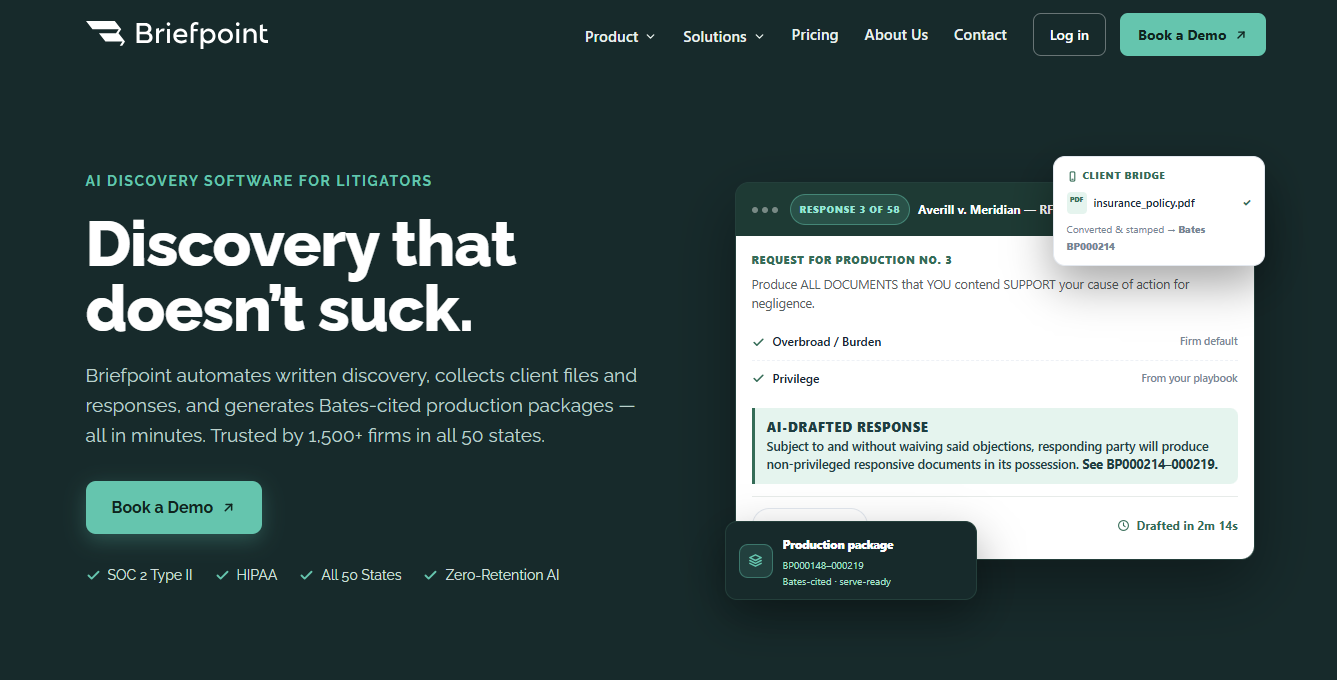
Briefpoint is one example built specifically for legal discovery. It allows you to propound and respond to requests for production, interrogatories, and requests for admission. Plus, its Autodoc feature can turn large productions into Bates-cited, formatted responses in minutes.
Firms use it to cut response time dramatically while keeping review and verification in their hands. It’s SOC-2 certified, works in all 50 states and federal courts, and doesn’t use your data to train outside models.
If you want to see how Briefpoint handles RFP automation in practice, book a demo here.
3. Upload and Organize Prior Responses
After choosing your tool, upload the material your team already relies on. This may include prior RFP documents, standard objections, formatting templates, definitions, and approved response language.
Knowledge automation works best when the uploaded documents are current, clearly labeled, and easy to search. Disorganized files can weaken draft accuracy and lead the system to pull language that does not fit the matter.
Group your materials by case type, subject matter, or request category. Keep recurring objections together, separate general instructions from case-specific language, and remove outdated versions. This gives the tool a cleaner foundation for generating AI answers.
For example, a personal injury practice might create a section for medical record objections, time-frame limitations, and common ESI language. When similar requests arrive, the software can find relevant documents more quickly and use them to prepare a stronger draft.
Review the library regularly as your team’s preferred language changes. A well-maintained response bank makes future drafts faster, more consistent, and easier to verify.
4. Analyze Incoming Requests for Production
Before drafting anything, review the incoming RFPs closely. AI can summarize long request sets and highlight recurring themes, deadlines, defined terms, and potential areas of dispute.
Start with the critical questions. What is each request asking for? Is the scope overly broad? Do several requests overlap? Are any terms vague, undefined, or inconsistent with the rest of the document?
An AI-assisted summary can help surface those issues early, but you should still compare the requests against the pleadings, case facts, and prior responses. That review shows where approved language may apply and where the response needs to be more specific.
You can also group related requests before collection begins. If several requests seek communications from the same time period, organizing them together can make document review and drafting more efficient.
Catching these patterns at the start reduces unnecessary revisions later. It also gives you a stronger foundation for the final review, when each objection and production statement must be checked against the actual request and available documents.
5. Generate Initial Draft Responses
Now you’re ready to draft, and this is where generative AI can save serious time. Rather than typing out each response manually, you prompt the system with the specific RFP questions and relevant case details.
Always remember that clear instructions make a difference. If you include the date range, defined terms, and any known objections, most AI models can assemble a solid first draft using your approved language.
You can use it to generate:
- Tailored objections that track the wording of the request
- Production statements in your firm’s standard format
- Definitions and general instructions
- Discovery responses that pull from similar past matters
This draft won’t be the final version, and it shouldn’t be. Human input is still critical. You’ll review for accuracy, confirm the facts, and adjust tone based on your strategy. This brings us to the next step.
6. Review and Refine For Case Strategy
Now you read the draft like opposing counsel would. AI-native platforms can assemble responses quickly, but they don’t understand your litigation posture or the nuances of your client’s facts.
Start with a manual review. Confirm that each objection matches your intended position. Check that production language reflects what you’re actually prepared to turn over. Look closely at defined terms and time frames.
Bring in subject matter experts if the requests touch technical systems, medical records, financial data, or retention policies. That input can prevent overbroad statements or factual mistakes.
As you refine, ask:
- Does this response align with our overall discovery strategy?
- Are we preserving arguments for later motions?
- Is any language broader than necessary?
- Could this answer create avoidable disputes?
- Does the tone reflect how we want to approach opposing counsel?
7. Conduct Final Accuracy and Compliance Check
Before serving your responses, take one last pass focused on accuracy and compliance. Even polished AI-generated content can include small inconsistencies, unsupported assumptions, or language that does not match the actual production.
This review should include:
- Fact verification: Confirm that names, dates, defined terms, and references match the case file and client information.
- Production alignment: Check that each production statement reflects what is being produced, withheld, or still under review.
- Objection consistency: Make sure objections are applied uniformly and do not conflict with one another.
- Confidentiality review: Verify that medical records, customer data, and sensitive business materials are properly handled.
- Formatting and jurisdiction rules: Confirm that captions, numbering, signatures, and formatting follow local requirements.
- Compliance matrices: Use a tracking table when helpful to confirm that every request received a complete response.
AI editing and other AI writing tools can support this process, but they should not replace a line-by-line review. Even the best RFP software needs to be checked against the real RFP, the responsive documents, and the final production.
A strong final review can also reveal outdated template language or gaps in your internal process before the responses leave your hands.
Best AI Tools for RFP Responses
There isn’t one single type of legal AI tool for RFP work. What makes sense for your team depends on how often you handle discovery, how complex your matters are, and how sensitive the data is.
Some tools you can choose from include, but are not limited to:
- Dedicated RFP automation software: These platforms focus on RFPs and security questionnaires. They usually include a searchable knowledge base, version control, collaboration tools, and intelligent automation that pulls approved language into structured drafts.
- Litigation-focused drafting platforms: These tools are designed specifically for legal discovery. They help draft and respond to RFPs, interrogatories, and RFAs using structured templates and objection-aware language.
- Enterprise knowledge management systems: Larger firms often use internal systems to store and organize past responses. These tools strengthen version control and make it easier for multiple contributors to work from the same approved content.
- General public AI models: Public AI models and other inventive AI tools can draft quickly, but they require close supervision when handling confidential material.
Manage More RFPs With Briefpoint
Responding to requests for production is detailed work. Every objection has to line up. Every production statement has to reflect what’s actually being turned over. Formatting, captions, Bates numbers, deadlines, none of it can be off.
Briefpoint was built with that reality in mind.
Discovery is a good example. It’s deadline-driven, detail-heavy, and often repeated across matters.
Briefpoint helps you propound and respond to RFPs, interrogatories, and RFAs in a structured, objection-aware format that reflects how discovery actually works.
With Autodoc, you can upload your complaint, the RFPs, and your production files, then generate formatted, Bates-cited responses in minutes. You still review everything, and you still control the strategy. The platform handles the heavy drafting and organization.
For firms that manage consistent discovery volume, those time savings can make a difference in your litigation process. It allows you to take on more RFPs without stretching your team or compromising quality, and that consistency becomes a clear competitive advantage over time.
