Case Management vs. Document Management In Legal Settings
What Is Case Management?
Case management is the process of keeping a case organized as work moves from one step to the next. It covers the day-to-day coordination behind a matter, such as deadlines, notes, documents, contacts, and routine tasks that need attention along the way.
Basically, a case management system gives legal professionals one place to keep their work together. So, rather than checking separate folders, emails, calendars, and spreadsheets, they can follow the matter in one clear view.
In practice, case management helps keep things from getting scattered. When updates, deadlines, and tasks live in the same system, it is easier to see what is done, what still needs attention, and what comes next.
Many legal practice management platforms include these tools because they help firms stay organized without adding more admin work.
What Is Document Management?
While case management focuses on the matter as a whole, legal document management focuses on the files that support it.
It covers the storage, organization, and document handling work tied to legal documents, from pleadings and contracts to correspondence and signed records.
That includes version control, file naming, search, permissions, and making sure the right people can access documents easily.
For many firms, document management systems (DMS) are the tools that keep all of this in order. They store files in one place and make them easier to find, review, and share.
When document volume starts to grow, these platforms become essential tools for keeping records organized and reducing avoidable mistakes.
Case Management vs Document Management: Key Differences
Even though the two often overlap, they solve different problems within a legal workflow. One helps manage the matter itself, while the other helps manage the files tied to it.
Here are some key differences we have to keep in mind:
Focus
The difference starts with what you need to keep track of.
If your main concern is the matter as a whole, case management is the better fit. It helps you follow deadlines, tasks, contacts, billing, communications, and overall case progress in one place.
If your bigger problem is file control, document management is the better fit. Its job is to help you effectively manage documents through better storage, search, version control, and permissions.
A legal document management system is built to keep files organized and easy to find, especially when the volume of paperwork starts to pile up.
Put simply, one helps you manage the work around the matter, and the other helps you manage the documents tied to it.
Core Features
The core features usually reflect the job you need the software to do.
Case management tools focus on helping you track case progress and manage the moving parts around a matter. Common features include:
- Calendaring and deadline tracking
- Task management
- Matter notes
- Contact and client records
- Time tracking and billing
- Status updates and reporting
Document management tools focus more on file control and document workflows. Common features include:
- Centralized file storage
- Search and retrieval
- Version history
- Folder and file organization
- Access permissions
- Sharing and audit trails
In many separate systems, these features stay fairly distinct. One is built around the matter, and the other is built around the files. Some legal technology platforms combine both, which can help if you want to manage work and documents simultaneously.
Still, the core feature sets usually point in different directions, even when they overlap.
Type of Information Managed
The difference also shows up in the kind of information you’re actually working with.
Case management tools are built to organize matter-level details. That includes your client and case list, contact records, deadlines, notes, task status, billing entries, and communication history. In other words, the system keeps track of what is happening in the matter.
On the other hand, document management tools are built to organize files. That includes contracts, pleadings, discovery documents, emails, PDFs, and scanned documents. The focus is on storing, sorting, finding, and controlling access to those records.
For example, if you want to check a filing deadline or see the last update on a matter, you would look in a case management system. If you need the signed agreement or a scanned exhibit, you would usually look in the document management system.
Role in Daily Work
Case management helps legal teams keep matters moving. For example, you might open it to check what needs attention, what has already been done, and what still needs follow-up.
As work builds across active matters, it also helps keep deadlines, notes, and other administrative tasks from getting scattered. Because of that, many law firms treat it as part of their everyday operating system.
Document management plays a different role. When you need to pull up specific documents, confirm you have the right version, review an older draft, or organize records for easier retrieval later, that is usually the system you turn to.
Some software solutions also support automating document creation, but the real day-to-day value often comes from keeping files organized and easy to access.
Best Use Cases
The best fit usually depends on the problem you are trying to solve. These tools serve distinct purposes, even if some platforms bring them together in one comprehensive solution.
- Use case management when you need to track deadlines, tasks, contacts, billing, notes, and overall matter status in one place.
- Use case management when your team needs better visibility across active matters and everyday legal work.
- Use document management when your bigger issue is storing, organizing, searching, and controlling access to files.
- Use document management when your team works with a high volume of pleadings, contracts, correspondence, discovery documents, or other records.
- Use both when you want matter oversight along with strong document management capabilities.
- Use both when your firm needs a more connected workflow and sees them as two essential tools rather than interchangeable ones.
In practice, case management is usually the better choice for running the work, while document management is the better choice for controlling the files that support it.
Case Management Software Features
To make the difference clearer, it helps to look at the features that case management software usually includes. These tools are built to support legal case management across the full life of a matter and not just one part of it.
- Matter dashboards: Give you a central view of each case, including status, key dates, contacts, and recent activity.
- Task management: Helps multiple team members stay aligned on assignments, follow-ups, and next steps.
- Calendar and deadline tracking: Supports tracking deadlines for hearings, filings, meetings, and internal to-dos.
- Contact and client records: Keeps client details, opposing counsel, vendors, and related parties tied to the right matter.
- Time tracking and legal billing tools: Helps with managing billing, logging hours, and connecting work to invoicing.
- Notes and activity history: Creates a running record of updates, communication, and case progress.
- Client communication tools: May include email logging, secure online portals, and features that support better client service.
Document Management Software Features
It also helps to look at the features that usually come with document management software. These tools are built to store, organize, protect, and retrieve files without forcing your team to manually transfer data between scattered systems:
- Centralized document storage: Keeps files in one place, making it easier to save documents, organize records, and manage DMS document storage across matters.
- Advanced search capabilities: Helps you find files faster through keywords, metadata, filters, and sometimes full-text search.
- Version control: Makes it easier to confirm you are working from the up-to-date version while still keeping previous versions available when needed.
- Access controls: Limits who can view, edit, download, or share files, which is especially important for sensitive documents.
- Document tagging: Uses labels, categories, or metadata to sort files and improve retrieval.
- Document sharing tools: Supports seamless document sharing across internal teams, clients, or outside parties.
- Security and audit features: Often includes advanced security features such as permissions tracking, activity logs, and protection for confidential files.
Do You Need Both?
In many cases, yes.
Case management and document management solve different problems, so having both can make daily work much easier.
One helps you run the matter. The other helps you control the files tied to it. When those two functions work together, your team spends less time jumping between disconnected systems and more time moving work forward.
That matters in the legal profession, where even small gaps in organization can create delays, confusion, or missed steps.
For many modern law firms, using both management and document tools creates a more complete setup. You can track deadlines, notes, contacts, and billing on one side, while also keeping documents organized, searchable, secure, and easy to retrieve on the other.
Some platforms combine both, which can help automate tasks and reduce duplicate work. Others handle them as separate systems that integrate with each other.
Either way, having both often leads to better internal coordination and enhanced client service, especially when your team is managing a steady flow of matters and documents at the same time.
Where Briefpoint Adds Value in Document-Driven Cases
By this point, you can probably see that case management and document management do different jobs. You need one to keep the matter moving, and the other to keep the files organized.
That matters even more once discovery enters the picture. You might already have a system for deadlines, contacts, and case updates, but still spend far too much time sorting productions, checking versions, matching documents to requests, and building responses from scratch.
That is the point where Briefpoint starts to feel relevant.
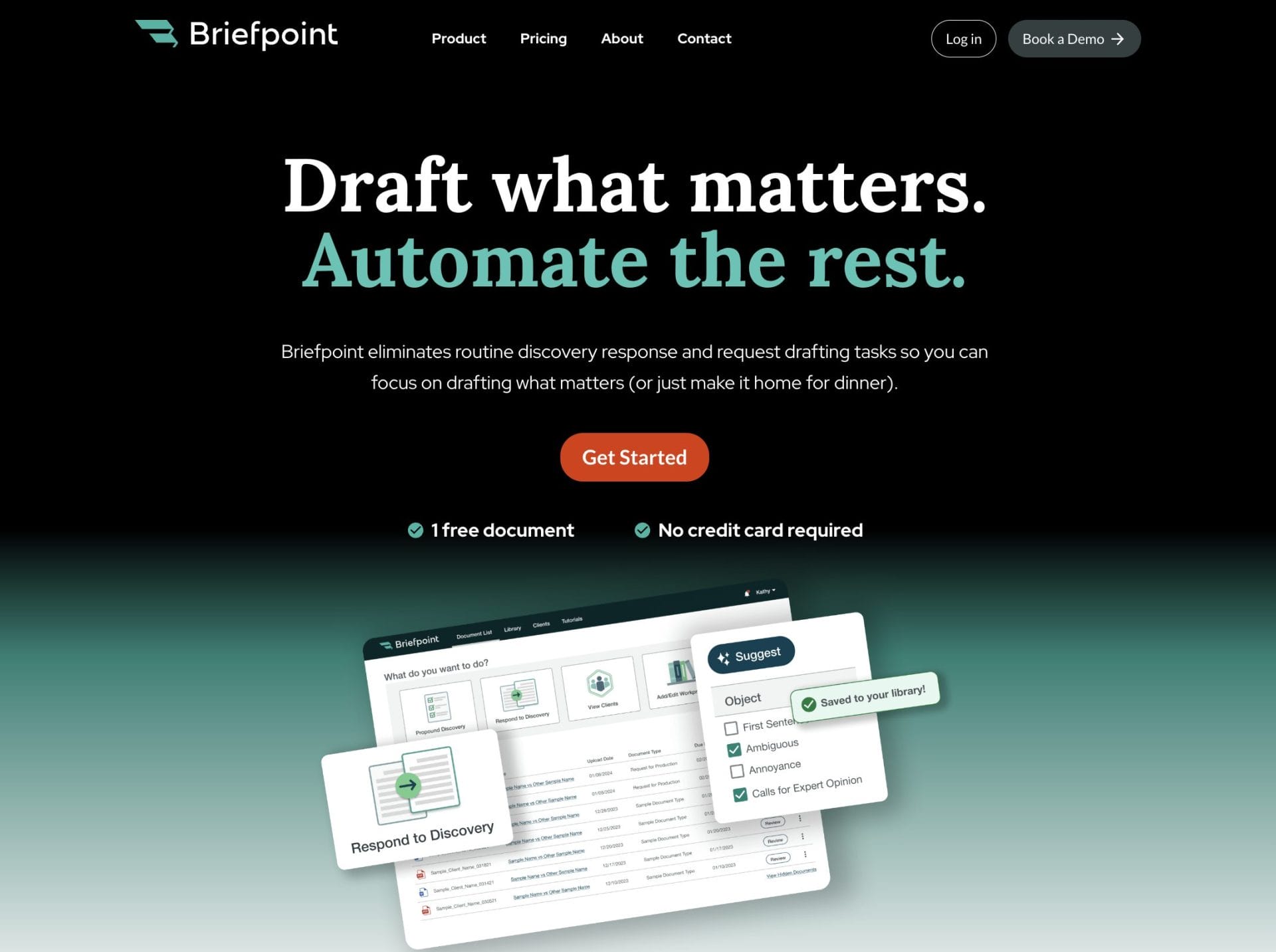
If your work involves RFAs, RFPs, and interrogatories, Briefpoint is built for that part of the process. Its platform helps litigators propound and respond to discovery, and Autodoc can turn productions and case files into Word responses with Bates citations and ready-to-serve production packages.
Briefpoint also added support for Supplemental Responses, which helps you manage updates without overwriting earlier answers.
