A Practical Guide to Legal AI Technology

What Is Legal AI Technology?
Legal AI technology covers a wide mix of tools, but they tend to move legal work in the same direction: faster drafting, cleaner organization, clearer insights, and fewer repetitive tasks draining your time.
You’ll see these tools show up in many corners of the legal industry, from contract review and document automation to research platforms and litigation support systems.
Most legal professionals encounter AI in small, practical ways at first. Maybe it’s a drafting assistant that builds a first pass of a document, a research tool that pulls relevant authority in seconds, or an intake system that organizes client information without extra steps.
Each one uses different AI capabilities, yet they all aim to help you move through your workload with a bit more ease and predictability.
Law firms often adopt legal AI tools to handle high-volume tasks with better consistency. Solo and midsize teams tend to appreciate the time savings, while larger organizations lean on these tools to coordinate information across many matters.
In short, legal AI technology describes a growing collection of tools built to support real work, not replace the judgment and skill that sit at the core of legal practice.
The Different Types of Legal AI
Different types of legal AI show up across the practice of law, each one applying artificial intelligence in its own way.
Some tools focus on language, some on prediction, and others on organizing vast amounts of information so you can move through work with less friction. You don’t need deep AI expertise to use them, but understanding the categories helps you spot what fits your workflow.
Here are the main types you’ll see:
- Generative AI tools: Create first drafts, summarize documents, suggest clauses, or rephrase text with help from large language models.
- Natural language processing systems: Read legal text, extract key points, identify entities, and interpret queries written in plain English.
- Predictive analytics: Highlight patterns in litigation data, estimate timelines, or surface similar outcomes based on historical records.
- Reinforcement learning models: Improve through repeated interaction, often used in tools that refine recommendations over time.
- Classification and clustering models: Sort large datasets, group related documents, and reveal relationships you might miss during manual review.
- Search and retrieval engines: Powered by AI that deliver faster access to relevant authority, facts, or contracts stored across your system.
Key Categories of Legal AI Solutions
Key categories of legal AI tools cover the main tasks that shape daily legal work. Each tool type handles a different piece of the workload, and many rely on machine learning to read legal documents, organize information, or connect you to the right sources faster.
Here are some of the most common ones:
- AI assistants for drafting and review: Build first-pass documents, point out issues, and help refine language during edits.
- Contract review and due diligence tools: Scan agreements, compare versions, and highlight important terms or risks in a fraction of the usual time.
- Research platforms that accelerate legal research: Link your queries to relevant case law, statutes, and court documents with far less manual digging.
- Litigation support software: Sort evidence, uncover links across files, and keep case materials structured as matters grow.
- Client intake and communication systems: Organize incoming details, respond to straightforward questions, and keep messages moving.
- Knowledge management tools: Retrieve past work, surface internal insights, and keep firm-wide resources easier to find.
- Workflow automation tools: Carry information between systems and cut down on repetitive steps in common processes.
What Benefits Can You Expect?
AI brings a noticeable lift to the way legal work gets done. Once it becomes part of your routine, everyday tasks start to move with less strain, and you get more room to focus on higher-value work.
Here’s what that looks like in practice.
Faster Output for Everyday Tasks
AI handles specific tasks that tend to slow teams down, like organizing materials, pulling early drafts, or reviewing text. Legal departments and large law firms often see big time savings here, though smaller teams feel the difference quickly, too.
More Consistent Legal Accuracy
Tools that scan legal documents, compare language, or surface authority help tighten your review process. You stay in control of the final call, and the software helps you catch details that might otherwise blend into long files.
Better Use of Internal Time
When repetitive steps fade into the background, your schedule shifts toward analysis, planning, and conversations that shape outcomes. Corporate legal departments rely on this shift to keep workloads manageable.
Improved Client Service
Quicker responses and more organized updates create a better experience for clients. Even simple AI integration, like intake or document prep, helps communication feel smoother.
Stronger Protection for Sensitive Client Data
Modern platforms offer controlled environments that help keep confidential information contained. This gives your team a clearer, safer path to work smarter with sensitive client data.
How to Integrate Legal AI Technology
Integrating legal AI technology works best when it feels like a natural extension of the work your team already handles. You don’t have to rebuild your entire workflow from the ground up.
A simple plan, the right focus areas, and a bit of room for your team to get comfortable with new tools can set the stage for steady progress across your AI initiatives. You can do something like this:
1. Start With One Workflow That Needs Relief
A lot of teams ease into legal AI by tackling a single workflow that clearly drains time. It might be reviewing dense documents, sorting large batches of information, or handling a task that always seems to pile up.
Focusing on one familiar process gives you a clean way to introduce an AI tool without disrupting everything else you already have in motion.
Discovery documents are a great first step for many litigators. The format repeats, the inputs come from materials you handle every day, and the final output supports case strategy.
A platform like Briefpoint can draft the initial version, highlight what stands out, and shape the material into something workable long before you begin your own review.
Once the tool is in place, pay attention to how it affects turnaround time and the general pace of your matters. You’ll start to see where it saves effort, where human review stays essential, and how the handoff between AI output and attorney judgment naturally finds its rhythm.
As those wins accumulate, it becomes easier to spot the next workflow that could benefit from AI support. This steady, practical approach keeps improvements manageable and helps your team stay ahead of rising demands without losing the human side of your practice.
2. Build Guardrails and Clear Review Routines
AI works best when your team has a shared plan for how the review process should flow. Guardrails give legal teams a steady framework that keeps AI output aligned with the standards of your practice of law.
A simple checklist can anchor that process and keep legal services consistent, even as new tools enter the workflow.
Helpful items to include:
- Accuracy checks for facts, names, and figures
- Citation review to confirm sources, case law, and references
- Formatting expectations for complex documents
- Requirements linked to your practice area, so nothing drifts off course
- Security steps to protect sensitive client data throughout the process
It also helps to choose the exact moment AI hands work back to your team.
AI may outline a document, summarize a case file, or extract points from massive amounts of contracts, and your lawyers shape the final version. This division keeps efficiency high while preserving the judgment calls that only humans can make.
Security measures also play a major role here. Pick a platform that keeps files contained, restricts outside access, and fits the privacy expectations of your clients. The more clarity you build into these routines, the smoother your AI initiatives will run across day-to-day legal tasks
3. Prepare Your Team for Daily Use of AI Tools
Even the best platform needs a team that feels confident using it. Offer simple guidance on how to review AI output, how to adjust prompts, and how the tool fits into everyday legal tasks.
Small training sessions tend to work well because they let people ask real-world questions tied to their matters.
Also, keep a shared space where the team can note what works, what feels clunky, and what could make the workflow smoother.
Over time, the technology blends into the background. Lawyers work more efficiently, legal teams move through documents faster, and the practice sees a lift in both law firm productivity and morale.
With each improvement, your team gains momentum and stays ahead of rising demands.
Limitations of Legal AI Tech
Legal AI has come a long way, but it still carries limits that every team should keep in mind.
AI systems can move quickly, yet they can also introduce false information when a prompt is unclear or when the model reaches beyond its training data. That’s the tradeoff with any new technology: speed paired with the need for steady human oversight.
Another point worth considering is data privacy. Many tools rely on shared infrastructure, so legal information must be handled with careful attention to data security and the expectations tied to professional conduct.
Large firms often have strict internal rules around these questions, but even smaller teams benefit from treating AI with the same caution they’d apply to any sensitive workflow.
Context is another challenge. The best AI tools can read text, summarize arguments, or pull patterns from large datasets, but they can’t fully understand strategy, tone, or the subtleties that shape legal judgment. That part still belongs to the humans doing the work.
AI can strengthen your routine, but it works well only when paired with review, guardrails, and a team that knows how to guide the output.
Treat it as support, not authority, and it becomes far easier to fit into your practice.
What Will Legal AI Tech Look Like in 2026?
Legal AI will feel far more routine by 2026, partly because personal use continues to climb. The Legal Industry Report 2025 notes that almost a third of legal professionals now use generative AI for work.
Firmwide adoption is lower, sitting around one in five, which shows how individual comfort is outpacing organizational caution. As firms refine their policies and gain confidence in accuracy and ethics controls, that gap is expected to shrink.
The report also points out that larger organizations are moving faster. Firms with more than fifty lawyers are adopting AI at roughly double the rate of smaller practices.
That trend makes sense when you consider the workloads these teams manage. When a practice moves through complex matters and massive amounts of documentation, even a modest time savings becomes meaningful.
Some practice areas also stand out. Immigration practitioners reported the highest personal use, and civil litigation teams led firmwide adoption. These areas rely heavily on quick drafting, research, and data handling, so AI fits naturally into the pace of work.
By 2026, AI tools will likely offer stronger context awareness and clearer governance structures. They will not replace the expertise required to practice law, but they will support the legal profession with smoother workflows and more dependable tools.
How Briefpoint Fits Into the Future of Legal AI
Legal AI is moving quickly, and the real value shows up when it supports the work you already do.
The tools that feel most useful are the ones that take pressure off your schedule, help you manage information more comfortably, and give you more space for the parts of practice that rely on judgment and experience.
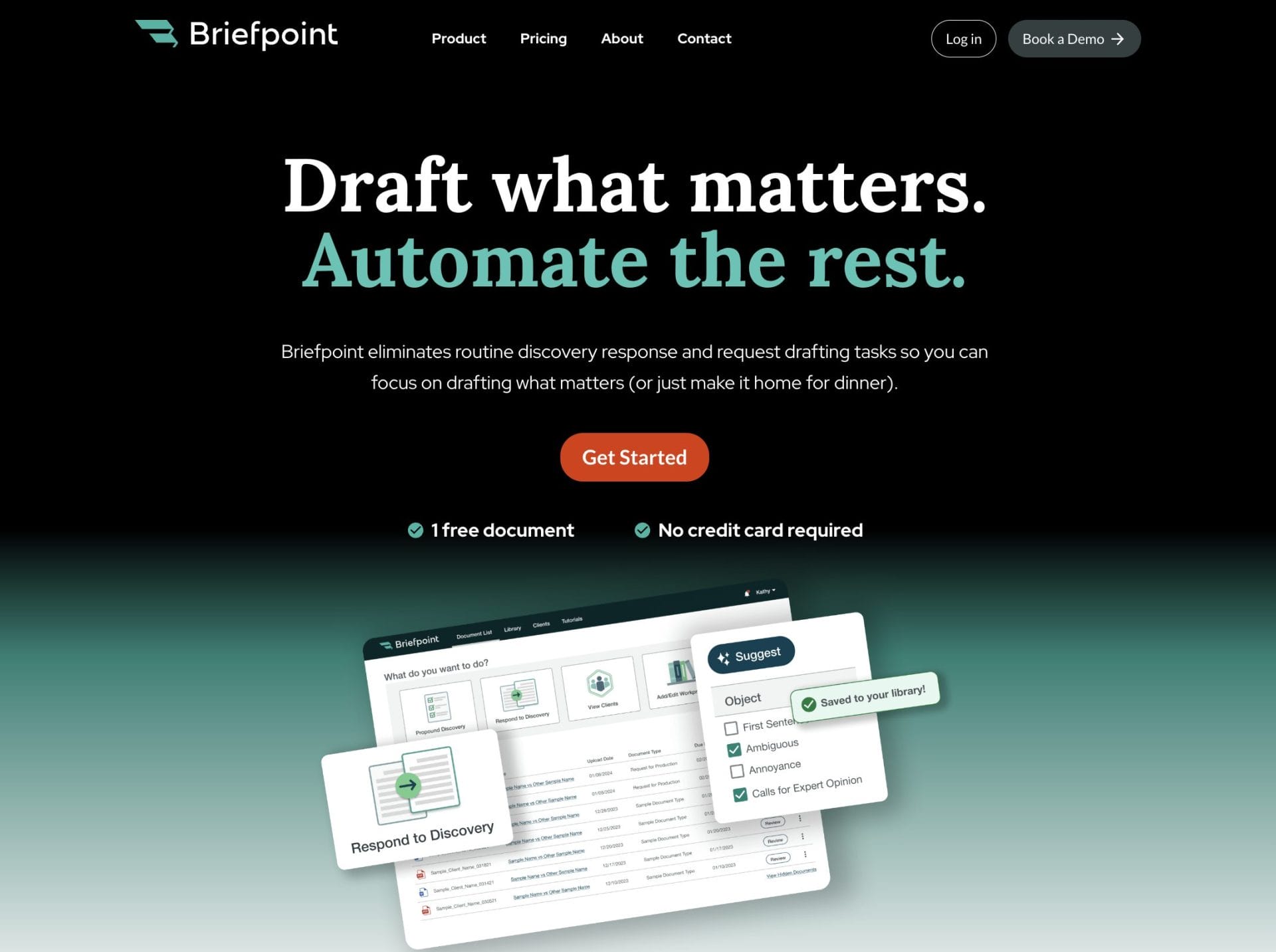
Briefpoint sits in that category. It gives you a clear way to move through drafting and document-heavy tasks without slowing down your day or pulling you away from strategic work.
If you’re exploring AI and trying to figure out what actually makes a difference in your workflow, Briefpoint is worth a closer look. It keeps your documents organized, cuts down on repetitive steps, and helps you work with more confidence and less friction.
Ready to see how it fits into your routine?
