A Clear Legal Discovery Definition for Lawsuits
A Clear Legal Discovery Definition for Lawsuits
Discovery is one of the most important stages of a lawsuit because it gives both sides access to information they may need before trial. It can involve written questions, document requests, depositions, and other methods of gathering evidence.
If you are new to litigation, the process can seem broad at first. What can you ask for? What does the other side have to provide? And how does all of that information actually get used?
Understanding the legal discovery definition gives you a useful starting point. Below, we’ll break down what discovery means, why it plays such a major role in litigation, the main types you may encounter, and how the process typically works from beginning to end.
What Is Legal Discovery?
Legal discovery is the part of the legal process where each side gathers information from the other party before trial. It gives attorneys a clearer picture of the facts, evidence, and positions involved in a case so they can prepare their arguments and evaluate what may happen next.
One party can send discovery requests asking the other side to provide discovery in several forms, such as written answers, documents, records, or testimony.
Some information may be discoverable even if it would not ultimately be used at trial, as long as it falls within the scope allowed by the applicable court rules.
For example, a plaintiff might request records connected to the claims in the lawsuit, while a defendant may ask for information that supports the damages being sought.
There are limits, however. Certain communications or materials may be protected by litigation privilege or another recognized protection and therefore excluded from discovery.
Put simply, discovery is the formal process of obtaining relevant information before a case reaches trial.
Why Is Discovery Important in a Legal Case?
Discovery gives each side a chance to understand the evidence before trial and prepare around the actual facts of the case.
Essentially, it can reveal weaknesses in a party’s case, clarify what the other party is likely to argue, and help attorneys decide what deserves closer attention.
Some of the main reasons discovery is important include:
- Finding relevant evidence: Discovery can help identify relevant documents, specific documents, witness information, and other materials connected to the dispute.
- Testing the other side’s position: Opposing parties can request information that may support or challenge claims, defenses, or damages.
- Obtaining sworn testimony: A person may be questioned under oath during a deposition, giving attorneys a clearer record of what they are likely to say later.
- Narrowing the issues: Discovery can show which facts are disputed and which are largely settled, which may assist with trial preparation or settlement discussions.
- Protecting privileged material: Not everything must be produced. Communications covered by legal advice privilege and certain other documents may remain protected.
The process is intended to reduce surprises and give both sides a fair opportunity to prepare for the circumstances of the case.
What Are the Main Types of Legal Discovery?
The main types of legal discovery give each side different ways to gather information before trial. The exact rules can vary by jurisdiction, but most cases rely on a few common methods, such as:
- Interrogatories: Written questions sent to another party, who usually has an obligation to answer them in writing and under oath.
- Requests for production: A party seeking evidence can ask the other side to provide copies of relevant materials, such as contracts, emails, photographs, or electronic data.
- Requests for admission: These ask a party to admit or deny specific facts, which can help narrow the issues that still need to be proven.
- Depositions: Depositions involve the oral examination of a party, witness, or other person under oath, with the testimony recorded for later use.
- Subpoenas: A subpoena can require a nonparty to provide documents or appear for testimony when relevant information is held outside the parties to the case.
How Does the Legal Discovery Process Work?
The legal discovery process usually follows a set sequence, although the exact procedure can change based on the court or jurisdiction. Each stage helps the parties exchange information and address issues that come up along the way:
1. Identify What Information Is Needed
Before sending discovery, you need a clear idea of what information could support your own case or test the other side’s position. In layman’s terms, this means working out what facts you still need and where the supporting evidence might be found.
Attorneys may look for information such as:
- Key records: Documents that are directly relevant to the claims or defenses.
- Electronic information: Emails, messages, databases, or other electronically stored material.
- Witness information: Details about people who may have knowledge of important events.
- Third-party evidence: Records or testimony held by a non-party when those materials could affect the case.
Requests can seek categories of information rather than naming every individual document. Even so, discovery has limits. Material protected by legal professional privilege generally does not have to be disclosed.
2. Serve Discovery Requests
Once the needed information has been identified, the requesting side formally serves discovery requests on the appropriate party. The form of the request depends on what you are trying to obtain.
For example, an attorney who wants details about how an incident happened might serve written interrogatories.
If the case turns on communications between the parties, a request for production could ask the recipient to disclose relevant emails or messages. Information held by a non-party may require a subpoena.
Discovery requests have to comply with procedural rules governing issues like scope, timing, and service.
Overly broad requests can draw discovery objections, while vague wording may make it harder to obtain useful responses. Clear requests make it easier for the responding side to understand what has been requested and determine what must be produced.
3. Review and Gather Responsive Information
After discovery requests arrive, the responding side reviews them and begins locating information that falls within their scope. Attorneys usually work through the requests carefully so they can determine what is responsive and what may be protected.
Relevant material might be stored in physical files, email systems, shared drives, or other sources. The responding party should preserve potentially discoverable evidence once litigation is reasonably anticipated.
Deliberately trying to destroy documents or other relevant evidence can lead to serious consequences, including court sanctions in some circumstances.
The review process can involve separating responsive material from unrelated information and identifying anything that may be protected by legal professional privilege. Large matters may require substantial document review before a complete response can be prepared.
4. Prepare Discovery Responses and Objections
The responding party then prepares formal answers, produces responsive material, or raises valid objections where appropriate. Different discovery methods have different response requirements, so the exact format will depend on the request and applicable procedural rules.
An objection may be appropriate when a request is overly broad, seeks protected information, or falls outside the permissible scope of discovery. Attorneys may also object when a request is unclear enough that the responding party cannot reasonably determine what must be disclosed.
Responses should address each request separately and explain objections with enough detail to make the basis clear.
Courts generally expect parties to participate in discovery in good faith, so unsupported or blanket objections can create further disputes and may eventually lead to a motion to compel.
5. Produce Documents and Other Evidence
Once responsive material has been reviewed, the responding party produces the information that falls within the request. Production can include physical records, electronic files, photographs, or other documentation in the party’s possession, custody, or control.
The material may need to be organized in a particular format under court rules or an agreement between the parties. Lawyers may also need to search several sources before production is complete, especially when records are stored in different systems or held by different people.
Protected or irrelevant material can be withheld when the rules allow it, but the responding party may need to identify the basis for doing so. Accurate production gives both sides a clearer evidentiary record as the proceedings move forward.
6. Take Depositions When Needed
Depositions allow lawyers to question a party, witness, or other person under oath before trial. They are often used when written discovery leaves important factual questions unresolved or when an attorney wants to understand how someone may testify later.
For example, suppose the pleadings describe conflicting versions of a business meeting. A lawyer might depose a person who attended and ask detailed questions about what was said, who was present, and what happened afterward.
The testimony becomes part of the case record and may be used to evaluate credibility or prepare for later examination.
Depositions are usually scheduled in advance, and both sides have an opportunity to participate. The subject of the questioning generally must stay within the permitted scope of discovery.
7. Resolve Discovery Disputes
Disagreements sometimes arise over what must be produced or how a request should be answered. Courts often expect lawyers to try to resolve those issues before asking a judge to step in.
Common discovery disputes may involve:
- Scope: One side believes the request seeks information beyond what is relevant to the case.
- Privilege: A party argues that certain material is protected and should not be disclosed.
- Incomplete responses: The requesting side believes important information or documentation is missing.
- Production issues: The parties disagree about format, timing, or the extent of a reasonable search.
If the parties cannot reach an agreement, the requesting side may ask the court for relief, such as a motion to compel.
8. Use Discovery to Prepare the Case
Once discovery has produced enough information, lawyers begin using what they learned to shape the next stage of the case. The evidence can confirm parts of a claim, expose weaknesses, or change how an attorney approaches later proceedings.
Discovery may affect decisions about settlement, witness preparation, motions, and trial strategy. A document found during production could support a key factual point, while deposition testimony may reveal that a witness remembers events differently from what the pleadings suggested.
The record built through discovery gives attorneys a stronger factual basis for deciding how to advance the case. It can also help narrow the issues that remain genuinely disputed before the matter reaches trial.
Put Routine Discovery Work on a Faster Track With Briefpoint
Legal discovery can shape how well you understand a case before trial, but preparing written discovery often takes hours that could be spent on higher-level legal work.
Briefpoint helps reduce that burden with AI built specifically for the discovery process.

Briefpoint can draft and respond to interrogatories, RFAs, and RFPs in your jurisdiction’s format. You can collect client answers through secure links, turn those responses into Word-ready drafts, and prepare Bates-cited production packages when documents need to be served.
Discovery Playbooks can also help keep objection and response strategies consistent from one matter to the next.
The platform is used by more than 1,000 law firms and supports all 50 states plus 98 federal district courts.
If written discovery is taking too much time from your caseload, book a Briefpoint demo and see how much of the process you can automate.
A Practical Guide to Legal AI Tools In 2026
What Kinds of AI Do Legal Professionals Use?
Legal AI covers several types of technology. Some systems focus on a narrow legal workflow, while others support many different parts of a legal practice.
Understanding the basic technology makes it easier to see why certain products are better suited to research, document review, or drafting.
Natural Language Processing (NLP)
Natural language processing helps software interpret and work with written language.
In legal settings, NLP can help identify clauses, summarize complex legal language, extract legal terminology, and sort large volumes of text.
An AI assistant might review a long legal document and identify every section dealing with termination, indemnification, or payment obligations. Another tool might convert dense language into a more readable summary before an attorney performs a closer review.
These systems can be especially useful when legal teams have to process large amounts of text quickly.
They still require review. Legal language depends heavily on context, so an automated summary should be treated as a starting point rather than a final legal conclusion.
Machine Learning
Machine learning allows software to identify patterns from large datasets.
In the legal field, machine learning can support risk detection, document classification, contract analysis, and prediction based on past case outcomes.
A system might compare thousands of agreements and identify clauses associated with prior disputes. Litigation tools may examine case law, court filings, or judicial decisions to surface patterns that could be relevant to strategy.
AI models can process more material than a person could reasonably review in the same amount of time, but the usefulness of the result still depends on the quality of the underlying data and the question being asked.
Generative AI
Generative AI creates new text based on instructions and source material.
Gen AI has become particularly visible because it can help with initial drafting, summarization, and answering legal questions in conversational language.
Legal generative AI tools may help with:
- Drafting briefs
- Contract drafting
- Document analysis
- Summarizing case materials
- Preparing client communications
- Creating first-pass research summaries
A legal AI product may combine generative AI with other technologies such as search, citation retrieval, document databases, or firm-specific knowledge.
That extra grounding can make a dedicated legal product more useful than general-purpose tools for work that requires reliable legal information.
Document Automation Engines
Document automation focuses on structured drafting.
Instead of creating each document from scratch, users provide matter details and the software places that information into an approved format or template.
These systems can support document generation for agreements, discovery requests, pleadings, forms, and other recurring documents.
More advanced products can combine automation with AI-powered review, which allows the software to prepare a draft and identify missing or unusual information before a legal professional checks the final version.
Classification and Tagging Systems
Classification tools organize large groups of files based on content.
During a discovery process, for example, software may categorize documents according to topic, privilege indicators, responsiveness, or other criteria.
That can make document review much more manageable when a legal team is working through thousands of emails or attachments.
Similar technology appears in contract repositories, compliance systems, and case management platforms where information needs to be organized consistently.
Chatbots and Virtual Assistants
Some AI tools work through a conversational interface.
A legal AI assistant may help staff find a document, summarize an agreement, answer internal process questions, or prepare a first response to a routine request.
Law firms may also use chat-based tools for basic client interaction, scheduling, or intake.
Client data and sensitive legal data require extra care in these situations. Firms should understand where information is stored, which AI models process it, and what data security protections the provider offers.
Predictive Models
Predictive tools use historical data to estimate likely outcomes or identify trends.
A litigation system might analyze past rulings in a particular court. Contract software might look at historical agreements to identify terms associated with delays or disputes.
These tools do not provide guaranteed outcomes or accurate answers to every question. Their role is to give attorneys another source of information to consider alongside legal reasoning, experience, and the facts of the matter.
Best Ways to Apply AI to Legal Work
Legal AI works best when it is applied to a defined process.
Some tasks involve large amounts of repetitive reading or drafting. Others require searching through structured legal information. These are areas where AI can often provide useful support without replacing the person responsible for the legal decision.
1. Document Automation
Many legal documents contain recurring structures and information.
A generative AI system can prepare an initial draft using matter details, templates, or prior work. That can reduce the time spent drafting documents that follow a familiar pattern.
Document automation can support work such as agreements, correspondence, discovery documents, and internal forms.
Some products include legal document review as part of the process. They may identify missing provisions, compare language with an approved template, or flag risks before an attorney reviews the result.
For example, an in-house team preparing a large batch of vendor agreements could use automation for the first-pass review and drafting stage, then send exceptions to transactional lawyers for closer attention.
The legal professional still owns the final document. AI simply reduces the amount of routine preparation required to get there.
2. Contract Management
AI-powered tools can support several parts of the contract lifecycle.
During contract drafting, software may suggest language based on templates or approved positions. During contract review, it can compare clauses, identify missing terms, or summarize agreements for the reviewer.
A contract analysis system may also flag risks such as unusual termination language or obligations that fall outside company policy.
According to Weshare, automating contract management can speed up negotiations by nearly 50% and reduce payment errors.
Common capabilities include:
- Tracking renewals
- Identifying non-standard language during legal drafting
- Comparing terms
- Extracting key obligations
- Creating reports
- Highlighting potential risk
These tools can be valuable for transactional lawyers and in-house counsel managing a high volume of agreements.
3. Legal Research
Legal research is one of the clearest areas where AI can shorten routine work.
Traditional research tools already give lawyers access to large legal research databases. Newer legal research platforms add conversational search, summarization, and AI-assisted analysis.
A system with strong legal research capabilities can search case law, statutes, commentary, and other legal sources to identify material related to a specific issue.
Legal teams may use research tools to:
- Find relevant authorities
- Compare decisions
- Review court filings
- Summarize opinions
- Identify related legal issues
- Locate secondary sources
Platforms may incorporate content such as Practical Law or other curated databases in addition to publicly available data.
Law students can benefit from these systems too, although they still need to learn how to read authorities and verify citations rather than relying on generated summaries.
4. Administrative Tasks
A large share of legal work involves coordination rather than legal analysis.
Legal operations may include scheduling, billing, case management, file organization, intake, and reporting.
AI can support these areas by:
- Drafting routine client communications
- Generating billing descriptions
- Sorting files
- Scheduling reminders
- Organizing case information
- Updating internal systems
AI may also be built into practice management platforms rather than offered as a separate product.
These improvements can help legal professionals spend less time on repetitive administrative work while keeping legal workflows moving.
5. Risk Management
Risk detection is another common use of AI legal software.
A system can review a contract, policy, or other legal document and identify terms that differ from an approved standard.
During contract review, for example, AI may flag risks involving indemnification, renewal, liability caps, or payment terms.
Legal teams can use those findings to prioritize the sections that deserve closer review.
The technology can be useful for in-house legal teams handling large volumes of documents because it provides a structured first look before an attorney begins deeper analysis.
6. Predictive Analytics
Predictive analytics uses historical information to identify patterns that may help inform future decisions.
A litigation tool might compare similar cases and surface how judges have ruled on related issues. A contract system might identify terms frequently associated with disputes or delayed performance.
The output can inform strategy, but it should not substitute for legal reasoning.
AI legal tools are most useful here when the attorney understands what data the model considered and treats the prediction as one input among many.
7. Client Service
AI can support client service in relatively simple ways.
A FindLaw and Thomson Reuters survey found that 59% of legal consumers contact only one attorney before making a decision. Faster responses can therefore make a meaningful difference.
AI-powered systems can help with:
- Initial intake
- Appointment scheduling
- Routine status updates
- Basic client questions
- Follow-up reminders
The technology can improve response times while keeping staff focused on client interaction that needs personal attention.
Confidentiality concerns still apply. Firms should be careful about what client information goes into general tools and understand how vendors handle sensitive data.
What Are the Benefits of AI Legal Tools?
AI adoption is becoming part of everyday work in the legal industry. Bloomberg Law has noted that generative AI is expected to have a lasting role in legal practice.
The practical benefits depend on the product and workflow, but common advantages include:
- Faster drafting: AI can prepare a starting point for legal briefs, contracts, correspondence, and other documents.
- More efficient research: Legal research tools can surface relevant authorities faster.
- Faster document review: AI can help sort and summarize large amounts of material.
- Better risk detection: Contract analysis tools can flag risks that deserve closer attention.
- More consistent workflows: Automation can apply templates or approved processes more reliably.
- Reduced routine work: AI can handle repetitive legal tasks that take time away from substantive work.
- Better access to information: Search tools can make internal legal information easier to locate.
The main advantage is time. When routine work takes less effort, attorneys have more room for analysis, strategy, and client service.
Legal AI Tools vs. General AI Tools
Legal AI software and general AI tools can look similar on the surface, but they are built for different purposes.
General-purpose tools may be useful for brainstorming, summarization, rewriting, or basic document drafting. Some offer a free version, while paid tiers may provide priority access or additional features.
Dedicated legal tools usually add legal-specific functionality around the underlying AI. That may include verified case law, citation checking, contract databases, legal terminology, document workflows, or integrations with Microsoft Word.
A legal product may also provide stronger controls around client data and confidentiality.
General tools can still be useful, but they require more caution when the task depends on authoritative legal sources or sensitive legal data.
For substantive legal research, legal document analysis, or work that will affect a client matter, a system built around legal content will usually provide a better foundation.
What Should You Look for in Legal AI Software?
The legal tech market is expanding quickly, and products vary considerably.
Before adding an AI tool to your legal practice, look beyond the headline features.
Consider:
- Source quality: Does the system rely on verified legal information?
- Citation support: Can you check where its legal conclusions came from?
- Data security: How does it protect confidential information and client data?
- Workflow fit: Does it support the legal workflows you actually use?
- Integrations: Can it work with Microsoft Word, case management software, or other systems?
- Review controls: Can attorneys easily edit or verify the output?
- Specialization: Is it designed for the legal task you need, or is it a general assistant?
- Support: Does the provider offer useful onboarding and training?
Even strong AI-powered tools can produce mistakes. A polished answer should never be mistaken for a verified one.
Is Legal AI Here to Stay?
AI adoption in law is moving well beyond experimentation.
Harvard Law professor David Wilkins has discussed how generative AI may reshape the legal profession as the technology becomes capable of more sophisticated work.
The direction is already visible. Legal research tools now include AI-assisted search. Contract platforms include automated analysis. Practice management systems are adding AI features, and document platforms can summarize or classify files.
The American Bar Association has also been closely following the professional and ethical implications of artificial intelligence in law.
Legal AI will continue to change, but the most useful products will probably be the ones that fit directly into existing work rather than forcing attorneys to rebuild their entire process around a new system.
Can AI Replace Lawyers?
The question “will AI replace lawyers?” comes up whenever a new generation of AI technology appears.
The more realistic answer is that AI changes parts of the job.
AI can summarize information, prepare initial drafts, identify patterns, and handle routine legal tasks. It cannot take responsibility for legal advice, understand every strategic consideration in a matter, or replace the professional judgment involved in representing a client.
Legal services depend on more than document production. Attorneys interpret uncertain facts, deal with opposing counsel, make judgment calls, and explain consequences to clients.
AI is not replacing human lawyers in those roles.
The technology is more useful as support for enabling attorneys to work through repetitive tasks faster while keeping the decisions that require human judgment in human hands.
Put Legal AI to Work Where It Saves the Most Time
AI can help with research, contract analysis, document review, administrative work, and drafting. The best use case depends on the work your legal team handles every day.
Discovery is one workflow where specialized automation can make a significant difference.
Briefpoint helps law firms draft and respond to interrogatories, RFAs, and RFPs in all 50 states and 98 federal district courts.
Attorneys can review and revise their drafts in Word, while Discovery Playbooks can surface previously approved objection and response language during drafting.
Bridge gives clients a secure link for answering interrogatories and uploading documents, including support for English and Spanish. Autodoc can search case files for responsive documents, prepare RFP responses with Bates citations, and create production materials for attorney review.
That makes Briefpoint a focused option for legal teams that want to automate discovery work while keeping attorney oversight at the center of the process.
Book a demo to see how it fits into your workflow.
What Legal Discovery Management Looks Like in Practice
What Is Legal Discovery Management?
Legal discovery management is the process of organizing and overseeing discovery from the first request through final production and any later supplementation. Essentially, it covers the practical work needed to keep information moving and responses organized throughout a case.
For law firms, the process can involve written discovery, client communications, document collection, review, and other evidence that may need to be located or produced.
Larger matters can add another layer of difficulty, particularly when lawyers are dealing with massive volumes of documents or technical aspects tied to electronically stored information.
Discovery management makes it easier to see where things actually stand in a case. You can quickly tell what has already been answered, what still needs work, and when you need to follow up with a client. It also cuts down on the time spent hunting through files or retracing earlier steps.
The exact workflow will vary from case to case, but the basic purpose stays fairly consistent: keep discovery organized enough that lawyers can respond accurately, meet obligations, and spend less time piecing together what happened at each stage.
What Does the Legal Discovery Process Involve?
Discovery moves through several stages, and each one creates its own set of tasks to manage. Knowing how those stages fit together can help you keep the process organized from the first request through production and later updates.
Here is how the process typically unfolds:
Discovery Planning and Case Assessment
Discovery usually begins with figuring out what the case may require before requests start moving in either direction. Early case assessment can help attorneys identify important issues, likely sources of evidence, and any procedural limits that could shape the process.
Digital records may need special attention at this stage. If the matter involves large amounts of electronically stored information, the discovery plan may need to account for collection methods, preservation, and the likely scope of electronic discovery.
Good planning gives you a clearer picture of the work ahead. It can also help keep later requests focused and reduce unnecessary effort once document collection starts.
Propounding Discovery Requests
Once the case is better understood, attorneys can start drafting requests aimed at getting the information they need from the other side.
Those requests may include interrogatories, requests for production, or requests for admission, among other discovery tools. The wording is critical because unclear requests can create avoidable objections or lead to incomplete answers.
A strong request should be specific enough to target evidence related to the issues in dispute while still fitting within the applicable rules. Careful drafting at this point can make later review easier because you have a clearer framework for evaluating what comes back.
Responding to Written Discovery
Responding to discovery requires close review of each request and a clear process for gathering the information needed to answer it. The work can become more involved when records are spread between different people or systems.
Common tasks include:
- Reviewing each request for scope and possible objections
- Gathering responsive documents and other information
- Identifying privileged material
- Using an eDiscovery process when larger digital collections are involved
- Recording what has already been produced
A consistent response workflow can make it easier to spot missing information and keep the record organized. At the same time, it gives attorneys a better starting point if responses need to be updated later.
Collecting Information From Clients
A large part of discovery depends on information only the client can provide. For example, legal teams may need to collect background details, locate records, and clarify facts that are not obvious from the case file.
The process often works best when requests are easy for the client to understand. Plain-language questionnaires, guided forms, or structured follow-ups can help you gather useful information without forcing the client to interpret dense legal wording on their own.
Client collection can also surface key evidence that changes how the rest of discovery is handled. New facts may affect later document requests, depositions, or other litigation procedures, so keeping those responses organized from the start can save a lot of cleanup later.
Reviewing and Organizing Documents
Once documents start coming in, the focus shifts to sorting through what you have and deciding what actually belongs in the response.
Document review may involve electronic documents, emails, attachments, and other digital evidence collected from the client or opposing party. Reviewers typically look for responsiveness, relevance, and privilege while keeping the material tied to the correct request.
Attorney-client privilege needs particular care because producing protected material can create serious problems. Larger collections may require dedicated review tools or workflows that help organize electronic information and make it easier to find specific records again later.
Good organization here gives you much better control over the production stage and reduces the chance of duplicating work.
Producing Responsive Documents
After review is complete, responsive material has to be prepared and delivered in a usable form. Production is not simply a file transfer. The documents need to match the discovery requests and follow any applicable court rules or agreed procedures.
Typical production tasks include:
- Finalizing the production set: Remove nonresponsive material and confirm the remaining files are ready to produce.
- Applying Bates numbers: Add consistent identifiers so documents can be referenced later in motions, hearings, or depositions.
- Handling protected material: Follow protective orders or confidentiality requirements when sensitive data is involved.
- Preparing the delivery format: Convert or package files according to the required production specifications.
- Recording what was produced: Keep a clear production history so you can trace documents back to the relevant request.
Supplementing Discovery Responses
Discovery does not always end after the first response is served. New information can emerge as litigation develops, and some rules require parties to update prior responses when earlier answers become incomplete or inaccurate.
Supplementation may be triggered when you discover new documents, receive additional client information, or learn something during later investigations.
Keeping earlier responses organized makes the update process much easier because you can quickly see what was originally stated and what needs to change.
A reliable supplementation process also helps maintain consistency between written discovery and later stages of the case, such as depositions or hearings.
The cleaner your discovery record is, the easier it becomes to make those updates without rebuilding the history from scratch.
What Types of Discovery Need to Be Managed?
Discovery can involve several different methods of gathering information, and each one creates its own set of deadlines, documents, and follow-up work.
Keeping them organized helps counsel see what has been requested, what has been received, and what still needs eyes.
Common types include:
- Interrogatories: Written questions that require formal answers, often with input from the client and reviewing attorney.
- Requests for production: Demands for documents, files, or other materials that may need to be collected and reviewed before production.
- Requests for admission: Statements the receiving party must admit or deny, which can narrow disputed issues in the case.
- Depositions: Sworn testimony that requires scheduling, preparation, exhibits, and coordination with opposing counsel.
- Subpoenas: Requests directed to third parties for documents, testimony, or other relevant information.
- Physical or mental examinations: Court-authorized examinations that may be part of discovery in certain cases.
What Is Legal Discovery Management Software?
Legal discovery management software gives you a central place to handle the moving parts of discovery without relying so heavily on issues like separate documents and manual tracking.
Depending on the platform, it can support anything from drafting written discovery to organizing productions and monitoring deadlines.
Common capabilities include:
- Discovery drafting: Helps prepare requests, responses, and objections using case information or approved language.
- Client collection: Gives clients a structured way to answer questions and provide documents.
- Document organization: Connects responsive files to the requests they relate to, which can make review easier.
- Deadline tracking: Keeps important dates visible so follow-up work is easier to manage.
- Legal holds: Helps preserve relevant information when litigation or investigations require it.
- Review and analysis: Uses technology to surface useful insights from documents and other discovery data.
- Case management connections: Some solutions link discovery activity with broader matter information and existing systems.
Generally, the right tools can take a lot of routine coordination off your plate while giving you better visibility into the discovery process.
Bring Your Discovery Workflow Together With Briefpoint
At a certain point, discovery becomes difficult to manage with manual drafting and scattered files alone. Software can take over much of the repetitive work behind the process and give attorneys a more practical way to handle discovery as cases grow in scope.
Technology can help with much of the repetitive work behind that process.
Briefpoint is built specifically for discovery, with tools that assist with drafting and responding to written discovery, collecting client answers and files, preparing document productions, and managing supplemental responses.
Autodoc can turn discovery information into attorney-ready documents, while Briefpoint’s workflows help keep requests and responses easier to follow.
If your current discovery process still relies heavily on manual drafting or repeated follow-up, Briefpoint can make the work much easier to manage.
Book a demo to see how Briefpoint can support your discovery workflow.
10 Legal Document Automation Best Practices to Keep in Mind
1. Start With High-Volume, Repeatable Documents
The easiest place to begin is with documents your firm creates often and follows a fairly predictable structure. Repetitive work gives automation a clear job to do, which makes it easier to test the process and spot where manual effort can be reduced.
For law firms, good candidates usually have consistent inputs and a familiar document creation process. Legal professionals can still review the final draft, but they spend less time rebuilding the same material from scratch.
Examples may include:
- Discovery requests and responses
- Engagement letters
- Demand letters
- Routine notices
- Standard court documents
- Client intake documents
- Internal legal forms
- Other legal documents based on approved templates
Starting with a narrow group can help you see how well the workflow handles document drafting before expanding it to multiple documents or more complex work. When the process feels reliable, you can gradually automate additional document types that follow similar patterns.
2. Standardize Templates Before Automating Them
Before you automate a template, make sure it is actually the version you want people using. Old drafts and slightly different versions can create confusion once software starts generating documents from them.
Start by reviewing the language and formatting, then decide which sections should stay fixed and which ones can change based on the matter. Legal document automation software works best when the template already reflects your preferred approach.
For example, your firm might have several engagement letter templates saved over the years. One may contain newer billing language, while another has the wording your attorneys currently prefer for termination.
Rather than automating every version, choose one approved template and update it first. Automated templates become much easier to manage once everyone is working from the same source.
Legal document generation is also easier to review because you know which language should appear in the final document and where changes are expected.
3. Define the Information Each Document Needs
Before you build the workflow, map out what information each document actually requires. A document automation system needs clear inputs, so vague or inconsistent data can create extra cleanup later.
Begin with the fields that appear in most versions of the document, then add any information that only applies in certain situations. For example, automated legal documents may pull from:
- Client and matter details
- Key dates
- Names of parties
- Court or jurisdiction information
- Matter-specific facts
You do not need to collect all the data tied to a case if the document only uses a small portion of it. Keeping the input set focused can make legal document creation easier for the person entering information and simpler to maintain over time.
Plus, it helps to decide where each field should come from. Some information may already live in a case management system, while other details may need to be entered through an intake form. Mapping those sources early makes the document automation easier to build and review.
4. Keep Lawyers in Control of Substantive Decisions
Automation can handle a lot of the mechanical work behind document creation, but substantive legal judgment should stay with the lawyer.
As complex legal documents become more nuanced, it helps to draw a clear line between routine assembly and decisions that affect strategy or legal position.
For example, document assembly software can populate approved language, organize matter details, and produce a first draft. From there, a lawyer can decide how the document should address the facts of the case and where standard language needs to change.
A legal department might automate the first draft of a response using information already collected from the matter file. The software can place the relevant names, dates, and standard provisions into the document. Counsel can then review the draft and adjust any language tied to unusual facts or a particular legal issue.
Ultimately, automation should reduce repetitive drafting work while leaving substantive calls with the person responsible for the legal outcome.
5. Build Human Review Into the Workflow
Even a strong automation setup needs a clear review stage. Automating repetitive tasks can shorten drafting time, but someone should still check the final output before it is sent or shared with a client.
A good workflow makes that review easy to understand. Depending on the document, you may want to check:
- Factual accuracy: Confirm names, dates, amounts, and matter details.
- Legal substance: Review any language that could affect the client’s position.
- Formatting and completeness: Make sure the document is ready for its intended use.
- Approval status: Confirm the right person has signed off before the document moves forward.
For instance, workflow automation might generate a first draft of a discovery response and route it to the assigned attorney. The attorney can review the substance, make any needed changes, and approve the document before it is finalized.
Remember: The best legal document automation platforms should support legal workflows like this instead of removing people from the process entirely. Human review keeps legal service delivery reliable while still letting automation handle the routine work underneath.
6. Use Approved Language and Rules Consistently
Once automation is running, consistency becomes less about the template itself and more about the rules behind it. Decide which wording should be treated as the default, when alternatives are allowed, and who can make those changes.
For example, a firm may have several approved responses to common discovery objections. The system can apply the preferred language based on the request type, while still allowing an attorney to choose a different response when the facts call for it.
Clear rules help reduce human error because lawyers and staff are not relying on memory every time they prepare a document. They can also make automated documents easier to compare during review, since unexpected language stands out more clearly.
As your process develops, keep those rules current. If the firm changes its preferred wording or adopts a new position, update the source used for law firm document automation so future drafts reflect it.
The finished document can then stay aligned with current practice without forcing someone to manually correct the same language over and over.
7. Connect Automation With Existing Legal Systems
Automation is much easier to adopt when it fits into the software your firm already uses. Requiring people to move between disconnected tools can create extra work and make a good workflow feel harder than it needs to be.
Look for document automation tools that can connect with existing systems such as:
- Legal practice management software
- Document management systems
- Contract management platforms
- CRM software
- Electronic signature tools
- Microsoft Word
Many automation solutions offer direct integrations, while some practice management platforms come with built-in document automation. Either approach can work well if information moves cleanly between systems and users can stay close to their normal process.
Pay attention to where matter data is stored, where finished files should go, and how updates move between platforms. Strong connections can cut down on duplicate entry and make automated workflows easier to use in day-to-day legal work.
8. Protect Client and Matter Data
Legal document automation often involves sensitive information, so security should be part of the setup from the start. Before adopting a tool, look closely at how it handles data and who can access it.
A few areas deserve particular attention:
- Access controls: Limit sensitive matter information to the people who actually need it.
- Data storage: Understand where files are stored and how long the provider keeps them.
- Encryption: Check how information is protected while it is stored and transferred.
- Permissions: Set user roles carefully, especially when automated documents contain confidential client details.
- Vendor policies: Review how the provider uses customer data and whether it trains models on uploaded information.
Your own systems matter too. If automated files are saved to document management software, make sure the same confidentiality rules apply there.
It is worth checking client agreements as well. Some may include specific requirements around third-party technology or data handling, and those terms should shape how you configure the workflow.
9. Maintain Version History and Audit Trails
Automated workflows can involve several rounds of edits, approvals, and other steps, so you need a clear record of what happened along the way. Version history and audit trails give you two different views of that process.
Version history shows how the document itself changed over time. For example, a Word document might begin as an automated first draft, then go through attorney edits before a final version is saved to the document management system. Being able to compare those versions makes it easier to see what was changed.
An audit trail focuses on the actions surrounding the document. For example, it might record when the draft was generated, who opened it, when approval was given, and when the final file was stored or sent.
For large law firms in particular, those records can be useful when several people touch the same matter. They make it easier to reconstruct the workflow later and give the firm a clearer picture of how the finished document reached its final form.
10. Measure Results and Refine Your Workflows
Automation should make legal work easier in practice, not simply look efficient on paper. After people have used the workflow for a while, review what changed and where friction still remains.
Useful metrics can include:
- Time drafting documents
- Review time
- Number of manual corrections
- User adoption
- Volume of documents generated
- Frequency of exceptions
The results can show you where the workflow needs another pass. For instance, if attorneys keep rewriting the same section, the template may need better language. Or if staff still spend too much time on data entry, the system may need a stronger connection to existing workflows.
You may also find that some static documents are better candidates for deeper automation than others. Regular reviews help you decide where to simplify the process, where to expand it, and where automation is not adding much.
Keep in mind that good legal innovation is usually incremental. Small improvements based on actual use can make the workflow more practical over time.
Save More Hours on Document Work With Briefpoint
Legal document automation works best when it fits the way your firm already operates and takes repetitive drafting off your plate without making review harder.
The right document automation software should feel easy to use, connect smoothly with your broader workflow, and give lawyers enough control over the final output.
Briefpoint is built for law firms that want to spend less time on discovery paperwork. Attorneys can use it to draft and respond to written discovery, collect client responses, prepare RFP responses, and create production-ready documents with less manual effort.
Features like Discovery Playbooks help firms apply preferred language more consistently, while Word-ready drafts and multi-jurisdiction support make it easier to fit Briefpoint into existing discovery workflows.
Briefpoint can save firms more than 30 hours per case on average and give attorneys significantly more time back for substantive legal work.
If discovery takes up too many attorney hours, Briefpoint can help you reclaim a meaningful chunk of that time.
5 Ways to Use AI for Trial Preparation
Not surprisingly, artificial intelligence is starting to play a larger role in that process. Law360 Pulse’s 2026 AI Survey found that 70% of law firm attorneys use AI at least once a week, with trial preparation among the areas seeing increased use.
Of course, AI is best treated as a support tool rather than a substitute for legal judgment. When you put it to use, it can help you move through large amounts of case information more efficiently and give you more time to focus on strategy and other work that calls for closer attorney involvement.
With that in mind, here are some of the ways you can use AI for trial preparation.
1. Organize and Summarize Case Materials
A large part of trial prep involves getting a firm handle on the record. Depending on the case, attorneys may be working with hundreds or even thousands of pages spread among case files, discovery productions, correspondence, and other legal documents.
AI tools can help litigation teams sort through that material faster and pull out key information that may deserve closer review.
For example, you can use AI to summarize lengthy documents, group materials by topic, identify repeated names or events, and surface relevant documents tied to a particular issue in the case.
Common materials may include:
- Pleadings
- Deposition transcripts
- Witness statements
- Expert reports
- Discovery responses
- Exhibits
- Emails and correspondence
- Medical or business records
Plus, AI can be particularly useful when the record involves large datasets or a long procedural history. You might ask it to create a concise summary of a deposition or identify portions of several legal documents related to the same factual dispute.
2. Build Timelines and Identify Key Facts
A case can look very different once the events are laid out in chronological order. AI can help legal teams pull dates and other key details from the record, then organize them into a timeline that is easier to review during trial prep.
From there, you can start looking for patterns or inconsistencies that may affect your case strategy. AI may also help connect important events with supporting evidence, which can save time when you are dealing with a long factual record.
In a personal injury case, for example, you might use AI to line up treatment dates with accident reports and witness accounts so you can see how the story develops over time. In a business dispute, legal tech could help match contract events with communications or other records tied to the same period.
For attorneys handling a fact-heavy matter, a well-built timeline can be a powerful tool. It gives you a clearer structure for detailed analysis and can help enhance efficiency as you decide which facts deserve the most attention at trial.
3. Prepare Witnesses and Deposition Materials
Witness preparation usually takes several rounds of review, especially when testimony needs to line up with a long record. AI can help you get through some of that groundwork faster by pulling together prior statements, deposition testimony, and documents tied to a particular witness.
You can then use those materials to support more focused deposition prep and strategic planning. For example, AI may help you draft:
- Targeted questions based on prior testimony
- Witness examination outlines
- Cross-examination questions tied to specific inconsistencies
- Topic lists for areas that need clarification
- Summaries of statements that may come up at trial
A witness who gave slightly different accounts at two points in the case, for instance, may deserve closer attention before testimony begins. AI can help surface those differences and point you back to the source material so you can decide how significant they are.
Used with attorney review, the result can be a more organized preparation process and a clearer path toward getting witnesses trial-ready.
4. Develop Trial Themes and Arguments
Once the factual record is organized, AI can help you test how different legal arguments fit together and where your case may be vulnerable.
From there, lawyers can use it to compare possible theories, summarize relevant precedents, or review case law tied to a particular issue before deciding which direction deserves more attention.
For example, you might ask an AI tool to compare two competing legal theories and identify the facts that support each one. Then, you can use that analysis to refine an opening statement or stress-test the reasoning behind a planned closing argument.
AI can support legal research at this stage as well, particularly when you want a faster way to locate potentially relevant authority or understand how courts have approached a similar issue.
Of course, any case law or citations still need to be verified carefully, but the initial research can give you a useful starting point.
For courtroom advocacy, the real benefit is having another way to pressure-test your position. In particular, AI can help you explore how opposing counsel might frame the same facts, which can sharpen your legal reasoning before trial.
5. Prepare Exhibits and Other Trial Documents
Exhibit preparation can take up a surprising amount of time, especially when you are working through a large volume of discovery materials. AI can help with the early document review by sorting files and pulling out details that may be relevant to a particular issue or witness.
Common uses at this stage include preparing or organizing:
- Exhibit lists
- Deposition designations
- Medical record summaries
- Witness examination materials
- Document indexes
- Trial binders and supporting materials
For instance, in a case with extensive medical records, AI can help identify records tied to specific treatment dates or disputed issues. After that, you can narrow down which documents are most useful for your exhibit set.
AI can cut down the time spent searching through files and handling other repetitive parts of case preparation. That leaves you with a more organized set of trial documents and more time to think about how each one supports the case you plan to present.
How Does AI Work in the Trial Preparation Process?
The examples above show what AI can help with during trial prep. Underneath those use cases, most tools rely on technologies such as natural language processing to read documents, recognize patterns, and pull useful information from large case records.
Here is what that can look like in practice:
- Document analysis: AI can review pleadings, transcripts, medical records, and other case materials to identify key facts or recurring issues.
- Summarization: Long records can be condensed into shorter outputs, such as deposition summaries or medical summaries, so you can review the substance faster.
- Information extraction: AI can pull dates, names, events, and other details from documents and organize them into a more usable format.
- Drafting support: Some tools can turn case information into first drafts of outlines, questions, or other preparation materials.
The level of care you need will vary with the task. High-stakes litigation calls for particularly close review, and confidential data should only be handled in systems with appropriate security controls.
Always keep in mind that AI can speed up the groundwork, but its usefulness depends heavily on the quality of the source material and the tool you choose.
Put Discovery on Autopilot With Briefpoint
Nothing can replace the judgment and experience legal professionals bring to trial preparation. AI works best when it handles the underlying legal work that takes time but requires less strategic thinking, which can leave you with more room to focus on the case itself.
Discovery requests are a good example. Because the process is relatively structured, you can leverage AI for document drafting with fewer concerns about constantly questioning the accuracy of every step.
Briefpoint is built specifically for discovery work. It can draft and respond to interrogatories, RFAs, and RFPs, collect client responses through plain English questions, and generate editable Word documents.
Autodoc can identify responsive materials, create Bates-cited responses, and prepare production packages. Discovery Playbooks can apply your preferred objection and response strategy more consistently from one matter to the next.
A powerful AI assistant can be useful throughout trial prep, but Briefpoint gives you a much more focused way to automate discovery work and reduce the hours that go into it.
Ready to spend less time on discovery requests? Schedule your demo today.
7 Legal AI Workflow Examples You Can Replicate Today
What Are Legal AI Workflows?
Legal AI workflows are structured processes that use artificial intelligence to support specific parts of legal work. The term can cover a wide range of uses, from document drafting and review to discovery, research, intake, or case preparation.
Because the category is so broad, it helps to focus on the structure behind it. Most legal AI workflows follow the same basic idea: information goes into a system, AI performs a defined task, and the output moves to the next stage of the legal process.
For example, a firm might collect information from a client, use AI to turn it into a draft discovery response, and send that draft to an attorney for review. Another workflow might analyze a set of documents and surface information relevant to a particular issue.
The exact steps vary, but the goal is usually similar. Legal workflow automation helps legal teams reduce manual work and move routine tasks forward more efficiently while giving legal professionals control over the final work product.
7 Legal AI Workflow Examples You Can Use at Your Firm Today
You may already have several parts of your day-to-day legal work that are good candidates for AI, even if you have not formally mapped them as workflows yet. We’ve compiled some examples below to show seven practical ways you can start using legal AI in your firm today:
1. Draft Written Discovery Responses
Drafting written discovery responses is exactly the kind of repetitive task where AI can make an immediate difference.
Instead of building every response manually, legal teams can use AI-powered tools to generate a first draft based on the requests, matter information, the firm’s preferred objection language, and other key factors.
A typical workflow might look like:
- Upload or import the discovery requests
- Identify the jurisdiction and matter details
- Apply approved objections and response language
- Generate draft responses
- Review and revise the document in Word
Document automation can cut down the mechanical work involved in document generation while giving legal teams a more consistent starting point. Legal departments and firms can then spend more time reviewing substance and making decisions that require legal judgment.
Briefpoint is an example of an AI-powered tool built specifically for this workflow. It can draft responses to interrogatories, RFAs, and RFPs with objections included, using jurisdiction-specific formatting, and attorneys can review the resulting drafts in Word.
Spend less time drafting discovery responses. See how Briefpoint can help.
2. Summarize Case Files and Key Documents
Legal AI tools can make large files much easier to work through by identifying important facts and turning dense material into a more usable summary.
That capability can be useful in workflows like litigation, due diligence, legal research, document review, and contract review, where lawyers often need to understand a large amount of information before deciding what deserves closer attention.
For example, a litigation team could use AI-powered automation to review a lengthy case file and produce a summary of the main facts, key documents, and relevant issues.
The output can then serve as a starting point for legal review rather than requiring someone to manually reconstruct the story from hundreds of pages.
Moreover, these workflows can help convert information into more structured data, which makes it easier to compare documents or identify recurring issues. Reducing that administrative burden gives lawyers more room to focus on higher-value work that depends on context and legal judgment.
3. Review Contracts and Flag Risky Clauses
Contract review is another workflow where AI can help when legal and compliance teams are dealing with a steady stream of agreements.
Some AI capabilities can support contract analysis by comparing language against predefined rules, approved positions, or playbook standards and highlighting clauses that may need closer review.
For example, an in-house legal team reviewing a new vendor agreement could use AI to compare the contract against its preferred indemnity and termination terms. Clauses that fall outside those standards could be flagged before the lawyer starts a full review.
A contract review workflow might include:
- Clause identification: AI locates provisions such as indemnity, liability, renewal, or termination language.
- Playbook comparison: Contract terms are checked against predefined rules or approved fallback positions.
- Risk flagging: Unusual or potentially unfavorable language is surfaced for attorney review.
- Review prioritization: High-risk provisions can be addressed first, which can be useful for high-volume contract review.
For in-house legal teams using contract lifecycle management software, this type of workflow can make contract review more consistent while reducing the amount of time spent locating issues manually.
4. Draft Routine Legal Documents From Templates
Aside from discovery documents, routine drafting becomes much easier to streamline when a firm already has approved templates in place.
AI can take the information tied to a matter or legal request and use it to populate the right document, cutting down on administrative effort while keeping the firm’s preferred language consistent.
Common examples include:
- Engagement letters
- Demand letters
- Notices
- Standard motions
- Internal legal forms
A workflow might begin with an intake form or matter record, then send the relevant details into a template and produce a draft for review. Once it is approved, the document can be saved in the existing document management system.
Legal operations can use this approach to speed up recurring work and make document creation more consistent. It can also reduce the time spent copying details between systems or rebuilding familiar documents from scratch.
5. Conduct Legal Research and Build Case Summaries
Legal research can take a lot of time when you are working through a broad question or trying to make sense of a long case history.
Legal AI tools can help narrow the field by using natural language processing to understand what you are asking and surface material that is likely to be relevant.
Of course, the benefit is not just speed. A good research workflow can help you pull together key facts, identify useful authorities, and connect new research with institutional knowledge your firm already has, among many other things.
Say you are researching whether a contractual limitation is enforceable under a particular state’s law. You could ask the system a plain-language question, review the cases it surfaces, and use those results to build a case summary that explains the reasoning most relevant to your issue.
From there, you can verify the authorities and dig into the underlying opinions.
6. Automate Client Intake and Matter Information Collection
Client intake is a strong candidate for legal automation because the same information often needs to be collected at the start of every new matter. Law firms can use AI to review submissions, organize client data, and guide each request into the right intake and triage path.
A workflow might handle:
- Intake forms and questionnaires
- Conflict-check details
- Initial matter classification
- Supporting document requests
- Follow-up questions based on missing information
AI can make the process more responsive by adapting questions to what the client has already provided.
A personal injury intake, for example, could trigger follow-up questions about the incident date, treatment records, or insurance information, while a business dispute could collect contract details and key communications.
Cleaner intake data can reduce administrative work later in the legal practice and give attorneys a more complete picture before the first substantive review. Additionally, it can make early client relationships feel more organized because fewer details have to be chased down after the matter is opened.
7. Review Bills and Track Legal Spend
In legal billing software, AI can make legal spend management easier by reviewing invoices at scale and highlighting patterns that would be difficult to catch manually.
In-house teams can use it to compare billing activity against guidelines, surface unusual charges, and get a clearer view of where outside counsel budgets are going.
A typical workflow might include:
- Invoice review: AI checks line items against billing guidelines and flags entries that may need closer review.
- Spend categorization: Charges can be grouped by matter, firm, practice area, or other reporting categories.
- Budget tracking: Current spend can be compared with matter budgets to spot overruns earlier.
- Trend analysis: Historical billing data can reveal recurring cost patterns or shifts in outside counsel usage.
A legal department handling dozens of active matters, for instance, could use AI to identify repeated billing issues across several firms and see which matters are consuming more budget than expected. That gives the department better information for forecasting and future billing discussions.
How to Choose Which Legal AI Workflows to Automate First
You absolutely do not need to automate every part of your legal process at once. A better starting point is to look for work that is repetitive, time-consuming, and structured enough that AI can handle part of it reliably.
A few factors can help you prioritize:
- Volume: Start with tasks that happen often. Automating legal workflows has a bigger payoff when the same process repeats across many matters.
- Time spent: Look for work that absorbs attorney or staff hours but does not always require deep legal judgment.
- Consistency: Processes with clear inputs and predictable outputs are usually easier to automate than highly variable work.
- Integration: Check how well a new tool fits with your existing systems. Workflow automation is much more useful when information can move between tools cleanly.
- Review requirements: Consider how much manual review will still be needed and whether the time savings remain meaningful after that step.
- Resource impact: Prioritize workflows that help you allocate resources more effectively, especially where experienced legal staff is spending too much time on administrative work.
A good tip is to start with one or two high-friction workflows, which makes it easier to measure the impact before expanding automation elsewhere.
What to Look for in Legal AI Workflow Software
The right tools should fit into the way your firm already works and solve a clear problem rather than add another layer of complexity.
As you compare options, focus on how well each platform supports your existing workflows and how much control it gives your team over the process. Consider the following:
Easy Integration With Existing Systems
Legal AI software should work well with the systems you already rely on, including document storage, matter management, email, and billing platforms. Poor integration can create duplicate work and make automation harder to maintain.
Look for software that can pull information from existing systems and return completed work to the right place. Keep in mind that smooth integration becomes particularly important when a workflow touches several stages of a matter or depends on information stored in different tools.
Clear Human Review Controls
Human oversight should be built into the workflow from the beginning. Lawyers need a clear point where they can review AI-generated work and approve the final output.
Good software should make it obvious what the AI produced and what information it relied on. Review controls are particularly important when a workflow involves things like substantive legal analysis, client communications, or documents that will be filed or sent externally.
Flexible Workflow Rules
Your firm may have specific requirements around approvals, assignments, escalation, or document handling. Software with configurable business rules lets you shape automation around those requirements instead of forcing every matter into the same process.
Useful options can include assigning work based on matter type, routing legal intake to the appropriate person, or triggering a review when certain conditions are met. Flexible rules make it easier to adapt the system as your processes change.
Strong Security and Access Controls
Any platform handling legal information needs safeguards that match the sensitivity of the work. For starters, you should review how the provider protects client confidentiality, manages permissions, and controls access to stored information.
Role-based permissions are useful when different users should have access to different matters or documents. You should also understand how data is stored, whether it is used to train models, and what security standards the provider follows.
Tracking and Visibility
Automation works better when you can see where work stands. Features such as deadline tracking, compliance tracking, and status reporting can help prevent tasks from getting buried as matters move forward.
A complete audit trail can be useful as well, particularly when you need to see who reviewed a document, when an approval happened, or how a workflow changed over time. Better visibility can also improve workload distribution by showing where work is building up.
Enough Flexibility to Grow
The software you choose today should still be useful as your firm adds matters or expands automation into new areas. A platform that handles one narrow workflow well may be a good starting point, but it helps to understand what else it can support.
For example, you can look at how easily you can add new workflow steps, users, or practice areas. Growth should not require rebuilding every process from scratch.
Build a Faster Discovery Workflow With Briefpoint
Discovery has plenty of repeatable work, and Briefpoint is built to take much of that work off your plate. The platform can draft responses to interrogatories, RFAs, and RFPs, while Client Bridge helps collect client answers and supporting information.
Autodoc takes the workflow further when productions are involved. You can upload the complaint, RFPs, and case files, and Autodoc identifies responsive documents for each request.
It then generates Word responses with page-level Bates citations and prepares a Bates-numbered production package for service.
Briefpoint also supports all 50 states and 98 federal district courts, which can be useful when your practice spans multiple jurisdictions.
With its comprehensive features, Briefpoint easily covers a large portion of the discovery workflow that would otherwise require hours of repetitive preparation.
Book a demo today and explore how much of your discovery process you can automate.
7 Legal Document Automation Examples Worth Knowing
How Legal Document Automation Works
Legal document automation takes information you already have and uses it to build a document with much less manual work.
For you, that can mean less copying between systems and a faster path from raw information to a review-ready draft, among many other benefits.
A few different technologies can power the process:
- Document templates: Approved templates provide the structure and standard language, while the software fills in variable details such as names, dates, or case information.
- Conditional logic: Rules control which sections appear based on the information entered. A document can adapt to the facts rather than forcing you to edit a generic version every time.
- Data connections: Information can flow in from sources such as intake forms or case management software, which reduces duplicate entry.
- AI and natural language processing: More advanced systems can read source material, identify useful details, and support document generation or revision based on context.
In practice, legal document creation often starts with information already tied to a client or matter. The software turns that information into a draft, and you review the substance before the document moves forward.
What Legal Documents Can You Automate?
Legal document automation helps with work that follows a repeatable structure or pulls from information your team already collects. If you find yourself reusing the same language or entering familiar case details, there is a good chance part of the process can be automated.
Common examples include:
- Discovery requests and responses
- Engagement letters
- Demand letters
- Legal notices
- Standard motions
- Intake documents
- Contracts and agreements
- Consent forms
- Internal legal forms
- Settlement documents
- Court forms
- Client correspondence
The right candidates depend on your practice and how standardized your current process is. Documents built from templates are often a natural place to start, especially when much of the work involves replacing known information or selecting from approved language.
7 Legal Document Automation Examples
Legal document automation can take several forms depending on the work you want to streamline. As you look at your own process, the following examples show how automation can fit into different stages of document work and where it can save you the most effort:
1. Generate Discovery Documents From Case Information
Discovery can take a large amount of time when legal teams have to pull case details together, apply the right discovery objections, and handle document drafting request by request.
Workflow automation can move much of that preparation into software while keeping attorneys in control of the final response.
For example, a law firm responding to RFPs could upload the complaint, discovery requests, and relevant case files. The software can then use those materials to prepare responses rather than requiring someone to draft each one manually.
A discovery automation workflow may handle tasks such as:
- Drafting responses: Software can generate interrogatories, RFAs, or RFP responses using case information and approved objection language.
- Finding responsive documents: More advanced tools can search uploaded case files and connect responsive material to individual requests.
- Preparing the final work product: Drafts can be formatted for Microsoft Word so attorneys can review and revise them using a familiar workflow.
Briefpoint is built specifically for this process. It can draft written discovery, find responsive documents for RFPs, and generate Bates-cited Word responses with production packages, which helps law firms spend less time drafting documents and related administrative tasks.
Book a Briefpoint demo to see the workflow in action.
2. Turn Client Intake Data Into Legal Documents
Client intake creates a useful pool of information that can feed directly into document creation. Process automation lets you reuse that data input instead of asking staff to copy the same details into forms later.
A typical workflow can pull information from sources such as:
- Online intake forms
- CRM systems
- Matter management software
- Client questionnaires
- Internal databases
For example, a new client might complete an intake form with contact information, case details, and other required facts. The system can use those responses to prepare an engagement letter or another standard document, then send it to the appropriate person for review.
Automating repetitive tasks like this can reduce manual data entry and make the intake process feel smoother for both staff and clients. More than that, it can support better client service because fewer administrative steps stand between collecting information and putting it to use.
3. Create First Drafts From Approved Templates
Template-based automation is one of the most established ways to speed up the drafting process. Automated templates start with language your legal practice has already approved, then use structured data to generate documents with the right details in place.
The technology often relies on fields, conditional logic, and rules tied to the information entered.
For example, a firm preparing estate planning documents could collect client information through client intake forms, then use those answers to populate names, family details, asset information, and relevant provisions in the appropriate template.
More advanced systems can pull from legacy documents too. They can help firms turn existing work product into reusable templates rather than rebuilding documents from scratch.
The result is a first draft that reflects the firm’s preferred structure and language while leaving room for an attorney to make substantive changes based on the client’s situation.
For recurring document types, this approach can make it much easier to generate documents consistently and spend less time on routine setup.
4. Assemble Documents From Reusable Clause Libraries
Clause libraries are organized collections of approved legal language that lawyers can reuse during drafting. They often contain wording for common situations, such as preferred clauses or fallback positions.
A document automation platform can connect those libraries to document assembly rules. Once you enter the relevant deal information, the system can pull in language that fits the situation based on predefined conditions.
For example, an in-house legal department might maintain different indemnity clauses for different levels of risk. During contract management, the software could select the appropriate version based on the agreement type and place it into the draft for review.
Generally, using a clause library can make drafting more consistent and reduce the need to search through legacy agreements for language that has already been approved.
It can be particularly useful when several people contribute to document creation because everyone works from the same source of approved wording.
5. Automate Document Review and Issue Spotting
Automation can support review after a draft is created to help legal professionals catch issues before a document moves forward.
Depending on the software, review features may compare language against approved standards, flag missing information, or surface terms that deserve a closer look.
Common capabilities include:
- Clause comparison: The software can compare draft language against approved wording and flag meaningful differences.
- Missing information checks: Review tools can identify blank fields, incomplete sections, or required provisions that may have been left out.
- Risk flagging: AI-powered systems can highlight language that falls outside a playbook or creates potential legal concerns.
- Consistency checks: Automation can review formatting and defined terms to reduce avoidable human error.
For example, documents generated from a template can still contain unexpected edits or incomplete fields. Automated review gives you another layer of checking before an attorney signs off.
However, the best legal document automation software should support careful review instead of promising completely error-free documents. Attorney judgment still determines whether the final language is appropriate for the situation.
6. Route Documents Through Review, Approval, and Signature
Document automation can keep work moving after a draft is ready. Many automation solutions let you set routing rules based on the type of document or the approval requirements tied to it.
A vendor agreement, for instance, might go to the appropriate legal reviewer first. After approval, the workflow can send it for electronic signatures and then save the finished document in the designated system.
Common workflow steps include:
- Internal legal review
- Business approval
- Wet or electronic signatures
- Final storage
Automated routing can reduce the amount of manual follow-up involved in legal operations and law firm operations. It can also lead to faster document turnaround times because each stage moves forward based on predefined rules rather than relying on someone to send the file manually.
In-house legal teams can use the same setup to keep approvals organized while maintaining a clear record of where each document sits in the process.
7. Generate Final Document Packages With Supporting Files
Legal automation software can help you finish the job after the main document has been reviewed. Supporting materials can be pulled together in the required order and prepared for filing or delivery with much less manual setup.
For instance, a discovery response may need exhibits or other case materials attached before it is complete. Automation can collect those files, convert them into PDF documents when needed, and organize the package according to predefined rules.
You can then send the completed package to a document management system or move it into the existing systems your firm already uses.
Automating the final assembly stage can save you from spending extra time checking file names or rebuilding the same package structure from one matter to the next.
What Should Stay Under Human Review?
It should be obvious that legal automation does not remove the need for human review. In fact, the higher the risk or complexity, the more important that review becomes.
Keep human review focused on areas such as:
- Substantive legal analysis: Software can surface information, but legal professionals still need to decide how the law applies to the facts.
- High-risk language: Complex legal documents often contain provisions that could create significant exposure. Because of that, those terms deserve a closer review before approval.
- Compliance issues: Automated checks can help flag possible concerns, but someone still needs to assess the actual legal and regulatory implications.
- Negotiated changes: In fields like corporate law and contract lifecycle management, edits made during negotiation may change the risk profile or commercial meaning of an agreement.
- Final approval: Before a document is signed or filed, a lawyer should confirm that it reflects the intended position.
How to Choose Legal Document Automation Software
The right software depends on the documents you create and how much of the surrounding workflow you want to automate. A closer look at your current process can help you narrow the options before you start comparing features.
Here are a few areas worth paying attention to as you evaluate your options:
Look at the Types of Documents You Create Most Often
Start with the documents that take up a noticeable amount of your team’s time. Law firm document automation may focus heavily on recurring legal work such as discovery responses or client correspondence, while another legal department may need automation for agreements.
Useful candidates might include:
- Discovery documents
- Engagement letters
- Demand letters
- Contracts
- Internal legal forms
Consider how much each document changes from one matter to the next. A mostly standardized document may work well with automated templates, while highly variable drafting may benefit from AI-assisted tools.
Consider the Broader Software You Already Use
Document automation can be one feature within larger practice management platforms or contract lifecycle management software. Before adding another tool, check what your current systems can already do and how well those capabilities fit your workflow.
A CLM system might generate a contract from an approved template and then help you manage contracts through the entire contract lifecycle. Practice management software, meanwhile, could use information already stored in a case record to prepare a standard client document.
Looking at the broader workflow can help you choose software that fits into your existing setup rather than creating another isolated step.
Check How Easy the Software Is to Use
A confusing user interface can quickly reduce the practical benefit of automation. Lawyers and staff should be able to understand how to generate a document and move the work forward without constantly relying on technical support.
Pay attention to setup too. Some platforms require outside help to create new templates, while others let your staff configure document rules themselves.
Features worth testing during a demo include:
- Template creation
- Document editing
- Search
- Workflow setup
- User permissions
Ease of use can make a meaningful difference in adoption and, ultimately, legal service delivery.
Review Editing and Version Control Features
Generating a draft is only part of the process. Your software should make it easy to review changes and maintain version control as the document moves between people.
Consider how editing fits into the tools your lawyers already prefer. If most drafting happens in Microsoft Word, for instance, a platform that exports clean Word files or integrates directly with Word may fit much better than one that requires all editing inside a separate interface.
You should be able to tell which version is current and review previous changes when necessary. Those basics become increasingly important when several people contribute to the same document.
Evaluate Integrations and Data Flow
Good automation should reduce repeated data entry. Look at where your document information comes from now and where completed files need to end up.
An intake system, for example, might collect client details and pass them directly into a document template. After review, the finished file could move into your document management system automatically.
Check how easily the platform connects with the existing systems your staff relies on. Smooth data flow can save a surprising amount of administrative effort over time.
Think About the Client Experience
Internal efficiency is only part of the equation. Document automation can influence client satisfaction when it shortens turnaround times or makes routine interactions easier.
Look at the process from the client’s perspective. Intake forms should be straightforward, and any document requests should be easy to complete. Signature workflows should feel equally simple.
A faster drafting process can be useful, but the bigger improvement comes when the overall experience feels easier for both your staff and the people receiving your legal services.
Move Legal Document Work Forward With Briefpoint’s Automation
Legal document automation can take a surprising amount of routine work out of document creation.
Depending on the software you choose, you can automate tasks such as drafting from case information, collecting client responses, assembling approved language, and moving completed documents through the rest of your workflow.
Briefpoint brings many of those capabilities into one discovery-focused platform. It can draft and propound interrogatories, RFAs, and RFPs in the appropriate jurisdictional format, while giving attorneys Word-ready drafts to review.
Client Bridge sends clients a secure link where they can answer questions and upload files, and RFP Responses & Production can identify responsive documents, prepare Bates-cited responses, and generate production packages.
Discovery Playbooks help apply the firm’s objection and response strategy consistently from case to case.
Legal innovation becomes much more practical when it improves work your firm already performs every day. Cutting discovery busywork can give attorneys more room for legal strategy while helping the firm build a meaningful competitive advantage around speed and consistency.
How to Choose Legal Discovery Software for Your Firm
Step 1: Identify the Discovery Work You Want to Automate
Start with the parts of the discovery process that take the most time or create repeated administrative work. A clear view of your current workflow will help you narrow down legal discovery software based on what your firm actually needs.
First, review how your team handles work such as:
- Drafting discovery requests: Preparing interrogatories, requests for admission, and requests for production from case information.
- Responding to discovery: Creating initial answers and objections for attorney review.
- Collecting client input: Gathering answers and supporting files through a secure process.
- Finding relevant documents: Matching client files to individual production requests.
- Preparing productions: Applying Bates numbers and organizing documents for service.
From there, look at where delays tend to occur. For instance, you may find that legal professionals spend too much time moving information between files, following up with clients, or reviewing documents manually.
It also helps to speak with the people who complete each task. Their feedback can show you which parts of the workflow need the most support and which features your law firm is likely to use regularly.
Step 2: Decide Which Features Matter Most
After you define the work you want to automate, focus on the features that will have the clearest impact on your process. The right set will depend on the volume of digital data you handle and how much of the discovery workflow you want the software to support.
Key features to review include:
- Search capabilities: Look for tools that can quickly locate relevant material within electronically stored information.
- Data processing: Check how the platform collects, organizes, and prepares files for review.
- Document review tools: Review features that help your team sort, tag, and assess large document sets.
- Early case assessment: See how the software helps you understand the scope, cost, and potential risks of a matter before full review begins.
- Predictive coding: Consider this feature if your firm regularly handles high-volume cases and wants technology-assisted review.
- Cloud access: Cloud-based eDiscovery software can make it easier to manage cases without relying on local systems.
- Export and production tools: Confirm that the platform can prepare digital data in the formats your firm and opposing counsel require.
Next, compare these features with your current workload. A focused legal discovery platform may be a better fit than eDiscovery software built for much larger matters.
Step 3: Check Which Documents and Jurisdictions the Software Supports
Next, confirm that the legal discovery tool can handle the document types your firm works with most often. Support may include written discovery, digital records, email, and other forms of electronic evidence.
The platform should also fit the way your team collects data and moves it into the system through data ingestion.
Jurisdictional coverage deserves the same attention. Discovery rules, objection language, formatting, and deadlines can vary by state and court.
For example, a firm handling civil matters in California may need software that reflects California discovery rules, while a federal case may require different language and document structures.
Today’s eDiscovery software often supports a broad range of electronic data, but broad coverage does not always mean the platform is a good fit for your specific practice.
Review the supported jurisdictions carefully, then check how often the provider updates its rules and templates. This will give you a clearer sense of how reliable the software will be as your caseload grows.
Step 4: Evaluate Ease of Use
An eDiscovery software platform may offer advanced capabilities, but your team still needs to use them without constant troubleshooting. Look closely at how intuitive the interface feels and how quickly legal professionals can move through the legal process.
Pay attention to areas such as:
- Clear menus and case workspaces
- Simple document uploads
- Fast search and filtering
- Straightforward review tools
- Helpful prompts and guidance
- Accessible training and support
For example, if an attorney needs several clicks to locate a client response or review a production set, the software may slow the work down rather than support it. A cleaner workflow can make it easier to handle electronic discovery with fewer interruptions.
Plus, it helps to test the platform with a realistic matter during the demo. Ask someone who regularly uses eDiscovery tools to complete a common task and note where they hesitate. That practical test will tell you far more than a feature list.
Step 5: Consider Your Firm’s Case Volume
Case volume can shape which platform makes sense long before you compare advanced features.
Generally, a legal team that handles a steady flow of written discovery needs dependable drafting and response tools. Firms working with large document sets, meanwhile, may place greater weight on processing capacity and review speed.
Start with the number of active matters your firm handles, then consider how much electronic discovery each one usually creates.
For example, a platform that performs well with a few hundred files may struggle once a case includes several terabytes of data. Pricing can also change as volume rises, especially when providers charge for storage, processing, or hosted information.
Ideally, the right eDiscovery software should fit your current workload while leaving room for larger or more complex matters. It should also support the legal data lifecycle without forcing your team to move information between separate systems throughout the electronic discovery process.
Step 6: Review Security and Compliance Standards
Security deserves close attention because legal discovery software may hold digital evidence, client information, and potentially privileged documents.
Before you commit, review how the provider protects data stored on the platform and how its policies support regulatory compliance.
Key areas to check include:
- Encryption: Confirm that files are encrypted during transfer and while stored.
- Access controls: Look for role-based permissions, multi-factor authentication, and clear user management.
- Audit logs: Check that the platform records user activity and document changes.
- Data location: Ask where information is hosted and which laws govern that storage.
- Certifications: Review standards such as SOC 2 and other relevant compliance frameworks.
- Incident response: Find out how the provider handles security events and communicates with customers.
A cloud-native eDiscovery platform should offer enterprise-grade security within a secure environment. Still, feature claims alone are not enough. Ask for documentation, review the provider’s security controls, and confirm how long data remains in the system.
These checks can help your firm reduce exposure while mitigating risks throughout the discovery process.
Step 7: Compare Pricing and Total Cost
Pricing can vary widely among eDiscovery software companies, so the advertised rate may only tell part of the story. Generally, costs depend on factors like user count, data volume, storage limits, and the level of support included in the plan.
Look beyond the monthly or annual subscription and ask for a full breakdown of possible charges. Things like processing fees, implementation costs, training, and long-term data hosting can raise the total considerably. Such expenses may feel manageable at first, but they can grow as your caseload increases.
Free trials can help you test the software before making a commitment. Use that time to run a realistic matter, review the billing structure, and see which features are included at each tier.
Finally, compare the total cost with the amount of manual work the platform could reduce. The lowest-priced option may still cost more if your team needs extra tools or frequent support to complete routine discovery work.
Step 8: Assess Attorney Control and Review Options
Legal discovery software should give attorneys a clear role throughout the review process. Automation can reduce routine work, but the final decisions still need careful legal judgment, especially when documents may be privileged or strategically important.
Look for controls such as:
- Editable drafts: Attorneys should be able to revise proposed responses, discovery objections, and document classifications before anything is finalized.
- Collaborative review: The platform should let team members comment, assign work, and track changes within the same matter.
- Privilege controls: Reviewers need a reliable way to flag potentially protected material and limit access.
- Approval workflows: The software should support defined review stages before documents move forward.
- Audit history: A clear record of edits and approvals can make the eDiscovery process easier to manage.
- Manual review options: Attorneys should be able to step in whenever a document requires closer analysis.
The review platform should support legal professionals without making the workflow feel rigid. Test how well it handles common document review tasks and confirm that your team can adjust the process as a matter develops.
Step 9: Prepare Questions for the Software Demo
A demo gives you a chance to see how the platform works with a realistic matter. Before the meeting, gather questions from the people who will use the software and focus on the parts of the workflow that need the most support.
Useful questions include:
- How does the platform handle data collection?
- Can it produce electronic documents in the formats we use?
- Which security features are included?
- What training resources are available?
- How long does implementation usually take?
- Can it connect with our other productivity tools?
- What support do service providers offer after launch?
- How does pricing change as data volume grows?
- Can attorneys edit and approve work before final production?
- How often is the software updated?
- What happens to our data after a matter closes?
- Can we test the platform with a sample case?
Pro tip: During the demo, ask the presenter to show each answer inside the software. A live walkthrough will give you a clearer view than a general feature overview.
Step 10: Compare the Best Legal Discovery Tools
At this stage, compare a few leading platforms against the needs you identified earlier. Each product has a different focus, so review the actual workflow rather than choosing based on reputation alone.
Briefpoint is designed for written discovery. It helps law firms draft and respond to interrogatories, RFAs, and RFPs, while features such as Bridge and Autodoc support client collection and document production.
Relativity and Everlaw are broader eDiscovery solutions suited to data-heavy matters with advanced review needs. Logikcull offers a cloud-based approach that may appeal to firms seeking a simpler setup, while DISCO combines document review with AI-supported search and case analysis.
As you compare them, return to your highest-priority tasks. A tool built for large-scale review may offer more functionality than you need if written discovery takes most of your time. Likewise, a drafting platform may not cover the full scope of a complex data review.
Whatever the case may be, the strongest choice should fit the work your team handles regularly and connect naturally with your current process.
Step 11: Make Your Final Decision
After comparing your options, return to the needs you identified at the start. The strongest choice should address your most time-consuming work, fit your case volume, and give attorneys enough control throughout the process.
It can help to score each platform against a short set of criteria, such as ease of use, security, pricing, and the quality of its review features.
From there, consider which eDiscovery tools help your team reach relevant information faster without adding unnecessary steps to the workflow.
You should also look at the provider itself. Review the quality of its support, implementation process, and product updates. A capable platform can still become difficult to use if help is limited after purchase.
At the end of the day, the right choice is the one your team can use confidently in real cases. Include the people who will work in the software regularly, listen to their feedback, and choose the platform that fits your current process while leaving room for future growth.
Choose Legal Discovery Software That Fits Your Practice
Choosing legal discovery software comes down to how well it fits the work your firm already handles. A useful platform should reduce the hours spent on repetitive discovery work while still giving attorneys room to review the final output.
Briefpoint automates written discovery, collects client files and responses, and generates Bates-cited production packages in minutes.
More than 1,500 law firms use it to save over 30 hours per case. Client Bridge supports secure client communication, while Autodoc helps identify the most relevant documents and prepare production-ready materials.
You can review and revise the work in Word before anything moves forward, which keeps your team in control during legal proceedings.
Book a demo to see how Briefpoint could fit your firm’s discovery process.
What an AI Legal Assistant Can Do for Your Firm
What Is an AI Legal Assistant?
An AI legal assistant is software that helps you handle routine legal work with less human input and manual effort. Basically, it responds to written instructions and uses the information you provide to complete a specific task.
In some cases, the tool may focus on one area, such as discovery drafting. Other platforms support a wider part of your legal workflow and can help with document review or first drafts.
For you, that can mean less time spent starting from a blank page. It may also make repetitive work easier to manage when a matter involves a large volume of information.
At the same time, not every AI assistant is built for legal use. Specialized legal AI is designed around common legal documents and the way law firms already work, which can make it a better fit than a general writing tool.
As these platforms continue to develop, an AI assistant is becoming a practical option for firms that want to move routine legal work along more efficiently.
How Do AI Legal Assistants Work?
AI legal assistants use language models and other forms of machine learning to interpret your instructions. You enter a request in everyday language, and the software analyzes the words, context, and any documents you provide before generating a response.
The process usually involves a few core technologies:
- Natural language processing: This allows the tool to understand legal questions and identify what you are asking it to do.
- Large language models: These models recognize patterns in written material and generate new text based on your prompt and source files.
- Document analysis: Some platforms can search case materials, extract relevant details, and connect information found in different files.
- Workflow automation: Specialized tools apply the technology to routine tasks, such as preparing discovery drafts or reviewing contracts.
The results depend heavily on the information available to the platform. A general AI assistant may rely mostly on your prompt, while legal software can use uploaded matter files or structured templates.
Despite labels such as “AI lawyer,” these tools function as software systems rather than independent legal professionals. Their capabilities also vary, so one platform may answer general legal issues while another is built for a specific workflow.
Practical Uses for an AI Legal Assistant
An AI legal assistant can support many parts of your day-to-day work, though its uses are not limited to the examples below.
Here are some of the most practical ways legal teams are putting these tools to work:
Finding Relevant Legal Authority
Legal research can take hours when you are working through a broad issue or dealing with unfamiliar case law. An AI legal assistant can help narrow the field by searching available data and pointing you toward potentially useful citations.
For example, you could ask the tool to find cases discussing a specific discovery dispute in your jurisdiction. From there, it may return a short list of authorities and explain how each one connects to your question.
Still, the quality of the result depends on the platform and the resources it can access. In general, tools connected to reliable legal databases are better suited for this work than general-purpose assistants, since legal knowledge needs to come from current and verifiable sources.
Preparing First Drafts
An AI legal assistant can give you a workable first version based on your instructions and the source material you provide.
Depending on the type of document, that support may include:
- Letters: Draft routine correspondence using the facts, purpose, and tone you specify.
- Clauses: Suggest language for a particular provision or revise existing wording to fit the situation.
- Summaries: Turn a long document into a shorter overview that highlights the information you need.
- Wills: Help organize initial language from client details and a selected template.
You can also refine the draft through follow-up prompts. For example, you might ask for clearer wording or a version that matches your firm’s usual style. This makes the tool useful for getting the structure in place before the document moves further through your workflow.
Reviewing Contracts
Contract review can slow things down when you need to compare dense language against your legal needs. An AI legal assistant can help you move the process forward by flagging unusual terms and drawing attention to sections that may need a closer look.
For instance, you might upload a vendor agreement and ask the tool to identify clauses that differ from your preferred language. It could point out a broad indemnity provision or a renewal term that deserves more attention.
One advantage is speed. Rather than reading every page with the same level of focus from the start, you can use the tool to highlight likely pressure points and give the review a clearer direction.
The usefulness of that output will still depend on how well the platform understands the contract and the context you provide.
Handling Discovery Work
Once discovery begins, the volume of requests and documents can grow quickly. A specialized AI legal assistant can take on parts of that workload and help keep the process organized.
Its capabilities may include:
- Drafting requests: Prepare interrogatories or requests for production from the case details you provide.
- Preparing responses: Create initial answers and objections for review.
- Reviewing documents: Match potentially responsive files to individual requests.
- Organizing production: Prepare covered materials with Bates numbers and supporting response language.
Some platforms also collect client input through a secure link, then place those answers into the correct requests. That ability can reduce manual copying and make the overall workflow easier to track.
The level of support will depend on the software. General legal services tools may offer basic drafting, while discovery-focused platforms are built around the specific demands of litigation practice.
Keeping Case Information Organized
One useful role for an AI legal assistant is giving your team a clearer view of the information already in a matter. It can make case files easier to search and help connect details that sit in separate documents.
For example, you could ask for references to a specific witness, a summary of recent filings, or insights tied to a particular issue. That gives you a faster way to locate context before you decide what to review more closely.
Some platforms can also track new material as it is added, which helps everyone stay up to date without relying on scattered notes. The result is a more accessible case record that supports faster handoffs and fewer repeated searches.
Supporting Client Communication
AI can help with the routine messages that take up more time than they should. That may be a quick update before an appointment or a chat response to a basic question.
Common uses include:
- Drafting client updates
- Preparing appointment reminders
- Writing follow-up messages
- Answering simple chat questions
- Sending instant status updates
- Organizing intake responses
For your team, this can make it easier to keep communication moving without writing every message from scratch. Clients also get clearer updates and fewer long gaps between replies, which can build confidence in the way their matter is being handled.
Of course, certain conversations will still need a personal response, particularly when the topic is sensitive, or the client needs detailed guidance. Routine communication, though, is often a good fit for AI support.
What to Look for Before Choosing a Tool
The right AI legal assistant should fit the work your team already handles and give you clear answers about how it uses your information. Before choosing a plan, look closely at the features that will affect everyday use.
Key factors include:
- Legal fit: Check that the platform is trained for the work you handle rather than offering general web-based assistance.
- Confidentiality: Find out how client information is stored and if files are encrypted during transfer and at rest.
- Data use: Confirm if your prompts or documents are used to train the system.
- User controls: Look for permissions that let you decide which users can access each matter.
- Pricing: Compare the total cost of the plan, including usage limits and charges for additional seats.
- Workflow compatibility: Test how easily the app fits into your current process and what manual work will remain.
- Support: Ask what happens when the tool cannot complete a task or the output does not pass review.
Put AI to Work Where It Counts
An AI legal assistant is most useful when it supports a clear part of your workflow. General tools may help with research or first drafts, while specialized software can take on work that follows a more defined legal process.
Briefpoint is built specifically for written discovery.
Autodoc reviews case files for responsive documents, then prepares Bates-cited Word responses and a Bates-numbered production package.
Meanwhile, Client Bridge collects client answers and files through a secure link, while Supplemental Responses lets your team update prior discovery responses without rebuilding the document.
The platform also supports interrogatories, requests for admission, and requests for production in every U.S. state and federal district court.
Book a demo to see how Briefpoint can reduce the manual work surrounding discovery.
11 Legal Software Examples for Different Workflows
What Is Legal Software?
Legal software is a broad category of tools built to support the work lawyers and their staff handle every day.
For instance, one platform might manage cases and deadlines, while another focuses on a specific task such as drafting discovery responses or reviewing contracts.
The useful question is not simply what the software does. You need to know where it fits into your existing process. Law firms may use one system as the main hub for client files and billing, then connect it with specialized legal software solutions for research, document preparation, or payments.
Moreover, legal teams often build their technology around the work that takes the most time or creates the most friction. A litigation practice may prioritize discovery automation, for example, while a growing firm may need stronger intake and practice management tools.
Each product in the next section serves a different purpose, so you can compare the options based on the workflow you want to improve.
11 Best Legal Software Examples and Their Use Cases
Different tools serve different parts of legal work. Here are 11 best legal software examples organized by use case:
1. Briefpoint for Discovery Automation
Briefpoint is discovery automation software built for litigation teams that want to spend less time drafting and organizing written discovery.
You can use it to prepare interrogatories, requests for admission, and requests for production, then review the drafts before they leave your firm.
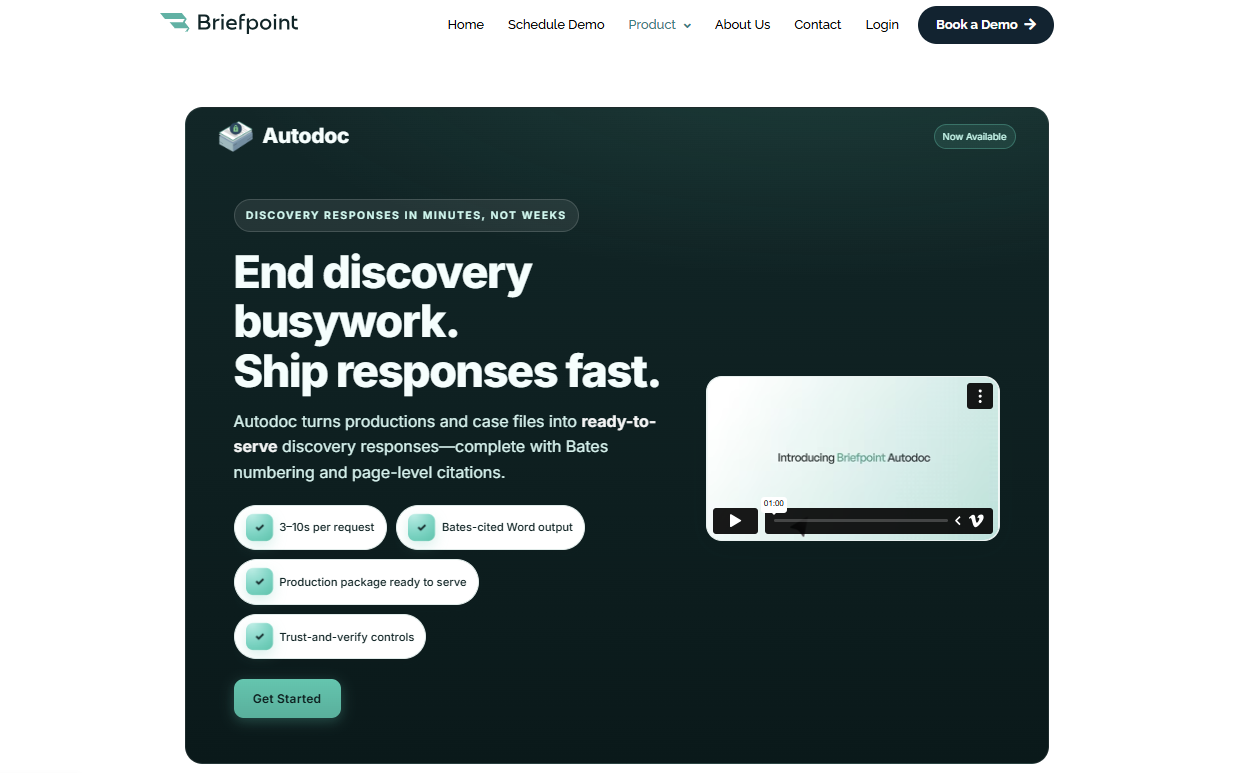
The platform goes further than basic document creation. Briefpoint can help you collect client responses through Client Bridge, identify files that may answer an RFP, and produce Bates-numbered documents with page-level citations.
Meanwhile, Autodoc handles much of the repetitive work involved in reviewing requests and drafting responses, which gives you a stronger starting point than a blank Word file.
If more than half of your discovery process still depends on copying language and formatting draft documents manually, Briefpoint can take a large portion of that work off your plate.
It is a focused legal tech product rather than general document automation software, and that’s why it’s a practical fit for firms that handle discovery regularly.
Best Features
- Discovery request drafting: Create objection-aware interrogatories, RFAs, and RFPs from the complaint and case details.
- Autodoc: Find responsive documents and draft RFP responses with Bates citations.
- Client Bridge: Collect answers and files through a secure, mobile-friendly link in English or Spanish.
- Production preparation: Generate Bates-numbered PDFs and Word responses with page-level citations.
- Jurisdictional support: Draft documents for all 50 states and 98 federal district courts.
Pros
- Focuses specifically on discovery rather than general document creation
- Reduces repetitive drafting and document review work
- Produces editable Word files for attorney review
- Combines document automation software with client collection and production tools
- Supports both propounding and responding to discovery
2. Clio for Practice Management
Clio is cloud-based legal practice management software that gives you one place to handle the operational side of running a firm.
Key elements like matters, client details, documents, time entries, and bills stay connected, making it easier to find the information you need without moving between several disconnected systems.
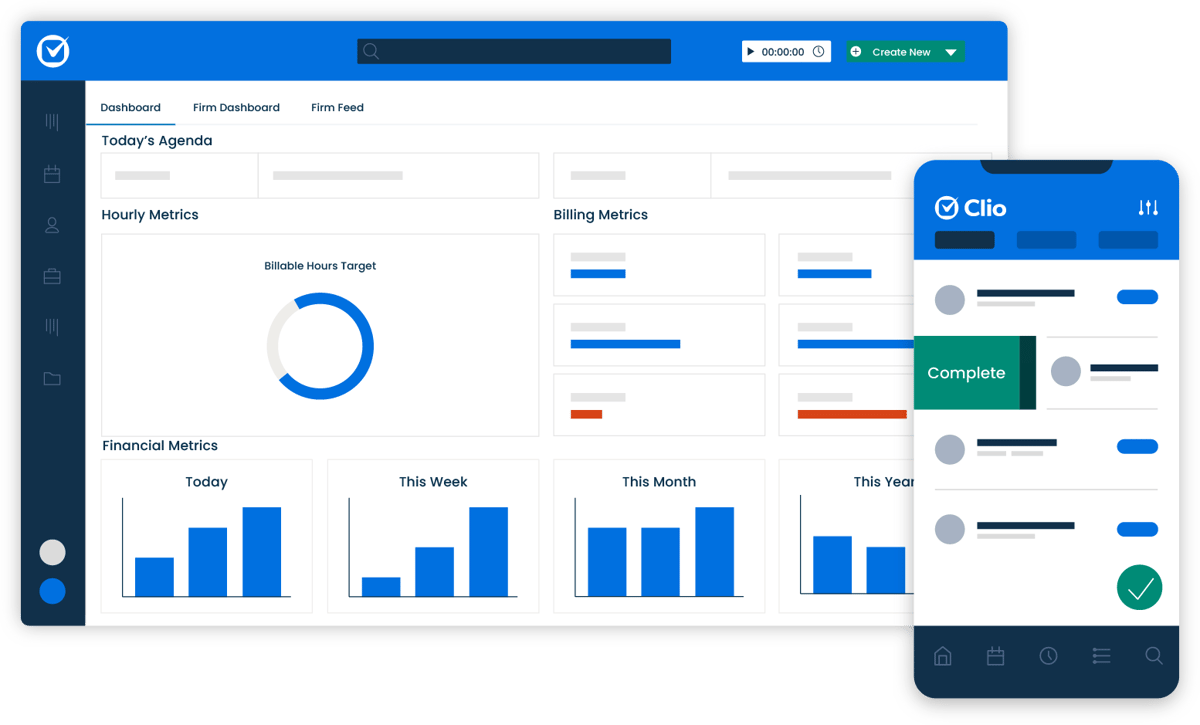
Source: G2
You can use Clio Manage as the main practice management system for day-to-day operations. A matter page brings together related notes, calendar events, communications, and financial activity, so legal professionals can quickly see what has happened and what needs attention.
Its cloud-based document storage also lets your team open and organize case files from a computer or mobile device.
Clio works well for firms that want broader law practice management support rather than software built around one legal task. It can serve as the central system while connecting with other tools used for specialized work.
Best Features
- Matter management: Keep case details, contacts, tasks, notes, and communications connected to the correct matter.
- Time and expense tracking: Record billable work and costs as they occur.
- Billing and online payments: Prepare invoices and give clients digital payment options.
- Document management: Store, search, edit, and organize files in the cloud.
- Calendar and task tools: Track deadlines, appointments, and staff assignments.
- Client portal: Share files and communicate with clients through a secure online space.
Pros
- Brings core firm operations into one platform
- Accessible from desktop and mobile devices
- Connects with a large selection of outside applications
- Suitable for firms with multiple practice areas
- Offers strong case organization and reporting tools
3. Lawmatics for Client Intake and CRM
Lawmatics is legal intake software and a CRM built to help firms manage prospective clients from the first inquiry through signed engagement.
Essentially, it gives your team a clearer view of each lead, including where they came from, which forms they completed, and what communication has already taken place.
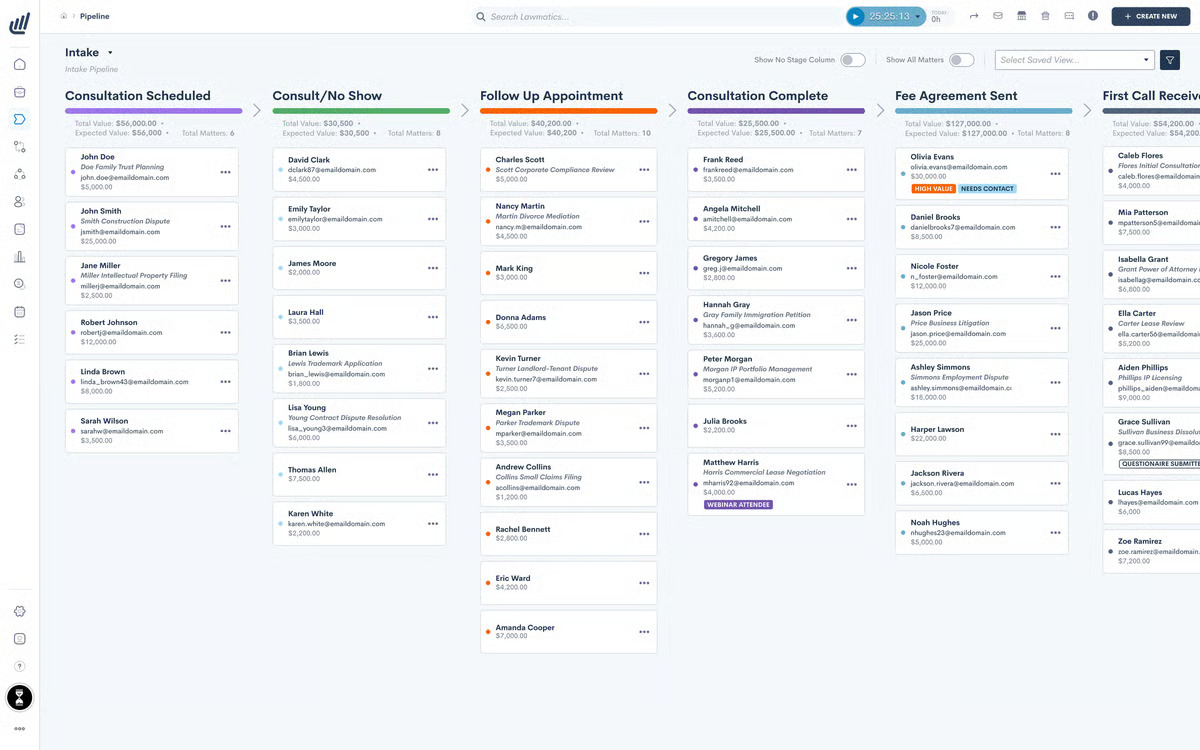
Source: G2
The platform is useful when client management still depends heavily on inboxes or manual reminders.
You can create custom intake forms, schedule consultations, send follow-ups, and collect electronic signatures from one legal software system. Calendar connections help your team stay up to date on appointments without relying on a separate legal calendaring process.
Lawmatics focuses on the relationship-building side of the firm rather than active case management. If administrative tasks are slowing down intake or leads are waiting too long for a response, its automation tools can help you create a smoother experience while keeping client relationships organized.
Best Features
- Custom intake forms: Collect information based on practice area or matter type.
- Workflow automation: Trigger emails, tasks, and reminders as leads move through intake.
- Appointment scheduling: Let prospective clients choose from available consultation times.
- CRM timeline: Review communications, forms, and activity in one place.
- E-signatures: Send engagement documents for digital signing.
- Lead reporting: Track referral sources and conversion performance.
Pros
- Designed specifically for legal intake and client relationships
- Cuts down on repetitive follow-up work
- Gives firms a clearer view of the intake pipeline
- Connects with practice management and calendar tools
- Supports a more consistent experience for prospective clients
4. MyCase for Client Communication
MyCase is a legal practice management platform with client communication tools built directly into the case workflow.
Through its secure client portal, your firm can exchange messages, share documents, send invoices, and keep clients informed all in one place.
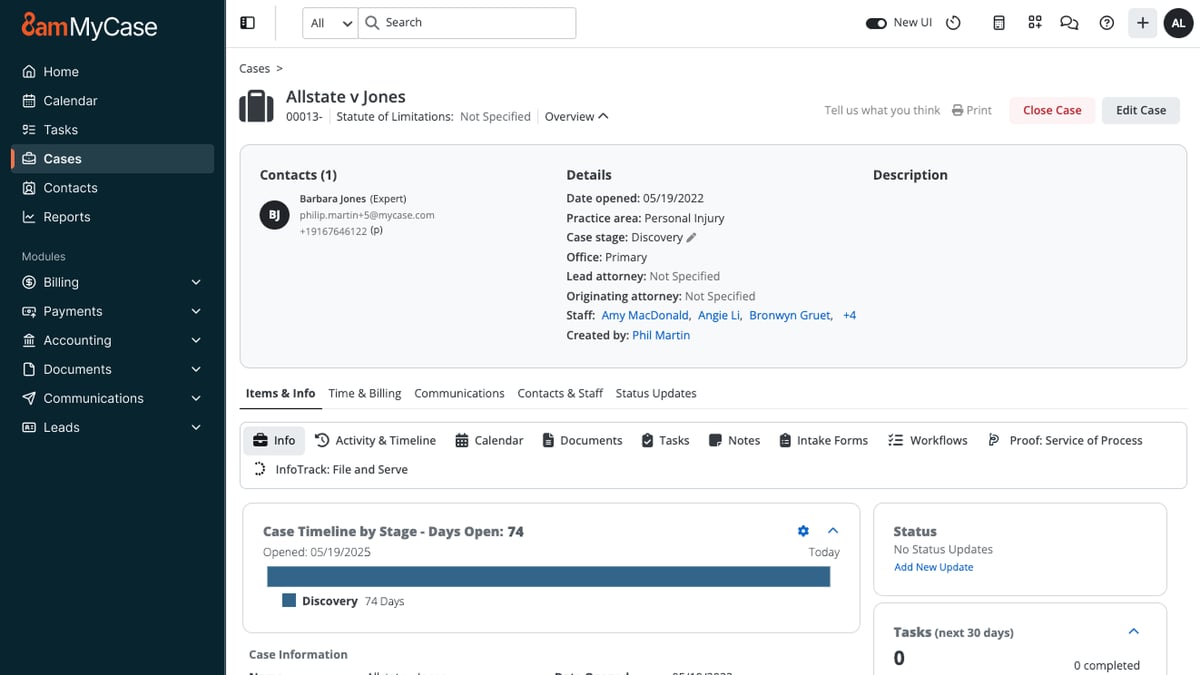
Source: G2
Clients can log in from a phone or computer to review case information, upload files, check upcoming events, and pay their bills. Your team sees the same activity within MyCase, which keeps each conversation tied to the right matter.
For legal software, law firms often need both convenience and control, and the portal gives you a more organized place to handle sensitive client information.
The platform can work for solo practices as well as midsize law firms that want communication, billing, and case management in one system. Plus, its security features, such as encryption and access tracking, can support client confidentiality while giving clients an easier way to reach your firm.
Best Features
- Secure client portal: Share messages, documents, invoices, and case details in one location.
- Built-in text messaging: Contact clients without using a personal phone number.
- Document sharing: Send and receive case files through the portal.
- Online payments: Let clients review invoices and submit payments digitally.
- Case updates: Share appointments, events, and other relevant information.
- Mobile access: Give clients access to their portal from internet-connected devices.
Pros
- Keeps client communication linked to the correct case
- Gives clients convenient access to files and updates
- Reduces reliance on email and voicemail
- Combines communication with billing and case management
- Offers security controls for confidential information
5. QuickBooks Online for Legal Accounting
QuickBooks Online is cloud-based accounting software that helps firms manage the financial side of the business. It allows you to track income and expenses, create invoices, record payments, and review reports without maintaining separate spreadsheets for every account.
Source: G2
For firms that bill by the hour, its time tracking and invoicing tools can connect recorded work with client bills. You can also use financial reports to review cash flow and get a clearer picture of the firm’s financial performance.
QuickBooks works well as general business accounting software, while integrations with legal billing software can add features tailored to law firms.
Trust accounting requires more care. QuickBooks can be configured to record trust-related transactions, but it is not a dedicated legal accounting software platform on its own. Firms that need detailed trust accounting controls may pair it with a legal-specific integration or choose a system built for those requirements.
Best Features
- Income and expense tracking: Organize transactions and connect bank or credit card accounts.
- Legal billing: Create invoices, apply recorded time, and monitor payment status.
- Financial reporting: Review profit and loss, balance sheet, and cash flow reports.
- Online payments: Give clients digital options for paying invoices.
- Time tracking: Record billable hours and add them to client invoices.
- App integrations: Connect QuickBooks with legal billing and practice management tools.
Pros
- Familiar accounting platform used in many small businesses
- Strong reporting for monitoring firm finances
- Flexible invoicing and payment tools
- Connects with several legal software platforms
- Accessible from a browser or mobile device
6. Lexis+ AI for Legal Research
Lexis+ AI is an AI-powered legal research platform from LexisNexis. It combines conversational search with the company’s legal database to give you a faster way to explore cases, statutes, and other authorities.
Source: LexisNexis.com
You can ask a question in plain language, review the cited sources, and refine the issue through follow-up prompts. Shepard’s Citation Validation helps you check how a case has been treated, while document analysis can surface relevant arguments or authorities from uploaded files.
If you already use LexisNexis, the platform brings familiar research tools and generative AI into the same workspace. It may be one of the best software options for teams that want quicker research without losing direct access to the underlying legal sources.
Best Features
- Conversational research: Explore legal questions through natural-language prompts.
- Shepard’s tools: Review citation history and treatment.
- Linked authorities: Open the sources behind generated answers.
- Document analysis: Examine uploaded files for legal issues and citations.
- Case summaries: Get a condensed overview before reading the full opinion.
- Drafting support: Use research results to prepare an early draft.
Pros
- Connects AI answers to established legal sources
- Supports both traditional and conversational legal research
- Helps narrow broad legal questions
- Includes citation validation
- Useful for reviewing lengthy authorities
7. Docusign for Electronic Signatures
Docusign is an electronic signature platform that lets law firms send documents for signature and track each step online. Rather than printing an engagement letter or settlement agreement, you can upload the file, place the required fields, and send it directly to the signer.
Source: G2
The platform supports common formats such as Word documents and PDFs, and signers can complete them from a computer or mobile device.
Automatic reminders help move outstanding documents along, while reusable templates save time when your firm sends the same type of agreement regularly.
Docusign also records activity connected to the signing process, giving your team a clearer record of who opened and completed the document.
For firms still handling signatures through email attachments, Docusign offers a simpler process for routine legal documents. You can keep signed copies organized, reduce printing, and avoid asking clients to scan paperwork back to you.
Best Features
- Electronic signatures: Send documents for online signing from nearly any device.
- Reusable templates: Prepare frequently used agreements without rebuilding every envelope.
- Automatic reminders: Prompt recipients when a signature is still outstanding.
- Signing fields: Add signature, date, initials, and other required fields.
- Status tracking: See when a document has been sent, viewed, or completed.
- Audit trail: Maintain a record of activity connected to the agreement.
Pros
- Familiar signing experience for many clients
- Works with common document formats
- Speeds up routine signature collection
- Reduces printing and scanning
- Integrates with widely used business and legal platforms
8. iManage for Document Management
iManage is legal document management software designed to organize documents, emails, and other case-related content in one searchable system.
With this platform, your team can organize documents and emails in dedicated workspaces for each client or matter, rather than sorting everything through a shared drive.
Source: iManage.com
Its document management functionality covers far more than storage. iManage tracks version history, controls who can open or edit a file, and makes it easier to search through large collections of legal content.
That can be useful when a matter contains high volumes of material, such as contracts or medical records, and several people need access to the latest version.
Security is a major part of the platform. iManage supports granular permissions and applies data encryption to uploaded content, which helps firms protect confidential files while still allowing attorneys and staff to collaborate.
It’s generally a better fit for organizations with substantial document volumes and stricter governance needs than for firms seeking lightweight legal document software.
Best Features
- Matter workspaces: Organize documents and emails around the correct client or case.
- Version control: Preserve earlier drafts and identify the current file.
- Advanced search: Locate documents through metadata and full-text search.
- Access permissions: Limit viewing or editing rights at the document level.
- Email management: Save matter-related messages alongside the supporting files.
- Security controls: Protect sensitive data through encryption and need-to-know access.
Pros
- Handles large collections of legal documents
- Keeps document history easy to follow
- Offers detailed access and governance controls
- Supports collaboration without relying on shared drives
- Built for firms with complex document management needs
9. Everlaw for eDiscovery
Everlaw is a cloud-based eDiscovery platform for reviewing large collections of documents during litigation and investigations. It gives your team tools for uploading data, narrowing the review set, coding documents, and preparing productions within the same software program.
When practicing law involves thousands or even millions of emails and files, a basic search bar will only take you so far. Everlaw uses advanced search, visual analytics, and AI-assisted review to help you identify relevant evidence sooner.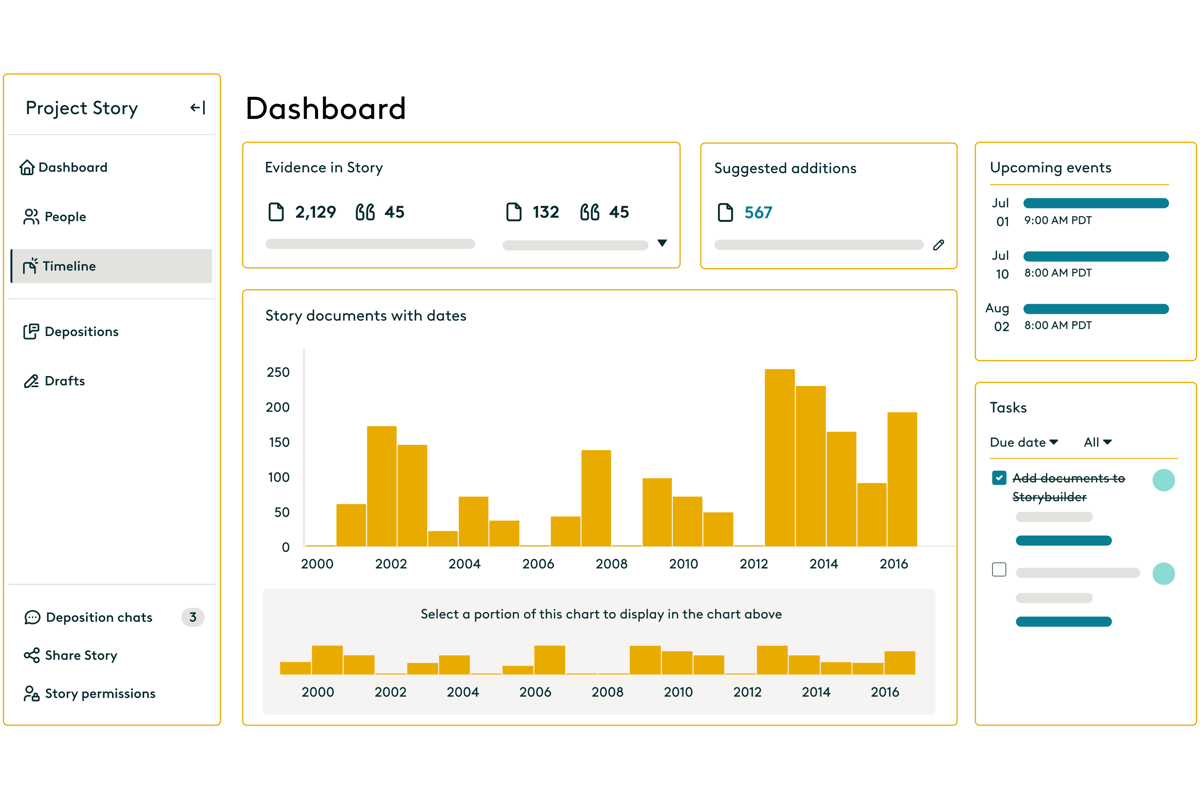
Source: G2
Reviewers can categorize documents for issues such as relevance or privilege, then collaborate through shared assignments and case-building tools.
Everlaw also connects document review with deposition and trial preparation through Storybuilder. Your team can organize key evidence, create timelines, and carry useful findings forward as the case develops.
Best Features
- Early case assessment: Examine data before promoting documents into active review.
- Advanced search: Filter large data sets through metadata and document content.
- AI-assisted coding: Classify documents based on relevance, privilege, or case issues.
- Review workflows: Assign batches and customize coding layouts for different reviewers.
- Production tools: Apply Bates numbers, endorsement stamps, and production settings.
- Storybuilder: Turn reviewed evidence into timelines and deposition materials.
Pros
- Supports the eDiscovery process from data upload through production
- Handles large document collections
- Connects review findings with case preparation
- Offers flexible collaboration tools
- Includes AI features for faster document analysis
10. Spellbook for Contract Drafting and Review
Spellbook is an AI tool that helps lawyers draft and review contracts directly inside Microsoft Word. Since it works where many agreements are already written, you can analyze a document and revise the language without uploading it to a separate contract platform.

Source: Spellbook.com
During review, Spellbook can point out missing clauses, one-sided terms, and language that may deserve a closer look.
You can ask it to suggest a revision, explain a provision, or draft a replacement clause based on the surrounding contract. Custom playbooks let firms apply their own preferred positions rather than relying on the same review standard for every agreement.
It can also help when you are starting from an old template that needs substantial changes. Spellbook generates language within the document, while tracked changes make it easier to review each proposed edit.
Best Features
- In-document drafting: Generate clauses and revisions inside Microsoft Word.
- Contract review: Identify missing terms and potentially unfavorable language.
- Custom playbooks: Apply preferred fallback positions and review rules.
- Tracked redlines: Add proposed edits without replacing the original text.
- Clause explanations: Break down complex provisions in clearer language.
- Language comparison: Compare contract terms against selected standards.
Pros
- Fits into an existing Word-based workflow
- Useful when revising older contract templates
- Gives firms control over review preferences
- Makes proposed changes easy to inspect
- Supports drafting and review in the same tool
11. LawPay for Legal Payments
LawPay is a payment platform built for law firms that need to collect client funds while keeping legal billing rules in mind. It lets clients pay invoices or retainers online, and firms can direct money to the correct operating or trust account.
That legal focus is what separates LawPay from a standard card processor. The platform is designed to prevent processing fees from being deducted from trust funds, which can make payment handling easier for firms with strict accounting obligations.
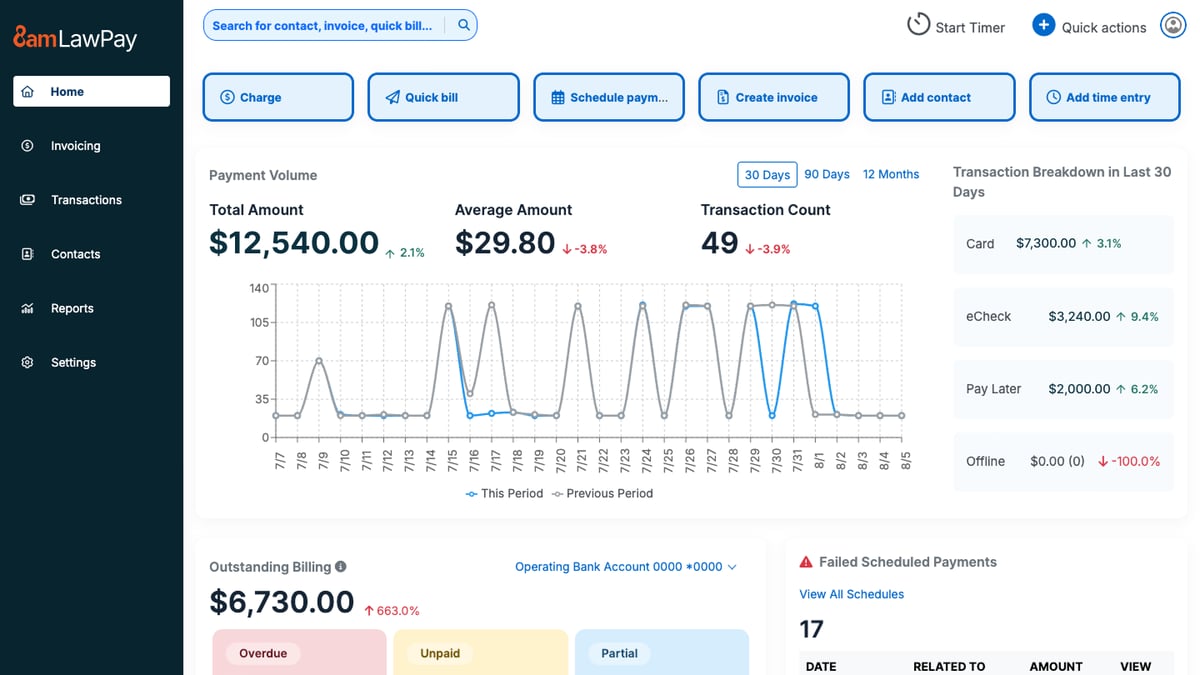
Source: G2
Clients can pay through a secure link, from an invoice, or through a firm’s website, giving them a more convenient option than mailing a check.
LawPay can fit into existing legal processes through integrations with practice management and accounting platforms.
If you’re comparing legal software options, it is worth considering when faster collections and trust-friendly payment handling are higher priorities than broader billing or case management features.
Best Features
- Online payments: Accept credit card and eCheck payments through secure links.
- Trust account support: Route funds to the appropriate trust or operating account.
- Payment pages: Add a branded payment option to the firm’s website.
- Recurring billing: Schedule repeat payments for approved arrangements.
- Invoice connections: Collect payments through supported legal billing platforms.
- Reporting tools: Review transactions, deposits, and payment activity.
Pros
- Built around the payment needs of law firms
- Supports trust and operating account separation
- Gives clients several ways to pay
- Connects with popular legal software platforms
- Can help firms collect outstanding balances sooner
Choose Technology That Earns Its Place
Legal technology should remove work from your plate instead of just creating another system to maintain. The right legal software fits naturally into your workflow and solves a problem your team deals with regularly.
Briefpoint brings that focus to written discovery. It drafts interrogatories, RFAs, and RFPs, while Client Bridge collects answers and documents through a secure link. Autodoc identifies responsive files, adds Bates citations, and prepares production materials for attorney review.
Book a demo to see how Briefpoint can simplify discovery from the first draft through production.