A Comprehensive Guide to Legal Document Automation
What Is Legal Document Automation?
Legal document automation refers to using software to create legal documents with far less manual drafting.
You usually answer a set of questions, pull in existing matter or client data, and the document builds itself based on rules you’ve already defined. That means no starting from scratch or copying language from old files and hoping it still applies.
For legal professionals, this usually shows up in routine work. Engagement letters, discovery responses, court filings, and contracts all follow familiar patterns. Legal document automation software takes those patterns and applies them consistently.
Still, automated legal documents require review. The difference is how you get there. Legal document creation moves faster because the base draft is already complete and organized, which leaves more time for judgment calls and less time on mechanical edits.
Legal Document Automation vs. Traditional Drafting
Traditional legal drafting usually means starting with a prior document and working forward from there. You copy language, update the facts, adjust clauses, and read through everything to confirm it still fits the situation.
That approach has worked for a long time, but it relies on manual processes at every step. When documents go through multiple revisions, small details can be overlooked, and older language can carry over without anyone noticing right away.
On the other hand, legal document automation works differently. Document templates are set up in advance, with rules that control how the language changes. When you create automated legal documents, the software pulls in client or matter information and builds the draft for you.
For instance, a discovery response can reflect the case type, or a contract can apply the right terms based on jurisdiction or deal structure. The framework stays consistent, and the details adjust as needed.
At the end of the day, automation tools don’t replace review or decision-making. They reduce the time spent assembling documents so the focus stays on substance, accuracy, and legal judgment rather than repetitive drafting work.
How Legal Document Automation Works
The process behind legal document automation is fairly simple: the software manages the routine steps, and legal teams keep control over wording and review.
Here’s how it usually comes together.
Document Templates
Templates are the foundation of legal document automation. You create them once inside legal document software, then reuse them whenever you need to prepare documents with the same general structure. The wording stays consistent, while the details change based on the matter and the data input provided.
Some platforms use smart templates with rules that insert relevant clauses or adjust sections automatically. This makes template creation more flexible than relying on basic, standardized templates that require extensive manual edits.
A single set of predefined templates can support multiple customized documents, which reduces repetitive work and helps keep drafts consistent.
Templates are commonly used for:
- Contracts and agreements
- Discovery responses
- Court filings
- Client letters
- Estate planning documents
- Real estate leases
- Internal legal forms
- Corporate filings
These are all common legal documents with predictable structures, which makes them strong candidates for automation.
Rules and Logic
Rules and logic control how a document changes as information is added. This is the part that allows document assembly software to handle complex legal documents without locking you into a single version of the text.
Conditional logic sits behind the scenes and decides which sections appear, which clauses change, and which language gets left out.
For example, a document can include different legal language based on jurisdiction, party type, or claim category.
A discovery response might apply one set of discovery objections for a product case and a different set for an employment matter. Or a contract might adjust indemnity or termination terms based on deal size.
You don’t rewrite the document each time. The rules handle those variations automatically, and the structure stays intact. That keeps the draft consistent while still allowing it to reflect the facts of the matter.
Data Collection and Intake
Data collection and intake cover how information enters the document workflow.
In a law firm automation setup, this step reduces scattered emails, separate notes, and repeated follow-ups. Key details are gathered once, then used throughout the drafting process. That means less manual entry and fewer opportunities for inconsistencies.
Most teams rely on client intake forms, internal questionnaires, or existing legal CRM systems. The questions stay focused on the document being prepared, so legal professionals collect only the information they need.
Details such as names, parties, dates, claims, and jurisdiction can then flow directly into the draft. This helps legal operations teams spot missing information earlier and keeps the document moving with less cleanup later.
Common collection methods include:
- Client intake forms that capture matter details upfront
- Internal questionnaires completed during case setup
- Matter management or CRM systems that store client information
- Uploaded files used as drafting references
A cleaner intake process can also improve client interactions by reducing repetitive requests and giving clients a clearer way to provide information.
Automated Document Assembly
Automated document assembly is simply the point where the draft gets built for you. Once the information is collected and the rules are applied, legal automation software uses automated templates to generate documents as a complete first draft, without anyone piecing it together manually.
Take an RFP response as an example. Party details come from intake, objections adjust based on the matter, and citations fall into place automatically.
For a contract, the right clauses appear based on jurisdiction or deal terms, and the draft is ready to review. The document drafting process still includes edits and judgment. However, the setup work is already handled.
Legal tech and automation workflows make the biggest difference here. You move straight into reviewing the document and not building it from the ground up.
For litigation teams, tools like Briefpoint apply this approach directly to high-volume document work, helping generate documents faster while keeping review and control firmly in your hands.
Review and Final Edits
Review and final edits remain a critical part of the process, particularly for complex documents. Automation handles the setup, but accuracy, legal judgment, and final approval still rest with the reviewer.
Because the draft is already structured and populated, review time can focus on substance rather than cleanup. You’re checking arguments, legal language, context, and factual accuracy rather than fixing formatting or retyping basic details.
For example, an automated discovery response may already include the correct party names, request numbers, and consistent language. The attorney can then focus on whether each objection fits the request and whether the response accurately reflects the available information.
A clear approval workflow can make this stage more predictable. Drafts move through the right reviewers, requested changes are tracked, and finalized documents are approved before they are sent or filed.
Types of Legal Documents You Can Automate
Legal document automation is a good fit for documents that follow a familiar pattern but change depending on the matter.
If your team relies on reusable templates or regularly updates older files, automation can support drafting documents without forcing everything into a one-size format.
Common document types include:
- Legal agreements: Contracts, NDAs, and other legal agreements that adjust terms based on parties, jurisdiction, or deal structure while keeping language consistent.
- Court documents: Pleadings, motions, and discovery responses that pull in case details and apply the correct formatting and legal language.
- Internal legal documents: Forms, approvals, and policy documents used by in-house legal departments to keep work organized and consistent.
- Customized legal documents: Documents built from a shared structure that change based on inputs like claim type, matter status, or jurisdiction.
- Legacy documents: Older templates and files that can be converted into automated formats, making them easier to update and reuse.
These documents all benefit from legal automation when the structure stays stable, but the facts change from one matter to the next.
What Are the Benefits of Legal Document Automation?
Legal document automation affects daily drafting work more than anything else. Once the repetitive steps are taken out of the process, these benefits tend to show up pretty quickly:
Improved Drafting Speed
Improved drafting speed is one of the most noticeable benefits of legal document automation. When the software handles setup, data entry, and document assembly, you no longer have to build each draft piece by piece.
Automated templates give you a complete starting point. Matter details fill in, sections adjust based on predefined rules, and the document reaches review much earlier.
For example, when drafting contracts, the software can insert party information, apply relevant clauses, and update defined terms based on the deal details. The reviewer can focus on negotiation points and legal accuracy rather than assembling the first draft manually.
Faster document turnaround times are among the key benefits because they help teams move work forward sooner while preserving time for careful review.
Greater Consistency in Legal Language
This benefit comes from taking the drafting decisions out of the moment and locking them into the document generation process. When the same templates and rules are used every time, the language stays aligned from one document to the next.
For example, a firm might use one approved set of definitions or standard clauses for a specific type of matter. With document automation in place, those sections appear the same way every time instead of being copied from different versions of old files.
That helps keep compliant documents aligned with internal standards and current requirements, but without relying on memory or last-minute checks.
Reduced Manual Data Entry
Reduced manual data entry comes from removing repetitive steps that add little value. When workflow automation pulls information from intake forms, matter systems, or existing records, the document no longer depends on repeated typing.
Details like names, dates, case numbers, and references are entered once, then carried into the relevant sections automatically. That keeps information aligned and reduces the cleanup needed during review.
It also makes it easier to manage legal documents at scale, since teams are working from the same source rather than updating separate copies by hand.
While review is still necessary, automation can support more accurate, error-free documents by limiting the small inconsistencies that often come with manual edits.
Lower Risk of Human Error
Lower risk of human error comes from taking routine edits out of the drafting stage. Automated document drafting handles the parts of the process that usually lead to small but costly mistakes, which helps keep accurate legal documents on track.
Common drafting errors include:
- Misspelled party names carried over from prior files
- Incorrect dates copied from older documents
- Inconsistently defined terms used throughout a draft
- Missing or duplicated sections after multiple revisions
When those details are handled automatically, review time can focus on substance rather than catching avoidable errors.
More Predictable Document Workflows
A familiar drafting task can still become difficult to plan when key details arrive late, or the review process changes from one matter to the next.
Document automation creates a more consistent path. Information is collected early, drafts follow an approved structure, and each document moves through a defined review stage. Repetitive drafting tasks happen in the same order, which makes workloads and turnaround times easier to anticipate.
For example, a team that uses automation to manage contracts can collect deal details through an intake form, generate the correct draft, and route it to the appropriate reviewer based on the contract terms. Everyone knows what happens next and who needs to act.
This structure helps teams produce accurate documents while leaving attorneys more time to focus on legal strategy and issues that require closer judgment.
What to Look for in Legal Document Automation Software
Choosing the right legal document automation software comes down to how well it fits into real legal work. The best legal document automation tools support how documents are already drafted, reviewed, and managed, rather than forcing teams to change everything at once.
Key things to look for include:
- Template flexibility: The software should support complex templates that reflect how your documents actually work, not just basic forms.
- Rules and logic support: Strong automation software for law allows conditional logic, so the language adjusts based on the matter details.
- Seamless integration with existing tools: Look for systems that work alongside existing tools like case management or legal document management platforms.
- Version control: Clear tracking of edits and updates helps teams avoid confusion, especially in large law firms.
- Collaboration and review controls: Drafts should move easily between contributors without losing structure or context.
- Support for different team types: The software should work equally well for large law firms and in-house legal teams.
- Document management compatibility: Generated files should fit cleanly into your document management system without extra cleanup.
Legal Document Automation That Fits How Litigation Actually Works
Legal document automation sounds broad until you see it applied to a specific problem. For litigation teams, that problem is discovery. Volume is high, deadlines are fixed, and the margin for error is small.
Briefpoint focuses on that reality rather than trying to cover every document under the sun.
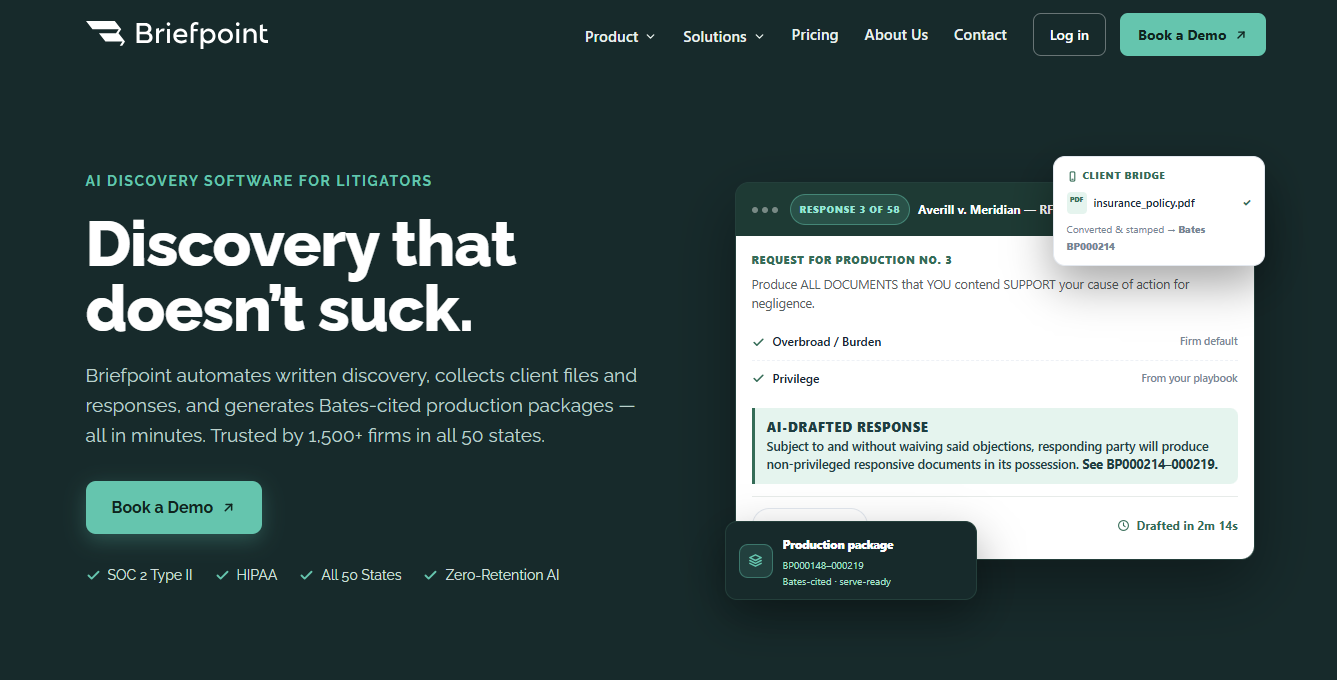
Briefpoint supports the full discovery workflow, from propounding RFAs, RFPs, and interrogatories to responding with consistent objections, client-collected answers, and properly formatted outputs.
Autodoc is part of that system. It handles the most time-consuming step by turning productions and case files into Word-ready discovery responses with Bates citations and a service-ready production package.
Nothing about the process removes judgment or review. It shortens the path to a usable draft and keeps everything in a format attorneys already trust.
If discovery drafting keeps eating up hours that should go elsewhere, book a demo now.
