Propounding Discovery: Streamlining In 2026
Propounding Discovery Overview
Law offices need to initiate discovery for various reasons. The principal purpose is to gather evidence that supports your client’s case. Learning more about the circumstances of the events in question can help you prepare superior responses in court.
However, there are other reasons for propounding discovery. For example, it also assists in learning more about the other party’s position and weaknesses.
Furthermore, you may also identify potential witnesses and experts and learn more about the precise issues in dispute during this investigative stage. Enhanced discovery improves your capacity to serve your clients.
Your Obligations During Propounding Discovery
While propounding discovery is an accepted legal process, you must still fulfill various obligations. That’s why software can be beneficial. It helps you avoid non-compliance.
For example, requests for information must be relevant and proportional to the case. You must focus (in general) on obtaining answers that help you resolve the dispute. Requests shouldn’t place any undue burden on the responding party.
You must also format and serve discoveries according to court rules. Failing to adhere to guidelines could result in judges throwing out requests.
Getting compliance right, though, is challenging. Opposing parties have certain rights, including objecting to burdensome or irrelevant information requests. Attorney-client privilege also lets them bar demands for sensitive information.
Fortunately, you can limit these risks while maximizing compliance by using software. Carefully calibrated solutions provide recognized requests while saving time.
The Benefits Of Using Software For Propounding Discovery
Before we discuss the specific features of propounding discovery software, let’s review some of the benefits it offers.
- A centralized platform that attorneys can use whenever they want to make a request
- Improved visibility over the discovery process – paperwork is digital, not hidden away in a file somewhere
- Better workflow streamlining, including making requests (and responding to them) with minimal typing or manual entry required
- Improved ability to meet deadlines imposed for discovery by the court
- Enhanced team productivity and less time spent on non-billable work
- Reduction in the risk of accidental information exposure using pre-filled template libraries
- Less rote work and more focus on high-value tasks
- Pre-formatted requests that increase the likelihood of discovery
Software Features That Let You Streamline The Propounding Discovery Process
Advances in AI and software generally mean that today’s solutions are more capable than ever. Tools offer various features that improve the process and enable you to get the information you and your clients need. Here’s what to expect:
Template Libraries
Propounding discovery software comes with template libraries you can use to make information requests. These save time and free up attorneys and other legal professionals to focus on higher-value tasks.
Briefpoint offers extensive template libraries for various case categories across information request classes. For instance, we have over 87 special interrogatories pre-formatted for auto torts and more for requests for admission and production.
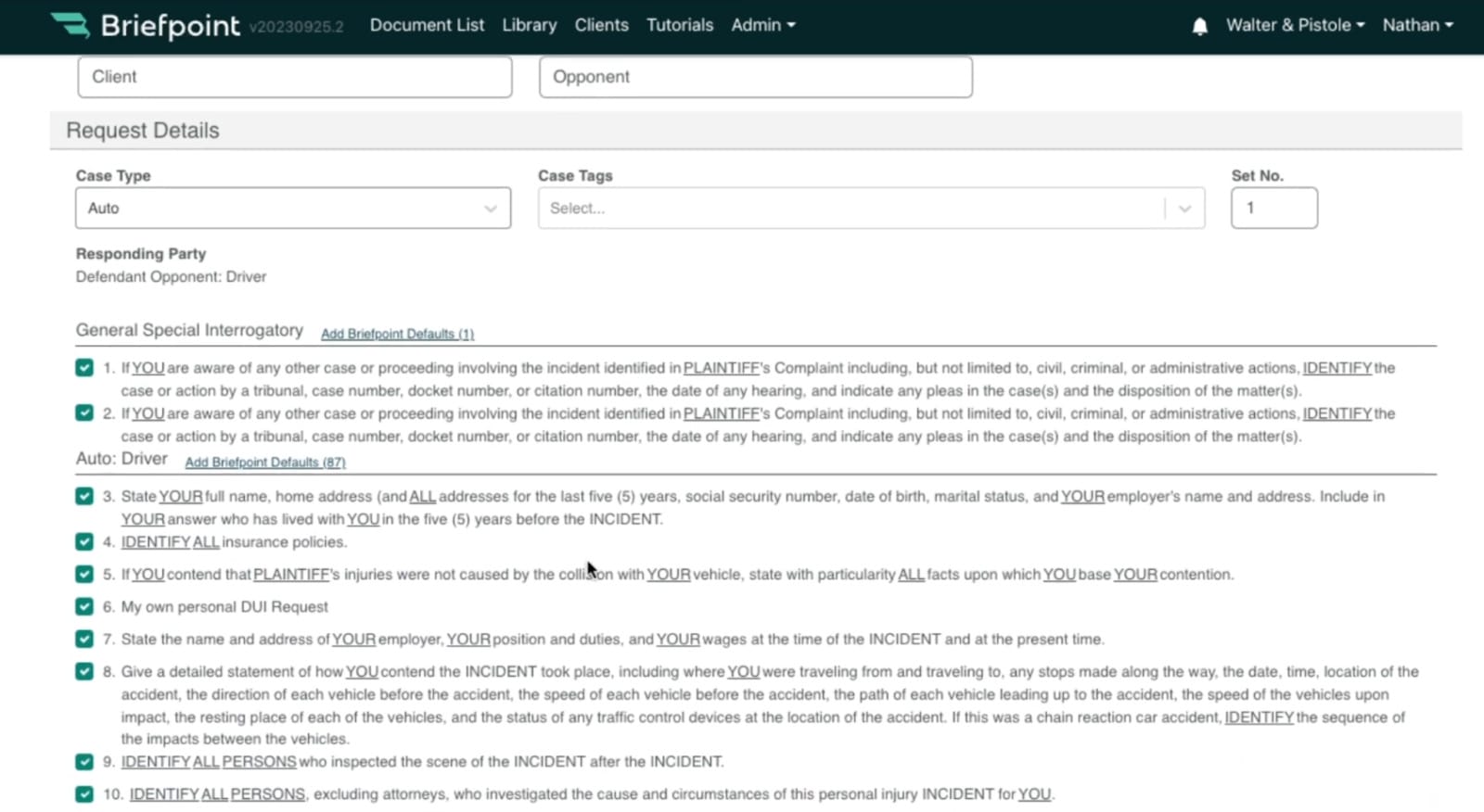
Using template libraries is straightforward. Most leading solutions let you click the item you want to include, whether sending a request to a plaintiff, defendant, or another party. That’s true of Briefpoint.
Furthermore, these template libraries include careful wording to minimize the risk of receiving a valid objection from the opposing party. For example, Briefpoint includes interrogatories such as:
Automated Drafting Tools
Automated drafting tools are another essential ingredient of top-rated propounding discovery software. These systems enable you to craft the precise document you need, depending on who you send it to and the information you request.
Briefpoint does this by taking you through a multi-choice wizard. Fillable forms give you the option to provide a short title for the case, the case number, the full title of the case, the client position (plaintiff, defendant, cross-defendant, or cross-complainant), representative action (individual, class action, or PAGA), the case type (i.e., auto, business, civil rights, etc.), the various parties’ names, and the venue.
Entering this information supplies the propounding discovery document software with the essential formatting information to proceed.
The information you must include varies between jurisdictions. However, advanced software helps you cover your bases by adding things like:
- The deadline for responding to the request
- Clear and concise statements about the requests
- Instructions on how the opposing party should format its responses
- A statement underlining the legal standing of the request
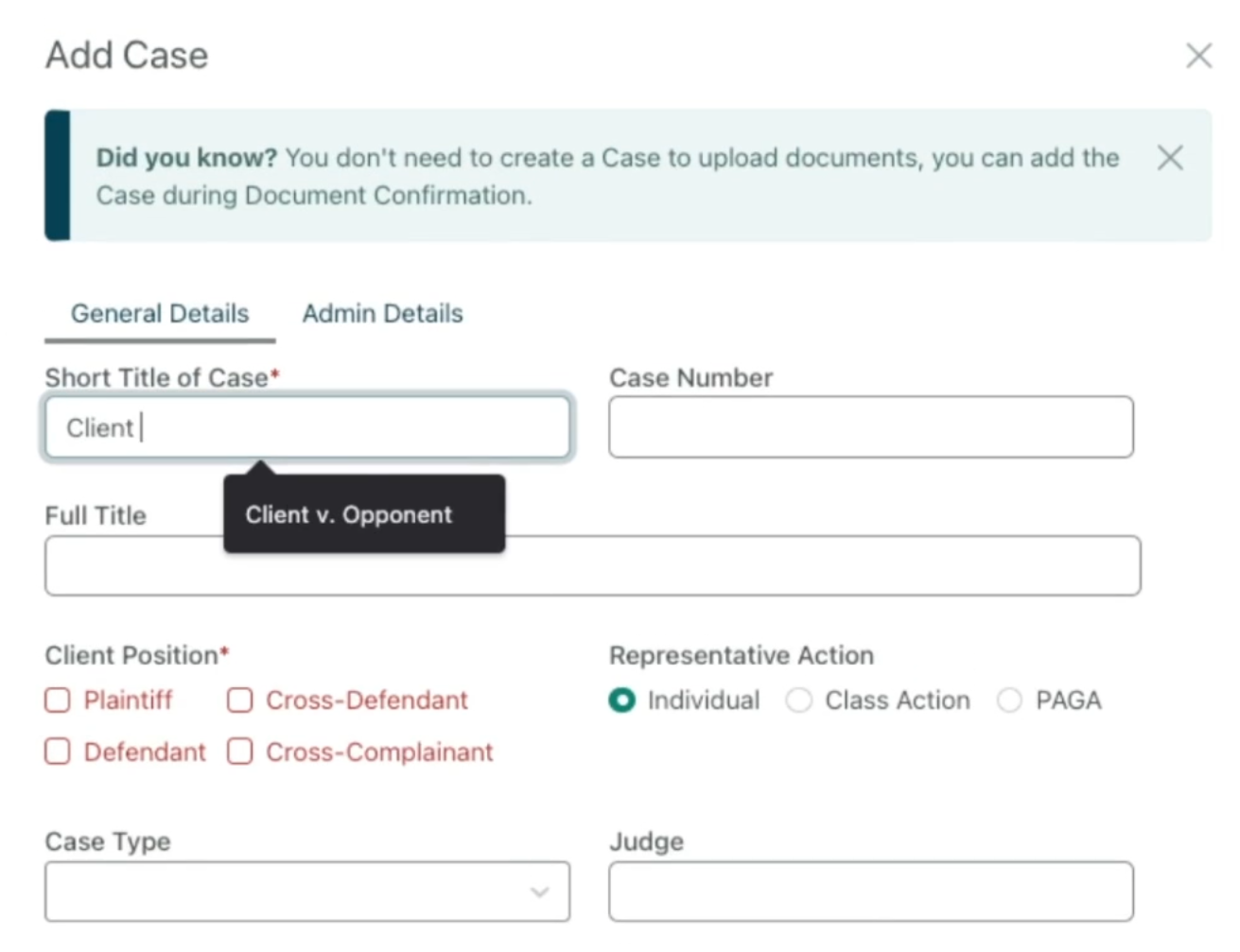
Once you add this information, the software formats it for you, regardless of the document you want to submit. The next step is to choose the request type so the software can present the proper library of pre-formatted requests discussed in the previous section.
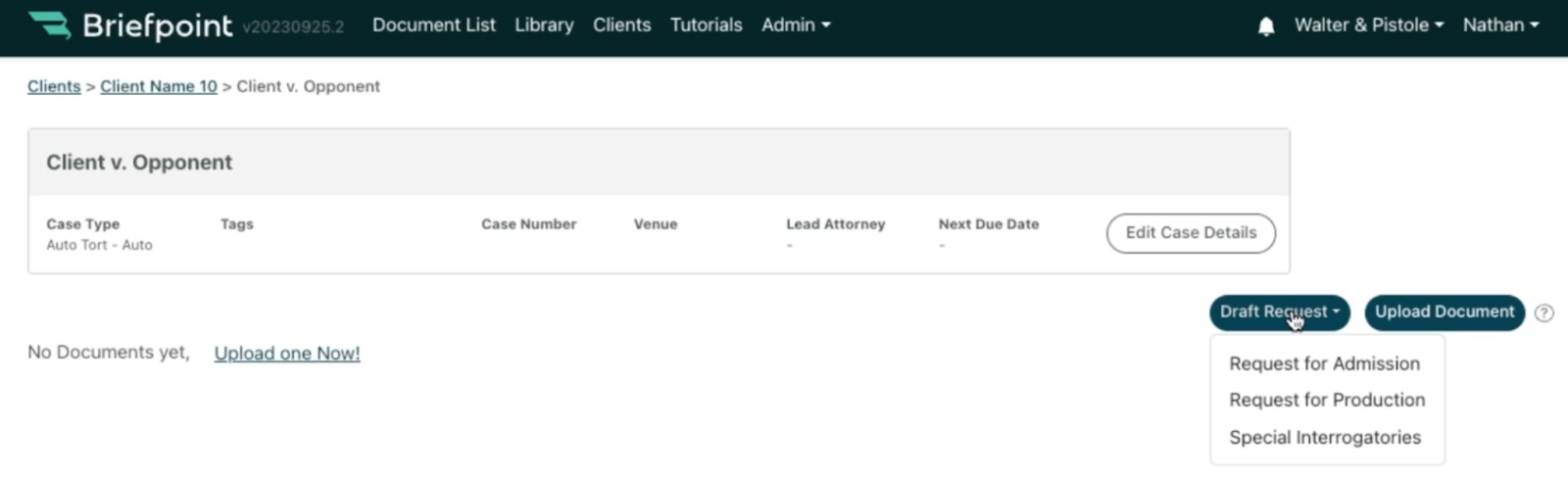
Briefpoint lets you draft any of the following:
- Request for Admission. These requests ask the opposing party to admit or deny various “truths” or facts associated with a case. These are helpful when you want to narrow down the disputed facts and save time.
- Request for Production. These requests ask the opposing party to produce legal documents associated with the case. Any requests for paperwork must be relevant and helpful in proving your client’s case.
- Special Interrogatories. These written questions are limited to a specific topic or issue relating to the case. You might submit them to identify potential witnesses or better understand the other party’s stance on an issue.
Once you provide Briefpoint with this information, you can populate your document with specific requests. The software will format and structure the paperwork according to best practices.
Checking Compliance
Once you finish telling the software what document you want it to create, you can download it for review. (Briefpoint lets you do this in Microsoft Word.) This step allows you to check it for compliance before sending it off.
While developers take special care to make sure that template requests follow established norms and practices, you are responsible for any new items you insert or edits to existing suggestions.
Understanding How Propounding Software Can Streamline Discovery
Opposing parties can object to responding to discovery requests under certain conditions. Requests are unlikely to succeed if they:
- Are irrelevant to the case
- Are excessively burdensome
- Violate various attorney-client privileges that protect some details from disclosure
Therefore, using propounding discovery software is helpful. It reduces the risk of rejected requests, supporting your client’s case.
Briefpoint’s propounding discovery solutions are a case in point. Filing by hand is tedious, but getting our software to do it instead could save you up to 87% of your time.
You can also use it to avoid costly mistakes, such as disclosing information about your client that you shouldn’t. Responses comply with ethical rules for better decision-making.
Understanding the role of propounding software in your legal practice should enable you to make requests more effectively. You can avoid compliance issues while working in your client’s best interests.
Cut the Busywork—Power Through Discovery with Confidence
Manually handling written discovery slows your workflow and puts accuracy at risk. From document requests to special interrogatories, outdated discovery procedures make it harder to stay compliant and meet deadlines.
Briefpoint changes that. It helps you obtain discovery faster by automating the drafting process and providing court-ready templates for every stage of your case.
Ready to upgrade how you manage discovery? Book your demo today to streamline document requests and take control of your written discovery!
7 Best Legal AI Companies of 2026

Artificial Intelligence in the Legal Industry
When AI first entered legal practices, it wasn’t exactly met with enthusiasm.
Many legal professionals were hesitant. The thought of machines performing tasks traditionally handled by trained attorneys raised plenty of concerns.
There was a real fear that AI would threaten job security and compromise the precision that lawyers worked so hard to maintain. Some worried these tools would get lost in the nuance of legal language and overlook the human element entirely.
At the time, AI felt like a fleeting trend—too impersonal for such a people-centered profession.
But just a few years later, the outlook has shifted. Legal tech, particularly AI, has found its place in law firms, and its advantages are now tough to dismiss.
How AI Technology Benefits Legal Work
Legal AI is transforming how law firms get work done. If you’ve ever felt bogged down by endless research, slow processes, or repetitive tasks, AI might be the thing that changes your day-to-day.
Here’s how it’s helping legal teams like yours:
- It speeds things up – AI can process massive amounts of data in seconds, letting you move through cases faster and focus on strategy.
- It catches what you might miss – By spotting patterns and inconsistencies in documents, AI helps reduce errors that could slip through even the sharpest human review.
- It cuts down your workload – Say goodbye to manually sorting documents or creating reports. AI automates the boring stuff so you don’t have to.
- It makes legal research less painful – AI tools comb through case law, statutes, and precedents in seconds, giving you solid research in a fraction of the time.
- It frees up your time – With the routine work handled, you get to focus on what really matters: clients, strategy, and big-picture thinking.
- It helps you keep clients happy – Faster responses and stronger case support mean smoother client experiences, and better results.
- It’s proven to work – Even firms that were skeptical at first are seeing major payoffs: better workflows, lower costs, and more efficient teams.
Bottom line? Legal AI isn’t here to replace your work. Rather, it’s here to make it smoother, smarter, and way less stressful.
7 Best AI-Powered Tools for Legal Teams
Let’s face it: the legal landscape can be a bit overwhelming with all the paperwork, deadlines, and endless research. But what if there were tools that could make your life a whole lot easier?
In 2026, there are dozens upon dozens of AI-powered tools in the legal sector. However, only a handful stand out:
1. Briefpoint
Briefpoint is a game-changer for lawyers and paralegals alike—or anyone who drafts discovery documents.
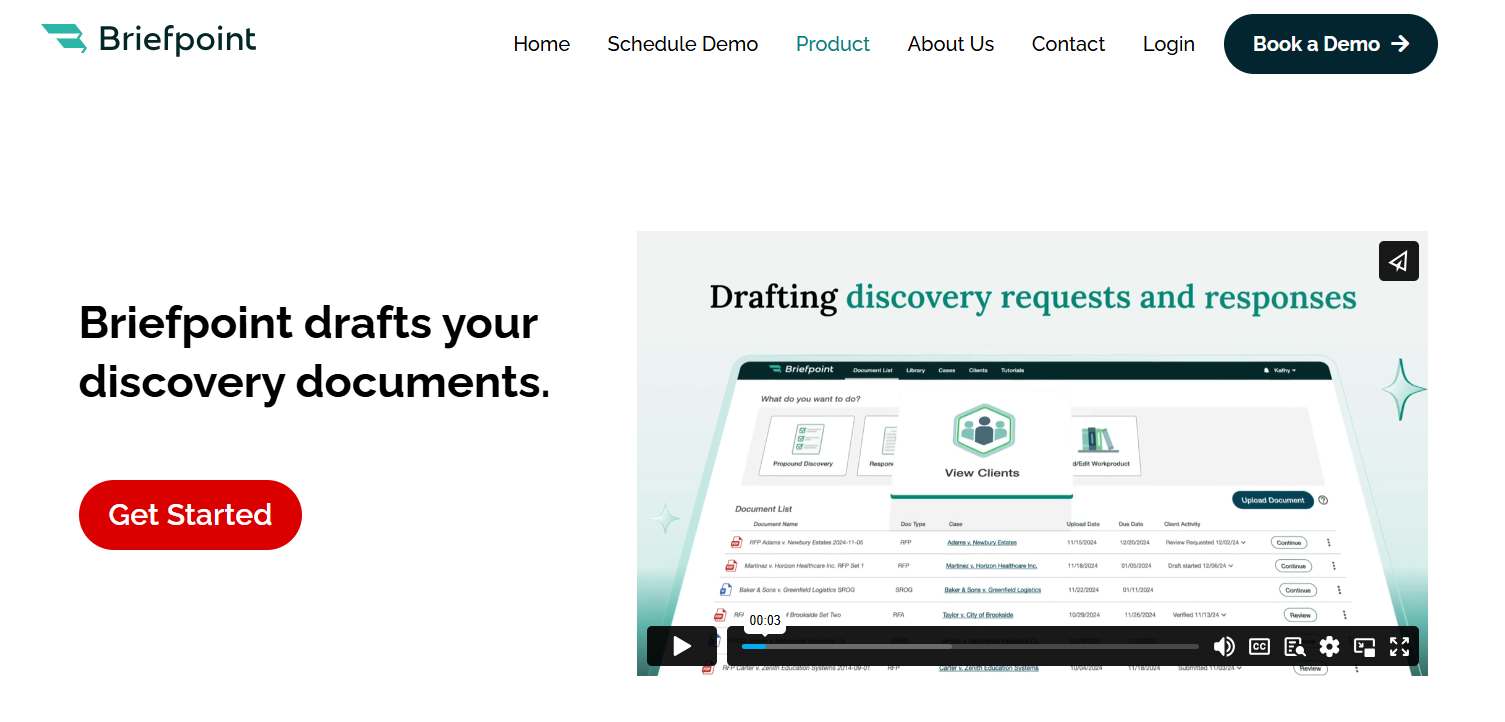
Instead of spending hours drafting Requests for Admission, Requests for Production, interrogatories, and other discovery documents, you can rely on Briefpoint to do the job quickly and accurately.
All you have to do is upload your opposing counsel’s discovery document, add objections and responses, and then download it into Microsoft Word, sign it, and serve. Briefpoint will take care of the rest.
There’s also Briefpoint Bridge, a brand-new feature that lets you collect and plug in client responses to discovery documents without all the back and forth.
With Bridge, you can select which inquiries need client responses, send a link where your client can fill in their answers, and then plug those answers into your discovery document.
As you let this tool handle the drafting, you can shift your attention to the big-picture litigation strategy that will get you ahead.
2. Casetext
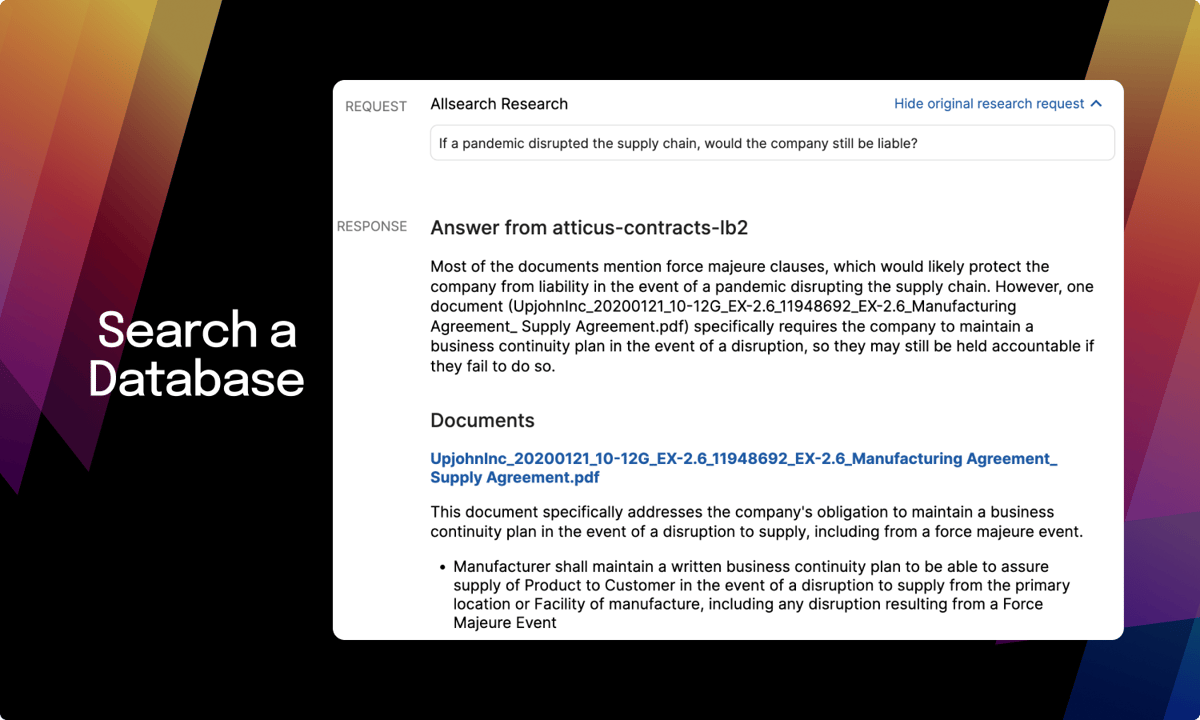
Casetext is a legal technology company that takes the pain out of traditional legal research by using advanced AI to make the process faster, smarter, and far less tedious.
Source: G2
Legal research has always been a time-consuming part of the job, but Casetext changes that. Using natural language processing, it understands the context of your queries and pulls relevant case laws, statutes, and regulations in seconds.
One of its most powerful features is CARA A.I., which reviews your uploaded briefs and instantly identifies case law you might have overlooked. That means stronger legal arguments, more confidence in your filings, and less second-guessing.
As more legal startups and established firms adopt AI to boost productivity, Casetext stands out for its precision and ease of use. Its search engine cuts through massive databases and returns exactly what you need, saving you hours of manual digging.
3. Luminance
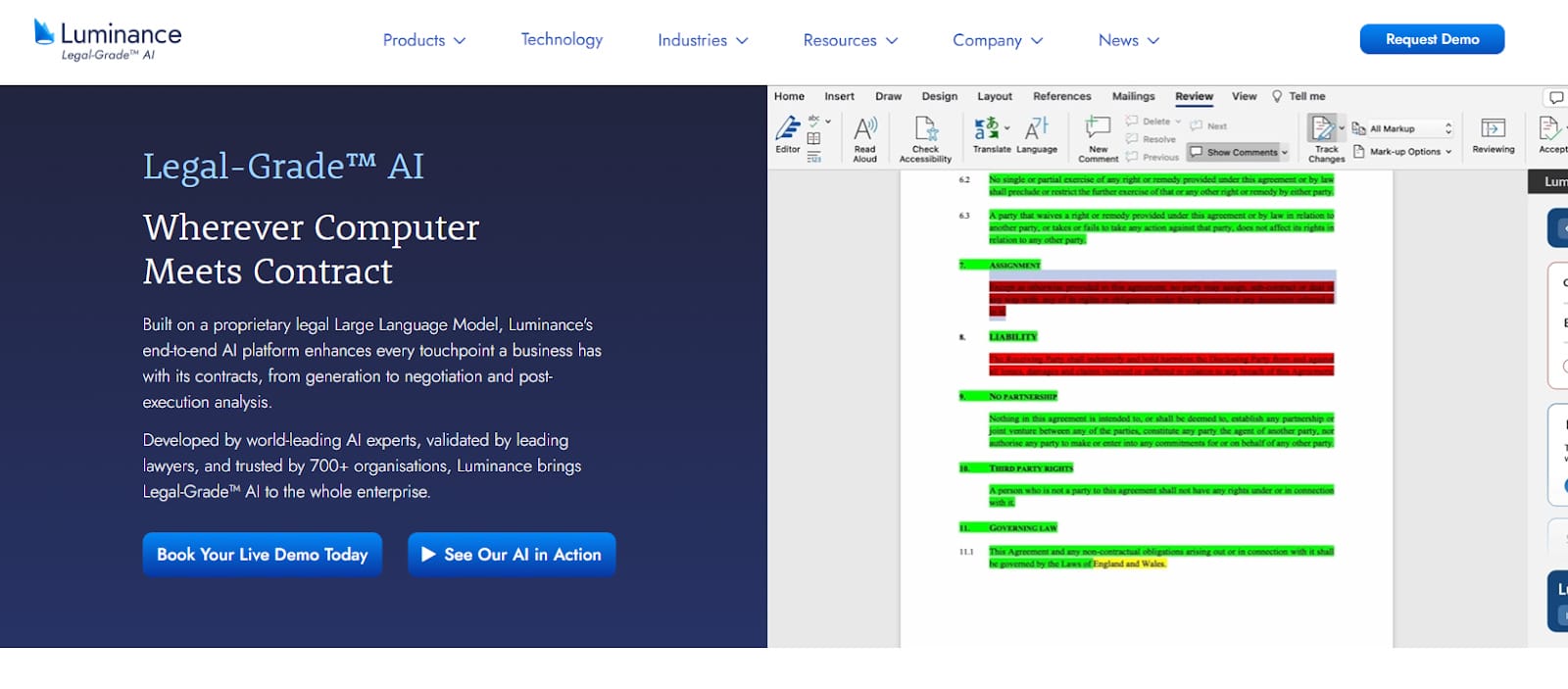
Luminance uses advanced machine learning to take the stress out of document review and due diligence. It’s designed for legal teams that want faster, smarter ways to analyze contracts, flag risks, and stay ahead of regulatory compliance.
Source: Luminance.com
At its core, Luminance understands legal language. It reads through documents in seconds, highlights key information, and surfaces anything that might need a second look, which makes contract analysis much easier and far more accurate.
What makes it stand out? The platform learns as you go. As it processes more files, it adapts to your review style and gets better at spotting inconsistencies, red flags, and missing clauses. That means less time spent searching and more time acting on the insights.
Whether you’re deep into a high-stakes M&A or just trying to extract data from a stack of NDAs, Luminance helps you move quickly without sacrificing precision.
If your firm deals with a heavy contract load or complex compliance work, this is one AI-powered tool worth adopting.
4. LawToolBox
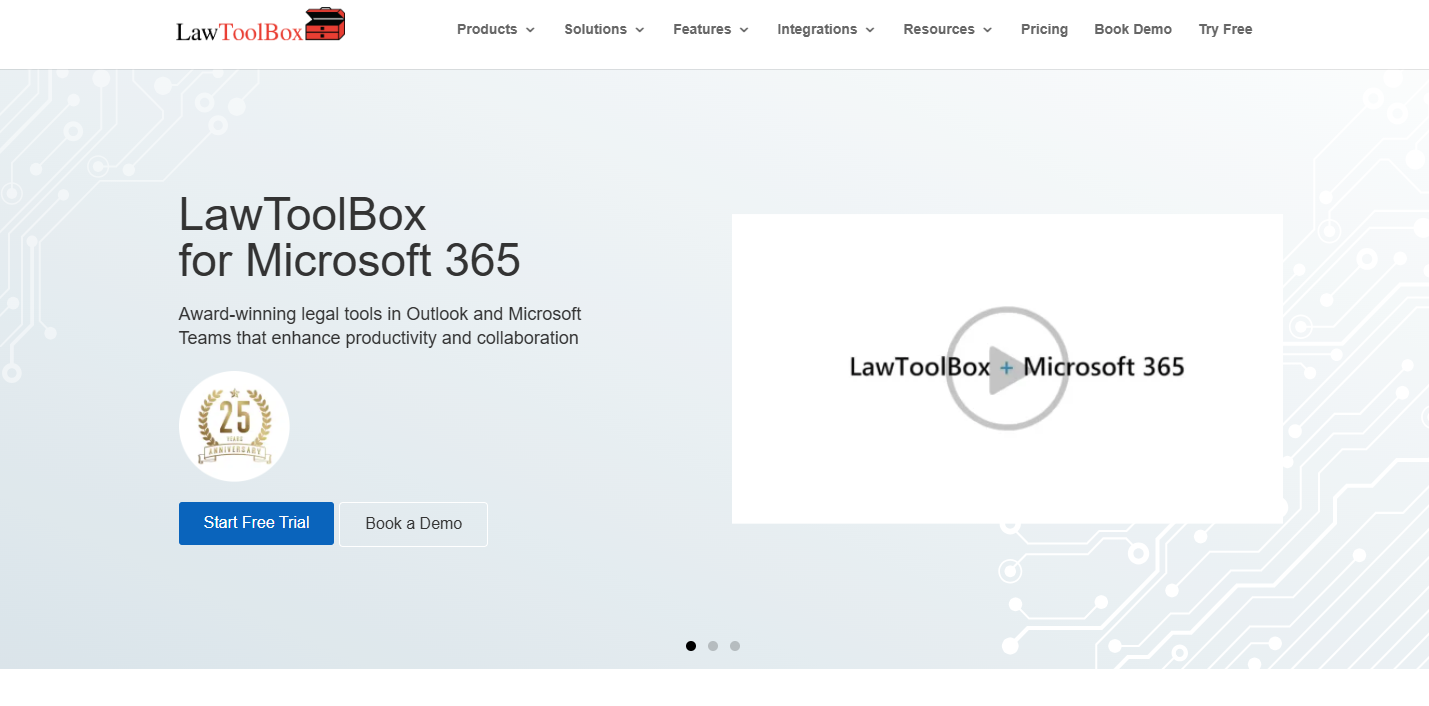
LawToolBox is an intelligent assistant that legal pros rely on to manage their schedules. Imagine never missing a deadline again—this integration with Microsoft Office makes it a reality, tying everything together in one convenient package.
Source: LawToolBox.com
LawToolBox relieves pressure by handling legal deadline calculations. You can enter the case information, and LawToolBox will calculate all the critical dates and update your calendar accordingly. Busy lawyers need this feature to stay on top of looming deadlines and court dates.
LawToolBox also allows for easy collaboration within legal teams. Team members can share calendars and deadlines so everyone is on the same page and nothing falls through the cracks.
Also, the platform’s reminders and notifications help keep everyone on track, which reduces the stress of managing multiple cases and deadlines.
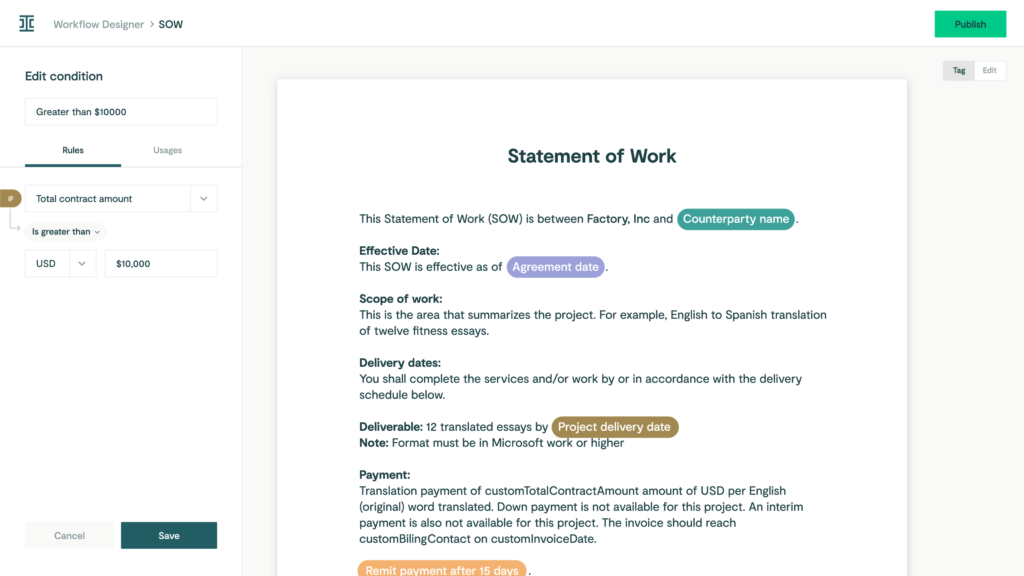
5. Ironclad
Ironclad takes the weight off your shoulders by expertly managing every stage of the contract lifecycle to give you back valuable time and energy.
Source: G2
The goal is to make it easier and more efficient for legal teams to handle everything from creation and negotiation to execution and contract review.
One of Ironclad’s key features is its user-friendly interface, which allows you to draft and customize contracts quickly. Its AI capabilities help automate repetitive tasks, like filling in standard clauses and ensuring compliance with company policies.
6. Clio
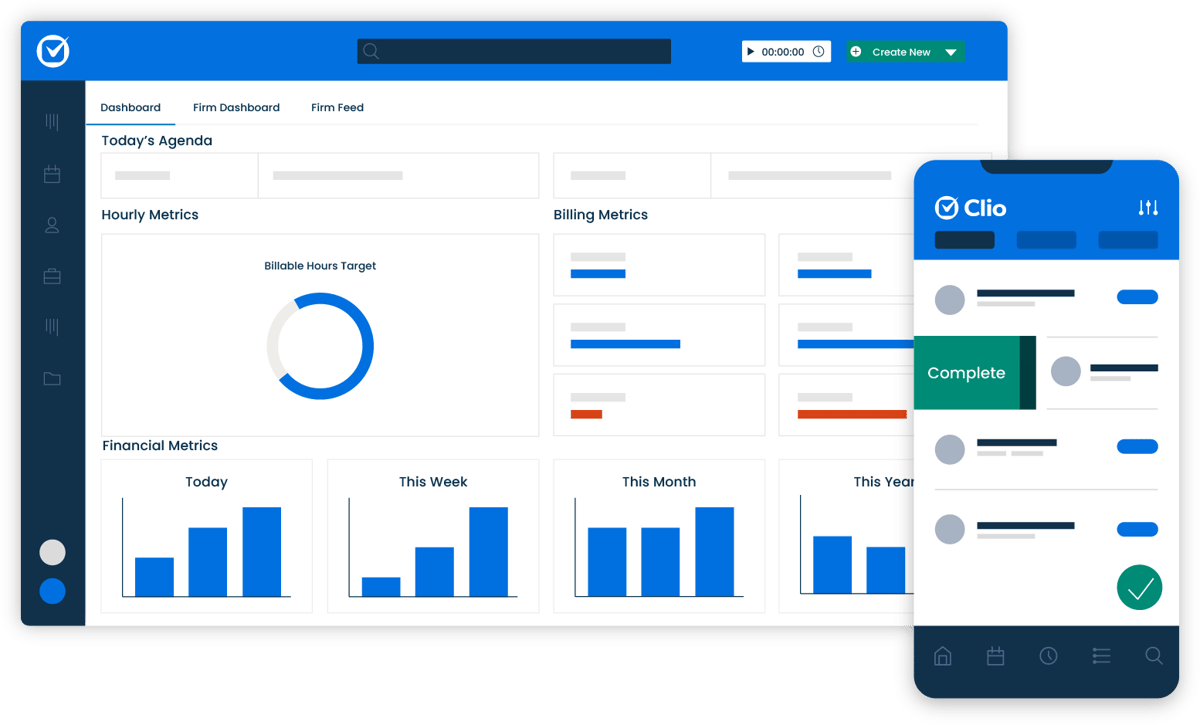
Clio is like your law firm’s all-in-one assistant, but in the cloud. It helps you keep track of cases, manage billing, organize documents, and stay in touch with clients—all from one easy-to-use platform.
Source: G2
Whether you’re tracking time, scheduling appointments, or collaborating with your team, Clio makes it simple and secure. It’s especially popular with small to mid-sized law firms because it takes care of daily tasks like:
- Case management
- Billing and invoicing
- Time tracking
- Document management
- Client communication
- Calendar management
- Task management
- Reporting and analytics
- Payment processing
7. Everlaw
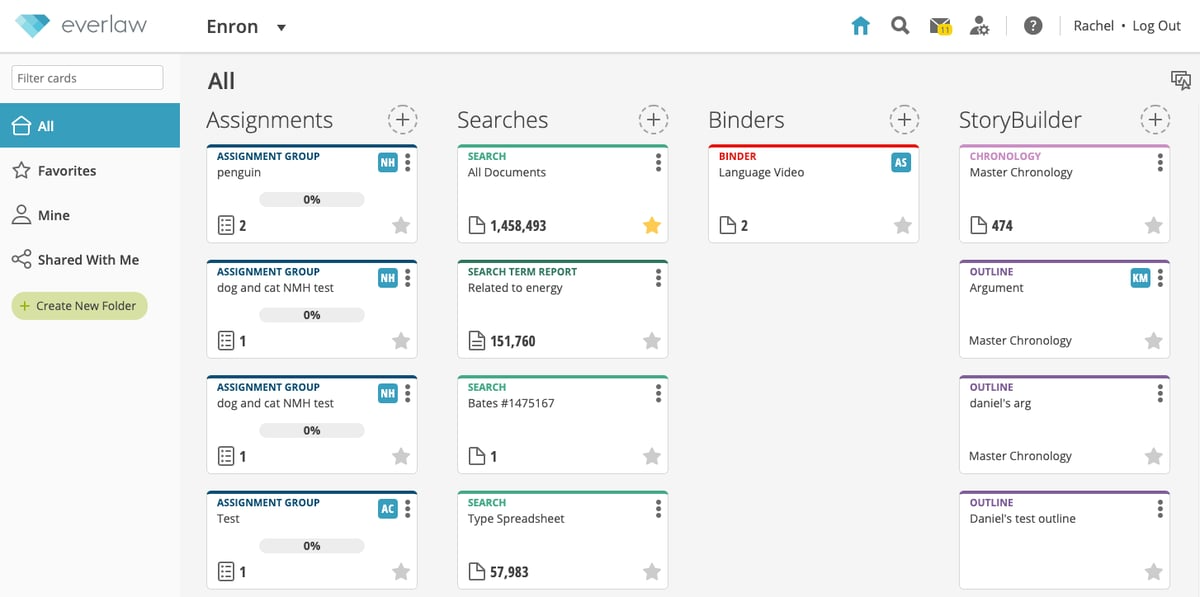
Everlaw handles due diligence and document review for legal teams. It helps lawyers obtain a higher level of efficiency and insight.
Source: G2
Imagine having a tool that allows you to efficiently sift through legal files, quickly identifying the most critical documents. Everlaw streamlines this process, significantly reducing the time spent on traditionally labor-intensive tasks.
The platform’s intuitive design simplifies document organization. With features such as drag-and-drop functionality, custom tags, and advanced search filters, it is easy to focus on the work without worrying about formatting.
Everlaw also offers robust document review capabilities, including tools for redaction, annotation, and metadata analysis. These features ensure that you can capture and work with all relevant details efficiently and effectively.
Will AI Replace Legal Professionals?
The idea of AI replacing legal professionals is a hot topic, but let’s be clear: while AI is transforming the legal world, it’s not about to replace lawyers. Instead, AI is a tool that enhances what legal professionals can do, not a substitute for their expertise.
AI shines in handling repetitive, time-consuming tasks like document review, legal research, and legal data analysis. These are essential but don’t require the strategic thinking and nuanced understanding lawyers bring to the table.
By automating these processes, AI frees up lawyers to focus on high-stakes strategy, client relationships, and providing expert legal advice.
The human element in law remains irreplaceable. Lawyers navigate the complexities of human behavior, emotions, and motivations while negotiating, mediating, and upholding justice. Ethical and moral judgment—core to the legal profession—can’t be replicated by AI.
AI takes care of the grunt work, but it can’t interpret laws with depth or provide the human connection that clients rely on. Rather than replacing lawyers, AI lightens their load and allows them to work smarter and focus on what they do best.
Start Drafting Legal Documents With Ease
It’s tough to maintain quality when you’re buried in paperwork, especially during discovery.
For litigation teams, drafting Requests for Admission, Interrogatories, and Requests for Production can eat up hours you don’t have. It’s one of the most tedious parts of the process—and one of the easiest to automate.
Briefpoint makes it simple. Just upload the opposing counsel’s discovery document, add your objections and responses, and download a fully formatted version that is ready to sign and serve.
You can even use Briefpoint Bridge to collect responses from clients and plug them into your documents without all the follow-up.
Less time formatting means more time for strategy, client communication, and actual casework.
Want to see it in action? Book a demo and start saving hours on every document.
13 Practical Lawyer Tools for Everyday Legal Work

Best Legal Document Tools
Legal paperwork can eat up hours if you’re not using the right tools. Here are a few that help you draft, send, and manage documents faster while keeping everything accurate and organized.
1. Briefpoint
Briefpoint is a legal drafting tool that automates the creation of discovery documents for litigators. It isn’t trying to replace the lawyer, but it’s definitely getting the boring parts out of your way.
Built specifically for litigators, this tool uses AI and machine learning to take care of the repetitive, time-draining work of drafting discovery requests and responses. It helps you prepare interrogatories, requests for admission, and requests for production in just a few clicks.
The best part? It actually works the way you do.
Upload a complaint or an opposing counsel’s request, and Briefpoint generates a polished Word doc with local formatting, objections, and everything else you’d expect from a solid first draft. You can customize it as needed or send it straight out.
It’s fast, easy to learn, and backed by real-world feedback from attorneys who use it every day.
Best Features
- Built for speed: Drafts full sets of RFAs, RFPs, and interrogatories in minutes, not hours.
- Smart response builder: Upload opposing counsel’s PDFs and generate complete, objection-ready responses.
- Data pulled automatically: Pulls key info like party names, court name, and case number straight from your PDFs.
- Custom objections: Pick objections from a list and apply them with a click to keep everything consistent firmwide.
- Word output ready to go: Download a court-formatted Word doc you can review, sign, and serve.
- Privacy built in: Your data is encrypted, siloed, and never used to train any AI system.
- Big time-saver: Cuts drafting time by up to 87% so you can focus on the work that matters (or make it home for dinner).
Briefpoint helps you draft smarter, move faster, and keep your evenings free. Book a demo today.
2. DocuSign
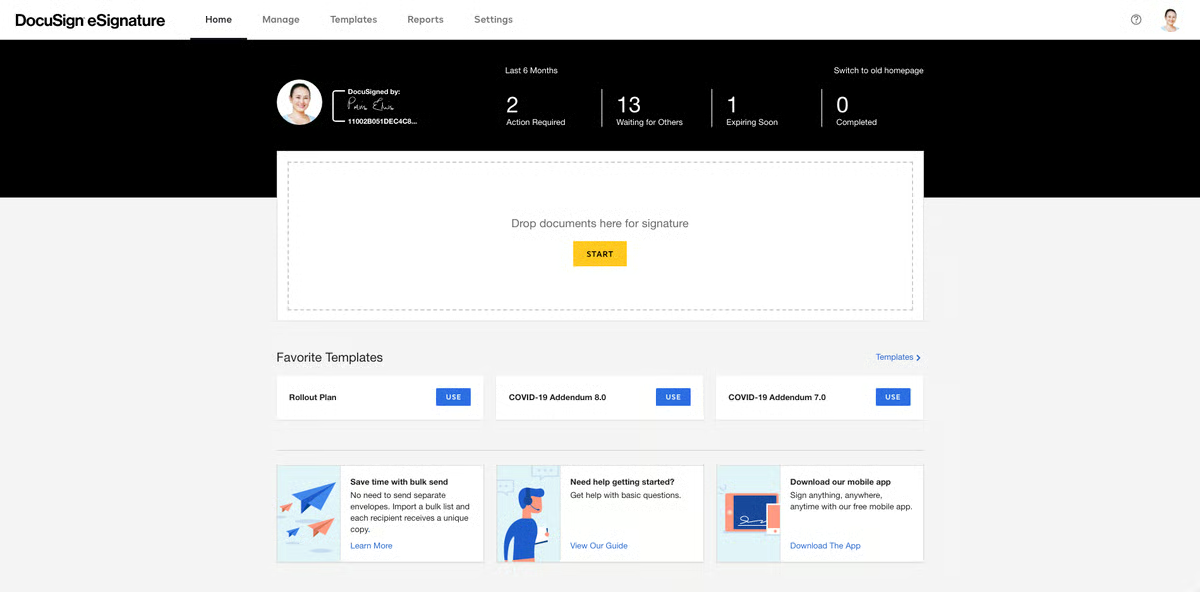
DocuSign is an e-signature tool that lets you send and sign legal documents online. Law firms trust it for a reason; it makes signing paperwork fast, simple, and secure. You don’t need to print, scan, or chase down physical signatures anymore.
Source: G2
It’s especially useful for client agreements, contracts, and any document that needs a quick turnaround. Plus, everything is tracked and time-stamped, so you always know who signed what and when.
Best Features
- Legally binding e-signatures: Valid in all 50 states and backed by strong security standards.
- Mobile-friendly: Clients can sign from their phone, tablet, or desktop.
- Audit trails: Every step of the signing process is tracked and stored.
- Fast turnaround: Speeds up client onboarding and contract approvals.
3. MyCase
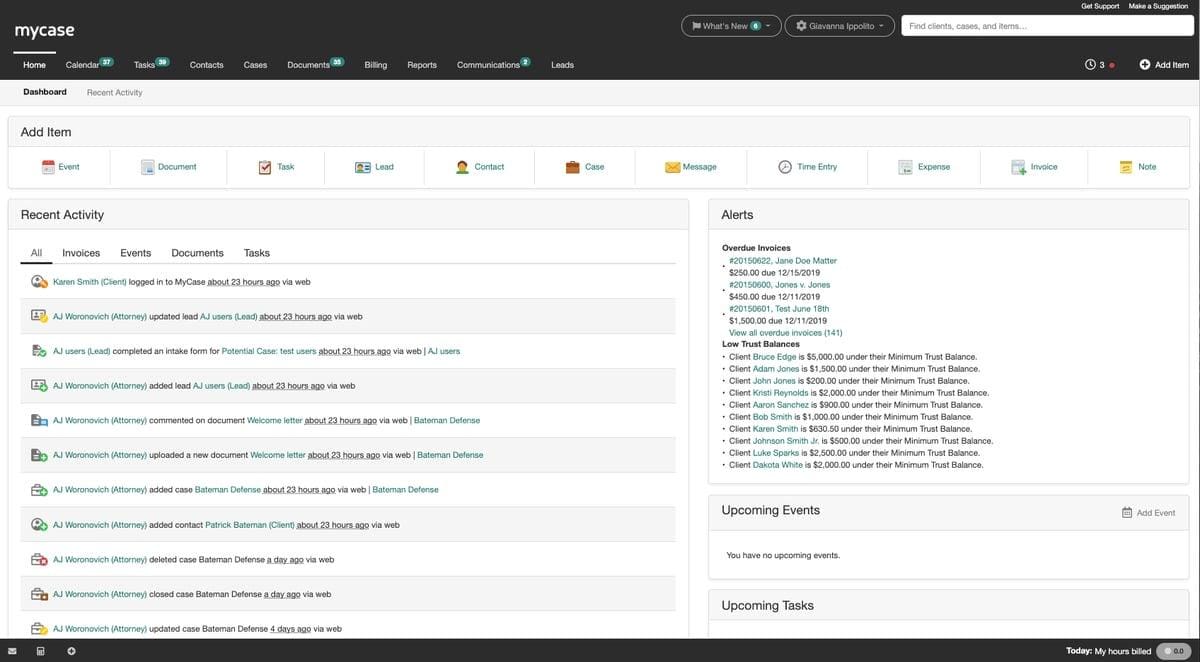
MyCase is an all-in-one legal practice management platform built to help law firms stay organized. It brings your cases, documents, messages, and billing into one place so you don’t have to juggle different systems.
Source: G2
MyCase is especially helpful for small to mid-sized firms that want a simple way to manage client files, track time, send invoices, and communicate—all without leaving the dashboard.
Best Features
- Centralized document management: Store, share, and access files securely from anywhere.
- Built-in client portal: Clients can view documents, messages, and invoices in one place.
- Integrated time tracking: Log hours as you work and apply them directly to invoices.
- Automated billing: Create and send professional invoices with a few clicks.
Best Productivity Tools for Lawyers
Keeping everything on track gets tricky when you’re managing deadlines, documents, and daily chaos. Productivity tools help you organize work, get more done, and cut down on the back-and-forth while you handle the actual legal work.
4. Clio
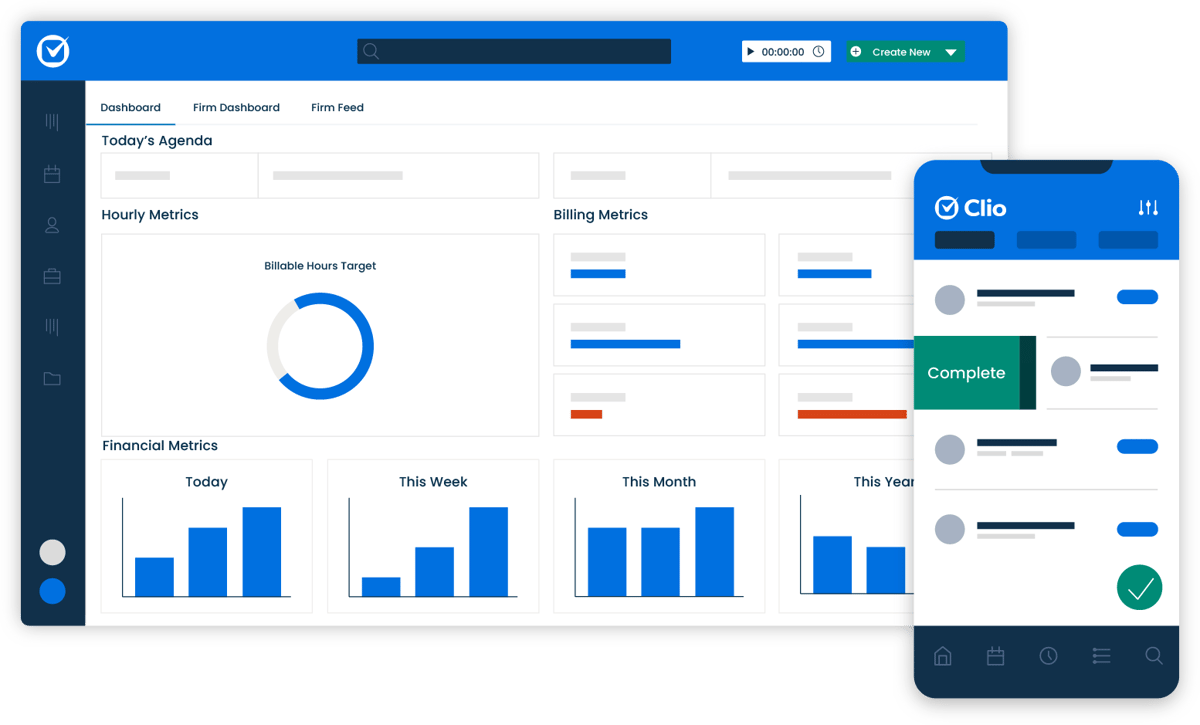
Clio is legal software built to help legal professionals run their practice more efficiently. It brings together case management, billing, calendaring, and secure communication into one platform.
Source: G2
Whether you’re managing a solo practice or a midsize firm, Clio helps you cut down on routine tasks and stay organized.
Used across the legal services industry, Clio supports everything from time tracking to document storage, giving legal professionals more control over how they work. It’s a solid piece of legal technology that keeps things moving without the mess.
Best Features
- Full practice management: Keep cases, tasks, and contacts organized in one place.
- Time tracking and billing: Record hours and send invoices directly through the platform.
- Calendar and deadline tools: Stay on schedule with built-in reminders and synced calendars.
- Client messaging and file sharing: Communicate securely through the client portal.
- Cloud access: Work from anywhere, whether you’re in the office or on the go.
- Integrations with other legal tools: Works smoothly with platforms like QuickBooks, LawPay, and Zoom.
5. Microsoft Office
Microsoft Office remains one of the most widely used document management tools in the legal profession. Even with newer platforms out there, many legal departments and firms still rely on Word, Excel, Outlook, and PowerPoint to handle everyday tasks.

Source: G2
Microsoft Word is often the go-to for drafting motions, contracts, and letters. Excel helps track billable hours, manage budgets, and organize case data. Outlook keeps emails and scheduling under control.
These tools may not be flashy, but they’re reliable and familiar, which makes a big difference when you’re working under pressure.
Best Features
- Word processing for legal docs: Draft contracts, pleadings, and templates with advanced formatting.
- Spreadsheet tracking: Use Excel for time logs, budget planning, and case summaries.
- Email and calendar sync: Outlook helps manage communication and deadlines in one place.
- File sharing and storage: Store and organize case documents with OneDrive and SharePoint.
- Trusted across the industry: Common in legal departments and firms of all sizes.
- Boosts law firm efficiency: Keeps daily workflows simple and consistent across teams.
6. Zapier
Zapier is a no-code automation tool that connects your favorite apps to reduce manual work across law firm operations. It’s not legal software in the traditional sense, but it pairs perfectly with practice management software to make things run smoother behind the scenes.

Source: G2
Legal teams can use Zapier to connect apps like Clio, Google Sheets, Outlook, and Slack. For example, you can automatically create calendar events when new tasks are added or get a Slack alert when a client fills out a form.
It’s also helpful for integrating AI tools into your workflow without needing a developer.
Best Features
- Works with legal tools: Connects with popular practice management software like Clio or MyCase.
- No-code automation: Set up workflows without writing a single line of code.
- Supports law firm operations: Handles repetitive admin tasks so your team can focus on real work.
- Customizable triggers and actions: Automate emails, reminders, and file uploads with ease.
- AI integration ready: Combine with AI tools to create smarter, faster processes.
- Ideal for legal teams: Helps streamline collaboration and task management across departments.
Best Accounting and Billing Tools for Law Firms
Staying on top of billing and finances is just as important as handling your cases. Hourly billing, flat fees, or contingency arrangements all need a system that helps track time and collect payments.
We’ve compiled some tools that can help your firm handle billing with less stress and more accuracy.
7. QuickBooks
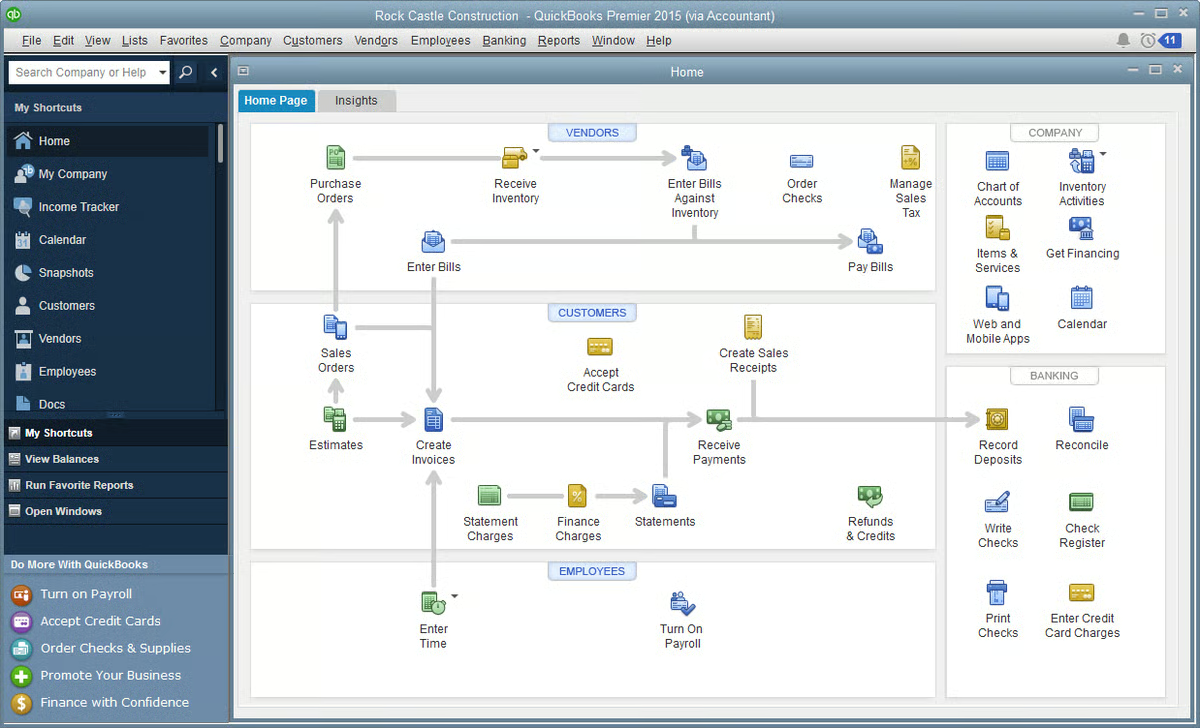
QuickBooks is accounting software that helps law firms handle financial tasks while staying organized. It’s used across many industries, but legal professionals—especially at personal injury firms—often rely on it to manage expenses and keep their books in order.
Source: G2
QuickBooks also works well with time tracking software and other legal tools, which helps make it easier to manage everything from billable hours to payroll. For firms juggling legal tasks and financial records, this platform keeps things clear without adding extra steps.
Best Features
- Expense tracking: Categorize spending and monitor law firm expenses in real time.
- Invoicing tools: Create, send, and track professional invoices for client matters.
- Bank syncing: Connect business accounts to see accurate balances and transactions.
- Time tracking integration: Works with time tracking software for precise billing.
- Custom reports: Build financial reports for monthly reviews or audits.
- Built for flexibility: A solid fit for personal injury firms, small practices, and growing legal teams.
8. LawPay
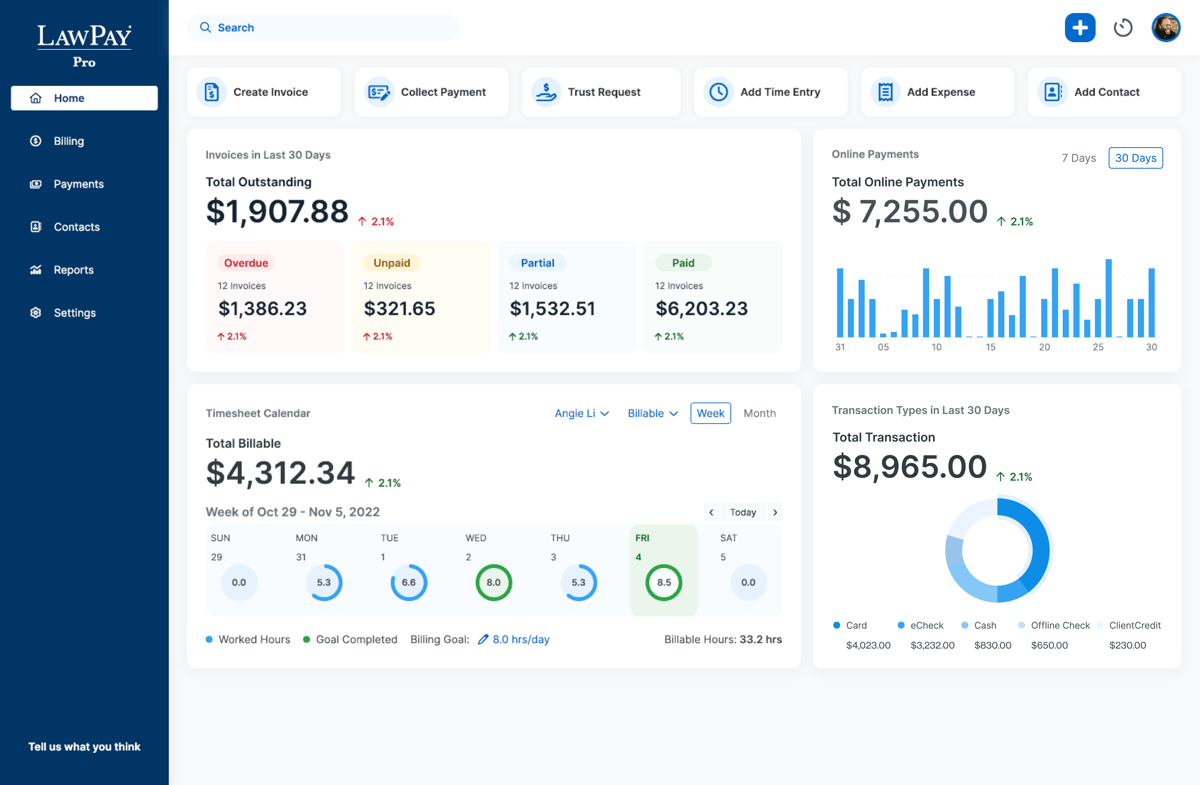
LawPay is payment processing software built specifically for law firms. It lets you accept credit card and ACH payments while staying compliant with legal and accounting rules.
LawPay is approved by bar associations across the country, which is why it’s a trusted option for handling sensitive client data securely.
Source: G2
It integrates with multiple tools that legal professionals already use, including practice management systems and accounting software. If you’re already using such software, adding LawPay can help complete your billing setup with little to no hassle.
Best Features
- Legal-specific payment processing: Keeps operating and trust accounts separate.
- Secure handling of sensitive client data: Built to protect payment details and client trust.
- Bar-approved compliance: Meets the rules for professional conduct and trust accounting.
- Works with multiple tools: Integrates with platforms like Clio, MyCase, and QuickBooks.
- Flexible payment options: Accepts credit cards and ACH transfers with ease.
- Simple setup: Get started quickly and start receiving payments faster.
Best Communication Tools for Lawyers
Keeping everyone in the loop takes more than just email. Clients expect timely updates, your team needs quick answers, and there’s always something that needs your attention.
Take a look at these tools that can help you manage conversations and stay on top of things.
9. Slack
Slack is a messaging platform that helps legal teams communicate quickly and stay organized. Many firms use it to replace traditional methods like long email threads and scattered group texts.

Source: G2
With Slack, everything stays in one place, such as messages, files, and updates, so you can spend less time digging through inboxes.
It’s also a helpful way to access documents, share case updates, and automate routine tasks through integrations with legal tools, calendars, and AI assistants.
Best Features
- Organized channels: Create dedicated spaces for cases, departments, or projects.
- Real-time messaging: Chat with your team instantly, without clogging your inbox.
- Easy document sharing: Access documents and files right in the conversation.
- Searchable history: Find messages, attachments, and case info fast.
- Works with many tools: Integrates with calendars, task apps, and legal software.
- Supports firm workflows: Helps automate routine and complex tasks and streamline updates across your team.
10. Zoom
As you probably know by now, Zoom is a video conferencing tool that makes virtual meetings simple for law firms. It’s widely used to meet with clients, hold team check-ins, and even attend remote hearings.
Thanks to high-quality video and easy screen sharing, Zoom helps legal professionals communicate clearly and keep meetings on track.
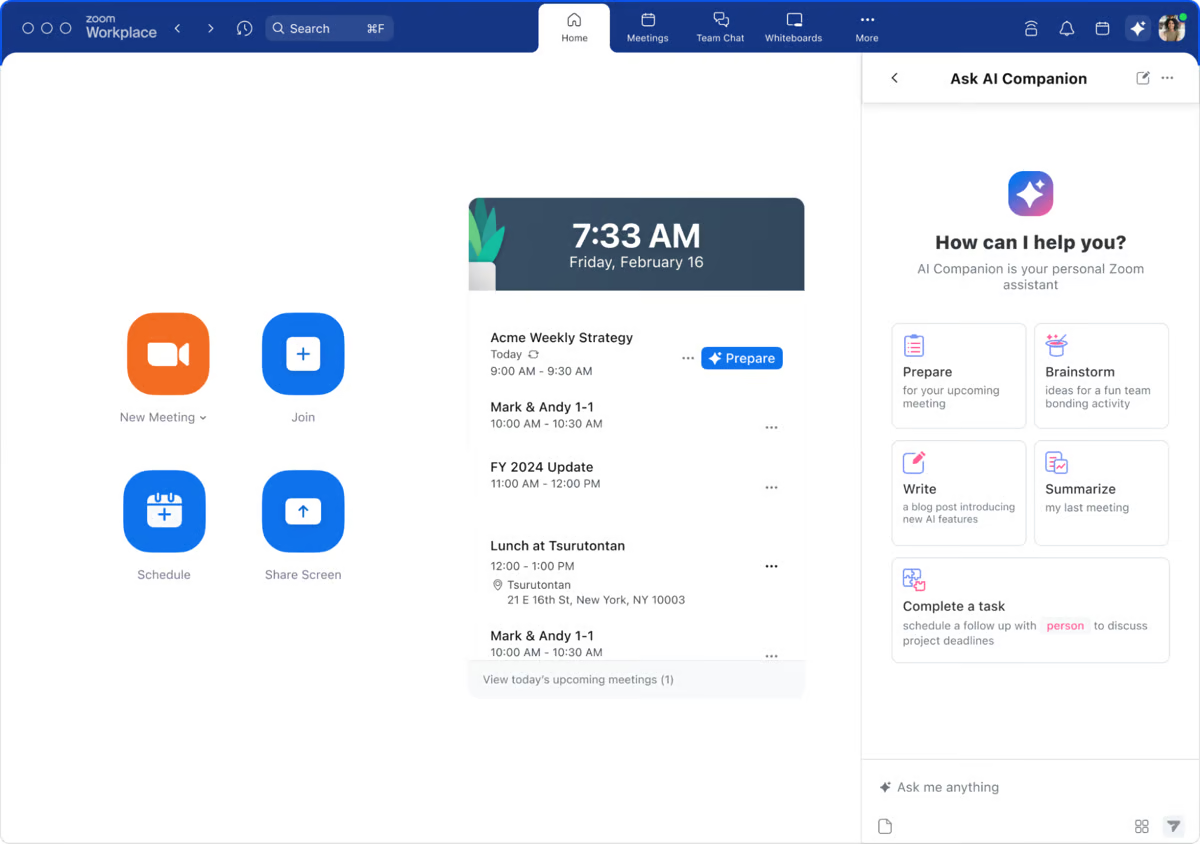
Source: G2
Using Zoom can improve productivity by cutting down on travel and scheduling delays. It also helps firms meet with more clients (no matter where they are) and streamline workflows by bringing face-to-face conversations online.
Best Features
- Reliable video meetings: Host secure, high-quality calls with clients and colleagues.
- Screen sharing: Review documents and presentations in real time.
- Meeting recordings: Save sessions for internal review or follow-up.
- Calendar integrations: Sync meetings with Outlook, Google Calendar, and more.
- Flexible scheduling: Book and join meetings from anywhere, on any device.
- Increases efficiency: Helps legal teams improve productivity and streamline client communication.
Best Legal Research Tools
Legal research can take up a big chunk of your day, especially when you’re juggling multiple cases. The right tools help you find case law, statutes, and legal opinions faster and with more accuracy. Here are a few of our suggestions:
11. CoCounsel (Casetext)
CoCounsel (formerly Casetext) is a legal research platform that helps you find relevant case law quickly and accurately. It uses AI to scan your arguments and match them with supporting cases, cutting down the time you’d usually spend digging through databases.
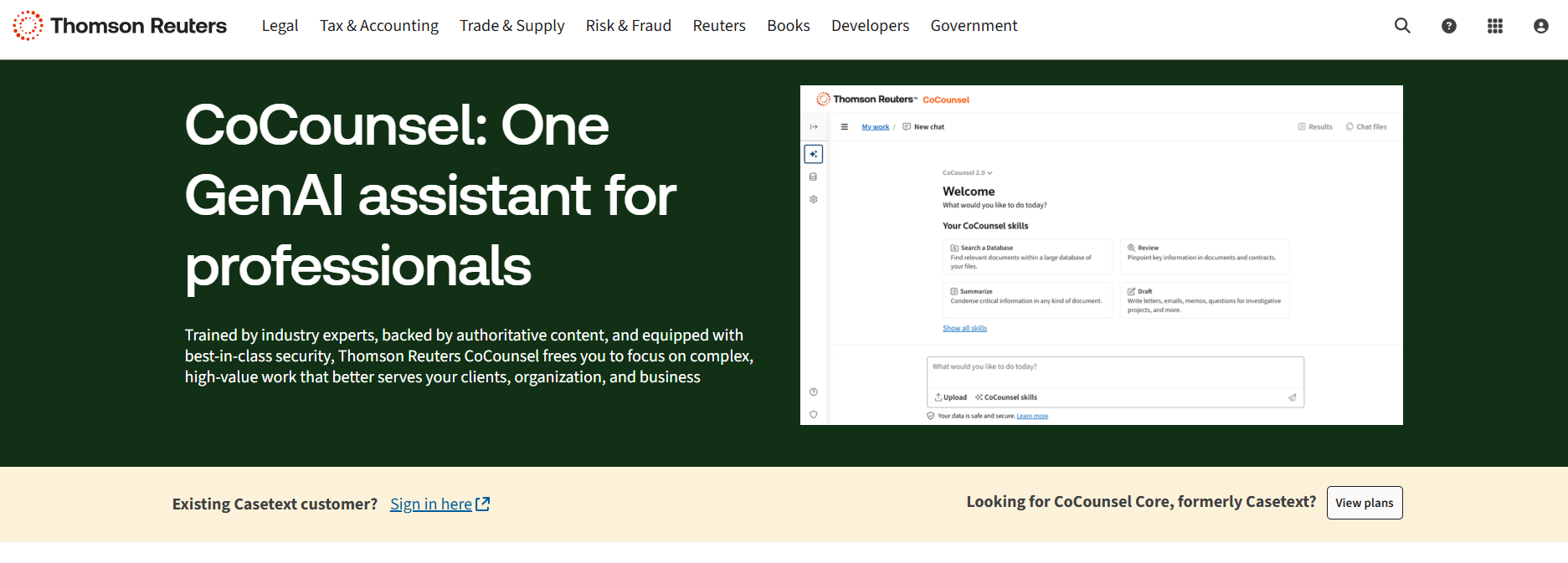
Source: ThomsonReuters.com
CoCounsel isn’t just a search tool. It’s built to support modern legal operations by connecting legal data, key documents, and arguments in one place. It also works alongside e-discovery tools, which can help you prepare stronger briefs with less back-and-forth.
Best Features
- AI-powered research: Analyze your writing and get case law suggestions that match your arguments.
- Search by concept: Go beyond keywords and search by legal ideas or outcomes.
- Works with key documents: Upload briefs or memos to find supporting cases instantly.
- Access to legal data: Explore statutes, regulations, and court opinions in one place.
- Supports legal operations: Speeds up research for teams working on multiple matters.
- Integrates with ediscovery tools: Helps connect research with your broader case preparation process.
12. LexisNexis
LexisNexis is one of the most well-known legal research tools used by firms, legal departments, and solo attorneys.

Source: LexisNexis.com
It gives you instant access to a massive database of case law, statutes, regulations, and legal commentary. Designed to increase productivity, it helps you find the information you need without jumping between different sources.
LexisNexis also includes AI capabilities and natural language processing, so it’s easier to search in plain English. You don’t have to think like a database; you just type your question or phrase, and it brings up relevant legal materials fast.
Best Features
- Comprehensive legal database: Access case law, statutes, and secondary sources in one place.
- Natural language search: Find legal content using everyday language instead of complex queries.
- AI capabilities: Smart filters and recommendations help you refine results quickly.
- Instant access to legal content: Search from anywhere with cloud-based tools.
- Practical guidance: Includes checklists, forms, and how-to materials for different practice areas.
- Productivity-focused tools: Built-in tools help legal teams research faster.
13. Fastcase
Fastcase is another legal research tool that gives lawyers access to a large database of case law, statutes, regulations, and court rules. It can help legal professionals find answers quickly and stay focused on the task at hand.
Source: Fastcase.com
Many bar associations offer Fastcase for free to their members, which makes it a smart option for solo attorneys and small firms. It’s designed with speed in mind and includes features that let you search by keyword, citation, or natural language.
Best Features
- Extensive legal database: Search case law, statutes, court rules, and more.
- Natural language search: Type in questions or phrases to find relevant results fast.
- Data visualization tools: Spot trends and citation relationships at a glance.
- Mobile app access: Use it on the go from your phone or tablet.
- Bar association access: Included with membership in many state bar organizations.
- Budget-friendly legal research: A solid alternative for firms looking to cut research costs.
Start Building Your Tech Stack With Briefpoint
Every firm has its own way of working, but the right tools can make a big difference, especially when you’re handling multiple documents, juggling deadlines, and managing client expectations. Briefpoint gives you a head start by taking care of the repetitive tasks that slow you down.
While other firms are still stuck formatting templates and typing out objections, you could already be on to the next case. Building your tech stack doesn’t have to be overwhelming. Start with one tool that makes a clear impact.
Briefpoint is that tool. Book a demo today and see how much time you can get back.
Top 5 Smokeball Integrations Law Firms Should Know

What Are Smokeball Integrations?
Smokeball integrations are simply other tools that connect with Smokeball so you can work faster and cleaner. Instead of hopping between platforms or redoing work, these integrations let everything sync, which helps you save time and build a more profitable, organized firm.
For example, you can:
- Send emails in Outlook and automatically save them to your Smokeball matters
- Push bills into QuickBooks without manual entry
- Connect templates and documents through Briefpoint
- Run Zoom meetings directly from your calendar
- Automate tasks with Zapier
These tools help you keep better track of your clients, fees, and leads while making sure your data stays in the right place.
Best Integrations For Smokeball
You don’t need every integration under the sun. But a handful of the right ones can really change how your day goes. We’ve compiled some of the most helpful Smokeball integrations to consider.
1. Briefpoint
Briefpoint is built for law firms that want to handle discovery faster without cutting corners. When paired with Smokeball, it lets you create key legal documents in minutes and automatically saves them to the correct matter folder—no setup or manual sorting needed.
Here’s what you can generate with Briefpoint:
- Requests for Admission
- Requests for Production
- Interrogatories
- Responses to all of the above
How it works:
- Upload the .pdf (like a complaint or discovery request)
- Choose your objections and add responses
- Download your draft in Word and finish it up
Briefpoint reads court names, case numbers, and request types from your upload and fills in the basics, following local formatting rules. You handle the legal substance while Briefpoint handles the busywork.
Smokeball users love Briefpoint because it saves serious time, reduces non-billable hours, and keeps everything organized automatically. You won’t need to juggle files or retype client info. It works across all 50 states and D.C., and it’s simple enough for any attorney to use.
With strong encryption and no data shared for training AI, it’s also a secure choice for firms that care about privacy.
Book your demo today and see how it works!
2. QuickBooks
QuickBooks is a solid pick for firms that want to keep their finances clean and up to date. When linked with Smokeball, it brings all your billing, expenses, and payments together without the usual hassle. Instead of jumping between tools, you can manage everything in one place.
Here’s why it’s worth connecting QuickBooks with Smokeball:
- Syncs client bills and payments with a single click
- Keeps expenses and financial data updated automatically
- Pulls in contact information from your matters
- Cuts down on manual entry with smart automation
- Helps you track what’s owed and what’s paid
- Makes tax time and reporting way easier
- Lets your team focus on legal work, not accounting
With this setup, you don’t have to second-guess what’s been billed or paid. Everything stays current, accurate, and easy to access.
3. Microsoft Outlook
Microsoft Outlook is one of the most useful integrations for Smokeball, especially if you’re already using it to manage your emails.
Once connected, it helps you stay organized by linking emails, attachments, and contact details directly to your Smokeball matters. This way, all your communication stays in one place, easy to find, and tied to the right client or case.
With Outlook and Smokeball, you can:
- Save emails and attachments to the right matter
- Sync client contact information
- Log sent and received messages automatically
- Keep communication clear, updated, and easy to review

4. Zoom
Zoom makes it easy to meet with clients or team members without skipping a beat. And when you connect Zoom with Smokeball, those meetings get even easier to manage. You can schedule Zoom calls straight from your Smokeball calendar, and everything stays linked to the right matter.
There’s no need to run between apps or worry about losing track of meeting info. With the Smokeball logo right there in your workflow, you’ll know your details are in the right place.
Key benefits of connecting Zoom with Smokeball:
- Schedule and launch calls from your Smokeball calendar
- Keep meeting links and notes tied to each matter
- Cut down on back-and-forth emails
- Stay focused when you need to run your day smoothly
5. Zapier
Zapier is a powerful tool that helps you connect Smokeball with thousands of other apps, from Gmail and Slack to Google Drive and beyond. It’s good for law firms that want to run a more profitable operation without adding more manual work to their plate.
You can build simple workflows, called “Zaps,” that move data between tools automatically. Once set up, you won’t have to think about it again.
Why use Zapier with Smokeball:
- Connect Smokeball with other popular tools
- Automate repetitive tasks and save time
- Keep everything you need in one place
- Focus on legal work while Zapier handles the rest
Make the Most Out of Smokeball, Connect Briefpoint Today
If you’re using Smokeball to stay organized and efficient, Briefpoint is the perfect next step. It takes the most time-consuming part of litigation—drafting discovery documents—and makes it fast, accurate, and stress-free.
With just a few clicks, you’ll have clean, formatted documents saved right to your Smokeball matters, ready to review or send.
This isn’t just about saving time. It’s about working smarter, cutting down non-billable hours, and focusing on the parts of your practice that really matter.
Ready to simplify your workflow and boost productivity? Learn more about Briefpoint today!
21 Best Software Programs for Law Firms

Why Use Legal Software?
Before we get into the top legal software programs of 2026, let’s find out why you should be using them in the first place.
Here are some of the most important advantages of using legal software:
It Saves You Time
Legal work involves tasks that can take up your day, such as drafting documents, scheduling meetings, and handling invoices. Doing these manually is a time drain and a huge hurdle to ideal time management.
Legal software automates these routine jobs and lets you breeze through them quickly. As a result, you’ll have the bandwidth to concentrate on high-leverage activities, like forging strong client connections and developing sound case strategies that deliver results.
It Helps You Avoid Mistakes
In law, accuracy isn’t just important—it’s everything. A tiny error can lead to big headaches down the road, and when you’re doing things manually, there’s always a risk of something slipping through the cracks.
With legal software handling the heavy lifting, you can breathe easy, knowing your documents are accurate and consistent. No more pouring over templates for hours on end and worrying about missed details or typos that could cause problems later on.
It Upgrades Your Efficiency
Running a law firm means juggling many things like cases, clients, documents, billing, you name it. Legal software acts like a central hub where you can manage everything in one place.
This not only organizes your workflow but also makes it easier for your team to collaborate and stay on the same page. When everything’s organized and easily accessible, you can work faster and more efficiently, which is good news for your firm and your clients.
It Improves Client Service
Clients expect quick responses, clear communication, and timely case updates. Thanks to law firm software, you can confidently meet these expectations.
With tools for client management, automated reminders, and easy access to case information, you can stay on top of client needs and provide a level of service that keeps them satisfied and coming back for more.
Plus, it helps you maintain a professional image, which is always a bonus.
It Increases Law Firm Profitability
At the end of the day, one of the biggest benefits of legal software is how it can maximize your firm’s bottom line.
By saving time, reducing errors, and improving efficiency, legal software allows you to focus more on billable work and less on administrative tasks. This means more productive hours, better client retention, and, ultimately, increased profitability for your firm.
When you can handle more clients or cases without expanding your team, your revenue per lawyer goes up while your costs stay the same or even decrease.
21 Best Legal Software Programs by Category
When it comes to running a law office, having the right software can make all the difference. But with so many options out there, it can be tough to know where to start. To help you out, we’ve broken down the top legal software programs by category.
Whether you need to automate documents, manage cases, or streamline your billing, there’s something here that’ll fit the bill.
Legal Document Automation Software
Legal document automation software is a real lifesaver if you’re buried under a mountain of paperwork. No more starting from scratch!
These document assembly tools empower you to generate intricate legal documents rapidly without reinventing the wheel every single time. Just plug in the details, and the software does the heavy lifting.
1. Briefpoint
Briefpoint is a platform that uses generative artificial intelligence to automate the creation of discovery documents, such as requests for production, requests for admission, and interrogatories.
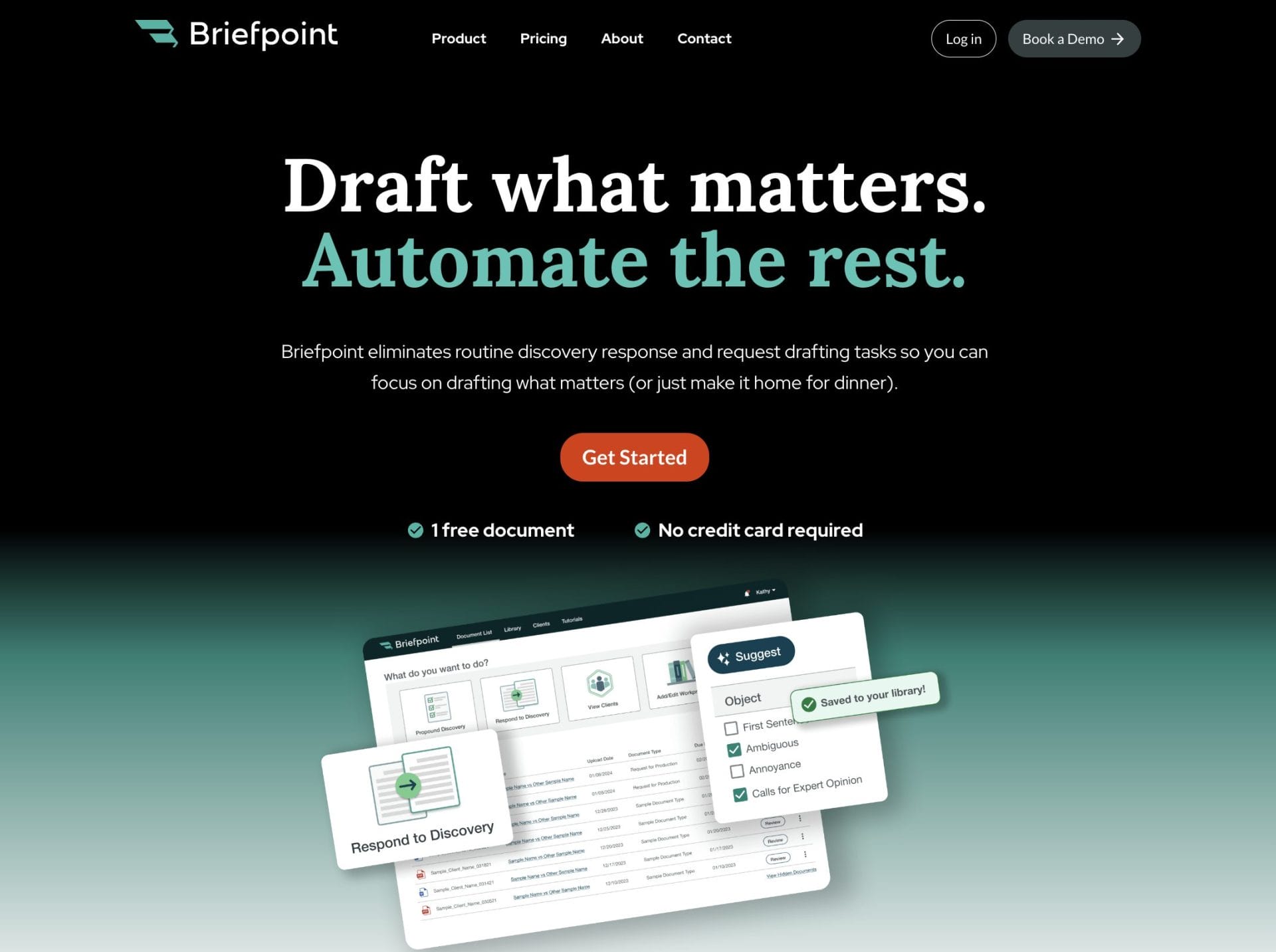
Drafting these documents manually can take hours, perhaps even days or weeks, if you’re going back and forth with client responses. Briefpoint is designed to take all the hassle out of the process by using AI and machine learning to do all the routine stuff.
Here’s how it works:
- You upload your discovery request to Briefpoint
- Briefpoint’s AI will scan the document and extract as much information as it can
- Briefpoint automatically collects your clients’ responses and objects to each request
- You download your document and apply the finishing touches in MS Word
Client responses are also much easier to handle, thanks to Briefpoint Bridge. This feature lets you select the interrogatories you want your client to answer, add notes to make them easier to fill out, and then send your client a link to the portal where they can input their responses.
Once they’re done, you can edit and plug in their responses to your discovery document, and that’s it. You no longer have to suffer through the endless back-and-forth emailing just to collect client responses.
Now, with the new Propound Discovery feature, you can upload a complaint (in .pdf format), and Briefpoint will use the information to draft a set of interrogatories, requests for the production of documents (RFPs), and requests for admission (RFAs).
With this feature, instead of focusing solely on answers to discovery questions, you can use Briefpoint to create the discovery questions you need. Once generated, you can edit, reorder, remove, and add new questions and download the request as a file.
2. Knackly
Knackly is a standout when it comes to flexibility in document automation. If your firm deals with a variety of legal documents that need to be customized to fit specific situations, Knackly is a suitable tool.
It allows you to create tailored templates that match your exact needs, which saves you from having to start from scratch each time. Knackly’s easy-to-use interface makes it simple to input the necessary information, and the software takes care of the rest, generating accurate and professional documents in no time.
This adaptability is a game-changer for legal teams that handle non-traditional cases.
3. Smokeball
Picture this: a law firm where paperwork disappears and billable hours skyrocket. Smokeball makes this a reality by centralizing data, simplifying time tracking, and turbocharging collaboration. With Smokeball, lawyers can dominate their caseloads and savor the rewards.
What makes Smokeball stand out is how it integrates document automation with practice management features. You can easily generate documents using customizable templates, which helps make sure that everything you produce is consistent and accurate.
It also includes tools for managing cases, billing clients, and even communicating with them, all within the same platform.
Law Practice Management Software
Managing a law firm involves a lot of moving parts, like cases, clients, schedules, and billing. This is precisely why you need legal practice management software or project management software.
The more time you spend on administrative tasks, the less time you have for your clients. These tools flip that script, giving you the freedom to prioritize high-touch service and forge meaningful connections with your clients. Here’s a look at three of the best options out there:
4. Clio
Law firms of all shapes and sizes consistently choose Clio. Its extensive set of tools makes it possible to run a law practice smoothly, giving lawyers the power to handle anything that comes their way.
With Clio, you can manage cases, track billable hours, send invoices, and communicate with clients, all from one intuitive platform. What sets this system apart is its ability to adapt to your firm’s requirements.
Plus, whether you’re a solo practitioner or part of a larger team, Clio scales to meet your requirements.
5. PracticePanther
PracticePanther is another strong contender in the world of law practice management software. It’s designed to be user-friendly, which makes it easy to get up and running quickly. It handles everything from case management and billing to client communication and document storage.
It’s especially appealing for smaller firms that need advanced features without the steep learning curve. Plus, with its mobile app, you can manage your practice on the go, which helps make sure you’re always connected to your work, even when you’re out of the office.
6. MyCase
MyCase is a solid option for firms looking for an all-in-one solution. It offers a balanced mix of features that cover case management, billing, document storage, and client communication.
MyCase is mainly known for its user-friendly design and strong customer support, making it a favorite among solo practitioners and small firms.
Legal Research
Legal research is a cornerstone of any lawyer’s work, but it doesn’t have to be a slog. With the right software, you can speed up the process, find what you need with ease, and see to it that your arguments are backed by solid precedents.
You’re in luck–we’ve got two effective solutions to share with you.
7. FindLaw
FindLaw has been a trusted resource for anyone practicing law. It offers a vast database of legal information that’s easy to access. Whether you’re digging into case law or statutes or just need the latest legal news, FindLaw can be a useful tool.
Solo legal professionals and small firms get reliable info that won’t break the bank. You’ll appreciate how quickly you can tap into the platform’s resources and get back to making headway on your cases.
8. Casetext
Casetext takes legal research up a notch by incorporating AI to make your work even more efficient. With their CARA AI technology, you can upload briefs or motions, and the software will find relevant cases and statutes you might have missed.
It’s like having a second set of eyes on your research that makes sure you don’t overlook anything important.
With Casetext, attorneys can say goodbye to fruitless searching and welcome swift, accurate answers—it’s the secret to getting the best possible results in the least amount of time.
Contract Management Software
Managing contracts is vital for any law firm, but it can often feel overwhelming. What if you could take the strain out of contract management? By leveraging the right software, you can craft, revise, sign, and store your contracts with ease, sans the headache.
Let’s examine two top tools that can help you manage contracts more efficiently and with less hassle.
9. Ironclad
Dealing with an avalanche of contracts is no longer a burden, thanks to Ironclad’s dynamic management system. This system rallies and shapes the contracts into a sensible order, unlocking the full potential of firms handling massive volumes.
It’s not just about storing documents—Ironclad automates the entire contract process, from creation to execution.
With contract drafting made effortless, you’ll speed through templates that adapt to your needs in no time. Once your contract is ready, Ironclad makes it easy to manage the review and approval stages, keeping everything organized and ensuring nothing falls through the cracks.
10. PandaDoc
PandaDoc is another great option for contract management, especially if you’re looking for something that’s easy to use and integrates well with other tools you might already have.
With PandaDoc, you can breeze through the contract process, crafting and fine-tuning agreements in no time, then sending them off for signatures with a mere few clicks.
One of the standout features is how well PandaDoc integrates with other software, like CRM or billing tools, making it a versatile addition to your practice. It’s a good solution for firms that want to simplify their contract workflows without a steep learning curve.

Legal Billing Software
Time tracking and billing are another tedious yet critical aspect of running a legal practice. You want every billable second to count, but without the right tool, things like time tracking, invoicing, and billing can easily add to your already piling to-do list.
Use one of these top three billing and accounting software instead:
11. LawPay
If you’re a law firm struggling with billing and payment processing, LawPay is likely your best bet. Its design is tailored to the legal profession, and it shows in the results. It’s fully compliant with legal ethics requirements, so you can trust that client funds are handled correctly.
With LawPay, you can easily send invoices, collect payments online, and monitor your billing, all in one convenient, protected space.
12. FreshBooks
Small businesses and solo operators love FreshBooks, a straightforward billing and invoicing tool that lets them focus on what they do best. Imagine creating invoices, tracking time, and staying organized with expenses—all in one seamless workflow. That’s exactly what this powerful tool offers.
With FreshBooks, clients get a portal where they can review invoices and pay online with no hassle. While its design doesn’t specifically cater to law firms, this billing software’s flexibility and simplicity have won fans.
13. LeanLaw
LeanLaw is billing software built for law firms, especially those using QuickBooks. It integrates seamlessly with QuickBooks Online, so it’s easy to track time, generate invoices, and manage finances all in one place.
LeanLaw is designed to simplify the billing process and ensure that every billable minute is accounted for. It’s a great option for firms that want to streamline their billing while maintaining a clear overview of their financials.
Client Relationship Management Software
Building and maintaining strong client relationships is key to a successful law firm, and that’s where client relationship management (CRM) software comes in.
These tools help you keep track of client interactions, automate follow-ups, and make sure no potential client slips through the cracks. We’ve found one option specifically made for law firms:
14. Lawmatics
Lawmatics is a CRM designed specifically for law firms. Typically, CRM tools are a one-size-fits-all affair, but this one understands that law firms have unique demographics, hurdles, and priorities—and it rises to meet those challenges head-on.
Lawmatics helps you manage every stage of your client relationships, from the first contact to ongoing case management. One of the things that makes Lawmatics stand out is its automation of follow-ups, so you never lose track of a potential client.
From a single glance, you can see exactly where every lead and referral stands, making it simplicity itself to pinpoint opportunities and fine-tune your strategy. With this intuitive tool, you’ll find itinerant and frustrated clients transforming into happy loyalists in no time.
Document Management Software
Document management can be a real pain for law firms because they deal with a massive amount of sensitive documents that need to be securely stored, organized, and easily accessible.
Carefully handle confidential information, follow legal guidelines, and manage different versions of your work—it’s a tall order, especially without the right support.
So, here are two great tools with document management functionality:
15. OneDrive
Whether you’re working on a project with teammates or just need to grab a file on the go, OneDrive makes it easy to stash and share your stuff.
Keeping your documents safe and sound is a top priority, and that’s exactly what OneDrive from Microsoft offers–a rock-solid storage option that puts your mind at ease. What’s nice about OneDrive is that you can access your files from anywhere, whether you’re in the office, at home, or on the go.
It integrates seamlessly with Microsoft Office, so editing documents right in OneDrive is a breeze.
Plus, with Microsoft’s robust security features, you can rest easy knowing that your client information is safe. If your firm already uses Microsoft products, OneDrive is a no-brainer for managing your documents.
16. Dropbox
Dropbox is user-friendly, and it makes storing and sharing documents with your team or clients a snap. It also has a handy version history feature, so if you ever need to roll back to a previous version of a document, you can do it without any hassle.
Thanks to its compatibility with other tools, you can easily slot it into your current workflow and get back to being productive.
17. NetDocuments
Law firms and legal teams can now conquer document chaos with NetDocuments, a highly effective cloud-based management system designed specifically with their pain points in mind.
This tool combines three must-haves: bulletproof storage, version control, and effortless access from your laptop, phone, or tablet.

Task Management Tools
Keeping track of tasks and deadlines is crucial in a law firm, where missing a due date can have serious consequences. Using task management software means no more stressing about forgotten deadlines or overlooked tasks.
Want to breathe a little easier? Try one of these workload management solutions that have been battle-tested by firms just like yours.
18. Asana
Law firms, regardless of size, will find a reliable partner in Asana. This powerhouse lets you consolidate task creation, assignment, and tracking into one sleek, efficient package. A quick scan of the interface reveals exactly what you need to do and when, with no puzzle-solving required.
You can break down larger projects into smaller, more manageable tasks, set priorities, and even integrate with other tools your firm might be using.
19. ClickUp
With ClickUp, you get a dynamic system that painlessly switches between simple task management and large-scale project planning. The best part? You can fit the tool to your style, whether that means turning tasks into lists, organizing projects on boards, or planning your day around calendars.
ClickUp also offers time tracking, document management, and collaboration features, making it a comprehensive solution for law firms. If your team needs flexibility and a variety of features, ClickUp is a great option to keep everything running smoothly.
20. Trello
Trello is known for its simplicity and ease of use. With tasks displayed on a visual board, you can shift your attention between what needs doing, what’s due soon, and what’s been wrapped up.
For teams seeking simplicity, the drag-and-drop interface is the answer. With its straightforward design, you can effortlessly arrange tasks and concentrate on achieving your goals.
21. Notion
Notion is more than just a task manager. It’s a flexible tool that combines task management with note-taking, document storage, and collaboration.
It’s perfect for law firms that need a central hub for all their information. Taking charge of your projects has never been easier: simply craft workflows that mirror your firm’s specific needs, prioritize tasks, and watch your productivity soar.
Why Modern Law Firms Choose Briefpoint
Running a law firm comes with its fair share of challenges, but the right software can make all the difference.
Whether you’re looking to streamline document creation, manage your practice more efficiently, or keep better track of your billable hours, these tools are designed to help you work smarter, not harder.
If you’re ready to save time and cut costs, it’s time to give Briefpoint a try. This tool can transform the way you handle discovery, making the process faster and easier than ever.
Why not see the benefits for yourself? Schedule a demo today and find out how much your firm can save with Briefpoint.
New Technology for Law Firms: Legal Tech Trends of 2026

New Tech for the Legal Industry
If you’re looking to stay ahead of the curve, here’s a breakdown of the top legal technology trends shaping the industry in 2026.
1. Automation
Automation isn’t exactly new in the legal world. But what’s changing is how much smarter and more targeted it’s getting. It’s no longer just about filling out templates or flagging errors. Now, you can automate some of the most time-consuming parts of your workflow, like discovery.
Take Briefpoint as a prime example. If you’re still manually drafting responses to discovery requests, you’re spending hours on something that could take minutes.
Briefpoint automates the prep of discovery request and response documents, so you can stop getting bogged down in repetitive tasks and focus on the work that actually moves your cases forward. You simply have to upload your discovery document, and Briefpoint’s AI will do most of the routine tasks.
Even better? With Briefpoint Bridge, you can send clients plain-English versions of interrogatories, collect their answers, and plug them right into your docs—no back-and-forth, no confusion, no wasted time.
If you want to learn more about Briefpoint, book your demo today!
2. Legal Case Management Software
Legal case management software brings your documents, deadlines, billing, and communication into one place. This makes it easier to stay on top of various legal processes without getting buried in busywork.
By reducing administrative tasks, these platforms help enhance productivity across your team. You’ll spend less time tracking down case details and more time focusing on the legal work that matters.
Here are a few tools many firms are using today:
- Clio: A cloud-based solution that covers case tracking, secure communication, and billing—all designed to keep your firm running efficiently from anywhere.
- MyCase: Combines case management and client engagement tools in one user-friendly system, streamlining everyday workflows and helping you stay organized.
- Smokeball: Focuses on automation and customization, offering tools for managing administrative tasks while adapting to the needs of different practice areas.
If your firm is juggling too many disconnected systems, case management software can give you more control and clarity without adding to your workload.

3. Artificial Intelligence
Artificial intelligence is quickly becoming the engine behind smarter automation in law firms. While automation handles repetitive tasks, AI takes it further—learning from data, adapting to patterns, and making informed decisions in real time.
In practice, that means AI isn’t just doing things faster. It’s doing them more intelligently. It can sift through thousands of pages of legal text, flag risks in contracts, highlight case law, and even predict likely outcomes based on precedent.
These capabilities are already transforming areas like litigation prep, regulatory reviews, and document analysis.
Thomson Reuters points out that AI is helping legal professionals reduce risk while making better decisions—something traditional automation alone can’t achieve. It’s not about replacing human judgment but improving how quickly and confidently that judgment can be made.
If your firm is already using automation for basic workflows, AI is the next step. Even small implementations, like using it for contract reviews or legal research, can help reduce bottlenecks and free up time for more complex legal work.
4. Litigation Management
Litigation moves fast, and without the right systems in place, it’s easy to fall behind. Between tracking deadlines, managing evidence, and keeping your team aligned, the process can get messy fast. Litigation management software helps bring order to the chaos.
These platforms are built to support every phase of a case. They centralize document management, make team communication easier, and even support case law research when you’re preparing for court or building arguments.
That means everything is accessible in one secure environment, which reduces the back-and-forth and helps your team stay focused.
Here are a few widely used solutions:
- Casepoint: Offers legal hold, data collection, and AI-powered analytics to help manage complex cases more effectively.
- Logikcull: Streamlines investigations and discovery with drag-and-drop uploads, advanced search, and secure collaboration tools.
- Everlaw: Blends document review, real-time collaboration, and smart search tools to help legal teams move through litigation efficiently.
5. Virtual Legal Assistants
Virtual Legal Assistants (VLAs) are becoming a practical support tool for law firms looking to reduce administrative burdens.
Powered by AI, these assistants handle everyday tasks like scheduling, reminders, time tracking, and basic client communication—tasks that often take up more time than they should.
VLAs operate around the clock and can manage multiple conversations or tasks at once, helping firms stay responsive without overloading staff. They’re especially useful for solo practitioners or small teams that don’t have the resources for full-time administrative support.
What sets VLAs apart is their ability to learn from interactions. Over time, they can adapt to a firm’s preferences, respond more accurately to client needs, and support smoother workflows.
For law firms looking to stay efficient without compromising on client service, virtual legal assistants are a smart, low-lift way to modernize daily operations.
6. Identity Management
Identity management has become a crucial legal tech trend in recent years, emphasizing the secure management of digital identities, sensitive data, and access controls within law firms.
By employing advanced solutions that handle user authentication, access rights, and activity monitoring, law firms are better equipped to detect and prevent unauthorized access to legal data.
Integrating biometric authentication methods, such as fingerprint scanning and facial recognition, offers a more secure alternative to traditional password systems.
Aside from increasing the security of legal documents and data, identity management software makes the client onboarding process smoother and more efficient.
Companies with emerging technologies in identity management software include:
- Okta: Offers a comprehensive identity and access management solution tailored for organizations, including law firms. Their platform facilitates secure, single sign-on access to a wide array of applications, enhancing security through multi-factor authentication (MFA) and adaptive security policies.
- OneLogin: Provides a unified access management system that is particularly beneficial for law firms needing to manage and secure employee and client access to legal applications and data. It features strong authentication, single sign-on, and user management capabilities.
- LastPass: Provides identity and access management solutions with a focus on password management and secure sharing of credentials and sensitive data within organizations, including law firms.
7. Client Data Protection
If you’re handling sensitive legal information, data protection isn’t optional—it’s expected. Clients trust you with confidential details, and any breach can seriously damage that trust and your firm’s reputation.
Modern data protection goes beyond firewalls and passwords. Law firms are now using advanced technologies to secure files, manage access, and detect threats before they become real problems. Here are a few areas to focus on:
- End-to-end encryption – Protects emails, messages, and documents in transit and at rest so only intended recipients can access them.
- Multi-factor authentication (MFA) – Adds a layer of identity verification to stop unauthorized access, even if passwords are compromised.
- Secure client portals – Lets clients upload or access documents without relying on risky email exchanges.
- Data loss prevention (DLP) – Helps monitor and control how sensitive information moves in and out of your system.
- Real-time threat detection – Uses AI to identify suspicious activity and stop breaches before they happen.
Keeping client data secure isn’t just about compliance; it’s about doing right by your clients. And with today’s tools, it’s easier to build strong, secure systems that support both privacy and productivity.
8. Smart Legal Contract Management
Smart legal contract management leverages blockchain technology to redefine the dynamics of drafting, executing, and enforcing legal agreements.
By embedding contract terms directly into code, smart contracts automate contract negotiation processes when predetermined conditions are met, thereby eliminating the need for manual intervention and making the whole process faster.
This legal technology minimizes the ambiguity and disputes that often come with traditional contracts. Moreover, this level of automation and security is particularly appealing for law firms that often deal with complex transactions, where the precise execution of contractual obligations is crucial.

9. Advanced Computing
Legal work generates an overwhelming amount of data. Advanced computing, especially technologies like quantum computing and AI-driven analytics, is opening the door to faster, deeper insights from that data.
While still emerging, these technologies are beginning to support legal teams in ways that weren’t possible just a few years ago. If your firm wants to stay competitive, it’s worth understanding what’s on the horizon.
Here’s how advanced computing is starting to impact the legal field:
- High-speed data analysis – Breaks down massive datasets in seconds, helping with legal research, contract analysis, and due diligence.
- Predictive analytics – Uses historical data to assess risk, model potential outcomes, and guide litigation strategy.
- Natural language processing (NLP) – Makes it easier to search across case law, statutes, or internal documents using plain-language queries.
- Real-time legal research support – Offers faster, more context-aware search results with fewer irrelevant hits.
- Fraud detection and compliance tracking – Flags anomalies in transaction records or client activity using machine learning models.
You don’t need a quantum lab to benefit from these advances. Many of them are already being integrated into legal tech. Understanding what they offer now can help you make smarter decisions moving forward.
10. Immersive Technology
Immersive technologies, including Virtual Reality (VR) and Augmented Reality (AR), are beginning to make waves in the legal field.
These technologies can be used for a variety of applications, such as recreating crime scenes in VR to aid in evidence presentation or employing AR for enhanced document examination.
VR or AR can help train legal departments by simulating various scenarios and legal environments. Lawyers can also use this legal tech to conduct negotiations without needing to meet face-to-face.
VR and AR are not new, but they are among the best legal technology trends as legal departments are seeing the benefits of using them. Here are several companies that cater to law firms looking for this tech:
- LegalVerse: Enables lawyers to create and navigate through 3D recreations of crime scenes, accident sites, or any relevant physical space for a case, providing a more engaging and comprehensive way to present evidence and case scenarios to clients or in court.
- CourtroomVR: Specializes in virtual reality solutions tailored for the legal industry, providing a unique way for lawyers to present cases and evidence. Their platform allows legal professionals to create immersive, 3D simulations of courtroom scenarios, evidence presentations, and witness testimonies.
- vLex Justis: Overlays digital information onto the physical world, allowing lawyers to interact with legal materials dynamically and engagingly.
Top Legal Trends to Watch Out For in 2026
The legal field is changing faster than ever, and not just because of new tools. Law firms are rethinking how they deliver legal services, manage teams, and respond to rising client expectations.
In 2026, the trends to watch go beyond software—they reflect a shift in how modern legal work gets done. Here’s what’s shaping the future of law this year:
- AI adoption with human oversight – More firms are using AI but pairing it with human review to maintain accuracy and trust.
- Alternative fee arrangements (AFAs) – Clients are pushing for flat fees and value-based pricing over billable hours.
- Focus on mental health and burnout – Legal teams are investing in better work-life balance and support systems.
- Flexible and remote work structures – Hybrid work is now the norm, with firms adapting policies to retain talent.
- Proactive compliance support – Firms are helping clients prevent legal issues, not just respond to them.
- DEI accountability – Diversity, equity, and inclusion efforts are shifting from statements to measurable action.
The most competitive firms in 2026 won’t just use better tech. They’ll think differently about how they serve clients, manage teams, and structure their businesses.
Make Discovery an Efficient Process With Document Automation
Document automation for lawyers was one of the most significant legal technology trends of 2024. Unsurprisingly, more law firms are seeing the benefits and hopping on the trend this year.
Let Briefpoint make the discovery process a breeze. With this tool, you can automate the preparation of discovery response and request documents, such as:
- Requests for Admission
- Requests for Production
- Interrogatories
Plus, Briefpoint Bridge takes the hassle out of collecting client responses. With Bridge, you can send interrogatories to your clients in plain English and then plug their responses directly into your document.
Discovery is one of the biggest bottlenecks in the legal process. Book a demo today and see how Briefpoint can make this phase a lot less time-consuming.
9 Best Legal Document Management Software for Law Firms

What is Legal Document Management Software?
Legal document management software is like your digital assistant for keeping case files, contracts, and client documents in order. No more digging through cluttered folders or scrolling endlessly to find what you need.
A good system helps you store, organize, and retrieve documents fast—so you’re not wasting time on paperwork when you could be handling cases.
But it’s not just about storage. These tools track versions, control access, and keep everything secure, ensuring compliance without the headache. Whether you’re a solo attorney or part of a big firm, a solid document management system (DMS) keeps your workflow smooth and your documents right where you need them.
How Can Document Management Software Benefit Legal Professionals?
Legal document management software makes life easier for legal professionals by keeping everything organized, secure, and accessible. If you’re drowning in paperwork or wasting time searching for files, a solid DMS can change the way you work. Here’s how:
Find Documents Faster
Wasting time searching for files is frustrating and unnecessary. With smart search tools, you can locate case files, contracts, and client documents in seconds—you don’t need to sift through endless folders or struggle to remember where something was saved.
Most legal DMS solutions offer full-text search, metadata tagging, and document indexing, which help make retrieval effortless.
For example, instead of manually browsing through years of case records, you can type in a client’s name or a keyword from a contract, and the system instantly pulls up the right document. This not only saves time but also reduces the risk of losing important files.
Keep Everything Organized
Ever wasted time hunting for a document, only to realize it was saved in the wrong folder—or worse, completely missing?
A good document management system puts an end to that chaos. With tags, folders, and metadata, everything stays exactly where you need it.
No more guessing, no more duplicate files floating around. When you open your system, you’ll see a clear structure that actually makes sense.
Protect Sensitive Information
Legal documents contain confidential client information, case details, and contracts that can’t afford to fall into the wrong hands. A solid document management system adds multiple layers of security to keep everything safe.
- Encryption – Protects sensitive documents by making them unreadable to unauthorized users.
- Access controls – Restricts who can view, edit, or share specific files based on user roles.
- Audit trails – Tracks every action taken on a document so you know who accessed it and when.
- Secure sharing – Allows you to send files to clients or colleagues without the risk of email leaks.
Work Smarter with Your Team
Collaboration gets messy when documents are scattered across emails, shared drives, or personal folders.
A document management system keeps everything in one place so your team can access the latest versions without confusion. Rather than emailing a contract back and forth, you can share a secure link where team members can review, comment, and edit in real time.
For example, if multiple attorneys are working on a case, they can update documents simultaneously while the system tracks changes. Whether you’re in the office or working remotely, everyone stays on the same page—literally—without the usual back-and-forth hassle.

Stay Compliant Without the Stress
Keeping up with legal regulations isn’t optional—it’s a necessity. But manually tracking compliance requirements? That’s a headache you don’t need.
A solid document management system helps you stay compliant without extra effort. With built-in security measures, access logs, and automatic document retention policies, you won’t have to second-guess whether you’re meeting industry standards.
Need to prove a document was handled properly? Detailed audit trails have your back. Instead of stressing over compliance, you can focus on your work, knowing that your system is doing the heavy lifting for you.
Access Files from Anywhere
Legal work doesn’t always happen at your desk. Whether you’re in court, meeting with a client, or catching up on work from home, you need instant access to your files.
Cloud-based document management systems let you retrieve, edit, and share documents from any device with an internet connection. No more calling the office to email you a file or scrambling to find the right version.
With a secure login, you can pull up contracts, case notes, or legal forms exactly when you need them without being tied to a single location.
Save Time on Repetitive Tasks
Nobody became a lawyer to spend their days sorting files and managing paperwork. A good document management system automates the small, time-consuming tasks that slow you down so you can focus on what actually matters: your cases.
Here’s what automation takes off your plate:
- Document tagging – No need to manually categorize files; the system applies the right tags automatically.
- Version tracking – Keeps a record of every change, so you’re never stuck wondering who edited what.
- Template creation – Quickly generate contracts, agreements, and legal forms without starting from scratch.
- File organization – Automatically sorts documents based on case, client, or practice area.
With these tasks handled for you, you can spend less time on busywork and more time on legal strategy, client meetings, and winning cases.
What Are The Challenges of Manual or Non-Specialized DMS?
Using a basic file system or a generic document management tool might seem fine at first, but legal work comes with unique demands that these systems can’t handle. Here’s what you’re likely dealing with:
- Lost or misfiled documents: Without structured tagging and search features, finding the right file can take forever.
- Security risks: Generic storage solutions often lack legal-grade encryption, access controls, and audit logs.
- Version confusion: When multiple people edit a document, it’s easy to lose track of the latest version.
- Limited collaboration: Basic file-sharing tools don’t offer secure ways to collaborate with clients and colleagues.
- Compliance issues: Legal regulations require strict document handling policies, which generic tools don’t always support.
- Time-consuming organization: Manually naming and categorizing documents eats up valuable hours.
- No workflow automation: Routine tasks like document tagging, retention policies, and approvals must be done manually.
Relying on a non-specialized system adds unnecessary frustration and risk. In contrast, a proper legal document management solution eliminates these challenges to keep your practice efficient, secure, and compliant.
The Best Legal Document Management Software Today
Not all document management systems are built for law firms. The right software should keep your files secure, organized, and easy to access. Let’s go over top solutions that legal professionals trust.
1. Clio Manage
Clio Manage helps law firms stay organized by offering a cloud-based system where files are easy to store, find, and share.
Source: G2
It eliminates the hassle of scattered folders and outdated versions, making document management more efficient. With built-in tools like e-signatures and client portals, it simplifies everyday tasks while keeping everything secure.
Best Features
- Cloud-based storage: Access documents from anywhere, whether in the office or on the go.
- Secure client portal: Share files safely with clients and team members without email risks.
- Automatic document categorization: Keeps files organized by tagging and sorting them automatically.
- Version control: Tracks changes and ensures you’re always working with the latest version.
- Built-in e-signature support: Allows quick, secure document signing without third-party tools.
The Biggest Pros
- Simple and easy-to-use interface
- Integrates with legal research and accounting tools
- Strong security and compliance features
2. NetDocuments
NetDocuments is a cloud-based document management system built specifically for law firms. It focuses on security, compliance, and efficiency, which makes it a strong choice for firms handling sensitive legal information.
Source: NetDocuments.com
Thanks to AI-powered search, version control, and seamless integrations, it helps legal professionals find and manage documents without unnecessary complications.
Best Features
- Enterprise-grade security: Protects sensitive legal files with encryption and strict access controls.
- AI-powered search: Quickly locates documents using advanced search and filtering capabilities.
- Version control: Tracks changes and maintains a detailed audit trail for compliance.
- Microsoft 365 integration: Works seamlessly with Word, Outlook, and other Microsoft tools.
- E-signature support: Enables secure document signing directly within the platform.
The Biggest Pros
- Scalable for firms of all sizes
- Strong search capabilities for quick access to documents
- Robust security and compliance tools
3. ProLaw
ProLaw combines a legal document management system with case and practice management, which makes it a comprehensive solution for law firms.
Source: Elite.com
Designed for firms that need more than just file storage, it helps with organizing documents, automating workflows, and tracking case details in one system. It’s available as both an on-premise and cloud-based solution, so firms have the flexibility based on their needs.
Best Features
- Integrated case management: Connects documents with case details for streamlined access.
- Document automation: Generates legal contracts and forms quickly with pre-built templates.
- Built-in billing and accounting: Manages time tracking, invoicing, and financial records within the system.
- Version control: Keeps a history of document changes to prevent errors and data loss.
- On-premise and cloud options: Offers deployment flexibility based on firm preferences.
The Biggest Pros
- Combines document and practice management in one system
- Strong automation features for routine legal documents
- Flexible setup options for different firm needs
4. LexWorkplace
LexWorkplace is a cloud-based document management system designed for law firms. It offers a simple, organized way to store and access legal files without the need for on-premise servers or complex IT setups.
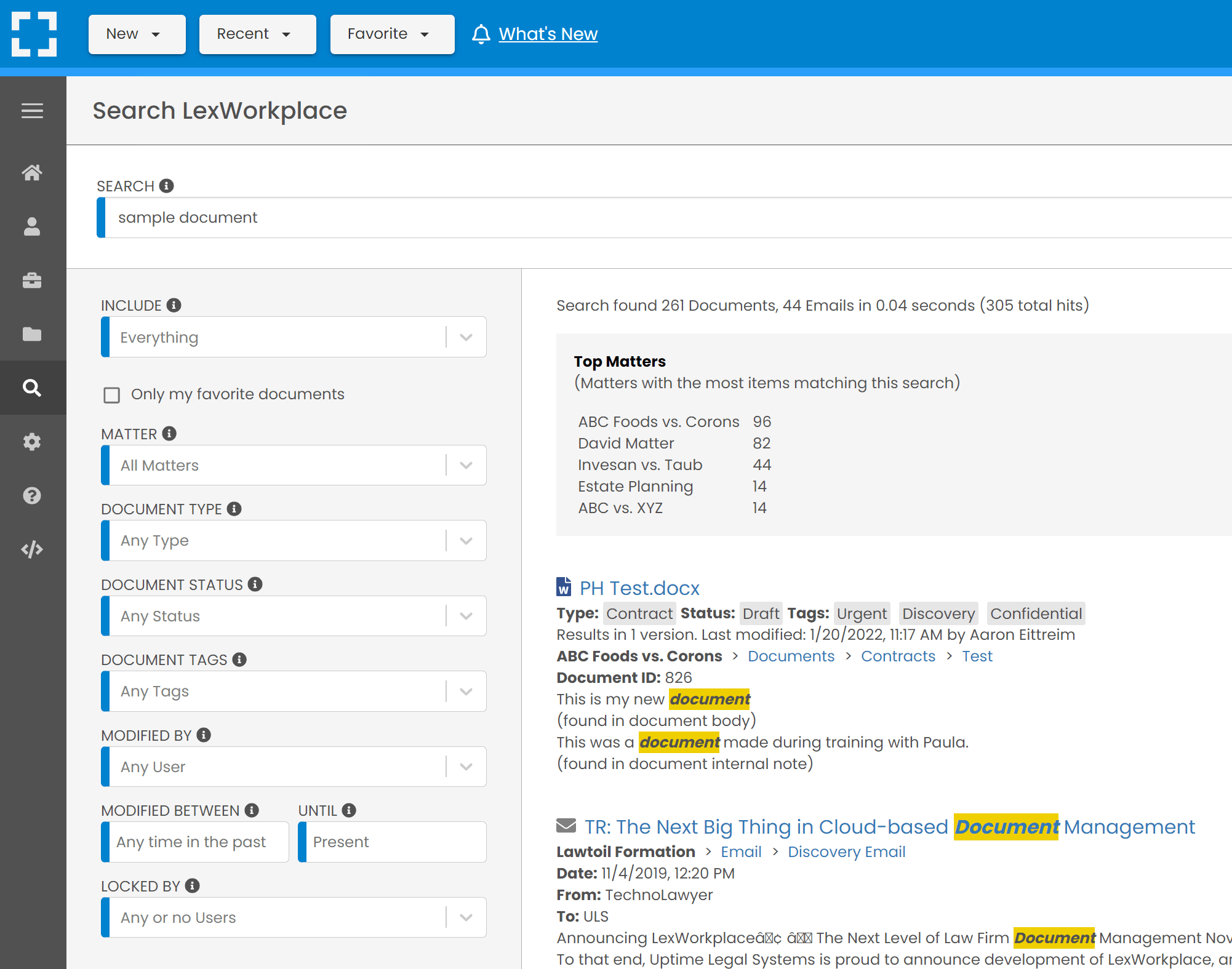
Source: G2
With built-in document tagging, version control, and compliance tracking, it helps legal professionals keep everything in order while maintaining security.
Best Features
- Document tagging: Organizes files with customizable tags for easy retrieval.
- Full-text search: Quickly locates documents using keywords within file content.
- Secure collaboration: Allows teams and clients to share documents safely.
- Automatic backups: Makes sure documents are protected against accidental loss or deletion.
- Compliance tracking: Helps firms stay on top of legal regulations and data security requirements.
The Biggest Pros
- No IT setup required, making it easy to implement
- User-friendly design with an intuitive interface
- Built specifically for legal workflows and compliance needs
5. CosmoLex
CosmoLex is a law practice management software with built-in document management, billing, and accounting. It helps law firms keep case files, contracts, and financial records organized without relying on multiple software tools.
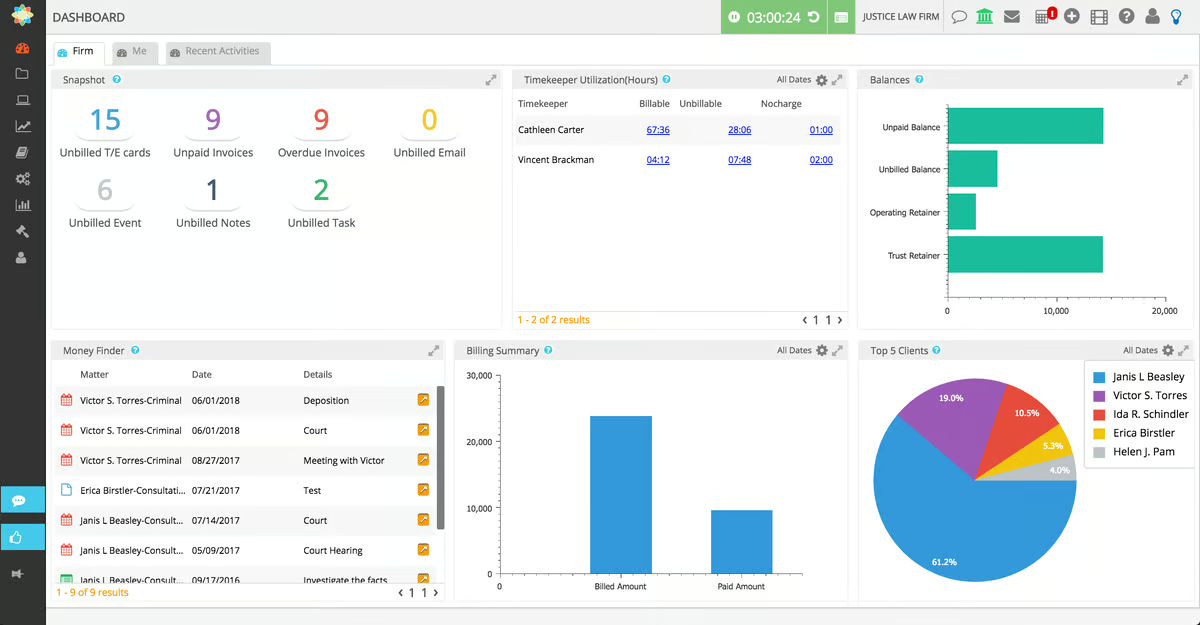
Source: G2
Instead of juggling different platforms, everything is handled in one system, so it’s easier to stay on top of documents and compliance. Designed for small to mid-sized firms, it simplifies daily operations while keeping sensitive information secure.
Best Features
- Document automation: Generates legal forms and contracts using pre-built templates.
- Secure client portal: Allows safe file sharing with clients and team members.
- Integrated legal billing: Combines document management with time tracking and invoicing.
- Cloud storage with encryption: Keeps documents and client data secure with bank-grade data protection.
- Case-based organization: Links documents directly to cases for easy access.
The Biggest Pros
- Combines document management with billing and accounting
- No need for third-party accounting software
- Strong compliance and security features
6. MyCase
MyCase is a legal practice management software that includes built-in document management features. It helps law firms organize case files, store contracts, and securely share documents with clients.
Source: G2
With cloud-based access, e-signatures, and an easy-to-use interface, it’s designed to simplify document handling while keeping everything organized in one place.
Best Features
- Case-based document storage: Keeps all case files organized and easily accessible.
- Secure e-signatures: Allows clients and attorneys to sign documents electronically.
- Mobile access: Lets users view and manage documents from any device.
- Client portal: Provides a secure way to share files with clients and receive documents.
- Automated reminders: Notifies users of important deadlines and document actions.
The Biggest Pros
- Affordable option for small to mid-sized firms
- Simple setup with an intuitive design
- Strong document organization and case management software features
7. PracticePanther
Last but not least, we have PracticePanther, a cloud-based legal practice management system that includes document management features.
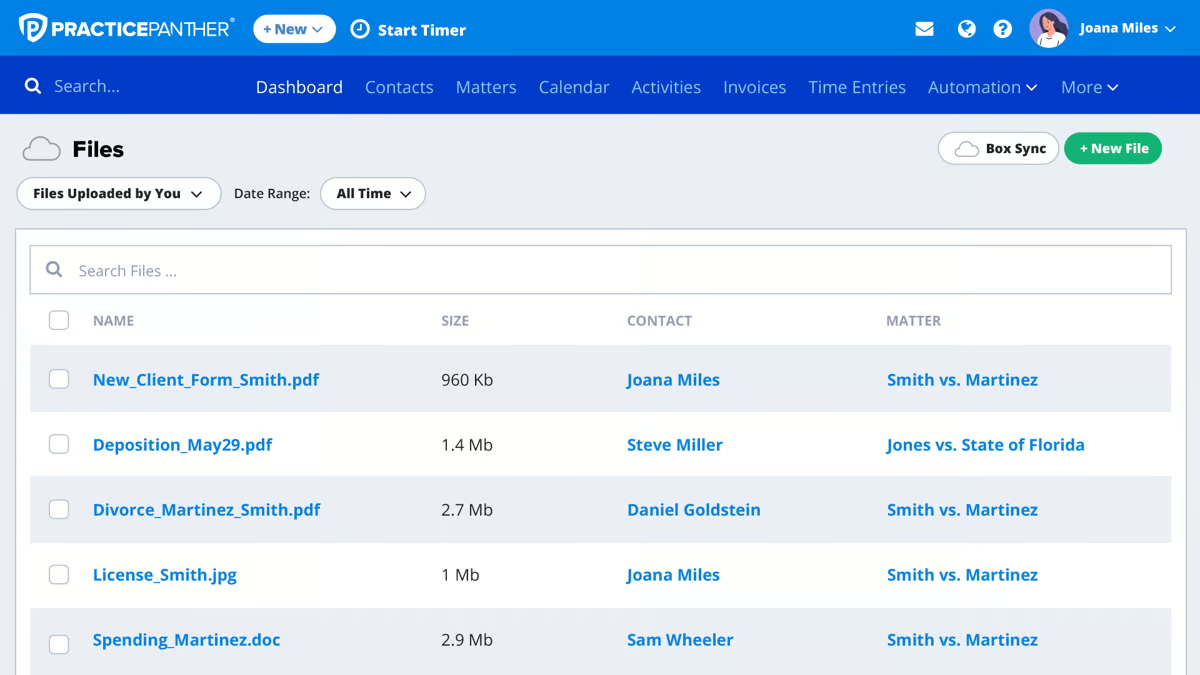
Source: G2
It helps law firms store, organize, and access legal files while automating workflows to save time. Plus, it comes with built-in e-signatures, customizable templates, and seamless integrations to simplify document handling for busy legal professionals.
Best Features
- Drag-and-drop document storage: Upload and organize files effortlessly.
- Customizable templates: Create legal documents faster with pre-built templates.
- Built-in e-signatures: Sign and approve documents securely without third-party tools.
- Case and task tracking: Connects documents to case files for better organization.
- Cloud-based access: Retrieve files anytime from any device.
The Biggest Pros
- Great for automating legal workflows
- User-friendly with a clean, modern interface
- Strong integrations with third-party legal tools
8. Rocket Matter
Rocket Matter is a cloud-based legal document and practice management system designed to help law firms stay organized and efficient. It offers secure document storage, automation tools, and billing integration, making it easier to manage case files without juggling multiple platforms.
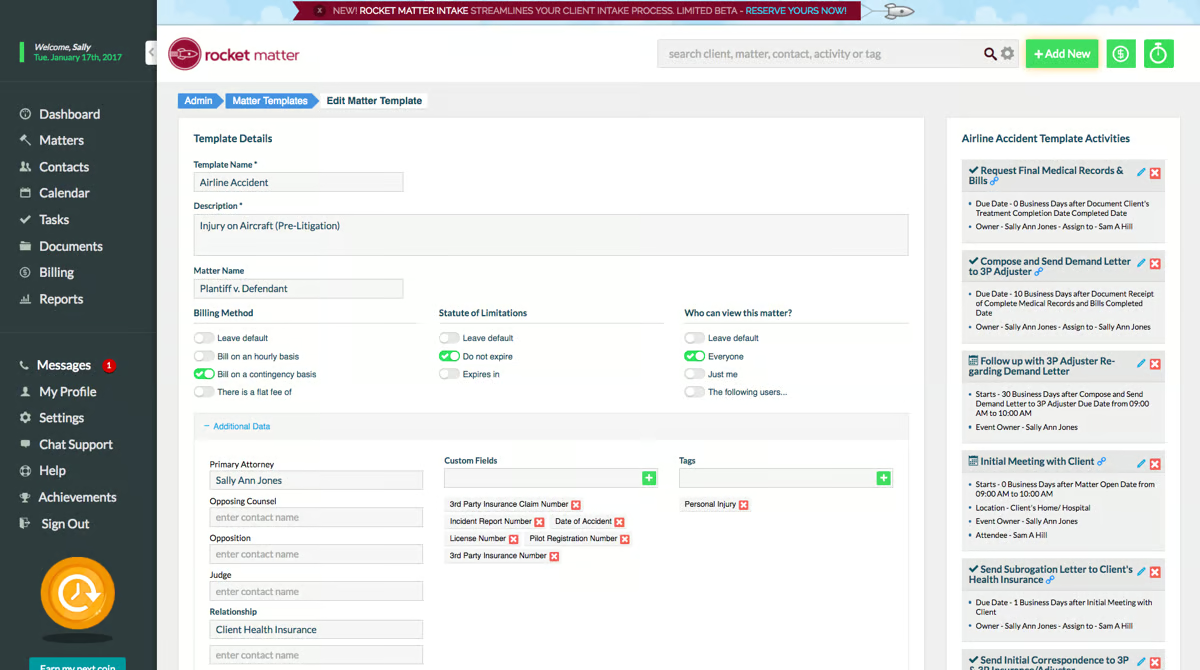
Source: G2
Whether you need to generate contracts, track billable time, or securely share files with clients, Rocket Matter simplifies the process while keeping everything in one place.
Best Features
- Cloud-based document storage: Access files securely from anywhere.
- Document automation: Generate legal documents using pre-built templates.
- Built-in time tracking and billing: Link documents to case billing for streamlined invoicing.
- Client portal: Share documents securely with clients and receive files without email risks.
- Workflow automation: Automates repetitive document-related tasks to save time.
The Biggest Pros
- Easy-to-use interface with a simple setup
- Strong automation tools for document workflows
- Seamless integration with legal billing and case management
9. Helpjuice
Helpjuice is a knowledge management software that also offers powerful document management features. While primarily designed for organizing and sharing internal knowledge, it provides law firms with a structured way to store, manage, and retrieve legal documents.
Source: G2
Its advanced search, collaboration tools, and customizable organization make it a useful solution for firms looking to centralize important files and legal resources.
Best Features
- Knowledge and document management: Stores legal files and internal knowledge in one platform.
- Advanced search functionality: Quickly finds documents using keyword search and filtering.
- Collaboration tools: Allows teams to co-edit and comment on documents in real time.
- Access controls and permissions: Restricts document access based on user roles.
- Customizable structure: Organizes documents in a way that fits your firm’s workflow.
The Biggest Pros
- Combines knowledge management with document storage
- Strong search and filtering tools for quick access
- Customizable organization for different legal teams
Briefpoint Can Further Transform How You Manage Legal Documents
While legal document management systems keep your files organized, Briefpoint takes efficiency a step further by automating the drafting process.
Instead of spending hours crafting discovery responses and legal documents, Briefpoint’s AI-powered platform allows you to generate accurate drafts in minutes.
With Briefpoint, you can:
- Automate discovery responses: Upload discovery requests, and Briefpoint analyzes them to draft precise responses and slashes hours off your workflow.
- Ensure consistency and accuracy: The platform applies standardized legal formatting and language, reducing errors and maintaining uniformity across documents.
- Streamline client communications: Features like Briefpoint Bridge translate complex legal requests into plain English for clients, simplifying the process of collecting necessary information.
Ready to revolutionize your document drafting process? Schedule a demo with Briefpoint today and see how automation can upgrade your legal practice!
5 Best Software for Legal Documents for 2026

Types of Software for Legal Documents
When you’re working in the legal field, it’s no secret that managing documents can be a bit overwhelming. Different tasks require different tools, and finding the right software can make your life a whole lot easier.
Let’s break down the key types of software that can help you handle your legal documents more efficiently:
Document Automation Software
Tired of drafting the same types of documents repeatedly? Document automation software makes this process faster and easier by creating legal document templates and automating repetitive tasks.
Instead of starting from scratch every time, you can use templates or generative artificial intelligence that automatically fills in the necessary details. This speeds up the process and helps you avoid pesky errors that can creep in when you’re doing manual data entry.
Take Briefpoint, for example. Drafting discovery documents can take hours without automation, but Briefpoint can help you do it in minutes.
You simply have to upload your discovery request, select objections and responses, and then finish up on Microsoft Word. Briefpoint will take care of everything in between, including filling out routine information.
Legal Document Management Software
Keeping track of legal documents can be a real headache, especially when juggling multiple cases and deadlines.
Legal document management software is designed to ease that burden by organizing all your files in one place so you can quickly find what you need without the frustration of sifting through stacks of papers or countless folders.
With features like version control and advanced search options, you’ll save time and avoid the stress of hunting down that elusive document.
Contract Management Software
Contracts can be tricky to manage when you’ve got multiple versions floating around. Contract management software optimizes the process by keeping everything organized in one place.
From drafting to signing to tracking renewals, this software helps you stay on top of your contracts and makes sure that nothing gets overlooked.
Electronic Signature Tools
Gone are the days of printing, signing, and scanning documents. Electronic signature tools make it easy to sign documents digitally, saving you time and hassle.
Plus, they add an extra layer of security so you can be sure that your signatures are legally binding. Whether in the office or on the go, you can sign documents quickly and easily with these tools.
Practice Management Software
If you’re searching for an all-in-one solution to modernize your legal practice, practice management software could be the answer.
This software is designed to handle much more than just document management; it brings together all the key functions you need to run your firm smoothly.
With practice management software, you can:
- Manage case files
- Track billable hours
- Schedule appointments
- Handle client communications
It’s much like a virtual legal assistant that keeps everything in order, which allows you to spend more time on more value-adding tasks rather than getting bogged down in administrative work.
5 Best Legal Document Software Solutions to Complete Your Stack
Building a solid legal tech stack can make a world of difference in how smoothly your practice runs.
Here’s a look at some top software picks for 2026 that can help you upgrade your legal workflows and keep everything organized.
1. Briefpoint: Best for Document Automation
If you’re fed up with spending hours drafting and tweaking discovery documents, Briefpoint is the solution you’ve been looking for.
This legal drafting software is all about making your life easier by automating discovery response and request creation.
Instead of starting from scratch every time, you just upload your opposing counsel’s discovery request .pdf, and Briefpoint does the rest—creating a fully formatted, ready-to-use response document in no time.
Briefpoint also comes with a tool that makes collecting and incorporating client responses into discovery requests ten times faster.
With Briefpoint Bridge, you can select the interrogatories you want your client to answer, add notes to simplify the interrogatories or seek specific information, then send your client the link to the portal via email.
Once your client sends over their responses, you can easily amend and add them to your discovery request. No more back-and-forth emails!
Briefpoint lets you automate the creation of outgoing sets and responses to:
- Requests for Admission
- Requests for Production
- Interrogatories
Book your demo today and see how Briefpoint can take hours off your workflow!
2. OneDrive: Best Legal Document Management System
Managing legal documents can be a hassle, especially when dealing with a ton of files and trying to keep everything organized.
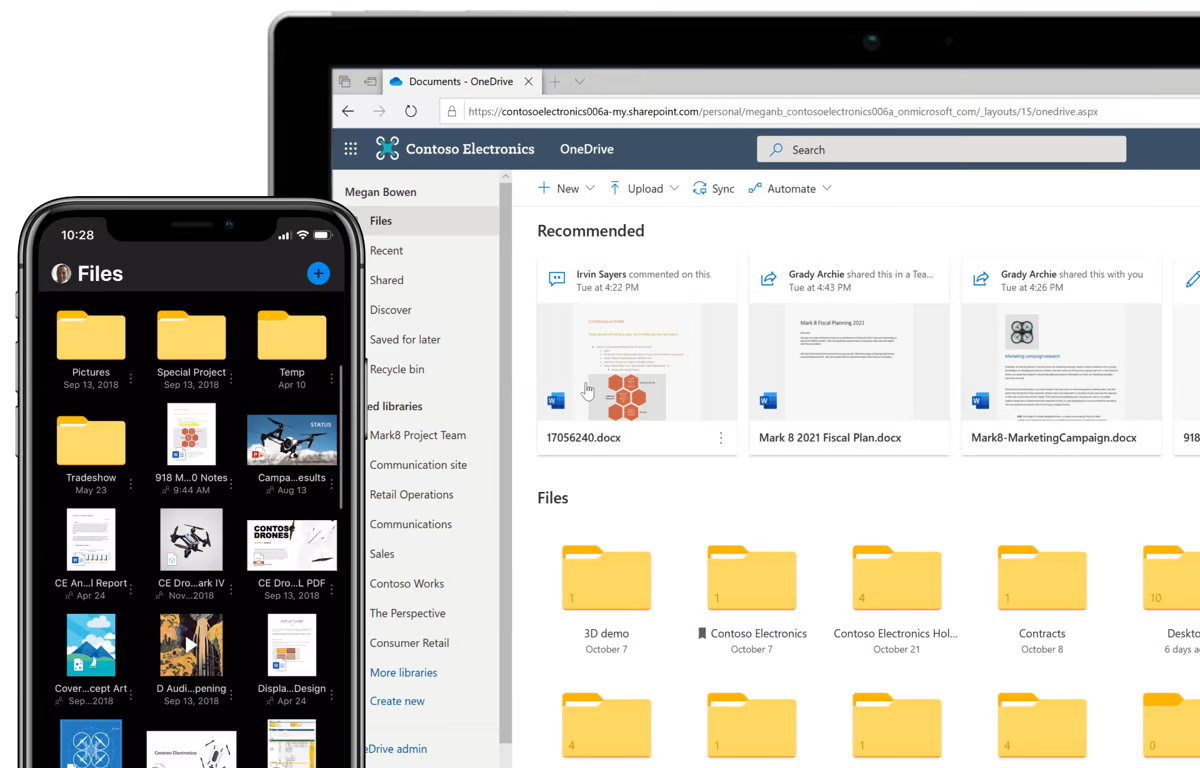
Source: G2
If you’ve ever found yourself wasting time searching for a missing document or stressing over whether you’re working with the right version, you know how frustrating it can be. OneDrive can change that.
It’s more than just cloud storage—it’s a tool designed to make document management easier and more efficient.
With OneDrive, you can quickly locate any document you need, thanks to its search features, and the version history makes sure you’re always working with the most current information.
The smooth Microsoft Office integration means you can edit documents seamlessly, all while knowing your files are securely stored.
3. Ironclad: Best for Contract Management
Contracts are the backbone of any legal practice, but keeping track of them can quickly become overwhelming. Juggling multiple drafts, managing approvals, and staying on top of deadlines can feel like a full-time job in itself.
If you find yourself in this situation, Ironclad is the best tool for you. Ironclad is specifically built to simplify contract management and offers a centralized platform where you can handle everything from drafting to execution.
Source: G2
It lets you manage each stage of the contract lifecycle with ease so that every version is tracked and every deadline is met.
Ironclad also simplifies collaboration, which makes it simple to work with colleagues and clients without the usual back-and-forth confusion.
Instead of getting bogged down in the details, Ironclad helps you stay organized and in control so you can manage your contracts with confidence and efficiency.
4. DocuSign: Best for Electronic Signatures
Any law office knows that waiting on physical signatures can slow everything down. Whether you’re finalizing a contract or getting an agreement in place, the last thing you want is to be held up by paperwork.
That’s why DocuSign is such a must-have for law firms. It transforms the signing process into something seamless and straightforward. Instead of printing, mailing, or scanning, DocuSign lets you send documents for electronic signatures instantly.
Source: G2
The platform is user-friendly and secure, giving you peace of mind that the signatures are legally binding and the process is fully tracked.
5. Clio: Best Legal Practice Management Software
Managing a law practice involves handling a lot of different tasks—tracking cases, managing client communications, handling billing, and keeping everything on schedule. Without the right law practice management software, it can quickly become overwhelming.
Clio is designed to combine all these elements into one cohesive platform tailored specifically for legal professionals. With Clio, you can easily manage your cases, track billable hours, send invoices, and organize client communications all in one place.
Source: G2
Plus, the software’s user-friendly interface makes sure that you can stay on top of your workload and maintain order, even during the busiest times.
Clio also offers seamless integrations with other tools, which allows you to customize it to meet the specific needs of your law firm.
Best Practices for Creating, Storing, and Organizing Legal Documents
When it comes to handling legal documents, a little organization can go a long way in making your life easier and keeping things running smoothly.
Here are some straightforward practices that can help you create, store, and organize your legal documents a hundred times better:
Opt for Paperless Document Management
If you’re still dealing with stacks of paper, it’s time to consider going paperless. Digital documents are easier to organize, search, and share, especially with the right document management tool.
Plus, going paperless reduces the risk of losing important paperwork and makes your office more environmentally friendly.
Scanning and saving all your documents electronically can also smoothen out your legal workflow and make everything more accessible.
Use Consistent Document Templates
Starting with a blank document each time is time-consuming and increases the likelihood of errors.
Using standardized templates makes sure all your documents have a consistent format, which is a must in the legal industry where precision matters.
Develop a Clear Naming Convention
A clear naming system for your files is key to staying organized. Include details like the client’s name, document type, and date in your file names to quickly identify what each document contains without opening it. This simple step can save you a lot of time.
Organize Documents with a Logical Folder Structure
With your legal document management solution, set up a folder structure that makes sense for your practice. Group documents by client, case, or matter and create subfolders for different types of documents like contracts, correspondence, and briefs.
A well-organized folder system helps you find what you need quickly so you can stay focused on your work.

Back Up Your Files Regularly
Losing important legal documents can be disastrous, so regular backups are a must. Cloud storage solutions like OneDrive are great for automatic backups, and it’s wise to keep an additional offline backup as a precaution. This helps make sure your files are safe and accessible, even if something goes wrong.
It might also be a wise idea to invest in unlimited document storage so you won’t have to worry about running out of space.
Keep Track of Version Control
When documents go through multiple revisions, it’s easy to lose track of changes.
Version control allows you to monitor edits, revert to previous versions, and make sure that everyone is working with the latest document. This is especially useful in collaborative environments.
Secure Sensitive Information
Legal documents often contain sensitive information that must be protected. Use encryption, strong passwords, and access controls to safeguard your files. Regularly review and update your security protocols to keep your documents safe from unauthorized access.
Follow Document Retention Policies
Having a clear policy for how long to keep your law firm’s documents is important for managing storage and staying compliant with legal regulations.
Make sure your retention policies are up to date and regularly reviewed to meet current standards.
Train Your Team
Finally, see to it that everyone on your team understands and follows your document management practices.
Regular training sessions can help reinforce these best practices and keep your document management system running smoothly.
How Much Does Legal Document Software Cost?
The cost of legal document software can vary quite a bit depending on what you need and the size of your firm. Here’s a breakdown of what you might expect:
- Basic options: If you’re just looking for something simple to manage your documents, you might find software that costs around $10 to $50 per user per month. This usually covers the basics like storage, search, and version control.
- Mid-range solutions: For those who need a bit more, like legal automation, integrations with other legal tools, or better security, you’re probably looking at something in the $50 to $100 per user per month range. This is ideal for mid-sized firms that need more than just the basics.
- All-in-one systems: If you’re looking for a comprehensive solution that includes document management, case management, billing, and client communication, the cost can go up to $100 to $200+ per user per month. These systems are great for larger firms that need a full suite of tools.
- Enterprise-level software: For very large firms with complex needs, enterprise-level software might be necessary, which can run $200 to $500+ per user per month. These solutions often include advanced features like AI-driven analytics and extensive integrations.
Speaking of AI, if you’re looking at software with AI capabilities—such as AI-driven document drafting, predictive analytics, or automated contract reviews—expect the cost to be on the higher end.
Legal AI features can significantly raise the price because they offer powerful tools that can save time and improve accuracy, but they also come with a premium cost. So, if AI is on your must-have list, be prepared for a steeper investment.
Spend Less Time on Routine Legal Drafting With Briefpoint
Managing legal documents doesn’t have to be a headache. With the right legal tech, you can turn time-consuming tasks into easy processes that free up more of your day for what really matters—serving your clients.
Whether it’s automating document creation, managing contracts, or keeping your files organized, the right tech stack can make all the difference.
Add Briefpoint to the very top of your legal tech tools list. If you want to stop spending hours drafting discovery documents, Briefpoint offers a smarter, faster process.
Imagine cutting down on time spent and saving your firm thousands per attorney each year—all while guaranteeing accuracy and consistency.
Ready to see how Briefpoint can revolutionize your workflow? Schedule a demo now and take the first step toward transforming how you handle legal documents!
How Much Can You Save With Briefpoint?
Discovery responses cost firms $23,240, per year, per attorney. $23,240 estimate assumes an associate attorney salary of $150,000 (including benefits – or $83 an hour), 20 cases per year/per associate, 4 discovery sets per case, 30 questions per set, 3.5 hours spent responding to each set, and 1800 hours of billable hours per year.
Book a demo and save on these costs with Briefpoint.
5 Best Accounting Software For Small Law Firms (A 2026 Guide)

What is Law Firm Accounting Software?
Law firms don’t just need accounting software—they need tools built for the way legal finances work. Between managing trust accounts and staying compliant with industry regulations, standard bookkeeping software doesn’t always cut it.
Legal accounting software helps firms handle client funds properly, generate accurate invoices, and keep financial records organized without extra manual work. Many tools also integrate with case and law practice management software, making it easier to connect billing with legal work.
The key difference? It’s designed to keep law firms compliant and efficient. With built-in trust accounting, expense tracking, and reporting tools, it reduces the risk of errors and helps firms stay on top of their finances without getting lost in spreadsheets.
What Do Small Law Firms Have to Consider When Choosing Accounting Software?
Small law firms have different accounting needs than large firms. You don’t have a full finance team handling the books, so the software you choose has to be practical, compliant, and easy to use. Here’s what to consider:
- Trust accounting compliance – You’re responsible for client funds, and trust accounting mistakes can lead to serious issues. The software should properly track, separate, and reconcile trust accounts.
- Billing & invoicing – If your system doesn’t make it easy to log billable hours and send invoices, you could be leaving money on the table. Look for automated invoicing and payment tracking.
- Cost & scalability – Budgets are tight, and you don’t want to overpay for features you won’t use. But as your firm grows, you’ll need software that can keep up.
- Integration with legal tools – If your accounting software doesn’t sync with your case management system, you’ll spend extra time on manual data entry.
- User-friendliness – You don’t have time to struggle with complex software. A clean, intuitive interface is key.
- Reliable support – When problems arise, fast and knowledgeable customer service makes all the difference.
What Are The Biggest Benefits of Using Legal Accounting Software?
Do you ever feel like managing your firm’s finances takes up more time than actual legal work? Tracking billable hours, handling trust accounts, and chasing down invoices can be overwhelming—especially if you’re relying on spreadsheets or generic accounting tools.
The right legal accounting software keeps everything in check and helps your firm run more smoothly. Here’s how:
Trust Accounting Without the Headaches
Handling client trust accounts isn’t just another task on your to-do list—it’s a responsibility you can’t afford to get wrong. A single mistake can lead to compliance issues, penalties, or even worse.
A good legal accounting software solution takes the guesswork out of trust accounting by automatically keeping client funds separate, tracking every transaction, and generating audit-ready reports.
This means no more manual spreadsheets or worrying about whether your records are accurate. With clear trust ledgers and built-in safeguards, you can stay compliant and focus on your legal work instead of stressing over financial details.
Easier Billing and Faster Payments
Getting paid shouldn’t be a struggle. If you’re still manually tracking hours, creating invoices from scratch, and following up on late payments, you’re spending way too much time on admin work.
Legal accounting software makes billing easier by:
- Automatically logging billable hours
- Generating invoices
- Sending payment reminders
Clients can pay online without hassle, and this means fewer delays and keeping your cash flow steady. Instead of chasing payments or dealing with messy records, you’ll have a system that keeps everything organized.
Fewer Manual Errors
Ever caught a mistake in your books and thought, How did that even happen?
Maybe a decimal was off, a duplicate entry slipped in, or a trust account transaction didn’t balance. Manual data entry makes errors almost inevitable—and fixing them takes time you don’t have.
Legal accounting software helps prevent these slip-ups by automating calculations, tracking every transaction, and flagging inconsistencies before they turn into real problems. So, instead of double-checking numbers and fixing avoidable mistakes, you get clean, accurate records from the start.
Better Cash Flow Management
Late payments and untracked expenses can throw off your firm’s finances fast. If cash flow is unpredictable, it’s harder to plan for growth, cover expenses, or even pay yourself consistently.
The right legal billing software gives you real-time visibility into where your money is coming from—and where it’s going—so you can stay ahead of financial issues before they become bigger problems.
Here’s how it helps:
- Track unpaid invoices – See outstanding balances at a glance and send automated reminders to speed up payments.
- Monitor firm expenses – Keep an eye on operational costs so nothing eats into your profits unnoticed.
- Plan ahead with better forecasting – With real-time financial data, you can make informed decisions about hiring, investments, and budgeting.
- Avoid cash flow surprises – No more guessing whether your firm’s financial performance is enough to cover upcoming expenses.
Seamless Integration with Case Management
Tired of entering the same data twice? Manually linking invoices to cases? Jumping between systems just to get a clear financial picture? That’s the problem when accounting and case management don’t work together.
Good legal accounting software connects with your case management system and keeps financial records aligned with client work automatically. No more double data entry, missing transactions, or wasted time fixing errors.
With everything in sync, billing runs smoother, financial reporting capabilities improve, and client management stays organized. Rather than wrestling with spreadsheets, you get a clear, accurate view of your firm’s finances—without the extra hassle.
Less Time Spent on Admin Work
Nobody starts a law firm because they love bookkeeping. But if you’re spending more time tracking expenses and preparing tax reports than actually practicing law, something’s got to change.
Legal accounting software takes those tedious tasks off your plate. It automatically tracks expenses, syncs with your bank for easy reconciliations, and organizes tax records without the last-minute scramble (and that’s just the tip of the iceberg).
Instead of drowning in spreadsheets or trying to fix accounting mistakes at the end of the month, you can focus on your clients and casework.
Best Accounting Software For Small Law Firm Operations
Now that we’ve covered the key benefits, it’s time to look at the best options. Not all accounting tools are designed for law firms, and choosing the wrong one can lead to compliance issues and extra admin work.
Let’s break down the top accounting software for small law firms and what makes them worth considering.
1. QuickBooks
QuickBooks is one of the most widely used accounting tools for small businesses, and law firms are no exception. With options like QuickBooks Online, QuickBooks Desktop, and QuickBooks Desktop Pro, firms can choose a plan that fits their needs.
Source: G2
While it’s not built specifically for legal professionals, it offers powerful financial management features and integrates with legal software like Clio and LeanLaw.
Whether you need cloud-based access, advanced reporting, or simple bookkeeping, QuickBooks has a version that can handle your firm’s accounting needs.
Best Features
- Customizable invoicing: Create and send professional invoices, track payments, and accept online payments.
- Expense tracking: Automatically categorize expenses and reconcile bank transactions.
- Trust accounting support: Integrate with LeanLaw or Clio to properly manage client trust funds.
- Financial reporting: Generate profit and loss statements, balance sheets, and tax reports.
- Legal software integration: Sync with Clio, LeanLaw, and other law firm tools for seamless accounting.
Pros
- Easy to use and widely recognized
- Strong reporting and financial tracking
- Syncs with banks, payroll, and law firm tools
- Multiple versions available for different business needs
- Cloud-based access for remote accounting
- Scalable plans for growing firms
Pricing
The starting price for QuickBooks is €9.50 for the Simple Start plan. It comes with basic accounting essentials, such as invoices, receipt capture, income and expenses, and more. For teams, the Essentials Plan starts at €13.50, coming with more features and three user spots.
2. Clio Accounting
Clio Accounting is designed specifically for law firms, which makes it easier to manage trust accounting, billing, and financial reporting while staying compliant.
Source: G2
As part of the Clio ecosystem, it integrates with Clio Manage, allowing firms to track billable hours, generate invoices, and handle trust accounts all in one place.
Unlike general accounting software, Clio Accounting is built with legal professionals in mind. This can help reduce the risk of compliance issues and manual errors.
Best Features
- Trust accounting compliance: Keeps client funds separate and generates reports to meet legal industry regulations.
- Automated invoicing: Create and send professional invoices with built-in time tracking.
- Payment processing: Accept online payments through Clio Payments, reducing delays.
- Expense tracking: Log and categorize firm and client expenses effortlessly.
- Easy integration with Clio Manage: Syncs billing and accounting data with your case management system.
Pros
- Built specifically for law firms
- Strong trust accounting features
- Fully integrates with Clio’s legal management tools
- Cloud-based access for anytime, anywhere financial management
- Automated reminders help reduce late payments
- Reduces manual data entry by syncing with case files
Pricing
Clio Accounting is an optional add-on, available for the Essentials Plan and up. The starting price for the Essentials Plan is $89 per user per month.
3. LeanLaw
LeanLaw is built specifically for law firms that want seamless integration with QuickBooks while maintaining compliance with legal accounting rules.
Source: LeanLaw.co
It simplifies trust accounting, time tracking, and billing, making it a great choice for firms that rely on QuickBooks but need legal-specific features. With an easy-to-use interface and strong financial reporting, LeanLaw helps small law firms manage their books without extra complexity.
Best Features
- Deep QuickBooks integration: Syncs directly with QuickBooks Online for smooth accounting workflows.
- Trust accounting compliance: Helps keep client funds separate and generates audit-ready reports.
- Time tracking & invoicing: Logs billable hours and turns them into invoices with a single click.
- LEDES billing support: Exports invoices in LEDES format for firms working with corporate clients.
- Expense tracking: Categorizes and assigns firm and client-related expenses easily.
Pros
- Designed specifically for law firms
- One of the best QuickBooks integrations available
- Simple and intuitive interface
- Helps prevent trust accounting errors
- Customizable reports for better financial insights
- Reduces manual data entry for time tracking and billing
Pricing
LeanLaw’s pricing starts at $45 per user per month for the Core Plan, which comes with features like time tracking, electronic payments, and invoicing.
4. FreshBooks
FreshBooks is a simple and user-friendly accounting solution for solo attorneys and small law firms that need straightforward invoicing, expense tracking, and timekeeping.
Source: G2
Although it’s not built specifically for law firms, its easy-to-use interface and automation features make financial management less time-consuming. It’s a good option for firms that don’t require complex trust accounting but need an efficient way to handle billing and expenses.
Best Features
- Automated invoicing: Create, send, and track invoices with built-in reminders for late payments.
- Time tracking: Log billable hours and convert them into invoices with one click.
- Expense management: Automatically track and categorize expenses for easier reporting.
- Online payments: Accept credit card and ACH payments directly through FreshBooks.
- Financial reporting: Generate profit and loss statements, expense summaries, and tax reports.
Pros
- Clean, easy-to-use interface
- Great for solo attorneys and small firms
- Automates invoicing and payment reminders
- Mobile-friendly for on-the-go access
- Affordable pricing compared to other options
Pricing
Plans start at $6.30 for the Lite plan, which allows users to send invoices to five clients, track expenses and other basic accounting work. More robust features are available in higher-tier plans, starting at $11.40 per month for the Plus plan.
5. Xero
Xero is designed for small businesses but offers key features that work well for law firms, including automated bank reconciliation, invoicing, and expense tracking.
Source: G2
With real-time financial insights and multi-user access, Xero helps firms stay on top of cash flow without getting bogged down in spreadsheets. Plus, it integrates with legal practice management tools, which makes it easier to keep billing and accounting connected.
Best Features
- Bank reconciliation: Syncs with your bank to automatically track and match transactions.
- Customizable invoicing: Create and send branded invoices with automated payment reminders.
- Expense tracking: Categorizes and manages firm-related expenses for better financial oversight.
- Multi-user access: Allows accountants, bookkeepers, and partners to collaborate in real time.
- Financial reporting: Provides insights into cash flow, outstanding invoices, and overall firm performance.
Pros
- Affordable compared to other accounting tools
- Cloud-based for easy access from any device
- Integrates with legal management software like Clio
- User-friendly dashboard with real-time financial insights
- Strong security features to protect financial data
- Scalable for growing firms
Pricing
Xero’s Starter Plan costs $29 per month, which lets users send quotes and up to 20 invoices, enter five bills, reconcile bank transactions, and record bills and receipts.
Want to Beef Up Your Law Firm’s Cash Flow? Try Briefpoint
Keeping your firm’s finances in order isn’t just about choosing the right accounting software—it’s also about making the most of your time. Even the best accounting tools can’t fix cash flow problems caused by hours of unpaid admin work.
Briefpoint helps by automating legal drafting and generating discovery documents in minutes. This way, you can cut down the time spent on repetitive tasks and actually focus on billable work.
More billable hours mean more money in your bank accounts and keeping your firm financially stable. Instead of getting buried in paperwork, you’ll spend more time on high-value tasks that bring in revenue.
Want to see how much time—and money—you could be saving? Book your Briefpoint demo today.
Save Thousands Every Year With Briefpoint
Discovery responses cost firms $23,240, per year, per attorney. $23,240 estimate assumes an associate attorney salary of $150,000 (including benefits – or $83 an hour), 20 cases per year/per associate, 4 discovery sets per case, 30 questions per set, 3.5 hours spent responding to each set, and 1800 hours of billable hours per year.
Book a demo and save on these costs with Briefpoint.
Will AI Replace Paralegals?

Overview of Paralegal Work
Paralegals play a key role in law firms, handling legal work that helps attorneys focus on bigger tasks. They aren’t lawyers, but they assist with research, document preparation, and case management. Their work keeps legal cases moving smoothly and makes sure everything is properly organized.
Here are some of the main tasks paralegals handle:
- Basic legal research
- Drafting legal documents
- Case management
- Discovery
- Client communication
- Court filings
Paralegals work closely with attorneys but can’t provide legal advice or represent clients in court. Their job is to handle the behind-the-scenes work that keeps cases running efficiently.
With AI and automation tools becoming more common, paralegals now have tech-driven solutions to speed up some of these tasks.
But even with AI handling routine work, law firms still rely on paralegals for accuracy, critical thinking, and legal expertise.
How Is AI Changing How Paralegals Work?
With legal AI tools, paralegals can work more efficiently and spend less time on manual processes. Here’s a closer look at how AI impacts different paralegal work areas.
Speeding Up Legal Research
Traditional legal research takes time. Before AI, paralegals and other legal professionals had to sift through case law, statutes, and regulations manually.
AI-powered research tools can scan vast databases in seconds, identifying relevant cases and summarizing key points. This reduces the hours spent searching for information, which allows paralegals to focus on analyzing results rather than just finding them.
However, AI doesn’t replace legal judgment—paralegals still need to verify findings, assess relevance, and apply legal reasoning. AI is a tool that speeds up the process, but it’s not a substitute for human expertise.
Automating Document Drafting
AI is making document creation easier by generating standard legal documents based on templates. Paralegals no longer have to draft routine contracts, NDAs, or discovery responses from scratch.
Instead, AI can pre-fill key sections, format documents properly, and suggest clauses based on previous cases. This saves time and reduces the risk of missing important details.
While AI-generated drafts still need review and customization, automation significantly cuts down on repetitive work. Paralegals can spend less time formatting and more time making sure documents meet legal standards.
Improving Discovery
Sorting through thousands of legal documents used to be a tedious process, requiring paralegals to review and categorize every file manually.
AI now makes e-discovery faster by automatically identifying relevant documents, flagging key terms, and organizing data sets. This means less time spent on document review and more focus on case strategy.
AI can also detect patterns and highlight inconsistencies, making it easier to spot critical information. However, paralegals are still needed to verify AI’s selections and make sure nothing important is overlooked.
Optimizing Contract Review
AI-powered contract analysis tools help paralegals quickly identify risks, missing clauses, and inconsistencies.
Instead of reading through pages of legal text, they can rely on AI to highlight key areas for review. This reduces the chances of errors and speeds up contract analysis.
AI can also compare contracts against past agreements for better consistency and compliance with legal requirements. While AI can flag issues, it doesn’t replace a paralegal’s judgment in negotiating terms or understanding context.
Reducing Administrative Work
AI also helps with scheduling, file management, and other administrative tasks that used to take up a large portion of a paralegal’s time.
Automated case management tools organize legal files, track deadlines, and even generate reminders for upcoming tasks. Some AI-driven chatbots can handle routine client inquiries, freeing up paralegals to focus on legal work.
While AI can reduce the workload, the legal industry still relies on paralegals to manage client interactions and oversee case details.
AI Won’t Replace Paralegals Completely
AI is making legal work faster, but it’s not kicking paralegals out of the picture. Sure, it can handle tasks like document drafting, legal research, and e-discovery, but there’s a lot it just can’t do. Paralegals bring human judgment, attention to detail, and critical thinking—things AI still struggles with.
Think of it this way: Legal work isn’t just about pulling up laws and filling in templates. It’s about understanding context, spotting risks, and knowing when something doesn’t look right.
Then there’s the human side of things. Clients don’t want to talk to a chatbot when they have legal concerns. They want a real person who listens, asks the right questions, and explains things clearly.
AI can scan contracts for missing clauses but won’t negotiate terms or pick up on subtle legal nuances like a trained paralegal. As many legal professionals know, legal issues aren’t always straightforward. Every case is different, and sometimes, you just need a human to figure things out.
Instead of replacing paralegals, AI is becoming another tool in their arsenal. The ones who learn how to use it will have an edge, working smarter and faster. Law firms aren’t getting rid of paralegals—they’re just giving them better tech to work with.
So, What Does the Future Look Like for Paralegals?
AI is definitely transforming the legal profession, and entry-level paralegals will probably feel it the most.
A lot of the routine tasks—like document review, legal research, and basic contract drafting—are now automated. Law firms looking to cut costs might lean on AI for these instead of hiring as many junior paralegals.
But, that doesn’t mean human paralegals are going away. The role is just changing. Firms still need experienced paralegals to manage AI tools, double-check AI-generated documents, and handle complex legal work.

Things like spotting legal risks, communicating with clients, and making judgment calls? AI isn’t taking over those anytime soon.
Paralegals who learn how to work with AI will have an edge. Instead of getting buried in repetitive tasks, they’ll have more time for legal analysis, case strategy, and working directly with attorneys.
AI might handle the grunt work, but law firms will always need sharp, adaptable paralegals who know how to put the pieces together.
How Can Paralegals Future-Proof Themselves?
The presence of AI doesn’t mean paralegals have to take the back seat. The ones who adapt will be even more valuable.
Instead of worrying about AI taking over, here’s how paralegals can stay ahead and build a long-lasting career:
- Master AI-powered legal tools – Learn how to use AI for research, document automation, and contract review. The more comfortable you are with legal tech, the more indispensable you become.
- Sharpen your legal instincts – AI can find information, but it can’t apply legal reasoning the way a trained professional can. Being able to spot risks, interpret laws, and think strategically will set you apart.
- Be the bridge between tech and people – Lawyers and clients will still need someone who can explain complex legal matters in simple terms. Strong communication skills will always be in demand.
- Keep up with industry changes – AI and legal tech evolve fast. Staying informed on the latest developments ensures you don’t get left behind.
- Specialize in high-value areas – AI handles routine work, but paralegals with expertise in corporate law, compliance, or litigation support will always have opportunities.
Help Your Paralegals Work Efficiently With Briefpoint
Paralegals handle a lot of essential but time-consuming work. While AI tools can speed up certain tasks, legal teams still need a solution that balances efficiency with accuracy.
Briefpoint makes that possible by automating discovery responses, reducing manual drafting, and formatting documents instantly.
With Briefpoint, firms don’t have to choose between speed and precision. It gets rid of repetitive work without sacrificing quality, so your paralegals can focus on more important tasks. Instead of spending hours drafting responses, they can review and finalize documents in minutes.
See the difference for yourself. Schedule a demo today to test Briefpoint in action.
Automation Translates to Real Savings
Discovery responses cost firms $23,240, per year, per attorney. $23,240 estimate assumes an associate attorney salary of $150,000 (including benefits – or $83 an hour), 20 cases per year/per associate, 4 discovery sets per case, 30 questions per set, 3.5 hours spent responding to each set, and 1800 hours of billable hours per year.
Book a demo and save on these costs with Briefpoint.