A Practical Discovery Checklist for Litigation Teams
A Practical Discovery Checklist for Litigation Teams
Legal content overseen by Nathan Walter, Esq., attorney licensed in California (State Bar No. 313299).
A discovery checklist helps your team track requests, client information, written responses, and document production in one review process. Use it to record who owns each task, what remains unresolved, and which version is ready for attorney review.
This guide covers written discovery in federal civil practice under the Federal Rules of Civil Procedure, from request planning through response and production review. It is written for plaintiff firms and insurance litigation teams that handle written discovery.
The checklist follows the order of the work: planning, written requests, client collection, discovery responses, production, and follow-up.
Pre-discovery preparation checklist
Start planning before the first request goes out:
- Review the pleadings: Read the complaint, answer, counterclaims, and affirmative defenses to see which facts need support.
- Identify key issues: List the claims, damages, disputed facts, and legal questions that will drive your requests.
- Map out deadlines: Check court orders and local rules, and note where each date comes from.
- List key people and documents: Note clients, witnesses, custodians, and the records you expect to need.
- Plan and brief the client: Decide which discovery tools to use first, and tell the client what to save and gather.
For each task, add an internal owner, the source of the due date, a draft-review date, and the unresolved question. These fields are office practice, not court-required forms.
Federal scope and case-specific planning
Under Federal Rule of Civil Procedure 26(b)(1), unless a court order limits it, parties may obtain discovery regarding any nonprivileged matter that is relevant to any party’s claim or defense and proportional to the needs of the case. Proportionality considers the importance of the issues, the amount in controversy, the parties’ relative access to relevant information, the parties’ resources, the importance of the discovery in resolving the issues, and whether its burden or expense outweighs its likely benefit.
Rule 26(a)(1)(A) requires initial disclosures without awaiting a discovery request, except as exempted by Rule 26(a)(1)(B) or as otherwise stipulated or ordered by the court. Among them are a computation of each category of damages claimed by the disclosing party and access for inspection and copying under Rule 34 to the supporting documents or other evidentiary material, unless privileged or protected from disclosure (Rule 26(a)(1)(A)(iii)).
Rule 26(a)(1)(A)(iv) also requires making available for inspection and copying under Rule 34 any insurance agreement under which an insurance business may be liable to satisfy all or part of a possible judgment in the action or to indemnify or reimburse for payments made to satisfy the judgment. This concerns insurance agreements; other insurer-held records remain subject to the scope and protections of Rule 26(b).
State rules
This article explains the named federal rules. It does not describe any state’s procedural requirements, so a state-court case needs its own rules check.
Written discovery checklist
Keep each written request focused and tied to the plan above.
Interrogatories
Interrogatories are written questions served on another party, which must answer each question to the extent it is not objected to (Rule 33(b)(3)). They fill in facts that documents may not show, such as dates and who took part in a conversation. Ask each question for one specific piece of information, because broad wording invites objection.
Under Rule 33:
- Number: Unless stipulated or ordered otherwise, a party may serve no more than 25 written interrogatories on another party, including all discrete subparts (Rule 33(a)(1)).
- Answers: Each interrogatory must, to the extent it is not objected to, be answered separately and fully in writing under oath (Rule 33(b)(3)).
- Objections: The grounds must be stated with specificity, and a ground not stated in a timely objection is waived unless the court, for good cause, excuses the failure (Rule 33(b)(4)).
- Signatures: The person who makes the answers must sign them, and the attorney who objects must sign any objections (Rule 33(b)(5)).
Requests for production
Requests for production (RFPs) ask the other side to produce documents, electronically stored information (ESI), and tangible things. Under Rule 34(a), a party may serve a request within the scope of Rule 26(b) to produce and permit inspection, copying, testing, or sampling of items in the responding party’s possession, custody, or control.
A category on your request list, such as invoices, medical records, or insurance documents, describes what you are asking for. It does not decide whether the material falls within Rule 26(b)(1) or within the responding party’s possession, custody, or control.
Requests for admission
Requests for admission (RFAs) ask the other side to admit the truth of specific matters. Under Rule 36(a), the matters must be within the scope of Rule 26(b)(1) and relate to facts, the application of law to fact, or opinions about either, or to the genuineness of any described documents. Each matter must be separately stated, and a request about a document’s genuineness must be accompanied by a copy of the document unless it has otherwise been furnished or made available for inspection and copying (Rule 36(a)(2)).
Response timing at a glance
Default response periods under the federal rules:
| Federal device | Default response timing | Source and qualification |
|---|---|---|
| Interrogatories | 30 days after service | Rule 33(b)(2); a shorter or longer time may be stipulated under Rule 29 or ordered |
| Requests for production | Written response within 30 days after service | Rule 34(b)(2)(A); for a request delivered under Rule 26(d)(2), 30 days after the first Rule 26(f) conference; same Rule 29 and court-order changes |
| Requests for admission | 30 days after service, or the matter is admitted | Rule 36(a)(3); same Rule 29 and court-order changes |
These are rule periods, not a date calculator for your case. For RFPs, the written response and the completed production are different events: production must be completed no later than the time for inspection specified in the request or another reasonable time specified in the response (Rule 34(b)(2)(B)).
Client information checklist
Whether your team collects client information by interview, questionnaire, or Briefpoint, keep a source note for each answer:
- Source: the client, insured, or custodian who supplied the information.
- Date: when the interview took place or the upload arrived.
- Document name: the file the answer relies on, if any.
- Conflict: any unresolved difference between the answer and another source.
Ask for facts in plain language, have the client confirm names, dates, and events, and flag privileged or confidential details for attorney review. Follow up on unclear answers or missing files before responses go out. The guide on how to organize discovery documents covers filing systems.
Objections and responses checklist
Review responses one device at a time, because the federal rules treat each differently. For each request, confirm the request number, draft version, and source notes.
- Interrogatories: Check that the unobjected-to portion of each interrogatory is answered separately and fully under oath, and that each objection states its grounds with specificity (Rule 33(b)(3)–(4)).
- Requests for production: For each item or category, the response must state that inspection will be permitted as requested or state with specificity the grounds for objecting, including the reasons (Rule 34(b)(2)(B)). An objection must state whether any responsive materials are being withheld on that basis, and an objection to part of a request must specify the part and permit inspection of the rest (Rule 34(b)(2)(C)).
- Requests for admission: If a matter is not admitted, the answer must specifically deny it or state in detail why the party cannot truthfully admit or deny it. Lack of knowledge is a permitted reason only if the party states that it has made reasonable inquiry and that the information it knows or can readily obtain is insufficient (Rule 36(a)(4)).
Tie every objection to the request it answers, and have an attorney review privilege questions. When a party withholds otherwise discoverable information as privileged or as trial-preparation material, Rule 26(b)(5)(A) requires it to make the claim expressly and to describe the nature of what is not produced, without revealing protected information, in a manner that enables other parties to assess the claim. Confidentiality is a separate question from privilege.
Document review and production checklist
Document review decides what goes into the production and what the response must address. Before you produce:
- Gather documents from the client and other approved sources, and compare them against each request.
- Remove duplicates where appropriate.
- Flag documents for attorney review of privilege, confidentiality, or proposed redactions.
- Check for missing pages, corrupted files, and partial email threads.
- Check any ESI against the form the request specified or the response stated (Rule 34(b)(2)(D)).
- Record what was produced, withheld, or redacted, and keep any privilege log current.
- Apply Bates numbers if your team uses them, and save a clean copy of the final production.
Unless stipulated or ordered otherwise, a party must produce documents as they are kept in the usual course of business or organize and label them to correspond to the categories in the request, and need not produce the same ESI in more than one form (Rule 34(b)(2)(E)).
Bates numbering is a practical way to identify pages. A Bates citation does not show that the whole collection was searched or that every obligation was met.
Discovery response reconciliation
Discovery response reconciliation is the team’s human cross-check of a request number, the client answer or source information, the written response, and the Bates-numbered production where applicable. Here, the phrase names a review step in your discovery checklist. It is not a legal term of art or a Briefpoint feature.
One request may draw on several sources or production ranges, and an interrogatory or request for admission may have no production. Record “not applicable” and the reason instead of inventing a Bates range. Keep “not collected,” “not found after the documented review,” “withheld on an objection,” and “not applicable” as separate entries; counsel chooses the response. This is a suggested office workflow, not a Rule 34 requirement.
- Request: Record the device, set, exact request number, and scope. Check that the source note and the draft refer to the same request.
- Client answer or source: Identify the answer, its source, and the date. Record conflicts or missing attachments as unresolved and assign an owner.
- Written response: Compare the draft with those sources. Review qualifications, objections, promised production, and any statement about withholding against Rule 34(b)(2)(C). Counsel decides the substance.
- Production: Open the selected files and check the cited Bates pages or ranges against the response. Confirm each page contains the referenced information and belongs in the final package. For native ESI, use the cross-reference convention your team has set. Rule 34(b)(2)(E) governs organization and form, so a crosswalk does not replace it.
- Disposition: Record the reviewer, the draft and production versions, and either “ready for attorney approval” or a specific open task with an owner and date. Review later information separately for supplementation.
The example below is invented and illustrates team review, not a determination of what must be produced.
Request: Plaintiff’s response to RFP 7, repair invoices for the damaged vehicle.
Client answer or source: The client identifies two invoices, and the upload contains only one.
Written response: The current draft refers to both invoices.
Production: The selected package contains only BP000120–BP000122, which correspond to the first invoice.
Open item: Follow up on the second invoice, return the mismatch to counsel, and record the disposition instead of checking “complete.”
For insurance teams, the same comparison can expose a mismatch between an insured’s account, an adjuster-provided source, and the draft wording. Who holds a record does not by itself settle privilege, control, or discoverability. Counsel decides those questions.
Final review and ongoing updates
Treat final review as a checkpoint before service:
- Deadline and sign-off: Check the service date against the rule period, any stipulation, and any court order, and have an attorney approve the response and production versions.
- Signatures: Confirm the signatures that apply to each device, such as Rule 33(b)(5) for interrogatories and Rule 36(a)(3) for requests for admission. Not every discovery response carries a verification.
- Service and open tasks: Confirm the service list, and track outstanding tasks separately from completed items.
Common mistakes before service
Check for these problems before service:
- Request numbers in the response that do not match the request.
- Response text that promises materials absent from the selected production.
- Outdated rule citations, stale source notes, or blanket objections.
- Marking a task complete because a draft exists.
Review later information for supplementation
Under Rule 26(e)(1), a party that has made a Rule 26(a) disclosure, or has responded to an interrogatory, request for production, or request for admission, must supplement or correct it in a timely manner if it learns that in some material respect the disclosure or response is incomplete or incorrect, and the corrective information has not otherwise been made known to the other parties during the discovery process or in writing. It must also do so as ordered by the court.
Not every new document triggers this rule. Changing an admission is a separate question: under Rule 36(b), a matter admitted is conclusively established unless the court, on motion, permits the admission to be withdrawn or amended.
Support your discovery checklist with Briefpoint
Briefpoint helps with the drafting and collection steps in this checklist. Its discovery-response drafting covers responses and objections to interrogatories, requests for production, and requests for admission, with output you can edit in Microsoft Word.
Client Bridge sends clients plain-language questions through a secure link, so they can answer and upload documents for attorney review. Autodoc finds responsive documents, adds page-level Bates citations, and builds a Bates-numbered production package. Supplemental Responses is available for updating responses later. It supports your team’s review and does not replace counsel’s judgment about what must be supplemented.
Your team still compares the underlying records and decides whether responses and production are ready. Attorneys keep final review of everything Briefpoint drafts.
Book a demo to see how Briefpoint supports discovery drafting for attorney review.
See Briefpoint in this demo video:
FAQs about discovery checklist
What is a discovery checklist?
A discovery checklist is an office task and review list that tracks discovery from planning through production and follow-up. It usually covers requests, client sources, written responses, document review, production, task owners, and unresolved items. The citations in this guide are to the Federal Rules of Civil Procedure, so it is not a state-court checklist.
What should a discovery checklist include?
A discovery checklist should include an inventory of requests by number, the client or custodian source for each answer, response review notes, production tracking, a task owner, and open follow-up items. These fields are suggested office practices, not court-required forms. Federal Rules 26, 33, 34, and 36 govern the underlying obligations.
What should you check before producing discovery documents?
Start by comparing the selected documents with the request and written response. Under Rule 34(b)(2)(E), unless stipulated or ordered otherwise, produce documents as kept in the usual course of business or organize and label them to correspond to request categories. Check any requested ESI form and the response’s stated form under Rule 34(b)(2)(D). If no form was requested, Rule 34(b)(2)(E)(ii) requires an ordinarily maintained or reasonably usable form, subject to stipulation or order.
Can a discovery checklist replace reviewing the court rules?
No. A checklist is an internal review aid, not a substitute for the governing rules. Federal interrogatory and admission responses generally are due 30 days after service. Rule 34(b)(2)(A) gives the same period for written production responses, except that requests delivered under Rule 26(d)(2) require a response within 30 days after the parties’ first Rule 26(f) conference. For all three devices, a shorter or longer time may be stipulated under Rule 29 or ordered by the court.
When must federal discovery responses be supplemented?
Under Rule 26(e)(1), a party that has responded to an interrogatory, request for production, or request for admission must supplement or correct the response in a timely manner if it learns that the response is incomplete or incorrect in some material respect, unless the corrective information has otherwise been made known to the other parties during discovery or in writing. A court may also order supplementation.
The information provided on this website does not, and is not intended to, constitute legal advice; instead, all information, content, and materials available on this site are for general informational purposes only. Information on this website may not constitute the most up-to-date legal or other information. This website contains links to other third-party websites. Such links are only for the convenience of the reader, user or browser. Readers of this website should contact their attorney to obtain advice with respect to any particular legal matter. No reader, user, or browser of this site should act or refrain from acting on the basis of information on this site without first seeking legal advice from counsel in the relevant jurisdiction. Only your individual attorney can provide assurances that the information contained herein – and your interpretation of it – is applicable or appropriate to your particular situation. Use of, and access to, this website or any of the links or resources contained within the site do not create an attorney-client relationship between the reader, user, or browser and website authors, contributors, contributing law firms, or committee members and their respective employers.
READ MORE9 Law Firm Productivity Metrics Legal Teams Should Track
1. Billable Hours
Billable hours show how much time legal professionals spend on billable work for clients. It’s one of the most common KPIs because it connects directly to revenue, staffing, workload, and law firm profitability.
For many firms, this key metric also says a lot about efficiency. If lawyers spend too many hours on repetitive, manual tasks, billed hours can drop even when the team feels busy all day.
Small tracking gaps can create a real revenue problem, too. For example, missing just 10 minutes a day can add up to around 40 hours a year. At $350 per hour, that’s $14,000 in unbilled revenue for a lawyer aiming for 1,800 billable hours.
Track billed hours by lawyer, practice area, client, and task type. Then compare the planned time against the actual time. This helps you spot where work slows down, where time gets missed, and where automation or better workflows could help your team protect more revenue.
2. Utilization Rate
Utilization rate shows how much of a staff member’s total hours go toward billable client work.
Billable hours tell you the raw number of hours billed. Meanwhile, the utilization rate gives that number context, which makes it one of the more useful law firm KPIs for operational efficiency.
For example, two legal professionals may each bill 30 hours a week. However, if one worked 40 total hours and the other worked 55, their productivity story looks very different. The first has a 75% utilization rate, while the second has a much lower rate.
Track this metric through a few simple data points:
- Total hours worked: The total time a staff member spends on the firm’s operations, including billable and non-billable work.
- Billable hours: The portion of time tied to client work that can be billed.
- Non-billable time: Admin work, internal meetings, training, and other tasks that affect capacity.
Utilization rate helps measure success in a more balanced way. It can also support efficient resource allocation because you can see who has room for more work, who is stretched thin, and where non-billable tasks may be hurting output.
3. Realization Rate
Realization rate shows how much of your billable hours worked turn into actual revenue. It compares the value of recorded time with the amount the firm bills or collects, which is why it’s an essential KPI for firm performance.
For example, say a lawyer records 20 hours at $300 per hour. That time is worth $6,000. If the client is billed $5,400 after write-downs, the billing realization rate is 90%. If the firm later collects $4,800, the collection realization rate drops to 80%.
This metric helps you see where revenue gets reduced after the work is done. A low realization rate may indicate problems such as heavy discounts, billing disputes, or accounts receivable issues.
Track data by lawyer, client, practice area, and task type. Over time, those patterns help you identify areas where pricing, staffing, time entry, or client communication needs work.
A strong realization rate can also raise average revenue because the firm captures more value from the time already spent.
4. Collection Rate
The collection rate shows how much billed work turns into money received. Billable hours show the time your team records, and realization rate shows how much of that time gets billed.
Collection rate takes the next step and tells you how much of the invoice the client actually pays.
For example, if your firm sends $80,000 in invoices for the month and receives $72,000, your collection rate is 90%. If that number keeps falling, the issue may sit in payment follow-ups, invoice clarity, client service, payment terms, or accounts receivable habits.
This is one of the business metrics that deserves a regular spot in KPI reports monthly. A strong collection rate helps the firm protect cash flow and understand the estimated average value of billed work after payment delays, discounts, and unpaid balances.
Use this metric to review payment patterns by client, practice area, invoice age, and responsible attorney. It can show you vital information like which clients pay quickly, which invoices need better detail, and which billing steps slow down revenue after the legal work has already been completed.
5. Matter Cycle Time
Matter cycle time measures how long it takes to move a legal task from intake to completion. While billable hours show the time spent on the work, matter cycle time shows how long the full process takes from the client’s point of view.
For example, a discovery response may take 18 days from request to final draft. If the work only needed 6 billable hours, the time entry alone won’t explain the delay.
In many cases, the gap comes from problem areas like waiting on client details, manual drafting, attorney review, or back-and-forth revisions.
To make this easier to review, track it in your KPI dashboard with a few simple checkpoints:
- Start date: The date the work opens or gets assigned.
- Completion date: The date the final version is sent, filed, or approved.
- Delay points: The steps where work pauses, such as client review, document prep, or internal approval.
From there, this metric gives you a better understanding of slow handoffs and repeat bottlenecks. It also gives your team a practical way to improve workflows and finish legal work faster while keeping quality high.
6. Revenue per Lawyer
Revenue per lawyer shows how much income each lawyer contributes over a set period. Essentially, it can help you understand the link between workload and the law firm’s success.
Here’s another way to look at it. If one lawyer brings in 40 clients with an average fee of $5,000, that lawyer generates $200,000.
Another lawyer may bring in 25 clients at an average fee of $8,000 and reach the same total. The client number differs, but the revenue result is equal.
This metric can support decisions around partner compensation and business success. A lawyer with a smaller caseload may still bring strong value if the average fee is high.
Another lawyer may handle a higher average number of clients but produce lower revenue because the work has thinner margins.
However, it’s important to use revenue per lawyer as a planning tool and not a simple scoreboard. It works best with the utilization rate and collection rate. Together, those metrics show how much work gets done and how much revenue comes in.
7. Administrative Time per Matter
Administrative time per matter tracks how much time goes into non-billable work for each case. This may include routine tasks like intake, scheduling, legal drafting, status updates, or file organization.
It’s a useful metric because high admin time can lower capacity even when the team’s case number looks healthy.
For instance, if each case takes three hours of admin work and the firm handles 100 cases a month, that’s 300 hours tied to non-billable tasks. A small process fix can free up a lot of time over the year.
Track this metric with a few focused details:
- Admin hours per case: The total time spent on non-billable tasks tied to one file.
- Task type: The category of admin work taking up the most time, such as intake, scheduling, or document prep.
- Repeat admin tasks: The work that shows up often, such as template drafting, client follow-ups, or status updates.
Administrative time per matter helps you find practical places for strategic improvements. It can also help your firm streamline workflows, reduce repetitive work, and give legal staff more time for client-facing tasks.
8. Lead-to-Client Conversion Rate
Lead-to-client conversion rate shows how many inquiries become signed clients. It’s one of the more practical marketing KPIs because it tells you if your intake process turns interest into real business.
For example, if your firm receives 120 qualified leads in a month and 30 become clients, your lead-to-client conversion rate is 25%. If the consultation appointment number is high but signed clients stay low, you may have a problem with follow-up speed, consultation quality, pricing clarity, or lead fit.
A typical conversion path may look like this:
- Website visit
- Contact form or phone inquiry
- Initial intake
- Consultation booked
- Consultation completed
- Engagement agreement sent
- Client signed
This metric helps you see where the potential clients converted in this process and where they dropped off before signing.
Plus, it gives your team a better way to judge marketing results because traffic alone won’t tell the full story. A lower conversion rate may mean the firm needs clearer website copy, faster intake responses, or a stronger consultation process.
9. Cost per New Client
A growing client base can look healthy on paper, but the cost behind each new client matters. Cost per new client helps you see if your marketing spend is paying off or quietly eating into profit.
The formula is simple: total marketing spend divided by new clients signed during the same period. If the firm spends $7,500 in a month and adds 15 new clients, the cost per new client is $500.
You can review this number by channel, such as:
- Google Ads
- Organic search
- Referrals
- Social media
- Local events
The useful part comes from comparing the cost with client quality. A channel may bring a lower cost per client, but those clients may need more follow-up or have lower case value. Another channel may cost more but bring better-fit clients and stronger client satisfaction.
Use this metric to make informed decisions on budget, intake, and follow-up. In a few weeks or months, it can give you actionable insights into which efforts help grow your client base and which ones you should revisit.
How to Choose the Right Productivity Metrics for Your Firm
Not every law firm should focus on the same set of KPIs. For instance, a firm trying to improve cash flow will need different numbers than a firm trying to reduce admin time or raise employee satisfaction.
The right metrics should help you make better decisions and not bury your team in reports. Start small, then add more once tracking KPIs becomes part of your normal review process.
A few useful filters can help:
- Match metrics to firm goals: Use billable hours, realization rate, or collection rate if increasing revenue is the priority.
- Look at daily pain points: Track admin time or matter cycle time if work feels slow or repetitive.
- Balance financial and people metrics: Include employee satisfaction so productivity gains don’t come at the cost of burnout.
- Review data regularly: Analyzing data monthly helps you spot trends early and adjust before small issues grow.
- Turn numbers into action: Use the findings to make strategic improvements in staffing, workflows, and client communication.
What you should focus on is tracking numbers your team can actually use. A smaller set of meaningful KPIs will usually do more for the firm than a long report nobody reads.
Improve Your Most Important Productivity Metrics With Briefpoint
Tracking productivity metrics gives you a clearer view of where time, money, and energy go. The next step is reducing the work that keeps those numbers lower than they should be.
For many litigation practices, discovery drafting is one of the biggest time drains because it frequently pulls attention away from higher-value legal work.
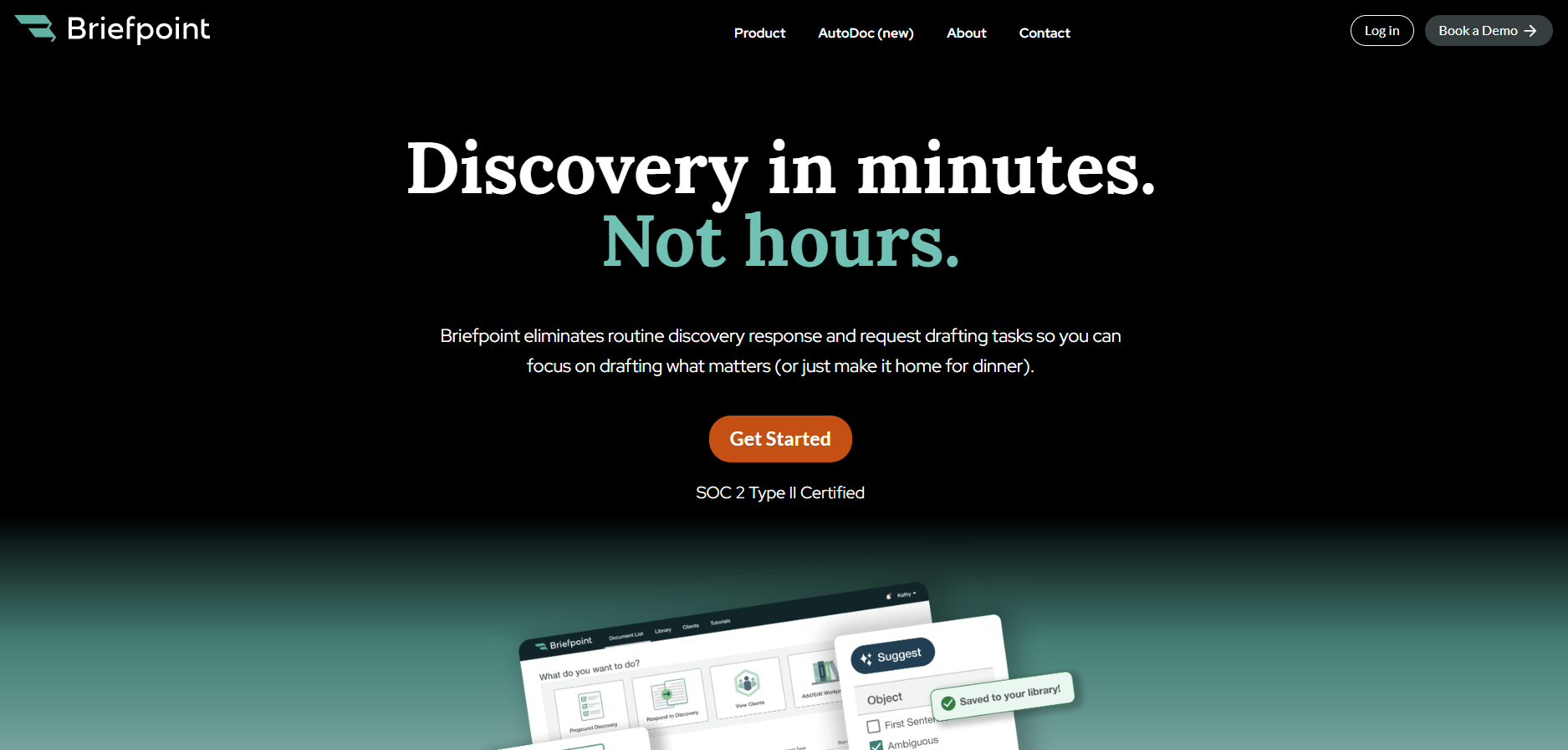
Briefpoint helps you handle that work faster. Its Autodoc feature drafts discovery responses, including responses to requests for admission, requests for production, and interrogatories.
It can support supplemental responses as well, so you can update prior discovery responses with less manual drafting.
All of Briefpoint’s features can help improve KPIs tied to law firm efficiency, especially matter cycle time and administrative time per matter.
You spend less time formatting, copying, and drafting from scratch. As a result, you can move discovery work forward faster and keep more working hours focused on legal strategy.
Do you want to finally reduce discovery busywork?
Inside an Efficient Bates Numbering System
What Is a Bates Numbering System?
Bates numbers are unique page identifiers added to legal documents, usually in a set sequence. They help attorneys, paralegals, courts, and opposing counsel refer to the exact same page easily.
For example, a document production might use numbers like ABC000001, ABC000002, ABC000003, and so on.
A Bates numbering system is the method used to apply those identifiers in a consistent format. That format may include a prefix, a fixed number of digits, and a suffix if needed.
Older firms used a Bates numbering machine to apply physical stamps to paper files, but most teams now use software for sequentially numbering pages in PDFs and other digital files.
Why You Need a Solid Bates Numbering System
Once every page has a clear label, the next step is making sure those labels stay consistent from start to finish. A good Bates system should help legal teams keep control of files during every step they have to go through.
Bates numbers serve a few practical purposes:
- Clear document references: You can point to one exact page quickly.
- Easier PDF document management: Bates stamping gives each page a fixed identifier, which helps legal professionals review and share large files with less confusion.
- Better document tracking: A consistent Bates numbering process makes it easier to track documents that have been produced, reviewed, or exchanged.
- Cleaner communication: Attorneys, clients, courts, and opposing counsel can reference legal documents using the same page labels.
- Fewer production issues: Following best practices for prefixes, digit length, and numbering order helps prevent duplicate numbers, missing pages, and messy productions.
What’s Inside an Efficient Bates Numbering System?
As you know by now, a good Bates numbering system keeps your documents clear, searchable, and easy to cite. The strongest setups usually come down to a few key parts, which include:
A Clear Numbering Format
A clear numbering format gives every page a predictable label. When you apply Bates numbering to digital documents, the format should make it easy to identify individual pages and point to a specific page.
Your format can be:
- Solely numeric
- Alphanumeric strings
- Prefix plus number
- Number plus suffix
- Prefix plus a fixed number of digits
- Matter name plus page number
- Production set plus page number
For example, a solely numeric format might look like 000001, 000002, 000003. An alphanumeric format might look like SMITH000001 or DEF-000245.
The best choice depends on how many files you need to produce and how easily your team needs to search or cite each page.
Consistent Prefixes and Suffixes
A long production can become hard to manage if every page label looks too generic. Prefixes or suffixes give your team a way to separate batches, parties, and document groups without changing the main numbering sequence.
Common prefix and suffix options include:
- Producing party initials
- Client or matter code
- Production batch
- Exhibit group
- Confidentiality tag
- Document category
- Revision marker
- Date code
Doing this helps you find the right document faster when multiple sets share similar page counts or file names. For example, DEF000145 can point to a defense production, while DEF000145-CONF can show that the page has a confidentiality label.
Consistent Bates labeling also gives your team a cleaner rule to follow. If one batch uses PLTF and another uses PLAINTIFF, searches and references can be very disorganized.
Automatic Sequential Numbering
Automatic sequential numbering keeps the page order clean from the first page to the final page. Each page gets the next reference number in the sequence, which helps your team uniquely identify every page without typing each label by hand.
A simple sequence might look like this:
- 0001
- 0002
- 0003
- 0004
You can also use a four-digit number with a prefix, such as:
- DEF0001
- DEF0002
- DEF0003
- DEF0004
The main goal is to avoid gaps, repeats, and manual errors. If two pages get the same number, your references can become unreliable.
Plus, automatically numbering documents also helps when you need to produce hundreds or thousands of pages, since the system assigns each label in order and keeps the sequence consistent.
Document-Level and Page-Level Tracking
Document-level and page-level tracking connect each Bates number to the right file, document type, and page position, which makes large document sets easier to work through.
A strong system should track:
- Document type: You can tag files as emails, contracts, invoices, exhibits, pleadings, or other records.
- Page count: You can quickly check how many pages belong to a specific document before you cite or produce it.
- Document boundaries: Digital tools can separate one document from the next inside large PDF sets.
- Unique page IDs: Each page gets unique identifiers, so you can cite the exact page with confidence.
- Production groups: You can group files by batch, party, issue, or matter to keep large volumes easier to sort.
Support for Large Document Sets
Naturally, large productions need batch processing and not one-file-at-a-time stamping. Luckily, modern electronic Bates software can scan the page count in each PDF file, assign the next number in the sequence, and save a stamped copy with the correct label placement.
Good Bates numbering software also keeps the numbering sequence active as it moves from file to file. For instance, if one PDF ends at BP000120, the next PDF starts at BP000121. That helps legal teams avoid repeated numbers without checking every page by hand.
The same tech can also support file naming rules, output folders, and searchable text for business documents. When you have the right setup, organizing documents takes less manual cleanup because the software handles numbering, placement, and export in one controlled process.
Searchable Labels and Metadata
Searchable labels and metadata make Bates-numbered files easier to find after production. The Bates number points to the page, while metadata adds critical information that helps with document retrieval in legal cases.
For example, a PDF might include a Bates range like DEF000450 to DEF000462, plus metadata such as:
- Document title
- Author
- Date
- Document type
- Producing party
- Confidentiality status
Those identifying elements give your team more ways to search beyond the Bates number alone.
This becomes useful when tracking large volumes of files. If you need every email from a certain date range or every contract marked confidential, metadata can narrow the search quickly.
Good labeling also helps reviewers connect each page to the larger document set, which keeps references clearer during discovery, deposition sessions, and trial prep.
Version Control for Updated Files
Version control keeps revised files from getting mixed up with earlier productions. Law firms often update important documents during review, so your Bates numbering system should make each version easy to identify.
A clean version control setup can show:
- Original file
- Revised file
- Production date
- Review status
- Bates range
- Confidentiality changes
- Replacement pages
With clear version records, your team can see which file was produced, which version changed, and which Bates numbers belong to each set. It helps reduce confusion when a document gets corrected, redacted, re-produced, or removed from a production batch.
Export-Ready Files for Sharing
Export-ready files make document review easier because the Bates labels stay fixed when the files leave your system. What you want is to create clean PDF files that other people can open, read, search, and cite without layout problems.
Most PDF tools used in the legal field let you apply Bates numbers, flatten stamps, rename files, and save production copies. Adobe Acrobat is a common example, though many legal document platforms have the same type of export features.
In most cases, a good export process should preserve the Bates number placement, page order, searchable text, redactions, and file naming rules.
Apart from that, it should also create a copy rather than overwrite the original file. That gives your team a clean production version while keeping the source document available for future review.
Audit Trails for Accountability
An audit trail shows what happened to each file during numbering, review, and production. It can record:
- Who added the Bates numbers
- When the file was stamped
- Which numbering range was used
- Which version went out for sharing
For instance, a production log might show that DEF000300 to DEF000420 was exported on March 12, reviewed by a paralegal, and shared with opposing counsel as part of the second production set.
So, if someone later asks for the relevant pages from that batch, your team can trace the exact reference documents without guessing.
A clear audit trail helps keep everyone accountable. It gives your team a record to check when questions come up around missing pages, duplicate labels, changed files, or disputed document references.
Make Document Management 10x Easier With Briefpoint
Proper Bates numbering gives legal professionals a reliable way to identify pages, cite records, and keep complex litigation files in order. It’s a small detail on the page, but it can easily affect how smoothly discovery, trial preparation, and production work move forward.
Briefpoint’s Autodoc helps with the work that usually surrounds Bates numbers.
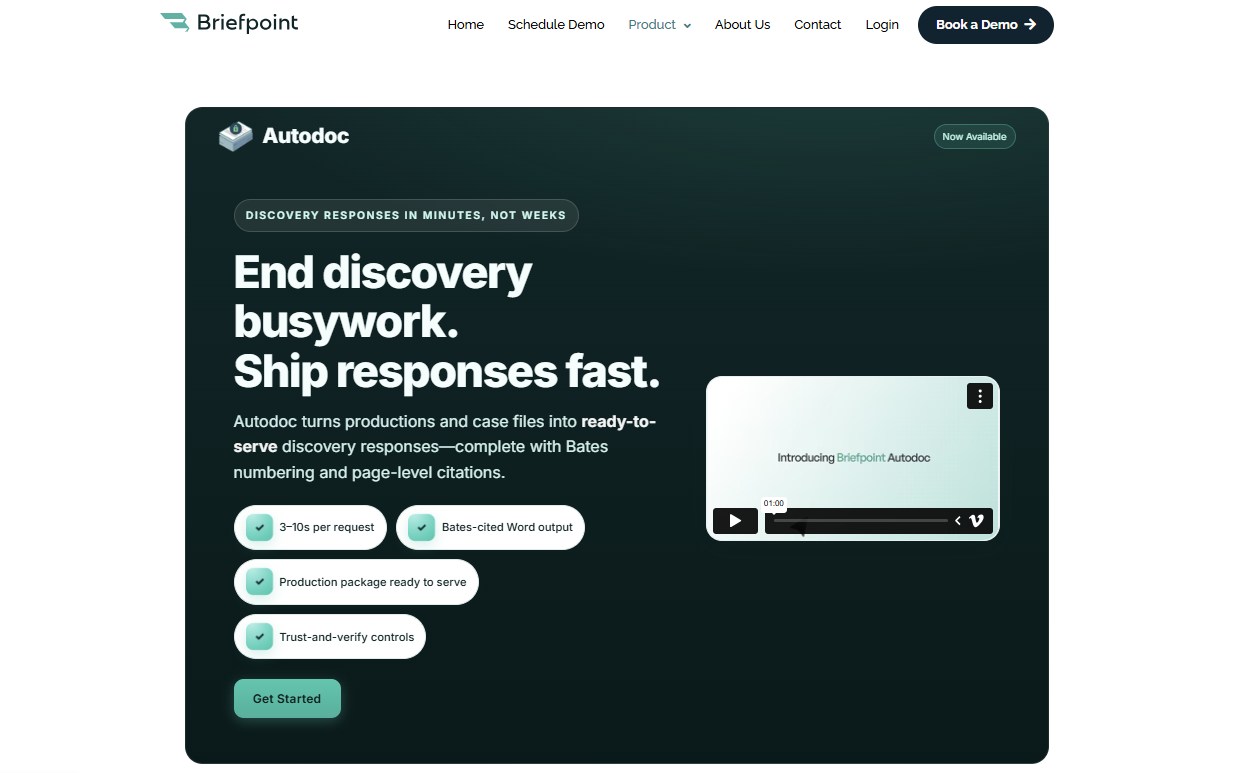
You can upload discovery requests and production materials, then use Autodoc to identify responsive documents, add Bates numbers, and create Bates-cited discovery responses.
It gives you the function of a Bates automatic numbering machine with extra support for drafting, citation, and legal document management.
Briefpoint can help your team prepare cleaner responses, organize production materials, generate page-level citations, and create Word-ready drafts with fewer manual steps.
For busy litigation teams, that means less time spent matching documents to requests and more time spent reviewing the substance of the case.
Book a Briefpoint demo and see how Autodoc can help your team prepare Bates-cited discovery responses faster.