Harvey AI vs. CoCounsel: Features, Uses, and Fit
What Is Harvey AI?
Harvey AI is a legal AI tool built for large law firms, in-house teams, and other organizations that deal with complex legal work every day.
It’s known for helping with research-heavy and document-heavy tasks like legal research, due diligence, contract analysis, compliance work, and litigation support.

Source: Harvey.ai
What sets Harvey apart is the market it goes after. The platform is not aimed at someone looking for quick answers to basic legal questions.
Instead, it’s geared toward firms and legal departments that want AI built into serious workflows, especially work that usually eats up attorney time but still needs careful review from human lawyers.
The audience reflects that focus. Harvey is used by major law firms and corporate legal teams, and public examples include A&O Shearman and HSBC’s legal function.
It has also gained traction among top U.S. firms, which helps explain why it often comes up in conversations about enterprise legal AI.
What Is CoCounsel?
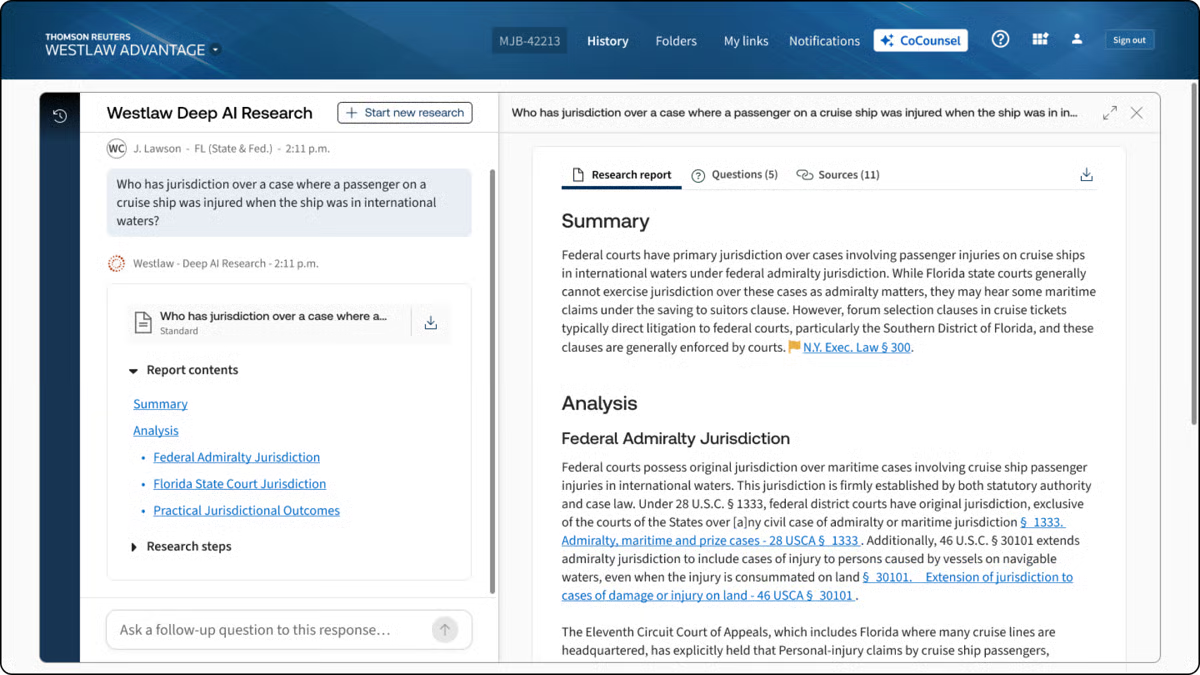
CoCounsel is Thomson Reuters’ legal AI assistant for lawyers and legal operations teams who want help with core legal tasks inside tools they already use.
It brings legal research, drafting, and document analysis into one system, with links to Westlaw, Practical Law, Microsoft 365, and document management systems.
Source: G2
What gives CoCounsel a different feel from other AI tools is its connection to Thomson Reuters content. If you already rely on Westlaw or Practical Law, CoCounsel fits naturally into that workflow.
It is mainly designed for people who want answers and drafts tied to recognized legal sources rather than a general-purpose chatbot with a legal wrapper.
With all that in mind, CoCounsel works especially well for legal teams that want one assistant for everyday work, such as research, reviewing large document sets, drafting, and pulling insight from messy files.
What Is Briefpoint?
Briefpoint is an AI platform that helps litigators handle discovery drafting much faster.
You upload discovery requests and supporting files, and the software turns that material into editable responses for interrogatories, requests for production, and requests for admission.
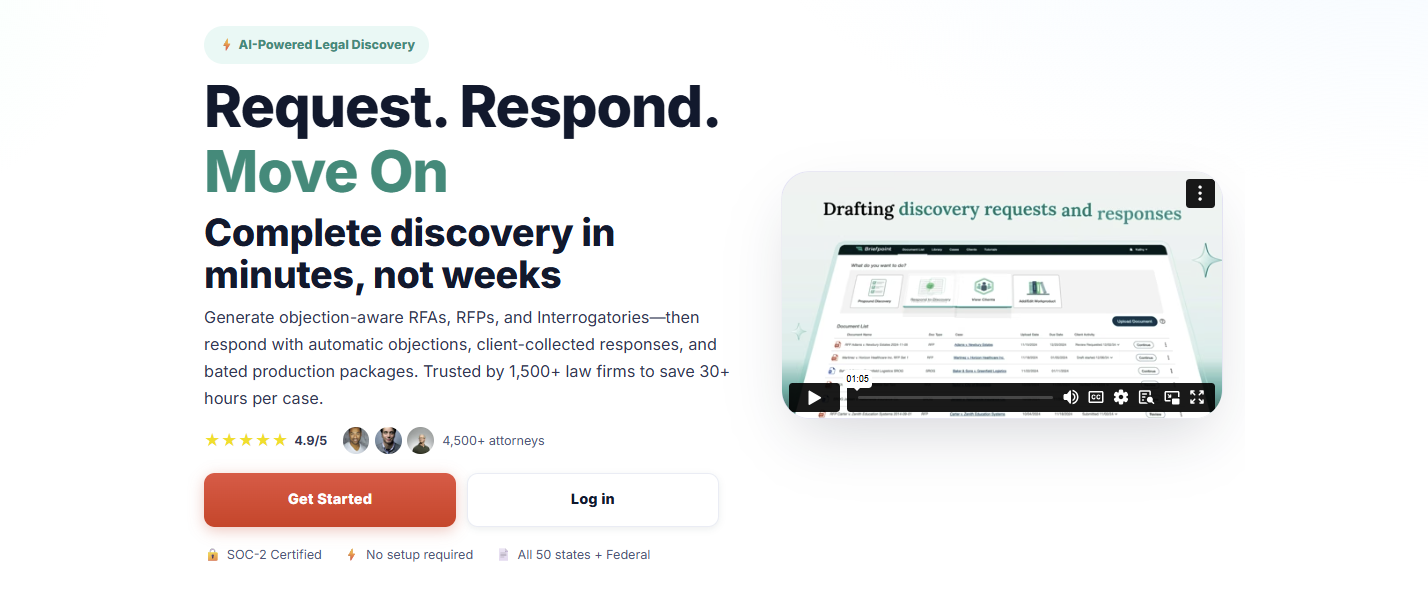
It also helps with production packages and Bates-numbered output, so you can move from raw case documents to polished work product without spending hours piecing everything together manually.
Another thing that makes Briefpoint stand out in this comparison is how focused it is. Harvey and CoCounsel cover a broader range of legal work.
On the other hand, Briefpoint goes straight at one of litigation’s biggest time drains, which is discovery drafting. If that is the work eating up your day, a specialized tool will usually feel a lot more useful than a general AI assistant.
It also has strong adoption in the legal market. Briefpoint is trusted by more than 1,500 law firms nationwide, which gives it real weight for firms that want software with a proven place in practice.
Harvey AI vs. CoCounsel vs. Briefpoint: What Are the Key Differences?
The differences make more sense when you look at what each one is meant to help you do. Here’s a closer look at their main purpose, legal applications, key features, and who each tool fits best.
Main Purpose
Harvey focuses on broad, high-value legal workflows for firms and in-house teams that need help with complex research, drafting, analysis, and document review inside a larger generative AI platform.
Harvey Assistant sits in that enterprise lane, so the goal is wider legal productivity rather than one narrow task.
CoCounsel has a broader day-to-day legal focus, but it feels more structured around the core work lawyers already do in the Thomson Reuters ecosystem.
Thomson Reuters describes CoCounsel Legal as one AI tool for research, drafting, and document analysis, and CoCounsel has also been framed around seven core legal tasks, which gives it a practical workflow angle for everyday use.
Briefpoint goes in a much narrower direction, and that is the point. Its main purpose is discovery drafting: generating and responding to RFAs, RFPs, and interrogatories, then helping you package production with objections and Bates-cited output.
So, while Harvey and CoCounsel aim to raise the lawyer baseline in a broad sense, Briefpoint is there to speed up one very specific part of litigation work that tends to eat up hours.
Legal Applications
We already covered the general purpose of each tool. Now, let’s get a little more specific and look at the legal work each one tends to fit into once you put it to use.
Harvey AI tends to suit broader legal projects that call for analysis, synthesis, and high-level support in demanding environments. Many legal professionals use it for:
- Transactional support
- Investigations
- Compliance projects
- Litigation prep
- Internal knowledge work
CoCounsel fits more naturally into everyday legal work, such as:
- Research tasks
- Drafting support
- Summarization
- Review workflows
Briefpoint has the narrowest application of the three, but that focus is also what makes it useful for firms that spend a lot of time handling discovery paperwork, including:
- Interrogatories
- Requests for production
- Requests for admission
- Objections and responses
- Production drafting
Key Features
Next, let’s look at the features each one brings to the table.
Harvey AI’s Key Features
- Assistant: Lets you ask questions, analyze legal documents, and draft work product in one place, with citations that make it easier to check the source material before you use the output.
- Knowledge sources: Pulls from uploaded files, Vault content, document management systems, premium legal databases, curated public sources, and web search, which gives you wider access to the legal text and case law behind an answer.
- Deep analysis: Handles multi-step reasoning and generates longer, structured outputs for complex legal questions, which is useful when a fast summary will not cut it.
- Vault: Stores and organizes up to 100,000 documents in a single vault, then helps teams compare, review, and analyze large datasets in a more structured way.
- Review tables: Extracts and compares key data points from thousands of legal documents at once, which is especially useful for due diligence and large-scale review projects.
- Workflow Agents: Creates custom legal workflows with natural language prompts, embedded examples, and flexible logic so teams can automate recurring work while keeping output more consistent.
CoCounsel’s Key Features
- Research tied to Thomson Reuters content: CoCounsel pulls from Westlaw and Practical Law, which gives you stronger information retrieval and makes the answers feel more grounded in legal authority rather than generic GenAI tools.
- Document analysis: You can upload large sets of legal files and ask detailed questions, compare documents, summarize content, and pull out the points that need attention. That makes it useful for due diligence review and other heavy review projects.
- Tabular analysis: CoCounsel can analyze thousands of documents at once and return results in a sortable table, which helps when you need data extraction from large batches of contracts or other records.
- Drafting support: It helps with drafting and revising legal work product using both Thomson Reuters content and your own documents, so the output has more legal context behind it.
- Guided workflows: CoCounsel Legal includes multi-step workflows for high-friction legal work, which makes the tool feel more structured than a basic chat assistant.
- Deep integration: It connects with Microsoft 365, document management systems, and Thomson Reuters products, so it fits more naturally into the legal software many legal teams already use.
Briefpoint’s Key Features
- Autodoc for discovery responses: Upload RFPs, complaint files, and productions, and Briefpoint turns them into Word-formatted responses with objections, answers, and page-level Bates citations.
- Ready-to-serve production packages: Briefpoint can generate a Bates-numbered production package alongside the response draft, which saves a huge amount of manual prep when you are dealing with large volumes of files.
- Trust-and-verify controls: The platform shows where the AI searched, lets you review the files it found, and gives you the option to confirm or deselect documents before anything goes out.
- Microsoft Word export: Briefpoint sends the final draft into Microsoft Word, so your team can make edits, finalize objections, and prepare documents for service in a format lawyers already use every day.
- Client response collection: For interrogatories, Briefpoint can send plain-English questions through a secure portal and flow the answers back into Word-ready drafts.
- Security and data controls: Briefpoint is SOC-2 certified, supports HIPAA compliance, encrypts data in transit and at rest, and keeps customer data siloed per account. Uploaded documents and other content are not used to train Briefpoint or third-party AI models.
Who It’s Best For
If you work at a large firm or in a legal department that handles complex projects, Harvey AI will likely make more sense. It fits teams that want broad AI support for research, analysis, drafting, and internal knowledge work, especially when the goal is to use one platform for a wide range of tasks.
CoCounsel feels like a better match for lawyers who want AI woven into familiar research workflows. If your team already leans on Thomson Reuters tools and values practical guidance tied to trusted legal sources, CoCounsel will probably feel like the more natural option for everyday use.
Briefpoint, on the other hand, is the strongest fit for litigators and litigation support teams buried in discovery work.
If your day involves drafting responses, handling production, and getting documents out the door fast, its narrower focus will likely be a plus. You also get editable Word output and full control over the final draft, which matters when you need to review everything closely before service.
How Law Firms and Legal Professionals Can Choose the Right Legal AI Tool
Choosing a legal AI tool starts with a simple question: what work is slowing your team down the most?
The best option usually depends on your actual workflow, your review standards, and how much risk your team is willing to take on (among other important factors).
- Pin down the main use case: Start with the task that eats the most time. That could be legal research, contract review, reviewing documents, discovery drafting, and more.
- Check how much human review is still needed: Tools built on large language models can move work faster, but legal output still needs attorney oversight before it goes to a client, court, or opposing counsel.
- Review security and AI governance: Look at how the platform handles client data, permissions, retention, and internal policies tied to AI use.
- Look at workflow fit: Common AI features, like natural language processing, can help, but the tool also needs to work well with Microsoft Word, collaboration tools, and the systems your team already uses.
- Compare the real cost: Per-user pricing, add-ons, admin controls, and training time can all affect the total costs more than the base price suggests.
- Think about risk tolerance: If your team wants tighter control, pick a tool that makes review, editing, and verification easy.
Briefpoint Brings Legal AI Back to the Work That Slows You Down
Briefpoint works well because it stays focused on discovery from start to finish. You can complete the discovery workflow in three simple steps: upload the request, add objections and responses, then open the finished draft in Word and serve.
Briefpoint’s whole workflow makes it easier to move work forward without getting pulled into a broader platform that tries to cover every legal task at once.
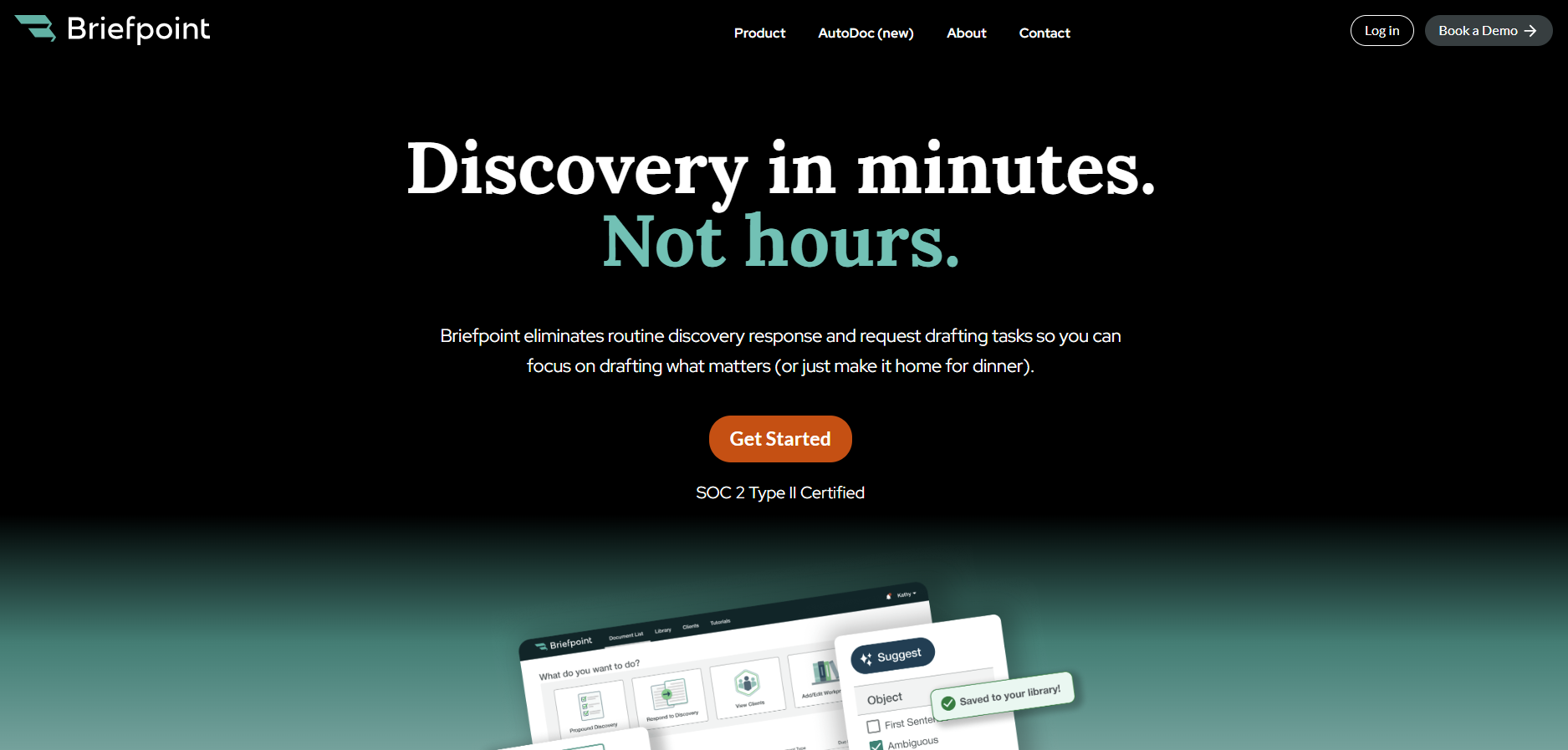
That focus also shows up in the speed. Briefpoint highlights 3–10 seconds per request for Autodoc, with lightning-fast processing that turns uploaded productions and case files into ready-to-serve responses with Bates-cited Word output and production packages.
You still keep control over the final work product, too. Briefpoint gives you review steps, editable Word output, and trust-and-verify controls, so the process moves faster without forcing you to give up careful attorney review.
