5 Best AI Software For Law Firms in 2026
The Integration of AI Into The Legal Industry
AI is becoming a more practical part of legal work, especially in areas where large amounts of information have to be reviewed, organized, or turned into usable drafts.
Tasks such as contract review, legal research, discovery drafting, and document analysis can take significant time before an attorney reaches the more complex legal work.
AI can help reduce that burden by surfacing relevant information faster, identifying patterns in documents, and preparing first-pass material for review, among many other functions. In legal operations, it can also support intake, billing, scheduling, client communication, and more.
More advanced AI tools are starting to fit into broader legal workflows by giving firms new ways to manage routine work while keeping attorney judgment at the center of the process.
Used carefully, the technology can improve efficiency by enabling attorneys to spend less time on repetitive preparation and more time on strategy, advocacy, and client work.
Still, the strongest results usually come when the team focuses AI on tasks that are structured enough to automate but still benefit from human review.
What Are The Best AI Tools for Lawyers?
Whether you’re looking to cut down on paperwork, speed up research, or stay more organized, there’s an AI tool for that. Here are some of the best options to help your firm work smarter:
1. Briefpoint
Briefpoint is an AI discovery platform built specifically for written discovery rather than broad legal tasks handled by general AI tools.
It can help you propound and respond to interrogatories, requests for admission, and requests for production in all 50 states and 98 federal district courts.
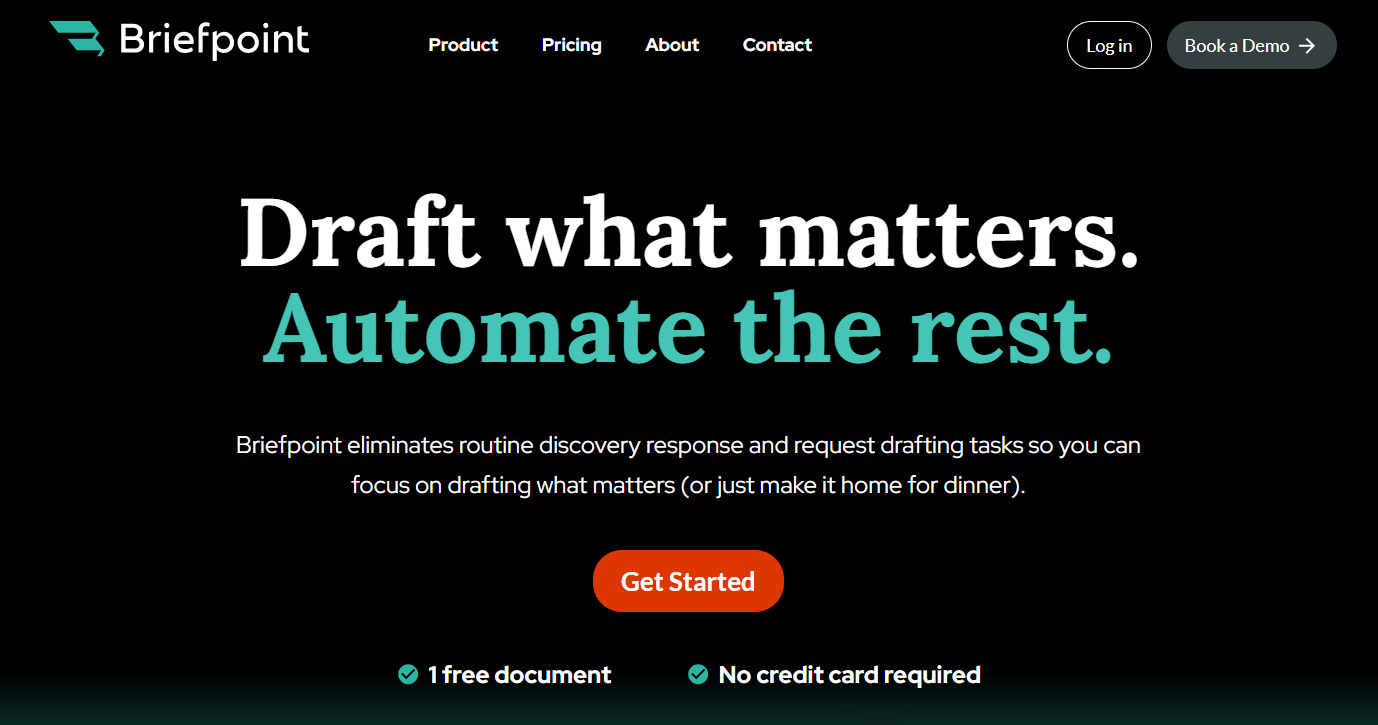
Its key features cover much more than first-pass drafting. Briefpoint can apply objections, collect client answers and files through Client Bridge, generate Word-ready drafts, and support RFP production with Bates-cited responses and production packages.
Discovery Playbooks can also help firms apply their preferred objection and response strategies more consistently from case to case.
The platform keeps attorney review at the center of the workflow, with documents available for revision in Word before they are served. It is built for discovery work rather than court filings generally, so its focus stays on one of the more repetitive parts of litigation.
Best Features
- Discovery drafting: Drafts and responds to interrogatories, RFAs, and RFPs using jurisdiction-ready formatting.
- Client Bridge: Collects client answers and supporting files through a secure link, with English and Spanish support.
- Autodoc: Reviews RFPs and case files, identifies responsive documents, and generates Bates-cited Word responses with production packages.
- Discovery Playbooks: Applies firm-specific objection and response strategies more consistently.
- Word-ready output: Lets attorneys review and revise generated documents in Microsoft Word before service.
- Supplemental responses: Helps update prior discovery responses while keeping earlier answers available for reference.
Pros
- Covers written discovery in all 50 states and 98 federal district courts
- Handles both propounding and responding to discovery
- Reduces repetitive drafting and document-production work
- Keeps attorney review in the workflow
- Supports client response and document collection
- Produces Bates-cited RFP responses and production packages
2. Clio
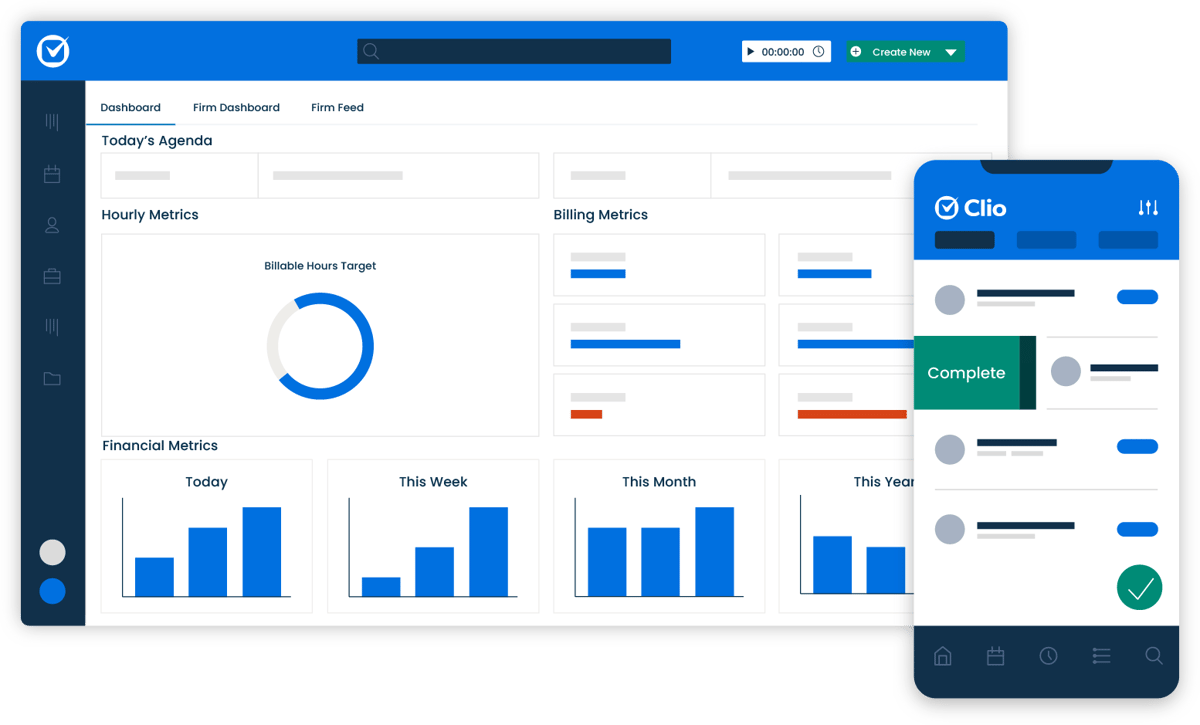
Clio is a cloud-based legal practice management platform that helps law firms manage cases, billing, documents, client communication, and day-to-day administrative work in one system.
Team members can access matter information remotely, track deadlines, record time, and communicate with clients through secure tools designed for the legal field.
Source: G2
Clio has expanded its AI capabilities as well. Depending on the product and plan, firms can use AI for tasks such as drafting client updates, summarizing matter information, analyzing documents, and conducting legal research.
Plus, Clio says firm data is encrypted in transit and at rest and is not used to train its AI models, an important consideration when handling sensitive client data.
Best Features
- Case management: Keeps matter details, contacts, documents, tasks, and deadlines organized in one place.
- Billing and invoicing: Supports time tracking, billing, online payments, and trust accounting.
- Client portal: Gives clients a secure place to exchange messages, make payments, and follow matter updates.
- Document management: Provides unlimited document storage across its current plans.
- AI capabilities: Supports AI-assisted administrative work, with broader legal research and analysis available through Clio Work.
- Integrations: Connects with commonly used business and legal applications.
Pros
- Combines practice management and legal AI capabilities
- Gives team members centralized access to matter information
- Includes secure client communication tools
- Offers cloud-based access from multiple devices
- Supports billing, payments, and accounting workflows
- Provides unlimited training and support on every plan
Pricing
Clio currently offers four main practice management plans: Starter, Core, Signature, and Elite. Starter begins at $49 per user per month, while Clio now directs prospective customers to request pricing for Core, Signature, and Elite.
Higher tiers add more automation, reporting, permissions, and workflow capabilities, with Elite including Clio Grow for client intake and CRM.
Clio does not offer a permanent free version, but it does provide free trials for eligible products. Higher plans provide broader functionality rather than simply higher usage limits.
3. Everlaw
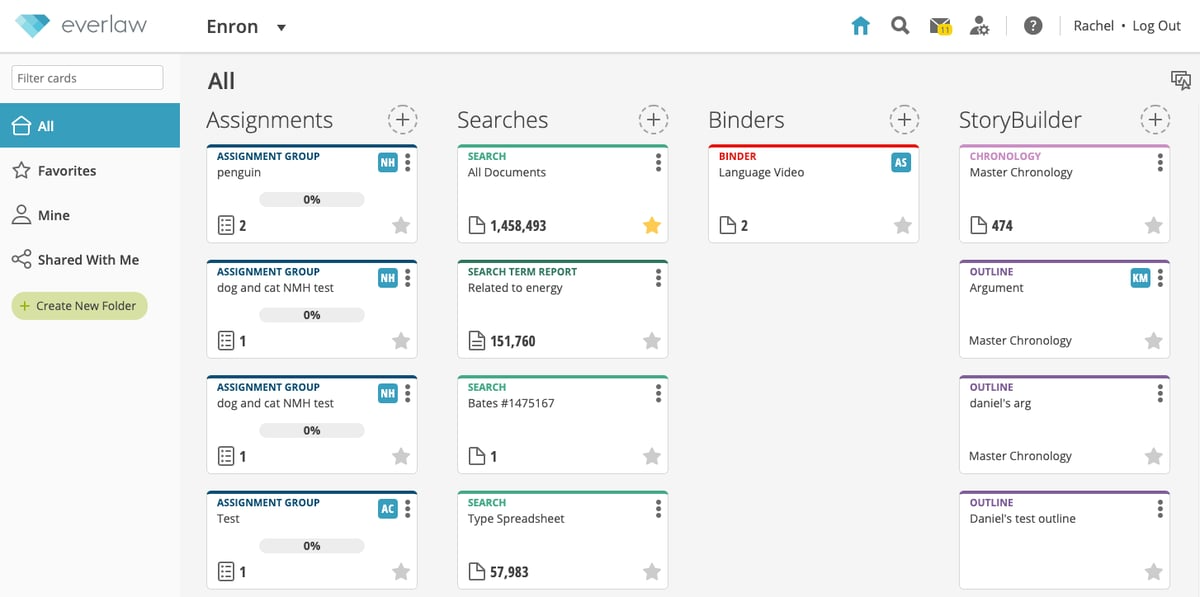
Everlaw is an AI-driven e-discovery platform built to make litigation and investigations easier to manage.
Legal teams deal with massive amounts of documents, and sorting through them manually takes up valuable time. Everlaw speeds up the process with advanced search, machine learning, and collaboration tools, which help lawyers find key information faster.
Source: G2
It also makes organizing evidence and preparing for trial more efficient. Since it’s cloud-based, teams can access case files from anywhere, whether they’re in the office, in court, or working remotely.
Best Features
- AI-powered search and review: Quickly scans and categorizes large volumes of legal documents to help lawyers find relevant information faster.
- Collaborative case building: Allows teams to organize evidence, manage timelines, and prepare for trial in a shared workspace.
- Integrated trial preparation: Includes tools for drafting arguments, managing depositions, and strategizing case presentations.
- Cloud-based access: Work on cases from anywhere without worrying about software updates or security risks.
Pros
- Speeds up document review with AI-powered search
- Simplifies collaboration by keeping all case materials in one place
- Frequent updates make sure the platform stays up to date
- Cloud-based, so teams can access files from anywhere
Pricing
Everlaw’s pricing is currently not publicly available.
4. Harvey
Harvey is a generative AI platform built for legal professionals and in-house legal departments. It supports legal research, document review, contract drafting, and drafting briefs, while keeping human expertise at the center of the work.

Source: Harvey.ai
Legal professionals can use Harvey to analyze large document sets, answer legal and regulatory questions, generate first drafts, and work with legal content grounded in source material.
Transactional lawyers can use it to strengthen contractual clauses, identify inconsistencies, and prepare issue lists during negotiations. Litigators can use it for tasks such as case assessment, discovery analysis, legal briefs, motions, and trial preparation.
Harvey has also expanded beyond a traditional AI chatbot. Its current platform includes Agents, Vault, Workflows, Contract Intelligence, Spaces, and integrations with tools such as Microsoft Word.
Best Features
- AI-powered drafting and editing: Generates first drafts of contracts, briefs, correspondence, and other legal documents, with editing available directly in Harvey and Microsoft Word.
- Legal research: Helps answer complex legal, regulatory, and tax questions using legal sources and jurisdiction-specific research capabilities.
- Contract intelligence: Supports contract review, negotiation, and portfolio analysis, including clause review and recommendations based on precedents, playbooks, or deal points.
- Vault: Lets users securely organize and analyze large collections of legal documents in one environment.
- Microsoft Word integration: Allows lawyers to ask questions about documents, revise language, and apply suggested edits as redlines without leaving Word.
- AI agents and workflows: Can carry out multi-step legal workflows and produce review-ready work for attorneys to evaluate.
Pros
- Supports both litigation and transactional legal work
- Handles research, drafting, review, and document analysis in one platform
- Integrates directly with Microsoft Word
- Can analyze large volumes of documents and matter information
- Gives lawyers tools for building custom workflows and using AI agents
- Keeps attorney judgment and human expertise central to final legal work
Pricing
Harvey does not currently publish standard pricing on its website.
5. Docusign CLM
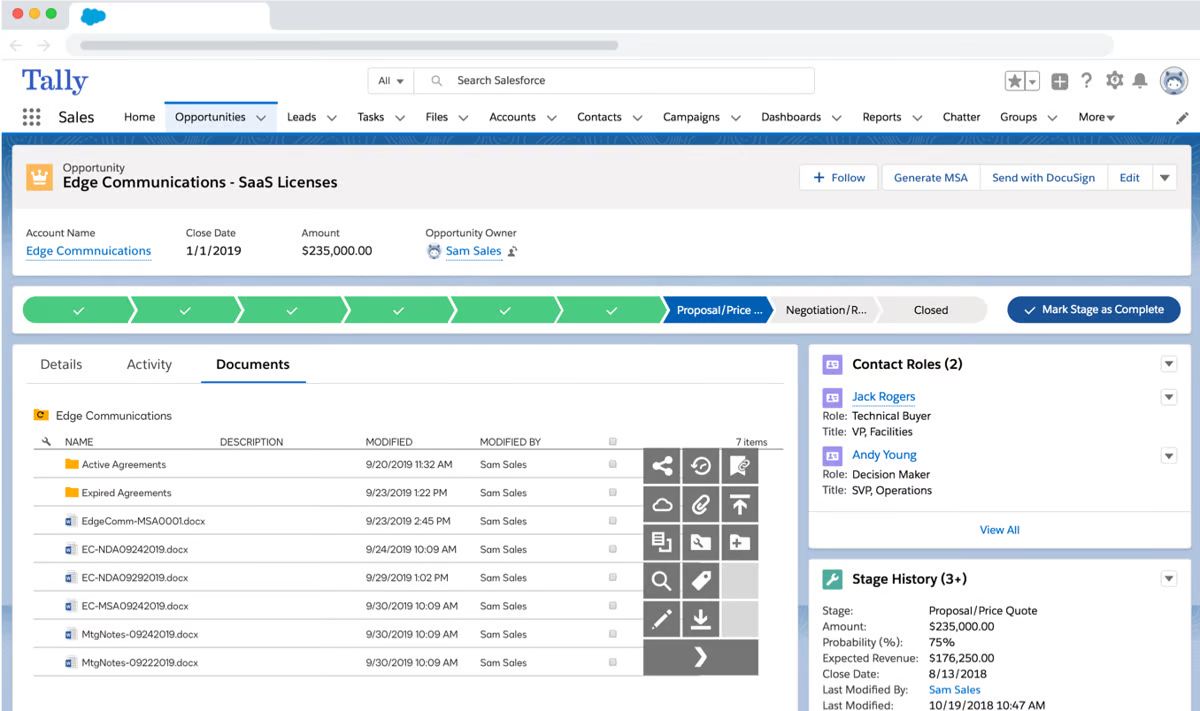
Docusign CLM is a contract lifecycle management platform that helps organizations create, review, approve, sign, store, and manage agreements within a structured workflow.
It is built around contract automation, with tools for generating initial drafts from templates, routing agreements for review, tracking versions, and keeping completed contracts in a searchable repository.
Source: G2
Whether you’re closing deals or purchasing supplies, Docusign CLM helps speed things up and reduces risks.
Its AI capabilities can flag non-compliant clauses, suggest approved language, draft new clauses, and extract contract data for reporting and analysis.
Docusign CLM also supports integrations with systems such as Salesforce and SAP Ariba, along with pre-built connectors and API access for connecting contract workflows to other business applications.
Best Features
- Automated document generation: Creates contracts from dynamic templates and can populate agreements with data from systems such as Salesforce.
- AI-assisted review: Flags non-compliant language, suggests approved clauses, and can help generate new clause language.
- Workflow automation: Routes contracts through internal and external review using configurable workflows and detailed version control.
- Centralized repository: Stores contracts in a searchable location and tracks obligations, renewals, and agreement metadata.
- Integrations and API access: Connects with Salesforce, SAP Ariba, Coupa, and other business systems through integrations and APIs.
- Audit trails and permissions: Tracks who took action and when, while role-based controls help manage access to contract information.
Pros
- Covers much of the contract lifecycle in one system
- Supports AI-assisted drafting and contract review
- Integrates with widely used enterprise systems
- Provides detailed version control and audit logs
- Uses role-based access controls and enterprise-grade security practices
- Makes contract data easier to search, report on, and analyze
Pricing
Docusign does not publish standard pricing for its CLM product.
How to Integrate AI Into Your Legal Practice
Bringing AI into your legal profession doesn’t mean replacing lawyers, but working smarter. Whether it’s cutting down on paperwork or making legal research faster, the right AI tools can make a big difference.
That said, we’ve compiled some tips on how to make the transition smoother:
- Pinpoint the bottlenecks. What’s eating up the most time? If research, document drafting, or client intake slows things down, AI can take over those repetitive tasks.
- Find the best legal AI tools. There’s no one-size-fits-all solution. Some legal AI solutions focus on contract review, while others assist with case management or billing. Choose what fits your firm’s workflow.
- Start with an AI assistant. Instead of diving in headfirst, test an AI assistant for specific tasks, like summarizing case law or generating first drafts of legal documents.
- Get your team on board: AI is only useful if people actually use it. Provide training and show how it saves time instead of adding extra steps.
- Measure the impact: Track improvements in efficiency and accuracy. If something isn’t working, adjust your approach or explore different AI options.
How Can Legal AI Tools Benefit Lawyers?
Whether you’re managing a small practice or a large firm, AI can make legal work smoother and more efficient. Here’s how these tools can help.
Saves Time on Routine Tasks
Legal work involves a lot of repetitive tasks that take up valuable time. Luckily, AI can handle these in minutes. For example, it can:
- Summarize legal documents
- Schedule appointments
- Research legal clauses
- Prepare documentation
- Draft communications
But instead of spending hours on menial yet necessary tasks, AI lets lawyers focus on strategy and case analysis. For firms handling a high volume of cases, AI speeds up workflows and makes sure that deadlines aren’t missed.
Reduces Errors and Improves Accuracy
Even the most detail-oriented lawyers can miss something in a long contract or case file. AI tools help by catching inconsistencies, flagging missing clauses, and cross-checking legal references.
They can scan thousands of pages in seconds, spotting risks that might go unnoticed in a manual review. This is a big deal in contract law, where a single misplaced word can cause legal trouble.
With AI handling the fine details, lawyers can feel more confident that everything is accurate before sending it off to a client or court.
Makes Case Management Easier
Keeping track of multiple cases can feel like a full-time job on its own. Court dates, deadlines, and client details end up buried in emails or spread across different files, making it way too easy to miss something important.
AI-powered case management systems help keep everything organized. They track deadlines, sort case files, and even send reminders when it’s time to file paperwork.
Instead of wasting time digging for documents, lawyers can pull up case histories, notes, and client messages in seconds.
Cuts Costs for Law Firms
Running a law firm isn’t cheap, and hiring extra staff for research, document prep, and case management only adds to the costs. AI helps firms cut expenses by automating these time-consuming tasks without lowering quality.
Rather than spending billable hours on routine work, lawyers can focus on high-value cases or take on more clients.
For example, a small firm using AI for contract review can save thousands per year by reducing the need for manual proofreading. This levels the playing field, which allows smaller firms to compete with larger ones without a huge support team.
Helps With Legal Research
Legal research takes up a huge chunk of time, but AI makes it faster and more efficient. Instead of manually digging through databases, lawyers can use AI-powered tools to pull relevant cases, statutes, and legal opinions in seconds.
Here’s how AI helps:
- Instant case searches: AI scans thousands of legal documents and pulls the most relevant information based on keywords or legal questions.
- Pattern recognition: Some AI tools highlight trends in case law so attorneys can build stronger arguments.
- Precedent tracking: AI identifies key rulings that might otherwise be overlooked, which helps make sure cases are backed by solid legal precedent.
- Faster summarization: AI can condense lengthy legal texts into key points, making it easier to review large amounts of information quickly.
Improves Client Communication
Clients expect quick responses, but lawyers can’t always drop everything to answer emails or take calls.
AI-powered chat tools can handle basic client inquiries, schedule consultations, and even collect initial case details. This keeps clients informed while freeing up attorneys for more complex legal services.
AI can also generate personalized updates so clients feel engaged without lawyers having to manually check in. By automating these small interactions, law firms improve client satisfaction while focusing their time where it’s needed most.
Give Discovery Work Back to Briefpoint
The best legal software gives you back time without forcing you to rethink every part of your practice. For solo practitioners and larger firms alike, AI can take on repetitive work, speed up routine drafting, and make everyday legal workflows easier to manage.

Discovery is one area where that time savings can be especially significant. Briefpoint helps automate written discovery by drafting responses, applying objections, collecting client input, and preparing Word-ready documents for attorney review.
It gives you a more structured way to handle recurring discovery work while keeping legal judgment in your hands.
If you want to spend less time drafting and formatting discovery responses, book a Briefpoint demo and see how it can fit into your workflow.
