

How to Choose Legal Discovery Software for Your Firm

How to Choose Legal Discovery Software for Your Firm

Choosing legal discovery software can get complicated pretty quickly. You may be dealing with large amounts of electronically stored information (ESI), written discovery, client files, and production requirements, all within the same matter.

The right platform should fit the way your firm already works and reduce the time spent on repetitive tasks.

More than that, it should make it easier to accomplish necessary steps like finding relevant information, preparing documents for review, and keeping attorneys in control of the final output.

Before you make a decision, it helps to look closely at key factors like the software’s features, pricing, security, jurisdictional coverage, and day-to-day usability. The steps below will help you compare your options with a clearer idea of what your firm actually needs.

Step 1: Identify the Discovery Work You Want to Automate

Start with the parts of the discovery process that take the most time or create repeated administrative work. A clear view of your current workflow will help you narrow down legal discovery software based on what your firm actually needs.

First, review how your team handles work such as:

  • Drafting discovery requests: Preparing interrogatories, requests for admission, and requests for production from case information.
  • Responding to discovery: Creating initial answers and objections for attorney review.
  • Collecting client input: Gathering answers and supporting files through a secure process.
  • Finding relevant documents: Matching client files to individual production requests.
  • Preparing productions: Applying Bates numbers and organizing documents for service.

From there, look at where delays tend to occur. For instance, you may find that legal professionals spend too much time moving information between files, following up with clients, or reviewing documents manually.

It also helps to speak with the people who complete each task. Their feedback can show you which parts of the workflow need the most support and which features your law firm is likely to use regularly.

Step 2: Decide Which Features Matter Most

After you define the work you want to automate, focus on the features that will have the clearest impact on your process. The right set will depend on the volume of digital data you handle and how much of the discovery workflow you want the software to support.

Key features to review include:

  • Search capabilities: Look for tools that can quickly locate relevant material within electronically stored information.
  • Data processing: Check how the platform collects, organizes, and prepares files for review.
  • Document review tools: Review features that help your team sort, tag, and assess large document sets.
  • Early case assessment: See how the software helps you understand the scope, cost, and potential risks of a matter before full review begins.
  • Predictive coding: Consider this feature if your firm regularly handles high-volume cases and wants technology-assisted review.
  • Cloud access: Cloud-based eDiscovery software can make it easier to manage cases without relying on local systems.
  • Export and production tools: Confirm that the platform can prepare digital data in the formats your firm and opposing counsel require.

Next, compare these features with your current workload. A focused legal discovery platform may be a better fit than eDiscovery software built for much larger matters.

Step 3: Check Which Documents and Jurisdictions the Software Supports

Next, confirm that the legal discovery tool can handle the document types your firm works with most often. Support may include written discovery, digital records, email, and other forms of electronic evidence.

The platform should also fit the way your team collects data and moves it into the system through data ingestion.

Jurisdictional coverage deserves the same attention. Discovery rules, objection language, formatting, and deadlines can vary by state and court.

For example, a firm handling civil matters in California may need software that reflects California discovery rules, while a federal case may require different language and document structures.

Today’s eDiscovery software often supports a broad range of electronic data, but broad coverage does not always mean the platform is a good fit for your specific practice.

Review the supported jurisdictions carefully, then check how often the provider updates its rules and templates. This will give you a clearer sense of how reliable the software will be as your caseload grows.

Step 4: Evaluate Ease of Use

An eDiscovery software platform may offer advanced capabilities, but your team still needs to use them without constant troubleshooting. Look closely at how intuitive the interface feels and how quickly legal professionals can move through the legal process.

Pay attention to areas such as:

  • Clear menus and case workspaces
  • Simple document uploads
  • Fast search and filtering
  • Straightforward review tools
  • Helpful prompts and guidance
  • Accessible training and support

For example, if an attorney needs several clicks to locate a client response or review a production set, the software may slow the work down rather than support it. A cleaner workflow can make it easier to handle electronic discovery with fewer interruptions.

Plus, it helps to test the platform with a realistic matter during the demo. Ask someone who regularly uses eDiscovery tools to complete a common task and note where they hesitate. That practical test will tell you far more than a feature list.

Step 5: Consider Your Firm’s Case Volume

Case volume can shape which platform makes sense long before you compare advanced features.

Generally, a legal team that handles a steady flow of written discovery needs dependable drafting and response tools. Firms working with large document sets, meanwhile, may place greater weight on processing capacity and review speed.

Start with the number of active matters your firm handles, then consider how much electronic discovery each one usually creates.

For example, a platform that performs well with a few hundred files may struggle once a case includes several terabytes of data. Pricing can also change as volume rises, especially when providers charge for storage, processing, or hosted information.

Ideally, the right eDiscovery software should fit your current workload while leaving room for larger or more complex matters. It should also support the legal data lifecycle without forcing your team to move information between separate systems throughout the electronic discovery process.

Step 6: Review Security and Compliance Standards

Security deserves close attention because legal discovery software may hold digital evidence, client information, and potentially privileged documents.

Before you commit, review how the provider protects data stored on the platform and how its policies support regulatory compliance.

Key areas to check include:

  • Encryption: Confirm that files are encrypted during transfer and while stored.
  • Access controls: Look for role-based permissions, multi-factor authentication, and clear user management.
  • Audit logs: Check that the platform records user activity and document changes.
  • Data location: Ask where information is hosted and which laws govern that storage.
  • Certifications: Review standards such as SOC 2 and other relevant compliance frameworks.
  • Incident response: Find out how the provider handles security events and communicates with customers.

A cloud-native eDiscovery platform should offer enterprise-grade security within a secure environment. Still, feature claims alone are not enough. Ask for documentation, review the provider’s security controls, and confirm how long data remains in the system.

These checks can help your firm reduce exposure while mitigating risks throughout the discovery process.

Step 7: Compare Pricing and Total Cost

Pricing can vary widely among eDiscovery software companies, so the advertised rate may only tell part of the story. Generally, costs depend on factors like user count, data volume, storage limits, and the level of support included in the plan.

Look beyond the monthly or annual subscription and ask for a full breakdown of possible charges. Things like processing fees, implementation costs, training, and long-term data hosting can raise the total considerably. Such expenses may feel manageable at first, but they can grow as your caseload increases.

Free trials can help you test the software before making a commitment. Use that time to run a realistic matter, review the billing structure, and see which features are included at each tier.

Finally, compare the total cost with the amount of manual work the platform could reduce. The lowest-priced option may still cost more if your team needs extra tools or frequent support to complete routine discovery work.

Step 8: Assess Attorney Control and Review Options

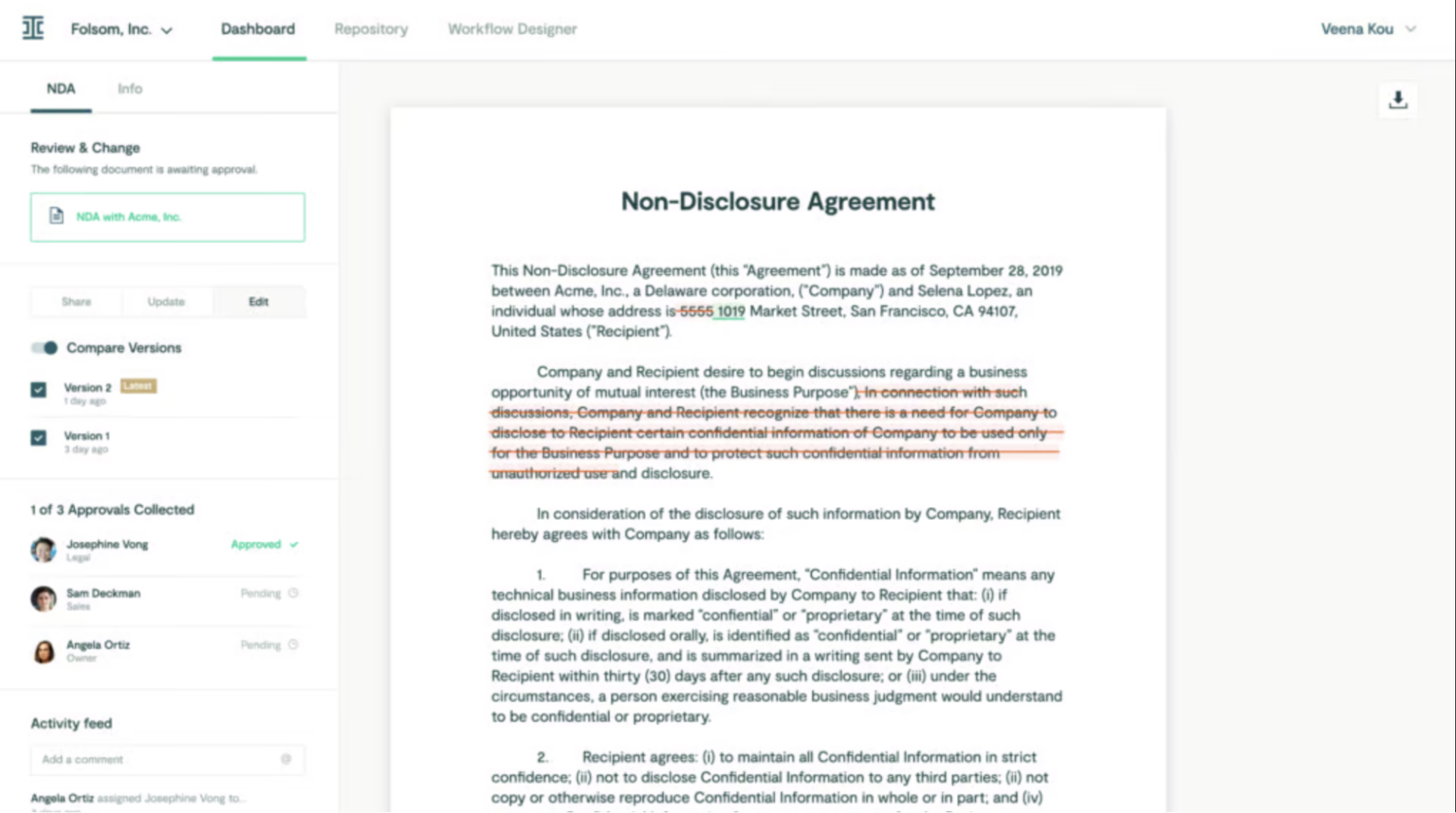
Legal discovery software should give attorneys a clear role throughout the review process. Automation can reduce routine work, but the final decisions still need careful legal judgment, especially when documents may be privileged or strategically important.

Look for controls such as:

  • Editable drafts: Attorneys should be able to revise proposed responses, discovery objections, and document classifications before anything is finalized.
  • Collaborative review: The platform should let team members comment, assign work, and track changes within the same matter.
  • Privilege controls: Reviewers need a reliable way to flag potentially protected material and limit access.
  • Approval workflows: The software should support defined review stages before documents move forward.
  • Audit history: A clear record of edits and approvals can make the eDiscovery process easier to manage.
  • Manual review options: Attorneys should be able to step in whenever a document requires closer analysis.

The review platform should support legal professionals without making the workflow feel rigid. Test how well it handles common document review tasks and confirm that your team can adjust the process as a matter develops.

Step 9: Prepare Questions for the Software Demo

A demo gives you a chance to see how the platform works with a realistic matter. Before the meeting, gather questions from the people who will use the software and focus on the parts of the workflow that need the most support.

Useful questions include:

  • How does the platform handle data collection?
  • Can it produce electronic documents in the formats we use?
  • Which security features are included?
  • What training resources are available?
  • How long does implementation usually take?
  • Can it connect with our other productivity tools?
  • What support do service providers offer after launch?
  • How does pricing change as data volume grows?
  • Can attorneys edit and approve work before final production?
  • How often is the software updated?
  • What happens to our data after a matter closes?
  • Can we test the platform with a sample case?

Pro tip: During the demo, ask the presenter to show each answer inside the software. A live walkthrough will give you a clearer view than a general feature overview.

Step 10: Compare the Best Legal Discovery Tools

At this stage, compare a few leading platforms against the needs you identified earlier. Each product has a different focus, so review the actual workflow rather than choosing based on reputation alone.

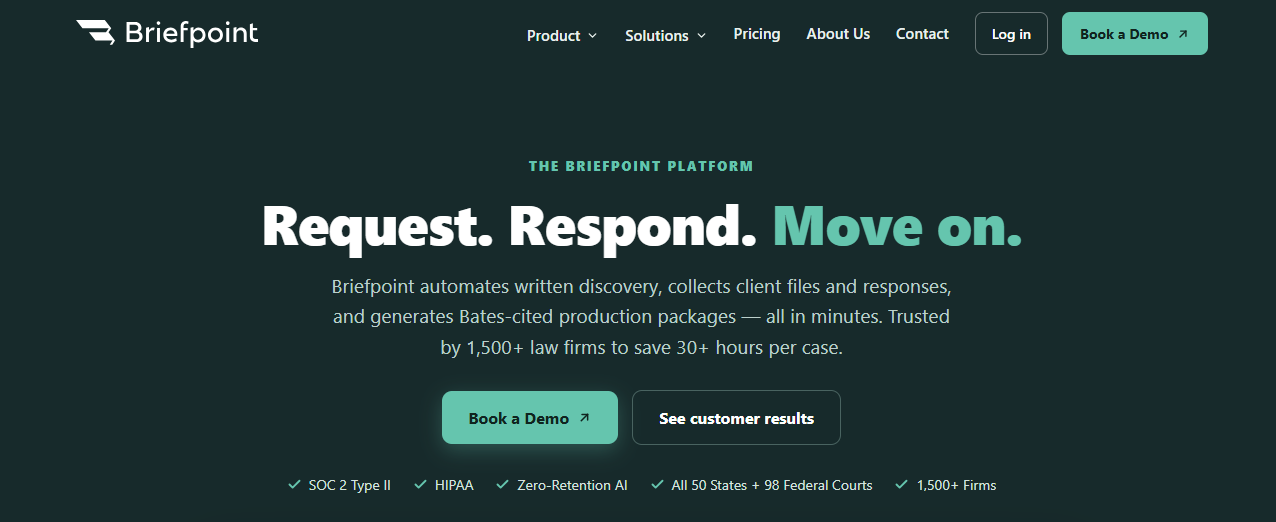
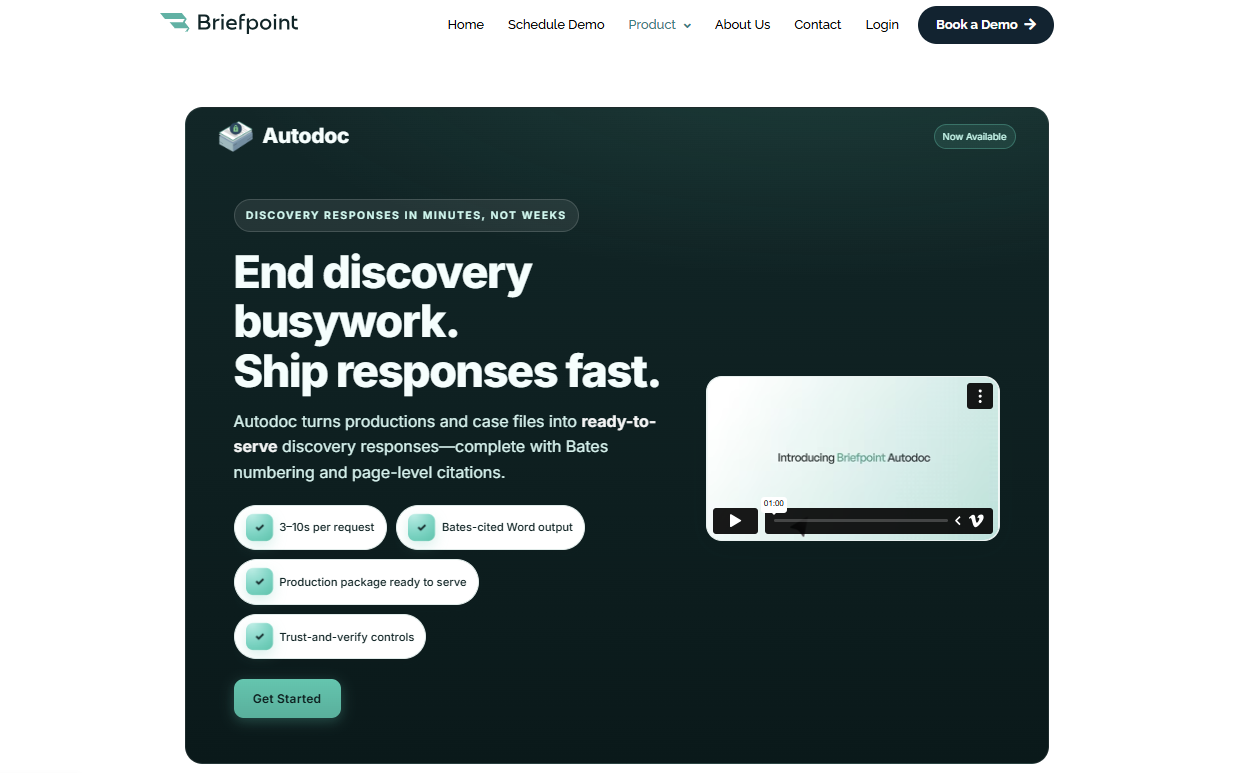
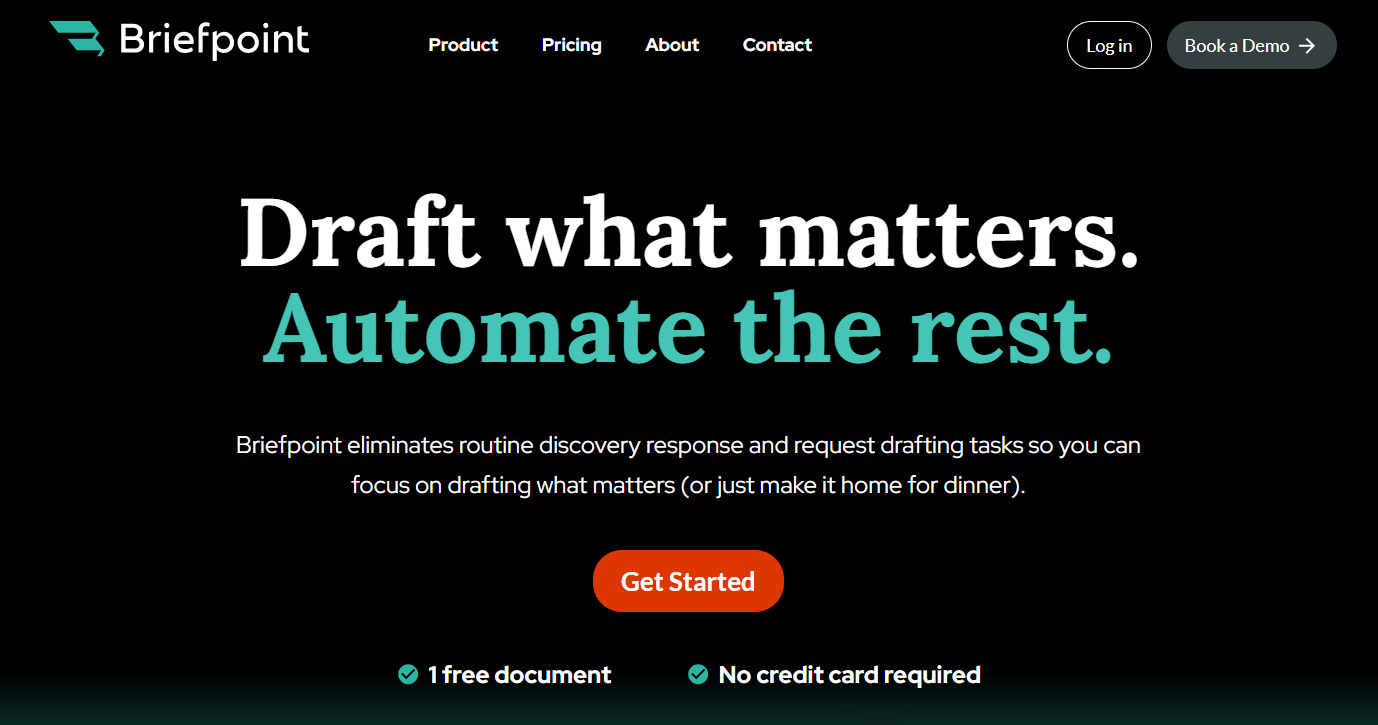
Briefpoint is designed for written discovery. It helps law firms draft and respond to interrogatories, RFAs, and RFPs, while features such as Bridge and Autodoc support client collection and document production.

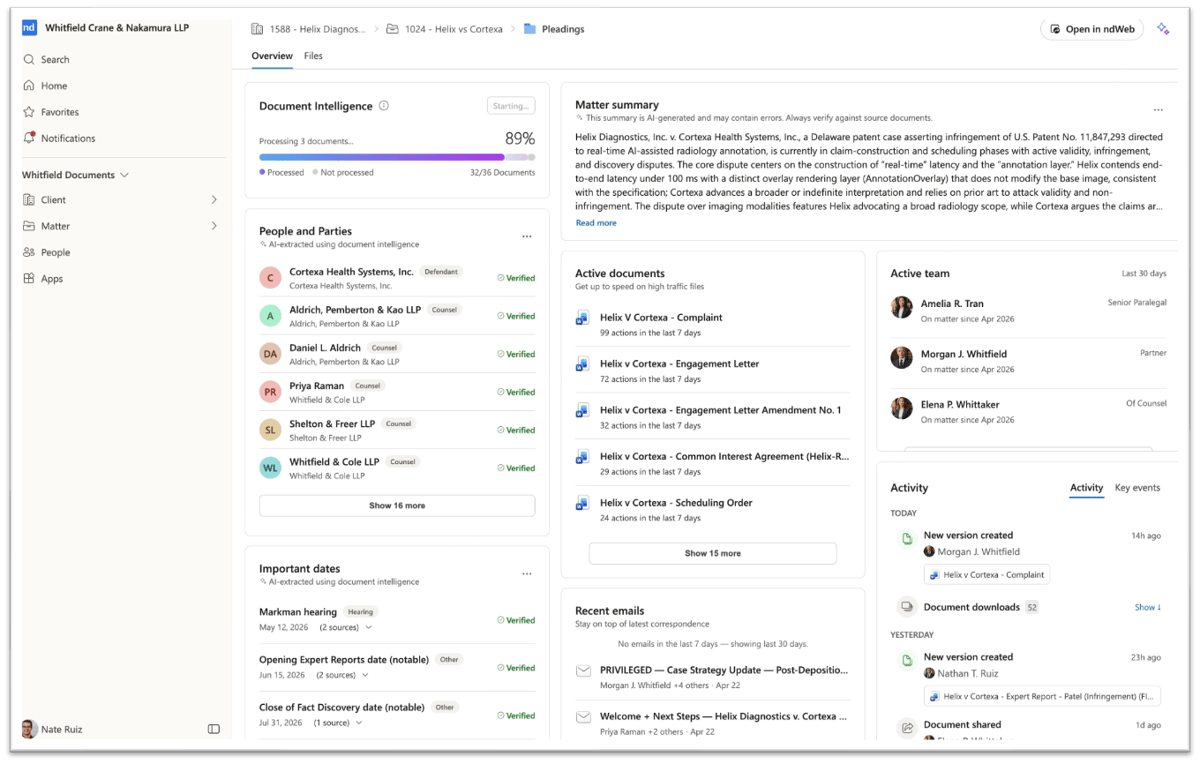
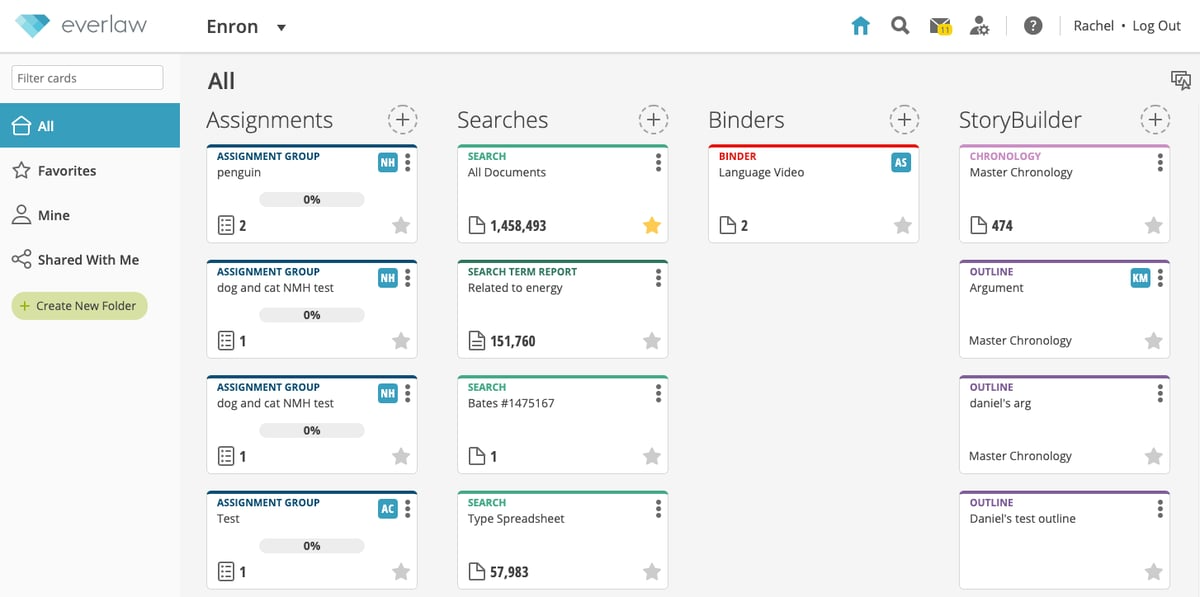
Relativity and Everlaw are broader eDiscovery solutions suited to data-heavy matters with advanced review needs. Logikcull offers a cloud-based approach that may appeal to firms seeking a simpler setup, while DISCO combines document review with AI-supported search and case analysis.

As you compare them, return to your highest-priority tasks. A tool built for large-scale review may offer more functionality than you need if written discovery takes most of your time. Likewise, a drafting platform may not cover the full scope of a complex data review.

Whatever the case may be, the strongest choice should fit the work your team handles regularly and connect naturally with your current process.

Step 11: Make Your Final Decision

After comparing your options, return to the needs you identified at the start. The strongest choice should address your most time-consuming work, fit your case volume, and give attorneys enough control throughout the process.

It can help to score each platform against a short set of criteria, such as ease of use, security, pricing, and the quality of its review features.

From there, consider which eDiscovery tools help your team reach relevant information faster without adding unnecessary steps to the workflow.

You should also look at the provider itself. Review the quality of its support, implementation process, and product updates. A capable platform can still become difficult to use if help is limited after purchase.

At the end of the day, the right choice is the one your team can use confidently in real cases. Include the people who will work in the software regularly, listen to their feedback, and choose the platform that fits your current process while leaving room for future growth.

Choose Legal Discovery Software That Fits Your Practice

Choosing legal discovery software comes down to how well it fits the work your firm already handles. A useful platform should reduce the hours spent on repetitive discovery work while still giving attorneys room to review the final output.

Briefpoint automates written discovery, collects client files and responses, and generates Bates-cited production packages in minutes.

briefpoint

More than 1,500 law firms use it to save over 30 hours per case. Client Bridge supports secure client communication, while Autodoc helps identify the most relevant documents and prepare production-ready materials.

You can review and revise the work in Word before anything moves forward, which keeps your team in control during legal proceedings.

Book a demo to see how Briefpoint could fit your firm’s discovery process.

FAQs About Legal Discovery Software

How much does legal discovery cost?

Costs vary based on the provider, case volume, storage needs, and the amount of data processing involved. Some platforms charge a monthly subscription, while others price by user or data volume. Firms should also review possible fees for implementation, support, and long-term data management.

What are the 4 types of discovery in law?

The four common types are interrogatories, requests for production, requests for admission, and depositions. A legal hold may also become part of the broader process when relevant information must be preserved before collection and review begin.

What is the most popular legal software?

There is no single platform that fits every firm. Popular options often include practice management systems, document tools, and discovery or e-discovery software with collaboration tools. The best choice depends on your workflow, file types, and data security requirements.

What features should legal discovery software include?

When comparing e-discovery tools, look for advanced search, flexible review controls, and support for common discovery documents. Data analytics can also help teams understand larger collections, while features for limiting documents by date or relevance can make review more manageable.

The information provided on this website does not, and is not intended to, constitute legal advice; instead, all information, content, and materials available on this site are for general informational purposes only. Information on this website may not constitute the most up-to-date legal or other information. 

This website contains links to other third-party websites. Such links are only for the convenience of the reader, user or browser. Readers of this website should contact their attorney to obtain advice with respect to any particular legal matter. No reader, user, or browser of this site should act or refrain from acting on the basis of information on this site without first seeking legal advice from counsel in the relevant jurisdiction. Only your individual attorney can provide assurances that the information contained herein – and your interpretation of it – is applicable or appropriate to your particular situation. Use of, and access to, this website or any of the links or resources contained within the site do not create an attorney-client relationship between the reader, user, or browser and website authors, contributors, contributing law firms, or committee members and their respective employers.

READ MORE


How Law Firms Are Using Discovery AI

How Law Firms Are Using Discovery AI

Discovery has always demanded a lot of time from litigation teams, particularly when large document sets and detailed written requests are involved. AI is starting to change how much of that work gets done manually.

In a 2025 eDiscovery survey, 37% of legal professionals said they were already using generative AI in their daily workflows, which shows how quickly the technology is becoming part of legal work.

For discovery, the appeal is pretty straightforward. AI can help with labor-heavy parts of the process while giving attorneys room to review the output and apply their own judgment before anything is served.

In this guide, we’ll look at what discovery AI means, how it fits into the discovery process, the types of work it can support, and the benefits it can bring to your firm. 

We’ll also show how Briefpoint uses AI throughout the discovery lifecycle, from drafting through document production.

What Is Discovery AI?

Discovery is the legal process of exchanging information and evidence between parties before trial. It can include written requests, document production, client responses, and other work that helps each side understand the facts of the case.

Discovery AI refers to the use of artificial intelligence to support parts of that process. Depending on the software, AI can help prepare discovery documents, review incoming requests, organize client-provided information, or assist with finding responsive material.

Some discovery AI solutions use specialized AI models trained or configured for legal work. That distinction is important. General-purpose AI may generate useful text, but legal discovery has specific rules, formats, and procedural requirements that can vary by jurisdiction.

For you, the practical benefit is less time spent on repetitive discovery work and more time available for substantive legal review. AI can handle much of the initial drafting and processing, while the attorney still reviews the work before anything is finalized or served.

How Does AI Work in the Discovery Process?

AI can support discovery at several points during litigation, especially where the work involves large amounts of information or repetitive drafting.

Most tools combine automation with AI models that can do things like interpret requests, generate draft language, and help sort relevant case material.

Common uses include:

  • Drafting discovery documents: Generative AI can prepare first drafts of interrogatories, requests for admission, and requests for production based on case details and attorney input.
  • Reviewing incoming requests: AI-powered tools can analyze discovery requests, flag potential issues, and help prepare draft responses or objections for attorney review.
  • Document review: AI can assist with finding potentially responsive files, improving speed and efficiency when the document set is large.
  • Client information collection: Some solutions help organize client answers and supporting files so the information is easier to review and use in a response.
  • Case organization: AI agents can support tasks related to research, document handling, and discovery tracking while keeping the attorney involved in final decisions.

What Types of Discovery Can AI Help With?

AI can support several common forms of written discovery. The exact capabilities depend on the software, but many tools can assist with work such as:

  • Interrogatories: AI can help draft questions, review incoming interrogatories, and prepare initial responses based on case information.
  • Requests for admission: These tools can help organize each request and generate draft admissions, denials, or qualified responses for attorney review.
  • Requests for production: AI can analyze document requests, help identify potentially responsive records, and support the preparation of written responses.
  • Document production: Some platforms can organize responsive files, apply Bates numbers, and connect produced records to the relevant discovery requests.
  • Supplemental discovery: AI can also help review prior responses and identify areas that may need updates as new information becomes available.

The strongest use cases tend to involve repetitive work that still requires legal judgment before anything is served.

What Are the Benefits of Using AI for Discovery?

AI can make discovery work easier to manage when your team is under pressure to move quickly without giving up control over quality.

The biggest benefits tend to show up in a few practical areas, like:

Faster Turnaround

AI can process discovery requests and case information far faster than a fully manual workflow. Steps like drafting, document review, and information sorting can all move forward sooner, which helps when deadlines are tight or demand starts to climb.

Again, your team still reviews the work, but less time goes toward repetitive setup and first-pass tasks. That can make the overall discovery process feel much more manageable during busy periods.

Better Consistency and Accuracy

Well-configured discovery technology can apply the same response logic and review standards throughout a matter. Consistency becomes extra useful when several reviewers are working on related requests or large sets of records.

AI can also help flag missing information, conflicting details, or areas that need closer attention. Attorney review remains important, but a more consistent starting point can support better accuracy and quality.

Lower Discovery Costs

Manual discovery work can consume a significant amount of attorney and staff time. AI can reduce some of that workload, which may lead to cost savings for law firms and in-house teams handling frequent or high-volume matters.

Employees can spend less time on routine processing and devote more attention to work that needs legal analysis. Firms may also be able to handle higher demand without adding the same level of staffing.

Stronger Control Over Information

Discovery often involves large data flows, sensitive records, and other information that may raise privilege concerns. AI can help organize those materials and make relevant information easier to review without forcing your team to work through every file in the same way.

Good governance remains important. Your team should still control access, review how data stays protected, and decide how AI-generated work is used before anything leaves the firm.

More Time for Legal Judgment

Repetitive discovery work can take up hours that could be spent on deeper case analysis. AI can handle parts of the initial processing while attorneys keep control over final decisions and the finished work product.

Extra time can support better diligence and give your team more space to develop a stronger understanding of the case. Key insights may also become easier to spot when less attention is tied up in routine document handling.

How Briefpoint Uses AI Throughout the Discovery Lifecycle

Briefpoint applies AI to written discovery from the first draft through client collection and production. Its tools cover several stages of the workflow, so you can keep more of the work inside one platform.

With Briefpoint, you can:

Draft and Propound Discovery

Briefpoint can draft interrogatories, requests for admission, and requests for production based on the complaint and case information you upload. It supports all 50 states and 98 federal district courts, with output formatted for the relevant jurisdiction.

For example, if you represent a plaintiff in a negligence case, Briefpoint can analyze the allegations in the complaint and generate targeted discovery requests tied to those issues.

The platform can generate more than 70 targeted requests from allegations, while its objection-aware drafting is designed to avoid common problems in propounded discovery.

You can then review the draft and revise it in Word before serving it. That keeps the attorney in control while reducing the amount of time needed to build the initial set from scratch.

Prepare Discovery Responses

Incoming discovery can be uploaded directly into Briefpoint, which drafts responses to interrogatories, RFAs, and RFPs with objections included. The platform works within the jurisdictional format of the matter and produces drafts that attorneys can review and revise in Word.

Briefpoint can also apply your preferred objection and response strategy through Discovery Playbooks. The feature is designed to carry firm policies into future matters and identify contradictions before responses are served.

Useful parts of the response workflow include:

  • Draft answers and objections for attorney review
  • Apply established discovery response preferences
  • Keep response strategy more consistent between matters
  • Generate Word-ready output for final editing

Collect Client Answers With Client Bridge

Client Bridge handles the part of discovery that usually requires repeated emails, attachments, and follow-ups. Briefpoint converts legal discovery questions into plain-English prompts and sends clients a secure link they can open from any device without installing an app.

Clients can answer questions and upload requested documents through the same link. English and Spanish are supported, and the collected information can flow back into the discovery draft for attorney review.

A dense interrogatory asking a client to identify people with knowledge of an incident, for instance, can appear to the client as a much simpler question, such as asking who knows what happened. Briefpoint keeps the legal drafting on the attorney side while making the client-facing part easier to complete.

Find Responsive Documents With Autodoc

Autodoc focuses on RFP responses and document production. You upload the complaint, requests for production, and the relevant case or production files. Briefpoint then searches the uploaded folders and identifies documents responsive to each request.

The workflow is built around responsiveness rather than requiring a preliminary relevance review. Briefpoint reports processing speeds of roughly 3 to 10 seconds per request after the files have been processed.

Autodoc can then:

  • Match responsive documents to individual RFPs
  • Draft the written response
  • Add page-level Bates citations
  • Apply Bates numbering to the production
  • Package the files for service

You can verify where the system searched before relying on the output, which gives the attorney a chance to check that the underlying documents match.

Prepare Bates-Cited Production Packages

After responsive documents have been identified, Briefpoint can generate the written RFP response and the corresponding production together. The Word response includes objections, substantive answers, and citations to the relevant Bates pages.

Briefpoint also applies Bates numbers to every page in the production package. Firms can customize the Bates prefix and starting number to follow their own naming conventions.

The final output can include:

  • Word-formatted RFP responses
  • Page-level Bates citations tied to responsive files
  • Bates-numbered documents
  • A production package prepared for service

Briefpoint cites a case study in which a mid-sized California litigation firm reduced a typical 40-RFP workflow from 30 to 40 hours to minutes using Autodoc.

Manage Supplemental Discovery

Discovery may continue to change after the first response set goes out. Briefpoint supports supplemental responses for interrogatories, RFAs, and RFPs, which lets you add new information without overwriting the original response.

Prior responses remain available for reference, while updated client information collected through Client Bridge can feed back into the workflow for attorney review.

Having the earlier and supplemental versions connected can make ongoing discovery easier to follow. You can see what was previously served, add new information as the case develops, and prepare a separate supplemental document without rebuilding the response set manually.

Take a More Practical Approach to Discovery AI

As you can see from the workflow above, Briefpoint can support a large part of the discovery process in one place.

It can help draft requests and responses, collect client information through Client Bridge, identify responsive documents with Autodoc, and prepare Bates-cited production packages for review.

briefpoint

That gives users a practical way to reduce repetitive discovery work while maintaining attorney control over the final output. For firms committed to handling discovery more efficiently without sacrificing quality, Briefpoint can make a noticeable difference in day-to-day work.

See how Briefpoint can support your discovery workflow. Book a demo today.

FAQs About Discovery AI

What is discovery AI?

Discovery AI refers to artificial intelligence used to support legal discovery work. It can help with tasks such as drafting requests, reviewing responses, organizing case information, and finding responsive documents. The exact capabilities depend on the software and how it was developed.

How accurate is AI for legal discovery?

Accuracy varies between platforms, so attorney review is still important. Tools built specifically for legal discovery may offer greater precision because they are designed around legal workflows, jurisdictional requirements, and common discovery formats.

Is discovery AI secure?

Security depends on the provider and its data practices. Before choosing a platform, firms should review how customer data is stored, processed, and protected, along with the controls used to govern access to sensitive case information.

Will discovery AI replace lawyers?

Discovery AI is better suited to helping lawyers tackle repetitive and time-consuming work than replacing legal judgment. Continued innovation and development will likely expand what these tools can handle, but attorneys still need to review the work and make the final legal decisions.

The information provided on this website does not, and is not intended to, constitute legal advice; instead, all information, content, and materials available on this site are for general informational purposes only. Information on this website may not constitute the most up-to-date legal or other information.

This website contains links to other third-party websites. Such links are only for the convenience of the reader, user or browser. Readers of this website should contact their attorney to obtain advice with respect to any particular legal matter. No reader, user, or browser of this site should act or refrain from acting on the basis of information on this site without first seeking legal advice from counsel in the relevant jurisdiction. Only your individual attorney can provide assurances that the information contained herein – and your interpretation of it – is applicable or appropriate to your particular situation. Use of, and access to, this website or any of the links or resources contained within the site do not create an attorney-client relationship between the reader, user, or browser and website authors, contributors, contributing law firms, or committee members and their respective employers.

READ MORE