
What is Legal Drafting Software and Why Do You Need It?

What is Legal Drafting Software?
Legal drafting software is a tool that helps lawyers and legal professionals create various legal documents at least ten times faster than the manual process.
By using advanced technologies like artificial intelligence (AI) and machine learning, these tools automate many parts of the drafting process.
With legal document generation software, you can easily create a wide range of documents, including but not limited to:
- Discovery responses
- Estate planning documents
- Contracts
- Pleadings
- Real estate documents
- Intellectual property documents
- Power of attorney forms
- Litigation briefs
- Corporate legal documents
- Immigration forms
Most of these tools come with smart features like template libraries, clause banks, and automated formatting.
While specific functionalities or niches can vary among these tools, the goal remains the same: to help legal professionals draft their documents in just a few clicks.
The Benefits of Automated Legal Document Drafting
From the definition alone, it’s easy to see how drafting software can be incredibly beneficial for a law firm. Still, we should take a look at the specific advantages to see if it’s a worthy investment for you.
1. Automation Software Saves You Loads of Time
Imagine slashing hours off your workload and achieving better productivity by simply automating the drafting process, which is exactly what legal drafting software offers.
Instead of creating documents from scratch and spending hours on each one, you can start with automated templates designed for various legal documents.
These templates come preloaded with standard clauses and language to simplify the creation process. The software can also automatically pull relevant information from your databases or previous documents, which reduces the need for repetitive data entry.
Aside from speeding up routine drafting and template building, automation also increases your efficiency by allowing you to manage more cases in less time.
It’s a huge burden off lawyers and paralegals, and let’s not forget a non-direct but equally as beneficial effect: better time management for attorneys.
2. Your Documents Are More Accurate and Consistent
Accuracy and consistency are non-negotiables for any legal document, especially one related to litigation.
Consistency and accuracy in litigation documents keep everything clear and professional, which helps you avoid misunderstandings, lower risk, and make sure your arguments come across as strong and credible.
So, legal drafting software helps you tick off these boxes by using standardized language and terminology across all your documents. Automated formatting takes care of applying the correct styles for a polished, professional look every time.
Many legal drafting tools also offer document versions, which help you manage changes made to each file over time.
What’s more is that advanced generative AI capabilities can detect and suggest corrections for grammatical errors, legal discrepancies, and inconsistencies within the document—all costly errors that can disrupt your legal workflows.
This means you can produce error-free documents that uphold your professional standards every single time.

3. You’ll Save Time and Money While Improving Your Legal Services
The financial benefits of legal drafting software are hard to overlook. By automating the drafting process, you can handle a greater volume of cases without adding to your workload—which, at the very least—can increase law firm profitability.
More importantly, better efficiency translates to lower operational costs, as there’s less need for manual labor and fewer staffing requirements.
Additionally, with fewer errors and inconsistencies, you’ll spend less time on revisions and corrections and save valuable time and resources. In a nutshell, legal drafting software lets you do more with less, making it a cost-effective solution for any legal practice.
How Does Briefpoint Work?
Sometimes, we’re so used to doing a task that we don’t notice how time-consuming it is. Take generating documents for discovery as an example.
If you’ve been doing it manually for years, you’ve likely made your schedule accommodate the process instead of the other way around.
But what if you can start creating these simple yet tedious documents in minutes? What if you can use that precious time for more important aspects of litigation?
The Briefpoint Process
These are the solutions that Briefpoint.ai wants you to achieve. Here’s how it works:
- Upload your opposing counsel’s discovery request: Briefpoint’s machine-learning AI system will start extracting as much information as possible, such as routine stuff like court names, case numbers, parties involved, and so on.
- Add objections and responses: At this point, Briefpoint will have already created a caption and filled out the necessary information in your draft. Briefpoint automatically adds objections to each request or interrogatory you can select from.
- Download to Microsoft Word: You can download and edit your draft on MS Word at any point in the process. What you get is a mostly completed, properly formatted document in mere minutes!
Taking too much time collecting client responses? Briefpoint Bridge is a built-in feature that lets you select all the interrogatories that need your client’s input, translate the questions into plain English, and send an email link where your client can input their answers.
After your client finishes the form, Bridge will let you input and edit those responses into your document. No more of that endless back-and-forth!
Leave the Tediousness of Discovery Documents Behind
Drafting discovery responses is a time drain, but it certainly doesn’t have to be. Briefpoint takes the hassle out of the process, cutting down hours of work into just minutes.
That means fewer headaches, fewer errors, and more time to focus on what actually moves the needle in your cases.
Why keep doing things the hard way? Try Briefpoint for yourself and see how much time you can save. Book a demo today and take the stress out of legal drafting.
Here’s How Briefpoint Can Save You Thousands
Discovery responses cost firms $23,240, per year, per attorney. $23,240 estimate assumes an associate attorney salary of $150,000 (including benefits – or $83 an hour), 20 cases per year/per associate, 4 discovery sets per case, 30 questions per set, 3.5 hours spent responding to each set, and 1800 hours of billable hours per year.
Book a demo and save on these costs with Briefpoint.
5 Best Legal Tech For Litigation (2026’s Top Options)

Types of Legal Technologies for Litigation
The legal tech industry solves hundreds of problems for law firms, which span across multiple aspects of the legal profession, including litigation.
Here are types of legal tech that are particularly useful for law firms that focus on litigation, as well as arbitration or mediation:
- Discovery document generation: AI-powered tools like Briefpoint.ai automate discovery request and response drafting, which mostly eliminates the need for manual document creation and reduces hours of work to minutes.
- Case management software: Centralizes case files, deadlines, communications, and tasks to help litigation teams stay organized and make sure nothing is overlooked.
- Legal research platforms: AI-driven databases streamline legal research, offering quick access to case law, statutes, regulations, and predictive insights.
- Communication and collaboration tools: Secure messaging, video conferencing, and collaboration features make way for seamless interaction among legal teams, clients, and stakeholders.
- Trial presentation software: Supports real-time display of evidence, including documents, videos, and audio, to help attorneys present compelling arguments in court.
- Litigation analytics: Analyzes past rulings, judge decisions, and litigation trends to provide data-driven insights that strengthen case strategy.
How Can Legal Tech Help Litigation?
The legal industry is becoming more and more accepting of technology as it continues to evolve–and for all the right reasons. From a wider point of view, legal technology makes workflows easier, faster, and overall more efficient.
But if we look closer, the benefits of legal technology for litigation are clearer:
Maximizing Operational Efficiency
Legal technology introduces automation in various facets of litigation, including document management, billing, and case tracking.
This automation reduces the time legal professionals spend on administrative tasks, which allows them to allocate more resources toward critical thinking and case strategy development.
The result? Law firms and legal departments can handle cases more effectively, reduce delays, and improve the overall quality of their legal services.
Improving Accuracy and Risk Mitigation
Legal tech tools minimize the potential for human error by reducing the reliance on manual processes.
Automated document generation, for example, helps maintain consistency and accuracy in legal filings. In turn, this reduces the risk of mistakes that could lead to delays or negative legal outcomes.
Plus, litigation analytics can help identify potential risks and outcomes based on historical data, which allows for better-informed decision-making.
Refining Discovery and Evidence Management
Automated discovery tools are designed to handle vast amounts of electronic data and allow legal teams to efficiently identify, collect, and analyze relevant information.
This feature is an absolute must in a digital age where evidence often resides in electronic formats. Advanced search algorithms and analytics can uncover crucial pieces of evidence that might be overlooked manually, which can offer a strategic advantage in litigation.
Reducing Costs
While the initial investment in legal tech may be significant, the long-term savings are substantial. Law firms can reduce overhead costs just by simply automating routine tasks and improving efficiency.
Additionally, the precision and speed of legal tech tools can decrease the duration of litigation, which further cuts down expenses that often come with prolonged or delayed cases.
Upgrading Client Satisfaction
When you consider the benefits of legal technology, you can see that using legal technology contributes to higher levels of client satisfaction.
Clients benefit from quicker responses, more transparent communication, and potentially faster resolutions to their cases. More importantly, the ability to provide detailed insights and data-driven strategies can reinforce clients’ confidence in their legal representation.
Increasing Law Firm Profitability
Positive case outcomes almost always result in better law firm profitability, and that’s what both lawyers and clients want. Software solutions can increase the chances of a positive verdict via better legal research, stronger evidence, or even the absence of errors.
In turn, lawyers get their win, and happy clients are likely to bring in more potential clients to the law firm through word-of-mouth. Either way, the winning law firm will see a positive effect on their bottom line.

Best Legal Tech Litigation Tools Every Law Firm Should Have
While legal tech, in general, can yield positive results for a law firm, not all legal tech products are made equal. Legal practitioners still have to be selective when choosing the right stack of tools, especially when it comes to something as crucial as litigation.
Here’s a list of some of the best litigation tools to help you narrow down your search:
1. Briefpoint.ai
Briefpoint.ai is a discovery document automation tool that helps legal professionals generate responses and outgoing sets for Requests for Production, Requests for Admission, and Interrogatories.
Instead of manually drafting discovery documents—a process that can take hours or even days—Briefpoint’s AI-powered system simplifies the workflow, reducing effort while maintaining accuracy.
With a simple three-step process, users can upload a discovery request, select objections and responses, and generate a formatted document that’s ready to finalize in Word.
It’s designed to cut down on repetitive tasks, improve efficiency, and minimize errors in discovery document preparation.
Best Features
- Automated discovery responses: Uses AI to extract details from discovery requests and generate responses in minutes.
- Built-in formatting compliance: Identifies court names and applies local formatting rules automatically.
- Smart objection selection: Lets users choose from pre-set objections, which makes it incredibly easier to respond to requests efficiently.
- Word document export: Provides a structured, mostly completed document that can be finalized in Word.
- Briefpoint Bridge: Helps you translate interrogatories into plain English, collect responses from clients, and plug in their answers into your legal documents.
Pros
- Saves significant time on discovery document preparation
- Reduces manual data entry and copy-pasting
- Ensures proper formatting based on court requirements
- AI-assisted response generation minimizes errors
- Intuitive interface with minimal learning curve
- Allows document downloads at any stage of the process
2. Clio
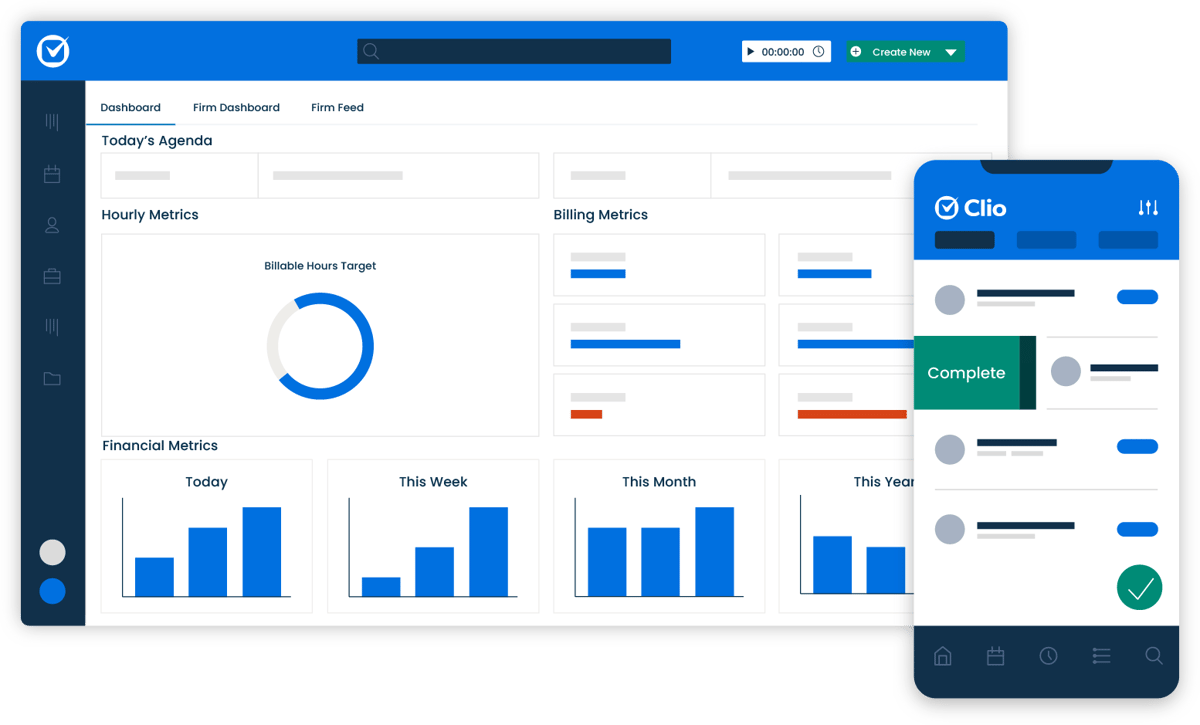
Clio is always going to be the go-to for case and practice management. It offers features that cover everything from document management and time tracking to billing and client communication.
Source: G2
Plus, everything is on a cloud-based system, which allows easy access to case files and information from anywhere.
Best Features
- Case and document management: Stores case files, emails, and client communications in a centralized platform.
- Billing and invoicing: Automates time tracking, invoice creation, and online payments to simplify financial management.
- Client intake and CRM tools: Helps law firms manage leads, onboard clients, and maintain relationships.
- Cloud-based access: Enables remote work with secure access from any device.
- Extensive integrations – Connects with legal research tools, accounting software, and other third-party applications.
Pros
- Comprehensive case and client management features
- User-friendly interface with easy navigation
- Secure cloud storage with access from anywhere
- Customizable workflows and task automation
Cons
- Higher pricing compared to some alternatives
- Learning curve for advanced features
- Some features may require third-party integrations for full functionality
3. Lex Machina
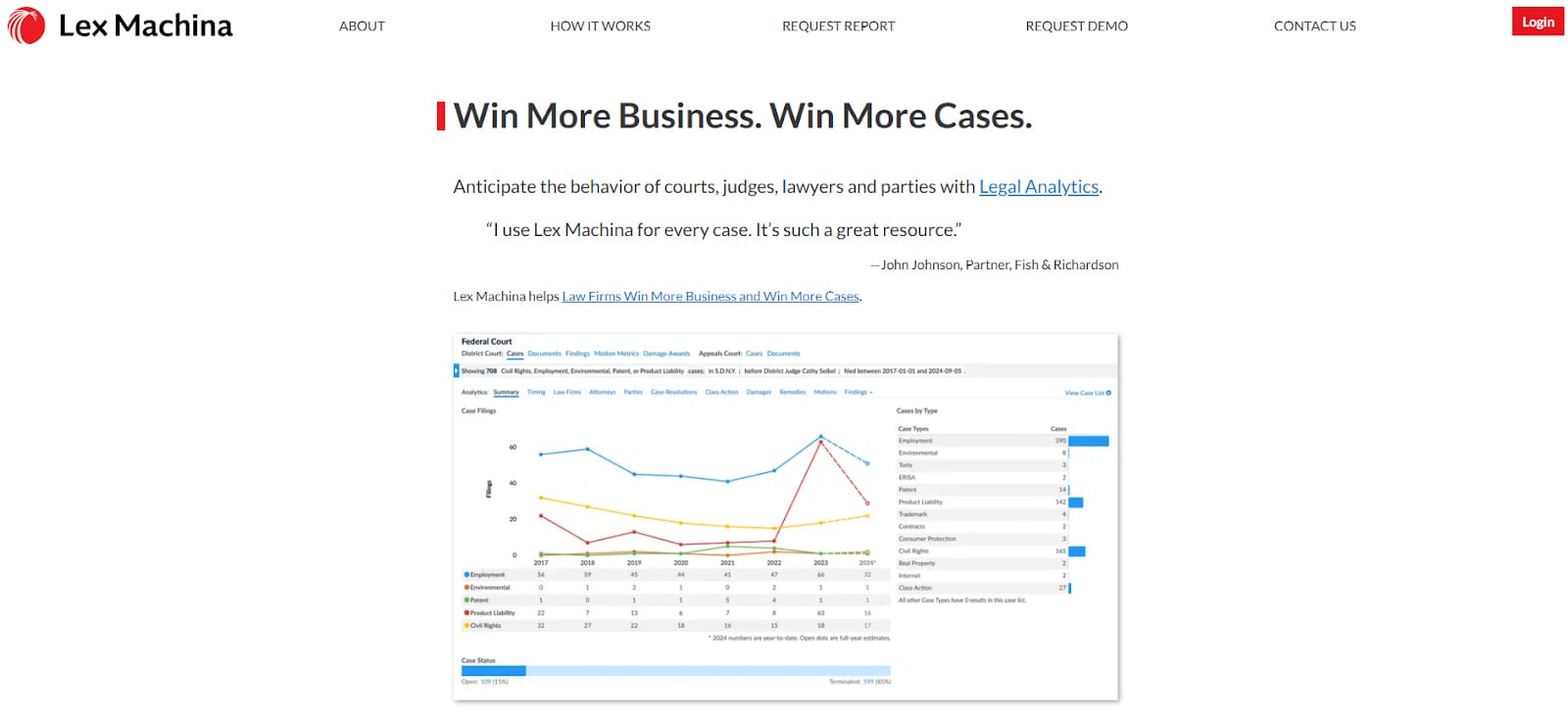
Lex Machina is known for transforming raw legal data into strategic insights. This platform mines litigation data from a vast array of sources and applies sophisticated analytics to unearth patterns and trends that are not immediately apparent.
Source: LexMachina.com
By offering a detailed examination of judges’ rulings, litigation histories, and even the tactics employed by opposing counsel, Lex Machina gives legal professionals a deeper understanding of the legal battlefield.
Best Features
- Judge and court analytics: Tracks judge tendencies, ruling patterns, and case outcomes.
- Opposing counsel insights: Analyzes law firms and attorneys to predict litigation strategies.
- Case outcome predictions: Uses historical data to estimate the likelihood of success.
- Practice area-specific data: Provides tailored analytics for different legal specialties.
- Customizable reports: Generates visual reports for presentations and case evaluations.
Pros
- Saves time on legal research with automated data analysis
- Provides transparency on judge and attorney behavior
- Covers a wide range of practice areas
- User-friendly dashboards with clear visualizations
Cons
- Expensive compared to standard legal research tools
- Requires training to maximize its features
- Data is limited to available court records
4. MyCase
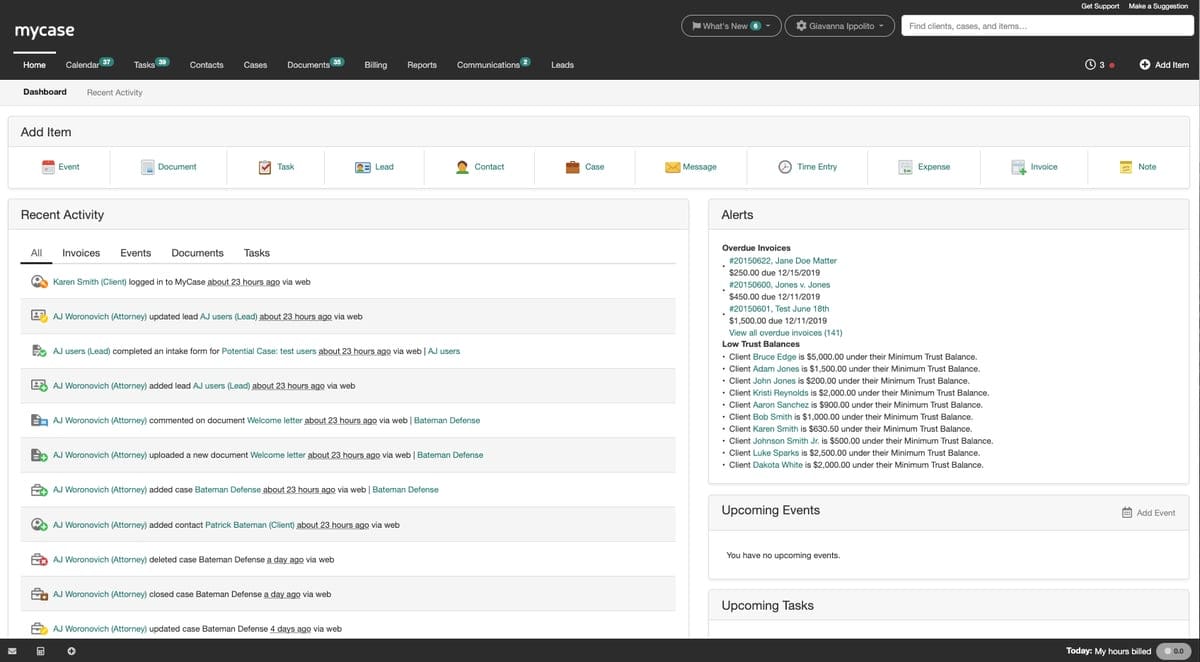
MyCase bridges the communication gap between lawyers and their clients and fosters an environment of trust and transparency.
Source: G2
One of the standout features of MyCase is the ability for clients to have real-time access to their case files and information. This means that at any moment, they can log in to the portal to review documents, see the latest updates, and track the progress of their case.
Such access demystifies the legal process for clients and helps them feel more involved and informed about the proceedings of their cases.
Best Features
- Case and document management: Organizes case files, emails, and client records in a single dashboard.
- Built-in billing and payments: Supports online payments, time tracking, and automated invoicing.
- Client communication portal: Provides a secure space for messaging, document sharing, and updates.
- Task and workflow automation: Helps organize and speed up repetitive administrative tasks.
- Mobile app: Allows attorneys to manage cases and communicate with clients on the go.
Pros
- Intuitive and user-friendly interface
- Secure cloud-based access from any device
- Integrated payment processing with online billing
- Organizes client communication with a dedicated portal
Cons
- Limited customization for reports and workflows
- Some integrations require additional setup
- Mobile app has fewer features than the desktop version
5. LawPay
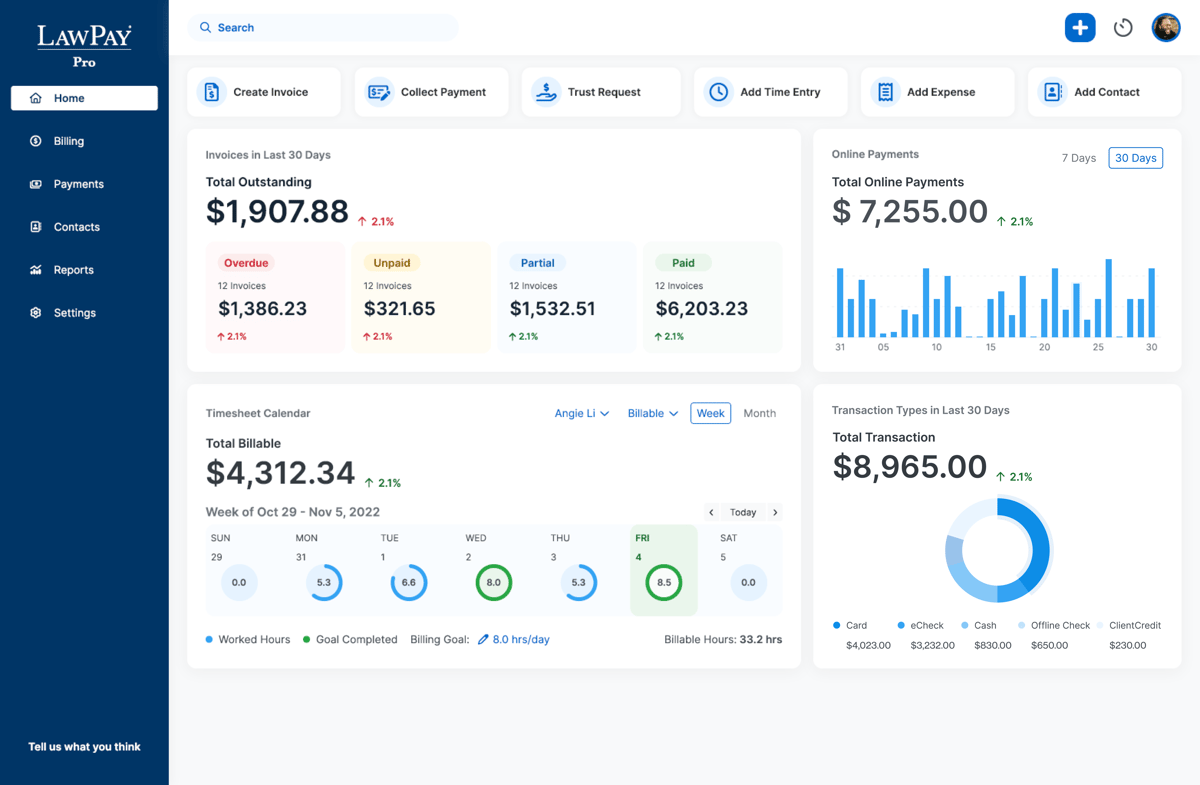
LawPay is a legal payment processing platform designed to help law firms securely accept online payments while staying compliant with ABA and IOLTA regulations.
Source: G2
For litigation lawyers, it simplifies tracking billable hours by integrating with time-tracking and invoicing tools. Ultimately, it helps maintain accurate client billing.
Best Features
- Trust accounting compliance: Keeps client funds separate and ensures IOLTA and ABA compliance.
- Multiple payment options: Accepts credit cards, debit cards, and eChecks.
- Secure online payments: Provides a client-facing payment portal for easy transactions.
- Integration with legal software: Connects with Clio, MyCase, and other practice management tools.
- Recurring and scheduled payments: Automates billing for retainers and ongoing client payments.
Pros
- Helps litigation lawyers track all billable hours efficiently
- Maintains trust accounting compliance
- Easy-to-use client payment portal
- Integrates with major legal management platforms
Cons
- Processing fees may be higher than general payment processors
- Limited features beyond payment processing
- No built-in invoicing (relies on integrations)
Best Practices for Using Legal Technology
Implementing litigation technology effectively goes beyond selecting the right tools; to truly enhance the practice of law, you also need a strategic approach to integration, usage, and ongoing management.
Here are some best practices for law firms looking to make the most of legal technology:
Prioritize Training and Education
Just having the right legal tech isn’t enough—everyone on your team needs to know how to use it effectively. A solid training plan helps legal professionals get up to speed quickly so they’re not wasting time figuring things out on their own.
Start with a structured onboarding process that walks users through essential features and workflows. But don’t stop there—ongoing education is just as important. For example, you can:
- Host live training sessions
- Provide on-demand tutorials
- Set up refresher courses
- Create a knowledge base
- Encourage peer learning
The more comfortable they are with the tools, the more efficiently they can get work done.
Implement Strong Security Measures
Law firms handle sensitive client data every day, so security has to be a top priority. Encryption keeps documents and communications safe, while regular software updates help close security gaps that hackers might exploit.
It’s also a good idea to run periodic security audits to catch vulnerabilities before they become a problem. Adding multi-factor authentication (MFA) and role-based access controls can further limit who gets access to what.
Security isn’t a one-and-done task—ongoing training helps staff spot phishing attempts, use secure networks, and follow cybersecurity best practices.
Focus on Client Data Protection
Keeping client data safe is non-negotiable in legal practice. That means using encrypted emails, secure client portals, and other protected channels instead of standard messaging apps.
Staff should also be trained on confidentiality protocols to prevent accidental data leaks. And when adopting new legal tech, make sure it meets security standards like GDPR or ABA guidelines.
Regular data backups and a solid disaster recovery plan help make sure client information stays protected, even if a cyberattack or system failure occurs.
Embrace Flexibility and Scalability
Legal technology is always evolving, so law firms need tools that can grow with them. Choosing flexible and scalable solutions makes sure that as needs change—whether due to firm expansion, new regulations, or emerging tech—there’s no disruption to daily operations.
Cloud-based and modular platforms make it easier to integrate new features without overhauling existing systems. It’s also worth keeping up with legal tech news to find new opportunities to upgrade your litigation workflows.
Optimize for Collaboration and Accessibility
Legal work often requires teamwork, and the right technology should make that easier, not harder. Cloud-based tools allow staff to access case files, documents, and communications from anywhere, whether they’re in court, at the office, or working remotely.
Cross-device compatibility provides a seamless experience, keeping lawyers, paralegals, and clients connected and productive no matter where they are
Monitor and Analyze Technology Performance
Investing in legal technology is only worth it if it actually improves efficiency. Firms should routinely track how these tools impact productivity, case outcomes, and overall workflow.
Regular assessments help determine whether a tool is meeting expectations or if adjustments—such as training, upgrades, or replacements—are needed to maximize its value.

Incorporating Technology in Your Practice Doesn’t Have to Be Difficult
The legal world is always rife with competition, and that won’t change any time soon. Stay ahead of your competitors by integrating new systems into your practice areas, starting with automation tools that can make work easier.
Use the power of artificial intelligence to get rid of the bottlenecks in litigation. With Briefpoint, you can take out hours upon hours of work spent on just drafting discovery documents. Save your brain power for more value-adding tasks and let Briefpoint do the work.
Automate Your Discovery Phase With Briefpoint
Discovery responses cost firms $23,240, per year, per attorney. $23,240 estimate assumes an associate attorney salary of $150,000 (including benefits – or $83 an hour), 20 cases per year/per associate, 4 discovery sets per case, 30 questions per set, 3.5 hours spent responding to each set, and 1800 hours of billable hours per year.
Book a demo and save on these costs with Briefpoint.
Top 5 Legal Workflow Management Software

By leveraging advanced AI and machine learning, Briefpoint automates the preparation of discovery documents, which allows legal professionals to focus on higher-value work instead of getting bogged down by repetitive administrative tasks.
It handles everything from scanning documents for key information to generating properly formatted responses that comply with local court rules.
Whether you’re a solo practitioner or part of a busy legal team, Briefpoint is a must-have for efficiency and accuracy in discovery-related workflows.
Best Features
Automated document drafting: Upload discovery requests, and Briefpoint’s AI extracts key details like court names, case numbers, and request types.
Objection management: Easily add objections to requests or interrogatories with a simple click.
Customizable formatting: The system applies local court formatting rules for professional results.
Integration with Word: Download partially completed briefs, ready to be finalized in Word.
Broad court compatibility: Supports discovery requests across all U.S. state courts.
Pros
Drastically reduces the time spent on drafting discovery documents
Improves accuracy by automating repetitive tasks prone to human error
Offers a simple, user-friendly interface that’s easy to learn
Ensures compliance with local court rules by applying proper formatting
Supports collaboration by allowing team members to review and adjust drafts
Compatible with all U.S. state courts, making it versatile for legal teams nationwide
2. Clio
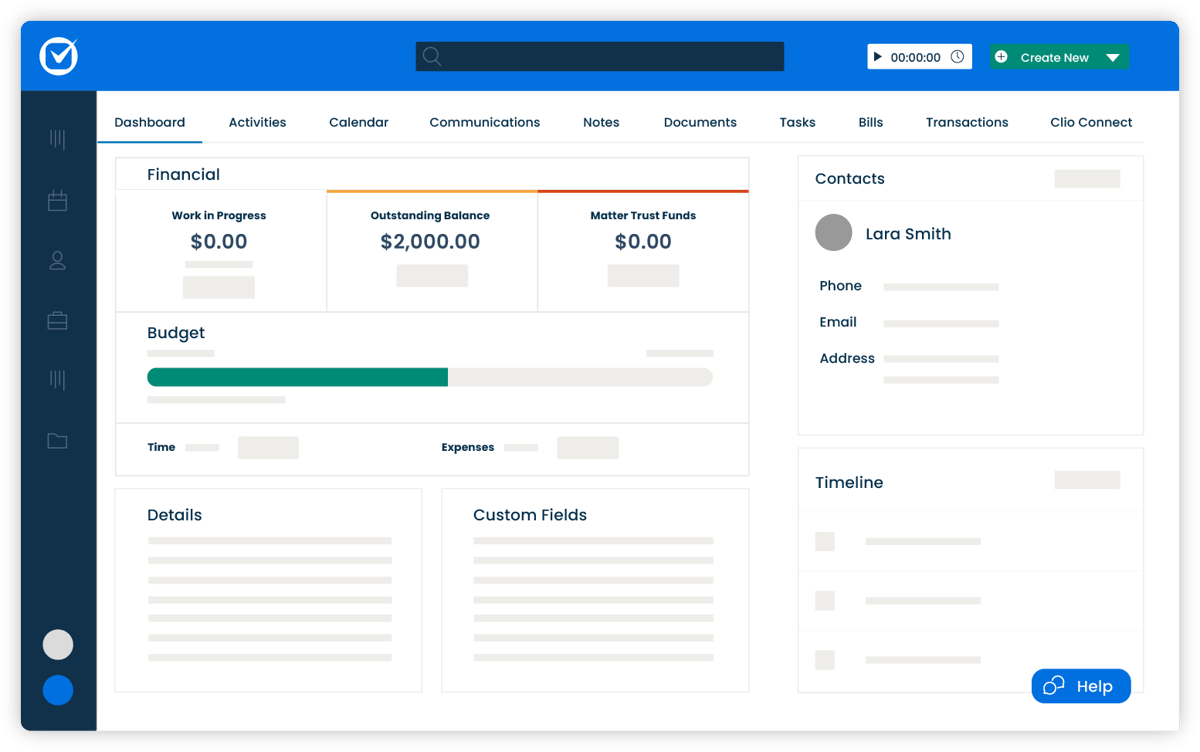
Clio is an all-in-one legal workflow management solution designed to simplify operations for law firms of any size. It provides everything you need for case management, billing, and client communication, all within a single, easy-to-use platform.
Source: G2
With extensive integration options and a focus on efficiency, Clio helps legal professionals manage tasks like client intake, time tracking, and payment processing while staying organized and compliant.
Best Features
- Comprehensive case management: Track all client and case details, deadlines, and communications in one place.
- Billing and payments: Generate invoices and accept payments directly through the platform.
- Client intake management: Simplify onboarding with customizable intake forms and workflows.
- Over 200 integrations: Works seamlessly with tools like Google Workspace, Microsoft 365, and QuickBooks.
- Mobile app: Manage your practice on the go with Clio’s fully featured mobile app.
Pros
- Scales well for firms of all sizes
- Strong integration capabilities for better functionality
- User-friendly design simplifies complex tasks
- Offers detailed reporting for better insights
- Mobile app mirrors desktop features for flexibility
Cons
- Higher pricing can be a barrier for smaller firms
- Some users may find the feature set overwhelming initially
- Advanced features may require additional setup time
Pricing
Clio offers multiple pricing tiers starting at $49 per user per month. The most basic plan offers calendar management, online payment options, and time tracking. Higher-tier plans unlock advanced features such as client intake automation and enhanced reporting.
3. MyCase
MyCase is an all-in-one legal management platform designed to simplify case management, billing, and client communication.

Source: G2
It’s tailored for small to mid-sized law firms and provides an intuitive interface that makes tracking tasks, managing deadlines, and handling invoicing more efficient.
Best Features
- Integrated time tracking and invoicing: Manage billable hours and generate invoices directly within the platform.
- Secure client communication: Use encrypted client portals to share updates, documents, and messages.
- Deadline and task management: Keep track of all important dates and to-dos to stay organized.
- Document management: Store, organize, and access all case-related files in one central location.
- Mobile app support: Manage your practice on the go with MyCase’s mobile-friendly features.
Pros
- Combines case management and billing in one platform
- Offers secure client communication with encrypted portals for better client satisfaction
- Easy-to-navigate interface, even for less tech-savvy users
- Includes mobile access for on-the-go management
Cons
- Limited customization for advanced reporting
- Some features may feel basic for larger firms
- Mobile app lacks some advanced functionalities
Pricing
MyCase pricing starts at $49 per user per month for the Basic plan. It includes core features like task management, a client portal, and expense tracking.
4. Smokeball
Smokeball is a cloud-based legal practice management software built to improve efficiency for small law firms. It offers automatic time tracking, document automation, and daily task management features to help lawyers and staff stay organized and productive.

Source: Smokeball.com
With a user-friendly interface and frequent updates, Smokeball caters to firms looking for an efficient way to manage their daily operations without unnecessary complications.
Best Features
- Automatic time tracking: Keeps track of your work hours without requiring manual entry, ensuring accurate billing.
- Document automation: Simplifies the creation of legal documents using pre-built templates.
- Daily digest: A feature that provides an overview of deadlines, tasks, and appointments to keep you on track.
- Client and matter management: Centralized storage for client information and case files.
- Email and calendar integration: Syncs seamlessly with Outlook to keep communication and scheduling in one place.
Pros
- Saves time with automatic time tracking
- Excellent document automation features for faster drafting
- Intuitive and easy-to-learn interface
- Frequent updates make sure the software stays current
- Strong customer support
Cons
- Higher price point compared to some competitors
- Limited customization options for larger firms
- Some advanced features may have a learning curve
Pricing
Smokeball plans are currently not available for public viewing.
5. Checkbox
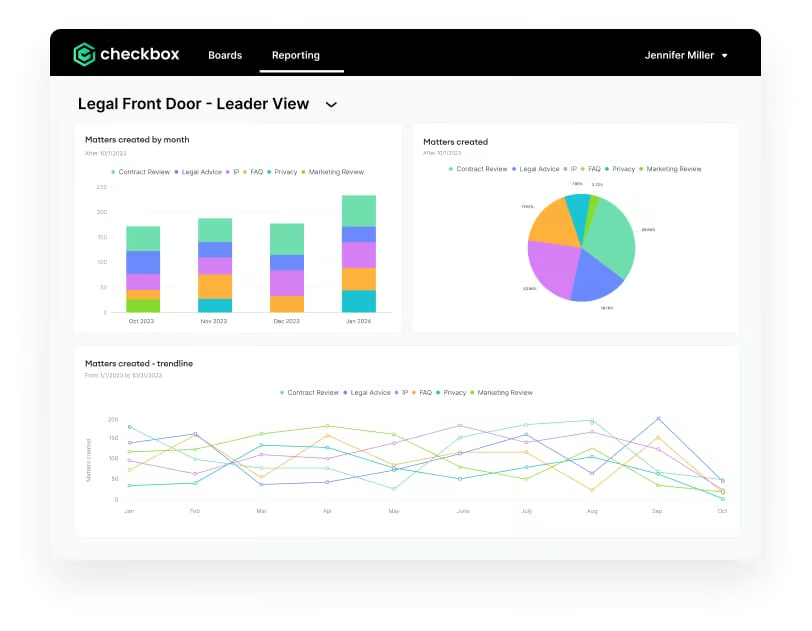
Checkbox is a no-code platform built to help legal teams automate repetitive workflows and create customized solutions for their unique needs.
Source: G2
Designed for efficiency and flexibility, Checkbox allows users to build digital workflows, automate compliance tasks, and create self-service portals without requiring technical expertise. It’s particularly well-suited for law firms handling high volumes of routine tasks or processes.
Best Features
- Drag-and-drop workflow builder: Easily design workflows without coding skills.
- Pre-built templates: Get started quickly with customizable templates for legal workflows.
- Self-service portals: Create portals for clients or internal teams to streamline task management.
- Integration options: Connect with tools like Outlook, Google Workspace, and more.
- Scalability: Adaptable for firms of various sizes and industries.
Pros
- User-friendly interface makes automation accessible
- Ideal for compliance-heavy processes
- Highly customizable to suit specific legal needs
- Enables faster service delivery with client portals
- Supports integrations to connect with existing tools
Cons
- Best suited for teams with clear workflow requirements
- Limited analytics and reporting capabilities
- Advanced features may require some initial setup
Pricing
Checkbox has no direct pricing on its website.
Briefpoint Automates The Most Tedious Part of Your Workflow
Legal workflow software has the power to redefine how your firm operates, turning time-consuming processes into seamless tasks.
Tools like Briefpoint stand out by addressing specific challenges, like automating discovery responses, saving valuable hours, and reducing stress for legal professionals.
Why spend countless hours on repetitive tasks when Briefpoint can handle them with precision and speed? Save time, cut down on errors, and focus on delivering outstanding service to your clients. Don’t just manage your workload—transform it.
Schedule a free demo with Briefpoint today and see how it can revolutionize your workflow.
Get Unlimited Savings With Document Automation
Discovery responses cost firms $23,240, per year, per attorney. $23,240 estimate assumes an associate attorney salary of $150,000 (including benefits – or $83 an hour), 20 cases per year/per associate, 4 discovery sets per case, 30 questions per set, 3.5 hours spent responding to each set, and 1800 hours of billable hours per year.
Book a demo and save on these costs with Briefpoint.
AI Litigation: How to Use New Tech to Upgrade Old Workflows

The Impact of Artificial Intelligence on Litigation
Artificial intelligence is reshaping litigation by streamlining research, automating discovery, and improving access to justice. While these advancements drive efficiency and innovation, they also bring challenges like adapting to evolving tools and rising client demands.
Let’s explore AI’s biggest impacts on modern legal practice.
Optimizing Research
Any lawyer practicing during the pre-computer era can tell you just how long it took to research. Without digital repositories, the labor of manual research “slowed” all litigation.
“Slowed” is in quotes because that prior pace is only “slow” in retrospect. Given clients’ expectations of the time, litigation’s relatively leisurely pace was of no consequence.
Fast forward to emails—purported bastions of time savings—whose efficiency gains were quickly eclipsed by client expectations, causing a new world of immediate demands and, consequently, fast-paced litigation practices.
So too have the efficiency gains made by digital research repositories been met with heightened client expectations. Memos once expected next week are now scheduled within the next hour.
With increasingly capable AI research tools, collecting and filtering research is nearly instantaneous. Will these tools save attorneys’ time? Certainly, but that time may soon be weighted by increased client expectations.
Saving Time
AI litigation tools help law firms save significant time by automating the discovery response process.
Generative AI tools such as Briefpoint make it much faster to construct the vital documents that law firms need to handle discovery efficiently. According to insights, tools such as Briefpoint can reduce the time spent on these documents by as much as 87%.
These types of AI tools don’t just help to save time. They help uphold the standardization of a law firm’s work product so that firms can trust that every document they generate with Briefpoint meets their high-quality expectations.
Generative AI models essentially take care of the time-consuming aspects of document creation. However, law firms can still add their objections and responses, which make sure that they’re still quality documents based on their firm’s gold standards.
Reducing Barriers to Legal Assistance
Artificial intelligence software makes it easier for people who may historically not have had access to legal support to get the help they need. Many instances occur where people are unable to pursue legal avenues because of a lack of capital or know-how.
AI software has allowed people from these groups to begin pursuing legal damages with a few clicks of a button. For instance, there are tools that instantly generate a personalized lawsuit against robocall companies.
This aspect of AI litigation is still in development, but it’s expected to grow significantly in the coming years. While broadly positive, the downside could be that courts are overwhelmed by quickly generated lawsuits even when the grounds for the lawsuit are relatively thin.
Skill Development for Legal Professionals
AI litigation tools are just beginning to infiltrate the legal system, but they’ll be widespread in the coming years.
To make the most of these advanced tools, lawyers and law firm workers will need to upskill to learn how to leverage the impact of the software that’s available. As with all industries, AI isn’t designed to take over from law professionals; it’s there to supplement them.
Legal professionals will need to learn how to select the right tool for the job, use the tools effectively, and generally stay up to date with new developments to stay ahead of the curve and make sure they’re getting the most from these powerful tools.
Better Decision Making
Though the technology to help lawyers enhance their decision-making processes is still in its infancy, it’s anticipated to become more advanced and widely available in the coming years.
Lawyers will be able to use these tools to gain valuable insights into a case’s predicted outcome, analyze similar cases from the past, and attain a deeper understanding of the broader context of their case. This will help law firms plan their strategy more effectively and make better, more informed decisions.
Customer Service
Customer service is paramount in all industries, especially in the legal field, where customers have a more significant emotional stake than in other sectors.
AI-powered chatbots can make it easier for law firms to manage customer requests and questions, often resolving the issue without human intervention.
Even if a human response is required, the information gathered by an AI chatbot can help reduce the amount of time the professional spends crafting a response since it will already have gathered the necessary information.
How to Integrate AI Into Your Legal Practice
Integrating artificial intelligence into your legal practice can transform how litigation lawyers manage their workload. From automating repetitive tasks to improving decision-making, AI offers tools that save time and improve efficiency.
However, successful adoption requires a strategic approach to make sure the technology complements your practice while maintaining ethical and professional standards. So, we’ve created a guide to help you seamlessly incorporate AI into your litigation processes.
Assess Your Needs and Goals
Before diving into AI tools, take a step back and think about where they can truly help in your practice.
What tasks eat up the most time? Is it sifting through case law, drafting endless documents, or managing the overwhelming discovery process? These repetitive, time-intensive activities are prime candidates for AI to lighten the load.
Next, get clear on what you want to achieve. Do you need faster turnaround times for your clients? Or maybe you’re looking for tools that improve document consistency and accuracy? Defining these goals will make it easier to choose the right solutions that fit your practice.
Taking the time to assess your needs and set objectives makes sure the tools you adopt actually solve the challenges you face and make your workflow smoother.
Research AI Tools for Litigation
With so many AI tools available, it’s essential to focus on platforms specifically designed for litigation.
Start by exploring tools that handle common legal tasks:
- Legal research
- Document drafting
- Discovery management
These can significantly reduce the time spent on routine work while maintaining accuracy.
Consider platforms tailored to litigation needs. For example, Briefpoint is a powerful tool for automating discovery responses, saving time while improving consistency. Other AI tools offer features like case outcome analysis that can help you evaluate potential strategies based on similar cases.
When researching tools, prioritize user-friendly platforms that integrate well with your existing systems. Check reviews, request demos, and compare features to make sure you’re choosing solutions that align with your practice’s unique requirements.
Choose the Right Tools
Picking the right AI tools is a game-changer for your litigation practice, but it takes some thoughtful consideration.
You’ll want to make sure the tools you choose don’t just tick the basics—they should genuinely fit your needs and help you work smarter. Start by checking how well a tool aligns with your practice’s daily tasks. Does it handle research, drafting, or case analysis with ease?
It’s also important to think about the bigger picture. Can the tool grow with your practice? Scalability is key if you want it to stay useful as your workload increases.
And let’s not overlook security—your clients trust you with sensitive information, so the platform you use needs to have top-notch data protection features.
Here’s a quick checklist to guide your decision:
- Features: Does it address your pain points and help with critical litigation tasks?
- Ease of use: Will your team find it intuitive without needing hours of training?
- Cost: Is it reasonably priced, and does the value justify the investment?
- Compatibility: Will it integrate smoothly with your current systems?
- Scalability: Can it handle growth as your practice expands?
- Security: Does it safeguard client data with strong protections?
Remember: Taking the time to evaluate these aspects ensures you’ll invest in a tool that delivers real results.
Train Your Team
Getting the most out of AI tools starts with making sure your team knows how to use them effectively.
Begin with training sessions for both attorneys and support staff, focusing on how these tools can make their day-to-day tasks easier. Show them practical examples, like how to generate responses quickly, analyze case law efficiently, or manage discovery on a large scale.
The goal is to make everyone comfortable with the tools, so encourage questions and keep the training hands-on. Real-world examples can go a long way in helping your team see how these tools fit into their workflows.
Since AI is constantly evolving, it’s also important to keep the learning going. Offer regular updates or refresher sessions to cover new features and advancements. This way, your team stays ahead of the curve and is fully equipped to leverage AI in their work.
Start with a Pilot Project
When introducing AI into your practice, it’s smart to start small. A pilot project lets you test the waters, see how the tool fits into your workflows, and work out any hiccups before going all in. Here’s how to make it work:
- Pick a specific task or case: Focus on something manageable, like drafting discovery documents or handling legal research.
- Watch how it performs: Keep an eye on time saved, accuracy, and how well it integrates into your process.
- Spot any roadblocks: Identify any areas where the tool might not be meeting expectations or slowing things down.
- Get team feedback: Ask your team how it’s going—what’s working, what’s not, and what could be better.
- Tweak your workflows: Use what you’ve learned to make adjustments and fix any issues before rolling it out further.
Starting small gives you the chance to refine your approach and make sure AI becomes a helpful addition to your practice, not a disruption.
Integrate AI into Workflows
Once you’ve tested your AI tools and feel confident in what they can do, it’s time to make them part of your daily routine.
Let’s say you’re swamped with document reviews for a big case. Instead of manually combing through everything, an AI tool can handle the initial review, flagging key clauses, inconsistencies, or missing information. This saves hours of tedious work and lets you focus on the bigger picture—like shaping your case strategy.
The key is to ensure the AI doesn’t disrupt how your team already works. Instead, it should slide into your existing workflows seamlessly.
For example, if you’re using AI for discovery, you might automate the initial responses but still have attorneys review the final documents to make sure everything meets your firm’s standards.
Clear communication with your team is also essential. Make sure everyone knows what the AI is handling and where human input is still crucial. Regular check-ins can help you spot areas where the process might need tweaking.
Monitor Performance and Outcomes
To make sure your AI tools are delivering real value, it’s important to keep track of their performance. Focus on key areas that show their impact on your practice. Here are some metrics to monitor:
- Time saved
- Client satisfaction
- Error reduction
- Cost efficiency
- Adoption rates
- Workflow improvements
These metrics help you understand how well the tools are working. For example, are you completing tasks faster? Are clients happier with the results? Is the team using the tools effectively, and have your workflows become more efficient?
Prioritize Ethical and Legal Compliance
Incorporating AI technology into litigation comes with responsibilities that can’t be overlooked.
As AI lawsuits around privacy violations and copyright infringement become more common, it’s vital to make sure the tools you use adhere to legal regulations governing data security, privacy, and AI usage in litigation.
This includes, but is not limited to, the following:
- California Consumer Privacy Act (CCPA)
- General Data Protection Regulation (GDPR) for clients in the European Union
- Health Insurance Portability and Accountability Act (HIPAA) for handling sensitive medical information
Taking this step not only protects your practice but also safeguards your clients’ trust.
Set up a system for thoroughly reviewing AI-generated outputs, especially for tasks like generative AI litigation document creation. Attorneys should verify the accuracy of AI outputs and make sure they align with ethical standards.
This includes double-checking for potential copyright infringement or unintentional misuse of sensitive information.

Are Humans Still Superior?
It’s important to note that while AI tools are getting a lot of attention and are becoming increasingly popular, they won’t replace trained professionals anytime soon. While popular, they cannot account for all the various factors contributing to making a valuable, informed decision.
That only comes with experience and expertise. So, while they will certainly have a place in the legal field, the skilled professionals at the heart of the legal industry will still play the biggest role.
It’s also unclear whether AI will impact the roles of less-skilled jobs within the legal sector, such as legal assistants.
New Case Areas
So far, we’ve talked about how litigators and law firms may use AI software tools to enhance their operations. However, there’s another side to AI litigation, too—the law cases lodged because of AI.
This is a growing area of the law industry that is largely without precedent. We’re already seeing some high-profile cases, including artists claiming that AI companies are stealing their work or celebrities claiming that they’re using their likeness.
For example, let’s consider the lawsuit against OpenAI filed in the Northern District of California this year by authors Michael Chabon and Sarah Silverman.
The plaintiffs submitted a complaint alleging the company utilized their copyrighted material without authorization to train AI models. The central debate is whether using copyrighted texts for AI training falls under “fair use” considering the Digital Millennium Copyright Act (DMCA).
OpenAI argues that it transforms publicly available content to create new, original outputs, while the authors contend this practice devalues their intellectual property.
This case could set a precedent for how AI companies use copyrighted material, possibly leading to stricter licensing, compensation for creators for copyright infringement claims, or limits on data scraping practices.
Legal Aspects AI May Influence
The cases involving artificial intelligence we’ve outlined above are just the beginning of what could be a tsunami of AI-connected lawsuits and legal matters. Some legal frameworks that AI tools may influence include:
Privacy Matters
Privacy is a hot topic, but some AI tools and machine learning models, by nature, rely on individuals’ information to function correctly. Those types of tools may face legal scrutiny and lawsuits if they don’t integrate data protection into their services.
Antitrust
The race to dominate the AI field may lead to antitrust investigations, especially if one company seems to be edging toward a monopoly.
Concerns over unfair competition may arise, with regulators closely examining whether certain practices stifle innovation or limit market access for smaller players. This could result in legal challenges aimed at maintaining a competitive and fair marketplace.
Liability
Incidents caused by AI tools, like self-driving cars, could result in legal disputes about who is liable. Courts may grant a preliminary injunction to suspend the use of specific AI applications until safety or liability concerns are resolved.
Discrimination
AI systems rely heavily on their training data, and if that data contains biases, it can lead to unintended discriminatory outcomes. In fields like criminal justice or employment, biased algorithms could unfairly target certain groups, opening the door to discrimination lawsuits.
Laws like the Fair Housing Act, which protects against discrimination in housing, also come into play. For example, if generative AI technology used for tenant screening or mortgage approvals disproportionately excludes protected groups because of flawed training data, it could violate these regulations.
These risks highlight the need for careful audits of training data and fairness checks to ensure compliance with anti-discrimination laws. As generative AI becomes more common, addressing these issues upfront is critical to avoiding legal challenges and maintaining ethical standards.
It’s Time to Adopt AI Into Your Litigation Workflows
The legal field is evolving, and artificial intelligence is becoming an integral part of that transformation. Whether it’s automating routine processes or speeding up research, AI isn’t about replacing lawyers—it’s about making your work more efficient and precise.
For litigation professionals, the right AI tools can mean less time spent on tedious tasks and more time focused on strategy and client outcomes. Tools like Briefpoint are designed with this in mind, offering powerful solutions for discovery and document creation without compromising on quality or accuracy.
If you’re ready to modernize your practice and take advantage of AI’s potential, start with Briefpoint. It’s built to support the demands of litigation while helping you work smarter, not harder.
Book your discovery call today!
Reduce Litigation Costs By Automating Your Discovery Document Process
Discovery responses cost firms $23,240, per year, per attorney. $23,240 estimate assumes an associate attorney salary of $150,000 (including benefits – or $83 an hour), 20 cases per year/per associate, 4 discovery sets per case, 30 questions per set, 3.5 hours spent responding to each set, and 1800 hours of billable hours per year.
Book a demo and save on these costs with Briefpoint.
Legal AI: Applications & Benefits in 2026

What Is Legal AI?
Legal AI is a technology that uses artificial intelligence to make legal work faster and more efficient. It handles tasks like reviewing contracts, analyzing documents, performing research, and automating processes like drafting agreements or answering client questions.
Natural language processing (NLP) and machine learning allow it to understand legal text, extract key details, flag risks, and predict case outcomes.
How Do Law Firms Use Artificial Intelligence?
AI technology is taking over numerous professional sectors, including business, finance, real estate, and healthcare. The legal industry was quite slower to adopt this type of tech in comparison, but there’s no denying that AI has become a must-have tool for legal professionals.
How did AI make its way into legal departments, an industry that abides by tradition? Here’s a look at some important areas where AI is making a big difference:
1. Document Drafting
Traditionally, creating standard legal documents like contracts, agreements, and wills was a meticulous and time-consuming task that required a lot of attention to detail to make sure everything was accurate and compliant. But now, AI has made this process much more efficient.
Legal AI tools can automate the creation of these standard documents by analyzing large datasets and identifying relevant clauses. A specific type of AI common in document automation and drafting is generative AI.
Generative AI tools draft complex legal documents by generating text that meets the necessary requirements. For example, if a lawyer needs a discovery response document with particular objections, generative AI tools like Briefpoint can produce a draft that includes all the necessary legal language and clauses.

2. Data Synthesis and Document Analysis
In legal work, sorting through piles of documents and data is a given, but it’s also one of the more time-consuming parts of the job. AI is stepping in to simplify this hefty task.
By using AI tools, lawyers can automate the process of organizing and analyzing vast amounts of legal data, from client communications to detailed case histories.
These tools quickly sift through information, extract the necessary details, and present them in a way that’s easy to understand. This speeds up the entire process and reduces the chance of human error.
The result? Legal teams get the insights they need faster, which, in turn, makes it simpler to build cases or advise clients.
3. Legal Research
Legal research is essential for any law practice, as lawyers need to sift through vast amounts of statutes, case law, and legal writings to support their arguments or provide advice. Traditionally, this task has been incredibly time-consuming and sometimes error-prone.
However, large language models (LLMs) and other AI tools are changing the game by speeding up the process and increasing efficiency.
These tools use advanced algorithms, machine learning, and other large language models to comb through extensive legal databases quickly. They can accurately identify relevant cases, laws, and articles much faster than manual methods (way faster than a human can).
This efficiency saves time and helps lawyers build stronger cases by reducing the risk of missing crucial information.
With AI, even smaller law firms or solo practitioners can access comprehensive research quickly, which can help them gain a competitive advantage over larger firms with more resources.
4. Predictive Analysis
Predictive analysis in the legal world means using AI to predict the outcomes of legal cases before they wrap up. This tech dives into heaps of data—from past court decisions to detailed legal precedents—to empower legal professionals to make sound predictions.
This kind of insight can make or break a court victory. For example, it helps lawyers figure out the best strategies for their cases, like whether to settle early or push through to trial based on the predicted outcomes.
But it’s not just about strategizing. Predictive analysis is also great for risk assessment. Law firms use this legal tech to check out the risks of taking on new cases. They can spot potential problems before they blow up, saving everyone a lot of time and money by avoiding drawn-out legal battles.
Clients get a lot from this, too. They receive advice backed by solid data, which can help them make well-informed decisions about their legal issues.
5. Client Communications
Effective communication with clients is an absolute must in the legal profession, but keeping up can be quite a task, especially for busy lawyers. AI is changing how law firms manage this by automating routine interactions and helping maintain consistent, timely communication.
AI tools, such as chatbots and virtual legal assistants, can handle tasks like:
- Answering common inquiries from clients
- Scheduling appointments
- Sending updates about case progress
These tools work around the clock to make sure that clients receive quick responses, which boosts their satisfaction and trust in the legal services provided.
Plus, these AI systems can personalize communications based on client data to make interactions feel more tailored and attentive. For a law firm, this means less time spent on routine tasks and more time available for the complex aspects of their cases.
6. Contract Management
AI models can quickly scan contracts to pinpoint unusual clauses or potential risks. As a result, they speed up the review process and help make sure that everything is up to par legally and aligned with business goals.
When drafting contracts, AI can offer the right language and clauses based on a huge database of existing contracts. AI also helps keep track of active contracts, sending alerts about compliance issues, renewals, or any deviations from the terms.
Such oversight helps prevent problems down the line and makes sure contracts are managed properly.

Stop Spending Hours on Discovery Documents and Let Briefpoint Help
Drafting discovery responses and request documents is by far one of the most tedious parts of the discovery process. What about your legal strategy? The client meetings you have to attend? The other piles of paperwork on your desk?
Sure, you can pile this task on your legal assistant, but that doesn’t solve the overarching problem. Drafting legal documents simply takes up too much time.
Briefpoint.ai gives you an easy solution. With our generative AI, you can draft sets of and responses to:
- Requests for Production
- Requests for Admission
- Interrogatories
- Notice of Depositions
- And more
And all it takes is just a few minutes. No more spending hours preparing this tedious (yet necessary) paperwork. All you have to do is upload your document, add objections and responses, and finish your draft in Word. Briefpoint takes care of the rest.
With Briefpoint’s built-in feature Bridge, this platform also makes collecting client responses easy. Bridge lets you select specific interrogatories, translate them into plain English, and send them to your client. Once your client responds, Bridge will help you put their responses in your document within minutes.
Book a demo today and see how it all works!
Invest in a Generative AI Tool That Can Save You Thousands
Discovery responses cost firms $23,240, per year, per attorney. $23,240 estimate assumes an associate attorney salary of $150,000 (including benefits – or $83 an hour), 20 cases per year/per associate, 4 discovery sets per case, 30 questions per set, 3.5 hours spent responding to each set, and 1800 hours of billable hours per year.
Book a demo and save on these costs with Briefpoint.
What Litigation Software Do Lawyers Use? (5 Best Options)

What Is Litigation Software?
Litigation management software is built to help legal teams manage the details of their cases more effectively. It focuses on case-specific tasks like filing deadlines, managing evidence, and handling filings.
Everything related to a case—court dates, documents, emails, and evidence—is organized in one place, so lawyers can spend less time juggling paperwork and more time focusing on strategy.
This is different from legal practice management software, which focuses on the business side of running a law firm, like billing, scheduling, and client management. While practice management tools are great for overall operations, litigation management software is specifically designed to keep cases on track.
Key features include:
- Tracking case progress with real-time updates and reminders
- Managing evidence and documents in one easy-to-access system
- Simplifying filings through integration with court systems
- Streamlining team communication and collaboration
Litigation management software ensures lawyers have everything they need for their cases in one place, reducing stress and improving efficiency. It’s an essential tool for firms handling complex or high-stakes cases, especially when paired with practice management software to cover the firm’s operational needs.
What Litigation Software Do Lawyers Use?
Modern law firms take advantage of technology tools to maximize their legal workflows in terms of efficiency, accuracy, consistency, and profitability. But if you’re new to legal software, it can be challenging to figure out which ones will work best for your practice.
That said, we’ve compiled some of the best legal tools you can start your tech stack with:
1. Briefpoint.ai: Discovery Document Generation
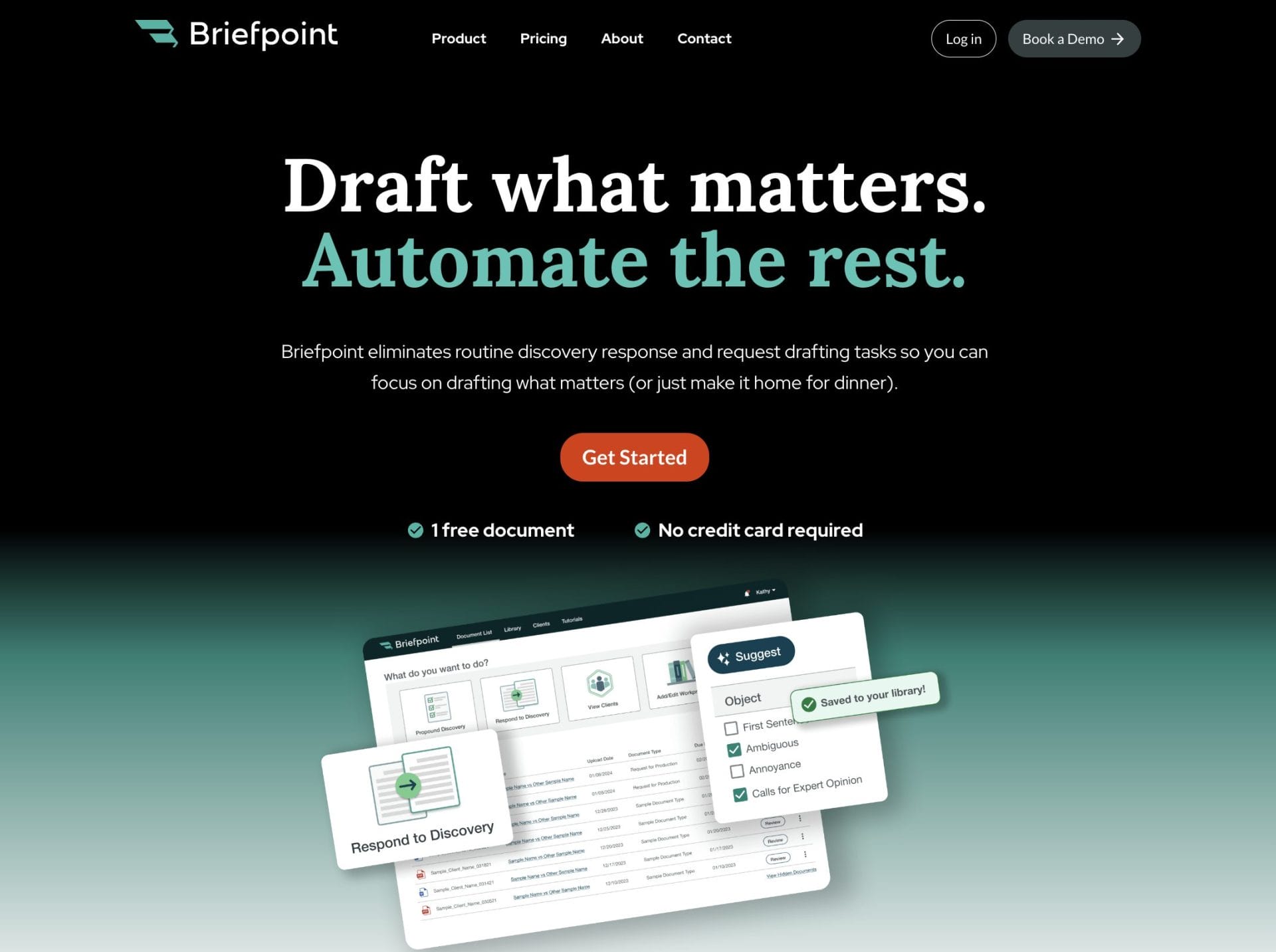
Perhaps one of the most tedious tasks of discovery is preparing the documents, such as discovery requests and responses.
But what if you could automate that process and spend no more than a few minutes on each document?
Litigation attorneys know the drill: hours spent drafting discovery documents, only to end up with a stack of repetitive papers.
Briefpoint.ai is here to change that, taking the tedium out of the discovery process with automated document creation.
Best Features:
- Automation: Briefpoint.ai cuts down on manual effort by automating the entire document generation process. With just a few clicks, you can generate comprehensive discovery documents, saving hours of work and reducing the chance of errors.
- Accuracy: This software helps make sure all your documents meet current legal standards and requirements. Precision is crucial in legal proceedings, and with predefined templates and standardized fields, Briefpoint.ai keeps everything accurate and reliable.
- Efficiency: By streamlining document creation, Briefpoint.ai allows your legal team to focus more on case strategy and less on administrative tasks. As your case workflow becomes more agile, your team’s productivity surges. You’ll start resolving cases in record time, and suddenly, you’ll have the bandwidth to tackle new challenges head-on.
- Client responses: Briefpoint Bridge automates the process of collecting client responses and plugging them into discovery documents. With this feature, you no longer have to go through the tedious back-and-forth trying to collect and process your clients’ responses.
Test Briefpoint yourself by scheduling a demo here.
2. Casefleet: Litigation Management
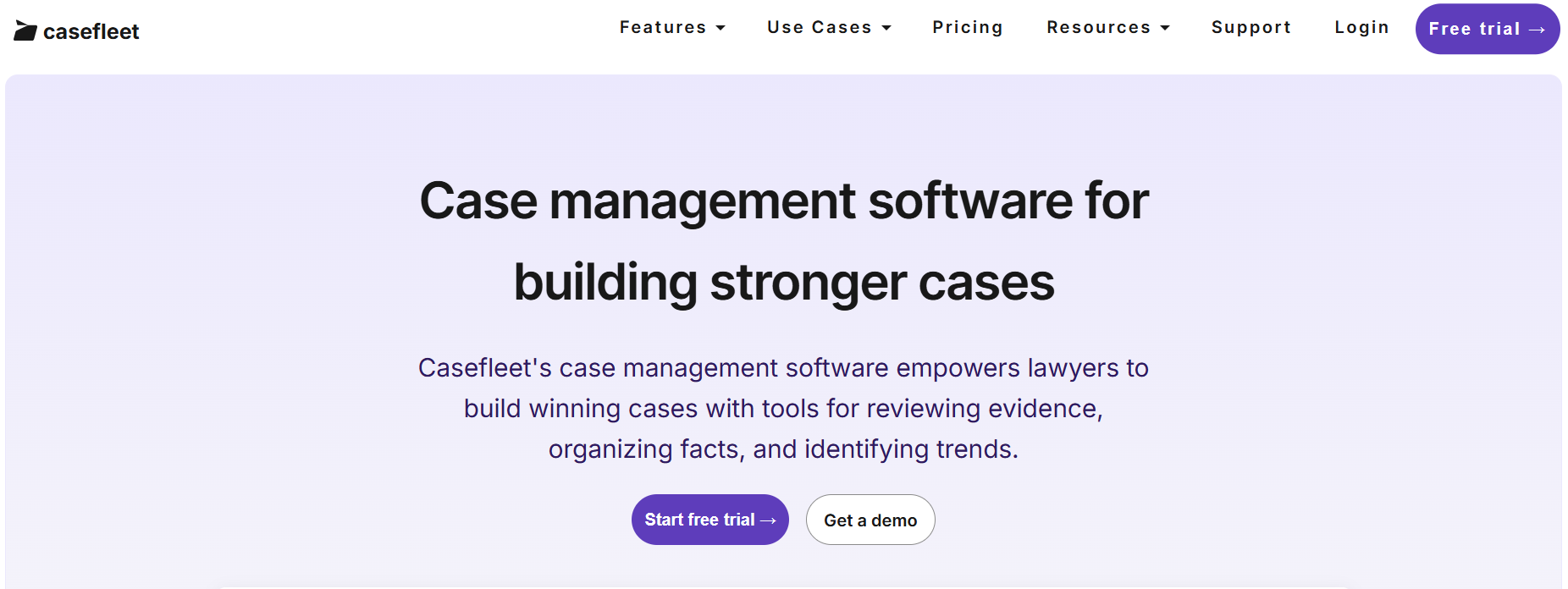
CaseFleet provides legal professionals with a specialized case management solution to organize, analyze, and streamline complex legal workflows.
Its powerful tools, including a timeline builder and document linking, make it a suitable choice for litigation teams aiming to stay efficient and organized.
Source: Casefleet.com
Best Features
- Timeline builder: Enables detailed timelines that connect facts, evidence, and legal issues for clear case analysis.
- Integrated document linking: Simplifies access to evidence by attaching legal documents directly to timeline events.
- Advanced search functionality: Quickly retrieves critical case details with search tools.
- Collaboration tools: Helps build teamwork with shared case data and real-time updates.
- Task management: Keeps tasks and critical deadlines organized for smooth workflow execution.
Limitations
- Limited third-party integrations: Restricts compatibility with other commonly used legal tools.
- Steep learning curve: Advanced features may require extra time for new users to master.
- Pricing considerations: It may not be budget-friendly for smaller firms or solo practitioners
3. HighQ: Collaboration and Matter Management
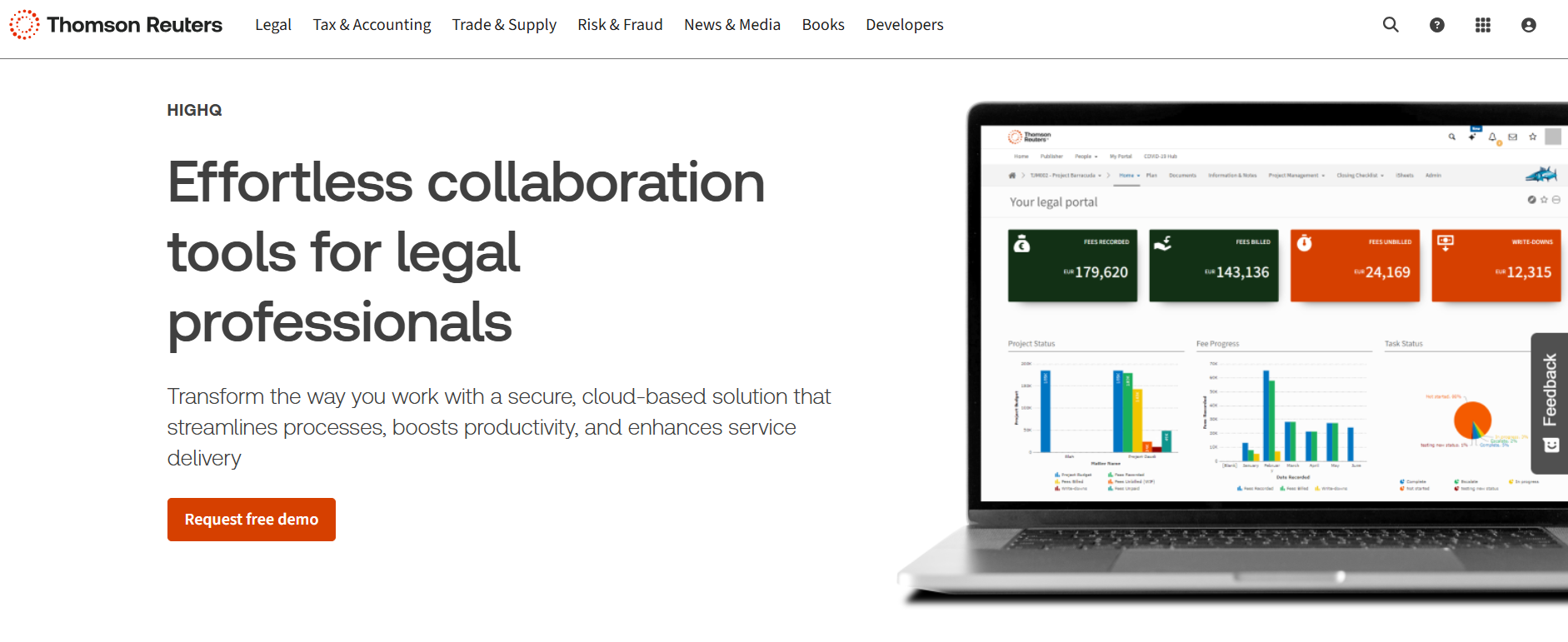
HighQ is a powerful tool that helps legal teams work smarter, especially when it comes to managing the litigation process. It combines features like document management, secure file sharing, and workflow automation to make handling complex cases a lot easier.
Source: ThomsonReuters.com
Best Features
- Document management: Makes organizing and collaborating on case files simple with secure storage and version control.
- Workflow automation: Saves time by automating routine tasks to help litigation teams focus on strategy.
- Secure file sharing: Keeps sensitive case files safe with encrypted sharing and access controls.
- Client portals: Offers an easy way to share updates and make sure clients are on the same page.
- Integrations: Works well with tools like Microsoft Office and other legal software to make litigation workflows smoother.
Limitations
- Complex interface: Might take some getting used to for teams new to this type of platform.
- High cost: Can be pricey, which might be a challenge for smaller firms or teams on a budget.
- Limited offline functionality: Requires internet access, so it’s not ideal when facing connectivity issues.
4. Smokeball: Civil Litigation Management
Smokeball is a user-friendly case management software tailored for small to mid-sized law firms, especially those focused on civil litigation. It combines document automation, task tracking, and timekeeping features, making it a one-stop solution for managing civil litigation cases efficiently.

Source: Smokeball.com
Best Features
- Case management: Centralizes all case details, relevant documents, and communications in one place so you can easily manage tasks.
- Document automation: Simplifies the creation of litigation documents, saving time and reducing errors.
- Time and activity tracking: Automatically tracks time spent on tasks to improve billing accuracy.
- Task and workflow management: Keeps litigation tasks organized with clear deadlines and reminders.
- Integrated email and calendar: Syncs with Outlook to connect communications with specific cases.
Limitations
- Learning curve: New users may need time to get familiar with all the features.
- Limited customization: Predefined workflows might not fully meet the needs of more complex litigation practices.
- Cost concerns: Pricing may be steep for smaller firms with tighter budgets.
5. Lex Machina: Legal Analytics
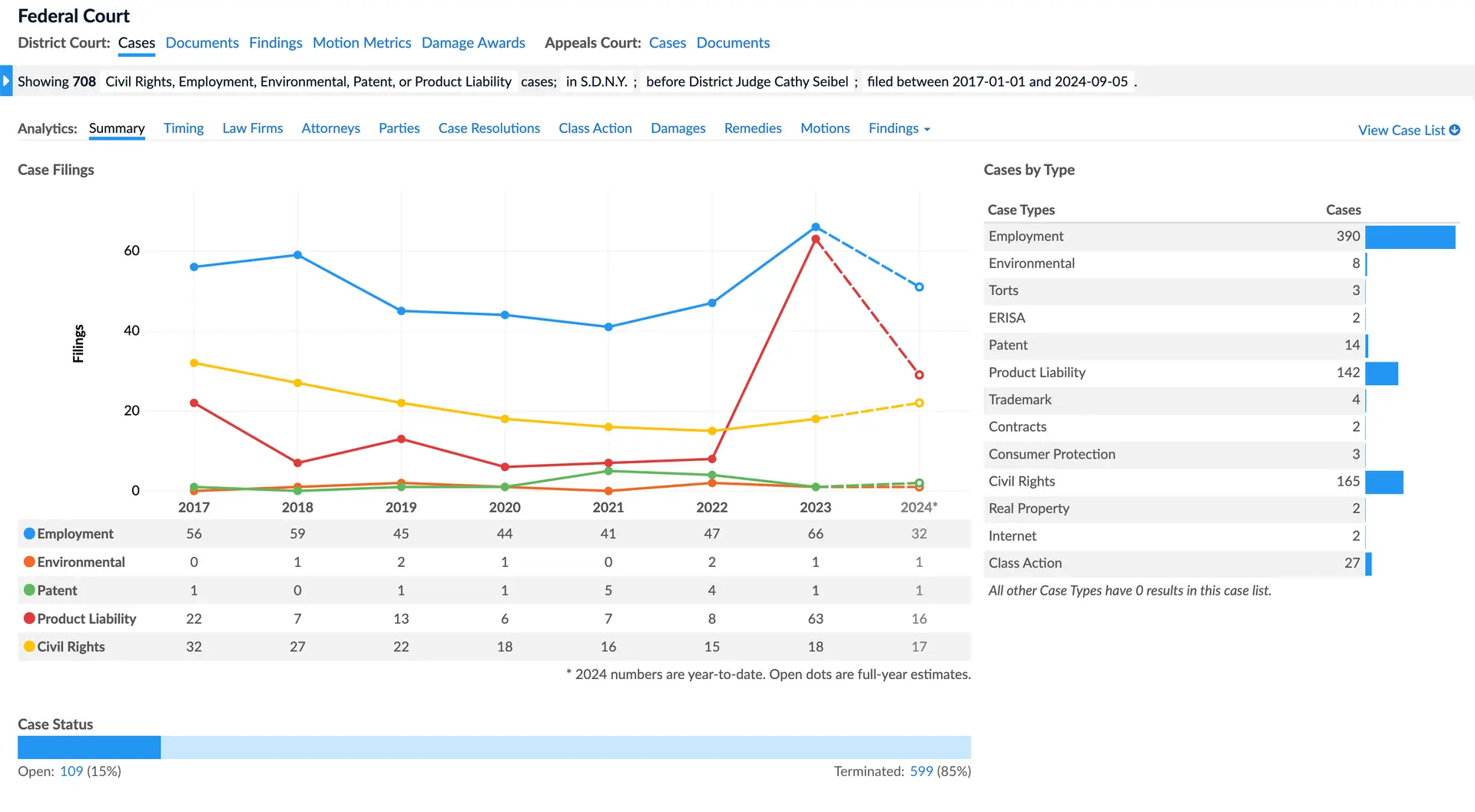
Lex Machina is a smart litigation analytics tool that helps legal teams make better decisions using data. It provides insights into case trends, judges, and opposing counsel, which makes it easier to plan strategies and predict case outcomes based on valuable insights.
Source: LexMachina.com
Best Features
- Judge analytics: Gives insights into how judges typically rule so you can adjust your approach accordingly.
- Opposing counsel analysis: Shows data on your opponent’s past cases, helping you understand their strengths and weaknesses.
- Case trend analysis: Tracks patterns in litigation to help you predict what might happen in similar cases.
- Settlement predictions: Uses historical data to estimate the chances of settling or winning.
- Industry-specific modules: Offers tailored insights for areas like IP, employment law, and more.
Limitations
- Learning curve: Some features take time to get the hang of.
- High cost: Might be pricey for smaller firms or solo lawyers.
- Limited coverage: Doesn’t include every court or jurisdiction yet.
Make Discovery Less Tedious Today
Every litigator knows that discovery is one of the most time-consuming phases of a case. And within that process lies a huge bottleneck: discovery document drafting.
Manual drafting can take hours out of your or your paralegal’s day–hours that you could otherwise spend on more substantial work.
Where’s the way forward?
Briefpoint is document automation software that lets you create discovery documents within minutes. Schedule a demo today and see the magic for yourself.
Maximize Your Profitability With Briefpoint
Discovery responses cost firms $23,240, per year, per attorney. $23,240 estimate assumes an associate attorney salary of $150,000 (including benefits – or $83 an hour), 20 cases per year/per associate, 4 discovery sets per case, 30 questions per set, 3.5 hours spent responding to each set, and 1800 hours of billable hours per year.
Book a demo and save on these costs with Briefpoint.
The Best Document Automation Software Features To Look For

What is Document Automation Software?
Document automation software is designed to take repetitive tasks off your plate, like drafting contracts or inputting client details. By automating these processes, it makes sure your documents are accurate, consistent, and ready in less time.
Whether you’re managing contracts or legal paperwork, this tool helps reduce errors and frees up your time for higher-value work. It’s a practical solution for professionals like lawyers and paralegals who want to simplify document management without sacrificing quality.
Standalone Document Automation Software vs. Built-In Document Automation Features
Choosing between standalone document automation software and built-in document automation features can be a bit of a puzzle.
Standalone software is dedicated solely to automating your document processes, offering robust, specialized tools that handle everything from template creation to advanced data merging.
It’s a powerful option for firms that need comprehensive automation capabilities and want to make sure every document is spot-on.
On the other hand, built-in document automation features are part of larger software suites that include various other functionalities.
These features might not be as powerful or customizable as standalone options, but they can be incredibly convenient if you’re already using the parent software. Plus, they can integrate into your existing workflow, so it’s easier to manage all your tasks from a single platform.
In a nutshell, if you need extensive, specialized automation, standalone software is the way to go. If convenience and integration with your current tools are your top priorities, built-in features could be the perfect fit.
Document Automation Features to Look For
When selecting document automation software, you need to prioritize features that will seriously optimize your productivity and precision.
Here’s a comprehensive guide to the must-have features in document automation tools:
1. Template Management
Document automation software gets a whole lot more efficient when you have template management on your side to let you generate documents with ease. Good document management software will have:
- Pre-built templates: Save time with a library of ready-to-use document templates for various document types, all customizable to fit your needs.
- Template creation: User-friendly, drag-and-drop tools let you design your own templates from scratch. Build custom details by adding placeholders, dynamic fields, and conditional logic to craft documents that truly speak to each individual.
Template management also offers collaboration and version control:
- Collaborative editing: Multiple users can work on templates at the same time, which keeps everything up-to-date and in line with company standards.
- Version control: Track changes and go back to previous versions if needed, so your templates are always accurate and reliable.
Good template management cuts down the time and effort needed to produce professional documents.
When everything is in sync, document processes hum along smoothly and foster a significant jump in efficiency and productivity.
2. Data Integration
Document automation software helps keep your critical data organized by integrating disparate systems and applications. This helps make sure data flows smoothly, which cuts down on manual entry and minimizes errors.
For instance, integrating with Customer Relationship Management (CRM) systems like Salesforce or HubSpot lets you pull customer data directly into your documents.
By generating personalized contracts, proposals, and reports on the fly, you can say goodbye to tedious data entry and enjoy automated document workflows that hum along with precision.
Beyond CRMs, connecting with Enterprise Resource Planning (ERP) systems allows for automatically including financial data, inventory details, and other essential business info into relevant documents.
This makes sure your documents always reflect the latest business data, helping you make more informed decisions.
Plus, having robust API support means you can set up custom connections with various software applications. This flexibility lets you tailor your document workflows to fit your specific needs and make sure everything runs more smoothly and efficiently.
3. Workflow Automation
Automating your workflow with document automation software makes your processes smoother, faster, and hassle-free.
More specifically, it helps automate repetitive tasks and ensures that documents move smoothly through various stages of creation, review, and approval.
Key components of workflow automation include:
- Conditional logic: You can set up custom rules that trigger document creation based on your specific requirements. For example:
- Populate certain fields or sections of a document when specific conditions are met.
- Automatically select templates or content based on user input or data changes.
- Approval workflows: This feature lets you set up multi-step approval processes, which makes sure that each document is reviewed and approved by the necessary parties before it’s finalized. Benefits include:
- Double-checking every detail to make sure everything meets the highest standards
- Streamlining the approval process with automated alerts and notifications.
- Notifications and alerts: Keep everyone in the loop with reminders of pending approvals or actions needed so everything runs smoothly. This enhances accountability and ensures timely processing.
Document automation software eliminates the tedium of manual document handling and erases hours of repetitive tasks from your schedule. What’s left is a clutter-free work environment and more of your most valuable resource: time.
Plus, automating routine tasks gives you more time to focus on strategic work, which helps increase productivity and improve the overall quality of your document management.
4. Collaboration Tools
Collaboration tools in document automation software are a must-have for teams working together. They make it incredibly easy for everyone to stay on the same page and get things done efficiently. One of the best features is real-time editing.
This means multiple people can work on the same document simultaneously and see changes instantly. There are no more endless email chains or waiting for someone to finish their part.
Another handy feature is the ability to leave comments and annotations right on the document. Clear guidance means everyone’s on the same page, and it’s obvious what needs a refresh or a boost.
Plus, version control is another must-have. With this feature, you’ve got a safety net—you can track changes and bounce back to earlier versions if necessary, so your document stays flawless and current.
5. eSignature Integration
Faster document turnaround times rely on seamless eSignature integration. With built-in eSignature capabilities, you can add legally binding electronic signatures to your documents without leaving the platform. You’ll save time, slash paperwork, and breeze through the signing process.
Popular eSignature tools like DocuSign and Adobe Sign are often supported by the software, which makes it easy to integrate your favorite signing tools. You get to stick with the eSignature service you love, plus enjoy a smooth ride with your document workflows.
eSignature integration reduces security risks, shielding documents from tampering and cyber threats. Electronic signatures are often more secure than traditional paper ones because they come with encryption and authentication features.
6. Document Security
Safeguarding sensitive information is a top priority in document automation software—after all, your data needs to be locked down tight.
When it comes to keeping confidential files confidential, encryption is the fortified wall that stands between them and would-be hackers. With end-to-end encryption, your documents are secure both in transit and at rest, meaning they’re protected whether they’re being sent over the internet or stored in the cloud.
Access controls are another important feature. Role-based access allows you to specify who can view, edit, or share documents, greatly minimizing the risk of data breaches and unintended exposure.
You can set permissions based on user roles so that each team member only has access to the information they need.
Audit trails provide an added layer of security and accountability. Everything that happens to a document is tracked in these detailed logs – the editing, the creating, and the sharing.
Regulatory compliance and monitoring are much easier thanks to this transparent system that lays out who did what and when in plain sight. If any unauthorized activity occurs, it can be quickly identified and addressed.

The Benefits of Document Automation for Law Firms
A document automation tool has become the ultimate necessity for any modern law firm. Here’s why:
Increased Time Efficiency
Automating repetitive tasks like drafting contracts or filling in client details frees up a lot of time. And in the law industry, time literally translates into money.
Automated document generation lets legal professionals focus on more complex, value-added tasks instead of getting bogged down by routine paperwork.
In other words, speeding up document creation helps legal teams use their time more efficiently.
Improved Consistency and Accuracy
Document automation platforms help make sure every document follows the same format and contains accurate information.
Cleaning up errors and giving your documents a sharp, put-together look is a piece of cake with this approach.
Think of consistent formatting and language as the unsung heroes of document creation – they’re the details that set a company apart from its competitors and establish a sense of credibility.
Better Cost-Efficiency
Imagine the cost benefits of offloading document creation duties from staff members. Law firms can do just that by going digital. Fewer errors mean less time and money spent on corrections.
By switching to automated document processes, companies can free up valuable resources and potentially trim their staffing needs.
Improved Client Satisfaction
Faster turnaround times for documents make clients happier. When clients receive accurate documents on time, their trust in your firm’s capabilities grows exponentially.
For any business, there’s no better calling card than a satisfied client; they’ll come back for more and sing your praises to others.
Better Security and Compliance
Document automation software often comes with built-in security features that protect sensitive information. Safeguarding your clients’ data is essential for building loyal partnerships; confidentiality is paramount in this process.
Cutting-edge defenses, including rock-solid encryption and precision access controls, fend off cyber threats and data smugglers to safeguard your complex documents from prying eyes.
Automation helps make sure all documents adhere to the latest legal standards and regulations. One wrongly checked box can lead to a world of legal woes, but this preventative measure clears the path.
How to Choose the Perfect Document Automation Solution for Your Law Firm
To eliminate inefficiencies and catapult your law firm to the next level, you need a document automation solution specifically tailored to your needs.
By doing so, you’ll be able to clock faster turnaround times, diminish errors, and consistently impress clients with top-tier service. Here’s a guide to help you make the best choice:
Identify Your Needs
Start by figuring out what your law firm really needs. Then, take a hard look at your current workflows—can automation help with pesky tasks like document creation, review, and management?
Identify the types of documents you deal with most often, such as contracts, pleadings, or correspondence, to make sure the solution can handle them.
Also, consider which existing systems, like case management or CRM software, the document automation tool needs to integrate with for smooth data flow and efficiency.
Key Features to Look For
When selecting a document automation solution, ask yourself: which features will tangibly improve our firm’s workflow and free up more time for high-leverage activities?
Look for solid template management with pre-built templates and easy customization options. Make sure the solution supports data integration with your existing systems to organize data transfer and cut down on manual entry.
Automating tasks is a top priority, so make sure to look for features that can handle document creation, get approvals, and send out notifications – all without you having to lift a finger.
Evaluate Usability
Usability is crucial when choosing a document automation solution. The software should have a user-friendly interface that’s easy for everyone on your team to use.
Check the availability of training resources and customer support to ensure a smooth transition and ongoing assistance.
Life’s unpredictable, and your work style should be, too. To give your team the flexibility they need, ensure that your solution can keep up with mobile access.
Consider Scalability
When selecting a document automation solution, consider your firm’s future growth. Choose software that can scale with your firm and handle increasing document volumes and additional users as needed.
Find software that’s adaptable and can be upgraded with new features as your needs shift. This way, you can rest assured it’ll stay relevant and meet your changing requirements.
Cost-Benefit Analysis
Conduct a cost-benefit analysis to determine the best solution for your budget. Compare the costs of different solutions and consider the potential return on investment through improved efficiency, reduced errors, and improved client satisfaction.
Make sure the benefits outweigh the costs to get the most value from your document automation software.
Trial and Feedback
Take advantage of free trials and demos to test out different document automation solutions. Put the software to the test in your setting, and you’ll see exactly how it can be applied to solve real problems and streamline processes.
During the trial, gather honest insights from your team—it’s the best way to determine if the solution has everyone’s best interests at heart. You’ll be empowered to make smart calls that resonate throughout your organization.

Choosing the right document automation solution is a must for maximizing your law firm’s efficiency and productivity. Briefpoint.ai offers legal pros a personalized toolkit, specifically crafted to help firms like yours excel.
Here are the key reasons why Briefpoint is the best document automation software:
- User-friendly interface: Briefpoint features an intuitive and easy-to-use design that requires minimal training. This allows your staff to focus more on their legal work rather than struggling with complex software.
- Advanced document automation: The platform excels in streamlining the creation, review, and management of legal documents. With an exhaustive collection of templates at your fingertips, manual data entry becomes a thing of the past, replaced by accuracy and professionalism.
- Robust security measures: Security is a top priority with Briefpoint, which is why we offer end-to-end encryption to protect your documents, automatic backups, payment security, and other tight measures.
- Scalability and support: Briefpoint is designed to grow with your law firm, handling increasing document volumes and additional users seamlessly. Exceptional customer support, including training resources and a dedicated support team, makes sure that you always have the help you need.
- Easier response collection: Briefpoint Bridge is a built-in feature that lets you translate interrogatories into easy-to-understand language, send them to your client, and plug in their responses directly into your draft.
How to Use Briefpoint
Using Briefpoint is straightforward and efficient, thanks to its advanced machine learning and AI capabilities. Here’s a step-by-step guide to help you get started:
Step 1: Upload Your Discovery Request
Begin by uploading your discovery request document to Briefpoint. The platform’s machine-learning AI system will immediately start scanning and extracting information from your document. This includes:
- Court name: Automatically applies local formatting rules.
- Case number: Extracts and inputs the case number.
- Parties: Identifies and records the involved parties.
- Request type: Recognizes whether it’s an RFA, RFP, Interrogatory, or Form Interrogatory.
- Set number: Extracts the set number and much more.
Step 2: Briefpoint’s AI Suggests and Writes Objections
Once the AI system has created a caption and filled out some of the routine data within your brief, including the requests or interrogatories, you can let Briefpoint handle the objections.
Simply click “Suggest,” and Briefpoint’s patented AI system chooses and writes the appropriate objections to each of your opposing counsels’ requests. This streamlined process helps you efficiently complete your responses with minimal manual effort.
Step 3: Open in Word
At any point during the process, you can download your document and open it in Word. This allows you to finish any remaining details on your computer. You’ll receive a properly formatted, mostly-completed brief that’s ready for final touches or even for filing.
Unlimited Savings With the Right Document Automation System
Discovery responses cost firms $23,240, per year, per attorney. $23,240 estimate assumes an associate attorney salary of $150,000 (including benefits – or $83 an hour), 20 cases per year/per associate, 4 discovery sets per case, 30 questions per set, 3.5 hours spent responding to each set, and 1800 hours of billable hours per year.
Book a demo and save on these costs with Briefpoint.
Legal Billing Software: What You Need to Know (+ 7 Best Options)

What Is Legal Billing Software?
Legal billing software is made specifically for law firms to handle billing, payments, and trust accounts. It helps track billable hours, send out invoices, and manage payments without all the hassle.
Unlike regular accounting software, it’s built with law firms in mind, including features to keep things compliant and organized.
Here’s what it can do:
- Makes it easy to log billable hours
- Generate clear, professional bills for clients
- Keep client funds properly organized
- Check payments, balances, and expenses with a few clicks
- Works with case management systems to save time
In short, legal billing software helps you stay on top of your billing, avoid errors, and spend more time focusing on your clients.
How Does It Differ From Regular Accounting Software?
Legal billing software is tailored specifically to the unique needs of law firms, while regular accounting software is more general and designed for businesses across various industries.
One major difference is time tracking. Legal billing software lets you track billable and non-billable hours accurately, which helps make sure your invoices reflect the work done for each client—something standard accounting software typically doesn’t offer.
Another key feature is trust accounting, which is critical for law firms to manage client trust funds and comply with legal regulations. Generic accounting tools aren’t equipped to handle this.
Additionally, legal billing software provides specialized reports, such as case-specific cost breakdowns and client expense summaries, which go beyond the standard financial reports found in regular tools.
Many legal billing platforms also integrate with case management systems to organize workflows in a way that generic software often can’t. These differences make legal billing software a much better choice for law firms.
Why Do Law Firms Need Legal Billing Software?
Legal billing software isn’t just convenient—it’s essential for law firms aiming to stay organized, save time, and improve accuracy. Here’s why it’s worth the investment:
Accurate Billing
Tracking every billable minute manually can be a real headache. It’s easy to miss a few minutes here and there, and those small errors can add up to big losses over time. Plus, mistakes in the legal billing process can lead to client disputes, which no one wants to deal with.
Legal billing software takes the kinks out of the process. It tracks your time automatically, so you know exactly how many hours you’ve worked and can create accurate, detailed invoices.
Clients appreciate clear, transparent billing, and you’ll avoid awkward conversations about charges that don’t add up. On top of that, you’ll get paid for every minute of the work you’ve done.
Time Savings
Creating invoices and tracking payments manually can take up hours you could spend on client cases or other important work. Legal billing software simplifies these tasks by automating time tracking, invoice generation, and payment reminders, making the process much quicker and easier.
With everything handled in just a few clicks, you save countless hours that would’ve been spent on repetitive administrative work. Automation also helps reduce errors, so you’re not stuck fixing mistakes later.
By freeing up your schedule, legal billing software lets you focus on your clients and their cases without getting bogged down by tedious billing tasks.
Better Cash Flow
Legal billing software improves cash flow by taking the hassle out of getting paid. Here’s how it helps:
- Automated reminders: The software sends reminders to clients automatically, which helps reduce delays.
- Online payment options: Clients can pay instantly through secure online portals, making the process faster and more convenient.
- Fewer overdue invoices: With clear invoices and easy payment methods, clients are less likely to miss deadlines.
By combining these features, legal billing software keeps the payments coming in on time, so your firm runs smoothly without the stress of unpaid bills.
Trust Account Management
Managing client trust funds comes with a lot of responsibility, and even small mistakes can lead to serious issues. Legal billing software makes trust account management much simpler by organizing funds and making sure everything stays compliant with legal standards.
It tracks deposits and withdrawals accurately, so you always know where client funds stand. Many tools also include built-in safeguards to prevent errors, such as mixing trust funds with operating funds. This helps maintain compliance and gives you peace of mind knowing everything is handled properly.
Detailed Reporting
Legal billing software takes the guesswork out of understanding your firm’s financial health by providing detailed reports. These reports give you a clear breakdown of case expenses, client payments, and outstanding balances, all in one place. Instead of sifting through spreadsheets or scattered data, you can access organized insights with just a few clicks.
Whether you’re checking which clients have unpaid invoices, analyzing case profitability, or planning budgets, these reports make it easy to see where things stand. The ability to quickly pull up accurate financial information saves time and helps you make better decisions for your firm.
Our Top 7 Picks for Legal Billing Software
Choosing the right legal billing software can make a big difference in how efficiently your firm operates. With so many options available, it’s important to find a tool that fits your specific needs. Below, we’ve highlighted some of the best legal billing software options.
1. Clio
Clio is a versatile legal practice management platform that offers tools for case management, document organization, client communication, and more.
While it’s not primarily a billing software, Clio includes great billing features designed to simplify invoicing, time tracking, and trust account management.
Source: G2
Key Features
- Time tracking and billing: Track billable hours precisely and generate detailed invoices tailored to your clients.
- Customizable invoice templates: Create professional, branded invoices that reflect your firm’s style and include all necessary details.
- Secure client portal: Provide clients a secure space to view invoices, share documents, and communicate directly with your firm.
- Trust accounting management: Keep client funds compliant and organized with tools to separate trust and operating accounts.
- Integration with popular tools: Sync with QuickBooks, Google Workspace, Zoom, and more to optimize your workflows.
Pros
- Easy to use, even for those new to legal billing software.
- Excellent customer support for troubleshooting and setup.
Cons
- Pricing can be high for smaller firms or solo practitioners.
- Advanced features may require a steeper learning curve.
Pricing
Clio offers plans starting at $49 per user per month which includes a basic legal billing system, as well as flexible payment options.
2. Timesolv
Timesolv is online legal billing software designed to help law firms easily manage their billing processes. This billing solution is particularly well-suited for smaller firms and solo practitioners as it balances affordability and functionality.
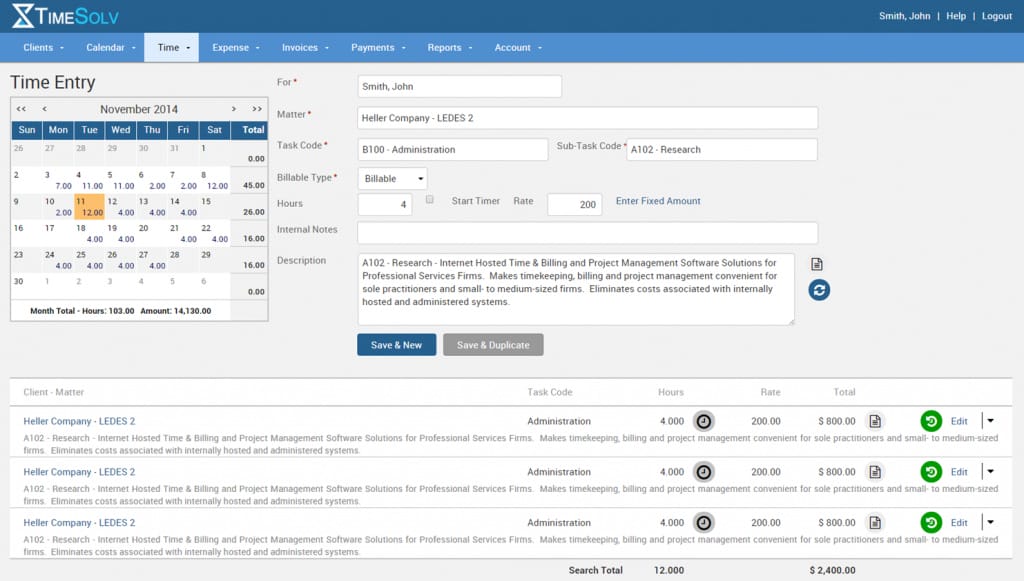
Source: G2
Key Features
- Cloud-based access: Work from anywhere with secure access to time tracking, billing, and client data, whether on a computer or mobile device.
- Advanced time tracking: Log billable and non-billable hours accurately with built-in timers and manual entry options.
- Split billing: Easily divide invoices between multiple clients or matters, making complex billing scenarios hassle-free.
- Trust accounting tools: Track client trust funds with tools to maintain compliance and keep funds organized separately from operating accounts.
- Detailed reporting: Generate reports on billing, payments, and firm performance to get a clear picture of your financial health.
Pros
- Affordable for smaller firms and solo attorneys.
- Offers strong data security features.
Cons
- Limited customization options for invoices.
- Can feel basic for larger firms needing advanced features.
Pricing
Timesolv’s pricing starts at $49.99 for up to four users. The starting plan includes trust accounting, unlimited clients, and integration with other legal management software.
3. Lawpay
Lawpay is a payment processing solution built specifically for law firms and focuses on making transactions easy and compliant. It’s not complete legal office billing software, but it works seamlessly alongside your existing tools to simplify payment collection and trust accounting.
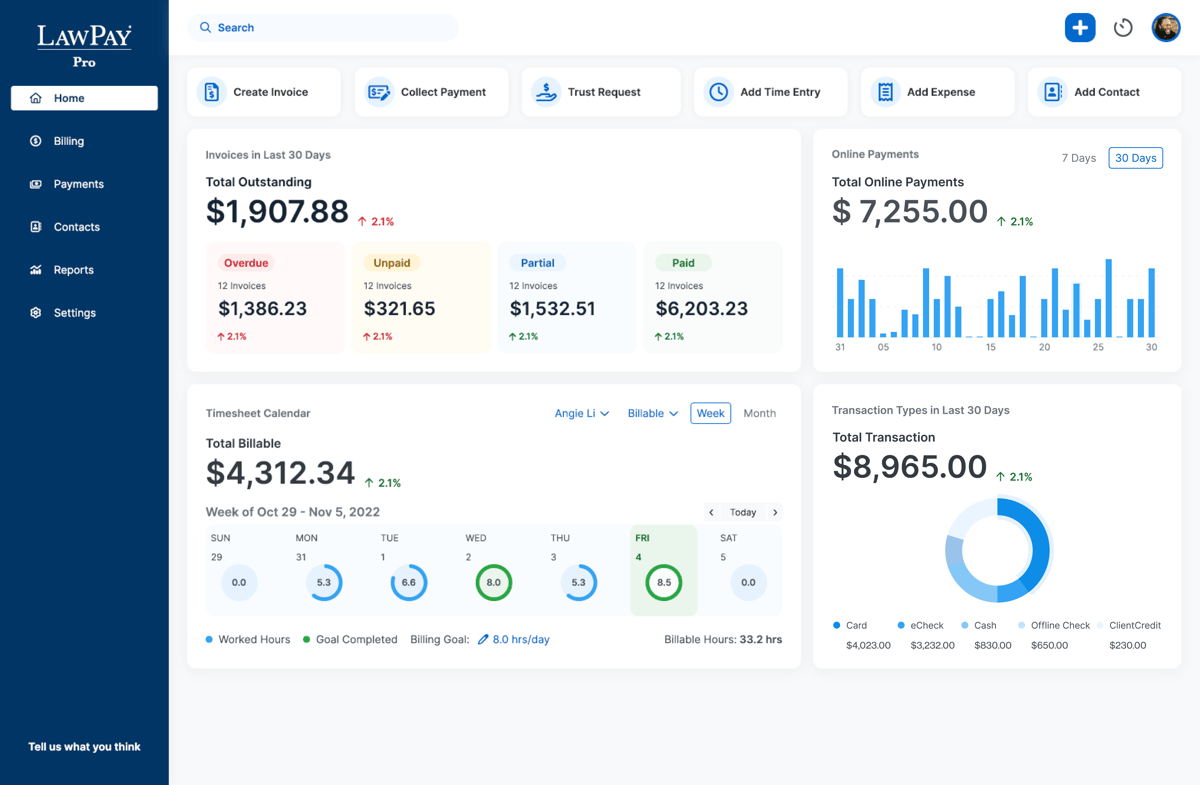
Source: G2
Key Features
- Secure payment processing: Accept credit card payments, ACH transfers, and eChecks, all while making sure client funds are handled securely.
- Trust account compliance: Automatically separates earned and unearned funds to help you meet trust accounting requirements without the risk of commingling.
- Customizable payment pages: Create branded payment pages for your website to provide a professional and convenient experience for clients.
- Recurring payment options: Set up recurring billing for ongoing matters, which reduces administrative tasks.
- Detailed transaction reporting: Track all payments and deposits in real time so it’s easier to manage finances and maintain accurate records.
Pros
- Simplifies trust accounting for compliance.
- Easy to set up and use for legal professionals.
Cons
- Limited features compared to all-in-one billing software.
- Pricing may feel high for firms looking for more comprehensive tools.
Pricing
Lawpay offers plans starting at $19 per month, including features like trust account protection, unlimited users, and customizable website payment pages.
4. Smokeball
Smokeball is a cloud-based legal practice management software that offers tools for billing, case management, and document automation. While it’s known for its comprehensive features, its billing functionality stands out with automatic time tracking and pre-built templates.
Source: G2
Key Features
- Automatic time tracking: Captures all billable and non-billable hours without requiring manual input.
- Pre-built invoice templates: Create detailed and professional invoices quickly, with options to include time entries, expenses, and case-specific details.
- Case and matter management: Organize all case-related files, deadlines, and communications in one centralized platform.
- Document automation: Generate legal documents quickly with pre-built templates tailored for various practice areas.
- Trust accounting management: Easily handle client trust funds with tools designed to ensure compliance and accuracy.
Pros
- Great for small teams needing simple but powerful tools.
- Intuitive interface that’s easy to navigate.
Cons
- Lacks advanced reporting features found in larger platforms.
- Pricing can be steep for firms with limited budgets.
Pricing
Smokeball’s pricing is not currently publicly available.
5. FreshBooks
FreshBooks is a popular accounting and invoicing platform ideal for solo attorneys and small law firms.
It’s not designed exclusively for legal professionals, but its intuitive interface and billing features make it a great option for those who need simple, straightforward tools for managing invoices, payments, and expenses.
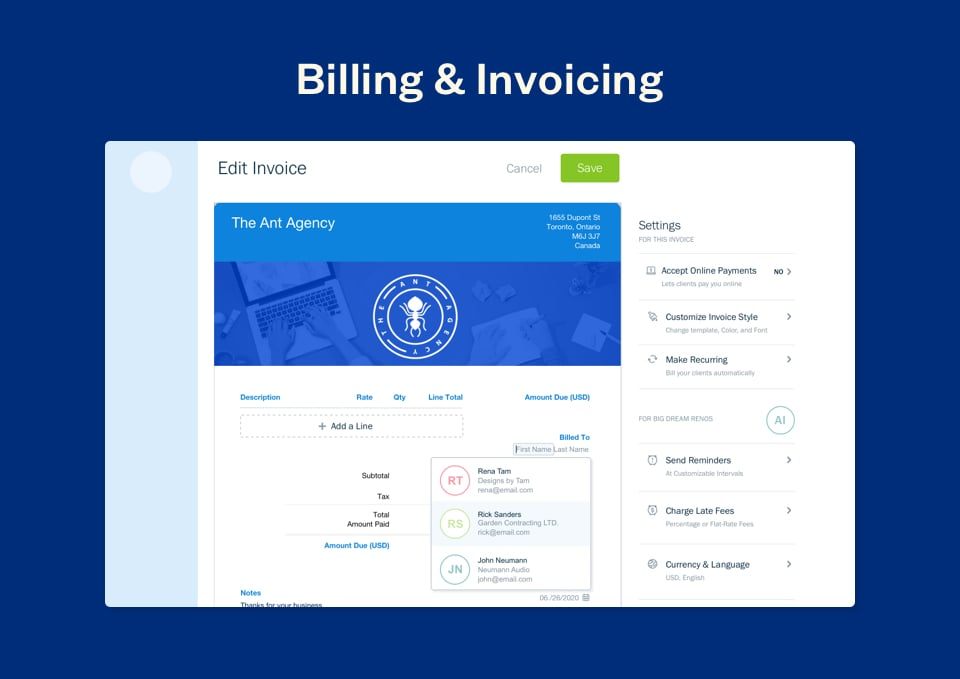
Source: G2
Key Features
- Expense tracking: Easily log and categorize firm expenses to keep your finances organized and track costs against budgets.
- Automated invoice reminders: Sends friendly reminders to clients automatically to help you get timely payments without the need for manual follow-ups.
- Multi-currency and multi-language support: Perfect for firms with international clients as it offers flexibility in billing for different currencies and languages.
- Online payment options: Accept payments via credit cards, ACH transfers, or payment gateways, which makes it easy and convenient for clients to pay invoices.
- Detailed financial reporting: Provides insights into income, expenses, profit margins, and outstanding balances.
Pros
- Easy to use, even for those without accounting experience.
- Affordable pricing plans for solo practitioners.
Cons
- Limited legal-specific features compared to dedicated legal billing tools.
- Trust account management requires additional setup.
Pricing
FreshBooks starts at $4.75 per month, offering a budget-friendly solution for small firms or solo attorneys looking for essential billing and invoicing features like expense tracking and invoices. For more advanced features, the Premium plan starts at $15 per month.
6. PointOne
PointOne is an AI-driven platform that automates timekeeping and billing for law firms. Its goal is to optimize efficiency and profitability by reducing administrative burdens and ensuring accurate time capture.

Source: Pointone.com
Key Features
- Automated time tracking: PointOne passively records all work activities, capturing billable time without manual input, which helps reduce administrative tasks.
- AI-powered pre-bill review: The platform uses artificial intelligence to review pre-bills, suggesting edits to improve bill quality and compliance with client guidelines.
- Integration: PointOne integrates with existing billing software and practice management systems.
- Real-time collaboration: The platform offers features that allow team members to collaborate on billing matters for better alignment and transparency within the firm.
Pros
- Automates time capture, ensuring all billable activities are recorded.
- AI-driven reviews help produce precise and compliant bills, reducing errors and disputes.
- Frees up time by automating timekeeping and billing processes, boosting productivity.
Cons
- Implementing new AI-driven tools may require an adjustment period for staff.
- Integration compatibility may vary with some existing firm software.
Pricing
PointOne currently does not have its pricing publicly listed.
7. Ajax
Ajax is AI-powered timekeeping software designed to automate time tracking for legal professionals. It runs quietly in the background and captures all work activities. The platform generates accurate timesheets with detailed narratives, which helps lawyers focus more on their practice and less on administrative tasks.

Source: Joinajax.com
Key Features
- Automated time tracking: Ajax passively records all work activities, including brief tasks that are often overlooked.
- Detailed timesheet generation: The software creates precise timesheets with narratives, matching recorded activities to the relevant client matters, which improves billing accuracy.
- Integration: Ajax integrates with popular practice management and billing systems to organize workflows and reduce the need for multiple platforms.
- User-friendly interface: Designed with simplicity in mind, Ajax offers an intuitive user experience, making it easy for legal professionals to adopt and utilize effectively.
Pros
- Tracks every task accurately, even small ones often overlooked.
- Generates detailed, client-friendly timesheets.
- Saves time by automating repetitive timekeeping tasks.
Cons
- Integration options are limited with certain third-party tools.
- Requires a learning period to understand all features fully.
Pricing
Ajax currently doesn’t offer public pricing information.
Automate Parts of Your Discovery Process With Briefpoint
Legal billing software handles invoicing and payments, but Briefpoint goes beyond that by tackling one of the most time-intensive tasks for law firms: discovery responses.
Managing discovery work often requires answering dozens of questions for every case across multiple discovery sets. It’s a tedious process that eats into your team’s valuable time and resources.
Briefpoint automates much of this work, simplifying the process and reducing the manual effort involved. With fewer hours spent on repetitive tasks, your team can focus on higher-value activities that truly impact your clients and cases.
Want to see how it works? Schedule a demo here and discover how Briefpoint can help your firm work smarter.
Take Care of Your Law Firm Finances With Briefpoint
Discovery responses cost firms $23,240, per year, per attorney. $23,240 estimate assumes an associate attorney salary of $150,000 (including benefits – or $83 an hour), 20 cases per year/per associate, 4 discovery sets per case, 30 questions per set, 3.5 hours spent responding to each set, and 1800 hours of billable hours per year.
Book a demo and save on these costs with Briefpoint.
AI in Law Firms: How Is It Being Used Today?

What Is Artificial Intelligence (AI)?
AI development is all about teaching machines to think and learn, just like humans do. So, instead of just following instructions, AI can understand language, recognize things, make decisions, and even get better at legal practice over time.
In the legal field, generative AI is one of the best tools legal professionals can have. For example, AI tools like Briefpoint automate the preparation of discovery responses and request documents.
How Is AI Being Used in the Legal Field?
AI offers a multitude of benefits for the legal industry, including the power to automate routine tasks and analyze large volumes of data. Here are some of the legal tasks AI can streamline:
1. Document Review
AI is making document review faster, easier, and less stressful for legal teams. Instead of spending hours combing through piles of paperwork, AI uses natural language processing (NLP) to quickly analyze and sort documents.
It can pull out important details, flag inconsistencies, and even spot risks in contracts—all in a fraction of the time it would take a person.
This is extremely helpful in areas like litigation and due diligence, where there’s a ton of paperwork and tight deadlines. AI doesn’t just save time; it also reduces errors and helps legal professionals focus on more complex, strategic work.

2. Document Automation
Generative AI tools like Briefpoint make document drafting much easier for legal professionals. These tools can quickly create standard legal documents, saving litigators tons of time and effort. This process, known as document automation, takes the repetitive work out of the equation.
Lawyers can focus on more complex, strategic work while leaving routine drafting to AI. For law firms managing tight deadlines and heavy workloads, document automation is quickly becoming an essential part of modern legal practice.
For instance, Briefpoint lets you draft discovery requests and responses within minutes instead of hours. The process is simple:
- Upload your discovery request
- Add objections and responses to your request
- Download your draft in Word and add the finishing touches
Briefpoint takes care of everything in between, such as filling out routine information. It also comes with Bridge, a built-in feature that lets you select interrogatories, send them to your client in plain English, and then plug their responses back into your draft.
3. Litigation Analysis
AI tools are helping lawyers analyze litigation more effectively by using data from past cases. These tools can identify patterns, predict outcomes, and assess the strengths and weaknesses of a case based on available legal context.
They provide valuable insights that help legal professionals make well-informed decisions and craft stronger strategies.
With this kind of analysis, lawyers can better understand how similar cases have been handled, anticipate potential challenges, and give clients more accurate advice. It’s a practical way to save time and improve the quality of legal work, especially for firms handling complex or high-stakes cases.
4. Legal Research
AI is making legal research faster, easier, and much more efficient. Legal research platforms like Casetext and Bloomberg Law are designed to sift through massive legal databases to find the most relevant cases, statutes, and precedents in no time.
Instead of spending hours digging through books or online archives, lawyers can just type in questions in plain language, and the AI delivers accurate results.
What’s more, these tools help uncover hidden connections and make sure no critical details are missed. They’re also constantly updated so that lawyers can stay on top of the latest laws and rulings without extra effort.

5. Contract Analysis
AI tools are changing the way lawyers handle contracts, which helps make the review and analysis process faster and more reliable.
These tools can quickly scan contracts to detect risks, highlight key terms, and check for compliance with regulations. They’re especially handy for large-scale projects like corporate transactions or mergers, where accuracy and speed are critical.
Advanced tools like Kira Systems and LawGeex can even flag problematic clauses and suggest edits to help legal teams make informed decisions without spending hours on manual review. This not only reduces errors but also frees up time for more strategic tasks.
For law firms and corporate legal teams, AI-powered contract analysis tools are becoming essential, allowing them to handle high volumes of contracts efficiently while minimizing risks.
6. Client Services
AI is changing the way law firms connect with clients, making interactions faster, more efficient, and easier to manage.
Chatbots and virtual assistants can handle basic questions, schedule appointments, and even provide updates on case progress, all while being available 24/7. This means clients get the help they need without waiting.
These tools are also great for client intake, helping collect essential client data, automating documentation, and simplifying onboarding. For example, AI can analyze the information provided by clients to identify their legal needs or pair them with the right lawyer.
Routine tasks no longer need to take up valuable time, allowing law firms to focus on building stronger client relationships and delivering better outcomes. Whether answering common questions or guiding clients through their legal journey, AI makes the entire process smoother and more client-friendly.
7. Administrative Tasks
AI is simplifying the behind-the-scenes work that keeps law firms running. Managing schedules, tracking deadlines, and organizing files can take up valuable time, but AI tools handle these tasks seamlessly.
Billing and invoicing are also easier with AI, as it automates time tracking, generates invoices, and keeps billing accurate. For document management, AI helps organize and store files in a way that makes them quick to find when needed.
These tools lighten the load for legal teams and free up time for higher-priority work. Whether keeping calendars in order or making billing a breeze, AI handles the details so firms can operate more efficiently.
Here are some examples of tasks AI can handle for you:
- Keeping calendars and schedules organized
- Sorting and storing legal documents
- Automating invoicing and time tracking
- Monitoring deadlines and reminders
- Managing routine client follow-ups

What Are the Benefits of Using AI in Law Firms?
From case analysis to litigation, AI can augment and improve almost all parts of the legal process. Below are the potential benefits an AI tool can provide for the legal industry:
- Better accuracy: AI minimizes human errors in document analysis and legal research, which allows for more consistent documents and reduces problems arising from inaccuracies.
- Cost reduction: By automating routine tasks, machine learning AI can lower operational costs.
- Mass data capture: AI’s ability to analyze large datasets can uncover trends and patterns, providing valuable insights for case strategy and legal advice in most legal departments. Pairing this feature with generative AI can also help increase the accuracy of legal drafting.
- Improved drafting and workflow efficiency: AI improves legal drafting by identifying inconsistencies, suggesting improvements, and automating repetitive tasks. Combining AI-driven data capture with generative AI tools leads to higher-quality documents and faster turnaround times.
- Better client services: AI-powered tools help make client communication easy, which leads to faster responses and personalized services. Clients benefit from quicker updates, improved case insights, and a more seamless overall experience.
Lawyers vs Artificial Intelligence
AI can handle a lot of tasks that used to take up lawyers’ time, like reviewing documents, analyzing legal data, or even drafting contracts.
But when it comes to things like nuanced judgment, ethical decision-making, and persuasive courtroom arguments, AI doesn’t hold a candle to the skills of a good lawyer.
The strength of AI lies in its ability to process massive amounts of information quickly and accurately, but it can’t think critically or understand the human side of legal work. Lawyers bring empathy, creativity, and strategic thinking to the table—qualities that machines simply can’t replicate.
Instead of viewing AI as a replacement, it’s better to see it as a tool that improves what lawyers can do. By taking care of repetitive or time-consuming tasks, AI frees up lawyers to focus on the big-picture aspects of their work.
In the end, the combination of skilled lawyers and smart AI tools is the real innovation. AI isn’t here to replace lawyers—it’s here to make their jobs easier and more impactful.

What Does AI Integration Look Like for You?
Integrating AI into the legal field isn’t just about adding a new tool—it’s about changing the way work gets done to make things faster, easier, and more efficient.
For law firms, it means less time spent on repetitive tasks and more time to focus on the work that matters most.
Briefpoint makes this process simple by offering AI tools that are easy to use and fit right into your existing workflows. Here’s what AI integration can look like:
- Saving time: Automate tasks like drafting legal briefs, reviewing contracts, or managing client intake so that you can focus on bigger priorities.
- Improving accuracy: Let AI handle the details, reducing errors in research, document analysis, and compliance checks.
- Getting better insights: Use AI to analyze data, uncover patterns, and create stronger case strategies.
- Smoother workflows: AI tools work alongside your existing processes to make everything run more efficiently.
- Helping clients faster: Provide quicker responses and updates, improving the overall client experience.
With tools like Briefpoint, integrating AI doesn’t have to be complicated. It’s about making your workday easier and more productive, so you can focus on delivering great results.
Savings of Implementing Briefpoint Into Your Firm
Discovery responses cost firms $23,240, per year, per attorney. $23,240 estimate assumes an associate attorney salary of $150,000 (including benefits – or $83 an hour), 20 cases per year/per associate, 4 discovery sets per case, 30 questions per set, 3.5 hours spent responding to each set, and 1800 hours of billable hours per year.
Book a demo and save on these costs with Briefpoint.
What Are the Top HotDocs Alternatives in 2024? (7 Options)

What Is HotDocs?
HotDocs is a document automation tool that helps businesses create complex documents quickly and accurately. Imagine being able to generate contracts, forms, and agreements with just a few clicks instead of spending hours drafting each one by hand.
That’s what HotDocs does—it turns your repetitive document creation tasks into a more efficient process.
Here’s how it works: You start with templates, which are pre-designed documents that you can customize. You input your data once, and HotDocs takes care of the rest, filling in the details and making sure everything is correct.
This process saves a ton of time and reduces the risk of errors, which is especially important in fields like law, finance, and real estate, where precision is non-negotiable.
Why Should You Consider a HotDocs Alternative?
While HotDocs is a powerful tool for document automation, it might not be the perfect fit for everyone. Here’s why you might want to explore some alternative tools to create documents, especially legal documents:
Cost Considerations
Let’s face it: HotDocs can be pricey, especially for small businesses or startups watching their budgets. The high cost can be a big barrier.
Many alternatives offer more flexible and affordable pricing plans or even free versions, which can help you save money without sacrificing functionality.
User Interface and Ease of Use
HotDocs packs a lot of power, but its interface can feel like a maze. If you spend too much time figuring out how to use it, that’s a problem.
Many alternatives have simpler, more intuitive interfaces that make getting started and training your team easier. Imagine reducing the time you spend trying to learn the software!
Integration With Other Tools
Good document automation should work seamlessly with the tools you already use. While HotDocs integrates with many systems, it might miss some key ones you rely on.
Some alternatives offer better compatibility and more extensive integration options for a smoother legal workflow. Think of it as finding a tool that fits perfectly into your existing setup without any hassle.
Scalability for Different Business Sizes
HotDocs is great for handling complex needs, but it might be too much if you’re a smaller operation. Alternatively, it might not be flexible enough if you’re a larger business needing extensive customization.
Alternatives often provide scalable solutions that grow with your business, which gives you just the right amount of power and flexibility.
Better Collaboration Features
In today’s collaborative work environment, having the right features to work together is a must. While HotDocs is good, some alternatives shine brighter with real-time editing, team workflows, and sharing options that increase productivity and teamwork.
Customization and Flexibility
Every business is unique, and your document automation tool should be too. Some HotDocs alternatives offer greater customization options, which allow you to tailor the software to fit your needs. This means you can mold the tool to your workflow rather than the other way around.
Plus, you need a tool with legal document templates that fits your area of expertise. For example, if you want a tool to speed up your discovery process, something like Briefpoint.ai is designed specifically for discovery requests and response documents.
7 Best HotDocs Alternatives You Need to Try
What if Hotdocs isn’t serving your needs as well as it should? Well, it might be time to find a document generation solution that fits perfectly in your tool stack.
We’ve compiled some of the best document automation tools that could deliver a significantly better experience for your law firm:
1. Briefpoint
Briefpoint.ai is an AI-powered document automation tool designed to simplify the process of creating legal documents, particularly discovery request and response documents. These include but are not limited to:
- Requests for admission
- Requests for production
- Interrogatories
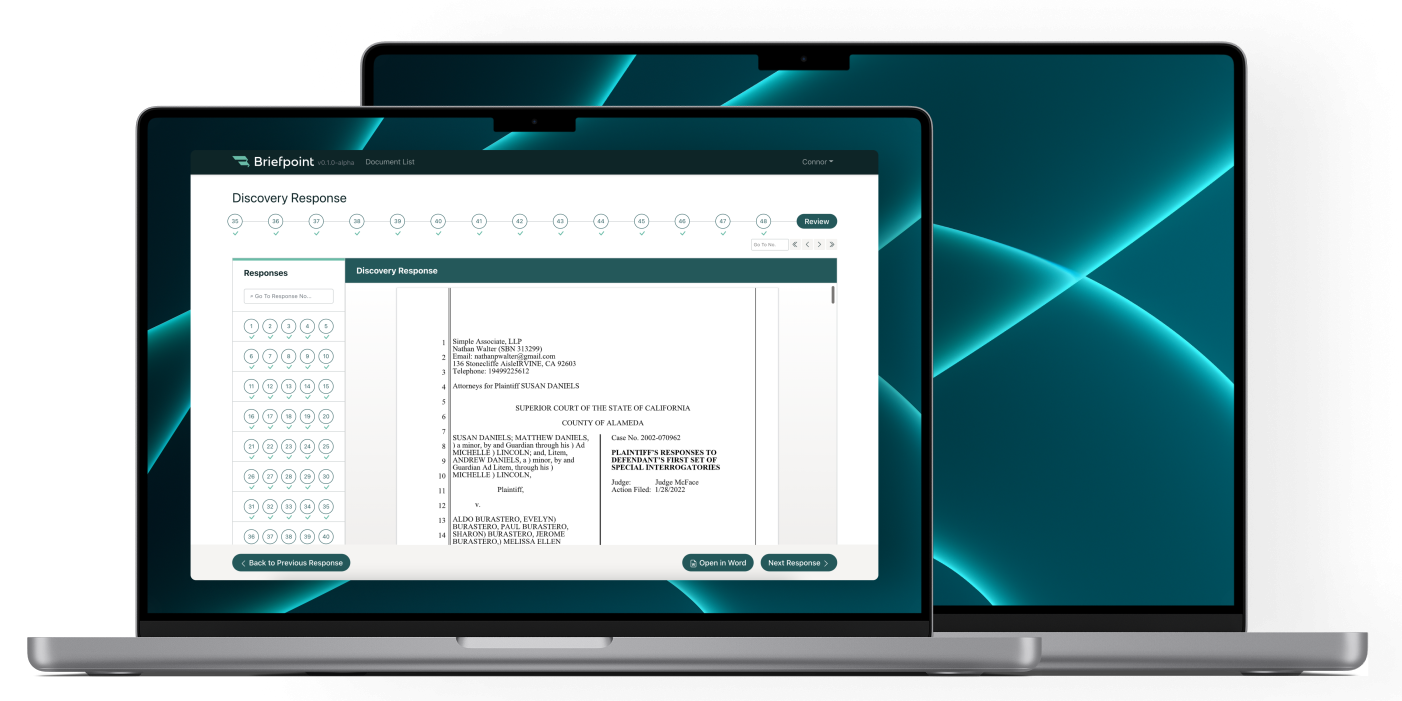
Briefpoint uses a combination of natural language processing and large language models to understand and generate documents based on user uploads, which makes it a perfect fit for lawyers and legal professionals who need to create complex documents at a rapid-fire pace.
Most importantly, the process is extremely simple. You upload the opposing counsel’s discovery request, and Briefpoint’s machine-learning AI system will instantly scan and extract as much information as it can.
Then, the AI will fill out the routine data in your response document and automatically suggest objections to the requests. Briefpoint also has a built-in feature called Bridge, which makes it easy to collect client responses and plug them into your draft.
Finally, you can export your document to Word and put the finishing touches there. The whole process can take as little as a few minutes, compared to hours, if you were to create a whole document manually.
Key Features
- AI-driven document generation
- Template management
- Integration with legal databases
- Customizable clauses and terms
- Supports Word documents
Pros
- Easy to use: The intuitive interface makes it simple for users to get started without extensive training.
- AI-driven: Automates complex legal document creation and minimizes errors from manual data entry.
- Affordable: Offers competitive pricing plans accessible for small to large firms.
2. Legito
Legito is a versatile document automation platform that simplifies the management of different document types. It features automated workflows, customizable templates, legally binding e-signatures, and seamless integration with CRM and ERP systems.
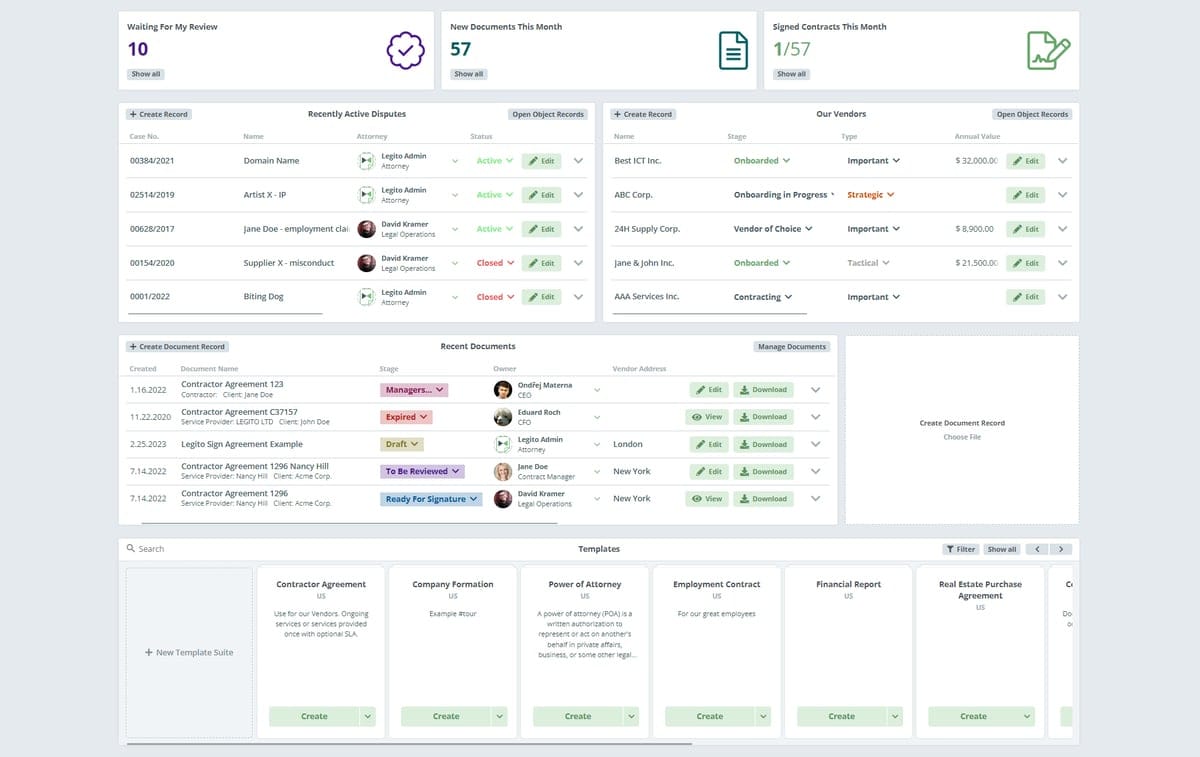
Image sources: G2
For legal professionals, Legito automates the creation of contracts, agreements, and other traditional documents, which cuts down on manual work and produces fewer errors. The interactive templates help ensure compliance and easy customization.
Plus, its document lifecycle management tracks status, manages revisions, and maintains compliance to help save time and increase accuracy.
Key Features
- No-code automation platform
- Interactive templates
- Document lifecycle management
- Integration with CRM and ERP systems
- Legally binding e-signatures
Pros
- Versatile: Supports a wide variety of document types and industries.
- Feature-rich: Includes powerful automation, templates, and e-signatures.
- Collaboration: Excellent tools for team collaboration and real-time editing.
Cons
- Overkill for small businesses: Might offer more features than small businesses need.
- Learning curve: Takes time to learn all the features and fully take advantage of them.
3. Knackly
Knackly lets you simplify document creation with user-friendly templates, easy data importing/exporting, and smart conditional logic. It also integrates well with practice management software, a primary reason why it’s a complete solution for legal document needs.
Image sources SaaS Hub
This tool automates legal document generation to help you save time and increase the consistency among your documents. Users create templates with placeholders for variable data, which can be manually entered or imported.
The tool uses conditional logic to tailor document content based on specific criteria for accuracy and customization. Once data is input, Knackly merges it with the templates to generate complete documents.
Additionally, its intuitive user interface means anyone can use it, while features like conditional logic help make sure documents are accurate and compliant.
Key Features
- Template-based document automation
- Integration with practice management software
- Data importing and exporting
- Conditional logic
Pros
- User-friendly: Designed to be easy to use, even for those who aren’t tech-savvy.
- Efficient template management: Simplifies the creation and management of document templates.
- Affordable: Competitively priced, it’s accessible for small to medium-sized businesses.
Cons
- Primarily for legal use: Best suited for legal documents, which might limit its appeal to other industries with very different business processes.
- Limited integrations: It may not integrate with all the software tools a business uses.
4. DocuGenerate
DocuGenerate is an intuitive document automation tool that makes creating and managing documents straightforward and efficient. It offers features like data merging, conditional logic, and support for various file formats.
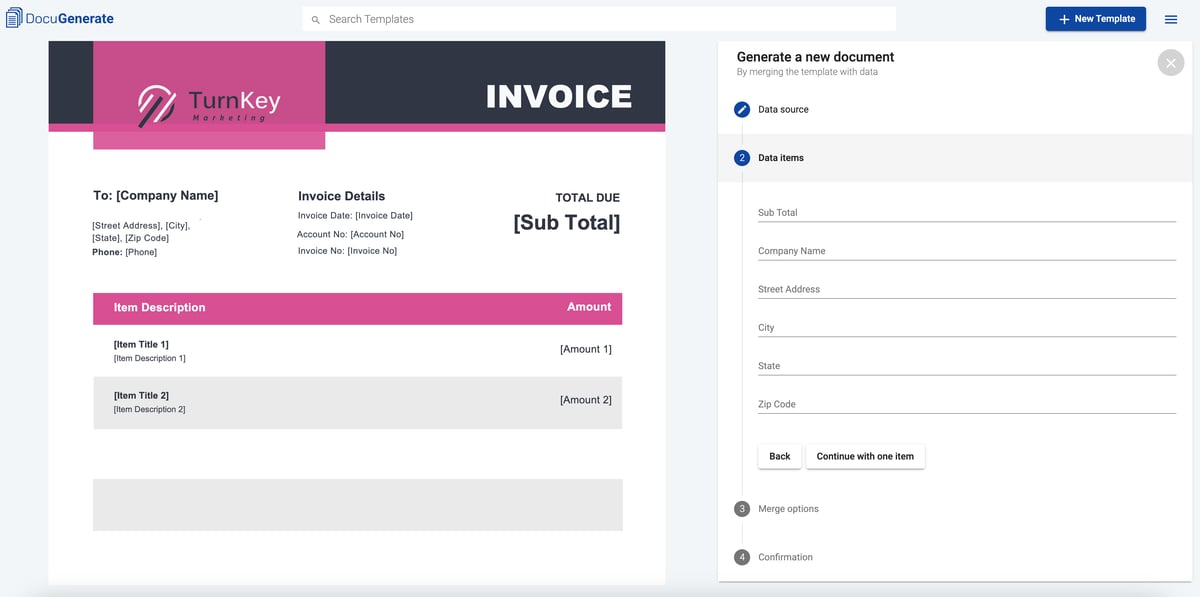
Image sources: G2
With easy integration into cloud storage, it also provides flexibility and ease of access no matter where your team members are.
How does it work? DocuGenerate automates document creation by allowing users to create templates with fields for data merging. Then, users input data, and the tool fills in the templates accordingly with conditional logic to guarantee accuracy and customization.
Key Features
- Data merging
- Conditional logic
- Multiple file format support
- Integration with cloud storage
Pros
- Flexible pricing: Offers a range of pricing options, including a free tier.
- Easy integration: Works well with various cloud storage and other business tools.
- User-friendly: Simple interface that makes document automation accessible to everyone.
Cons
- Advanced features need configuration: Some of the more advanced features might require additional setup.
- Limited advanced functions: Might not have all the advanced capabilities that larger businesses need.
5. PandaDoc
Next up is PandaDoc, a document assembly tool that allows users to create documents using customizable templates, which can be easily edited and personalized. You can add and sign documents electronically and collaborate with team members in real time.
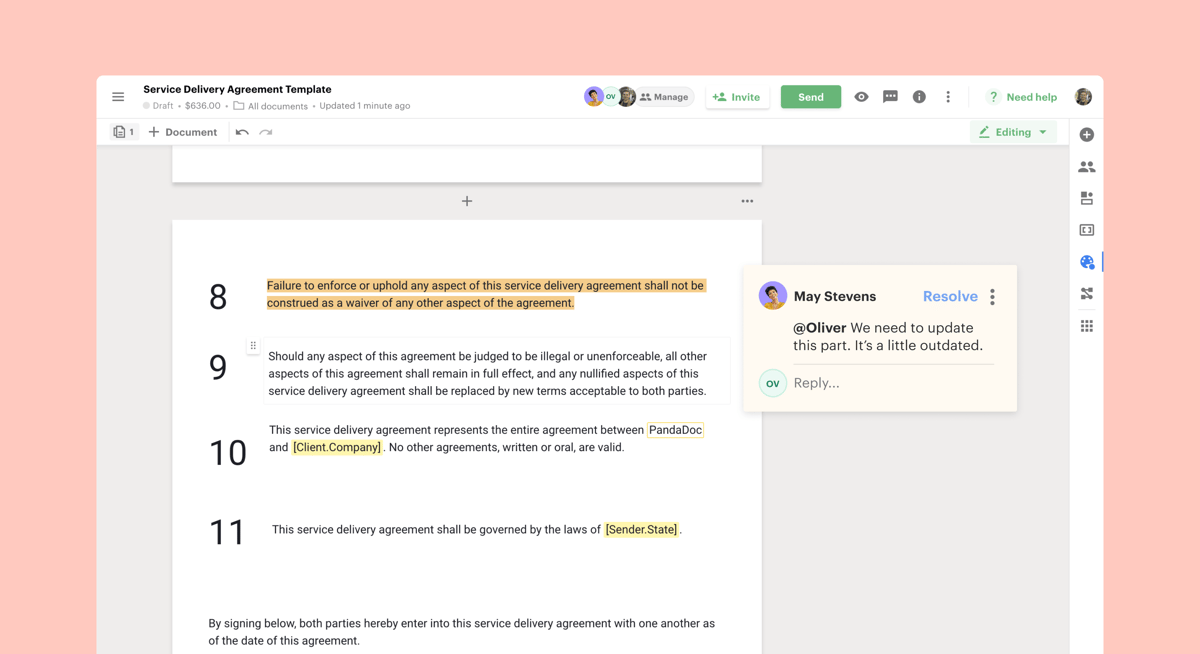
Image sources: G2
At the same time, the platform tracks document progress and provides analytics on document interactions so that you stay informed about how documents are being used.
Key Features
- E-signatures
- Document templates
- Real-time collaboration
- Analytics and tracking
Pros
- Lots of features: From e-signatures to analytics, PandaDoc covers a lot of ground.
- Excellent collaboration tools: Great for teams needing to work together on documents.
- Free plan available: Offers a free tier for businesses to try before committing.
Cons
- Can be pricey: The more advanced features come with higher costs.
- Occasional bugs: Some users report occasional issues and bugs.
6. Juro
Juro is a contract automation platform designed to simplify the management of legal agreements. It allows users to create and manage contracts using easy-to-customize templates. To further simplify the contract lifecycle, you can add e-signatures and automate workflows.
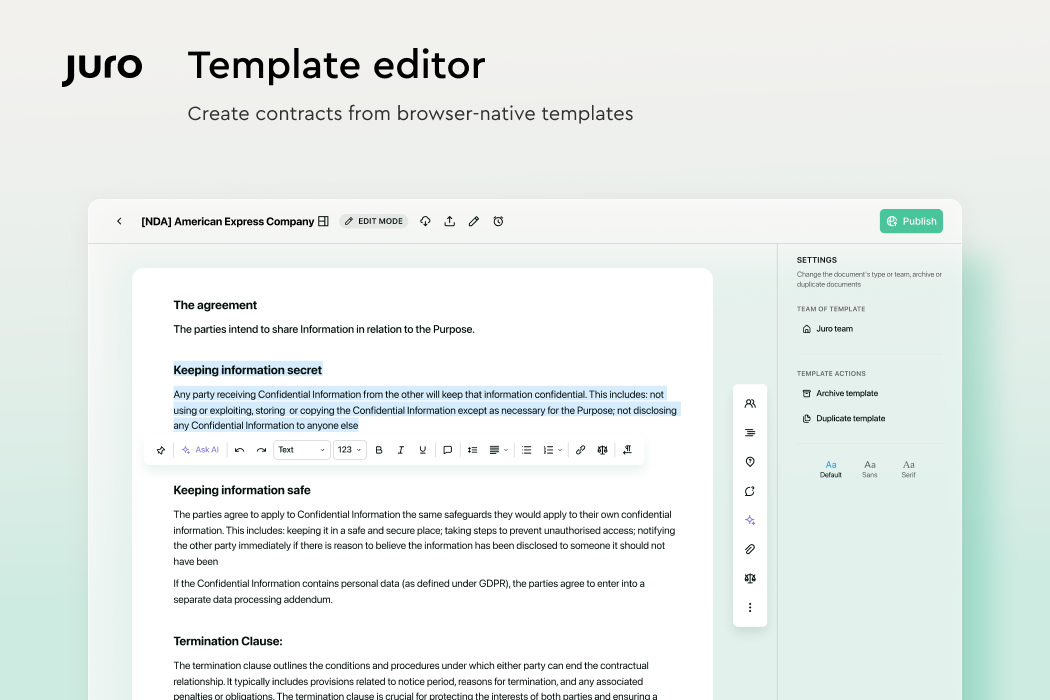
Image sources: G2
Juro is perfect for legal professionals who handle a high volume of contracts. It reduces manual work, minimizes errors, and speeds up the contract management process—all making it a useful tool for improving efficiency and productivity.
Key Features
- Contract automation
- E-signatures
- Customizable contract templates
- Workflow management
Pros
- Specialized for contracts: Perfect for businesses that need to manage contracts efficiently.
- Intuitive interface: Easy to use, with a clean and simple design.
- Good customer support: Responsive support to help with any issues.
Cons
- Limited to contracts: Best suited for contract-related documents, which might not cover all needs.
- Higher pricing for advanced plans: The more advanced features can get expensive.
7. Proposify
Proposify is a document generation and management solution specifically for business proposals. It allows users to create professional proposals using customizable templates tailored to specific needs. This can help sales teams looking to speed up their proposal process.

Image sources: G2
Key Features
- Proposal templates
- E-signatures
- Detailed analytics
- Team collaboration
Pros
- Suitable for sales proposals: Tailored for creating and managing proposals, focusing on the sales process.
- Detailed analytics: Provides insights into how proposals are viewed and interacted with.
- Collaborative features: Great for teams, with real-time collaboration tools.
Cons
- Limited to proposals: Primarily designed for proposals, which might not meet all document needs.
- Can be too focused: Some users might find it too specialized and lacking in broader document automation features.
Why Briefpoint Is the Best HotDocs Alternative
Looking for the best alternative to HotDocs? You’re just in the right place.
Briefpoint will transform your discovery process with its AI-driven tech, which speeds up and simplifies document creation—less fuss, and fewer mistakes. It’s incredibly user-friendly, so you can hit the ground running without navigating through complicated setups.
Plus, it’s tailored for legal professionals so that all your documents meet compliance standards without extra hassle. And if you ever get stuck, their customer support is just a quick call or click away.
Book a demo today and see the difference.
Why Choose Briefpoint?
Discovery responses cost firms $23,240, per year, per attorney. $23,240 estimate assumes an associate attorney salary of $150,000 (including benefits – or $83 an hour), 20 cases per year/per associate, 4 discovery sets per case, 30 questions per set, 3.5 hours spent responding to each set, and 1800 hours of billable hours per year.
Book a demo and save on these costs with Briefpoint.