Top 9 Clio Integrations to Simplify Your Legal Practice
9 Best Clio Integrations You Should Consider
Here’s a list of Clio integrations that can make a big difference in your day-to-day work:
1. Briefpoint
If you’re spending hours on discovery requests and responses, Briefpoint can seriously lighten your load. It’s one of the most helpful Clio integrations for law firms dealing with civil litigation, personal injury, or employment matters.
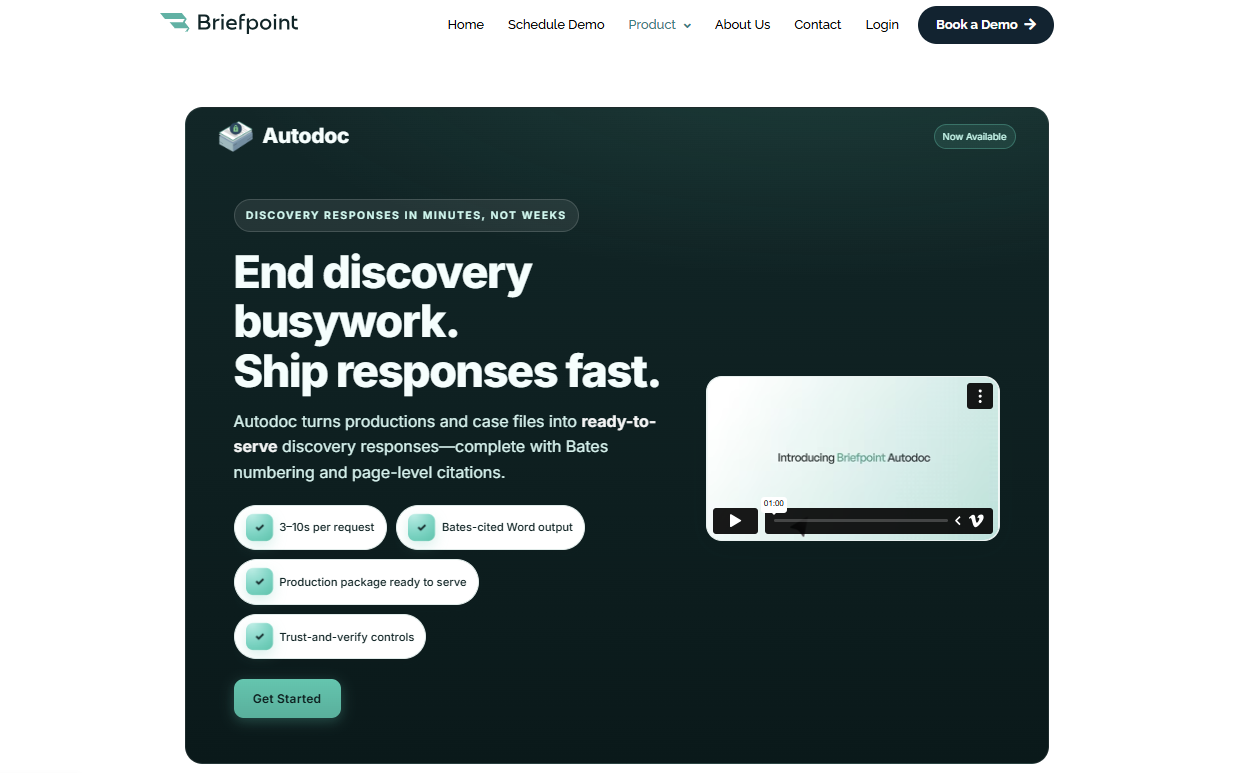
With Briefpoint, you can draft your discovery documents in minutes. Its document automation tools handle requests for admission, requests for production, and interrogatories for every U.S. state and D.C.
Autodoc reviews uploaded discovery materials, identifies responsive documents, and helps generate draft responses with page-level citations. Supplemental responses make it easier to update prior answers as new information comes in or the case develops.
Plus, Briefpoint’s Bridge feature sends your client a secure, mobile-friendly questionnaire written in plain English or Spanish. Once they submit their answers and upload any relevant files, Briefpoint adds that information directly to the draft discovery responses for attorney review.
Getting started is easy. There’s no setup or onboarding. Just sign in and go. Inside Clio, you’ll upload the opposing counsel’s request, add objections (which Briefpoint can help write), and let the tool collect responses from your client.
2. NetDocuments
NetDocuments is a smart choice if you want better control over your Clio documents. As part of a strong practice management software setup, it helps you organize everything in one secure place, which can save time spent searching through messy folders.
It’s built for legal practice needs, making it easy to search, edit, and share documents without slowing down your day. Since it’s cloud-based, you can access your case files anytime, anywhere, whether you’re handling a court deadline or meeting prospective clients.
Clio integrates with NetDocuments to keep matter files connected and reduce repetitive administrative tasks. If document management has been a pain point for your firm, the integration can clean up your workflow fast and keep your legal practice running smoothly.
3. Casetext
Casetext, now known as CoCounsel, is a great Clio integration if you want to make legal research faster and less of a grind.
It connects right to your Clio matter, so you can jump into searching court records, statutes, and case law without switching tools.
You can run keyword searches across millions of digital documents and get results that actually match the legal issues you’re working on. It’s built to save you time and cut down on duplicative data entry. Plus, it lets you link your research directly to the case you’re handling.
4. Docusign
Docusign is one of the easiest ways to improve client relationships while cutting down on delays. Instead of waiting for clients to print, sign, and send back paperwork through postal mail, you can send everything electronically right from your Clio software.
It’s perfect for things like case initiation documents, engagement letters, and other forms you need signed fast. Also, it’s a huge help during client onboarding by making the first steps simple and professional.
By adding Docusign to your Clio setup, you can move past slow administrative processes and get your matters moving quicker. For example, instead of mailing out a retainer agreement and waiting a week, you can send it through Docusign and have it back the same day.
5. Docket Alarm
Docket Alarm makes it easy to stay on top of court filings without all the manual checking. It connects directly to your Clio platform, so you can pull in important updates quickly.
You can import data like case statuses, bankruptcy notices, and new filings straight into Clio Manage. Unlike other apps that keep court information separate, the Clio app connection keeps those updates tied to the correct matter.
It even helps with client intake by letting you know right away when there’s a completed proof of service or a major update tied to your client’s case.
For instance, instead of waiting for a court to mail a filing notice, Docket Alarm can send it straight to your dashboard, help you respond faster, and keep your cases moving.
6. Lawmatics
Lawmatics is a smart Clio integration if you want to make lead generation and client intake easier. It helps you bring in new clients by automating things like intake forms, follow-ups, and scheduling.
Everything is automatically synchronized with your Clio account, so once a lead becomes a client, their information is already in place. You can also keep the matter status updated as the client moves through intake.
Lawmatics also integrates seamlessly with Clio Manage, so you can streamline various aspects of intake, marketing, and client communication. If you’re looking to create an enhanced client experience without piling more admin work on your plate, Lawmatics is a great pick.
7. QuickBooks
When it comes to handling firm finances, QuickBooks makes client billing feel almost effortless. Instead of juggling spreadsheets or worrying about missed payments, you can connect QuickBooks to your Clio account and pull billing info straight from your existing matters.
Integrating Clio with QuickBooks lets you sync invoices, payments, and Clio time entries, so new data does not need to be entered twice.
Everything lines up, which means fewer mistakes and less time fixing errors. That’s a big plus when you’re trying to streamline operations, build a stronger client experience, and avoid legal billing headaches later.
QuickBooks is one of the best tools out there for lawyers who want to spend less time crunching numbers and more time focusing on their clients.
8. CaseMail
CaseMail is a good Clio integration if you’re tired of dealing with the hassle of certified mail. It lets you send documents electronically while still meeting compliance requirements, which means no more standing in line at the post office.
It’s built for legal work, so whether you’re filing something with the Supreme Court, an appellate court, or just serving documents in a regular case, CaseMail keeps everything official and trackable.
On top of that, it stores the legal information you need alongside your Clio matters. It keeps the same facts organized without any extra busywork.
9. AgileLaw
AgileLaw is built to help you run depositions more efficiently, especially if you’re looking to cut down on the paper trail. It brings everything online (e.g., exhibits, annotations, and transcripts) so you’re not stuck shuffling documents around.
What makes it stand out is the way you can build a custom action for each deposition. That means smoother workflows and fewer surprises during the process. It also drastically cuts the time you’d normally spend organizing and sharing exhibits.
If you’re already using Clio to manage your cases, Agile Law fits right in by keeping your deposition prep fast, simple, and completely digital.
Need A Great Clio Integration? Start With Briefpoint
If you’re new to Clio integrations and not sure where to begin, Briefpoint is a smart starting point. Available through the Clio App Directory, it connects discovery drafting directly to the matters you already manage in Clio.

Briefpoint helps you prepare requests and responses, collect client input through Bridge, and update prior answers with supplemental responses.
Autodoc can also review uploaded materials and identify responsive documents, which cuts down on the manual work involved in discovery.
While some firms may need custom integrations for highly specific workflows, Briefpoint is designed to work with Clio with minimal setup. You can connect your account, pull in the relevant matter information, and start drafting.
