What an AI Legal Assistant Can Do for Your Firm
What Is an AI Legal Assistant?
An AI legal assistant is software that helps you handle routine legal work with less human input and manual effort. Basically, it responds to written instructions and uses the information you provide to complete a specific task.
In some cases, the tool may focus on one area, such as discovery drafting. Other platforms support a wider part of your legal workflow and can help with document review or first drafts.
For you, that can mean less time spent starting from a blank page. It may also make repetitive work easier to manage when a matter involves a large volume of information.
At the same time, not every AI assistant is built for legal use. Specialized legal AI is designed around common legal documents and the way law firms already work, which can make it a better fit than a general writing tool.
As these platforms continue to develop, an AI assistant is becoming a practical option for firms that want to move routine legal work along more efficiently.
How Do AI Legal Assistants Work?
AI legal assistants use language models and other forms of machine learning to interpret your instructions. You enter a request in everyday language, and the software analyzes the words, context, and any documents you provide before generating a response.
The process usually involves a few core technologies:
- Natural language processing: This allows the tool to understand legal questions and identify what you are asking it to do.
- Large language models: These models recognize patterns in written material and generate new text based on your prompt and source files.
- Document analysis: Some platforms can search case materials, extract relevant details, and connect information found in different files.
- Workflow automation: Specialized tools apply the technology to routine tasks, such as preparing discovery drafts or reviewing contracts.
The results depend heavily on the information available to the platform. A general AI assistant may rely mostly on your prompt, while legal software can use uploaded matter files or structured templates.
Despite labels such as “AI lawyer,” these tools function as software systems rather than independent legal professionals. Their capabilities also vary, so one platform may answer general legal issues while another is built for a specific workflow.
Practical Uses for an AI Legal Assistant
An AI legal assistant can support many parts of your day-to-day work, though its uses are not limited to the examples below.
Here are some of the most practical ways legal teams are putting these tools to work:
Finding Relevant Legal Authority
Legal research can take hours when you are working through a broad issue or dealing with unfamiliar case law. An AI legal assistant can help narrow the field by searching available data and pointing you toward potentially useful citations.
For example, you could ask the tool to find cases discussing a specific discovery dispute in your jurisdiction. From there, it may return a short list of authorities and explain how each one connects to your question.
Still, the quality of the result depends on the platform and the resources it can access. In general, tools connected to reliable legal databases are better suited for this work than general-purpose assistants, since legal knowledge needs to come from current and verifiable sources.
Preparing First Drafts
An AI legal assistant can give you a workable first version based on your instructions and the source material you provide.
Depending on the type of document, that support may include:
- Letters: Draft routine correspondence using the facts, purpose, and tone you specify.
- Clauses: Suggest language for a particular provision or revise existing wording to fit the situation.
- Summaries: Turn a long document into a shorter overview that highlights the information you need.
- Wills: Help organize initial language from client details and a selected template.
You can also refine the draft through follow-up prompts. For example, you might ask for clearer wording or a version that matches your firm’s usual style. This makes the tool useful for getting the structure in place before the document moves further through your workflow.
Reviewing Contracts
Contract review can slow things down when you need to compare dense language against your legal needs. An AI legal assistant can help you move the process forward by flagging unusual terms and drawing attention to sections that may need a closer look.
For instance, you might upload a vendor agreement and ask the tool to identify clauses that differ from your preferred language. It could point out a broad indemnity provision or a renewal term that deserves more attention.
One advantage is speed. Rather than reading every page with the same level of focus from the start, you can use the tool to highlight likely pressure points and give the review a clearer direction.
The usefulness of that output will still depend on how well the platform understands the contract and the context you provide.
Handling Discovery Work
Once discovery begins, the volume of requests and documents can grow quickly. A specialized AI legal assistant can take on parts of that workload and help keep the process organized.
Its capabilities may include:
- Drafting requests: Prepare interrogatories or requests for production from the case details you provide.
- Preparing responses: Create initial answers and objections for review.
- Reviewing documents: Match potentially responsive files to individual requests.
- Organizing production: Prepare covered materials with Bates numbers and supporting response language.
Some platforms also collect client input through a secure link, then place those answers into the correct requests. That ability can reduce manual copying and make the overall workflow easier to track.
The level of support will depend on the software. General legal services tools may offer basic drafting, while discovery-focused platforms are built around the specific demands of litigation practice.
Keeping Case Information Organized
One useful role for an AI legal assistant is giving your team a clearer view of the information already in a matter. It can make case files easier to search and help connect details that sit in separate documents.
For example, you could ask for references to a specific witness, a summary of recent filings, or insights tied to a particular issue. That gives you a faster way to locate context before you decide what to review more closely.
Some platforms can also track new material as it is added, which helps everyone stay up to date without relying on scattered notes. The result is a more accessible case record that supports faster handoffs and fewer repeated searches.
Supporting Client Communication
AI can help with the routine messages that take up more time than they should. That may be a quick update before an appointment or a chat response to a basic question.
Common uses include:
- Drafting client updates
- Preparing appointment reminders
- Writing follow-up messages
- Answering simple chat questions
- Sending instant status updates
- Organizing intake responses
For your team, this can make it easier to keep communication moving without writing every message from scratch. Clients also get clearer updates and fewer long gaps between replies, which can build confidence in the way their matter is being handled.
Of course, certain conversations will still need a personal response, particularly when the topic is sensitive, or the client needs detailed guidance. Routine communication, though, is often a good fit for AI support.
What to Look for Before Choosing a Tool
The right AI legal assistant should fit the work your team already handles and give you clear answers about how it uses your information. Before choosing a plan, look closely at the features that will affect everyday use.
Key factors include:
- Legal fit: Check that the platform is trained for the work you handle rather than offering general web-based assistance.
- Confidentiality: Find out how client information is stored and if files are encrypted during transfer and at rest.
- Data use: Confirm if your prompts or documents are used to train the system.
- User controls: Look for permissions that let you decide which users can access each matter.
- Pricing: Compare the total cost of the plan, including usage limits and charges for additional seats.
- Workflow compatibility: Test how easily the app fits into your current process and what manual work will remain.
- Support: Ask what happens when the tool cannot complete a task or the output does not pass review.
Put AI to Work Where It Counts
An AI legal assistant is most useful when it supports a clear part of your workflow. General tools may help with research or first drafts, while specialized software can take on work that follows a more defined legal process.
Briefpoint is built specifically for written discovery.

Autodoc reviews case files for responsive documents, then prepares Bates-cited Word responses and a Bates-numbered production package.
Meanwhile, Client Bridge collects client answers and files through a secure link, while Supplemental Responses lets your team update prior discovery responses without rebuilding the document.
The platform also supports interrogatories, requests for admission, and requests for production in every U.S. state and federal district court.
Book a demo to see how Briefpoint can reduce the manual work surrounding discovery.
How to Reduce Manual Work With Litigation Support Automation
What Is Litigation Support Automation?
Litigation support automation uses software to handle repeatable work that comes up throughout a case. Rather than asking your team to re-enter the same information or move each task forward manually, the system helps keep the workflow moving with fewer administrative steps.
Common tasks include:
- Case intake
- Discovery drafting
- Client information collection
- Document review
- Bates numbering
- Deadline tracking
The exact setup can look different from one firm to another. Some legal teams use workflow automation for a single stage of litigation, while others connect several parts of the case process.
How Does Litigation Support Automation Work?
Litigation support automation starts with a trigger in your existing workflow. That could be anything from a new case entering the system to a document being uploaded. The software then carries out the next action based on rules, templates, or AI.
Common technologies include:
- Rules-based automation: Moves tasks forward when a set condition is met, such as assigning work after intake is complete.
- Document automation: Pulls case data into templates to create first drafts with less manual entry.
- Artificial intelligence: Reviews source material and helps generate content based on the facts in the file.
- Natural language processing: Interprets written requests and identifies relevant language in case documents.
- System integrations: Connects tools so information can move between platforms without repeated copying.
For litigation teams, legal automation can reduce manual processes throughout a case. Some firms use process automation for a single routine task, while others build automated workflows that connect several stages of the litigation process.
Which Litigation Tasks Can Be Automated?
Many litigation tasks follow repeatable steps, which is exactly what makes them good candidates for automation. The sections below cover the parts of casework that litigation teams can often streamline with software:
Case Intake and Matter Setup
Automation can create a new matter as soon as a client submits an intake form. The system can transfer the information into your case management platform, assign the file, and open the next task without requiring legal professionals to enter the same details again.
For example, a personal injury firm could use an online intake form to collect accident details. Once submitted, the software can create the matter and send the client the next required form.
In turn, this reduces repetitive tasks at the beginning of a case and gives your team a cleaner starting point.
Document Collection and Organization
Automation tools can help your team collect files from clients and place them in the correct matter. They can also rename uploads or sort them based on the document type.
Common files include:
- Legal documents
- Medical records
- Client correspondence
- Photographs
- Expert reports
- Court filings
If you’re dealing with legal cases with a large document volume, automated organization makes it easier to locate the right file more easily and quickly.
Discovery Request Drafting
Using automation can speed up the early drafting work for interrogatories, requests for admission, and requests for production. Attorneys may start by choosing the discovery document they need, and then using software to shape the requests around the facts.
A typical process may include:
- Reviewing source material: The software reads pleadings or other case information to identify useful topics.
- Selecting the request type: Attorneys choose the document and define the scope.
- Generating the draft: The platform prepares requests using the case details and preferred language.
- Exporting the document: The draft is moved into Word for editing and filing preparation.
Tools such as Briefpoint can help firms follow the same drafting process from one matter to the next. This can reduce setup time while allowing firms to handle larger caseloads more efficiently.
Discovery Response Preparation
You can also use automation to help with incoming discovery. For example, the software can read each request, organize the response work, and prepare draft language using information already available in the matter.
In a litigation practice, this can reduce the time spent moving client answers into documents or matching responsive files to individual requests. Legal workflow automation may also help organize discovery objections and place supporting details under the correct response.
Once routine processes are connected, your team can move from the incoming request to a usable draft with fewer manual steps.
Client Information Collection
Gathering details from clients can become time-consuming when answers arrive through calls or email threads.
Automated litigation support gives your clients a structured place to submit information and keeps each response tied to the correct case.
The process may include:
- Digital questionnaires: Clients answer questions through an online form built around the matter.
- Conditional prompts: Follow-up questions appear based on earlier responses.
- Secure data transfer: Client data moves directly into your firm’s system.
- Progress tracking: You can see which questions are complete and which still need attention.
Automation can also make client meetings more productive. When you review the submitted answers beforehand, you can spend the meeting clarifying important details rather than collecting basic information.
Document Review and Identification
Document review software helps you work through large case files and locate material connected to a request or legal issue. It can narrow the pool of documents before you begin a deeper review.
Useful functions include:
- Keyword and concept search: Finds documents containing a term or discussing a related idea.
- Document classification: Sorts files based on their content or likely relevance.
- Duplicate detection: Identifies repeated copies of the same document.
- Responsive document matching: Links case files to the requests they may answer.
- Privilege flagging: Marks documents that may contain protected information.
When you are handling multiple cases, these tools can reduce the administrative burden tied to early review. Plus, they can limit unnecessary risk from missed files and create measurable benefits through faster document identification.
Bates Numbering and Production
Bates numbering is the process of assigning a unique, sequential identifier to every page in a document production. The Bates number usually appears in the same place on each page, which makes it easier to cite a specific document during discovery or later in the case.
Automation can apply these numbers to an entire production set at once. It may also organize the files in production order and create a corresponding index.
For example, a set of 500 pages might be labeled ABC000001 through ABC000500, giving you a clear reference for each page.
This saves legal staff from entering numbers manually and reduces the chance of skipped or repeated identifiers. At the same time, it can shorten processing time when a production contains many files or needs to be prepared on a tight schedule.
Deadline and Task Management
Automation can help you keep case deadlines visible and move assignments forward as dates approach. It may also streamline operations by sending automated notifications when action is required.
Common uses include:
- Court deadline tracking
- Discovery due dates
- Task assignments
- Status reminders
- Calendar updates
- Escalation alerts
Legal Research and Case Analysis
AI legal research tools can help you find relevant authority sooner and work through a large body of legal material with less manual searching.
For example, you can enter a question in plain language, review the cases the system identifies, and compare how courts have treated a similar issue.
The same technology can also summarize decisions or pull key passages from lengthy opinions. In complex cases, this gives lawyers more time to examine how the authority affects case strategy rather than spending most of the research window locating basic sources.
The potential time savings are substantial. Thomson Reuters estimates that AI-assisted legal research can reduce the research time for an average litigation matter from 17–28 hours to roughly 3–5.5 hours.
And for law firms with limited resources, that faster starting point can make legal support available earlier in the case and help the attorney develop a clearer direction before drafting begins.
Reporting and Case Updates
Automation can pull current information from your case systems and turn it into a consistent update for clients or internal review.
The report may include:
- Recent case activity
- Upcoming deadlines
- Current matter status
- Completed tasks
- Pending client requests
- Next steps
For instance, after a discovery response is served, the system could update the case status and send the client a short notice explaining what happened. Your staff would not need to rebuild the update from separate notes each time.
Regular reporting also gives you a clearer view of active work and helps clients understand what is happening with their case. For one, clearer communication can support better service and create a smoother experience around your legal services.
Benefits of Litigation Support Automation
We’ve talked about the tasks litigation support automation can handle. The practical benefits become clearer when you look at how those tools affect daily work.
Key benefits include:
- Less manual data entry: Information can move from intake forms or case files into later documents with fewer repeated inputs.
- Faster turnaround: Automated steps can shorten the time needed to prepare drafts or organize files.
- More consistent workflows: Legal departments can follow a repeatable process even when complex workflows involve several people.
- Better client service: Faster responses and clearer updates can improve client engagement during the case.
- More time for higher value work: Lawyers can spend more of the day on analysis, negotiation, or case strategy.
- Easier adoption across practice areas: Firms can apply automation to different types of litigation rather than limiting it to one narrow use case.
For the legal industry, the broader shift is toward reducing the administrative load tied to daily tasks. That gives your staff more room to focus on substantive legal work and deliver a smoother experience for clients.
How to Choose Litigation Support Automation Software
Litigation platforms are not created equal, so start with the work you actually want to improve.
A tool may look impressive in a demo but still add friction if it does not fit the way your firm handles cases, so make sure to consider the following:
- Workflow fit: Look for software that supports your current process and can adapt as your needs change.
- Data security: Review how the provider stores client information, controls access, and protects files during transfer.
- Compliance support: Check for safeguards that align with professional obligations and the rules affecting your practice.
- Useful integrations: Confirm that the platform connects with the systems your staff already uses.
- Ease of adoption: Choose a tool that legal staff can learn without rebuilding the entire workflow.
- Reporting and visibility: Make sure you can track progress and see where work is slowing down.
- Vendor reliability: Review customer support, product updates, and experience in the legal field.
Reduce the Manual Work Behind Litigation
Litigation support automation can make the routine side of casework easier to manage. When repetitive steps take less time, your firm has more room for substantive work and better communication with clients.
Discovery is one area where the administrative load can become particularly heavy. Briefpoint helps you draft and respond to interrogatories, RFAs, and RFPs using the facts in the case file. It can also collect client answers through a secure, mobile-friendly link.
For document productions, Briefpoint identifies responsive files and prepares Bates-cited Word responses with page-level references.
Apart from that, the platform can generate an organized production package that is ready for service. Firms handling matters in different jurisdictions can use it throughout all 50 states and federal district courts.
11 Legal Software Examples for Different Workflows
What Is Legal Software?
Legal software is a broad category of tools built to support the work lawyers and their staff handle every day.
For instance, one platform might manage cases and deadlines, while another focuses on a specific task such as drafting discovery responses or reviewing contracts.
The useful question is not simply what the software does. You need to know where it fits into your existing process. Law firms may use one system as the main hub for client files and billing, then connect it with specialized legal software solutions for research, document preparation, or payments.
Moreover, legal teams often build their technology around the work that takes the most time or creates the most friction. A litigation practice may prioritize discovery automation, for example, while a growing firm may need stronger intake and practice management tools.
Each product in the next section serves a different purpose, so you can compare the options based on the workflow you want to improve.
11 Best Legal Software Examples and Their Use Cases
Different tools serve different parts of legal work. Here are 11 best legal software examples organized by use case:
1. Briefpoint for Discovery Automation
Briefpoint is discovery automation software built for litigation teams that want to spend less time drafting and organizing written discovery.
You can use it to prepare interrogatories, requests for admission, and requests for production, then review the drafts before they leave your firm.
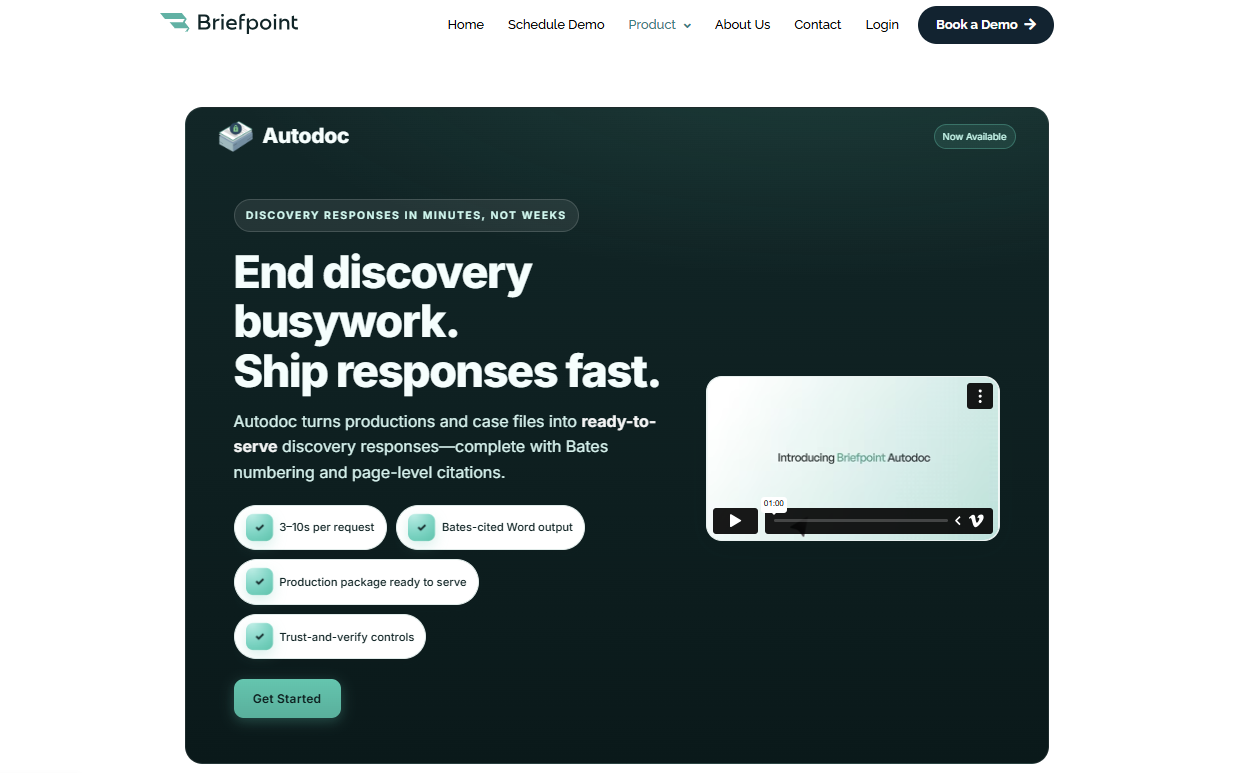
The platform goes further than basic document creation. Briefpoint can help you collect client responses through Client Bridge, identify files that may answer an RFP, and produce Bates-numbered documents with page-level citations.
Meanwhile, Autodoc handles much of the repetitive work involved in reviewing requests and drafting responses, which gives you a stronger starting point than a blank Word file.
If more than half of your discovery process still depends on copying language and formatting draft documents manually, Briefpoint can take a large portion of that work off your plate.
It is a focused legal tech product rather than general document automation software, and that’s why it’s a practical fit for firms that handle discovery regularly.
Best Features
- Discovery request drafting: Create objection-aware interrogatories, RFAs, and RFPs from the complaint and case details.
- Autodoc: Find responsive documents and draft RFP responses with Bates citations.
- Client Bridge: Collect answers and files through a secure, mobile-friendly link in English or Spanish.
- Production preparation: Generate Bates-numbered PDFs and Word responses with page-level citations.
- Jurisdictional support: Draft documents for all 50 states and 98 federal district courts.
Pros
- Focuses specifically on discovery rather than general document creation
- Reduces repetitive drafting and document review work
- Produces editable Word files for attorney review
- Combines document automation software with client collection and production tools
- Supports both propounding and responding to discovery
2. Clio for Practice Management
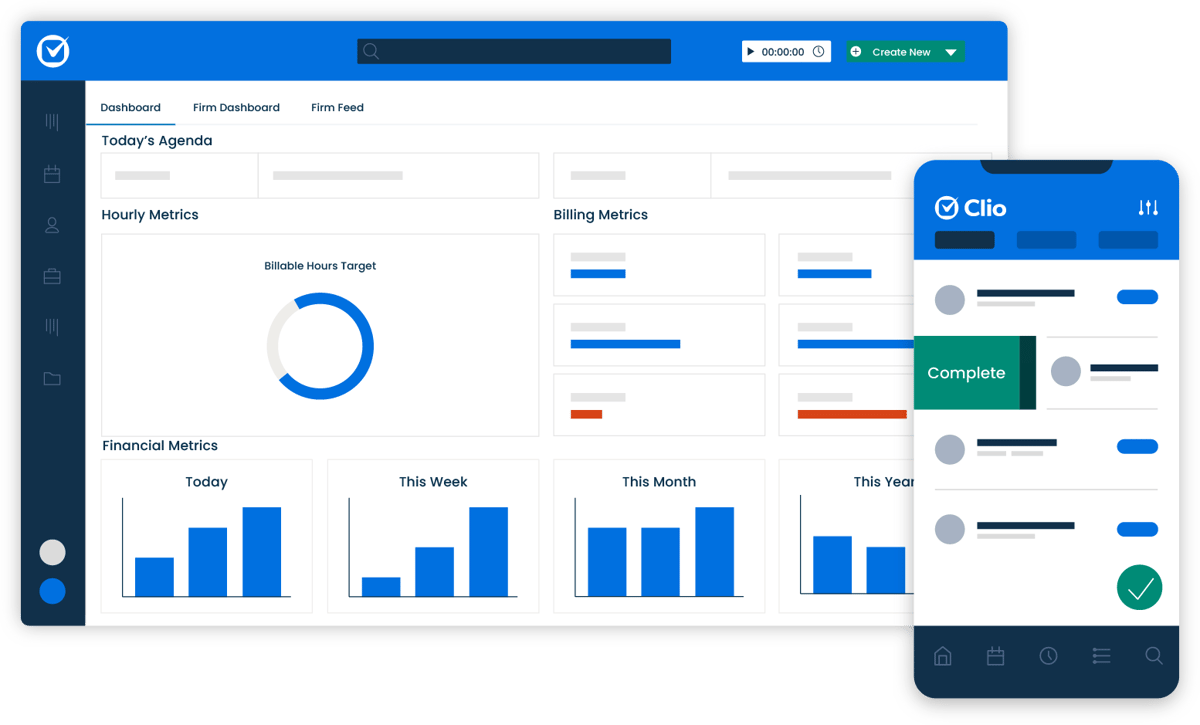
Clio is cloud-based legal practice management software that gives you one place to handle the operational side of running a firm.
Key elements like matters, client details, documents, time entries, and bills stay connected, making it easier to find the information you need without moving between several disconnected systems.
Source: G2
You can use Clio Manage as the main practice management system for day-to-day operations. A matter page brings together related notes, calendar events, communications, and financial activity, so legal professionals can quickly see what has happened and what needs attention.
Its cloud-based document storage also lets your team open and organize case files from a computer or mobile device.
Clio works well for firms that want broader law practice management support rather than software built around one legal task. It can serve as the central system while connecting with other tools used for specialized work.
Best Features
- Matter management: Keep case details, contacts, tasks, notes, and communications connected to the correct matter.
- Time and expense tracking: Record billable work and costs as they occur.
- Billing and online payments: Prepare invoices and give clients digital payment options.
- Document management: Store, search, edit, and organize files in the cloud.
- Calendar and task tools: Track deadlines, appointments, and staff assignments.
- Client portal: Share files and communicate with clients through a secure online space.
Pros
- Brings core firm operations into one platform
- Accessible from desktop and mobile devices
- Connects with a large selection of outside applications
- Suitable for firms with multiple practice areas
- Offers strong case organization and reporting tools
3. Lawmatics for Client Intake and CRM
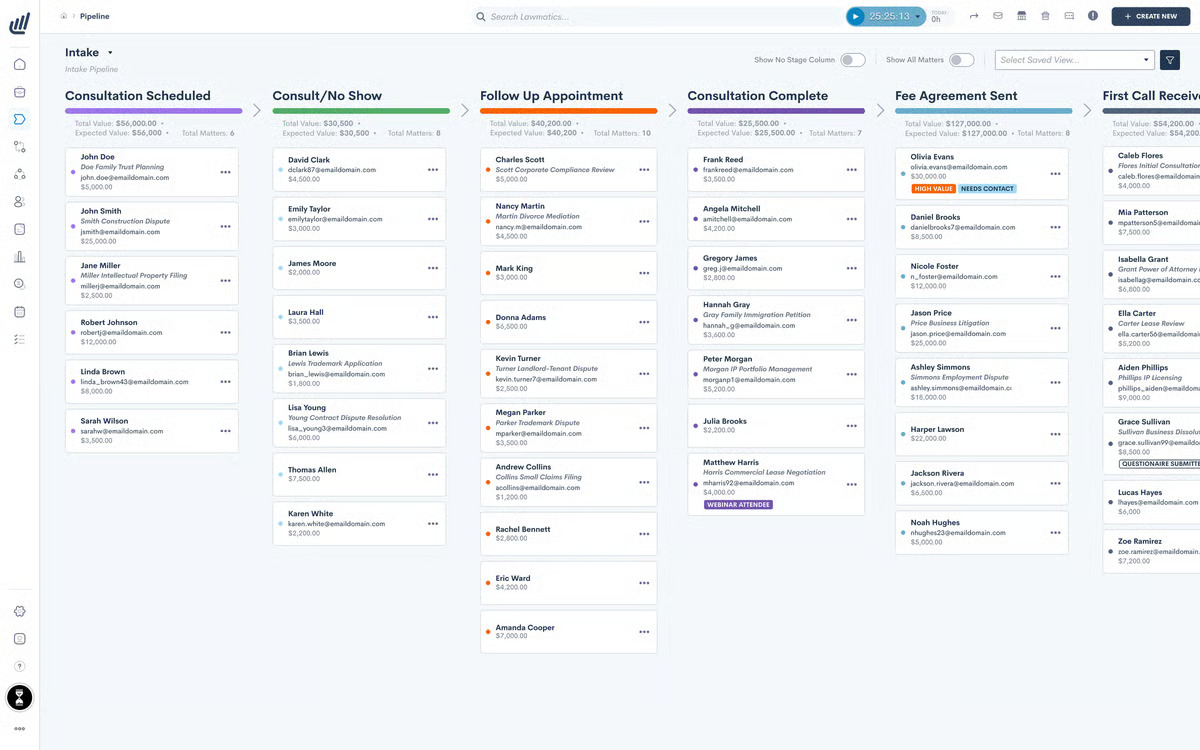
Lawmatics is legal intake software and a CRM built to help firms manage prospective clients from the first inquiry through signed engagement.
Essentially, it gives your team a clearer view of each lead, including where they came from, which forms they completed, and what communication has already taken place.
Source: G2
The platform is useful when client management still depends heavily on inboxes or manual reminders.
You can create custom intake forms, schedule consultations, send follow-ups, and collect electronic signatures from one legal software system. Calendar connections help your team stay up to date on appointments without relying on a separate legal calendaring process.
Lawmatics focuses on the relationship-building side of the firm rather than active case management. If administrative tasks are slowing down intake or leads are waiting too long for a response, its automation tools can help you create a smoother experience while keeping client relationships organized.
Best Features
- Custom intake forms: Collect information based on practice area or matter type.
- Workflow automation: Trigger emails, tasks, and reminders as leads move through intake.
- Appointment scheduling: Let prospective clients choose from available consultation times.
- CRM timeline: Review communications, forms, and activity in one place.
- E-signatures: Send engagement documents for digital signing.
- Lead reporting: Track referral sources and conversion performance.
Pros
- Designed specifically for legal intake and client relationships
- Cuts down on repetitive follow-up work
- Gives firms a clearer view of the intake pipeline
- Connects with practice management and calendar tools
- Supports a more consistent experience for prospective clients
4. MyCase for Client Communication
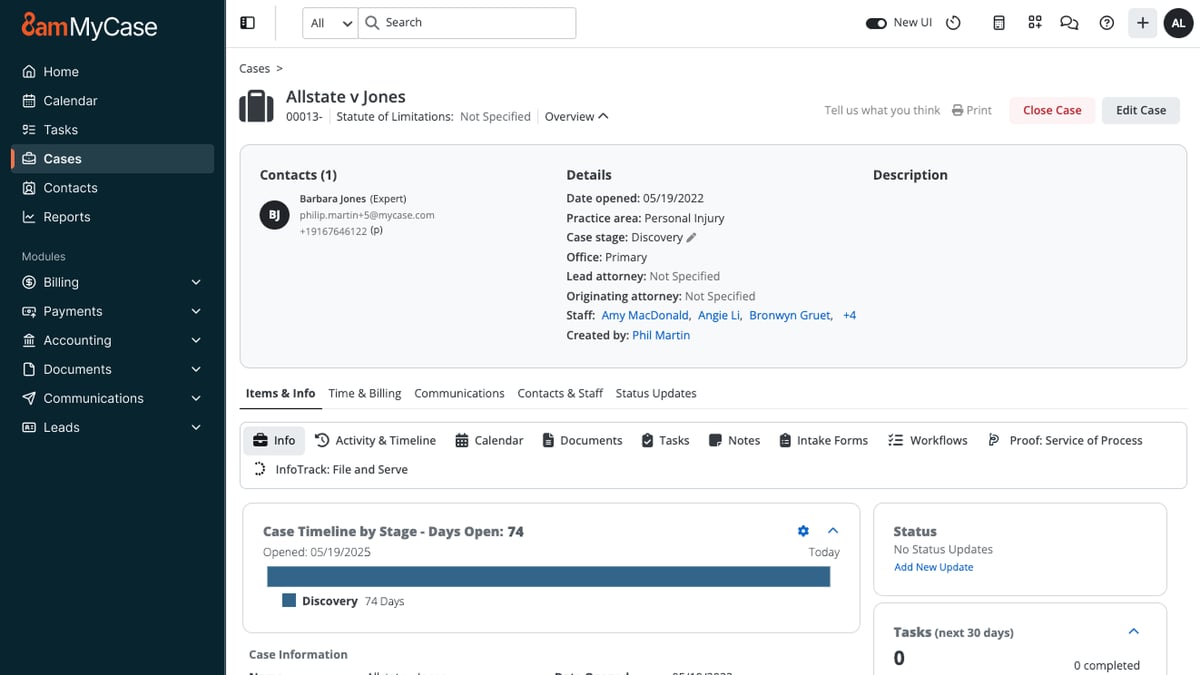
MyCase is a legal practice management platform with client communication tools built directly into the case workflow.
Through its secure client portal, your firm can exchange messages, share documents, send invoices, and keep clients informed all in one place.
Source: G2
Clients can log in from a phone or computer to review case information, upload files, check upcoming events, and pay their bills. Your team sees the same activity within MyCase, which keeps each conversation tied to the right matter.
For legal software, law firms often need both convenience and control, and the portal gives you a more organized place to handle sensitive client information.
The platform can work for solo practices as well as midsize law firms that want communication, billing, and case management in one system. Plus, its security features, such as encryption and access tracking, can support client confidentiality while giving clients an easier way to reach your firm.
Best Features
- Secure client portal: Share messages, documents, invoices, and case details in one location.
- Built-in text messaging: Contact clients without using a personal phone number.
- Document sharing: Send and receive case files through the portal.
- Online payments: Let clients review invoices and submit payments digitally.
- Case updates: Share appointments, events, and other relevant information.
- Mobile access: Give clients access to their portal from internet-connected devices.
Pros
- Keeps client communication linked to the correct case
- Gives clients convenient access to files and updates
- Reduces reliance on email and voicemail
- Combines communication with billing and case management
- Offers security controls for confidential information
5. QuickBooks Online for Legal Accounting
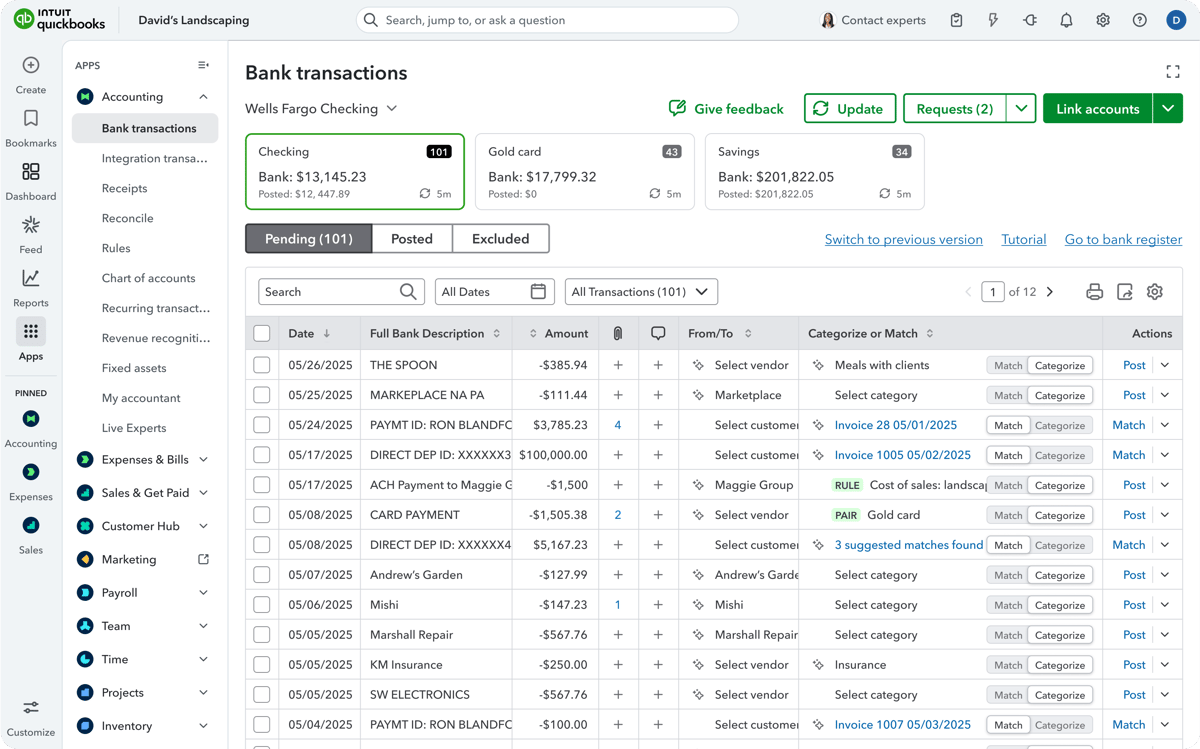
QuickBooks Online is cloud-based accounting software that helps firms manage the financial side of the business. It allows you to track income and expenses, create invoices, record payments, and review reports without maintaining separate spreadsheets for every account.
Source: G2
For firms that bill by the hour, its time tracking and invoicing tools can connect recorded work with client bills. You can also use financial reports to review cash flow and get a clearer picture of the firm’s financial performance.
QuickBooks works well as general business accounting software, while integrations with legal billing software can add features tailored to law firms.
Trust accounting requires more care. QuickBooks can be configured to record trust-related transactions, but it is not a dedicated legal accounting software platform on its own. Firms that need detailed trust accounting controls may pair it with a legal-specific integration or choose a system built for those requirements.
Best Features
- Income and expense tracking: Organize transactions and connect bank or credit card accounts.
- Legal billing: Create invoices, apply recorded time, and monitor payment status.
- Financial reporting: Review profit and loss, balance sheet, and cash flow reports.
- Online payments: Give clients digital options for paying invoices.
- Time tracking: Record billable hours and add them to client invoices.
- App integrations: Connect QuickBooks with legal billing and practice management tools.
Pros
- Familiar accounting platform used in many small businesses
- Strong reporting for monitoring firm finances
- Flexible invoicing and payment tools
- Connects with several legal software platforms
- Accessible from a browser or mobile device
6. Lexis+ AI for Legal Research
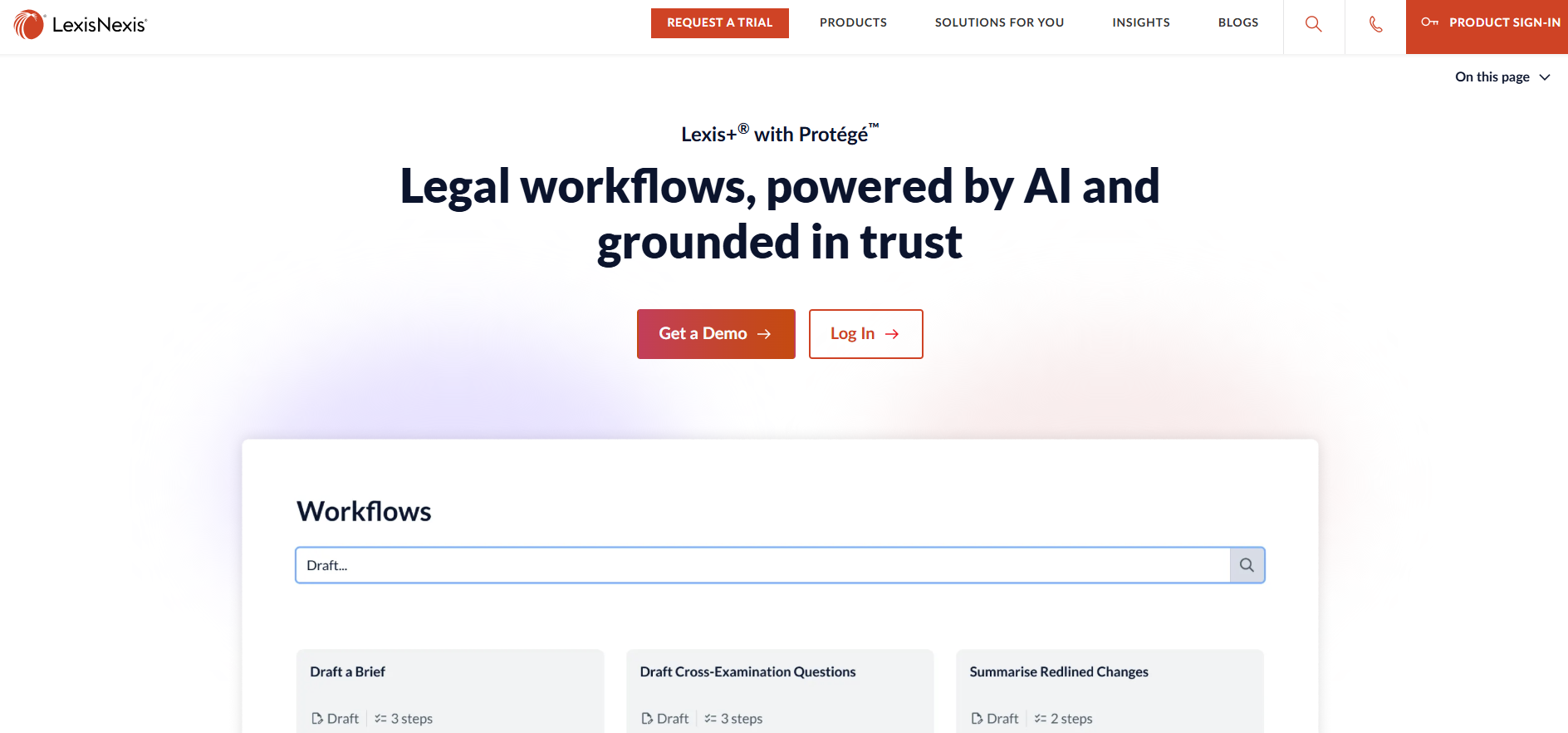
Lexis+ AI is an AI-powered legal research platform from LexisNexis. It combines conversational search with the company’s legal database to give you a faster way to explore cases, statutes, and other authorities.
Source: LexisNexis.com
You can ask a question in plain language, review the cited sources, and refine the issue through follow-up prompts. Shepard’s Citation Validation helps you check how a case has been treated, while document analysis can surface relevant arguments or authorities from uploaded files.
If you already use LexisNexis, the platform brings familiar research tools and generative AI into the same workspace. It may be one of the best software options for teams that want quicker research without losing direct access to the underlying legal sources.
Best Features
- Conversational research: Explore legal questions through natural-language prompts.
- Shepard’s tools: Review citation history and treatment.
- Linked authorities: Open the sources behind generated answers.
- Document analysis: Examine uploaded files for legal issues and citations.
- Case summaries: Get a condensed overview before reading the full opinion.
- Drafting support: Use research results to prepare an early draft.
Pros
- Connects AI answers to established legal sources
- Supports both traditional and conversational legal research
- Helps narrow broad legal questions
- Includes citation validation
- Useful for reviewing lengthy authorities
7. Docusign for Electronic Signatures
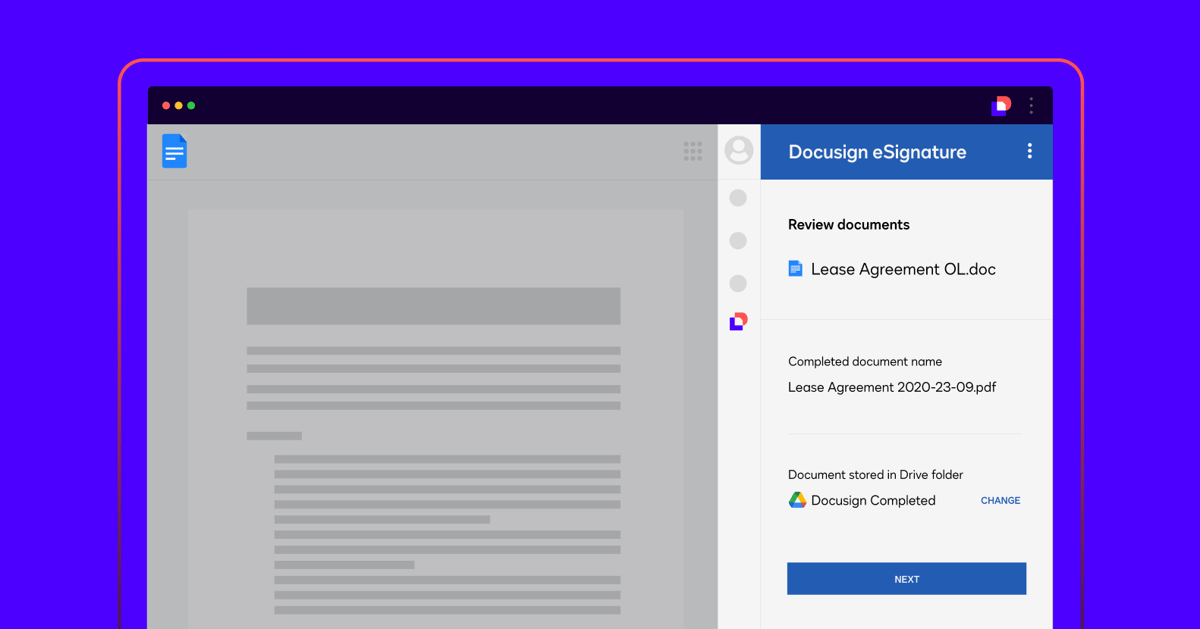
Docusign is an electronic signature platform that lets law firms send documents for signature and track each step online. Rather than printing an engagement letter or settlement agreement, you can upload the file, place the required fields, and send it directly to the signer.
Source: G2
The platform supports common formats such as Word documents and PDFs, and signers can complete them from a computer or mobile device.
Automatic reminders help move outstanding documents along, while reusable templates save time when your firm sends the same type of agreement regularly.
Docusign also records activity connected to the signing process, giving your team a clearer record of who opened and completed the document.
For firms still handling signatures through email attachments, Docusign offers a simpler process for routine legal documents. You can keep signed copies organized, reduce printing, and avoid asking clients to scan paperwork back to you.
Best Features
- Electronic signatures: Send documents for online signing from nearly any device.
- Reusable templates: Prepare frequently used agreements without rebuilding every envelope.
- Automatic reminders: Prompt recipients when a signature is still outstanding.
- Signing fields: Add signature, date, initials, and other required fields.
- Status tracking: See when a document has been sent, viewed, or completed.
- Audit trail: Maintain a record of activity connected to the agreement.
Pros
- Familiar signing experience for many clients
- Works with common document formats
- Speeds up routine signature collection
- Reduces printing and scanning
- Integrates with widely used business and legal platforms
8. iManage for Document Management
iManage is legal document management software designed to organize documents, emails, and other case-related content in one searchable system.
With this platform, your team can organize documents and emails in dedicated workspaces for each client or matter, rather than sorting everything through a shared drive.
Source: iManage.com
Its document management functionality covers far more than storage. iManage tracks version history, controls who can open or edit a file, and makes it easier to search through large collections of legal content.
That can be useful when a matter contains high volumes of material, such as contracts or medical records, and several people need access to the latest version.
Security is a major part of the platform. iManage supports granular permissions and applies data encryption to uploaded content, which helps firms protect confidential files while still allowing attorneys and staff to collaborate.
It’s generally a better fit for organizations with substantial document volumes and stricter governance needs than for firms seeking lightweight legal document software.
Best Features
- Matter workspaces: Organize documents and emails around the correct client or case.
- Version control: Preserve earlier drafts and identify the current file.
- Advanced search: Locate documents through metadata and full-text search.
- Access permissions: Limit viewing or editing rights at the document level.
- Email management: Save matter-related messages alongside the supporting files.
- Security controls: Protect sensitive data through encryption and need-to-know access.
Pros
- Handles large collections of legal documents
- Keeps document history easy to follow
- Offers detailed access and governance controls
- Supports collaboration without relying on shared drives
- Built for firms with complex document management needs
9. Everlaw for eDiscovery
Everlaw is a cloud-based eDiscovery platform for reviewing large collections of documents during litigation and investigations. It gives your team tools for uploading data, narrowing the review set, coding documents, and preparing productions within the same software program.
When practicing law involves thousands or even millions of emails and files, a basic search bar will only take you so far. Everlaw uses advanced search, visual analytics, and AI-assisted review to help you identify relevant evidence sooner.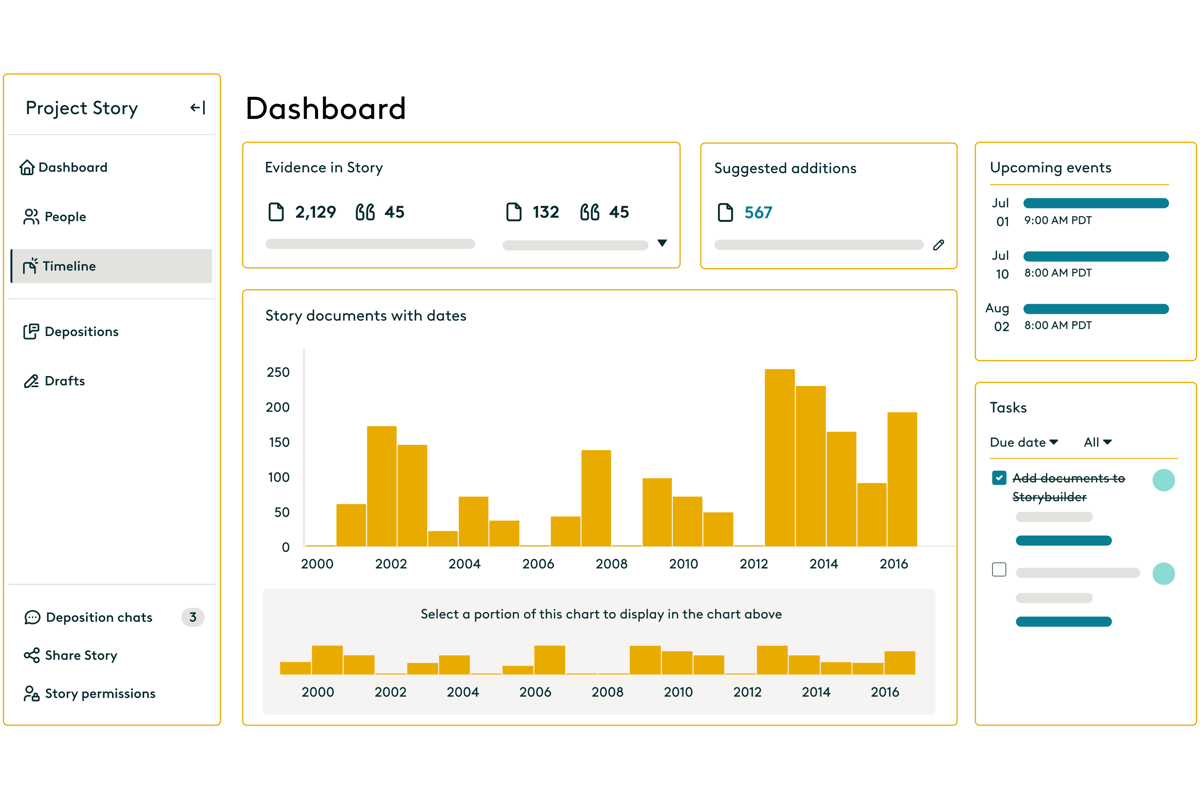
Source: G2
Reviewers can categorize documents for issues such as relevance or privilege, then collaborate through shared assignments and case-building tools.
Everlaw also connects document review with deposition and trial preparation through Storybuilder. Your team can organize key evidence, create timelines, and carry useful findings forward as the case develops.
Best Features
- Early case assessment: Examine data before promoting documents into active review.
- Advanced search: Filter large data sets through metadata and document content.
- AI-assisted coding: Classify documents based on relevance, privilege, or case issues.
- Review workflows: Assign batches and customize coding layouts for different reviewers.
- Production tools: Apply Bates numbers, endorsement stamps, and production settings.
- Storybuilder: Turn reviewed evidence into timelines and deposition materials.
Pros
- Supports the eDiscovery process from data upload through production
- Handles large document collections
- Connects review findings with case preparation
- Offers flexible collaboration tools
- Includes AI features for faster document analysis
10. Spellbook for Contract Drafting and Review
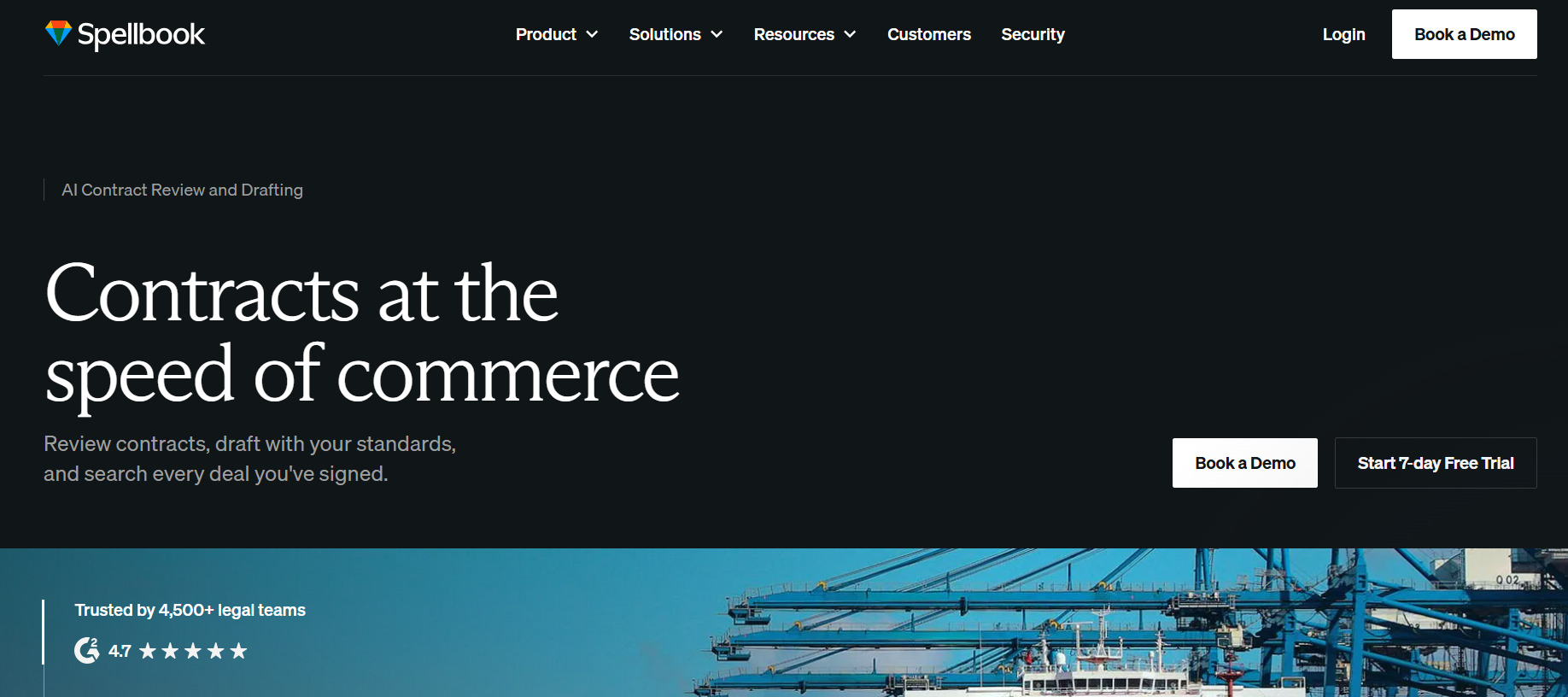
Spellbook is an AI tool that helps lawyers draft and review contracts directly inside Microsoft Word. Since it works where many agreements are already written, you can analyze a document and revise the language without uploading it to a separate contract platform.
Source: Spellbook.com
During review, Spellbook can point out missing clauses, one-sided terms, and language that may deserve a closer look.
You can ask it to suggest a revision, explain a provision, or draft a replacement clause based on the surrounding contract. Custom playbooks let firms apply their own preferred positions rather than relying on the same review standard for every agreement.
It can also help when you are starting from an old template that needs substantial changes. Spellbook generates language within the document, while tracked changes make it easier to review each proposed edit.
Best Features
- In-document drafting: Generate clauses and revisions inside Microsoft Word.
- Contract review: Identify missing terms and potentially unfavorable language.
- Custom playbooks: Apply preferred fallback positions and review rules.
- Tracked redlines: Add proposed edits without replacing the original text.
- Clause explanations: Break down complex provisions in clearer language.
- Language comparison: Compare contract terms against selected standards.
Pros
- Fits into an existing Word-based workflow
- Useful when revising older contract templates
- Gives firms control over review preferences
- Makes proposed changes easy to inspect
- Supports drafting and review in the same tool
11. LawPay for Legal Payments
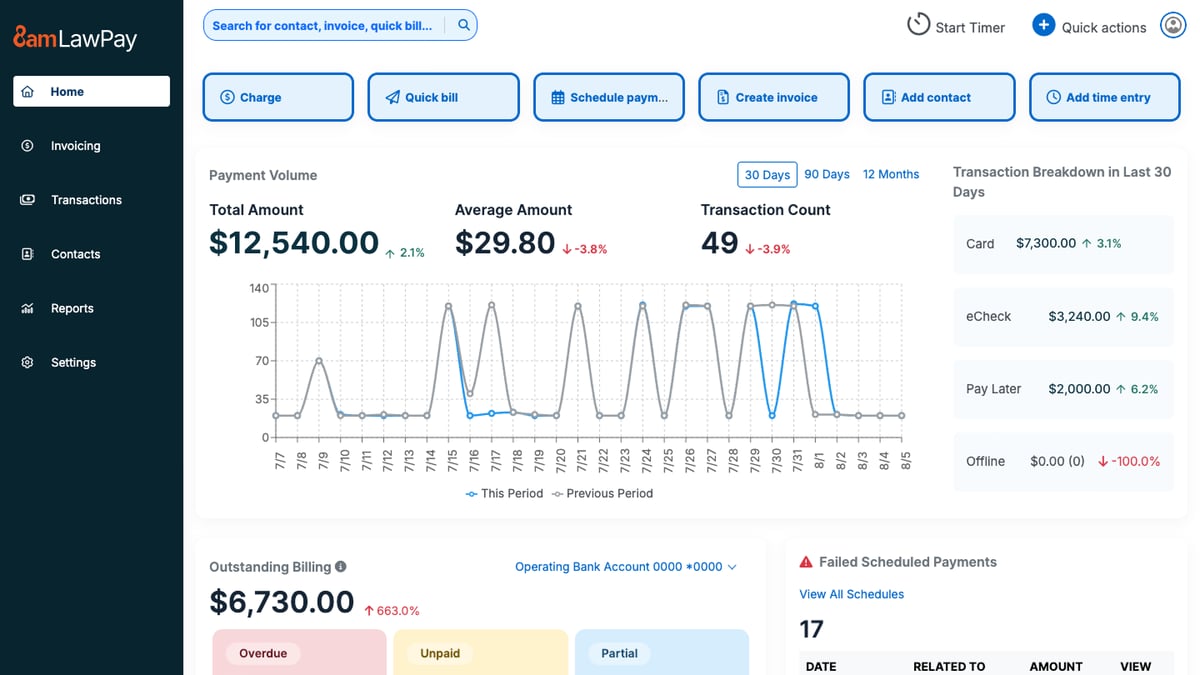
LawPay is a payment platform built for law firms that need to collect client funds while keeping legal billing rules in mind. It lets clients pay invoices or retainers online, and firms can direct money to the correct operating or trust account.
That legal focus is what separates LawPay from a standard card processor. The platform is designed to prevent processing fees from being deducted from trust funds, which can make payment handling easier for firms with strict accounting obligations.
Source: G2
Clients can pay through a secure link, from an invoice, or through a firm’s website, giving them a more convenient option than mailing a check.
LawPay can fit into existing legal processes through integrations with practice management and accounting platforms.
If you’re comparing legal software options, it is worth considering when faster collections and trust-friendly payment handling are higher priorities than broader billing or case management features.
Best Features
- Online payments: Accept credit card and eCheck payments through secure links.
- Trust account support: Route funds to the appropriate trust or operating account.
- Payment pages: Add a branded payment option to the firm’s website.
- Recurring billing: Schedule repeat payments for approved arrangements.
- Invoice connections: Collect payments through supported legal billing platforms.
- Reporting tools: Review transactions, deposits, and payment activity.
Pros
- Built around the payment needs of law firms
- Supports trust and operating account separation
- Gives clients several ways to pay
- Connects with popular legal software platforms
- Can help firms collect outstanding balances sooner
Choose Technology That Earns Its Place
Legal technology should remove work from your plate instead of just creating another system to maintain. The right legal software fits naturally into your workflow and solves a problem your team deals with regularly.
Briefpoint brings that focus to written discovery. It drafts interrogatories, RFAs, and RFPs, while Client Bridge collects answers and documents through a secure link. Autodoc identifies responsive files, adds Bates citations, and prepares production materials for attorney review.
Book a demo to see how Briefpoint can simplify discovery from the first draft through production.
How AI Discovery Software Supports Litigation
What Is AI Discovery Software?
AI discovery software uses artificial intelligence to help legal professionals handle parts of the discovery process with less manual work. It can support written discovery, document review, client information collection, and other litigation tasks that often take significant time.
This category is becoming more common, though it is still broader than a single type of product. Some legal AI tools focus on drafting interrogatories or responses, while others review large document sets and flag potentially relevant material.
Traditional discovery software usually relies on search filters, templates, and rules created by the user. On the other hand, AI-powered platforms can interpret case information, recognize context, and generate work based on the documents provided, just to name a few capabilities.
The main difference comes down to how much the system can understand. Non-AI tools follow preset instructions. AI discovery software can analyze language and adapt its output to the case, which can make discovery work faster and easier to manage.
How AI Is Used in the Legal Discovery Process
AI for legal discovery can support several parts of the process, from early drafting through document production.
The exact role depends on the software, but most tools focus on reducing repetitive work while keeping legal professionals in control of the final output.
Drafting Discovery Requests
An AI tool can review the complaint and other case materials to prepare a first draft of written discovery. Legal teams can then refine the language based on the strategy of the matter and the court’s rules.
For example, a plaintiff-side firm handling an employment dispute could upload the complaint and ask the software to draft interrogatories related to the employer’s stated reason for termination. The system may also suggest a relevant request for production based on the same issue.
Attorney review still plays a central role, especially when the wording could affect later discovery responses or motion practice. However, a case-aware draft gives the lawyer a stronger place to start and reduces the time spent reworking old templates.
Preparing Responses and Objections
AI can also support discovery workflows after requests arrive. The software reviews each request, compares it with the case materials, and prepares draft responses or discovery objections based on the available information.
Relevant information from client questionnaires, uploaded records, or prior filings can be connected to the correct request. That can give legal departments and law firms a clearer starting point for review, particularly in matters with long request sets.
Like always, leveraging AI does not remove the need for legal judgment. Attorneys still need to confirm the facts, assess privilege, and decide which objections are appropriate under the governing rules. The software mainly reduces the repetitive work involved in sorting requests and building the first draft.
Collecting Information From Clients
Client input often shapes a discovery response, but email chains and repeated follow-ups can slow the process. AI-driven software can send clients a secure questionnaire that explains each request in clearer language and asks for the details needed.
The platform can also organize large volumes of information as the client submits answers or uploads files. This gives the legal team one place to review the material and see which requests still need attention.
Common uses include:
- Sending secure questionnaires
- Requesting supporting files
- Tracking incomplete answers
- Connecting submissions to the relevant request
Finding Responsive Documents
AI systems can compare a discovery request with files from available data sources and identify material that may be responsive. This can support saving time when a matter involves large data sets that would otherwise require repeated manual searches.
For example, a request may seek communications related to a contract amendment. The software can review uploaded emails and flag messages that discuss the amendment, even when the wording differs from the request.
These processes may include:
- Matching files to specific requests
- Flagging possible duplicates
- Marking documents for attorney review
- Connecting responsive files to draft responses
Preparing Documents for Production
AI discovery software can help organize digital information after responsive documents have been reviewed. Depending on the platform, it may apply Bates numbers and prepare a production set in the required format.
Generative AI may also help draft the accompanying responses or identify where citations should appear. Attorney review still remains necessary before anything is served. Relying solely on the software could lead to missing files, incorrect labels, or production choices that do not fit the case.
A careful final review should confirm that privileged material has been withheld, the production matches the agreed scope, and each document appears in the correct place.
What Types of Discovery Can AI Software Handle?
AI software can support several forms of discovery, though its capabilities vary by platform. Some products focus on written discovery for a single case, while eDiscovery systems review large collections of digital data.
Depending on the platform, AI discovery software may support areas such as:
- Interrogatories: AI can draft questions based on the pleadings and prepare response language from client-provided facts.
- Requests for admission: The software can create targeted statements or help draft admissions and denials for attorney review.
- Requests for production: AI can prepare document requests and identify relevant documents connected to each request.
- Document review: eDiscovery tools can search files from sources such as email accounts or shared drives and flag material related to the dispute.
- Investigations: AI can help organize records and locate connections within a large body of information before or during litigation.
These capabilities can apply to many practice areas. In a personal injury case, for example, the software might help draft written requests and review medical records for information connected to the claimed injuries.
Key Features of AI Discovery Software
A strong AI discovery platform should fit the way your firm already handles case preparation and review. Look for features that support the work from the first draft through final production, such as:
Case-Aware Drafting
Case-aware drafting uses the facts and documents from a specific matter to produce more relevant discovery language. Rather than pulling from a generic template, the software can shape requests around the claims, defenses, and issues already present in the case.
For example, in a wage dispute, the platform might review the complaint and draft interrogatories focused on timekeeping practices. It could also suggest a related request for production tied to payroll records.
This feature can support early case assessment by helping attorneys spot missing information sooner. It may also surface key insights that guide informed decisions about what to request next. How legal teams use the draft still depends on their strategy, so attorney review remains part of the process.
Client Information Collection
As noted earlier, client input often feeds directly into discovery responses. A strong platform can collect that information through a secure portal and connect each submission to the correct request.
Common collection features include:
- Secure questionnaires
- File uploads
- Status tracking
- Evidence organization
- Electronically stored information intake
This keeps the review process more organized and gives the attorney a clearer record of what the client has provided.
Responsive Document Identification
Once the requests for production are in place, the next step is finding the documents that actually respond to them. Technology-assisted review can compare each request with the available case files and flag material that appears relevant.
The software looks at context rather than relying only on exact keyword matches. As a result, it may surface useful documents even when the wording differs from the language in the request.
A strong platform should also show where it searched and let you confirm or remove suggested files. That visibility makes the review process easier to manage before any document becomes part of the production.
Bates Numbering and Citations
After the responsive files have been selected, they still need to be organized for production. A Bates number is a unique identifier placed on each page so attorneys can refer to a specific document or page without relying on file names.
Briefpoint’s Autodoc handles this part of the process by identifying responsive documents, applying Bates numbers, and preparing Word responses with page-level citations. It can also package the selected files for production.
Advanced search controls help you review where the system looked, while the citations connect each substantive response to the correct Bates range. Together, these features can improve accuracy and reduce the manual work involved in labeling and cross-referencing documents.
Discovery Workflow Integrations
Integrations help AI discovery software fit into the tools your team already uses. For example, the platform may connect with document storage systems so case files can move into review without repeated uploads.
It may also work with case management software or an AI assistant that helps attorneys find prior responses and related matter information.
Some integrations support reviewing and analytics as well. A dashboard might show which requests still need attention or how much material has been collected for production. That can give the team a clearer view of the workload and help shape case strategy.
Storage costs deserve attention too, especially when the platform handles large collections of files. Before choosing a product, check how it stores data, what limits apply, and what happens when a matter grows.
Other Features to Look For
Core drafting and document tools may get most of the attention, but a few supporting features can have a major effect on daily use. Before choosing a platform, look closely at how it handles security, search, and review:
- Security and access controls: The software should protect client data with clear permissions, audit logs, and controls that limit who can view or change sensitive information.
- Natural language queries: Strong platforms let you search case files using everyday questions rather than relying only on simple keyword searches.
- Natural language processing: This helps the software understand context, which can improve document matching and reduce irrelevant results.
- Machine learning review: Some systems learn from attorney decisions during review and use that feedback to rank potentially relevant material.
- Risk assessment tools: Useful features may flag privilege concerns, missing information, or other potential risks that need closer review.
You should also consider the learning curve. A feature-rich product may offer stronger risk mitigation, but it still needs to fit the team’s workflow. A guided trial can help you assess risk and see how much training the platform will require.
The Benefits of Using AI for Discovery
AI discovery software can improve several parts of the process, including but definitely not limited to:
- Faster review: AI can examine large document collections and identify potentially relevant material sooner, which can shorten the time spent on manual review.
- Stronger analysis: The software can connect related information, highlight patterns, and surface meaningful insights that may influence case strategy.
- More consistent drafting: Approved language and internal standards can be applied to discovery requests or responses with fewer manual revisions.
- Better workload management: Law firms and corporate legal departments can handle larger matters without placing every review task on an attorney or paralegal.
- Improved search quality: Natural language tools can help you find useful information that simple keyword searches may miss.
- Support for compliance requirements: Search histories, access logs, and review records can help document how information was collected and handled.
- Clearer case preparation: Faster analysis can help teams answer key questions earlier and focus attention on the documents that deserve closer review.
Make Discovery Work Easier to Manage
AI discovery software can help you move from the first draft to final production with far less repetitive work. Nevertheless, the best results come from a platform built around the actual demands of litigation rather than a general-purpose AI tool.
Briefpoint focuses specifically on written discovery. You can draft interrogatories, requests for admission, and requests for production from the case materials already in front of you.
Then, when responses come due, the platform can prepare objection-aware drafts and collect client answers through Client Bridge.
From there, Autodoc brings document review and production into the same workflow. It can locate responsive files, apply Bates numbers, add page-level citations to Word responses, and prepare the production package for service.
Briefpoint also lets firms use Discovery Playbooks to apply their preferred objection language and response approach more consistently. That gives you a clearer process from drafting through production without piecing together several disconnected tools.
5 Best Legal Document Preparation Software in 2026
What Is Legal Document Preparation Software?
Legal document preparation software helps you create documents from templates, client details, and matter-specific information.
Depending on the platform, it may support different types of documents, such as pleadings, contracts, discovery documents, court forms, client letters, and other legal work.
Compared with regular document preparation tools, legal document software is built around the structure and requirements of legal drafting.
General word processors mainly help with writing and formatting, while legal platforms can pull information into the right sections, apply approved language, and adapt documents based on the details you enter.
Many tools also include features such as guided questionnaires, clause libraries, court-ready formatting, and reusable templates. These features reduce the need to copy information from older files or rebuild documents from the beginning.
Legal drafting software can be especially useful when your firm prepares the same types of documents often. However, the best fit will depend on your practice area, current workflow, and the level of customization you need, among many other factors.
5 Top Legal Document Preparation Tools
The right software should fit the documents you prepare most often and feel natural within your current workflow. Here are five legal document preparation tools worth considering, starting with a platform built specifically for discovery work:
1. Briefpoint for Discovery Document Preparation
Briefpoint is legal document automation software built specifically for written discovery. In essence, it helps lawyers prepare discovery requests and responses without rebuilding each document from old files or entering the same case information repeatedly.
You can upload a complaint or discovery request, select the relevant jurisdiction, and generate documents in Word format for attorney review. Briefpoint supports interrogatories, requests for admission, and requests for production, including objections that follow the firm’s preferred approach.
The platform also covers later stages of discovery preparation. Client Bridge collects answers and files through a secure link, while its production tools review uploaded materials for responsive documents. Briefpoint can then prepare Bates-cited responses and an organized production package.
Since the software focuses on discovery, it may be a strong fit for legal teams that handle a steady volume of litigation work.
Lawyers still review and revise the finalized documents, but much of the repetitive preparation happens before the draft reaches them. This leaves more time for higher-value work tied to case strategy and client representation.
Best Features
- Discovery drafting: Prepare interrogatories, RFAs, and RFPs in the appropriate jurisdictional format.
- Client Bridge: Collect client answers and supporting files through a secure, mobile-friendly link.
- Autodoc: Upload the complaint, RFPs, and case files so Briefpoint can find responsive documents, draft responses with page-level Bates citations, and prepare a Bates-numbered production package.
- Discovery Playbooks: Apply the firm’s preferred objection and response strategy throughout each case.
- Microsoft Word export: Download formatted drafts for attorney review, revision, and service.
- Jurisdictional support: Generate discovery documents for all 50 states and federal district courts.
Pros
- Covers document preparation throughout the written discovery process
- Supports all 50 states and federal district courts
- Reduces repetitive drafting and document review
- Lets lawyers edit each draft in Microsoft Word
- Collects client responses in English or Spanish
- Integrates with platforms such as Clio, MyCase, and Smokeball
2. Gavel for Custom Legal Document Automation
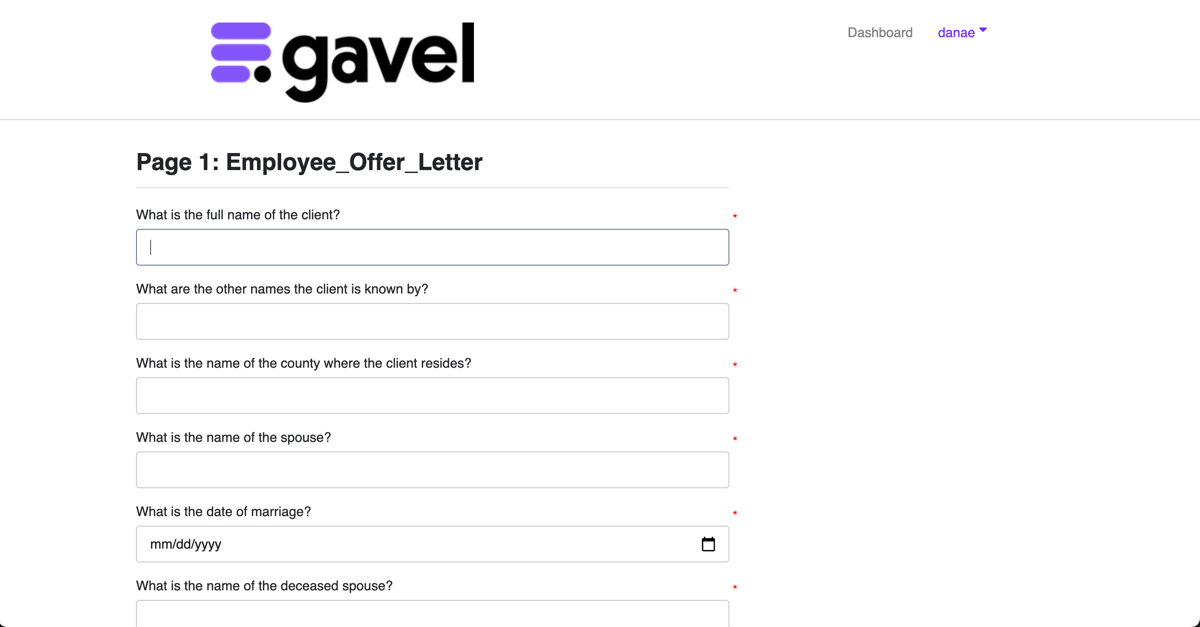
Gavel is a no-code document automation platform that helps legal professionals turn existing Word and PDF documents into guided workflows.
With Gavel, you can build a questionnaire, connect each answer to a document field, and apply conditional logic that changes the final language based on the information provided.
Source: G2
The platform works well for firms that rely on repeatable legal forms but still need room for customization. For example, you can create custom forms for client intake, automate full document sets, or start with ready-made templates from Gavel’s legal template library.
Common use cases cover practice areas such as estate planning and family law, along with corporate or real estate work.
Gavel can also populate PDF documents automatically through its PDF Tagger. Since client and matter details flow directly into the correct fields, legal professionals spend less time on repetitive drafting tasks and manual edits.
In turn, this can improve overall efficiency while helping firms produce consistent, accurate legal documents.
Best features
- No-code workflow builder: Create questionnaires and document workflows through a visual editor.
- Conditional logic: Adjust clauses, questions, and output documents based on prior answers.
- PDF Tagger: Connect workflow data to fields in fillable PDF documents.
- Automation templates: Use ready-made legal templates and customize the wording.
- Document sets: Generate several related Word or PDF files from one workflow.
- Client-facing forms: Collect information through branded online questionnaires.
Pros
- Supports highly customized legal document workflows
- Works with both Microsoft Word and PDF templates
- Covers several legal practice areas
- Reduces manual data entry within repeatable forms
- Offers a template library for faster setup
- Connects with tools such as Clio and other practice systems
3. Clio Draft for Court Forms and Template Automation
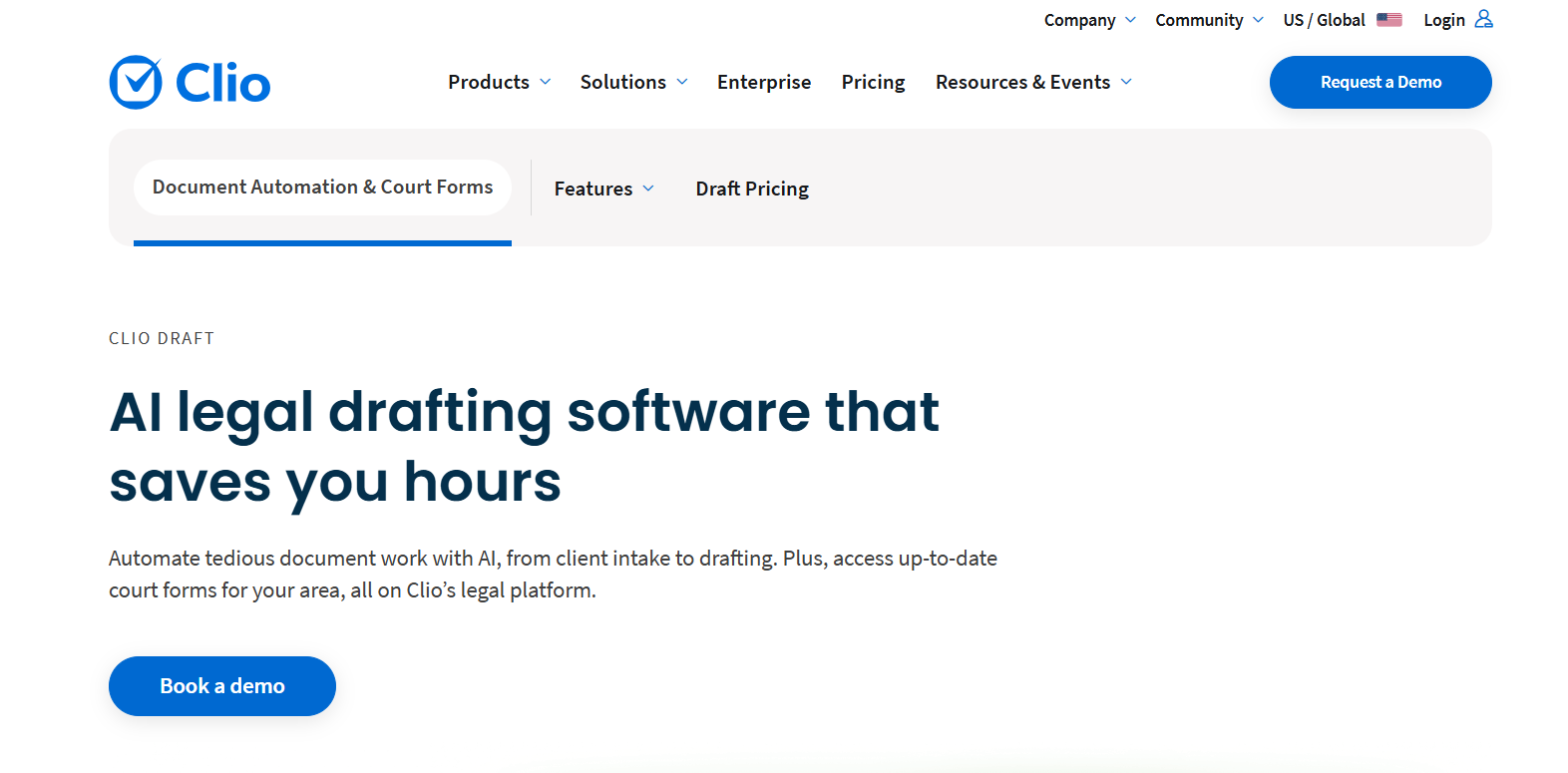
Clio Draft helps law firms prepare court forms and reusable legal documents from information already stored in Clio Manage. Client and matter data flows into the correct fields, which cuts down on manual tasks and reduces repeated typing.
Source: Clio.com
Its cloud-based court form library covers all 50 states and uses court-approved forms. Firms can prefill common details, save frequently used versions as form templates, and complete new filings with fewer clicks. This can help with compliant documents when courts update their requirements.
Clio Draft also converts existing Microsoft Word files into automated templates. User inputs can control document language, including details like clauses, pronouns, or case-specific wording.
Firms that need extra setup support can use Clio’s template service, where certified experts build and refine automated documents on their behalf.
Best features
- Court form library: Access fillable, court-approved forms for every U.S. state.
- Word template builder: Turn existing documents into reusable automated templates.
- Clio Manage integration: Populate documents with stored client and matter information.
- Form templates: Save prefilled versions of forms used regularly.
- Conditional language: Adjust document wording based on user inputs.
- Electronic signatures: Send and track documents that require signatures.
Pros
- Reduces data entry for firms already using Clio Manage
- Supports court forms and custom Word documents
- Helps maintain consistency within recurring filings
- Includes pre-built templates for common legal work
- Keeps drafting and electronic signatures connected
4. HotDocs for Complex Document Assembly
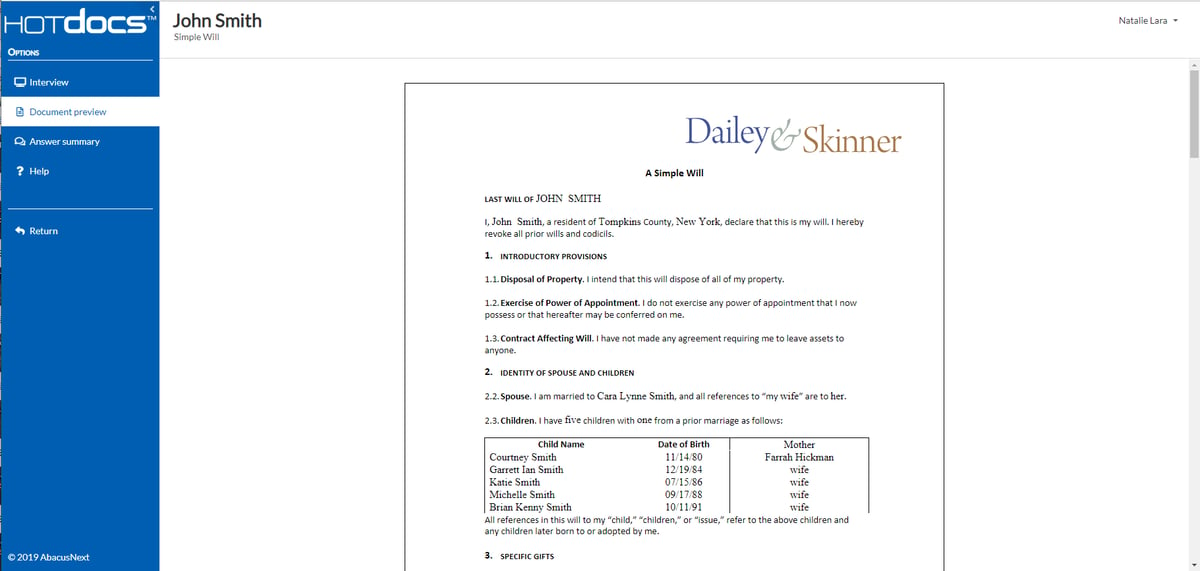
HotDocs is built for organizations that need to produce detailed documents from complex rules and large sets of client data. It turns existing Word files or forms into customizable templates, then collects the required information through a guided interview.
Source: G2
The platform can apply conditional language, calculations, repeated fields, and inserted clauses as each document takes shape. That level of control makes HotDocs suitable for in-house legal teams and firms that prepare high-volume documents with strict formatting or compliance requirements.
Users can reuse answer data for related documents, which saves valuable time and lowers the risk of human error.
Plus, HotDocs supports cloud and on-premises deployment to give organizations more control over access and document creation. The setup may require technical experience, but the platform offers the ability to automate sophisticated workflows without compromising quality.
Best features
- Customizable templates: Convert existing Word files and forms into reusable document applications.
- Guided interviews: Collect the information needed for each document through structured questions.
- Advanced logic: Apply conditions, calculations, repeated content, and clause selection.
- Answer reuse: Carry saved information into related documents.
- Flexible deployment: Choose cloud-based or on-premises access.
- Multiple outputs: Produce completed documents in formats such as Word and PDF.
Pros
- Handles complex document assembly requirements
- Supports detailed business rules and document logic
- Helps produce consistent, accurate documents
- Works well for high-volume document creation
- Gives organizations control over hosting and access
- Reduces repeated data entry during related workflows
5. Ironclad for Legal Contract Drafting
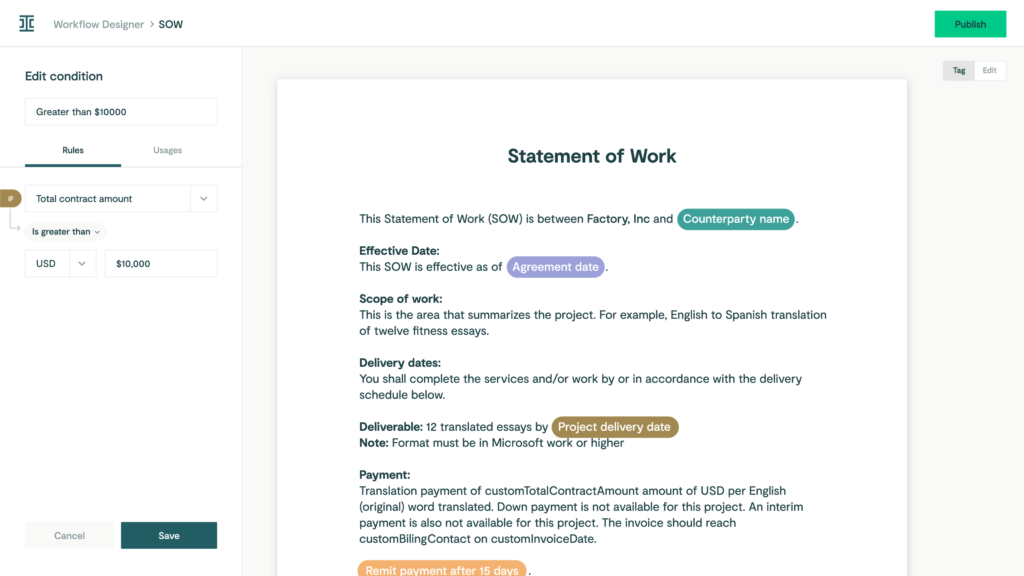
Ironclad is contract lifecycle management software for companies that want contract drafting tied directly to intake, review, and approval. Business users can submit a request through a guided form, and the platform uses those answers to generate a contract from the correct template.
Source: G2
Its Workflow Designer gives legal teams control over how each contract moves forward. Approval rules can change based on contract details, while approved clauses and standardized templates help keep language consistent.
Moreover, Ironclad tracks document versions throughout the workflow, so reviewers can see how the agreement changes before signature.
AI Playbooks add another layer of review. They can identify relevant clauses and flag nonstandard terms before the agreement receives approval. This helps legal teams spend less time checking routine language while keeping closer control over risk and compliance.
Best features
- Workflow Designer: Build contract drafting and approval workflows without code.
- Document generation: Create Word contracts from templates and intake responses.
- Clause Library: Manage approved clauses used during workflow setup.
- AI Playbooks: Flag nonstandard language during contract review.
- Conditional approvals: Route agreements based on contract details and internal rules.
- Version tracking: Maintain a clear record of changes throughout the contract lifecycle.
Pros
- Connects drafting with the full approval process
- Helps maintain consistency through approved language
- Reduces time spent on routine contract requests
- Supports compliance through controlled workflows
- Gives business users a structured contract intake process
- Keeps document generation and contract management in one platform
Benefits of Legal Document Preparation Software
Overall, the best legal document preparation software can make routine document work easier to manage without forcing your team to rebuild its current process.
The benefits usually show up in a few practical areas:
- Faster document creation: Templates and guided inputs help you move from the first document to a usable draft with less repetitive work.
- More consistent language: Approved wording stays in the right places, which reduces variation between similar documents.
- Fewer manual errors: Client and matter details can flow into the correct fields without repeated copying and pasting.
- Better use of existing systems: Many platforms connect with practice management software, cloud storage, collaboration tools, and other software already used by your firm.
- Easier review: Lawyers can focus on substance and case-specific changes rather than checking every standard field from the beginning.
- Stronger data controls: Features such as permissions, secure access, and audit records can support data security during document preparation.
- Smoother teamwork: Shared templates and centralized workflows make it easier for staff and attorneys to work from the same approved process.
Choose Software That Fits the Work You Handle Most
Legal document preparation software can cut down on repetitive drafting and give your team a more dependable process from the first input to the final review.
Still, the right choice depends on the documents you prepare most often and how well the platform fits your current workflow.
For litigation firms, Briefpoint offers a focused way to manage written discovery.
You can draft requests and responses, collect client information through Client Bridge, and use Autodoc to find responsive files and prepare Bates-cited production packages. Lawyers remain in control of the final document while the software handles much of the preparation behind it.
As a result, your team can spend less time on document assembly and put more attention toward case strategy.
Top 7 AI Legal Drafting Software Options in 2026
Legal drafting software has changed quickly, and the number of AI tools available can make the search feel harder than expected.
Many platforms promise faster drafting, but they differ widely in the type of legal work they support and how closely they fit into an existing workflow.
The right choice depends on what tends to take up the most time in your practice. You may need help with written discovery, contract work, court forms, or research-backed drafting. Each area calls for a different level of automation and legal context.
In this guide, we’ll look at how AI legal drafting software works and compare 7 leading platforms for 2026. You’ll see what each tool does well, where it may fit, and which features deserve a closer look before you make a decision.
What Is AI Legal Drafting Software?
AI legal drafting software helps legal professionals prepare documents with support from artificial intelligence. Essentially, it can review the information you provide, suggest relevant language, and create a first draft based on the document type or legal context.
Traditional drafting software generally relies on fixed templates and manual data entry. Those systems can speed up legal document creation, but you still need to select the right language and build much of the document yourself.
In contrast, AI tools take a more responsive approach. For example, they can work with case details, instructions, or source files to produce text that fits the request more closely.
For law firms, legal AI software can reduce the time spent on routine drafting and give attorneys a stronger starting point for review. Of course, the final document still needs legal oversight, especially when accuracy, local rules, or client-specific details affect the wording.
Ultimately, the best platform depends on the work you handle. Some tools focus on contracts, while others support discovery documents, court forms, or research-based writing.
How Does AI Apply to Legal Drafting Software?
AI applies to legal drafting software by helping you move from source material to a usable draft with fewer manual steps. An AI-powered drafting tool can interpret the information you provide and generate language that reflects the document’s purpose and legal context.
Common uses include:
- Draft generation: The software creates a first draft from case details, prompts, templates, or uploaded files.
- Clause and language suggestions: Legal AI tools can recommend wording based on the surrounding text and document type.
- Document review: Some platforms flag missing details, inconsistent terms, or language that may need closer attorney review.
- Natural language search: You can use natural language queries to find relevant clauses, prior documents, or supporting material without exact keywords.
- Revision support: Drafting tools can shorten sections, adjust tone, or rewrite language based on your instructions.
General tools may offer basic writing support, while legal drafting software is usually built around legal workflows and specific document types.
7 Best AI Legal Drafting Software Platforms
The right platform depends on the documents you prepare and how well the software fits your current process. The seven options below support different areas of legal drafting, so you can compare their features and find the best match for your practice:
1. Briefpoint
Written discovery can consume a large share of the time available for case strategy. Briefpoint helps move that work forward by turning case information and discovery materials into attorney-ready drafts.
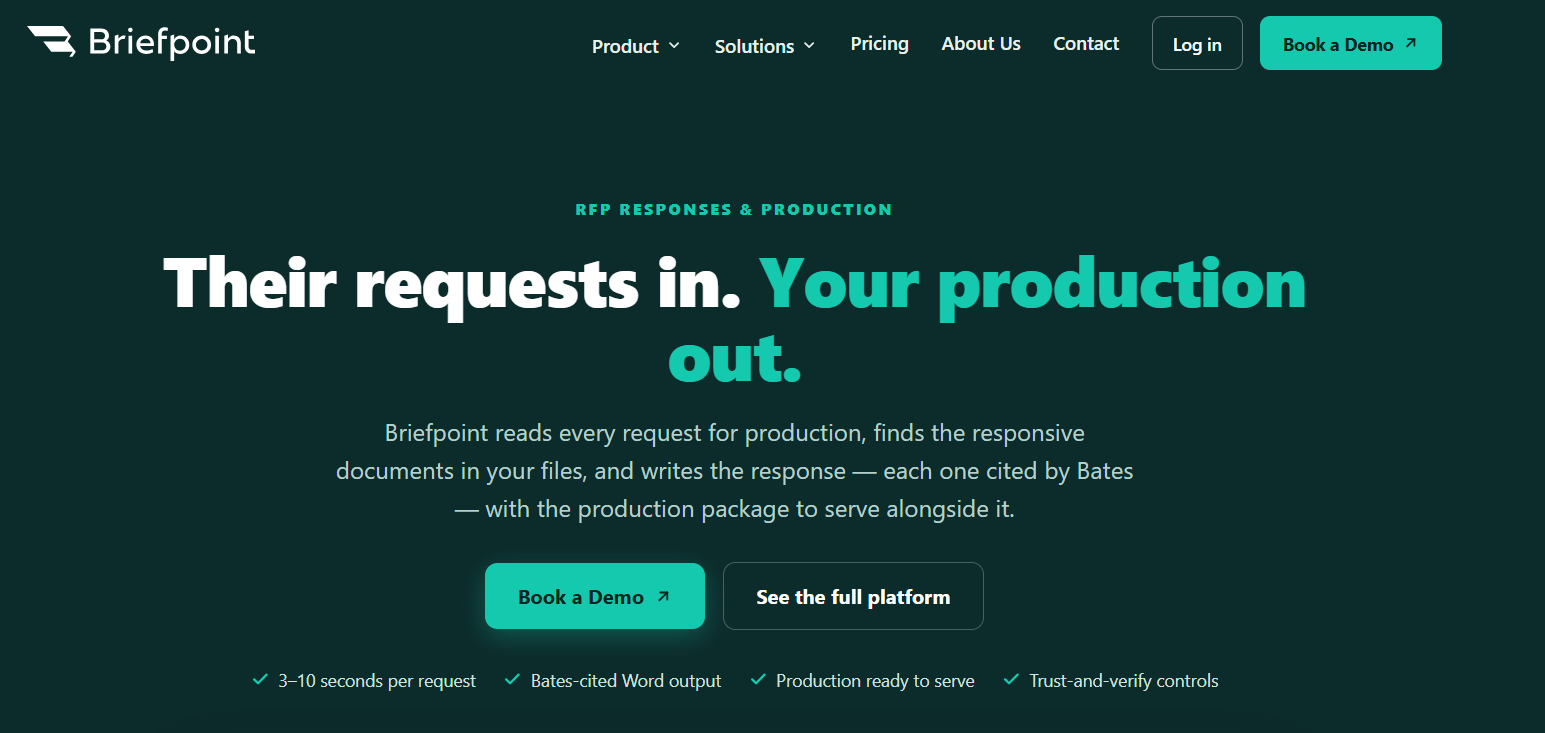
The platform focuses specifically on litigation discovery rather than general legal writing. You can use it to prepare interrogatories, requests for admission, requests for production, and discovery responses in the correct jurisdictional format.
Briefpoint can also apply your preferred objections and response language, which gives most firms a familiar starting point without rebuilding routine documents for every matter.
Its support continues after the first draft. Client Bridge collects answers and files through a secure link, while the document identification tools connect responsive materials to the relevant requests. Briefpoint can then add Bates citations and prepare an organized production package for review.
Since the drafts open in Microsoft Word, you can revise complex legal language and make case-specific changes before serving documents on opposing counsel. This approach reduces repetitive document drafting while keeping the attorney responsible for the final work.
Best Features
- Discovery document drafting: Draft interrogatories, requests for admission, and requests for production from the complaint and case information.
- AI-generated responses: Prepare discovery responses with relevant objections and client-provided details.
- Client Bridge: Send clients a secure link where they can answer questions and upload discovery materials from any device.
- Document identification: Review uploaded files and locate documents that respond to specific production requests.
- Bates-cited drafts: Add page-level Bates references directly to Word-formatted responses.
- Production packages: Prepare organized, Bates-numbered files that can accompany the completed responses.
- Discovery Playbooks: Apply your firm’s preferred objection and response approach consistently throughout each case.
Pros
- Supports written discovery in all 50 states and federal district courts
- Covers the workflow from initial drafting through document production
- Reduces time spent preparing routine documents
- Keeps drafts editable in Microsoft Word
- Offers SOC 2 Type II certification, HIPAA compliance, and zero-retention AI
2. Spellbook
Spellbook brings AI-assisted contract drafting and review directly into Microsoft Word and Google Docs. That familiar setup makes it a practical option for lawyers who spend much of their day working on transactional documents and prefer to stay inside their existing editor.
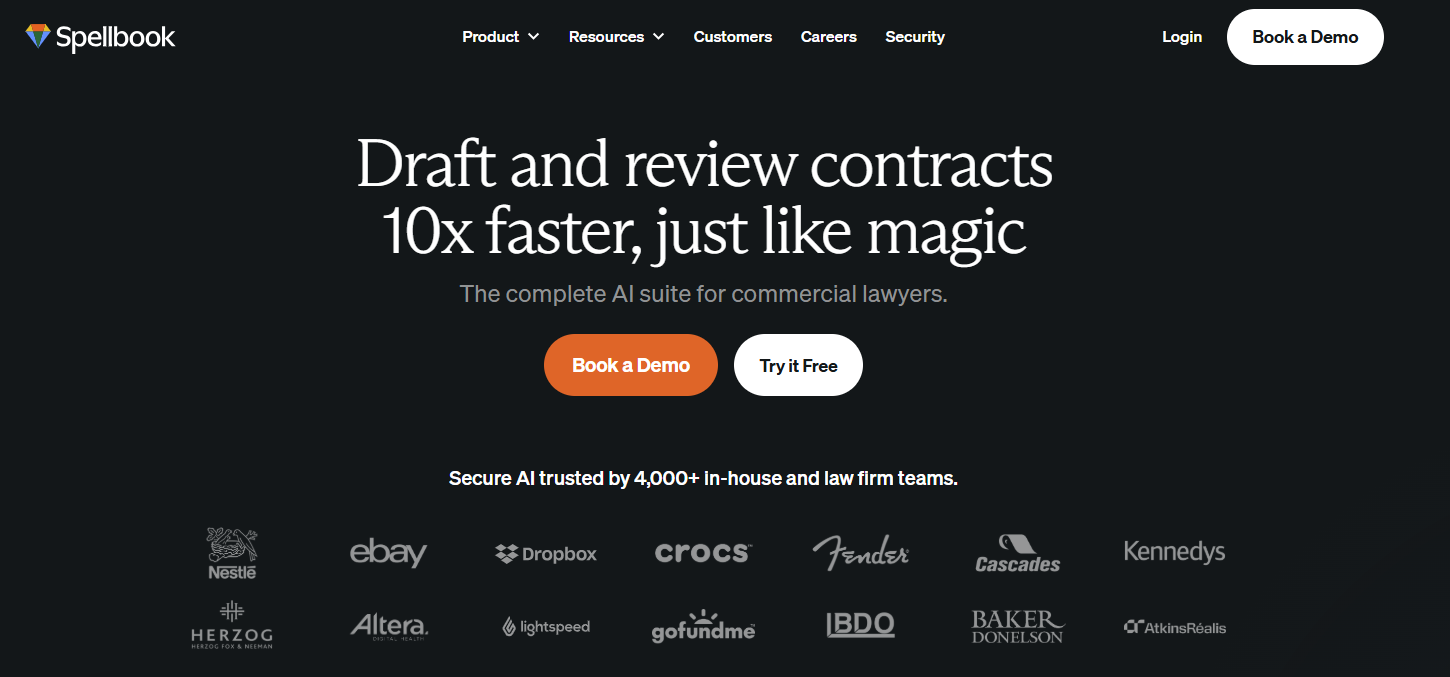
Source: Spellbook.com
You can ask Spellbook to draft a clause, create a full document, or pull approved language from your firm’s clause library. During contract review, the platform can examine the agreement from your client’s position and suggest tracked changes directly in the file.
Plus, Spellbook can take the deal context and selected jurisdiction into account, giving you a more relevant starting point for contract analysis.
Best Features
- Clause drafting: Generate new contract language from written instructions or retrieve precedent clauses from your library.
- Full-document drafting: Create a new agreement or template from a blank document.
- Comprehensive review: Flag legal risks and place suggested edits or comments directly in the document.
- Playbooks: Apply your preferred review rules and required language to future agreements.
- Benchmarks: Check term coverage against standards for the relevant contract type.
- Deal context: Give Spellbook added information about the transaction and client before it begins contract review.
Pros
- Works within Microsoft Word and Google Docs
- Supports contract drafting and contract analysis in one workspace
- Applies revisions through tracked changes
- Lets firms reuse their own precedent language
- Fits naturally into many transactional work processes
3. Gavel
Gavel offers two connected products for legal drafting. Gavel Exec supports AI contract review and drafting, while Gavel Workflows turns intake data into completed legal documents.
Together, they give legal teams options for both one-off drafting tasks and repeatable document processes.
Source: G2
Gavel Exec works in Microsoft Word and online, which makes it a natural fit for transactional lawyers and in-house counsel who want to keep their existing workflows.
You can draft new clauses, rewrite language, or review an agreement against your own standards. Suggested redlines and comments appear directly in the document, which helps keep the review process familiar.
Gavel Workflows is better suited to routine work built around reusable templates. It can collect information through custom intake forms and use the answers to generate documents such as agreements or draft correspondence. This approach works well when the same document structure appears regularly in your case files.
Best Features
- AI contract drafting: Draft or rewrite clauses directly in Microsoft Word or online.
- Contract review: Compare agreements against built-in standards or firm-specific playbooks.
- Redlines and comments: Add suggested revisions and negotiation comments within Word.
- Automated workflows: Turn client intake answers into completed legal documents.
- Custom templates: Apply your preferred language and formatting to repeatable documents.
- Data Manager: Store client answers and generated work product within each workflow.
Pros
- Combines AI drafting with rules-based document automation
- Fits into familiar Word-based workflows
- Supports custom playbooks and precedent language
- Works for law firms, in-house counsel, and other legal teams
- Offers tools for both transactional work and routine document generation
4. Clio Draft
Clio Draft is a document automation platform for firms that regularly prepare court forms or Word-based legal documents. It connects with Clio Manage, which allows client data and matter information from the practice management system to populate documents automatically.
Source: Clio.com
The platform works really well for documents built from a repeatable structure. You can convert existing Word files into reusable templates, create sets of documents commonly prepared together, and access a library of court forms.
Its AI Template Builder can also turn existing legal documents into automation-ready templates, which reduces the setup required for routine correspondence and other recurring work.
Clio Draft is closely tied to Clio’s case management environment, so it may appeal most to firms already using Clio Manage. In-house legal teams that do not use the wider Clio platform may find less benefit from the integration.
Best Features
- AI Template Builder: Converts existing Word documents into reusable automated templates.
- Court form library: Provides current fillable forms for supported jurisdictions and practice areas.
- Clio Manage integration: Pulls client and matter data directly into new documents.
- Document sets: Groups forms and templates that are commonly prepared together.
- Conditional logic: Adjusts document content based on the information entered.
- Electronic signatures: Sends completed documents for signature within the drafting process.
Pros
- Fits naturally into Clio-based practice management workflows
- Reduces repeated entry of client data
- Supports both Word templates and court forms
- Makes existing firm documents easier to reuse
- Allows documents to be prepared individually or as reusable sets
5. CoCounsel Legal
CoCounsel Legal is an AI assistant from Thomson Reuters that connects drafting with legal research and document analysis.
It draws from Westlaw case law, Practical Law guidance, and an organization’s own knowledge, which can give legal professionals stronger source material as they develop a draft.
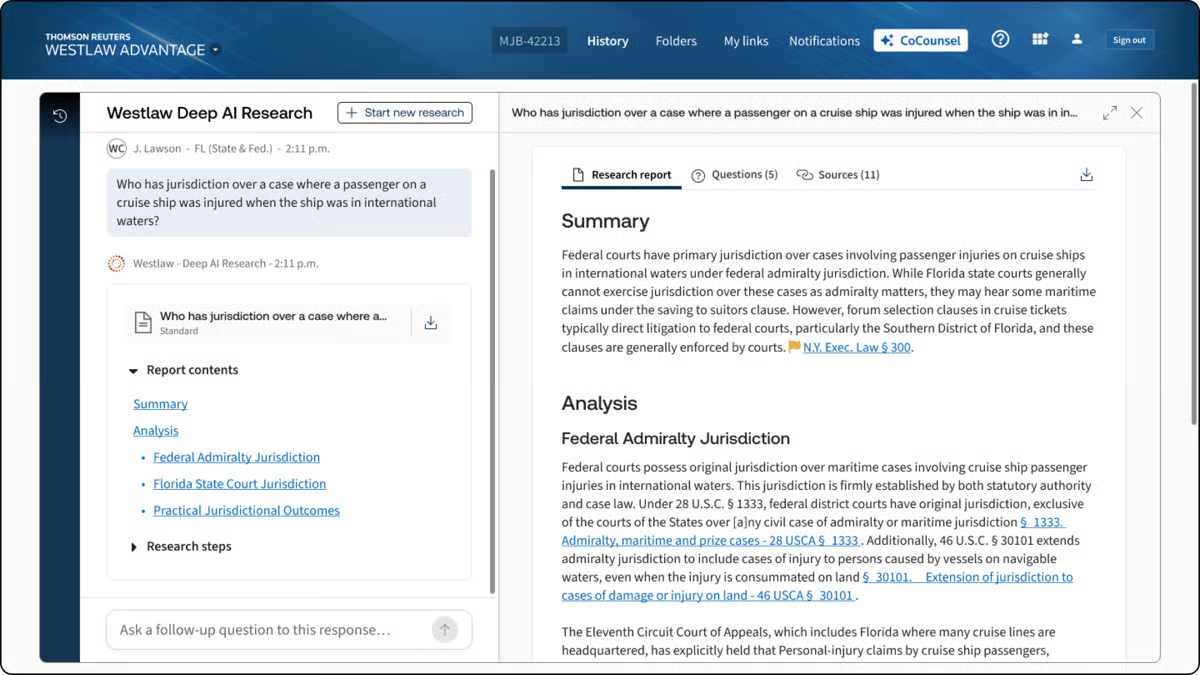
Source: G2
You can describe the legal work in plain language and ask CoCounsel to prepare a document based on the relevant case materials.
The platform can generate first drafts from internal precedents or Practical Law Standard Documents, then add supporting citations where the document requires them.
It also works within Microsoft Word and other familiar systems, making it suitable for law firms and in-house teams that want drafting support inside their current workflow.
Best Features
- End-to-end drafting: Produces a first draft from a prompt, trusted precedent, or Practical Law template.
- Legal research: Answers legal questions using authoritative Westlaw content with supporting citations.
- Document analysis: Reviews case files and other legal text to surface relevant details.
- Knowledge Search: Finds useful prior work within connected document systems.
- Microsoft Word integration: Drafts and revises legal language inside Word.
- Citation tools: Adds links, citation lists, and KeyCite flags to supported documents.
Pros
- Combines drafting with legal research in one platform
- Grounds work in Westlaw and Practical Law
- Can draw from a firm’s internal knowledge
- Supports litigation and transactional legal work
- Works within familiar Microsoft 365 tools
6. Harvey
Harvey is a broad legal AI platform built for firms and corporate legal departments that want drafting connected with research, review, and internal knowledge.
Its Assistant can generate legal documents from written instructions, while the Draft Editor lets you revise the text directly or ask Harvey to change selected passages.

Source: Harvey.ai
For contract work, Harvey can review agreements, compare language against a playbook, and prepare revisions based on the standards you provide. Vault adds support for larger document collections, so you can ask questions about uploaded files or create a draft grounded in the source materials.
Harvey can also work alongside contract lifecycle management software. The CLM remains the system used to manage the agreement process, while Harvey supports the analysis and drafting work within that process.
Best Features
- Assistant: Drafts legal documents from prompts and uploaded materials.
- Draft Editor: Lets you revise generated text directly with AI support.
- Vault: Reviews large document sets and creates drafts grounded in the selected files.
- Workflow Agents: Runs repeatable legal processes based on saved instructions.
- Contract playbooks: Applies preferred positions during contract review.
- Word and Outlook add-ins: Brings Harvey into familiar workspaces.
Pros
- Supports a broad range of legal drafting work
- Connects drafting with document review and research
- Can work with internal precedents and uploaded files
- Fits alongside existing contract lifecycle management systems
- Offers tools designed for larger firms and corporate legal departments
7. Lexis+ with Protégé
Lexis+ with Protégé combines AI drafting with the legal research capabilities of LexisNexis. You can use it to prepare litigation or transactional documents from a prompt, uploaded materials, or content stored in a connected document management system.
Source: LexisNexis.com
Unlike many general-purpose tools, its legal responses can draw from primary law, Practical Guidance, and your organization’s own knowledge.
The platform can draft work such as court filings and regulatory filings, then help you refine the language in Microsoft Word through Lexis Create+. It also checks supporting authorities through Shepard’s Citation Service, which can help you review citation status and treatment before finalizing the document.
There may be a learning curve if you plan to use its broader research and workflow features, though legal professionals already familiar with LexisNexis may find the setup easier to follow.
Best Features
- Legal drafting: Creates litigation and transactional documents from prompts or source materials.
- Grounded research: Draws from LexisNexis primary law and Practical Guidance.
- Citation verification: Uses Shepard’s tools to check legal authorities and citation treatment.
- Lexis Create+: Supports drafting and revision directly in Microsoft Word.
- Document integration: Works with uploaded files and connected firm knowledge.
- Legal terminology support: Explains terms of art and applies legal context during research and drafting.
Pros
- Connects document drafting with authoritative legal research
- Supports several legal document types, including court and regulatory filings
- Provides tools for reviewing citation formats and authority
- Can use both LexisNexis content and internal firm documents
- Offers legal-specific support beyond many general-purpose tools
How to Choose the Best AI Legal Drafting Software for Your Workflow
The best legal AI software should fit the documents you already prepare and the way your team reviews them. A feature list can look impressive, but the practical questions usually come down to key factors like fit, security, and how much attorney oversight the platform still requires.
Consider these points before choosing:
- Primary use case: Match the software to your work, such as discovery drafting, contract review, personal injury matters, or medical records analysis.
- Review process: Check how the platform supports first-pass review and leaves room for legal reasoning or judgment calls.
- Confidentiality controls: Review data retention, encryption, access permissions, and policies related to client confidentiality.
- Workflow compatibility: Look for integrations with the systems your team already uses, especially Word, case management software, or document storage tools.
- Cost and scale: Solo practitioners and small firms may need simpler pricing, while larger teams may care more about administration and shared knowledge.
- Source reliability: Research-based tools should make citations easy to verify and help you spot emerging legal risks.
Reduce Drafting Work Without Losing Control
AI legal drafting software can give you a stronger starting point, but the right choice depends on the work you handle most often. Contract teams may prefer a platform built around agreements, while litigation practices may need deeper support for discovery or court-ready documents.
Briefpoint is designed for written discovery. It helps you draft requests and responses, collect client input through Client Bridge, identify responsive files, and prepare Bates-cited production packages for attorney review.
And since the platform focuses on a specific part of litigation, it can reduce the routine work that takes up billable hours without changing how you handle the final legal review.
Book a demo to see how Briefpoint can fit into your discovery workflow.
Litigation Timeline and the Stages of a Civil Case
The Civil Litigation Timeline at a Glance
A civil lawsuit can move through several stages before the court reaches a final decision. Some civil cases end early through dismissal or settlement, while others continue through trial and appeal.
Here is a quick look at the typical litigation process:
- Pre-litigation: The parties review the facts, preserve relevant evidence, and explore whether the dispute can be resolved before filing.
- Pleadings: The plaintiff files a complaint, serves the defendant, and receives an answer or another formal response.
- Case scheduling: The court sets key deadlines for the discovery process, motions, and other upcoming proceedings.
- Discovery process: Each side requests information, exchanges documents, takes depositions, and works through any disputes over what must be produced.
- Pretrial motions: Attorneys may ask the court to resolve specific legal issues or dismiss part or all of the civil case.
- Settlement: Negotiations or mediation can take place at almost any point, even shortly before trial.
- Trial: Both sides present evidence and arguments before a judge or jury, which then reaches a decision.
- Post-trial and appeal: The parties may file additional motions, enforce the judgment, or ask a higher court to review the outcome.
How Long Does Civil Litigation Usually Take?
Civil litigation can last anywhere from a few months to several years. According to the United States Courts’ Judicial Business 2025 report, the median time from filing to disposition for federal civil cases was 15.6 months in 2025. Cases that reach trial usually take longer.
Of course, no two cases move at the same pace. The timeline depends on the court, the applicable rules of civil procedure, and the amount of work involved.
Personal injury cases may resolve sooner when liability and damages are fairly clear. On the other hand, a case can become much more time-consuming when it involves extensive discovery, expert testimony, or repeated motions.
A general timeline may look like this:
- Early settlement or dismissal: A few months
- Resolution during discovery: Six months to two years
- Case proceeding to trial: One to three years or longer
- Appeal after judgment: Several additional months to multiple years
Even then, these are only rough estimates. Court congestion, discovery disputes, scheduling changes, and the number of parties can all affect how quickly the case moves.
What the Litigation Timeline Looks Like
A civil case usually moves through a series of stages, though some may overlap or end earlier if the parties reach a resolution.
Here is how the timeline typically unfolds:
Pre-Litigation Investigation and Case Assessment
Before a lawsuit is filed, the attorney reviews the facts, available evidence, and possible legal claims. This early stage helps determine whether the case is strong enough to pursue and what steps may be needed next.
In a personal injury lawsuit, for example, the review may include medical records, accident reports, and information from the opposing party.
The process generally covers:
- Client interviews
- Evidence preservation
- Legal research
- Damages assessment
- Statute of limitations review
- Early settlement discussions
Filing the Complaint
The lawsuit formally begins when the plaintiff files a complaint with the court. This document outlines the legal claims, identifies the parties, and explains what relief the plaintiff is asking the court to provide.
The plaintiff will usually file any required court forms, pay the filing fee, and request a summons for the defendant.
Serving the Defendant
After filing, the plaintiff must formally notify the defendant that the lawsuit has started. Service has to follow the court’s rules, and the plaintiff will later file proof showing that delivery was completed properly.
Unfortunately, delays can happen if the defendant is difficult to locate, refuses service, or challenges the method used.
The Defendant’s Response
After being served, the defendant has a set amount of time to respond. Their lawyer may file an answer that admits or denies the allegations, raises defenses, or brings claims against the other side.
For example, a defendant in a contract dispute might deny breaching the agreement and argue that the plaintiff failed to perform first. In some cases, the response comes as a motion asking the court to dismiss all or part of the lawsuit before the case moves further.
Initial Case Management and Scheduling
Once the parties have filed their initial pleadings, the court begins organizing how the case will move forward. The judge may hold a case management conference, set deadlines for discovery and motions, and establish a tentative trial date.
The schedule gives both sides a shared roadmap, but it may change as the case develops. Extensions or new issues can push deadlines back, while a settlement may bring the case to an earlier close.
The Discovery Phase
The discovery stage usually begins after the main pleadings are in place, including the complaint and the defendant’s responsive pleading.
At this point, each side asks the other party for information that may support its claims or defenses.
The scope and length of discovery depend on the circumstances of the case. A straightforward dispute may involve a limited exchange, while a case with extensive records or several witnesses can take much longer. The main phases often include:
- Written discovery: Lawyers send written questions through interrogatories and requests for admission.
- Document requests: Each side asks for records, files, and other materials connected to the dispute.
- Depositions: Attorneys question parties or witnesses under oath before trial.
- Expert discovery: Specialists may prepare reports or give testimony on technical issues.
- Discovery disputes: The parties may ask the court to step in when they disagree about a request or response.
Discovery can begin months after filing suit and often continues for much of the case. It gives both sides a clearer view of the evidence before settlement discussions, motions, or trial.
Expert Witness Discovery
Some cases require expert witnesses to explain technical issues or offer specialized opinions. During this stage, each side may disclose its experts, exchange reports, and prepare depositions so the other side can examine the basis for those opinions.
A plaintiff’s attorney might use an expert to explain medical treatment in an injury case, while the defense may bring in its own expert to challenge that analysis. The court usually sets firm deadlines for disclosures, rebuttal reports, and related motions.
Pretrial Motions
Before a jury trial begins, either side may ask the court to decide certain issues in advance. These motions can narrow the dispute, exclude evidence, or resolve the case before trial if the judge finds that no genuine factual issue remains.
Common motions include motions for summary judgment, motions to exclude expert testimony, and motions in limine. Each one must follow the court’s schedule, and the opposing side receives notice and an opportunity to respond.
Settlement Negotiations and Alternative Dispute Resolution
Many civil cases end before trial through settlement or another form of alternative dispute resolution. These discussions can happen early, during discovery, or after the court rules on major motions.
Common options include:
- Direct negotiation: The parties discuss possible terms through their lawyers and try to reach an agreement.
- Mediation: A neutral mediator helps both sides work toward a voluntary resolution.
- Settlement conference: A judge or court-appointed officer guides the parties through structured negotiations.
- Arbitration: A neutral decision-maker hears the dispute and issues a ruling, which may be binding depending on the agreement.
Settlement talks can become complicated when the parties disagree about things like liability or how much money should be paid. Even so, resolving the case outside trial can reduce legal costs and give both sides more control over the outcome.
Final Pretrial Preparation
As the trial date approaches, both sides check off tasks like organizing the evidence, confirming which witnesses will appear, and preparing the arguments they plan to present.
The court may also hold a final pretrial conference to address remaining issues and set expectations for the proceedings.
Final trial preparation often includes:
- Witness lists
- Exhibit lists
- Trial briefs
- Motions in limine
- Jury instructions
- Subpoenas
- Opening statements
- Closing arguments
Trial
At trial, each side presents its case through evidence, witness testimony, and legal arguments. The plaintiff usually goes first, followed by the defense, and both sides have a chance to question witnesses and challenge the evidence presented.
A judge or jury then decides the disputed facts and applies the relevant law. Some trials finish in a day or two, while more complex cases may continue for several weeks.
However, reaching this point can still take several months or years because the parties must first complete discovery, resolve pretrial motions, and prepare the case for presentation.
Once both sides have finished, the judge or jury issues a decision. That ruling may resolve the dispute, though either party may still file post-trial motions or pursue an appeal.
Post-Trial Motions and Judgment
After the trial ends, the court enters a final judgment that states the outcome and any relief awarded. A party may then ask the judge to reconsider part of the decision or address an issue that arose during trial.
Common post-trial steps include:
- Motion for a new trial: Requests another trial because of a serious legal or procedural problem.
- Motion to alter or amend the judgment: Asks the court to revise part of the final judgment.
- Motion for judgment as a matter of law: Argues that the evidence could not reasonably support the verdict.
- Enforcement of judgment: Begins the process of collecting money or carrying out another court-ordered remedy.
A default judgment follows a different path and may be entered when a defendant fails to respond or appear as required.
Appeals
A party that believes the trial court made a legal error may ask a higher court to review the decision. The appeal must be filed within the deadline set by the jurisdiction, and the appellate court usually reviews the existing record rather than hearing the case again from the beginning.
After considering written briefs and, in some cases, oral arguments, the appellate court may affirm the judgment, reverse it, or send the case back for further proceedings.
How AI Litigation Support Software Can Help
A litigation timeline can create a lot of routine work, particularly during discovery and document-heavy stages. AI litigation support software can make that work easier to manage, which gives lawyers more room to focus on the facts and the decisions that shape the case.
Depending on the platform, it may help with:
- Document review: Search large sets of files and identify material that may be relevant or responsive.
- Discovery drafting: Prepare written discovery requests and responses using information already connected to the case.
- Client collection: Gather answers and supporting files through guided questionnaires or secure forms.
- Production preparation: Organize documents, apply Bates numbers, and prepare files for production.
- Response updates: Revise prior discovery responses when new information comes in.
How Briefpoint Helps Keep Discovery Moving
Discovery often takes up a large part of the litigation timeline, and much of that time goes toward repetitive drafting, client follow-up, and document production.
Briefpoint brings those tasks into one workflow, so your team can move from incoming requests to ready-to-serve responses with less manual work.
You can use Briefpoint to propound and respond to interrogatories, RFAs, and RFPs for all 50 states and federal courts.
Autodoc reviews case files, identifies responsive documents, and creates Bates-cited Word responses with page-level citations, along with a Bates-numbered production package.
Client Bridge collects answers and files through a secure link that works on any device in English or Spanish. The information then flows back into the response draft for attorney review, so you spend less time chasing updates and transferring answers manually.
As the case develops, supplemental responses let you update prior interrogatories, RFAs, and RFPs while keeping earlier answers intact and available for reference.
7 Best AI Litigation Support Software Tools
What Is AI Litigation Support Software?
AI litigation support software generally refers to technology that helps legal professionals work through time-consuming case tasks with less manual effort.
For example, it uses legal AI to process case information, organize materials, and surface useful details that could otherwise take hours to find.
Essentially, the software gives law firms a faster way to work with large amounts of case data. Depending on the platform, it may support parts of the litigation process such as discovery, document review, or legal research.
The information is then presented in a clearer format, which can make it easier to understand what is relevant and decide what needs attention next.
From there, legal AI tools can help create a more consistent workflow as a case develops. Your team may spend less time searching through disconnected files, repeating routine work, or manually sorting new information as it comes in.
Generally, the best platform is one that fits naturally into the way your firm already handles litigation. It should make case materials easier to review and use without adding unnecessary steps to the process.
What Difference Does AI Make?
AI mainly changes how quickly your team can work through large amounts of case information. It can also make repetitive legal work easier to manage as a case grows.
Here are a few of the biggest differences:
- Faster document review: AI-powered platforms can process tens of thousands of pages and surface relevant material much sooner than a manual review.
- More focused legal work: Legal AI can organize case information and highlight useful connections, which gives your team more time to examine the issues that need closer attention.
- Better legal context: Legal-specific AI models generally understand legal language and workflows more clearly than general-purpose AI tools.
- Greater consistency: AI can apply the same review criteria throughout a large document collection, which helps reduce variation during repetitive work.
- More capable automation: Agentic AI can handle connected parts of a workflow with less step-by-step input and prepare material for the next stage of review.
General AI tools may still help with basic summaries or drafting, but litigation software usually gives you stronger legal context and features built for active casework.
7 Top Software Options for AI Litigation Support
Your choice will depend on the type of casework you want the software to handle and how well it fits your existing tech stack.
Here are seven options that take different approaches to litigation support, which should make the comparison easier:
1. Briefpoint
Briefpoint is an AI litigation support platform built specifically for written discovery. It helps lawyers prepare a solid first draft of discovery requests and responses without spending hours copying language between files, formatting legal documents, or rebuilding prior work for each case.
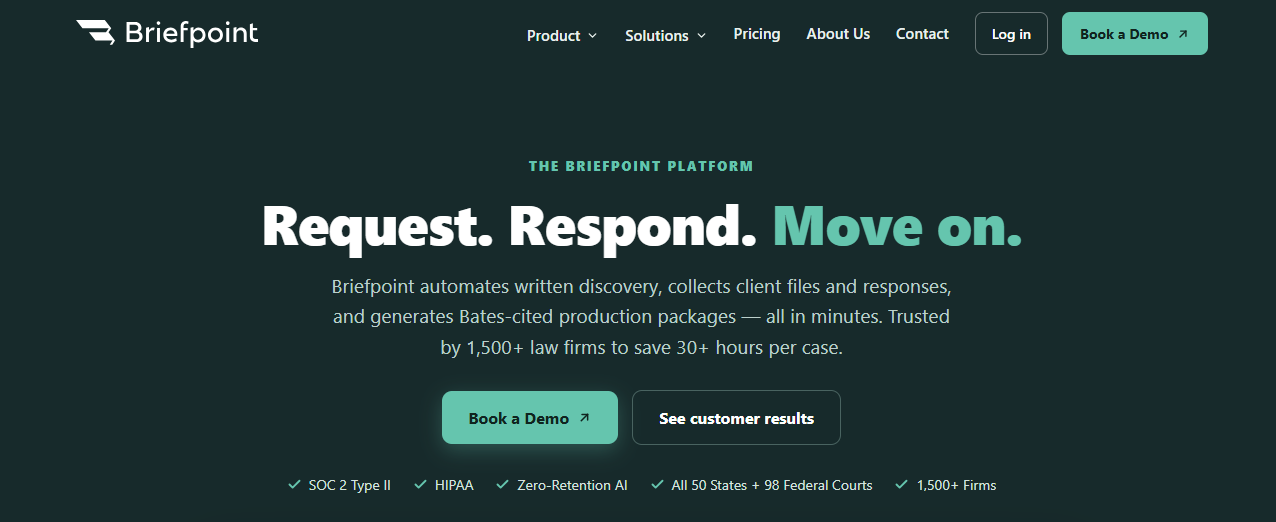
The process starts with your existing case documents. Briefpoint reviews the uploaded material, identifies relevant facts, and generates draft responses that reflect the applicable court rules.
Your team can then refine the language and export the completed work to Microsoft Word before serving it on opposing counsel.
Briefpoint also supports the client-facing side of discovery. Client Bridge converts formal questions into plain English and gives clients a secure place to submit answers and files.
For requests for production, Autodoc identifies responsive documents and creates Bates-cited responses with an organized production package.
Because these steps stay connected, firms can reduce the billable hours spent on routine discovery work while keeping the final document drafting process familiar.
Best Features
- AI discovery drafting: Creates interrogatories, requests for admission, and requests for production based on the complaint and case details.
- Discovery responses: Suggests objections and prepares draft responses using your firm’s preferred language.
- Client Bridge: Rewrites questions in plain English and sends clients a secure link where they can provide answers or upload files from any device.
- Autodoc: Finds documents responsive to each RFP and generates Bates-cited Word responses alongside an organized production package.
- Jurisdictional support: Applies local formatting rules and supports discovery work in state and federal courts throughout the United States.
Pros
- Focuses closely on the written discovery workflow
- Produces editable Microsoft Word documents
- Reduces the time spent preparing and formatting legal documents
- Connects client collection directly to discovery responses
- Creates Bates-numbered production files with page-level citations
2. Everlaw
Everlaw is cloud-based litigation management software built around eDiscovery and case preparation. It gives your team one place to work through case files, review evidence, and keep legal workflows connected as the matter develops.
Its AI features help users ask questions about the document collection and trace the answers back to the source material.
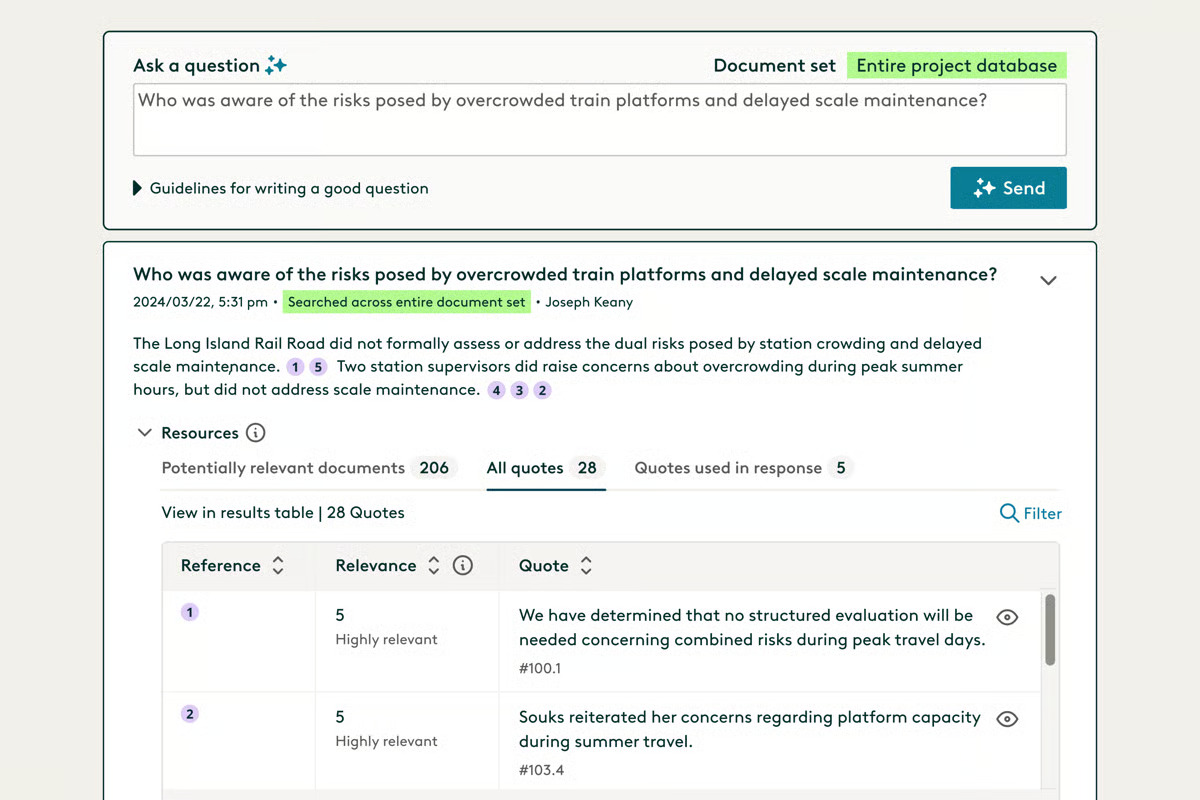
Source: G2
Everlaw can also suggest document classifications during review, which may reduce the amount of repetitive sorting required when a matter contains a large volume of client data.
Plaintiff law firms may find the platform useful during early case assessment because it helps bring structure to the evidence before deeper strategy work begins.
The shared workspace also makes it easier for attorneys and support staff to carry useful findings into later stages of litigation.
Best features
- Deep Dive: Answers questions using the case documents and provides source citations.
- AI coding suggestions: Supports faster document classification during review.
- Storybuilder: Helps teams connect evidence to case preparation.
- Early case assessment: Gives users a clearer view of the document collection.
- Collaborative review: Keeps assignments and findings in one shared workspace.
Pros
- Strong fit for document-heavy litigation
- Useful AI-assisted review tools
- Clear connection between evidence and case preparation
- Cloud-based access for distributed teams
- Suitable for plaintiff law firms handling complex matters
3. RelativityOne
RelativityOne is built for legal teams that need to manage large volumes of electronically stored information during litigation or investigations.
Its cloud-based workspace brings evidence management and document review together, which gives users a central place to work through complex data sets and prepare productions.

Source: Relativity.com
Relativity aiR adds generative AI to the review process. It can help identify important source documents, answer questions using cited evidence, and extract facts that may shape case strategy.
Plus, RelativityOne supports deposition transcripts, including AI-generated summaries and outlines linked to the underlying evidence.
The platform can adapt to different practice areas and data-heavy work such as regulatory filings. Detailed audit trails help teams monitor user activity and maintain a defensible record throughout the review process.
Best Features
- Relativity aiR: Uses generative AI to support review and case strategy.
- Transcript analysis: Creates summaries and deposition outlines from transcript evidence.
- Evidence management: Keeps review materials and case insights in one workspace.
- Audit tools: Tracks user activity and reviewer actions.
- Scalable processing: Handles large collections of electronically stored information.
Pros
- Built for complex, data-heavy litigation
- Connects AI answers to source documents
- Strong support for deposition preparation
- Detailed audit trails
- Scales for large legal teams
4. CoCounsel Legal
CoCounsel Legal brings Thomson Reuters’ research resources into an AI workspace built for litigation tasks. Users can review case materials, develop drafts, and work through legal questions using content from Westlaw and Practical Law.
Source: G2
You can ask natural language questions about case law and receive answers with citations to the supporting authority.
CoCounsel can then carry that research into related litigation work, such as reviewing court filings or developing an argument for a motion. This creates a more connected process than searching publicly available data and moving the findings into a separate drafting tool.
The platform can identify trends in judicial decisions and surface details that may influence case strategy. Its litigation document analysis features are especially useful when you need to understand an opposing filing or work through a complicated legal issue quickly.
Best Features
- Deep Research: Produces detailed answers grounded in Westlaw and Practical Law.
- Litigation Document Analyzer: Reviews court filings and highlights relevant legal issues.
- Natural language search: Lets users ask complex legal questions in familiar wording.
- Drafting support: Creates legal work product based on research and case materials.
- Source citations: Connects each answer to the supporting legal authority.
Pros
- Backed by established Thomson Reuters legal content
- Strong fit for research-heavy litigation
- Connects legal research with drafting
- Provides citations for easier review
- Handles complex questions through one AI assistant
5. DISCO
DISCO is a cloud-based eDiscovery platform that helps litigation teams review evidence and prepare cases from one connected workspace.
Its Cecilia AI tools support document summarization and let you ask questions about case materials in plain English, with citations that point back to the source documents.
Source: G2
The platform can be especially useful for plaintiff firms handling large or complex matters. DISCO is designed to work with substantial collections of client data, including medical records, while giving teams a clearer way to organize facts and move the case forward.
Its Case Builder product carries reviewed evidence into deposition and trial preparation, so useful findings remain available after document review ends.
Best Features
- Cecilia Q&A: Answers natural language questions with citations to case documents.
- Document summarization: Creates plain-English summaries inside the document viewer.
- Auto Review: Supports first-pass document classification based on your instructions.
- Case Builder: Carries evidence into deposition and trial preparation.
- Deposition summaries: Produces cited summaries linked to the transcript.
Pros
- Strong fit for evidence-heavy litigation
- Useful for plaintiff firms handling large case collections
- Connects document review with later case preparation
- Keeps source citations attached to AI-generated findings
- Provides controls for sensitive client data
6. Lexis+ with Protégé
Lexis+ with Protégé combines legal research, drafting, and document analysis in one AI-powered workspace.
Protégé serves as the built-in assistant, drawing from LexisNexis legal content alongside your firm’s own documents and institutional knowledge.
Source: LexisNexis.com
For litigation work, you can ask detailed questions in natural language and receive answers linked to supporting authority.
The platform can then carry those findings into a draft or help analyze uploaded case materials. Its workflow tools are designed to handle longer assignments in stages, with users able to review the proposed approach before the AI proceeds.
Access to the broader LexisNexis collection gives the platform a strong research foundation, including billions of legal and business documents. That depth can help lawyers spot emerging legal risks and develop arguments grounded in current authority.
Best Features
- Protégé: Provides personalized support for legal research and drafting.
- Legal research: Answers questions with linked, verifiable citations.
- Document analysis: Reviews uploaded case materials within the same workspace.
- AI workflows: Handles structured legal assignments through guided steps.
- Protégé Vault: Stores matter documents securely for continued use.
Pros
- Draws from authoritative LexisNexis content
- Connects firm knowledge with external legal research
- Supports complex litigation questions
- Keeps research and drafting closely linked
- Offers transparent, reviewable AI workflows
7. Harvey
Harvey is a broad legal AI platform designed for firms that want to apply AI throughout the litigation process.
It can support early case analysis, legal research, and document-heavy work within the same workspace, which may reduce the manual data entry that comes from moving information between separate systems.
Source: Harvey.ai
Litigators can use Harvey to evaluate complaints, build medical chronologies, and find gaps in the factual record. Its Vault and Review Tables features let teams analyze large document sets while keeping findings connected to the underlying materials.
Next, Harvey can carry those findings into drafting or further research, giving lawyers a useful first call when they need to understand a new issue or collection.
The platform’s workflow agents can automate recurring legal tasks and draw from your firm’s approved materials. This helps preserve institutional knowledge while giving more lawyers access to established work methods.
Harvey is generally best suited to larger organizations that want a flexible AI layer for the legal profession rather than software focused on one litigation task.
Best Features
- Vault: Reviews large collections of litigation documents.
- Review Tables: Extracts and compares information in a structured format.
- Workflow agents: Automates repeatable legal processes.
- Legal research: Provides citation-supported answers from approved sources.
- Drafting tools: Turns case analysis into usable legal work product.
Pros
- Covers a broad range of litigation work
- Reduces duplicate data entry between tasks
- Helps firms reuse institutional knowledge
- Supports custom workflows
- Handles complex document analysis
Turn AI Litigation Support Into Real-Time Savings
The best AI litigation support software should solve a clear problem in your current workflow.
Everlaw, RelativityOne, and DISCO are strong choices for document-heavy eDiscovery, while CoCounsel Legal, Lexis+ with Protégé, and Harvey support broader research and drafting work.
Briefpoint takes a more focused approach. It automates written discovery from the first draft through client collection and document production.
Meanwhile, Autodoc can identify responsive files, prepare draft responses, add Bates citations, and create an organized production package for service.
Briefpoint is trusted by more than 1,500 law firms and helps users save over 30 hours per case. Those time savings can reduce discovery backlogs and leave more room for case strategy and client work.
What Is AI Legal Research & How Do You Use It?
What Is AI for Legal Research?
AI for legal research helps you move through legal questions faster and with more direction. Rather than relying only on exact keywords, you can describe the issue in plain language and get results tied to the facts or jurisdiction you are researching.
Most AI legal research tools use AI technologies like natural language processing and machine learning to interpret your query and sort through legal sources.
Depending on the platform, you may also be able to summarize a long opinion or compare authorities that take different approaches.
You can use the results to narrow your search, spot stronger lines of inquiry, and decide which sources deserve a closer read. That makes AI in legal research useful early in the process, when you are still shaping the issue and trying to understand how courts have handled similar questions.
How Is AI Changing Legal Research?
AI is changing legal research by helping you get to a useful starting point faster. Instead of testing one search phrase after another, you can describe the issue in plain language and refine the results through follow-up questions.
For legal professionals, that changes how the early research process feels and where time gets spent.
- More natural searches: AI systems can interpret full questions, so practicing attorneys do not always need to build complex keyword strings before finding relevant source material.
- Faster case review: AI can pull key points from long opinions and help you decide which authorities deserve a full read.
- Clearer comparisons: Legal teams can compare how courts treat similar issues, which can make conflicting rulings or factual distinctions easier to spot.
- Better research direction: AI usage can reveal related doctrines or alternative arguments that may not have appeared in the first search.
General AI tools may help with brainstorming or organizing ideas, while legal-specific platforms are usually better suited for locating authority and working with verified sources.
As these tools improve, lawyers can spend less time sorting through broad results and more time developing the analysis.
What Can AI Help With During Legal Research?
AI can support several parts of the research process, from finding stronger authorities to making dense source material easier to work through. The sections below look at the most practical ways you can use it during legal research:
Finding Relevant Cases and Authorities
AI can make the legal research process feel much less scattered when your first search brings back too many results. You can describe the issue in plain language, add the key facts, and look for relevant case law tied closely to the question you are researching.
For example, a lawyer reviewing a noncompete dispute could include the jurisdiction, the employee’s role, and the scope of the restriction. A platform like Bloomberg Law can then help surface relevant primary sources and other legal materials that deal with similar facts.
From there, you have a more focused set of authorities to review rather than a long list of loosely related results.
Summarizing Cases and Legal Documents
Long opinions can take time to unpack, particularly when you only need to know whether a case is worth a closer read.
AI software can summarize the central issue, the court’s reasoning, and the outcome so you can understand the decision before working through the full text.
For example, a lawyer reviewing several legal cases on the same procedural question could use AI to pull out how each court applied the rule and which facts shaped the result. The same approach can help with other documents, such as briefs or agency guidance.
AI-assisted legal research can reduce time-consuming tasks during the first pass and help you focus your attention on the most useful sections.
Comparing Multiple Authorities
AI can help you compare several authorities side by side rather than working through each one separately. You can ask it to organize legal information around the issue you care about, such as how different courts define a standard or which facts changed the outcome.
For example, a lawyer researching bad-faith claims could compare decisions from several courts and look for recurring reasoning. AI can help identify patterns in the rulings, point out where the authorities diverge, and make factual distinctions easier to spot.
A structured comparison gives you a clearer view and helps you decide which cases are strongest for your analysis.
Identifying Research Gaps
Research can look complete until you ask what has not been covered yet. AI platforms can help you test the work from that angle by surfacing missing jurisdictions, overlooked exceptions, or questions that still lack direct support.
For instance, you may have several cases explaining the general rule but nothing addressing the exact procedural posture in your matter.
A targeted AI search could reveal that the issue has been treated differently in another line of cases or that newer authority changes the analysis.
Used well, this step helps you catch weak spots before they turn into incorrect information. In the legal field, that can make the difference between a broad summary and research that truly holds up.
How to Use AI for Legal Research
Using AI for legal research usually takes a few rounds rather than one perfect prompt. The steps below show how to shape the question and build toward a useful result:
1. Define the Legal Issue
Before you open an AI tool, get clear on the question you are trying to answer. A vague issue will usually lead to vague results, so narrow it down to the rule, jurisdiction, and facts that could affect the analysis.
For this example, say you are researching whether a court may compel further responses to requests for production after the opposing party gave boilerplate objections and produced only part of the requested material.
That question gives you a useful starting point because it identifies the procedural issue and the conduct in dispute. You can refine it further by adding the jurisdiction, the type of case, or any deadlines tied to the motion.
2. Choose the Right AI Tool
The tool you choose should match the type of research you are doing. General generative AI tools can help you frame the issue or brainstorm search terms, but legal AI platforms are usually better for finding authority tied to a specific jurisdiction.
Look for a few practical features:
- Reliable source access: The platform should connect its answers to cases, rules, or other legal authority you can open and review.
- Jurisdiction filters: You should be able to narrow results to the court system and time period that apply to your issue.
- Useful follow-up tools: Strong platforms let you refine a question, compare cases, or trace how a rule has been applied.
For the legal discovery dispute example, you would want a tool that can search controlling authority on motions to compel and show how courts have treated boilerplate objections.
A general chatbot may help you shape the query, while an AI legal research platform can take you closer to the source material you need.
3. Write a Clear Research Prompt
A strong prompt gives the tool enough context to understand the issue you are researching. Include the jurisdiction, the legal question, and the facts that could affect the result. You can also specify the type of output you want, such as recent cases or a comparison of competing approaches.
In this situation, you might ask:
“Find recent California cases addressing motions to compel further responses to requests for production where the responding party used boilerplate objections and produced only part of the requested material.”
Generative artificial intelligence works better when the request is narrow and concrete. A prompt like “Find cases about discovery objections” leaves too much open, while the more detailed version gives the tool a clearer path into the research.
You can refine the prompt again after reviewing the first set of results.
4. Use the First Answer as a Research Map
Your first answer should point you toward the next round of research and not serve as the finished result. Review it for the legal principles, cases, and search terms that could help you build a clearer path forward.
For the motion to compel issue, your research map might include:
- California rules governing further responses
- Cases addressing boilerplate objections
- Decisions involving partial document production
- Secondary sources explaining the applicable standard
- A research guide for local motion requirements
You can then open the strongest authorities and use what you find to narrow the question further.
5. Review the Original Sources
Once you have a workable list of authorities, open the cases and read the relevant sections yourself.
AI models can help you find possible support, but they cannot replace professional judgment when you are deciding how a court’s reasoning applies to your facts.
For example, pay close attention to the procedural posture, the objections the court considered, and the relief it granted. Check the cited rules as well, then confirm that each case is still good law.
Reading the source directly gives you the context needed to exercise legal judgment and decide which authorities truly support your position.
6. Verify Citations and Quotations
Before using any authority in your legal work, confirm that the citation is accurate and that the source supports the point you plan to make. Open the case, find the quoted language, and read enough surrounding text to understand how the court used it.
Check that the authority comes from the correct jurisdiction and follows the court rules that apply to your filing. You should also compare the AI-generated summary with the original opinion, since small changes in wording can alter the meaning of a legal rule.
Document review at this stage should stay focused on accuracy. If your research includes sensitive information, keep it out of tools that have not been approved for confidential client work.
7. Ask Focused Follow-Up Questions
When you understand the first set of results, use follow-up questions to test the issue from a narrower angle. Good follow-ups can reveal distinctions the initial search missed and help you see how strong your position really is.
You might ask:
- Which cases reached the opposite result?
- How have courts treated partial production?
- What facts led courts to reject boilerplate objections?
- Are there newer cases from the controlling court?
- What exceptions could limit the general rule?
Each question should build on what you already found. The more specific you get, the more useful the next round of research becomes.
8. Turn Research Into a Usable Work Product
Research becomes useful when you shape it into something another lawyer can quickly understand and act on. AI can help organize your findings into a practical format, but the final structure should reflect the needs of the case and the audience reading it.
Common work products include:
- Research memo: Summarize the governing rule, strongest authorities, and any unresolved questions.
- Case comparison chart: Lay out how different courts approached similar facts and where their reasoning diverged.
- Argument outline: Arrange the authorities around the position you plan to advance and the responses you expect from the other side.
- Drafting notes: Pull together quotations, citations, and factual points that may be useful in a motion or brief.
As AI adoption grows in the legal profession, this step can help legal services move from research to drafting with less rework and a clearer record of how the analysis developed.
Risks and Ethical Considerations of AI Legal Research
AI can speed up research, but law firms still need clear rules for how these tools are used. The biggest risks usually come from weak source checking, poor handling of client data, or treating generated output as settled law.
Watch out for:
- Inaccurate results: AI may produce outdated authority, misstate a holding, or create a citation that does not exist. Lawyers should never rely solely on generated answers when preparing legal work.
- Client confidentiality: Entering confidential information into an unapproved platform can expose facts that are protected by professional duties. Firms should limit what users can upload and choose tools with strong data protection standards.
- Data privacy: Providers may store prompts or use submitted material to improve their systems. Review the platform’s retention policies before sharing client data.
- Hidden bias: AI systems may favor commonly cited authorities and overlook less prominent decisions that could change the analysis.
- Professional competence: AI ethics now form part of responsible technology use in legal practice. Ongoing legal education can help lawyers understand what a tool can do and where its limits remain.
Make AI Research Part of a Smarter Legal Practice
AI can help you reach useful authority sooner and bring more structure to the research process. The strongest results still come from using each answer as a lead, refining your questions, and reading the sources that shape the final analysis.
Once the research is complete, the work usually moves into drafting and case preparation. That transition is a natural place to look for further efficiency.
Briefpoint helps litigation teams automate written discovery after the legal and factual direction of a case is clear.
The platform supports both propounding and responding to discovery, so firms can handle more of the process in one place.
You can draft and respond to interrogatories, RFAs, and RFPs, collect client answers through a secure link, and prepare Bates-cited production packages in one platform. Briefpoint also exports editable Word documents to make it easier to review the work and make final changes before service.
Book a demo to see how Briefpoint can reduce the manual work surrounding discovery.
How AI Discovery Responses Work
What Are AI Discovery Responses?
AI discovery responses are draft answers and objections created with software that reviews the requests served in a case along with the documents and information you provide. They can cover written discovery such as interrogatories, requests for admission, and requests for production.
During the discovery response process, AI tools can help you work through each request, identify missing information, and prepare language for review. Some platforms can also locate responsive documents or connect client answers to the correct requests.
AI discovery software cuts down the time spent building responses from scratch. You can start with a structured draft, fill in case-specific details, confirm the objections, and make any necessary edits before serving the final version.
Which Discovery Responses Can AI Help Draft?
AI can help draft responses to the main forms of written discovery, using the requests alongside the case documents you upload.
In many cases, the software can also pull details from sources like discovery materials, medical records, deposition transcripts, and electronically stored information.
- Interrogatories: First, the software can draft narrative answers and objections based on the facts available in the case file.
- Requests for admission: It can then prepare proposed admissions, denials, or qualified responses for review.
- Requests for production: For document requests, AI can draft written responses and help connect each request to the files that may be produced.
- Document productions: Finally, some platforms can organize responsive files and pair them with the correct requests before the production is finalized.
Of course, the quality of the draft depends on the information available. If key facts are missing, the platform may flag the request so you can collect the details needed to respond fully.
How to Automate Discovery Responses With AI
The workflow will vary depending on the software and the features it includes. A drafting-focused platform may require more manual work around client input and document review, while a broader discovery tool can bring more of the response process into one place.
Even so, there is a practical sequence most teams can follow when using AI to prepare discovery responses. Here’s an example:
1. Upload the Discovery Requests
Start by uploading the discovery requests to the AI platform. Most tools accept Word documents or PDFs, though the supported file types will depend on the software.
The platform reads each request and separates it into a workable list for drafting. Review the imported text before moving forward, since formatting issues or scanned pages can affect how accurately the requests are captured.
At this stage, you may also need to identify the discovery type:
- Interrogatories
- Requests for admission
- Requests for production
- Special interrogatories
For requests for admission in particular, pay close attention to any key admissions that could affect the direction of the case. Confirm that every request appears in the correct order and that no language was omitted during upload.
2. Add Pleadings and Case Documents
Next, upload the materials the platform needs to understand the case facts. Generative AI tools produce stronger drafts when they can review the requests alongside reliable source documents.
Useful files may include:
- Complaint and answer
- Prior responses
- Medical records
- Client questionnaires
- Relevant correspondence
For example, in a personal injury case, the complaint may explain the allegations while medical records provide details about treatment and claimed injuries. The AI platform can use both sources to draft responses that reflect the record rather than relying on broad language.
Review the platform’s privacy and security controls before adding client data. You should also confirm that the documents are current and consistent with the applicable civil procedure rules.
A complete file set gives the software enough context to prepare more complete discovery responses and reduces the amount of missing information you need to fill in later.
3. Generate Draft Answers and Objections
Once the case materials are in place, the platform can prepare a first draft for each request.
Review the output request by request so the language fits the facts and the response stays consistent with traditional discovery principles.
- Draft factual answers: The software pulls relevant details from the uploaded documents and places them into a proposed response.
- Suggest objections: It may flag issues such as overbreadth, ambiguity, burden, or attorney-client privilege.
- Identify missing information: Gaps in the record can be marked for follow-up rather than filled with unsupported AI-generated data.
- Refine the draft: Clear AI prompts may help adjust the level of detail or tailor the wording to the request.
For example, if an RFP asks for all communications about an accident, the draft may state that responsive documents will be produced while raising a limited objection to an overly broad date range. The response can then be revised to reflect the actual files available and the position your team plans to take.
4. Collect Missing Information From the Client
After the first draft is ready, you will usually see requests that still need details from the client. These may involve dates, conversations, treatment history, or potential evidence that does not appear in the uploaded documents.
Send those questions to the client in plain language so they can respond without working through the original discovery wording.
Once their answers come back, the legal team can cross-reference them against the case file, resolve inconsistencies, and add the missing details to the draft.
Doing this helps improve accuracy and keeps the responses tied to information the client can confirm. It also gives your team a chance to clarify vague answers before finalizing language that needs to be legally sound.
5. Review Responsive Documents
When you see that the draft responses are taking shape, turn your attention to the files that may be produced. Review each document and confirm that it belongs with the correct request before approving it for production.
Focus your review on the following areas:
- Confirm responsiveness: Check that each file actually relates to the request and supports the proposed RFP responses.
- Remove irrelevant material: Exclude documents pulled in because of loose keyword matches or incomplete context.
- Check sensitive content: Look for privileged information, confidential client details, or material that could create unnecessary exposure.
- Assess risk: Consider how each document may affect the case before approving it for production.
For law firms handling large document sets, this step can cut down review time. Legal experts can focus on the files that need closer attention rather than sorting through every document from the beginning.
6. Finalize and Serve the Responses
Bring the approved drafts and document production into the required format for service. Check that the language matches the case record, remove unsupported AI data, and confirm that every response is complete (to name just a few steps).
Your final review may cover:
- Response numbering and formatting
- Objections and factual answers
- Verification pages and signatures
- Produced documents and Bates numbers
- Service method and deadline
A clean final package helps keep the litigation record organized and reduces the need for corrections after service.
It also gives opposing counsel a clearer set of responses to review, which can support better outcomes as the case moves forward.
What to Look for in AI Discovery Response Software
The right software should fit the way your team handles discovery and reduce work without adding a steep learning curve. Look closely at what the platform can do after the initial draft, since much of the time savings comes from the surrounding workflow.
As you compare options, pay attention to these features:
- Case-specific drafting: The platform should use pleadings, client information, and uploaded records to produce responses tied to the case.
- Objection support: Look for software that applies relevant discovery objections and lets you adjust the language before finalizing the response.
- Document identification: Strong tools can locate files that may respond to requests for production, helping your team respond faster.
- Client collaboration: A secure client-facing feature can collect missing facts without relying on long email exchanges.
- Clear source connections: AI-powered precision is easier to assess when the platform shows where factual details came from.
- Practical review controls: Your team should be able to edit drafts, remove irrelevant documents, and complete a manual review without rebuilding the work.
Always keep in mind that good AI usage should save time and make the response process easier to manage. A platform that supports the full workflow can offer a strategic advantage and contribute to better outcomes during litigation.
Turn Discovery Responses Into a More Manageable Workflow
AI can take hours out of the discovery response process, but the strongest results come from software built for the full workflow rather than drafting alone.
Briefpoint helps you prepare answers and objections, collect client responses through Client Bridge, identify responsive files, and generate Bates-cited production packages for service.
Discovery Playbooks can also apply your firm’s preferred objection and response strategy consistently from case to case.
That gives your team more room to focus on the facts of the litigation and the decisions that shape the case. You still control the final response, but far less time goes into repetitive formatting, document matching, and follow-up.
Book a demo to see how Briefpoint can make AI discovery responses easier to prepare from start to finish.