7 Best Legal Discovery Tools of 2026
Discovery work has become a mix of drafting, client communication, document review, production, legal holds, and data security.
The right tool can cut hours from the parts of the process that slow attorneys down most, but each platform serves a different purpose.
In this list, we’ll break down seven legal discovery tools worth considering in 2026, from AI-powered discovery drafting software to full eDiscovery platforms for large document sets.
1. Briefpoint
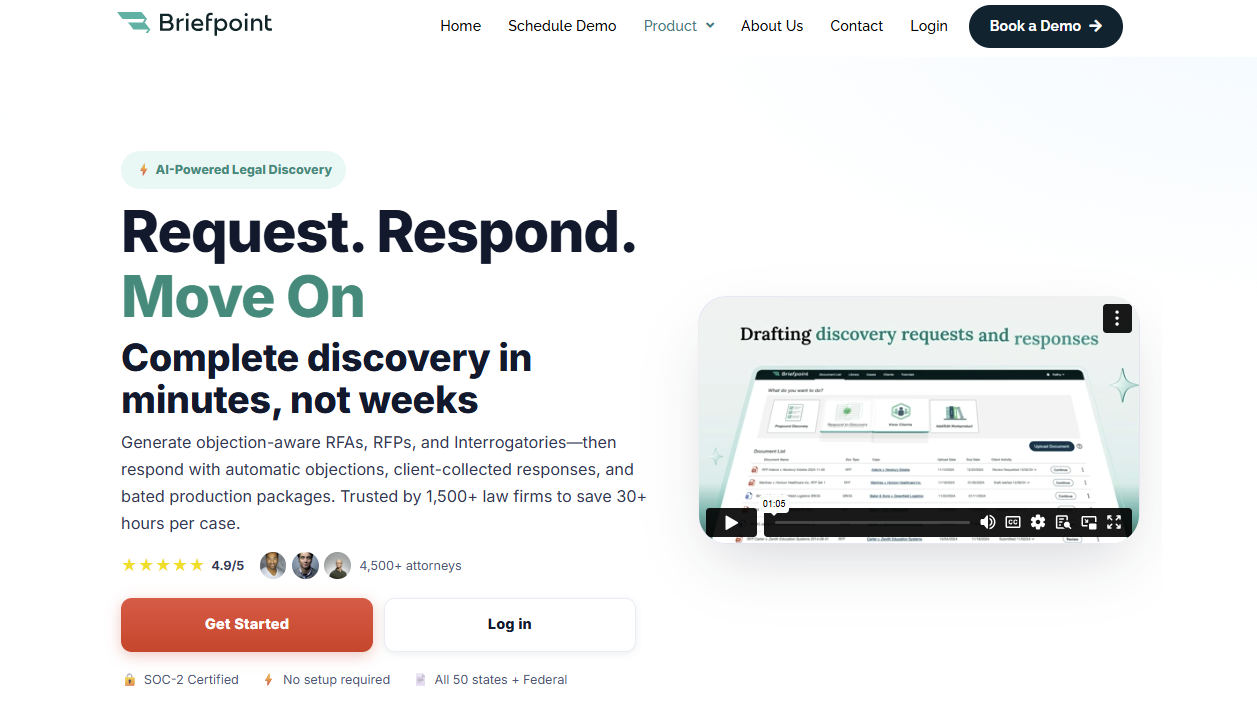
Briefpoint is an AI-powered legal discovery software that helps you draft, respond to, and manage RFAs, RFPs, and interrogatories faster.
If discovery still takes hours of manual work involving formatting, copying objections, and matching documents to requests, Briefpoint gives you a faster path from intake to review-ready work product.
You can use it to generate objection-aware discovery requests from a complaint, draft responses in Word format, and collect client input through Client Bridge.
Clients can answer questions in a secure portal, upload documents, and respond in plain English, which makes the process easier for both attorneys and clients.
For RFP responses, Briefpoint’s Autodoc feature adds stronger document-handling support.
You upload the complaint, RFPs, productions, and case files, then Autodoc searches for responsive documents, adds page-level Bates citations, and creates a Word response plus a Bates-numbered production package.
For legal teams and litigation teams, Briefpoint can reduce repetitive tasks while keeping attorney review in place. Its artificial intelligence speeds up the discovery process, while its trust-and-verify controls help you review and finalize everything before service.
Best Features
- Autodoc: Generates Word responses with Bates-stamped citations from productions and case materials, including page-specific references and a production package organized by Bates numbers.
- AI-powered discovery drafting: Generates RFAs, RFPs, and interrogatories from complaints, allegations, claims, dates, parties, and damages theories.
- Client Bridge: Lets clients answer interrogatories and upload documents through a secure portal, which reduces email back-and-forth and keeps files tied to the right request items.
- Supplemental responses: Helps legal teams create supplemental responses while keeping prior answers intact and easy to reference.
- Trust-and-verify controls: Shows where the AI searched, lets attorneys confirm or remove files, and keeps edits in Word before service.
- Privilege workflow: Allows users to tag privileged materials and create a privilege list that can support a privilege log.
Pros
- Helps legal teams cut down repetitive tasks in the discovery process.
- AI-powered drafting supports RFAs, RFPs, interrogatories, objections, and responses.
- Autodoc can help litigation teams produce documents with Bates citations and production packages faster.
- Client Bridge makes client response and file collection easier to manage.
- Advanced capabilities give firms a strategic advantage without taking attorney review out of the workflow.
2. RelativityOne
RelativityOne is a cloud-native eDiscovery platform that helps law firms collect, process, review, analyze, and produce electronic documents. It’s built for cases with large volumes of digital data, from emails and PDFs to chat messages, spreadsheets, and other electronic evidence.
Source: Relativity.com
This eDiscovery tool is a better fit for large-scale litigation, investigations, and regulatory work than basic discovery drafting.
For instance, if your team needs to find relevant documents in a massive data set, RelativityOne gives you search, analytics, AI-assisted review, privilege workflows, and production tools in one place.
Its main value shows up during document-heavy review. You can organize reviewers, run searches, tag documents, spot patterns in the evidence, and prepare productions without treating review as a separate side project.
Best Features
- End-to-end eDiscovery: Helps teams preserve, collect, process, review, and produce digital data in one platform.
- AI-assisted review: Uses AI tools to help prioritize relevant documents and speed up document review.
- Scalable processing: Handles large volumes of electronic evidence for complex litigation, investigations, and regulatory work.
- Production tools: Helps law firms prepare and produce electronic documents under tight discovery deadlines.
- Automated workflows: Reduce manual setup and repeat work during review and case preparation.
- Cloud-native platform: Gives teams secure access to eDiscovery workflows without relying on older on-premise systems.
Pros
- Well-known eDiscovery software trusted by many large law firms.
- Strong fit for complex cases with large volumes of electronic evidence.
- Covers the legal data lifecycle from collection through production.
3. Everlaw
Everlaw is a cloud-based eDiscovery platform that helps legal professionals manage electronically stored information for litigation, investigations, and regulatory compliance.
The tool is often a good fit for law firms and corporate legal departments that need to process complex data sets, review digital evidence, and produce electronically stored information from one central workspace.
Source: G2
The platform covers key eDiscovery processes, including data ingestion, data processing, early case assessment, advanced search, document review tasks, workflow management, and production.
Everlaw’s interface also feels more approachable than many older review platforms, which can help teams move faster during high-pressure review projects.
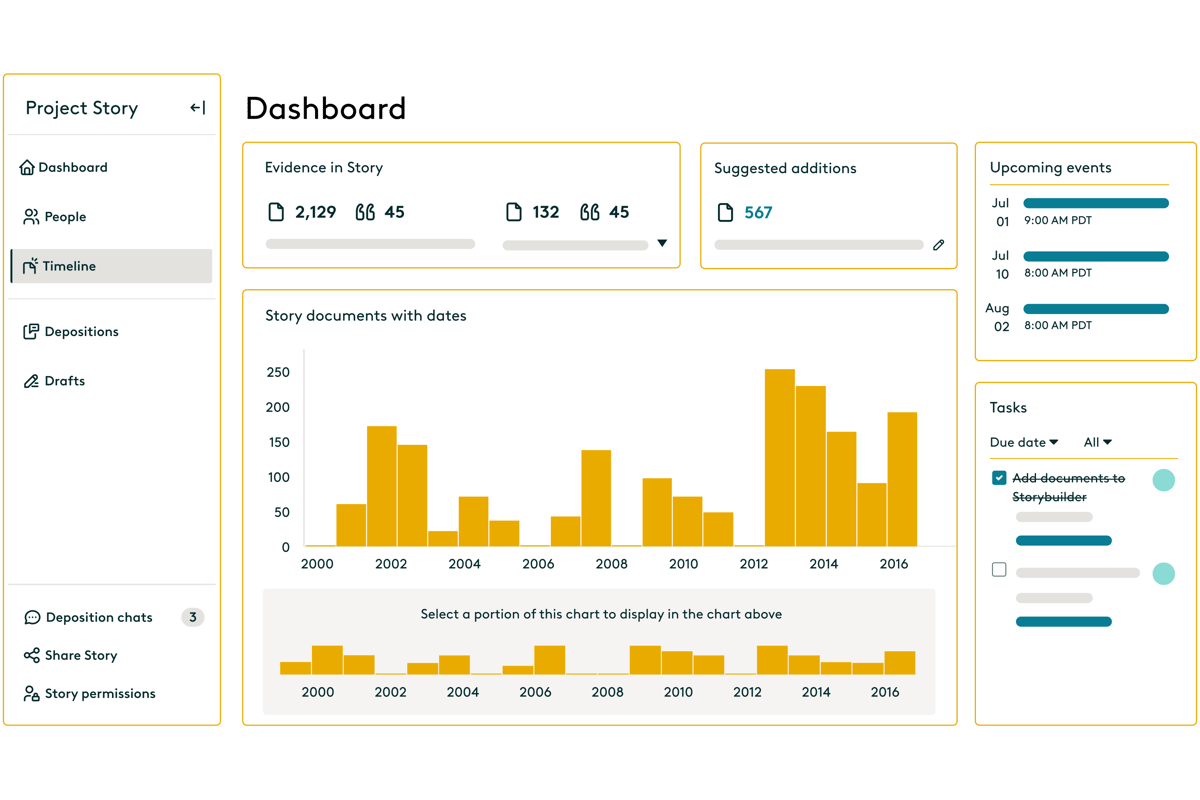
Its strength shows up when you need to understand a document set quickly. You can upload data, search through communications, review relevant files, assign work, build timelines, and prepare productions in one place.
Plus, Everlaw includes AI, analytics, and collaboration features for teams that want to connect facts, documents, and case strategy as review work progresses.
Best Features
- Fast data ingestion: Uploads and processes electronically stored information so teams can begin review work sooner.
- Early case assessment: Helps legal professionals assess complex data sets, spot patterns, and understand the shape of a case early.
- Advanced search: Let reviewers search digital evidence quickly with filters, metadata, analytics, and AI-supported tools.
- Document review workflows: Supports coding, tagging, reviewer assignments, privilege review, and quality checks for document review tasks.
- Production tools: Helps teams produce electronically stored information in the right format for litigation or regulatory compliance.
- Storybuilder: Gives teams a place to organize facts, documents, timelines, and case narratives as legal processes move forward.
Pros
- Strong option for law firms and corporate legal departments handling complex discovery review.
- Covers data collection, processing, review, analysis, and production in one platform.
- Advanced search, analytics, and workflow management help teams work through large sets of digital evidence.
4. DISCO
DISCO is an electronic discovery platform that helps litigation teams search, review, and produce documents with less friction than many older review tools.
Many attorneys choose it because the interface feels easier to learn, while the platform still has the search capabilities needed for serious document review.
Source: G2
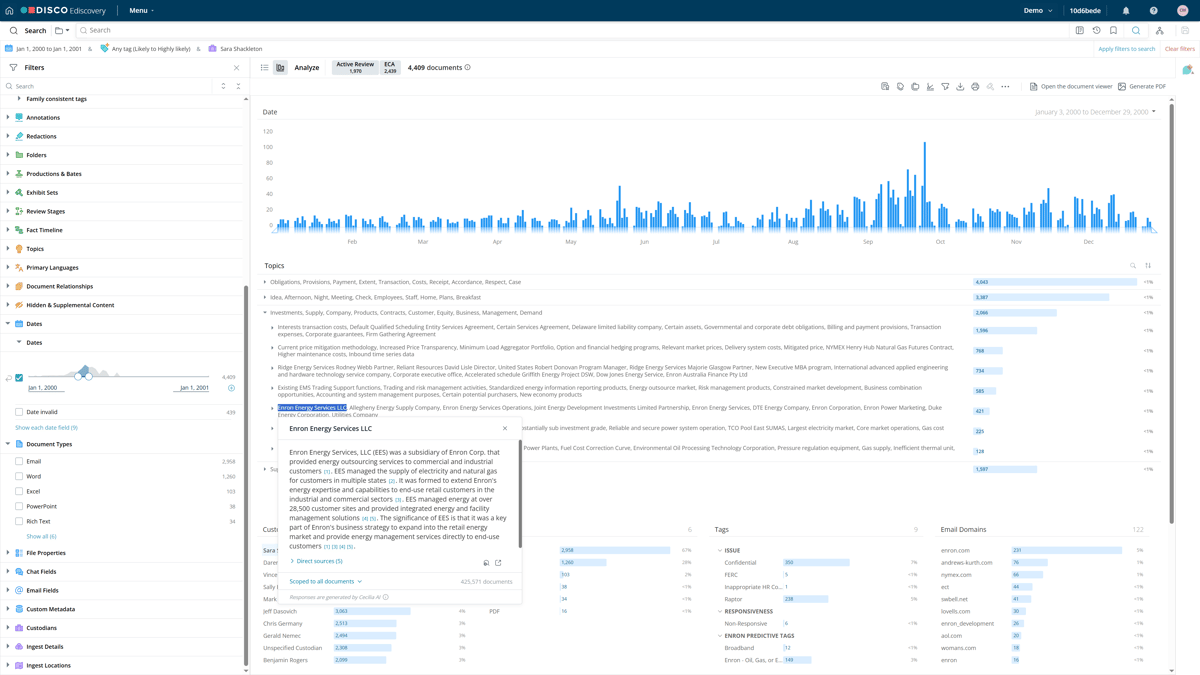
Speed is the main appeal. You can move through case documents with fast search, AI-supported review tools, and a workspace that keeps coding and production work close together.
That makes DISCO helpful when your team needs to find key evidence quickly and avoid a long ramp-up before review starts.
Administrators also get stronger oversight during review. Audit trails show activity inside a database, while access controls help limit permissions for reviewers, experts, co-counsel, and other users.
For firms that want capable review tools without a heavy enterprise feel, DISCO is one of the more familiar names in modern electronic discovery.
Best Features
- Fast search capabilities: Helps attorneys search emails, attachments, messages, and case files quickly when they need to find key evidence.
- AI-supported review: Prioritizes likely relevant documents and helps reduce time spent on lower-value review.
- Clean review workspace: Keeps document viewing, coding, tagging, and production work in a simple interface.
- Production tools: Helps teams prepare reviewed documents for production with the needed formatting and metadata.
- Audit trails: Tracks review activity so teams can check who viewed, changed, tagged, or produced documents.
- Access controls: Let administrators manage permissions for attorneys, reviewers, experts, and outside users.
Pros
- Easier to learn than many older electronic discovery platforms.
- Strong search capabilities help teams find key evidence faster.
- Audit trails and access controls make review easier to supervise.
5. Logikcull
Logikcull is cloud-based eDiscovery software that helps legal teams collect, search, review, and produce documents without a complicated setup.
Firms use it to simplify discovery workflows, especially for subpoenas, investigations, litigation, and document production.
Source: G2
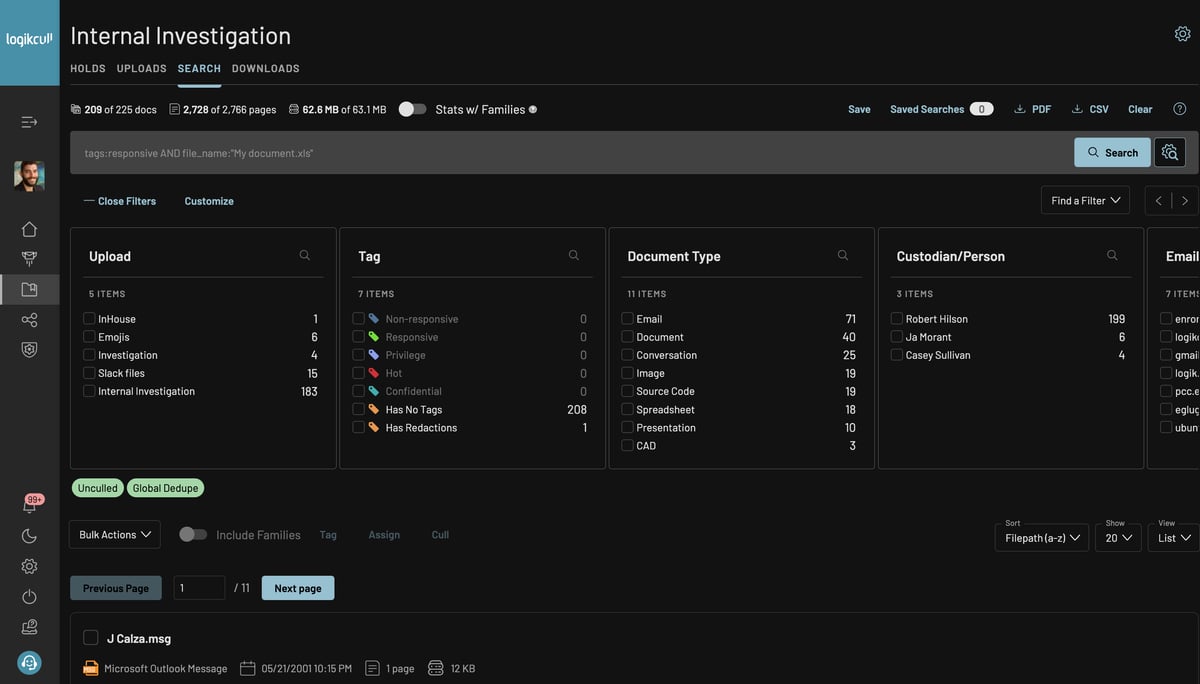
The platform focuses on self-service review. You can upload client data, process files, search through documents, tag responsive material, and prepare productions from one workspace.
Logikcull also uses AI systems and automation to reduce manual sorting. This can be a major advantage for teams that need faster review without a heavy enterprise platform.
Search is one of its stronger selling points. Natural language queries make it easier to look for key facts without building overly technical search strings, while natural language processing and AI-powered document review features help teams find useful records faster.
Best Features
- Self-service eDiscovery: Let teams upload, review, tag, and produce documents without relying on a large support team.
- Natural language queries: Helps users search client data with plain-language questions rather than complex search syntax.
- AI-powered document review: Uses AI systems to help sort, organize, and surface useful documents faster.
- Automated processing: Handles file processing, deduplication, indexing, and preparation for review.
- Production tools: Helps teams create productions with Bates numbering, metadata, redactions, and privilege controls.
- Legal workflow support: Supports subpoenas, investigations, litigation discovery, public records requests, and internal reviews.
Pros
- Easier to use than many enterprise eDiscovery software options.
- Natural language processing helps teams search documents with less technical effort.
- Strong fit for legal workflows that need fast upload, review, and production.
6. Casepoint
Casepoint is an eDiscovery platform that helps legal teams manage the full discovery lifecycle, from data collection and processing to production and case closeout.
Complex matters often come with large document volumes, strict compliance requirements, and sensitive information, so Casepoint gives teams a structured place to manage the work.
Source: G2
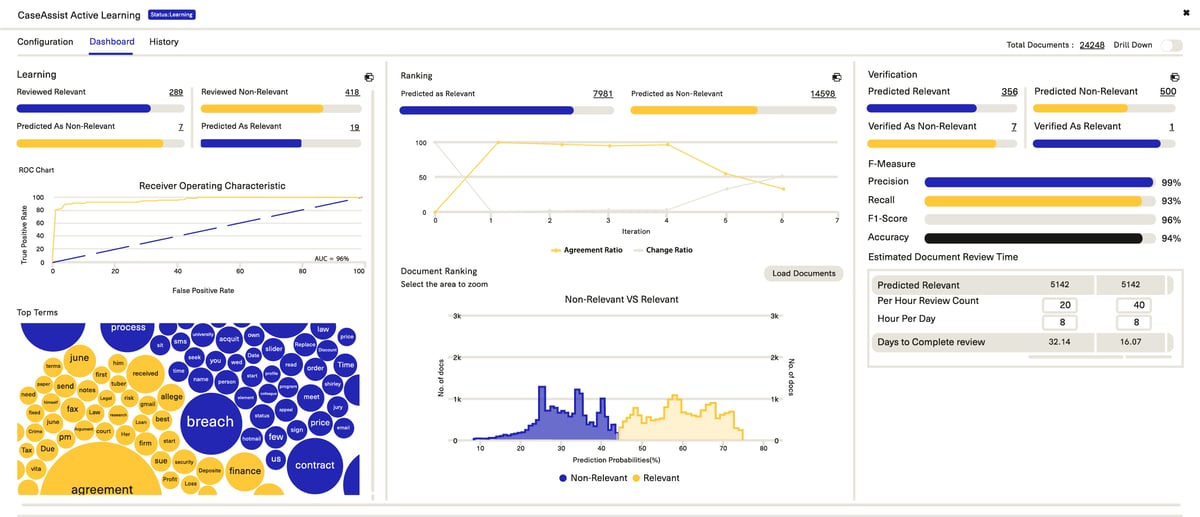
The platform combines customizable workflows, analytics, machine learning, and production tools in one system. You can route documents, assign review work, spot key information, apply redactions, and prepare productions without relying on a patchwork of separate tools.
Risk control drives much of Casepoint’s value. Its review, redaction, security, and compliance features help teams handle privileged documents, regulated data, and sensitive records with tighter oversight.
Teams comparing the best eDiscovery software options may place Casepoint high on the list when they need structured workflows, machine learning, and stronger control over demanding discovery projects.
Best Features
- Full discovery lifecycle: Supports data collection, processing, review, analysis, production, and case closeout in one platform.
- Customizable workflows: Let teams build review paths, assign tasks, manage productions, and match workflows to case requirements.
- Machine learning: Helps prioritize documents, identify patterns, and reduce time spent reviewing lower-value material.
- Compliance support: Helps with compliance requirements involving sensitive records, regulated data, and internal review standards.
- Risk management tools: Support redaction, privilege review, security controls, and tracking for mitigating risks during review.
- Production tools: Helps teams prepare documents with the right formatting, metadata, numbering, and review decisions.
Pros
- Covers the full discovery lifecycle for litigation, investigations, and regulatory work.
- Customizable workflows help teams manage complex matters with more structure.
- Machine learning and analytics can reduce manual review time.
7. Exterro
Exterro is an eDiscovery and legal data risk platform that helps organizations manage legal holds, preservation, collection, review, and production. It fits best in environments where discovery connects closely with compliance, privacy, investigations, and data governance.
Source: G2
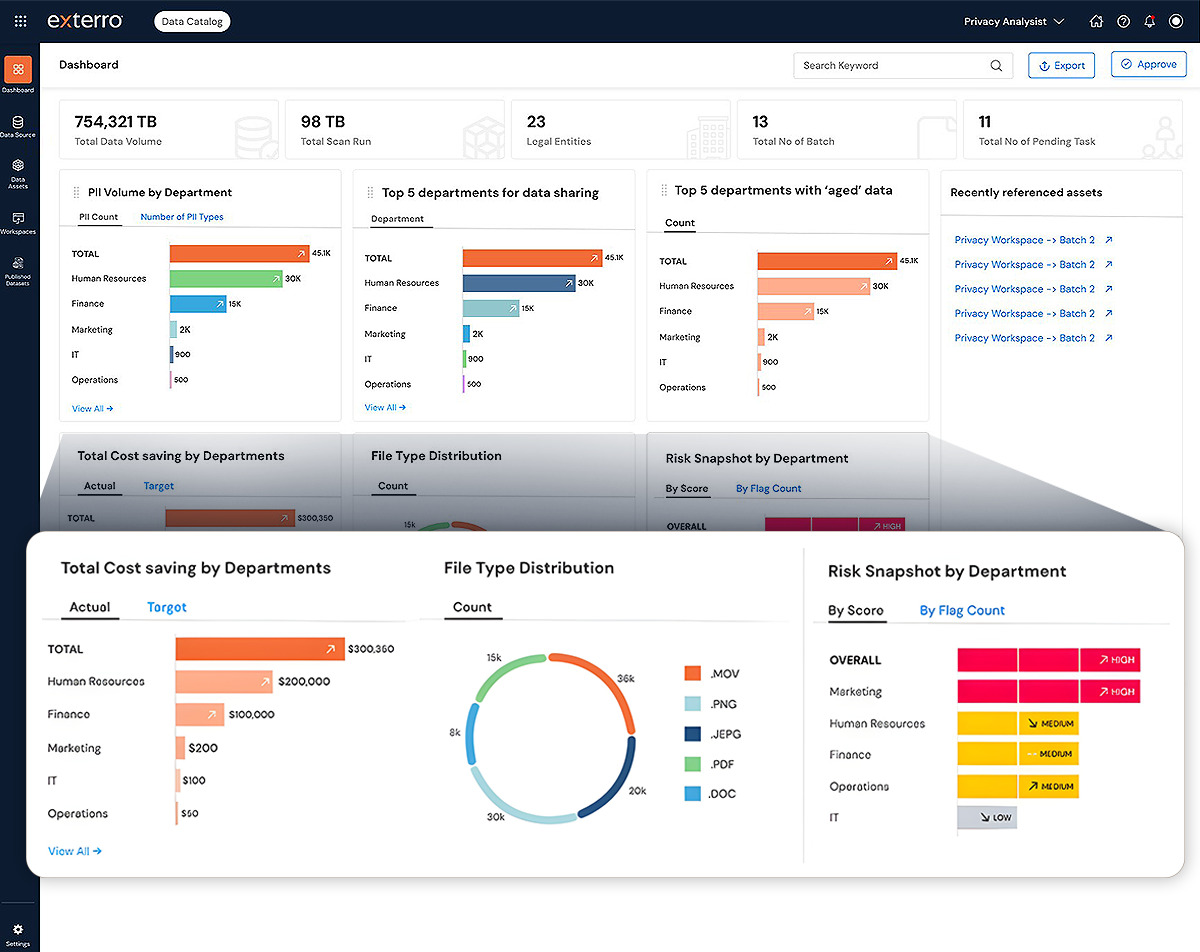
A lot of Exterro’s strength comes from how it handles data before review begins. The platform can connect to enterprise data sources, issue legal holds, track custodian responses, preserve information, and support defensible workflows from preservation through production.
Plus, Exterro promotes source-linked answers, audit-ready logs, and AI-powered eDiscovery workflows for teams that need clear records of how discovery decisions were made.
Security and governance are also big parts of the platform. Exterro is often used by corporations and government agencies that need enterprise-grade security, access control, and structured processes for sensitive data.
Best features
- Legal holds: Helps teams issue holds, track custodian acknowledgments, send questionnaires, and preserve relevant data.
- Data source connections: Connects with enterprise data sources such as email, cloud storage, and collaboration platforms.
- AI-powered eDiscovery: Supports source-linked answers, audit-ready logs, and defensible workflows from preservation through production.
- Enterprise-grade security: Gives organizations security, access control, and governance features for sensitive legal data.
- Workflow automation: Helps teams streamline workflows for legal hold, preservation, collection, review, and production.
- Government and enterprise support: Works for corporations, law firms, and government agencies with complex discovery and compliance needs.
Pros
- Strong legal hold and preservation features.
- Good fit for discovery work tied to compliance, privacy, and data governance.
- Enterprise-grade security and data source connections support larger organizations
How to Choose the Legal Discovery Tools Your Team Needs
You don’t need every discovery tool on the market. Instead, you need software your team can use often and leverage to improve the workflows that take the most time.
Look for these factors first:
- Learning curve: Choose a tool that your attorneys and staff can pick up without weeks of frustration. A powerful platform loses value if your team avoids it.
- AI-powered tools: Look for legal AI features that help with drafting, review, search, and document organization. Leveraging AI can reduce repeat work, but attorney review should stay part of the process.
- Security features: Prioritize encryption, access controls, audit logs, and clear data policies, especially if you handle client data, privileged files, or medical records.
- Workflow automation: Choose software that automates repetitive discovery tasks, such as response drafting, document routing, production prep, and client follow-ups.
- Training resources: Check for demos, help centers, onboarding, and support so your team can adopt the tool faster.
- Predictable pricing: Compare pricing models, user fees, storage costs, and service provider charges before you commit.
Briefpoint Brings Discovery Work Closer to Done
Legal discovery tools solve different problems, and the right choice depends on which part of the process slows you down most.
Briefpoint earns its place when the biggest pain is the actual discovery work attorneys deal with every day: drafting requests, building responses, collecting client input, matching documents, and preparing production-ready files.
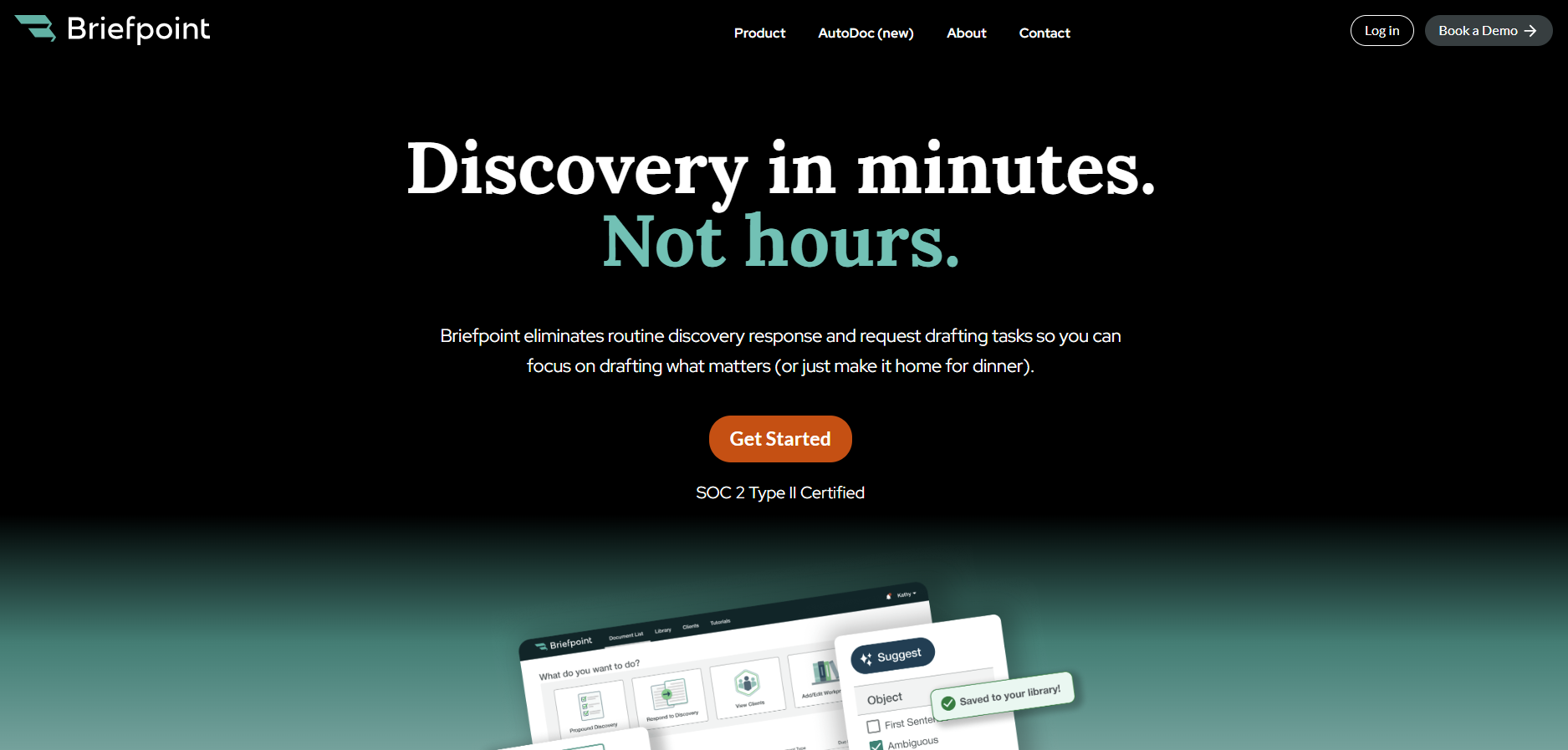
Its strength lies in the practical parts of the discovery process. Briefpoint helps create RFAs, RFPs, and interrogatories, draft objection-aware responses, and turn client answers into Word-ready documents.
With Client Bridge, clients can answer questions and upload documents in a guided portal. And with Autodoc, attorneys can generate Bates-cited RFP responses and production packages from case files and productions.
If discovery feels too manual, Briefpoint gives you a cleaner way to move from request to response with less repetitive work and more control before service.
