7 Best Legal Software for Small Firms in 2026
Top 7 Legal Tools for Small Law Firms
The best software depends on your practice area, firm size, and the processes creating the most friction.
Some small law firms need stronger case management. Others need document automation, trust accounting, or better client communication. Mid-sized firms may need more advanced reporting and workflow automation as their caseload grows.
Here are seven options that cover different parts of firm operations.
1. Briefpoint: Discovery Document Automation
Briefpoint is built specifically for written discovery, one of the more time-consuming parts of litigation.
Requests for production, requests for admission, interrogatories, and responses often follow familiar structures, yet drafting legal documents manually can still consume hours.
Briefpoint reduces much of that setup work. Upload a discovery request, and the software extracts relevant information to prepare an editable draft. Attorneys can add objections and responses, review the language, and finish the document in Microsoft Word.
Bridge helps with client intake for discovery. Clients receive plain-language questions through a secure form, submit their answers online, and those responses can be brought back into the working document.
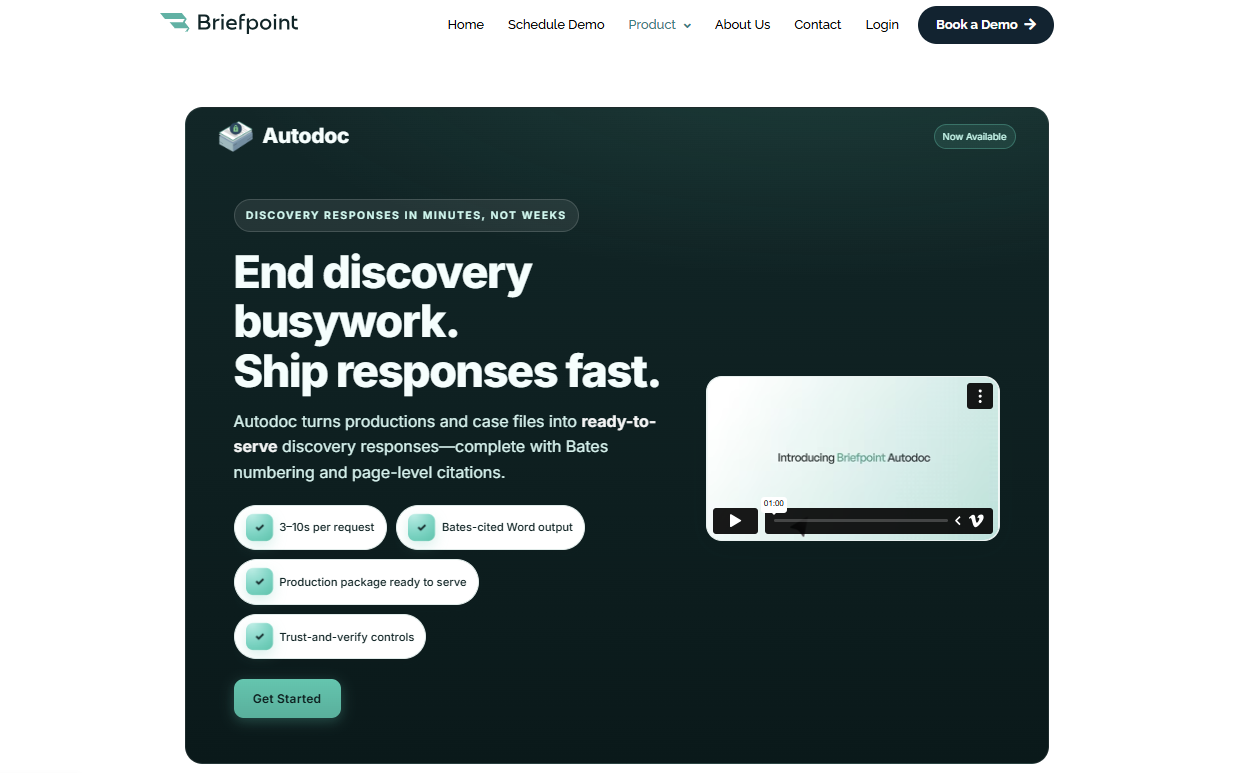
Autodoc supports document-heavy RFP responses by helping identify responsive files and prepare Bates-numbered production materials.
For firms handling frequent discovery, document automation can save time while keeping attorney review in the workflow.
Key Features
- Discovery drafting: Prepare interrogatories, RFAs, RFPs, and responses faster.
- Bridge: Collect client information through plain-language questionnaires.
- Discovery Playbooks: Apply preferred firm language more consistently.
- Autodoc: Support RFP responses and production workflows involving responsive documents.
- Microsoft Word compatibility: Review and finalize drafts in a familiar environment.
- Document generation: Reduce repetitive formatting and setup work.
- Editable outputs: Keep control of the final legal documents before service.
Pros
- Reduces repetitive discovery work
- Useful for litigation-heavy practices
- Helps standardize recurring language
- Keeps client responses connected to the drafting process
- Can save hours on document preparation
Test Briefpoint yourself by scheduling a demo here.
2. Clio: Legal Practice Management Software
Clio is one of the better-known legal practice management software platforms and supports firms of several sizes.
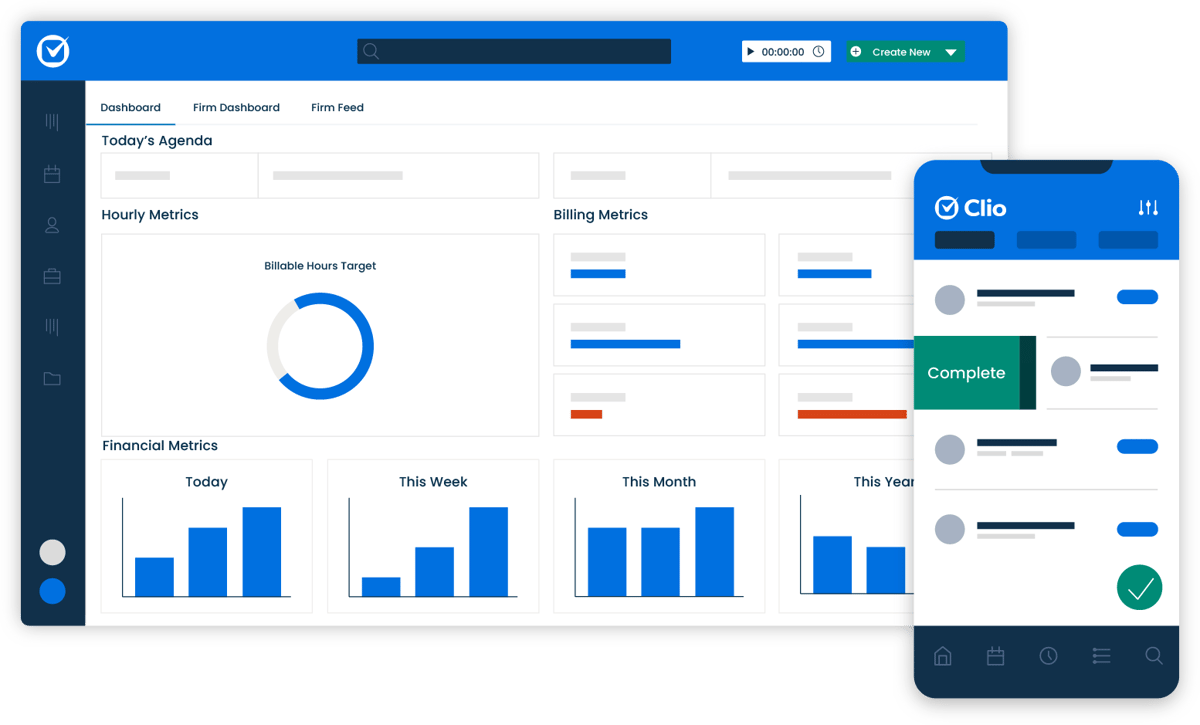
A legal practice management system brings core administrative work into one system. Clio includes matter management, billing, scheduling, document storage, time tracking, and client communication features.
Source: G2
Its cloud-based solution makes case information available from laptops, phones, and tablets, which can be useful for attorneys who work outside the office regularly.
The platform also offers third-party integrations with tools such as Google Calendar and Microsoft Office. Those connections reduce the need to recreate information in separate systems.
For small and medium-sized firms that want an all-in-one platform, Clio can cover a substantial portion of everyday practice management.
Key Features
- Case management: Track matters, notes, contacts, deadlines, and case progress.
- Time tracking: Record billable hours and connect entries to the correct matter.
- Billing: Prepare invoices and monitor the billing cycle.
- Client portal: Share updates and files through a secure space.
- Deadline tracking: Keep court and internal dates visible.
- Third-party integrations: Connect calendars, productivity software, and other tools.
- Activity logs: Review actions taken within a matter.
Pros
- Brings several firm functions into one platform
- Supports remote work
- Offers onboarding support and training resources
- Connects with common business applications
- Can scale beyond very small practices
3. MyCase: Legal Case Management Software
MyCase is legal case management software designed to centralize matter information and everyday administrative work.
The platform includes case tracking, task management, billing, document management, and client communication. A built-in client portal lets firms share updates and documents while helping keep clients informed.

Source: G2
MyCase can be useful when a firm wants a relatively intuitive interface and does not want staff switching constantly between unrelated applications.
Its client management features keep messages, case files, events, and payments connected to the relevant matter. That can improve the client experience because staff have easier access to current information when someone calls or sends a question.
For smaller practices, reducing the number of systems people have to check each day can make a noticeable difference in operational efficiency.
Key Features
- Case tracking: Follow case progress from one dashboard.
- Document management: Store and organize matter files.
- Task management: Assign work and track completion.
- Client portal: Provide secure access to messages and documents.
- Client intake: Capture information before opening a matter.
- Billing tools: Track time, invoices, and payments.
Pros
- Straightforward interface
- Keeps case information centralized
- Supports secure client service
- Reduces manual entry between separate tools
- Useful for small and mid-sized law firms
4. CosmoLex: Billing and Accounting Software
CosmoLex combines billing and accounting functions in a platform designed for law firms.
That distinction is important because a general accounting system may not address requirements such as client trust accounts or legal-specific reconciliation.
Source: G2
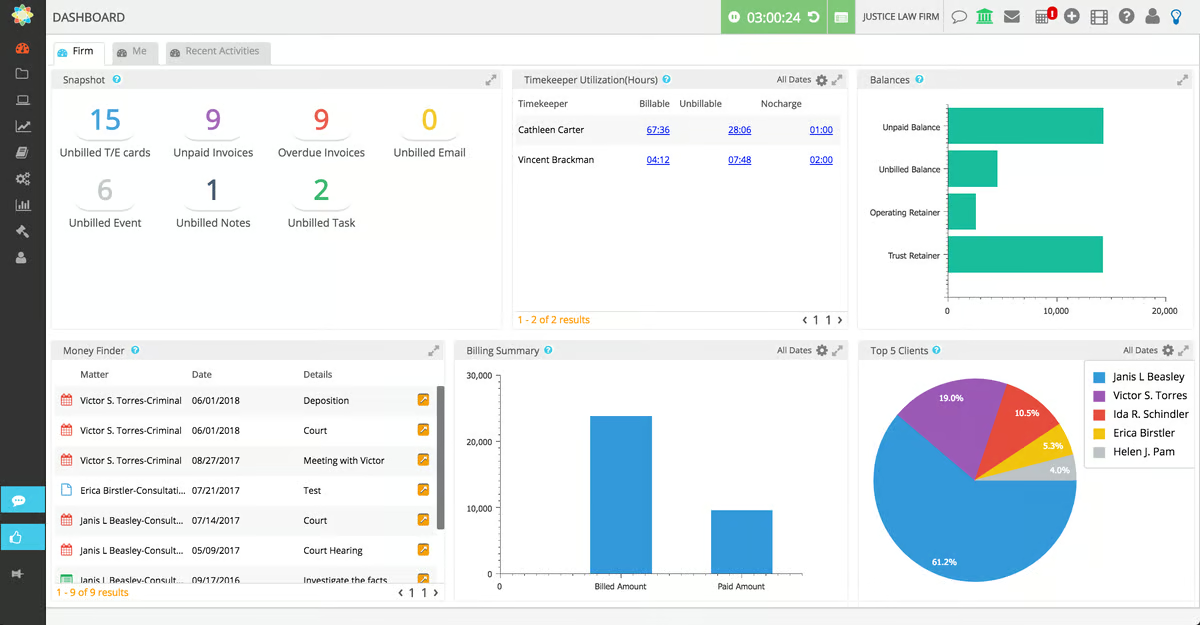
This tool combines time tracking, invoicing, expense management, trust accounting, and financial reporting in a single system. Firms can tie financial activity to specific matters and keep an eye on outstanding invoices throughout the billing cycle.
Trust accounting is one of its stronger features. Keeping operating funds separate from client trust funds is a core responsibility in legal practice, and errors tend to become serious quickly when those accounts are handled poorly.
For small firms that want financial management and practice management software closer together, CosmoLex can reduce the need to maintain several separate accounting tools.
Key Features
- Legal billing: Generate invoices and accept payments.
- Trust accounting: Manage client trust accounts within the platform.
- Time tracking: Capture billable hours against individual matters.
- Expense tracking: Record costs and assign them appropriately.
- Financial reports: Review revenue, expenses, and other firm metrics.
- Matter-level accounting: Connect financial records with active legal work.
Pros
- Built specifically for legal financial workflows
- Reduces dependence on a separate accounting system
- Supports trust compliance
- Gives firms clearer financial reporting
- Can reduce manual reconciliation work
5. NetDocuments: Document Management Software
NetDocuments is document management software designed for legal professionals who need secure, searchable access to case materials.
For smaller practices, document storage can become disorganized surprisingly quickly. Matter folders spread across local drives, inboxes, and cloud storage make it harder to know which version is current.
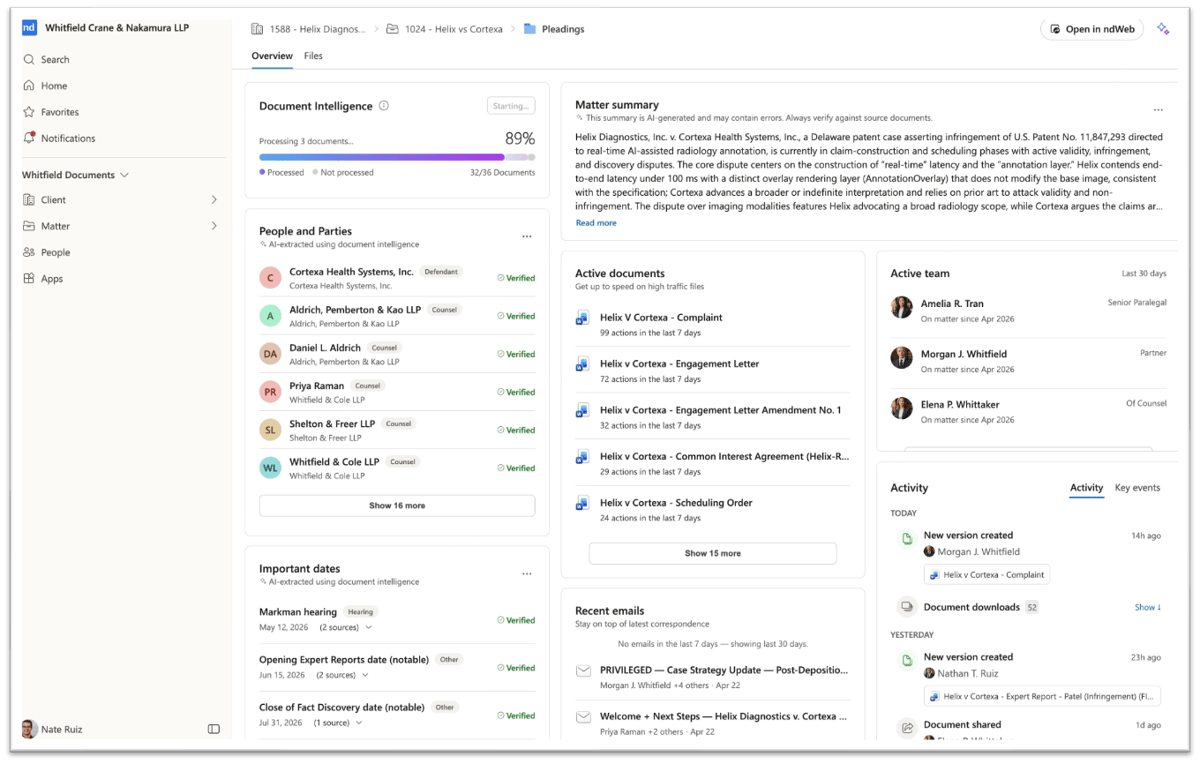
NetDocuments provides centralized document management with permissions, version histories, search, and collaboration capabilities.
Source: G2
The platform can help staff locate case files, review prior versions, and work within a more reliable system. Its Microsoft Word integration is useful for firms that already create and edit most documents through Microsoft Office.
Document management becomes even more important in a high-volume case environment where attorneys and staff may be handling medical records, pleadings, correspondence, and discovery materials for multiple matters at once.
Key Features
- Secure document storage: Keep matter files in a controlled repository.
- Advanced search: Find documents using metadata, keywords, or full-text search.
- Version control: Track revisions and recover earlier copies.
- Access controls: Limit sensitive files to appropriate users.
- Microsoft Word integration: Work with documents through familiar software.
Pros
- Helps organize large collections of documents
- Supports remote access
- Makes prior work easier to locate
- Reduces duplicate or outdated files
- Useful for firms with complex document workflows
6. CloudLex: Matter Management Software
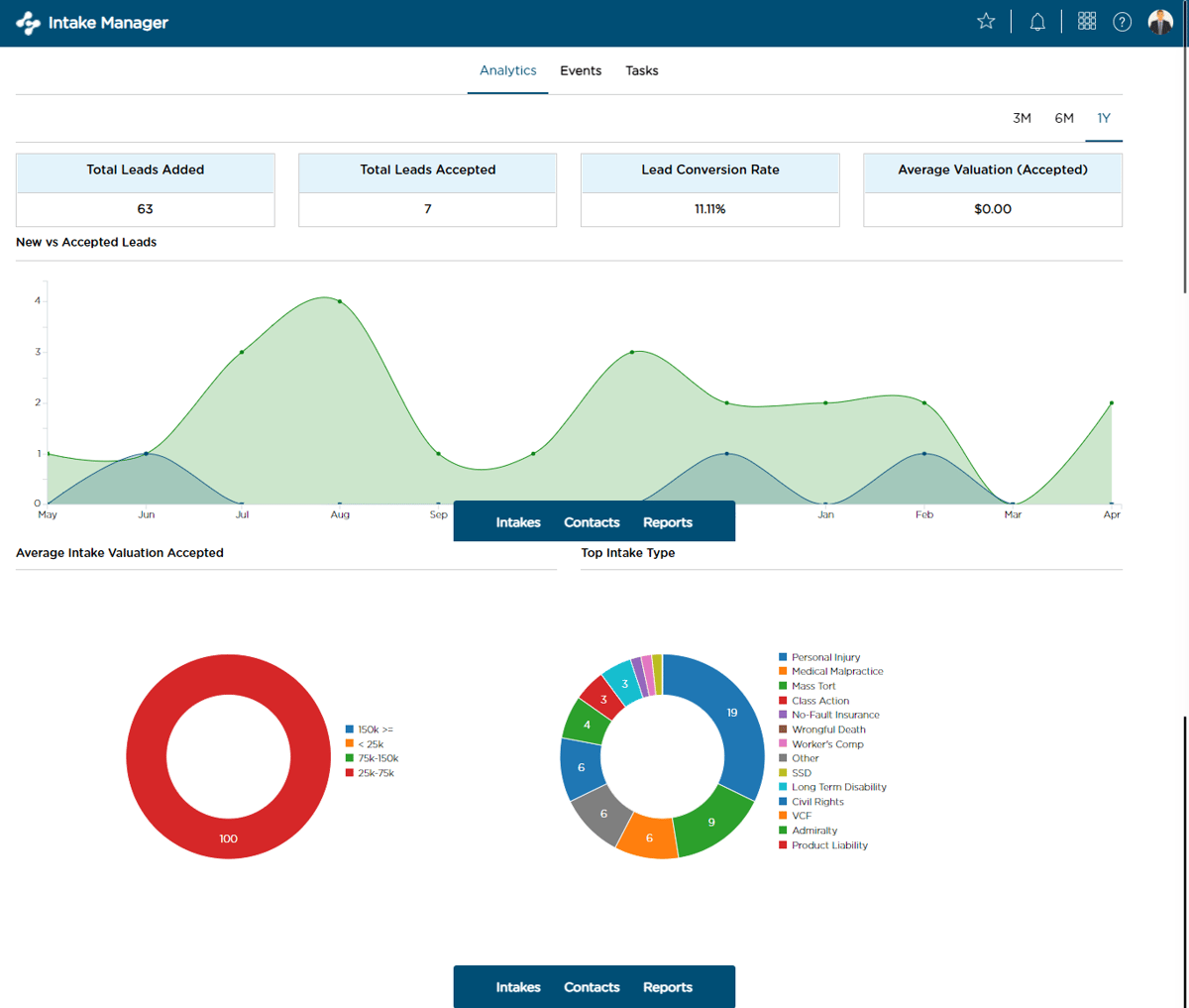
CloudLex focuses heavily on matter management and is particularly relevant to personal injury practices.
The platform helps firms track matters, documents, deadlines, contacts, and communications from intake through resolution.
Its structure can be useful for practices handling a high-volume caseload where each file may contain medical records, correspondence, settlement information, and numerous deadlines.
Source: G2
CloudLex includes collaboration features, task management, and a client portal. Firms can share case information internally while giving clients a more controlled way to receive updates.
Matter management software can also improve case tracking because staff has a clearer record of what has happened, what is coming next, and who is responsible for each task.
For firms where several people touch the same matter, having case information in one system can reduce confusion.
Key Features
- Matter management: Track case details from intake through resolution.
- Task management: Assign work and monitor completion.
- Document tools: Keep matter-related files accessible.
- Client portal: Share updates and documents securely.
- Deadline tracking: Monitor important dates.
- Collaboration: Give staff access to current case information.
- Case progress tracking: See where each matter stands.
Pros
- Strong fit for personal injury workflows
- Supports high-volume case management
- Helps keep case information centralized
- Reduces time spent looking for updates
- Gives staff better visibility into active matters
7. Docusign: Electronic Signature Tool
Docusign handles one specific part of the legal workflow: signatures.
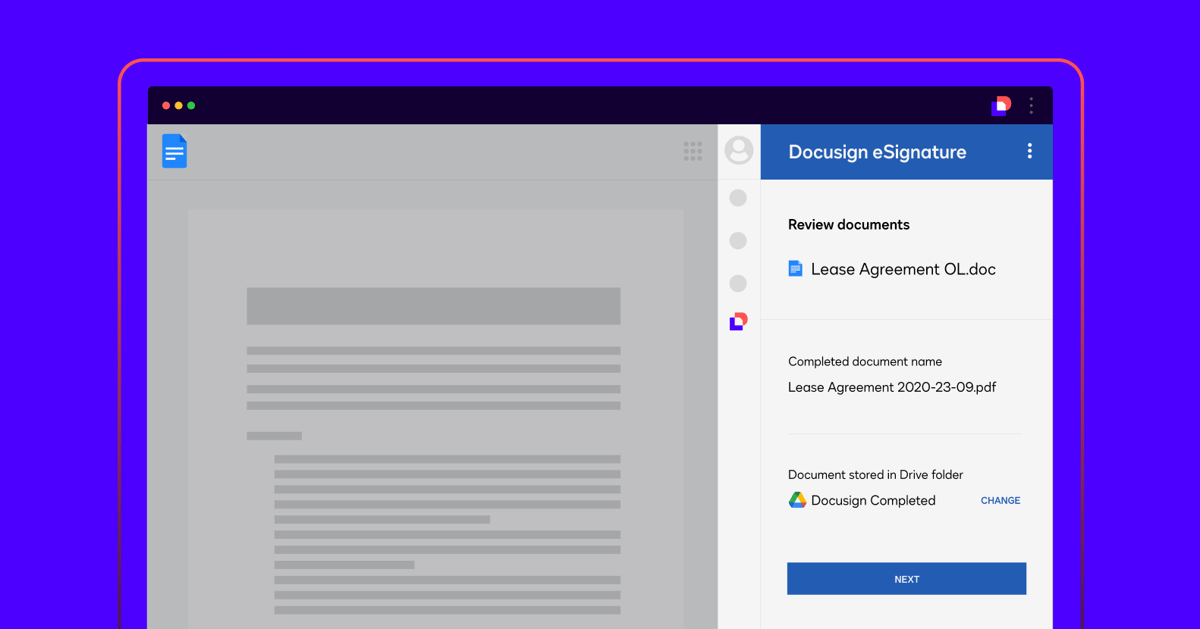
Small firms regularly send engagement letters, releases, settlement documents, authorizations, and other agreements for signature. A digital signing process can move those documents faster than printing, mailing, scanning, or waiting for clients to visit the office.
Source: G2
Docusign lets users send documents electronically and monitor their status through activity logs. Clients can generally sign from a computer, tablet, or phone.
The platform works alongside other tools rather than replacing practice management or case management software. That makes it a useful example of a specialized product that solves one recurring problem well.
Key Features
- Electronic signatures: Send documents for legally recognized electronic execution.
- Templates: Reuse frequently signed forms.
- Status tracking: See whether a document has been opened or completed.
- Activity logs: Maintain a record of signature-related events.
- Cloud access: Retrieve completed documents online.
- Integrations: Connect with Microsoft Word and other common applications.
Pros
- Speeds up routine signing
- Easy for most clients to use
- Reduces printing and scanning
- Makes follow-up easier
- Fits into existing digital workflows
Factors to Consider When Choosing Legal Tools for a Small Firm
Choosing the right legal technology software starts with understanding your firm’s specific problems.
Even the best software can become another expense if nobody uses it or if it solves a problem your firm does not actually have. Software fails most often when the purchase comes before a clear look at the workflow.
Consider these factors:
- Practice area: A personal injury practice may prioritize medical records and high-volume case tracking, while another law practice may have completely different needs.
- Firm size: Solo attorneys, small firms, and medium-sized firms will not necessarily need the same depth of functionality.
- Ease of use: An intuitive interface can reduce the learning curve and make software daily use more realistic.
- Core features: Identify the key features tied directly to your biggest operational problems.
- Integrations: Look at connections with email, Google Calendar, Microsoft Office, accounting software, and other tools you already rely on.
- Security: Client information needs appropriate access controls, backups, and encryption.
- Support: Training resources and onboarding support can make adoption easier.
- Price: Compare software costs with the staff time and administrative work the product can realistically remove.
- Scalability: Make sure the system can support the firm if matter volume or staffing increases.
- Free trials: When available, free trials can help you see how a product performs with real workflows before committing.
Why Small Firms Benefit From Better Legal Software
Small practices often have less room for inefficient processes because there are fewer people available to absorb extra work.
A reliable system can improve several parts of firm operations at once. Better client intake can reduce repeated questions. Automated reminders can keep deadlines visible. Document generation can shorten routine drafting. A client portal can improve client communication while reducing inbox traffic.
Legal practice management can also give firm leaders a better view of workload and finances. Reports on billable hours, outstanding invoices, and matter activity support more informed decisions about staffing and resources.
The result is often less time spent on administration and more time available for legal work and client service.
Technology is only part of the equation, though. Firms still need clear processes, staff training, and consistent use of the system they choose.
Build Your Tech Stack With the Right Law Firm Software
Finding the best legal software is less about collecting as many features as possible and more about fixing the parts of your workflow that consume unnecessary time.
Practice management software can organize firm operations. Case management tools can keep active matters visible. Document management provides a dependable home for case files, while billing and trust accounting software can make financial administration easier.

Discovery deserves the same attention.
Briefpoint helps small law firms draft and respond to written discovery, collect client responses through Bridge, apply preferred language with Discovery Playbooks, and handle document-heavy RFP work with Autodoc.
Those tools can reduce routine discovery preparation and leave more time for substantive review and case strategy.
Ready to see how Briefpoint fits into your workflow? Schedule a demo and take a closer look.
