7 Key Challenges For In-House Legal Teams in 2026

1. Managing AI Usage And Compliance Across Departments
Your business teams are probably already using artificial intelligence (AI), whether it’s for writing, hiring, or data analysis. And odds are, legal wasn’t looped in early. That’s a problem.
Without clear guidelines, these tools open the door to legal, privacy, and compliance risks that can come back to bite you.
The legal function is now expected to step in, not just to say “yes” or “no” to AI tools, but to help shape how the company uses them responsibly. And that’s not a small ask.
According to Gartner, by 2026, 80% of large enterprises will have formal AI governance policies in place to manage risk and assign accountability. That includes legal teams like yours.
Here’s what many in-house legal professionals are already tackling:
- Reviewing generative AI tools for IP, bias, and privacy risks
- Writing AI usage policies for internal teams
- Monitoring changing laws like the EU AI Act and CPRA
- Tracking approvals and tool usage through legal tech software
If legal operations aren’t yet involved in AI oversight at your company, now’s the time to speak up. The longer departments run AI tools without legal guardrails, the harder it becomes to manage the fallout and explain it later.
2. Handling Increased Data Privacy Demands
Data privacy is no longer just an IT issue. It now sits squarely on the shoulders of in-house counsel. With regulations like the CPRA, GDPR, and a growing list of state-level laws in the U.S., the legal landscape around cybersecurity and data privacy is more complicated than ever.
Companies are now expected to know exactly what data they collect, why they collect it, how they store it, and who they share it with. And when something goes wrong, legal is often the first team called in to explain what happened.
For in-house counsel, the pressure is real. It goes beyond ticking boxes for regulatory compliance. You’re advising leadership on several landmark business decisions, like whether to launch in a new market or partner with a data-heavy vendor.
At the same time, you’re also staying on top of breach reporting timelines, cookie consent rules, and cross-border data transfers. One misstep could mean a fine or serious damage to the company’s reputation.
Take Meta’s 2023 fine in Europe for violating GDPR rules on data transfers. That case reminded industry professionals just how quickly privacy enforcement can escalate.
For many legal teams, meeting these new standards with limited resources and outdated systems is one of the most significant challenges they face today.
3. Legal KPI Tracking With Limited Resources
General counsel are expected to act as a strategic business partner, not just a legal gatekeeper. But that’s hard to do without solid data.
Tracking and reporting on legal KPIs, like contract turnaround time, matter resolution rates, or legal spend, is how legal teams show value. The problem? Most in-house lawyers don’t have the tools, systems, or staff to do it well.
Manual tracking creates gaps. Junior lawyers are pulled into reporting work they weren’t trained for. And leadership ends up with limited insight into what the legal team is actually achieving.
This disconnect can cause friction with other departments, especially sales teams, who want proof that legal isn’t slowing down deals. Without reliable data, it’s tough to push back or show your impact on business objectives.
If you’re short on ops resources, you can still make progress by:
- Starting small with a few meaningful KPIs tied to business goals
- Using contract platforms or shared tools to gather basic metrics
- Collaborating with finance or operations to support reporting
In the legal industry, showing results matters. Even basic tracking can help legal services align with the business and lead to more positive outcomes across the board.
4. Managing Legal Spend Amid Rising Workloads
In-house legal teams are dealing with a tough combination: rising workloads and tighter budgets. According to the 2023 Legal Department Operations Index, 70% of legal departments said their work volume increased, while nearly two-thirds said their budgets stayed the same or went down.
That puts a lot of pressure on legal counsel to do more without more support. One way teams are handling this is by using alternative fee arrangements (AFAs) with outside firms. These help you plan your legal spend better and can lead to real cost savings.
Another smart move? Workflow automation. Legal tech tools can handle contract creation, document review, and other repetitive work. When used right, these tools can save time and let your team focus on bigger issues. It can also help lower your law firm’s operating expenses.
Still, it’s not all smooth sailing. That same report showed only 32% of departments got more budget for legal tech, even though more teams are using it.
To make real progress under budget constraints, focus on tools and processes that give you the most operational efficiency. Look for low-lift improvements that make a big difference.
You don’t need to fix everything at once, but choosing smart, targeted upgrades can help your team keep up and deliver real results.
5. Fragmented Legal Data Across Tools, Teams, and Regions
When legal data is scattered across different platforms, departments, and offices, it becomes hard to manage and even harder to trust. Many legal teams still use a mix of shared drives, emails, spreadsheets, and legacy systems.
Without one central repository, it’s difficult to get a full view of legal matters, contracts, and compliance documents. This kind of fragmentation slows down legal processes, increases risk, and makes strategic decisions harder.
Here’s what fragmented legal data often looks like:
- Contracts stored in different formats across local drives and cloud solutions
- Separate tools used for litigation tracking, compliance, and document management
- Regional teams managing their own files with no connection to HQ
- Little visibility into historical data or key dates
For example, a company with offices in the U.S., EU, and Asia might store contracts in different systems based on region. When it’s time for a contract lifecycle management review or a global data protection audit, pulling everything together becomes a nightmare.
Fragmented data also limits your ability to spot patterns, assess risks, or generate data-driven insights. In a world of regulatory complexity, having clean, centralized, and searchable data is a must-have for real efficiency gains and business alignment.
6. Retention And Burnout Of Junior Legal Staff
If you’ve got junior lawyers on your team, they’re likely handling a stack of repetitive work, facing unclear career paths, and trying to keep up with rising expectations. That combination is driving many to consider a change.
A 2024 Axiom survey found that 58% of in-house lawyers are thinking about leaving their current roles, mostly because of high workloads and limited growth opportunities.
This challenge affects more than headcount. When junior staff feel stuck or undervalued, it slows down legal work, adds pressure to your senior lawyers, and undercuts sustainability across the legal function.
We must not forget that these roles are often the ones helping keep everyday legal processes running. That support matters, especially with increasing demands on in-house teams.
So, what can you do to avoid junior lawyer or paralegal burnout?
Give junior lawyers chances to grow. Let them take part in higher-level matters, even in a supporting role. Build simple development plans, and pair them with someone they can learn from. Make time for feedback and acknowledgment.
Companies that take these steps create space for learning and better efficiency. Over time, they’re usually the ones that retain talent and strengthen their legal teams.
7. Navigating Legal Leadership In A Shifting Political Landscape
Legal leaders are heading into 2026 facing a mix of the known and the unknown. Yes, there are the usual pressures (more work, tighter budgets), but there’s also a different kind of uncertainty hanging over everything this year.
With a new president’s agenda on the horizon and changes coming out of Washington, in-house teams are preparing for regulatory shifts that aren’t fully defined yet.
As Legal Dive recently noted, “the start of any administration in Washington means regulatory change.” But this time around, it’s more complicated.
The Supreme Court has already overturned decades of regulatory precedent through several key rulings in 2024, which now gives companies and third-party providers more wiggle room to interpret agency rules on their own terms.
For legal teams, that raises serious questions. What rules still apply? What’s changing? And how fast? At the same time, the boardroom isn’t just looking for legal answers; they’re turning to in-house lawyers for guidance on corporate governance, risk, and business strategy.
Legal leaders aren’t just reacting anymore. They’re expected to read the room, anticipate change, and shape company strategy in an environment that keeps shifting under their feet. And that role is only getting bigger.
What Briefpoint Can Do For Your In-House Legal Team
You’ve seen the pattern: rising expectations, tighter resources, and new risks at every corner.
From AI oversight and privacy compliance to data sprawl, junior staff burnout, and political shakeups, today’s in-house legal teams aren’t just managing legal work; they’re holding the company together.
And yet, a huge chunk of time is still spent on routine tasks that could be done better and faster with the right tools. That includes drafting discovery documents.

Briefpoint helps solve that problem.
It takes the discovery grunt work off your plate. It drafts responses and requests automatically, with clean formatting and smart objections built in. Upload your file, customize your responses, and download a ready-to-serve draft. It’s that simple.
While your team focuses on strategy, Briefpoint handles the repetitive stuff that eats up your day.
So, if you’re looking for a way to move faster without sacrificing quality, it’s time to try Briefpoint.
Book a demo and see what your team could do with those hours back.
What is Litigation Management?

What Is Litigation Management?
Simply put, litigation management is how legal teams organize and control the entire litigation process, from intake to resolution. For corporate legal departments and law firms, it’s a defined system for handling legal disputes, managing risk, and keeping outside counsel accountable.
The goal is simple: make smarter decisions, avoid surprises, and stay aligned with the business.
Effective litigation management typically includes:
- Defining a clear, case-by-case litigation strategy
- Tracking deadlines, filings, and related matters
- Monitoring legal spend and reporting on key metrics
- Coordinating with internal business units
- Managing large volumes of documents and communication
- Using legal tech tools to centralize case data
Without a practical framework in place, litigation tends to get reactive. But when it’s managed well, legal teams can respond faster, control outcomes, and support the company’s bigger goals.
4 Key Elements of Litigation Management
Litigation management works best when it’s built on structure, visibility, and consistency. Whether you’re handling one high-stakes case or dozens of routine matters, the same building blocks apply.
These are the core elements that can help your team stay in control and respond with confidence:
1. Strategy and Early Assessment
Before diving into the details of a case, take a step back and look at the big picture. What’s the real risk here? What outcome are you aiming for? Is this something worth settling early, or fighting all the way through?
Your overarching goal at this stage is to make informed decisions that shape everything that follows, and a strong early assessment sets the tone. It keeps you aligned with your internal stakeholders, avoids wasted time, and gives you a clear path forward.
As you assess the case, consider:
- How strong the facts and claims actually are
- Which business units need to be looped in early
- How much time and budget the matter might demand
- What a win (or loss) means for the company
A comprehensive approach up front saves time later. It helps you stay focused, communicate clearly, and build a litigation strategy that works for the case and for the business.
2. Budgeting and Outside Counsel Management
Tracking invoices alone doesn’t give you the full picture. You need to know how your resources are being used and whether the outcomes justify the spend.
Setting billing guidelines, defining project phases, and agreeing on scope early all help keep legal fees under control and aligned with your goals.
Regular check-ins with outside counsel are essential. They keep work focused and give you insight into what’s progressing and where adjustments may be needed. When you head into settlement negotiations, having that level of visibility puts you in a stronger position.
Tying budget to results helps you make smarter calls. It also creates accountability and gives you more leverage to reduce costs without sacrificing quality or strategy.
3. Document Automation and Workflow Tools
When you’re managing large volumes of filings, responses, and discovery documents, doing everything manually slows you down and increases risk.
In contrast, automation lets you move faster without losing accuracy. It doesn’t replace your unique skill as an attorney. Rather, it gives you more time to apply it where it matters.
Document automation tools help you:
- Draft discovery responses and requests quickly
- Maintain formatting and language consistency across matters
- Track due dates and document versions
- Stay organized when collaborating with internal teams and outside counsel
This kind of legal technology is especially useful during high-volume phases like discovery or just before trial, when time is tight and errors are costly.
Tools like Briefpoint make it easier to generate polished, objection-ready documents in minutes, which ultimately frees you up to focus on strategy.
For attorneys aiming to scale their impact and improve day-to-day workflows, legal automation offers more than speed. It creates room for deeper focus, fewer errors, and long-term success without the constant drain of repetitive work.
4. Reporting and Metrics
Improvement starts with visibility. When you track key metrics, like average case duration, spend by matter type, or case outcomes, you get real insight into how your litigation efforts are performing.
That understanding gives you the ability to make smarter strategic decisions, justify your legal bill, and show how your team adds value.
Good reporting also supports transparency across departments and builds credibility with leadership and clients. It turns legal data into something actionable, not just numbers on a spreadsheet.
For example, after a major post-trial outcome, reviewing timelines, costs, and firm performance can help you understand what went well and what needs to change. This feedback loop helps improve future services and reduce risk across the board.
Win Back Time and Control During the Litigation Process With Briefpoint
You already have enough to manage, discovery shouldn’t slow you down. Drafting objections, keeping formatting consistent, and managing deadlines take up hours you could be spending on higher-value work.
Briefpoint takes care of the repetitive parts. It automates discovery drafts so you can move faster without sacrificing accuracy. Upload your document, choose your objections, and download a clean, court-ready file in minutes.
If your team is managing a growing caseload and limited resources, this gives you room to focus where it counts.
Book a Briefpoint demo and see how much smoother your discovery process can run.
The 2026 Guide to Workflow Automation For Law Firms

What Does Workflow Automation Mean For Law Firms?
At its core, workflow automation helps law firms cut down on lower-value work that is tedious, repetitive, boring, or all of the above. This might include tasks like document drafting, billing, case management, and client intake.
Instead of spending hours on day-to-day admin, lawyers can offload the busywork and focus on higher-value legal tasks. For example, AI-powered tools can generate discovery responses in minutes, track deadlines, and create invoices automatically.
So why aren’t all law firms using it? A lot of them stick to old-school methods simply because “that’s how we’ve always done it.”
Others hesitate because of cost concerns, even though automation often saves money in the long run. Some firms don’t have in-house IT support, which makes tech adoption feel overwhelming. There’s also the fear that automation could replace legal staff, but in reality, it just helps them work smarter.
Nevertheless, change is happening fast. In 2024, a Thomson Reuters report found that law firms’ tech spending was growing nearly 4 percentage points faster than overall overhead, the fastest growth ever recorded.
The firms embracing automation now will have the edge. If you don’t want to get left behind, here’s what you need to know.
Why Should You Start Automating Your Law Firm Now?
Automation is quickly becoming a necessity more than just a modern convenience. The firms adopting legal tech now are gaining a competitive edge, while those that don’t risk falling behind.
Here’s why you should start automating today.
Save Time on Repetitive Tasks
You didn’t go to law school to spend your days filling out forms and formatting documents. But that’s what it feels like when document creation, legal task management, and other time-consuming tasks pile up.
Automated legal workflows help clear the clutter. Instead of manually handling every small task, automation keeps things moving behind the scenes. This way, you and your team can focus on legal work that requires human expertise.
Think about how much time you spend on:
- Drafting and formatting discovery responses
- Managing deadlines and task lists
- Logging hours and sending invoices
- Creating routine legal documents
- Handling client updates and follow-ups
- Repeating the same intake process over and over
Now, picture those tasks being handled in minutes.
Reduce Errors and Improve Accuracy
Mistakes happen, but when your firm is dealing with multiple cases and deadlines, even small errors can create serious setbacks. Manual tasks like tracking court dates or managing invoice details leave too much room for human error.
That’s why more corporate legal departments and other legal professionals are turning to automation technologies. These tools speed things up and keep everything accurate. By replacing repetitive steps with structured workflows, automation makes sure every task is completed properly and on time.
Take case management software, for example. Rather than relying on a spreadsheet or sticky notes, the system tracks court dates, filing deadlines, and client communications all in one place.
So, if a deadline is coming up, the software sends a reminder. If a document is uploaded, it’s filed in the right folder automatically. This kind of system gets rid of the guesswork and missed steps.
Cut Costs and Boost Profitability
Legal services require time, precision, and coordination, and all of that costs money. But when your team spends hours on operational tasks, it drains resources without adding real value.
Automation technologies help reduce that waste. By handling the repetitive parts of your workflow, you minimize administrative overhead and avoid the added costs of rework or missed details.
For example, automating discovery responses with a tool like Briefpoint cuts down on the time and effort required per case. That means more efficient output without increasing headcount or workload, which, in turn, improves law firm profitability.
Improve Client Satisfaction
No one likes waiting, especially clients with legal concerns. In the legal profession, responsiveness and reliability make a lasting impression. So, when communication stalls or paperwork gets lost, client trust starts to erode.
This is another big reason why legal workflow tools and software solutions are so valuable. They help you deliver consistent, timely service while freeing your team to focus on more strategic tasks.
Plus, automation improves how your firm operates behind the scenes, which your clients feel every step of the way.
Here are just a few ways automation can improve client satisfaction:
- Send automated reminders for upcoming appointments, court dates, or document deadlines
- Deliver faster case updates without the need for manual outreach
- Provide self-service portals where clients can securely view documents and track progress
- Ensure timely payments with automated invoicing and follow-ups
- Keep communication clear and organized with built-in messaging tools
When clients feel informed and supported throughout their case, they’re more likely to stick with your firm and refer others.
Stay Competitive in a Changing Industry
The legal world isn’t standing still, and neither are your competitors. As expectations rise and workloads grow, firms that rely on manual processes are starting to fall behind. To keep pace, improving workflow efficiency and upgrading how you manage daily legal processes is no longer optional.
According to a 2025 report, 30% of legal teams are already using AI, and another 54% plan to adopt it within the next two years. That’s almost double the adoption rate from just last year. As you can see, the shift is happening way too quickly to ignore.
Firms embracing automation are moving faster, making fewer mistakes, and giving their clients a better overall experience. Meanwhile, firms that delay adoption are finding it harder to keep up.
If your competitors are already streamlining their workflows, investing in the right tech now means you won’t have to play catch-up later. This brings us to our next topic.
Best Legal Workflow Automation To Achieve The Efficiency You Need
The right legal workflow automation software helps law firms reduce time spent on admin tasks, improve accuracy, and keep cases moving efficiently. Whether you need to automate document drafting, case management, billing, or client communication, there’s legal tech designed to handle it.
We’ve rounded up some of the best software for lawyers you can start with:
1. Briefpoint
Briefpoint is a discovery document automation tool that helps lawyers draft responses and outgoing sets for Requests for Production, Requests for Admission, and Interrogatories.
Instead of manually drafting each document, which is usually an extremely time-consuming process, Briefpoint’s AI-powered system scans discovery requests and generates formatted responses in minutes.
Best Features
- AI-powered discovery responses: Automatically drafts discovery responses to Requests for Production, Requests for Admission, and Interrogatories.
- Built-in formatting compliance: Applies court-specific formatting rules to make sure documents meet requirements.
- Briefpoint Bridge: Allows you to translate interrogatories into plain English, send them to your clients, and plug client responses back into your document.
- Objection selection tool: Lets users choose objections with a single click to speed up the process.
- Word document export: Allows users to download and finalize documents in Word.
Pros
- Saves hours of manual drafting per case
- Reduces costs on discovery response preparation
- Simple and user-friendly interface
- Minimizes human error in discovery responses
- Eliminates the need for manual data entry
Test out Briefpoint for yourself. Book a demo today!
2. Clio
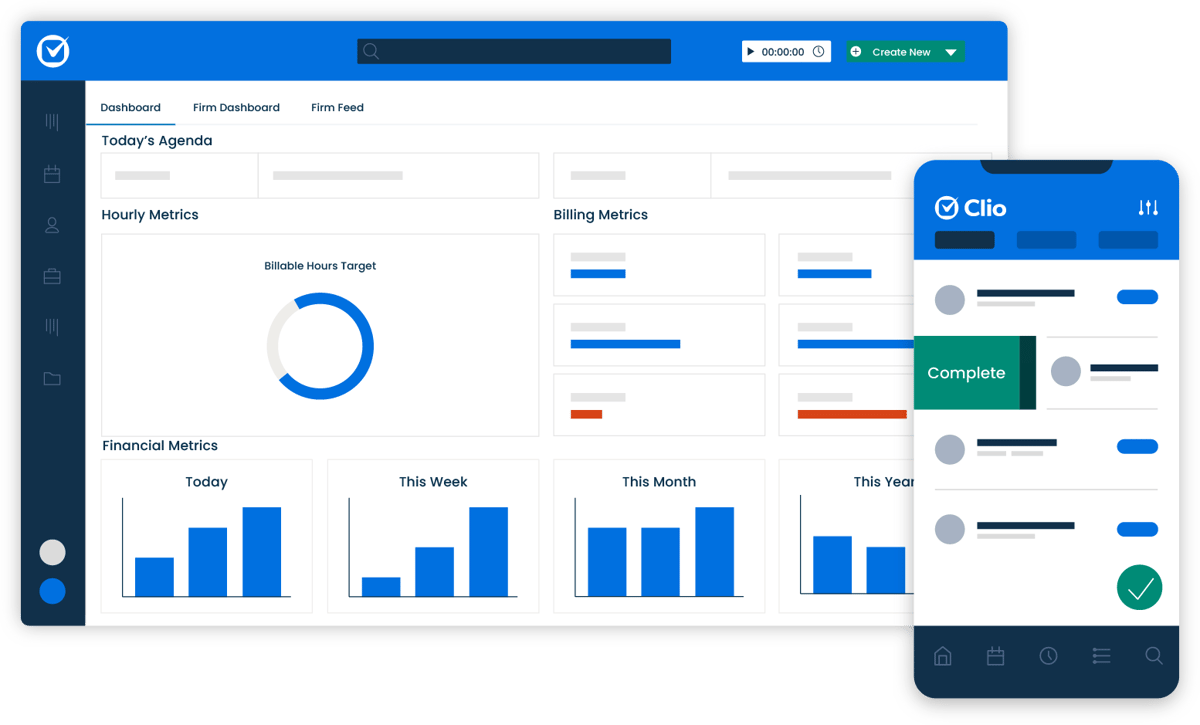
Clio is a cloud-based legal workflow management software designed to help law firms manage all their legal tasks in one place.
Source: G2
It’s widely used by firms of all sizes, offering automation features that simplify workflows and slash down time spent on administrative tasks. With Clio, you can automate document drafting, client communications, billing, and more.
Best Features
- Case and document management: Centralizes case files, emails, and client communications in a single platform.
- Automated billing and invoicing: Tracks billable hours, generates invoices, and supports online payments.
- Client intake and CRM tools: Manages leads, onboards new clients, and maintains client relationships.
- Cloud-based access: Enables secure remote work from any device.
- Clio integrations: Connects with legal research tools, accounting software, and other third-party apps.
Pros
- All-in-one case and client management solution
- User-friendly interface with easy navigation
- Secure cloud storage with remote access
- Reporting and analytics for better decision-making
- Customizable workflows and task automation
3. Smokeball
Smokeball is a cloud-based legal practice management software that allows firms to automate daily workflows, track billable hours, and manage cases more efficiently.

Source: G2
Its standout feature is automatic time tracking, which records every action taken in the software, so no billable time is lost. This makes it especially useful for firms that need a detailed breakdown of their work.
Best Features
- Automatic time tracking: Logs every action taken in the system to make billing more accurate.
- Case and document management: Stores case files, emails, and client communications in one place.
- Billing and invoicing: Generates invoices based on tracked activity and integrates with payment processors.
- Task automation: Creates workflows to standardize processes and reduce manual work.
- Microsoft Office integration: Syncs with Word and Outlook for easy document and email management.
Pros
- Tracks billable hours automatically without manual input
- Streamlines document and case management
- Improves efficiency with workflow automation
- Easy integration with Microsoft Office tools
- Helps firms reduce lost revenue from unbilled work
4. MyCase
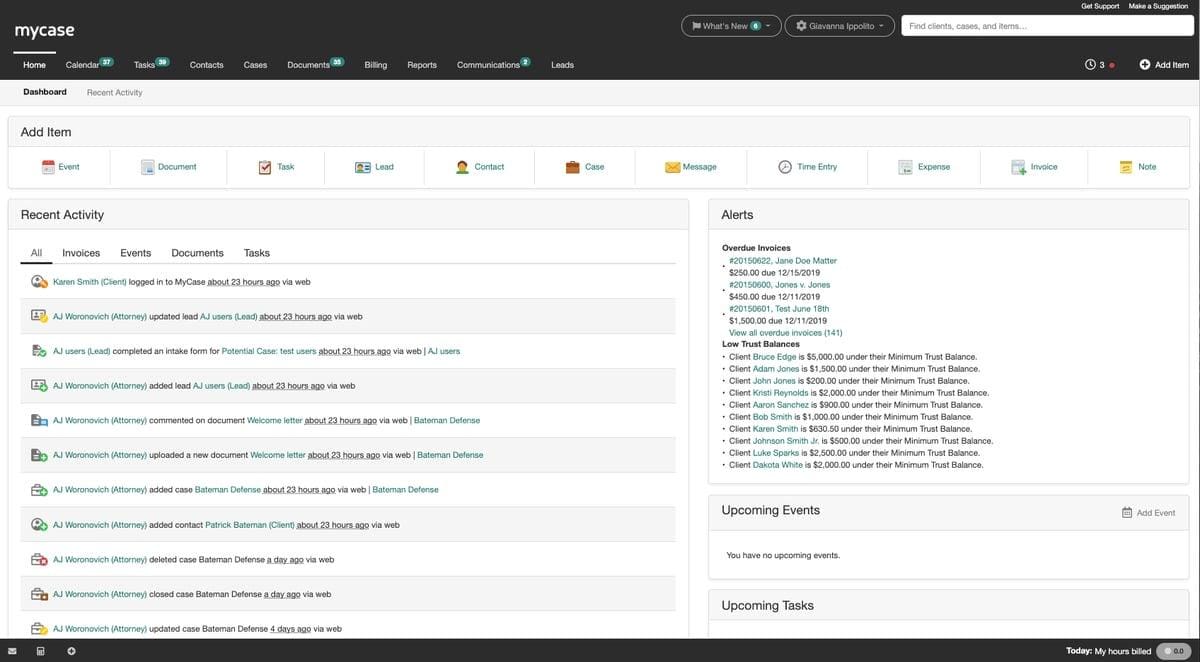
MyCase is an all-in-one legal practice management software that can help legal professionals handle case management, billing, client communication, and document storage in a single platform.
It’s built for efficiency and provides tools that automate routine tasks and keep everything organized.
Source: G2
Plus, with cloud-based access and a user-friendly interface, MyCase makes it easy for legal teams to stay on top of their workload.
Best Features
- Case and document management: Organizes case files, client records, and legal documents in one place.
- Integrated billing and payments: Tracks billable hours, generates invoices, and accepts online payments.
- Secure client communication: Includes a client portal for messaging, document sharing, and updates.
- Task and workflow automation: Reduces repetitive administrative work with automated workflows.
- Mobile app: Allows attorneys to manage cases and communicate with clients on the go.
Pros
- Intuitive and easy-to-use interface
- Secure cloud-based access from any device
- Built-in payment processing for seamless billing
- Organizes client communication with a dedicated portal
- More affordable than some competitors
5. Lawmatics
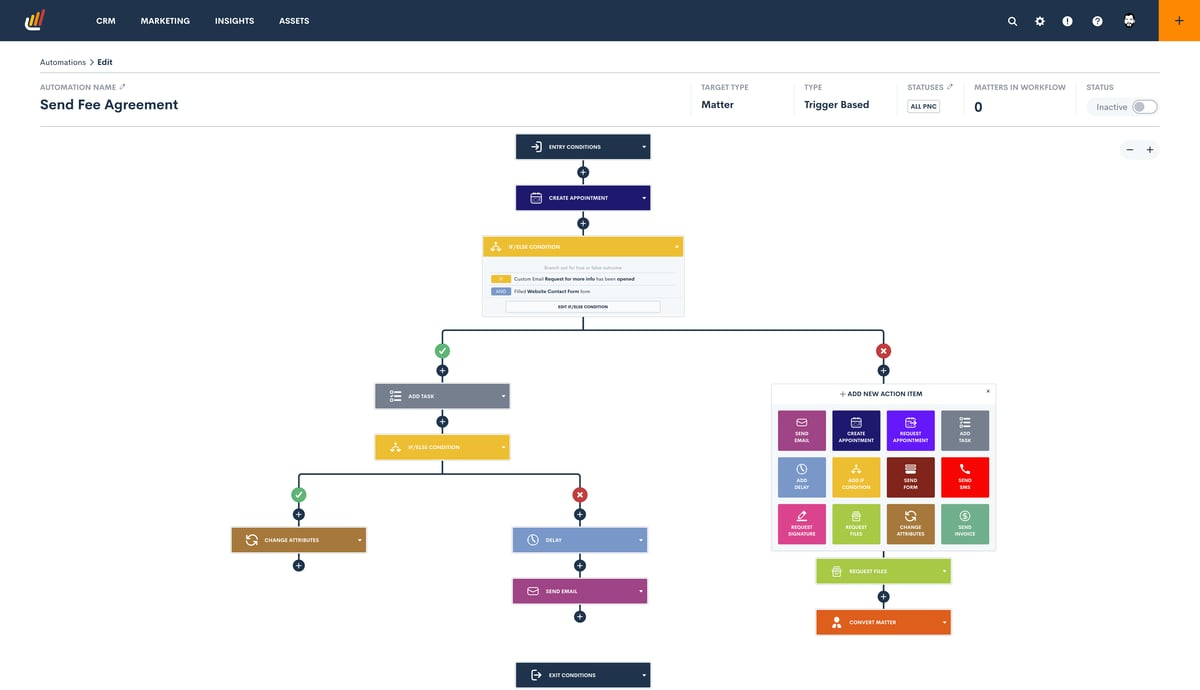
Lawmatics is a legal CRM and marketing automation platform built to streamline client intake, automate follow-ups, and manage marketing campaigns for law firms.
Source: G2
It’s a good tool for users looking to improve client relationships and grow their business without spending hours on administrative tasks.
By automating everything from email campaigns to appointment scheduling, Lawmatics helps firms stay engaged with clients while focusing on legal work.
Best Features
- Automated client intake: Simplifies onboarding with online forms and automated workflows.
- Email and marketing automation: Sends follow-up emails, appointment reminders, and drip campaigns automatically.
- CRM and contact management: Tracks client interactions and organizes leads.
- Appointment scheduling: Lets clients book meetings without back-and-forth emails.
- Analytics and reporting: Provides insights into marketing performance and client engagement.
Pros
- Saves time by automating client communication
- Improves lead tracking and conversion rates
- Helps law firms stay engaged with potential and existing clients
- Reduces the need for manual follow-ups and scheduling
- User-friendly interface with easy customization
6. LawPay
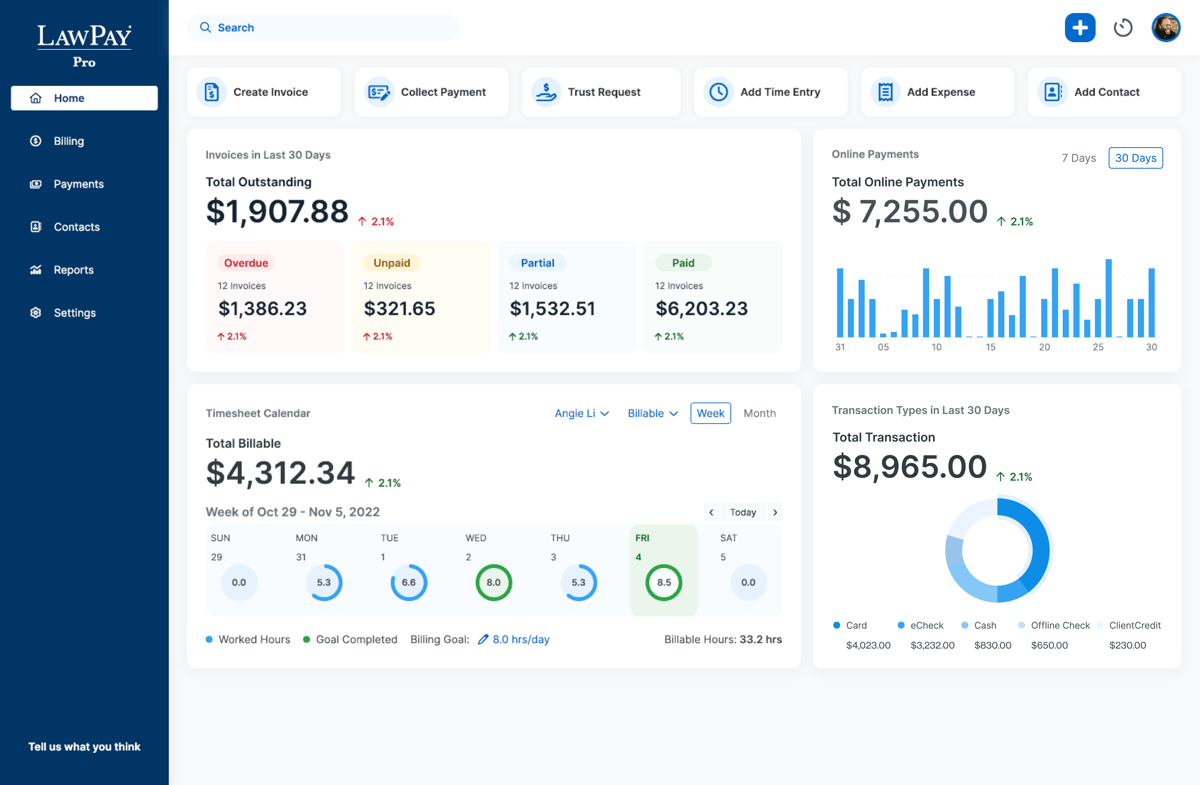
LawPay is a payment processing solution built specifically for law firms, which makes it easy to accept online payments while staying compliant with ABA and IOLTA regulations.
Source: G2
It simplifies legal billing by integrating with legal practice management software and providing clients with secure, convenient payment options.
Best Features
- Trust accounting compliance: Keeps client funds separate and ensures IOLTA and ABA compliance.
- Multiple payment options: Accepts credit cards, debit cards, and eChecks.
- Secure client payment portal: Lets clients pay invoices online with ease.
- Recurring and scheduled payments: Automates billing for retainers and ongoing payments.
- Integration with legal software: Connects with Clio, MyCase, and other legal management tools.
Pros
- Designed specifically for legal professionals
- Helps litigation lawyers track and collect billable hours
- Secure and compliant payment processing
- Integrates with major legal practice management platforms
Automate Your Most Tedious Workflow First
Manual processes slow law firms down and cost more than they should. Workflow automation helps legal teams work faster, reduce mistakes, and focus on case strategy instead of paperwork.
From drafting legal documents to managing cases and billing, the right tools make a difference.
One of the biggest time-savers is automating discovery responses. Briefpoint helps firms save over $20,000 per attorney per year by cutting out hours of manual drafting.
Its AI-powered system generates formatted responses in minutes, applies court-specific rules, and makes the process seamless. And all that in one easy process.
Stop wasting time on tedious tasks. Schedule a Briefpoint demo today and see how much your firm can save.
5 Types of Litigation Management Software Firms Use Daily

What is Litigation Software?
Litigation software is a suite of digital tools that helps law firms and legal departments manage cases more effectively. It’s built to handle the complexities of litigation without relying on disjointed tools or manual processes.
There is plenty of legal tech for litigation out there. Some focus on document management, others on case tracking, e-discovery, or trial preparation. But the goal is the same: to keep you organized, save time, and give you the structure to stay aligned across the life cycle of litigation.
Depending on what you’re using, litigation software can help you:
- Store and search case documents in one central location
- Track deadlines, court dates, and filing requirements
- Draft discovery responses and motions faster with templates
- Assign tasks across your team and monitor progress
- Generate reports and metrics to guide decision-making
- Communicate with clients and co-counsel without losing context
If you’re managing active cases or prepping for trial, having the right system in place keeps your work focused and your team aligned.
5 Types of Litigation Software You Need
There are various types of litigation software, each serving a specific need in the legal process. So, let’s break them down one by one to give you a better idea of what’s out there.
1. Litigation Management Software
Litigation management software keeps everything connected, so you don’t lose track of key litigation events. Instead of relying on multiple tools for task management, calendar reminders, and document storage, you get a centralized platform that supports the entire life cycle of a case.
Deadlines, court appearances, filings, team notes; it’s all in one place. With a clear view of what’s coming and what’s done, you can manage caseloads more effectively and spend less time chasing updates.
Key Features:
- Case tracking: Organizes case details, including parties involved, court documents, and status updates, so you can quickly access critical information.
- Calendar reminders for court dates: Sends automated notifications for hearings, filing deadlines, and other important litigation events to prevent missed deadlines.
- Document organization by case: Stores pleadings, motions, and other legal documents in a structured format, which helps make retrieval fast and hassle-free.
- Time tracking and billing: Logs billable hours linked to specific cases for accurate invoicing and time management.
2. Document Management Software
Every lawyer knows that paperwork is a constant. Organizing discovery documents, filing them accurately, and retrieving the right version when you need it takes time, and the risk of missing key case information is real.
That’s where document management software steps in. It stores your files securely in one place and gives you the tools to search, retrieve, and collaborate without the hassle.
You get improved efficiency across the board, especially when managing high volumes of legal documents tied to complex litigation.
Key Features:
- Secure file storage: Keeps confidential legal documents protected with encryption and access controls, which means only authorized users can view or edit files.
- Searchable document libraries: Allows quick retrieval of case files, contracts, and pleadings using keywords, metadata, or filters, so you don’t waste time digging through folders.
- Version control: Tracks changes to documents, maintaining a history of edits and preventing accidental loss of important updates.
- Sharing and collaboration tools: Allows team members to review, comment, and edit documents in real time.
3. Discovery Document Automation Software
Drafting discovery documents can be a tedious and time-consuming task, but discovery document automation software simplifies the process.
It helps generate standardized discovery requests, responses, and other court documents to save valuable time and reduce errors in these critical documents.
Key Features:
- Automated drafting of discovery documents: Uses pre-set templates and AI-driven tools to quickly generate requests for production, interrogatories, and requests for admission.
- Templates for discovery requests and responses: Provides customizable templates that align with court requirements, reducing the need to draft documents from scratch.
- Legal form generation: Automatically fills out commonly used legal forms, ensuring accuracy and compliance with jurisdictional standards.
- Customization options for specific case needs: Allows legal professionals to modify templates and add case-specific details. This helps make sure documents meet the unique demands of each case.
A great example is Briefpoint, an AI-driven tool designed to accelerate the drafting of discovery documents like requests for production, interrogatories, and requests for admission.
When you upload a document, Briefpoint’s artificial intelligence quickly analyzes it and fills in most of the routine details for you, all while adhering to court rules for documents. You can then add responses or objections from its pre-built options and finalize everything in Word.
Briefpoint’s Bridge feature also simplifies client communication by turning legal jargon into plain language, letting clients respond directly.
Plus, their answers are automatically added to your document to save you from the usual back-and-forth emails.
Test Briefpoint yourself by scheduling a demo here.
4. Legal Research Software
Legal research is a critical part of case preparation, but digging through court rulings, statutes, and regulations by hand takes time you may not have. Building strong claims and challenging opposing evidence means having the right information at your fingertips.
Legal research software uses technology to speed up the process. It helps you locate relevant case law, analyze how similar claims have been handled, and stay on top of changes in legal standards.
With tools that surface key rulings and interpretations quickly, you can spend more time strengthening your arguments and less time searching for them.
Key Features:
- Searchable databases of case law: Provides access to a vast collection of court opinions, legal briefs, and rulings, allowing for quick retrieval of relevant precedents.
- Verdict search for past rulings: Helps analyze similar cases and outcomes to give insights into how courts have ruled on comparable legal issues.
- Statute and regulation libraries: Offers a centralized source for federal, state, and local laws, which makes it easy to find applicable legal statutes.
- Real-time updates on changes in the law: Keeps you informed of newly passed legislation, amendments, and judicial decisions that could impact your cases.
5. Legal Practice Management Software
While litigation management software focuses on tracking cases and court schedules, legal practice management software goes beyond that by handling billing, client communication, and overall law firm operations.
It’s an all-in-one solution designed to keep everything running smoothly, from case intake to invoicing.
For firms handling civil litigation practice, managing deadlines is only part of the equation. Tracking client interactions, billing hours accurately, and organizing case files efficiently all require the right litigation management software.
A good litigation case management software makes sure that every aspect of the legal process (both administrative and case-related) is handled in a centralized system.
Key features:
- Client management tools: Keeps detailed records of client interactions, case details, and communication history to streamline follow-ups and case progress tracking.
- Billing and invoicing: Automates time tracking, generates invoices, and ensures accurate billing for both hourly and fixed-fee clients.
- Time tracking: Logs billable hours by case, client, or task to help attorneys accurately account for their work and maximize revenue.
- Document and case management integration: Syncs case files, legal documents, and court filings with case records, so all information is easily accessible in one place.
Simplify Your Legal Workflow with Litigation Software
Litigation moves fast, and paperwork doesn’t slow down. From filings and deadlines to discovery requests, there’s a constant stream of documents to manage. Whether it’s civil litigation or regulatory work, staying organized is non-negotiable.
Litigation software helps by automating repetitive work, minimizing administrative load, and keeping critical dates on track.
Discovery, in particular, can drain time, especially when drafting requests and responses from scratch. Briefpoint handles that for you. It creates clean, court-compliant discovery documents automatically, cutting hours down to minutes.
Want to see how much time you can get back?
Try Briefpoint for yourself! Schedule a demo today and find out how it can speed up your discovery process, cut costs, and free up more time for case strategy!