7 Best AI Litigation Support Software Tools
What Is AI Litigation Support Software?
AI litigation support software generally refers to technology that helps legal professionals work through time-consuming case tasks with less manual effort.
For example, it uses legal AI to process case information, organize materials, and surface useful details that could otherwise take hours to find.
Essentially, the software gives law firms a faster way to work with large amounts of case data. Depending on the platform, it may support parts of the litigation process such as discovery, document review, or legal research.
The information is then presented in a clearer format, which can make it easier to understand what is relevant and decide what needs attention next.
From there, legal AI tools can help create a more consistent workflow as a case develops. Your team may spend less time searching through disconnected files, repeating routine work, or manually sorting new information as it comes in.
Generally, the best platform is one that fits naturally into the way your firm already handles litigation. It should make case materials easier to review and use without adding unnecessary steps to the process.
What Difference Does AI Make?
AI mainly changes how quickly your team can work through large amounts of case information. It can also make repetitive legal work easier to manage as a case grows.
Here are a few of the biggest differences:
- Faster document review: AI-powered platforms can process tens of thousands of pages and surface relevant material much sooner than a manual review.
- More focused legal work: Legal AI can organize case information and highlight useful connections, which gives your team more time to examine the issues that need closer attention.
- Better legal context: Legal-specific AI models generally understand legal language and workflows more clearly than general-purpose AI tools.
- Greater consistency: AI can apply the same review criteria throughout a large document collection, which helps reduce variation during repetitive work.
- More capable automation: Agentic AI can handle connected parts of a workflow with less step-by-step input and prepare material for the next stage of review.
General AI tools may still help with basic summaries or drafting, but litigation software usually gives you stronger legal context and features built for active casework.
7 Top Software Options for AI Litigation Support
Your choice will depend on the type of casework you want the software to handle and how well it fits your existing tech stack.
Here are seven options that take different approaches to litigation support, which should make the comparison easier:
1. Briefpoint
Briefpoint is an AI litigation support platform built specifically for written discovery. It helps lawyers prepare a solid first draft of discovery requests and responses without spending hours copying language between files, formatting legal documents, or rebuilding prior work for each case.
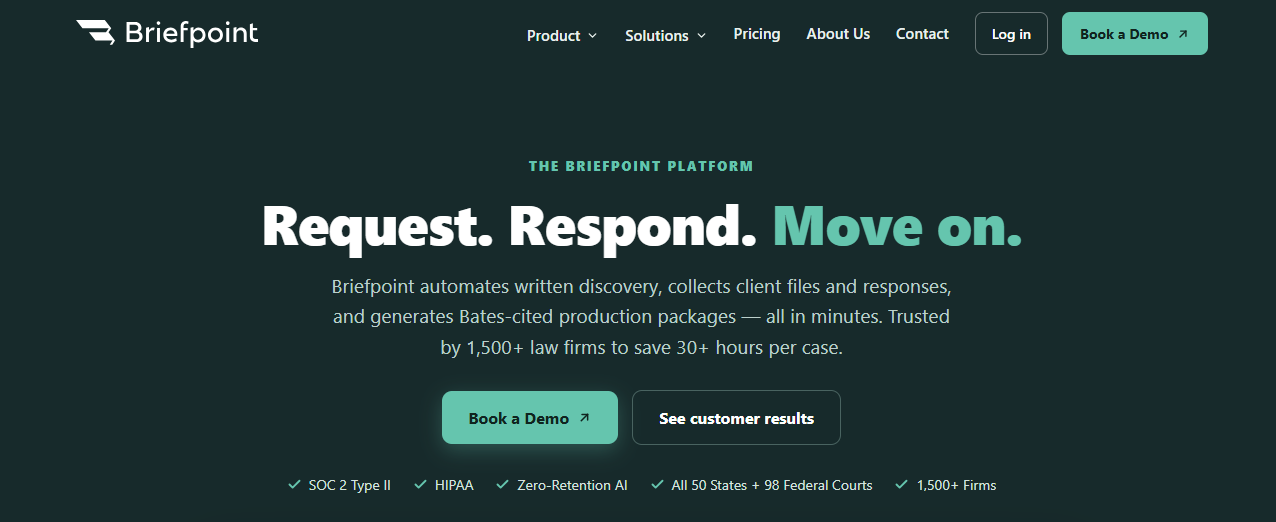
The process starts with your existing case documents. Briefpoint reviews the uploaded material, identifies relevant facts, and generates draft responses that reflect the applicable court rules.
Your team can then refine the language and export the completed work to Microsoft Word before serving it on opposing counsel.
Briefpoint also supports the client-facing side of discovery. Client Bridge converts formal questions into plain English and gives clients a secure place to submit answers and files.
For requests for production, Autodoc identifies responsive documents and creates Bates-cited responses with an organized production package.
Because these steps stay connected, firms can reduce the billable hours spent on routine discovery work while keeping the final document drafting process familiar.
Best Features
- AI discovery drafting: Creates interrogatories, requests for admission, and requests for production based on the complaint and case details.
- Discovery responses: Suggests objections and prepares draft responses using your firm’s preferred language.
- Client Bridge: Rewrites questions in plain English and sends clients a secure link where they can provide answers or upload files from any device.
- Autodoc: Finds documents responsive to each RFP and generates Bates-cited Word responses alongside an organized production package.
- Jurisdictional support: Applies local formatting rules and supports discovery work in state and federal courts throughout the United States.
Pros
- Focuses closely on the written discovery workflow
- Produces editable Microsoft Word documents
- Reduces the time spent preparing and formatting legal documents
- Connects client collection directly to discovery responses
- Creates Bates-numbered production files with page-level citations
2. Everlaw
Everlaw is cloud-based litigation management software built around eDiscovery and case preparation. It gives your team one place to work through case files, review evidence, and keep legal workflows connected as the matter develops.
Its AI features help users ask questions about the document collection and trace the answers back to the source material.
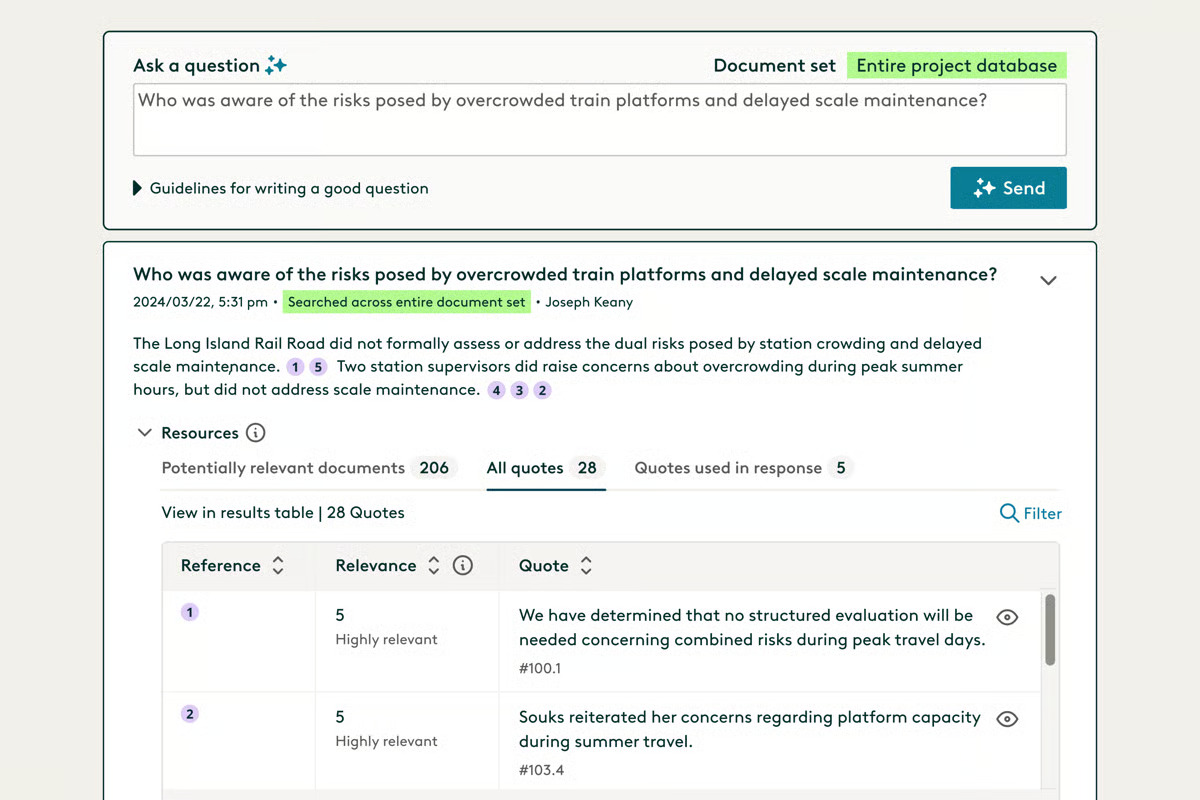
Source: G2
Everlaw can also suggest document classifications during review, which may reduce the amount of repetitive sorting required when a matter contains a large volume of client data.
Plaintiff law firms may find the platform useful during early case assessment because it helps bring structure to the evidence before deeper strategy work begins.
The shared workspace also makes it easier for attorneys and support staff to carry useful findings into later stages of litigation.
Best features
- Deep Dive: Answers questions using the case documents and provides source citations.
- AI coding suggestions: Supports faster document classification during review.
- Storybuilder: Helps teams connect evidence to case preparation.
- Early case assessment: Gives users a clearer view of the document collection.
- Collaborative review: Keeps assignments and findings in one shared workspace.
Pros
- Strong fit for document-heavy litigation
- Useful AI-assisted review tools
- Clear connection between evidence and case preparation
- Cloud-based access for distributed teams
- Suitable for plaintiff law firms handling complex matters
3. RelativityOne
RelativityOne is built for legal teams that need to manage large volumes of electronically stored information during litigation or investigations.
Its cloud-based workspace brings evidence management and document review together, which gives users a central place to work through complex data sets and prepare productions.
Source: Relativity.com
Relativity aiR adds generative AI to the review process. It can help identify important source documents, answer questions using cited evidence, and extract facts that may shape case strategy.
Plus, RelativityOne supports deposition transcripts, including AI-generated summaries and outlines linked to the underlying evidence.
The platform can adapt to different practice areas and data-heavy work such as regulatory filings. Detailed audit trails help teams monitor user activity and maintain a defensible record throughout the review process.
Best Features
- Relativity aiR: Uses generative AI to support review and case strategy.
- Transcript analysis: Creates summaries and deposition outlines from transcript evidence.
- Evidence management: Keeps review materials and case insights in one workspace.
- Audit tools: Tracks user activity and reviewer actions.
- Scalable processing: Handles large collections of electronically stored information.
Pros
- Built for complex, data-heavy litigation
- Connects AI answers to source documents
- Strong support for deposition preparation
- Detailed audit trails
- Scales for large legal teams
4. CoCounsel Legal
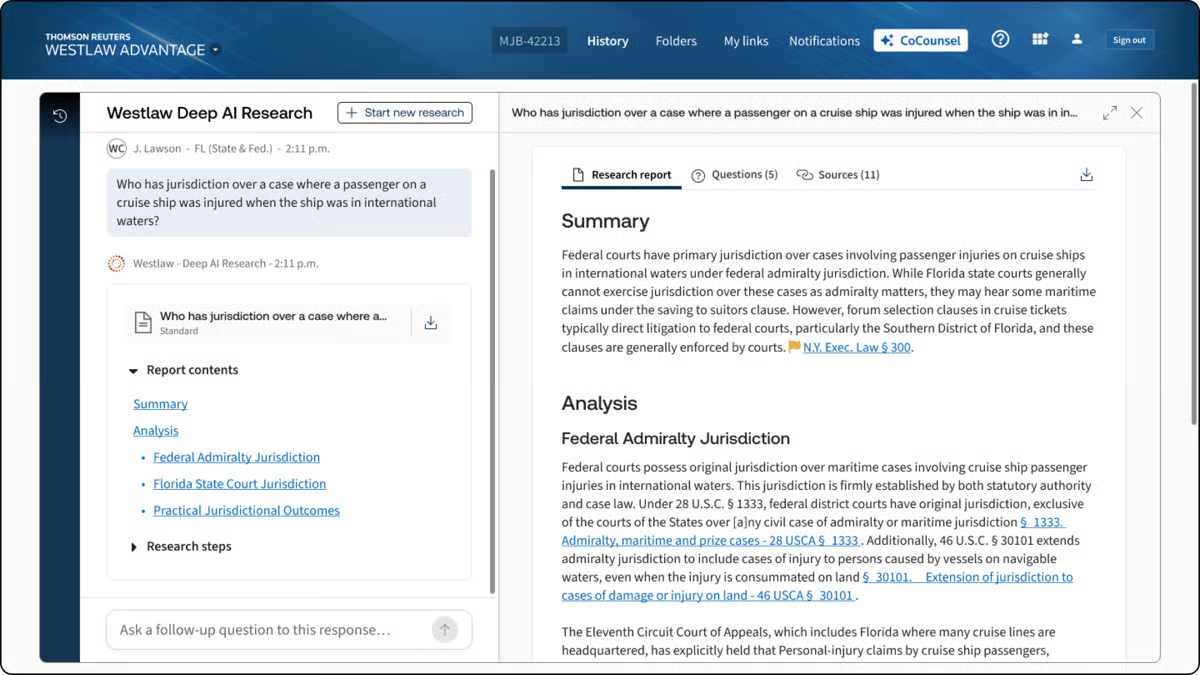
CoCounsel Legal brings Thomson Reuters’ research resources into an AI workspace built for litigation tasks. Users can review case materials, develop drafts, and work through legal questions using content from Westlaw and Practical Law.
Source: G2
You can ask natural language questions about case law and receive answers with citations to the supporting authority.
CoCounsel can then carry that research into related litigation work, such as reviewing court filings or developing an argument for a motion. This creates a more connected process than searching publicly available data and moving the findings into a separate drafting tool.
The platform can identify trends in judicial decisions and surface details that may influence case strategy. Its litigation document analysis features are especially useful when you need to understand an opposing filing or work through a complicated legal issue quickly.
Best Features
- Deep Research: Produces detailed answers grounded in Westlaw and Practical Law.
- Litigation Document Analyzer: Reviews court filings and highlights relevant legal issues.
- Natural language search: Lets users ask complex legal questions in familiar wording.
- Drafting support: Creates legal work product based on research and case materials.
- Source citations: Connects each answer to the supporting legal authority.
Pros
- Backed by established Thomson Reuters legal content
- Strong fit for research-heavy litigation
- Connects legal research with drafting
- Provides citations for easier review
- Handles complex questions through one AI assistant
5. DISCO
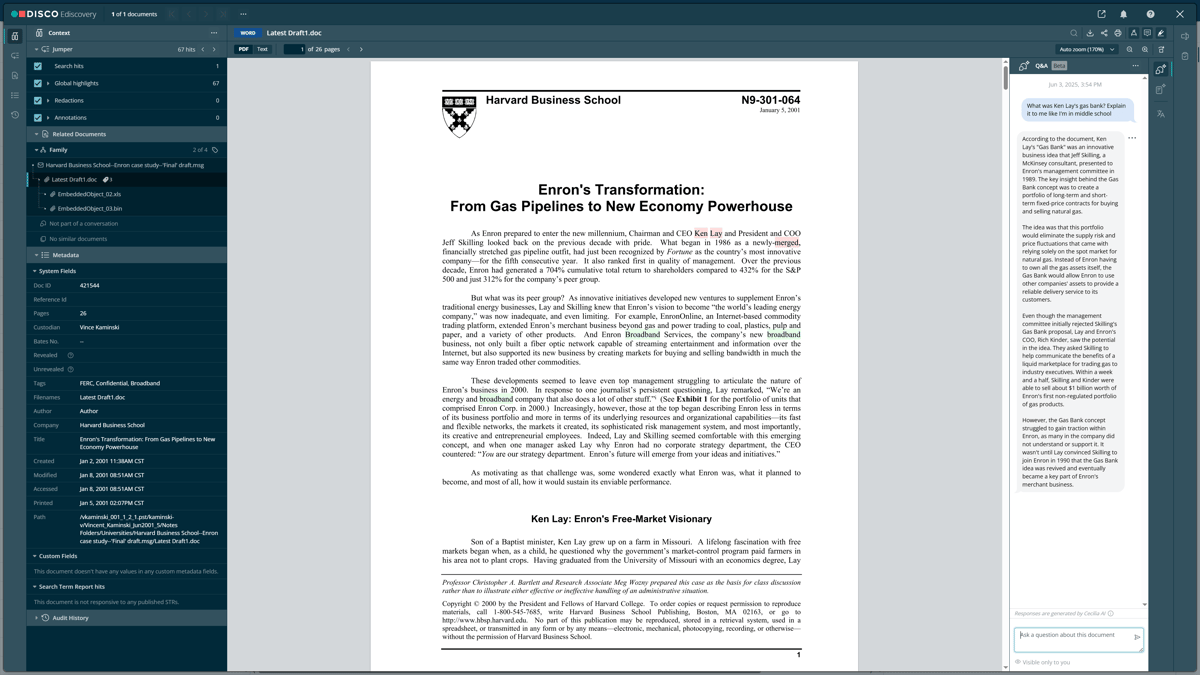
DISCO is a cloud-based eDiscovery platform that helps litigation teams review evidence and prepare cases from one connected workspace.
Its Cecilia AI tools support document summarization and let you ask questions about case materials in plain English, with citations that point back to the source documents.
Source: G2
The platform can be especially useful for plaintiff firms handling large or complex matters. DISCO is designed to work with substantial collections of client data, including medical records, while giving teams a clearer way to organize facts and move the case forward.
Its Case Builder product carries reviewed evidence into deposition and trial preparation, so useful findings remain available after document review ends.
Best Features
- Cecilia Q&A: Answers natural language questions with citations to case documents.
- Document summarization: Creates plain-English summaries inside the document viewer.
- Auto Review: Supports first-pass document classification based on your instructions.
- Case Builder: Carries evidence into deposition and trial preparation.
- Deposition summaries: Produces cited summaries linked to the transcript.
Pros
- Strong fit for evidence-heavy litigation
- Useful for plaintiff firms handling large case collections
- Connects document review with later case preparation
- Keeps source citations attached to AI-generated findings
- Provides controls for sensitive client data
6. Lexis+ with Protégé
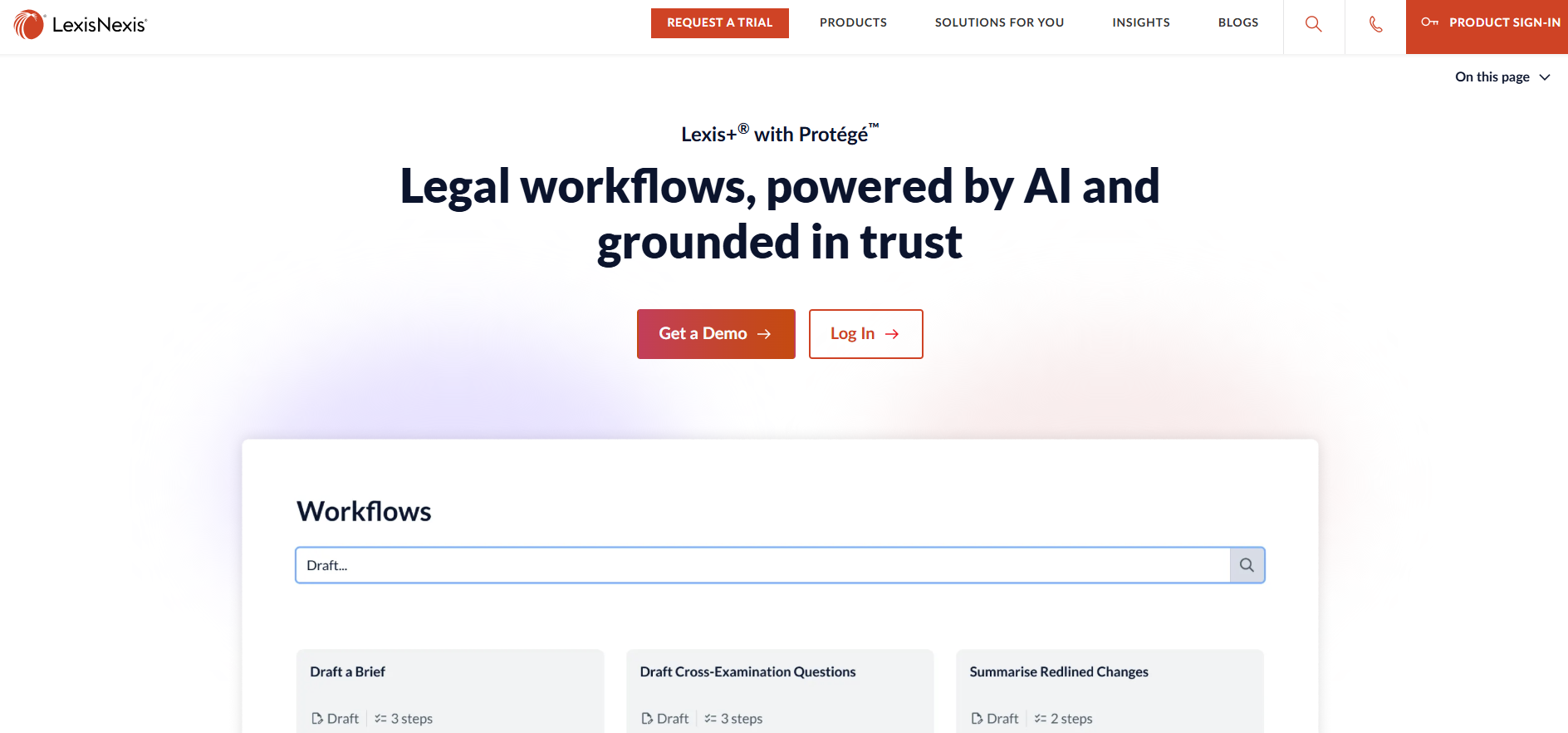
Lexis+ with Protégé combines legal research, drafting, and document analysis in one AI-powered workspace.
Protégé serves as the built-in assistant, drawing from LexisNexis legal content alongside your firm’s own documents and institutional knowledge.
Source: LexisNexis.com
For litigation work, you can ask detailed questions in natural language and receive answers linked to supporting authority.
The platform can then carry those findings into a draft or help analyze uploaded case materials. Its workflow tools are designed to handle longer assignments in stages, with users able to review the proposed approach before the AI proceeds.
Access to the broader LexisNexis collection gives the platform a strong research foundation, including billions of legal and business documents. That depth can help lawyers spot emerging legal risks and develop arguments grounded in current authority.
Best Features
- Protégé: Provides personalized support for legal research and drafting.
- Legal research: Answers questions with linked, verifiable citations.
- Document analysis: Reviews uploaded case materials within the same workspace.
- AI workflows: Handles structured legal assignments through guided steps.
- Protégé Vault: Stores matter documents securely for continued use.
Pros
- Draws from authoritative LexisNexis content
- Connects firm knowledge with external legal research
- Supports complex litigation questions
- Keeps research and drafting closely linked
- Offers transparent, reviewable AI workflows
7. Harvey
Harvey is a broad legal AI platform designed for firms that want to apply AI throughout the litigation process.
It can support early case analysis, legal research, and document-heavy work within the same workspace, which may reduce the manual data entry that comes from moving information between separate systems.

Source: Harvey.ai
Litigators can use Harvey to evaluate complaints, build medical chronologies, and find gaps in the factual record. Its Vault and Review Tables features let teams analyze large document sets while keeping findings connected to the underlying materials.
Next, Harvey can carry those findings into drafting or further research, giving lawyers a useful first call when they need to understand a new issue or collection.
The platform’s workflow agents can automate recurring legal tasks and draw from your firm’s approved materials. This helps preserve institutional knowledge while giving more lawyers access to established work methods.
Harvey is generally best suited to larger organizations that want a flexible AI layer for the legal profession rather than software focused on one litigation task.
Best Features
- Vault: Reviews large collections of litigation documents.
- Review Tables: Extracts and compares information in a structured format.
- Workflow agents: Automates repeatable legal processes.
- Legal research: Provides citation-supported answers from approved sources.
- Drafting tools: Turns case analysis into usable legal work product.
Pros
- Covers a broad range of litigation work
- Reduces duplicate data entry between tasks
- Helps firms reuse institutional knowledge
- Supports custom workflows
- Handles complex document analysis
Turn AI Litigation Support Into Real-Time Savings
The best AI litigation support software should solve a clear problem in your current workflow.
Everlaw, RelativityOne, and DISCO are strong choices for document-heavy eDiscovery, while CoCounsel Legal, Lexis+ with Protégé, and Harvey support broader research and drafting work.

Briefpoint takes a more focused approach. It automates written discovery from the first draft through client collection and document production.
Meanwhile, Autodoc can identify responsive files, prepare draft responses, add Bates citations, and create an organized production package for service.
Briefpoint is trusted by more than 1,500 law firms and helps users save over 30 hours per case. Those time savings can reduce discovery backlogs and leave more room for case strategy and client work.
