
Litigation Management Software: A Practical Guide
What Is Litigation Management Software?
Litigation management software gives legal professionals a structured way to run civil litigation cases without bouncing between disconnected tools and systems.
It’s a broad category of legal software, not one single type of tool. Different platforms cover different parts of the litigation workflow, so the term works as an umbrella for anything that helps organize case details, documents, deadlines, and administrative tasks tied to active matters.
Some firms rely on general practice management systems that handle billing, calendars, client communication, and basic document storage.
Those help with everyday operations but don’t always offer the deeper support litigation teams need once legal discovery, drafting, or document-heavy review begins.
Litigation-focused tools go further by offering features built for structured responses, document production, collaboration during discovery, and tools that keep long matters moving in a predictable rhythm.
In short, litigation management software brings the moving parts of a case into one coordinated experience. It supports the practical work legal teams deal with every day while giving them more control over timelines and essential tasks tied to criminal or civil litigation.
5 Main Types of Litigation Management Software
Some litigation tools handle one specific task really well, and others cover several parts of a case at once. However, even the most feature-packed platforms usually leave a few gaps, so most firms rely on a mixture of software to cover everything that happens during a matter.
Let’s walk through the main categories you’ll see and how each one supports the work involved in active litigation.
1. Discovery Document Automation
Discovery document automation simplifies the parts of litigation that usually depend on hours of drafting, revising, and formatting.
Essentially, these tools help legal professionals move through the discovery process with less manual work, especially when preparing legal documents tied to key litigation events.
Tasks like building interrogatories, requests for admission, and requests for production (RFPs), or turning production sets into court-ready responses, become far more manageable when the heavy lifting happens automatically.
Many platforms now use artificial intelligence to organize structure, apply formatting rules, and generate clean drafts that follow jurisdiction-specific expectations.
Briefpoint is a leading example, giving teams a full discovery workflow that supports both propounding and responding. It drafts objection-aware requests, turns client responses into Word-ready documents, and keeps everything consistent across a matter.
Autodoc adds another layer of speed for the document creation stage. It maps productions to each request, identifies responsive documents, adds page-level Bates citations, and produces a ready-to-serve package. So, a workflow that once took days can move forward in minutes.
2. Case and Matter Management
Case and matter management tools give your team one centralized platform to keep the litigation process organized from the moment a case opens.
A strong litigation management system brings documents, deadlines, notes, assignments, and other essentials into a single, predictable workflow so routine tasks feel easier to manage.
Instead of hopping between folders, emails, and spreadsheets, everything is centralized, so you can track case progress and see what needs attention.
These platforms help legal professionals manage tasks tied to motions, discovery, hearings, and client communication. They also support task tracking for critical deadlines to make sure nothing gets overlooked during a busy period.
Most tools also offer clear views of upcoming responsibilities, who owns each assignment, and how far along each step is.
Common features include:
- Calendars that show all case-related dates in one place
- Task management tools that help teams manage tasks efficiently
- Document storage with search and version control
- Contact and client information tied directly to each matter
A good case management setup keeps your team aligned and reduces the friction that tends to build up during long civil litigation cases. It also creates a smoother path for onboarding new team members who need quick access to case details and outstanding work.
3. Discovery Support
Discovery support tools help teams handle the heavier parts of document review, production prep, and data organization that appear throughout civil litigation practice.
They’re essential for firms managing large sets of case documents, especially in complex cases where identifying relevant documents can take a significant amount of valuable time.
These platforms give you a clear way to sort, categorize, and search through materials pulled from email, shared drives, uploads, or client-provided records.
Strong document management features make it easier to group files, apply tags, highlight key passages, and keep everything organized as the matter grows. Many tools also surface patterns or connections that provide valuable insights during early strategy discussions.
Common examples of discovery support tools include:
- eDiscovery software that handles large volumes of files and maintains consistent search results.
- Document review tools with tagging, commenting, and filtering to speed up attorney and paralegal workflows.
- Production preparation tools that assemble organized sets for service.
- Analytics features that help identify themes, timelines, or communication trails.
With the right discovery support tools in place, teams gain a clearer path through large data sets and a more reliable way to organize discovery documents throughout litigation.
4. Communication and Collaboration
Law firm communication and collaboration tools make your day a lot easier when you’re working through an active case.
You probably deal with a heap of emails, quick side conversations, and documents passed around in different formats. Bringing all of that into one platform helps you stay organized and gives your team a clearer picture of what’s going on.
If you work in a larger firm or legal department, this becomes even more helpful since multiple people may touch the same matter at different points.
These tools let you share updates, talk through strategy, and keep conversations connected to the right case file. Clients benefit too, since communication feels more structured and easier for them to follow.
When everyone can find the information they need without digging through old messages, managing cases feels smoother, and you save time throughout the week.
Key features you might find useful include:
- Secure messaging that keeps matter-related conversations in one spot
- Shared document spaces so you don’t hunt for files
- Tags or @-mentions that quickly loop in the right people
- Client portals that make communication easier to track
- Activity logs that show what’s been updated
5. Billing and Time Tracking
Legal billing and time-tracking tools help law firms stay on top of billable work without relying on spreadsheets or generic accounting software.
While general billing systems can handle invoices and basic bookkeeping, they rarely match the way legal teams record time, tag tasks, or capture work tied to specific matters.
On the other hand, legal tools built into litigation support software take those needs into account. They give you a clearer picture of your hours and the value of the work you’re doing.
Time-tracking software designed for litigation lets you record work as it happens, associate each entry with the right matter, and keep an accurate record of everything from drafting to discovery preparation.
You don’t have to guess what you worked on at the end of the day, and you’re less likely to miss billable work that should have been captured.
On the billing side, legal-specific systems help produce invoices that match client expectations, matter structures, and standard formats for litigation work. They also make it easier to review entries, organize them by matter, and send polished invoices with fewer edits.
What Are the Benefits of Litigation Management Software?
You can probably tell what the main advantages look like after seeing all the different types of tools a litigation management system can include. Still, it helps to step back and look at the overarching benefits that show up once everything sits in one coordinated place.
Here are some of the benefits you’ll notice:
- Less admin work: Routine steps take less time, which leaves you with more hours for legal analysis and client needs.
- Better oversight of deadlines: Every important date stays visible, and each matter has a clear timeline you can rely on.
- Stronger support for complex matters: Large volumes of documents and moving parts stay organized, which can help you keep steady progress.
- Faster access to information: Key notes and case documents appear quickly, so you can make earlier, more informed decisions.
- Smoother collaboration: Attorneys, paralegals, and staff work from the same information without extra back-and-forth.
- More consistent work product: Templates and structured workflows help your team produce aligned and reliable documents.
Once everything fits together, the workflow feels lighter, and your attention shifts naturally toward the work that drives case outcomes.
What to Consider Before Choosing a Platform
Choosing the right platform gets easier once you’ve seen what these tools can do and how the benefits line up with your daily work. All that’s left are a few practical considerations to help narrow the list and point you toward a setup that fits your team’s needs:
Ease of Use and Learning Curve
Choose software that your team can understand without long training sessions. A smoother learning curve means everyone can start using the core features quickly, which keeps the transition from disrupting your cases.
If a platform feels intuitive from the start, adoption tends to go faster, and fewer questions pile up later.
Primary Functions Your Team Relies On
Every litigation team handles tasks a little differently, so pay attention to the features your workflow depends on. Some tools focus on case organization while others revolve around discovery or document creation.
Picking a platform that supports your daily responsibilities makes the system feel like a natural extension of your work.
Cloud-Based Storage and Mobility
Access to key documents across devices helps you stay productive even as you move between the office, home, and court.
Secure cloud-based legal software also reduces the risk of misplaced files and keeps important materials within reach whenever you need them.
Team Collaboration Needs
If multiple people contribute to a matter, look for features that keep everyone aligned.
Tools that connect comments, tasks, updates, and documents in one space help reduce confusion and keep the whole team moving in the same direction.
Scalability and Future Growth
Your needs today may not be the same a year from now. A platform that grows with your caseload or team size gives you more stability over time.
Plus, it saves you from switching systems later when your practice becomes busier or more specialized.
Security and Compliance Requirements
Legal work depends on trust, so data protection matters. Choose software that treats security as a priority, with safeguards that protect sensitive files and keep your practice aligned with professional standards.
How Briefpoint Fits Into a Modern Litigation Workflow
Litigation management software gives your team a clearer, more organized way to handle the moving parts of a case, from document handling to collaboration.
When it comes to drafting court documents and keeping work aligned with court rules, Briefpoint stands out as one of the best options for teams looking to modernize their workflow.
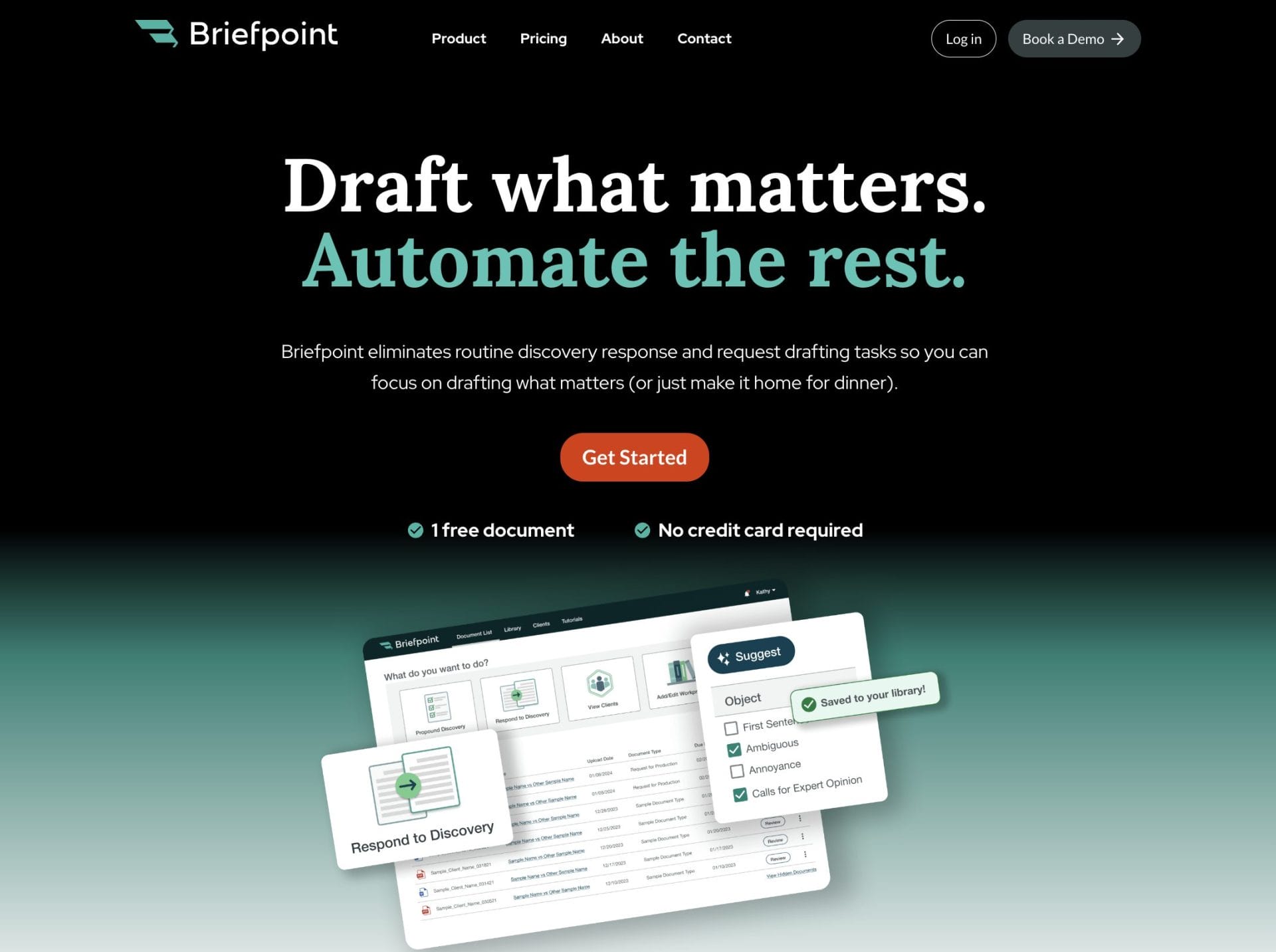
Briefpoint is a specialized tool designed to take the most repetitive steps off your schedule, which means you can focus on valuable work that moves a case forward.
With features that support discovery drafting, client response collection, and automated formatting, Briefpoint helps you maintain consistency and keep documents ready for review and service.
For teams that want a faster, more predictable process across multiple matters, it brings the kind of support that pairs naturally with your existing systems.
If you’re ready to upgrade the way you handle litigation tasks, Briefpoint makes the transition easy.
