Top 5 Legal Workflow Management Software

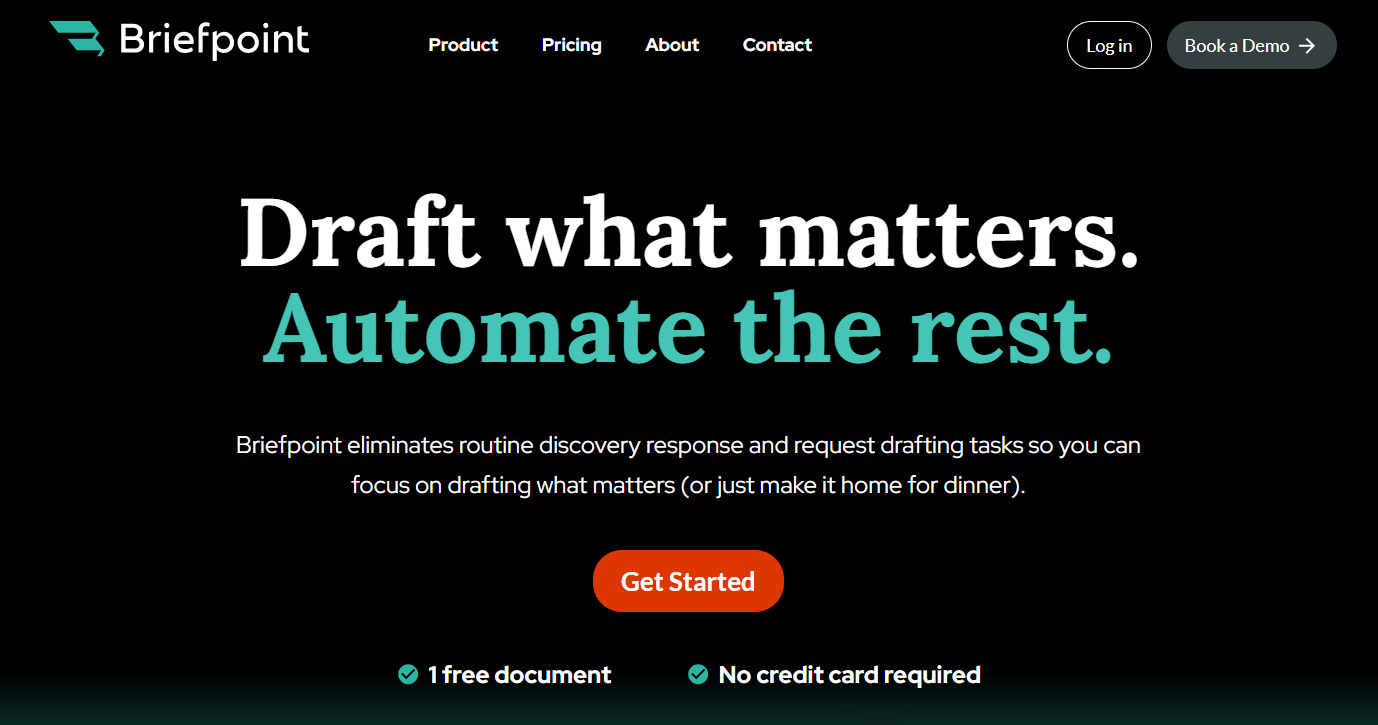
By leveraging advanced AI and machine learning, Briefpoint automates the preparation of discovery documents, which allows legal professionals to focus on higher-value work instead of getting bogged down by repetitive administrative tasks.
It handles everything from scanning documents for key information to generating properly formatted responses that comply with local court rules.
Whether you’re a solo practitioner or part of a busy legal team, Briefpoint is a must-have for efficiency and accuracy in discovery-related workflows.
Best Features
Automated document drafting: Upload discovery requests, and Briefpoint’s AI extracts key details like court names, case numbers, and request types.
Objection management: Easily add objections to requests or interrogatories with a simple click.
Customizable formatting: The system applies local court formatting rules for professional results.
Integration with Word: Download partially completed briefs, ready to be finalized in Word.
Broad court compatibility: Supports discovery requests across all U.S. state courts.
Pros
Drastically reduces the time spent on drafting discovery documents
Improves accuracy by automating repetitive tasks prone to human error
Offers a simple, user-friendly interface that’s easy to learn
Ensures compliance with local court rules by applying proper formatting
Supports collaboration by allowing team members to review and adjust drafts
Compatible with all U.S. state courts, making it versatile for legal teams nationwide
2. Clio
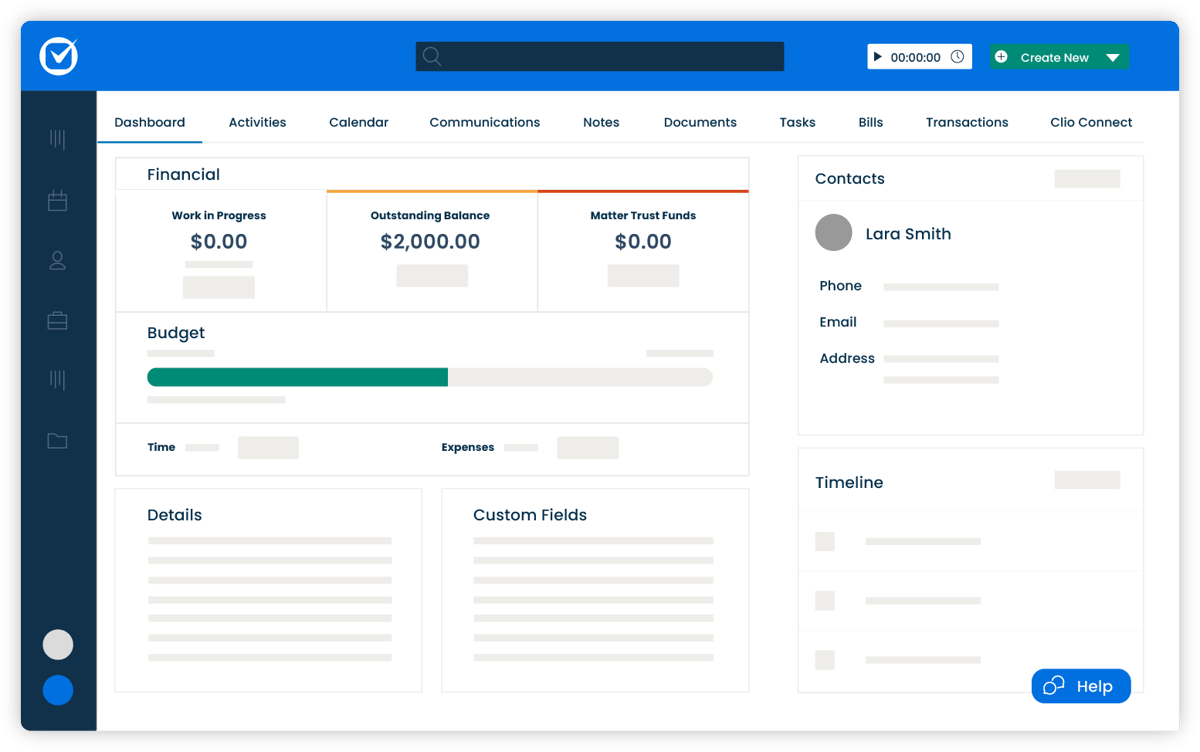
Clio is an all-in-one legal workflow management solution designed to simplify operations for law firms of any size. It provides everything you need for case management, billing, and client communication, all within a single, easy-to-use platform.
Source: G2
With extensive integration options and a focus on efficiency, Clio helps legal professionals manage tasks like client intake, time tracking, and payment processing while staying organized and compliant.
Best Features
- Comprehensive case management: Track all client and case details, deadlines, and communications in one place.
- Billing and payments: Generate invoices and accept payments directly through the platform.
- Client intake management: Simplify onboarding with customizable intake forms and workflows.
- Over 200 integrations: Works seamlessly with tools like Google Workspace, Microsoft 365, and QuickBooks.
- Mobile app: Manage your practice on the go with Clio’s fully featured mobile app.
Pros
- Scales well for firms of all sizes
- Strong integration capabilities for better functionality
- User-friendly design simplifies complex tasks
- Offers detailed reporting for better insights
- Mobile app mirrors desktop features for flexibility
Cons
- Higher pricing can be a barrier for smaller firms
- Some users may find the feature set overwhelming initially
- Advanced features may require additional setup time
Pricing
Clio offers multiple pricing tiers starting at $49 per user per month. The most basic plan offers calendar management, online payment options, and time tracking. Higher-tier plans unlock advanced features such as client intake automation and enhanced reporting.
3. MyCase
MyCase is an all-in-one legal management platform designed to simplify case management, billing, and client communication.

Source: G2
It’s tailored for small to mid-sized law firms and provides an intuitive interface that makes tracking tasks, managing deadlines, and handling invoicing more efficient.
Best Features
- Integrated time tracking and invoicing: Manage billable hours and generate invoices directly within the platform.
- Secure client communication: Use encrypted client portals to share updates, documents, and messages.
- Deadline and task management: Keep track of all important dates and to-dos to stay organized.
- Document management: Store, organize, and access all case-related files in one central location.
- Mobile app support: Manage your practice on the go with MyCase’s mobile-friendly features.
Pros
- Combines case management and billing in one platform
- Offers secure client communication with encrypted portals for better client satisfaction
- Easy-to-navigate interface, even for less tech-savvy users
- Includes mobile access for on-the-go management
Cons
- Limited customization for advanced reporting
- Some features may feel basic for larger firms
- Mobile app lacks some advanced functionalities
Pricing
MyCase pricing starts at $49 per user per month for the Basic plan. It includes core features like task management, a client portal, and expense tracking.
4. Smokeball
Smokeball is a cloud-based legal practice management software built to improve efficiency for small law firms. It offers automatic time tracking, document automation, and daily task management features to help lawyers and staff stay organized and productive.

Source: Smokeball.com
With a user-friendly interface and frequent updates, Smokeball caters to firms looking for an efficient way to manage their daily operations without unnecessary complications.
Best Features
- Automatic time tracking: Keeps track of your work hours without requiring manual entry, ensuring accurate billing.
- Document automation: Simplifies the creation of legal documents using pre-built templates.
- Daily digest: A feature that provides an overview of deadlines, tasks, and appointments to keep you on track.
- Client and matter management: Centralized storage for client information and case files.
- Email and calendar integration: Syncs seamlessly with Outlook to keep communication and scheduling in one place.
Pros
- Saves time with automatic time tracking
- Excellent document automation features for faster drafting
- Intuitive and easy-to-learn interface
- Frequent updates make sure the software stays current
- Strong customer support
Cons
- Higher price point compared to some competitors
- Limited customization options for larger firms
- Some advanced features may have a learning curve
Pricing
Smokeball plans are currently not available for public viewing.
5. Checkbox
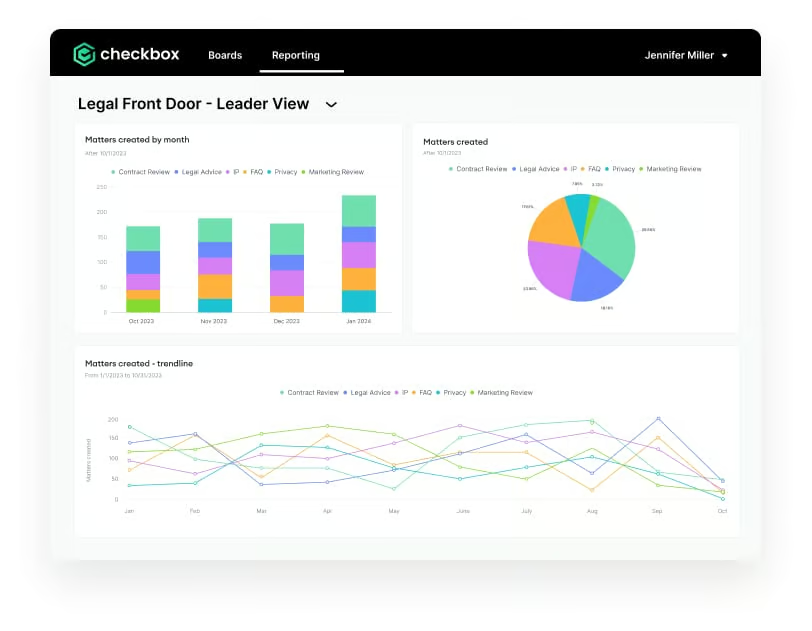
Checkbox is a no-code platform built to help legal teams automate repetitive workflows and create customized solutions for their unique needs.
Source: G2
Designed for efficiency and flexibility, Checkbox allows users to build digital workflows, automate compliance tasks, and create self-service portals without requiring technical expertise. It’s particularly well-suited for law firms handling high volumes of routine tasks or processes.
Best Features
- Drag-and-drop workflow builder: Easily design workflows without coding skills.
- Pre-built templates: Get started quickly with customizable templates for legal workflows.
- Self-service portals: Create portals for clients or internal teams to streamline task management.
- Integration options: Connect with tools like Outlook, Google Workspace, and more.
- Scalability: Adaptable for firms of various sizes and industries.
Pros
- User-friendly interface makes automation accessible
- Ideal for compliance-heavy processes
- Highly customizable to suit specific legal needs
- Enables faster service delivery with client portals
- Supports integrations to connect with existing tools
Cons
- Best suited for teams with clear workflow requirements
- Limited analytics and reporting capabilities
- Advanced features may require some initial setup
Pricing
Checkbox has no direct pricing on its website.
Briefpoint Automates The Most Tedious Part of Your Workflow
Legal workflow software has the power to redefine how your firm operates, turning time-consuming processes into seamless tasks.
Tools like Briefpoint stand out by addressing specific challenges, like automating discovery responses, saving valuable hours, and reducing stress for legal professionals.
Why spend countless hours on repetitive tasks when Briefpoint can handle them with precision and speed? Save time, cut down on errors, and focus on delivering outstanding service to your clients. Don’t just manage your workload—transform it.
Schedule a free demo with Briefpoint today and see how it can revolutionize your workflow.
Get Unlimited Savings With Document Automation
Discovery responses cost firms $23,240, per year, per attorney. $23,240 estimate assumes an associate attorney salary of $150,000 (including benefits – or $83 an hour), 20 cases per year/per associate, 4 discovery sets per case, 30 questions per set, 3.5 hours spent responding to each set, and 1800 hours of billable hours per year.
Book a demo and save on these costs with Briefpoint.
Legal AI: Applications & Benefits in 2026

What Is Legal AI?
Legal AI is a technology that uses artificial intelligence to make legal work faster and more efficient. It handles tasks like reviewing contracts, analyzing documents, performing research, and automating processes like drafting agreements or answering client questions.
Natural language processing (NLP) and machine learning allow it to understand legal text, extract key details, flag risks, and predict case outcomes.
How Do Law Firms Use Artificial Intelligence?
AI technology is taking over numerous professional sectors, including business, finance, real estate, and healthcare. The legal industry was quite slower to adopt this type of tech in comparison, but there’s no denying that AI has become a must-have tool for legal professionals.
How did AI make its way into legal departments, an industry that abides by tradition? Here’s a look at some important areas where AI is making a big difference:
1. Document Drafting
Traditionally, creating standard legal documents like contracts, agreements, and wills was a meticulous and time-consuming task that required a lot of attention to detail to make sure everything was accurate and compliant. But now, AI has made this process much more efficient.
Legal AI tools can automate the creation of these standard documents by analyzing large datasets and identifying relevant clauses. A specific type of AI common in document automation and drafting is generative AI.
Generative AI tools draft complex legal documents by generating text that meets the necessary requirements. For example, if a lawyer needs a discovery response document with particular objections, generative AI tools like Briefpoint can produce a draft that includes all the necessary legal language and clauses.

2. Data Synthesis and Document Analysis
In legal work, sorting through piles of documents and data is a given, but it’s also one of the more time-consuming parts of the job. AI is stepping in to simplify this hefty task.
By using AI tools, lawyers can automate the process of organizing and analyzing vast amounts of legal data, from client communications to detailed case histories.
These tools quickly sift through information, extract the necessary details, and present them in a way that’s easy to understand. This speeds up the entire process and reduces the chance of human error.
The result? Legal teams get the insights they need faster, which, in turn, makes it simpler to build cases or advise clients.
3. Legal Research
Legal research is essential for any law practice, as lawyers need to sift through vast amounts of statutes, case law, and legal writings to support their arguments or provide advice. Traditionally, this task has been incredibly time-consuming and sometimes error-prone.
However, large language models (LLMs) and other AI tools are changing the game by speeding up the process and increasing efficiency.
These tools use advanced algorithms, machine learning, and other large language models to comb through extensive legal databases quickly. They can accurately identify relevant cases, laws, and articles much faster than manual methods (way faster than a human can).
This efficiency saves time and helps lawyers build stronger cases by reducing the risk of missing crucial information.
With AI, even smaller law firms or solo practitioners can access comprehensive research quickly, which can help them gain a competitive advantage over larger firms with more resources.
4. Predictive Analysis
Predictive analysis in the legal world means using AI to predict the outcomes of legal cases before they wrap up. This tech dives into heaps of data—from past court decisions to detailed legal precedents—to empower legal professionals to make sound predictions.
This kind of insight can make or break a court victory. For example, it helps lawyers figure out the best strategies for their cases, like whether to settle early or push through to trial based on the predicted outcomes.
But it’s not just about strategizing. Predictive analysis is also great for risk assessment. Law firms use this legal tech to check out the risks of taking on new cases. They can spot potential problems before they blow up, saving everyone a lot of time and money by avoiding drawn-out legal battles.
Clients get a lot from this, too. They receive advice backed by solid data, which can help them make well-informed decisions about their legal issues.
5. Client Communications
Effective communication with clients is an absolute must in the legal profession, but keeping up can be quite a task, especially for busy lawyers. AI is changing how law firms manage this by automating routine interactions and helping maintain consistent, timely communication.
AI tools, such as chatbots and virtual legal assistants, can handle tasks like:
- Answering common inquiries from clients
- Scheduling appointments
- Sending updates about case progress
These tools work around the clock to make sure that clients receive quick responses, which boosts their satisfaction and trust in the legal services provided.
Plus, these AI systems can personalize communications based on client data to make interactions feel more tailored and attentive. For a law firm, this means less time spent on routine tasks and more time available for the complex aspects of their cases.
6. Contract Management
AI models can quickly scan contracts to pinpoint unusual clauses or potential risks. As a result, they speed up the review process and help make sure that everything is up to par legally and aligned with business goals.
When drafting contracts, AI can offer the right language and clauses based on a huge database of existing contracts. AI also helps keep track of active contracts, sending alerts about compliance issues, renewals, or any deviations from the terms.
Such oversight helps prevent problems down the line and makes sure contracts are managed properly.

Stop Spending Hours on Discovery Documents and Let Briefpoint Help
Drafting discovery responses and request documents is by far one of the most tedious parts of the discovery process. What about your legal strategy? The client meetings you have to attend? The other piles of paperwork on your desk?
Sure, you can pile this task on your legal assistant, but that doesn’t solve the overarching problem. Drafting legal documents simply takes up too much time.
Briefpoint.ai gives you an easy solution. With our generative AI, you can draft sets of and responses to:
- Requests for Production
- Requests for Admission
- Interrogatories
- Notice of Depositions
- And more
And all it takes is just a few minutes. No more spending hours preparing this tedious (yet necessary) paperwork. All you have to do is upload your document, add objections and responses, and finish your draft in Word. Briefpoint takes care of the rest.
With Briefpoint’s built-in feature Bridge, this platform also makes collecting client responses easy. Bridge lets you select specific interrogatories, translate them into plain English, and send them to your client. Once your client responds, Bridge will help you put their responses in your document within minutes.
Book a demo today and see how it all works!
Invest in a Generative AI Tool That Can Save You Thousands
Discovery responses cost firms $23,240, per year, per attorney. $23,240 estimate assumes an associate attorney salary of $150,000 (including benefits – or $83 an hour), 20 cases per year/per associate, 4 discovery sets per case, 30 questions per set, 3.5 hours spent responding to each set, and 1800 hours of billable hours per year.
Book a demo and save on these costs with Briefpoint.
The Best Document Automation Software Features To Look For

What is Document Automation Software?
Document automation software is designed to take repetitive tasks off your plate, like drafting contracts or inputting client details. By automating these processes, it makes sure your documents are accurate, consistent, and ready in less time.
Whether you’re managing contracts or legal paperwork, this tool helps reduce errors and frees up your time for higher-value work. It’s a practical solution for professionals like lawyers and paralegals who want to simplify document management without sacrificing quality.
Standalone Document Automation Software vs. Built-In Document Automation Features
Choosing between standalone document automation software and built-in document automation features can be a bit of a puzzle.
Standalone software is dedicated solely to automating your document processes, offering robust, specialized tools that handle everything from template creation to advanced data merging.
It’s a powerful option for firms that need comprehensive automation capabilities and want to make sure every document is spot-on.
On the other hand, built-in document automation features are part of larger software suites that include various other functionalities.
These features might not be as powerful or customizable as standalone options, but they can be incredibly convenient if you’re already using the parent software. Plus, they can integrate into your existing workflow, so it’s easier to manage all your tasks from a single platform.
In a nutshell, if you need extensive, specialized automation, standalone software is the way to go. If convenience and integration with your current tools are your top priorities, built-in features could be the perfect fit.
Document Automation Features to Look For
When selecting document automation software, you need to prioritize features that will seriously optimize your productivity and precision.
Here’s a comprehensive guide to the must-have features in document automation tools:
1. Template Management
Document automation software gets a whole lot more efficient when you have template management on your side to let you generate documents with ease. Good document management software will have:
- Pre-built templates: Save time with a library of ready-to-use document templates for various document types, all customizable to fit your needs.
- Template creation: User-friendly, drag-and-drop tools let you design your own templates from scratch. Build custom details by adding placeholders, dynamic fields, and conditional logic to craft documents that truly speak to each individual.
Template management also offers collaboration and version control:
- Collaborative editing: Multiple users can work on templates at the same time, which keeps everything up-to-date and in line with company standards.
- Version control: Track changes and go back to previous versions if needed, so your templates are always accurate and reliable.
Good template management cuts down the time and effort needed to produce professional documents.
When everything is in sync, document processes hum along smoothly and foster a significant jump in efficiency and productivity.
2. Data Integration
Document automation software helps keep your critical data organized by integrating disparate systems and applications. This helps make sure data flows smoothly, which cuts down on manual entry and minimizes errors.
For instance, integrating with Customer Relationship Management (CRM) systems like Salesforce or HubSpot lets you pull customer data directly into your documents.
By generating personalized contracts, proposals, and reports on the fly, you can say goodbye to tedious data entry and enjoy automated document workflows that hum along with precision.
Beyond CRMs, connecting with Enterprise Resource Planning (ERP) systems allows for automatically including financial data, inventory details, and other essential business info into relevant documents.
This makes sure your documents always reflect the latest business data, helping you make more informed decisions.
Plus, having robust API support means you can set up custom connections with various software applications. This flexibility lets you tailor your document workflows to fit your specific needs and make sure everything runs more smoothly and efficiently.
3. Workflow Automation
Automating your workflow with document automation software makes your processes smoother, faster, and hassle-free.
More specifically, it helps automate repetitive tasks and ensures that documents move smoothly through various stages of creation, review, and approval.
Key components of workflow automation include:
- Conditional logic: You can set up custom rules that trigger document creation based on your specific requirements. For example:
- Populate certain fields or sections of a document when specific conditions are met.
- Automatically select templates or content based on user input or data changes.
- Approval workflows: This feature lets you set up multi-step approval processes, which makes sure that each document is reviewed and approved by the necessary parties before it’s finalized. Benefits include:
- Double-checking every detail to make sure everything meets the highest standards
- Streamlining the approval process with automated alerts and notifications.
- Notifications and alerts: Keep everyone in the loop with reminders of pending approvals or actions needed so everything runs smoothly. This enhances accountability and ensures timely processing.
Document automation software eliminates the tedium of manual document handling and erases hours of repetitive tasks from your schedule. What’s left is a clutter-free work environment and more of your most valuable resource: time.
Plus, automating routine tasks gives you more time to focus on strategic work, which helps increase productivity and improve the overall quality of your document management.
4. Collaboration Tools
Collaboration tools in document automation software are a must-have for teams working together. They make it incredibly easy for everyone to stay on the same page and get things done efficiently. One of the best features is real-time editing.
This means multiple people can work on the same document simultaneously and see changes instantly. There are no more endless email chains or waiting for someone to finish their part.
Another handy feature is the ability to leave comments and annotations right on the document. Clear guidance means everyone’s on the same page, and it’s obvious what needs a refresh or a boost.
Plus, version control is another must-have. With this feature, you’ve got a safety net—you can track changes and bounce back to earlier versions if necessary, so your document stays flawless and current.
5. eSignature Integration
Faster document turnaround times rely on seamless eSignature integration. With built-in eSignature capabilities, you can add legally binding electronic signatures to your documents without leaving the platform. You’ll save time, slash paperwork, and breeze through the signing process.
Popular eSignature tools like DocuSign and Adobe Sign are often supported by the software, which makes it easy to integrate your favorite signing tools. You get to stick with the eSignature service you love, plus enjoy a smooth ride with your document workflows.
eSignature integration reduces security risks, shielding documents from tampering and cyber threats. Electronic signatures are often more secure than traditional paper ones because they come with encryption and authentication features.
6. Document Security
Safeguarding sensitive information is a top priority in document automation software—after all, your data needs to be locked down tight.
When it comes to keeping confidential files confidential, encryption is the fortified wall that stands between them and would-be hackers. With end-to-end encryption, your documents are secure both in transit and at rest, meaning they’re protected whether they’re being sent over the internet or stored in the cloud.
Access controls are another important feature. Role-based access allows you to specify who can view, edit, or share documents, greatly minimizing the risk of data breaches and unintended exposure.
You can set permissions based on user roles so that each team member only has access to the information they need.
Audit trails provide an added layer of security and accountability. Everything that happens to a document is tracked in these detailed logs – the editing, the creating, and the sharing.
Regulatory compliance and monitoring are much easier thanks to this transparent system that lays out who did what and when in plain sight. If any unauthorized activity occurs, it can be quickly identified and addressed.

The Benefits of Document Automation for Law Firms
A document automation tool has become the ultimate necessity for any modern law firm. Here’s why:
Increased Time Efficiency
Automating repetitive tasks like drafting contracts or filling in client details frees up a lot of time. And in the law industry, time literally translates into money.
Automated document generation lets legal professionals focus on more complex, value-added tasks instead of getting bogged down by routine paperwork.
In other words, speeding up document creation helps legal teams use their time more efficiently.
Improved Consistency and Accuracy
Document automation platforms help make sure every document follows the same format and contains accurate information.
Cleaning up errors and giving your documents a sharp, put-together look is a piece of cake with this approach.
Think of consistent formatting and language as the unsung heroes of document creation – they’re the details that set a company apart from its competitors and establish a sense of credibility.
Better Cost-Efficiency
Imagine the cost benefits of offloading document creation duties from staff members. Law firms can do just that by going digital. Fewer errors mean less time and money spent on corrections.
By switching to automated document processes, companies can free up valuable resources and potentially trim their staffing needs.
Improved Client Satisfaction
Faster turnaround times for documents make clients happier. When clients receive accurate documents on time, their trust in your firm’s capabilities grows exponentially.
For any business, there’s no better calling card than a satisfied client; they’ll come back for more and sing your praises to others.
Better Security and Compliance
Document automation software often comes with built-in security features that protect sensitive information. Safeguarding your clients’ data is essential for building loyal partnerships; confidentiality is paramount in this process.
Cutting-edge defenses, including rock-solid encryption and precision access controls, fend off cyber threats and data smugglers to safeguard your complex documents from prying eyes.
Automation helps make sure all documents adhere to the latest legal standards and regulations. One wrongly checked box can lead to a world of legal woes, but this preventative measure clears the path.
How to Choose the Perfect Document Automation Solution for Your Law Firm
To eliminate inefficiencies and catapult your law firm to the next level, you need a document automation solution specifically tailored to your needs.
By doing so, you’ll be able to clock faster turnaround times, diminish errors, and consistently impress clients with top-tier service. Here’s a guide to help you make the best choice:
Identify Your Needs
Start by figuring out what your law firm really needs. Then, take a hard look at your current workflows—can automation help with pesky tasks like document creation, review, and management?
Identify the types of documents you deal with most often, such as contracts, pleadings, or correspondence, to make sure the solution can handle them.
Also, consider which existing systems, like case management or CRM software, the document automation tool needs to integrate with for smooth data flow and efficiency.
Key Features to Look For
When selecting a document automation solution, ask yourself: which features will tangibly improve our firm’s workflow and free up more time for high-leverage activities?
Look for solid template management with pre-built templates and easy customization options. Make sure the solution supports data integration with your existing systems to organize data transfer and cut down on manual entry.
Automating tasks is a top priority, so make sure to look for features that can handle document creation, get approvals, and send out notifications – all without you having to lift a finger.
Evaluate Usability
Usability is crucial when choosing a document automation solution. The software should have a user-friendly interface that’s easy for everyone on your team to use.
Check the availability of training resources and customer support to ensure a smooth transition and ongoing assistance.
Life’s unpredictable, and your work style should be, too. To give your team the flexibility they need, ensure that your solution can keep up with mobile access.
Consider Scalability
When selecting a document automation solution, consider your firm’s future growth. Choose software that can scale with your firm and handle increasing document volumes and additional users as needed.
Find software that’s adaptable and can be upgraded with new features as your needs shift. This way, you can rest assured it’ll stay relevant and meet your changing requirements.
Cost-Benefit Analysis
Conduct a cost-benefit analysis to determine the best solution for your budget. Compare the costs of different solutions and consider the potential return on investment through improved efficiency, reduced errors, and improved client satisfaction.
Make sure the benefits outweigh the costs to get the most value from your document automation software.
Trial and Feedback
Take advantage of free trials and demos to test out different document automation solutions. Put the software to the test in your setting, and you’ll see exactly how it can be applied to solve real problems and streamline processes.
During the trial, gather honest insights from your team—it’s the best way to determine if the solution has everyone’s best interests at heart. You’ll be empowered to make smart calls that resonate throughout your organization.

Choosing the right document automation solution is a must for maximizing your law firm’s efficiency and productivity. Briefpoint.ai offers legal pros a personalized toolkit, specifically crafted to help firms like yours excel.
Here are the key reasons why Briefpoint is the best document automation software:
- User-friendly interface: Briefpoint features an intuitive and easy-to-use design that requires minimal training. This allows your staff to focus more on their legal work rather than struggling with complex software.
- Advanced document automation: The platform excels in streamlining the creation, review, and management of legal documents. With an exhaustive collection of templates at your fingertips, manual data entry becomes a thing of the past, replaced by accuracy and professionalism.
- Robust security measures: Security is a top priority with Briefpoint, which is why we offer end-to-end encryption to protect your documents, automatic backups, payment security, and other tight measures.
- Scalability and support: Briefpoint is designed to grow with your law firm, handling increasing document volumes and additional users seamlessly. Exceptional customer support, including training resources and a dedicated support team, makes sure that you always have the help you need.
- Easier response collection: Briefpoint Bridge is a built-in feature that lets you translate interrogatories into easy-to-understand language, send them to your client, and plug in their responses directly into your draft.
How to Use Briefpoint
Using Briefpoint is straightforward and efficient, thanks to its advanced machine learning and AI capabilities. Here’s a step-by-step guide to help you get started:
Step 1: Upload Your Discovery Request
Begin by uploading your discovery request document to Briefpoint. The platform’s machine-learning AI system will immediately start scanning and extracting information from your document. This includes:
- Court name: Automatically applies local formatting rules.
- Case number: Extracts and inputs the case number.
- Parties: Identifies and records the involved parties.
- Request type: Recognizes whether it’s an RFA, RFP, Interrogatory, or Form Interrogatory.
- Set number: Extracts the set number and much more.
Step 2: Briefpoint’s AI Suggests and Writes Objections
Once the AI system has created a caption and filled out some of the routine data within your brief, including the requests or interrogatories, you can let Briefpoint handle the objections.
Simply click “Suggest,” and Briefpoint’s patented AI system chooses and writes the appropriate objections to each of your opposing counsels’ requests. This streamlined process helps you efficiently complete your responses with minimal manual effort.
Step 3: Open in Word
At any point during the process, you can download your document and open it in Word. This allows you to finish any remaining details on your computer. You’ll receive a properly formatted, mostly-completed brief that’s ready for final touches or even for filing.
Unlimited Savings With the Right Document Automation System
Discovery responses cost firms $23,240, per year, per attorney. $23,240 estimate assumes an associate attorney salary of $150,000 (including benefits – or $83 an hour), 20 cases per year/per associate, 4 discovery sets per case, 30 questions per set, 3.5 hours spent responding to each set, and 1800 hours of billable hours per year.
Book a demo and save on these costs with Briefpoint.