5 Best Legal Document Preparation Software in 2026
What Is Legal Document Preparation Software?
Legal document preparation software helps you create documents from templates, client details, and matter-specific information.
Depending on the platform, it may support different types of documents, such as pleadings, contracts, discovery documents, court forms, client letters, and other legal work.
Compared with regular document preparation tools, legal document software is built around the structure and requirements of legal drafting.
General word processors mainly help with writing and formatting, while legal platforms can pull information into the right sections, apply approved language, and adapt documents based on the details you enter.
Many tools also include features such as guided questionnaires, clause libraries, court-ready formatting, and reusable templates. These features reduce the need to copy information from older files or rebuild documents from the beginning.
Legal drafting software can be especially useful when your firm prepares the same types of documents often. However, the best fit will depend on your practice area, current workflow, and the level of customization you need, among many other factors.
5 Top Legal Document Preparation Tools
The right software should fit the documents you prepare most often and feel natural within your current workflow. Here are five legal document preparation tools worth considering, starting with a platform built specifically for discovery work:
1. Briefpoint for Discovery Document Preparation
Briefpoint is legal document automation software built specifically for written discovery. In essence, it helps lawyers prepare discovery requests and responses without rebuilding each document from old files or entering the same case information repeatedly.
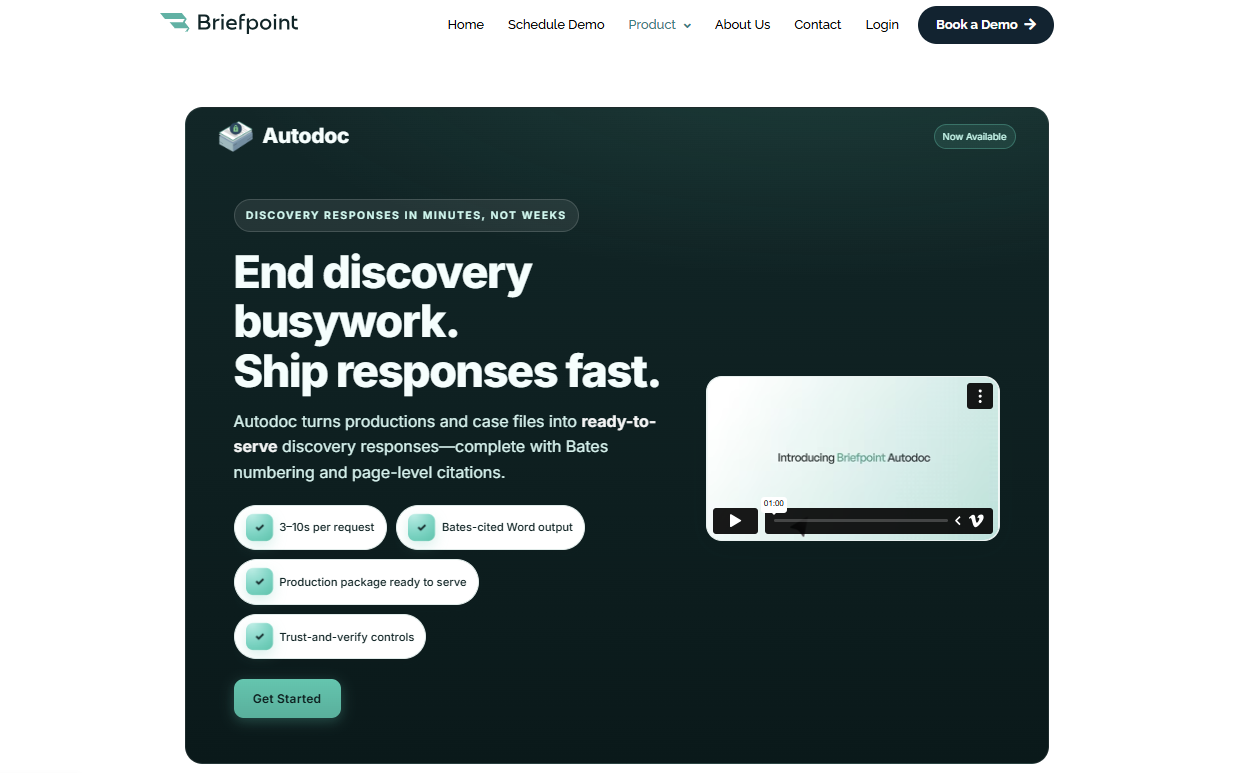
You can upload a complaint or discovery request, select the relevant jurisdiction, and generate documents in Word format for attorney review. Briefpoint supports interrogatories, requests for admission, and requests for production, including objections that follow the firm’s preferred approach.
The platform also covers later stages of discovery preparation. Client Bridge collects answers and files through a secure link, while its production tools review uploaded materials for responsive documents. Briefpoint can then prepare Bates-cited responses and an organized production package.
Since the software focuses on discovery, it may be a strong fit for legal teams that handle a steady volume of litigation work.
Lawyers still review and revise the finalized documents, but much of the repetitive preparation happens before the draft reaches them. This leaves more time for higher-value work tied to case strategy and client representation.
Best Features
- Discovery drafting: Prepare interrogatories, RFAs, and RFPs in the appropriate jurisdictional format.
- Client Bridge: Collect client answers and supporting files through a secure, mobile-friendly link.
- Autodoc: Upload the complaint, RFPs, and case files so Briefpoint can find responsive documents, draft responses with page-level Bates citations, and prepare a Bates-numbered production package.
- Discovery Playbooks: Apply the firm’s preferred objection and response strategy throughout each case.
- Microsoft Word export: Download formatted drafts for attorney review, revision, and service.
- Jurisdictional support: Generate discovery documents for all 50 states and federal district courts.
Pros
- Covers document preparation throughout the written discovery process
- Supports all 50 states and federal district courts
- Reduces repetitive drafting and document review
- Lets lawyers edit each draft in Microsoft Word
- Collects client responses in English or Spanish
- Integrates with platforms such as Clio, MyCase, and Smokeball
2. Gavel for Custom Legal Document Automation
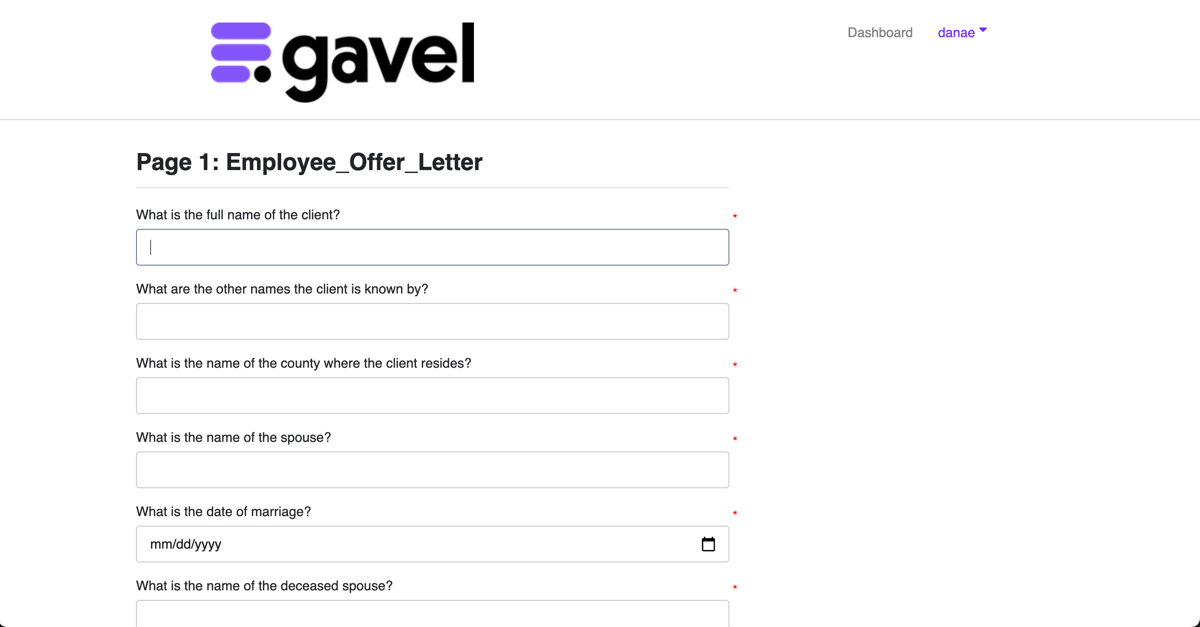
Gavel is a no-code document automation platform that helps legal professionals turn existing Word and PDF documents into guided workflows.
With Gavel, you can build a questionnaire, connect each answer to a document field, and apply conditional logic that changes the final language based on the information provided.
Source: G2
The platform works well for firms that rely on repeatable legal forms but still need room for customization. For example, you can create custom forms for client intake, automate full document sets, or start with ready-made templates from Gavel’s legal template library.
Common use cases cover practice areas such as estate planning and family law, along with corporate or real estate work.
Gavel can also populate PDF documents automatically through its PDF Tagger. Since client and matter details flow directly into the correct fields, legal professionals spend less time on repetitive drafting tasks and manual edits.
In turn, this can improve overall efficiency while helping firms produce consistent, accurate legal documents.
Best features
- No-code workflow builder: Create questionnaires and document workflows through a visual editor.
- Conditional logic: Adjust clauses, questions, and output documents based on prior answers.
- PDF Tagger: Connect workflow data to fields in fillable PDF documents.
- Automation templates: Use ready-made legal templates and customize the wording.
- Document sets: Generate several related Word or PDF files from one workflow.
- Client-facing forms: Collect information through branded online questionnaires.
Pros
- Supports highly customized legal document workflows
- Works with both Microsoft Word and PDF templates
- Covers several legal practice areas
- Reduces manual data entry within repeatable forms
- Offers a template library for faster setup
- Connects with tools such as Clio and other practice systems
3. Clio Draft for Court Forms and Template Automation
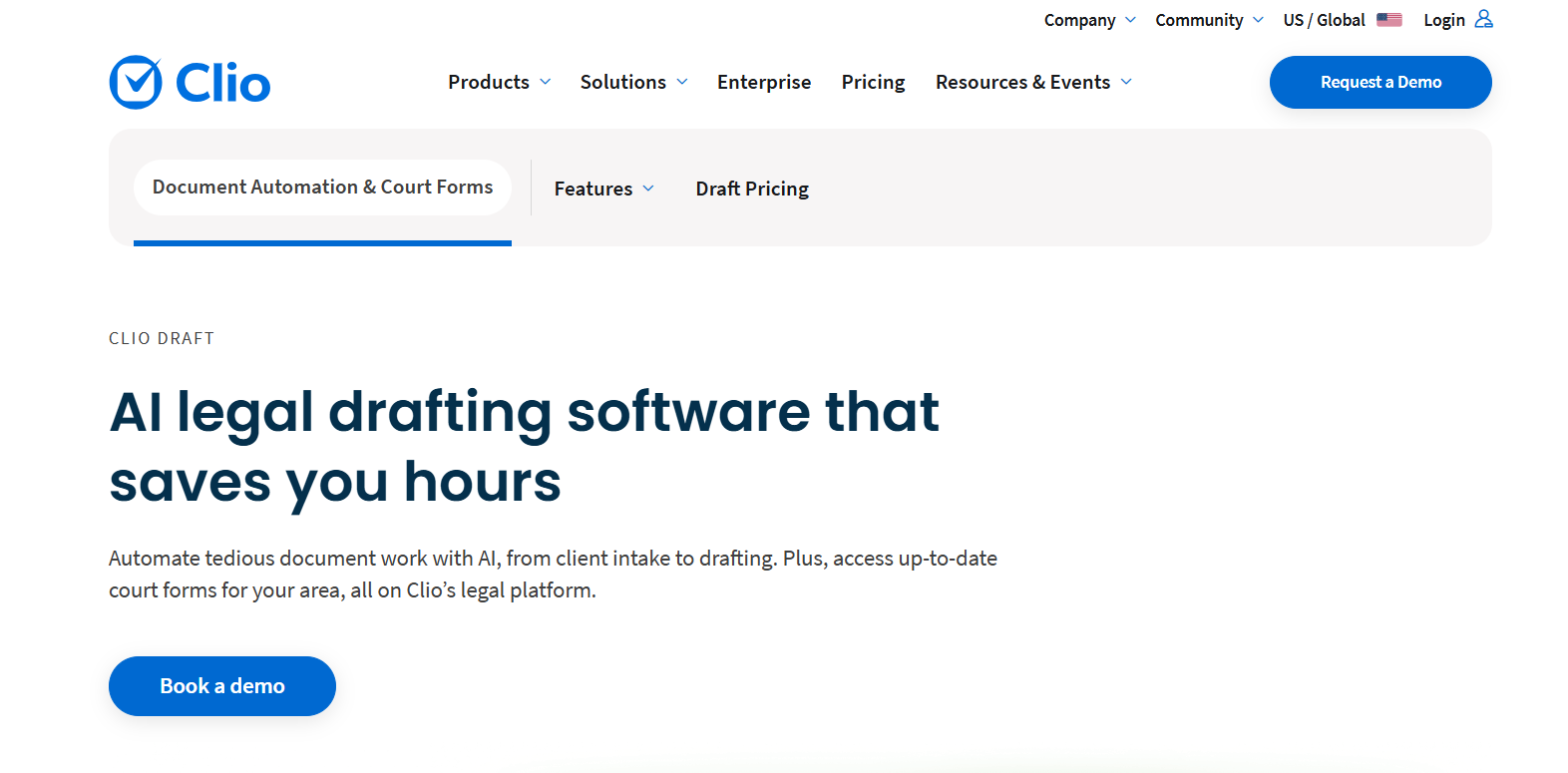
Clio Draft helps law firms prepare court forms and reusable legal documents from information already stored in Clio Manage. Client and matter data flows into the correct fields, which cuts down on manual tasks and reduces repeated typing.
Source: Clio.com
Its cloud-based court form library covers all 50 states and uses court-approved forms. Firms can prefill common details, save frequently used versions as form templates, and complete new filings with fewer clicks. This can help with compliant documents when courts update their requirements.
Clio Draft also converts existing Microsoft Word files into automated templates. User inputs can control document language, including details like clauses, pronouns, or case-specific wording.
Firms that need extra setup support can use Clio’s template service, where certified experts build and refine automated documents on their behalf.
Best features
- Court form library: Access fillable, court-approved forms for every U.S. state.
- Word template builder: Turn existing documents into reusable automated templates.
- Clio Manage integration: Populate documents with stored client and matter information.
- Form templates: Save prefilled versions of forms used regularly.
- Conditional language: Adjust document wording based on user inputs.
- Electronic signatures: Send and track documents that require signatures.
Pros
- Reduces data entry for firms already using Clio Manage
- Supports court forms and custom Word documents
- Helps maintain consistency within recurring filings
- Includes pre-built templates for common legal work
- Keeps drafting and electronic signatures connected
4. HotDocs for Complex Document Assembly
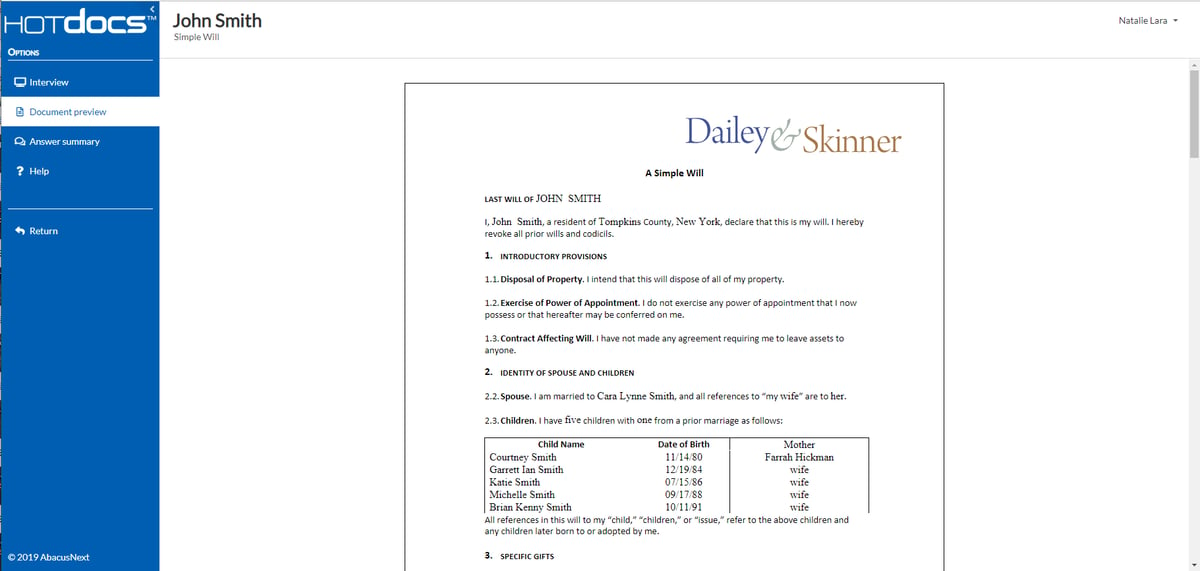
HotDocs is built for organizations that need to produce detailed documents from complex rules and large sets of client data. It turns existing Word files or forms into customizable templates, then collects the required information through a guided interview.
Source: G2
The platform can apply conditional language, calculations, repeated fields, and inserted clauses as each document takes shape. That level of control makes HotDocs suitable for in-house legal teams and firms that prepare high-volume documents with strict formatting or compliance requirements.
Users can reuse answer data for related documents, which saves valuable time and lowers the risk of human error.
Plus, HotDocs supports cloud and on-premises deployment to give organizations more control over access and document creation. The setup may require technical experience, but the platform offers the ability to automate sophisticated workflows without compromising quality.
Best features
- Customizable templates: Convert existing Word files and forms into reusable document applications.
- Guided interviews: Collect the information needed for each document through structured questions.
- Advanced logic: Apply conditions, calculations, repeated content, and clause selection.
- Answer reuse: Carry saved information into related documents.
- Flexible deployment: Choose cloud-based or on-premises access.
- Multiple outputs: Produce completed documents in formats such as Word and PDF.
Pros
- Handles complex document assembly requirements
- Supports detailed business rules and document logic
- Helps produce consistent, accurate documents
- Works well for high-volume document creation
- Gives organizations control over hosting and access
- Reduces repeated data entry during related workflows
5. Ironclad for Legal Contract Drafting
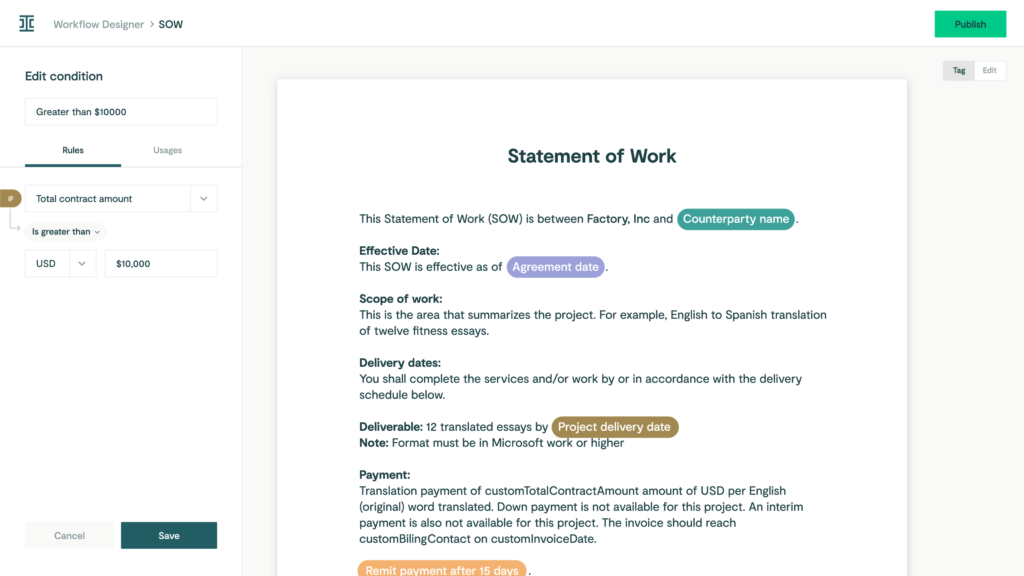
Ironclad is contract lifecycle management software for companies that want contract drafting tied directly to intake, review, and approval. Business users can submit a request through a guided form, and the platform uses those answers to generate a contract from the correct template.
Source: G2
Its Workflow Designer gives legal teams control over how each contract moves forward. Approval rules can change based on contract details, while approved clauses and standardized templates help keep language consistent.
Moreover, Ironclad tracks document versions throughout the workflow, so reviewers can see how the agreement changes before signature.
AI Playbooks add another layer of review. They can identify relevant clauses and flag nonstandard terms before the agreement receives approval. This helps legal teams spend less time checking routine language while keeping closer control over risk and compliance.
Best features
- Workflow Designer: Build contract drafting and approval workflows without code.
- Document generation: Create Word contracts from templates and intake responses.
- Clause Library: Manage approved clauses used during workflow setup.
- AI Playbooks: Flag nonstandard language during contract review.
- Conditional approvals: Route agreements based on contract details and internal rules.
- Version tracking: Maintain a clear record of changes throughout the contract lifecycle.
Pros
- Connects drafting with the full approval process
- Helps maintain consistency through approved language
- Reduces time spent on routine contract requests
- Supports compliance through controlled workflows
- Gives business users a structured contract intake process
- Keeps document generation and contract management in one platform
Benefits of Legal Document Preparation Software
Overall, the best legal document preparation software can make routine document work easier to manage without forcing your team to rebuild its current process.
The benefits usually show up in a few practical areas:
- Faster document creation: Templates and guided inputs help you move from the first document to a usable draft with less repetitive work.
- More consistent language: Approved wording stays in the right places, which reduces variation between similar documents.
- Fewer manual errors: Client and matter details can flow into the correct fields without repeated copying and pasting.
- Better use of existing systems: Many platforms connect with practice management software, cloud storage, collaboration tools, and other software already used by your firm.
- Easier review: Lawyers can focus on substance and case-specific changes rather than checking every standard field from the beginning.
- Stronger data controls: Features such as permissions, secure access, and audit records can support data security during document preparation.
- Smoother teamwork: Shared templates and centralized workflows make it easier for staff and attorneys to work from the same approved process.
Choose Software That Fits the Work You Handle Most
Legal document preparation software can cut down on repetitive drafting and give your team a more dependable process from the first input to the final review.
Still, the right choice depends on the documents you prepare most often and how well the platform fits your current workflow.
For litigation firms, Briefpoint offers a focused way to manage written discovery.

You can draft requests and responses, collect client information through Client Bridge, and use Autodoc to find responsive files and prepare Bates-cited production packages. Lawyers remain in control of the final document while the software handles much of the preparation behind it.
As a result, your team can spend less time on document assembly and put more attention toward case strategy.
