Discovery Objections Cheat Sheets: Full Guide

Discovery Objections Cheat Sheet: Full Guide

Handling discovery requests is a necessary but time-consuming part of litigation.

Whether you’re responding to interrogatories, requests for admission (RFAs), or requests for production (RFPs), objections can help you protect your client and limit unnecessary disclosures.

In this guide, you’ll find a practical breakdown of the most common discovery objections, when they apply, and how to use them effectively.

Want a quick reference guide to common discovery objections? Use the Discovery Objections Cheat Sheet today.

Discovery Objections Overview

Discovery objections allow you to push back on requests from the opposing party that go too far or miss the mark.

When used correctly, they help keep legal discovery focused, proportional, and tied to the actual issues in dispute. They also help manage time and cost when a request seeks documents that require extensive effort with limited value.

Discovery objections commonly help you:

  • Protect privileged or protected information
  • Limit requests that seek documents beyond a reasonable scope
  • Address situations where the proposed discovery outweighs its likely benefit
  • Account for the parties’ resources and practical burdens of compliance
  • Avoid delays caused by vague or overly broad requests

In most jurisdictions, objections must be specific and supported by a clear explanation. Courts expect more than a general objection, especially when responsive documents may exist. In addition, judges want to see why a request is improper, not just that it was challenged.

What Are Common Objections to Discovery Requests?

There are many possible objections that can apply in discovery, depending on the request and the rules in play. That said, some objections come up far more often than others.

We’ve broken down some of the most common discovery objections and when they typically apply:

1. Relevance

A relevance objection applies when a discovery request seeks information that has no meaningful connection to the claims or defenses in the case. Even though discovery is broad, it is not unlimited, and the information sought must still relate to the issues actually being litigated.

Courts generally give legal professionals some flexibility during discovery, but they also expect requests to remain within reasonable bounds.

If a party intends to obtain information tied to events, documents, or topics that fall outside the relevant time frame or subject matter, objections apply to keep discovery focused.

It’s important to explain why the request is irrelevant rather than relying on a bare objection. Judges look for context, especially when evaluating whether the request has any potential value to the case.

Example: “Objection. The requested documents concern events that occurred outside the relevant time frame and have no bearing on the issues in dispute.”

A strong relevance objection clearly links the objection to the scope of the case while still complying with discovery obligations where appropriate, such as producing responsive material that does fall within a reasonable and relevant scope.

2. Overbroad and Unduly Burdensome

An objection for being overbroad and unduly burdensome applies when a discovery request is poorly defined, asks for an excessive volume of material, or would require a disproportionate amount of time and effort to answer.

Courts allow wide-ranging discovery in both federal and state courts, but they still expect requests to be reasonable and tied to the proportionality standard. Problems arise when a request lacks limits on time, subject matter, or scope.

For example, demands for “all documents” without context can force a party to review years of files, many of which have little relevance. In those situations, the burden of responding may outweigh any likely benefit.

Judges want more than a conclusory objection. Simply stating that a request is “too broad” is rarely enough. Courts expect an explanation showing why compliance would be unreasonable and how the request could be narrowed.

Example: “Defendant objects to this request as overbroad and unduly burdensome because it seeks all documents related to any insurance policy issued over a ten-year period, without limiting the request to the policy at issue or the relevant time frame.”

If only part of a request creates a problem, courts expect a targeted response. Producing what falls within a reasonable scope while objecting to the rest shows good faith and often helps avoid unnecessary disputes.

3. Privileged Information

An objection based on privileged information is used when a discovery request seeks materials protected by the attorney-client privilege, work product doctrine, or other applicable legal protections.

However, these objections need to be specific. You can’t just claim privilege without explaining why the information is protected. If you withhold documents, you’ll likely need to provide a privilege log listing what’s being withheld and why.

Example: “Objection. This request seeks information protected by the attorney-client privilege and is therefore not subject to disclosure.”

If only part of the response is privileged, courts expect you to produce the non-privileged portions while redacting the protected content.

Keeping a detailed privilege log can help avoid challenges and show that you’re withholding information for a valid reason, not just to block discovery.

4. Vague or Ambiguous

A vague or ambiguous objection comes up when a discovery request is worded in a way that makes it hard to tell what the other side is actually asking for.

If key terms are unclear or the request can be read multiple ways, responding becomes guesswork rather than a meaningful exchange of relevant information.

Courts generally expect parties to act reasonably. When a request is unclear but fixable, asking for clarification often makes more sense than refusing to respond outright. That approach keeps discovery moving while protecting you from overproducing or missing something important.

This type of objection often applies when requests involve things like:

  • Broad or undefined references to communications or documents
  • Requests for electronically stored information without limits on time, format, or source
  • Vague demands for tangible things without explaining what categories are included

Example: “Objection. This request is vague and ambiguous because it fails to define ‘relevant communications,’ making it unclear what information is being sought.”

Addressing vagueness early helps avoid disputes later and makes it easier to provide a response that aligns with the actual scope of the case.

5. Confidential or Private Information

An objection based on confidential or private information applies when a discovery request seeks sensitive business data, personal records, or other legally protected material.

Although courts permit broad discovery, they also expect parties to take reasonable steps to safeguard information that should not be freely disclosed.

This often comes up when a request seeks materials within a party’s possession, custody, or control that include trade secrets, financial records, medical information, or proprietary processes.

Even if the information could be relevant or reasonably calculated to lead to admissible evidence, courts still balance that interest against privacy and confidentiality concerns.

However, simply labeling information as “confidential” is not enough to block production. If the material is relevant, a court may allow disclosure subject to limits, such as a protective order that controls who can access the information and how it can be used.

Example: “Objection. This request seeks confidential business records containing proprietary information not subject to unrestricted disclosure.”

Rather than refusing outright, discussing safeguards or narrowing the request with opposing counsel often resolves the issue more efficiently and reduces the likelihood of court involvement.

6. Already Available

Courts generally don’t require a party to produce materials that the other side can easily obtain on their own, especially if they’re public records, already in possession of the requesting party, or available from a third-party source.

This objection applies when the requesting party has equal access to the documents or data they’re asking for.

Examples: “Objection. The requested documents are equally available to the requesting party through publicly accessible records.”

If the request involves public or easily accessible records, you can reference where the party can obtain them rather than producing the documents yourself.

7. Calls for a Legal Conclusion

A discovery request asks, “Do you admit that the defendant was negligent in causing the accident?”

This type of question isn’t just seeking facts. It’s also asking for a legal analysis that only a judge or jury can decide.

Discovery is meant to gather factual information, not force a party to make legal conclusions. When a request crosses that line, it’s most likely appropriate to object.

Examples: “Objection. This request calls for a legal conclusion and is therefore improper under the rules of discovery.”

8. Compound Request

An objection to compound requests or compound questions is appropriate when a discovery request combines multiple inquiries into one, which makes it difficult to determine exactly what’s being asked.

Requests should be clear and specific, but when a single request covers multiple topics, timeframes, or document categories, it can create confusion or require separate responses.

Examples: “Objection. This request is compound, as it includes multiple separate inquiries that should be broken down into distinct requests.”

When a request includes both clear and unreasonable parts, responding to what makes sense while objecting to the rest is usually the best approach.

9. Calls for Speculation

Speculative questions in discovery are improper because they require a party to guess rather than provide factual information. Requests that ask how someone might have acted under different circumstances or what another person was thinking go beyond what discovery allows.

Courts expect responses to be based on personal knowledge or available admissible evidence instead of assumptions.

Example: “Objection. The question asks the responding party to predict actions or thoughts of another individual, which is not proper for discovery.”

If part of the request can be answered with known facts, it’s best to respond to that portion while objecting to the speculative parts. Courts typically reject blanket refusals if any part of the request is reasonable.

10. Calls for an Expert Opinion

Requests that demand technical analysis, medical evaluations, or legal interpretations often fall outside the scope of standard discovery responses.

If a question requires specialized knowledge that only a qualified expert can provide, an objection may be warranted.

Example: “Objection. This request calls for an expert opinion, which the responding party is not qualified to provide.”

If the responding party has relevant expertise, the court may still require an answer. However, if the request truly requires expert input, the appropriate response is to object and refer the matter to expert witnesses designated in the case.

11. Work Product Doctrine

A work product objection applies when a discovery request seeks materials prepared in anticipation of litigation, such as attorney notes, internal analyses, legal strategy, or case evaluations.

Under federal law, these materials are protected to prevent one party from gaining insight into how the other prepared its case.

In federal court, work product protection can apply even when the materials are not covered by the attorney-client privilege. Courts often look at the parties’ relative access to the underlying information.

If the requesting party can obtain the same facts on its own, there is usually little justification for forcing disclosure of work product.

Not all work product is treated the same. Factual work product may be discoverable in limited circumstances, while opinion work product, including mental impressions and legal theories, receives stronger protection.

There is also a real risk of waiving the protection if materials are shared carelessly or disclosed beyond the scope of the litigation.

Example: “Objection. This request seeks documents prepared in anticipation of litigation and is protected under the work product doctrine pursuant to federal law.”

Clear objections and careful handling of protected materials help preserve the work product protection throughout discovery.

Try Briefpoint for Faster, More Accurate Discovery Responses

Discovery objections are part of the job, but the process around drafting and responding often takes more time than it should.

Between reviewing productions, matching documents to requests, and making sure objections are clear and defensible, it’s easy for discovery work to take over your schedule.

Briefpoint

That’s where Briefpoint can change how this work feels day to day.

Features like Autodoc live inside Briefpoint and handle much of the mechanical side of discovery responses. That includes finding responsive documents, applying Bates numbers, and generating Word-ready drafts you can review and edit.

When the busywork fades into the background, it’s easier to focus on substance, strategy, and accuracy. Discovery still requires judgment, but it doesn’t have to consume weeks of your time to get there.

Book a demo today and see how Briefpoint can change your entire workflow.

FAQs About Discovery Objections Cheat Sheet

Can discovery objections be used to avoid answering requests entirely?

No. Objections are governed by civil procedure and the applicable discovery rules, and they are not meant to avoid answering outright. If a request seeks relevant evidence, you generally must respond in some form, even if you object. Courts often reject attempts to block the discovery process without a valid legal basis.

Are boilerplate objections still accepted by courts?

Most courts strongly discourage boilerplate objections, especially under the federal rules. Objections must be specific and tied to the request at issue. Generic language with no explanation can weaken your position and may even harm a party’s claim if the court views it as obstructive.

When do I need to raise an objection to preserve it?

Objections must be raised as part of a timely objection in written discovery responses. Failing to object on time can result in waiver under both state and federal discovery rules, which may force production of materials you otherwise could have withheld.

How should sensitive information like medical records be handled in discovery?

Medical records often require careful handling. While they may be discoverable, improper disclosure can create a risk of giving up certain protections. Courts typically expect parties to object where appropriate and seek limits, redactions, or protective orders rather than producing sensitive records without safeguards.

The information provided on this website does not, and is not intended to, constitute legal advice; instead, all information, content, and materials available on this site are for general informational purposes only. Information on this website may not constitute the most up-to-date legal or other information.

This website contains links to other third-party websites. Such links are only for the convenience of the reader, user or browser. Readers of this website should contact their attorney to obtain advice with respect to any particular legal matter. No reader, user, or browser of this site should act or refrain from acting on the basis of information on this site without first seeking legal advice from counsel in the relevant jurisdiction. Only your individual attorney can provide assurances that the information contained herein – and your interpretation of it – is applicable or appropriate to your particular situation. Use of, and access to, this website or any of the links or resources contained within the site do not create an attorney-client relationship between the reader, user, or browser and website authors, contributors, contributing law firms, or committee members and their respective employers.

READ MORE


5 Best Legal Workflow Software to Use in 2026

5 Best Legal Workflow Software to Use in 2026

The work that goes on in law firms can be repetitive, time-consuming, complex, or—in the most tedious of situations—a mixture of all three.

It’s a way of life, in a sense, and the “norm” that many in the legal profession learn to get used to.

Luckily, legal workflow automation software is here to change that. Law firms need to maximize every billable hour, and what’s a better way to do that than to optimize every legal workflow possible?

In this guide, we’ll explore the definitions of legal workflow automation software, the potential benefits, and the best way to incorporate these tools into your operations.

What Are Legal Workflow Tools?

Legal workflow tools are specialized software applications designed to optimize and automate various tasks and processes within legal practices.

Generally, these tools aim to improve efficiency, accuracy, and consistency by managing and simplifying routine tasks, including but not limited to:

  • Document creation
  • Case management
  • Legal billing
  • Scheduling
  • Communication

In other words, legal workflow management software streamlines processes wherever automation is possible.

For the legal industry and corporate legal departments, most of the focus is on incorporating automated workflows to let legal professionals focus on value-adding tasks that tech cannot do.

What Are the Types of Legal Workflow Tech Solutions?

Legal workflow automation software can be classified into many distinct types based on its function. In this article, we’ll focus on some of the most important, which include:

Document Automation

Document automation is a type of legal workflow automation software that creates or drafts legal documents, including discovery responses and requests. Without this type of tech, legal professionals would still have to spend hours, if not days, drafting documents manually.

Besides speeding up the process of creating legal documents, document automation helps ensure consistency and accuracy across the board.

Task or Project Management

In most law firms, a significant chunk of time is usually spent on organizing legal teams and delegating tasks for maximum efficiency. This might be easier for smaller law firms, but not for big ones that have dozens of legal staff members.

Task management involves the utilization of software solutions to organize, monitor, and assign tasks within a team. These solutions typically bring:

  • Deadline reminders for critical filings and submissions
  • Task assignment to specific team members based on their expertise
  • Client communication follow-ups
  • Progress tracking dashboards for a quick overview of ongoing projects
  • Recurring tasks like monthly case reviews or billing reminders
  • Integration with calendars to align tasks with schedules
  • Status updates for team-wide visibility on task completion

Acting as a digital project manager, legal task management software can help you establish efficient workflow coordination to avoid overlooking tasks or missing deadlines.

Database Management

With database management systems, law firms can ditch the chaos of physical files and keep everything organized in one secure digital space.

These tools make storing and finding information like case files, client details, and legal research a breeze. Instead of spending precious time searching through folders, advanced search features let you pull up what you need in seconds.

On top of that, they’re designed to keep sensitive data safe, with built-in encryption and access controls.

Collaboration gets easier, too. Whether you’re in the office or working remotely, team members can share, update, and access files in real time.

Billing Management

Law firms generate profit through billable hours, which makes an efficient billing management system an absolute must.

Billing management tools automate administrative tasks such as invoicing and payment tracking within legal operations.

Compared to general accounting tools, these billing systems are built specifically for legal work. At the very least, legal billing tools reduce manual data entry and align billing directly with matters, time entries, and client agreements.

These tools help optimize tasks like:

  • Tracking billable hours
  • Generating invoices
  • Monitoring outstanding payments
  • Maintaining transparent financial records

While general accounting software focuses on high-level finances, legal billing tools connect timekeeping and case activity to billing in a way that fits how law firms actually work.

Legal Reporting

Another useful type of workflow automation software is legal reporting tools, which help law firms gauge their profitability and overall health.

An ideal reporting tool should be capable of data analysis, productivity monitoring, key performance indicator (KPI) tracking, as well as tracking and analysis of important metrics like cash flow, law firm profitability, cost-per-client, and more.

Law firms need this kind of software to make sure they’re always in the black and anticipate potential financial issues down the road.

What are the Benefits of Using Legal Workflow Software?

Legal workflow software helps bring order to work that can easily feel scattered. If your day includes jumping between emails, documents, and reminders, these tools pull everything into a clearer flow and reduce reliance on manual processes that slow you down.

Here’s where the value really shows up:

  • Saves time on everyday work: When you automate tasks like legal document drafting, task tracking, and approvals, you spend less time on busywork and more time moving cases forward and supporting strategic initiatives.
  • Cuts down on mistakes: Manual handoffs and repeated data entry create room for error. Workflow software adds consistency across all areas.
  • Reduces administrative overhead: Fewer follow-ups, fewer spreadsheets, and less rework make day-to-day legal operations easier to manage.
  • Makes collaboration easier: Everyone can see what’s happening, what’s next, and who’s responsible, which helps teams stay aligned even when they’re not in the same office.
  • Improves user adoption over time: Tools built around real workflows feel easier to use, which helps teams stick with them instead of falling back on old habits.

Overall, legal workflow software gives you a more reliable way to manage work without adding extra layers of complexity.

Top 5 Legal Workflow Automation and Management Software

Choosing the right legal practice management software can be complicated, given the dozens of potential options out there. So, we’ve narrowed it down to a top-five list:

1. Briefpoint: Best for Discovery Document Drafting

Briefpoint is a discovery automation platform designed to reduce the time and effort it takes to draft discovery requests and responses.

It pulls key information from your documents and generates suggested answers or objections you can review and edit, which helps you move through discovery with less manual work.

Briefpoint

You can use Briefpoint to handle common discovery documents, such as:

Briefpoint also includes Briefpoint Bridge, a built-in tool that simplifies collecting client responses. 

You can choose the interrogatories that need answers, rewrite them in plain language, and send them directly to your client. When responses come back, Bridge places them into the draft automatically.

For matters with large productions, Autodoc extends Briefpoint’s capabilities even further.

Upload your RFPs and production or case files, and Autodoc identifies responsive documents, generates Word responses with page-level Bates citations, and prepares a Bates-numbered production ready to serve. Review controls and privilege tagging keep everything transparent.

More than 1,500 law firms trust Briefpoint to reduce discovery time and keep work moving when deadlines matter.

See how it works today.

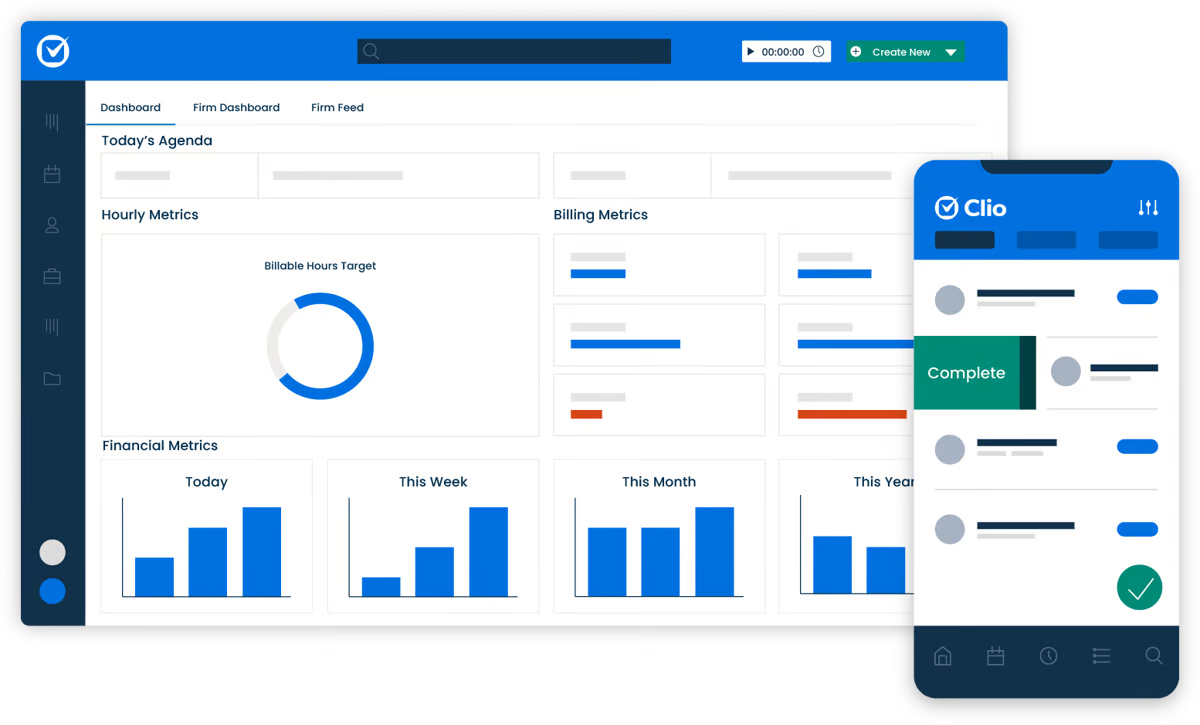
2. Clio: Best Legal Practice Management System

Clio is a cloud-based practice management platform built to support the day-to-day operations of a law firm from a single system.

Clio

Source: G2

This popular tool brings together core functions that firms rely on to keep matters organized, deadlines visible, and work moving forward without handling multiple platforms.

Its feature set covers:

  • Case management
  • Time tracking
  • Billing and invoicing
  • Document management
  • Calendar and task management

Clio also works well alongside other workflow tools, which makes it easier to connect case data with the rest of your tech stack. For firms focused on process management, this flexibility helps reduce gaps between intake, active matters, and billing.

And because it’s cloud-based, Clio supports remote work and shared access across teams. Attorneys and staff can review files, update matters, and communicate without being tied to the office. 

The platform also supports a smoother client intake process and clearer collaboration across roles.

If you’re looking to streamline operations and centralize case-related work, Clio offers a practical foundation that scales as caseloads grow.

3. Smokeball: Best Automation Software for Smaller Firms

Smokeball is designed for smaller teams that want legal automation without adding complexity to their day. 

If you handle a high volume of similar tasks, this platform helps you automate routine tasks while keeping work consistent and easy to manage.

Smokeball screenshot

Source: G2

It supports automation across areas you likely touch every day, including:

  • Time tracking
  • Document drafting
  • Email management
  • Billing and invoicing

One of the key benefits is how everything connects. Time entries flow into billing, documents pull from the same matter data, and fewer details fall through the cracks. That structure helps with maintaining consistent quality, even when you’re managing multiple matters at once.

Smokeball also offers seamless integration with tools you may already rely on, such as Microsoft Office and QuickBooks. You don’t need to rebuild your workflow to use it, which makes adoption smoother from the start.

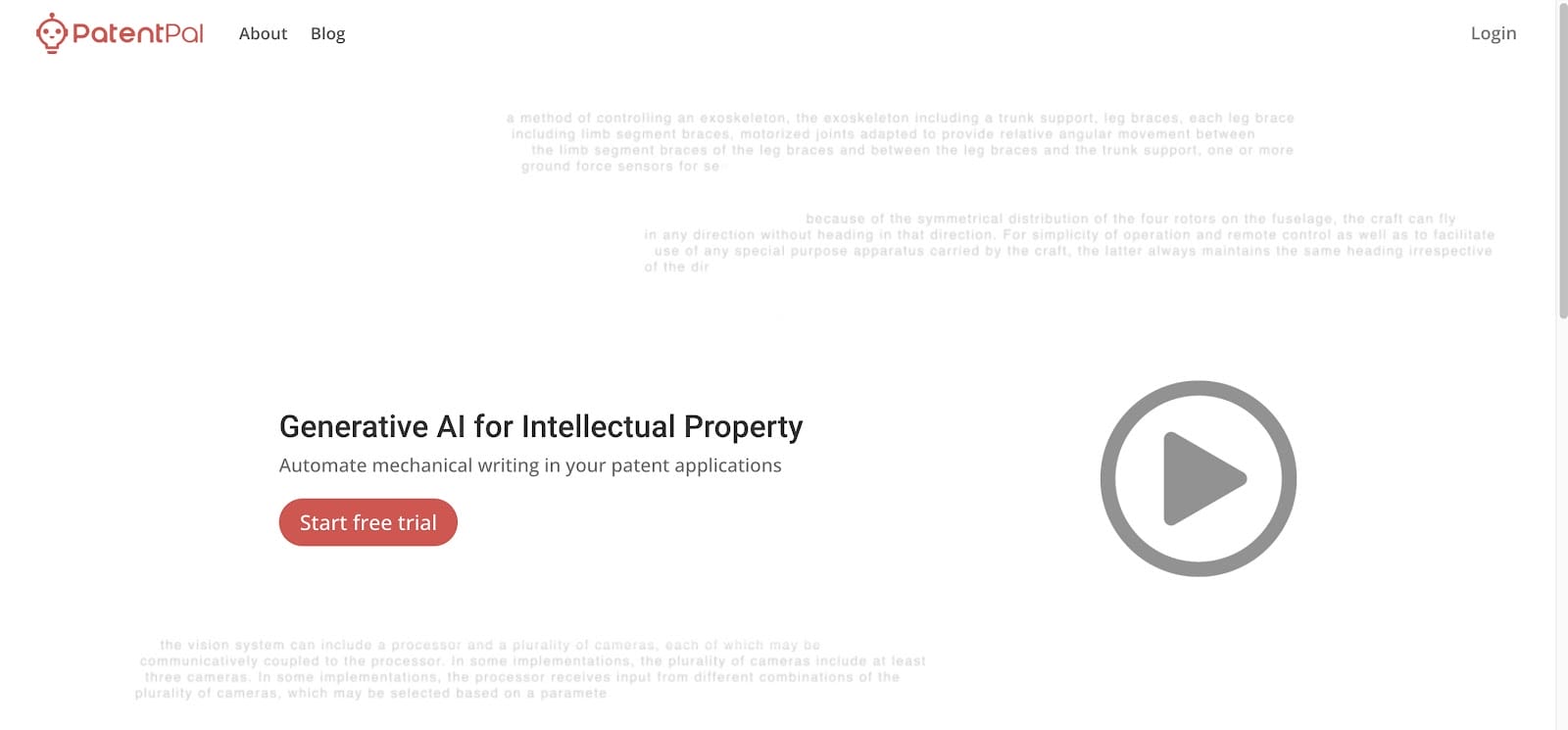
4. PatentPal: Best Legal Workflow Software for IP Law

PatentPal is a niche software solution developed with the unique needs of intellectual property professionals in mind. 

Basically, it automates and smoothens the most complicated parts of drafting and managing patents.

Patent Pal

Source: Patentpal.com

PatentPal decreases the time and effort typically required in the patent application process, which makes it an invaluable asset for those specializing in IP law.

Some of its key features include:

  • Automated drafting
  • Customizable templates
  • Error detection
  • AI-powered suggestions
  • Version control

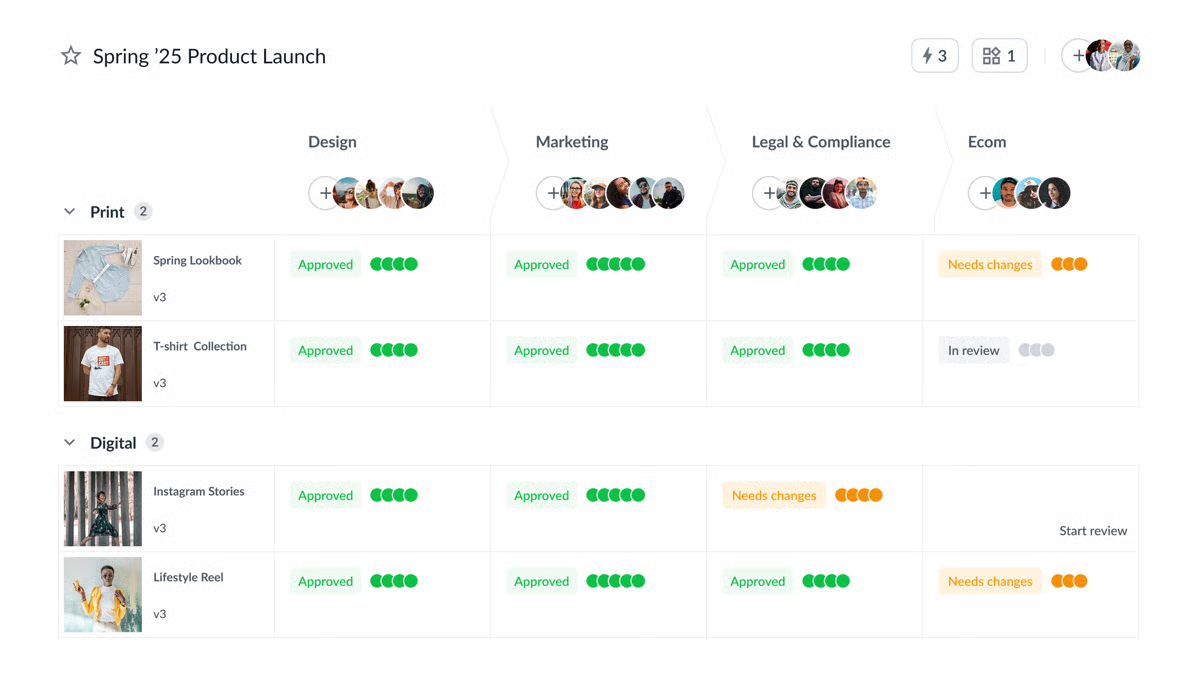
5. FileStage: Best for Document Reviews

FileStage brings structure to document reviews that usually feel scattered and hard to track.

When approvals, comments, and revisions live across emails and shared drives, it’s easy to lose momentum. FileStage pulls that work into a single review space so documents move forward without constant follow-ups.

FileStage

Source: G2

It’s a solid fit for contract review and other approval-heavy work where multiple people need to weigh in. Every comment, change, and decision stays tied to the document, which makes it easier to see progress and avoid duplicate edits.

By automating repetitive tasks like reminders and approval tracking, reviews don’t stall waiting for responses across multiple systems.

FileStage helps organize:

  • File review and approval
  • Task assignments
  • Auditing
  • Version tracking and change history
  • Centralized feedback from internal and external reviewers

The result is a review process that feels more predictable and easier to manage, especially when several stakeholders are involved, and timelines matter.

How Can You Incorporate Legal Workflow Automation in Your Law Firm?

Adding workflow automation works best when it feels like a natural extension of how work already gets done.

Always remember that the goal is to reduce human error and introduce workflow solutions that actually support your day, not slow it down.

Here’s a simple way to approach it:

  • Start with friction points: Look at tasks that create delays or rework, such as drafting, approval processes, billing, or legal project management. These issues show up in small teams and enterprise legal departments alike.
  • Be clear on what you want to improve: Faster turnaround, fewer mistakes, better visibility, or smoother handoffs all shape which tools make sense.
  • Choose tools that fit your setup: Workflow solutions should work alongside your existing tools, not replace everything overnight. Strong integrations make adoption easier and keep work moving.
  • Roll it out in stages: Introduce automation gradually, migrate data carefully, and adjust workflows so they match how your team already operates.
  • Get people comfortable using it: Practical training and open feedback go a long way. When legal software feels intuitive, teams stick with it.
  • Keep reviewing and adjusting: Check performance, gather feedback, and refine workflows over time. Pay close attention to compliance tracking and data security as processes evolve.

Legal Workflow Software Is the Future of Efficient Practice

In this guide, the focus has been on reducing friction in everyday legal work. When workflow software is used well, tasks stay organized, and teams spend less time chasing details across systems.

Discovery is the legal workflow that often carries the heaviest load. Deadlines are tight, documents pile up quickly, and manual drafting leaves little room for error. That pressure can ripple through the rest of your workflow and slow everything down.

Briefpoint

Briefpoint fits naturally into that picture by handling discovery drafting and responses with far less manual effort. It keeps documents consistent, shortens turnaround time, and gives you clearer control over a process that usually demands a lot of attention.

When one of the most demanding parts of the litigation process becomes easier to manage, the rest of your workflow benefits, too.

If discovery continues to take up more time than it should, book a demo today!

FAQs About Legal Workflow Software

What is legal workflow software used for?

Legal workflow software helps organize and automate everyday legal work, from drafting documents to legal research. Teams use workflow automation tools to reduce manual steps, support task automation, and keep work moving without relying on scattered processes.

How does legal workflow software work with other tools?

Most platforms are designed to connect with existing systems such as email, storage, matter management, and billing software. Strong integration capabilities allow workflow software to sit alongside document management systems and case management platforms, so teams don’t have to replace everything at once.

Who benefits most from legal workflow automation?

Legal workflow automation supports a wide range of teams, including in-house legal groups and large law firms. Many legal leaders use legal workflow automation tools to improve visibility, reduce delays, and bring more consistency to daily work.

Does workflow automation improve client relationships?

Yes. Faster turnaround times, fewer errors, and clearer communication all contribute to better client service. Over time, this leads to stronger trust, higher client satisfaction, and often increased client satisfaction across matters.

The information provided on this website does not, and is not intended to, constitute legal advice; instead, all information, content, and materials available on this site are for general informational purposes only. Information on this website may not constitute the most up-to-date legal or other information.

This website contains links to other third-party websites. Such links are only for the convenience of the reader, user or browser. Readers of this website should contact their attorney to obtain advice with respect to any particular legal matter. No reader, user, or browser of this site should act or refrain from acting on the basis of information on this site without first seeking legal advice from counsel in the relevant jurisdiction. Only your individual attorney can provide assurances that the information contained herein – and your interpretation of it – is applicable or appropriate to your particular situation. Use of, and access to, this website or any of the links or resources contained within the site do not create an attorney-client relationship between the reader, user, or browser and website authors, contributors, contributing law firms, or committee members and their respective employers.

READ MORE


Test Post

Product Update {{PRODUCT_AREA}}
v{{VERSION}} {{AVAILABILITY_TEXT}}

{{UPDATE_TITLE}}

{{UPDATE_SUBTITLE}}

{{HIGHLIGHT_1}} {{HIGHLIGHT_2}} {{HIGHLIGHT_3}}

At a glance

  • What’s new: {{AT_A_GLANCE_WHATS_NEW}}
  • Who it helps: {{AT_A_GLANCE_WHO}}
  • Why it matters: {{AT_A_GLANCE_WHY}}

{{FEATURE_1_TITLE}}

{{FEATURE_1_DESC}}

{{FEATURE_2_TITLE}}

{{FEATURE_2_DESC}}

{{FEATURE_3_TITLE}}

{{FEATURE_3_DESC}}

{{HERO_IMAGE_ALT}}
{{MEDIA_CAPTION}}

What changed

{{WHAT_CHANGED_PARAGRAPH}}

How to use it

  • {{HOW_TO_STEP_1}}
  • {{HOW_TO_STEP_2}}
  • {{HOW_TO_STEP_3}}

Notes

{{NOTES_TEXT}}

FAQ

{{FAQ_1_Q}}
{{FAQ_1_A}}
{{FAQ_2_Q}}
{{FAQ_2_A}}
{{FAQ_3_Q}}
{{FAQ_3_A}}
{{SMALL_PRINT}}
READ MORE


Clio vs. MyCase: A Complete Comparison Guide

Clio vs. MyCase: A Complete Comparison Guide

Picking the right practice management software for your law firm can feel like a tough call, especially when Clio and MyCase both seem to check so many boxes. They’re popular, packed with features, and designed to simplify how your firm operates.

So, how do you choose?

In this guide, we’ll break down the key features, differences, and pricing of Clio and MyCase while showing you how Briefpoint can complement either platform.

By the end, you’ll know exactly what your firm needs to run smoothly.

Clio vs. MyCase

What Is Clio?

Clio is cloud-based legal practice management software designed to make running a law firm a whole lot easier.

Essentially, it helps you handle everything from case management and document organization to tracking time and billing clients.

Clio dashboard
Image source: G2

Whether you’re a solo lawyer or part of a larger firm, Clio is one of the best options for an all-in-one legal practice management system.

One of its biggest perks is how it connects with other lawyer apps or tools you’re probably already using, like Google Workspace or Microsoft 365. So, if you’re looking to iron out your workflow and keep things organized, Clio might be just what your firm needs.

Despite Clio being an extremely popular tool for legal professionals seeking intuitive practice management software, it has a worthy rival: MyCase.

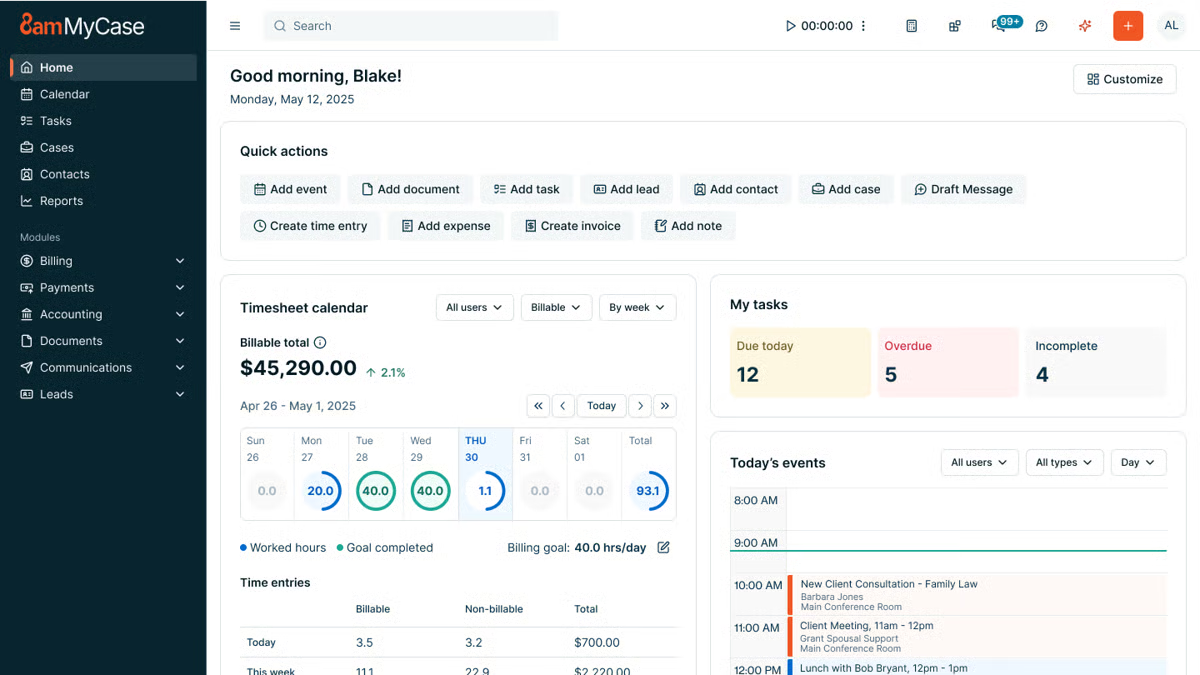
What Is MyCase?

MyCase is a straightforward, cloud-based legal management tool designed to help law firms handle their daily operations smoothly.

Like Clio, it’s all about making things easier; whether it’s organizing cases, tracking time, managing legal documents, or billing clients.

Mycase
Source: G2

One of its key strengths is the built-in and secure client portal, where you can communicate and share documents with your clients without the hassle of extra emails.

Law firms with smaller teams love MyCase because it’s a breeze to navigate, which leaves them more time to focus on more valuable work.

What Is Briefpoint?

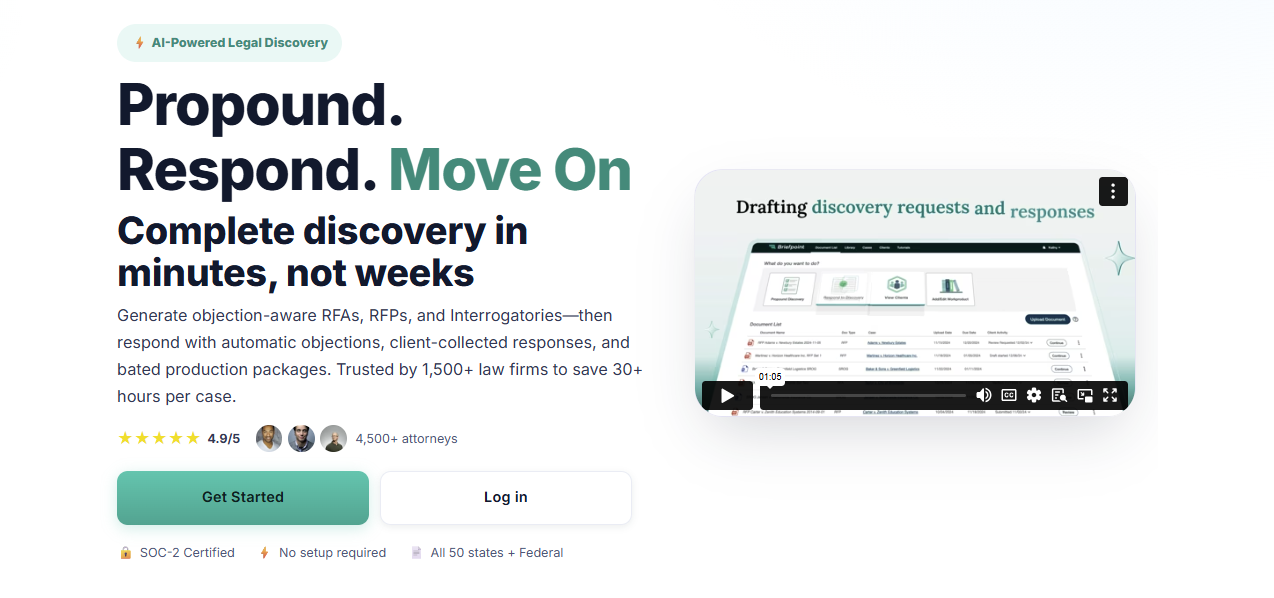
Briefpoint is an AI-powered discovery document automation tool that lets legal professionals prepare discovery responses and request documents within minutes.

Manual copying, pasting, and repetitive legal drafting no longer have to take up hours of your day. Briefpoint automates the heavy lifting so you can move through discovery faster and with fewer manual steps.
Briefpoint

Simply upload a discovery request, and Briefpoint’s AI automatically pulls key details like case numbers, court names, party information, and more. That information is placed directly into your document to give you a solid draft right away.

From there, you can add objections simply by selecting the interrogatories you want to include. 

Briefpoint also offers AutoDoc, which handles formatting and applies jurisdiction-specific rules so your discovery responses are properly structured and court-ready without extra cleanup.

You can download the document at any point to add final edits in Word.

Briefpoint also includes Bridge, a built-in tool that collects client input by translating legal questions into plain English. Client responses flow straight back into your working documents to cut down on follow-up emails and back-and-forth.

You can test Briefpoint for yourself by scheduling a demo.

Clio vs MyCase: Feature Comparison

When it comes to comparing Clio and MyCase, it’s important to break down their key features and see how they stack up against each other.

At first glance, the two platforms seem to offer a lot of the same features, but as you dig deeper, you’ll find they have distinct approaches to multiple areas of practice management.

Case Management

Clio offers a robust case management system designed to keep everything organized. For starters, you can track case timelines, store related documents, and even collaborate with your team.

Plus, it’s customizable, letting you adjust workflows to fit how your firm operates, and it integrates with a variety of other tools, giving you a lot of flexibility.

MyCase also provides a solid case management system, but leans a little more into simplicity. With a case management system that’s sturdy and reliable, the slight trade-off is a user interface that’s straightforward and easy to grasp.

You can organize cases, assign tasks, and track case progress without too much hassle, even if you have limited technical expertise.

However, MyCase has a significant edge in client communication. Its built-in client portal allows for easy updates and collaboration, which makes it super convenient for keeping clients in the loop.

Client Intake and Lead Management

Clio provides customizable intake forms that can be embedded on your website or shared with prospective clients through links.

For many Clio users, those submissions flow into Clio Grow, where new inquiries appear in a lead dashboard and can be reviewed, accepted, or declined before becoming contacts or matters.

This reduces manual data entry and keeps client information organized from the first interaction. Combined with secure messaging and other client-facing tools, Clio’s intake process connects naturally with the rest of the firm’s workflow.

Clio Grow also supports lead tracking, which gives firms visibility into how inquiries move from initial contact to active matters. That insight can be useful for teams that want a clearer view of intake volume and follow-up activity.

MyCase also includes client intake and lead management within its core platform. Firms can create online intake forms with conditional logic, collect client information, and route submissions into a built-in leads dashboard.

From there, leads move through defined stages, can be followed up with tasks and reminders, and converted into contacts and cases without re-entering data. Client communication and document sharing stay centralized through MyCase’s client portal.

Document Management

Clio takes a more detailed approach to document management. Files stay neatly organized by matter, sharing documents with your team or clients is straightforward, and everything lives in one central place.

If your firm already relies on tools like Google Drive or OneDrive, Clio’s integrations make it easier to keep files connected without jumping between systems. This kind of advanced document management tends to appeal to firms that want more control and flexibility as cases move forward.

MyCase keeps things simpler and easier to follow. The straightforward interface makes it easy to upload documents, find what you need, and share files without much setup.

Many firms also like MyCase’s matter templates, which help keep documents consistent across similar cases and cut down on repetitive work. It doesn’t offer as many integrations as Clio, but it focuses on making everyday document handling feel clear and manageable.

Billing and Time Tracking

Clio offers a comprehensive billing system that includes time tracking, invoicing, payment scheduling, and expense management.

You can track your time directly within the platform and then convert that into professional-looking invoices. Clio’s billing system is customizable, which gives you more control over how you bill clients and manage your firm’s finances.

MyCase also offers legal billing and time tracking, but it focuses on keeping things as simple as possible. Its invoicing system is easy to navigate, allowing you to create and send invoices with just a few clicks.

Although it might not be as customizable as Clio, it’s perfect for firms that want a quick, no-fuss solution.

Payment Processes

Clio makes it easy for clients to pay with Clio Payments, a built-in feature that allows for secure online payments via credit card or bank transfer.

You can set up automated reminders, which help make sure you get paid faster. Plus, Clio’s payment processing integrates seamlessly with its billing system.

MyCase has built-in payment processing, integrating with LawPay to handle online payments. It supports credit card payments and allows for partial payments, which can be useful for clients who prefer to pay in installments.

MyCase also provides automatic payment reminders, so it’s easier to stay on top of billing.

Task Management

Staying on top of deadlines and follow-ups is a big part of day-to-day legal work, and both Clio and MyCase cover the basics well.

Each platform lets you manage tasks directly within its case management software, so important things like assignments, due dates, and reminders stay tied to the right matter.

Clio leans into flexibility. Tasks can be linked to matters, assigned to specific team members, and paired with legal calendaring to help prevent missed deadlines.

For firms that want an all-in-one solution, these task features work alongside Clio’s other core tools to make it easier to keep work moving without switching systems. The trade-off is that it can take a little time to get comfortable with all the options.

Meanwhile, MyCase keeps task management more straightforward. Its user-friendly interface makes it easy to create tasks, assign responsibility, and track progress without much setup. This approach works well for small law firms that want clarity and structure without a lot of configuration.

Both platforms cover essential task management needs; the difference comes down to how much flexibility your firm wants versus how quickly you want to get started.

Clio vs. MyCase: Other Key Differences

Clio and MyCase share many of the same core features, but some of the bigger differences show up in the following aspects:

Target Market

Clio is designed to cater to a wide range of law firms, from solo practitioners to larger multi-lawyer firms.

Its broad feature set and extensive integrations make it especially appealing to firms that handle complex cases or need automated legal workflows and more advanced tools to manage a larger volume of work.

Because of its flexibility, Clio tends to attract firms that are willing to spend time learning the ins and outs of a more customizable platform.

MyCase, on the other hand, is primarily aimed at small to mid-sized law firms that value simplicity and ease of use. It’s particularly popular among firms that want to get up and running quickly without a steep learning curve.

Additionally, MyCase’s focus on client communication and straightforward design makes it a favorite for firms that don’t need a lot of customization but still want a solid, dependable tool for managing cases and expense tracking.

Key Features

What is each platform known for? 

One of Clio’s standout features is its deep integration capabilities. With over 200 third-party app integrations, Clio is great for firms that need a highly customizable and flexible system.

While MyCase may not offer the same breadth of integrations as Clio, it makes up for it with its client portal, which is incredibly easy to use. The portal allows clients to view case updates, share documents, and communicate directly with their attorneys, all in one place.

Ease of Use

Clio packs in a lot of advanced functionality, which is great once you get comfortable with it. There’s a bit of a learning curve at the start, but the layout is logical, and the experience stays familiar thanks to a consistent setup across the platform.

If questions come up along the way, Clio’s support team is there to help smooth out the onboarding and day-to-day use.

On the flip side, MyCase takes a more plug-and-play approach. Most users can log in and start working almost right away, with very little training needed. Everything is laid out clearly, so tasks, matters, and client communication tools are easy to find and use.

If your firm likes having more options and doesn’t mind spending a little time learning the system, Clio gives you room to grow. But if you want something that feels natural from the first login and keeps things simple, MyCase makes that easy.

Pricing Models

Clio and MyCase both use tiered pricing to give law firms options based on their size and the functionality they need.

Clio’s plans range from core practice management to advanced automation and client intake tools, while MyCase offers a straightforward set of tiers with built-in legal accounting and billing features that many small firms appreciate.

Clio Pricing Plans

Clio has four main pricing plans:

  • EasyStart – $59: Core tools for time tracking, billing, documents, e-signatures, and secure client communication.
  • Essentials – $99: Adds client portal, texting, integrations, and more collaboration tools.
  • Advanced – $139: Includes automated workflows, reports, custom roles, and enhanced law firm productivity features.
  • Complete – $169: Adds intake forms, lead tracking (via Clio Grow), CRM-style tools, and the broadest feature set.

MyCase Pricing Plans

MyCase offers three plans:

  • Basic – $49: Essential case management, billing, contact management, and client portal.
  • Pro – $99: Adds unlimited two-way texting, client intake management, unlimited e-signatures, and advanced invoicing.
  • Advanced – $119: Includes full-text search, advanced document automation, custom reports, MyCase Drive file sync, and split billing.

MyCase Accounting also offers built-in accounting tools and financial features like trust accounting and integrated payments without needing external products, which can simplify billing workflows for many smaller practices.

Both platforms usually include free trials, and exact prices can vary based on monthly vs. annual billing or promotions. 

Clio’s higher-tier plans unlock more advanced features, while MyCase’s tiers focus on adding client-facing and financial tools across its competitive pricing structure.

Which One Is Better for Your Law Firm?

The choice between Clio and MyCase really depends on your firm’s specific needs. As you can see, both platforms offer excellent features but cater to slightly different types of law firms.

If your firm needs a more feature-rich system with greater flexibility and customization, Clio might be the better fit. However, if you’re looking for something more straightforward and easy to use, MyCase could be just what you need.

To help make your decision easier, here’s a quick comparison:

Feature

Clio

MyCase

Case management

Robust and customizable with integrations

Simple and user-friendly

Client communications

Basic client-sharing tools

Secure client portal for easy collaboration

Client intake

Customizable forms with lead management

Built-in intake forms with lead tracking

Document management

Advanced with third-party integrations

Easy to use, but has fewer integrations

Billing and payments

Customizable with Clio Payments

Simple with LawPay integration

How Does Briefpoint Fit Into the Mix?

While Clio and MyCase handle the essentials of practice management, Briefpoint adds a layer of efficiency that neither platform offers: discovery document automation.

Briefpoint

If you’ve ever spent hours drafting requests for admission, production, or interrogatories, you know how tedious it can be. That’s where you can insert Briefpoint. 

This AI-powered tool automates the whole process and cuts drafting time down to just minutes.

Here’s how it works:

  • Smart data extraction: Just upload your discovery request, and Briefpoint’s AI pulls in routine details like case numbers, court names, and parties automatically.
  • Quick objections: Need to add discovery objections? No problem. Just click the ones you want, and they’re instantly added.
  • AutoDoc formatting: AutoDoc applies proper formatting, Bates numbers, and jurisdiction-specific rules so your documents stay consistent and court-ready.
  • Client-friendly collaboration: With Briefpoint Bridge, you can simplify legal language for your clients and collect their input directly.

Whether your firm uses Clio or MyCase, Briefpoint integrates seamlessly to complement your practice management software with a simpler discovery process.

Book your discovery call today!

FAQs About Clio vs MyCase

What is the difference between Clio and MyCase?

Clio focuses on flexibility and integrations, making it a good fit for firms that want more control over workflows and connections with third-party tools. MyCase leans toward simplicity, with an intuitive interface and built-in features that are easy to use right away, especially for firms that want fewer configuration steps.

How much is MyCase vs. Clio?

Both platforms start at a similar monthly price per user at around $50 a month, but costs increase as you move into higher tiers. Clio’s pricing grows as you add features through plans tied to Clio Manage, while MyCase includes many essentials earlier and reserves automation and reporting for its advanced plan.

What is better than Clio?

That depends on what you value most. Firms that prioritize ease of use, built-in client management, and faster setup may prefer MyCase. Others may stick with Clio for its depth, customization options, and broader ecosystem.

Is Clio Accounting worth it?

Clio Accounting can be useful if you want billing and trust accounting closely tied to your practice management system. It’s often a good fit for solo attorneys who already rely on Clio’s client intake forms, mobile apps, and centralized workflow and want everything under one roof.

The information provided on this website does not, and is not intended to, constitute legal advice; instead, all information, content, and materials available on this site are for general informational purposes only. Information on this website may not constitute the most up-to-date legal or other information.

This website contains links to other third-party websites. Such links are only for the convenience of the reader, user or browser. Readers of this website should contact their attorney to obtain advice with respect to any particular legal matter. No reader, user, or browser of this site should act or refrain from acting on the basis of information on this site without first seeking legal advice from counsel in the relevant jurisdiction. Only your individual attorney can provide assurances that the information contained herein – and your interpretation of it – is applicable or appropriate to your particular situation. Use of, and access to, this website or any of the links or resources contained within the site do not create an attorney-client relationship between the reader, user, or browser and website authors, contributors, contributing law firms, or committee members and their respective employers.

READ MORE