11 Legal Software Examples for Different Workflows
What Is Legal Software?
Legal software is a broad category of tools built to support the work lawyers and their staff handle every day.
For instance, one platform might manage cases and deadlines, while another focuses on a specific task such as drafting discovery responses or reviewing contracts.
The useful question is not simply what the software does. You need to know where it fits into your existing process. Law firms may use one system as the main hub for client files and billing, then connect it with specialized legal software solutions for research, document preparation, or payments.
Moreover, legal teams often build their technology around the work that takes the most time or creates the most friction. A litigation practice may prioritize discovery automation, for example, while a growing firm may need stronger intake and practice management tools.
Each product in the next section serves a different purpose, so you can compare the options based on the workflow you want to improve.
11 Best Legal Software Examples and Their Use Cases
Different tools serve different parts of legal work. Here are 11 best legal software examples organized by use case:
1. Briefpoint for Discovery Automation
Briefpoint is discovery automation software built for litigation teams that want to spend less time drafting and organizing written discovery.
You can use it to prepare interrogatories, requests for admission, and requests for production, then review the drafts before they leave your firm.
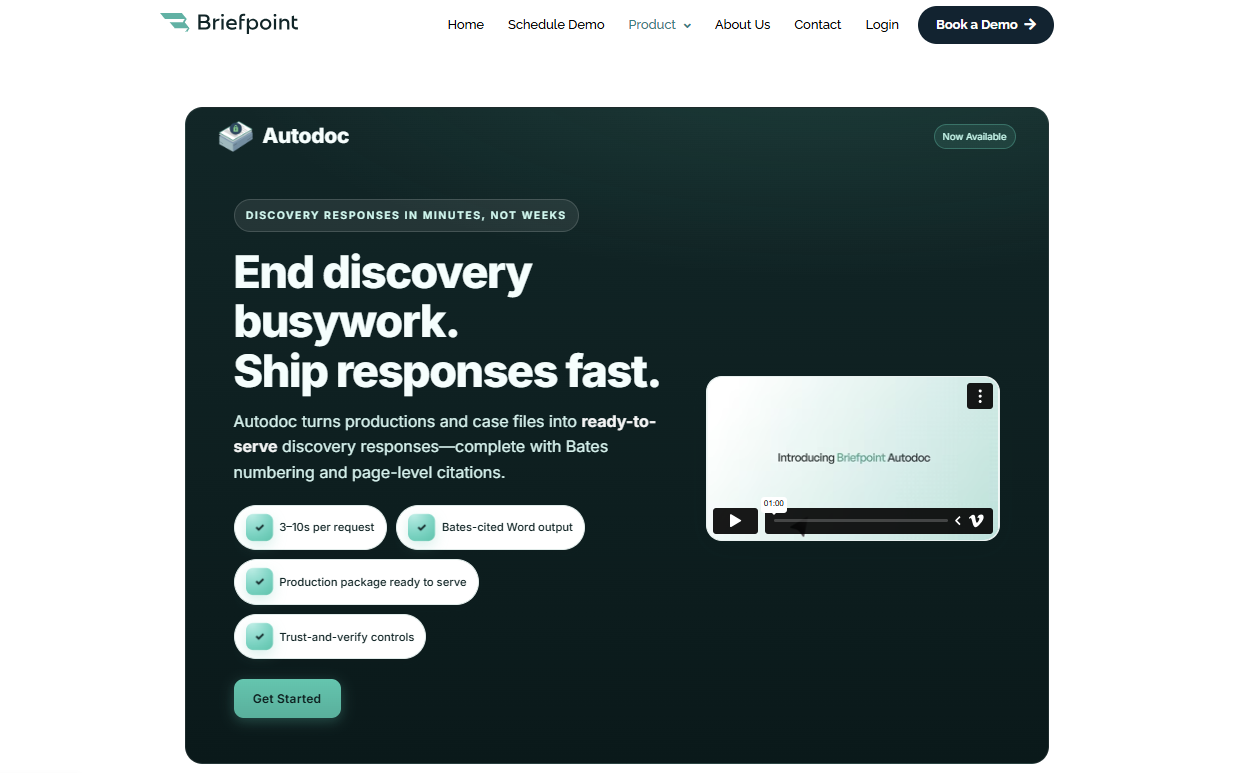
The platform goes further than basic document creation. Briefpoint can help you collect client responses through Client Bridge, identify files that may answer an RFP, and produce Bates-numbered documents with page-level citations.
Meanwhile, Autodoc handles much of the repetitive work involved in reviewing requests and drafting responses, which gives you a stronger starting point than a blank Word file.
If more than half of your discovery process still depends on copying language and formatting draft documents manually, Briefpoint can take a large portion of that work off your plate.
It is a focused legal tech product rather than general document automation software, and that’s why it’s a practical fit for firms that handle discovery regularly.
Best Features
- Discovery request drafting: Create objection-aware interrogatories, RFAs, and RFPs from the complaint and case details.
- Autodoc: Find responsive documents and draft RFP responses with Bates citations.
- Client Bridge: Collect answers and files through a secure, mobile-friendly link in English or Spanish.
- Production preparation: Generate Bates-numbered PDFs and Word responses with page-level citations.
- Jurisdictional support: Draft documents for all 50 states and 98 federal district courts.
Pros
- Focuses specifically on discovery rather than general document creation
- Reduces repetitive drafting and document review work
- Produces editable Word files for attorney review
- Combines document automation software with client collection and production tools
- Supports both propounding and responding to discovery
2. Clio for Practice Management
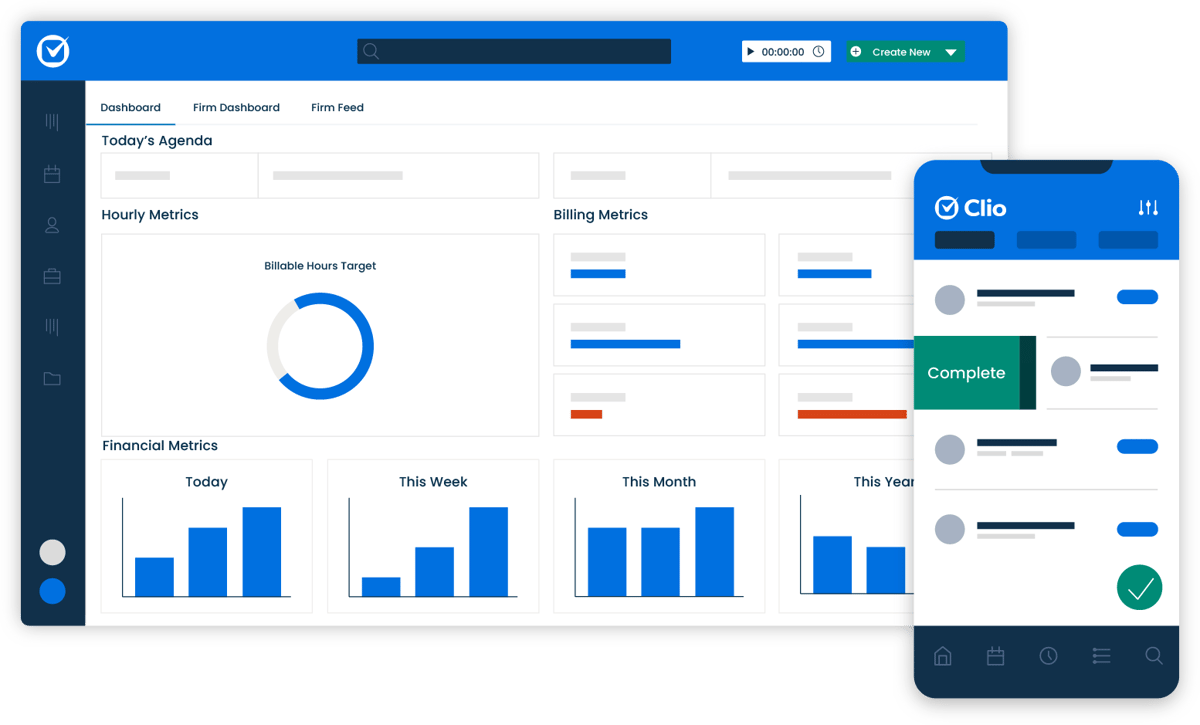
Clio is cloud-based legal practice management software that gives you one place to handle the operational side of running a firm.
Key elements like matters, client details, documents, time entries, and bills stay connected, making it easier to find the information you need without moving between several disconnected systems.
Source: G2
You can use Clio Manage as the main practice management system for day-to-day operations. A matter page brings together related notes, calendar events, communications, and financial activity, so legal professionals can quickly see what has happened and what needs attention.
Its cloud-based document storage also lets your team open and organize case files from a computer or mobile device.
Clio works well for firms that want broader law practice management support rather than software built around one legal task. It can serve as the central system while connecting with other tools used for specialized work.
Best Features
- Matter management: Keep case details, contacts, tasks, notes, and communications connected to the correct matter.
- Time and expense tracking: Record billable work and costs as they occur.
- Billing and online payments: Prepare invoices and give clients digital payment options.
- Document management: Store, search, edit, and organize files in the cloud.
- Calendar and task tools: Track deadlines, appointments, and staff assignments.
- Client portal: Share files and communicate with clients through a secure online space.
Pros
- Brings core firm operations into one platform
- Accessible from desktop and mobile devices
- Connects with a large selection of outside applications
- Suitable for firms with multiple practice areas
- Offers strong case organization and reporting tools
3. Lawmatics for Client Intake and CRM
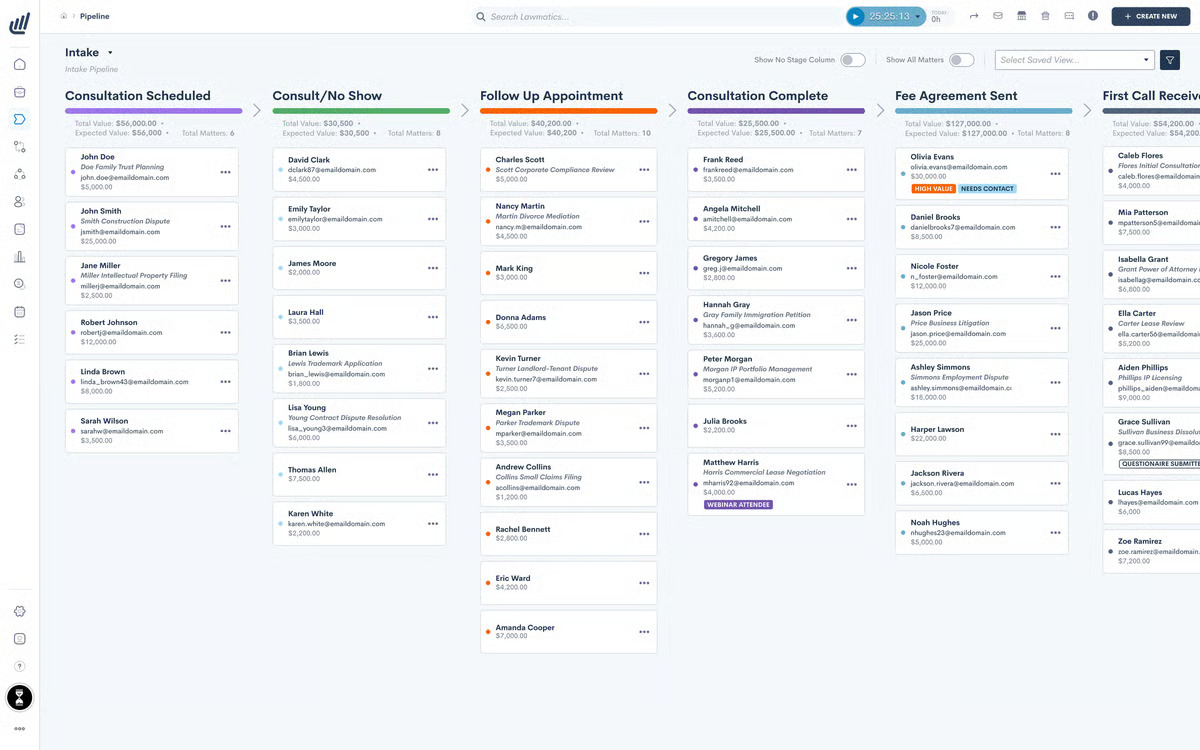
Lawmatics is legal intake software and a CRM built to help firms manage prospective clients from the first inquiry through signed engagement.
Essentially, it gives your team a clearer view of each lead, including where they came from, which forms they completed, and what communication has already taken place.
Source: G2
The platform is useful when client management still depends heavily on inboxes or manual reminders.
You can create custom intake forms, schedule consultations, send follow-ups, and collect electronic signatures from one legal software system. Calendar connections help your team stay up to date on appointments without relying on a separate legal calendaring process.
Lawmatics focuses on the relationship-building side of the firm rather than active case management. If administrative tasks are slowing down intake or leads are waiting too long for a response, its automation tools can help you create a smoother experience while keeping client relationships organized.
Best Features
- Custom intake forms: Collect information based on practice area or matter type.
- Workflow automation: Trigger emails, tasks, and reminders as leads move through intake.
- Appointment scheduling: Let prospective clients choose from available consultation times.
- CRM timeline: Review communications, forms, and activity in one place.
- E-signatures: Send engagement documents for digital signing.
- Lead reporting: Track referral sources and conversion performance.
Pros
- Designed specifically for legal intake and client relationships
- Cuts down on repetitive follow-up work
- Gives firms a clearer view of the intake pipeline
- Connects with practice management and calendar tools
- Supports a more consistent experience for prospective clients
4. MyCase for Client Communication
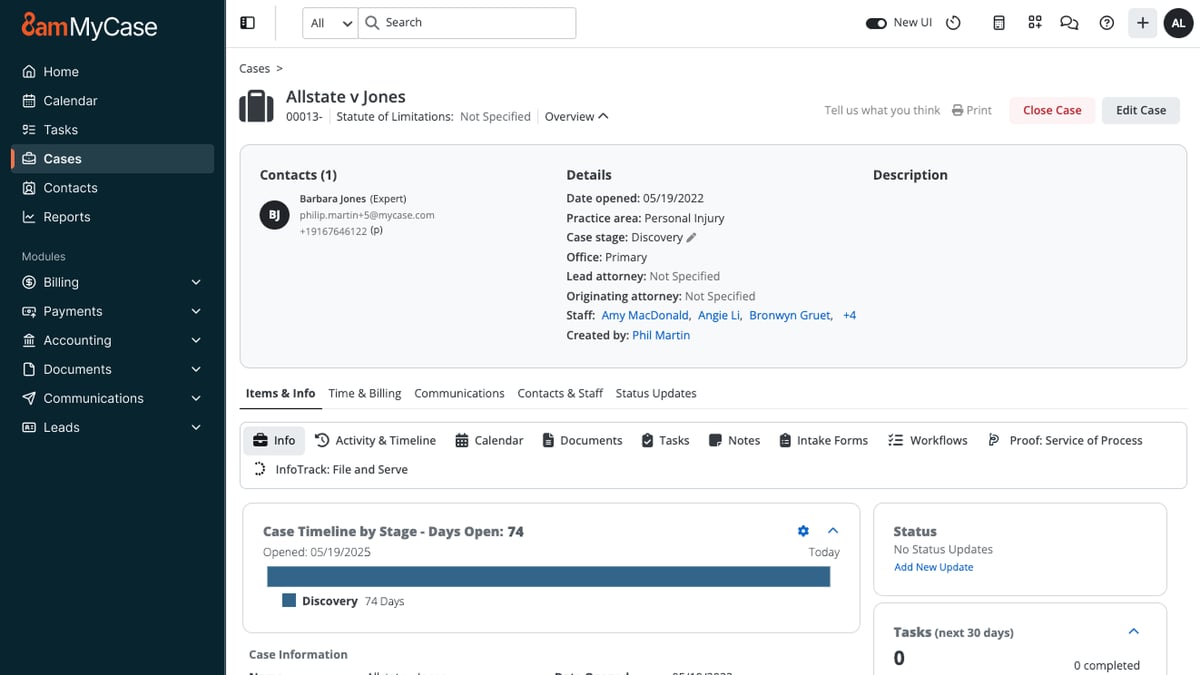
MyCase is a legal practice management platform with client communication tools built directly into the case workflow.
Through its secure client portal, your firm can exchange messages, share documents, send invoices, and keep clients informed all in one place.
Source: G2
Clients can log in from a phone or computer to review case information, upload files, check upcoming events, and pay their bills. Your team sees the same activity within MyCase, which keeps each conversation tied to the right matter.
For legal software, law firms often need both convenience and control, and the portal gives you a more organized place to handle sensitive client information.
The platform can work for solo practices as well as midsize law firms that want communication, billing, and case management in one system. Plus, its security features, such as encryption and access tracking, can support client confidentiality while giving clients an easier way to reach your firm.
Best Features
- Secure client portal: Share messages, documents, invoices, and case details in one location.
- Built-in text messaging: Contact clients without using a personal phone number.
- Document sharing: Send and receive case files through the portal.
- Online payments: Let clients review invoices and submit payments digitally.
- Case updates: Share appointments, events, and other relevant information.
- Mobile access: Give clients access to their portal from internet-connected devices.
Pros
- Keeps client communication linked to the correct case
- Gives clients convenient access to files and updates
- Reduces reliance on email and voicemail
- Combines communication with billing and case management
- Offers security controls for confidential information
5. QuickBooks Online for Legal Accounting
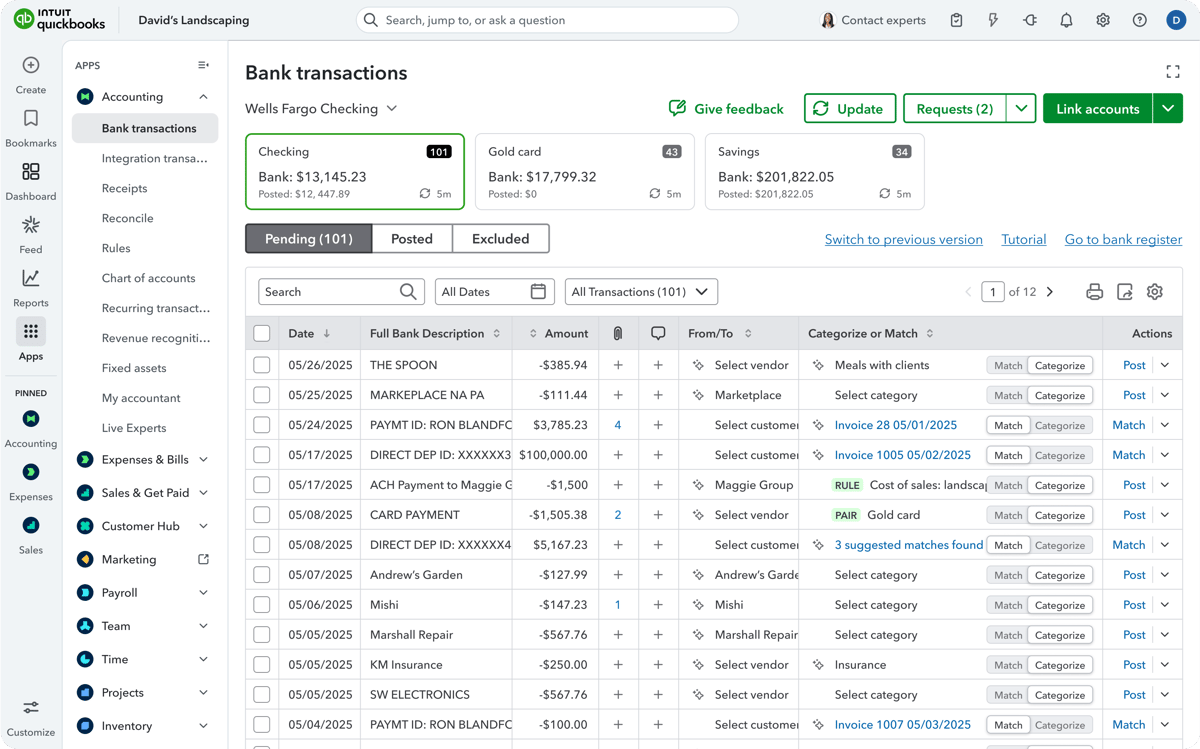
QuickBooks Online is cloud-based accounting software that helps firms manage the financial side of the business. It allows you to track income and expenses, create invoices, record payments, and review reports without maintaining separate spreadsheets for every account.
Source: G2
For firms that bill by the hour, its time tracking and invoicing tools can connect recorded work with client bills. You can also use financial reports to review cash flow and get a clearer picture of the firm’s financial performance.
QuickBooks works well as general business accounting software, while integrations with legal billing software can add features tailored to law firms.
Trust accounting requires more care. QuickBooks can be configured to record trust-related transactions, but it is not a dedicated legal accounting software platform on its own. Firms that need detailed trust accounting controls may pair it with a legal-specific integration or choose a system built for those requirements.
Best Features
- Income and expense tracking: Organize transactions and connect bank or credit card accounts.
- Legal billing: Create invoices, apply recorded time, and monitor payment status.
- Financial reporting: Review profit and loss, balance sheet, and cash flow reports.
- Online payments: Give clients digital options for paying invoices.
- Time tracking: Record billable hours and add them to client invoices.
- App integrations: Connect QuickBooks with legal billing and practice management tools.
Pros
- Familiar accounting platform used in many small businesses
- Strong reporting for monitoring firm finances
- Flexible invoicing and payment tools
- Connects with several legal software platforms
- Accessible from a browser or mobile device
6. Lexis+ AI for Legal Research
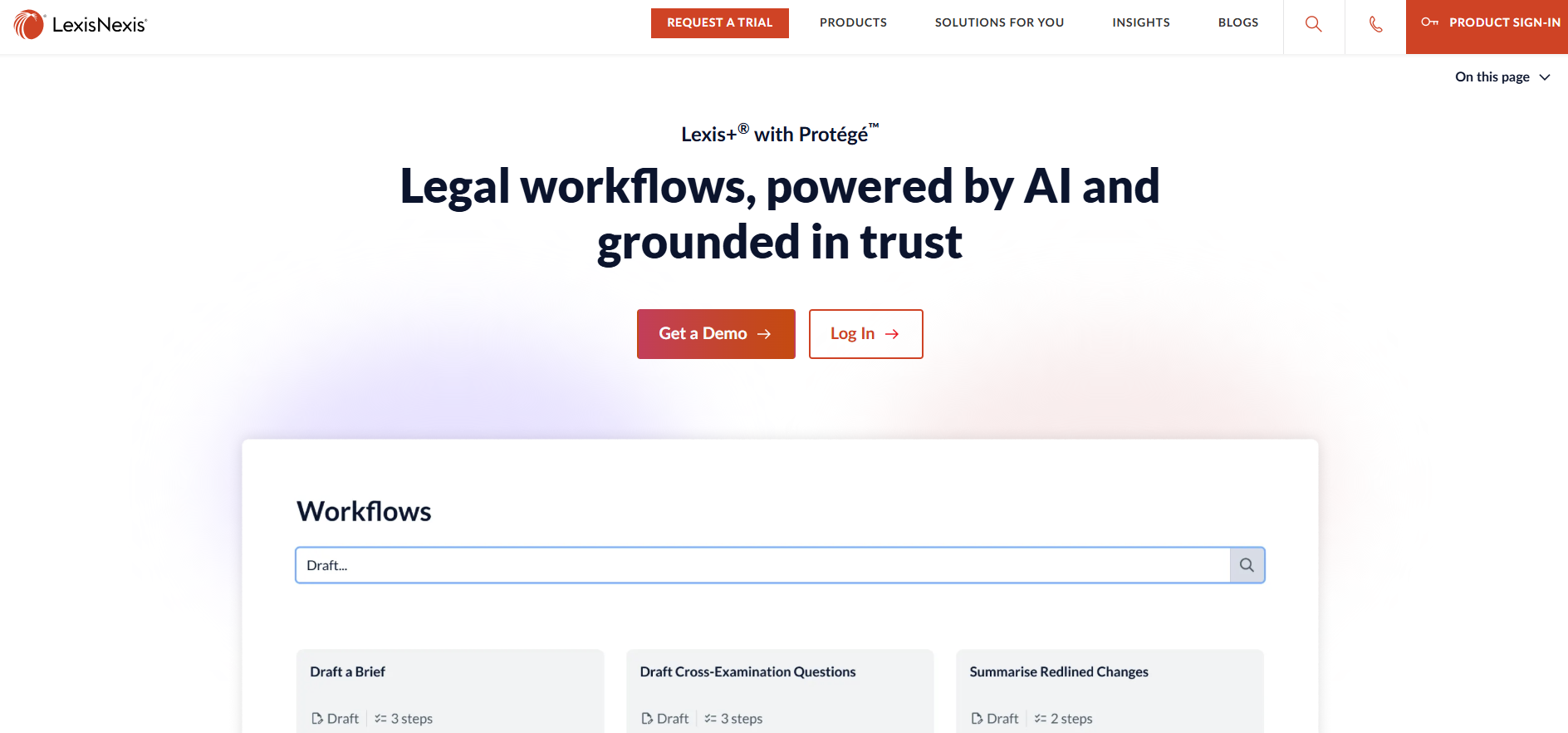
Lexis+ AI is an AI-powered legal research platform from LexisNexis. It combines conversational search with the company’s legal database to give you a faster way to explore cases, statutes, and other authorities.
Source: LexisNexis.com
You can ask a question in plain language, review the cited sources, and refine the issue through follow-up prompts. Shepard’s Citation Validation helps you check how a case has been treated, while document analysis can surface relevant arguments or authorities from uploaded files.
If you already use LexisNexis, the platform brings familiar research tools and generative AI into the same workspace. It may be one of the best software options for teams that want quicker research without losing direct access to the underlying legal sources.
Best Features
- Conversational research: Explore legal questions through natural-language prompts.
- Shepard’s tools: Review citation history and treatment.
- Linked authorities: Open the sources behind generated answers.
- Document analysis: Examine uploaded files for legal issues and citations.
- Case summaries: Get a condensed overview before reading the full opinion.
- Drafting support: Use research results to prepare an early draft.
Pros
- Connects AI answers to established legal sources
- Supports both traditional and conversational legal research
- Helps narrow broad legal questions
- Includes citation validation
- Useful for reviewing lengthy authorities
7. Docusign for Electronic Signatures
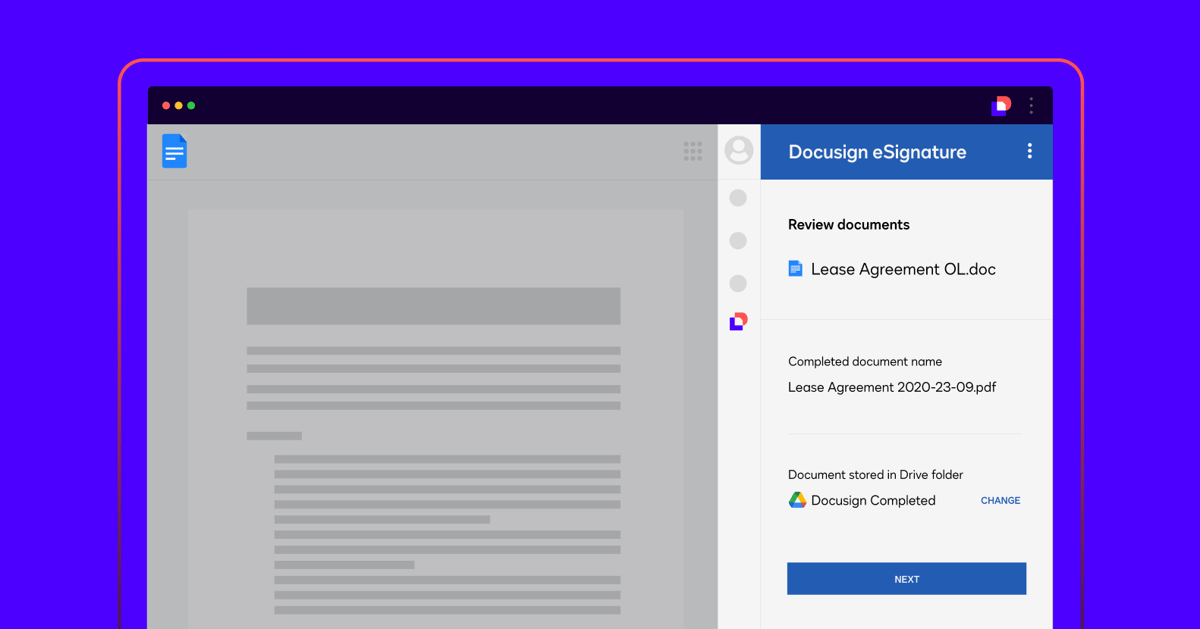
Docusign is an electronic signature platform that lets law firms send documents for signature and track each step online. Rather than printing an engagement letter or settlement agreement, you can upload the file, place the required fields, and send it directly to the signer.
Source: G2
The platform supports common formats such as Word documents and PDFs, and signers can complete them from a computer or mobile device.
Automatic reminders help move outstanding documents along, while reusable templates save time when your firm sends the same type of agreement regularly.
Docusign also records activity connected to the signing process, giving your team a clearer record of who opened and completed the document.
For firms still handling signatures through email attachments, Docusign offers a simpler process for routine legal documents. You can keep signed copies organized, reduce printing, and avoid asking clients to scan paperwork back to you.
Best Features
- Electronic signatures: Send documents for online signing from nearly any device.
- Reusable templates: Prepare frequently used agreements without rebuilding every envelope.
- Automatic reminders: Prompt recipients when a signature is still outstanding.
- Signing fields: Add signature, date, initials, and other required fields.
- Status tracking: See when a document has been sent, viewed, or completed.
- Audit trail: Maintain a record of activity connected to the agreement.
Pros
- Familiar signing experience for many clients
- Works with common document formats
- Speeds up routine signature collection
- Reduces printing and scanning
- Integrates with widely used business and legal platforms
8. iManage for Document Management
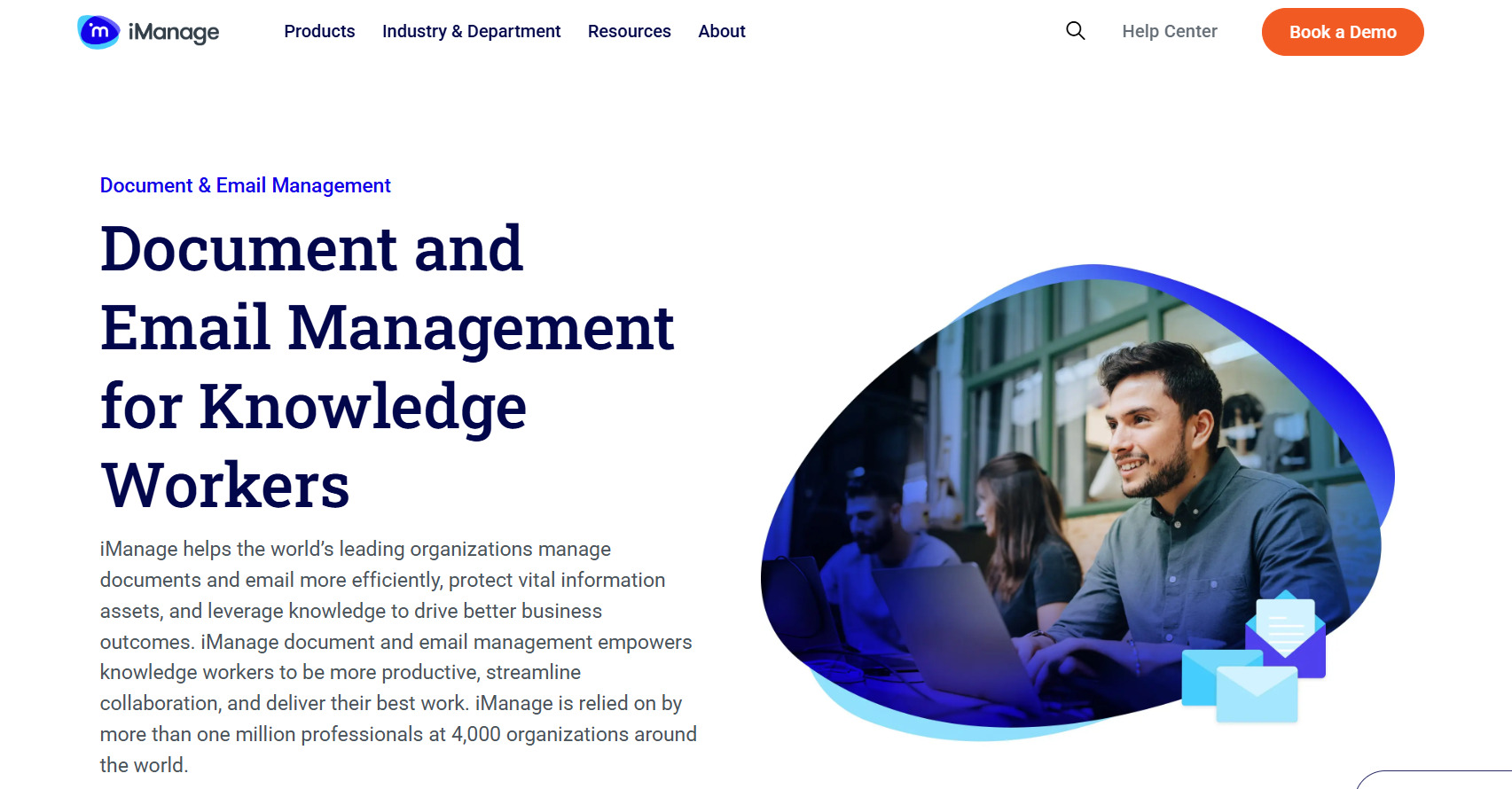
iManage is legal document management software designed to organize documents, emails, and other case-related content in one searchable system.
With this platform, your team can organize documents and emails in dedicated workspaces for each client or matter, rather than sorting everything through a shared drive.
Source: iManage.com
Its document management functionality covers far more than storage. iManage tracks version history, controls who can open or edit a file, and makes it easier to search through large collections of legal content.
That can be useful when a matter contains high volumes of material, such as contracts or medical records, and several people need access to the latest version.
Security is a major part of the platform. iManage supports granular permissions and applies data encryption to uploaded content, which helps firms protect confidential files while still allowing attorneys and staff to collaborate.
It’s generally a better fit for organizations with substantial document volumes and stricter governance needs than for firms seeking lightweight legal document software.
Best Features
- Matter workspaces: Organize documents and emails around the correct client or case.
- Version control: Preserve earlier drafts and identify the current file.
- Advanced search: Locate documents through metadata and full-text search.
- Access permissions: Limit viewing or editing rights at the document level.
- Email management: Save matter-related messages alongside the supporting files.
- Security controls: Protect sensitive data through encryption and need-to-know access.
Pros
- Handles large collections of legal documents
- Keeps document history easy to follow
- Offers detailed access and governance controls
- Supports collaboration without relying on shared drives
- Built for firms with complex document management needs
9. Everlaw for eDiscovery
Everlaw is a cloud-based eDiscovery platform for reviewing large collections of documents during litigation and investigations. It gives your team tools for uploading data, narrowing the review set, coding documents, and preparing productions within the same software program.
When practicing law involves thousands or even millions of emails and files, a basic search bar will only take you so far. Everlaw uses advanced search, visual analytics, and AI-assisted review to help you identify relevant evidence sooner.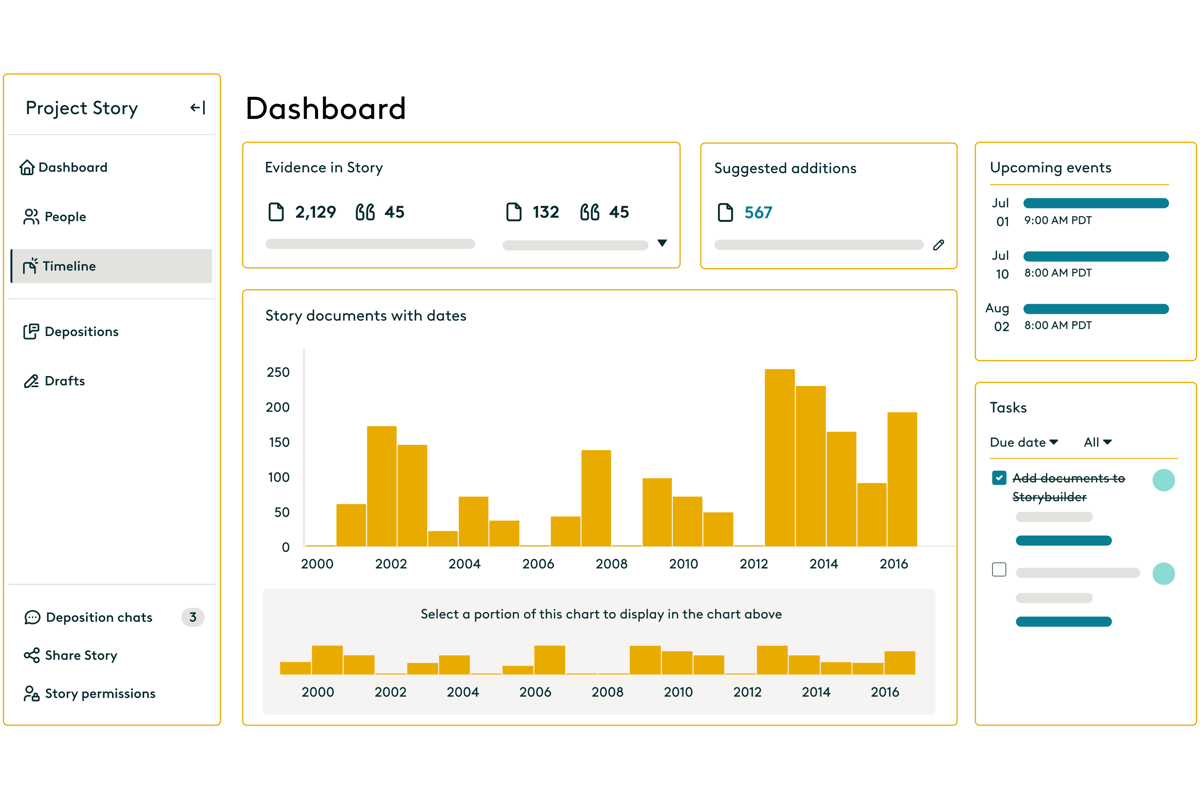
Source: G2
Reviewers can categorize documents for issues such as relevance or privilege, then collaborate through shared assignments and case-building tools.
Everlaw also connects document review with deposition and trial preparation through Storybuilder. Your team can organize key evidence, create timelines, and carry useful findings forward as the case develops.
Best Features
- Early case assessment: Examine data before promoting documents into active review.
- Advanced search: Filter large data sets through metadata and document content.
- AI-assisted coding: Classify documents based on relevance, privilege, or case issues.
- Review workflows: Assign batches and customize coding layouts for different reviewers.
- Production tools: Apply Bates numbers, endorsement stamps, and production settings.
- Storybuilder: Turn reviewed evidence into timelines and deposition materials.
Pros
- Supports the eDiscovery process from data upload through production
- Handles large document collections
- Connects review findings with case preparation
- Offers flexible collaboration tools
- Includes AI features for faster document analysis
10. Spellbook for Contract Drafting and Review
Spellbook is an AI tool that helps lawyers draft and review contracts directly inside Microsoft Word. Since it works where many agreements are already written, you can analyze a document and revise the language without uploading it to a separate contract platform.
Source: Spellbook.com
During review, Spellbook can point out missing clauses, one-sided terms, and language that may deserve a closer look.
You can ask it to suggest a revision, explain a provision, or draft a replacement clause based on the surrounding contract. Custom playbooks let firms apply their own preferred positions rather than relying on the same review standard for every agreement.
It can also help when you are starting from an old template that needs substantial changes. Spellbook generates language within the document, while tracked changes make it easier to review each proposed edit.
Best Features
- In-document drafting: Generate clauses and revisions inside Microsoft Word.
- Contract review: Identify missing terms and potentially unfavorable language.
- Custom playbooks: Apply preferred fallback positions and review rules.
- Tracked redlines: Add proposed edits without replacing the original text.
- Clause explanations: Break down complex provisions in clearer language.
- Language comparison: Compare contract terms against selected standards.
Pros
- Fits into an existing Word-based workflow
- Useful when revising older contract templates
- Gives firms control over review preferences
- Makes proposed changes easy to inspect
- Supports drafting and review in the same tool
11. LawPay for Legal Payments
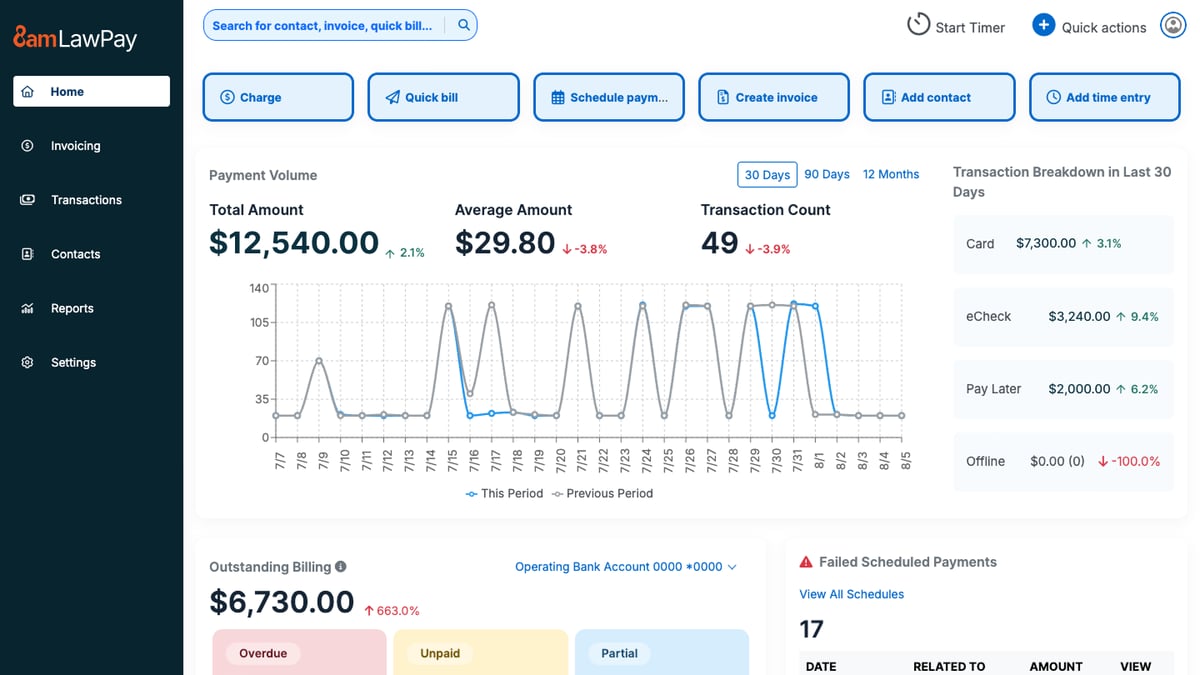
LawPay is a payment platform built for law firms that need to collect client funds while keeping legal billing rules in mind. It lets clients pay invoices or retainers online, and firms can direct money to the correct operating or trust account.
That legal focus is what separates LawPay from a standard card processor. The platform is designed to prevent processing fees from being deducted from trust funds, which can make payment handling easier for firms with strict accounting obligations.
Source: G2
Clients can pay through a secure link, from an invoice, or through a firm’s website, giving them a more convenient option than mailing a check.
LawPay can fit into existing legal processes through integrations with practice management and accounting platforms.
If you’re comparing legal software options, it is worth considering when faster collections and trust-friendly payment handling are higher priorities than broader billing or case management features.
Best Features
- Online payments: Accept credit card and eCheck payments through secure links.
- Trust account support: Route funds to the appropriate trust or operating account.
- Payment pages: Add a branded payment option to the firm’s website.
- Recurring billing: Schedule repeat payments for approved arrangements.
- Invoice connections: Collect payments through supported legal billing platforms.
- Reporting tools: Review transactions, deposits, and payment activity.
Pros
- Built around the payment needs of law firms
- Supports trust and operating account separation
- Gives clients several ways to pay
- Connects with popular legal software platforms
- Can help firms collect outstanding balances sooner
Choose Technology That Earns Its Place
Legal technology should remove work from your plate instead of just creating another system to maintain. The right legal software fits naturally into your workflow and solves a problem your team deals with regularly.

Briefpoint brings that focus to written discovery. It drafts interrogatories, RFAs, and RFPs, while Client Bridge collects answers and documents through a secure link. Autodoc identifies responsive files, adds Bates citations, and prepares production materials for attorney review.
Book a demo to see how Briefpoint can simplify discovery from the first draft through production.
