
Why You Need Legal Process Automation in 2026

Legal Process Automation is More Than Just Automating Tasks
When people hear “legal process automation,” they often think it’s just about automating repetitive tasks. While that’s a big part of it, LPA goes much deeper. It’s about using technology to create a more efficient, integrated system that improves every aspect of your legal practice.
Think of it like this: legal process automation isn’t just a tool for reducing paperwork or speeding up routine tasks. It revolves around transforming how your entire firm operates.
With LPA, you can simplify document management, improve client communication, and make sure that every part of your workflow is running as smoothly as possible.
A Quick Example: Client Onboarding
Traditionally, onboarding a new client is a manual, time-consuming process. Clients schedule consultations and share details during meetings, and then staff manually enter this information into the system.
Standard legal documents are drafted, sent out for signatures, and followed up with multiple reminders. Finally, signed documents are manually filed.
This method is not only slow but also prone to errors.
Now, imagine an automated process. Prospective clients book consultations online. They receive automated emails with secure links to online forms, which gather all necessary details and documents. This data is then automatically entered into the firm’s system.
Legal document automation software generates standard engagement letters and retainer agreements, which are sent out for electronic signatures. Automated reminders help with timely completion, and signed documents are automatically stored in the firm’s digital filing system.
The result? Less time and effort spent on such a simple task.
What Legal Workflows Can You Automate?
Legal automation tools can help you automate legal workflow processes across your entire firm, improving both speed and accuracy. Whether you’re handling routine admin or complex legal operations, here are the top areas where automation makes the biggest impact:
- Creating and managing documents – Use templates and automation to draft, store, and organize documents quickly with fewer errors.
- Client onboarding and data entry – Online forms collect client info and automatically sync it with your system, making intake smoother.
- Billing and invoicing – Automate time tracking, invoice generation, and payment reminders to maximize profitability.
- Contract review – AI-powered legal automation tools highlight key clauses and spot issues, cutting down manual review time.
- Legal research – Let automation handle case law and precedent searches, so you can focus on strategy.
- Task and deadline management – Set up alerts to stay on top of everything and avoid missed deadlines.
- Client communication – Send updates, appointment reminders, and follow-ups automatically.
- Case management – Centralize all aspects of your legal operations, from tracking progress to coordinating stakeholders.
- Compliance and risk – Automate updates and reporting to keep your practice in line with evolving regulations.
Benefits of Automating Legal Processes
Automating legal processes doesn’t just keep you on top of tech trends; it brings real, game-changing benefits to your practice.
Let’s take a look at a rundown of how it can make a big difference for law firms and in-house legal teams:
1. Increased Efficiency
Automation slashes the time spent on the grind of administrative tasks, which, in turn, lets your legal team focus on the stuff that needs human judgment and expertise.
For instance, why spend hours on manual document drafting when document automation software can handle it in minutes?
Take Briefpoint, for example. It’s a generative AI and machine learning tool that drafts discovery responses and request documents for you.
Traditionally, this process can take hours as you would need to pore over the information and create an appropriate response.
With Briefpoint, the AI will extract information from the document for you and create a mostly finished document. The human touch comes when you add objections or responses to the document to complete it.
Take a look at how it works today.
In short, this is one of the easiest ways for legal teams to save time on document creation using advanced document automation tools designed for the legal field.
2. Cost Savings
Streamlining your processes through automation means you’re also cutting down on costs. Less time spent on routine tasks translates to lower labor costs and fewer hours billed.
Plus, reducing human error means spending less on fixing those errors, which can really add up.
Such a level of efficiency lets you redirect funds to areas that can help grow your legal services, like tech upgrades or marketing.
3. Improved Accuracy
Let’s face it, everyone makes mistakes, but automation keeps them to a minimum. Automated systems stick to the rules you set, which drastically cuts down the chances of slips and blunders.
Naturally, this is a big deal in law, where even a tiny error can lead to huge legal issues. For example, automating contract reviews helps make sure every document meets compliance standards without a hitch.
Will automation replace lawyers? No, but it does significantly reduce the risk of human error by accurately processing legal data and flagging issues early.
4. Better Client Service
Faster processes and smoother operations mean you can offer your clients a better experience. Quick turnarounds and efficient handling of their cases can make your firm stand out in a crowded market.
In the legal industry, automation solutions help streamline processes so your team can spend more time on strategic tasks that truly impact client satisfaction.
5. Increased Compliance
Keeping up with regulations is no small task, especially when they’re always changing. Automation tools can be programmed to follow the latest laws to the letter, updating automatically as new regulations roll out.
This not only helps you avoid penalties but also protects your firm’s reputation by making sure you’re always on the right side of the law.
Legal Technology Isn’t Perfect, But Neither Are Humans
There’s a lot of talk about automation in the legal world right now, and for good reason. Still, many law firms are cautious about adopting new technology. The biggest hesitation? Legal tech isn’t perfect.
That concern is valid, but human work isn’t flawless either. Errors happen, especially under pressure or when dealing with repetitive tasks. Rather than expecting technology to solve everything, it’s more productive to see it as a support system that helps reduce risk and improve consistency.
Here’s a closer look at why some firms hesitate and why that hesitation could be holding them back.
The Accuracy Anxiety
Lawyers pride themselves on precision and thoroughness. So, it’s no surprise that there’s a fear of automated systems missing critical nuances or making costly errors.
Yes, AI can sometimes misinterpret data or struggle with ambiguous legal language. But humans are just as prone to mistakes, especially when overwhelmed or short on time.
Automation helps reduce these errors by providing consistent, rule-based analysis and removing the fatigue factor from routine legal tasks.
For example, in contract management, an automated workflow can scan large volumes of agreements to flag missing clauses or inconsistencies.
That means lawyers don’t have to spend valuable time sifting through every line manually and can instead focus on reviewing the most relevant data.
By combining automation with human review, legal teams can maintain quality while working faster and more efficiently.
Cost and Implementation Hurdles
Implementing new technology isn’t cheap, and the learning curve can disrupt daily operations. Smaller firms, in particular, might find the upfront costs daunting. However, the long-term gains often outweigh these initial expenses.
Automation helps reduce time-consuming tasks that eat into productivity and rack up non-billable hours.
By minimizing manual work, like sorting through unstructured data or tracking down missing case details, firms free up their staff to focus on higher-value tasks that directly support client outcomes.
Increased efficiency, fewer errors, and better resource management can lead to substantial savings over time. Plus, many tech solutions are scalable, which makes them accessible to firms of all sizes.
The Tradition Trap
Lawyers are traditionally cautious, which makes sense given the high stakes of their work. This cautious nature often translates into resistance to change, especially when it involves new and unfamiliar technology.
However, clinging to outdated methods and manual processes can be more harmful in the long run. As clients demand faster and more efficient service, firms that resist automation risk falling behind their more tech-savvy competitors.
Modern tools can support self-service options for clients, automate non-billable tasks, and even generate contracts quickly for routine business deals. These improvements don’t replace legal judgment; they free up time so lawyers can focus on higher-value strategy and client relationships.
Embracing Imperfection
Ultimately, the truth is that neither legal technology nor humans are perfect. Both have their strengths and weaknesses. The key is to find a balance that leverages the best of both worlds.
Automation can handle repetitive, data-heavy tasks with precision, while human lawyers can focus on the strategic work that machines can’t replicate. By acknowledging the imperfections on both sides, legal teams can create a more efficient, effective, and client-centered practice.
The Legal Automation Software You Need: Briefpoint
What’s the biggest bottleneck in discovery? Most legal professionals will tell you it’s the paperwork or, more specifically, the standard legal documents like discovery responses and requests.
If you want to lift this burden off your legal department, it’s time to invest in artificial intelligence. Briefpoint is a generative AI tool that creates discovery documents for you so you don’t have to spend hours manually drafting each one.
Here’s a glimpse of what documents Briefpoint can handle:
- Requests for Production
- Requests for Admission
- Interrogatories
Ready to reduce busywork and refocus your team on what really matters? Book a demo with Briefpoint and see how much time and effort you could save.
Smart Ways to Reduce Law Firm Operating Expenses in 2026

Best Strategies To Lower Your Overhead Expenses
Reducing overhead can help your firm stay lean and focused without hurting performance. Here are some straightforward ways to bring down costs and keep operations efficient.
1. Review Your Budget and Expenses
One of the easiest ways to reduce overhead costs is to take a closer look at your current spending. Many law firms don’t realize how much they’re spending on things they no longer use or need.
Regular expense management helps you spot waste and adjust before it becomes a problem. Start with a full review of the past three to six months.
Look for:
- Unused software subscriptions
- Office supplies that get overordered
- Services with cheaper alternatives
- Charges that show up month after month without review
Set clear spending limits for each department or category so nothing gets out of hand. Even small cuts across a few areas can lead to significant savings over time. With a tighter grip on your budget, you’ll find more cost-saving opportunities and avoid surprise expenses that eat away at profits.
2. Take Advantage of Automation Tools
Automation can help your legal practice reduce labor costs, save time, and avoid hiring more staff than you need. For the average firm, these tools are a simple way to reduce costs related to manual work and improve productivity across the board.
Here are a few types of automation tools to consider:
- Time tracking and billing tools – Log hours and create invoices automatically.
- Client intake software – Collect client info through smart forms.
- Appointment schedulers – Cut down on back-and-forth emails.
- Document automation – Quickly create legal documents using pre-set templates.
- Task and workflow tools – Manage to-dos and deadlines in one place.
One powerful option is Briefpoint, which lets you generate discovery responses and other legal documents in minutes. It helps firms reduce staffing costs, spend less time on repetitive tasks, and focus more on billable work.
By using automation the right way, you’ll save money while keeping your firm organized and efficient without sacrificing quality.
3. Consider Outsourcing Your Biggest Bottlenecks
If your firm is constantly stretched thin, outsourcing can be a smart way to protect your time and budget. Instead of hiring more full-time staff, which drives up employee salaries and other ongoing costs, consider outsourcing areas that slow you down the most.
Common examples include IT support, marketing, and even billing processes. For instance, outsourcing your billing to a team familiar with legal software can keep your payments on track while freeing up your team for client work. It also means fewer errors and faster invoicing.
This approach allows you to redirect the firm’s resources toward client service and future growth. You’re not cutting corners but simply shifting some of the load to outside experts who can do it faster and cheaper.
It also gives you flexibility as it lets you scale up or down without the long-term commitment of hiring more staff. When used wisely, outsourcing can support your growth while keeping costs predictable.
4. Invest in Legal Accounting and Billing Software
Legal accounting and billing tools play a big role in keeping your firm’s finances on track. Without proper systems, you risk missing billable hours, sending late invoices, or dealing with delayed payments—all of which can hurt your firm’s profitability.
These tools help you manage billing, track expenses, and process electronic payments within the same time period. You’ll know exactly what’s been billed, what’s unpaid, and what’s coming up. That kind of visibility makes it easier to plan ahead and avoid cash flow problems.
In a competitive market, staying organized with billing helps build trust and keeps client relationships strong. Choosing legal-specific software also means better support for compliance and trust accounting rules.
Over time, these systems support long-term success by improving accuracy and reducing the time you spend on manual tasks.
Overview of Operating Expenses For Law Firms
Operating expenses are the everyday costs it takes to run your law firm. These include things like rent, salaries for support staff, office supplies, software subscriptions, and insurance. They’re the ongoing costs that keep your doors open, regardless of how many clients you have or cases you win.
The key thing to remember is that operating expenses aren’t tied directly to client work. They’re about keeping your business running.
To make it clearer, here’s how they differ from other types of law firm expenses:
- Direct (or client-related) expenses – Costs that are billed to a specific case or client, like court filing fees, expert witness fees, or travel for a deposition.
- Capital expenses – Long-term investments like buying office furniture, computers, or upgrading your case management system.
- Non-operating expenses – Costs not related to daily operations, such as interest on loans or one-time legal settlements.
Operating expenses are regular and predictable. Keeping a close eye on them can help you spot savings opportunities and maximize your profits without sacrificing quality or service.
What Kind of Operating Expenses Do Law Firms Have?
Law firms deal with a variety of expenses just to keep things running day to day. While some are fixed, like rent, others change month to month, like office supplies or utilities. Here’s a breakdown of the most common ones you’ll see on a law firm’s books.
Office Rent and Utilities
In the legal industry, office rent is often one of the biggest contributors to law firm overhead expenses. Whether you’re in a downtown high-rise or a small suburban suite, the cost of office space adds up quickly.
But rent isn’t the only bill. There’s also electricity, internet, water, air conditioning, heating costs, and even janitorial services. If your firm relies on a physical space to meet with clients or hold team meetings, these costs are unavoidable.
For many firms, especially those in larger cities, utilities and office rent cost a huge chunk of the monthly budget without much flexibility to cut back.
Staff Salaries and Benefits
Staff salaries and benefits make up a major part of a law firm’s overhead costs. These include wages for paralegals, legal assistants, receptionists, and other support staff who help keep things running smoothly.
Beyond base pay, you’ve also got expenses incurred from health insurance, paid time off, retirement contributions, and other perks. While these roles aren’t billable, they’re essential to daily operations.
If left unmanaged, they can quietly strain your law firm’s budget. Keeping these costs in check is important not just for short-term savings but also for your firm’s financial health in the long run.
Software and Technology Tools
The average law firm relies on a mix of software and tech tools to handle everyday tasks. Think time tracking, billing, case management, and document automation. These tools cut down on manual work and help you stay organized, but they also come with a price tag.
Subscriptions, updates, and user licenses are considered soft costs, meaning they don’t show up on a client’s bill but still count toward your business expenses.
For many firms, especially growing ones, these tools are necessary to stay competitive. Still, it’s smart to review them regularly to make sure you’re not paying for more than you need.
Marketing and Client Outreach
Marketing is a regular part of running a law practice. Legal professionals often invest in websites, Google ads, social media tools, and email campaigns to bring in new clients.
These efforts aren’t just optional; they’re part of staying competitive. While marketing expenses are not always cheap, they’re a necessary part of building your brand and keeping your pipeline full.
Office Supplies and Equipment
It’s easy to ignore how much your team spends on a daily basis until you check the receipts. Office supplies like paper, pens, printer toner, sticky notes, and mailers quietly chip away at your budget.
Add basic equipment like filing cabinets or desk chairs, and it becomes clear these “small” purchases play a bigger role in overall spending than expected.
Spend More Time on Billable Work With Briefpoint
Legal drafting shouldn’t eat up half your day, especially when it’s the same type of work over and over. Briefpoint changes that.
Instead of rebuilding discovery responses from the ground up, you upload your file, make your selections, and get a clean draft in just a few minutes.
It’s built specifically for law firms that want to cut back on low-value tasks without compromising quality. Less manual work means fewer distractions, smaller staffing needs, and more time spent on client matters that actually bring in revenue.
If your firm is trying to do more without constantly adding to the workload, Briefpoint is the tool that helps you get there faster, cleaner, and with less overhead.
How to Respond to Interrogatories, California
In California’s superior court system, responding to interrogatories in an unlimited civil case involves navigating a myriad of procedural rules and best practices.
Each answering party must ensure that the responding party permits the disclosure of all information that is reasonably available, relying on personal knowledge sufficient to provide complete and accurate responses.
This article provides a comprehensive guide to effectively managing interrogatory responses, including understanding deadlines, modifying response times, handling objections, and formatting responses.
It also emphasizes the importance of making a good faith effort to answer each question posed by the requesting party, even when full details may not yet be available.
By addressing the expectations of the asking party and reviewing the relevant provisions of the California Code of Civil Procedure and applicable case law, this guide helps clarify the intricacies involved in responding to interrogatories and supports a more informed, cooperative exchange of information throughout the process.
Interrogatory Obligations
Parties have an obligation to furnish all reasonably available information when responding to interrogatories, as required by Cal. Code Civ. Proc. § 2030.220(a) and (c).
This includes information known by counsel or held by organizational parties, such as officers, employees, and former employees, as established in cases like Scheiding v. Dinwiddie Constr. Co., 69 Cal. App. 4th 64, 76 (1999).
If an interrogatory cannot be answered completely, it must be answered to the extent possible, in accordance with Cal. Code Civ. Proc. § 2030.220(b) and § 2030.240(a).
Drafting Interrogatory Responses
Responses to interrogatories should be formatted like court filings, with the case and court information, and include the name of the responding party, the propounding party, and the set number, as directed by Cal. Code Civ. Proc. § 2030.210(b) and Cal. Rules of Ct., Rule 3.1000(a).
Each response should be numbered, complete, and straightforward. Objections must be stated clearly and specifically, as outlined in Cal. Code Civ. Proc. § 2030.240(b).
Rules for Responding to Interrogatories
When answering an interrogatory, the response should be as complete and straightforward as possible, based on the information reasonably available to the responding party, as mandated by Cal. Code Civ. Proc. § 2030.220(a) and established in cases like Hernandez v. Superior Ct., 112 Cal. App. 4th 285, 294 (2003).
Factually deficient interrogatory responses can shift the burden on summary judgment, as demonstrated in Cornell v. Berkeley Tennis Club, 18 Cal. App. 5th 908, 934 (2017).
Objection to Interrogatories
Valid objections may include compound, conjunctive, or disjunctive interrogatories, as prohibited by Cal. Code Civ. Proc. § 2030.060(f); questions that are not self-contained, as specified in Catanese v. Superior Court, 46 Cal. App. 4th 1159, 1164 (1996); cumulative, duplicative, or unduly burdensome requests, as restricted by Cal. Code Civ. Proc. §§ 2019.030 and 2030.090; irrelevant information, as defined by Cal. Code Civ. Proc. §§ 2017.010, 2019.030, and 2030.010; requests exceeding the interrogatory limit, as established in Cal. Code Civ. Proc. § 2030.030 et seq.; premature contention interrogatories, as cautioned in Judicial Council Form Interrogatories-General (Form DISC-001), Sec. 2(d); and requests seeking privileged or protected information, as detailed in Cal. Code Civ. Proc. §§ 2018.020 et seq. and 2030.240(b), among others.

Client Verification
Interrogatory responses must be signed under oath by the party to whom they are directed and, if objections are included, by the party’s attorney, as required by Cal. Code Civ. Proc. § 2030.250(a) and (c).
If the responding party is a corporation, partnership, association, or governmental agency, an officer or agent of the entity must verify the responses, as stated in Cal. Code Civ. Proc. § 2030.250(b).
Serving the Interrogatories
Responses to interrogatories are served on the parties but not filed with the court unless relevant to a motion or other court hearing, according to Cal. Code Civ. Proc. § 2030.260 and Cal. Rules of Ct., Rule 3.250(a)(8).
They must be served within 30 days of service, along with proof of service, as outlined in Cal. Code Civ. Proc. §§ 1013a, 1013b, and 2030.260(c).
Supplement Your Interrogatories
If a party determines that a prior interrogatory answer is incorrect or incomplete, they may serve an amended or supplemental answer, as allowed by Cal. Code Civ. Proc. § 2030.310(a).
However, parties do not have an ongoing obligation to supplement their interrogatory responses, as highlighted in R & B Auto Ctr., Inc. v. Farmers Grp., Inc., 140 Cal. App. 4th 327, 358 (2006) and Biles v. Exxon Mobil Corp., 124 Cal. App. 4th 1315, 1325 (2004).
Deadline for Responding to Interrogatories
In general, parties must respond to interrogatories within 30 days of service, as mandated by Cal. Code Civ. Proc. § 2030.260(a). However, the 30-day deadline may be extended depending on the method of service, as outlined in Cal. Code Civ. Proc. §§ 1010.6, 1013, and 2016.050.
For electronic or overnight delivery, the extension is two court days. If the interrogatories were served by mail, the extension is five calendar days for in-state mail, ten calendar days for out-of-state mail, and twenty calendar days for international mail.
Asking for More Time
The deadline for responding to interrogatories may be shortened or extended through a court order or a stipulation between the parties, as provided by Cal. Code Civ. Proc. §§ 2030.260(a) and 2030.270.
Parties should generally grant first requests for extensions unless abused or time-sensitive, in line with professional courtesy and to avoid unnecessary requests for judicial intervention. A written stipulation specifying the new deadline is necessary and, unless stated otherwise, does not waive the objections of the responding party, according to Cal. Code Civ. Proc. § 2030.270(b) and (c).
If a stipulation cannot be reached, court approval is required under Cal. Code Civ. Proc. § 2030.060(a).
Failing to Respond on Time
Failing to timely respond to interrogatories may result in waiving any objections or the right to produce documents in lieu of a narrative response, as stated in Cal. Code Civ. Proc. § 2030.290(a).
However, the court may relieve the responding party from this waiver if they can demonstrate that their failure was due to mistake, inadvertence, or excusable neglect, and they have since provided a substantially compliant response, per Cal. Code Civ. Proc. § 2030.290(a)(1) and (2).
Make Discovery Responses Easier With Briefpoint
Effectively responding to interrogatories in California requires adherence to specific procedural rules and a thorough understanding of best practices.
Whether addressing a particular interrogatory or reviewing an entire set, it’s important to provide a sufficient answer that reflects all reasonably available information.
A party should aim to respond immediately when possible, or at the very least, act within the required timeframes to avoid waiving objections or creating unnecessary complications.
By mastering these intricacies and referencing the California Code of Civil Procedure and relevant case law, professionals can manage interrogatory responses more efficiently and avoid costly delays.
Need a faster, more reliable way to handle your interrogatories? Use Briefpoint to draft, organize, and respond with confidence. Book your discovery call today!
Propounding Discovery: Streamlining In 2026
Propounding Discovery Overview
Law offices need to initiate discovery for various reasons. The principal purpose is to gather evidence that supports your client’s case. Learning more about the circumstances of the events in question can help you prepare superior responses in court.
However, there are other reasons for propounding discovery. For example, it also assists in learning more about the other party’s position and weaknesses.
Furthermore, you may also identify potential witnesses and experts and learn more about the precise issues in dispute during this investigative stage. Enhanced discovery improves your capacity to serve your clients.
Your Obligations During Propounding Discovery
While propounding discovery is an accepted legal process, you must still fulfill various obligations. That’s why software can be beneficial. It helps you avoid non-compliance.
For example, requests for information must be relevant and proportional to the case. You must focus (in general) on obtaining answers that help you resolve the dispute. Requests shouldn’t place any undue burden on the responding party.
You must also format and serve discoveries according to court rules. Failing to adhere to guidelines could result in judges throwing out requests.
Getting compliance right, though, is challenging. Opposing parties have certain rights, including objecting to burdensome or irrelevant information requests. Attorney-client privilege also lets them bar demands for sensitive information.
Fortunately, you can limit these risks while maximizing compliance by using software. Carefully calibrated solutions provide recognized requests while saving time.
The Benefits Of Using Software For Propounding Discovery
Before we discuss the specific features of propounding discovery software, let’s review some of the benefits it offers.
- A centralized platform that attorneys can use whenever they want to make a request
- Improved visibility over the discovery process – paperwork is digital, not hidden away in a file somewhere
- Better workflow streamlining, including making requests (and responding to them) with minimal typing or manual entry required
- Improved ability to meet deadlines imposed for discovery by the court
- Enhanced team productivity and less time spent on non-billable work
- Reduction in the risk of accidental information exposure using pre-filled template libraries
- Less rote work and more focus on high-value tasks
- Pre-formatted requests that increase the likelihood of discovery
Software Features That Let You Streamline The Propounding Discovery Process
Advances in AI and software generally mean that today’s solutions are more capable than ever. Tools offer various features that improve the process and enable you to get the information you and your clients need. Here’s what to expect:
Template Libraries
Propounding discovery software comes with template libraries you can use to make information requests. These save time and free up attorneys and other legal professionals to focus on higher-value tasks.
Briefpoint offers extensive template libraries for various case categories across information request classes. For instance, we have over 87 special interrogatories pre-formatted for auto torts and more for requests for admission and production.
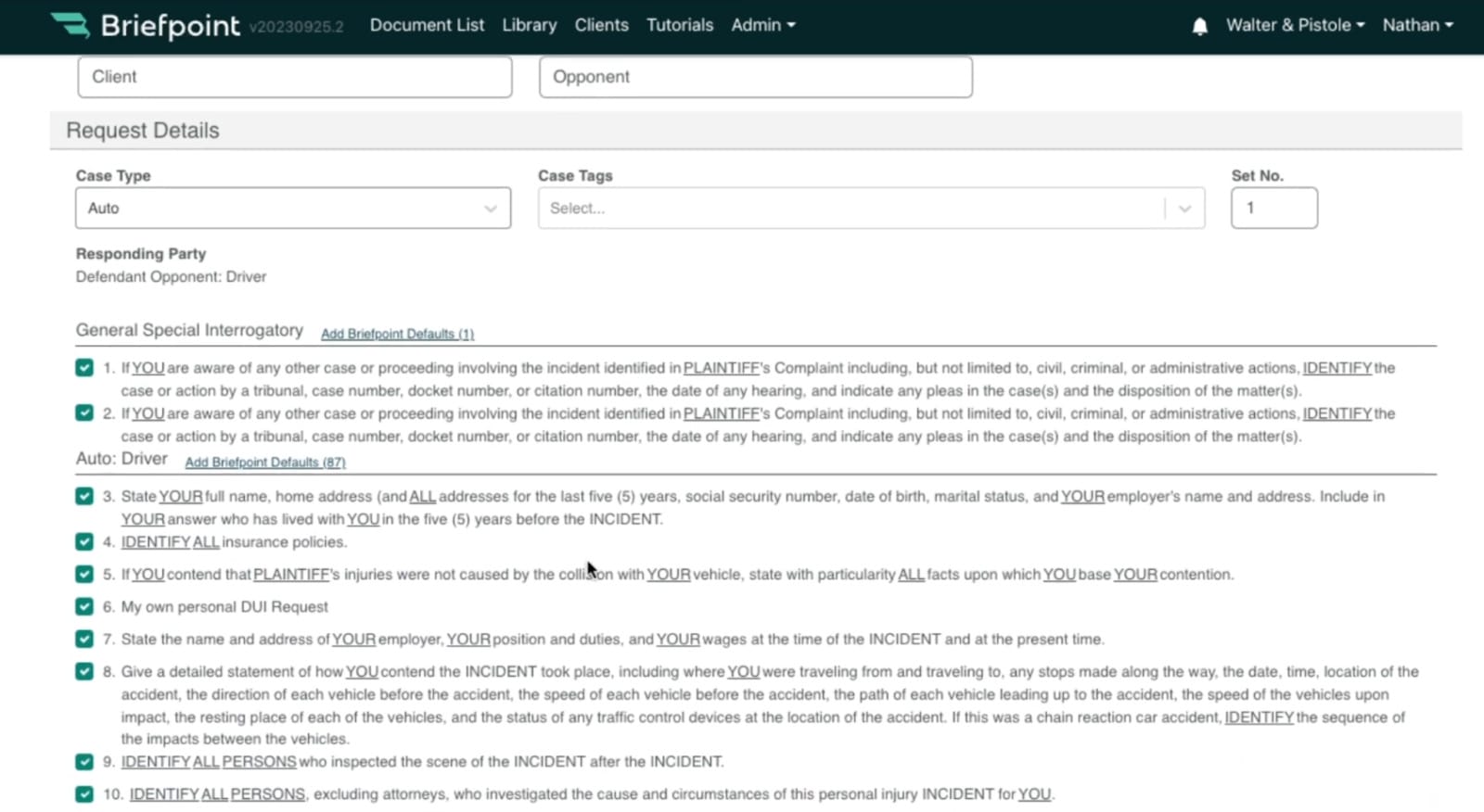
Using template libraries is straightforward. Most leading solutions let you click the item you want to include, whether sending a request to a plaintiff, defendant, or another party. That’s true of Briefpoint.
Furthermore, these template libraries include careful wording to minimize the risk of receiving a valid objection from the opposing party. For example, Briefpoint includes interrogatories such as:
Automated Drafting Tools
Automated drafting tools are another essential ingredient of top-rated propounding discovery software. These systems enable you to craft the precise document you need, depending on who you send it to and the information you request.
Briefpoint does this by taking you through a multi-choice wizard. Fillable forms give you the option to provide a short title for the case, the case number, the full title of the case, the client position (plaintiff, defendant, cross-defendant, or cross-complainant), representative action (individual, class action, or PAGA), the case type (i.e., auto, business, civil rights, etc.), the various parties’ names, and the venue.
Entering this information supplies the propounding discovery document software with the essential formatting information to proceed.
The information you must include varies between jurisdictions. However, advanced software helps you cover your bases by adding things like:
- The deadline for responding to the request
- Clear and concise statements about the requests
- Instructions on how the opposing party should format its responses
- A statement underlining the legal standing of the request
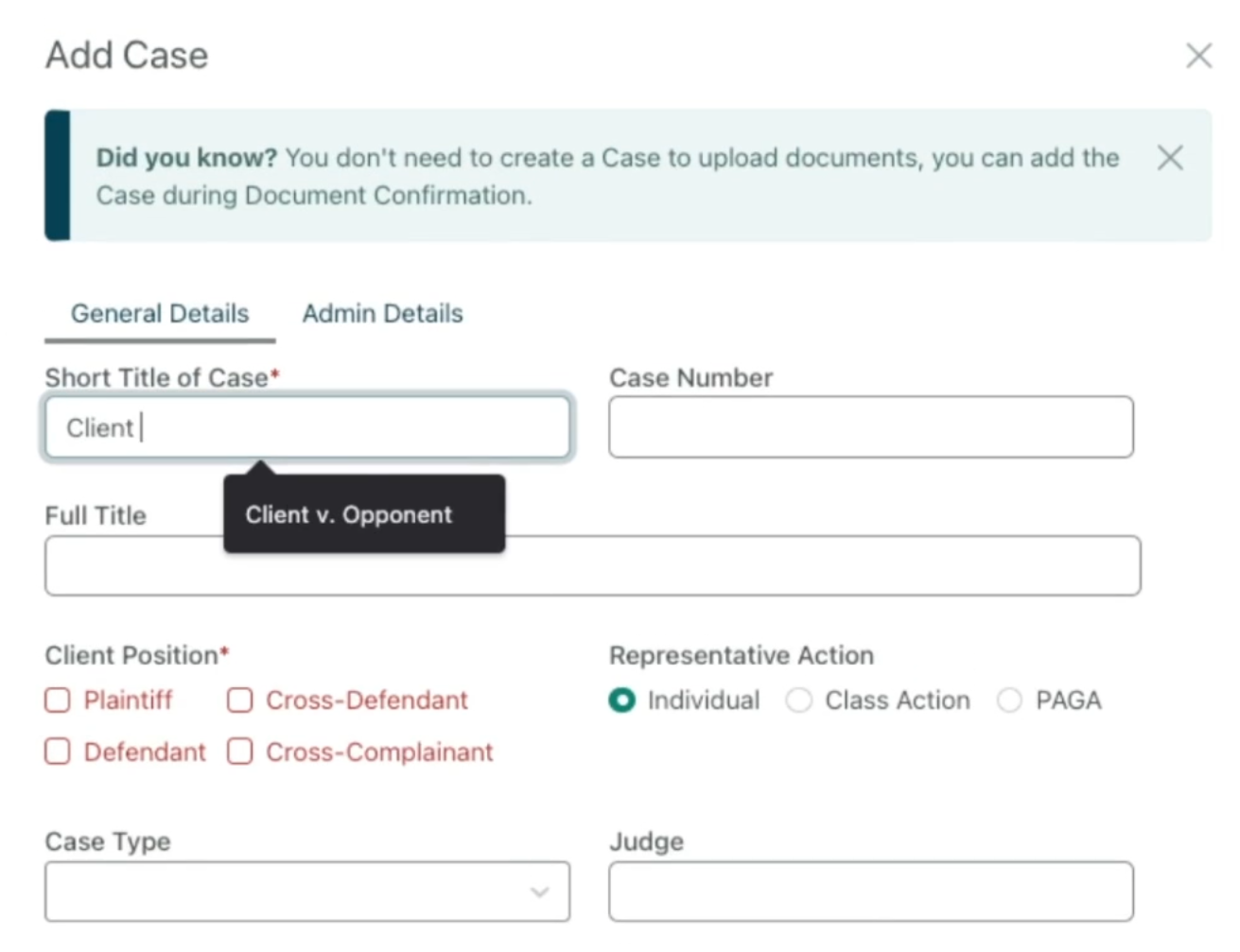
Once you add this information, the software formats it for you, regardless of the document you want to submit. The next step is to choose the request type so the software can present the proper library of pre-formatted requests discussed in the previous section.
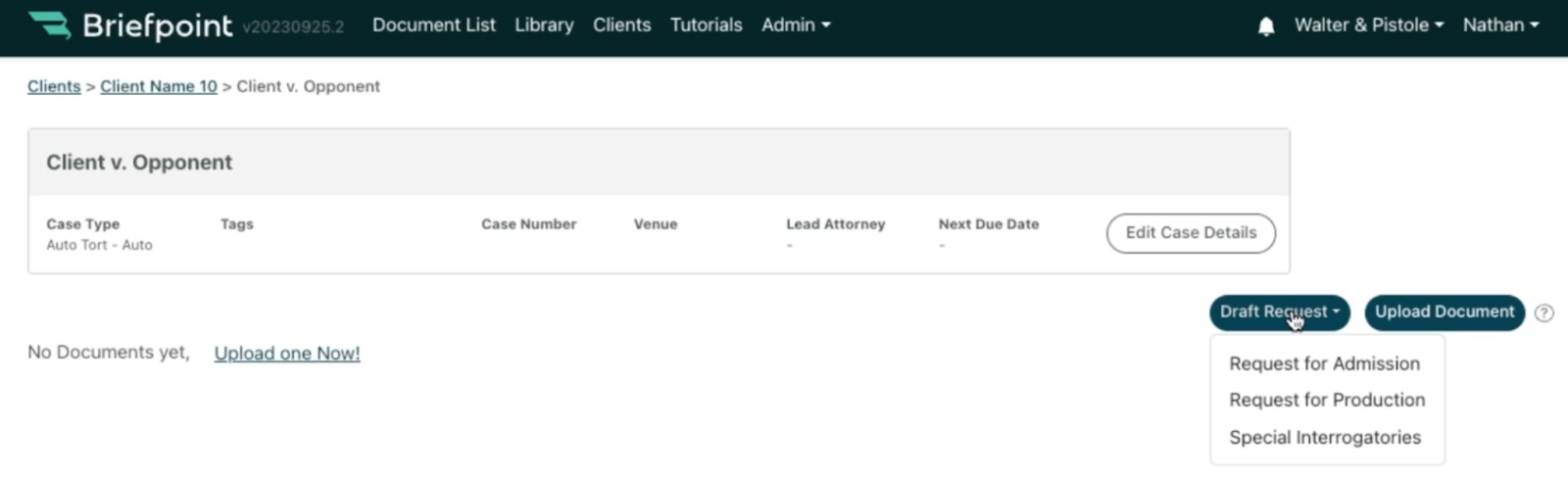
Briefpoint lets you draft any of the following:
- Request for Admission. These requests ask the opposing party to admit or deny various “truths” or facts associated with a case. These are helpful when you want to narrow down the disputed facts and save time.
- Request for Production. These requests ask the opposing party to produce legal documents associated with the case. Any requests for paperwork must be relevant and helpful in proving your client’s case.
- Special Interrogatories. These written questions are limited to a specific topic or issue relating to the case. You might submit them to identify potential witnesses or better understand the other party’s stance on an issue.
Once you provide Briefpoint with this information, you can populate your document with specific requests. The software will format and structure the paperwork according to best practices.
Checking Compliance
Once you finish telling the software what document you want it to create, you can download it for review. (Briefpoint lets you do this in Microsoft Word.) This step allows you to check it for compliance before sending it off.
While developers take special care to make sure that template requests follow established norms and practices, you are responsible for any new items you insert or edits to existing suggestions.
Understanding How Propounding Software Can Streamline Discovery
Opposing parties can object to responding to discovery requests under certain conditions. Requests are unlikely to succeed if they:
- Are irrelevant to the case
- Are excessively burdensome
- Violate various attorney-client privileges that protect some details from disclosure
Therefore, using propounding discovery software is helpful. It reduces the risk of rejected requests, supporting your client’s case.
Briefpoint’s propounding discovery solutions are a case in point. Filing by hand is tedious, but getting our software to do it instead could save you up to 87% of your time.
You can also use it to avoid costly mistakes, such as disclosing information about your client that you shouldn’t. Responses comply with ethical rules for better decision-making.
Understanding the role of propounding software in your legal practice should enable you to make requests more effectively. You can avoid compliance issues while working in your client’s best interests.
Cut the Busywork—Power Through Discovery with Confidence
Manually handling written discovery slows your workflow and puts accuracy at risk. From document requests to special interrogatories, outdated discovery procedures make it harder to stay compliant and meet deadlines.
Briefpoint changes that. It helps you obtain discovery faster by automating the drafting process and providing court-ready templates for every stage of your case.
Ready to upgrade how you manage discovery? Book your demo today to streamline document requests and take control of your written discovery!
5 In-House Legal Software Every Law Firm Should Use

Types of Software In-House Legal Teams Need
An efficient legal team doesn’t rely on manual processes alone. It uses technology to reduce friction, increase visibility, and keep everything moving. With the right tools, legal departments can spend less time on repetitive administrative tasks and more time focusing on high-impact legal work.
Below are some of the best legal tech tools that make way for smoother, faster, and more cost-effective legal operations.
1. Document Generation Tools
Creating legal documents is a staple task for any legal team, but it often consumes too much time and resources when done manually.
Document generation tools automate this process and allow faster creation of legal documents from pre-set templates.
That means you can create documents much faster and worry less about mistakes slipping through. Everything stays consistent from one file to the next.
Such tools can produce everything from routine correspondence to complex legal agreements, all while ensuring compliance with the latest legal standards.
Top Pick: Briefpoint
Briefpoint uses generative artificial intelligence to help legal teams draft discovery responses and request documents in minutes.
This platform lets you upload your discovery document, insert objections or responses, and then finish up the document in Word. Briefpoint will take care of everything in between.
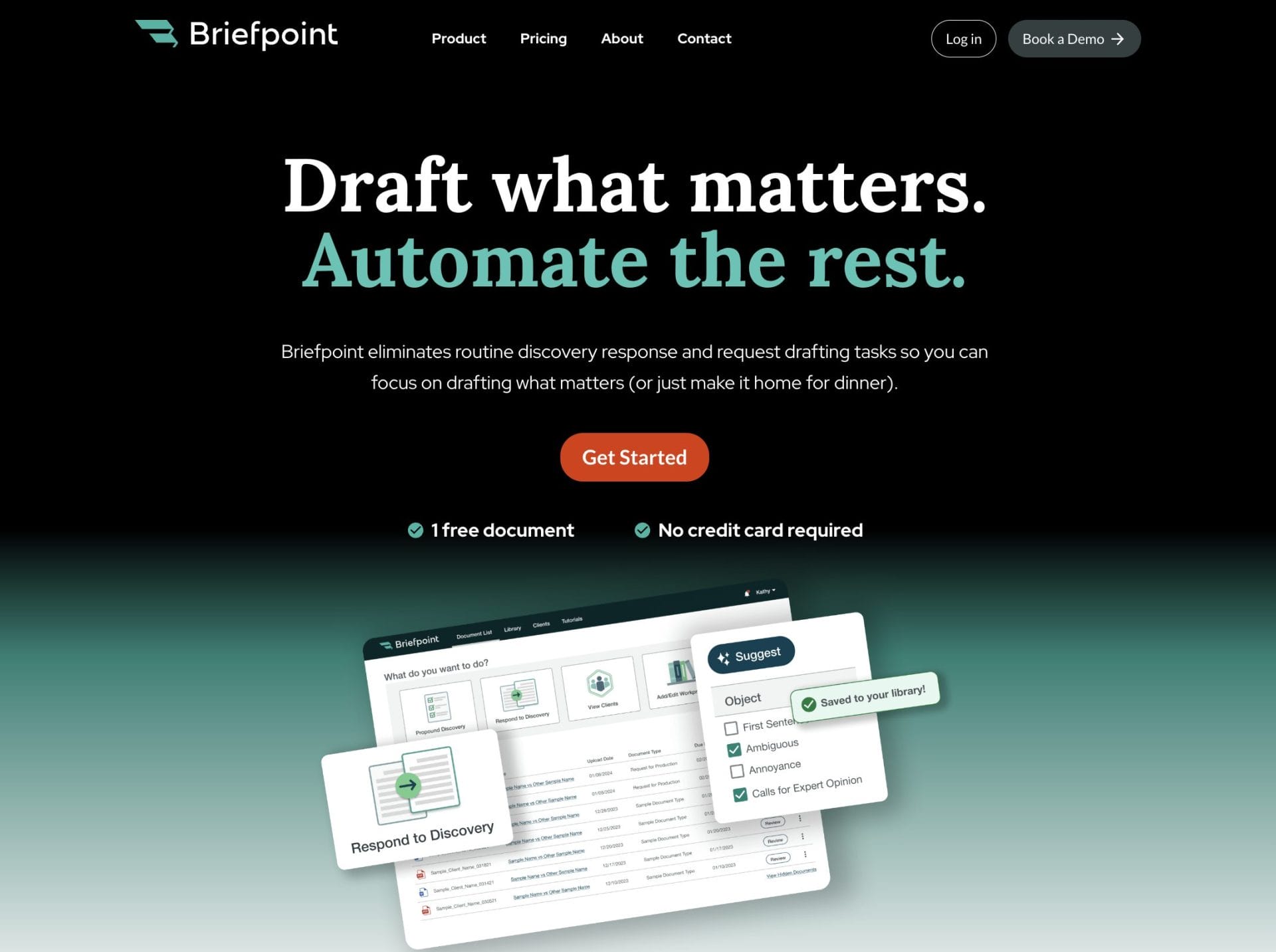
Additionally, Briefpoint’s Bridge feature makes client communication easier by converting legal terms into simple language, allowing clients to respond directly. Their responses are automatically added to your document, cutting down on the typical email exchanges.
The process is easy, even for people with limited technical skills, and it frees up attorneys to focus on other valuable tasks like consulting with outside counsel or preparing litigation strategies.
Plus, the time saved often translates to more money saved as well.
Test Briefpoint yourself by scheduling a demo here.
2. Contract Management Software
Contract workflows often slow down legal teams. For corporate legal departments managing high volumes of contracts, this isn’t just inconvenient. An inefficient contract lifecycle creates risk and delays across the business.
Contract management software brings structure to the entire process. From initial drafting and negotiation to approvals, execution, and renewals, everything lives in one place.
Built-in features typically include:
- Version control so you can track edits and see what’s changed over time
- Automated reminders to help you stay on top of key dates and approval deadlines
- Secure storage for easy, reliable access to documents without compromising security
You can also assign legal requests directly within the platform, which helps eliminate confusion around ownership and keeps legal processes moving. Instead of juggling documents over email or tracking updates in spreadsheets, your team can manage contracts with more clarity and speed.
Top Pick: Ironclad
Ironclad is a must-have for any legal department that needs to handle everything contract-related. It smooths out the whole process, from start to finish, with some smart automation tricks up its sleeve.
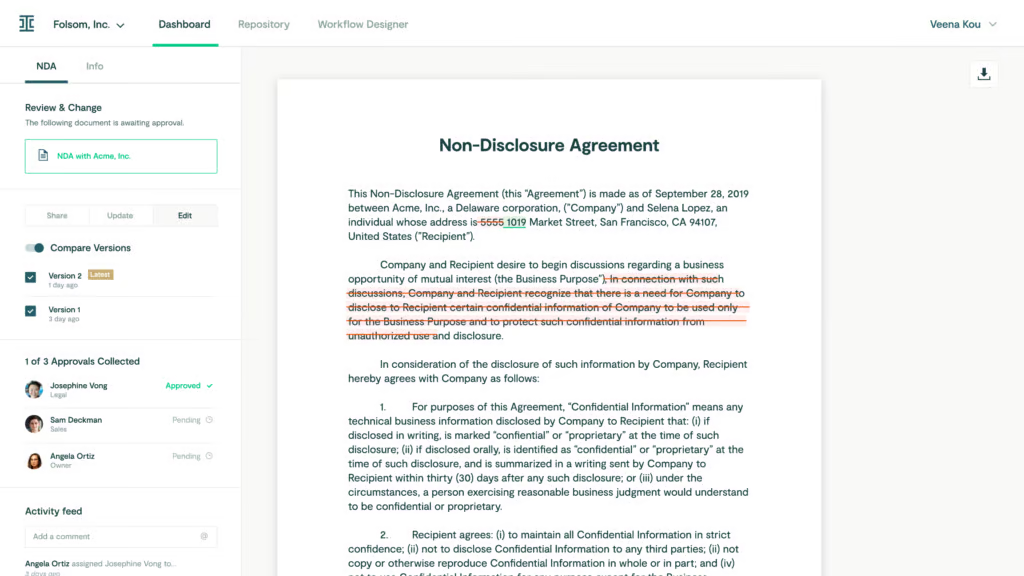
Image source: G2
Its analytics feature lets you evaluate how your contracts move through the pipeline, identify delays, and improve decision-making with real-time data.
You can also set up routing rules to assign legal requests efficiently and keep everyone aligned on the status of each document.
3. Document Management Systems
Legal operations always go hand in hand with a ton of paperwork, which is why any in-house counsel can benefit from a good document management tool.
Document management systems allow for quick retrieval, controlled access, and efficient collaboration on documents, and make sure that everything is both safe and easily accessible.
They also support data security by offering encryption, compliance controls, and audit trails, which are especially important when handling sensitive legal matters or managing contract renewals.
Legal leaders can control who sees what, track changes, and collaborate on documents without creating a dozen versions.
These systems also help automate routine tasks, like organizing files or routing documents for review, so teams can respond faster to internal clients and reduce time spent on manual admin work.
Top Pick: NetDocuments
NetDocuments is a cloud-based document management system designed specifically for legal teams. It offers secure storage, easy access from anywhere, and robust tools for collaboration and document handling.
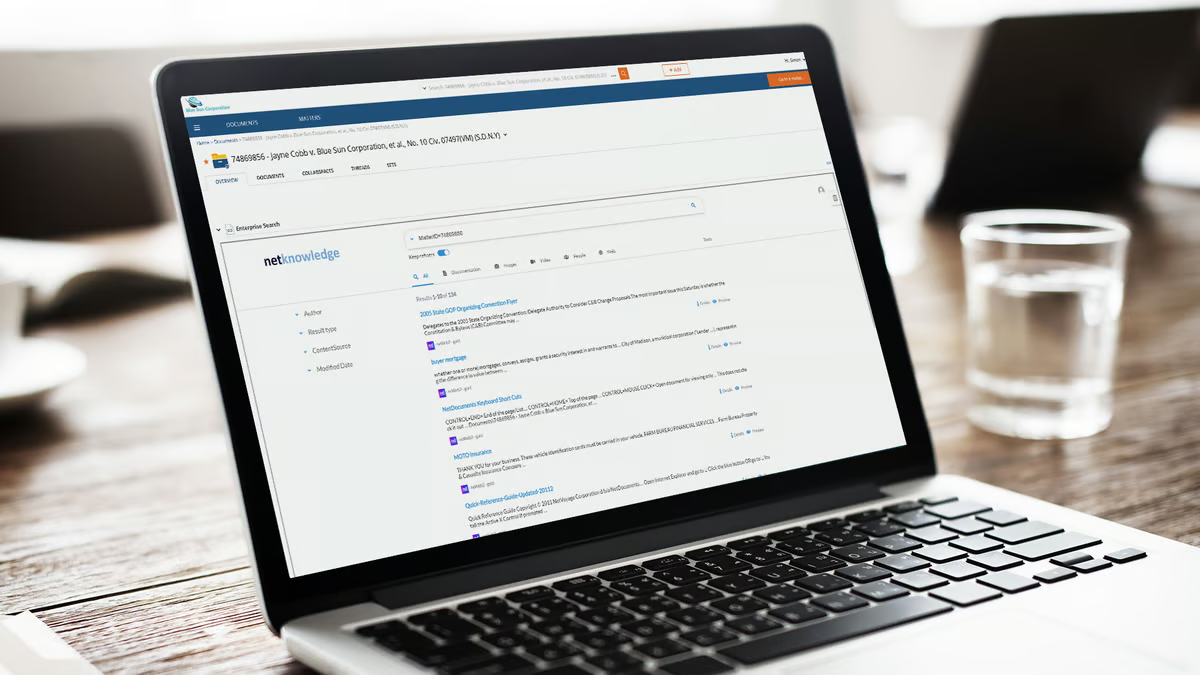
Image source: G2
It’s known for top-notch security features and compliance with international standards, which makes it a safe bet for managing sensitive legal matters and maintaining strong data security across the board.
4. Matter Management Software
Matter management software is a one-stop shop for legal teams to keep their cases and projects in line.
It pulls together all the bits and pieces related to a case—documents, emails, deadlines, and more—into one spot that’s easily accessible through a secure platform.
It makes task management and legal workflows much easier by automating administrative tasks, keeping an eye on key dates, and making sure internal and external stakeholders are in the loop.
Legal teams also gain complete control over how matters are tracked and handled, from resource allocation to communications, helping them stay organized and responsive. As a result of the extra operational efficiency, in-house legal teams have more time to work on more complicated legal work.
Top Pick: Clio
Clio is a comprehensive, cloud-based legal practice management platform that’s really made a name for itself in the legal world for being able to streamline processes for law firms of all sizes.
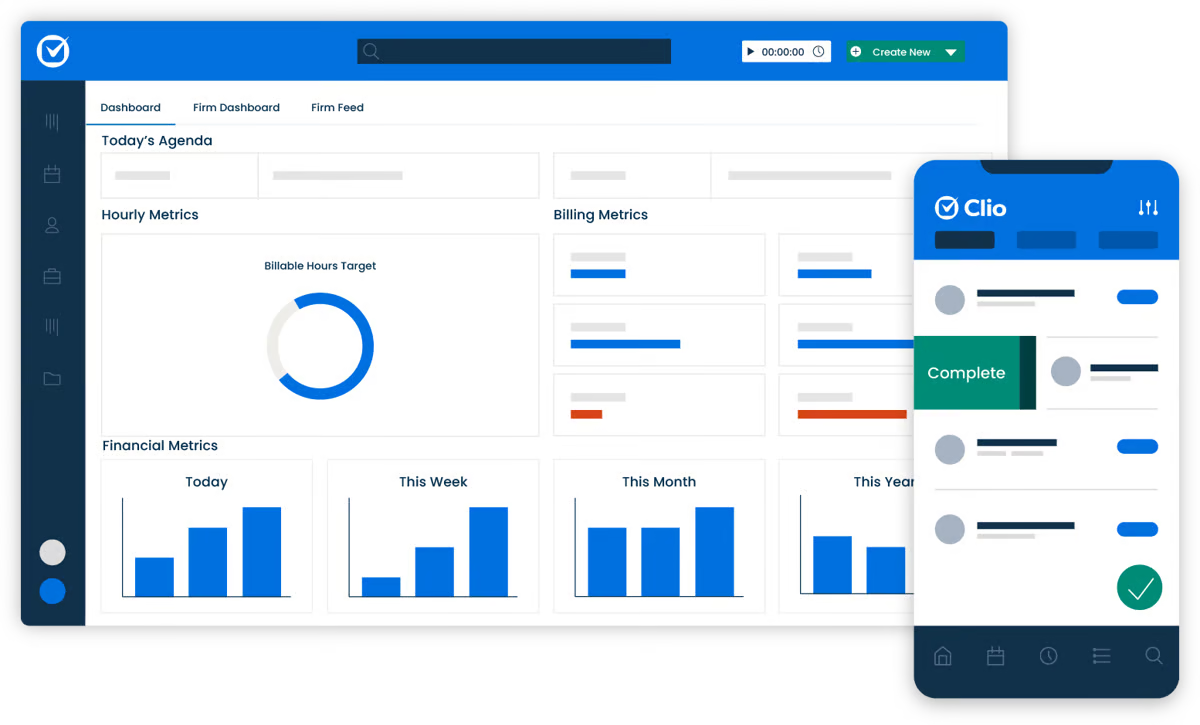
Image source: G2
With Clio, you can manage cases, track time, bill clients, and organize all your legal documents in one place.
It also has excellent features for legal intake, client communication, and scheduling, which makes it easier to keep everyone informed and on track.
Plus, Clio allows you to analyze key performance indicators with its analytics and reporting tools. This helps firms make data-driven decisions, track productivity, and identify areas for improvement across their legal operations.
5. Legal Billing Tools
Efficient and accurate billing is a must if a law firm wants to remain profitable.
Legal billing tools help you:
- Track billable hours accurately
- Manage client accounts more easily with all the details in one place
- Generate detailed invoices that follow client billing guidelines from the start
One of the key features of legal billing software is time tracking. Whether you’re working on a case, consulting with a client, or doing research, these tools make it easy to record every billable minute.
Also, they often come with functionalities to handle expense tracking and generate reports that can help guide business decisions and improve overall efficiency.
Top Pick: QuickBooks
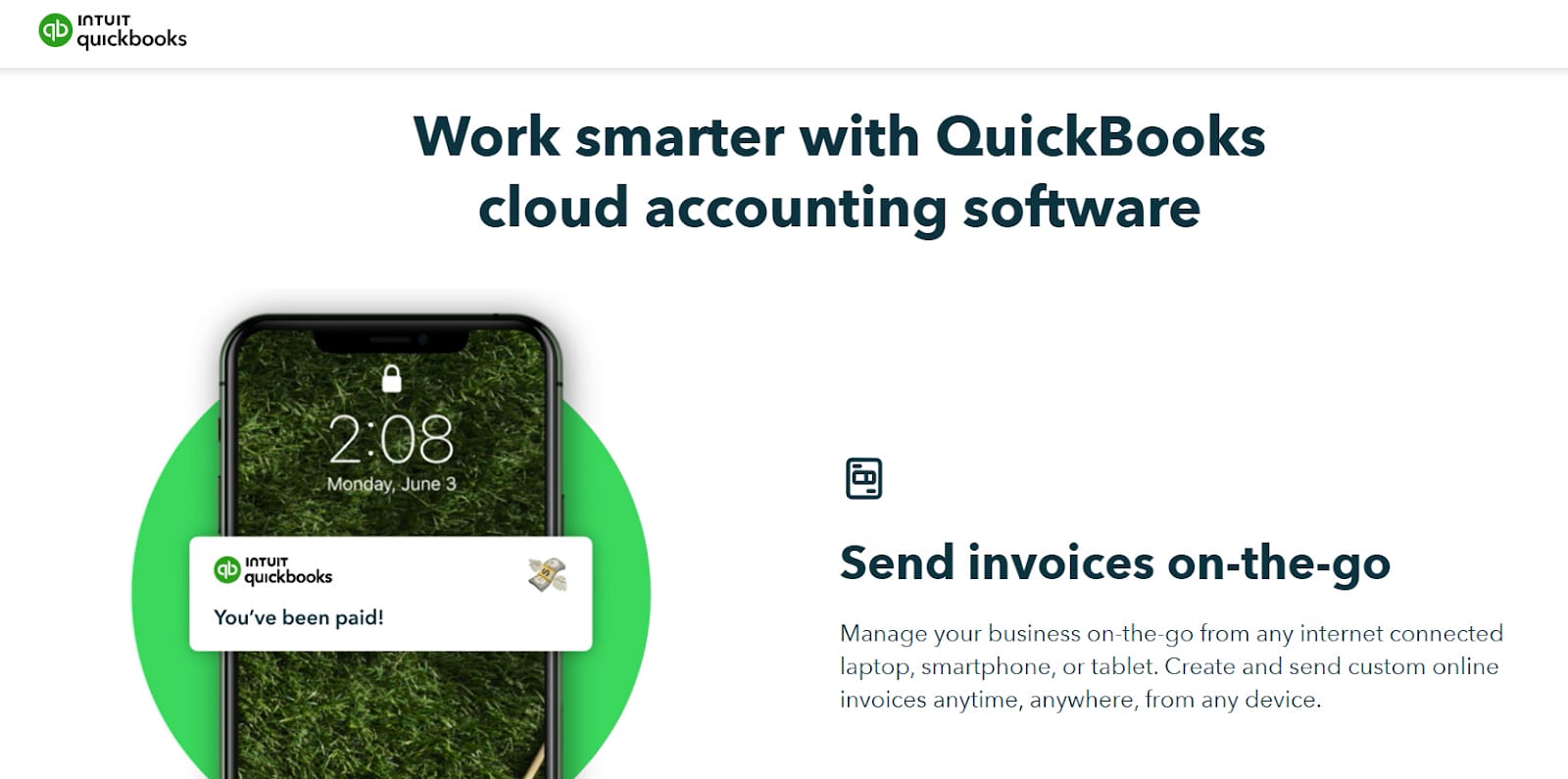
Lawyers can leverage QuickBooks to track billable hours directly within the software, maintain accurate invoicing, and simplify the process of billing clients.
The platform also allows for the management of client trust accounts, a critical aspect of legal financial management.
Source: QuickBooks.Intuit.com
Additionally, QuickBooks helps law firms with general accounting tasks, such as tracking expenses, managing payroll, and producing financial reports.
These features provide a clear overview of a firm’s financial health, which often leads to data-driven decisions.
Upgrade Your Productivity With the Right In-House Legal Software
Using the right in-house legal software can truly transform the way your firm operates.
From automating document creation to managing contracts and keeping everything organized, these tools make legal work smoother and more efficient.
Ready to boost your productivity? Try Briefpoint! With faster document drafting and simplified client communication, you’ll save time and reduce unnecessary back-and-forth.
Schedule your demo today and see how Briefpoint can make a difference for your team.
8 Best Legal Document Automation Software For 2025

What is Document Automation?
Document automation simplifies the process of creating and managing documents by using technology to handle repetitive tasks.
That means instead of drafting each document from scratch, you can rely on pre-built templates and logic to quickly produce accurate and professional results.
It’s especially useful for generating contracts, NDAs, agreements, and other essential documents that require precision and consistency.
By reducing manual work, document automation saves time, minimizes errors, and makes sure every document adheres to the same standards.
8 Best Legal Document Automation Software Tools For 2025
Looking to simplify repetitive paperwork and improve efficiency at your law firm? These top legal document automation tools offer powerful features to help you generate accurate, professional documents faster, no matter the size of your practice.
1. Briefpoint
Briefpoint is one of the leading document automation software programs specifically designed for legal practices. Over 500 law firms currently trust it to streamline the drafting of routine discovery responses and request drafting tasks, allowing attorneys to save time and focus on higher-value tasks.
As a specialized solution for the legal sector, Briefpoint automates requests for admission, requests for production, and interrogatories. These documents are time-consuming, but the document automation tool automates the process using the power of machine learning.
Simply upload your document, select your objections, download your MS Word document, and polish your draft off. Briefpoint’s AI will take care of the rest.
A standout feature of Briefpoint is Briefpoint Bridge, which simplifies client communication. This feature lets you collect client responses with ease.
It translates requests into plain English, sends them to your clients, and automatically integrates their responses into your discovery documents.
Pros
- Briefpoint significantly reduces the time spent on drafting discovery responses and other repetitive legal documents, which allows attorneys to focus on higher-value tasks
- Designed with legal professionals in mind, Briefpoint has a user-friendly interface that requires minimal training, making it accessible to users of all technical abilities
- Briefpoint is tailored specifically for the legal industry, with features that automate complex documents like requests for admission, requests for production, and interrogatories
- The platform leverages AI to scan and analyze documents and auto-populate information, which minimizes manual input and potential errors
By automating routine tasks, Briefpoint can lead to significant cost savings per attorney and improve the overall profitability of your practice.
Briefpoint lets you schedule a demo to test its software at your firm. The solution is great for people of all technical skills with almost no learning curve, saving an average of 87% of time spent on each document.
2. Clio
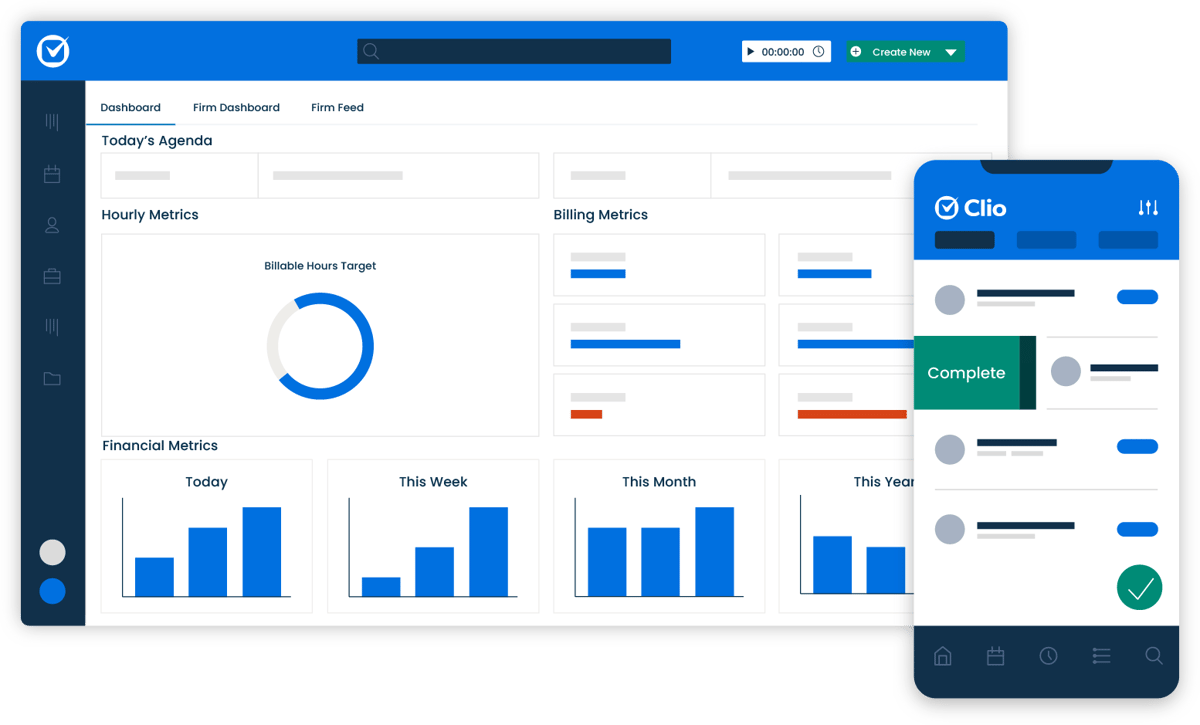
Clio is a market leader in law office management and offers various legal document automation features as part of a suite of services.
Source: G2
The platform provides a centralized dashboard for managing your practice without juggling multiple tools. It includes templates for letters, contracts, and pleadings, with a drag-and-drop editor that requires no technical skills.
Pros
- Clio combines document automation with case management, billing, and client relationship tools for an all-in-one solution
- Cloud-based platform allows access from anywhere, suitable for remote work
- Intuitive drag-and-drop interface is easy for all technical levels
- Integrates with tools like Google Workspace, Microsoft 365, and legal research software
- Customizable templates simplify legal document creation
Pricing
Clio’s pricing starts at $59 per user per month for the basic plan with features like time tracking, billing, and case management.
For teams, the Complete plan costs $169 per user per month and includes client collaboration tools, document automation, and app integrations.
3. DocuSign
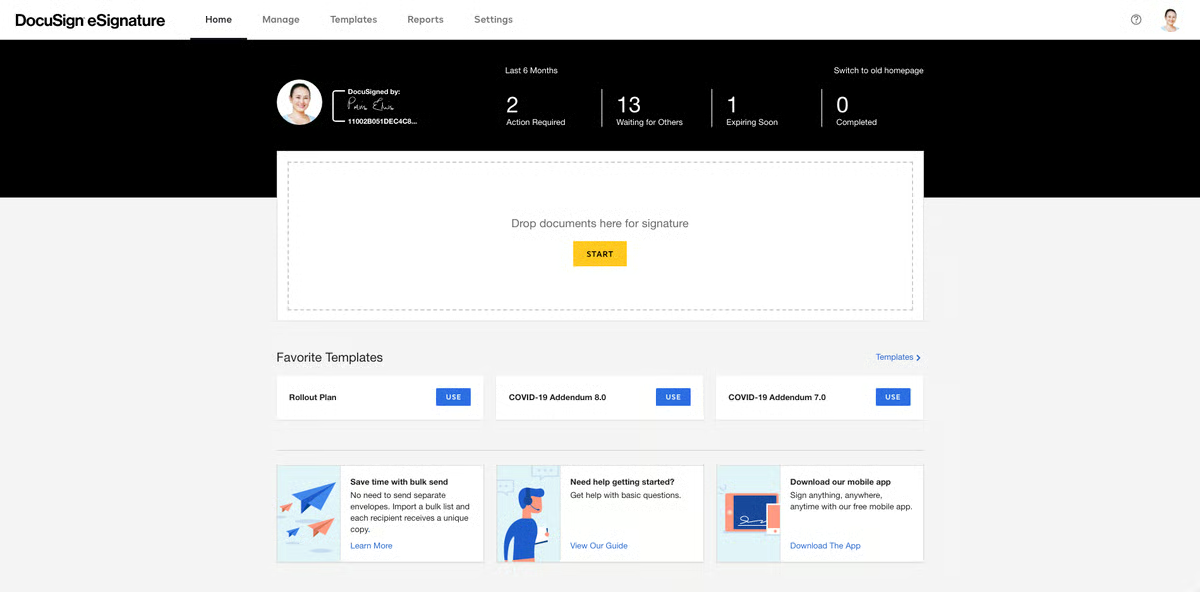
DocuSign Signature doesn’t quite fall into the category of legal document automation software, but law offices use it extensively, so it is worth mentioning here.
Teams find it helpful to enable attorneys and clients to sign documents and track their progress over time. As such, it saves time compared to conventional paper-based signing workflows.
Source: G2
Other benefits include its mobile-friendliness, integration across platforms, and reasonably advanced security.
Pros
- DocuSign is user-friendly, simplifying electronic signatures for legal professionals and clients
- Widely trusted and used globally, ensuring compatibility and familiarity
- Mobile-friendly platform allows signing and tracking documents on the go
- Integrates seamlessly with Microsoft Office, Google Workspace, Salesforce, and legal tools
Pricing
DocuSign offers plans starting at $15 per month for individuals with basic e-signature needs.
For teams, the Standard plan is $45 per user per month, while the Business Pro plan, with advanced features, is $65 per user per month.
4. PandaDoc
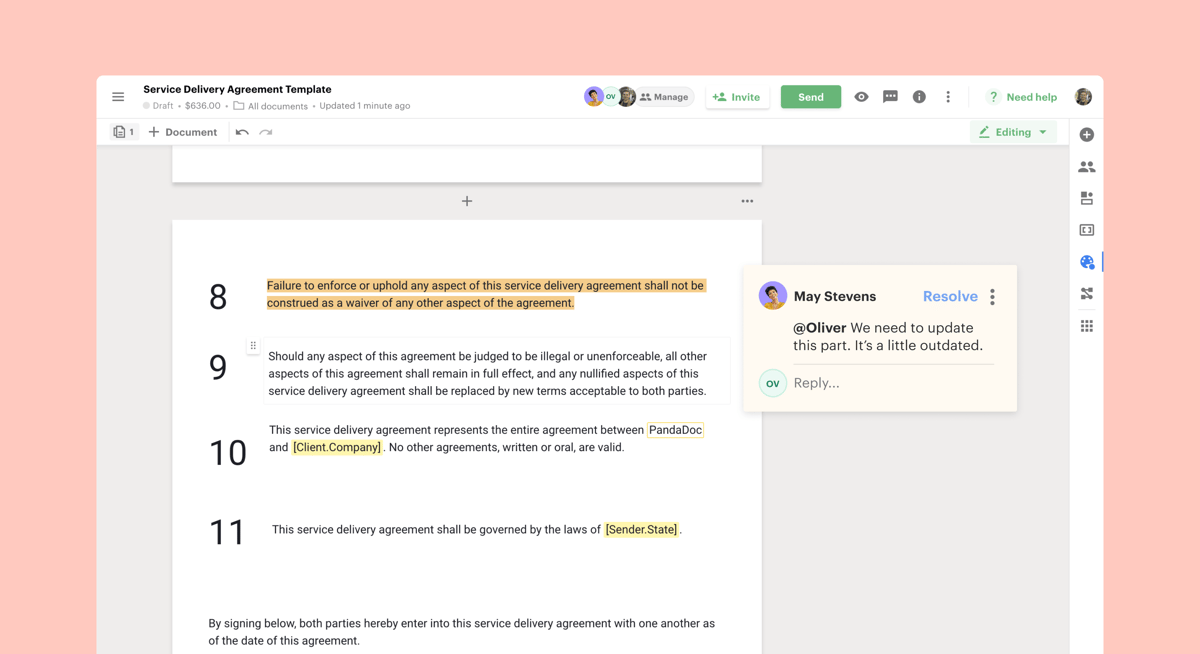
Another piece of legal document automation software is PandaDoc. Like Clio, it is an all-in-one platform, letting you generate documents, collect e-signatures, and leverage analytics.
Source: G2
PandaDoc isn’t built specifically for the legal industry, but it’s still a strong contender in this space. Its robust template library and drag-and-drop editor allow law firms to streamline legal document generation and reduce time spent creating multiple documents.
The platform also supports faster contract drafting and includes built-in commenting features that simplify collaboration and help legal teams finalize documents more efficiently, especially useful in commercial law workflows.
Pros
- PandaDoc combines document creation, e-signatures, and workflow automation
- Offers customizable templates for quickly generating professional court documents
- Supports real-time collaboration for simultaneous edits and negotiations
- Drag-and-drop editor simplifies document management for all skill levels
- Integrates with CRM, payment, and productivity tools like Salesforce, HubSpot, and Stripe
Pricing
PandaDoc’s pricing begins with the Personal plan at $15 per user per month, which offers five agreements per month.
For teams, the Business plan is available at $65 per user per month. It includes features like CRM integrations, custom branding, and approval workflows.
5. HotDocs
HotDocs is also a strong contender for best legal document automation software. The tool claims that it enables law practices to process documents up to 90% faster than manual generation (including industry-standard cut-and-paste methods).
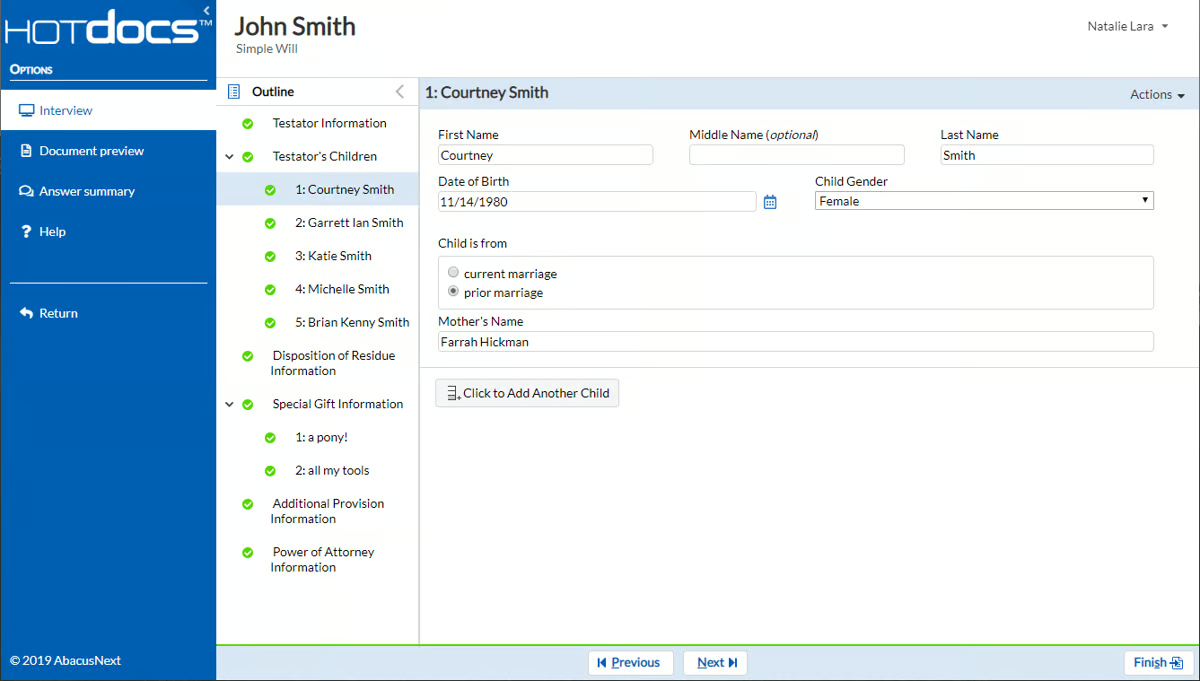
Source: G2
Again, the goal is to help you focus on your clients instead of creating tedious documents.
HotDocs is an established legal document automation software player with a proven track record and broad user base. Law offices use it for its hundreds of pre-built templates for various legal specialties and its flexibility.
The tool can also integrate with other legal software and CRMs, reducing implementation complexity. You can even use it offline, which is great for professionals on the subway or far from WiFi.
Pros
- HotDocs is a trusted document automation tool with a strong history of serving law firms, financial institutions, and government agencies
- Offers a vast library of customizable templates for various legal documents
- Automates complex documents using sophisticated templates with conditional logic
- Integrates with legal and business software like case management systems and CRMs
- Can be used offline, making it ideal for work without internet access
Pricing
HotDocs offers customizable pricing tailored to the specific needs of each organization.
6. Bryter
Bryter goes even further, claiming users can save 95% of their time on manual work with its document assembly software. The solution helps law practices automate routine document drafting, remove errors, reduce risks, and get data-driven insights.

Source: G2
Systems prevent internal clients from generating inaccurate documents while eliminating mistakes with standardized templates.
Bryter’s main selling point is its no-code client portal approach. As such, it positions itself as the brand for the average law office. The intuitive decision-tree structure and user interface mean that most professionals with experience working on computers can use it.
Teamwork is also straightforward on the automation platform. Cloud-based collaboration features enable teams of any size to work together to process paperwork faster.
Pros
- Bryter is a no-code platform that helps legal professionals automate processes without programming skills
- Features a decision-tree structure for easy creation and automation of documents and other document workflows
- Supports automation of various legal tasks, from document assembly to client intake
- Cloud-based collaboration allows teams to work together efficiently
Pricing
Bryter offers different pricing plans for its no-code platform and Bryter Extract.
7. Formstack
Formstack rounds out our list of the best legal document automation software. This established player offers solutions that eliminate paperwork, automate client documents (including personalized contract agreements and NDAs), collect e-signatures, and improve collaboration.
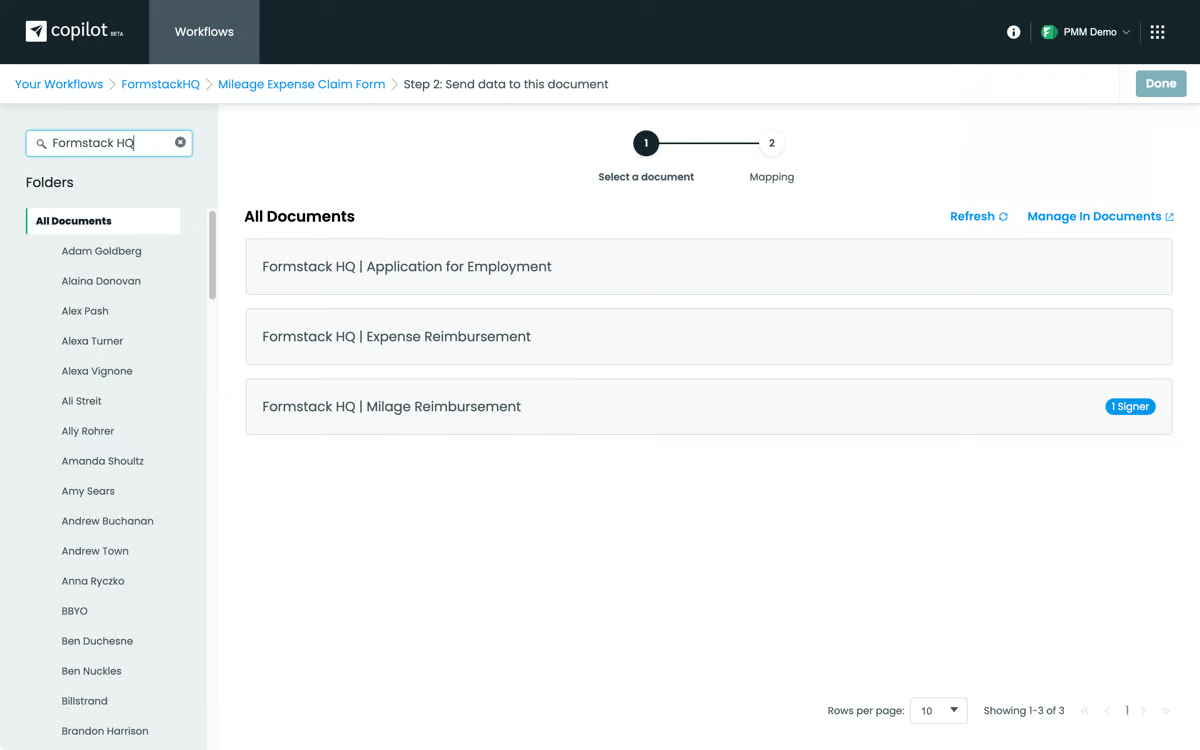
Source: G2
You also get security-related tools, such as controlling who can access paperwork via logic and routine tools. It also meets various legal standards, such as GDPR, PCI, and HIPAA, for any legal firm working with sensitive information.
Pros
- Formstack offers user-friendly form-building tools for legal document automation and client intake
- Automates the creation of contracts, NDAs, and agreements to reduce manual tasks
- Integrates with CRMs, payment processors, and email marketing platforms for seamless workflows
- Mobile-optimized for creating, managing, and completing forms on any device
Pricing
The Forms plan starts at $99 per month, focusing on form-building capabilities. The Suite plan, at $299 per month, includes forms, document generation, and e-signatures.
For larger organizations, customized Enterprise plans offer advanced security and tailored workflows.
8. Gavel
Gavel is a no-code platform that offers legal professionals a way to streamline document drafting without needing technical expertise. Gavel allows law firms to automate routine legal documents, such as contracts, NDAs, and client intake forms, focusing on simplicity and customization.
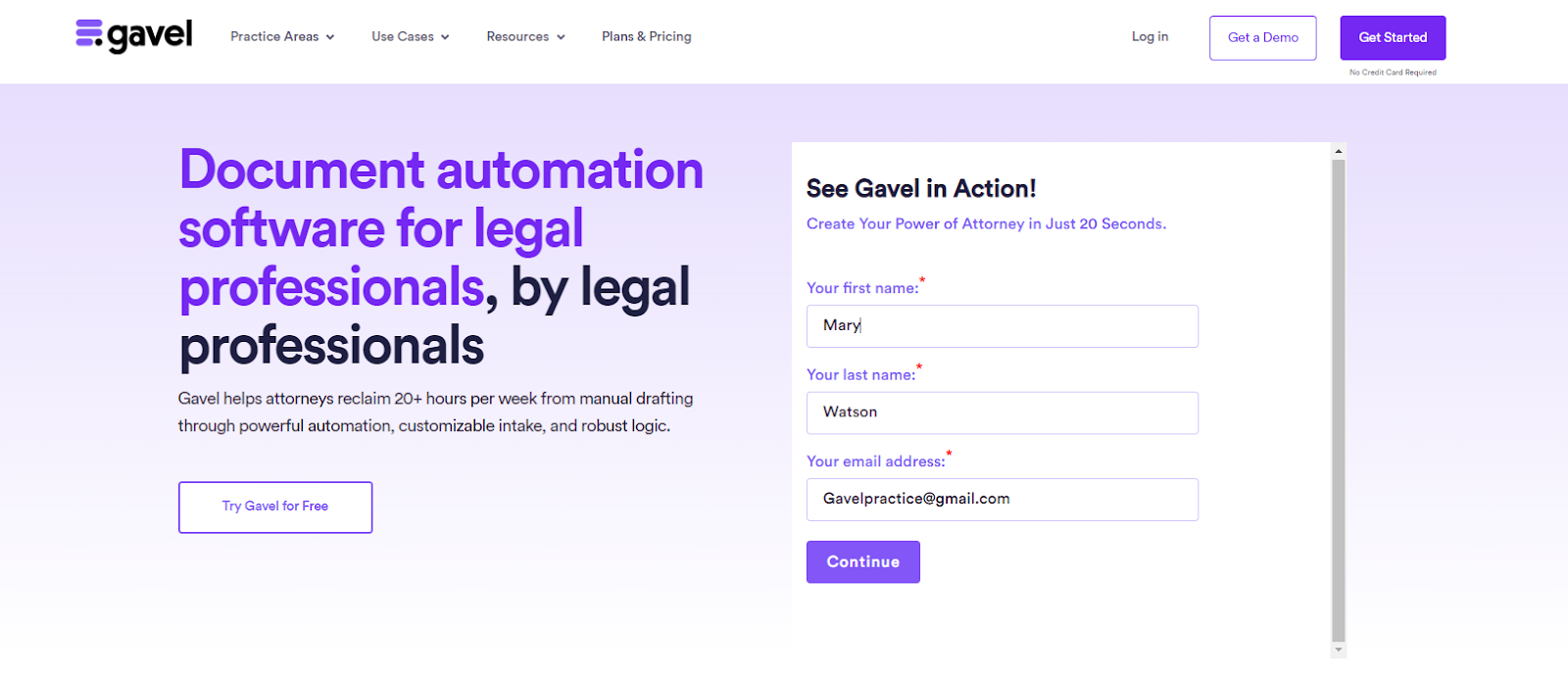
Source: G2
The platform shines with its drag-and-drop editor, which allows users to create tailored workflows and templates for a wide range of legal matters. Gavel also supports collaboration, allowing team members to work together in real time on reviewing and finalizing documents.
Its user-friendly design means that even those without technical knowledge can set up and run automated workflows with ease.
Pros
- Gavel enables document automation without coding skills and is accessible to all legal professionals
- Allows creation and customization of document templates for contracts and client agreements
- Supports real-time collaboration for efficient teamwork on documents
- Drag-and-drop editor simplifies adoption and usage for teams
- Complies with GDPR and HIPAA standards to ensure data security
Pricing
Gavel provides flexible pricing plans designed to meet various needs. The Lite plan starts at $99 per month, offering essential document automation features.
For growing firms, the Standard plan, priced at $250 per month, includes additional functionality.
Advantages of Automating Legal Documents
Automation comes with many obvious benefits, such as time savings, reduced costs, and more efficient workflows. However, it’s still worth looking into each potential advantage to see the importance of finding a solution that works for you.
Let’s explore some of the key benefits of legal document automation:
Time Savings Through Automation
Automating your legal document creation process allows you to drastically cut down the time spent on repetitive tasks like drafting, reviewing, and revising.
Instead of manually creating each document from scratch, automation tools let you generate them in just a few clicks.
This efficiency frees up valuable hours, which allows attorneys and staff to focus on higher-value tasks like strategizing, client meetings, or case analysis.
Eliminating Human Error With Increased Accuracy
One of the biggest advantages of document automation is the reduction of human error. Automated systems make sure that documents are consistent and error-free, as they pull from pre-approved templates and standardized language.
This minimizes the risk of mistakes such as typos, omissions, or incorrect information, which can be costly and time-consuming to correct.
Cutting Operational Costs For Greater Profitability
By speeding up the document creation process, automation helps reduce labor costs associated with manual drafting.
Fewer hours spent on routine paperwork translates to lower operational expenses, which can make your practice more profitable. This cost efficiency is especially beneficial for small and mid-sized firms looking to maximize their resources.
Improved Client Experience With Faster Service
With the time saved through automation, legal professionals can dedicate more attention to client needs.
Faster document turnaround times and reduced errors lead to a better client experience, improving satisfaction and potentially increasing client retention and referrals.
Maintaining Professional Consistency in Legal Documentation
Automation makes sure that all legal documents adhere to the same format, style, and standards. This consistency not only enhances the professionalism of your documents but also ensures compliance with legal requirements.
Standardized templates make it easy to maintain a uniform appearance across all your firm’s documents, reducing the need for constant oversight.
Better Security and Regulatory Compliance
Legal document automation tools often come with built-in security features like encryption and access controls.
These tools make sure that sensitive client information is protected and that your documents comply with industry regulations.
This added layer of security is a must for maintaining trust with clients and avoiding legal repercussions.
Scaling Operations With Adaptable Automation Tools
As your firm grows, the volume of documents you need to manage will also increase. Automation provides the scalability needed to handle this growth without overwhelming your team.
Additionally, many automation tools are flexible, which allows you to customize templates and workflows to suit specific practice areas or client needs.
The Best of Document Automation Tools
The legal world is changing fast, and adopting document automation software is becoming a must for law firms that want to streamline their work, cut costs, and focus more on clients.
The tools we’ve covered in this article are some of the top picks for 2025, each offering something different to meet various needs.
Whether you’re aiming to save time, maximize accuracy, or improve teamwork, there’s a solution out there that fits the bill. But with so many document automation platforms out there, finding the right one can feel overwhelming.
One tool that really stands out is Briefpoint. Designed specifically for legal professionals, Briefpoint takes care of the repetitive stuff, like discovery responses and requests for production, so you can save time and focus on what really matters: delivering great service to your clients.
Schedule a demo and find out how our document automation tech can help you save time, cut down on costs, and take your practice to the next level.
Top 9 Clio Integrations to Simplify Your Legal Practice

Best Clio Integrations You Should Consider
Here’s a list of Clio integrations that can make a big difference in your day-to-day work. Let’s dig in.
1. Briefpoint
If you’re spending hours on discovery requests and responses, Briefpoint can seriously lighten your load. It’s one of the most helpful Clio integrations for law firms dealing with civil litigation, personal injury, or employment matters.
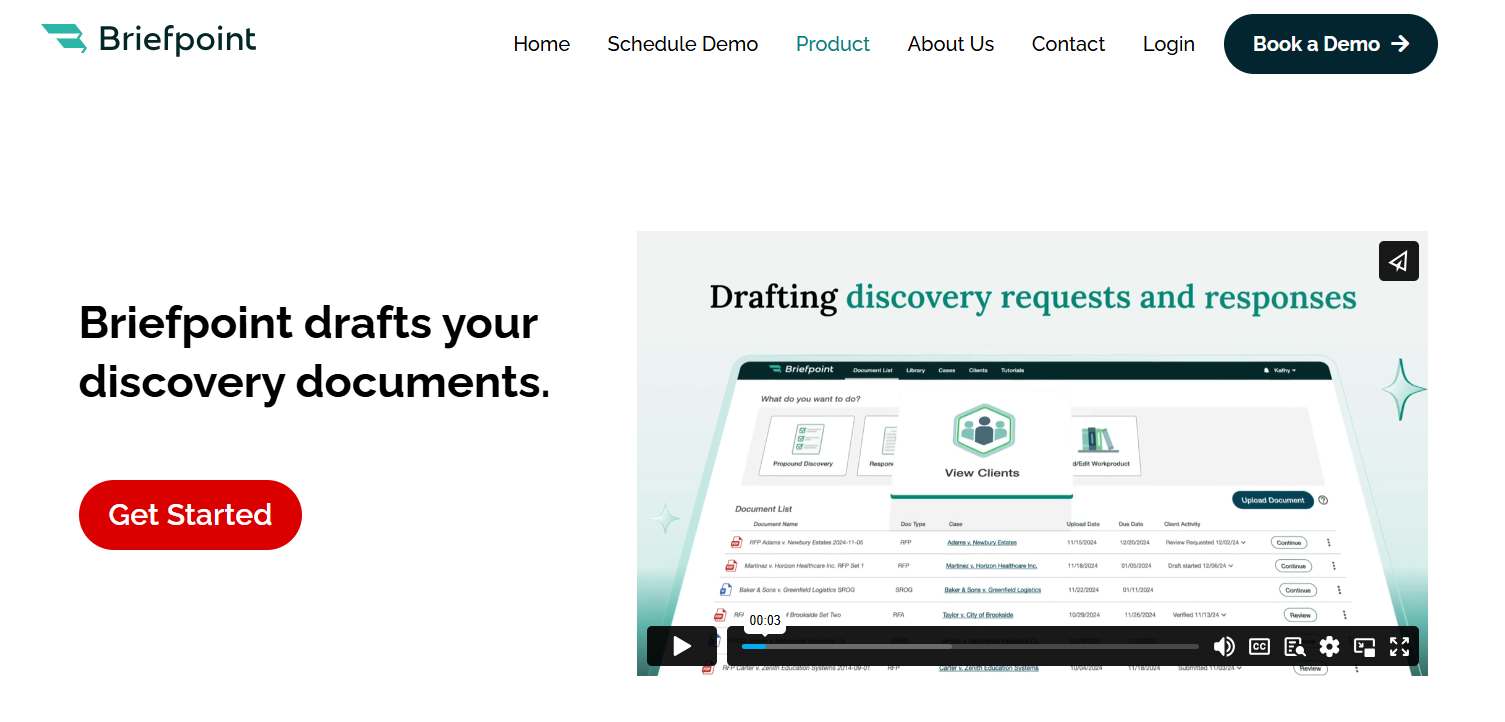
With Briefpoint, you can draft your discovery documents in minutes. Powered by artificial intelligence, it handles things like Requests for Admission, Requests for Production, and Interrogatories for every U.S. state and D.C.
But here’s what really makes it stand out: it talks to your clients in plain English. Briefpoint takes the legal jargon out of the process, so your clients can answer questions without getting confused.
Then, it takes those answers and drops them right into your response documents. No back-and-forth, no guessing.
Getting started is easy. There’s no setup or onboarding. Just sign in and go. Inside Clio, you’ll upload the opposing counsel’s request, add objections (which Briefpoint can help write), and let the tool collect responses from your client.
If you’re looking to save time and skip the hassle of drafting from scratch, Briefpoint is a great place to start. Give it a try today!
2. NetDocuments
NetDocuments is a smart choice if you want better control over your Clio documents. As part of a strong practice management software setup, it helps you organize everything in one secure place, which cuts down on time spent searching through messy folders.
It’s built for legal practice needs, making it easy to search, edit, and share documents without slowing down your day. Since it’s cloud-based, you can access your case files anytime, anywhere, whether you’re handling a court deadline or meeting prospective clients.
If document management has been a pain point for your firm, connecting NetDocuments with Clio can clean up your workflow fast and keep your legal practice running smoothly.
3. Casetext
Casetext, now known as CoCounsel, is a great Clio integration if you want to make legal research faster and less of a grind. It connects right to your Clio matter, so you can jump into search court records, statutes, and case law without switching tools.
You can run keyword searches across millions of digital documents and get results that actually match the legal issues you’re working on. It’s built to save you time and cut down on duplicative data entry. Plus, it lets you link your research directly to the case you’re handling.
If legal research is eating up too much of your day, Casetext can make it a whole lot simpler and a lot less frustrating.
4. DocuSign
DocuSign is one of the easiest ways to improve client relationships while cutting down on delays. Instead of waiting for clients to print, sign, and send back paperwork through postal mail, you can send everything electronically right from your Clio software.
It’s perfect for things like case initiation documents, engagement letters, and other forms you need signed fast. Plus, it’s a huge help during client onboarding, making the first steps simple and professional.
By adding DocuSign to your Clio setup, you can move past slow administrative processes and get your matters moving quicker. For example, instead of mailing out a retainer agreement and waiting a week, you can send it through DocuSign and have it back the same day.
5. Docket Alarm
Docket Alarm makes it easy to stay on top of court filings without all the manual checking. It connects directly to your Clio platform, so you can pull in important updates without missing a beat.
You can import data like case statuses, bankruptcy notices, and new filings straight into Clio Manage. It even helps with client intake by letting you know right away when there’s a completed proof of service or a major update tied to your client’s case.
For instance, instead of waiting for a court to mail a filing notice, Docket Alarm can send it straight to your dashboard, help you respond faster, and keep your cases moving.
6. Lawmatics
Lawmatics is a smart Clio integration if you want to make lead generation and client intake easier. It helps you bring in new clients by automating things like intake forms, follow-ups, and scheduling.
Everything is automatically synchronized with your Clio account, so once a lead becomes a client, their information is already in place. No extra typing, no missed details.
Lawmatics also integrates seamlessly with Clio Manage, so you can streamline operations across intake, marketing, and client communication. If you’re looking for a better way to keep new clients coming in without piling more admin work on your plate, Lawmatics is a great pick.
7. QuickBooks
When it comes to handling firm finances, QuickBooks doesn’t just make life easier; it makes client billing feel almost effortless. Instead of juggling spreadsheets or worrying about missed payments, you can connect QuickBooks to your Clio account and pull billing info straight from your existing matters.
You’ll keep accurate records without having to enter the same numbers twice. Everything lines up, which means fewer mistakes and less time fixing errors. That’s a big plus when you’re trying to build a stronger client experience and avoid billing headaches later.
QuickBooks is one of the best tools out there for lawyers who want to spend less time crunching numbers and more time focusing on their clients.
8. CaseMail
CaseMail is a great Clio integration if you’re tired of dealing with the hassle of certified mail. It lets you send documents electronically while still meeting compliance requirements, which means no more standing in line at the post office.
It’s built for legal work, so whether you’re filing something with the Supreme Court, an appellate court, or just serving documents in a regular case, CaseMail keeps everything official and trackable.
Plus, it stores the legal information you need alongside your Clio matters. It keeps the same facts organized without any extra busywork.
9. AgileLaw
AgileLaw is built to help you run depositions more efficiently, especially if you’re looking to cut down on the paper trail. It brings everything online—exhibits, annotations, and transcripts—so you’re not stuck shuffling documents around.
\What makes it stand out is the way you can build a custom action for each deposition. That means smoother workflows and fewer surprises during the process. It also drastically cuts the time you’d normally spend organizing and sharing exhibits.
If you’re already using Clio to manage your cases, Agile Law fits right in by keeping your deposition prep fast, simple, and completely digital.
Need A Great Clio Integration? Start With Briefpoint
If you’re new to Clio integrations and not sure where to begin, Briefpoint is a smart starting point. It’s fast, easy to use, and solves a problem every busy legal practice faces: drafting discovery documents.
And once you see how much smoother your workflow gets, you’ll start spotting other areas where integrations can help too, whether it’s managing documents, handling billing, or improving client intake.
So if you’re ready to make your legal practice more efficient without adding more steps, connect Briefpoint to your Clio account and see the difference for yourself.
7 Best Legal AI Companies of 2026

Artificial Intelligence in the Legal Industry
When AI first entered legal practices, it wasn’t exactly met with enthusiasm.
Many legal professionals were hesitant. The thought of machines performing tasks traditionally handled by trained attorneys raised plenty of concerns.
There was a real fear that AI would threaten job security and compromise the precision that lawyers worked so hard to maintain. Some worried these tools would get lost in the nuance of legal language and overlook the human element entirely.
At the time, AI felt like a fleeting trend—too impersonal for such a people-centered profession.
But just a few years later, the outlook has shifted. Legal tech, particularly AI, has found its place in law firms, and its advantages are now tough to dismiss.
How AI Technology Benefits Legal Work
Legal AI is transforming how law firms get work done. If you’ve ever felt bogged down by endless research, slow processes, or repetitive tasks, AI might be the thing that changes your day-to-day.
Here’s how it’s helping legal teams like yours:
- It speeds things up – AI can process massive amounts of data in seconds, letting you move through cases faster and focus on strategy.
- It catches what you might miss – By spotting patterns and inconsistencies in documents, AI helps reduce errors that could slip through even the sharpest human review.
- It cuts down your workload – Say goodbye to manually sorting documents or creating reports. AI automates the boring stuff so you don’t have to.
- It makes legal research less painful – AI tools comb through case law, statutes, and precedents in seconds, giving you solid research in a fraction of the time.
- It frees up your time – With the routine work handled, you get to focus on what really matters: clients, strategy, and big-picture thinking.
- It helps you keep clients happy – Faster responses and stronger case support mean smoother client experiences, and better results.
- It’s proven to work – Even firms that were skeptical at first are seeing major payoffs: better workflows, lower costs, and more efficient teams.
Bottom line? Legal AI isn’t here to replace your work. Rather, it’s here to make it smoother, smarter, and way less stressful.
7 Best AI-Powered Tools for Legal Teams
Let’s face it: the legal landscape can be a bit overwhelming with all the paperwork, deadlines, and endless research. But what if there were tools that could make your life a whole lot easier?
In 2026, there are dozens upon dozens of AI-powered tools in the legal sector. However, only a handful stand out:
1. Briefpoint
Briefpoint is a game-changer for lawyers and paralegals alike—or anyone who drafts discovery documents.
Instead of spending hours drafting Requests for Admission, Requests for Production, interrogatories, and other discovery documents, you can rely on Briefpoint to do the job quickly and accurately.
All you have to do is upload your opposing counsel’s discovery document, add objections and responses, and then download it into Microsoft Word, sign it, and serve. Briefpoint will take care of the rest.
There’s also Briefpoint Bridge, a brand-new feature that lets you collect and plug in client responses to discovery documents without all the back and forth.
With Bridge, you can select which inquiries need client responses, send a link where your client can fill in their answers, and then plug those answers into your discovery document.
As you let this tool handle the drafting, you can shift your attention to the big-picture litigation strategy that will get you ahead.
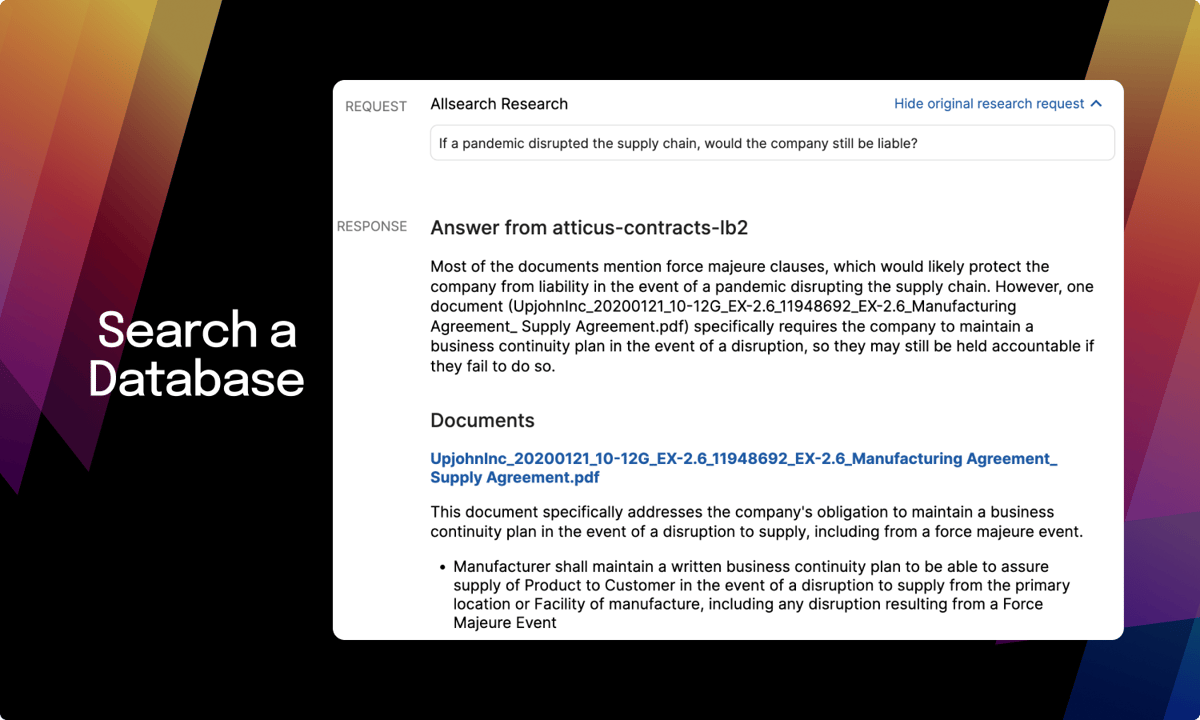
2. Casetext
Casetext is a legal technology company that takes the pain out of traditional legal research by using advanced AI to make the process faster, smarter, and far less tedious.
Source: G2
Legal research has always been a time-consuming part of the job, but Casetext changes that. Using natural language processing, it understands the context of your queries and pulls relevant case laws, statutes, and regulations in seconds.
One of its most powerful features is CARA A.I., which reviews your uploaded briefs and instantly identifies case law you might have overlooked. That means stronger legal arguments, more confidence in your filings, and less second-guessing.
As more legal startups and established firms adopt AI to boost productivity, Casetext stands out for its precision and ease of use. Its search engine cuts through massive databases and returns exactly what you need, saving you hours of manual digging.
3. Luminance
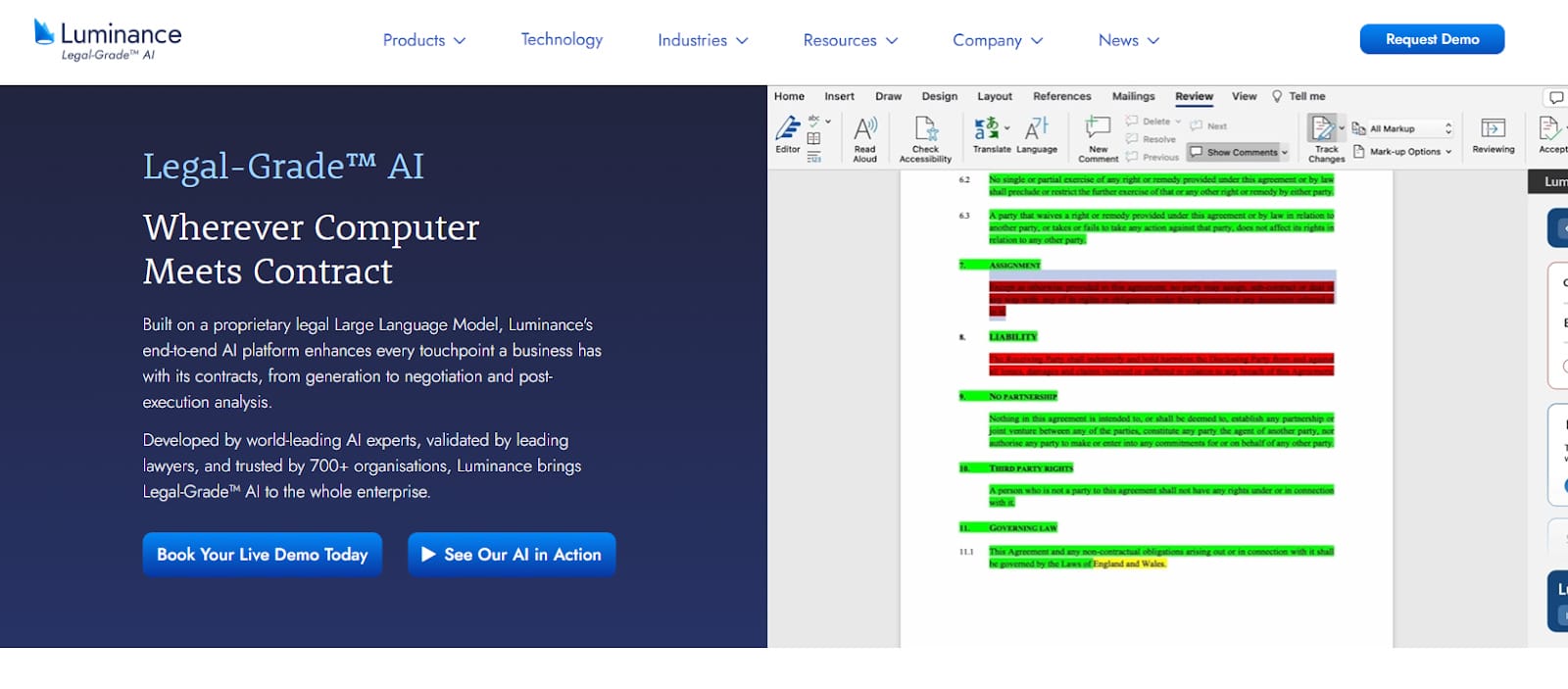
Luminance uses advanced machine learning to take the stress out of document review and due diligence. It’s designed for legal teams that want faster, smarter ways to analyze contracts, flag risks, and stay ahead of regulatory compliance.
Source: Luminance.com
At its core, Luminance understands legal language. It reads through documents in seconds, highlights key information, and surfaces anything that might need a second look, which makes contract analysis much easier and far more accurate.
What makes it stand out? The platform learns as you go. As it processes more files, it adapts to your review style and gets better at spotting inconsistencies, red flags, and missing clauses. That means less time spent searching and more time acting on the insights.
Whether you’re deep into a high-stakes M&A or just trying to extract data from a stack of NDAs, Luminance helps you move quickly without sacrificing precision.
If your firm deals with a heavy contract load or complex compliance work, this is one AI-powered tool worth adopting.
4. LawToolBox
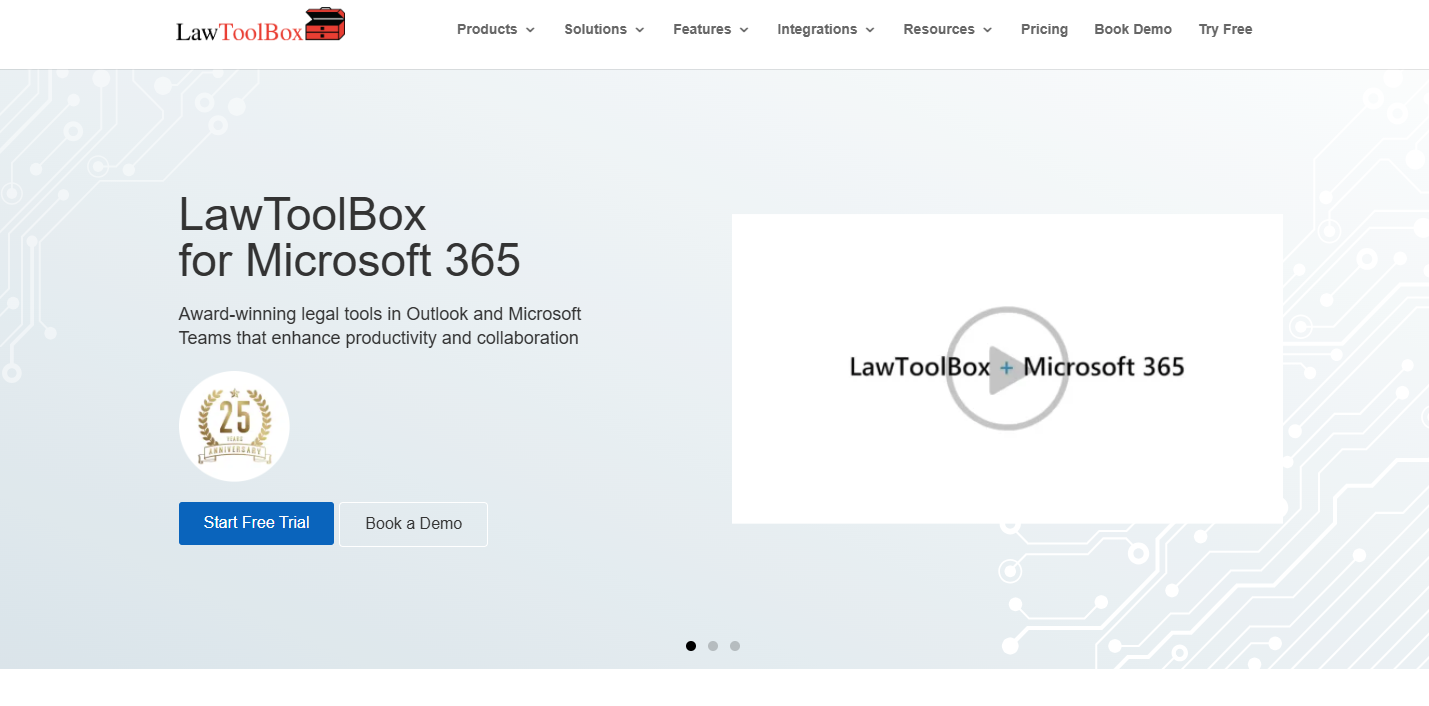
LawToolBox is an intelligent assistant that legal pros rely on to manage their schedules. Imagine never missing a deadline again—this integration with Microsoft Office makes it a reality, tying everything together in one convenient package.
Source: LawToolBox.com
LawToolBox relieves pressure by handling legal deadline calculations. You can enter the case information, and LawToolBox will calculate all the critical dates and update your calendar accordingly. Busy lawyers need this feature to stay on top of looming deadlines and court dates.
LawToolBox also allows for easy collaboration within legal teams. Team members can share calendars and deadlines so everyone is on the same page and nothing falls through the cracks.
Also, the platform’s reminders and notifications help keep everyone on track, which reduces the stress of managing multiple cases and deadlines.
5. Ironclad
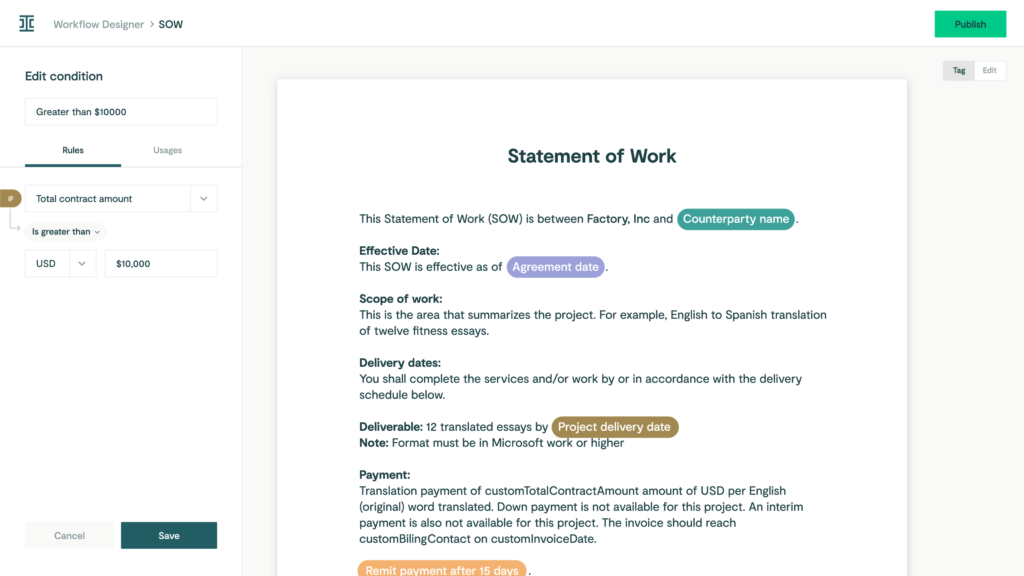
Ironclad takes the weight off your shoulders by expertly managing every stage of the contract lifecycle to give you back valuable time and energy.
Source: G2
The goal is to make it easier and more efficient for legal teams to handle everything from creation and negotiation to execution and contract review.
One of Ironclad’s key features is its user-friendly interface, which allows you to draft and customize contracts quickly. Its AI capabilities help automate repetitive tasks, like filling in standard clauses and ensuring compliance with company policies.
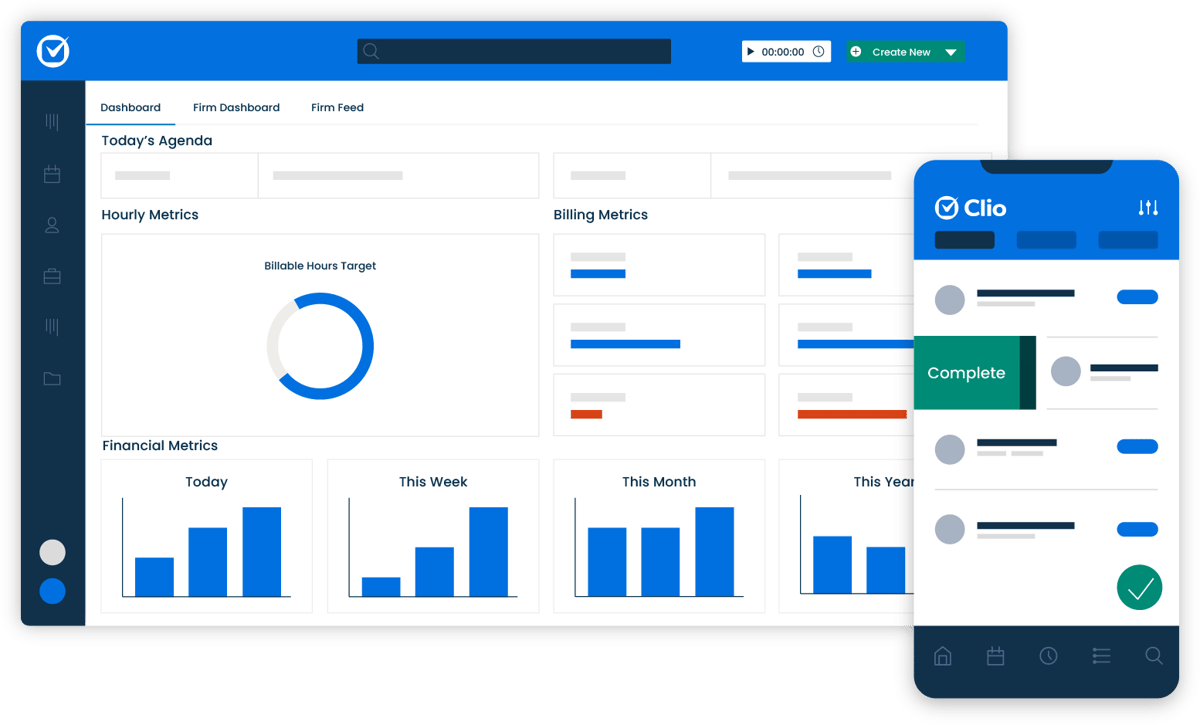
6. Clio
Clio is like your law firm’s all-in-one assistant, but in the cloud. It helps you keep track of cases, manage billing, organize documents, and stay in touch with clients—all from one easy-to-use platform.
Source: G2
Whether you’re tracking time, scheduling appointments, or collaborating with your team, Clio makes it simple and secure. It’s especially popular with small to mid-sized law firms because it takes care of daily tasks like:
- Case management
- Billing and invoicing
- Time tracking
- Document management
- Client communication
- Calendar management
- Task management
- Reporting and analytics
- Payment processing
7. Everlaw
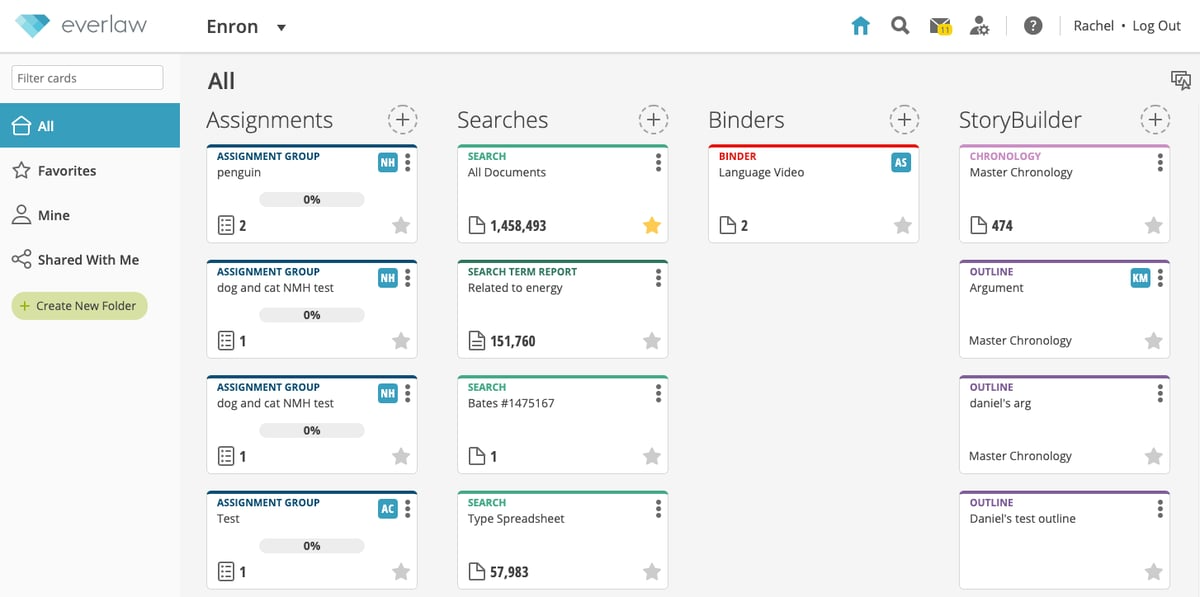
Everlaw handles due diligence and document review for legal teams. It helps lawyers obtain a higher level of efficiency and insight.
Source: G2
Imagine having a tool that allows you to efficiently sift through legal files, quickly identifying the most critical documents. Everlaw streamlines this process, significantly reducing the time spent on traditionally labor-intensive tasks.
The platform’s intuitive design simplifies document organization. With features such as drag-and-drop functionality, custom tags, and advanced search filters, it is easy to focus on the work without worrying about formatting.
Everlaw also offers robust document review capabilities, including tools for redaction, annotation, and metadata analysis. These features ensure that you can capture and work with all relevant details efficiently and effectively.
Will AI Replace Legal Professionals?
The idea of AI replacing legal professionals is a hot topic, but let’s be clear: while AI is transforming the legal world, it’s not about to replace lawyers. Instead, AI is a tool that enhances what legal professionals can do, not a substitute for their expertise.
AI shines in handling repetitive, time-consuming tasks like document review, legal research, and legal data analysis. These are essential but don’t require the strategic thinking and nuanced understanding lawyers bring to the table.
By automating these processes, AI frees up lawyers to focus on high-stakes strategy, client relationships, and providing expert legal advice.
The human element in law remains irreplaceable. Lawyers navigate the complexities of human behavior, emotions, and motivations while negotiating, mediating, and upholding justice. Ethical and moral judgment—core to the legal profession—can’t be replicated by AI.
AI takes care of the grunt work, but it can’t interpret laws with depth or provide the human connection that clients rely on. Rather than replacing lawyers, AI lightens their load and allows them to work smarter and focus on what they do best.
Start Drafting Legal Documents With Ease
It’s tough to maintain quality when you’re buried in paperwork, especially during discovery.
For litigation teams, drafting Requests for Admission, Interrogatories, and Requests for Production can eat up hours you don’t have. It’s one of the most tedious parts of the process—and one of the easiest to automate.
Briefpoint makes it simple. Just upload the opposing counsel’s discovery document, add your objections and responses, and download a fully formatted version that is ready to sign and serve.
You can even use Briefpoint Bridge to collect responses from clients and plug them into your documents without all the follow-up.
Less time formatting means more time for strategy, client communication, and actual casework.
Want to see it in action? Book a demo and start saving hours on every document.
Top Features of Litigation Document Management Software

What Are Litigation Document Management Tools?
Litigation document management tools are software platforms built to help legal professionals organize, store, search, and share documents tied to lawsuits and other legal work.
Unlike general file storage apps, these tools are made for law firms, so they handle things like case-based organization, secure access, and version control right out of the box. They make it easy to keep discovery files, motions, transcripts, and exhibits all sorted by matter.
Most tools also include search filters, tagging, and audit trails, which help you find what you need quickly and stay compliant. Some even come with AI features for drafting and tools for collaboration. Essentially, they’re designed to support how litigation teams actually work, but without adding more steps.
What Can Litigation Document Management Tools Do?
Litigation document management tools aren’t just digital filing cabinets; they’re built to handle the back-and-forth of real legal work. From sorting thousands of documents to helping your team stay in sync, these tools cover more than basic storage.
Take a look at what they can actually do for your practice.
1. Organizing Case Files Across Multiple Matters
Managing documents for several cases at once takes more than a set of folders and file names. Without a clear system, it’s easy to mix things up or waste time searching for the right draft.
Legal document management software like NetDocuments helps keep everything in order. It’s a document management system built specifically for legal teams, with tools that let you organize files by matter, tag them by document type, and search by keywords or metadata.
It also adds structure to your legal document workflows. Each case stays separate, access can be limited by user or role, and audit trails track who viewed or changed a document. That’s especially useful when dealing with sensitive documents or working across teams.
Since NetDocuments is cloud-based, you’re not tied to your office computer. You can log in from anywhere with full access to your case files.
For teams managing multiple matters, it creates a single, reliable source of truth. That means no more back-and-forth trying to confirm which version is current or where something was last saved.
2. Drafting Legal Documents With AI
Drafting discovery requests and responses is tedious, repetitive, and time-consuming. Most of it follows a predictable format, but it still eats up valuable hours. That’s where Briefpoint, a legal document management software designed for litigators, makes a difference.
Briefpoint automates the drafting of Requests for Production, Requests for Admission, and Interrogatories—both for propounding and responding. It works across all U.S. states and federal districts, applying local formatting rules automatically.
Here’s how the process works:
- Propound: Upload a .pdf of your Complaint or Petition
- Respond: Upload opposing counsel’s requests/interrogatories
- Customize: Select objections, add responses
- Download: Get a Microsoft Word doc ready to review, sign, and serve
The AI extracts case details like court name, parties, request type, and more. From there, you can easily select objections, add responses, and download a clean draft, ready to finalize and send out.
Briefpoint doesn’t just save time; it helps teams stay consistent across cases and attorneys. You also don’t have to worry about security, as none of your data is used to train AI, and everything is encrypted.
If you’re still drafting discovery by hand, Briefpoint may be the smart shift you’ve been waiting for. Book a demo today.
3. Real-Time Collaboration on Case Documents
In the legal industry, collaboration isn’t optional—it’s constant. Partners, associates, paralegals, and clients often need to weigh in on the same documents.
Without a solid system in place, you’re stuck emailing drafts back and forth, losing track of who made what change, and crossing your fingers that the version you’re editing is the latest one.
A legal document management system built for collaboration can fix all of that. These systems let multiple people review, comment on, and update documents at the same time. Changes are tracked automatically, and version histories keep everything transparent.
In other words, you know exactly who did what and when.
Let’s say you’re finalizing a motion. One attorney updates the language, another reviews citations, and a third adds exhibits. With traditional tools, that’s three separate versions to manage. With the right system, it’s one file—everyone works in it together, and you stay in sync.
Real-time collaboration has become a basic expectation in legal document management solutions. When paired with your law practice management software, it cuts down on errors and keeps the whole team moving in the same direction.
4. Automating Document Version Control
Version mix-ups can derail even the most organized legal teams. When multiple people touch the same file, it’s easy to lose track of edits, or worse, send out the wrong draft. That’s why version control is one of the most valuable features in today’s document automation tools.
With the right system in place, every change is tracked. You can review previous versions, compare edits side-by-side, and restore older drafts if needed. This saves time, prevents mistakes, and avoids that awkward moment when someone realizes the wrong motion got filed.
Tools like NetDocuments and Worldox offer version control built into their platforms. But the real benefit is how these systems fit into your workflow. Only authorized personnel can make changes, while others can access documents in view-only mode. That keeps the process clean and prevents accidental edits.
Say you’re drafting a settlement agreement with multiple reviewers. Instead of juggling five versions with tracked changes in email, you’ve got one clean document, and every update is recorded automatically.
5. Secure Sharing With Co-Counsel or Experts
Legal teams often need to bring in outside help, such as co-counsel, expert witnesses, and consultants. Sharing files shouldn’t mean giving up control. With cloud-based legal document management software, you can grant access to the right people while keeping everything else locked down.
Rather than emailing attachments or uploading files to general cloud drives, legal-focused platforms offer features that protect your work and client data. You can choose exactly which files to share, decide who gets access, and track activity without extra steps.
Here’s what secure file sharing typically includes:
- Share specific documents only—no full-folder access
- Set view-only, no-download, or time-limited access
- Track views, downloads, and changes
- Remove access instantly if needed
- All files are encrypted and protected at rest and in transit
These tools function as both knowledge management software and seamless document sharing systems. For example, if an expert needs a batch of deposition exhibits, you can send just what they need with read-only access and get alerts when they open the files.
6. Ensuring Compliance With Court Orders and Retention Policies
Legal work also involves keeping a close eye on deadlines, document retention rules, and privacy obligations. Courts often require firms to retain or delete files on specific timelines.
Failing to do that can lead to unnecessary risks, especially when client confidentiality and regulatory compliance are involved.
Basic file storage platforms don’t cut it here. They might hold your files, but they rarely provide the tools to manage timelines, flag records for deletion, or track compliance actions. A proper system does more than store; it monitors, logs, and reminds.
With a good legal document management setup in place, your firm can track how long each file should be kept, restrict access based on staff roles, and automatically apply retention policies across the system. This helps prevent accidental deletions or holding on to sensitive files longer than allowed.
Data security is baked into the process. Files are encrypted, access is limited, and audit trails are recorded. When someone questions how your law firm’s documents were handled, you’ve got the logs to show it.
7. Tracking Review Progress and Reviewer Activity
When you’re dealing with hundreds (or thousands) of files, staying organized plays a big role in keeping the case on track. But without the right system, human error creeps in, and important documents can get overlooked.
Modern document management software makes it easier to keep everything moving. You can assign documents, track who’s working on them, and spot bottlenecks before they become real problems.
For example, here’s what these tools help you manage:
- Assign documents to specific reviewers
- Track progress by user, tag, or status
- Get real-time updates on what’s completed
- Avoid duplicate work with activity logs
They also help automate routine tasks like routing documents and sending reminders. Instead of chasing updates, you can focus on what matters, like strategy, deadlines, and communication.
What do you get? A smoother process, fewer delays, and stronger client service. When everyone knows what they’re responsible for and when it’s due, your team works better and delivers more consistent results. For litigation teams with a lot of moving parts, that kind of visibility makes all the difference.
8. Quick Retrieval of Critical Docs During Depositions or Hearings
During a deposition or court hearing, every second counts. You can’t afford to pause the conversation while you scroll through folders or search your inbox for the right file. You need to be able to find the document fast and know that it’s the correct version.
A strong legal document management software makes that possible. These systems let you categorize documents by matter, document type, or keyword so they’re easy to find when the pressure’s on.
You can search using case numbers, file names, or even tags your team created. That cuts down on administrative tasks and helps you focus on the moment in front of you.
Imagine you’re in a deposition and opposing counsel refers to a set of interrogatories from six months ago. With a proper legal DMS solution, you can pull up that document in seconds and respond with confidence. There’s no fumbling with printed binders or digging through old emails.
Beyond speed, these systems also support enhancing security. Every file is protected, access is controlled, and all activity is recorded. You get fast access to what you need without compromising privacy or compliance.
9. Linking Documents to Case Chronologies and Facts
Keeping your case facts and documents in sync can be a challenge, especially when you’re working across multiple teams, timelines, and legal issues.
A well-structured legal document management system makes it easier to connect the dots between key events and supporting materials. This is where integration between case management software and your document system becomes incredibly helpful.
Rather than juggling spreadsheets and folders, you can build a case timeline and link every relevant document—transcripts, emails, filings—directly to each event. You’re not just storing all your files in one place; you’re creating context around them so your team sees the full picture.
This setup can improve your workflow in many ways:
- View and edit documents while reviewing facts or timelines
- Access multiple records or document collections side-by-side
- Update case notes and supporting documents simultaneously
- Stay organized across multiple users and deadlines
Tools like CaseFleet and FactBox offer features like this, but any system that supports timeline integration adds real value. You’re not forced to switch between platforms to see the evidence that backs your narrative.
A leading provider will let you connect everything with minimal setup, which can help your team stay aligned from intake through resolution.
Must-Have Features of a Litigation Document Management System
A reliable litigation document management system should do more than hold files—it should support how your firm works, communicates, and protects sensitive information.
When evaluating options, focus on features that actually improve how your team handles client files, deadlines, and document access. The best document management system is one that keeps everything in one place and works with the tools you already use.
Based on our clients’ experiences, here are the features that matter most:
- Robust security: Keeps data protected with encryption, user authentication, and access controls. Prevents unauthorized access to sensitive case material.
- Secure client portal: Lets clients safely upload and view documents without relying on email. Reduces risk and keeps communication simple.
- Centralized storage: Stores all files—pleadings, exhibits, motions—in one place. Avoids scattered folders and makes sure everyone is working with the latest version.
- Seamless integration: Connects with your calendar, email, billing, and case management software so everything stays in sync.
- Smart search and tagging: Helps you find documents fast using filters, keywords, or matter-specific tags. No more endless scrolling through folders.
- Role-based access: Controls who can view or edit certain files, keeping internal and external collaboration secure and clear.
- Audit trails: Tracks file access, edits, and downloads for accountability and compliance. Gives you a complete history of document activity.
Make Litigation Painless With Briefpoint
Litigation is already demanding. Your document process shouldn’t make it harder.
Briefpoint helps you save time by automating discovery drafting, organizing files, and keeping everything consistent and secure. It’s built for real legal teams who need to move fast without losing control.
No complicated setup. No extra steps. Just faster drafting, better organization, and fewer headaches.
Book a demo today to see how Briefpoint can simplify your workflow and get you back to focusing on your case.
13 Practical Lawyer Tools for Everyday Legal Work

Best Legal Document Tools
Legal paperwork can eat up hours if you’re not using the right tools. Here are a few that help you draft, send, and manage documents faster while keeping everything accurate and organized.
1. Briefpoint
Briefpoint is a legal drafting tool that automates the creation of discovery documents for litigators. It isn’t trying to replace the lawyer, but it’s definitely getting the boring parts out of your way.
Built specifically for litigators, this tool uses AI and machine learning to take care of the repetitive, time-draining work of drafting discovery requests and responses. It helps you prepare interrogatories, requests for admission, and requests for production in just a few clicks.
The best part? It actually works the way you do.
Upload a complaint or an opposing counsel’s request, and Briefpoint generates a polished Word doc with local formatting, objections, and everything else you’d expect from a solid first draft. You can customize it as needed or send it straight out.
It’s fast, easy to learn, and backed by real-world feedback from attorneys who use it every day.
Best Features
- Built for speed: Drafts full sets of RFAs, RFPs, and interrogatories in minutes, not hours.
- Smart response builder: Upload opposing counsel’s PDFs and generate complete, objection-ready responses.
- Data pulled automatically: Pulls key info like party names, court name, and case number straight from your PDFs.
- Custom objections: Pick objections from a list and apply them with a click to keep everything consistent firmwide.
- Word output ready to go: Download a court-formatted Word doc you can review, sign, and serve.
- Privacy built in: Your data is encrypted, siloed, and never used to train any AI system.
- Big time-saver: Cuts drafting time by up to 87% so you can focus on the work that matters (or make it home for dinner).
Briefpoint helps you draft smarter, move faster, and keep your evenings free. Book a demo today.
2. DocuSign
DocuSign is an e-signature tool that lets you send and sign legal documents online. Law firms trust it for a reason; it makes signing paperwork fast, simple, and secure. You don’t need to print, scan, or chase down physical signatures anymore.
Source: G2
It’s especially useful for client agreements, contracts, and any document that needs a quick turnaround. Plus, everything is tracked and time-stamped, so you always know who signed what and when.
Best Features
- Legally binding e-signatures: Valid in all 50 states and backed by strong security standards.
- Mobile-friendly: Clients can sign from their phone, tablet, or desktop.
- Audit trails: Every step of the signing process is tracked and stored.
- Fast turnaround: Speeds up client onboarding and contract approvals.
3. MyCase
MyCase is an all-in-one legal practice management platform built to help law firms stay organized. It brings your cases, documents, messages, and billing into one place so you don’t have to juggle different systems.
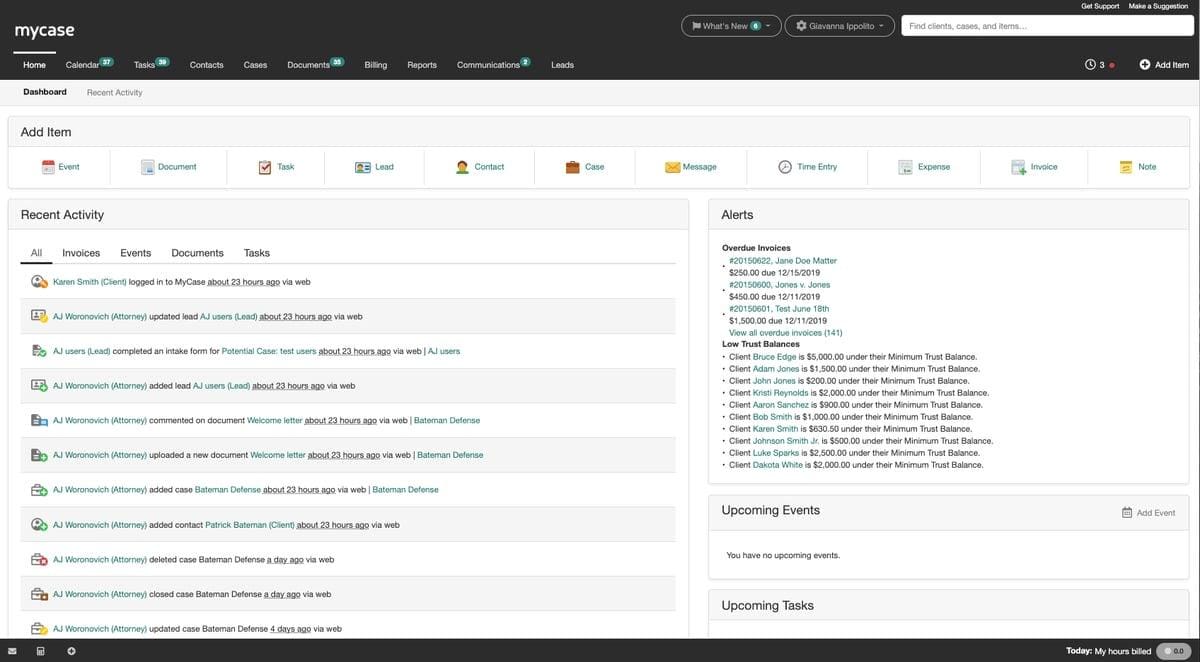
Source: G2
MyCase is especially helpful for small to mid-sized firms that want a simple way to manage client files, track time, send invoices, and communicate—all without leaving the dashboard.
Best Features
- Centralized document management: Store, share, and access files securely from anywhere.
- Built-in client portal: Clients can view documents, messages, and invoices in one place.
- Integrated time tracking: Log hours as you work and apply them directly to invoices.
- Automated billing: Create and send professional invoices with a few clicks.
Best Productivity Tools for Lawyers
Keeping everything on track gets tricky when you’re managing deadlines, documents, and daily chaos. Productivity tools help you organize work, get more done, and cut down on the back-and-forth while you handle the actual legal work.
4. Clio
Clio is legal software built to help legal professionals run their practice more efficiently. It brings together case management, billing, calendaring, and secure communication into one platform.
Source: G2
Whether you’re managing a solo practice or a midsize firm, Clio helps you cut down on routine tasks and stay organized.
Used across the legal services industry, Clio supports everything from time tracking to document storage, giving legal professionals more control over how they work. It’s a solid piece of legal technology that keeps things moving without the mess.
Best Features
- Full practice management: Keep cases, tasks, and contacts organized in one place.
- Time tracking and billing: Record hours and send invoices directly through the platform.
- Calendar and deadline tools: Stay on schedule with built-in reminders and synced calendars.
- Client messaging and file sharing: Communicate securely through the client portal.
- Cloud access: Work from anywhere, whether you’re in the office or on the go.
- Integrations with other legal tools: Works smoothly with platforms like QuickBooks, LawPay, and Zoom.
5. Microsoft Office
Microsoft Office remains one of the most widely used document management tools in the legal profession. Even with newer platforms out there, many legal departments and firms still rely on Word, Excel, Outlook, and PowerPoint to handle everyday tasks.

Source: G2
Microsoft Word is often the go-to for drafting motions, contracts, and letters. Excel helps track billable hours, manage budgets, and organize case data. Outlook keeps emails and scheduling under control.
These tools may not be flashy, but they’re reliable and familiar, which makes a big difference when you’re working under pressure.
Best Features
- Word processing for legal docs: Draft contracts, pleadings, and templates with advanced formatting.
- Spreadsheet tracking: Use Excel for time logs, budget planning, and case summaries.
- Email and calendar sync: Outlook helps manage communication and deadlines in one place.
- File sharing and storage: Store and organize case documents with OneDrive and SharePoint.
- Trusted across the industry: Common in legal departments and firms of all sizes.
- Boosts law firm efficiency: Keeps daily workflows simple and consistent across teams.
6. Zapier
Zapier is a no-code automation tool that connects your favorite apps to reduce manual work across law firm operations. It’s not legal software in the traditional sense, but it pairs perfectly with practice management software to make things run smoother behind the scenes.

Source: G2
Legal teams can use Zapier to connect apps like Clio, Google Sheets, Outlook, and Slack. For example, you can automatically create calendar events when new tasks are added or get a Slack alert when a client fills out a form.
It’s also helpful for integrating AI tools into your workflow without needing a developer.
Best Features
- Works with legal tools: Connects with popular practice management software like Clio or MyCase.
- No-code automation: Set up workflows without writing a single line of code.
- Supports law firm operations: Handles repetitive admin tasks so your team can focus on real work.
- Customizable triggers and actions: Automate emails, reminders, and file uploads with ease.
- AI integration ready: Combine with AI tools to create smarter, faster processes.
- Ideal for legal teams: Helps streamline collaboration and task management across departments.
Best Accounting and Billing Tools for Law Firms
Staying on top of billing and finances is just as important as handling your cases. Hourly billing, flat fees, or contingency arrangements all need a system that helps track time and collect payments.
We’ve compiled some tools that can help your firm handle billing with less stress and more accuracy.
7. QuickBooks
QuickBooks is accounting software that helps law firms handle financial tasks while staying organized. It’s used across many industries, but legal professionals—especially at personal injury firms—often rely on it to manage expenses and keep their books in order.
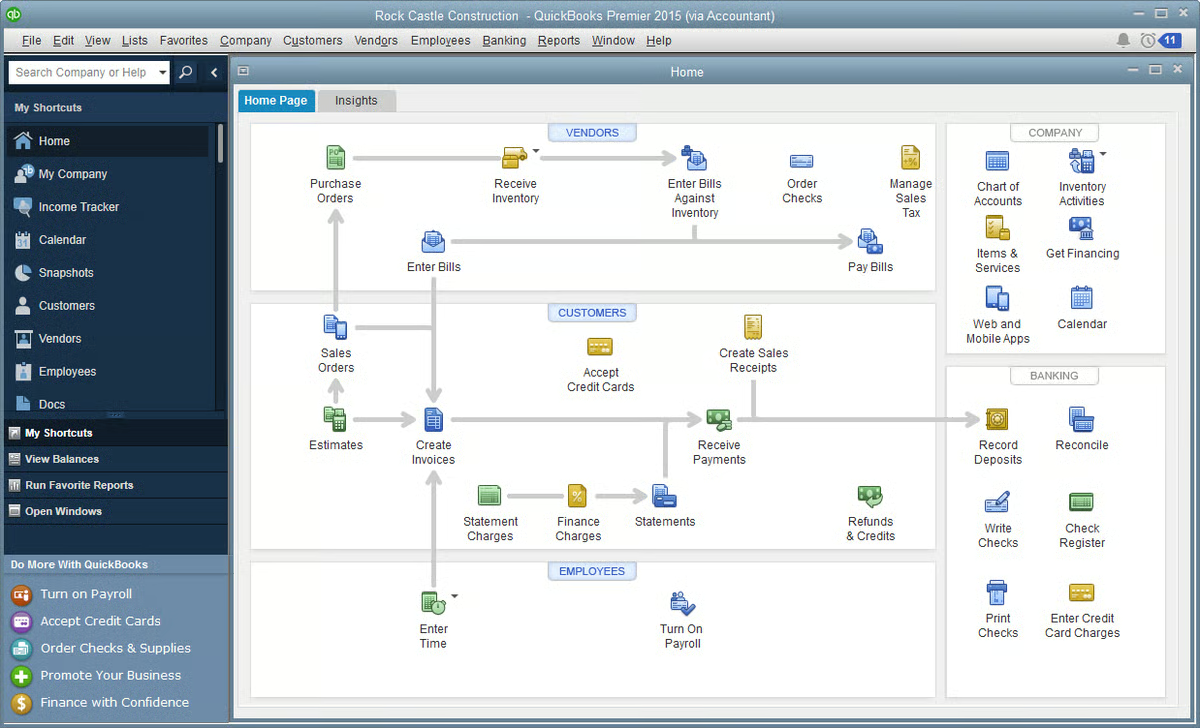
Source: G2
QuickBooks also works well with time tracking software and other legal tools, which helps make it easier to manage everything from billable hours to payroll. For firms juggling legal tasks and financial records, this platform keeps things clear without adding extra steps.
Best Features
- Expense tracking: Categorize spending and monitor law firm expenses in real time.
- Invoicing tools: Create, send, and track professional invoices for client matters.
- Bank syncing: Connect business accounts to see accurate balances and transactions.
- Time tracking integration: Works with time tracking software for precise billing.
- Custom reports: Build financial reports for monthly reviews or audits.
- Built for flexibility: A solid fit for personal injury firms, small practices, and growing legal teams.
8. LawPay
LawPay is payment processing software built specifically for law firms. It lets you accept credit card and ACH payments while staying compliant with legal and accounting rules.
LawPay is approved by bar associations across the country, which is why it’s a trusted option for handling sensitive client data securely.
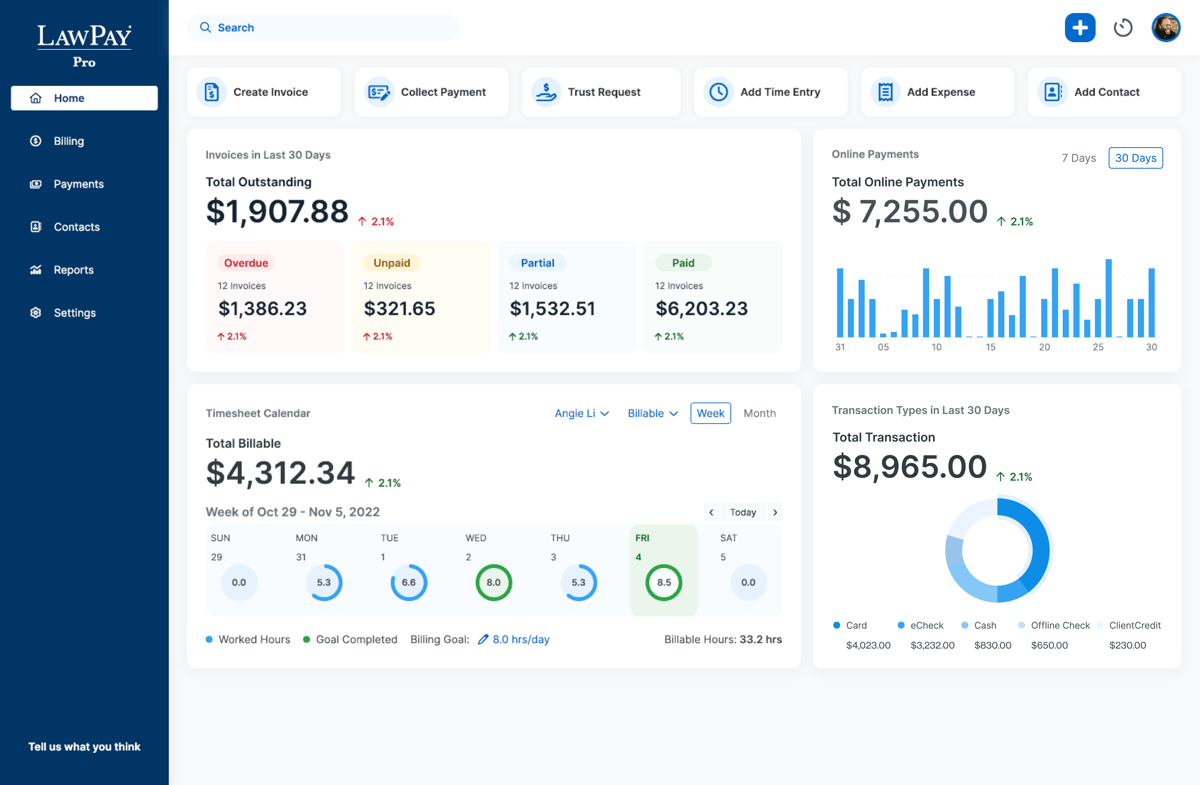
Source: G2
It integrates with multiple tools that legal professionals already use, including practice management systems and accounting software. If you’re already using such software, adding LawPay can help complete your billing setup with little to no hassle.
Best Features
- Legal-specific payment processing: Keeps operating and trust accounts separate.
- Secure handling of sensitive client data: Built to protect payment details and client trust.
- Bar-approved compliance: Meets the rules for professional conduct and trust accounting.
- Works with multiple tools: Integrates with platforms like Clio, MyCase, and QuickBooks.
- Flexible payment options: Accepts credit cards and ACH transfers with ease.
- Simple setup: Get started quickly and start receiving payments faster.
Best Communication Tools for Lawyers
Keeping everyone in the loop takes more than just email. Clients expect timely updates, your team needs quick answers, and there’s always something that needs your attention.
Take a look at these tools that can help you manage conversations and stay on top of things.
9. Slack
Slack is a messaging platform that helps legal teams communicate quickly and stay organized. Many firms use it to replace traditional methods like long email threads and scattered group texts.

Source: G2
With Slack, everything stays in one place, such as messages, files, and updates, so you can spend less time digging through inboxes.
It’s also a helpful way to access documents, share case updates, and automate routine tasks through integrations with legal tools, calendars, and AI assistants.
Best Features
- Organized channels: Create dedicated spaces for cases, departments, or projects.
- Real-time messaging: Chat with your team instantly, without clogging your inbox.
- Easy document sharing: Access documents and files right in the conversation.
- Searchable history: Find messages, attachments, and case info fast.
- Works with many tools: Integrates with calendars, task apps, and legal software.
- Supports firm workflows: Helps automate routine and complex tasks and streamline updates across your team.
10. Zoom
As you probably know by now, Zoom is a video conferencing tool that makes virtual meetings simple for law firms. It’s widely used to meet with clients, hold team check-ins, and even attend remote hearings.
Thanks to high-quality video and easy screen sharing, Zoom helps legal professionals communicate clearly and keep meetings on track.
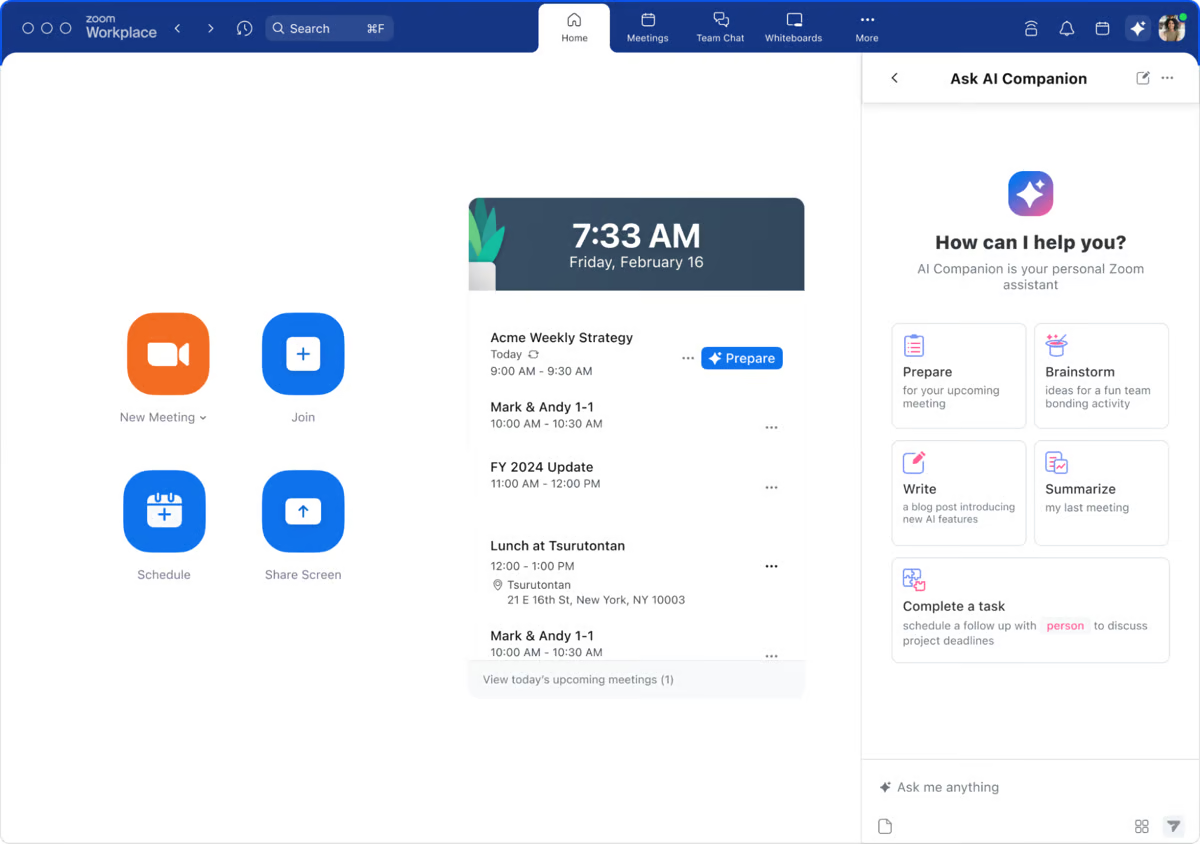
Source: G2
Using Zoom can improve productivity by cutting down on travel and scheduling delays. It also helps firms meet with more clients (no matter where they are) and streamline workflows by bringing face-to-face conversations online.
Best Features
- Reliable video meetings: Host secure, high-quality calls with clients and colleagues.
- Screen sharing: Review documents and presentations in real time.
- Meeting recordings: Save sessions for internal review or follow-up.
- Calendar integrations: Sync meetings with Outlook, Google Calendar, and more.
- Flexible scheduling: Book and join meetings from anywhere, on any device.
- Increases efficiency: Helps legal teams improve productivity and streamline client communication.
Best Legal Research Tools
Legal research can take up a big chunk of your day, especially when you’re juggling multiple cases. The right tools help you find case law, statutes, and legal opinions faster and with more accuracy. Here are a few of our suggestions:
11. CoCounsel (Casetext)
CoCounsel (formerly Casetext) is a legal research platform that helps you find relevant case law quickly and accurately. It uses AI to scan your arguments and match them with supporting cases, cutting down the time you’d usually spend digging through databases.
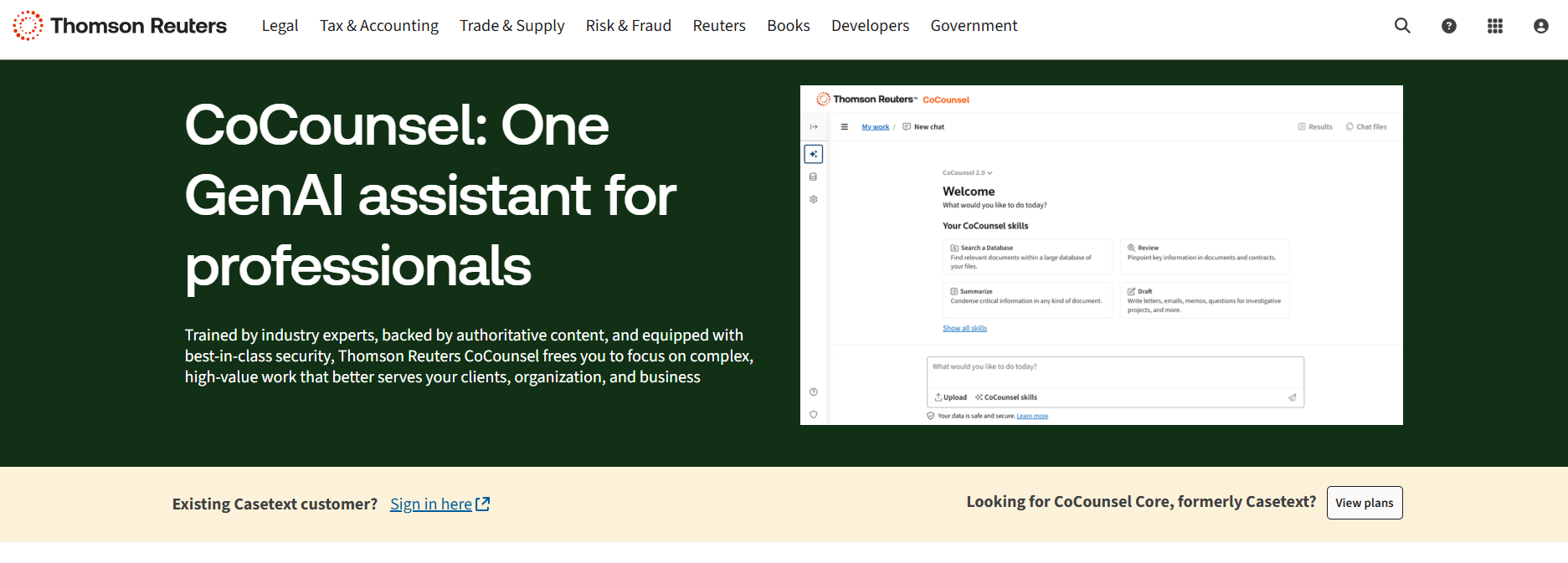
Source: ThomsonReuters.com
CoCounsel isn’t just a search tool. It’s built to support modern legal operations by connecting legal data, key documents, and arguments in one place. It also works alongside e-discovery tools, which can help you prepare stronger briefs with less back-and-forth.
Best Features
- AI-powered research: Analyze your writing and get case law suggestions that match your arguments.
- Search by concept: Go beyond keywords and search by legal ideas or outcomes.
- Works with key documents: Upload briefs or memos to find supporting cases instantly.
- Access to legal data: Explore statutes, regulations, and court opinions in one place.
- Supports legal operations: Speeds up research for teams working on multiple matters.
- Integrates with ediscovery tools: Helps connect research with your broader case preparation process.
12. LexisNexis
LexisNexis is one of the most well-known legal research tools used by firms, legal departments, and solo attorneys.

Source: LexisNexis.com
It gives you instant access to a massive database of case law, statutes, regulations, and legal commentary. Designed to increase productivity, it helps you find the information you need without jumping between different sources.
LexisNexis also includes AI capabilities and natural language processing, so it’s easier to search in plain English. You don’t have to think like a database; you just type your question or phrase, and it brings up relevant legal materials fast.
Best Features
- Comprehensive legal database: Access case law, statutes, and secondary sources in one place.
- Natural language search: Find legal content using everyday language instead of complex queries.
- AI capabilities: Smart filters and recommendations help you refine results quickly.
- Instant access to legal content: Search from anywhere with cloud-based tools.
- Practical guidance: Includes checklists, forms, and how-to materials for different practice areas.
- Productivity-focused tools: Built-in tools help legal teams research faster.
13. Fastcase
Fastcase is another legal research tool that gives lawyers access to a large database of case law, statutes, regulations, and court rules. It can help legal professionals find answers quickly and stay focused on the task at hand.
Source: Fastcase.com
Many bar associations offer Fastcase for free to their members, which makes it a smart option for solo attorneys and small firms. It’s designed with speed in mind and includes features that let you search by keyword, citation, or natural language.
Best Features
- Extensive legal database: Search case law, statutes, court rules, and more.
- Natural language search: Type in questions or phrases to find relevant results fast.
- Data visualization tools: Spot trends and citation relationships at a glance.
- Mobile app access: Use it on the go from your phone or tablet.
- Bar association access: Included with membership in many state bar organizations.
- Budget-friendly legal research: A solid alternative for firms looking to cut research costs.
Start Building Your Tech Stack With Briefpoint
Every firm has its own way of working, but the right tools can make a big difference, especially when you’re handling multiple documents, juggling deadlines, and managing client expectations. Briefpoint gives you a head start by taking care of the repetitive tasks that slow you down.
While other firms are still stuck formatting templates and typing out objections, you could already be on to the next case. Building your tech stack doesn’t have to be overwhelming. Start with one tool that makes a clear impact.
Briefpoint is that tool. Book a demo today and see how much time you can get back.