
Best AI for Legal Documents: Top 7 Tools for 2026
Types of AI Tools for Legal Documents
First things first, let’s talk about the different types of AI tools for legal documents. Keep in mind that not all legal AI tools do the same thing.
Here are the main types of AI tools, per the process they cover:
- Legal document drafting: Creates pleadings, discovery documents, contracts, and other legal paperwork based on templates and case details. Generally, it expedites the drafting process while maintaining accuracy.
- Contract drafting: These tools help create legal agreements using templates and user inputs.
- Document review: Speeds up analysis by identifying risks, missing clauses, and inconsistencies, similar to how legal professionals review documents.
- Legal research: Finds relevant case law, statutes, and regulations quickly to cut down the time spent on legal research.
- E-signature and contract management: Simplifies contract signing, tracking, and storage to make sure deadlines aren’t missed.
- Litigation support: Assists with case analysis, summarizing legal documents, and predicting case outcomes in litigation workflows.
Top 7 AI Tools for Legal Documents
Below are some of the best AI tools for legal documents:
1. Briefpoint
Briefpoint is an AI-powered discovery platform designed for the part of litigation that tends to consume the most time, which is most often drafting and responding to discovery.
If your work involves propounding discovery requests, reviewing responses, and preparing Bates-numbered productions, Briefpoint brings those steps into one cohesive workflow that matches how discovery actually gets done.
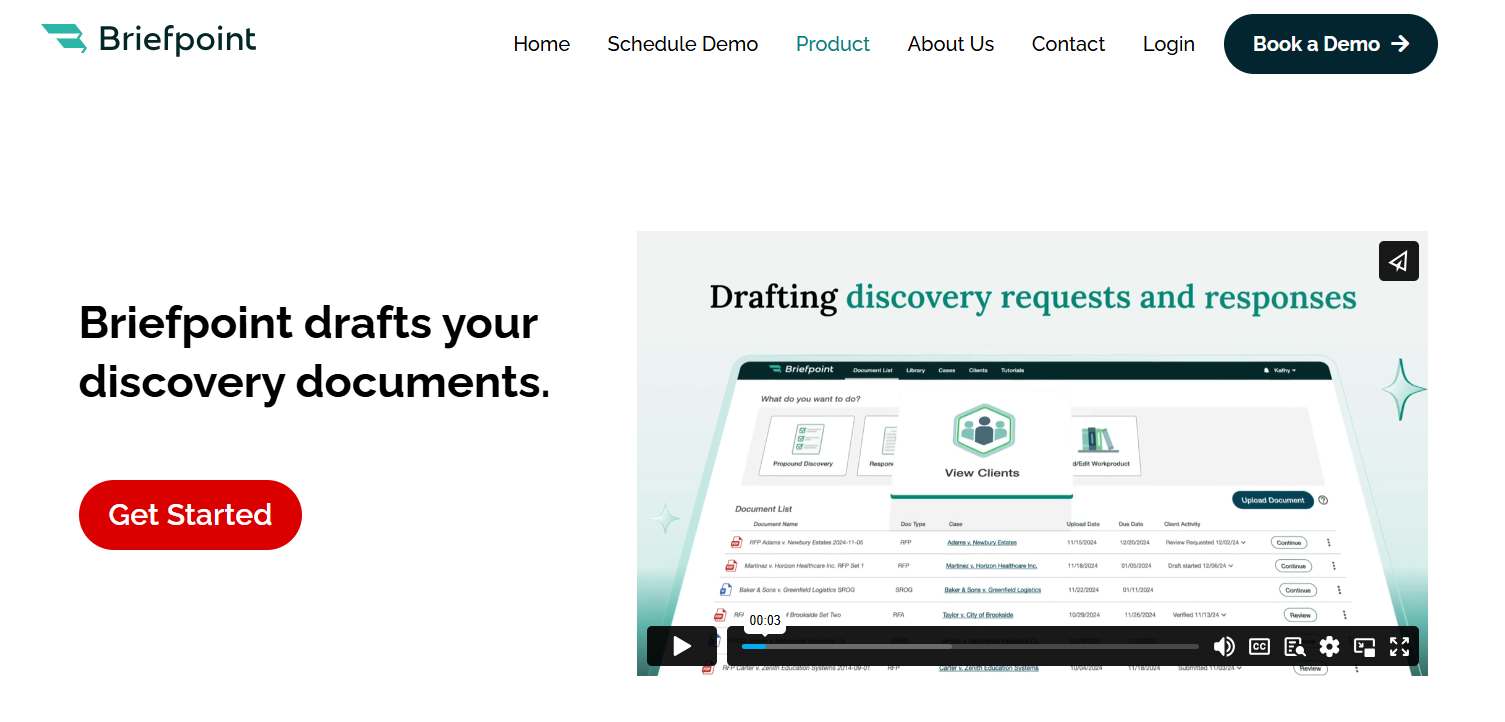
Rather than drafting requests for admission, requests for production, and interrogatories from scratch or spending days organizing productions, you can let Briefpoint handle the repetitive structure while you stay focused on substance and strategy.
The platform applies jurisdiction-ready formatting, standard objections, and properly structured responses, so discovery keeps moving.
If discovery shows up often in your matters, Briefpoint takes hours of repetitive work off your plate and replaces it with a review-first process you can rely on from case to case.
Key Features
- Propound discovery from a complaint: Upload a complaint, and Briefpoint automatically generates tailored interrogatories, RFAs, and RFPs. Each request is written to avoid common drafting issues like ambiguity or assuming facts.
- Automated discovery response drafting: Upload opposing counsel’s discovery requests, and Briefpoint identifies court details, parties, set numbers, and local formatting rules. Responses are structured automatically, with standardized objections applied where appropriate.
- Client response collection in plain English: Briefpoint Bridge converts interrogatories into plain-language questions and sends them to clients through a secure portal. Clients respond directly in their browser, and answers flow back into Word-ready drafts.
- Word-ready documents: All discovery responses export as properly formatted Word documents, complete with captions, numbering, and objections. Final review and edits happen where attorneys already work.
- Autodoc: Autodoc extends Briefpoint’s discovery workflow into document production. Upload RFPs and case files, and Autodoc locates responsive documents for each request and generates written responses with page-level Bates numbering.
- Security and compliance: Briefpoint is SOC-2 certified, encrypts data in transit and at rest, and keeps client data siloed per account. Uploaded materials are never used to train Briefpoint or third-party models.
Pros
- Handles both propounding and responding to discovery
- Produces jurisdiction-ready RFAs, RFPs, and interrogatories
- Cuts discovery drafting and production time from days to minutes
- Generates Bates-cited responses and ready-to-serve productions
- Keeps attorneys in control with Word-first editing and verification
If you want a full tour of Briefpoint, book your free demo today!
2. CoCounsel by Casetext
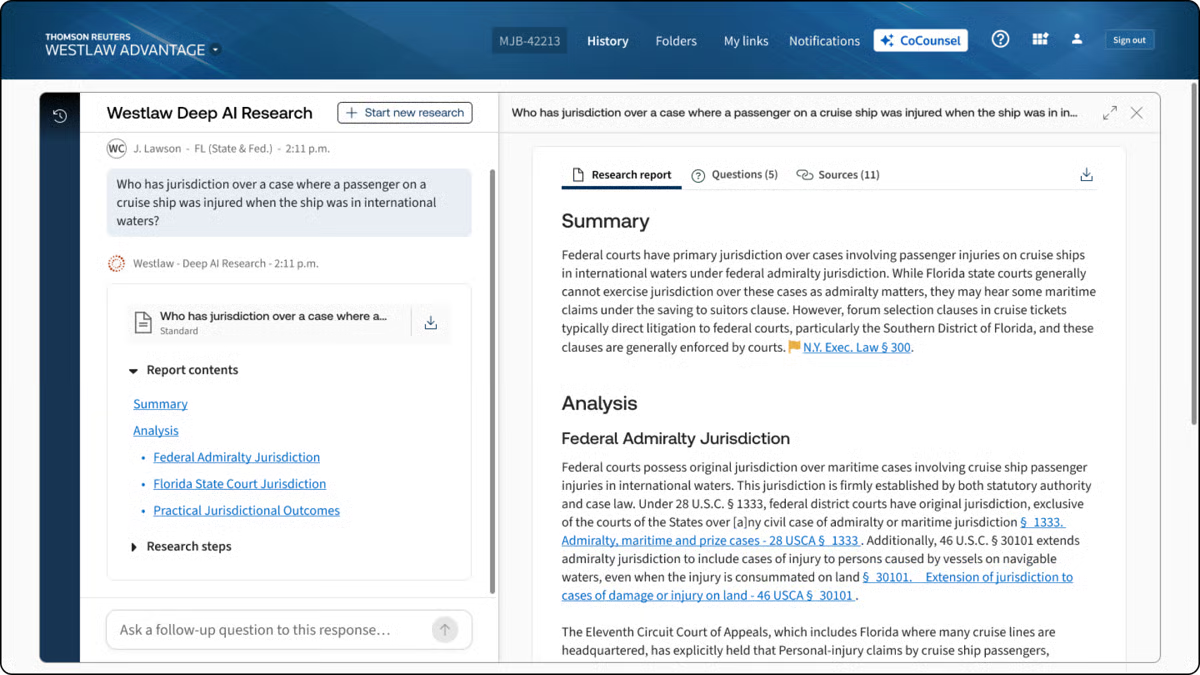
CoCounsel is an AI-powered legal document assistant that helps lawyers with research, contract review, and document analysis.
Developed by Casetext, it automates time-consuming legal tasks that would otherwise require significant manual effort.
Source: G2
With features like document summarization, deposition preparation, and contract analysis, CoCounsel functions as an AI-powered document assistant trained on large language models designed for legal workflows.
It processes full transactional documents, reviews different document versions, and responds to legal questions while staying grounded in the legal context.
Key Features
- Legal research assistance: Quickly finds relevant case law, statutes, and regulations while accounting for legal context and jurisdictional nuance.
- Contract review: Analyzes contracts, flags potential risks, and surfaces issues across full transactional documents.
- Deposition preparation: Helps attorneys organize key points, review testimony, and prepare outlines with less manual effort.
- Legal document summarization: Extracts critical details from lengthy documents and multiple document versions.
- Case analysis: Identifies key arguments, supporting evidence, and relevant precedents to support actionable intelligence.
Pros
- Finds case law and statutes faster than manual searches
- Flags risks and missing clauses with AI-powered insights
- Automates repetitive tasks, reducing workload for legal teams
3. ChatGPT
ChatGPT isn’t designed specifically for law firms (or legal practice, for that matter), but many in the legal industry use it as a general-purpose AI for a wide range of legal-adjacent tasks.
From drafting emails and summarizing case law to generating legal arguments and reviewing long documents, it serves as a flexible AI-powered legal assistant.

Source: ChatGPT.com
While it doesn’t replace specialized legal AI tools, lawyers often rely on ChatGPT to answer questions, produce first drafts, brainstorm ideas, and refine legal writing before final review.
Key Features
- Legal writing assistance: Helps draft contracts, emails, and legal memos with clear, structured language suitable for first drafts.
- Document summarization: Condenses case law, statutes, and long legal documents into digestible summaries.
- Legal research support: Helps locate case law, statutes, and legal concepts, though outputs require verification.
- General productivity support: Assists with scheduling, transcription, simple legal services, and other administrative tasks.
Pros
- Useful for research, writing, and general legal-adjacent tasks
- Quickly generates drafts, summaries, and contract reviews
- More accessible than many specialized legal AI apps or tools
- No complex setup or integrations required
4. ContractSafe
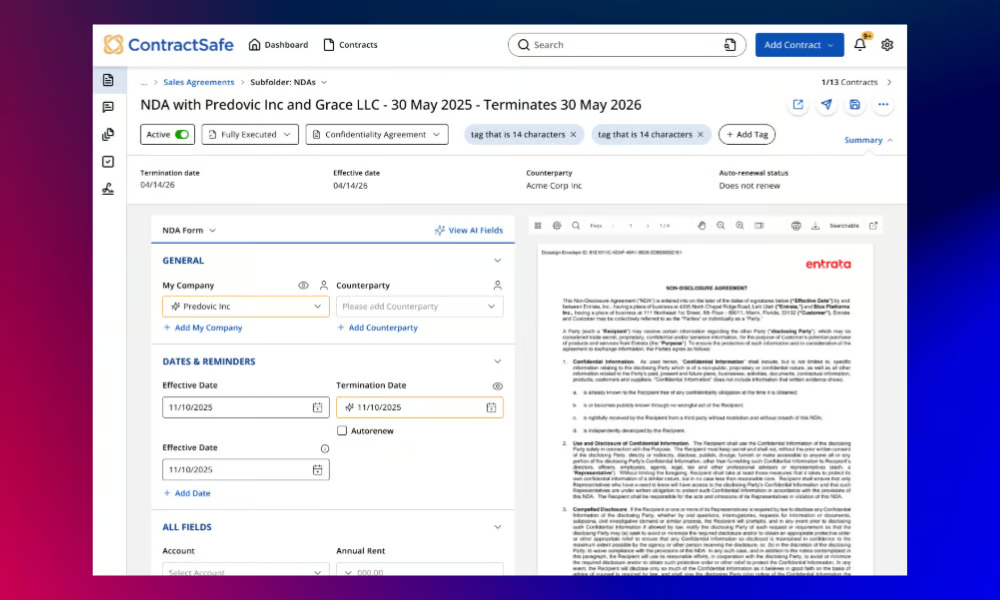
ContractSafe is a contract repository tool that helps teams store, search, and keep track of agreements in one place.
Source: G2
ContractSafe avoids the tediousness of having documents in separate places by giving contracts a single home. You can search across documents the same way you would search legal briefs, pulling up specific clauses, names, or dates in seconds.
Behind the scenes, it organizes legal data across a vast database of agreements. At the same time, automated reminders help teams stay on top of renewals and obligations, and secure storage keeps sensitive files protected.
It stays focused on organization and tracking rather than drafting or reviewing full contracts. For teams that need clarity around active agreements, deadlines, and responsibilities, ContractSafe offers a straightforward way to keep contract work moving without adding friction.
Key Features
- AI-powered search: Instantly locates contract terms, clauses, and key details within complex documents using simple keyword searches.
- Automated deadline reminders: Send alerts before renewals, expirations, or other important obligations tied to active agreements.
- Secure document storage: Keeps contracts centralized and searchable for faster attorney review.
- User permissions & access control: Controls who can view, edit, or download contracts across teams.
- Integrations with business tools: Connects with CRMs and document management platforms to fit into existing systems.
Pros
- Makes finding contracts quick and easy
- Prevents missed deadlines with automated reminders
- No complex setup or IT support needed
- Supports team collaboration with access controls
5. DocuSign
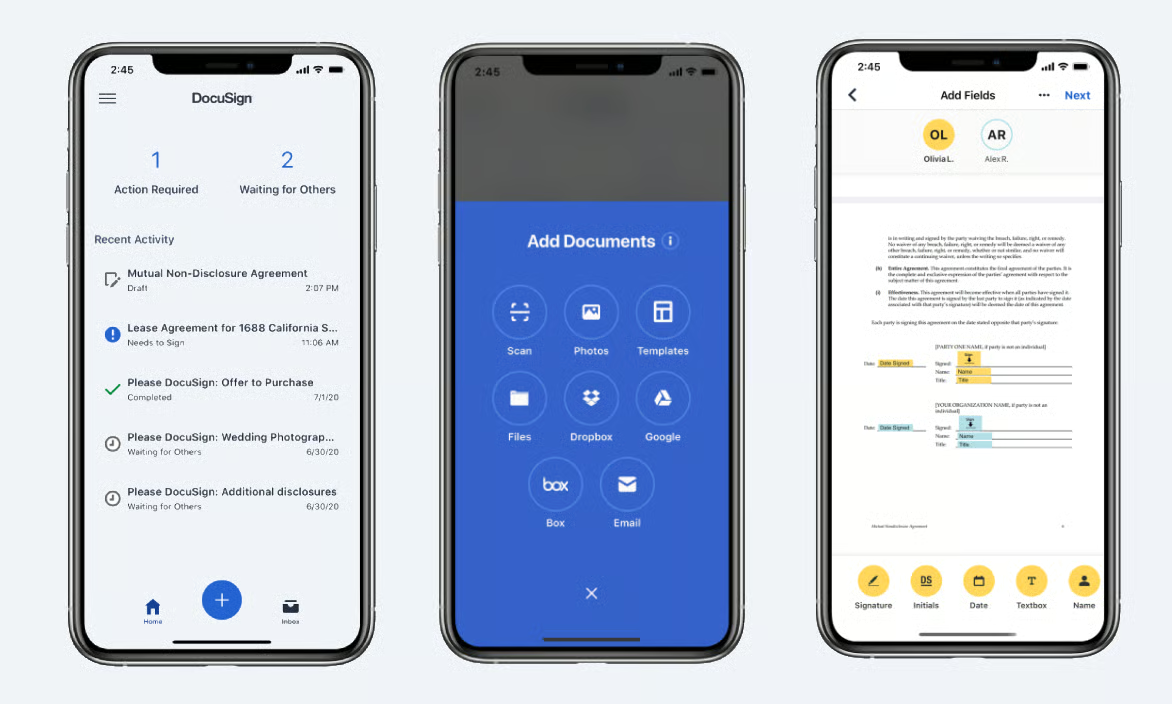
DocuSign makes signing and managing legal documents faster, more secure, and fully digital.
With legally binding e-signatures and automated workflows, it helps businesses and law firms move agreements forward without the friction of printing, scanning, or mailing documents back and forth.
Source: G2
While DocuSign is best known for e-signatures, its platform has expanded to support broader legal document workflows used by transactional lawyers and corporate legal departments.
Tools like DocuSign Iris add AI capabilities that assist with due diligence, document review, and data extraction. These features help teams work through agreements more efficiently while staying aligned with client service expectations.
These features support agentic workflows and custom legal workflows that fit into existing processes, making DocuSign a fully integrated option for managing agreements from signature through storage and tracking.
Key Features
- Legally binding e-signatures: Allows users to sign documents securely from anywhere, across devices.
- Automated contract workflows: Supports custom workflows for sending, signing, approving, and finalizing agreements.
- AI-assisted review with Iris: Helps surface key terms and insights during due diligence and contract review.
- Audit trails & compliance tracking: Maintains a detailed activity record to support compliance and internal review.
- Secure cloud storage and integrations: Connects with legal CRM, document management, and legal systems to stay fully integrated.
Pros
- Speeds up contract signing with secure e-signatures
- Supports due diligence and review with AI-assisted tools
- Fits into custom, agentic workflows across teams
- Accessible across devices for remote and distributed work
6. MyCase
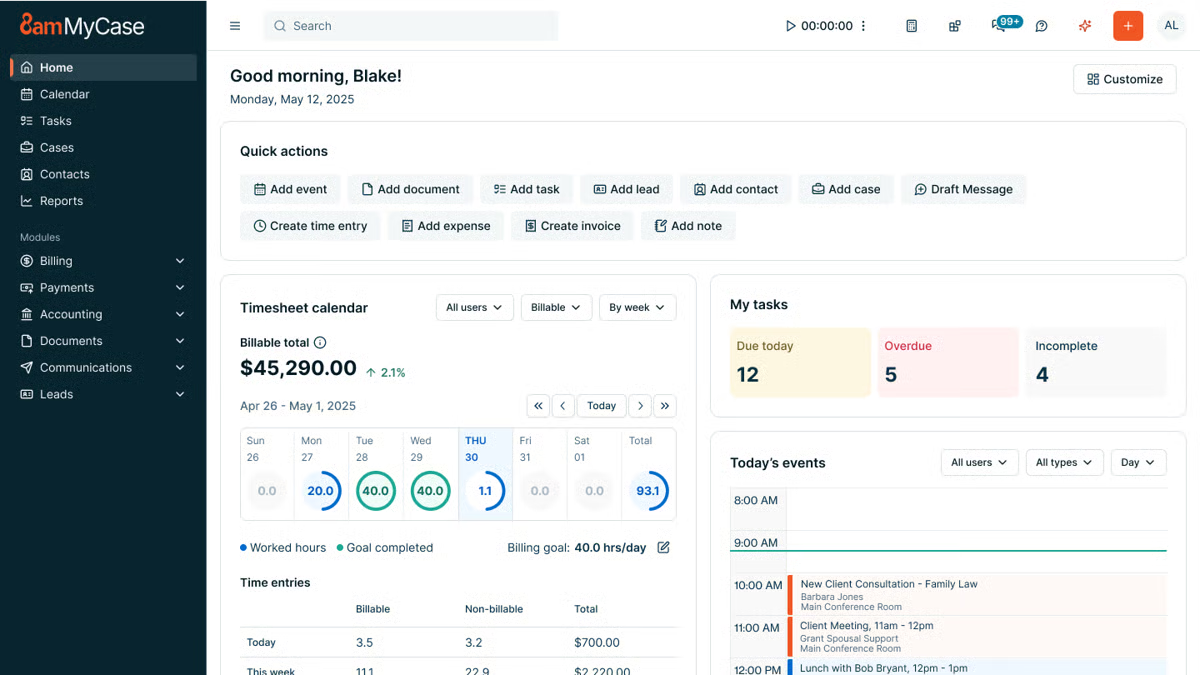
MyCase simplifies document storage with a secure, cloud-based document management system built specifically for law firms.
Source: G2
MyCase helps attorneys store, access, and manage case data in one centralized location to reduce the risk of lost files and version confusion. Documents stay connected to the right matters, clients, and deadlines, which supports consistency and data security across the firm.
While MyCase offers broader practice management tools, its document storage features focus on keeping sensitive client information protected, searchable, and easy to work with, whether files originate in Microsoft Word or are uploaded from other sources.
Overall, the platform is designed to support everyday workflows while helping firms ensure compliance with internal policies and security expectations.
Key Features
- Cloud-based document storage: Keeps legal files organized and accessible from any device.
- Advanced search & tagging: Uses filters and keyword searches to quickly locate legal content tied to specific cases.
- Role-based access control: Manages who can view, edit, or download documents containing sensitive client information.
- Client portal integration: Allows secure document sharing without email attachments.
- Automatic backups & security encryption: Protects case data and supports data security and compliance needs.
Pros
- Keeps all legal documents in one secure location
- Makes it easy to search and retrieve case files
- Allows controlled access for clients and team members
- Provides cloud-based access for remote work
7. Harvey AI
AI models are making legal work faster and more efficient, and Harvey AI is one of the newest tools built specifically for law firms.

Source: Harvey.ai
Designed to assist with legal research, contract review, and document analysis, Harvey AI helps lawyers process large amounts of information quickly while maintaining accuracy.
No type of artificial intelligence can be a total replacement for human legal expertise, of course. Nevertheless, many firms use Harvey AI to speed up repetitive tasks, analyze legal documents, and improve decision-making.
Key Features
- AI-powered legal research: Finds relevant case law, statutes, and legal precedents in seconds.
- Contract analysis & review: Identifies key clauses, missing terms, and potential risks in agreements.
- Litigation support: Assists with drafting briefs and legal arguments and summarizing case details.
- Document summarization: Extracts important points from long legal documents to save time.
- Natural language processing: Understands complex legal language and provides insights based on queries.
Pros
- Speeds up legal research by quickly retrieving relevant cases
- Helps identify risks and missing clauses in contracts
- Reduces the time spent summarizing lengthy legal documents
- Uses advanced AI to interpret legal language accurately
Why Should You Use Legal AI Tools for Legal Documents?
Aside from speeding up work, legal AI software improves accuracy, compliance, and overall efficiency.
Let’s go over why you should have them in the first place.
Speeds Up Document Drafting
Drafting legal documents takes time, but AI makes it a whole lot faster. Instead of starting from scratch every time, lawyers can generate complete, well-structured documents in minutes.
For instance, AI legal drafting tools can pull in key details, suggest relevant clauses, and format everything properly to cut down on repetitive work.
Take Briefpoint, for example. It automates legal drafting by pulling case details and structuring them into polished documents. That means less time spent on manual entry and more time focusing on the actual case.
Book a demo to see it firsthand!
Reduces Human Errors
Small mistakes in legal documents can create big problems. AI helps catch those issues early, before they turn into something you have to fix later.
When legal firms rely heavily on manual processes for writing legal documents, it’s easy to miss details. This happens most often with long agreements, repetitive discovery responses, or documents that go through multiple revisions.
Generative AI technology works like an added review layer. It scans legal information carefully and flags sections that don’t line up.
More specifically, AI can help spot issues like:
- Inconsistent terminology
- Missing key clauses
- Formatting mistakes
- Duplicate or conflicting sections
- Incorrect dates or names
- Ambiguous language
- Non-compliant contract terms
Remember: AI-generated output should always support your judgment, not replace it. The real value is speed and focus. Potential problems surface earlier, so your review time goes toward analysis and strategy rather than tracking down avoidable errors.
Improves Compliance With Legal Standards
Staying compliant in the legal field takes constant attention. Rules change, expectations shift, and even experienced teams can miss details when they’re working through documents quickly.
AI-powered tools help reduce that risk by acting as a steady backstop during review.
Many tools use machine learning trained on legal terminology to spot clauses, language, or structures that may fall outside current standards. They highlight areas worth a closer look, particularly in long contracts or documents that follow similar patterns.
For example, some contract management tools flag terms that don’t align with regulatory requirements or point out language that may need updating based on recent changes. That saves you from having to comb through every page, line by line, just to confirm compliance.
Again, you still stay in control of the final decision, but AI helps surface potential issues earlier.
Saves Costs on Administrative Tasks
Nobody wants to waste time on paperwork, and AI helps cut down on it. By handling routine tasks like legal drafting and data entry, AI lets law firms spend less on admin work and more on what really matters.
For example, AI can auto-fill forms, generate standard documents from templates, and organize case files without anyone having to do it manually.
That means fewer billable hours lost to repetitive work and more time for legal teams to focus on clients.
Supports Legal Research and Case Preparation
Research can quietly eat up half a day if you let it. Rifling through court documents, cross-checking citations, and making sure you’re not missing a key case takes real time.
Luckily, AI tools can easily shorten that process. Many use generative AI layered over large legal databases to sort through thousands of cases and regulations quickly. In the legal sector, that means less manual searching.
Picture this: you’re drafting a motion to compel and need recent decisions from a specific court that deal with a narrow procedural issue. An AI research tool can filter by jurisdiction, pull similar fact patterns, and return a short list of relevant cases with clear summaries.
Some platforms also include litigation analytics, which can give you insight into how certain judges have ruled in comparable situations.
All that changes how you prepare. You’re still responsible for checking the authority and shaping the argument, but you begin with organized results rather than a blank search bar.
The tool works like a focused personal assistant for research, gathering and sorting information so you can concentrate on analysis and positioning.
Keeps Documents Organized and Accessible
As matters grow, so does the paper trail. But without structure, even simple tasks like locating the latest draft or confirming a renewal date can slow everything down.
AI solutions help keep legal files organized by sorting, categorizing, and tracking documents automatically. Contracts, pleadings, and internal records stay connected to the right matter, client, or deadline, which makes retrieval much easier.
Many platforms also support document and contract analysis, so you’re not just storing files. You’re able to search inside them and surface key details in seconds.
An AI-powered organization often includes:
- Smart tagging based on keywords, client names, dates, or contract terms
- Full-text search across large volumes of documents
- Automated deadline and renewal reminders
- Version tracking to reduce confusion over edits
- Access controls that support data privacy and protect sensitive information
When documents are structured and searchable with AI software, your team spends less time hunting for files and more time acting on them. That clarity can create a real competitive edge, especially in fast-moving practices where quick access to information makes a difference.
Automate Your Biggest Bottleneck With Briefpoint
Discovery work tends to be the slowest, most repetitive part of litigation. Tedious tasks like drafting requests, organizing responses, and double-checking formatting can quietly consume days that could be spent on higher-value legal work.

Briefpoint is an AI-powered tool that targets the bottleneck directly. It handles the repetitive structure and formatting of discovery while keeping attorneys firmly in control of review and strategy. Everything stays in Word, so the process feels familiar and easy to verify.
Autodoc extends that workflow into document production. It connects requests for production to the actual case files, identifies responsive documents, and generates written responses with page-level Bates numbering.
All of these capabilities mean less time matching documents to requests and fewer manual steps before serving a production.
