7 Types of Legal Tech Software Every Law Firm Needs

7 Types of Legal Tech Software Every Law Firm Needs

Choosing legal tech can feel confusing, especially if you don’t know where to start. Every tool promises to save time, improve workflows, or fix problems, but it’s not always clear which ones actually matter for your firm.

Most law firms don’t need more software. They need the right tools for the work they handle every day. That starts with understanding the different types of legal tech and what each one is designed to solve.

This guide walks through seven categories of legal technology software that show up in modern law firms. You’ll see what each type does, where it fits into daily work, and how it can help reduce friction across your practice.

What Is Legal Tech?

Legal tech is a broad term that covers the software and tools law firms use to manage work more efficiently.

However, it’s not one specific product or category. It’s a mix of systems that support how legal teams run day-to-day work across their entire practice, from drafting documents to managing clients and tracking matters.

Legal tech helps firms streamline operations that used to rely on manual steps, emails, spreadsheets, and paperwork. The common goals are to reduce friction and make legal work easier to manage as volume grows.

You’ll see legal tech show up in different parts of a firm, such as:

  • Document automation tools for drafting and responses
  • Practice and case management software
  • Legal research platforms
  • Contract review and contract management tools
  • Billing, accounting, and payment systems
  • Client intake and onboarding software
  • Electronic signature tools

Some tools focus on a single task. Others touch multiple areas of the firm. Together, they shape how legal teams stay organized and keep work moving without unnecessary back-and-forth.

The Most Common Types of Legal Technology

As mentioned, legal software is an umbrella term for tech solutions that aim to make life easier in law firms and corporate legal departments.

There are far too many to dissect one by one, but we’re going to focus on the essential tools every law firm needs in their tech stack:

1. Document Automation

Document automation helps law firms create legal documents without rewriting the same material over and over. It handles the repetitive tasks that slow people down, like filling in standard language, applying the right formatting guidelines, and pulling in client details.

Generally, you start with templates and rules. The software uses those to generate clean drafts based on the information you provide. What used to take hours can take minutes, with far fewer chances for small mistakes that lead to bigger issues later.

Many platforms also connect to your existing systems, so names, dates, and matter details flow in automatically rather than being typed by hand. That consistency matters, especially when volume picks up.

Some tools now rely on machine learning tools to recognize patterns in documents and apply the right clauses or responses based on context. 

That makes document automation especially useful across the legal industry, where accuracy and repeatability matter every time a document goes out the door.

Briefpoint

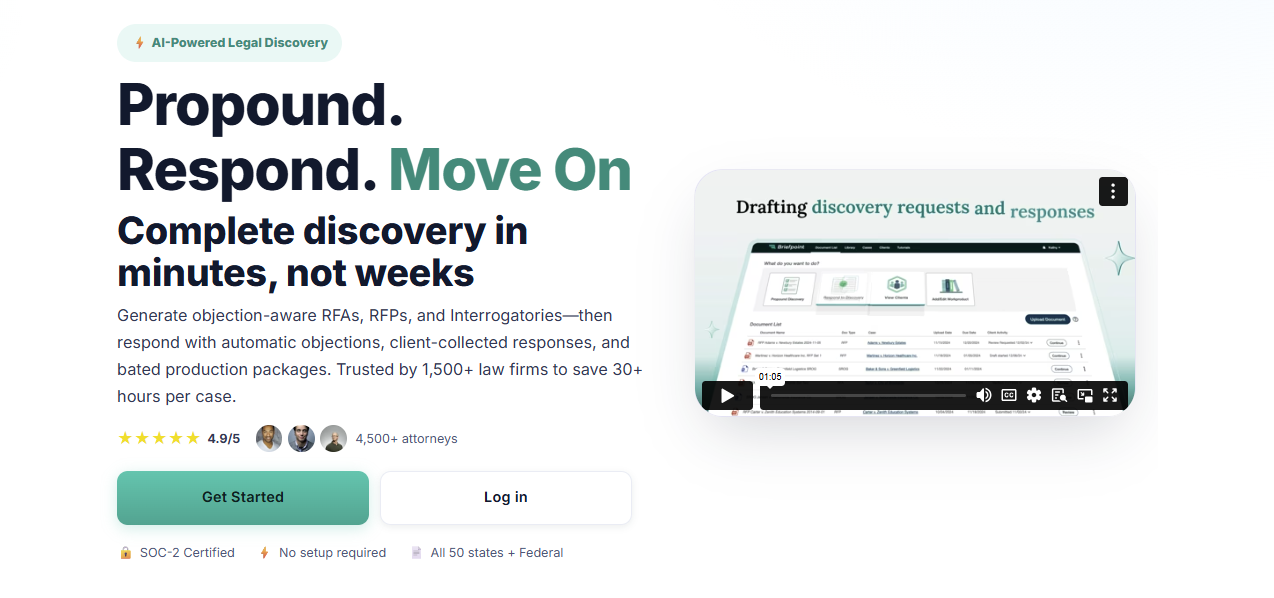
Briefpoint is built specifically for discovery work, one of the most time-consuming parts of the litigation process. It helps firms move from request to response in minutes, not hours, without changing how attorneys already work.
Briefpoint

Using Briefpoint is straightforward: upload a discovery request, choose your objections and responses, and download a ready-to-serve Word document. From there, it’s sign and serve, no manual formatting or copy-pasting required.

Briefpoint also includes AutoDoc, which handles the heavy lifting behind the scenes. AutoDoc structures discovery responses automatically, applies the right formatting, and keeps everything consistent across documents. That consistency alone saves a surprising amount of review time.

For client responses, Briefpoint Bridge removes even more friction. It converts discovery questions into plain English and sends them directly to clients.

Once clients submit their answers, Briefpoint places those responses into the correct sections of your document, without emails, spreadsheets, or manual cleanup.

Is discovery document drafting work eating too much into your day?

Book a demo today and see how Briefpoint can help.

2. Legal Practice Management

Once your caseload grows, keeping everything straight gets harder fast. Practice management software exists to keep that chaos in check. 

Essentially, it pulls your firm’s daily work into one place so you always know what’s happening, what’s due, and who’s responsible.

For legal professionals, this kind of software becomes the system everyone relies on. Client details, messages, documents, and deadlines sit together, which means less time searching and fewer things falling through the cracks.

You can quickly look back at past client communications, check the status of a matter, or see what needs attention next. That context makes client service feel smoother and more intentional, even on busy days.

Most practice management tools help you:

  • Keep matters, contacts, and legal documents organized
  • Track deadlines, tasks, and follow-ups
  • Log calls, emails, and notes as work happens
  • Coordinate work when multiple people touch the same case

When everything lives in one place, it’s easier to respond quickly and handle small issues before they turn into bigger ones. It also cuts down on miscommunication as teams grow.

Security still matters, of course. Clients expect their information to be protected, and modern platforms are built with that responsibility front and center.

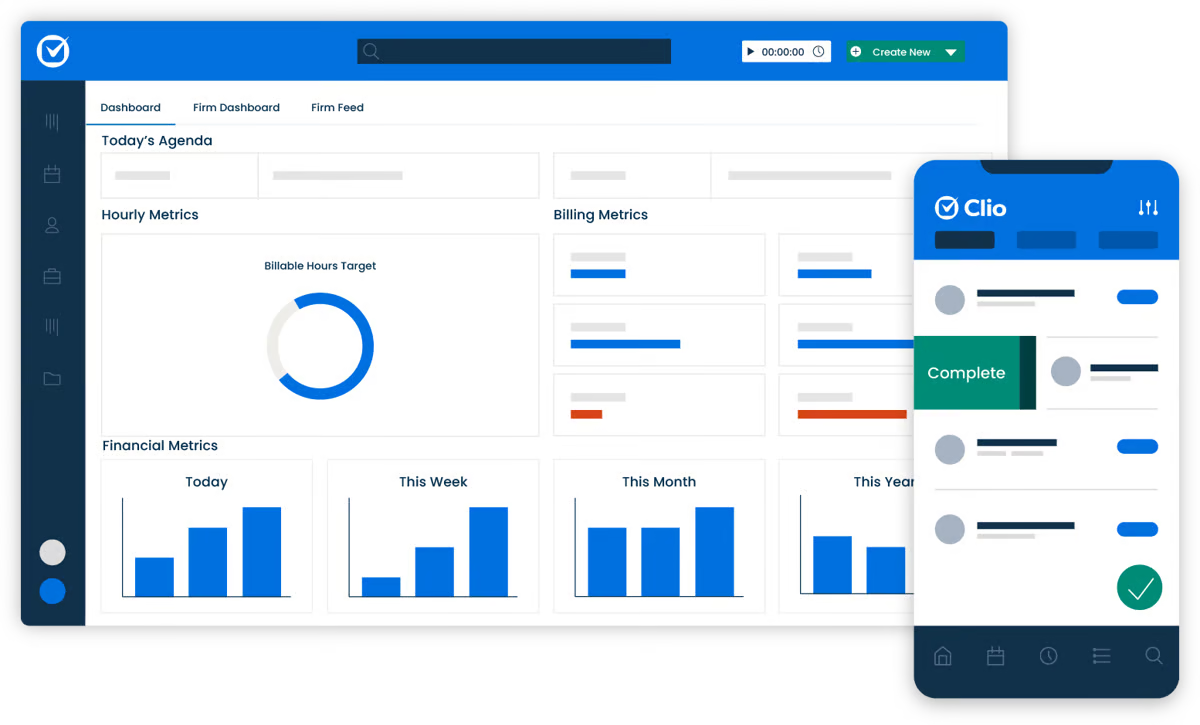
Clio

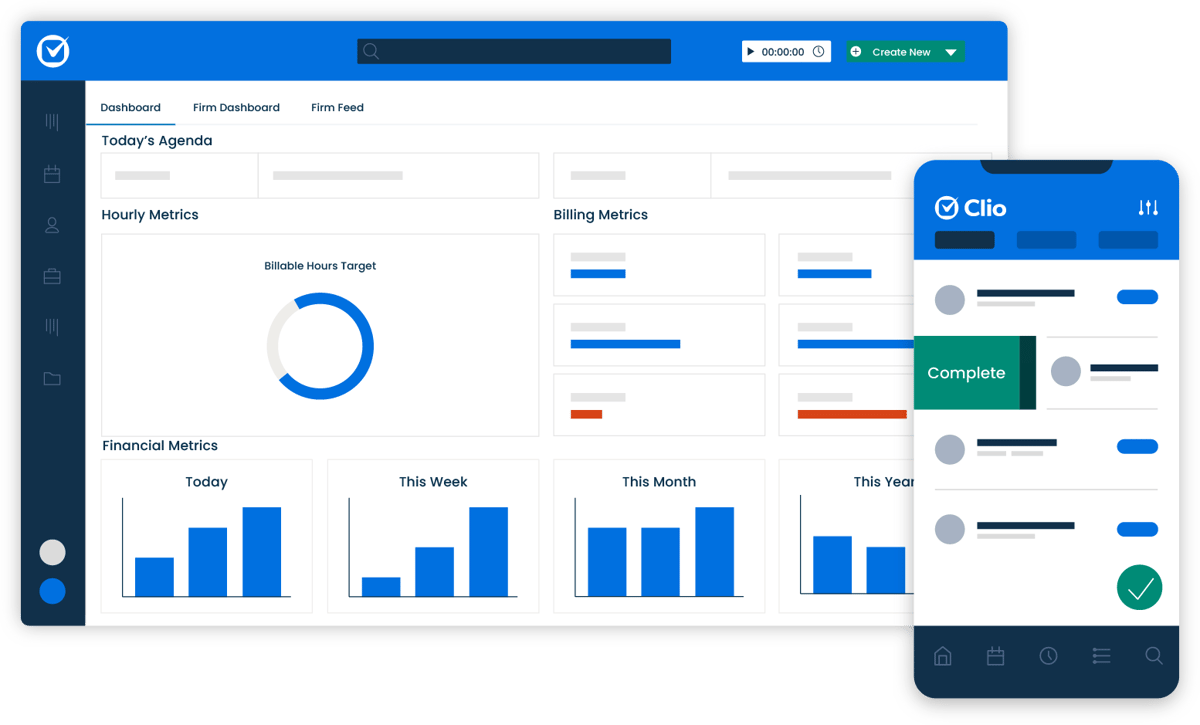
Clio is a popular choice for firms that want a clearer view of their daily work. On this platform, case details, contacts, documents, and conversations all live in one place, which makes staying organized much easier.
clio

Source: G2

With Clio, scheduling, document storage, and communication tracking feel straightforward. It also connects with other legal tech software platforms, which helps reduce manual work across your workflow.

Whether you’re checking in with a new client or managing long-running matters, Clio keeps everything documented and easy to find, so nothing important gets missed.

3. Legal Research

Legal research is part of how legal work actually gets done. Before you advise a client or step into court, you need to know what the law says and how it’s been applied before.

That means reviewing statutes, regulations, and past decisions so you’re not guessing or relying on memory. When deadlines are tight and court dates are approaching, having the right information is paramount.

Modern research tools make this process far more manageable. Rather than digging through scattered sources, everything is easily accessible in one place. You can search, filter, and cross-check authority without breaking your flow.

Many firms also use e-discovery tools alongside research platforms, which helps tie facts to supporting law more efficiently. Together, they reduce manual work and make it easier to stay prepared as cases move forward.

Westlaw

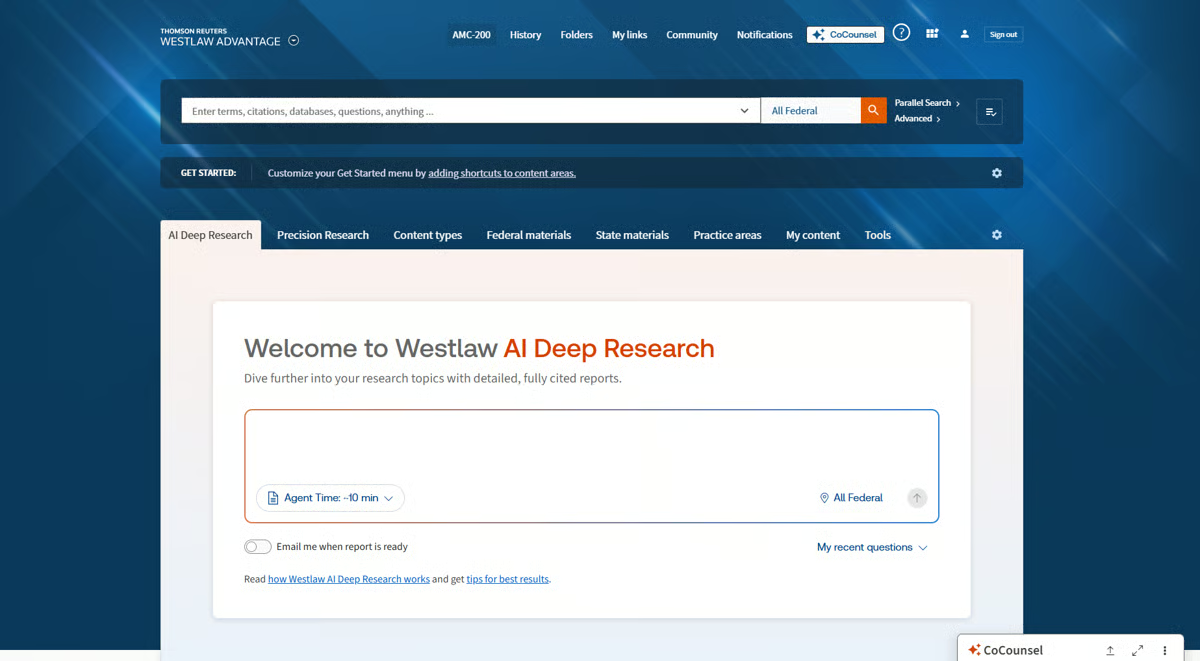
Westlaw is a long-standing legal research platform that many firms rely on for day-to-day research. It brings case law, statutes, regulations, and secondary sources together in one platform. This way, you’re not jumping between databases to get answers.
Westlaw

Source: G2

The value comes from how easy it is to narrow research to a specific practice area and get relevant results fast. That focus helps lawyers spend less time searching and more time applying what they find to the matter in front of them.

Westlaw also supports data-driven decisions by showing how cases have been cited and treated over time. Its KeyCite feature lets you quickly check whether a case is still good law and see how later courts have referenced it, which adds confidence before relying on a citation.

Behind the scenes, Westlaw uses artificial intelligence to improve search results and surface relevant authority based on context, not just keywords. 

The end result is research that feels more precise and easier to trust, especially when timelines are tight.

4. Contract Management

Contracts sit at the center of many legal services, and handling them well takes more than careful drafting. For many law firms, the real challenge is keeping contracts organized, reviewed properly, and easy to manage as they move through different stages.

Traditional document review often means long hours spent checking language, comparing versions, and watching for small issues that can turn into bigger problems later. It works, but it’s slow and leaves little room when volume increases.

Modern contract management tools help take pressure off that process. They support contract analysis, surface potential issues early, and keep everything in one place so nothing gets lost. 

You still make the legal decisions, but the system helps you stay consistent and focused.

These tools also give you full control over contracts after they’re drafted. That means you can track changes, manage approvals, and stay on top of key dates more easily.

Ironclad

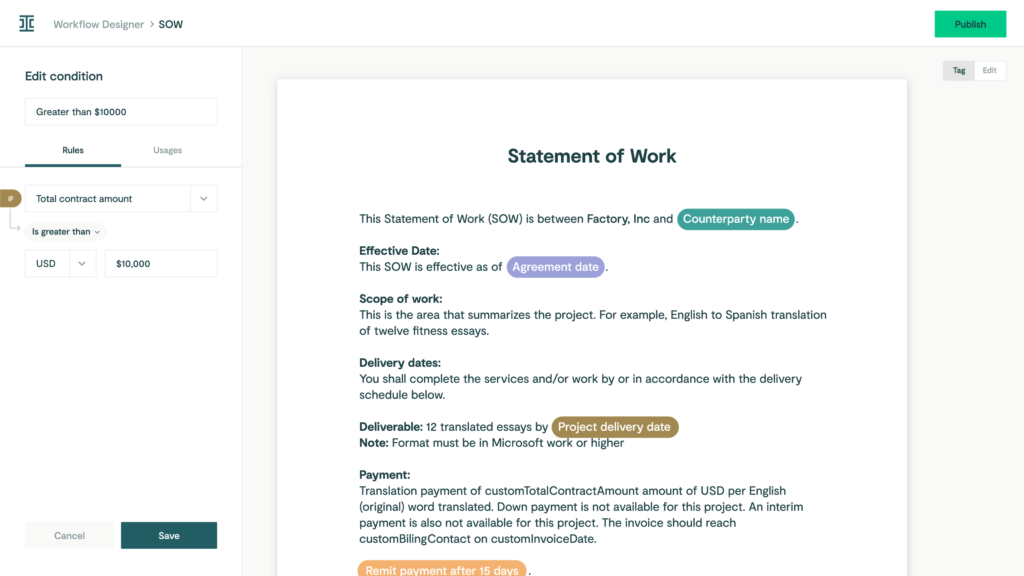
Ironclad is a contract management platform for firms that handle a steady flow of agreements. Lawyers rely on it to manage drafting, review, approvals, and contract tracking in one place.
Ironclad

Source: G2

Firms often use Ironclad templates for common agreements so drafting feels faster and more consistent. 

During review, the platform highlights key terms and clauses, which helps surface issues early while attorneys stay focused on the legal decisions.

All legal information related to a contract stays in one place, making it easier to check status, review past versions, or come back to an agreement later. Once a contract is signed, Ironclad helps teams keep track of important dates like renewals and expirations.

It also works as a legal document management system and keeps edits and versions easy to follow. The platform is built with enterprise-grade security, which matters when contracts include sensitive business and legal details.

5. Billing and Accounting

Legal billing and accounting software keep a firm running day to day, even though they rarely get much attention. For legal professionals, staying on top of hours, expenses, and invoices directly affects cash flow and how smoothly the practice operates.

Handled manually, these tasks take up more time than they should and make it easier for small mistakes to slip in. And when billing falls behind, it often spills into other daily operations, such as client follow-ups and internal reporting.

Modern legal billing software brings structure to this part of the firm. Time entries, expenses, and invoices stay organized and easy to review, which helps firms stay consistent and predictable with their finances.

Many platforms also support e-filing and reporting to make compliance easier to manage.

Just as important, billing and accounting software tools are designed to align with regulatory standards, which helps give firms confidence that financial records are accurate and defensible.

QuickBooks

QuickBooks is a popular tool for law firms to manage billing and accounting efficiently. You can stay on top of your time and money with a system that effortlessly tracks hours, expense management, and speedy invoice generation.

QuickBooks

Source: G2

With QuickBooks, you can send invoices directly to clients to ensure accurate billing and faster payments. Its excellent expense tracking also simplifies monitoring spending and preparing for tax season.

In addition, QuickBooks provides valuable financial insights through its reporting tools to help you track profitability and make informed decisions. 

Integrating seamlessly with other tools, QuickBooks creates a smooth workflow, and its user-friendly interface makes it easy for everyone in the firm to use.

6. Client Intake

Bringing in a new client doesn’t end when they say yes. The intake process is what shapes their first real impression of your firm. If it feels slow or confusing, that experience sticks.

Client intake covers how you collect client info, share forms, and explain next steps. Think of the moment after the first inquiry: someone fills out a form, makes a few phone calls, or sends documents over.

A good intake process keeps that information organized and keeps clients informed about what happens next.

For example, an intake tool might send a new client a secure form to complete before the first meeting. Once it’s submitted, the details are saved automatically, reminders go out if something’s missing, and your team sees everything in one place before the call even happens.

That kind of structure reduces back-and-forth, shortens response times, and plays a big role in improving client satisfaction. 

When intake runs smoothly, clients feel supported from the very beginning, and your team starts the relationship on solid ground.

Lawmatics

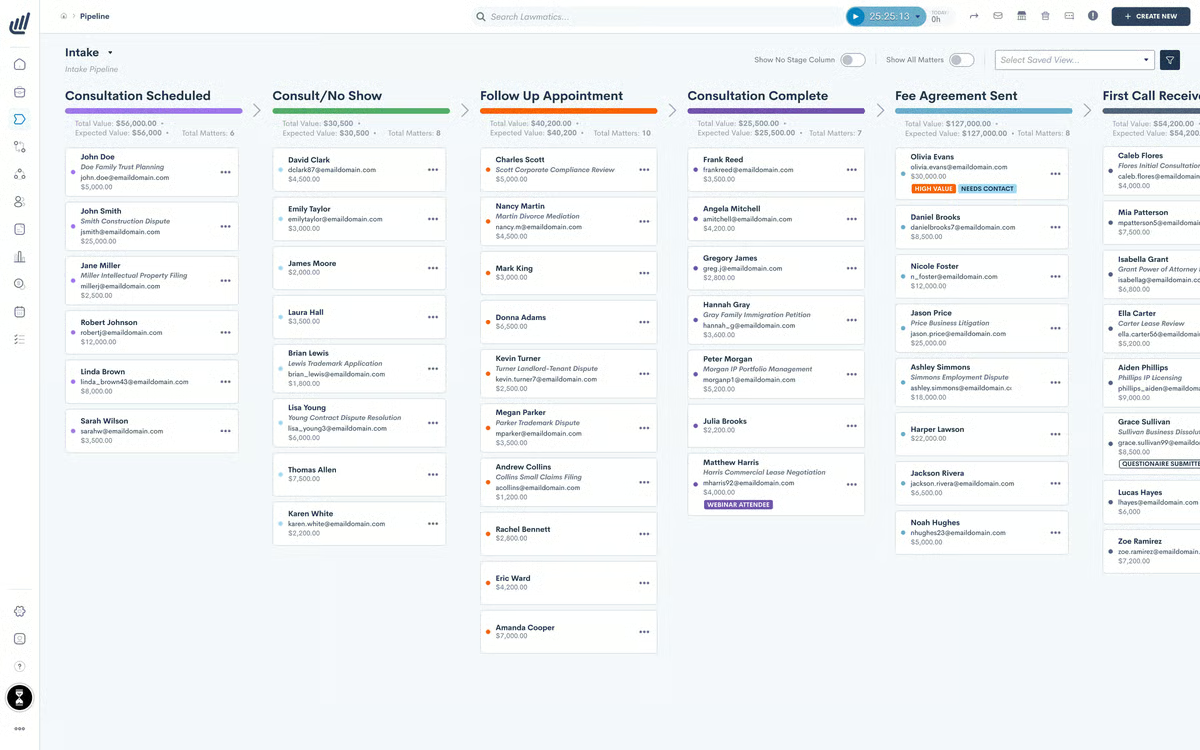
Lawmatics takes the hassle out of onboarding new clients by automating everything from gathering essential information to managing forms and documents.
Lawmatics

Source: G2

With Lawmatics, you can create customized intake forms that capture all the details you need so you don’t miss anything. Plus, its user-friendly interface makes the whole process smooth and efficient.

One of the standout features of Lawmatics is its ability to track leads and follow up automatically, which means you never miss a potential client.

It also integrates seamlessly with other legal tech tools and legal CRM systems to keep everything organized and accessible.

7. Electronic Signatures

Electronic signatures have become a normal part of how legal documents move today. Signing no longer means printing, scanning, or dealing with physical files, which saves time and keeps things from piling up.

Many document management platforms now include e-signature tools right inside the system. That means a document can be drafted, sent out for signature, signed, and stored in the same place. Once it’s signed, it’s already filed and easy to find later.

E-signatures also help keep sensitive information protected. Built-in security features and audit trails make it clear who signed what and when, which matters for legal work.

DocuSign

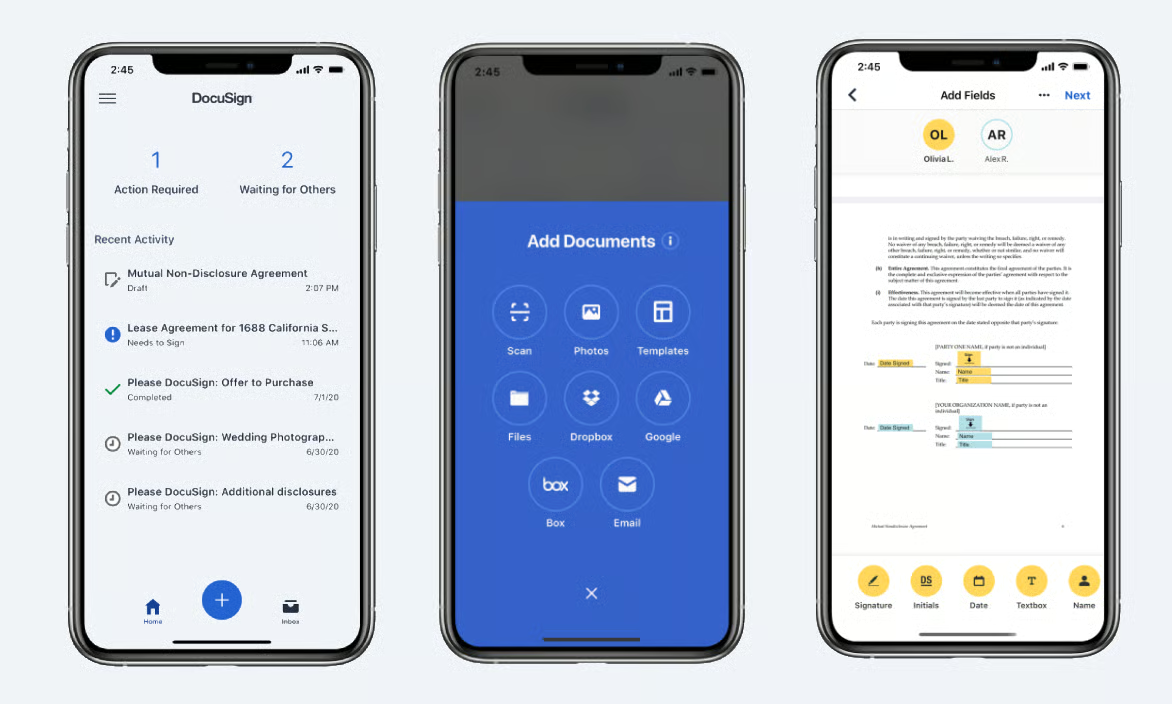
With DocuSign, you can send, sign, and manage documents electronically so signatures are collected quickly and securely. 

No matter what type of legal document you’re working with (contract, litigation document, or something else entirely), this platform has the versatility to handle it with ease.
DosuSign

Source: G2

One of the key benefits of DocuSign is its ease of use. Both lawyers and clients can sign documents from any device, whether they’re in the office or on the go.

With this flexibility, delayed signatures become a thing of the past, and important documents get signed promptly. 

DocuSign also offers robust security features, including encryption and authentication, to protect the integrity of your documents and the confidentiality of your clients.

When Discovery Becomes the Bottleneck

Legal tech sounds overwhelming until you break it down like this. The real challenge usually isn’t deciding if your firm needs better tools. It’s figuring out where to start.

Do you tackle the work that eats up the most time? The legal tasks that cause the most frustration? Or the areas where mistakes tend to creep in when things get busy?

Briefpoint

Every firm’s answer looks a little different. Some start with document automation because drafting and discovery never slow down. Others focus on practice management, billing, or intake because daily organization has become a bottleneck.

There’s no single “right” order, just the next problem worth solving.

What matters is momentum. Once one process feels lighter, everything else gets easier to manage.

If discovery work keeps pulling attorneys away from higher-value tasks, that’s often a clear place to begin. Briefpoint helps firms handle discovery faster and with far less manual effort, while fitting neatly into existing workflows.

Ready to see how much time discovery could give back? Book a Briefpoint demo now.

FAQs About Legal Tech Software

Why is legal tech software important for law firms?

Legal tech helps firms stay organized as work piles up. For many legal organizations, the biggest benefit is saving time on routine tasks so lawyers can stay focused on strategy, analysis, and advising clients. When systems handle the admin side, fewer billable hours get lost to cleanup and rework.

Can small law firms benefit from legal tech software?

Absolutely. Smaller firms often feel the impact faster because there’s less room for inefficiency. Legal tech helps manage client interactions, deadlines, and relevant documents without needing extra staff, which makes growth easier to handle.

Is it expensive to implement legal tech software?

Costs vary, but many tools are priced to scale with your firm. Subscriptions, modular features, and flexible plans make it possible to start small and expand later, especially when multiple tools replace manual processes.

How do I choose the right legal tech software for my firm?

Start with the work that causes the most friction. Look for software that helps resolve issues you deal with daily, supports multiple team members, and fits the way your firm already operates. Demos and trials help clarify what actually works in practice.

Can legal tech handle complex cases and growing teams?

Yes. Many platforms are built to support complex cases and collaboration across teams. That’s why industry leaders often rely on legal tech to keep matters moving smoothly as caseloads and responsibilities expand.

The information provided on this website does not, and is not intended to, constitute legal advice; instead, all information, content, and materials available on this site are for general informational purposes only. Information on this website may not constitute the most up-to-date legal or other information.

This website contains links to other third-party websites. Such links are only for the convenience of the reader, user or browser. Readers of this website should contact their attorney to obtain advice with respect to any particular legal matter. No reader, user, or browser of this site should act or refrain from acting on the basis of information on this site without first seeking legal advice from counsel in the relevant jurisdiction. Only your individual attorney can provide assurances that the information contained herein – and your interpretation of it – is applicable or appropriate to your particular situation. Use of, and access to, this website or any of the links or resources contained within the site do not create an attorney-client relationship between the reader, user, or browser and website authors, contributors, contributing law firms, or committee members and their respective employers.

READ MORE


5 Best Legal Workflow Software to Use in 2026

5 Best Legal Workflow Software to Use in 2026

The work that goes on in law firms can be repetitive, time-consuming, complex, or—in the most tedious of situations—a mixture of all three.

It’s a way of life, in a sense, and the “norm” that many in the legal profession learn to get used to.

Luckily, legal workflow automation software is here to change that. Law firms need to maximize every billable hour, and what’s a better way to do that than to optimize every legal workflow possible?

In this guide, we’ll explore the definitions of legal workflow automation software, the potential benefits, and the best way to incorporate these tools into your operations.

What Are Legal Workflow Tools?

Legal workflow tools are specialized software applications designed to optimize and automate various tasks and processes within legal practices.

Generally, these tools aim to improve efficiency, accuracy, and consistency by managing and simplifying routine tasks, including but not limited to:

  • Document creation
  • Case management
  • Legal billing
  • Scheduling
  • Communication

In other words, legal workflow management software streamlines processes wherever automation is possible.

For the legal industry and corporate legal departments, most of the focus is on incorporating automated workflows to let legal professionals focus on value-adding tasks that tech cannot do.

What Are the Types of Legal Workflow Tech Solutions?

Legal workflow automation software can be classified into many distinct types based on its function. In this article, we’ll focus on some of the most important, which include:

Document Automation

Document automation is a type of legal workflow automation software that creates or drafts legal documents, including discovery responses and requests. Without this type of tech, legal professionals would still have to spend hours, if not days, drafting documents manually.

Besides speeding up the process of creating legal documents, document automation helps ensure consistency and accuracy across the board.

Task or Project Management

In most law firms, a significant chunk of time is usually spent on organizing legal teams and delegating tasks for maximum efficiency. This might be easier for smaller law firms, but not for big ones that have dozens of legal staff members.

Task management involves the utilization of software solutions to organize, monitor, and assign tasks within a team. These solutions typically bring:

  • Deadline reminders for critical filings and submissions
  • Task assignment to specific team members based on their expertise
  • Client communication follow-ups
  • Progress tracking dashboards for a quick overview of ongoing projects
  • Recurring tasks like monthly case reviews or billing reminders
  • Integration with calendars to align tasks with schedules
  • Status updates for team-wide visibility on task completion

Acting as a digital project manager, legal task management software can help you establish efficient workflow coordination to avoid overlooking tasks or missing deadlines.

Database Management

With database management systems, law firms can ditch the chaos of physical files and keep everything organized in one secure digital space.

These tools make storing and finding information like case files, client details, and legal research a breeze. Instead of spending precious time searching through folders, advanced search features let you pull up what you need in seconds.

On top of that, they’re designed to keep sensitive data safe, with built-in encryption and access controls.

Collaboration gets easier, too. Whether you’re in the office or working remotely, team members can share, update, and access files in real time.

Billing Management

Law firms generate profit through billable hours, which makes an efficient billing management system an absolute must.

Billing management tools automate administrative tasks such as invoicing and payment tracking within legal operations.

Compared to general accounting tools, these billing systems are built specifically for legal work. At the very least, legal billing tools reduce manual data entry and align billing directly with matters, time entries, and client agreements.

These tools help optimize tasks like:

  • Tracking billable hours
  • Generating invoices
  • Monitoring outstanding payments
  • Maintaining transparent financial records

While general accounting software focuses on high-level finances, legal billing tools connect timekeeping and case activity to billing in a way that fits how law firms actually work.

Legal Reporting

Another useful type of workflow automation software is legal reporting tools, which help law firms gauge their profitability and overall health.

An ideal reporting tool should be capable of data analysis, productivity monitoring, key performance indicator (KPI) tracking, as well as tracking and analysis of important metrics like cash flow, law firm profitability, cost-per-client, and more.

Law firms need this kind of software to make sure they’re always in the black and anticipate potential financial issues down the road.

What are the Benefits of Using Legal Workflow Software?

Legal workflow software helps bring order to work that can easily feel scattered. If your day includes jumping between emails, documents, and reminders, these tools pull everything into a clearer flow and reduce reliance on manual processes that slow you down.

Here’s where the value really shows up:

  • Saves time on everyday work: When you automate tasks like legal document drafting, task tracking, and approvals, you spend less time on busywork and more time moving cases forward and supporting strategic initiatives.
  • Cuts down on mistakes: Manual handoffs and repeated data entry create room for error. Workflow software adds consistency across all areas.
  • Reduces administrative overhead: Fewer follow-ups, fewer spreadsheets, and less rework make day-to-day legal operations easier to manage.
  • Makes collaboration easier: Everyone can see what’s happening, what’s next, and who’s responsible, which helps teams stay aligned even when they’re not in the same office.
  • Improves user adoption over time: Tools built around real workflows feel easier to use, which helps teams stick with them instead of falling back on old habits.

Overall, legal workflow software gives you a more reliable way to manage work without adding extra layers of complexity.

Top 5 Legal Workflow Automation and Management Software

Choosing the right legal practice management software can be complicated, given the dozens of potential options out there. So, we’ve narrowed it down to a top-five list:

1. Briefpoint: Best for Discovery Document Drafting

Briefpoint is a discovery automation platform designed to reduce the time and effort it takes to draft discovery requests and responses.

It pulls key information from your documents and generates suggested answers or objections you can review and edit, which helps you move through discovery with less manual work.

Briefpoint

You can use Briefpoint to handle common discovery documents, such as:

Briefpoint also includes Briefpoint Bridge, a built-in tool that simplifies collecting client responses. 

You can choose the interrogatories that need answers, rewrite them in plain language, and send them directly to your client. When responses come back, Bridge places them into the draft automatically.

For matters with large productions, Autodoc extends Briefpoint’s capabilities even further.

Upload your RFPs and production or case files, and Autodoc identifies responsive documents, generates Word responses with page-level Bates citations, and prepares a Bates-numbered production ready to serve. Review controls and privilege tagging keep everything transparent.

More than 1,500 law firms trust Briefpoint to reduce discovery time and keep work moving when deadlines matter.

See how it works today.

2. Clio: Best Legal Practice Management System

Clio is a cloud-based practice management platform built to support the day-to-day operations of a law firm from a single system.

Clio

Source: G2

This popular tool brings together core functions that firms rely on to keep matters organized, deadlines visible, and work moving forward without handling multiple platforms.

Its feature set covers:

  • Case management
  • Time tracking
  • Billing and invoicing
  • Document management
  • Calendar and task management

Clio also works well alongside other workflow tools, which makes it easier to connect case data with the rest of your tech stack. For firms focused on process management, this flexibility helps reduce gaps between intake, active matters, and billing.

And because it’s cloud-based, Clio supports remote work and shared access across teams. Attorneys and staff can review files, update matters, and communicate without being tied to the office. 

The platform also supports a smoother client intake process and clearer collaboration across roles.

If you’re looking to streamline operations and centralize case-related work, Clio offers a practical foundation that scales as caseloads grow.

3. Smokeball: Best Automation Software for Smaller Firms

Smokeball is designed for smaller teams that want legal automation without adding complexity to their day. 

If you handle a high volume of similar tasks, this platform helps you automate routine tasks while keeping work consistent and easy to manage.

Smokeball screenshot

Source: G2

It supports automation across areas you likely touch every day, including:

  • Time tracking
  • Document drafting
  • Email management
  • Billing and invoicing

One of the key benefits is how everything connects. Time entries flow into billing, documents pull from the same matter data, and fewer details fall through the cracks. That structure helps with maintaining consistent quality, even when you’re managing multiple matters at once.

Smokeball also offers seamless integration with tools you may already rely on, such as Microsoft Office and QuickBooks. You don’t need to rebuild your workflow to use it, which makes adoption smoother from the start.

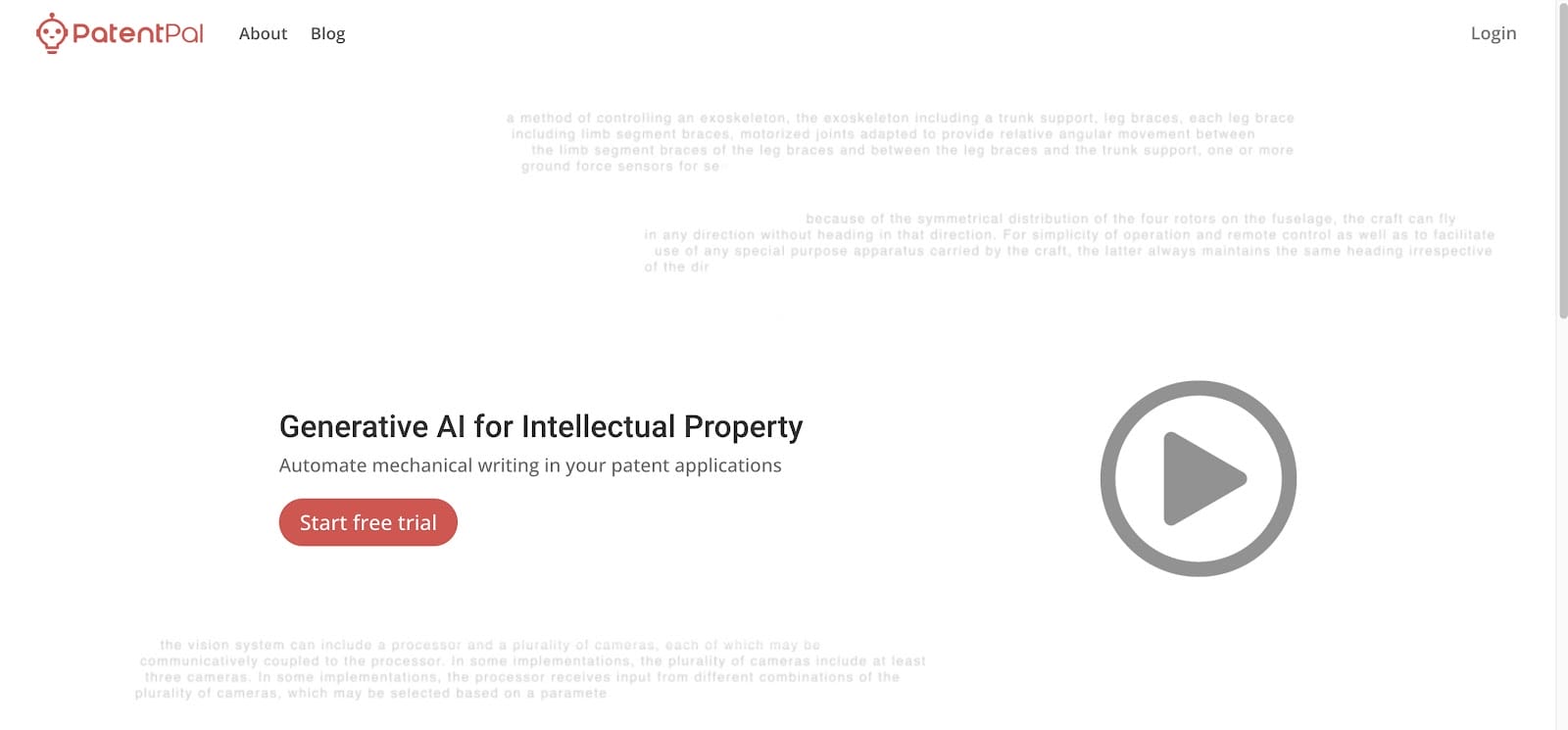
4. PatentPal: Best Legal Workflow Software for IP Law

PatentPal is a niche software solution developed with the unique needs of intellectual property professionals in mind. 

Basically, it automates and smoothens the most complicated parts of drafting and managing patents.

Patent Pal

Source: Patentpal.com

PatentPal decreases the time and effort typically required in the patent application process, which makes it an invaluable asset for those specializing in IP law.

Some of its key features include:

  • Automated drafting
  • Customizable templates
  • Error detection
  • AI-powered suggestions
  • Version control

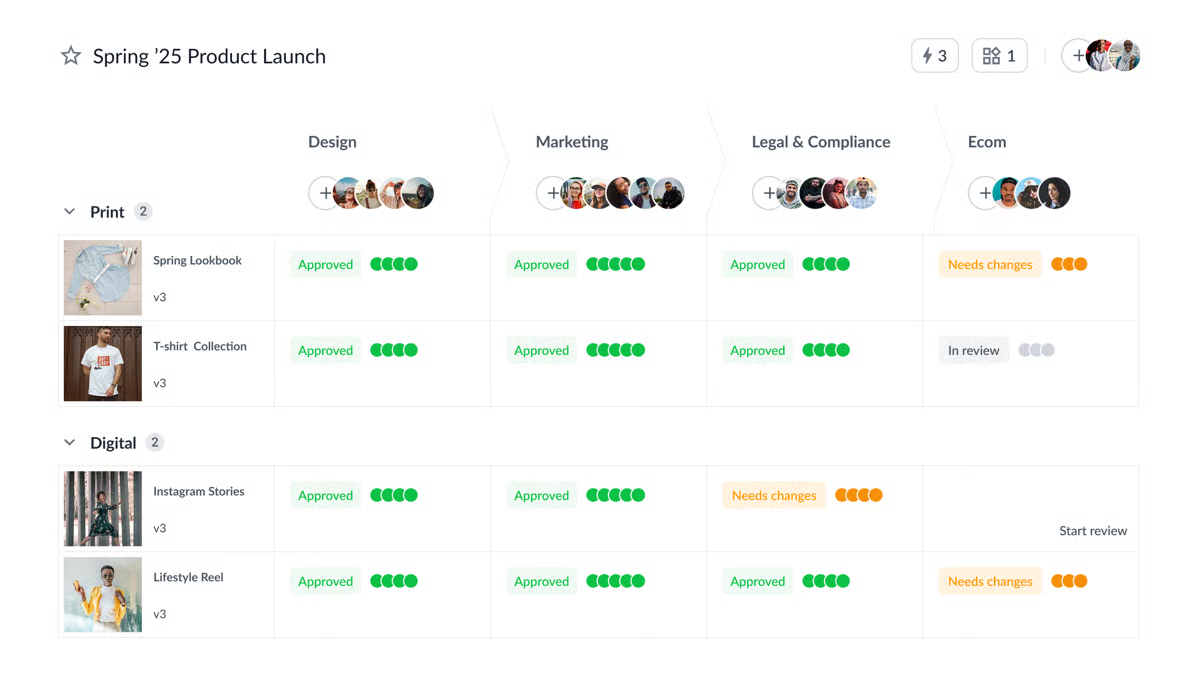
5. FileStage: Best for Document Reviews

FileStage brings structure to document reviews that usually feel scattered and hard to track.

When approvals, comments, and revisions live across emails and shared drives, it’s easy to lose momentum. FileStage pulls that work into a single review space so documents move forward without constant follow-ups.

FileStage

Source: G2

It’s a solid fit for contract review and other approval-heavy work where multiple people need to weigh in. Every comment, change, and decision stays tied to the document, which makes it easier to see progress and avoid duplicate edits.

By automating repetitive tasks like reminders and approval tracking, reviews don’t stall waiting for responses across multiple systems.

FileStage helps organize:

  • File review and approval
  • Task assignments
  • Auditing
  • Version tracking and change history
  • Centralized feedback from internal and external reviewers

The result is a review process that feels more predictable and easier to manage, especially when several stakeholders are involved, and timelines matter.

How Can You Incorporate Legal Workflow Automation in Your Law Firm?

Adding workflow automation works best when it feels like a natural extension of how work already gets done.

Always remember that the goal is to reduce human error and introduce workflow solutions that actually support your day, not slow it down.

Here’s a simple way to approach it:

  • Start with friction points: Look at tasks that create delays or rework, such as drafting, approval processes, billing, or legal project management. These issues show up in small teams and enterprise legal departments alike.
  • Be clear on what you want to improve: Faster turnaround, fewer mistakes, better visibility, or smoother handoffs all shape which tools make sense.
  • Choose tools that fit your setup: Workflow solutions should work alongside your existing tools, not replace everything overnight. Strong integrations make adoption easier and keep work moving.
  • Roll it out in stages: Introduce automation gradually, migrate data carefully, and adjust workflows so they match how your team already operates.
  • Get people comfortable using it: Practical training and open feedback go a long way. When legal software feels intuitive, teams stick with it.
  • Keep reviewing and adjusting: Check performance, gather feedback, and refine workflows over time. Pay close attention to compliance tracking and data security as processes evolve.

Legal Workflow Software Is the Future of Efficient Practice

In this guide, the focus has been on reducing friction in everyday legal work. When workflow software is used well, tasks stay organized, and teams spend less time chasing details across systems.

Discovery is the legal workflow that often carries the heaviest load. Deadlines are tight, documents pile up quickly, and manual drafting leaves little room for error. That pressure can ripple through the rest of your workflow and slow everything down.

Briefpoint

Briefpoint fits naturally into that picture by handling discovery drafting and responses with far less manual effort. It keeps documents consistent, shortens turnaround time, and gives you clearer control over a process that usually demands a lot of attention.

When one of the most demanding parts of the litigation process becomes easier to manage, the rest of your workflow benefits, too.

If discovery continues to take up more time than it should, book a demo today!

FAQs About Legal Workflow Software

What is legal workflow software used for?

Legal workflow software helps organize and automate everyday legal work, from drafting documents to legal research. Teams use workflow automation tools to reduce manual steps, support task automation, and keep work moving without relying on scattered processes.

How does legal workflow software work with other tools?

Most platforms are designed to connect with existing systems such as email, storage, matter management, and billing software. Strong integration capabilities allow workflow software to sit alongside document management systems and case management platforms, so teams don’t have to replace everything at once.

Who benefits most from legal workflow automation?

Legal workflow automation supports a wide range of teams, including in-house legal groups and large law firms. Many legal leaders use legal workflow automation tools to improve visibility, reduce delays, and bring more consistency to daily work.

Does workflow automation improve client relationships?

Yes. Faster turnaround times, fewer errors, and clearer communication all contribute to better client service. Over time, this leads to stronger trust, higher client satisfaction, and often increased client satisfaction across matters.

The information provided on this website does not, and is not intended to, constitute legal advice; instead, all information, content, and materials available on this site are for general informational purposes only. Information on this website may not constitute the most up-to-date legal or other information.

This website contains links to other third-party websites. Such links are only for the convenience of the reader, user or browser. Readers of this website should contact their attorney to obtain advice with respect to any particular legal matter. No reader, user, or browser of this site should act or refrain from acting on the basis of information on this site without first seeking legal advice from counsel in the relevant jurisdiction. Only your individual attorney can provide assurances that the information contained herein – and your interpretation of it – is applicable or appropriate to your particular situation. Use of, and access to, this website or any of the links or resources contained within the site do not create an attorney-client relationship between the reader, user, or browser and website authors, contributors, contributing law firms, or committee members and their respective employers.

READ MORE


Test Post

Product Update {{PRODUCT_AREA}}
v{{VERSION}} {{AVAILABILITY_TEXT}}

{{UPDATE_TITLE}}

{{UPDATE_SUBTITLE}}

{{HIGHLIGHT_1}} {{HIGHLIGHT_2}} {{HIGHLIGHT_3}}

At a glance

  • What’s new: {{AT_A_GLANCE_WHATS_NEW}}
  • Who it helps: {{AT_A_GLANCE_WHO}}
  • Why it matters: {{AT_A_GLANCE_WHY}}

{{FEATURE_1_TITLE}}

{{FEATURE_1_DESC}}

{{FEATURE_2_TITLE}}

{{FEATURE_2_DESC}}

{{FEATURE_3_TITLE}}

{{FEATURE_3_DESC}}

{{HERO_IMAGE_ALT}}
{{MEDIA_CAPTION}}

What changed

{{WHAT_CHANGED_PARAGRAPH}}

How to use it

  • {{HOW_TO_STEP_1}}
  • {{HOW_TO_STEP_2}}
  • {{HOW_TO_STEP_3}}

Notes

{{NOTES_TEXT}}

FAQ

{{FAQ_1_Q}}
{{FAQ_1_A}}
{{FAQ_2_Q}}
{{FAQ_2_A}}
{{FAQ_3_Q}}
{{FAQ_3_A}}
{{SMALL_PRINT}}
READ MORE


Best AI for Legal Documents: Top 7 Tools for 2026

Best AI for Legal Documents: Top 7 Tools for 2026

The best AI for legal documents makes legal work easier, to say the least. Yet, plenty of law firms are still hesitant to jump on board.

Some worry about accuracy, while others don’t want to change the way they’ve always done things. But the reality is, AI isn’t replacing lawyers. Rather, it’s taking tedious work off their plates.

From drafting discovery responses to reviewing contracts and conducting legal research, AI-powered legal tools help firms work smarter, not harder.

Whether you’re running a solo practice or handling documents in an in-house legal department, the right AI can save time and let you focus on more important legal work.

This guide breaks down the best AI tools for legal documents so you can find the right tool to fit your workflow.

Legal Documents

Types of AI Tools for Legal Documents

First things first, let’s talk about the different types of AI tools for legal documents. Not all legal AI tools do the same thing. Here are the main types of AI tools, per the process they cover:

  • Contract drafting: These tools help create legal documents using templates and user inputs, which saves lawyers hours of manual work.
  • Legal document drafting: Creates pleadings, discovery documents, contracts, and other legal paperwork based on templates and case details. It expedites the drafting process while maintaining accuracy.
  • Document review: Speeds up analysis by identifying risks, missing clauses, and inconsistencies, similar to how legal professionals review documents.
  • Legal research: Finds relevant case law, statutes, and regulations quickly, cutting down the time spent on legal research.
  • E-signature and contract management: Simplifies contract signing, tracking, and storage to make sure deadlines aren’t missed.
  • Litigation support: Assists with case analysis, summarizing legal documents, and predicting case outcomes.

Each of these tools plays a role in making legal work more efficient and less prone to errors. Of course, the right tool depends on what you need, whether it’s drafting, reviewing, or managing other legal documents.

Top 7 AI Tools for Legal Documents

All of those benefits sound good in theory, but they only matter if the tools actually hold up in day-to-day legal work. The real difference comes down to how well an AI tool fits into your workflow and supports the way you already practice.

Below are some of the best AI tools for legal documents:

1. Briefpoint

Briefpoint is an AI-powered discovery platform designed for the part of litigation that tends to consume the most time, which is most often drafting and responding to discovery.

If your work involves propounding discovery requests, reviewing responses, and preparing Bates-numbered productions, Briefpoint brings those steps into one cohesive workflow that matches how discovery actually gets done.

Briefpoint

Rather than drafting requests for admission, requests for production, and interrogatories from scratch or spending days organizing productions, you can let Briefpoint handle the repetitive structure while you stay focused on substance and strategy.

The platform applies jurisdiction-ready formatting, standard objections, and properly structured responses so discovery keeps moving without cutting corners.

If discovery shows up often in your matters, Briefpoint takes hours of repetitive work off your plate and replaces it with a review-first process you can rely on from case to case.

Key Features

  • Propound discovery from a complaint: Upload a complaint, and Briefpoint automatically generates tailored interrogatories, RFAs, and RFPs. Each request is written to avoid common drafting issues like ambiguity or assuming facts.
  • Automated discovery response drafting: Upload opposing counsel’s discovery requests, and Briefpoint identifies court details, parties, set numbers, and local formatting rules. Responses are structured automatically, with standardized objections applied where appropriate.
  • Client response collection in plain English: Briefpoint Bridge converts interrogatories into plain-language questions and sends them to clients through a secure portal. Clients respond directly in their browser, and answers flow back into Word-ready drafts without extra cleanup.
  • Word-ready documents: All discovery responses export as properly formatted Word documents, complete with captions, numbering, and objections. Final review and edits happen where attorneys already work.
  • Autodoc: Autodoc extends Briefpoint’s discovery workflow into document production. Upload RFPs and case files, and Autodoc locates responsive documents for each request and generates written responses with page-level Bates numbering.
  • Security and compliance: Briefpoint is SOC-2 certified, encrypts data in transit and at rest, and keeps client data siloed per account. Uploaded materials are never used to train Briefpoint or third-party models.

Pros

  • Handles both propounding and responding to discovery
  • Produces jurisdiction-ready RFAs, RFPs, and interrogatories
  • Cuts discovery drafting and production time from days to minutes
  • Generates Bates-cited responses and ready-to-serve productions
  • Keeps attorneys in control with Word-first editing and verification

If you want a full tour of Briefpoint, book your free demo today!

2. CoCounsel by Casetext

CoCounsel is an AI-powered legal document assistant that helps lawyers with research, contract review, and document analysis.

Developed by Casetext, it automates time-consuming legal tasks that would otherwise require significant manual effort. Used right, this tool can give attorneys more room to focus on case strategy and judgment.

CoCounsel

Source: G2

With features like document summarization, deposition preparation, and contract analysis, CoCounsel functions as an AI-powered document assistant trained on large language models designed for legal work.

It processes full transactional documents, reviews different document versions, and responds to legal questions while staying grounded in the legal context.

Key Features

  • Legal research assistance: Quickly finds relevant case law, statutes, and regulations while accounting for legal context and jurisdictional nuance.
  • Contract review: Analyzes contracts, flags potential risks, and surfaces issues across full transactional documents.
  • Deposition preparation: Helps attorneys organize key points, review testimony, and prepare outlines with less manual effort.
  • Legal document summarization: Extracts critical details from lengthy documents and multiple document versions.
  • Case analysis: Identifies key arguments, supporting evidence, and relevant precedents to support actionable intelligence.

Pros

  • Finds case law and statutes faster than manual searches
  • Flags risks and missing clauses with AI-powered insights
  • Automates repetitive tasks, reducing workload for legal teams
  • Designed for easy adoption without a steep learning curve

3. ChatGPT

ChatGPT isn’t designed specifically for law firms, but many in the legal industry use it as a general-purpose AI for a wide range of legal-adjacent tasks.

From drafting emails and summarizing case law to generating legal arguments and reviewing long documents, it serves as a flexible generative AI assistant.

ChatGpt

Source: ChatGPT.com

While it doesn’t replace specialized legal AI tools, lawyers often rely on ChatGPT to answer questions, produce first drafts, brainstorm ideas, and refine legal writing before final review.

Key Features

  • Legal writing assistance: Helps draft contracts, emails, and legal memos with clear, structured language suitable for first drafts.
  • Document summarization: Condenses case law, statutes, and long legal documents into digestible summaries.
  • Legal research support: Helps locate case law, statutes, and legal concepts, though outputs require verification.
  • Contract review assistance: Identifies potential issues in contracts and suggests revisions for review.
  • General productivity support: Assists with scheduling, transcription, and other administrative tasks.

Pros

  • Useful for research, writing, and general legal-adjacent tasks
  • Quickly generates drafts, summaries, and contract reviews
  • More accessible than many specialized legal AI apps or tools
  • No complex setup or integrations required

4. ContractSafe

Keeping track of contracts can be a headache, especially when deadlines sneak up or important terms get buried in piles of paperwork. When agreements live across folders, emails, and shared drives, even routine attorney review can turn into a time sink.

ContractSafe

Source: G2

ContractSafe makes it easier to store, search, and manage contracts as part of everyday legal workflows.

With AI-powered search, automated reminders, and secure storage, it helps teams stay organized across complex documents and ongoing correspondence, while continuing to work within their existing systems.

It isn’t built for drafting or reviewing full drafts. But for teams that need a reliable way to track agreements, obligations, and deadlines, ContractSafe simplifies contract organization without adding extra process.

Key Features

  • AI-powered search: Instantly locates contract terms, clauses, and key details within complex documents using simple keyword searches.
  • Automated deadline reminders: Send alerts before renewals, expirations, or other important obligations tied to active agreements.
  • Secure document storage: Keeps contracts centralized and searchable for faster attorney review.
  • User permissions & access control: Controls who can view, edit, or download contracts across teams.
  • Integrations with business tools: Connects with CRMs and document management platforms to fit into existing systems.

Pros

  • Makes finding contracts quick and easy
  • Prevents missed deadlines with automated reminders
  • No complex setup or IT support needed
  • Supports team collaboration with access controls

5. DocuSign

DocuSign makes signing and managing legal documents faster, more secure, and fully digital.

With legally binding e-signatures and automated workflows, it helps businesses and law firms move agreements forward without the friction of printing, scanning, or mailing documents back and forth.

DocuSign

Source: G2

While DocuSign is best known for e-signatures, its platform has expanded to support broader legal document workflows used by transactional lawyers and corporate legal departments.

Tools like DocuSign Iris add AI capabilities that assist with due diligence, contract review, and data extraction, helping teams work through agreements more efficiently while staying aligned with client service expectations.

These features support agentic workflows and custom legal workflows that fit into existing processes, making DocuSign a fully integrated option for managing agreements from signature through storage and tracking.

Key Features

  • Legally binding e-signatures: Allows users to sign contracts securely from anywhere, across devices.
  • Automated contract workflows: Supports custom workflows for sending, signing, approving, and finalizing agreements.
  • AI-assisted review with Iris: Helps surface key terms and insights during due diligence and contract review.
  • Audit trails & compliance tracking: Maintains a detailed activity record to support compliance and internal review.
  • Secure cloud storage and integrations: Connects with legal CRM, document management, and legal systems to stay fully integrated.

Pros

  • Speeds up contract signing with secure e-signatures
  • Supports due diligence and review with AI-assisted tools
  • Fits into custom, agentic workflows across teams
  • Accessible across devices for remote and distributed work

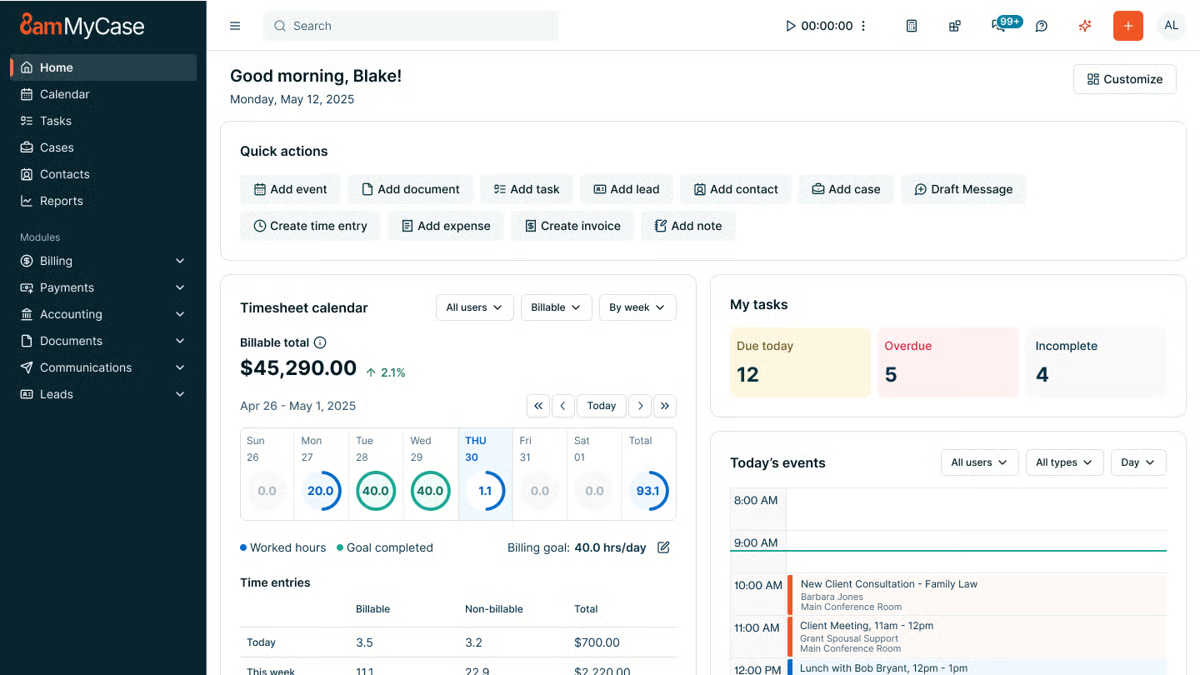
6. MyCase

Keeping legal documents organized can be a challenge in the legal profession, especially when you’re handling multiple cases and large volumes of legal content.

MyCase simplifies document storage with a secure, cloud-based document management system built specifically for law firms.

Mycase

Source: G2

MyCase helps attorneys store, access, and manage case data in one centralized location to reduce the risk of lost files and version confusion. Documents stay connected to the right matters, clients, and deadlines, which supports consistency and data security across the firm.

While MyCase offers broader practice management tools, its document storage features focus on keeping sensitive client information protected, searchable, and easy to work with, whether files originate in Microsoft Word or are uploaded from other sources.

Overall, the platform is designed to support everyday workflows while helping firms ensure compliance with internal policies and security expectations.

Key Features

  • Cloud-based document storage: Keeps legal files organized and accessible from any device.
  • Advanced search & tagging: Uses filters and keyword searches to quickly locate legal content tied to specific cases.
  • Role-based access control: Manages who can view, edit, or download documents containing sensitive client information.
  • Client portal integration: Allows secure document sharing without email attachments.
  • Automatic backups & security encryption: Protects case data and supports data security and compliance needs.

Pros

  • Keeps all legal documents in one secure location
  • Makes it easy to search and retrieve case files
  • Allows controlled access for clients and team members
  • Provides cloud-based access for remote work

7. Harvey AI

AI is making legal work faster and more efficient, and Harvey AI is one of the newest tools built specifically for law firms.

Harvey AI

Source: Harvey.ai

Designed to assist with legal research, contract review, and document analysis, Harvey AI helps lawyers process large amounts of information quickly while maintaining accuracy.

No AI can be a total replacement for human legal expertise. Nevertheless, many firms use Harvey AI to speed up repetitive tasks, analyze legal documents, and improve decision-making.

Key Features

  • AI-powered legal research: Finds relevant case law, statutes, and legal precedents in seconds.
  • Contract analysis & review: Identifies key clauses, missing terms, and potential risks in agreements.
  • Litigation support: Assists with drafting legal arguments and summarizing case details.
  • Document summarization: Extracts important points from long legal documents to save time.
  • Natural language processing: Understands complex legal language and provides insights based on queries.

Pros

  • Speeds up legal research by quickly retrieving relevant cases
  • Helps identify risks and missing clauses in contracts
  • Reduces the time spent summarizing lengthy legal documents
  • Uses advanced AI to interpret legal language accurately

What Are the Benefits of Legal AI Tools for Legal Documents?

Aside from speeding up work, legal AI tools improve accuracy, compliance, and overall efficiency. Before we start talking about the best AI tools, let’s go over why you should have them in the first place.

Speeds Up Document Drafting

Drafting legal documents takes time, but AI makes it a whole lot faster. Instead of starting from scratch every time, lawyers can generate complete, well-structured documents in minutes.

For example, AI legal drafting tools can pull in key details, suggest relevant clauses, and format everything properly to cut down on repetitive work.

Take Briefpoint, for example. It automates legal drafting by pulling case details and structuring them into polished documents. That means less time spent on manual entry and more time focusing on the actual case.

With tools like this, lawyers don’t have to get stuck in paperwork; they can move through their workload faster and more efficiently.

Book a demo to see it firsthand!

Reduces Human Errors

Mistakes in legal documents can lead to serious consequences, but AI helps catch them before they become a problem.

It scans for inconsistencies, missing clauses, and formatting mistakes that might slip through in manual reviews. By flagging these issues early, AI lowers the risk of legal disputes caused by overlooked details.

Common errors AI can detect include:

  • Inconsistent terminology
  • Missing key clauses
  • Formatting mistakes
  • Duplicate or conflicting sections
  • Incorrect dates or names
  • Ambiguous language
  • Non-compliant contract terms

With AI handling the tedious legal document review work, lawyers can feel more confident that their documents are accurate and airtight.

Improves Compliance With Legal Standards

Legal documents need to follow strict guidelines, and AI helps make sure nothing falls through the cracks. Many AI tools are built with legal frameworks in mind, and they can review compliance with industry and regulatory requirements without constant manual checking.

For example, some contract management tools automatically flag terms that don’t meet specific legal standards or suggest revisions based on recent regulations. 

This helps law firms and businesses stay compliant without having to comb through every document line by line.

Saves Costs on Administrative Tasks

Nobody wants to waste time on paperwork, and AI helps cut down on it. By handling routine tasks like legal drafting and data entry, AI lets law firms spend less on admin work and more on what really matters.

For example, AI can auto-fill forms, generate standard documents from templates, and organize case files without anyone having to do it manually. 

That means fewer billable hours lost to repetitive work and more time for legal teams to focus on clients.

Supports Legal Research and Case Preparation

Some AI tools can scan thousands of past cases, legal precedents, and regulations in seconds to pull out the most relevant information.

This helps lawyers build stronger arguments without spending hours flipping through legal texts. Some AI tools even summarize key points from cases, which helps make it easier to spot trends and key rulings.

With quick access to the right information, legal teams can prepare cases more efficiently and focus on strategy instead of getting lost in research.

Keeps Documents Organized and Accessible

Legal files pile up fast, and finding the right document can be a hassle. AI helps by sorting, categorizing, and tracking legal files so everything stays organized.

With AI-powered tools, contracts, case files, and agreements are easy to search and retrieve. Some platforms even tag documents based on keywords, client names, or terms. Automated reminders also help legal teams stay on top of deadlines.

Start Automating Your Biggest Bottleneck With Briefpoint

Plenty of AI tools can help optimize your law firm, but the real game-changer is eliminating the most tedious tasks.

Unfortunately, discovery document drafting is one of those tasks. More often than not, this process slows down legal teams, eats up billable hours, and leaves too much room for human error.

That’s where Briefpoint makes a difference.

Briefpoint

Designed to assist with legal research, contract review, and document analysis, Harvey AI helps lawyers process large amounts of information quickly while maintaining accuracy.

No AI can be a total replacement for human legal expertise. Nevertheless, many firms use Harvey AI to speed up repetitive tasks, analyze legal documents, and improve decision-making.

Key Features

  • AI-powered legal research: Finds relevant case law, statutes, and legal precedents in seconds.
  • Contract analysis & review: Identifies key clauses, missing terms, and potential risks in agreements.
  • Litigation support: Assists with drafting legal arguments and summarizing case details.
  • Document summarization: Extracts important points from long legal documents to save time.
  • Natural language processing: Understands complex legal language and provides insights based on queries.

Pros

  • Speeds up legal research by quickly retrieving relevant cases
  • Helps identify risks and missing clauses in contracts
  • Reduces the time spent summarizing lengthy legal documents
  • Uses advanced AI to interpret legal language accurately

What Are the Benefits of Legal AI Tools for Legal Documents?

Aside from speeding up work, legal AI tools improve accuracy, compliance, and overall efficiency. Before we start talking about the best AI tools, let’s go over why you should have them in the first place.

Speeds Up Document Drafting

Drafting legal documents takes time, but AI makes it a whole lot faster. Instead of starting from scratch every time, lawyers can generate complete, well-structured documents in minutes.

For example, AI legal drafting tools can pull in key details, suggest relevant clauses, and format everything properly to cut down on repetitive work.

Take Briefpoint, for example. It automates legal drafting by pulling case details and structuring them into polished documents. That means less time spent on manual entry and more time focusing on the actual case.

With tools like this, lawyers don’t have to get stuck in paperwork; they can move through their workload faster and more efficiently.

Book a demo to see it firsthand!

Reduces Human Errors

Mistakes in legal documents can lead to serious consequences, but AI helps catch them before they become a problem.

It scans for inconsistencies, missing clauses, and formatting mistakes that might slip through in manual reviews. By flagging these issues early, AI lowers the risk of legal disputes caused by overlooked details.

Common errors AI can detect include:

  • Inconsistent terminology
  • Missing key clauses
  • Formatting mistakes
  • Duplicate or conflicting sections
  • Incorrect dates or names
  • Ambiguous language
  • Non-compliant contract terms

With AI handling the tedious legal document review work, lawyers can feel more confident that their documents are accurate and airtight.

Improves Compliance With Legal Standards

Legal documents need to follow strict guidelines, and AI helps make sure nothing falls through the cracks. Many AI tools are built with legal frameworks in mind, and they can review compliance with industry and regulatory requirements without constant manual checking.

For example, some contract management tools automatically flag terms that don’t meet specific legal standards or suggest revisions based on recent regulations. 

This helps law firms and businesses stay compliant without having to comb through every document line by line.

Saves Costs on Administrative Tasks

Nobody wants to waste time on paperwork, and AI helps cut down on it. By handling routine tasks like legal drafting and data entry, AI lets law firms spend less on admin work and more on what really matters.

For example, AI can auto-fill forms, generate standard documents from templates, and organize case files without anyone having to do it manually. 

That means fewer billable hours lost to repetitive work and more time for legal teams to focus on clients.

Supports Legal Research and Case Preparation

Some AI tools can scan thousands of past cases, legal precedents, and regulations in seconds to pull out the most relevant information.

This helps lawyers build stronger arguments without spending hours flipping through legal texts. Some AI tools even summarize key points from cases, which helps make it easier to spot trends and key rulings.

With quick access to the right information, legal teams can prepare cases more efficiently and focus on strategy instead of getting lost in research.

Keeps Documents Organized and Accessible

Legal files pile up fast, and finding the right document can be a hassle. AI helps by sorting, categorizing, and tracking legal files so everything stays organized.

With AI-powered tools, contracts, case files, and agreements are easy to search and retrieve. Some platforms even tag documents based on keywords, client names, or terms. Automated reminders also help legal teams stay on top of deadlines.

Start Automating Your Biggest Bottleneck With Briefpoint

Plenty of AI tools can help optimize your law firm, but the real game-changer is eliminating the most tedious tasks.

Unfortunately, discovery document drafting is one of those tasks. More often than not, this process slows down legal teams, eats up billable hours, and leaves too much room for human error.

That’s where Briefpoint makes a difference.

FAQs About AI for Legal Documents

Can ChatGPT analyze legal documents?

ChatGPT can review and summarize legal documents, flag potential issues, and help answer questions about language or structure. That said, it works best as a support tool. Outputs still need human oversight, especially in legal services where accuracy, context, and jurisdiction matter.

What is the best AI for legal writing?

The best AI for legal writing depends on how you practice. Tools built specifically for drafting discovery or contracts tend to work better inside a legal practice than general AI. Purpose-built platforms like Briefpoint apply practical law standards, formatting rules, and review workflows that general tools don’t consistently handle.

Is there a ChatGPT for law?

There isn’t a single “ChatGPT for law,” but several legal-focused AI tools use similar technology while grounding responses in authoritative content and structured workflows. These tools are designed to support drafting, review, and research while fitting into existing systems with seamless integration.

How should law firms use AI without risking accuracy?

AI works best when paired with attorney review and clear processes. It can speed up drafting, organization, and research, but final decisions still belong to professionals. When used correctly, AI supports client communication and day-to-day work without replacing judgment or responsibility.

The information provided on this website does not, and is not intended to, constitute legal advice; instead, all information, content, and materials available on this site are for general informational purposes only. Information on this website may not constitute the most up-to-date legal or other information.

This website contains links to other third-party websites. Such links are only for the convenience of the reader, user or browser. Readers of this website should contact their attorney to obtain advice with respect to any particular legal matter. No reader, user, or browser of this site should act or refrain from acting on the basis of information on this site without first seeking legal advice from counsel in the relevant jurisdiction. Only your individual attorney can provide assurances that the information contained herein – and your interpretation of it – is applicable or appropriate to your particular situation. Use of, and access to, this website or any of the links or resources contained within the site do not create an attorney-client relationship between the reader, user, or browser and website authors, contributors, contributing law firms, or committee members and their respective employers.

READ MORE


Clio vs. MyCase: A Complete Comparison Guide

Clio vs. MyCase: A Complete Comparison Guide

Picking the right practice management software for your law firm can feel like a tough call, especially when Clio and MyCase both seem to check so many boxes. They’re popular, packed with features, and designed to simplify how your firm operates.

So, how do you choose?

In this guide, we’ll break down the key features, differences, and pricing of Clio and MyCase while showing you how Briefpoint can complement either platform.

By the end, you’ll know exactly what your firm needs to run smoothly.

Clio vs. MyCase

What Is Clio?

Clio is cloud-based legal practice management software designed to make running a law firm a whole lot easier.

Essentially, it helps you handle everything from case management and document organization to tracking time and billing clients.

Clio dashboard
Image source: G2

Whether you’re a solo lawyer or part of a larger firm, Clio is one of the best options for an all-in-one legal practice management system.

One of its biggest perks is how it connects with other lawyer apps or tools you’re probably already using, like Google Workspace or Microsoft 365. So, if you’re looking to iron out your workflow and keep things organized, Clio might be just what your firm needs.

Despite Clio being an extremely popular tool for legal professionals seeking intuitive practice management software, it has a worthy rival: MyCase.

What Is MyCase?

MyCase is a straightforward, cloud-based legal management tool designed to help law firms handle their daily operations smoothly.

Like Clio, it’s all about making things easier; whether it’s organizing cases, tracking time, managing legal documents, or billing clients.

Mycase
Source: G2

One of its key strengths is the built-in and secure client portal, where you can communicate and share documents with your clients without the hassle of extra emails.

Law firms with smaller teams love MyCase because it’s a breeze to navigate, which leaves them more time to focus on more valuable work.

What Is Briefpoint?

Briefpoint is an AI-powered discovery document automation tool that lets legal professionals prepare discovery responses and request documents within minutes.

Manual copying, pasting, and repetitive legal drafting no longer have to take up hours of your day. Briefpoint automates the heavy lifting so you can move through discovery faster and with fewer manual steps.

Briefpoint

Simply upload a discovery request, and Briefpoint’s AI automatically pulls key details like case numbers, court names, party information, and more. That information is placed directly into your document to give you a solid draft right away.

From there, you can add objections simply by selecting the interrogatories you want to include. 

Briefpoint also offers AutoDoc, which handles formatting and applies jurisdiction-specific rules so your discovery responses are properly structured and court-ready without extra cleanup.

You can download the document at any point to add final edits in Word.

Briefpoint also includes Bridge, a built-in tool that collects client input by translating legal questions into plain English. Client responses flow straight back into your working documents to cut down on follow-up emails and back-and-forth.

You can test Briefpoint for yourself by scheduling a demo.

Clio vs MyCase: Feature Comparison

When it comes to comparing Clio and MyCase, it’s important to break down their key features and see how they stack up against each other.

At first glance, the two platforms seem to offer a lot of the same features, but as you dig deeper, you’ll find they have distinct approaches to multiple areas of practice management.

Case Management

Clio offers a robust case management system designed to keep everything organized. For starters, you can track case timelines, store related documents, and even collaborate with your team.

Plus, it’s customizable, letting you adjust workflows to fit how your firm operates, and it integrates with a variety of other tools, giving you a lot of flexibility.

MyCase also provides a solid case management system, but leans a little more into simplicity. With a case management system that’s sturdy and reliable, the slight trade-off is a user interface that’s straightforward and easy to grasp.

You can organize cases, assign tasks, and track case progress without too much hassle, even if you have limited technical expertise.

However, MyCase has a significant edge in client communication. Its built-in client portal allows for easy updates and collaboration, which makes it super convenient for keeping clients in the loop.

Client Intake and Lead Management

Clio provides customizable intake forms that can be embedded on your website or shared with prospective clients through links.

For many Clio users, those submissions flow into Clio Grow, where new inquiries appear in a lead dashboard and can be reviewed, accepted, or declined before becoming contacts or matters.

This reduces manual data entry and keeps client information organized from the first interaction. Combined with secure messaging and other client-facing tools, Clio’s intake process connects naturally with the rest of the firm’s workflow.

Clio Grow also supports lead tracking, which gives firms visibility into how inquiries move from initial contact to active matters. That insight can be useful for teams that want a clearer view of intake volume and follow-up activity.

MyCase also includes client intake and lead management within its core platform. Firms can create online intake forms with conditional logic, collect client information, and route submissions into a built-in leads dashboard.

From there, leads move through defined stages, can be followed up with tasks and reminders, and converted into contacts and cases without re-entering data. Client communication and document sharing stay centralized through MyCase’s client portal.

Document Management

Clio takes a more detailed approach to document management. Files stay neatly organized by matter, sharing documents with your team or clients is straightforward, and everything lives in one central place.

If your firm already relies on tools like Google Drive or OneDrive, Clio’s integrations make it easier to keep files connected without jumping between systems. This kind of advanced document management tends to appeal to firms that want more control and flexibility as cases move forward.

MyCase keeps things simpler and easier to follow. The straightforward interface makes it easy to upload documents, find what you need, and share files without much setup.

Many firms also like MyCase’s matter templates, which help keep documents consistent across similar cases and cut down on repetitive work. It doesn’t offer as many integrations as Clio, but it focuses on making everyday document handling feel clear and manageable.

Billing and Time Tracking

Clio offers a comprehensive billing system that includes time tracking, invoicing, payment scheduling, and expense management.

You can track your time directly within the platform and then convert that into professional-looking invoices. Clio’s billing system is customizable, which gives you more control over how you bill clients and manage your firm’s finances.

MyCase also offers legal billing and time tracking, but it focuses on keeping things as simple as possible. Its invoicing system is easy to navigate, allowing you to create and send invoices with just a few clicks.

Although it might not be as customizable as Clio, it’s perfect for firms that want a quick, no-fuss solution.

Payment Processes

Clio makes it easy for clients to pay with Clio Payments, a built-in feature that allows for secure online payments via credit card or bank transfer.

You can set up automated reminders, which help make sure you get paid faster. Plus, Clio’s payment processing integrates seamlessly with its billing system.

MyCase has built-in payment processing, integrating with LawPay to handle online payments. It supports credit card payments and allows for partial payments, which can be useful for clients who prefer to pay in installments.

MyCase also provides automatic payment reminders, so it’s easier to stay on top of billing.

Task Management

Staying on top of deadlines and follow-ups is a big part of day-to-day legal work, and both Clio and MyCase cover the basics well.

Each platform lets you manage tasks directly within its case management software, so important things like assignments, due dates, and reminders stay tied to the right matter.

Clio leans into flexibility. Tasks can be linked to matters, assigned to specific team members, and paired with legal calendaring to help prevent missed deadlines.

For firms that want an all-in-one solution, these task features work alongside Clio’s other core tools to make it easier to keep work moving without switching systems. The trade-off is that it can take a little time to get comfortable with all the options.

Meanwhile, MyCase keeps task management more straightforward. Its user-friendly interface makes it easy to create tasks, assign responsibility, and track progress without much setup. This approach works well for small law firms that want clarity and structure without a lot of configuration.

Both platforms cover essential task management needs; the difference comes down to how much flexibility your firm wants versus how quickly you want to get started.

Clio vs. MyCase: Other Key Differences

Clio and MyCase share many of the same core features, but some of the bigger differences show up in the following aspects:

Target Market

Clio is designed to cater to a wide range of law firms, from solo practitioners to larger multi-lawyer firms.

Its broad feature set and extensive integrations make it especially appealing to firms that handle complex cases or need automated legal workflows and more advanced tools to manage a larger volume of work.

Because of its flexibility, Clio tends to attract firms that are willing to spend time learning the ins and outs of a more customizable platform.

MyCase, on the other hand, is primarily aimed at small to mid-sized law firms that value simplicity and ease of use. It’s particularly popular among firms that want to get up and running quickly without a steep learning curve.

Additionally, MyCase’s focus on client communication and straightforward design makes it a favorite for firms that don’t need a lot of customization but still want a solid, dependable tool for managing cases and expense tracking.

Key Features

What is each platform known for? 

One of Clio’s standout features is its deep integration capabilities. With over 200 third-party app integrations, Clio is great for firms that need a highly customizable and flexible system.

While MyCase may not offer the same breadth of integrations as Clio, it makes up for it with its client portal, which is incredibly easy to use. The portal allows clients to view case updates, share documents, and communicate directly with their attorneys, all in one place.

Ease of Use

Clio packs in a lot of advanced functionality, which is great once you get comfortable with it. There’s a bit of a learning curve at the start, but the layout is logical, and the experience stays familiar thanks to a consistent setup across the platform.

If questions come up along the way, Clio’s support team is there to help smooth out the onboarding and day-to-day use.

On the flip side, MyCase takes a more plug-and-play approach. Most users can log in and start working almost right away, with very little training needed. Everything is laid out clearly, so tasks, matters, and client communication tools are easy to find and use.

If your firm likes having more options and doesn’t mind spending a little time learning the system, Clio gives you room to grow. But if you want something that feels natural from the first login and keeps things simple, MyCase makes that easy.

Pricing Models

Clio and MyCase both use tiered pricing to give law firms options based on their size and the functionality they need.

Clio’s plans range from core practice management to advanced automation and client intake tools, while MyCase offers a straightforward set of tiers with built-in legal accounting and billing features that many small firms appreciate.

Clio Pricing Plans

Clio has four main pricing plans:

  • EasyStart – $59: Core tools for time tracking, billing, documents, e-signatures, and secure client communication.
  • Essentials – $99: Adds client portal, texting, integrations, and more collaboration tools.
  • Advanced – $139: Includes automated workflows, reports, custom roles, and enhanced law firm productivity features.
  • Complete – $169: Adds intake forms, lead tracking (via Clio Grow), CRM-style tools, and the broadest feature set.

MyCase Pricing Plans

MyCase offers three plans:

  • Basic – $49: Essential case management, billing, contact management, and client portal.
  • Pro – $99: Adds unlimited two-way texting, client intake management, unlimited e-signatures, and advanced invoicing.
  • Advanced – $119: Includes full-text search, advanced document automation, custom reports, MyCase Drive file sync, and split billing.

MyCase Accounting also offers built-in accounting tools and financial features like trust accounting and integrated payments without needing external products, which can simplify billing workflows for many smaller practices.

Both platforms usually include free trials, and exact prices can vary based on monthly vs. annual billing or promotions. 

Clio’s higher-tier plans unlock more advanced features, while MyCase’s tiers focus on adding client-facing and financial tools across its competitive pricing structure.

Which One Is Better for Your Law Firm?

The choice between Clio and MyCase really depends on your firm’s specific needs. As you can see, both platforms offer excellent features but cater to slightly different types of law firms.

If your firm needs a more feature-rich system with greater flexibility and customization, Clio might be the better fit. However, if you’re looking for something more straightforward and easy to use, MyCase could be just what you need.

To help make your decision easier, here’s a quick comparison:

Feature

Clio

MyCase

Case management

Robust and customizable with integrations

Simple and user-friendly

Client communications

Basic client-sharing tools

Secure client portal for easy collaboration

Client intake

Customizable forms with lead management

Built-in intake forms with lead tracking

Document management

Advanced with third-party integrations

Easy to use, but has fewer integrations

Billing and payments

Customizable with Clio Payments

Simple with LawPay integration

How Does Briefpoint Fit Into the Mix?

While Clio and MyCase handle the essentials of practice management, Briefpoint adds a layer of efficiency that neither platform offers: discovery document automation.

Briefpoint

If you’ve ever spent hours drafting requests for admission, production, or interrogatories, you know how tedious it can be. That’s where you can insert Briefpoint. 

This AI-powered tool automates the whole process and cuts drafting time down to just minutes.

Here’s how it works:

  • Smart data extraction: Just upload your discovery request, and Briefpoint’s AI pulls in routine details like case numbers, court names, and parties automatically.
  • Quick objections: Need to add discovery objections? No problem. Just click the ones you want, and they’re instantly added.
  • AutoDoc formatting: AutoDoc applies proper formatting, Bates numbers, and jurisdiction-specific rules so your documents stay consistent and court-ready.
  • Client-friendly collaboration: With Briefpoint Bridge, you can simplify legal language for your clients and collect their input directly.

Whether your firm uses Clio or MyCase, Briefpoint integrates seamlessly to complement your practice management software with a simpler discovery process.

Book your discovery call today!

FAQs About Clio vs MyCase

What is the difference between Clio and MyCase?

Clio focuses on flexibility and integrations, making it a good fit for firms that want more control over workflows and connections with third-party tools. MyCase leans toward simplicity, with an intuitive interface and built-in features that are easy to use right away, especially for firms that want fewer configuration steps.

How much is MyCase vs. Clio?

Both platforms start at a similar monthly price per user at around $50 a month, but costs increase as you move into higher tiers. Clio’s pricing grows as you add features through plans tied to Clio Manage, while MyCase includes many essentials earlier and reserves automation and reporting for its advanced plan.

What is better than Clio?

That depends on what you value most. Firms that prioritize ease of use, built-in client management, and faster setup may prefer MyCase. Others may stick with Clio for its depth, customization options, and broader ecosystem.

Is Clio Accounting worth it?

Clio Accounting can be useful if you want billing and trust accounting closely tied to your practice management system. It’s often a good fit for solo attorneys who already rely on Clio’s client intake forms, mobile apps, and centralized workflow and want everything under one roof.

The information provided on this website does not, and is not intended to, constitute legal advice; instead, all information, content, and materials available on this site are for general informational purposes only. Information on this website may not constitute the most up-to-date legal or other information.

This website contains links to other third-party websites. Such links are only for the convenience of the reader, user or browser. Readers of this website should contact their attorney to obtain advice with respect to any particular legal matter. No reader, user, or browser of this site should act or refrain from acting on the basis of information on this site without first seeking legal advice from counsel in the relevant jurisdiction. Only your individual attorney can provide assurances that the information contained herein – and your interpretation of it – is applicable or appropriate to your particular situation. Use of, and access to, this website or any of the links or resources contained within the site do not create an attorney-client relationship between the reader, user, or browser and website authors, contributors, contributing law firms, or committee members and their respective employers.

READ MORE