
How to Write an RFP Response During Litigation
What Is an RFP Response?
In litigation, an RFP response is your written answer to a request for production. When an RFP arrives, the other side is asking you to produce documents, electronically stored information, or tangible items tied to the case.
Your response might cover things like:
- What you will produce
- What you object to
- What you are withholding
- Any limits on the production
So, the RFP response process is not just sitting down and typing out a reply. You need to read each request closely, figure out what it is really asking for, check what documents actually exist, and decide whether any objections apply.
From there, you write a response that clearly says what the other side will get and what they will not.
That matters more than it may seem at first. A vague response can create confusion, spark discovery fights, or make your position harder to defend later. A clear one helps you stay consistent, protect your client, and move discovery forward without creating extra problems for yourself.
What to Do Before You Start Writing
Before you draft anything, take a step back and sort out what the request is really asking for. A more effective RFP response usually starts with careful review, so make sure to do the following:
- Read each request carefully: Look at the exact wording. Some requests seem straightforward until you notice broad phrasing, vague terms, or definitions that quietly expand the scope.
- Break down the request: Separate the parts if needed. Pay attention to date ranges, categories of documents, and any instructions that affect how you need to respond.
- Review the case facts: Your response should match the claims, defenses, and the legal documents your side actually has or can access.
- Spot objections early: It is easier to flag issues like privilege, overbreadth, burden, or ambiguity before you start writing than to fix the response after the draft is already taking shape.
- Check the rules and deadlines: The RFP process has timing, formatting, and service requirements, so make sure you know what applies before you finalize anything.
How to Prepare for an RFP Response
Once you understand the requests, the next step is getting your materials and decisions in order before you draft.
Good preparation makes the response clearer, more consistent, and easier to defend later. It also helps you catch key points before they get buried in the wording.
Here’s what to do:
- Gather responsive documents: Pull together the files, emails, messages, and other records that may answer each request. Keep them organized so you can match documents to the right request number.
- Review for gaps and problem areas: Check what is missing, what may need follow-up from the client, and what raises privilege or confidentiality concerns. This is also the time to flag unusual technical details, like metadata, file formats, or data pulled from different systems.
- Match documents to the requests: It helps to connect each set of materials to the exact request it may respond to.
- Check objections and scope limits: Before drafting, decide where objections may apply and where partial compliance makes more sense.
- Confirm rules for production: Look at any court rules, discovery rules, or compliance guidelines that affect timing, formatting, and how documents need to be produced.
How to Structure an RFP Response
Once you have gathered the documents, flagged problem areas, and figured out where objections may apply, the next step is putting the response into a format that is clear and easy to follow.
Preparation gives you the substance, and structure helps you present it in a way that makes sense on the page.
- Start with the request number: Answer each request for production separately, so your response tracks the other side’s numbering and stays easy to review.
- State objections clearly: If a request calls for an objection, say so directly and connect it to the actual issue, such as overbreadth, privilege, or vagueness.
- Say what will be produced: After the objection, make clear whether documents will still be produced in full, in part, or not at all.
- Add any limits or qualifications: If production is limited by date range, custody, scope, or privilege, spell that out so your position is easy to understand.
- Keep the wording consistent: Similar requests should follow a similar format. That helps the whole set read as careful and organized and not patched together.
Step-by-Step Guide to Writing an RFP Response
You have reviewed the requests, gathered the documents, and mapped out how the responses should be structured. Now it is time to put that preparation to work and move through the drafting process step by step.
1. Start with the Request Language
Begin with the exact wording of the request before you write a single line of your response. That helps you stay grounded in what the other side actually asked for instead of what you assume they meant.
Keep in mind that a small wording choice can change the scope in a big way, especially if the request uses broad definitions, vague phrases, or stacked categories of documents.
With that in mind, read the request slowly and break it into parts. Look at the date range, the types of materials requested, and any defined terms that expand the reach of the request.
Pay attention to words like “all,” “any,” “relating to,” or “concerning,” since they often make a request broader than it first appears.
2. Draft Any Objections
After you understand what the request is asking for, the next move is deciding if any part of it calls for an objection. The key is to keep discovery objections specific. Generic objections tend to look weak and do very little to protect your position if the issue comes up later.
Common objections include:
- Overbreadth: The request is too wide in scope
Example: “Produce all documents relating to your business operations for the past 10 years.” - Vagueness or ambiguity: The wording is unclear
Example: “Produce all documents concerning the incident,” when “incident” is never clearly defined. - Undue burden: The request would take too much time or effort compared with its likely value
Example: A request that calls for years of archived files with no reasonable limit. - Privilege: The request seeks protected material
Example: Emails between client and counsel about legal advice.
If you are objecting, say what the problem is and keep the language tied to the request. If responsive documents will still be produced in part, say that clearly, too.
Want a faster way to spot and phrase common objections? Check out our discovery objection cheat sheet.
3. State What Will Be Produced
After any objections, say clearly what documents will actually be produced.
This part of the response should leave as little room for guesswork as possible. If documents are being produced in full, say that. If production is partial, explain the limit in plain terms. A response that spells this out clearly is usually more useful than one filled with vague qualifiers or recycled language.
Keep the wording tied to the actual request and your client’s file. That makes the response easier to defend and closer to the RFP requirements at issue. It also helps your tailored responses feel grounded in the facts rather than boilerplate.
For example: “Responding party will produce non-privileged emails, invoices, and internal reports from January 2023 through June 2024 that relate to the contract identified in Request No. 4.”
That kind of wording gives a more detailed breakdown of what the other side can expect and keeps the scope tied to the client’s specific records.
4. Add Necessary Limits
Limits are the boundaries you place on production, so your response reflects what you are actually agreeing to produce. They help define the scope in a way that is clear, reasonable, and tied to the request.
Common limits include:
- Date range limits: Narrow production to the time period that actually relates to the claims or defenses
Example: documents from January 2023 through June 2024 only - Subject matter limits: Keep production tied to the issue raised in the request
Example: communications about the contract at issue, not every communication between the parties - Custodian limits: Identify whose files or accounts were searched
Example: documents collected from the project manager and in-house counsel - Privilege limits: Make clear that privileged or protected material will not be produced
Example: attorney-client communications and attorney work product are withheld - Possession, custody, or control limits: Clarify that production covers what your side actually has access to
5. Keep the Wording Precise
Use clear, exact language in every response. If you object, say what the objection is. If documents will be produced, say that plainly. Or if production is limited, spell out the limit so the other side does not have to guess what you mean.
For example, “Responding party will produce non-privileged emails and invoices from January 2024 through March 2024 relating to the purchase order identified in Request No. 6” is much stronger than “Responding party will produce documents related to the matter.”
The first version tells the reader what is being produced, the time frame, and the subject. The second leaves too much open.
It also helps to keep similar responses phrased in a similar way, which makes the full set easier for your legal team members to review and helps the key elements stay consistent from one request to the next.
6. Check for Consistency Across Responses
Before you finalize anything, read the full set of responses together. You want the wording, objections, and production statements to line up from one request to the next.
If one response says documents will be produced and another uses narrower language for a similar request, that inconsistency can create confusion.
This is also a good time to compare your draft against any previous RFP responses in the case, if there are any. Doing so helps you catch shifts in wording, scope, or position that may need to be explained or fixed.
Look closely at repeated objections, date ranges, defined terms, and references to withheld documents. The tighter those pieces line up, the easier the full response set will be to defend.
7. Finalize the Verification and Service
Before you send anything out, make sure the response package is complete and lines up with the position your side is taking. This final check helps catch missing signatures, mismatched production references, and service issues that can create avoidable problems.
- Confirm the final draft is accurate: Make sure the objections, production language, and scope limits match the documents and decisions reflected in the response set.
- Check the verification page: If verification is required, confirm it is complete and signed by the right person.
- Match the production to the responses: If the draft says documents will be produced, make sure the production set is actually ready and matches the request numbers or descriptions in the responses.
- Review service requirements: Double-check the deadline, method of service, and any formatting rules that apply to the case.
- Do one last full read: Read the responses as a set before serving them so you can catch small issues and grammatical errors while there is still time to fix them.
How AI Can Help Write RFP Responses
RFP responses can eat up a surprising amount of time once the document review, drafting, formatting, and production prep start piling up.
Legal AI helps cut down that workload by speeding up the parts that tend to slow everything down, while still leaving the legal calls in your hands.
It can help with things like:
- First-pass drafts
- Objection suggestions
- Document matching
- Bates-ready output
- Word formatting
Briefpoint is a strong example of what that looks like in litigation. It is built specifically for discovery work, so it goes far beyond generic AI writing help.
You can use it to propound and respond to RFPs, RFAs, and interrogatories, and its Autodoc feature is especially useful for RFP responses.
It searches productions and case files, matches responsive documents to each request, and generates Bates-cited Word responses along with a production package ready to serve.
All that is a big deal because the slow part of RFP work often comes from sorting documents, linking them to the right requests, and getting everything into final form.
Briefpoint helps move that process along much faster while still letting you review, revise, and stay in control of the final response.
Write Faster RFP Responses With Briefpoint
As you can see, Briefpoint gives you a faster way to handle RFP responses without losing control over the final language.
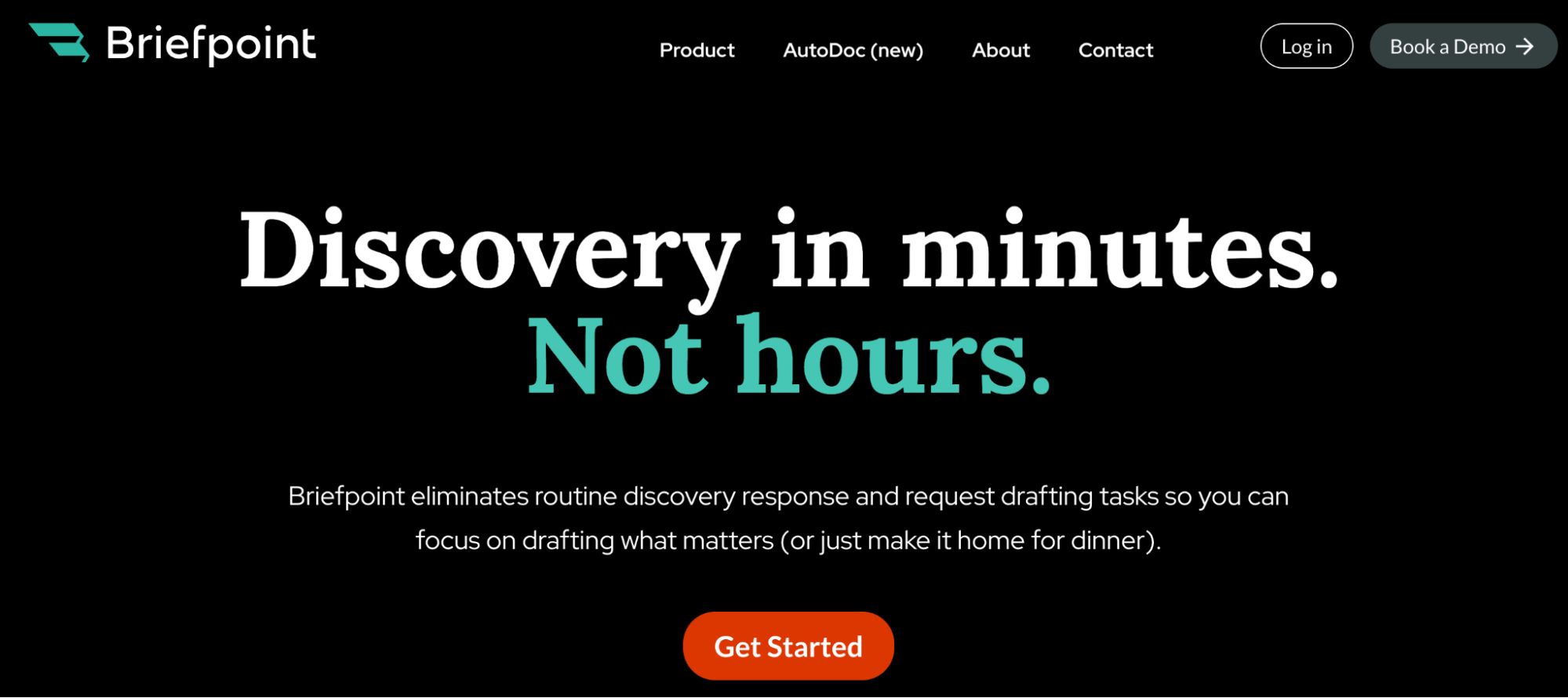
Briefpoint also supports Supplemental Responses, so updated RFP responses can be managed in the same workflow while prior answers stay intact and easy to reference.
The result is a cleaner way to handle new information and later rounds of discovery without adding extra confusion.
How to Evaluate RFP Responses
What Are RFPs and RFP Responses?
In litigation, RFPs are requests for production. They are written discovery requests that ask the other side to produce documents, electronically stored information, or tangible items tied to the case.
That can include emails, contracts, invoices, photos, medical records, internal messages, and other records that matter to the claims or defenses.
An RFP response is the written answer to each request. It tells you if the responding party will produce documents, object to the request, or do both.
A response may say documents will be produced in full, produced in part, or withheld based on objections like relevance, burden, privilege, or scope.
Hence, it helps to start with a clear understanding of both the request and the response. You need to know what was asked for, how the other side answered, and what that answer really means in practice.
Some responses are direct, but others can be vague, heavily qualified, or written in a way that leaves room for dispute.
Since most RFPs are tied to facts that matter later in the case, these responses can shape depositions, motion practice, settlement discussions, and overall case strategy. They also help you evaluate what has been produced and what may still be missing for your clients’ needs.
What Does It Mean to Evaluate an RFP Response?
Evaluating an RFP response means reviewing how well the other side answered your requests, both on paper and in the production itself.
Keep in mind that you are looking at more than whether a response exists. You are checking for different RFP criteria, such as whether the answer is complete, specific, legally sound, and matched to what was actually requested.
That review helps you make informed decisions about what to do next. Maybe the response is solid, and you move on. Maybe it is packed with boilerplate objections, vague wording, or obvious gaps that call for a meet and confer or motion to compel.
The goal is to spot strengths, weaknesses, and anything that could affect the discovery strategy.
Some common RFP evaluation criteria include:
- Completeness
- Specificity
- Relevance
- Objections
- Responsiveness
- Privilege claims
- Timing
- Quality of production
A consistent review process also helps ensure consistency from one request to the next, especially when you are dealing with a long set of responses. That makes it easier to compare answers, track deficiencies, and decide which issues deserve follow-up.
How to Evaluate an RFP Response
Law firms may handle this review a little differently depending on the case, the team, and the stakes involved. Even so, there are a few core things worth checking any time you evaluate an RFP response.
We’ve prepared a step-by-step guide to help you get started:
1. Read the Request and Response Side by Side
Start with the RFP document itself, then read the response right next to it.
Look closely at the wording of the request, including definitions, date ranges, and categories of documents. Then compare that language to the response line by line. You want to see if the answer actually matches the request or shifts it into something smaller and easier to answer.
For example, say a request asks for “all emails, texts, and internal messages between January 1 and June 30 related to the termination of Plaintiff.” The response says the party will produce “non-privileged emails concerning Plaintiff’s separation.”
That answer leaves out texts, internal messages, and the exact date range. It also swaps “termination” for “separation,” which may narrow the scope.
In many firms, this step is part of a broader RFP process handled by attorneys, paralegals, or other evaluation teams, but the common goal is to catch mismatches early.
2. Check for Clear Answers and Specific Objections
Next, look at how directly the other side answered the request. A strong response tells you what will be produced, what is being withheld, and why. In contrast, a weak one hides behind vague language or piles on discovery objections without tying them to the actual request.
You also want to see if the objections are specific. General objections like “overly broad,” “unduly burdensome,” or “not reasonably calculated” do very little on their own.
The response should explain what part of the request creates the problem and how. That level of detail matters for compliance, and it also makes it easier to decide if the objection has any real weight.
A few things to watch for:
- Clear yes or no answers
- Objections tied to the wording of the request
- Partial responses explained clearly
- Vague or boilerplate objections
- Statements that leave production unclear
Plenty of firms have their own drafting habits, but specific objections and direct answers are still closer to industry standards than generic pushback.
If you want a better sense of what weak objections look like, check out our discovery objections cheat sheet.
3. Compare the Response to What Was Produced
Once you read the written response, compare it to the documents that were actually produced.
This is the point where a response that sounded acceptable on paper may start to fall apart. A party may promise responsive documents, then produce only a thin set of records that does not fully match the request.
For example, say the response states that the party will produce communications related to a contract dispute.
When the production arrives, you find a few emails and one attachment, but no drafts, internal messages, or follow-up communications. That gap may tell you the response was narrower than it first appeared, or that the production was incomplete.
This step is vital because written responses can be carefully phrased to craft responses that sound cooperative without giving you much in practice. Looking at the production lets you test the response against the facts.
It also helps you apply clear evaluation criteria in a more useful way, since you are no longer judging the wording alone. You are also judging whether the production actually backs it up.
4. Flag Gaps, Withholding, and Evasive Language
This is the stage where you slow down and look for what the response avoids saying.
Some answers look polished but still leave major questions open. You want to spot missing categories of documents, unclear withholding, and wording that gives the other side room to argue later that they never promised much in the first place.
Pay close attention to phrases that sound responsive but do not actually commit to full production. Also watch for objections followed by partial answers that never explain what was withheld.
Examples include:
- “Responding party will produce responsive, non-privileged documents”
- “Subject to and without waiving these objections, responding party states…”
- “After a reasonable search, no documents are presently known”
- “Defendant will produce documents, if any, in its possession”
- “This request is vague, overbroad, and unduly burdensome”
None of those phrases automatically makes a response deficient, but they should make you pause. They may signal limited production, hidden withholding, or an objection that says very little.
When you flag this language early, it becomes much easier to decide what deserves a follow-up letter, a meet and confer, or a closer review of the production.
5. Decide What Needs Follow-Up
Once you finish reviewing the responses and production, the next question is what actually deserves follow-up.
Of course, not every weak response needs a fight. Some issues are minor, while others can affect depositions, motion practice, expert work, or settlement posture. What you want is to focus on the gaps that matter most to the case.
For example, if the other side objected to a request but still produced the key documents, that issue may not need immediate attention.
On the other hand, if a response promises communications about a termination decision and the production leaves out internal emails, texts, or drafts, that is probably worth raising. The same goes for responses that mention withheld documents without saying what was withheld or why.
This part of the review is also a form of risk management. You are deciding which issues can wait, which ones need a meet and confer, and which may need court involvement if the problem continues.
Plus, it helps the team provide feedback internally before the next submission, especially if discovery deadlines are close or similar issues are showing up in multiple responses.
Make RFP Review Less Tedious With Briefpoint
Reviewing RFP responses often turns into more than reading objections and checking what was produced. You may start with one request, then end up tracing missing documents, comparing qualified answers, and figuring out what still calls for a follow-up.
Briefpoint fits naturally into that workflow. More than 1,500 law firms use it to handle discovery work faster, and it covers more than first-pass drafting.
Autodoc helps turn productions and case files into ready-to-serve discovery responses, which is useful when the volume of documents starts to pile up.
Briefpoint also supports Supplemental Responses, so when new information comes in or an answer needs to be updated, your team can revise without rebuilding everything from scratch.
If you want a better way to handle discovery work from initial responses through later updates, book a demo with Briefpoint.
15 Law Firm Marketing Strategies That Help Firms Grow
Case Management vs. Document Management In Legal Settings
What Is Case Management?
Case management is the process of keeping a case organized as work moves from one step to the next. It covers the day-to-day coordination behind a matter, such as deadlines, notes, documents, contacts, and routine tasks that need attention along the way.
Basically, a case management system gives legal professionals one place to keep their work together. So, rather than checking separate folders, emails, calendars, and spreadsheets, they can follow the matter in one clear view.
In practice, case management helps keep things from getting scattered. When updates, deadlines, and tasks live in the same system, it is easier to see what is done, what still needs attention, and what comes next.
Many legal practice management platforms include these tools because they help firms stay organized without adding more admin work.
What Is Document Management?
While case management focuses on the matter as a whole, legal document management focuses on the files that support it.
It covers the storage, organization, and document handling work tied to legal documents, from pleadings and contracts to correspondence and signed records.
That includes version control, file naming, search, permissions, and making sure the right people can access documents easily.
For many firms, document management systems (DMS) are the tools that keep all of this in order. They store files in one place and make them easier to find, review, and share.
When document volume starts to grow, these platforms become essential tools for keeping records organized and reducing avoidable mistakes.
Case Management vs Document Management: Key Differences
Even though the two often overlap, they solve different problems within a legal workflow. One helps manage the matter itself, while the other helps manage the files tied to it.
Here are some key differences we have to keep in mind:
Focus
The difference starts with what you need to keep track of.
If your main concern is the matter as a whole, case management is the better fit. It helps you follow deadlines, tasks, contacts, billing, communications, and overall case progress in one place.
If your bigger problem is file control, document management is the better fit. Its job is to help you effectively manage documents through better storage, search, version control, and permissions.
A legal document management system is built to keep files organized and easy to find, especially when the volume of paperwork starts to pile up.
Put simply, one helps you manage the work around the matter, and the other helps you manage the documents tied to it.
Core Features
The core features usually reflect the job you need the software to do.
Case management tools focus on helping you track case progress and manage the moving parts around a matter. Common features include:
- Calendaring and deadline tracking
- Task management
- Matter notes
- Contact and client records
- Time tracking and billing
- Status updates and reporting
Document management tools focus more on file control and document workflows. Common features include:
- Centralized file storage
- Search and retrieval
- Version history
- Folder and file organization
- Access permissions
- Sharing and audit trails
In many separate systems, these features stay fairly distinct. One is built around the matter, and the other is built around the files. Some legal technology platforms combine both, which can help if you want to manage work and documents simultaneously.
Still, the core feature sets usually point in different directions, even when they overlap.
Type of Information Managed
The difference also shows up in the kind of information you’re actually working with.
Case management tools are built to organize matter-level details. That includes your client and case list, contact records, deadlines, notes, task status, billing entries, and communication history. In other words, the system keeps track of what is happening in the matter.
On the other hand, document management tools are built to organize files. That includes contracts, pleadings, discovery documents, emails, PDFs, and scanned documents. The focus is on storing, sorting, finding, and controlling access to those records.
For example, if you want to check a filing deadline or see the last update on a matter, you would look in a case management system. If you need the signed agreement or a scanned exhibit, you would usually look in the document management system.
Role in Daily Work
Case management helps legal teams keep matters moving. For example, you might open it to check what needs attention, what has already been done, and what still needs follow-up.
As work builds across active matters, it also helps keep deadlines, notes, and other administrative tasks from getting scattered. Because of that, many law firms treat it as part of their everyday operating system.
Document management plays a different role. When you need to pull up specific documents, confirm you have the right version, review an older draft, or organize records for easier retrieval later, that is usually the system you turn to.
Some software solutions also support automating document creation, but the real day-to-day value often comes from keeping files organized and easy to access.
Best Use Cases
The best fit usually depends on the problem you are trying to solve. These tools serve distinct purposes, even if some platforms bring them together in one comprehensive solution.
- Use case management when you need to track deadlines, tasks, contacts, billing, notes, and overall matter status in one place.
- Use case management when your team needs better visibility across active matters and everyday legal work.
- Use document management when your bigger issue is storing, organizing, searching, and controlling access to files.
- Use document management when your team works with a high volume of pleadings, contracts, correspondence, discovery documents, or other records.
- Use both when you want matter oversight along with strong document management capabilities.
- Use both when your firm needs a more connected workflow and sees them as two essential tools rather than interchangeable ones.
In practice, case management is usually the better choice for running the work, while document management is the better choice for controlling the files that support it.
Case Management Software Features
To make the difference clearer, it helps to look at the features that case management software usually includes. These tools are built to support legal case management across the full life of a matter and not just one part of it.
- Matter dashboards: Give you a central view of each case, including status, key dates, contacts, and recent activity.
- Task management: Helps multiple team members stay aligned on assignments, follow-ups, and next steps.
- Calendar and deadline tracking: Supports tracking deadlines for hearings, filings, meetings, and internal to-dos.
- Contact and client records: Keeps client details, opposing counsel, vendors, and related parties tied to the right matter.
- Time tracking and legal billing tools: Helps with managing billing, logging hours, and connecting work to invoicing.
- Notes and activity history: Creates a running record of updates, communication, and case progress.
- Client communication tools: May include email logging, secure online portals, and features that support better client service.
Document Management Software Features
It also helps to look at the features that usually come with document management software. These tools are built to store, organize, protect, and retrieve files without forcing your team to manually transfer data between scattered systems:
- Centralized document storage: Keeps files in one place, making it easier to save documents, organize records, and manage DMS document storage across matters.
- Advanced search capabilities: Helps you find files faster through keywords, metadata, filters, and sometimes full-text search.
- Version control: Makes it easier to confirm you are working from the up-to-date version while still keeping previous versions available when needed.
- Access controls: Limits who can view, edit, download, or share files, which is especially important for sensitive documents.
- Document tagging: Uses labels, categories, or metadata to sort files and improve retrieval.
- Document sharing tools: Supports seamless document sharing across internal teams, clients, or outside parties.
- Security and audit features: Often includes advanced security features such as permissions tracking, activity logs, and protection for confidential files.
Do You Need Both?
In many cases, yes.
Case management and document management solve different problems, so having both can make daily work much easier.
One helps you run the matter. The other helps you control the files tied to it. When those two functions work together, your team spends less time jumping between disconnected systems and more time moving work forward.
That matters in the legal profession, where even small gaps in organization can create delays, confusion, or missed steps.
For many modern law firms, using both management and document tools creates a more complete setup. You can track deadlines, notes, contacts, and billing on one side, while also keeping documents organized, searchable, secure, and easy to retrieve on the other.
Some platforms combine both, which can help automate tasks and reduce duplicate work. Others handle them as separate systems that integrate with each other.
Either way, having both often leads to better internal coordination and enhanced client service, especially when your team is managing a steady flow of matters and documents at the same time.
Where Briefpoint Adds Value in Document-Driven Cases
By this point, you can probably see that case management and document management do different jobs. You need one to keep the matter moving, and the other to keep the files organized.
That matters even more once discovery enters the picture. You might already have a system for deadlines, contacts, and case updates, but still spend far too much time sorting productions, checking versions, matching documents to requests, and building responses from scratch.
That is the point where Briefpoint starts to feel relevant.
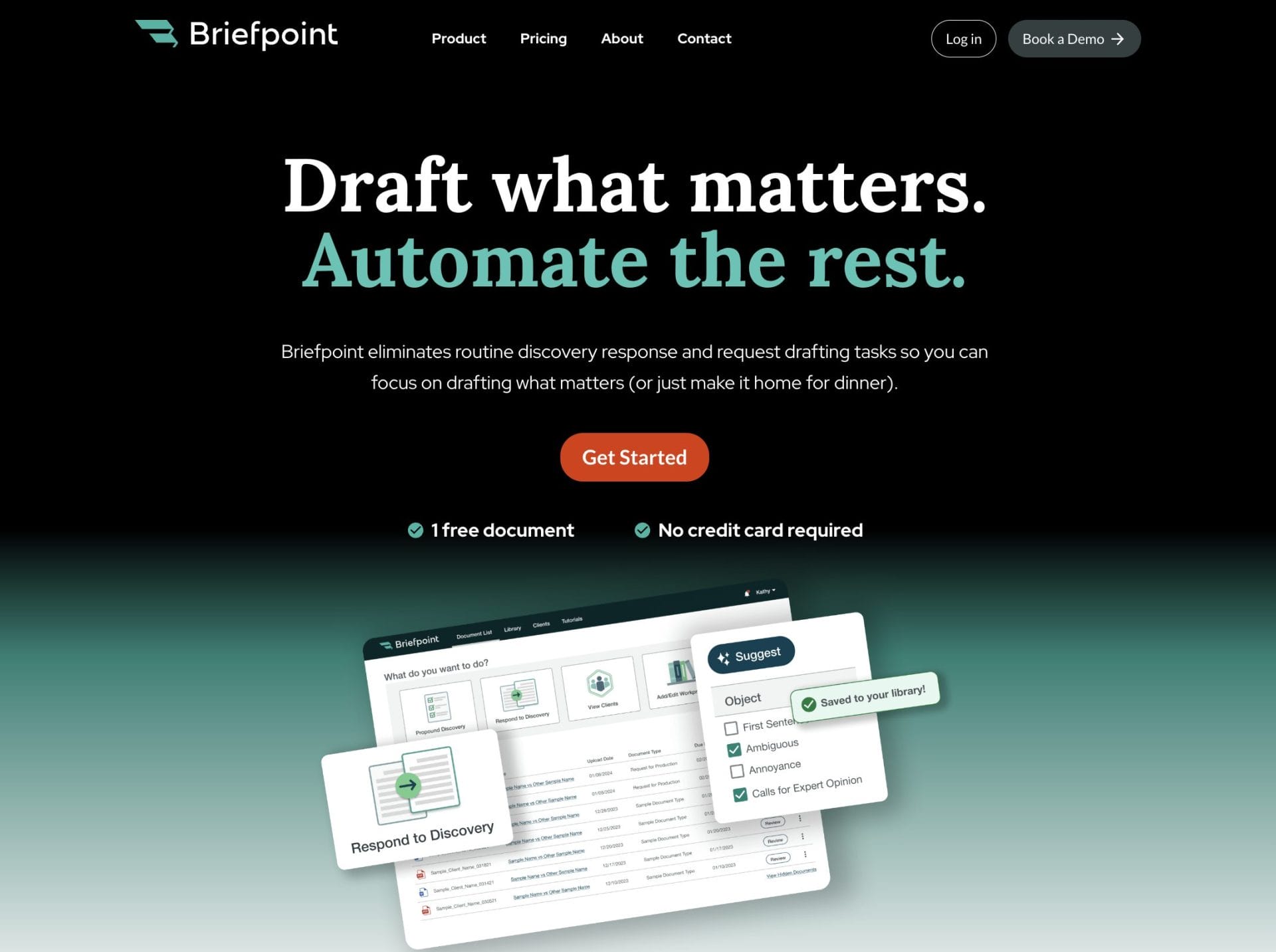
If your work involves RFAs, RFPs, and interrogatories, Briefpoint is built for that part of the process. Its platform helps litigators propound and respond to discovery, and Autodoc can turn productions and case files into Word responses with Bates citations and ready-to-serve production packages.
Briefpoint also added support for Supplemental Responses, which helps you manage updates without overwriting earlier answers.
7 Litigation Tools for Different Stages of a Case
1. Briefpoint – Best for Drafting Discovery Responses Fast
Briefpoint is an AI-powered discovery drafting platform built for litigators who are tired of spending entire afternoons on formatting and discovery objections. It focuses squarely on written discovery and does it with precision.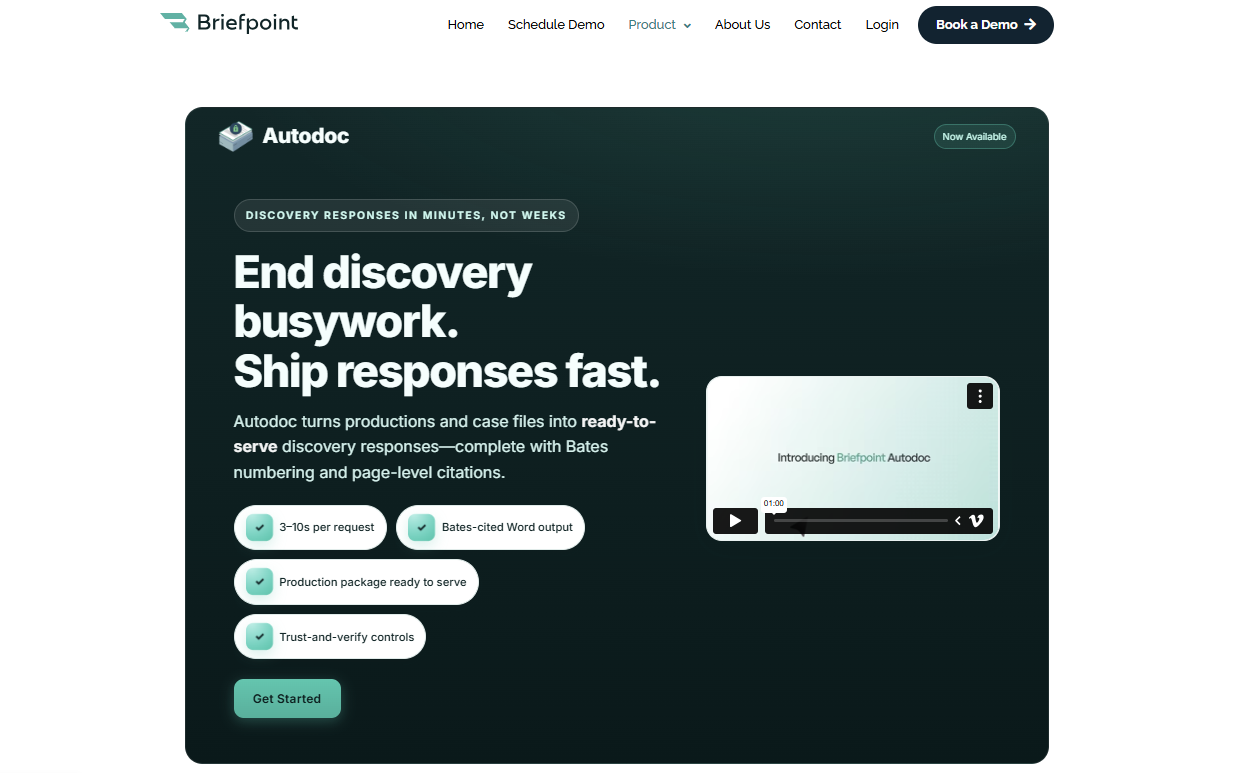
In litigation, a single set of interrogatories or requests for production rarely stays simple for long. What begins as a draft quickly turns into checking court rules, standardizing objections, organizing document management, and correcting formatting issues. Before you know it, the day is gone.
That’s the gap Briefpoint addresses. It tightens the process while keeping lawyers in control of strategy and final language.
To do that, the platform uses advanced AI shaped around real legal practice. It generates clean, jurisdiction-ready drafts that open directly in Word, so legal teams can revise naturally within a familiar workflow.
What you get is formatting that remains consistent, objections that stay uniform, and more attention goes toward case preparation rather than repetitive edits.
Autodoc extends that structure to large productions. When you upload vast amounts of documents, it connects responsive materials to each request and produces Bates-cited responses alongside a ready-to-serve production package.
With that kind of organization built in, discovery feels contained and predictable instead of sprawling and open-ended.
Key Features
- AI-powered discovery drafting: Generate interrogatories, requests for admission, and requests for production from a complaint or draft structured responses to incoming requests in minutes.
- Objection-aware response generation: Apply consistent, defensible objections aligned with court rules in all 50 states and federal courts to help improve accuracy firm-wide.
- Autodoc production packages: Upload productions and receive Word responses with page-level Bates citations plus a ready-to-serve, Bates-numbered production set.
- Client response collection portal: Send questions in plain English to clients through a secure link and receive Word-ready drafts that flow directly into your responses.
- Word-first editing workflow: Review, revise, and finalize documents in Word, so lawyers stay in control of tone, strategy, and final language.
- Secure infrastructure: SOC 2 Type II certified with encrypted data handling, which supports secure document management for legal teams.
2. Clio – Best for Litigation Case Management
Clio is a case management platform used by law firms to organize litigation matters in one place. It connects case information, tasks, deadlines, documents, billing, and communication so attorneys can see what’s happening directly inside each file.
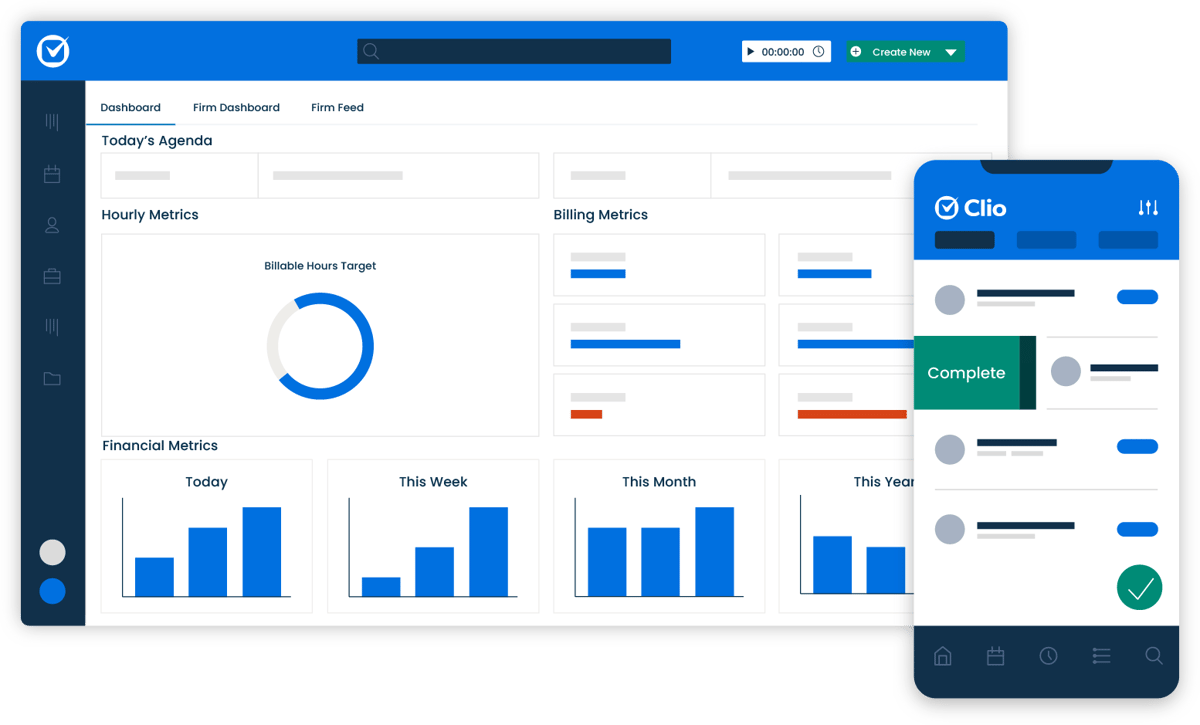 Source: G2
In an active litigation process, details move quickly. New filings come in, hearings get scheduled, discovery deadlines approach, and routine tasks need follow-up. When that coordination lives in separate sources, manual tasks increase, and visibility drops.
Clio creates a structured environment where legal teams can track progress in real time and keep work tied directly to the correct matter.
It isn’t built specifically for drafting discovery responses, but it supports the larger framework of a legal practice. From client intake to ongoing task management, it gives attorneys a clearer operational view of their cases.
Key Features
- Matter and case information management: Store legal documents, contacts, notes, and communication within each matter so all case information stays organized and searchable.
- Task and deadline tracking: Assign tasks with due dates, monitor progress, and receive real-time updates as responsibilities shift between team members.
- Client intake workflows: Capture new client details through structured forms and convert them into active matters without duplicating data.
- Time tracking and billing tools: Record billable time inside each case and generate invoices tied directly to matter activity.
- Built-in AI tools: Assist with legal drafting and note summaries while helping reduce routine manual tasks for attorneys.
3. Everlaw – Best for eDiscovery and Document Review
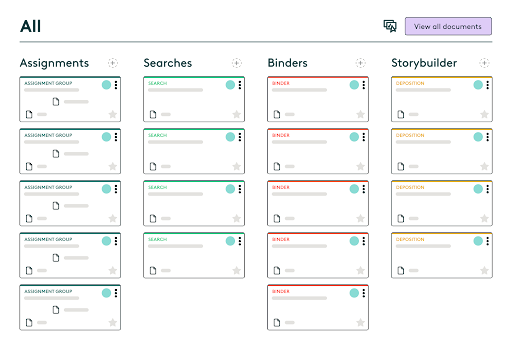
Everlaw is a cloud-based e-discovery software platform built for reviewing electronically stored information in litigation. Law firms use it to organize, search, and analyze large collections of legal documents to make sure attorneys can identify relevant evidence quickly and confidently.
Source: G2
The platform focuses on document review and case analysis rather than drafting. Legal teams can upload productions, filter data, tag documents, and track review progress inside a structured workspace.
Everlaw also supports collaboration. Attorneys can review files simultaneously, leave notes, apply coding decisions, and monitor how the review is progressing in real time. That visibility matters in complex cases involving large volumes of important information.
If your workflow centers on reviewing electronically stored information and preparing it for production, deposition, or trial, Everlaw plays a central role in how legal teams manage that stage of discovery.
Key Features
- Advanced search and filtering: Run keyword searches, apply metadata filters, and narrow down large data sets to locate relevant evidence efficiently.
- Document coding and tagging: Mark documents for responsiveness, privilege, and issue categories to keep review decisions consistent.
- Collaborative review tools: Allow attorneys to work together inside the same case database with shared notes, highlights, and tracking.
- Visual analytics and timelines: Map communication patterns and activity timelines to better understand how key events unfolded.
- Secure cloud access: Store and access legal documents in a centralized environment designed for law firms handling sensitive information.
4. LexisNexis – Best for Legal Research
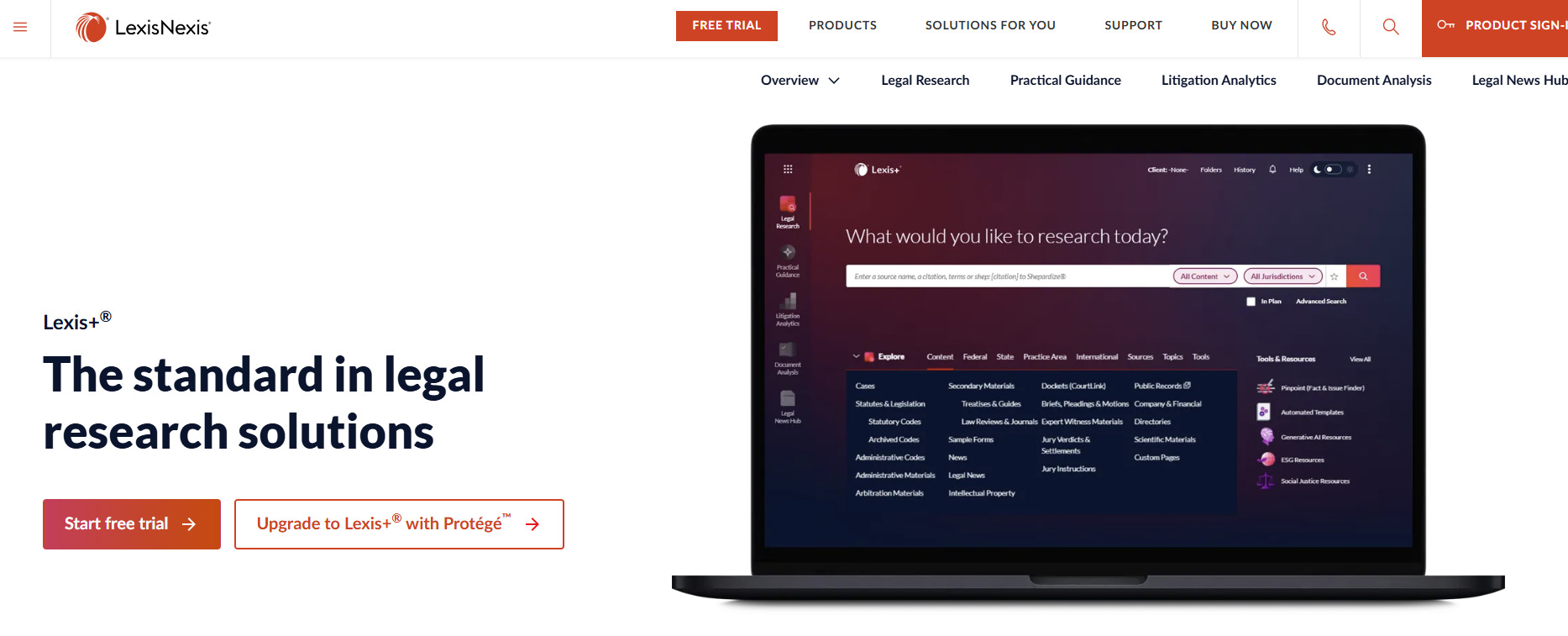
LexisNexis is a legal research platform used by legal professionals to locate case law, statutes, regulations, and secondary sources in one searchable database.
When your focus shifts to building arguments and shaping case strategy, this is the type of tool that supports that work.
Source: LexisNexis.com
Instead of spending hours digging through scattered sources, attorneys can access thousands of cases, court opinions, and legal materials in seconds.
Search filters, citation tools, and headnotes reduce manual effort and help narrow results to the most relevant authority. That efficiency cuts down time spent on research and leaves more room for analysis.
LexisNexis also includes practical tools that help evaluate how courts have treated specific issues over time. For litigators, that insight strengthens motion practice and supports stronger cases built on verified precedent.
Beyond traditional research, the platform offers access to news archives, public records, and certain demographic data that can inform background research and litigation planning.
Key Features
- Comprehensive legal database: Access thousands of cases, statutes, regulations, and secondary sources in one platform.
- Citation and validation tools: Check how courts have treated specific opinions to refine case strategy.
- Advanced search filters: Narrow results using jurisdiction, date ranges, practice area, and keyword combinations.
- Practical guidance resources: Review analytical content and commentary to support argument development.
- Public records and data access: Pull background information, including select demographic data, to supplement litigation research.
5. Filevine – Best for Litigation Workflow Tracking
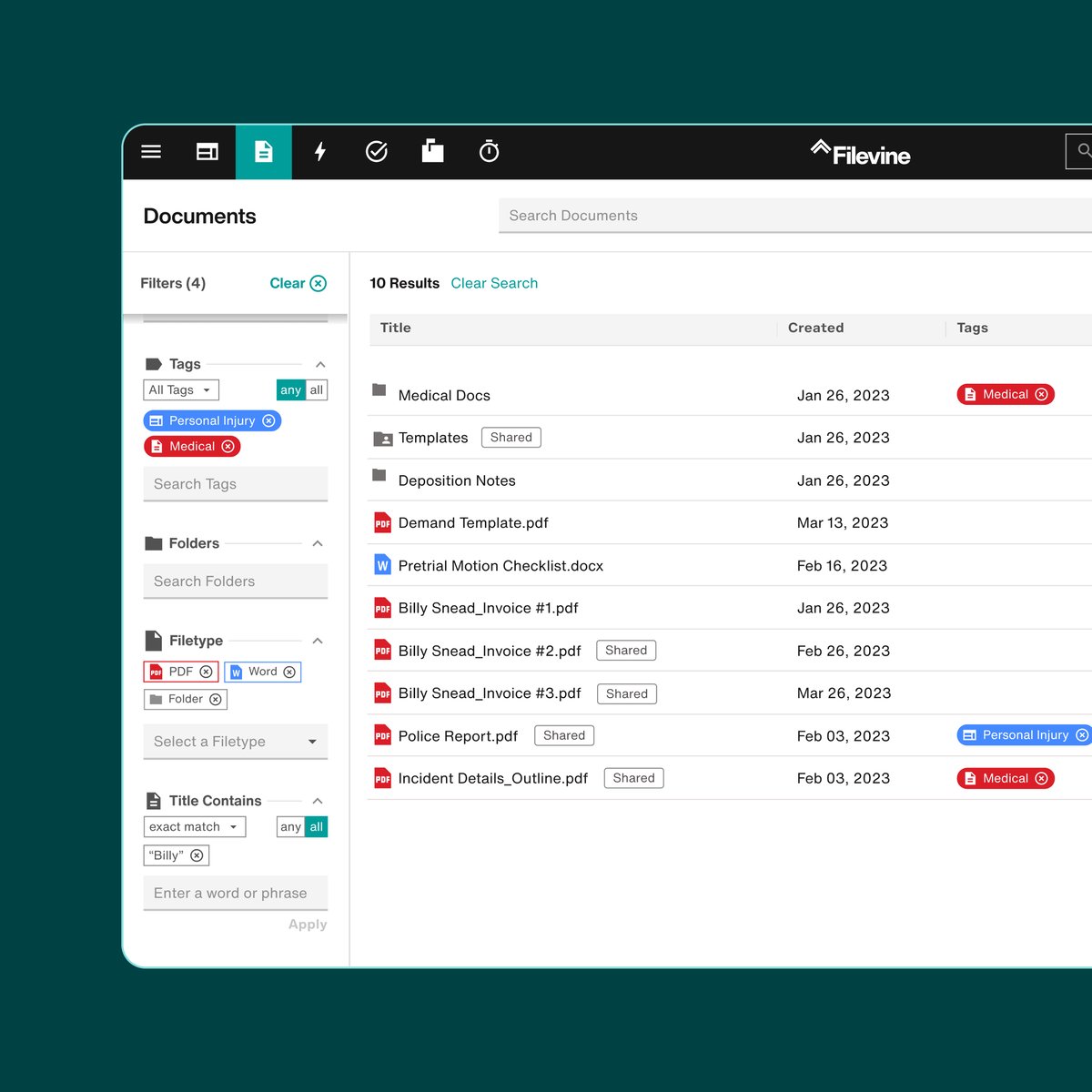
Filevine is a legal practice and case management platform that helps firms track litigation matters from intake through resolution.
It isn’t limited to one phase of a case. Instead, it supports the full case lifecycle by keeping tasks, deadlines, documents, and communication connected inside structured case files.
Source: G2
For litigation teams, visibility is everything. Key information, such as pleadings, deposition transcripts, discovery materials, and internal notes, needs to stay tied to the correct matter.
So, Filevine centralizes those moving parts so attorneys can see what’s been completed, what’s pending, and what requires attention next.
The platform is highly customizable, which allows firms to shape workflows around their services and practice areas. Automated triggers reduce repetitive tasks, while dashboards give leadership a clear view of workload and case progress.
As matters develop, updates stay attached to the file rather than scattered across separate systems.
Key Features
- Customizable case workflows: Design litigation workflows that reflect how your firm handles each stage of the case lifecycle.
- Centralized case files: Keep deposition transcripts, legal documents, notes, and communication organized within each matter.
- Task automation: Reduce repetitive tasks with automated reminders and milestone-based assignments.
- Reporting dashboards: Track workload, deadlines, and progress through visual reporting tools.
- Collaboration tools: Share updates and manage internal communication directly within the case file.
6. Lex Machina – Best for Litigation Analytics
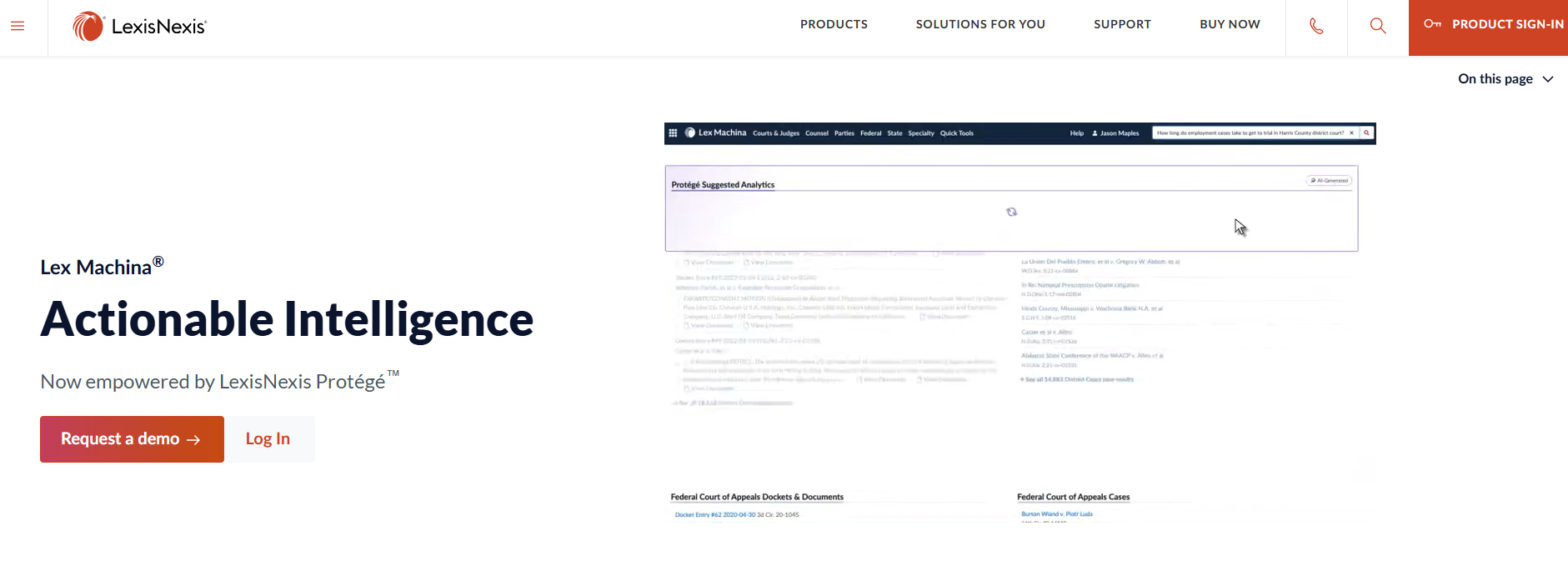
Lex Machina is a legal analytics platform that uses court data to help attorneys evaluate trends, judges, opposing counsel, and case outcomes. Rather than focusing on drafting or document storage, it delivers insight drawn from large sets of real court decisions.
Source: LexisNexis.com
For litigators working on case strategy, that type of data can influence how arguments are framed, how risks are assessed, and how trial preparation unfolds.
The platform analyzes patterns in rulings, motion outcomes, damages awards, and timing, giving attorneys a clearer view of how similar matters have played out.
Lex Machina also supports targeted document analysis tied to specific courts or judges. You can review how particular motions were handled, how long cases lasted, or how often certain claims succeeded.
That kind of context helps legal professionals ground their decisions in measurable trends rather than assumptions.
While it doesn’t replace legal expertise, it works as a powerful tool that supplements it. When paired with strong advocacy and thorough review of case materials, analytics can sharpen litigation strategy and support more informed decision-making.
Key Features
- Judge and court analytics: Review historical ruling patterns, motion outcomes, and case timelines tied to specific judges.
- Attorney and law firm insights: Examine the opposing counsel’s track records and litigation history.
- Outcome and damages data: Analyze trends in settlements, awards, and case resolutions.
- Motion and timing analysis: Study how frequently certain motions succeed and how long cases typically proceed in particular courts.
- Searchable litigation database: Access structured court data to support strategic planning and trial preparation.
7. Smokeball – Best for Automatic Time Tracking
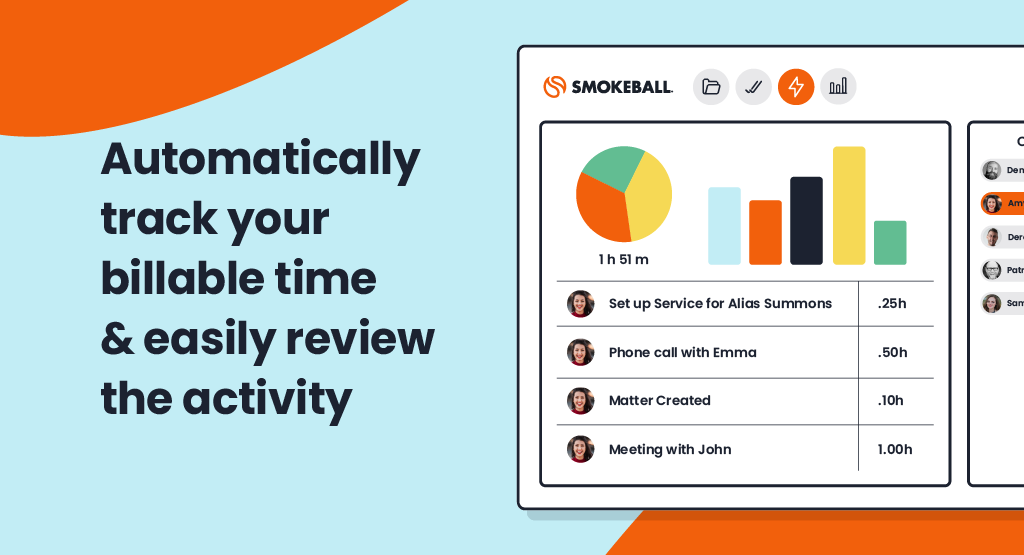
Smokeball is a legal practice management platform known for its automatic time tracking capabilities.
Litigation firms that bill hourly often struggle with capturing every billable minute, especially when the day fills up with short, menial tasks. Smokeball addresses that gap by recording work activity in the background as it happens.
Source: G2
As attorneys draft documents, send emails, or update matters, the system logs that activity automatically. This reduces the manual effort involved in reconstructing your day and helps prevent lost revenue. Over the life of a case, those small entries can make a measurable difference.
Beyond time tracking, Smokeball includes broader case management features that keep tasks, documents, and communication organized within each matter. Its standout strength, however, remains automatic billing capture that runs quietly without interrupting workflow.
Litigation practices looking to tighten billing accuracy without adding more repetitive tasks often find this type of built-in tracking especially useful.
Key Features
- Automatic time capture: Records document edits, emails, and file activity so billable time reflects actual work performed.
- Integrated billing system: Convert tracked activity into invoices directly within each matter.
- Matter and document management: Store case files, pleadings, and communication in a centralized platform.
- Productivity reporting: Review time usage and staff workload insights to support operational oversight.
- Workflow tools: Track tasks and deadlines while keeping billing data tied to case activity.
Factors to Consider When Choosing the Best Litigation Tool
Selecting the right litigation software depends on how your cases actually move through the system. You would want to choose platforms that support your workflow and strengthen results.
Consider the following:
- Alignment with your firm’s practice areas: Make sure the tool fits the types of matters you handle, whether that includes personal injury files with heavy medical records or complex commercial disputes in state courts.
- Depth of functionality: Some platforms focus on drafting, others on analytics or litigation management software. Clarify whether you need research support grounded in practical law, structured case tracking, or document review capabilities.
- Support for artificial intelligence: Consider how AI adoption fits into your workflow. Tools that use artificial intelligence or agentic AI can reduce repetitive steps, but attorney oversight should remain central.
- Document organization: Strong systems should keep pleadings, discovery, transcripts, and medical records searchable and tied to the correct matter.
- Ease of use and reporting: Clear dashboards and simple workflows build confidence across the team and reduce friction during active litigation.
How Legal Teams Can Build a Smarter Tech Stack With Briefpoint
Every stage of litigation brings its own demands. Research shapes your arguments. Analytics can sharpen case strategy. Case management tools keep tasks and deadlines visible.
But written discovery is often the part that quietly drains the most time. Drafting responses, standardizing objections, formatting documents, organizing productions, and double-checking court rules can take over your calendar before you realize it.
When that workflow tightens up, everything else feels more manageable.
That’s one reason more than 1,500 law firms already use Briefpoint. It focuses specifically on written discovery and helps litigation teams complete responses in a fraction of the time, without giving up control over strategy or language.
Plus, Autodoc extends that support to production packages, so the process from draft to service feels more structured and predictable.
If discovery has become the bottleneck in your cases, it may be time to look at a different approach.
Book a demo with Briefpoint and see how it can fit into your practice.
5 Best AI Legal Research Tools in 2026
What Makes a Legal Research Tool “AI-Powered”?
A legal research tool earns the label “AI-powered” when it does more than pull up cases based on matching words.
Traditional databases are built around keyword logic. Legal AI, on the other hand, looks at context, relationships between cases, and the substance of your question. That one distinction changes how legal professionals approach research.
Most modern AI tools rely on natural language processing. That means you can type a full question the way you’d say it out loud, and the system works to understand what you’re actually trying to solve.
From there, generative AI technology may assist with drafting, summarizing, or organizing findings, which helps move research forward faster.
You’ll usually see capabilities like:
- Natural language search: Interprets full questions and delivers relevant case law and legal materials without complicated search strings.
- Case summarization: Condenses lengthy opinions into readable explanations of holdings and reasoning.
- Generative drafting support: Assists with research memos, argument outlines, and analysis tied to cited authority.
- Citation analysis: Reviews how courts have treated a case and identifies stronger precedent.
In practice, legal AI supports everyday legal tasks, helping you analyze information and build arguments in a much faster, more organized way.
How We Chose These AI Legal Research Tools
Plenty of platforms claim to use AI. For this list, we focused on tools that actually support legal research in a significant way and fit into real legal workflows. The priority was practical value for legal teams and law firms, and not just flashy features that look good in a demo.
We examined how each platform functions as an AI assistant, how it handles core research tasks, and how well it supports broader legal operations. Tools that simply repackage traditional search didn’t make the cut.
Here’s what we looked for:
- Real AI functionality: Uses AI for summarization, analysis, drafting support, or predictive insights rather than basic keyword matching.
- Practical use for legal teams: Addresses common research slowdowns inside law firms and day-to-day legal work.
- Workflow compatibility: Fits naturally into existing legal workflows without requiring a complete shift in process.
- Strong legal database: Provides reliable access to case law, statutes, and other primary legal materials.
- Credibility and adoption: Trusted and actively used by legal professionals in real practice settings.
Top AI Legal Research Tools to Choose From
If you’re exploring AI legal research tools, you likely want something that helps you get to the point faster. So, below are several platforms that bring real AI into the research process and can make your day-to-day work feel more manageable:
1. Lexis+ AI
Lexis+ AI builds on the traditional Lexis research platform but adds a conversational layer that feels closer to working with an AI assistant.
Rather than sorting through long result lists, you can ask direct legal questions and receive structured answers grounded in real legal precedents. It’s designed for legal professionals who want faster analysis without stepping outside a trusted research database.
Source: LexisNexis.com
The platform also introduces Protégé Legal AI and Protégé General AI, powered by a proprietary AI model trained with legal context in mind. This distinction matters in the legal industry, where accuracy and source transparency carry real weight.
Best Features
- Conversational research: Ask complex legal questions in plain language and receive answers supported by cited authority.
- Protégé Legal AI: Built specifically for legal analysis and research tasks.
- Protégé General AI: Assists with drafting, summarizing, and refining written work.
- Document drafting support: Generates outlines, memos, and argument summaries grounded in legal precedents.
- Shepard’s integration: Validates citations and shows how courts have treated a case.
Pros
- Strong foundation in the established Lexis research database
- AI responses tied to verifiable legal precedents
- Useful for both large firms and solo practitioners
2. Westlaw Advantage
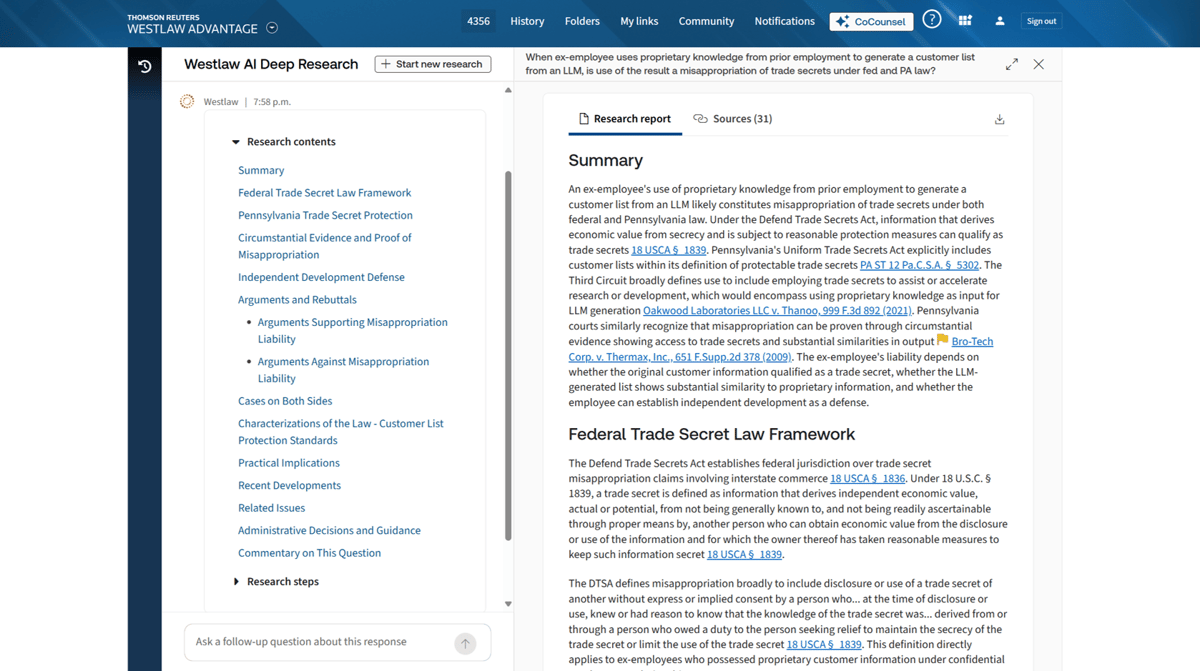
Westlaw Advantage builds on the long-standing Westlaw research platform while layering in advanced AI capabilities aimed at faster, more focused analysis.
It keeps the familiar research structure many legal professionals already know, but adds tools designed to reduce the time spent sorting through dense opinions and secondary sources.
Source: G2
The platform integrates advanced AI to refine search results, highlight key passages, and surface relevant authorities tied to your issue.
It also incorporates a generative AI tool that assists with drafting and deep research tasks, which can help you move from raw case law to structured analysis quickly.
If your team relies heavily on Westlaw’s database, the upgrade centers on making research more direct and aligned with real-world legal standards.
Best Features
- AI-enhanced search: Delivers more precise results based on context and not just keywords.
- Generative drafting assistance: Helps create research summaries and structured outlines from cited authorities.
- Key passage extraction: Highlights relevant sections within lengthy legal documents.
- Citation analysis tools: Tracks how courts have treated a case and measures the authority strength.
- Integrated research environment: Combines traditional Westlaw resources with advanced AI features.
Pros
- Strong, established research database
- Advanced AI layered into a familiar workflow
- Helpful for complex research tied to evolving legal standards
3. Bloomberg Law
Bloomberg Law combines legal research, litigation analytics, and business intelligence into a single platform. It’s widely used in the legal field, particularly by enterprise teams that need more than case lookup.
The focus isn’t only on finding authority, but also on understanding how courts, judges, and opposing counsel tend to operate in real litigation.

Source: Pro.BloombergLaw.com
Its AI-driven features help review multiple documents at once, extract relevant insights, and analyze trends tied to specific judges or practice areas. That can be especially useful in complex matters where context matters as much as precedent.
Bloomberg Law also integrates Practical Law resources to give you access to guidance notes, model documents, and practice insights that support everyday legal practice and even legal education settings.
Best Features
- Litigation analytics: Provides judge, court, and opposing counsel insights based on past rulings.
- AI-powered document analysis: Reviews multiple documents and surfaces key themes or risks.
- Brief analyzer: Evaluates arguments and suggests additional authority.
- Practical Law integration: Offers practice notes and drafting guidance.
- Business intelligence tools: Connect legal research with company and market data.
Pros
- Strong analytics for enterprise teams
- Combines research, drafting support, and business insight
- Useful for writing legal documents and strategic case preparation
4. Casetext (CoCounsel)
Casetext, known for its CoCounsel legal assistant, brings generative AI directly into research and document-heavy work.
The platform was built with legal context in mind, so responses are grounded in cited authority rather than broad, uncited content. Its foundation makes it particularly useful when accuracy and traceability matter.
Source: ThomsonReuters.com
CoCounsel Legal is structured around practical assignments inside modern legal tech workflows. It can review court documents, analyze complex documents, and identify relevant legal issues without requiring hours of manual reading.
When you’re handling large volumes of legal content, features like summarizing documents and issue spotting can reduce the time spent digging through pages of material.
Best Features
- AI research assistant: Answers legal questions with cited authority tied to primary sources.
- Document review support: Analyzes complex documents and flags key risks or arguments.
- Summarizing documents: Condenses lengthy court documents into structured explanations.
- Deposition and contract analysis: Reviews materials and highlights relevant passages.
- Task-based interface: Organizes research and review tools around specific legal assignments.
Pros
- Strong grounding in the legal context
- Helpful for reviewing large sets of court documents
- Designed around practical research and analysis tasks
5. Harvey AI
Harvey AI is positioned as an enterprise-grade research and drafting platform built on large language model technology.
It’s used primarily by major firms and in-house teams that want generative support layered into complex legal workflows. Unlike traditional databases, Harvey focuses heavily on analysis, legal drafting, and synthesis rather than pure case lookup.

Source: Harvey.ai
The platform assists with reviewing legal information, analyzing primary law, and generating structured outputs such as legal briefs and internal memos. It can also draft legal documents based on prompts, which reduces manual effort in early-stage drafting.
Because it often integrates with internal firm knowledge systems, Harvey is typically adopted by larger legal tech companies and enterprise legal departments rather than smaller practices.
That said, it operates differently from research platforms tied directly to a proprietary case database. As with many third-party AI tools, outputs should be carefully reviewed against authoritative sources before finalizing any legal writing.
Best Features
- Generative drafting support: Helps draft legal documents, legal briefs, and research summaries.
- Primary law analysis: Interprets statutes and case law within a structured response.
- Large document review: Synthesizes complex materials into usable insights.
- Knowledge integration: Connects with internal firm documents for contextual responses.
Pros
- Reduces manual effort in early drafting stages
- Strong generative capabilities for legal writing
- Popular among large enterprise teams
What Kind of Legal Research Tool Do You Need?
Choosing the right tool starts with an honest look at how you actually work. Some platforms focus on case law and litigation research, while others lean into contract drafting, document review, or analytics. However, very few do everything equally well.
You might also find that one tool isn’t enough. A research-heavy litigation process may rely on a database with strong citation analysis, while a transactional team may need AI support to analyze contracts and generate clause suggestions.
The right setup often depends on the mix of matters you handle.
Here are a few questions to guide your decision:
- Do you focus on litigation research? Look for strong case law coverage, citation tracking, and judge analytics.
- Do you handle high-volume contracts? Choose tools built for reviewing legal documents, contract drafting, and structured clause analysis.
- Do you need drafting support? Generative features can speed up memos and summaries, though human oversight remains critical.
- Are errors costly in your practice area? Prioritize platforms with clear citations and verification tools to reduce risk and support fewer errors.
The best choice aligns with your daily workload. In many firms, combining tools creates a more balanced research and drafting system.
AI Research Is Step One, Discovery Drafting Is Next
AI legal research tools help you analyze authority and shape your arguments. After that work is done, you still have to draft and serve the discovery. For many litigators, that’s where hours disappear.
Briefpoint focuses specifically on written discovery. It handles interrogatories, requests for production, and requests for admission, generating objection-aware drafts that open directly in Microsoft Word.
You stay in control of strategy and edits, but the repetitive formatting and structure are handled for you.
The workflow covers the full cycle. You can generate targeted discovery from a complaint, collect client responses in plain English, and produce polished drafts in minutes.
And with Autodoc, you can upload productions and case files, then generate Bates-cited Word responses and production packages with page-level citations. What often takes weeks of review can be reduced to a single upload and download.
Firms use it to cut drafting time dramatically while keeping objections consistent and up to date. It’s SOC 2 Type II certified, requires no setup, and works in all 50 states and federal courts.
5 Best eDiscovery Software for More Defensible Discovery
What Is eDiscovery Software?
eDiscovery software (short for electronic discovery software) helps legal professionals manage ESI during litigation, investigations, or regulatory reviews.
The eDiscovery process involves identifying, collecting, reviewing, and producing digital evidence that may be relevant to a case. The goal is to give legal teams the ability to discover what matters without losing control of the data along the way.
This type of legal discovery software makes it easier to work through large volumes of information while maintaining compliance and protecting data integrity.
In modern practice, where most evidence lives in digital systems, that support plays a central role. Many eDiscovery software companies design their platforms around speed, defensibility, and clear documentation.
Examples of electronically stored information include:
- Emails and attachments
- Chat messages and text logs
- Cloud-stored documents or files
- Social media posts or metadata
- Databases and transaction records
Automation handles much of the heavy lifting. Tools can filter, tag, and sort data quickly, which reduces manual review time and limits avoidable mistakes.
Built-in search features, audit trails, and structured review workflows keep the discovery process organized and defensible from start to finish.
What Are the Must-Have Features for eDiscovery Software?
The right eDiscovery software provider should offer tools that make the electronic discovery process faster, more accurate, and easier to manage.
Modern electronic discovery solutions combine legal process automation with advanced technology like artificial intelligence and machine learning to handle large volumes of data efficiently.
A fast and intuitive platform saves hours of manual work and reduces the risk of missing key evidence. Here are the must-have features to look for:
- Data collection and processing: Collect information from multiple sources and convert it into searchable formats.
- AI and machine learning: Identify relevant documents automatically and speed up document review.
- Advanced search tools: Use filters, metadata, and keyword logic to locate important files quickly.
- Redaction and privilege tagging: Protects confidential or attorney-client data before sharing.
- Audit trails: Track every action to maintain transparency and defensibility.
- Collaboration tools: Let teams review and comment on documents in real time.
- Reporting and analytics: Provides detailed insights into review progress and costs.
Choosing the right software vendor means finding a balance between ease of use, scalability, and automation. Let’s keep that in mind as we go to the next section.
Need an alternative to expensive eDiscovery solutions? Book a demo with Briefpoint.
5 Top eDiscovery Tools for Modern Legal Teams
Now that we’ve covered the key features to look for, let’s explore some of the best eDiscovery software options available today:
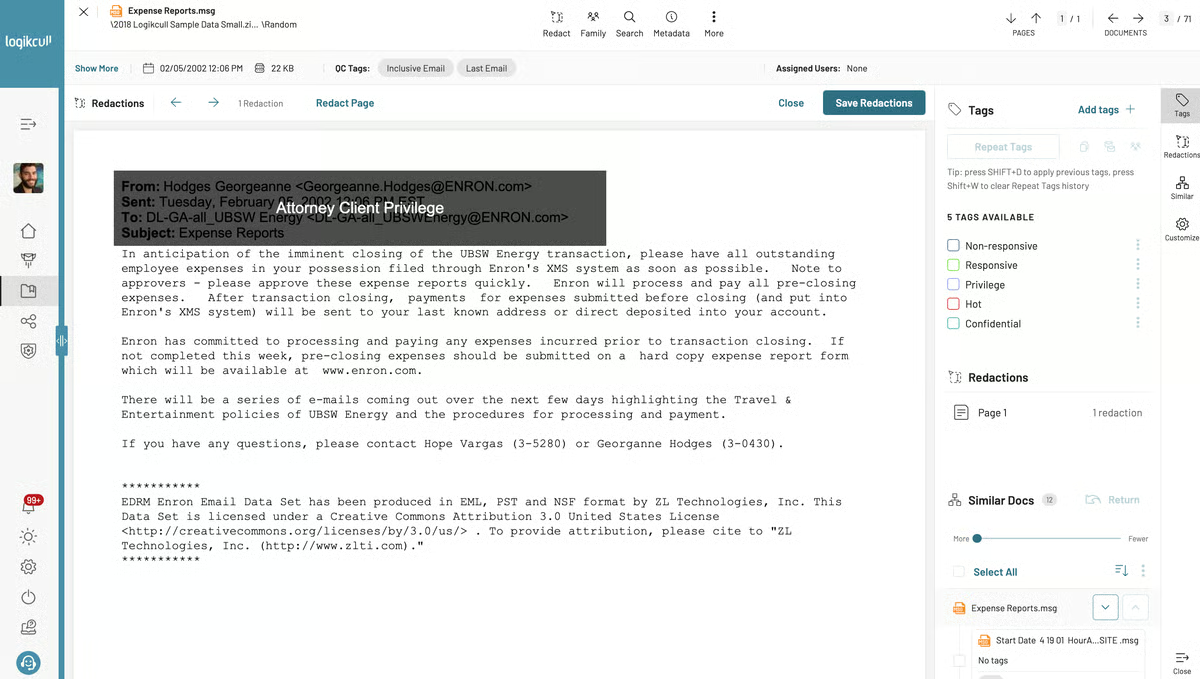
1. Logikcull
Logikcull is a trusted e-discovery software that helps legal professionals simplify the entire discovery workflow, from data processing to document review. It’s particularly useful for small and mid-sized law firms that need powerful tools without enterprise-level complexity.
Source: G2
The platform automates many steps of the electronic data management process. Its goal is to make it easy to organize, tag, and review files without relying on IT support or external vendors.
Once data is uploaded, Logikcull automatically scans, indexes, and categorizes it, which allows teams to analyze electronic data and locate relevant documents faster.
It also helps maintain regulatory compliance by tracking every action within the platform, keeping a full audit trail that meets legal standards.
Best Features
- Automatic deduplication: Removes duplicate files to reduce review volume and focus on unique evidence.
- Smart filters and search: Uses metadata, keywords, and file types to locate specific records quickly.
- Built-in redaction tools: Protects confidential information and marks privileged content before production.
- Audit-ready reports: Creates detailed logs for defensibility and compliance documentation.
- Cloud integrations: Supports uploads from services like Google Drive, Slack, and Dropbox.
- Real-time collaboration: Allows multiple users to review, comment, and tag documents simultaneously.
Pros
- Simple interface with minimal setup time
- Transparent, predictable pricing structure
- Fast document uploads and efficient search functions
- Secure data protection with encryption and strict access controls
2. Everlaw
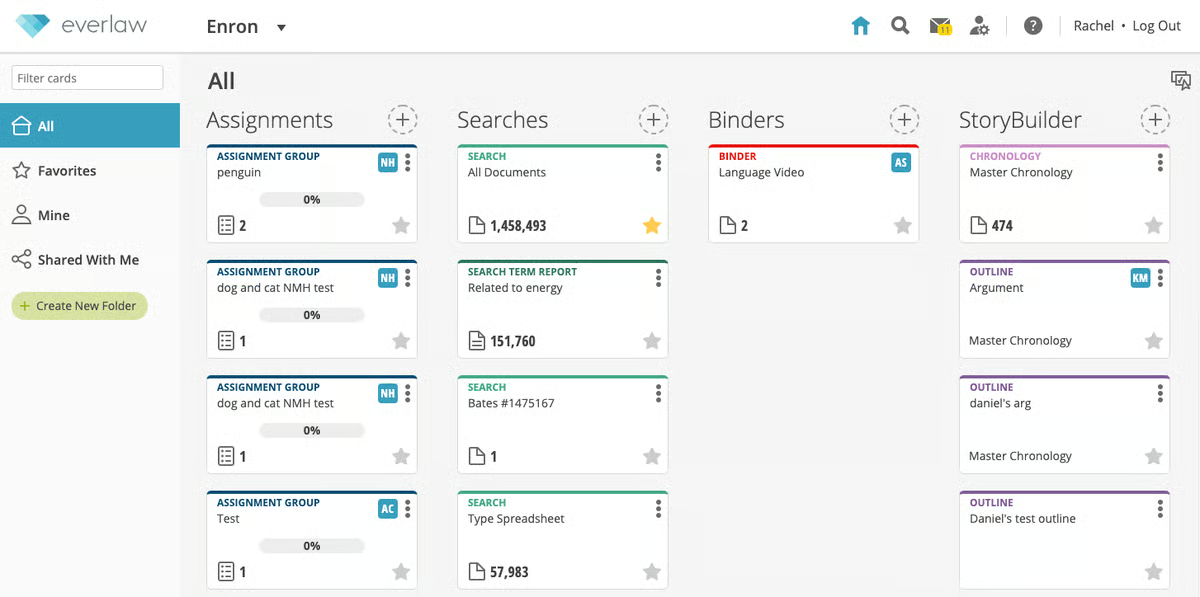
Everlaw is a cloud-based eDiscovery platform designed for large law firms, government agencies, and legal departments managing complex cases.
It provides a complete platform for handling the full discovery cycle, ranging from early case assessment and data processing to final review and production.
Source: G2
Essentially, the software helps teams manage large volumes of digital data efficiently while keeping sensitive data secure through strict access controls and compliance standards.
Everlaw’s combination of legal automation, analytics, and collaboration tools allows teams to quickly identify the most relevant documents in massive data sets.
Additionally, its visual interface and reporting features make it easier for attorneys and investigators to understand case progress and evidence connections at a glance.
Best Features
- Early case assessment: Analyzes large volumes of digital data early in the litigation process to refine search strategies.
- AI-assisted document review: Uses predictive analytics to identify the most relevant documents faster.
- Efficient data management: Automatically organizes uploads for quicker navigation and review.
- Collaboration tools: Benefit attorneys and legal departments by letting them comment and tag documents together in real time.
- Advanced redaction and security: Protects sensitive data with audit trails and permission-based access.
- Comprehensive reporting: Delivers visual insights into case timelines, reviewer activity, and production sets.
Pros
- Smooth user experience with minimal training
- Fast review and production process for complex cases
- Strong compliance for handling confidential and regulated information effectively
3. Nextpoint
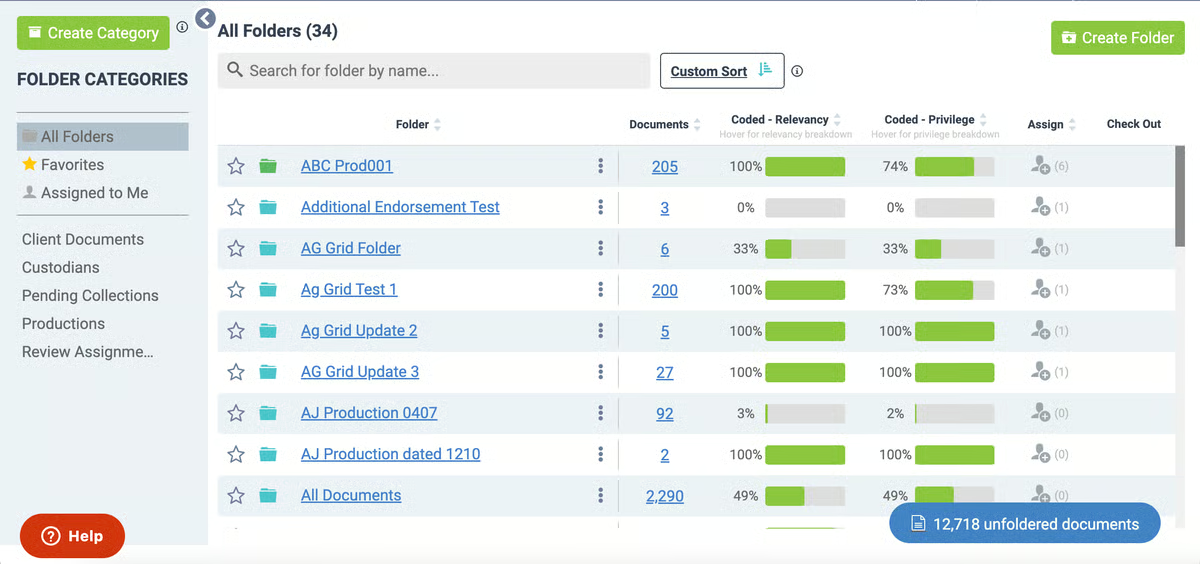
Nextpoint is a cloud-based eDiscovery platform built to manage the entire litigation workflow. Unlike some complex enterprise tools, it focuses on simplicity and speed to give legal teams a platform that’s both powerful and approachable.
Source: G2
Its intuitive interface allows attorneys, paralegals, and investigators to quickly upload, search, and organize evidence from multiple data sources. Nextpoint also helps firms maintain strict compliance requirements through built-in audit trails and secure storage options.
With core features such as predictive coding, legal hold notifications, and robust reporting, it supports teams through every phase of discovery while reducing the time spent on manual review.
Plus, the platform’s advanced analytics highlight key insights, which can help users find relevant information and prioritize what matters most in each case.
Best Features
- Legal hold management: Improves data preservation by holding data automatically and confirming acknowledgments for compliance.
- Predictive coding: Uses AI to surface relevant information and streamline document review.
- End-to-end workflow: Handles processing, review, and production without external lawyer tools.
- Advanced analytics: Identifies patterns and key custodians to guide case strategy.
- Robust reporting: Tracks user activity, review progress, and data exports.
- Intuitive interface: Makes large-scale projects easier to manage and navigate.
Pros
- Clear, user-friendly layout suited for busy legal teams
- Good compliance features with defensible audit trails
- Fast performance when processing large volumes of data
- Comprehensive analytics that support better case preparation
4. DISCO eDiscovery
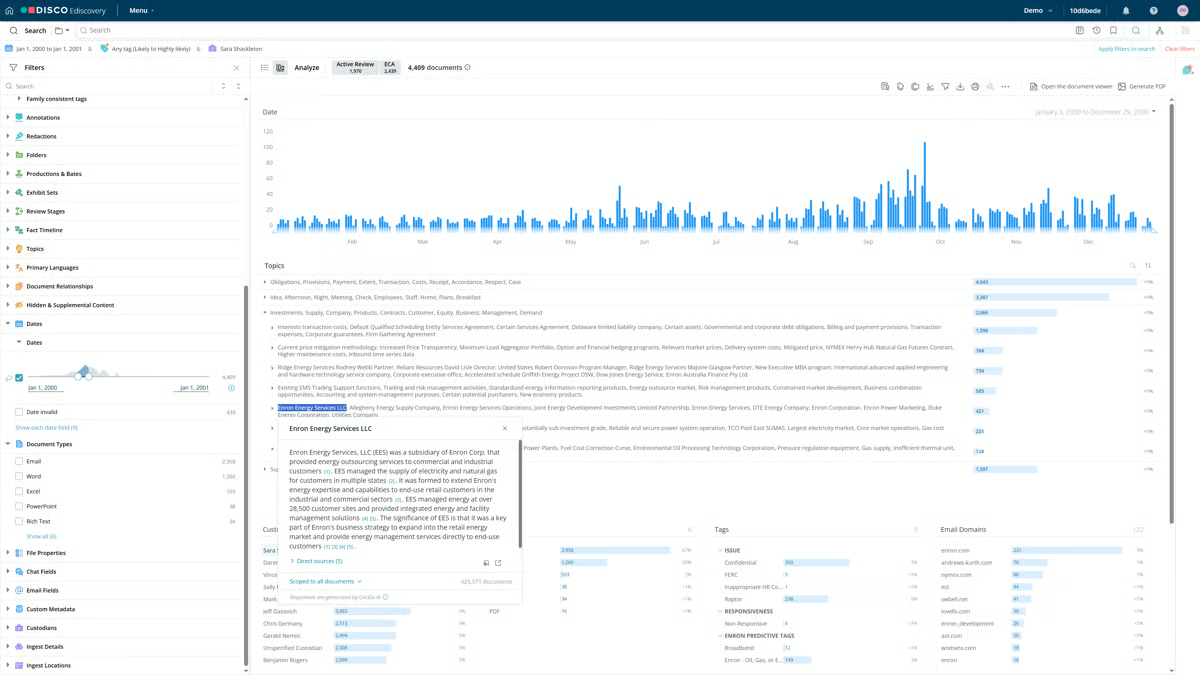
DISCO is recognized as a market leader in efficient eDiscovery for law firms, corporations, and government agencies. Built as a fully cloud-native platform, it helps legal teams handle everything from litigation to internal investigations with speed and accuracy.
Source: G2
Its focus on legal automation and information governance makes it a strong choice for organizations that deal with large volumes of electronic information and need dependable performance.
The platform combines AI-driven document review with an intuitive interface that allows users to locate sensitive information quickly while maintaining defensibility.
And with its scalable performance, DISCO supports both small matters and enterprise-level cases. This gives teams the flexibility to expand as data grows.
It also integrates easily with other tools, so legal professionals can connect their existing systems while staying compliant with discovery rules and regulations.
Best Features
- AI-assisted review: Accelerates document analysis by identifying patterns and reducing manual review time.
- Information governance: Keeps electronic information organized and secure throughout the discovery lifecycle.
- Compliance management: Helps teams ensure compliance through audit trails and secure access controls.
- Scalable performance: Handles growing data volumes and multiple matters.
- Integrations with other tools: Connects with case management and productivity systems for seamless workflows.
- Sensitive information protection: Offers advanced redaction and encryption to prevent unauthorized access.
Pros
- Fast and reliable cloud performance
- Easy-to-use interface for both attorneys and support staff
- Reliable security and compliance capabilities
- Good scalability for high-volume discovery projects
5. Relativity
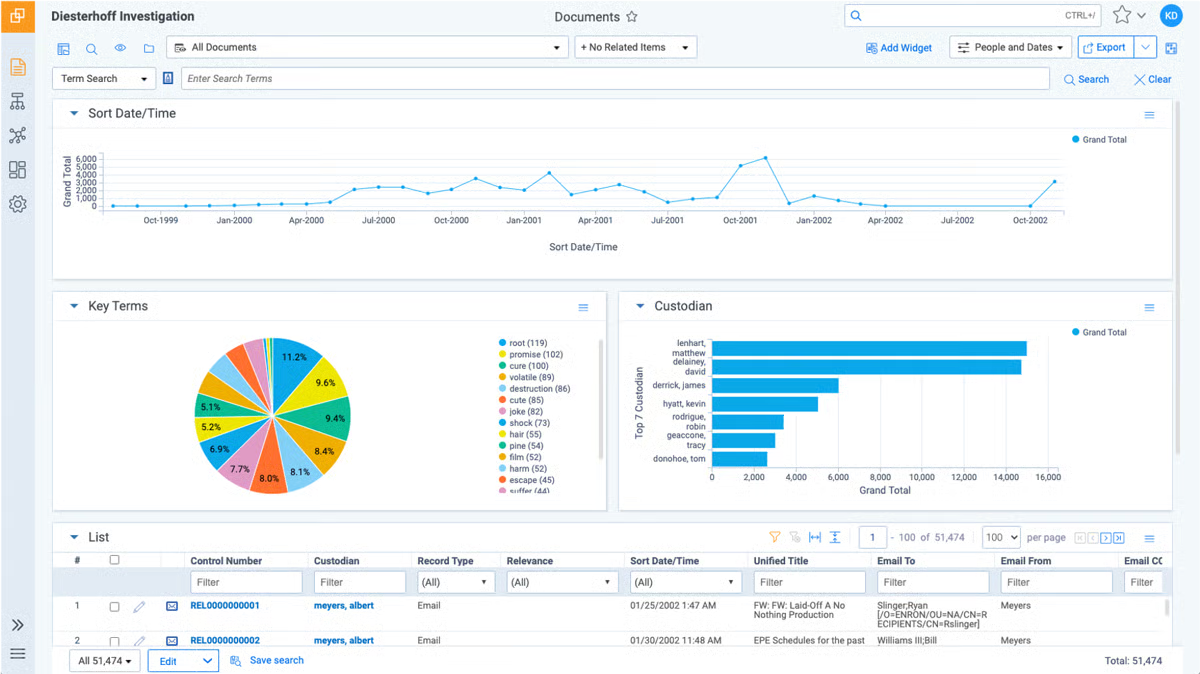
Relativity is one of the most established names in eDiscovery software, trusted by large law firms and corporations for handling complex cases and investigations.
The platform combines traditional discovery workflows with modern tools like generative AI to classify data, summarize content, and predict relevance.
Source: G2
Relativity integrates seamlessly with popular platforms like Google Workspace and Microsoft 365, so users can collect and review data directly from familiar environments.
Moreover, its robust security framework includes multi-factor authentication, access controls, and encryption to keep sensitive files safe throughout the discovery process.
While Relativity is powerful, it’s known for having a moderate learning curve, especially for teams new to advanced analytics or custom workflows. However, once mastered, it becomes one of the most flexible and scalable discovery solutions available.
Best Features
- Generative AI capabilities: Automates classification, summarization, and relevance scoring.
- Comprehensive case preparation tools: Streamline review, tagging, and production in one platform.
- Google Workspace integration: Simplifies data collection from Gmail, Drive, and Docs.
- Custom workflows: Allows you to customize workflows to specific review processes and compliance policies.
- Multi-factor authentication: Protects user access and sensitive data.
Pros
- Strong AI and automation for large, complex cases
- Highly customizable workflows for diverse team needs
- Secure and compliant environment with full audit trails
- Broad integration support and scalable infrastructure
Get an Alternative to Expensive eDiscovery Solutions: Briefpoint
Choosing the best eDiscovery software depends on your organization’s data volume, budget, and workflow needs.
Platforms like Logikcull, Everlaw, Nexpoint, DISCO, and Relativity all deliver strong features for document review, data processing, compliance, and everything in between.
Yet for many legal teams, the challenge isn’t just finding the right tool. It’s keeping costs predictable and workflows simple.
Briefpoint and its new product, Autodoc, empower litigation teams with a smarter way forward. These solutions help legal professionals handle discovery tasks faster with automation that reduces manual work and administrative costs.
Briefpoint automates discovery responses to save hours typically spent on formatting and reviewing, while Autodoc accelerates document creation and management across matters.
Together, they serve as an alternative to expensive eDiscovery solutions, offering speed, consistency, and accuracy that can adapt to increasing demand.
Are you ready to modernize your discovery process once and for all?
A Full Guide to Discovery Objections
What Are Discovery Objections?
In civil procedure, discovery objections are formal responses that challenge discovery requests made by opposing counsel. They’re used when a request seeks information outside the scope of the discovery process or asks for details that aren’t tied to a party’s claim or defense.
For example, a request might be objected to if it seeks privileged information, calls for a legal conclusion, or isn’t reasonably calculated to lead to admissible evidence.
Most jurisdictions recognize several grounds for objections, including vagueness, overbreadth, and confidentiality. Common issues include compound questions, requests that impose undue burden, or discovery responses that would reveal sensitive material.
Lawyers also raise objections when the request seeks information already available or when it asks for documents that are irrelevant to the dispute.
While some attorneys use boilerplate objections, courts often prefer objections that are specific and tied directly to the request. The goal isn’t to dodge disclosure entirely but to make sure objections apply properly under the rules.
In practice, objections serve as a safeguard, so that the discovery process remains fair, efficient, and focused on what truly matters to the case.
Want to draft objections faster? Briefpoint helps lawyers generate discovery responses in minutes.
What Are Common Discovery Objections?
During the discovery process, not every request is fair game. Courts expect parties to exchange information, but there are limits. Objections help draw those lines and keep the process on track.
Below are some of the most common discovery objections lawyers raise:
Relevance
One of the most common objections during the litigation process. When answering interrogatories or document requests, a responding party can argue that the information sought has no real connection to a party’s claim or defense.
If the request reaches beyond issues tied to admissible evidence, it may be objectionable.
Under federal law and most state rules, the party seeking discovery must stay within defined limits. Discovery is broad, but it still has boundaries.
For example, in a breach of contract case centered on a single vendor agreement, a request demanding “all business dealings with any vendor over the past ten years” likely stretches too far. Most of that information sought would have nothing to do with the dispute at hand.
In that situation, a relevance objection helps refocus the exchange on material that actually relates to the claims and defenses in the case.
Overly Broad
This objection applies when a request is framed so widely that it sweeps in far more material than necessary to address a party’s claim or defense. Even if some responsive information exists, the overall scope may be excessive.
For instance, if the opposing party serves interrogatories or document requests demanding every document a company has created since its formation, the burden becomes substantial and untethered to the issues in dispute.
While discovery allows access to relevant information, courts expect reasonable limits. So, when a request casts too wide a net and captures large volumes of unrelated material, a responding party can object on the ground that it is overly broad and needs to be narrowed.
Unduly Burdensome
Sometimes discovery requests ask for material that would drain resources without adding much value. If the effort or cost of producing documents is excessive compared to what the lawsuit needs, the responding party can object.
Courts also accept this when requests push beyond reasonable limits or touch on protected work product.
Privilege
A discovery request cannot require a party to disclose protected communications. Attorney-client privilege shields confidential exchanges between a lawyer and client made for the purpose of legal advice.
Even if the subject relates to the dispute, it does not become relevant evidence simply because it concerns the case.
Courts may review privilege claims carefully, and in limited situations, an opposing party must show a substantial need to obtain certain protected materials, such as work product.
For example, if the opposing party requests “all communications between the company and its counsel regarding the contract at issue,” those emails are most likely privileged. The responding party can object and withhold them.
Common examples of privileged information include:
- Emails discussing legal advice or strategy
- Internal legal memoranda analyzing risk
- Notes prepared to help determine litigation strategy
- Draft pleadings shared privately with counsel
Vague or Ambiguous
If a discovery request isn’t clear, the plaintiff or defendant can push back. Lawyers often raise this when the wording leaves too much room for interpretation or doesn’t specify time frames, parties, or subjects.
In some practice areas, an unclear request might also overlap with a work product objection if it seems to demand attorney notes or strategy rather than straightforward facts.
Confidentiality
An objection may be raised if a discovery request seeks records that expose trade secrets or sensitive business data. Courts recognize limitations on what can be shared, and procedures for filing protective orders are often outlined in the rules.
So, if a request feels improper because it risks revealing confidential material, the responding party can object to keep that information out of the opposing side’s hands.
Compound Questions
This objection comes up when one discovery request tries to pack in several questions at once, which makes it unclear how to respond.
For example, an interrogatory that asks, “Identify all employees present at the meeting and explain what each of them said” combines two separate inquiries.
Courts prefer each request to be broken down so the responding party can give a clear and accurate answer.
Already Available
A responding party can object if the information requested is public or already in the requesting party’s possession. For instance, asking for copies of court filings that are part of the record isn’t reasonable since both sides can access them.
In many cases, courts don’t want discovery used to duplicate what’s easily obtainable, especially when trial preparation should focus on new or disputed material.
How Can Document Automation Help?
Responding to discovery requests takes time, especially when drafting objections one by one. Lawyers often juggle relevance, privilege, and confidentiality concerns while keeping track of deadlines.
This is where document automation can save hours and cut down on repetitive work.
When you automate legal discovery, you can build responses that stay consistent and accurate across cases. Rather than retyping boilerplate objections or searching through old files, attorneys can generate ready-to-use responses in minutes.
Here’s how automation supports the discovery process:
- Faster drafting: Standard objections can be pulled from templates and customized quickly.
- Consistency: Responses stay aligned with firm standards, reducing mistakes.
- Built-in safeguards: Privileged information can be flagged before it’s shared.
- Time savings: Less manual typing frees up lawyers to prepare for trial or negotiate.
Briefpoint takes this a step even further with tools built specifically for litigation teams. The platform helps generate discovery responses, objections, and related filings with speed and accuracy.
Check out the full discovery objection guide that highlights the most common objections and how to apply them in practice.
Unlock Faster Discovery Responses With Briefpoint
Discovery objections shape the scope of production and protect your client’s position. Drafting them carefully takes time, especially when you’re responding to dozens of requests for production under deadline pressure.
Briefpoint helps litigation teams prepare discovery responses faster while keeping control over objections and formatting. The platform generates structured, captioned Word responses so you’re not retyping standard language for every matter.

With Autodoc, the process moves even faster. Upload the complaint, RFPs, and production files. Autodoc identifies responsive documents for each request, generates Word responses with page-level Bates citations, and packages a Bates-numbered production set ready to serve.
What once required 30–40 hours of manual review and drafting can take minutes. You can review where the AI searched, confirm or deselect files, edit responses in Word, and tag privileged materials before production.
Discovery work doesn’t have to consume your week. Briefpoint and Autodoc help you draft, verify, and serve with confidence.