Legal Document Formatting Guidelines Every Team Should Know
1. Page Layout
Before document creation, a solid page layout gives your document a clean starting point and helps it line up with the legal standards most courts expect.
Standard Page Size
Most filings use 8.5 x 11 inches, which remains the default paper size across U.S. courts. Some courts allow A4, though most still expect the standard size. So, unless the rules say otherwise, stick with that for legal document templates and everyday filings.
A few older forms still reference legal size (8.5 x 14 inches), but modern templates and electronic filing systems typically expect the standard 8.5 x 11 layout. Sticking with this size keeps your documents consistent with what courts review every day.
Recommended Margins
One-inch margins on all sides are widely accepted. A few courts ask for a slightly larger left margin to allow space for binding, so a quick check of local rules is always worthwhile.
Line Spacing Rules
Courts often expect double line spacing in the main text to improve readability. Single spacing may be used for block quotes, footnotes, and tables, depending on the requirements.
Header and Footer Placement
Page numbers usually sit in the bottom center or bottom right. Some courts also want the case details in the header on every page, so it’s worth double-checking their court standards and formatting rules before you file.
Example
A compliant layout might include:
- 8.5″ x 11″ page
- 1″ margins
- Double line spacing
- Case caption in the header
- Page number in the bottom-right corner
Layouts following these basics usually meet filing expectations, but a quick look at your jurisdiction’s rules helps make sure that everything lines up.
2. Font and Text Standards
Clear text guidelines help your filings look consistent and easy to read, no matter the court or agency. The way you handle font choice, font size, and basic formatting styles plays a big role in keeping the document polished.
Approved Fonts for Legal Documents
- Traditional serif options like the Century Schoolbook and Times New Roman font remain widely accepted
- Many courts now permit sans-serif fonts such as Arial or Calibri for other legal documents
- Pick one font family and use it throughout the document
Font Size Rules for Body Text and Headings
- Body text usually appears in a 12-point font size
- Headings often use 12–14 points, depending on hierarchy
- Keep the same sizing structure across sections for consistency
Bold, Italic, and Underline Usage
- Use bold to emphasize key points sparingly
- Italics work well for case names, citations, and defined terms
- Underlining appears less often but remains acceptable if required by local rules
Rules for Capitalization
- Capitalize defined terms consistently
- Follow standard legal writing conventions for titles, sections, and parties
- Avoid over-capitalizing everyday words that don’t carry legal significance
These standards keep your formatting clean, predictable, and aligned with what courts expect.
3. Headings and Subheadings
Strong headings keep longer documents organized and easier to read. When the structure is clear, readers can follow the flow of information without effort. This is something that matters a lot in professional documents.
Use a clear document title at the top, then break the content into logical sections with consistent formatting. Headings should signal major topics, while subheadings divide those topics into smaller, focused points that improve readability.
A simple structure looks like this:
- Main heading (H1) – Defines the broad topic
- Section heading (H2) – Introduces major sections
- Subheading (H3) – Breaks down details within each section
Keep styles consistent throughout: the same font, size, spacing, and alignment. This gives your document a clean and predictable layout that helps readers move through the content without confusion.
4. Paragraph Formatting
Clear paragraph rules go a long way toward keeping documents clean and easy to review. That’s why many teams build these settings into their Microsoft Word templates to maintain consistency and avoid formatting errors.
Indentation Rules
- Standard practice uses a first-line indent of 0.5 inches
- Some courts require no indentation and rely on spacing instead
- Apply indentation through styles to keep paragraphs consistent and ensure compliance with court preferences
Block vs. Indented Paragraphs
- Block paragraphs use no indentation and include a blank line between paragraphs
- Indented paragraphs use a first-line indent with no extra spacing
- Choose one format and keep it consistent throughout the document
Spacing Between Sections
- Add clear spacing above headings and between major sections
- Avoid manual line breaks and rely on paragraph styles to prevent inconsistent gaps
Alignment Best Practices
- Left alignment is the standard for legal documents
- Fully justified text is allowed in some filings, but can create uneven spacing
- Keep alignment consistent to maintain a clean reading experience
5. Numbering and Lists
Organized lists help readers move through information quickly in legal briefs and other documents that follow a consistent legal style. Most tasks can be handled easily in a word processing program where styles keep lists clean and uniform.
When to Use Numbered vs. Bulleted Lists
- Use numbered lists for steps, arguments, or anything that follows a sequence
- Use bullet points for items that share equal weight and don’t require a specific order
Multi-Level Lists
- Helpful for outlining arguments or breaking complex points into smaller parts
- Apply built-in list styles rather than manual spacing
- Use clear hierarchy levels (1., a., i.) to maintain the structure readers expect in legal writing
Consistent Indentation for List Items
- Keep each level aligned the same way throughout the document
- Avoid manually dragging items; use styles to prevent spacing inconsistencies
- If your document uses select columns or narrow margins, review the layout to confirm that list items remain properly aligned
Example
- Primary argument
a. Supporting detail
i. Sub-point - Secondary argument
6. Citations and References
Accurate citations keep your writing clear and consistent with court requirements. They are particularly important in briefs, motions, letters, and other formal court filings.
Most lawyers follow a standard citation style, often the Bluebook or local court rules, to keep references predictable, easy to verify, and aligned with promoting adherence to filing requirements.
Citation Format
Use the citation style required by the court or governing body. Styles may vary between jurisdictions, so always confirm the expected structure before finalizing a document.
Placement of Citations
Inline citations work well for most filings, but footnotes are acceptable in documents that allow more narrative flow. Your word processor should handle footnote numbering automatically to prevent formatting mistakes.
Short Citation Box
Some courts ask for a short citation box on the first page of a filing. This quick-reference section summarizes the mandatory citation format or abbreviation rules so the reviewer can see them at a glance.
Footnotes vs. Endnotes
Footnotes are more common in legal writing because they keep sources close to the text. Endnotes may be used in longer filings if permitted, but they’re less typical in court submissions.
Cross-Referencing
When pointing readers to exhibits or earlier sections, keep labels consistent. Use automated cross-reference tools to avoid errors during edits.
7. Document Structure Requirements
A clear structure helps every legal file stay easy to read and consistent with the formatting elements courts expect.
Little formatting details can shape how quickly someone grasps the content. This matters even more when there are many sections or extra materials involved.
Most legal documents follow a predictable flow: a title page or caption, a table of contents for longer filings, well-defined sections, and exhibits or appendices at the end.
Keeping the same heading styles, spacing, and numbering throughout gives the document a clean, steady feel that reviewers appreciate.
This becomes even more important for teams handling repeat work. If you’re drafting similar filings over and over, document automation tools help you start with the right structure every time.
Instead of rebuilding the layout from scratch, you begin with margins, headings, signature blocks, and exhibit labels already in place. Apply consistency like this, and you’ll reduce errors and cut down on back-and-forth formatting fixes.
For teams that want a faster, more reliable way to create structured filings, Briefpoint’s Autodoc offers ready-to-use layouts that stay aligned with court expectations.
Book a demo to see how it fits into your workflow.
8. File-Naming Conventions
Naming a file seems simple, but a predictable system saves time and avoids mix-ups, especially when multiple people review drafts, leave comments, or track changes.
A clear convention also keeps files organized across shared drives, email threads, and document management tools. This way, no one has to guess which version is current or what’s inside a file.
Required Naming Format
Most firms rely on a straightforward pattern with the matter name, document type, and date. This keeps folders tidy and makes searches faster.
Example for motion to compel document:
Smith_v_Jones_MotionToCompel_2025-03-12.docx
Version Control Rules
Version tags help everyone follow the document history. Update the tag each time a new draft is created.
Examples:
- …_v1, …_v2, …_v3
- …_PartnerReview, …_ClientReview
Avoid ambiguous titles like “final” or “final_final,” which usually lead to duplicates.
Confidential or Privileged Labels
Sensitive files should display their status clearly in the name. This reduces the risk of accidental sharing and supports firm-level policies.
Examples:
- CONFIDENTIAL
- ATTORNEY-CLIENT_PRIVILEGED
- ATTORNEY_WORK_PRODUCT
9. Page Numbering Requirements
Good page numbering makes a document easier to move through and helps reviewers locate information quickly. This is especially true in filings that include exhibits, charts, or an insert table section.
Courts expect consistent placement, so numbering should stay in the same spot on every page; most commonly, the bottom center or bottom right.
Introductory pages sometimes follow different rules. A court may ask for Roman numerals on the table of contents and switch to Arabic numbers once the main text begins.
Other courts prefer numbering to start on the very first page of the document. A quick check of local guidelines prevents unnecessary changes later.
For documents with exhibits, keep the numbering continuous unless a rule requires each exhibit to restart at page one. This helps anyone reviewing the file follow references easily, particularly when you mark citation references throughout the text.
It’s best to use your word processor’s automatic numbering tools rather than typing numbers manually. Automated numbering adjusts smoothly as sections are added, removed, or edited, and keeps the layout stable through final review.
10. Formatting for Exhibits
Exhibits should follow a clear structure so reviewers can scan, verify, and reference them without slowing down.
Each exhibit needs a label that’s easy to spot, typically placed at the top-right corner of the first page. Labels usually follow a simple pattern such as “Exhibit A,” “Exhibit B,” and so on.
If your matter includes many attachments, adding brief descriptions can help, as long as they remain consistent.
Exhibit pages should maintain the same margins, fonts, and spacing used in the main document unless the source material can’t be altered. When referring to exhibits in the text, use the exact label so the reader can match the reference instantly.
Make sure each exhibit begins on a new page, and include a divider or header to mark the start of each section if the exhibits appear in a single combined PDF.
Example:
- Exhibit A – Email from John Smith dated March 4, 2025
- Exhibit B – Contract Agreement (signed)
- Exhibit C – Financial Summary Spreadsheet
11. Redaction Standards
Strong redaction practices protect sensitive information and reduce the risk of accidental disclosure. Most courts expect digital redactions to fully remove the underlying text, not just hide it visually.
Proper Digital Redaction
Use a true redaction tool and not drawing tools, black boxes, or highlights. A proper tool deletes the underlying text so it can’t be revealed through copying, searching, or adjusting the file.
Marking Redacted Sections
Redacted areas should be clearly identified. Many teams use a black bar paired with a brief label such as “Redacted – Confidential Information” or “Redacted – PII.” This helps reviewers understand why content was removed and keeps the document consistent.
Quality Checks Before Producing Documents
Always review the final file in a PDF reader to determine whether the redacted text can still be selected, searched, copied, or recovered. Check for hidden metadata, comments, or tracked changes that may reveal information unintentionally.
The redactions should adhere to the same labeling and placement standards throughout the file to ensure consistency and keep the document visually appealing. If multiple exhibits or pages were redacted, verify each one before the document is produced or shared.
12. Metadata Requirements
Metadata often contains more information than the visible document, so managing it carefully is essential for compliance and confidentiality.
Courts and opposing parties may review metadata during the discovery process. This means every saved change, author name, or hidden comment matters.
Documents should include only the metadata required for identification, authorship, and basic organization.
Before sharing or filing, remove unnecessary details such as internal comments, tracked edits, previous authors, and embedded file paths. This helps prevent accidental disclosure and keeps the document focused on what’s meant to be shared.
Use your word processor’s inspection tools to scan for hidden content that might otherwise go unnoticed. Many firms add this step to their review checklist to maximize consistency across matters.
Here are a few quick tips:
- Clear tracked changes before exporting to PDF
- Remove comments and internal notes
- Confirm the author and title fields are accurate
- Avoid embedding unrelated files or links
13. PDF Production Guidelines
A polished PDF makes sure the final version of your document is easy to read, search, and share across teams or with the court. Start by exporting directly from your word processor rather than printing to PDF, since exporting preserves formatting, bookmarks, and searchable text.
Make sure the file is fully OCR-enabled. If any pages originate from scans, run an OCR pass so reviewers can search, copy, and reference specific text without manual work. Courts often reject PDFs that aren’t searchable, so this step matters.
Check that headers, footers, and page numbers appear correctly throughout the file. Layout issues occasionally shift during export, especially when the document includes tables, exhibits, or images.
If the PDF includes confidential material, confirm that any redactions are permanent and that the underlying text is removed. You should also verify security settings match your needs; some teams lock editing while allowing printing, while others keep the file open for collaboration.
Your Legal Document Workflow Can Be Lighter With Briefpoint
Formatting rules look simple on paper, but keeping them straight across briefs, motions, discovery responses, and client-ready documents can feel like a lot to juggle.
You’re expected to follow court preferences, maintain consistency, and deliver clean files every time, often under tight deadlines. A steady system helps, but it’s still easy for spacing, numbering, or citation details to slip through when you’re working fast.

Briefpoint helps you handle that workload across motions, discovery requests, discovery responses, correspondence, and other formal documents.
If you’re dealing with the heavy lift of discovery, Autodoc takes the process even further. It turns productions and case files into ready-to-serve, Bates-cited discovery responses in minutes, not weeks.
You upload the RFPs and documents, Autodoc finds what’s responsive, generates Word-formatted responses, and produces a Bates-numbered package you can serve immediately.
Book a demo and get a closer look at how all these features fit into your practice.
AI for Lawyers and How It Affects the Future of the Industry
What Type of AI Do Lawyers Use?
If you work in a law firm or legal team, you’ll likely come across several forms of AI. Each one supports a different part of your workload, from legal document drafting to managing routine legal tasks.
Many legal-specific AI solutions rely on machine learning, natural language processing, and large language models. A single AI solution may use more than one of these technologies, depending on the AI features it offers:
Machine Learning
Machine learning helps software recognize patterns and improve its results over time. As the system processes more relevant examples, it becomes better at sorting, comparing, and classifying information.
You may see machine learning used to organize case files, identify unusual contract language, flag relevant evidence, or support risk analysis. The quality of the output depends heavily on the legal data used to train and test the system.
Natural Language Processing
Natural language processing (NLP) helps computers understand and work with human language. Since legal work depends so heavily on written material, NLP is behind many of the tools you may already use.
For example, it can review contracts, case law, discovery documents, correspondence, and legislation. It can also power document summaries, clause extraction, semantic search, and automated classification.
Large Language Models
Large language models, including GPT-based systems, are AI models trained on large collections of text. They can summarize lengthy documents, explain dense legal language, organize information, and create draft content from your instructions.
You can use these models to prepare first drafts, support legal research, write client updates, and review written material more efficiently. Some platforms adapt them for legal work by adding document controls, privacy safeguards, and access to trusted sources.
What Can AI Do for the Legal Industry?
AI has the potential to revolutionize how legal teams and law firms work. More specifically, it can streamline numerous processes, including:
Discovery
During the discovery process, lawyers and paralegals often have to review thousands of documents to find evidence relevant to the case. Legal document automation makes this process more straightforward by simultaneously processing vast amounts of information.
AI discovery software enables attorneys to sift through documents by employing search terms or particular criteria, like dates or geographic locations. In contrast, lawyers without AI would have to spend weeks on this.
Generative artificial intelligence is another highly beneficial AI tool for the discovery process. Through sophisticated algorithms, generative AI can comb through extensive datasets, pinpoint relevant information, and draft discovery responses and requests.
Legal Research
Legal research can take up a large part of your day, particularly when you need to work through statutes, case law, regulations, and other legal information before reaching a reliable conclusion.
AI-powered research tools can help you move through that process faster. They search legal databases, analyze documents, and identify connections that may be difficult to spot through a standard keyword search.
You can use them to:
- Find relevant authorities: Search for cases, statutes, and regulations tied to a specific issue.
- Analyze legal contexts: Review how courts have interpreted similar arguments or facts.
- Summarize sources: Condense long opinions and legal materials into a quicker overview.
- Compare precedents: Highlight similarities and differences between past decisions and your current case.
- Access practical guidance: Some platforms connect research results with Practical Law resources, templates, and commentary.
When you leverage AI for research, you can narrow the field more quickly and spend more time evaluating the strongest sources. However, you still need to verify every citation and read the underlying authority before relying on it.
Due Diligence
Due diligence puts a huge amount of information in front of your team at once. In a major transaction, you may be reviewing contracts, corporate records, financial documents, compliance history, and pending claims, all while working under a tight deadline.
AI systems can make that review less labor-intensive by pulling attention toward the areas that deserve a closer look:
- Risk signals: Unusual obligations, change-of-control clauses, unresolved disputes, and other terms that may affect the deal.
- Missing information: Gaps in records, incomplete disclosures, or inconsistencies between related documents.
- Document patterns: Repeated language, conflicting provisions, or terms that fall outside the company’s usual standards.
- Review priorities: High-risk files can be separated from routine material so lawyers can focus their time where judgment is most valuable.
These tools are useful for complex legal work because they create early efficiency gains and stronger strategic support. Of course, your team still decides how each issue affects the transaction, but AI can make the path to that decision much clearer.
Contract Review and Analysis
Some AI-driven tools can examine contracts in detail faster. They can identify clauses that deviate from standard language, assess risk levels, and suggest modifications based on prevailing laws and legal standards.
This specific function of AI speeds up the contract review process, enhances contract accuracy and consistency, and minimizes the risk of disputes and litigation.
What Are the Benefits of AI for Legal Professionals?
Legal work comes with heavy workloads and little room for error. AI can help your team work more efficiently while keeping attention on judgment, strategy, and clients.
Key benefits include:
Efficiency
AI can support essential but typically tedious tasks, such as document sorting, evidence review, legal research, billing, intake, and scheduling. These tools reduce the time spent on routine processes and help lawyers work through larger workloads under tighter deadlines.
For example, document review software can scan thousands of files and surface potentially relevant material far faster than a manual review.
Accuracy
Legal AI tools can identify patterns, inconsistencies, and missing information across large document sets. This can improve document review, research, and risk assessment, particularly when the same checks must be applied repeatedly.
The best legal AI tools can support consistency, but they still depend on accurate inputs and careful oversight.
Lower Costs
Automation can reduce the hours lawyers and paralegals spend on administrative work and first drafts. That can lower operating costs and give firms more flexibility in how they staff routine legal tasks.
Transactional lawyers may also use AI to speed up contract review and due diligence, which can reduce the time needed to complete a deal.
Better Decision-Making
AI can organize legal data, identify trends, and highlight information that may affect case or transaction strategy. These insights give lawyers a clearer foundation for evaluating risk and choosing the next step.
AI supports the analysis, while lawyers remain responsible for the final decision.
Stronger Client Support
AI-powered tools can help with appointment scheduling, status updates, intake questions, and basic client communication. Faster responses keep clients informed and reduce the amount of administrative work handled by legal staff.
That leaves more time for substantive conversations where context, trust, and legal judgment matter most.
How Can AI Benefit Law Firm Clients?
AI can improve the client experience by making a law firm’s workflow faster and overall easier to manage. The benefits often show up in the way clients receive updates, understand their case, and move through each stage of the legal process:
- Faster turnaround times: AI can help lawyers review documents, prepare drafts, and organize information more quickly, which may reduce delays.
- Lower costs: Less time spent on repetitive work can help firms control legal fees and use staff time more efficiently.
- Clearer client communications: AI assistants can support routine updates, intake questions, and appointment scheduling, giving clients quicker access to basic information.
- Better access to information: Legal documents and case updates can be summarized in plainer language, making them easier for clients to understand.
- Stronger case preparation: AI can help identify patterns, risks, and relevant details that support more informed legal strategies.
Legal departments and law firms still need human oversight at every important stage. AI may speed up the work, but lawyers remain responsible for reviewing the results and advising the client.
Will AI Replace Lawyers?
AI is unlikely to replace lawyers because legal work depends on judgment, context, and responsibility. It can review large document sets and help with routine drafting, but it cannot take full ownership of legal reasoning or client advice.
In complex litigation, for example, an AI tool may flag important evidence or identify patterns across thousands of files. You still need to decide how that evidence fits into the case strategy, how reliable it is, and how it should be presented.
The same applies to negotiations, courtroom advocacy, and difficult client conversations. These situations often involve emotion, ethics, credibility, and changing facts that require human judgment.
You can think of AI as a support tool that helps you work faster and prepare more thoroughly. It can reduce repetitive work and bring useful information to the surface, while you remain responsible for the analysis, decisions, and outcome.
Factors to Consider When Implementing AI for Legal Work
Before adding AI to your legal workflows, take a close look at how the tool will be used, what information it can access, and who will review its output. The following factors can help you introduce AI more carefully:
- Data security: Review how the platform stores and processes client information, legal texts, and confidential files.
- Human review: Decide which drafts, summaries, and research results must be checked before anyone relies on them.
- Ethical obligations: Confirm that your use of AI aligns with confidentiality duties, competence standards, and other professional obligations.
- Workflow fit: Choose tools that work with your document management system and the processes your team already follows.
- Output quality: Test for false citations, missing context, and weak analysis involving relevant case law.
- Team training: Show lawyers and staff how to manage AI, verify its work, and recognize when an AI assistant is not appropriate.
Put AI to Work Where It Helps Most
AI is already deeply woven in the legal profession, but the real benefit comes from using it with a clear purpose. It can take pressure off research, drafting, review, and client communication, while your judgment remains the most important factor.
For many firms, legal document automation is a practical place to start. Discovery work often involves repetitive formatting, document review, and response preparation, so even a small improvement can free up a significant amount of time.
That is where Briefpoint can help. It supports discovery requests and responses, helps you review objections, identifies responsive documents, and generates editable Microsoft Word files.
Bridge can then collect client answers through a secure, mobile-friendly link and add those responses back into your draft.
As a result, your team spends less time on manual preparation and more time on case strategy, client service, and substantive legal work.
7 Best Ways to Use AI for Legal Discovery
What Are the Biggest Benefits of AI-Powered Legal Discovery?
The biggest benefit is that AI can give your team more time to focus on the parts of discovery that need legal judgment.
A single matter may involve tens of thousands of files, vast datasets, and media evidence. Reviewing all of that manually can slow the entire discovery lifecycle. AI technology helps organize the volume, surface useful information, and move routine work forward faster.
Some of the main benefits of automating legal discovery include:
- Saving time: AI can speed up document review, drafting, summarizing, and other repetitive work.
- Lower costs: Less time spent on manual tasks can reduce the overall cost of discovery.
- More room for strategy: Lawyers can spend more time assessing the facts, planning next steps, and making judgment calls.
- Better consistency: AI can help keep language, formatting, and workflow steps aligned.
- Greater capacity: Teams can take on larger matters without every new request disrupting the rest of the workload.
- Faster analysis: Generative models can summarize records, organize information, and highlight recurring issues for closer review.
- A smoother process: Cutting down on repetitive admin work makes discovery easier to manage under pressure.
1. Use AI to Review Large Volumes of Documents Faster
A few parts of discovery take up more time than document review. A large production can leave you with thousands of legal documents to sort through, and getting to the useful ones can take longer than it should.
AI helps cut through that first wave of volume, so you can get to the records that look most relevant sooner.
For many teams, legal AI tools and technology-assisted review (TAR) make the early review stage feel more manageable. Artificial intelligence can identify names, dates, topics, and repeated language, then group similar files together so the set starts to make more sense.
As those review decisions build, machine learning can help push likely relevant documents closer to the top. Leveraging AI can also support early case assessment by creating document summaries and helping teams take reasonable steps to identify key material.
For example, in a trade secret case, you may have years of emails, attachments, internal messages, and draft agreements sitting in one production.
AI can pull together documents tied to a product name, a former employee, or a specific date range, which gives you a cleaner place to begin. That can take repetitive tasks off your plate, help your team work smarter, and leave more time for strategic work.
2. Use AI to Draft Responses to Interrogatories
Interrogatories often follow a familiar rhythm. You read the request, sort out what it is really asking, check prior materials, and start shaping language that fits the case.
AI can help move that work along by giving you a first draft to react to, which is often much easier than building every response from scratch.
In a legal practice with a steady flow of discovery, the extra speed adds up. For instance, AI can help organize interrogatories one at a time, keep formatting clean, and suggest standard objection language when it fits the request.
It can also help legal professionals keep discovery responses consistent, especially when similar issues come up again in later sets or from opposing counsel.
The useful part is not that AI writes the final answer for you. Instead, it gives you something to work with. You can refine the wording, add the facts that matter, and adjust the response so it matches your strategy and your client’s position.
That makes the manual process feel less draining and gives you more room to focus on the parts of the response that call for your judgment.
3. Use AI to Prepare Responses to Requests for Production
After interrogatories, requests for production call for a slightly different use of AI. The job here is not only to draft a written response. You also need a clear read on:
- What is being requested
- How the requests relate to each other
- What follow-up needs to happen behind the scenes
AI can help sort that out early. It can pull out the subject of each request, group overlapping requests, and draft response language that fits your existing processes. That function makes the set easier to work through and gives your team a more organized starting point.
For example, if several requests all relate to one vendor dispute, AI can connect the ones dealing with emails, contract drafts, invoices, and internal communications. That helps you prepare responses with more consistency and makes it easier to track what still needs review or collection.
A lot of the value comes from structure. When the team spends less time manually untangling similar requests, the work moves more cleanly. For legal teams handling active discovery, those AI capabilities can take a time-consuming part of the process and make it feel lighter.
4. Use AI to Help With Requests for Admission
Requests for admission usually call for a tighter drafting approach than requests for production.
You are not sorting through categories of documents in the same way. Rather, you are dealing with short statements that need a clear response, and the wording can carry significant weight in the discovery process.
Again, AI can help make that stage easier to manage. It can separate each request, keep the responses aligned in tone and structure, and help draft admits, denials, or qualified answers based on the information available. That is especially helpful when the set is long, and the requests start to blend together.
In a personal injury case, for example, one side may serve requests tied to medical treatment or the authenticity of records. AI can help organize those requests and match them with the relevant data already gathered, which gives you a faster starting point for drafting.
Plus, it can help keep the response set consistent from one request to the next. That makes it easier to review the whole set as one piece of work rather than a series of disconnected answers.
5. Use AI to Summarize Case Materials and Evidence
Another practical use of AI during the discovery process is summarizing the material your team already has. Once documents start piling up, it helps to get a faster read on what is in the record before you dig into every page line by line.
But when you use AI, it can help pull key evidence from electronic discovery files, deposition transcripts, emails, reports, and other electronically stored information.
It can surface dates, names, and other details that may not stand out through simple keyword searches alone. Some large language models can also give you a quick summary of a long document set, while machine learning algorithms can identify patterns in the background as more material comes in.
Those features can be useful for data collection and early case analysis, particularly when you need to get up to speed without losing sight of the bigger picture.
Common practical applications include:
- Deposition transcripts
- Email threads
- Medical records
- Contracts and amendments
- Internal reports
- Chat logs
- Chronologies
- Witness statements
Used carefully, AI can make large sets of client data easier to review and easier to organize before the deeper legal analysis starts.
6. Use AI to Flag Privileged or Sensitive Information
Privilege review asks you to slow down and look more carefully at what is in the file. Before anything is produced, you need to spot documents that may call for extra protection.
AI can help with that first sweep. It can surface relevant information tied to legal privilege, confidential business records, sensitive client data, or even drafting documents that may contain protected legal analysis.
If you are dealing with a large production, that can save your litigation team a lot of backtracking later. AI can pick up law firm email domains, common legal terms, confidentiality labels, or names tied to counsel.
The process is still largely labor-intensive, and AI may return false positives, so every flagged document needs human review. Data security should also stay front and center when sensitive files are uploaded, stored, or analyzed.
Sensitive information may include:
- Attorney-client communications
- Work product
- Internal legal notes
- Settlement discussions
- Trade secrets
- Financial account details
- Medical records
- Social Security numbers
- Personnel files
- Private customer information
7. Use AI to Keep Discovery Workflows More Consistent
After a while, the value of AI starts to show up in the workflow itself. You see it in how discovery requests get drafted, how review moves from one step to the next, and how much less cleanup is needed at the end.
When the process is more consistent, your team spends less time fixing avoidable gaps and more time on the strategic aspects of the case.
That can be greatly helpful when different people touch the same matter. AI systems can keep wording, formatting, and response structure more aligned, while still leaving room for manual review and case-specific judgment. They can also detect inconsistencies that are easy to miss when work moves quickly.
More specifically, a more consistent workflow can help you with:
- Standard language: Keep discovery objections, definitions, and common response language closer to firm preferences.
- Inconsistency checks: Detect inconsistencies in wording, position, or formatting before they create problems later.
- Administrative tasks: Cut down on repetitive admin work tied to organizing, editing, and updating discovery requests.
- Defensible audit trail: Create a clearer record of edits, review steps, and drafting history in relevant cases.
Common Risks and Limitations of Using AI Tools in the Discovery Process
Like any tool used for legal work, AI needs careful handling. It can speed up routine tasks and create significant time savings, but the output still has to hold up under review.
Many generative AI tools produce polished language quickly, which can make weak analysis look more reliable than it is. AI’s role should be to support the process and never to replace legal judgment.
Some of the most common risks include:
- Inaccurate output: AI-powered tools can misread facts, miss context, or draft language that does not fit the record.
- Human oversight: Natural language processing can help organize and draft, but legal professionals still need to review the substance, research, and final wording.
- Sensitive digital data: Teams need to understand where client information goes, how an eDiscovery platform stores it, and who can access it.
- Biased or incomplete training data: AI output may reflect gaps or errors in the material used to train or guide the system.
- Learning curve: New tools take time to learn and fit into existing workflows.
- Human error: Rushed review and overreliance can still create problems.
Why Briefpoint Makes AI Discovery Genuinely Useful
Implementing AI only helps when the tool fits the work your team already does. If the platform is too broad or adds extra steps, it can create more friction than it removes.
Briefpoint is built specifically for written discovery, so the workflow stays focused. Legal teams can draft and respond to interrogatories, RFAs, and RFPs, collect client input, and prepare production packages in one place.
In other words, Briefpoint makes it easier to move through discovery responses while keeping attorney review and case strategy firmly in your hands.
Autodoc handles one of the most time-consuming parts of the process. You can upload the requests and case files, identify responsive documents, and generate a Word-formatted response with Bates citations and a Bates-numbered production package.
Firms can save 30 or more hours per case, which can help reduce costs and free up time for more strategic aspects of the matter.
Plus, supplemental responses make ongoing discovery easier to manage, too. Prior answers stay intact while updated responses are generated as new facts or documents come in.
The process stays straightforward: upload the discovery documents, review and revise the draft, then download the finished file.
How to Organize Discovery Documents
Why Do You Need a Legal Filing System?
A legal filing system gives your team a consistent way to organize, store, and retrieve case records. During the discovery process, that structure is essential for keeping critical documents connected to the right matter and making sure everyone can find the information they need.
Here are several specific reasons why a proper organizing system is a must:
Efficiency
A well-organized filing system helps you save time by making documents easier to locate and review. Instead of searching through scattered folders, your team can move directly to the work that supports the discovery plan.
Clear organization can also streamline workflows as attorneys and staff do basic tasks like gathering information, preparing responses, and managing production deadlines.
Compliance
Legal work depends on accurate records and secure document handling. A reliable filing system helps ensure compliance with important parameters like court rules, retention requirements, and internal policies.
It also creates a clearer record of where documents came from, who accessed them, and how they were handled throughout the case.
Accuracy
Disorganized records make it easier to rely on an outdated version or attach the wrong document. In turn, a consistent system helps reduce errors by keeping current materials easy to identify.
That accuracy becomes particularly important during discovery, where small mistakes can affect responses, productions, or later stages of the litigation process.
Client Trust
Clients expect their information to be handled carefully. Strong filing practices support better coordination within your team and show that sensitive records are being managed responsibly.
When your process is clear and dependable, clients can feel more confident in your ability to manage their case.
What Happens When You Don’t Have One?
A weak filing system affects several aspects of legal work, from day-to-day document handling to broader responsibilities during discovery.
When your team is dealing with a growing volume of records, even a small organizational gap can make the necessary information harder to find when legal proceedings move forward.
Common problems include:
Lost Documents
Without a structured system, important files can be misplaced, duplicated, or saved in the wrong location. That can leave the record incomplete and create problems during review, data collection, or production.
The consequences may be limited to a frustrating search, but they can become more serious if a missing document affects a deadline or response.
Wasted Time
Searching through disorganized paper files or digital folders takes time away from substantive casework. It can also slow down other team members who need access to the same material.
Over the course of a case, those delays add up and make the discovery process harder to manage.
Non-Compliance
Poor recordkeeping can make it difficult to follow retention rules, court requirements, or internal security policies. It may also leave your team unable to explain how certain documents were stored, shared, or produced.
That lack of control can create avoidable compliance risks during audits or litigation.
Errors and Inaccuracies
Disorganized files increase the chance of errors, such as using an outdated version or sending the wrong document. These mistakes can affect discovery responses and create confusion later in the case.
Repeated errors may also weaken client confidence, particularly when sensitive information is involved.
Are You Still Using Paper Files?
Many law firms still rely on paper files, particularly for active litigation or documents that require original signatures. Paper can work well, but it needs a consistent system to prevent misplaced records and slow searches.
Use these practices to keep physical files manageable:
- Choose one filing method: Organize files alphabetically by client name or numerically by case number, then apply the same method throughout the office.
- Create clear labels: Include the case name or number and a brief description of the contents.
- Use subfolders: Separate documents by type or stage of the case so related materials stay together.
- Add color coding: Assign colors to categories that your team needs to identify quickly.
- Maintain an index: Keep a current list showing where each file is stored.
- Review files regularly: Archive or securely destroy records according to your retention policy.
- Limit access: Store sensitive documents in locked cabinets or restricted areas.
- Create digital backups: Scan important records so you still have access if a paper copy is damaged or lost.
Keep in mind that the system does not need to be complicated. It simply needs to be clear enough that anyone authorized to use it can locate the right document quickly.
Should You Shift to a Cloud-Based Document Management System?
Paper files can still serve a purpose, but they become harder to manage as cases grow and discovery produces large volumes of material.
For many legal professionals, a cloud-based document management system offers a more practical way to support daily work and make effective use of case information.
You can expect:
Better Accessibility
Cloud storage allows authorized users to access files from different locations and devices. That can help your legal practice respond faster during the discovery phase and reduce the risk of missed deadlines.
Stronger Security
Most systems include various security measures like encryption, access controls, and automated backups. These features can help protect sensitive records while supporting legal requirements around storage and confidentiality.
Easier Collaboration
Team members can review current versions, leave updates, and coordinate work in one place. This reduces duplication and makes necessary adjustments easier to track.
Lower Administrative Costs
Digital storage can reduce spending on paper, filing cabinets, and off-site storage. Flexible subscription plans can also make costs easier to include in strategic planning.
Better Disaster Recovery
Cloud backups help preserve documents if physical files are damaged or local systems fail. Recovery is usually faster because files remain available through secure remote access.
Less Paper Use
Moving more records online can reduce waste and simplify long-term file management, while still allowing firms to retain physical originals where needed.
Best Practices When Organizing Legal Discovery Documents
Electronic files are easier to search than paper records, but they still need a clear structure. The following guidelines can help your team keep discovery materials organized as the case progresses and new information comes in.
1. Use Consistent Naming Conventions
Create one naming format and apply it to every file. Include details that help users identify the document quickly, such as the case name, document type, and date.
Before settling on a format, determine which details your team searches for most often. A practical naming system should make files easy to recognize without opening them.
2. Build a Clear Folder Structure
Organize files by matter, then use subfolders for the main stages or categories of discovery. Keep the structure simple enough that anyone working on the case can follow it.
Too many layers can make navigation slower, so add new folders only when they serve a clear purpose.
3. Schedule Regular Backups
Use automatic backups to protect files from accidental deletion, system failure, or data loss. Many firms combine cloud storage with a separate backup location for added protection.
Test the recovery process periodically so you know the files can be restored when needed.
4. Control Access and File Sharing
Limit access based on each person’s role in the matter. Use permissions, encryption, and secure portals when sharing sensitive discovery materials.
Keep access settings current as responsibilities change, and share updates with the team when permissions or procedures are revised.
5. Use Document Management Software
A legal document management system can centralize storage, improve search, and help users track file history. The right platform should support your existing workflow rather than add unnecessary steps.
Look for features that help your team organize discovery, manage access, and keep current versions easy to find.
Keep Discovery Organized From Request to Production
A good filing system gives your litigation team control over the case record. Documents are easier to locate, new information has a clear place to go, and everyone can work from the same organized set of materials as discovery develops.
The harder part is keeping that structure intact while requests, client responses, and production files continue to arrive.
Briefpoint helps reduce the manual work behind that process. You can prepare and respond to written discovery, collect client input through Bridge, and turn case files into Bates-cited responses and production packages with Autodoc.
That gives your team a more direct path from incoming discovery to attorney review and final production, with fewer repetitive steps along the way.
See how Briefpoint can help bring more order to your discovery workflow. Book a demo today.
Understanding eDiscovery Costs and How to Manage Them
What Are eDiscovery Costs?
eDiscovery costs simply refer to the total expenses involved in managing electronically stored information (ESI) during the eDiscovery process. This includes collecting, processing, reviewing, and producing digital data for litigation, investigations, or regulatory matters.
Many firms frequently observe a substantial increase in discovery expenditures once their data expands in both quantity and intricacy. Expenses like hosting, software, vendor bills, and reviewer time can quickly stack up, especially with mountains of paperwork.
Pricing also varies widely across providers. Some bill by the gigabyte, while others offer per-matter or subscription plans that make budgeting easier to predict.
eDiscovery spending comes down to balance: collecting enough data to build a solid case without paying for unnecessary storage or review work.
To keep legal costs down, firms are investing in smarter technology and clearer work plans. This is because digital evidence now factors into almost every case.
Main Factors That Drive eDiscovery Pricing
If you’ve ever reviewed an eDiscovery bill and wondered how it got so high, the answer usually comes down to a few recurring cost drivers.
The final price depends on how much data you need to handle, how efficiently the process is structured, and the billing model your service provider uses. Processing and hosting costs can rise quickly, while specialized vendors may charge premium rates for complex work.
Here are the main factors to keep in mind:
- Data volumes: Larger amounts of ESI require more storage, processing, and review.
- Data collection: Gathering files from email servers, chat platforms, and cloud storage adds time and technical complexity.
- Review costs: Document review often combines legal automation with human review to confirm relevance, privilege, and accuracy.
- Labor costs: Attorneys, paralegals, and support staff involved in tagging, redacting, and validating files can increase the final bill.
- Unnecessary data: Irrelevant, outdated, or duplicate files create avoidable expenses.
- eDiscovery software providers: Platforms may charge per gigabyte, user, matter, or subscription.
- Hidden costs: Reprocessing, metadata recovery, technical support, and unexpected storage fees can raise the total.
Understanding these drivers early helps you build a realistic budget and reduce unnecessary spending.
Common Mistakes That Increase eDiscovery Costs
You might organize a discovery project well, but forgetting small items will quickly make it expensive. Projects often run way over budget. A lot of those extra costs come from totally preventable errors, such as:
Collecting Unnecessary or Duplicate Data
Gathering every file in sight may seem thorough, but it usually leads to higher costs during data processing and review. Data minimization (collecting only what’s relevant) helps reduce eDiscovery costs and shortens the overall workflow.
Duplicate files or outdated storage systems add another layer of waste. They increase hosting fees and reviewer time without contributing anything useful to the case.
Skipping Early Case Assessment
Early case assessment (ECA) lets you see all your case data clearly, well before you start the full review. Skipping this step often leads to more documents to process and more time wasted, which in turn increases eDiscovery costs.
Law firms find that modern eDiscovery’s initial data scans make a real difference. These first-look tools quickly shrink the volume of information to sort through, sharpen the accuracy of discoveries, and maintain financial discipline from the start.
Relying Too Heavily on Manual Review
Human checks matter, yet relying too heavily on them bogs down work and wastes money. A balanced approach that combines automation with human judgment helps maintain accuracy while managing eDiscovery costs.
Tools that highlight duplicate or irrelevant content can save hours during the review process and lower total spend.
Ignoring Data Retention and Deletion Policies
Skipping proper retention and deletion policies often means dealing with old or irrelevant data that only adds to collection and review costs. Poor governance also increases the risk of data breaches, especially if sensitive files sit in legacy systems.
That’s why establishing clear policies keeps your records organized and easier to manage during discovery.
Choosing Vendors Without Understanding Pricing Terms
Don’t assume every eDiscovery company bills you the same way. Unexpected charges for data storage, user access, or reprocessing often push your total bill way past your first guess.
Remember: Always check the pricing details upfront and clarify what’s included before committing to a provider.
Failing to Track Progress or Document Review Decisions
It’s easy to waste time redoing tasks when there’s no clear record of what’s been reviewed or approved. Gaps in documentation can also lead to costly mistakes during production.
A good way to avoid this problem is by using project dashboards and audit trails. These help teams monitor every step, maintain defensibility, and reduce rework throughout the discovery process.
Best Practices to Control eDiscovery Spending
Luckily, the spots where your expenses grow the most are also the places you can save significantly. With a few strategic habits and the correct lawyer tools, you can keep discovery efficient, defensible, and within budget.
Here are several cost-saving measures you can apply:
1. Use Automation and AI to Reduce Manual Work
Discovery requests can easily overwhelm any legal department. When each case brings thousands of pages of electronic data, even small tasks can turn into a major source of eDiscovery expenses. Many teams try to handle it manually, but the sheer volume makes that approach inefficient and costly.
Law firm automation changes that. AI-powered tools can quickly identify relevant files, eliminate duplicates, and prepare productions without the endless page-turning.
For example, instead of assigning several paralegals to review one client’s emails line by line, automation can surface responsive messages in seconds.
In other words, bringing eDiscovery in-house with the right legal AI tools not only helps reduce costs but also gives you more control over timing and quality.
That’s exactly what Briefpoint’s Autodoc is built for. Upload your RFPs, case files, and productions, and Autodoc instantly drafts fully cited Word responses, complete with Bates numbering and page-level citations. You can verify results, make edits, and serve your production in minutes.
With automation handling the tedious work, your team can focus on strategy and client outcomes rather than administrative tasks.
Book a demo today to see how fast discovery can actually move.
2. Start With Early Case Assessment
Before diving into the review phase, take time to understand what data you’re working with. Early case assessment helps you evaluate the scope of your electronically stored information and pinpoint what’s actually relevant.
Skipping this step often leads to unnecessary review hours and inflated eDiscovery costs. So, a quick, structured assessment can save both time and money down the line.
Here’s what a solid ECA process includes:
- Identify key custodians and data sources: Know where your data is stored and who manages it.
- Filter out irrelevant content early: Narrow the data set to focus only on relevant information.
- Estimate data volumes and timelines: Helps forecast workloads and project costs accurately.
- Use analytics to spot duplicates or patterns: This reduces the time spent sifting through vast amounts of data.
Legal teams that apply ECA at the start often cut eDiscovery costs significantly. It sets a clear direction for the rest of the process and keeps your review focused on what matters.
3. Standardize Data Collection and Review Workflows
One of the easiest ways to cut wasted time during discovery is to build a repeatable process and stick to it.
When every case follows a different system, even simple steps like finding chat messages or sorting documents can slow things down. That inconsistency not only causes delays but also drives up total litigation spend.
Meanwhile, a consistent legal workflow brings order to the chaos. For instance, collecting data from emails, messaging apps, and shared drives using the same structure every time keeps everything aligned and easy to track.
It also creates clear communication between attorneys and staff since everyone knows exactly where files belong and how they move through review.
And with the best eDiscovery software, these workflows almost manage themselves. For starters, automation can log collection details, group similar documents, and show real-time progress, so you always know what’s done and what’s next.
4. Work With Transparent eDiscovery Providers
Unclear pricing models can make discovery budgeting unpredictable. Some firms only discover extra charges after the invoice arrives, leaving little room to adjust.
Working with providers that prioritize pricing transparency gives you a clearer view of what you’re paying for as data volumes grow. It also helps you compare flat-fee, subscription, and tiered pricing models before committing.
When evaluating an eDiscovery platform, look for:
- Flat-fee or capped pricing: Predictable billing makes ongoing matters easier to manage.
- Clear storage terms: Review how rates change for active data, archived files, and long-term storage.
- Defined user seats: Confirm how many team members can access the platform before additional fees apply.
- Detailed scope of services: Check whether processing, hosting, support, and exports are included.
- Accessible dashboards and reports: Usage and project data should be easy to monitor throughout the matter.
Choosing a provider involves more than comparing features. Clear terms, fair pricing, and reliable reporting make it easier to forecast eDiscovery costs accurately and avoid unexpected charges.
5. Train Your Team on Defensible Discovery Practices
Defensible discovery practices are the rules that keep every step of the eDiscovery process clear and legally solid. The point is to be able to show that data was handled the right way, if anyone questions how evidence was collected or reviewed.
Training your team with these eDiscovery best practices strengthens credibility and prevents costly disputes later on. Key areas to focus on include:
- Project management: Define responsibilities, timelines, and checkpoints to keep every task organized.
- Data governance: Set clear policies for data storage, retention, and access control to avoid confusion later.
- Chain of custody: Track who accessed or modified files to preserve authenticity throughout the process.
- Communication with opposing counsel: Keep all correspondence professional and well-documented to prevent disputes.
- Documentation and reporting: Maintain detailed records that demonstrate how evidence was handled and reviewed.
- Billing awareness: Review how billable hours are spent and identify where automation or improved reviewer training can save time.
6. Adopt the Right Software With Predictable Pricing Models
Choosing the right technology can change how legal professionals manage discovery costs and workloads. Many firms still rely heavily on outside vendors, which can lead to slower turnarounds and unpredictable billing.
As the eDiscovery market expands, more platforms are offering clear, fixed pricing alongside automation, analytics, and project tracking. Bringing these tools in-house can give your team greater control over spending while reducing the risk of hidden fees or unexpected add-ons.
Predictable pricing also makes it easier to plan resources around relevant data rather than redundant tasks. Over time, the right technology can help firms lower costs, improve efficiency, and depend less on external providers.
Reduce eDiscovery Costs and Work Smarter With Briefpoint
Keeping discovery affordable starts with a structured process and tools that reduce unnecessary work.
Consistent workflows, trained teams, and reliable technology make eDiscovery costs easier to predict. Automation builds on that foundation by cutting repetitive review and formatting tasks while helping firms move matters forward faster.
Briefpoint streamlines discovery from request to production. Its Autodoc feature drafts Bates-numbered, Word-formatted responses with page-level citations in minutes, which then gives your team a clear starting point that remains fully editable and easy to verify.
Firms can save more than 30 hours per case while maintaining control over the final work product.
Plus, clear pricing and an intuitive platform make it easier to manage discovery in-house, reduce reliance on outside providers, and keep costs from growing unexpectedly.
What Happens During the Litigation Process?
Different Phases of the Litigation Process
If you’re managing an active litigation workflow, you already know how important timing and structure are. Each phase in the process brings its own requirements, from filing and discovery to trial and post-judgment steps.
Knowing what to expect and when can help you stay organized, meet deadlines, and keep your team aligned throughout the case.
1. Pre-Litigation and Case Assessment
Before a lawsuit is filed, there’s often a phase of evaluation and strategy. This stage is essential in civil litigation, especially when dealing with complex matters involving two or more parties, such as partnership disputes, contract breaches, or other forms of business conflict.
During pre-litigation, you’re:
- Gathering facts
- Reviewing litigation documents
- Assessing potential claims or defenses
It also involves determining the likelihood of resolving disputes without court involvement. This may involve internal investigations, settlement discussions, or demand letters aimed at reaching an early resolution.
A clear case assessment at this point helps reduce surprises later. You can identify risks, estimate costs, and determine whether litigation is the right path or if alternative solutions make more sense.
For companies involved in frequent legal disputes, this phase also helps prioritize which matters require immediate legal action versus those that can be managed informally.
2. Filing the Complaint
If early resolution efforts fail, the legal process formally begins when the plaintiff files a complaint in the appropriate state or federal court. This document explains the basis of the claim and usually outlines:
- The relevant facts and legal grounds
- The parties involved
- The relief or damages being requested
In business litigation, the complaint can be highly detailed because it sets the direction for the court proceedings that follow. It tells the court what happened, why the plaintiff believes the law was violated, and what outcome they are seeking.
After filing, the complaint must be properly served on the opposing party. The defendant then has a limited period to respond. In many cases, the defendant files an answer admitting or denying the allegations.
They may also submit a preliminary motion, such as a motion to dismiss, that challenges the legal sufficiency of the complaint.
For example, a company named in a breach of contract lawsuit may argue that the complaint fails to identify an enforceable agreement. A successful motion could narrow the claims or end the case before discovery begins.
Because the complaint shapes the early stages of the case, clear facts, accurate allegations, and careful drafting are essential.
3. Response and Preliminary Motions
After the complaint is filed and served, the defendant must respond, typically within 20 to 30 days, depending on the court’s rules. This response can take several forms: an answer that admits or denies each allegation, or a preliminary motion challenging the complaint itself.
One common preliminary motion is a motion to dismiss. For example, in a business litigation case, a company might argue that the plaintiff failed to state a legal claim or that the court lacks jurisdiction. If the motion succeeds, parts of the case (or the entire case) may be dismissed before discovery begins.
Filing a strong answer or motion requires analyzing the claims, identifying weaknesses, and deciding whether to contest facts, legal grounds, or both. Strategic use of preliminary motions can limit the scope of litigation early, which can save time and resources.
Even if the motion doesn’t result in dismissal, it sets up important arguments for later phases of the case.
4. Discovery Phase
This is where things get detailed. Discovery is the part of the litigation process where both sides exchange information, legal documents, and evidence related to the case.
If you’re involved in a civil procedure, this stage helps you understand what the other party knows and gives you a chance to build your argument before trial.
The discovery period can last a few weeks or stretch over several months, depending on the complexity of the case. And while it may feel slow at times, this is where the groundwork for your outcome is set.
You’ll likely encounter tools like:
- Interrogatories: Written questions that require sworn answers.
- Requests for production: Document and data requests from the other side.
- Requests for admission: Statements to confirm or dispute.
- Depositions: Sworn testimony recorded before trial.
- Expert witness disclosures: Summaries of expert opinions and qualifications.
A strong discovery process strategy helps avoid surprises and clarifies what you’re up against. The more organized and proactive you are here, the more control you’ll have later in the trial process.
5. Pre-Trial
The pre-trial phase prepares the case for the courtroom. Both sides refine their arguments, exchange final disclosures, and work to narrow the issues that remain in dispute.
This period may include:
- Settlement discussions
- Pre-trial motions
- Evidentiary hearings
- Scheduling conferences
In a civil lawsuit, this stage can determine how long the case will continue or whether it reaches trial at all. Attorneys often conduct additional legal research, review relevant case law, and confirm which applicable laws support their claims or defenses.
Pre-trial motions can significantly change the direction of the case. A party may ask the court to exclude certain evidence, dismiss a claim, or grant summary judgment when no genuine dispute exists over a material fact.
For example, in a partnership dispute, one side may argue that the documents and testimony already establish who caused the alleged harm. If the judge agrees that the key facts are undisputed, the court may resolve part or all of the case before trial.
This phase follows strict procedural rules, but it still gives both sides an opportunity to settle, reduce litigation costs, and avoid a public trial. If no agreement is reached, the decisions made here shape which evidence, claims, and legal arguments will be presented to the judge or jury.
6. Trial
If no resolution is reached during earlier stages, the case moves to trial. Trial is the most public and structured part of the litigation process. Trials follow strict federal rules or state procedures and can take anywhere from a few days to multiple years.
The trial stage is where the legal system formally hears and resolves disputes. One party presents evidence to support their claims, and the other defends against them.
In civil litigation, the burden of proof is lower than in criminal cases, and the outcome can be decided by a judge or jury.
Key aspects of the trial include:
- Opening statements from both sides
- Presentation of evidence and examination of witnesses
- Cross-examination by the opposing party
- Closing arguments summarizing each side’s position
- A final decision, either a judge’s ruling or a jury verdict
Although the trial is central to the process of resolving disputes, many civil cases never reach this point. Parties often settle or use alternative dispute resolution methods like mediation or arbitration to avoid the time, cost, and uncertainty of trial.
But when a case proceeds, trial is where each side has a formal chance to argue its case and seek a binding decision.
7. Post-Trial and Appeals
A case may continue after the judge or jury reaches a decision. Post-trial motions and appeals are common in complex business disputes, personal injury claims, and other high-stakes cases.
The losing party may ask the court to reconsider the outcome, request a new trial, or appeal to a higher court. After a jury trial, this may happen if one side believes improper instructions, excluded evidence, or another legal error affected the verdict.
Appeals generally focus on how the law was applied rather than on new evidence. The appellate court reviews the trial record and may affirm, reverse, or modify the decision.
Common post-trial steps include:
- Filing a motion to alter or set aside the judgment
- Requesting a new trial based on legal or procedural errors
- Appealing the decision to a higher court
- Enforcing the judgment or collecting money damages
For example, a plaintiff in a personal injury case may appeal if important evidence was wrongly excluded. If no appeal is filed, the prevailing party may begin enforcement or collection efforts.
Although this phase can extend the civil litigation system by months or years, it provides a formal process for correcting errors and protecting legal rights.
Simplify the Litigation Process With Briefpoint
Litigation comes with a steady flow of documents, deadlines, and strategic decisions. Discovery can take up a significant share of that workload, pulling attorneys into repetitive drafting, client follow-ups, and production review.
Briefpoint helps legal teams handle those tasks in less time. You can generate or respond to interrogatories, requests for admission, and requests for production using jurisdiction-ready formatting for all 50 states and federal district courts.
Briefpoint Bridge sends clients a secure link where they can answer questions and upload files in English or Spanish. Their responses are then organized for attorney review.
For document production, Autodoc reviews your case files, identifies responsive documents, drafts RFP responses with Bates citations, and prepares the accompanying production package.
You remain in control of the final work product while spending less time on formatting, document matching, and manual response drafting. That leaves more room for case strategy and the other decisions that require your legal judgment.
Book a demo to see how Briefpoint can fit into your litigation workflow.
RFP Responses Examples: How to Respond to Common Requests
What Is a Request for Production?
A request for production is part of the discovery process in a lawsuit. It’s a formal written request that one party sends to another, asking for documents, records, or files that contain necessary information about the case.
These could include:
- Contracts
- Emails
- Reports
- Financial statements
- Any materials that help clarify the facts in dispute
The goal of an RFP is to make sure both sides have access to the same information before going to court. This makes sense because it allows each party to prepare its arguments based on complete and accurate evidence.
When a law firm receives an RFP, it reviews each request carefully, gathers the relevant materials, and decides which documents can be shared. Privileged or confidential data must be reviewed and redacted before being produced.
Managing the RFP process manually takes time and increases the chance of missing important files. To handle it more efficiently, many firms use RFP automation tools that organize, tag, and produce documents automatically.
This saves hours of work and gives both the firm and the client confidence that every request has been handled correctly and consistently throughout the discovery process.
What Makes a Strong RFP Response
A strong RFP response depends on the case, the client, and the type of legal documents requested. But usually, here’s what makes an RFP response clear, defensible, and useful to both sides.
- Complete and accurate: It includes all the information requested, organized by request number and supported with clear references or exhibits.
- Concise and focused: The response avoids unnecessary detail and keeps the language direct. Each answer should make sense without long explanations.
- Well-structured: Every response lists the request first, followed by the reply. This helps readers follow the document easily.
- Relevant and precise: The response focuses only on materials related to the request and avoids mixing unrelated topics.
- Transparent: When documents are withheld or redacted, the reason is clearly stated. This helps demonstrate fairness in the discovery process.
- Professional tone: Even when objecting, the wording stays neutral and polite.
Sometimes, it’s also helpful to include additional information that clarifies how the data was collected or reviewed.
Overall, a good RFP response should demonstrate that the producing party handled the process carefully and in good faith. This shows both preparation and respect for the opposing side’s right to review evidence.
Common RFP Response Examples
These examples show how law firms usually structure their replies to different types of requests for production. They’re based on common discovery situations and demonstrate how to stay professional, clear, and compliant with court rules.
Each sample RFP response reflects a different scenario:
1. Full Compliance Response
A full compliance response is used when the request is clear, properly limited, and seeks documents that are relevant and non-privileged. In this situation, the producing party has no basis for objection and can provide everything requested.
This type of response is common when the documents are easy to identify and directly tied to the client’s problem at the center of the case. It also demonstrates transparency and supports regulatory compliance when accurate record production is required.
Request No. 1:
Produce all contracts signed between Plaintiff and Defendant from January 2021 through December 2023.
Response:
Defendant will produce all responsive documents. The legal team reviewed every contract within the requested time frame, confirmed that each document is accurate and complete, and attached the full set as Exhibit A.
No documents are being withheld. All materials were collected directly from the client’s files and verified before submission.
This example shows a thorough, direct reply written in active voice. It explains what actions the team took (reviewing, confirming, and attaching) and makes it clear that production is complete.
The language is confident, transparent, and easy to read, which helps maintain credibility during discovery.
2. Partial Compliance Response
A partial compliance response comes into play when a request goes beyond what the case actually requires. Some portions may be relevant and appropriate for production, while others reach too far in time, scope, or subject matter.
In those moments, the goal is to respond carefully rather than broadly. A disciplined process helps separate what truly relates to the dispute from what does not, which reduces the risk of critical errors.
Clear drafting that mirrors the client’s language also keeps the response tight and avoids unnecessary words that can create confusion later.
Request No. 2:
Produce all internal emails between company executives regarding the product recall from 2020 to 2023.
Response:
Defendant objects to this request as overly broad and not limited in scope or time. After review, the legal team identified relevant communications concerning the Model X recall between March and August 2023.
Defendant will produce those emails as Exhibit B. All unrelated or privileged communications have been withheld.
This one shows how to comply in part while keeping the response reasonable. It demonstrates that the team reviewed the request, narrowed the focus, and provided only what was relevant.
Plus, the wording stays factual and professional, which acknowledges the discovery objection but still shows cooperation and good faith in the production process.
3. Objection Due to Scope or Relevance
An objection based on scope or relevance is appropriate when a request stretches beyond the issues in dispute or seeks detailed information that does not meet the legal criteria for discovery.
Courts generally look at factors such as proportionality, relevance, and burden, so the response should reflect those considerations.
Before you submit an outright refusal, it takes careful review and effort to confirm that the materials truly fall outside proper bounds. When drafted clearly, this type of objection protects sensitive information while showing that the decision rests on defined standards.
Request No. 3:
Produce all employee performance evaluations from 2018 to 2024.
Response:
Defendant objects to this request on the grounds that it seeks irrelevant and confidential information not related to the issues in dispute. The request also lacks reasonable limits in time and subject matter. No documents will be produced in response.
This response shows a clear and professional objection. It explains the reason for refusing production (irrelevance and confidentiality) without unnecessary language. The response stays direct and avoids emotional or defensive wording.
A well-written objection like this helps protect client data while keeping the tone neutral and respectful, which can make future negotiations or revisions to the request smoother.
4. Clarification or Request for Narrower Terms
A clarification response is useful when a request is too vague to answer as written. Sometimes the wording lacks key dates, specific entities, or technical details that would allow for a focused search.
Rather than guessing and risking overproduction, the responding party can ask for more detail and propose narrower terms.
This approach keeps the process efficient, avoids confusion across larger matters involving more clients, and shows a willingness to cooperate while maintaining reasonable limits.
Request No. 4:
Produce all documents related to communications with third-party vendors.
Response:
Defendant objects to this request as vague and overly broad. It is unclear which vendors or time period the request covers.
Defendant requests clarification or a narrower scope limited to specific vendors and relevant projects. Once clarified, Defendant will review and produce responsive documents.
This type of response shows professionalism while maintaining control of the discovery process. It acknowledges the request, identifies the pain points, and invites clarification instead of rejecting the RFP issuer outright.
That approach demonstrates cooperation and helps avoid unnecessary disputes about scope or interpretation later in the case.
5. Extension or Need for Additional Time
An extension request is appropriate when the volume or complexity of materials makes immediate production unrealistic. Large document sets, archived business records, or the need for deeper research can require more time to review properly.
Asking for sufficient time signals diligence, not delay. It shows that the responding party intends to provide a complete and accurate production rather than rush through the process.
When handled professionally, this type of response reflects responsible case management and helps maintain working relationships throughout discovery, especially in matters involving ongoing services or operational records.
Request No. 5:
Produce all reports and internal communications concerning the termination of the joint venture.
Response:
Defendant has begun collecting and reviewing the requested materials, but requires additional time to complete the process. The legal team expects to finish review and production within 14 days.
Defendant will notify Plaintiff immediately once the responsive documents are ready for delivery.
This example reflects a practical and honest update. It shows that the responding party is taking action, managing the workload responsibly, and keeping communication open.
RFP Formatting and Best Practices
A well-organized response makes the legal drafting process smoother and helps both sides review materials without confusion. Consistency across documents is key, especially when handling multiple RFPs in one case.
A clear format also reduces errors and gives the court more insight into how the documents were collected and reviewed.
Here are a few best practices for creating an effective RFP response:
- Use a clear structure: List each request, followed by its response. Keep numbering consistent throughout the entire process.
- Keep tone and language professional: Avoid unnecessary explanations or defensive language.
- Reference exhibits properly: Link each response to exhibits or attachments when relevant.
- Include an RFP cover letter: Summarize what’s being produced, note any objections, and provide contact details for follow-up.
- Work from a standard template: Templates save time, help maintain accuracy, and make future RFPs easier to manage.
Automation tools like Briefpoint’s Autodoc make this far simpler. Autodoc auto-drafts every RFP, cites exact Bates pages, and packages the finished response with its production, ready for review in seconds.
In other words, it replaces weeks of manual review with one upload.
Book a demo to see it firsthand.
Automating RFP Responses
RFP software helps legal teams create accurate responses to requests for production as quickly and efficiently as possible.
It takes over the repetitive parts of the job, like collecting files, applying Bates numbers, formatting discovery responses, and organizing attachments. With those tasks out of the way, your team can focus on higher-level work.
If you’ve ever managed discovery manually, you know how time-consuming it can be to search through folders, rename files, and double-check references.
Automation replaces those steps with a structured system that identifies responsive documents, fills in RFP templates, and keeps everything consistent across cases.
Here’s what automated RFP tools often handle:
- Auto-draft responses: Build complete answers from uploaded files or data sources.
- Apply Bates numbers automatically: Assign clear page identifiers in seconds.
- Locate responsive materials: Detect and attach relevant files to each request.
- Support collaboration: Allow attorneys, paralegals, and other team members to review and edit in one shared workspace.
Automation lets your team spend less time on administrative work and more time supporting clients and refining case strategies.
It also keeps a reliable record of each action taken, so that every RFP response stays organized, consistent, and defensible throughout the discovery process.
End Repetitive RFP Work With Briefpoint Autodoc
RFP responses demand careful review, clear objections, accurate citations, and consistent formatting. Briefpoint helps your team handle those steps faster while keeping attorneys in control of the final response.
Upload the requests and production documents, and Autodoc drafts responses in seconds, links each answer to the exact Bates-numbered pages, and prepares a production package for review.
Every response remains fully editable, so your team can adjust language, confirm citations, and apply firm-specific preferences before service.
Briefpoint can also help you propound and respond to RFPs, RFAs, and interrogatories in every U.S. state and federal district. The platform supports AI-assisted objections, formatted Word exports, and reusable response language that keeps work consistent across matters.
For firms managing frequent or document-heavy discovery, Autodoc reduces manual review and gives attorneys a clearer path from production files to a finished response.
Smokeball vs. Clio: Which is the Best Option?
What Is Briefpoint?
Briefpoint is an AI-powered discovery automation platform built for law firms. It helps you prepare discovery requests and responses faster, with less time spent on manual drafting, formatting, and document assembly.
You start by uploading a discovery request. Briefpoint pulls out key details such as the court, case number, and party names, then uses that information to build the first draft.
From there, you can add objections, review each response, and export the document to Word for final edits.
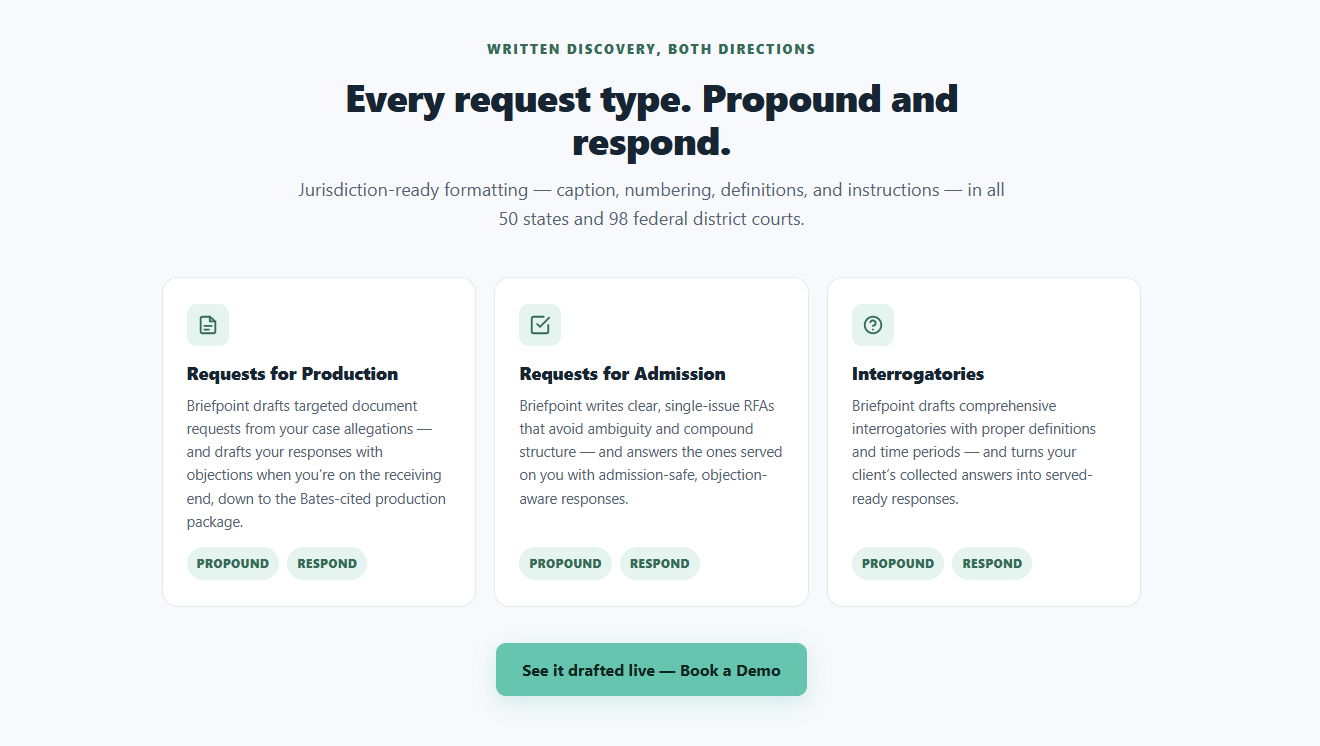
Its core features cover several parts of the discovery process. Briefpoint Bridge sends clients a secure questionnaire that rewrites legal requests in plain language. After the client responds, their answers are placed into the relevant sections of the draft.
Then, Autodoc helps with document-heavy RFP responses. It reviews uploaded files for responsive material, creates page-level Bates citations, and prepares a Bates-numbered production package for attorney review.
Essentially, Briefpoint keeps the process moving while giving attorneys full control over the final work product.
Schedule a demo to see how it works.
What Is Smokeball?
Smokeball is a cloud-based legal software built to simplify the day-to-day tasks of running a small law firm.
It takes care of things like case management, document drafting, and time tracking, so you can redirect that energy toward more valuable things like meaningful interactions with clients or drilling down into the nuances of your cases.
Source: Smokeball.com
One of its main selling points is automatic time tracking, which quietly logs your hours behind the scenes and makes sure every minute gets captured without you lifting a finger.
Plus, Smokeball keeps all your client information in one spot while whipping up detailed reports and keeping sensitive documents safe and at your fingertips.
What Is Clio?
Clio is a cloud-based legal practice management software that helps law firms manage their operations more efficiently.
This powerhouse solution handles case management, billing, and client intake with ease, regardless of the size of your operation.
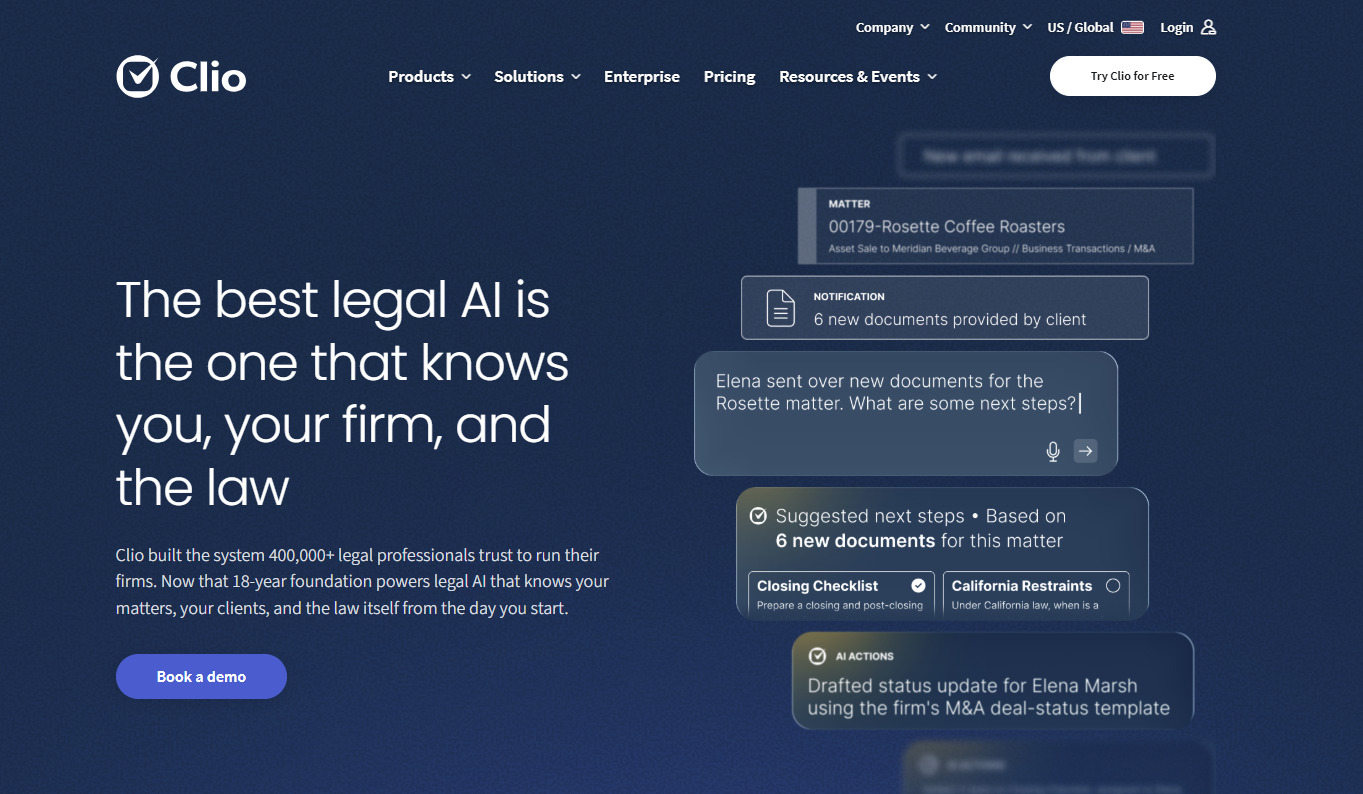
Source: Clio.com
What makes Clio special is its simplicity and flexibility. You can easily customize it to suit your workflow, integrate it with other tools, and even handle online payments with ease.
Clio adapts to the needs of your firm, which makes it incredibly easy to track time, generate invoices, and get real-time insights into your firm’s performance.
It’s basically an all-in-one solution for law firms looking to stay organized, improve client communication, and save valuable time.
Clio vs Smokeball: Features Comparison
Anyone practicing law has likely crossed paths with these two big-hitters who dominate the industry landscape. However, the right choice depends on your firm’s specific needs.
Whether you’re just starting out or already established, choosing the right solution depends on understanding the key differences between these two options.
Case Management
Both platforms cover the core features legal professionals expect from case management software, but the experience feels different once you start using them.
To start, Smokeball leans heavily on automation. It tracks case activity, captures billable time, and keeps matter management moving with less manual input. As a result, smaller firms can improve operational efficiency while keeping routine work in one system.
Clio takes a more flexible approach. For example, you can customize workflows, assign tasks, and shape the platform around the way your team already works. Because of that, firms that want Clio to manage a wider range of processes may prefer the extra control.
Ultimately, the better fit comes down to how much structure you want built in. Smokeball handles more in the background, while Clio gives you more room to adjust the setup.
Document Automation
Document automation is another important feature for law firms looking to cut down on repetitive tasks. Smokeball stands out here with a large library of legal forms and tools for automatic document generation.
Clio offers document automation, too, though it has fewer built-in templates. If you rely on ready-made documents, Smokeball may have the edge. However, Clio gives you more freedom to build tailored document workflows when customization is a priority.
Meanwhile, Briefpoint focuses specifically on discovery document automation, which can take up a large portion of litigation work.
With Briefpoint, you can prepare documents in minutes. Its machine-learning tools pull in routine case information, build the initial draft, and leave you with less manual work before review.
Client Intake
Clio may have the edge when it comes to client intake. Its customizable intake forms can be embedded directly into your website, which makes onboarding easier for new clients. These client-facing features help firms collect important information early and create a smoother client experience from the first interaction.
Clio Manage can also keep that intake data connected to the rest of the matter, which is useful for firms that want more of the process handled in one place. While it may not offer full automation for every step, it can reduce the manual work tied to bringing in new legal services clients.
Smokeball has client intake tools as well, but they offer less customization and fewer website integration options. That may be a drawback for firms focused on improving how prospective clients move from inquiry to active matter.
Billing and Invoicing
Billing is a high-priority task for any law firm, and both Clio and Smokeball offer solid billing features. Smokeball’s automatic time capture makes invoicing easier because it records billable activity in the background and turns it into time entries with less manual work.
Clio is not as automated in this area, but it still gives you reliable tools for time tracking, invoicing, and online payments.
If your firm wants billing to require less hands-on effort, Smokeball may be the stronger fit. Clio gives you more flexibility if you prefer to manage billing through a broader practice management setup.
Reporting and Analytics
For keeping tabs on your firm’s performance, both Clio and Smokeball offer useful reporting tools.
Smokeball provides detailed reports that cover case activity, staff productivity, and financials to give you a clear overview of your firm’s day-to-day operations.
Clio, on the other hand, offers more customizable reports to let you focus on the specific metrics that matter most to you. When it’s all about teasing out the subtleties in your data, Clio’s advanced features kick in, giving you a level of precision you won’t find elsewhere.
Document Management
Both Clio and Smokeball offer solid options for document management, but they do things a little differently. As mentioned, Smokeball boasts a built-in library of document templates and automatic document creation.
It organizes and stores your documents in the right client files without you having to do much and comes with access controls for better data security. So, if you’re looking to save time and avoid digging through files, Smokeball makes it easy.
Clio also offers great document management, but focuses more on flexibility. What sets this tool apart is its incredible flexibility when it comes to document management, which means you’re not limited to a one-size-fits-all approach.
One of Clio’s biggest perks is its seamless integration with popular cloud storage platforms like Google Drive, Dropbox, and OneDrive, which makes it easy to grab the files you need.
Calendar Management
Smokeball automatically logs important dates and case activities into your calendar, so you don’t have to worry about missing anything. Any law practice handling a multitude of cases simultaneously will find this particularly useful.
Clio gives you more control over your schedule. You can sync it with Google Calendar or Outlook and set custom reminders for important tasks. So, if you need that extra flexibility and want everything synced with your existing calendars, Clio might be the better fit.
Clio vs Smokeball: Key Differences
Each software caters to different needs. To pick the right one, you should know who they are for, how much they cost, and how easy they are to use.
Target Market
Smokeball is designed with small law firms and solo practitioners in mind. Its automation features are ideal for firms looking to streamline daily tasks without dedicating a lot of time to manual work.
On the other hand, Clio is more versatile. It works well for firms of all sizes, from solo lawyers to large practices, because it’s highly customizable and can scale as your firm grows.
If you’re a smaller firm focused on saving time, Smokeball could be a great fit, while Clio may appeal more to firms that need flexibility and room to expand.
Key Features
We’ve covered the broader differences between the two platforms, so now it helps to look at the features that may shape your day-to-day experience:
Smokeball
- Automatic time tracking: Smokeball records billable activity in the background and turns it into time entries, which can reduce missed time and make invoicing easier.
- Document automation: Built-in templates support faster document generation for common legal forms and routine filings.
- Matter management: Case details, documents, tasks, and client data stay connected in one platform, giving your team a clearer view of each matter.
- Compliance tracking: Smokeball can help firms monitor activity and maintain records that support internal review requirements.
Clio
- Customizable workflows: Clio gives you more control over how matters move through the firm, from intake through billing.
- Integrations: The platform connects with tools such as Google Drive and popular accounting software, so you can keep using systems your team already knows.
- Reporting: Clio provides data-driven insights into areas like billing performance, productivity, and case activity.
- AI features: Clio continues to add AI-supported tools that help legal professionals find information, manage routine work, and work more efficiently.
Ease of Use
Smokeball’s strength lies in its simple, easy-to-use interface. Since much of the routine work is automated, small firms can usually get started with minimal setup.
Features like automatic time tracking and document creation require little training, which can make the move from existing tools feel more manageable.
Clio is user-friendly too, though its wider range of customization options may take more time to learn. Setting up workflows, reports, or integrations can involve a steeper learning curve, but the extra flexibility may be worth it for larger firms.
Both providers offer migration support to help transfer client and case information. Still, the ease of data migration will depend on your current setup and how Clio operates alongside the software your firm already uses. A well-planned rollout can create a smoother transition for your team.
Pricing
Smokeball’s billing model is known for being a bit pricier, largely because of its comprehensive automation features. It doesn’t offer as many pricing tiers, so firms with smaller budgets might find it a bit steep. Plus, the pricing isn’t publicly available.
Clio, on the other hand, has more flexible pricing options. With multiple tiers, Clio allows firms to choose a plan that best fits their budget and needs, starting at $49 per user per month for the most basic plan. If cost is a major factor, Clio may be the more affordable option, especially for larger teams.
Which One Is the Best Option?
The best option between Clio and Smokeball ultimately depends on your firm’s specific needs. If you’re a smaller firm looking for automation and simplicity, Smokeball might be the better choice. However, if you need flexibility, customization, and the ability to scale, Clio could be a better fit.
Automate Your Discovery Document Process With Briefpoint
Discovery can take hours away from client work and case strategy. Briefpoint helps you move through it faster while keeping attorneys in control of every draft.
Upload a discovery document, and Briefpoint pulls out the case details, organizes the requests, and prepares a Word-ready draft. You can use it to propound or respond to requests for admission, requests for production, and interrogatories in state and federal matters.
Briefpoint Bridge handles client input through a secure questionnaire. It rewrites discovery questions in plain language, collects the client’s answers and files, then places their responses into the correct parts of your document.
For document-heavy RFPs, Autodoc reviews uploaded case files for responsive material and creates Bates-cited responses with page-level references. It can also prepare a Bates-numbered production package for attorney review.
Briefpoint works alongside Clio or Smokeball, so you can improve your discovery workflow while keeping your existing tech stack and enjoying a seamless transition.
More than 1,500 law firms use the platform, with users reporting savings of over 30 hours per case. Want to be one of them?
What Is Legal Drafting?
What Is Legal Drafting?
Legal drafting refers to the process of preparing legal documents that outline rights, duties, terms, or obligations. It plays a key role in the legal profession, especially in law firms where lawyers handle everything from contracts to court filings.
While legal drafting is often confused with legal writing, they’re not the same. Legal writing can include emails, memos, or research papers. Drafting, on the other hand, focuses on documents that can be legally enforced.
Good legal drafting avoids confusion by using clear, structured language. It revolves around getting the facts right and making sure everything holds up if the document is ever challenged.
Here are a few common types of documents and activities that involve legal drafting:
- Business contracts
- Employment agreements
- Non-disclosure agreements (NDAs)
- Lease or rental agreements
- Wills and trusts
- Legal notices or demand letters
- Court pleadings and motions
Whether you’re at a small practice or a large law firm, legal drafting is a must-have skill in the legal profession. It’s the foundation for many daily tasks and, in many cases, can make or break a case or deal.
What Does the Typical Legal Drafting Process Look Like?
If you’ve ever wondered how contracts, agreements, or discovery documents come together behind the scenes, you’re in the right place. There’s a method to the process, one that legal teams follow to avoid missteps down the line.
Let’s walk through it step by step.
1. Understand the Purpose and the People Involved
Before drafting documents, you need to know what you’re writing and who it’s for. Are you documenting a sale? An employment deal? Something more complex?
Corporate legal departments often start by meeting with the parties involved to clarify the purpose and key terms. A good draft begins with clear goals and expectations.
2. Do Your Legal Research
This part gets skipped too often, but it matters nonetheless. Effective legal drafting typically relies on knowing what the law says, what recent cases show, and how certain terms are usually interpreted.
Legal research supports not just contracts but legal opinions and internal memos, too. In litigation drafting, for example, it helps you identify relevant information and build a clear written record. Without it, your document might leave loopholes you didn’t even see coming.
3. Outline the Structure
It’s like building a house, and you need a solid frame before drafting the entire document. For most contracts or agreements, there’s a standard structure:
- Introductions
- Responsibilities
- Timelines
- Payment terms
- Termination clauses
- Dispute handling
- Signatures
A clean outline keeps things organized and helps you spot what’s missing before you get too deep into the writing.
4. Start Drafting in Plain Language
Now comes the writing part, but not the overly fancy kind. Plain language is your best friend here. It helps avoid confusion, especially when people without legal training need to read and understand the document.
Stick to short sentences. Say what you mean, and be specific. Vague language can lead to arguments later.
5. Review, Revise, and Get Input
Once the first version is done, it’s time to loop in the right people. That might include colleagues, outside counsel, or the client. In corporate legal departments, multiple stakeholders may need to approve the draft.
Revisions usually focus on fixing unclear sections, correcting legal references, or updating terms based on the latest discussions.
6. Finalize and Execute
After back-and-forth revisions, legal professionals prepare the final version. It’s double-checked for accuracy, shared with all parties involved, and signed, either on paper or electronically.
At this stage, the document becomes enforceable and officially part of the legal process.
How Can AI and Automation Help?
Legal work is full of fine details, and when you’re creating documents meant to hold up in court or guide business deals, there’s no room for sloppy writing or missing terms.
But legal drafters aren’t always starting from scratch anymore. AI and legal automation tools are stepping in to handle repetitive tasks, reduce errors, and make things faster without cutting corners. Take a look at how AI helps:
Speeding Up the First Draft
Drafting legal documents often starts with a blank page and can be time-consuming. AI can skip that first hurdle by building a draft based on templates, prior agreements, or simple inputs.
These tools can pull from form books, past contracts, or even legal dictionaries to suggest solid starting points.
For research-based drafting, for example, AI can help organize relevant material into an initial structure. As a result, you get a quicker path to a complete draft while still keeping control over the details that matter.
Breaking Down Complex Legal Concepts
Not everyone understands legal principles off the bat. AI tools can explain complex legal concepts in plain terms or flag when wording is too technical for the reader.
That can be especially useful in legislative drafting, for instance, where dense language may need to be reviewed for clarity and consistency.
This shift toward straightforward language improves readability and helps reduce risk by avoiding ambiguity in enforceable documents that must stand up under scrutiny.
Improving Consistency Across Teams
In a busy legal practice, creating documents with consistent language can get tricky. This is especially true when multiple people are involved.
AI helps apply a structured method to drafting by suggesting preferred terms, aligning with internal style guides, and even checking references to relevant laws and regulations.
This keeps the written words aligned with the document’s purpose and cuts down on mix-ups caused by conflicting edits.
Supporting Legal Research and Accuracy
Legal workflow tools aren’t just for writing; they’re great at checking relevant facts, too. They can pull up relevant laws, case references, and sample clauses based on what you’re drafting. Some even suggest changes if a clause doesn’t match updated regulations.
This makes legal drafting skills easier to apply for newer drafters, which can bridge the gap between theory and practice without replacing legal expertise.
Reducing Back-and-Forth in Revisions
When you’re handling multiple drafts, input from different teams, and pressure to move fast, AI helps tighten the review process. It catches missing clauses, flags unclear sections, and spots inconsistencies before a human editor does.
In other words, it speeds up internal reviews and reduces the chance of disputes, whether you’re prepping for a deal or even litigation.
In short, it helps legal documentation stay sharp from start to finish.
Why Briefpoint Fits into Modern Legal Drafting
Drafting legal documents is one of those things that needs to be done right the first time. It takes more than legal knowledge to do it well. You need a clear process, the right structure, and language that avoids confusion.
And now, with AI tools stepping in, drafting is becoming faster and more accurate without losing the depth legal documents need.
Briefpoint is built specifically for that kind of work. It helps legal professionals draft discovery documents like interrogatories, requests for admission, and requests for production across all U.S. states and federal districts.
You can upload a complaint, select your objections or responses, and download a properly formatted brief ready to open in Word. It even applies local court rules automatically and keeps your data secure with strong encryption.
If you’re tired of wasting hours on repetitive drafting and want a tool that works the way legal drafters do, check out Briefpoint. It’s fast, reliable, and already trusted by over 500 law firms.
5 Best eDiscovery Software for More Defensible Discovery
What Is eDiscovery Software?
eDiscovery software (short for electronic discovery software) helps legal professionals manage electronically stored information during litigation, investigations, or regulatory reviews.
The eDiscovery process involves identifying, collecting, reviewing, and producing relevant data that may relate to a case. The central goal is to help legal teams find important electronic evidence without losing control of the data along the way.
This type of legal discovery software makes it easier to work through large volumes of information while maintaining compliance and protecting data integrity across the legal data lifecycle.
In modern practice, where much of the evidence exists in digital systems, support plays a central role. Many modern eDiscovery software companies design their platforms around speed, defensibility, and clear documentation.
Examples of electronically stored information include:
- Emails and attachments
- Chat messages and text logs
- Cloud-stored documents or files
- Social media posts or metadata
- Databases and transaction records
- Other electronic documents connected to the matter
Automation handles much of the heavy lifting. For instance, tools can filter, tag, and sort data quickly, which reduces manual review time and limits avoidable mistakes.
Moreover, built-in search features, audit trails, and structured review workflows keep the discovery process organized and defensible throughout the whole process.
What Are the Must-Have Features for eDiscovery Software?
The right eDiscovery software provider should offer tools that make the electronic discovery process faster, more accurate, and overall easier to manage.
Modern electronic discovery solutions combine legal process automation with advanced technologies like artificial intelligence and machine learning to handle large volumes of data efficiently. A fast and intuitive platform saves hours of manual work and reduces the risk of missing key evidence.
Here are the must-have features to look for:
- Data collection and processing: Collect information from multiple sources and convert it into searchable formats.
- AI and machine learning: Identify relevant documents automatically and speed up document review.
- Advanced search tools: Use filters, metadata, and keyword logic to locate important files quickly.
- Redaction and privilege tagging: Protects confidential or attorney-client data before sharing.
- Audit trails: Track every action to maintain transparency and defensibility.
- Collaboration tools: Let teams review and comment on documents in real time.
- Reporting and analytics: Provides detailed insights into review progress and costs.
Choosing the right software vendor means finding a balance between ease of use, scalability, and automation. Let’s keep that in mind as we go to the next section.
Need an alternative to expensive eDiscovery solutions? Book a demo with Briefpoint.
5 Top eDiscovery Tools for Modern Legal Teams
Now that we’ve covered the key features to look for, let’s explore some of the best eDiscovery software options available today:
1. Relativity
Relativity is one of the most established names in eDiscovery software, trusted by large law firms and corporations for handling complex cases and investigations.
The platform combines traditional legal discovery workflows with modern tools like generative AI to classify digital content, summarize information, and predict relevance.
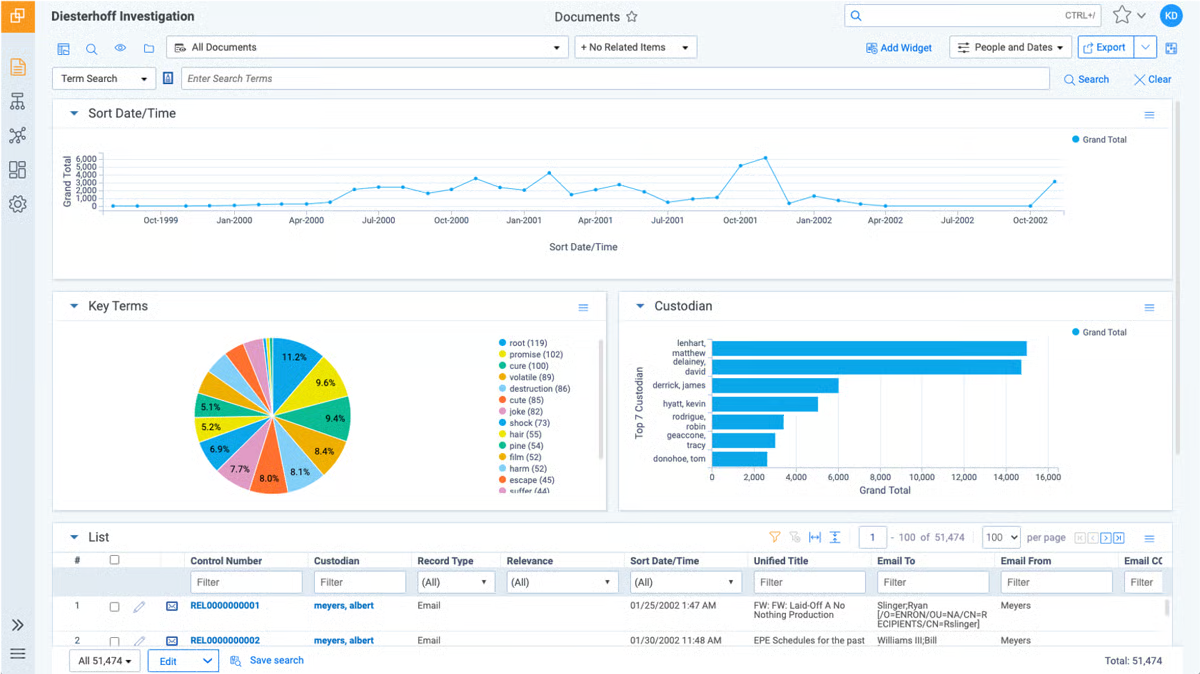
Source: G2
Relativity integrates seamlessly with popular platforms like Google Workspace and Microsoft 365, so users can collect and review data directly from familiar environments.
Its robust security framework includes multi-factor authentication, access controls, encryption, and other safeguards that support data privacy throughout the discovery process.
Relativity also offers powerful search and highly configurable workflows, giving teams more control over how they review, organize, and produce case information.
While the platform has a moderate learning curve, particularly for teams new to advanced analytics, mastering its features can provide a strategic advantage in large or complex matters.
Best Features
- Generative AI capabilities: Automates classification, summarization, and relevance scoring.
- Comprehensive case preparation tools: Streamline review, tagging, and production in one platform.
- Google Workspace integration: Simplifies data collection from Gmail, Drive, and Docs.
- Custom workflows: Allows users to tailor workflows to specific review processes and compliance policies.
- Multi-factor authentication: Protects user access and sensitive data.
- Powerful search: Helps teams locate relevant digital content across large data sets.
Pros
- Strong AI and automation for large, complex cases
- Highly customizable workflows for diverse team needs
- Secure and compliant environment with full audit trails
- Broad integration support and scalable infrastructure
2. Logikcull
Logikcull is a trusted cloud-native eDiscovery platform that helps legal professionals simplify the entire discovery workflow, from data processing to document review.
It’s particularly useful for small and mid-sized law firms that need powerful tools without enterprise-level complexity.
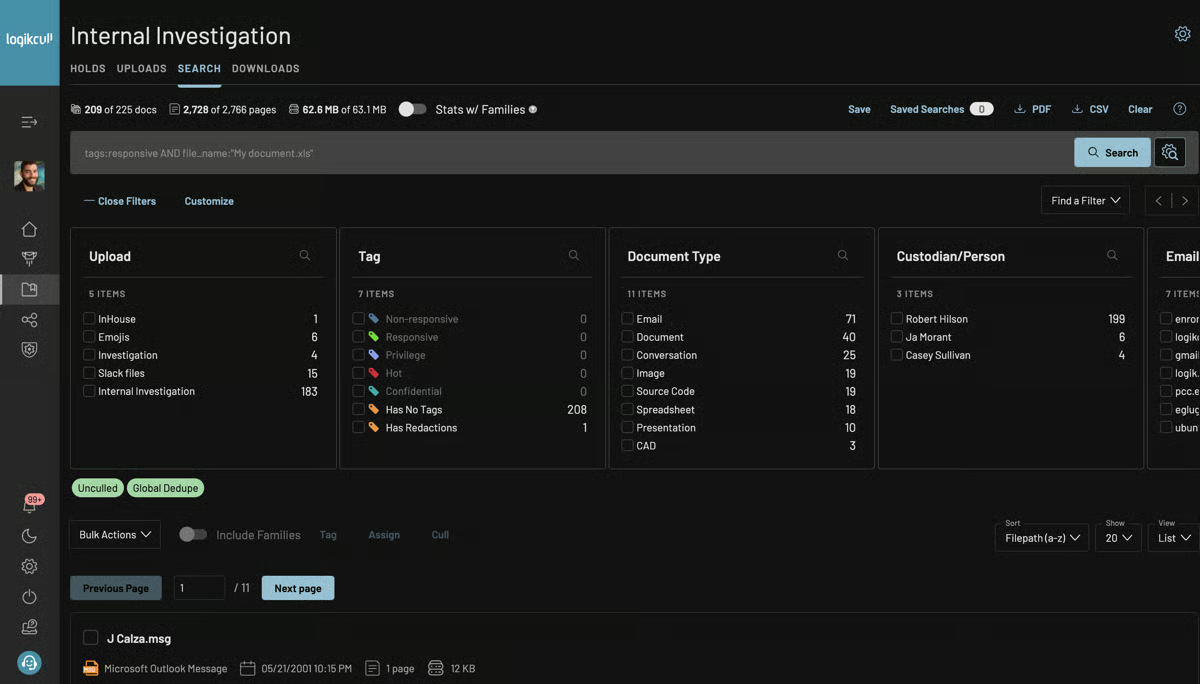
Source: G2
The platform automates many steps of the electronic data handling process. Its goal is to make it easy to organize, tag, and review files without relying on IT support or external vendors.
After data is uploaded, Logikcull automatically scans, indexes, and categorizes it, which allows teams to analyze electronic data and locate relevant content faster.
It also helps maintain regulatory compliance by tracking every action within the platform, keeping a full audit trail that meets legal standards.
Best Features
- Automatic deduplication: Removes duplicate files to reduce review volume and focus on unique evidence.
- Smart filters and search: Provides strong search capabilities using metadata, keywords, and file types to locate specific records quickly.
- Built-in redaction tools: Protects confidential information and marks privileged content before production.
- Audit-ready reports: Creates detailed logs for defensibility and compliance documentation.
- Cloud integrations: Supports uploads from services like Google Drive, Slack, and Dropbox.
- Real-time collaboration: Allows multiple users to review, comment, and tag documents simultaneously through a shared collaboration platform.
Pros
- Simple interface with minimal setup time
- Transparent, predictable pricing structure
- Fast document uploads and efficient search functions
- Secure data protection with encryption and strict access controls
3. Everlaw
Everlaw is a cloud-based eDiscovery platform designed for large law firms, government agencies, and legal departments managing complex cases and complex data environments.
It provides a complete platform for handling the full discovery cycle, ranging from early case assessment and data processing to final review and production.
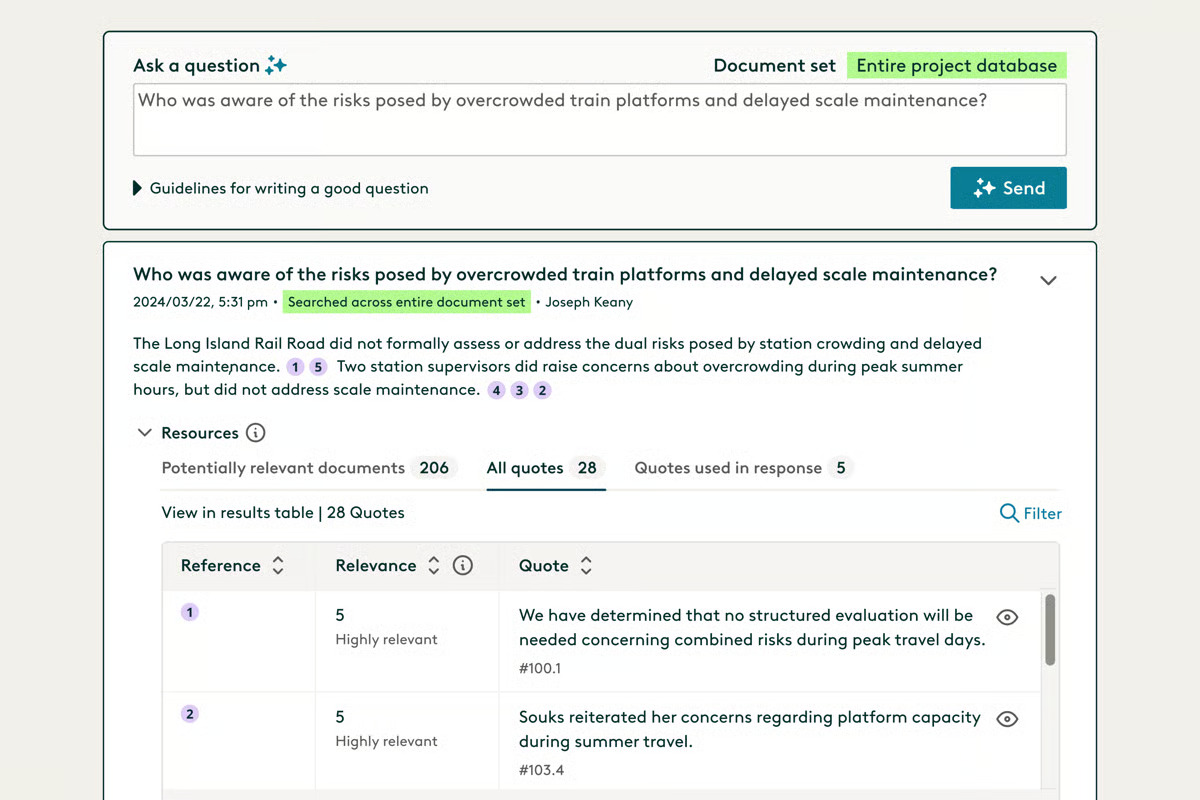
Source: G2
The software helps teams manage large volumes of digital data efficiently while keeping sensitive data secure through strict access controls and compliance standards.
Everlaw’s combination of legal automation, analytics, and collaboration tools helps streamline workflows and allows teams to quickly identify the most relevant documents in massive data sets.
Its visual interface, smart filtering, and reporting features make it easier for attorneys and investigators to understand case progress, review evidence connections, and produce electronic documents with greater control.
Best Features
- Early case assessment: Analyzes large volumes of digital data early in the litigation process to refine search strategies.
- AI-assisted document review: Uses predictive analytics to identify the most relevant documents faster.
- Efficient data management: Automatically organizes uploads for quicker navigation and review across eDiscovery processes.
- Collaboration tools: Benefit attorneys and legal departments by letting them comment on and tag documents together in real time.
- Advanced redaction and security: Protects sensitive data with audit trails and permission-based access.
- Comprehensive reporting: Delivers visual insights into case timelines, reviewer activity, and production sets.
Pros
- Smooth user experience with minimal training
- Fast review and production process for complex cases
- Strong compliance for handling confidential and regulated information effectively
4. Nextpoint
Nextpoint is a cloud-based eDiscovery platform built to manage the entire litigation workflow. Unlike some complex enterprise tools, it focuses on simplicity and speed to give legal teams a platform that’s both powerful and approachable.
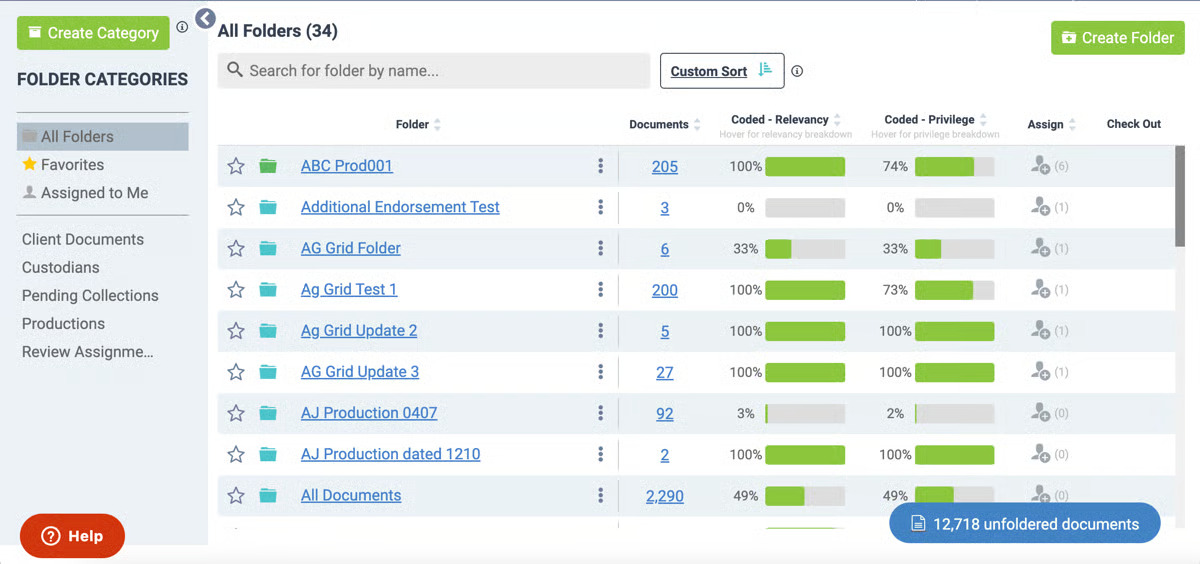
Source: G2
Its intuitive interface allows attorneys, paralegals, and investigators to quickly upload, search, and organize evidence from multiple data sources.
Rapid data ingestion, keyword searches, and intuitive filters help teams move through large collections more efficiently. Nextpoint also helps firms maintain strict compliance requirements through built-in audit trails and secure storage options.
With core features such as predictive coding, legal hold notifications, and robust reporting, it supports teams through every phase of discovery while reducing the time spent on manual review and routine document review tasks.
Plus, the platform’s advanced analytics highlight key insights, which can help users find relevant information, produce documents more efficiently, and prioritize what matters most in each case.
Best Features
- Legal hold management: Improves data preservation by holding data automatically and confirming acknowledgments for compliance.
- Predictive coding: Uses AI to surface relevant information and streamline document review.
- End-to-end workflow: Handles processing, review, and production without external lawyer tools.
- Advanced analytics: Identifies patterns and key custodians to guide case strategy.
- Robust reporting: Tracks user activity, review progress, and data exports.
- Intuitive interface: Makes large-scale projects easier to manage and navigate.
Pros
- Clear, user-friendly layout suited for busy legal teams
- Good compliance features with defensible audit trails
- Fast performance when processing large volumes of data
- Comprehensive analytics that support better case preparation
5. DISCO Platform
DISCO is recognized as a market leader in efficient eDiscovery for law firms, corporations, and government agencies. Built as a fully cloud-native platform, it helps legal teams handle everything from litigation to internal investigations with speed and accuracy.
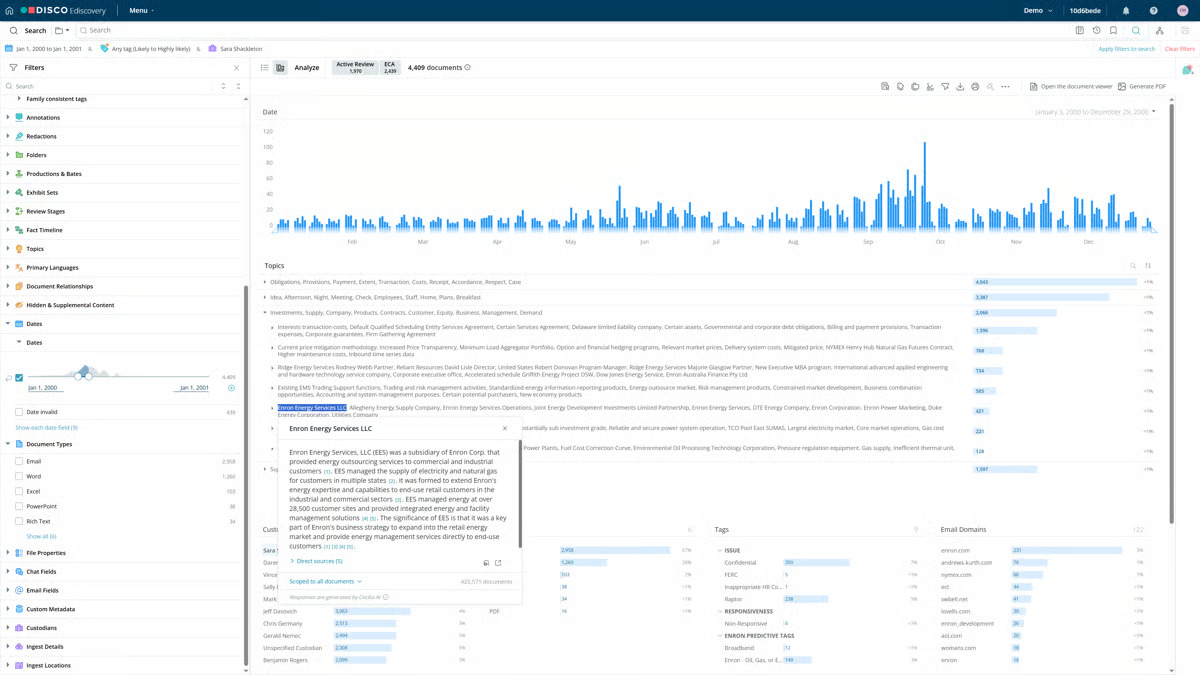
Source: G2
Its focus on legal automation and information governance makes it a strong choice for organizations that deal with large volumes of electronic information and need dependable performance.
The software facilitates AI-powered document review through an intuitive interface that allows users to locate sensitive information quickly, accelerate review, and maintain defensibility.
With scalable performance and advanced capabilities, DISCO supports both small matters and enterprise-level cases. This gives teams the flexibility to expand as data grows.
The platform also integrates with other tools, so legal professionals can connect their existing systems while staying compliant with discovery rules and mitigating risks through strong security controls.
Best Features
- AI-assisted review: Accelerates document analysis by identifying patterns and reducing manual review time.
- Information governance: Keeps electronic information organized and secure throughout the discovery lifecycle.
- Compliance management: Helps teams maintain compliance through audit trails, role-based access controls, and secure permissions.
- Scalable performance: Handles growing data volumes and multiple matters.
- Integrations with other tools: Connects with case management and productivity systems for smoother workflows.
- Sensitive information protection: Offers advanced redaction, encryption, and other security features to prevent unauthorized access.
Pros
- Fast and reliable cloud performance
- Easy-to-use interface for both attorneys and support staff
- Reliable security and compliance capabilities
- Good scalability for high-volume discovery projects
Get an Alternative to Expensive eDiscovery Solutions: Briefpoint
Choosing the best eDiscovery software depends on your organization’s data volume, budget, and workflow needs. Platforms like Logikcull, Everlaw, Nexpoint, DISCO, and Relativity all deliver strong features for document review, data processing, compliance, and everything in between.
Yet for many legal teams, the challenge isn’t just finding the right tool. It also revolves around costs and keeping workflows predictable and simple.
Briefpoint and its new product, Autodoc, empower litigation teams with a smarter way forward. These solutions help legal professionals handle discovery tasks faster with automation that reduces manual work and administrative costs.
Briefpoint automates discovery responses to save hours typically spent on formatting and reviewing, while Autodoc accelerates document creation and management across matters.
Together, they serve as an alternative to expensive eDiscovery solutions, offering speed, consistency, and accuracy that can adapt to increasing demand.
Are you ready to modernize your discovery process once and for all?