Legal Drafting Tools Compared: 5 Picks for Discovery & More
Types of Legal Drafting Tools
Legal drafting tools come in many forms, and the right choice often depends on the kind of work your practice handles.
For example, some tools for legal tasks are built for transactional lawyers focused on contract creation, while others support litigation tasks like document review, discovery documents, or pleadings. Broadly, these tools can be grouped into a few categories:
- Template-based drafting platforms: These replace manual legal drafting with pre-set automated templates and relevant clauses libraries, which makes legal writing faster and ensures consistent formatting.
- Document automation systems: Useful for routine agreements, these tools let in-house legal teams set up document workflows where staff can generate complete legal documents by filling in key details.
- AI tools and generative AI assistants: Powered by large language models, these can suggest clauses, reword sections, interpret legal terminology, identify relevant precedents, or review drafts for risks and inconsistencies.
- Litigation support software: These help create legal briefs, discovery documents, motions, and responses with automated formatting and objections.
- Contract lifecycle platforms: Broader systems that combine drafting with approvals, collaboration, and storage in one place.
In short, tools for writing legal documents range from simple workflow automation to advanced AI assistants. The main difference is how much support you want.
5 Best Tools For Different Types of Legal Drafting
Now that we’ve covered the main categories, let’s look at some of the best tools in action. Each platform approaches drafting in its own way, but the key is matching the right AI tool to the type of drafting work your legal team handles most.
1. Briefpoint
Briefpoint is one of the best AI tools built specifically for litigation drafting. Fundamentally, it takes the repetitive, time-consuming work out of preparing discovery documents so you can focus on high-value work that holds more weight for your case.
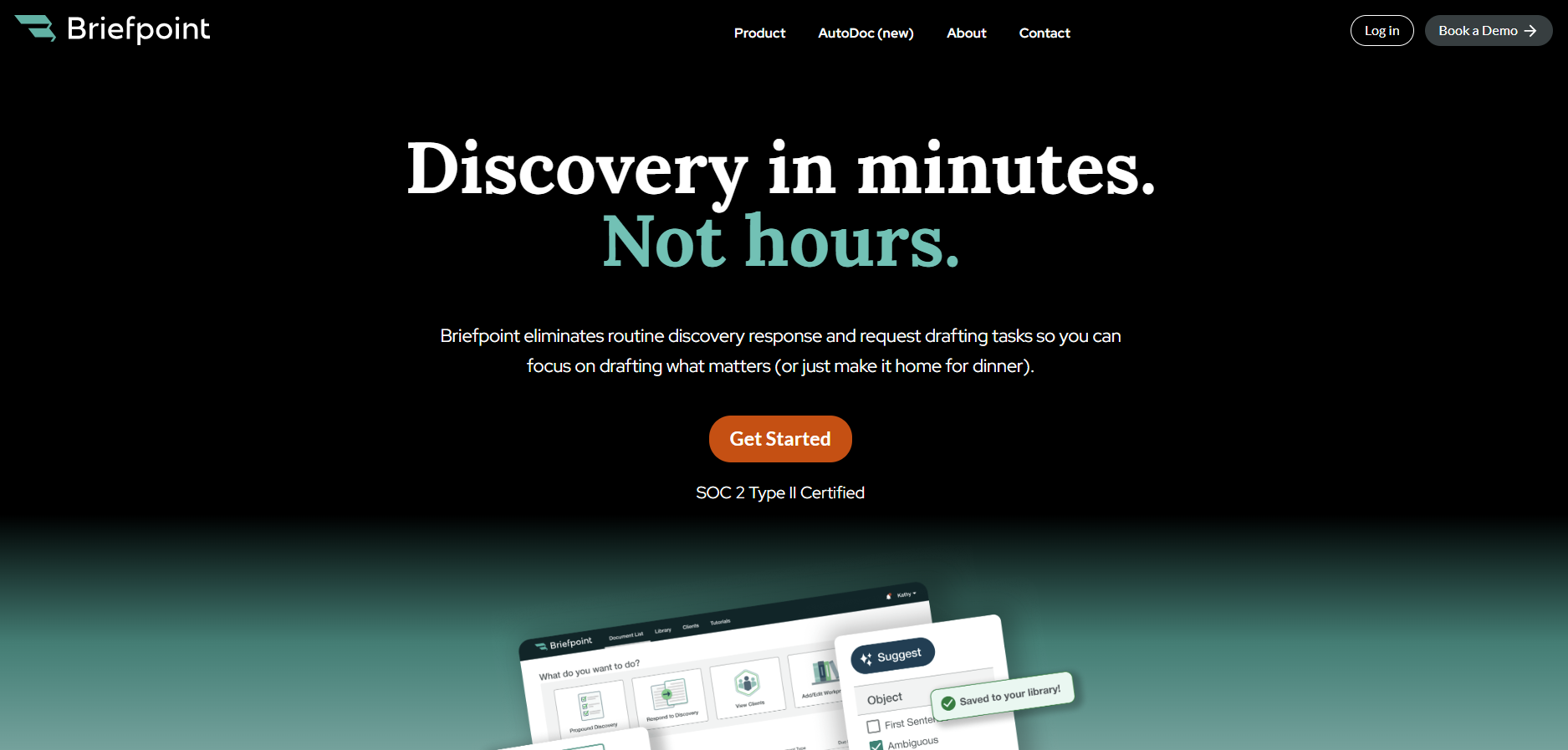
Instead of spending hours in the MS Word environment cutting, pasting, and reformatting, you can upload discovery requests, apply objections, and download polished drafts in just a few minutes.
For many legal teams, this means better document quality, fewer errors, and a consistent voice across every case. It’s also a relief for transactional lawyers who occasionally face litigation, since the platform makes complex drafting tasks feel more manageable.
Briefpoint also offers Autodoc, which helps with document-heavy discovery workflows. By uploading RFPs, productions, complaints, and case files, attorneys can identify responsive documents, generate written responses with page-level Bates citations, and create organized production packages without manually matching documents to requests.
With SOC 2 certification, HIPAA compliance, and no data retention AI, you don’t have to worry about security either, since compliance is built into the process.
Key Features
- Automated discovery drafting: Upload requests for admission, requests for production, or interrogatories and get full drafts back in minutes.
- AI-driven objections and responses: Suggestions make it easier to maintain firm-wide consistency.
- Autodoc for document production: Upload case materials and productions to generate Bates-cited responses and production packages tied to responsive documents.
- Compliance built in: SOC 2 certification, HIPAA compliance, and secure infrastructure keep sensitive data protected.
- Customizable templates: Update language once and roll it out across your team instantly.
- Seamless integrations: Works with Clio, MyCase, and Smokeball to keep your document workflows connected.
If you’re ready to stop wasting time on manual drafting and start producing discovery documents at lightning speed, Briefpoint is the tool to try. Book a demo today and see how much time you can save.
2. Ironclad
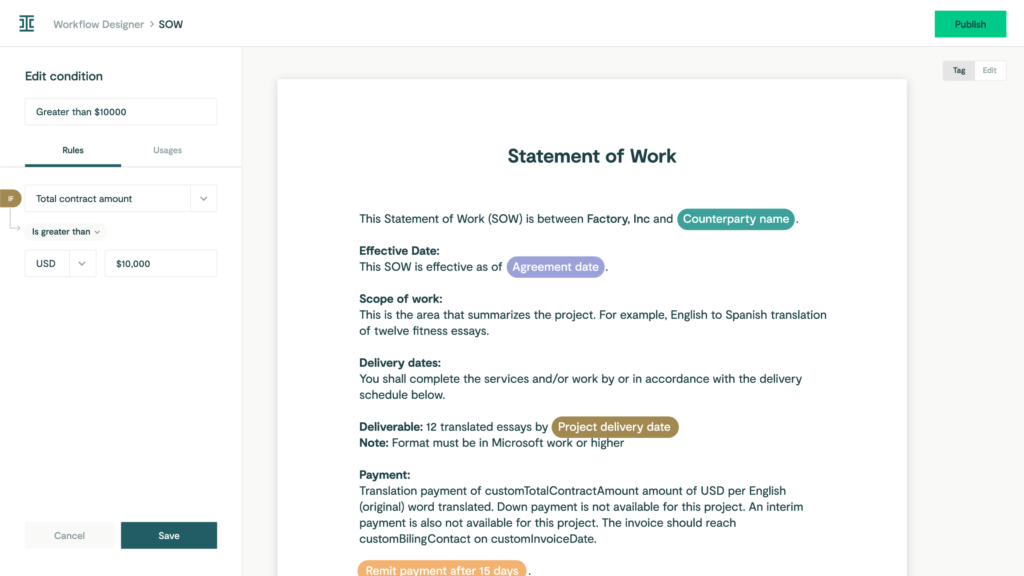
Ironclad is a contract lifecycle management platform designed to help in-house teams manage every step of the contract process in one place.
Source: G2
Contract drafting and approvals are the biggest time drains for many legal departments. Ironclad tackles that problem by pulling everything (document drafting, compliance checks, reviews, and storage) into a single workflow.
Key Features
- Clause and template libraries: Use automated templates to keep language consistent and cut drafting time.
- Automated workflows: Move contracts across teams without manual follow-ups to optimize your existing workflows.
- Compliance checks: Highlight risks early so agreements stay aligned with company policies and meet legal standards.
- Integrations with business tools: Connect with Salesforce, Google Drive, and more for smoother legal document management.
3. CoCounsel
CoCounsel is a legal AI assistant that helps with document drafting and review. Lawyers often deal with large volumes of documents, and keeping track of key information can be overwhelming.
But with CoCounsel, legal teams can handle that challenge more efficiently through draft reviews, risk checks, and clear editing suggestions in a tool built with enterprise-grade security.
Source: ThomsonReuters.com
It ensures accuracy in less time, so you save time. Multiple documents that once took hours to read through can be processed in minutes, and, in turn, this frees attorneys and in-house teams to spend more time on higher-level strategy, client communications, and deep legal research.
Key Features
- AI document review: Reads and analyzes drafts to highlight risks, gaps, and hidden jurisdictional nuances.
- Legal document drafting support: Generates clauses, legal briefs, and standard agreements when needed.
- Faster turnaround: Handles large volumes of text quickly without sacrificing accuracy.
- Focus on key information: Pulls out research summaries and the most relevant details for attorneys to act on.
4. PandaDoc
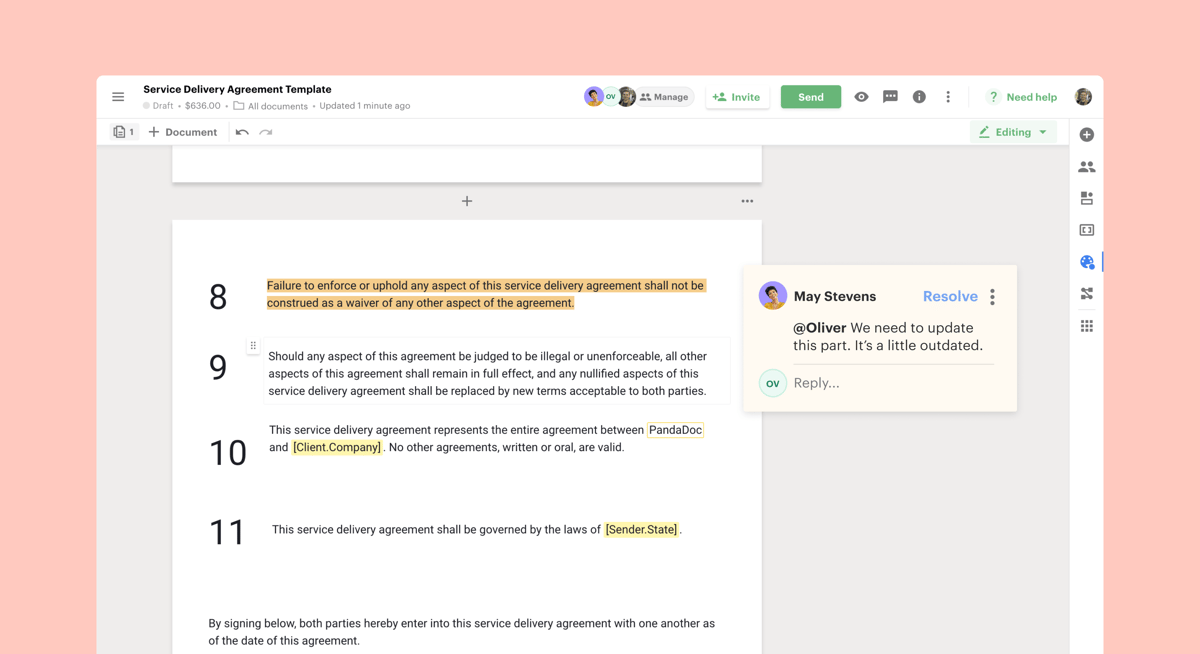
PandaDoc is a document management platform that helps legal teams and business departments handle drafting, approvals, and e-signatures in one place.
While it’s often used for sales contracts and proposals, it also supports legal workflows that require efficiency and clear compliance checks.
Source: G2
For lawyers, the main benefits come from building contracts faster through drag-and-drop templates and tracking documents once they’re sent out.
Automated processes reduce back-and-forth during the negotiation process, and built-in tools for contract analysis give you a better view of obligations after signing to maintain consistency.
Key Features
- Document automation: Create and edit contracts quickly with ready-to-use templates.
- Approval workflows: Route agreements through legal and business teams for faster reviews and secure version control.
- Compliance tools: Add audit trails and permissions to help ensure compliance.
- Contract analysis: Track terms, signatures, and obligations with real-time access.
- Integrations: Connects with CRMs, storage apps, and other business systems for smooth legal workflows.
5. Spellbook
Spellbook is an AI-powered drafting assistant that works directly inside Microsoft Word, which makes it a practical option for legal professionals who don’t want to switch to a new platform.

Source: Spellbook.Legal
It helps with legal work by using specialized AI for legal writing to suggest language, spot gaps, and flag inconsistencies while you draft. Firms that want to save time while maintaining document accuracy will find it a simple yet powerful add-on.
One of its strengths is how it supports data privacy and compliance within regulated industries. Drafts never leave Word, and AI legal suggestions are delivered in a way that lets attorneys stay in control of the final text.
This approach helps mitigate risk and fulfill ethical obligations while still giving lawyers the benefits of AI-driven legal documents.
Key Features
- Works inside Microsoft Word: No need to learn a new platform.
- Real-time drafting support: Suggests clauses, edits, and corrections as you write.
- Data privacy focus: Keeps sensitive information secure while you work.
- Risk reduction: Flags missing or inconsistent terms to help mitigate risk.
- Designed for legal professionals: Built specifically around the needs of the legal profession, lawyers, and contract drafters.
Briefpoint Rethinks How You Draft Discovery Documents
Legal drafting tools change the day-to-day reality of legal work. They cut down on manual drafting, improve accuracy, and help the legal industry keep documents consistent without draining hours.
The real advantage is simple: less time fixing multiple file types or rewriting the same language, and more time spent on the work to improve your legal arguments.
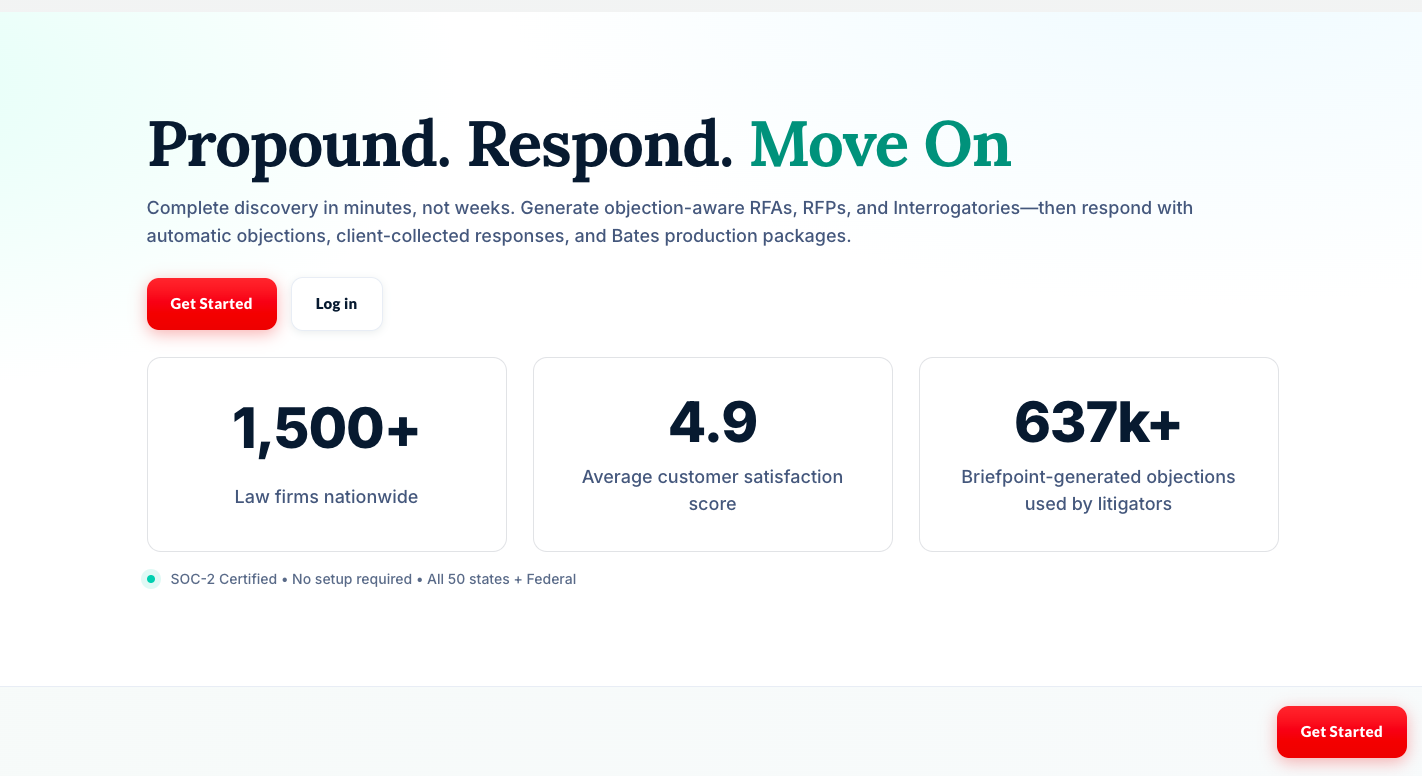
For litigators, discovery is where the workload can pile up fast. Briefpoint reduces that burden with AI-driven drafting that produces polished responses in minutes while maintaining compliance standards.
Of course, it’s not going to replace your work. Rather, it focuses on removing the parts that slow you down.
If you want a clearer way forward, book a demo today and see how much lighter discovery drafting can feel!
Make RFP Automation Work for Your Business

What Is RFP Automation?
RFP automation is the use of software to speed up and simplify the RFP response process.
Instead of building each proposal from scratch, automation tools help your proposal teams reuse your best content, assign tasks to the right people, and manage everything in one organized system.
RFP automation improves RFP response management by making it easier to find accurate answers, assign work to subject matter experts, and deliver polished proposals on time. These tools can also handle security questionnaires, which are often time-consuming and repetitive routine tasks.
Many platforms now use artificial intelligence and natural language processing to suggest the best content based on how a question is worded. That means you’re not just pulling canned replies but also getting tailored responses that sound like they were written for that specific request.
With RFP automation, you can:
- Speed up the response process with smart content suggestions
- Cut down manual work by using advanced automation technology to generate answers from a shared library
- Assign sections to subject matter experts with built-in workflows
- Improve consistency with approved, accurate answers
- Handle security and compliance questionnaires without last-minute stress
What Is RFP Automation Software?
An RFP software platform is a tool that helps proposal management teams respond to proposals faster by organizing content, assigning tasks, and reusing approved answers. It’s built to reduce the manual effort that usually goes into answering the same types of questions over and over during a busy procurement project.
The software keeps everything in one place, including your responses, team comments, deadlines, and drafts, so you’re not jumping between emails or files to piece things together. It also makes it easier to keep answers accurate and consistent across different proposals.
Some tools even suggest relevant answers based on prior responses to help you save time when you’re under pressure. With everyone working from the same system, the process runs more smoothly, and your proposals go out more quickly, which helps enhance productivity.
How Do You Automate RFP Responses?
Automating the RFP response process doesn’t mean handing everything over to a machine. It means cutting down on repetitive work, so your team can focus on writing strong, thoughtful answers.
With the right system in place, you can respond faster and reduce the stress that usually comes with tight deadlines. Here’s how you can set up a smart and efficient RFP response management process using automation tools:
1. Build a Central Content Library
The first step in automating your RFP response process is setting up a content library to improve internal knowledge management. This is where you store your past responses, company facts, product details, and other valuable resources in one organized place.
A good library makes it easy to find the right content quickly, which can help your team deliver accurate responses without wasting time. Some modern AI RFP software tools use machine learning to suggest the best answer based on the question’s context.
2. Use Natural Language Matching
Unlike legacy RFP tools, modern tools use natural language processing to understand how questions are asked, even if the wording changes. This helps the software suggest the most relevant answers from your library, so you’re always starting from a strong place.
3. Assign the Right People Automatically
One of the smartest things RFP response software can do is route each question to the right subject matter expert without you lifting a finger.
Legal questions go straight to legal. Product questions land with your technical team. Everyone gets notified, knows what to work on, and sees their deadlines upfront.
This keeps the entire process moving smoothly and avoids confusion or delays. You don’t have to waste time repeating the same steps or chasing proposal professionals for input. It also keeps your business development process in sync with your proposal efforts, so nothing falls through.
4. Generate Draft Responses
Let your software use its automation capabilities to take the first pass at answering questions. By pulling from your content library, the tool can generate draft responses that save time and reduce repetitive tasks for your team.
You’re still in control (every answer can be reviewed, edited, and approved), but you’re no longer stuck starting from zero.
This approach helps your sales team focus on strategy and personalization, not copy-paste work. Plus, it makes sure every approved response stays consistent without pulling random info from external websites or outdated files.
Here’s how it helps:
- Creates quick drafts for common RFP questions
- Cuts down the time spent on repetitive document creation
- Allows room for human intervention when needed
- Keeps messaging aligned with your brand and voice
- Helps your team stay focused on winning business rather than formatting responses
5. Manage Versions and Approvals
Keeping track of edits and approvals can be a mess when everything’s split across emails and shared drives. RFP automation tools fix that by giving your team one place to manage it all.
This means you can track changes, leave comments, and see who approved what, without dealing with five different versions of the same file.
For example, if you’re answering a set of due diligence questionnaires with input from legal, finance, and IT, the software pulls content from your central library and lets each expert review their section. That way, your winning responses include detailed information pulled from multiple sources, and it’s all up to date.
6. Use Automation Tools for Security Questionnaire Responses
Security questionnaires are often packed with detailed questions that tend to repeat across clients and industries. Automation tools help by pulling approved answers from your knowledge sources and previous RFPs, so your team isn’t stuck rewriting the same content.
Answers stay consistent, accurate, and up to date, even when requests come from different teams or departments. You’ll also get real-time notifications when something needs a second look or an updated response.
By cutting down the busywork, you’re speeding up the process and showing that your team is sharp, responsive, and ready to work with serious clients. That kind of professionalism can go a long way in boosting win rates and helping you stand out as an industry leader.
7. Export Final Proposals Fast
After all the reviews are done and the content’s locked in, the last thing you want is to spend hours reformatting everything. With RFP automation, you can export the entire proposal via Word, PDF, or even a custom layout.
If the client asked similar or the same questions as in past RFPs, there’s no need to do extra research or shuffle through Google Drive for old files. Everything’s already been pulled from approved content.
This document automation capability is a must-have feature for proposal managers who send out a significant number of proposals and want to ensure consistency across every submission.
Why Should You Automate Your RFP Workflow?
Manual RFP responses can drag down your team’s time, focus, and energy. When you’re answering the same questions again and again or trying to keep up with disorganized reviews, it’s easy to lose momentum.
Automated processes help you work faster, stay consistent, and respond with confidence. Here’s what you get out of it:
- Faster turnaround: Generate responses in minutes by pulling from a shared content library, so your team spends less time starting from scratch.
- Consistent, approved content: Use responses that have already been vetted by legal, finance, and subject matter experts.
- Fewer errors: Reduce copy-paste slip-ups and outdated answers with automatic suggestions based on current content.
- Stronger teamwork: Assign sections, set deadlines, and track progress without relying on endless email threads.
- Simpler reviews: Let reviewers edit and approve content in one place, with full visibility into changes and comments.
- Organized process: Keep everything in one system, not spread across docs and drives.
- Better results: Submit polished, accurate proposals that improve your chances of winning the deal.
Take Advantage of Automated Document Generation Today
You’ve probably spent more hours than you’d like pulling answers together, cleaning up formatting, and chasing final approvals, only to end up sending the proposal minutes before the deadline. It’s frustrating, and honestly, it pulls your focus away from the work that actually needs your attention.
As you can see, automated document generation helps fix that. You can organize your content, reuse what already works, and produce clean documents without jumping through hoops every single time.
And even if RFPs aren’t your main task, you’re likely still dealing with repetitive forms, client documents, or standard questionnaires.
Briefpoint was built to handle that kind of work. Originally made for legal teams, it simplifies structured document drafting, especially when the content is repetitive and requires input from different people. You don’t need to reinvent anything. Just make your process less painful.
For teams handling large volumes of files, Autodoc helps organize productions, identify supporting documents, generate Bates-cited responses, and prepare production packages without the manual work that often slows document-heavy matters.
If you’re tired of spinning your wheels on the same kinds of documents, Briefpoint is worth a look.
7 Best Legal Discovery Tools of 2026
Discovery work has become a mix of drafting, client communication, document review, production, legal holds, and data security.
The right tool can cut hours from the parts of the process that slow attorneys down most, but each platform serves a different purpose.
In this list, we’ll break down seven legal discovery tools worth considering in 2026, from AI-powered discovery drafting software to full eDiscovery platforms for large document sets.
1. Briefpoint
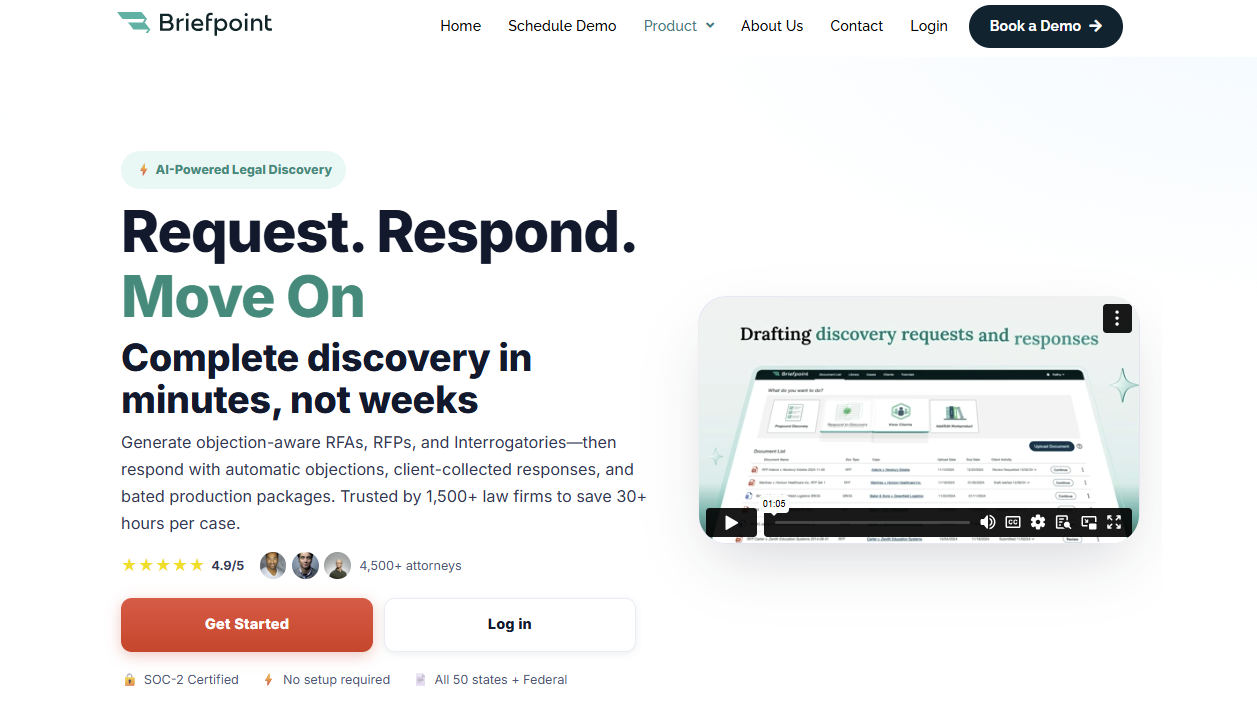
Briefpoint is an AI-powered legal discovery software that helps you draft, respond to, and manage RFAs, RFPs, and interrogatories faster.
If discovery still takes hours of manual work involving formatting, copying objections, and matching documents to requests, Briefpoint gives you a faster path from intake to review-ready work product.
You can use it to generate objection-aware discovery requests from a complaint, draft responses in Word format, and collect client input through Client Bridge.
Clients can answer questions in a secure portal, upload documents, and respond in plain English, which makes the process easier for both attorneys and clients.
For RFP responses, Briefpoint’s Autodoc feature adds stronger document-handling support.
You upload the complaint, RFPs, productions, and case files, then Autodoc searches for responsive documents, adds page-level Bates citations, and creates a Word response plus a Bates-numbered production package.
For legal teams and litigation teams, Briefpoint can reduce repetitive tasks while keeping attorney review in place. Its artificial intelligence speeds up the discovery process, while its trust-and-verify controls help you review and finalize everything before service.
Best Features
- Autodoc: Generates Word responses with Bates-stamped citations from productions and case materials, including page-specific references and a production package organized by Bates numbers.
- AI-powered discovery drafting: Generates RFAs, RFPs, and interrogatories from complaints, allegations, claims, dates, parties, and damages theories.
- Client Bridge: Lets clients answer interrogatories and upload documents through a secure portal, which reduces email back-and-forth and keeps files tied to the right request items.
- Supplemental responses: Helps legal teams create supplemental responses while keeping prior answers intact and easy to reference.
- Trust-and-verify controls: Shows where the AI searched, lets attorneys confirm or remove files, and keeps edits in Word before service.
- Privilege workflow: Allows users to tag privileged materials and create a privilege list that can support a privilege log.
Pros
- Helps legal teams cut down repetitive tasks in the discovery process.
- AI-powered drafting supports RFAs, RFPs, interrogatories, objections, and responses.
- Autodoc can help litigation teams produce documents with Bates citations and production packages faster.
- Client Bridge makes client response and file collection easier to manage.
- Advanced capabilities give firms a strategic advantage without taking attorney review out of the workflow.
2. RelativityOne
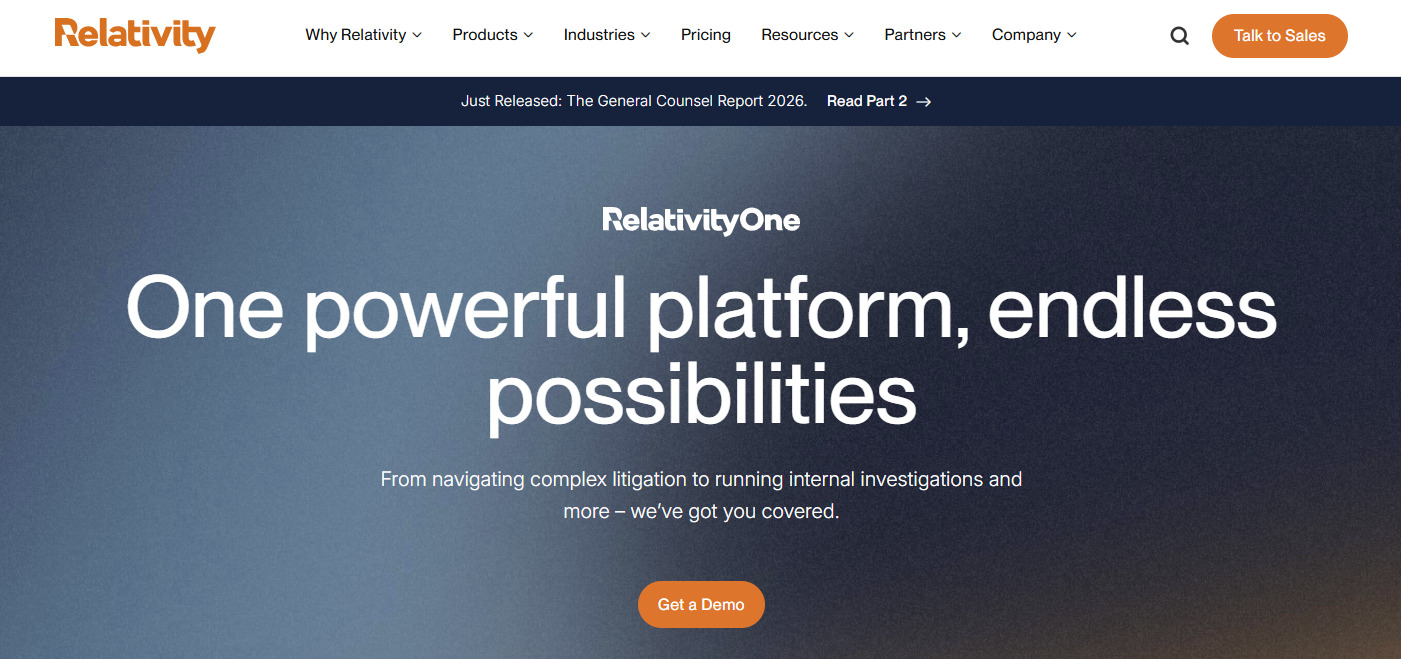
RelativityOne is a cloud-native eDiscovery platform that helps law firms collect, process, review, analyze, and produce electronic documents. It’s built for cases with large volumes of digital data, from emails and PDFs to chat messages, spreadsheets, and other electronic evidence.
Source: Relativity.com
This eDiscovery tool is a better fit for large-scale litigation, investigations, and regulatory work than basic discovery drafting.
For instance, if your team needs to find relevant documents in a massive data set, RelativityOne gives you search, analytics, AI-assisted review, privilege workflows, and production tools in one place.
Its main value shows up during document-heavy review. You can organize reviewers, run searches, tag documents, spot patterns in the evidence, and prepare productions without treating review as a separate side project.
Best Features
- End-to-end eDiscovery: Helps teams preserve, collect, process, review, and produce digital data in one platform.
- AI-assisted review: Uses AI tools to help prioritize relevant documents and speed up document review.
- Scalable processing: Handles large volumes of electronic evidence for complex litigation, investigations, and regulatory work.
- Production tools: Helps law firms prepare and produce electronic documents under tight discovery deadlines.
- Automated workflows: Reduce manual setup and repeat work during review and case preparation.
- Cloud-native platform: Gives teams secure access to eDiscovery workflows without relying on older on-premise systems.
Pros
- Well-known eDiscovery software trusted by many large law firms.
- Strong fit for complex cases with large volumes of electronic evidence.
- Covers the legal data lifecycle from collection through production.
3. Everlaw
Everlaw is a cloud-based eDiscovery platform that helps legal professionals manage electronically stored information for litigation, investigations, and regulatory compliance.
The tool is often a good fit for law firms and corporate legal departments that need to process complex data sets, review digital evidence, and produce electronically stored information from one central workspace.
Source: G2
The platform covers key eDiscovery processes, including data ingestion, data processing, early case assessment, advanced search, document review tasks, workflow management, and production.
Everlaw’s interface also feels more approachable than many older review platforms, which can help teams move faster during high-pressure review projects.
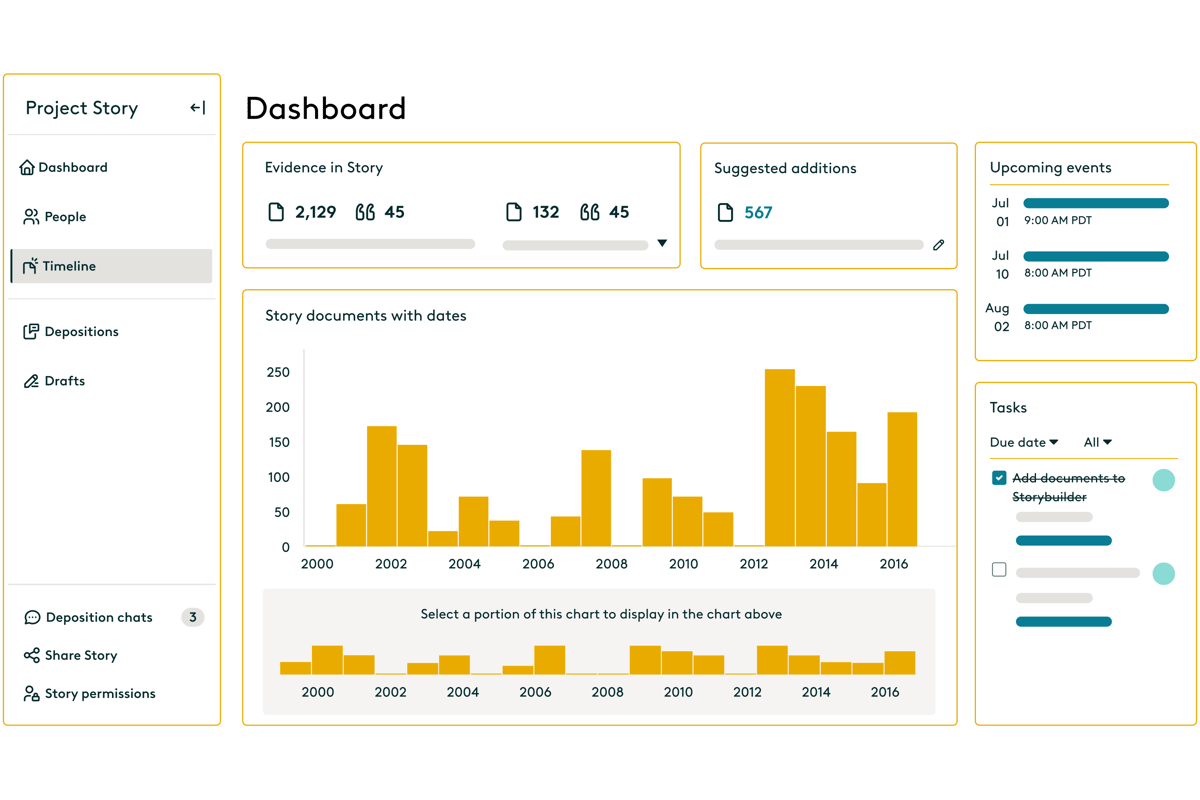
Its strength shows up when you need to understand a document set quickly. You can upload data, search through communications, review relevant files, assign work, build timelines, and prepare productions in one place.
Plus, Everlaw includes AI, analytics, and collaboration features for teams that want to connect facts, documents, and case strategy as review work progresses.
Best Features
- Fast data ingestion: Uploads and processes electronically stored information so teams can begin review work sooner.
- Early case assessment: Helps legal professionals assess complex data sets, spot patterns, and understand the shape of a case early.
- Advanced search: Let reviewers search digital evidence quickly with filters, metadata, analytics, and AI-supported tools.
- Document review workflows: Supports coding, tagging, reviewer assignments, privilege review, and quality checks for document review tasks.
- Production tools: Helps teams produce electronically stored information in the right format for litigation or regulatory compliance.
- Storybuilder: Gives teams a place to organize facts, documents, timelines, and case narratives as legal processes move forward.
Pros
- Strong option for law firms and corporate legal departments handling complex discovery review.
- Covers data collection, processing, review, analysis, and production in one platform.
- Advanced search, analytics, and workflow management help teams work through large sets of digital evidence.
4. DISCO
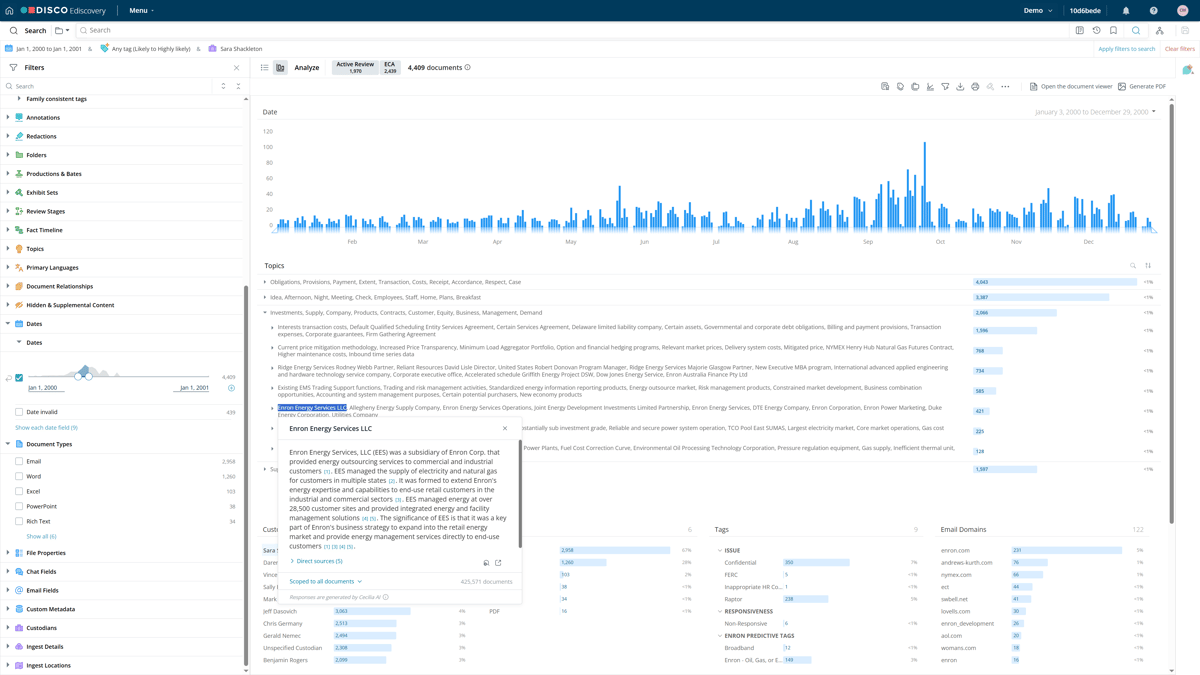
DISCO is an electronic discovery platform that helps litigation teams search, review, and produce documents with less friction than many older review tools.
Many attorneys choose it because the interface feels easier to learn, while the platform still has the search capabilities needed for serious document review.
Source: G2
Speed is the main appeal. You can move through case documents with fast search, AI-supported review tools, and a workspace that keeps coding and production work close together.
That makes DISCO helpful when your team needs to find key evidence quickly and avoid a long ramp-up before review starts.
Administrators also get stronger oversight during review. Audit trails show activity inside a database, while access controls help limit permissions for reviewers, experts, co-counsel, and other users.
For firms that want capable review tools without a heavy enterprise feel, DISCO is one of the more familiar names in modern electronic discovery.
Best Features
- Fast search capabilities: Helps attorneys search emails, attachments, messages, and case files quickly when they need to find key evidence.
- AI-supported review: Prioritizes likely relevant documents and helps reduce time spent on lower-value review.
- Clean review workspace: Keeps document viewing, coding, tagging, and production work in a simple interface.
- Production tools: Helps teams prepare reviewed documents for production with the needed formatting and metadata.
- Audit trails: Tracks review activity so teams can check who viewed, changed, tagged, or produced documents.
- Access controls: Let administrators manage permissions for attorneys, reviewers, experts, and outside users.
Pros
- Easier to learn than many older electronic discovery platforms.
- Strong search capabilities help teams find key evidence faster.
- Audit trails and access controls make review easier to supervise.
5. Logikcull
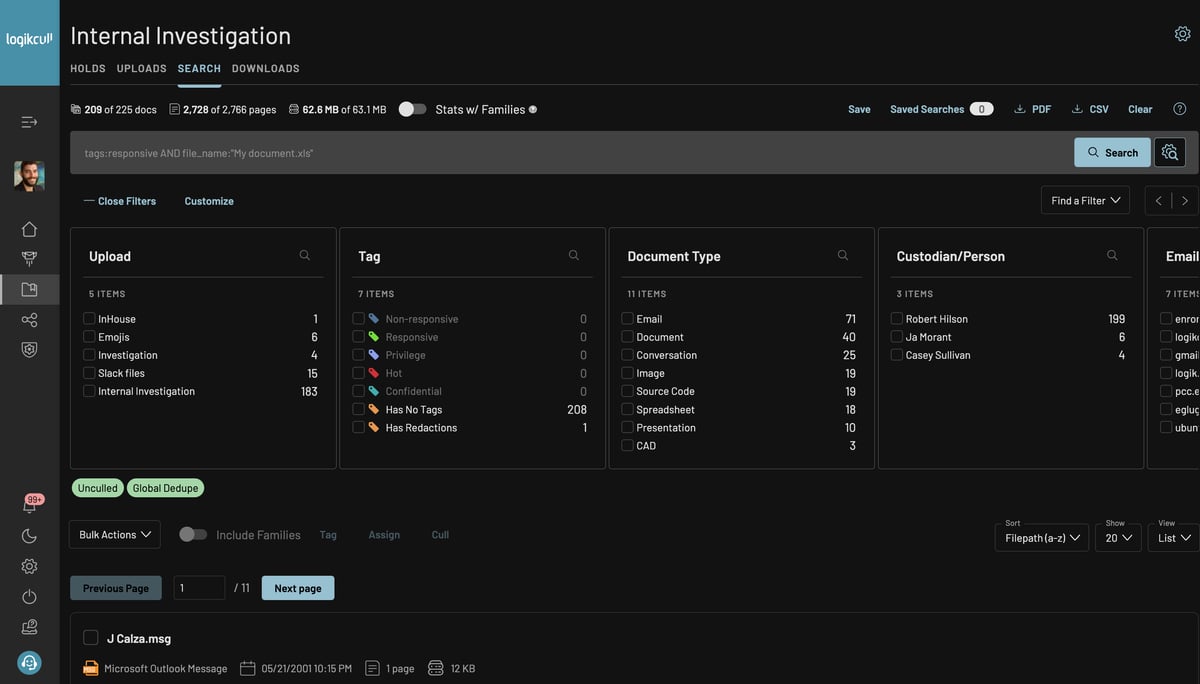
Logikcull is cloud-based eDiscovery software that helps legal teams collect, search, review, and produce documents without a complicated setup.
Firms use it to simplify discovery workflows, especially for subpoenas, investigations, litigation, and document production.
Source: G2
The platform focuses on self-service review. You can upload client data, process files, search through documents, tag responsive material, and prepare productions from one workspace.
Logikcull also uses AI systems and automation to reduce manual sorting. This can be a major advantage for teams that need faster review without a heavy enterprise platform.
Search is one of its stronger selling points. Natural language queries make it easier to look for key facts without building overly technical search strings, while natural language processing and AI-powered document review features help teams find useful records faster.
Best Features
- Self-service eDiscovery: Let teams upload, review, tag, and produce documents without relying on a large support team.
- Natural language queries: Helps users search client data with plain-language questions rather than complex search syntax.
- AI-powered document review: Uses AI systems to help sort, organize, and surface useful documents faster.
- Automated processing: Handles file processing, deduplication, indexing, and preparation for review.
- Production tools: Helps teams create productions with Bates numbering, metadata, redactions, and privilege controls.
- Legal workflow support: Supports subpoenas, investigations, litigation discovery, public records requests, and internal reviews.
Pros
- Easier to use than many enterprise eDiscovery software options.
- Natural language processing helps teams search documents with less technical effort.
- Strong fit for legal workflows that need fast upload, review, and production.
6. Casepoint
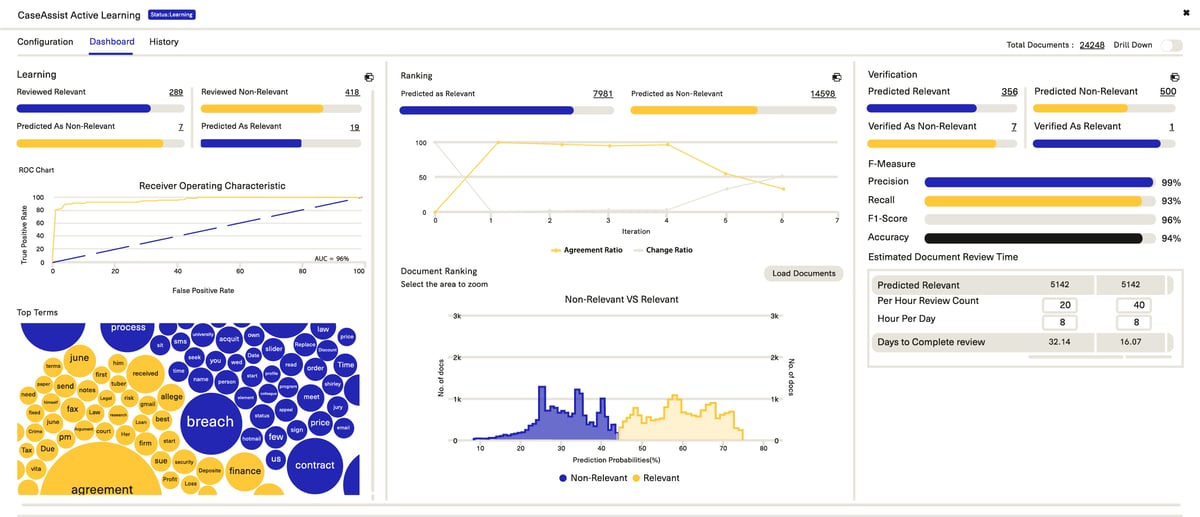
Casepoint is an eDiscovery platform that helps legal teams manage the full discovery lifecycle, from data collection and processing to production and case closeout.
Complex matters often come with large document volumes, strict compliance requirements, and sensitive information, so Casepoint gives teams a structured place to manage the work.
Source: G2
The platform combines customizable workflows, analytics, machine learning, and production tools in one system. You can route documents, assign review work, spot key information, apply redactions, and prepare productions without relying on a patchwork of separate tools.
Risk control drives much of Casepoint’s value. Its review, redaction, security, and compliance features help teams handle privileged documents, regulated data, and sensitive records with tighter oversight.
Teams comparing the best eDiscovery software options may place Casepoint high on the list when they need structured workflows, machine learning, and stronger control over demanding discovery projects.
Best Features
- Full discovery lifecycle: Supports data collection, processing, review, analysis, production, and case closeout in one platform.
- Customizable workflows: Let teams build review paths, assign tasks, manage productions, and match workflows to case requirements.
- Machine learning: Helps prioritize documents, identify patterns, and reduce time spent reviewing lower-value material.
- Compliance support: Helps with compliance requirements involving sensitive records, regulated data, and internal review standards.
- Risk management tools: Support redaction, privilege review, security controls, and tracking for mitigating risks during review.
- Production tools: Helps teams prepare documents with the right formatting, metadata, numbering, and review decisions.
Pros
- Covers the full discovery lifecycle for litigation, investigations, and regulatory work.
- Customizable workflows help teams manage complex matters with more structure.
- Machine learning and analytics can reduce manual review time.
7. Exterro
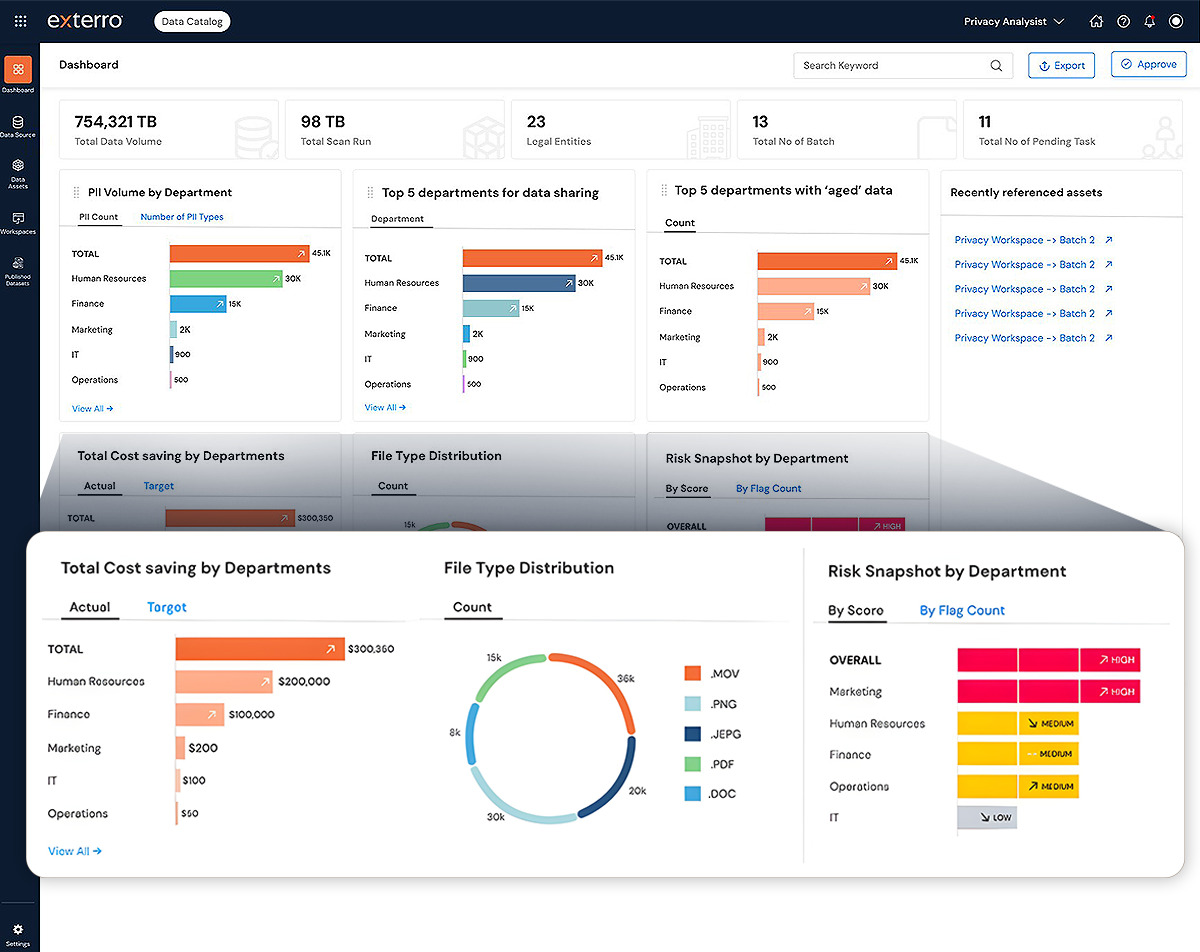
Exterro is an eDiscovery and legal data risk platform that helps organizations manage legal holds, preservation, collection, review, and production. It fits best in environments where discovery connects closely with compliance, privacy, investigations, and data governance.
Source: G2
A lot of Exterro’s strength comes from how it handles data before review begins. The platform can connect to enterprise data sources, issue legal holds, track custodian responses, preserve information, and support defensible workflows from preservation through production.
Plus, Exterro promotes source-linked answers, audit-ready logs, and AI-powered eDiscovery workflows for teams that need clear records of how discovery decisions were made.
Security and governance are also big parts of the platform. Exterro is often used by corporations and government agencies that need enterprise-grade security, access control, and structured processes for sensitive data.
Best features
- Legal holds: Helps teams issue holds, track custodian acknowledgments, send questionnaires, and preserve relevant data.
- Data source connections: Connects with enterprise data sources such as email, cloud storage, and collaboration platforms.
- AI-powered eDiscovery: Supports source-linked answers, audit-ready logs, and defensible workflows from preservation through production.
- Enterprise-grade security: Gives organizations security, access control, and governance features for sensitive legal data.
- Workflow automation: Helps teams streamline workflows for legal hold, preservation, collection, review, and production.
- Government and enterprise support: Works for corporations, law firms, and government agencies with complex discovery and compliance needs.
Pros
- Strong legal hold and preservation features.
- Good fit for discovery work tied to compliance, privacy, and data governance.
- Enterprise-grade security and data source connections support larger organizations
How to Choose the Legal Discovery Tools Your Team Needs
You don’t need every discovery tool on the market. Instead, you need software your team can use often and leverage to improve the workflows that take the most time.
Look for these factors first:
- Learning curve: Choose a tool that your attorneys and staff can pick up without weeks of frustration. A powerful platform loses value if your team avoids it.
- AI-powered tools: Look for legal AI features that help with drafting, review, search, and document organization. Leveraging AI can reduce repeat work, but attorney review should stay part of the process.
- Security features: Prioritize encryption, access controls, audit logs, and clear data policies, especially if you handle client data, privileged files, or medical records.
- Workflow automation: Choose software that automates repetitive discovery tasks, such as response drafting, document routing, production prep, and client follow-ups.
- Training resources: Check for demos, help centers, onboarding, and support so your team can adopt the tool faster.
- Predictable pricing: Compare pricing models, user fees, storage costs, and service provider charges before you commit.
Briefpoint Brings Discovery Work Closer to Done
Legal discovery tools solve different problems, and the right choice depends on which part of the process slows you down most.
Briefpoint earns its place when the biggest pain is the actual discovery work attorneys deal with every day: drafting requests, building responses, collecting client input, matching documents, and preparing production-ready files.
Its strength lies in the practical parts of the discovery process. Briefpoint helps create RFAs, RFPs, and interrogatories, draft objection-aware responses, and turn client answers into Word-ready documents.
With Client Bridge, clients can answer questions and upload documents in a guided portal. And with Autodoc, attorneys can generate Bates-cited RFP responses and production packages from case files and productions.
If discovery feels too manual, Briefpoint gives you a cleaner way to move from request to response with less repetitive work and more control before service.
Full Guide to Document Review Automation for Lawyers
Document review generally takes a lot of time because every detail can affect the next step in a case. Even a small error can lead to significant consequences later, especially when the document set is large (which is often the case in most legal matters).
Document review automation for lawyers helps reduce the manual steps behind that process. With the right software, you can scan legal documents and pull out useful information without starting from a blank page.
As document volume grows, automation can make review work easier to manage while keeping the process organized.
In this guide, we’ll explain what document review automation means, why lawyers use it, and how the process works.
What Does Document Review Automation Mean for Lawyers?
Document review automation helps you review and prepare legal documents with less manual review. In practice, it uses document automation software to scan files, pull out key details, and organize lengthy documents before you check the final work.
For example, you might upload a set of discovery requests and let the software identify what each request asks for. After that, you can review the suggested language, adjust the discovery response, and decide what belongs in the final document.
This works best for tasks that follow a repeatable process. If you spend hours copying text from one file to another or formatting the same type of draft, automation can take some of that work off your plate.
Still, human review plays a major role. You need to check accuracy, legal strategy, privilege, and confidentiality before anything goes out. Having said that, the main goal of automation is to move faster while keeping your professional judgment in control.
Why Lawyers Are Automating Document Review
More and more lawyers are turning to automation because the review process can take up a large share of case work.
In a RAND research brief on electronic document production, review made up 73% of production costs in the large-volume cases studied, far ahead of processing and collection.
That cost pressure becomes harder to ignore as the sheer volume of legal documents keeps growing. If your team has to read lengthy documents one page at a time, review time can crowd out higher-value legal work.
With automated legal document review, you can get:
- Faster first-pass review: Automation can scan the entire document set and help surface key information earlier, so legal professionals can focus their attention sooner.
- Less repetitive manual work: Document review often involves the same checks, labels, and formatting steps. Automation helps reduce the hours spent on routine tasks.
- Better consistency: A clear automated workflow can help your team apply the same review standards from one document to the next.
- Stronger cost control: Practical considerations matter for clients and firms. Less manual review can mean fewer avoidable hours tied to sorting, searching, and preparing documents.
How Typical Document Review Automation Works
Most document review automation follows a simple path. The exact process depends on the tool, but it usually includes a few common steps:
1. Upload Your Legal Documents
The first step is to upload the legal documents you want the software to review. These might be discovery requests, contracts, pleadings, client records, or other relevant documents tied to the matter.
For better results, give the software enough context from the start. You can add the document category, case type, review goal, or any other resources that can help the tool understand what it needs to find.
2. Let the Software Scan the Content
After upload, the software scans the content and starts reading the document structure. It may identify:
- Requests
- Clauses
- Dates
- Names
- Repeated language
- Other details that can guide your review
Some tools also use optical character recognition (OCR) to read scanned files or PDFs without searchable text. This can help with complex documents, especially files with exhibits, mixed formatting, or handwritten annotations.
However, you should still check the results carefully because poor scans and hard-to-read notes can affect accuracy.
3. Review the Extracted Information
After the scan, you need to review what the software pulled from the documents. Many AI tools use natural language processing and machine learning to spot critical terms, names, dates, clauses, and other details that may affect the matter.
This step gives you a chance to catch errors before the information moves into a draft, summary, chart, or response. It’s especially important with sensitive documents because the software may flag sensitive data, but you still need to confirm what should stay or change.
More specifically, take the time to:
- Check for accuracy: Make sure the extracted details match the original document.
- Look for missing context: A term may look important on its own, but the surrounding language can change its meaning.
- Confirm sensitive data: Review personal details, privileged content, financial data, and other protected information before sharing or filing anything.
- Clean up errors: Fix incorrect names, dates, clauses, or document labels early so they don’t carry into the final output.
4. Apply Your Templates or Rules
After you review the extracted information, the software can apply your firm’s templates, rules, or preferred language. Doing this helps keep the output accurate and consistent, particularly if your team handles the same document types often.
For example, a litigation team may use approved objection language for discovery responses. A business attorney may use standard contract review rules for indemnity, renewal clauses, or governing law. A compliance team may set rules for sensitive data, retention language, or required disclosures.
Some systems also support technology-assisted review, which can help prioritize documents based on your review criteria.
As always, quality control remains important. At the very least, check that the software applied the right rule to the right document, used the correct template, and followed the strategy for the specific matter.
5. Edit the Draft Output
Once the legal document automation software creates a draft, your legal team should review it with the original documents close by. The draft may already include the right structure and key details, but it still needs a lawyer’s eye before it’s complete.
This step is where you refine the wording. You may need to remove language that feels too broad, add case-specific details, or adjust the tone for the reader.
For example, a discovery response may need stronger discovery objections, a contract summary may need clearer risk notes, or a document review chart may need cleaner issue labels.
Editing also helps you catch small problems before they become bigger ones. Check citations and defined terms carefully. Automation can definitely give you a strong starting point most of the time, but the final draft should still sound like it came from your legal team.
6. Finalize After Human Review
After the draft sounds right, take one last pass before you file, serve, or send it. At this stage, you want to catch anything that could create risk or extra cleanup later.
Pay close attention to sensitive information, privilege review calls, and red flags the software may have marked earlier.
Also, check the organization of the final document. The language should match the record, the formatting should be clean, and the final version should be easy for your team to track later.
Here are common final check items:
- Sensitive information
- Privileged content
- Red flags
- Names and dates
- Citations
- Formatting
- Case file references
- Final instructions
Common Use Cases for Document Review Automation in Law Firms
Document review automation can support several parts of your legal workflow, including tasks that involve large document sets or repeatable review steps.
Here are some of the most common ways law firms use it:
- Discovery review: Automation can help identify responsive documents, flag possible objections, and organize information for discovery responses.
- Contract review: Software can pull out key clauses, highlight missing terms, and help you compare language against your preferred standards.
- Privilege review: Automated review can flag attorney-client communications, work product, and other content that may need closer attention.
- Case file summaries: Your team can use automation to pull key facts from records and spend less time reading every file from scratch.
- Document production: Relevance ranking can help prioritize documents for review, so the legal team can start with the files most likely to matter.
- Deposition preparation: Automation can help surface important facts, names, and timeline details, freeing time for strategy and witness prep.
See How Briefpoint Gives Your Entire Team a Faster Review Solution
Document review automation works best when the solution gives your team speed without removing human oversight.
Briefpoint does that for litigation teams by helping them draft discovery, respond to requests, and turn case files into production-ready work.
With Briefpoint, your entire team can create objection-aware RFAs, RFPs, and interrogatories. Autodoc feature goes further by reviewing productions and case files, finding responsive documents for each RFP, and generating Word responses with objections, answers, and page-level Bates citations.
Briefpoint also creates Bates-numbered production packages, so your team spends less time assembling files by hand.
The platform includes trust-and-verify controls, which let you see where the AI searched, confirm or deselect files, tag privileged materials, and edit the final text before service. That gives you the power to move faster while keeping legal judgment in the review process.
If your practice needs an easy way to reduce discovery work, Briefpoint is built for exactly that workflow.
A Practical Discovery Checklist for Litigation Teams
Discovery can take longer than expected when there’s no clear plan from the start. At first, the work may seem manageable, but the multitude of steps you have to go through during the process can quickly start competing for attention.
Luckily, a checklist can give you a practical way to keep the work more organized. From early preparation to final review, it offers a clear place to track what needs to happen next and what may need a closer look.
In this guide, you’ll find the main steps involved in the discovery process, including written discovery, client information, objections, document review, and production.
Pre-Discovery Preparation Checklist
A strong discovery process starts before the first request goes out. Thorough preparation helps you understand what you need, what deadlines apply, and how each step will support the case.
Use this checklist to build a detailed plan before formal discovery begins:
- Review the pleadings: Read the complaint, answer, counterclaims, and affirmative defenses so you know which facts need support.
- Identify key issues: Write down the claims, damages, disputed facts, and legal questions that will guide your discovery requests.
- Map out deadlines: Check court orders and local rules so your team has clear timing from the start.
- List key people and documents: Note clients, witnesses, custodians, contracts, emails, records, photos, reports, and other materials that may be essential.
- Create a discovery plan: Decide which discovery tools you’ll use and what information you need first.
- Give the client clear guidance: Explain what documents to save, what details to gather, and how quickly they should respond to questions.
Written Discovery Checklist
Written discovery gives you a clear way to request facts and records from the other side. Use the sections below to keep each request focused and tied to the discovery process:
Interrogatories
Interrogatories are written questions that the other side must answer under oath. They help you fill in facts that may not appear in documents, such as dates, timelines, explanations, and the basis for certain claims or defenses.
Before you serve them, you must prepare each question with a clear purpose. Avoid broad wording that gives opposing counsel an easy reason to object. A good interrogatory should ask for one specific piece of information or a focused explanation that adds value to the case.
They’re also useful when you need additional context for records you already have. For example, a document may show that a conversation happened, but an interrogatory can ask who participated and why the exchange was important.
Tip: Keep the questions direct, review the allowed limits, and make sure each one supports your case strategy.
Requests for Production
Requests for production ask the other side to present documents, records, and other evidence tied to the case. Use them to collect standard documents early, then request additional resources as the case becomes clearer.
For example, you can request:
- Contracts and agreements
- Emails and text messages
- Photos and videos
- Reports
- Invoices and receipts
- Medical records
- Employment records
- Financial records
- Insurance documents
- Internal policies
- Project files
- Digital files and metadata
- Communications with third parties
- Evidence that supports the claimed damages
- Evidence that disputes liability
Requests for Admission
Requests for admission ask the other side to admit or deny specific facts, documents, or legal points. They can help narrow the issues involved in the case, and it’s worth noting that each request should focus on one clear statement.
They often cover items such as:
- Basic facts about the dispute
- Dates and timelines
- Authenticity of documents
- Ownership of records
- Contract terms
- Communications between parties
- Prior payments
- Damages-related facts
- Liability-related facts
- Statements made by witnesses
- Undisputed background information
- Facts that may shorten trial preparation
Client Information Checklist
Client input can heavily influence the quality of your discovery responses. Good collaboration helps you stay informed and account for the client’s unique needs before responses are finalized.
Keep these points in mind:
- Send clear questions: Ask for facts in plain language so the client knows exactly what to provide.
- Request relevant documents: Ask for case-related emails, contracts, records, photos, and reports.
- Confirm key details: Have the client verify important names, dates, events, and deadlines.
- Ask for additional context: Give the client room to explain anything that may not be obvious from the documents.
- Flag sensitive information: Identify privileged or confidential details that need attorney review.
- Follow up on gaps: Revisit unclear answers or missing files before responses go out.
- Review final responses with the client: Make sure the client understands and confirms the information before service.
Objections and Responses Checklist
Discovery objections and responses need careful examination before they go out. Your main goal should be to keep answers accurate, preserve valid objections, and align teams so everyone understands the response strategy.
Before serving responses, go through each item with care:
- Review each request carefully: Read the full request before drafting an answer or objection.
- Check for valid objections: Flag vague, overbroad, privileged, irrelevant, or burdensome requests.
- Avoid boilerplate language: Tie each objection to the specific request so the response feels defensible.
- Answer what you can: Provide a clear factual response when information is available, even if an objection applies.
- Track missing information: Note any client details, documents, or follow-ups needed to keep progress moving.
- Assess risk: Consider the likelihood that opposing counsel may challenge the objection.
- Review before service: Confirm that responses match the documents, client input, and case strategy.
Document Review and Production Checklist
Document review helps you decide what to deliver and what to withhold. As the case facts develop, the production process should address each request with care.
Before you deliver the production set, walk through these review steps:
- Gather documents from the client and other approved sources
- Compare collected materials against each production request
- Research unclear document categories before making production decisions
- Remove duplicates where appropriate
- Review for privilege and confidentiality
- Flag documents that need attorney examination
- Redact sensitive information when allowed
- Create or update the privilege log
- Apply Bates numbers before production
- Confirm the agreed production format
- Check for missing pages or corrupted files
- Track what was produced, withheld, or redacted
- Save a clean copy of the final production set
- Deliver the production package before the deadline
Final Review Checklist
The final review is your last chance to catch issues before the discovery phase moves forward. A careful review can lead to better outcomes and give everyone access to the same clean, final version.
Conduct one last pass through these items:
- Check the deadline: Confirm the service date and any court-ordered timing requirements.
- Review every response: Make sure each answer matches the request and uses clear language.
- Confirm client input: Compare the responses against the information the client provided.
- Check objections: Make sure objections are specific and tied to the request.
- Verify signatures: Confirm that verifications, attorney signatures, and required forms are complete.
- Review exhibits: Make sure referenced documents are attached or easy to identify.
- Save final copies: Keep clean Word and PDF versions in the case file.
- Send to the right parties: Confirm the service list before anything goes out.
Common Discovery Mistakes to Avoid
Even with a solid system (or checklist) in place, discovery can still create problems if you move too quickly. Technology can help organize data, but your legal expertise and daily practice still need to guide each step.
Watch for these common pitfalls before they affect your deadlines or responses:
- Missing deadlines: Track response dates as soon as discovery is served, then add reminders well before the due date.
- Using vague objections: Define the reason for each objection so it connects clearly to the request.
- Overlooking privilege: Review documents carefully before production so protected information stays out of the production set.
- Skipping client follow-up: Ask follow-up questions when a client’s answer feels incomplete or unclear.
- Producing incomplete files: Check for missing pages, broken links, unreadable PDFs, and partial email threads.
- Ignoring format requirements: Confirm the required production format before you deliver files.
- Failing to track changes: Keep a record of revised answers, added documents, and withdrawn objections.
Turn Your Discovery Checklist Into Finished Work With Briefpoint
A discovery checklist can certainly help you stay organized, but Briefpoint can make the real work much easier.
Briefpoint helps you draft and respond to discovery in minutes, including interrogatories, requests for production, and requests for admission.
Briefpoint also supports automatic objections, client-collected responses, plain-English and Spanish client translations, Word-format downloads, and jurisdiction-specific formatting for all 50 states and all 98 federal district courts.
Briefpoint’s Autodoc feature can also help with document production. You can upload RFPs, the complaint, and case files, then generate Word responses with objections, substantive answers, Bates citations, and a Bates-numbered production package.
If discovery still takes too much time in your practice, Briefpoint gives you a faster way to prepare cleaner drafts, collect client input, review responses, and deliver production packages with less manual work.
Book a Briefpoint demo today to see how much easier your discovery workflow can be.
9 Law Firm Productivity Metrics Legal Teams Should Track
1. Billable Hours
Billable hours show how much time legal professionals spend on billable work for clients. It’s one of the most common KPIs because it connects directly to revenue, staffing, workload, and law firm profitability.
For many firms, this key metric also says a lot about efficiency. If lawyers spend too many hours on repetitive, manual tasks, billed hours can drop even when the team feels busy all day.
Small tracking gaps can create a real revenue problem, too. For example, missing just 10 minutes a day can add up to around 40 hours a year. At $350 per hour, that’s $14,000 in unbilled revenue for a lawyer aiming for 1,800 billable hours.
Track billed hours by lawyer, practice area, client, and task type. Then compare the planned time against the actual time. This helps you spot where work slows down, where time gets missed, and where automation or better workflows could help your team protect more revenue.
2. Utilization Rate
Utilization rate shows how much of a staff member’s total hours go toward billable client work.
Billable hours tell you the raw number of hours billed. Meanwhile, the utilization rate gives that number context, which makes it one of the more useful law firm KPIs for operational efficiency.
For example, two legal professionals may each bill 30 hours a week. However, if one worked 40 total hours and the other worked 55, their productivity story looks very different. The first has a 75% utilization rate, while the second has a much lower rate.
Track this metric through a few simple data points:
- Total hours worked: The total time a staff member spends on the firm’s operations, including billable and non-billable work.
- Billable hours: The portion of time tied to client work that can be billed.
- Non-billable time: Admin work, internal meetings, training, and other tasks that affect capacity.
Utilization rate helps measure success in a more balanced way. It can also support efficient resource allocation because you can see who has room for more work, who is stretched thin, and where non-billable tasks may be hurting output.
3. Realization Rate
Realization rate shows how much of your billable hours worked turn into actual revenue. It compares the value of recorded time with the amount the firm bills or collects, which is why it’s an essential KPI for firm performance.
For example, say a lawyer records 20 hours at $300 per hour. That time is worth $6,000. If the client is billed $5,400 after write-downs, the billing realization rate is 90%. If the firm later collects $4,800, the collection realization rate drops to 80%.
This metric helps you see where revenue gets reduced after the work is done. A low realization rate may indicate problems such as heavy discounts, billing disputes, or accounts receivable issues.
Track data by lawyer, client, practice area, and task type. Over time, those patterns help you identify areas where pricing, staffing, time entry, or client communication needs work.
A strong realization rate can also raise average revenue because the firm captures more value from the time already spent.
4. Collection Rate
The collection rate shows how much billed work turns into money received. Billable hours show the time your team records, and realization rate shows how much of that time gets billed.
Collection rate takes the next step and tells you how much of the invoice the client actually pays.
For example, if your firm sends $80,000 in invoices for the month and receives $72,000, your collection rate is 90%. If that number keeps falling, the issue may sit in payment follow-ups, invoice clarity, client service, payment terms, or accounts receivable habits.
This is one of the business metrics that deserves a regular spot in KPI reports monthly. A strong collection rate helps the firm protect cash flow and understand the estimated average value of billed work after payment delays, discounts, and unpaid balances.
Use this metric to review payment patterns by client, practice area, invoice age, and responsible attorney. It can show you vital information like which clients pay quickly, which invoices need better detail, and which billing steps slow down revenue after the legal work has already been completed.
5. Matter Cycle Time
Matter cycle time measures how long it takes to move a legal task from intake to completion. While billable hours show the time spent on the work, matter cycle time shows how long the full process takes from the client’s point of view.
For example, a discovery response may take 18 days from request to final draft. If the work only needed 6 billable hours, the time entry alone won’t explain the delay.
In many cases, the gap comes from problem areas like waiting on client details, manual drafting, attorney review, or back-and-forth revisions.
To make this easier to review, track it in your KPI dashboard with a few simple checkpoints:
- Start date: The date the work opens or gets assigned.
- Completion date: The date the final version is sent, filed, or approved.
- Delay points: The steps where work pauses, such as client review, document prep, or internal approval.
From there, this metric gives you a better understanding of slow handoffs and repeat bottlenecks. It also gives your team a practical way to improve workflows and finish legal work faster while keeping quality high.
6. Revenue per Lawyer
Revenue per lawyer shows how much income each lawyer contributes over a set period. Essentially, it can help you understand the link between workload and the law firm’s success.
Here’s another way to look at it. If one lawyer brings in 40 clients with an average fee of $5,000, that lawyer generates $200,000.
Another lawyer may bring in 25 clients at an average fee of $8,000 and reach the same total. The client number differs, but the revenue result is equal.
This metric can support decisions around partner compensation and business success. A lawyer with a smaller caseload may still bring strong value if the average fee is high.
Another lawyer may handle a higher average number of clients but produce lower revenue because the work has thinner margins.
However, it’s important to use revenue per lawyer as a planning tool and not a simple scoreboard. It works best with the utilization rate and collection rate. Together, those metrics show how much work gets done and how much revenue comes in.
7. Administrative Time per Matter
Administrative time per matter tracks how much time goes into non-billable work for each case. This may include routine tasks like intake, scheduling, legal drafting, status updates, or file organization.
It’s a useful metric because high admin time can lower capacity even when the team’s case number looks healthy.
For instance, if each case takes three hours of admin work and the firm handles 100 cases a month, that’s 300 hours tied to non-billable tasks. A small process fix can free up a lot of time over the year.
Track this metric with a few focused details:
- Admin hours per case: The total time spent on non-billable tasks tied to one file.
- Task type: The category of admin work taking up the most time, such as intake, scheduling, or document prep.
- Repeat admin tasks: The work that shows up often, such as template drafting, client follow-ups, or status updates.
Administrative time per matter helps you find practical places for strategic improvements. It can also help your firm streamline workflows, reduce repetitive work, and give legal staff more time for client-facing tasks.
8. Lead-to-Client Conversion Rate
Lead-to-client conversion rate shows how many inquiries become signed clients. It’s one of the more practical marketing KPIs because it tells you if your intake process turns interest into real business.
For example, if your firm receives 120 qualified leads in a month and 30 become clients, your lead-to-client conversion rate is 25%. If the consultation appointment number is high but signed clients stay low, you may have a problem with follow-up speed, consultation quality, pricing clarity, or lead fit.
A typical conversion path may look like this:
- Website visit
- Contact form or phone inquiry
- Initial intake
- Consultation booked
- Consultation completed
- Engagement agreement sent
- Client signed
This metric helps you see where the potential clients converted in this process and where they dropped off before signing.
Plus, it gives your team a better way to judge marketing results because traffic alone won’t tell the full story. A lower conversion rate may mean the firm needs clearer website copy, faster intake responses, or a stronger consultation process.
9. Cost per New Client
A growing client base can look healthy on paper, but the cost behind each new client matters. Cost per new client helps you see if your marketing spend is paying off or quietly eating into profit.
The formula is simple: total marketing spend divided by new clients signed during the same period. If the firm spends $7,500 in a month and adds 15 new clients, the cost per new client is $500.
You can review this number by channel, such as:
- Google Ads
- Organic search
- Referrals
- Social media
- Local events
The useful part comes from comparing the cost with client quality. A channel may bring a lower cost per client, but those clients may need more follow-up or have lower case value. Another channel may cost more but bring better-fit clients and stronger client satisfaction.
Use this metric to make informed decisions on budget, intake, and follow-up. In a few weeks or months, it can give you actionable insights into which efforts help grow your client base and which ones you should revisit.
How to Choose the Right Productivity Metrics for Your Firm
Not every law firm should focus on the same set of KPIs. For instance, a firm trying to improve cash flow will need different numbers than a firm trying to reduce admin time or raise employee satisfaction.
The right metrics should help you make better decisions and not bury your team in reports. Start small, then add more once tracking KPIs becomes part of your normal review process.
A few useful filters can help:
- Match metrics to firm goals: Use billable hours, realization rate, or collection rate if increasing revenue is the priority.
- Look at daily pain points: Track admin time or matter cycle time if work feels slow or repetitive.
- Balance financial and people metrics: Include employee satisfaction so productivity gains don’t come at the cost of burnout.
- Review data regularly: Analyzing data monthly helps you spot trends early and adjust before small issues grow.
- Turn numbers into action: Use the findings to make strategic improvements in staffing, workflows, and client communication.
What you should focus on is tracking numbers your team can actually use. A smaller set of meaningful KPIs will usually do more for the firm than a long report nobody reads.
Improve Your Most Important Productivity Metrics With Briefpoint
Tracking productivity metrics gives you a clearer view of where time, money, and energy go. The next step is reducing the work that keeps those numbers lower than they should be.
For many litigation practices, discovery drafting is one of the biggest time drains because it frequently pulls attention away from higher-value legal work.
Briefpoint helps you handle that work faster. Its Autodoc feature drafts discovery responses, including responses to requests for admission, requests for production, and interrogatories.
It can support supplemental responses as well, so you can update prior discovery responses with less manual drafting.
All of Briefpoint’s features can help improve KPIs tied to law firm efficiency, especially matter cycle time and administrative time per matter.
You spend less time formatting, copying, and drafting from scratch. As a result, you can move discovery work forward faster and keep more working hours focused on legal strategy.
Do you want to finally reduce discovery busywork?
Inside an Efficient Bates Numbering System
What Is a Bates Numbering System?
Bates numbers are unique page identifiers added to legal documents, usually in a set sequence. They help attorneys, paralegals, courts, and opposing counsel refer to the exact same page easily.
For example, a document production might use numbers like ABC000001, ABC000002, ABC000003, and so on.
A Bates numbering system is the method used to apply those identifiers in a consistent format. That format may include a prefix, a fixed number of digits, and a suffix if needed.
Older firms used a Bates numbering machine to apply physical stamps to paper files, but most teams now use software for sequentially numbering pages in PDFs and other digital files.
Why You Need a Solid Bates Numbering System
Once every page has a clear label, the next step is making sure those labels stay consistent from start to finish. A good Bates system should help legal teams keep control of files during every step they have to go through.
Bates numbers serve a few practical purposes:
- Clear document references: You can point to one exact page quickly.
- Easier PDF document management: Bates stamping gives each page a fixed identifier, which helps legal professionals review and share large files with less confusion.
- Better document tracking: A consistent Bates numbering process makes it easier to track documents that have been produced, reviewed, or exchanged.
- Cleaner communication: Attorneys, clients, courts, and opposing counsel can reference legal documents using the same page labels.
- Fewer production issues: Following best practices for prefixes, digit length, and numbering order helps prevent duplicate numbers, missing pages, and messy productions.
What’s Inside an Efficient Bates Numbering System?
As you know by now, a good Bates numbering system keeps your documents clear, searchable, and easy to cite. The strongest setups usually come down to a few key parts, which include:
A Clear Numbering Format
A clear numbering format gives every page a predictable label. When you apply Bates numbering to digital documents, the format should make it easy to identify individual pages and point to a specific page.
Your format can be:
- Solely numeric
- Alphanumeric strings
- Prefix plus number
- Number plus suffix
- Prefix plus a fixed number of digits
- Matter name plus page number
- Production set plus page number
For example, a solely numeric format might look like 000001, 000002, 000003. An alphanumeric format might look like SMITH000001 or DEF-000245.
The best choice depends on how many files you need to produce and how easily your team needs to search or cite each page.
Consistent Prefixes and Suffixes
A long production can become hard to manage if every page label looks too generic. Prefixes or suffixes give your team a way to separate batches, parties, and document groups without changing the main numbering sequence.
Common prefix and suffix options include:
- Producing party initials
- Client or matter code
- Production batch
- Exhibit group
- Confidentiality tag
- Document category
- Revision marker
- Date code
Doing this helps you find the right document faster when multiple sets share similar page counts or file names. For example, DEF000145 can point to a defense production, while DEF000145-CONF can show that the page has a confidentiality label.
Consistent Bates labeling also gives your team a cleaner rule to follow. If one batch uses PLTF and another uses PLAINTIFF, searches and references can be very disorganized.
Automatic Sequential Numbering
Automatic sequential numbering keeps the page order clean from the first page to the final page. Each page gets the next reference number in the sequence, which helps your team uniquely identify every page without typing each label by hand.
A simple sequence might look like this:
- 0001
- 0002
- 0003
- 0004
You can also use a four-digit number with a prefix, such as:
- DEF0001
- DEF0002
- DEF0003
- DEF0004
The main goal is to avoid gaps, repeats, and manual errors. If two pages get the same number, your references can become unreliable.
Plus, automatically numbering documents also helps when you need to produce hundreds or thousands of pages, since the system assigns each label in order and keeps the sequence consistent.
Document-Level and Page-Level Tracking
Document-level and page-level tracking connect each Bates number to the right file, document type, and page position, which makes large document sets easier to work through.
A strong system should track:
- Document type: You can tag files as emails, contracts, invoices, exhibits, pleadings, or other records.
- Page count: You can quickly check how many pages belong to a specific document before you cite or produce it.
- Document boundaries: Digital tools can separate one document from the next inside large PDF sets.
- Unique page IDs: Each page gets unique identifiers, so you can cite the exact page with confidence.
- Production groups: You can group files by batch, party, issue, or matter to keep large volumes easier to sort.
Support for Large Document Sets
Naturally, large productions need batch processing and not one-file-at-a-time stamping. Luckily, modern electronic Bates software can scan the page count in each PDF file, assign the next number in the sequence, and save a stamped copy with the correct label placement.
Good Bates numbering software also keeps the numbering sequence active as it moves from file to file. For instance, if one PDF ends at BP000120, the next PDF starts at BP000121. That helps legal teams avoid repeated numbers without checking every page by hand.
The same tech can also support file naming rules, output folders, and searchable text for business documents. When you have the right setup, organizing documents takes less manual cleanup because the software handles numbering, placement, and export in one controlled process.
Searchable Labels and Metadata
Searchable labels and metadata make Bates-numbered files easier to find after production. The Bates number points to the page, while metadata adds critical information that helps with document retrieval in legal cases.
For example, a PDF might include a Bates range like DEF000450 to DEF000462, plus metadata such as:
- Document title
- Author
- Date
- Document type
- Producing party
- Confidentiality status
Those identifying elements give your team more ways to search beyond the Bates number alone.
This becomes useful when tracking large volumes of files. If you need every email from a certain date range or every contract marked confidential, metadata can narrow the search quickly.
Good labeling also helps reviewers connect each page to the larger document set, which keeps references clearer during discovery, deposition sessions, and trial prep.
Version Control for Updated Files
Version control keeps revised files from getting mixed up with earlier productions. Law firms often update important documents during review, so your Bates numbering system should make each version easy to identify.
A clean version control setup can show:
- Original file
- Revised file
- Production date
- Review status
- Bates range
- Confidentiality changes
- Replacement pages
With clear version records, your team can see which file was produced, which version changed, and which Bates numbers belong to each set. It helps reduce confusion when a document gets corrected, redacted, re-produced, or removed from a production batch.
Export-Ready Files for Sharing
Export-ready files make document review easier because the Bates labels stay fixed when the files leave your system. What you want is to create clean PDF files that other people can open, read, search, and cite without layout problems.
Most PDF tools used in the legal field let you apply Bates numbers, flatten stamps, rename files, and save production copies. Adobe Acrobat is a common example, though many legal document platforms have the same type of export features.
In most cases, a good export process should preserve the Bates number placement, page order, searchable text, redactions, and file naming rules.
Apart from that, it should also create a copy rather than overwrite the original file. That gives your team a clean production version while keeping the source document available for future review.
Audit Trails for Accountability
An audit trail shows what happened to each file during numbering, review, and production. It can record:
- Who added the Bates numbers
- When the file was stamped
- Which numbering range was used
- Which version went out for sharing
For instance, a production log might show that DEF000300 to DEF000420 was exported on March 12, reviewed by a paralegal, and shared with opposing counsel as part of the second production set.
So, if someone later asks for the relevant pages from that batch, your team can trace the exact reference documents without guessing.
A clear audit trail helps keep everyone accountable. It gives your team a record to check when questions come up around missing pages, duplicate labels, changed files, or disputed document references.
Make Document Management 10x Easier With Briefpoint
Proper Bates numbering gives legal professionals a reliable way to identify pages, cite records, and keep complex litigation files in order. It’s a small detail on the page, but it can easily affect how smoothly discovery, trial preparation, and production work move forward.
Briefpoint’s Autodoc helps with the work that usually surrounds Bates numbers.
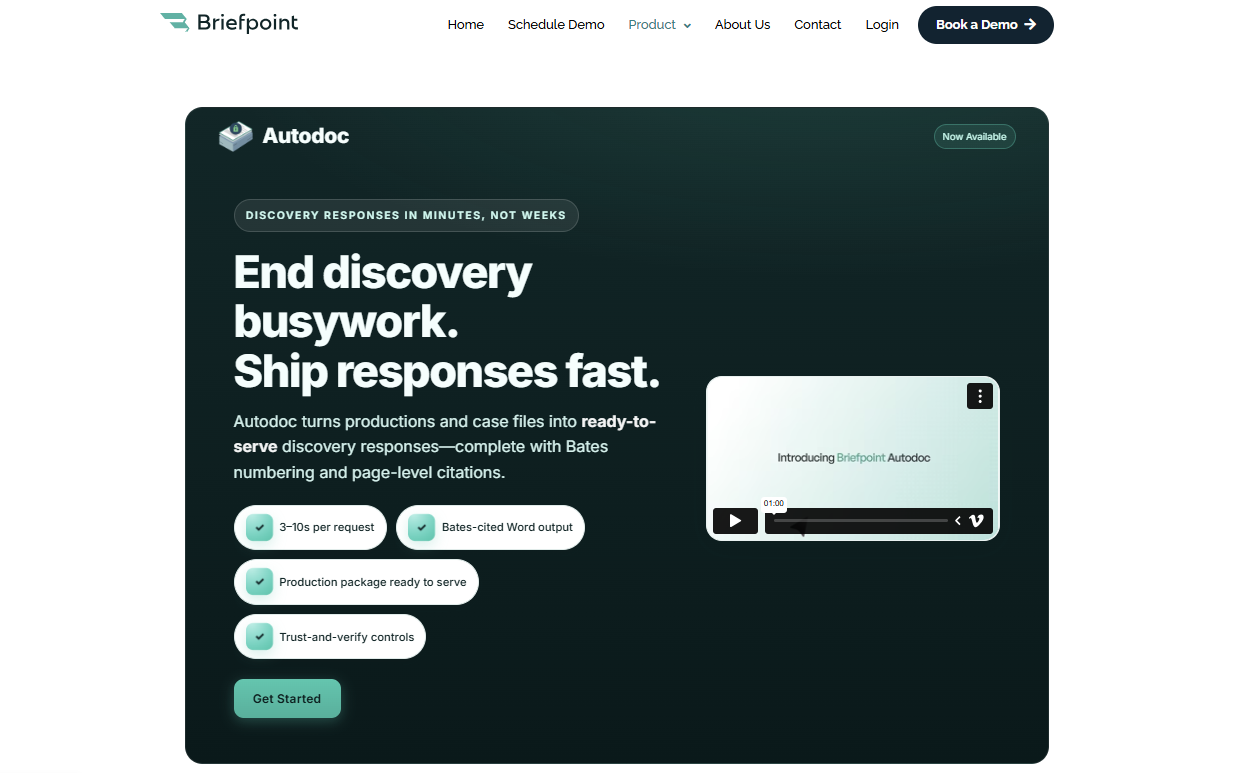
You can upload discovery requests and production materials, then use Autodoc to identify responsive documents, add Bates numbers, and create Bates-cited discovery responses.
It gives you the function of a Bates automatic numbering machine with extra support for drafting, citation, and legal document management.
Briefpoint can help your team prepare cleaner responses, organize production materials, generate page-level citations, and create Word-ready drafts with fewer manual steps.
For busy litigation teams, that means less time spent matching documents to requests and more time spent reviewing the substance of the case.
Book a Briefpoint demo and see how Autodoc can help your team prepare Bates-cited discovery responses faster.
A Deeper Look Into the Legal Document Review Process
What Is Legal Document Review?
Legal document review means reading and checking legal documents with a clear purpose in mind. You may need to confirm what a document says, spot risk, protect privileged information, or decide what needs attention before the next step.
In practice, this work gives legal professionals a cleaner view of the details that can affect a case or internal decision.
Document review attorneys often review documents to check for:
- Accuracy
- Relevance
- Privilege
- Confidentiality
- Risk
- Compliance
Of course, the scope can change from one matter to the next. A quick review may only need a focused read-through. On the other hand, a larger review may call for review protocols, several reviewers, and quality checks.
Either way, the main goal is to make sure the document supports the legal work ahead.
What Types of Documents Need Legal Review?
Most documents tied to a legal matter can benefit from review, especially if they affect rights, obligations, or risk. A careful review helps you identify key documents and protect confidential information before the work moves forward.
Common documents that need legal review include:
- Contracts and agreements: Review these for obligations, deadlines, liability, and unclear language.
- Discovery documents: During the litigation process, teams review documents for relevance and privileged information.
- Privileged documents: These need careful handling to protect attorney-client communications and work product.
- Compliance records: Compliance document review checks policies and internal records against legal or regulatory requirements.
- Corporate documents: Board minutes, bylaws, and ownership records often need review during due diligence.
- Physical documents: Paper records may need scanning and review before use in a case, investigation, or transaction.
Step-by-Step of the Typical Legal Document Review Process
A legal document review process works best when each stage has a clear purpose. Here are the main steps most legal teams follow:
1. Gather the Documents
The first step in legal doc review is document collection. Before you can identify relevant information, you need a complete set of potentially relevant documents tied to the legal matter.
This may include digital files, paper records, emails, contracts, financial records, reports, pleadings, and other materials connected to legal proceedings. At this stage, the focus should stay broad enough to avoid missing anything important, but organized enough to keep the review manageable.
You may need to collect documents from:
- Client files
- Email accounts
- Shared drives
- Case folders
- Contract databases
- Financial records
- Physical records
- Third-party sources
After collection, you can start narrowing the set down to the most relevant documents for review.
2. Set the Review Scope
Before the review team starts reading, set clear boundaries for the work. The scope tells reviewers what to look for, which documents take priority, and how decisions should be made during document analysis.
This step usually includes the review criteria, date ranges, custodians, document types, and legal issues tied to the matter. At the same time, it helps the team organize documents in a way that supports a faster and cleaner review.
For example, in a contract dispute, the review scope may focus on emails, agreements, invoices, and amendments from a specific time period. Reviewers may look for relevant evidence tied to payment terms, delivery obligations, or breach allegations.
Remember: A clear scope keeps the review focused and helps everyone apply the same standard from the start.
3. Sort and Organize the Files
After collection, sort the files so the review team can work through them in a clear order. This step can help you streamline legal document review because reviewers spend more time examining documents instead of searching for them.
For instance, in a legal case involving a contract dispute, you may separate the signed agreement from related emails, invoices, and notes. From there, you can place the files in date order so the review shows how the issue developed.
Proper organization also supports a thorough document review. For starters, it keeps related records close together, makes key details easier to compare, and helps the team understand each document in the right context.
4. Review for Relevance and Risk
This is the point where the review becomes more judgment-based. The team needs to analyze documents with the scope in mind, but the work should still leave room for legal reasoning, context, and follow-up questions.
A strong review usually includes:
- First pass review: Conduct first pass reviews to separate documents that are relevant from files that have little or no connection to the issue.
- Risk review: Look for facts, clauses, dates, admissions, missing details, or obligations that may affect the legal position.
- Manual review: Use manual review for documents that need closer attention, especially if the meaning depends on surrounding facts or prior communications.
- Issue tagging: Mark documents tied to claims, defenses, contract terms, privilege concerns, or other review criteria.
- Second pass review: Use a second pass review for key documents before production, filing, negotiation, or final advice.
5. Flag Privileged and Confidential Information
Privilege review calls for extra care. One missed document can affect major elements of your case, like production, waiver issues, or client confidentiality.
As you work through the files, flag anything that may include attorney-client privilege, work product, sensitive data, or confidential business information.
For example, an email from outside counsel discussing litigation strategy may need to be withheld or logged. Or a payroll spreadsheet may need redactions before production if it includes Social Security numbers or bank details.
Watch for items such as:
- Attorney-client communications
- Legal advice from counsel
- Drafts prepared for counsel
- Litigation strategy notes
- Confidential business records
- Personal identifying information
- Financial account details
- Health or employment records
Tools like technology-assisted review can help you find likely privileged or sensitive material in larger document sets. Even then, privilege review still needs legal judgment, so confirm what gets withheld and what can move forward.
6. Add Notes, Edits, or Redlines
After you identify the main issues, record them in a way that the next reviewer can follow without having to guess at your reasoning. In many reviews, notes and redlines are what turn a flagged issue into something the team can actually act on.
For instance, document reviewers may flag unclear language, add a short comment where legal judgment is needed, or suggest a redline that brings the document closer to internal policy.
For in-house legal teams, this step also helps connect the review to legal standards and business risk.
Overall, a thorough review should leave a clear trail of what changed and what still needs input.
7. Run a Quality Check
Before the document moves forward, take time to check the review itself. This quality control step helps confirm that comments, redlines, privilege calls, and risk flags line up with the review scope and legal strategy.
Use a short checklist like this:
- Relevance: Confirm that key documents have been reviewed under the right criteria.
- Privilege: Check that privileged material has been flagged, withheld, logged, or redacted as needed.
- Sensitive information: Look for personal data, confidential business details, or financial information that needs protection.
- Redlines and notes: Make sure comments are clear, useful, and tied to a specific legal issue.
- Consistency: Compare similar documents so reviewers apply the same standard throughout the review.
- Final status: Confirm which documents are ready for production, filing, negotiation, or attorney review.
A quick quality check can save time later, especially when the document will affect a deadline, client decision, or opposing party response.
8. Prepare the Final Output
With the quality check complete, prepare the reviewed documents in the format needed for the next step.
In litigation, this may be a production set or privilege log. For contracts, it may be a clean draft with a redline. For internal review, it may be a short summary for the attorney, client, or business team.
Make sure the final version reflects the decisions made during review. For starters, redactions should be complete, comments should be resolved or assigned, and open issues should be easy to understand.
The final output should feel ready to use. The next person should be able to review, approve, file, produce, or negotiate from the document with relative ease.
Best Practices for a Better Legal Document Review Process
A smoother review starts before the first document gets opened. Give your team enough direction to make consistent calls, but keep the process practical so reviewers can move through the work without constant back-and-forth.
Use these tips as a guide:
Use the Right Legal Document Review Software for Your Process
Legal software can be worth adding when the review volume starts eating up too much attorney time. For law firms handling discovery review or litigation discovery, the right tool can make the process easier to control without taking judgment away from the legal team.
Look for features that match the work in front of you:
- AI-powered review: Helps bring likely relevant documents, repeated language, and priority files to the surface faster.
- Optical character recognition: Turns scanned PDFs and image-based files into searchable text, which helps when older records or physical documents are part of the set.
- Data processing tools: Helps you sort files, remove duplicates, preserve metadata, and keep document families together before review starts.
- Review platform controls: Makes managing review platforms easier with reviewer permissions, tagging rules, batches, and audit trails.
- Privilege and redaction tools: Helps your team flag privileged material, protect sensitive content, and prepare cleaner productions.
Start With Clear Review Criteria
Clear review criteria give your team a shared standard before the first document is opened. Without that direction, reviewers may make different calls on the same type of record, especially in e-discovery or when producing relevant documents for the other side.
Your criteria should explain what counts as responsive and what should be flagged for attorney review. Keep it practical so reviewers can apply it quickly while still using legal judgment.
For example, your criteria might cover:
- Date range
- Custodians
- Relevant issues
- Key terms
- Privilege indicators
- Confidential information
- Redaction rules
- Escalation points
Clear criteria also make quality control easier later. If a document gets challenged or needs a second look, the team can trace the decision back to the standard used during review.
Keep the Document Set Organized
The way you organize the document set will shape the rest of the review. As mentioned earlier, reviewers should not have to waste time looking for the right file or guessing how one record connects to another.
Keep related documents close together, use clear naming conventions, and separate files in a way that matches the review scope. If the matter involves a contract dispute, for example, the signed agreement, related emails, and notes should be easy to compare.
Good organization also helps with consistency. When reviewers can see the surrounding context, they can make cleaner calls on relevance, privilege, risk, and next steps.
Flag Privilege Early
Privilege issues are easier to manage when you catch them early in the review. If a privileged piece of information or attorney work product reaches opposing counsel by mistake, the team may have to deal with clawback requests or extra cleanup that could have been avoided.
Mark anything that may need privilege review as soon as you see it. That gives senior attorneys time to make the final call before documents move into production, negotiation, or regulatory compliance review.
This step is especially important for legal services teams handling large matters. Early privilege calls help protect the client and keep sensitive legal advice out of the wrong hands.
Make the Review Easier Before the Drafting Starts With Briefpoint
A clear legal document review process helps you move from a large set of files to the documents that actually support the next step in your process.
When discovery work is part of that process, Briefpoint can help reduce the manual steps that usually slow teams down.
Briefpoint’s Autodoc can search case files and productions, identify responsive documents for RFPs, and generate Word-formatted discovery responses with Bates citations.
Meanwhile, the Client Doc Collection feature lets clients upload documents through Client Bridge, with files tied to the right RFP items from the start. For ongoing discovery, Supplemental Responses help you update responses while keeping earlier answers intact and easy to reference.
For attorneys handling discovery review, client document collection, and response drafting, Briefpoint gives the review process a cleaner handoff from documents to work product.
How to Measure Legal Document Automation ROI
Before You Measure
A strong ROI analysis starts with a tight measurement plan. Before implementing automation, define the workflow, the comparison period, and the critical metrics you’ll use to judge performance.
To start, you want to capture how legal professionals currently spend time on repetitive tasks, where drafting errors occur, and which bottlenecks affect cost or turnaround.
- Select one document workflow: Choose a high-volume process like discovery responses, intake forms, demand letters, or standard agreements. A focused workflow makes the ROI data easier to trust.
- Define the comparison period: Use a set timeframe, such as the last 30, 60, or 90 days. Match the same period after automation so the comparison stays fair.
- Document baseline metrics: Track average drafting time, review time, revision count, cost per document, and turnaround time before automation.
- Review drafting errors: Record formatting issues, missing fields, inconsistent language, and repeated corrections. These details help show quality gains after document automation.
- Identify patterns: Look for repeated clauses, common objections, duplicate questions, and recurring document types. These patterns show where automation efforts can have the strongest effect.
- Set implementation goals: Define what successful implementation means, such as shorter review cycles, lower cost per document, fewer revisions, or more staff capacity.
9 Key Metrics to Measure for Legal Document Automation
A useful ROI analysis needs numbers that reflect how your team drafts and reviews legal documents in real work.
Start with the metrics below:
1. Time Saved per Document
Time saved per document is one of the clearest ways to measure legal document automation ROI.
Start with the average time your team spends on routine tasks like drafting and preparing a document for document review, then compare it with the time needed after automated processes are in place.
This metric works well for high-volume work and complex documents, including discovery responses and legal contracts. If automation removes repeated manual drafting steps, you should see a significant reduction in the time spent on each document.
For example, say a paralegal usually spends 5 hours preparing a discovery response set. After automation, the same document takes 1.5 hours to prepare and send for attorney review. That’s 3.5 hours saved on one document.
To measure it, use this formula:
Manual document time – Automated document time = Time saved per document
Document automation unlocks the most value when the same savings repeat over dozens of documents each month.
2. Cost per Document
Cost per document shows how much your firm spends to produce one legal document before and after using a document automation tool.
When you measure it right, this metric turns time savings into measurable value because it connects drafting work to labor costs, review time, and overall cost reduction.
Use this formula:
Total labor costs + Software costs ÷ Number of documents produced = Cost per document
- Track time spent: Record how long attorneys, paralegals, and support staff spend on each document from first draft to final version.
- Apply hourly costs: Multiply the time spent by each person’s internal hourly cost (not the client billing rate) for a cleaner return on investment calculation.
- Compare pre-automation and post-automation costs: Look at the difference after automating repetitive tasks like formatting, clause insertion, discovery responses, or standard legal contracts.
- Account for quality gains: Higher quality documents can lower rework, reduce review cycles, and create cost savings beyond the first draft.
For example, if a document costs $240 in labor before automation and $90 after automation, your cost per document drops by $150. Across 100 documents, that creates $15,000 in savings.
3. Document Turnaround Time
Document turnaround time measures how long it takes to move a document from the first request to the final version. For legal departments and law firms, this is one of the key ROI metrics because slow documents can easily delay filings and client responses.
Make sure to track the full timeline, not only drafting time. For instance, a document might take one hour to draft, but sit for two days before review. That delay still affects ROI because it slows the work tied to the document.
Legal document automation helps reduce that gap by enabling legal teams to generate cleaner first drafts and route documents sooner.
For example, if a contract request usually takes five business days to reach a final draft and automation brings it down to two business days, the gain shows up in more than saved hours. It can support faster deal cycles and better business outcomes.
Basically, the shorter the turnaround, the easier it becomes to prove that automation is improving the way legal work moves.
4. Attorney Review Time
Attorney review time shows how much lawyer involvement a draft needs before it’s ready to use. This is a useful ROI metric for law firms because AI tools can reduce cleanup work while keeping human review where it belongs: legal judgment, strategy, and final approval.
Track review time before and after implementing AI, then compare the difference per document. If a draft previously needed 90 minutes of attorney review and now needs 35 minutes, you can quantify savings without relying on a rough estimate.
Measure:
- Average review time before automation
- Average review time after automation
- Number of attorney edits per document
- Time spent correcting formatting issues
- Time spent fixing repeated drafting errors
- Time returned to higher-value legal work
When attorney review time drops and document quality holds steady, the automation tool is helping attorneys spend less time cleaning up drafts and more time on work that requires legal expertise.
5. Error and Revision Rate
Error and revision rate measure how often a document needs correction after the first draft. This includes issues that add manual effort and slow the path to a final version, such as:
- Missing information
- Formatting problems
- Inconsistent language
- Wrong party names
- Outdated clauses
- Repeated attorney edits
This metric has real financial value because every correction adds time. A draft that moves through review with fewer errors gives you cleaner, measurable outcomes after automation. It also shows where continuous improvement is still needed, especially if the same issues keep showing up.
For example, say your team reviews 50 discovery responses in a month. Before automation, 30 needed revisions for missing responses or inconsistent discovery objections. After automation, only 12 need similar edits. That drop shows better draft quality and gives you a clearer case for ROI.
Remember: Track the percentage of documents that need revision before and after automation. If the revision rate falls while quality stays strong, your automation process is reducing rework.
6. Staff Capacity
Staff capacity measures how much work your team can handle after automation reduces repetitive drafting and cleanup.
It also captures the indirect benefits of giving attorneys, paralegals, and support staff more room for client communication, case preparation, and higher-value review.
You can track capacity in practical terms:
- Documents completed per person: Compare how many documents each team member can finish before and after automation.
- Hours returned to the team: Measure how much time automation gives back each week, then connect that time to work with higher value.
- Workload balance: Look at whether automation reduces pressure on the same people who usually handle drafting-heavy tasks.
- User adoption: Track how many team members use the tool regularly. Low adoption can hide the real ROI of your automation efforts.
- Training quality: Review attendance, comfort level, and follow-up questions after training sessions. Comprehensive training helps staff use the tool correctly and get stronger results from it.
7. Matter Profitability
Matter profitability shows how automation affects the financial return on a case, project, or transaction. You gain a bigger-picture view than time saved, since it connects document work to the actual margin on the work.
This metric is worth comparing with the other KPIs you track. Time saved can show a faster process, while error rate can show cleaner drafts. Matter profitability tells you if those gains are helping the firm protect its margins.
For example, a litigation matter may require dozens of discovery documents. If automation reduces drafting costs and cuts attorney review time, the matter becomes less expensive to handle.
In transactional work, faster contract prep can also help move deal closures along, which makes the value easier to explain to leadership.
Track a few practical numbers, such as labor cost per matter, write-offs, and fixed-fee margins. These figures can help with justifying continued investment because they show how automation affects the business side of legal work.
Over time, stronger matter profitability can become a competitive advantage. Your team can respond faster and take on more work without adding the same level of manual effort.
8. Client Response Time
Client response time is where automation starts to show up in the client experience. When a client sends answers or requested details, the next step should move quickly. If your team can turn that input into a revised draft sooner, the client feels the difference right away.
For ROI, this metric connects speed with trust. A faster reply can help contract management workflows move forward without long pauses between versions. In litigation, quicker document updates can give your team more time to prepare before a deadline.
It can also improve related metrics. Shorter response windows can reduce total turnaround time, while cleaner client input can cut down review time later. Both can support stronger legal outcomes because the team has more time to focus on the substance of the work.
A simple way to track it is to measure the average time between receiving client input and sending the next document version.
9. Client Satisfaction
Client satisfaction helps you see if faster document work actually feels better to the people receiving it. A client may not care which automation tool you use, but they will notice quicker responses and clearer communication.
Start by tracking this metric through simple feedback points:
- Client surveys: Ask short questions after major document milestones, such as how clear the process felt and how satisfied the client was with response speed.
- Client satisfaction scores: Use a simple rating scale to compare satisfaction before and after automation.
- Net promoter score: Ask how likely clients are to recommend your firm or legal department based on their experience.
- Stakeholder satisfaction: For in-house teams, collect feedback from sales, finance, operations, or other teams that depend on legal documents.
- Client retention rates: Review if faster, cleaner document workflows support stronger long-term relationships.
This metric also helps you compare automation results against client expectations. If satisfaction improves alongside faster turnaround and fewer revisions, your ROI story becomes much easier to defend.
What Is a Good ROI on Legal Document Automation Software?
A good ROI on legal document automation software depends on several factors, including document volume, labor costs, upfront costs, and fit with your existing systems. Those aren’t the only factors, but they give you a practical starting point for measuring return.
A good place to start is a 90-day review. During that period, track metrics like time saved, cost per document, document review time, and revision rates. From there, compare the savings against the cost of the software.
For example, say the software costs $12,000 per year and saves 25 hours per month.
If the average internal labor cost is $80 per hour, the firm saves $2,000 per month, or $24,000 per year.
After subtracting the software cost, the net gain is $12,000. That gives you a 100% ROI.
After that, look past the first-year number. For long-term success, legal document automation should also support revenue growth through better capacity, faster client response, and stronger matter profitability.
Briefpoint Turns Discovery Time Savings Into Measurable ROI
Briefpoint makes ROI easier to prove because its value shows up where discovery usually drains the most time: drafting, objections, client responses, and production prep.
The platform can generate objection-aware RFAs, RFPs, and interrogatories, create automatic objections, collect client responses, and produce Bates-numbered production packages with Word-formatted responses.
The value is easy to connect to the metrics above. Briefpoint boasts 95% faster discovery responses, with a typical 40-RFP set going from 30–40 hours to minutes through Autodoc.
Its processing time can be as quick as 3–10 seconds per request, 30+ hours saved per case, and around 70 targeted requests in under 3 minutes from a complaint.
Those time savings can lower the cost per document and reduce attorney review time. It can also help your team respond to clients faster, especially with client response collection that turns discovery questions into plain English or Spanish and sends answers back into Word-ready drafts.
As a result, ROI becomes easier to measure. You can compare the hours saved, the drop in manual drafting, the faster response cycle, and the effect on matter profitability.
If discovery takes up too much of your team’s week, Briefpoint gives you a practical way to turn automation into visible financial value.
Harvey AI vs. CoCounsel: Features, Uses, and Fit
What Is Harvey AI?
Harvey AI is a legal AI tool built for large law firms, in-house teams, and other organizations that deal with complex legal work every day.
It’s known for helping with research-heavy and document-heavy tasks like legal research, due diligence, contract analysis, compliance work, and litigation support.

Source: Harvey.ai
What sets Harvey apart is the market it goes after. The platform is not aimed at someone looking for quick answers to basic legal questions.
Instead, it’s geared toward firms and legal departments that want AI built into serious workflows, especially work that usually eats up attorney time but still needs careful review from human lawyers.
The audience reflects that focus. Harvey is used by major law firms and corporate legal teams, and public examples include A&O Shearman and HSBC’s legal function.
It has also gained traction among top U.S. firms, which helps explain why it often comes up in conversations about enterprise legal AI.
What Is CoCounsel?
CoCounsel is Thomson Reuters’ legal AI assistant for lawyers and legal operations teams who want help with core legal tasks inside tools they already use.
It brings legal research, drafting, and document analysis into one system, with links to Westlaw, Practical Law, Microsoft 365, and document management systems.
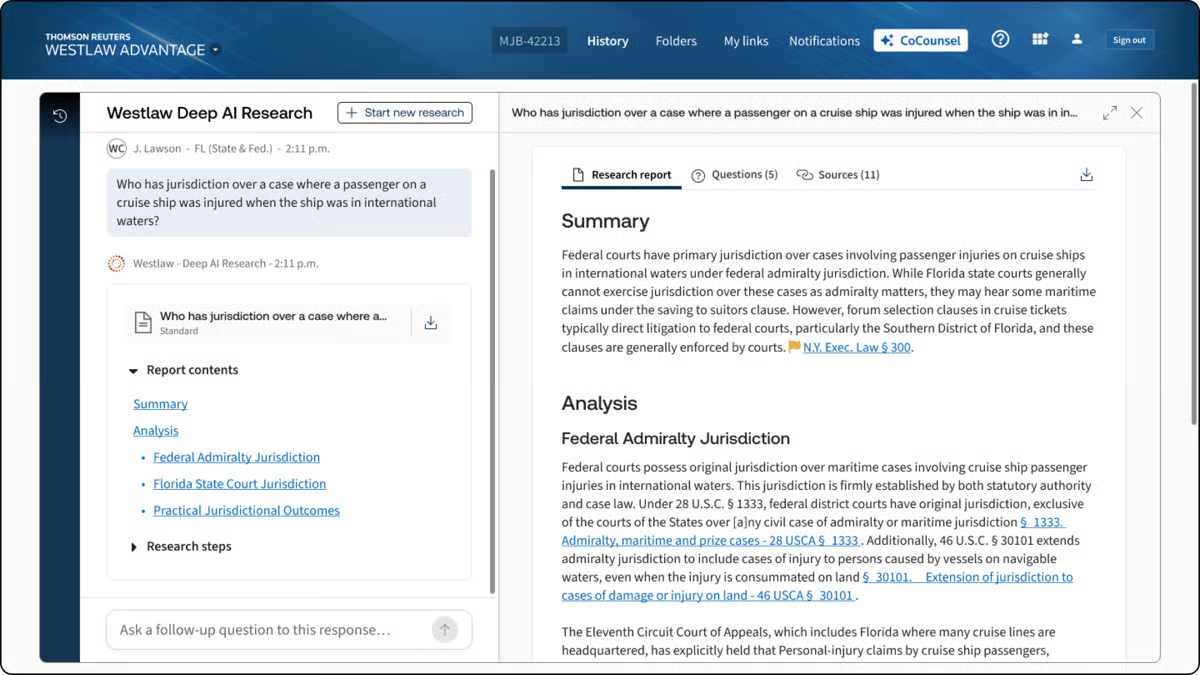
Source: G2
What gives CoCounsel a different feel from other AI tools is its connection to Thomson Reuters content. If you already rely on Westlaw or Practical Law, CoCounsel fits naturally into that workflow.
It is mainly designed for people who want answers and drafts tied to recognized legal sources rather than a general-purpose chatbot with a legal wrapper.
With all that in mind, CoCounsel works especially well for legal teams that want one assistant for everyday work, such as research, reviewing large document sets, drafting, and pulling insight from messy files.
What Is Briefpoint?
Briefpoint is an AI platform that helps litigators handle discovery drafting much faster.
You upload discovery requests and supporting files, and the software turns that material into editable responses for interrogatories, requests for production, and requests for admission.
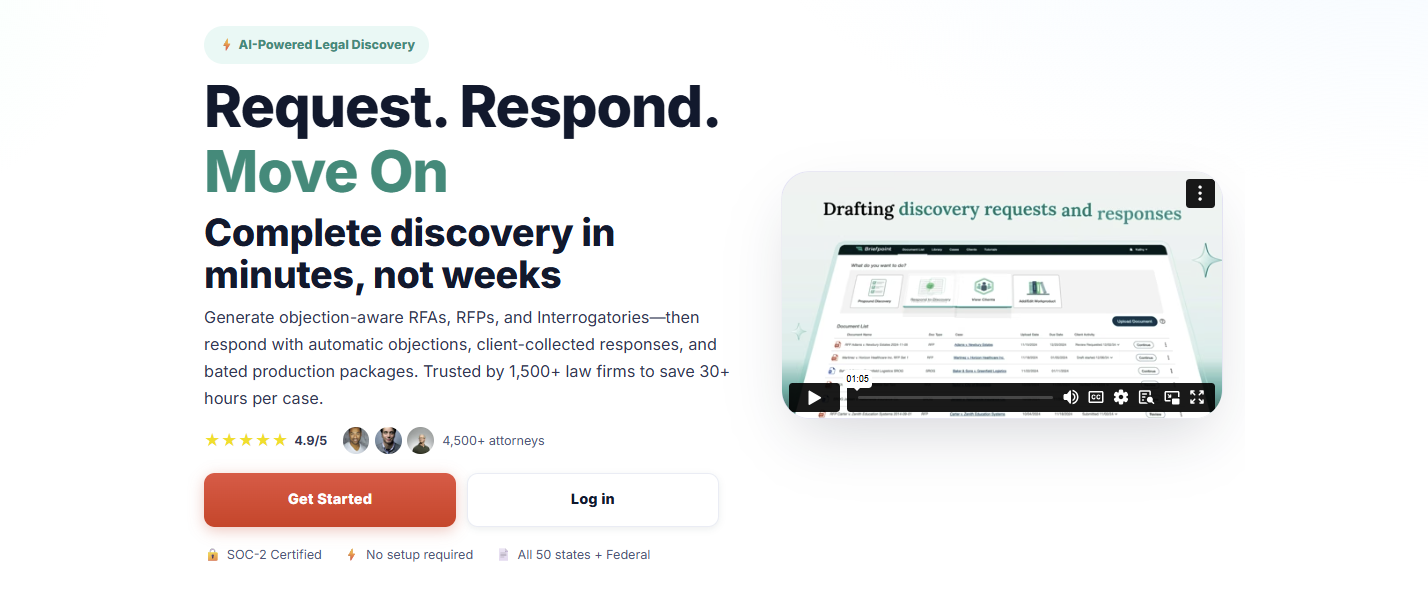
It also helps with production packages and Bates-numbered output, so you can move from raw case documents to polished work product without spending hours piecing everything together manually.
Another thing that makes Briefpoint stand out in this comparison is how focused it is. Harvey and CoCounsel cover a broader range of legal work.
On the other hand, Briefpoint goes straight at one of litigation’s biggest time drains, which is discovery drafting. If that is the work eating up your day, a specialized tool will usually feel a lot more useful than a general AI assistant.
It also has strong adoption in the legal market. Briefpoint is trusted by more than 1,500 law firms nationwide, which gives it real weight for firms that want software with a proven place in practice.
Harvey AI vs. CoCounsel vs. Briefpoint: What Are the Key Differences?
The differences make more sense when you look at what each one is meant to help you do. Here’s a closer look at their main purpose, legal applications, key features, and who each tool fits best.
Main Purpose
Harvey focuses on broad, high-value legal workflows for firms and in-house teams that need help with complex research, drafting, analysis, and document review inside a larger generative AI platform.
Harvey Assistant sits in that enterprise lane, so the goal is wider legal productivity rather than one narrow task.
CoCounsel has a broader day-to-day legal focus, but it feels more structured around the core work lawyers already do in the Thomson Reuters ecosystem.
Thomson Reuters describes CoCounsel Legal as one AI tool for research, drafting, and document analysis, and CoCounsel has also been framed around seven core legal tasks, which gives it a practical workflow angle for everyday use.
Briefpoint goes in a much narrower direction, and that is the point. Its main purpose is discovery drafting: generating and responding to RFAs, RFPs, and interrogatories, then helping you package production with objections and Bates-cited output.
So, while Harvey and CoCounsel aim to raise the lawyer baseline in a broad sense, Briefpoint is there to speed up one very specific part of litigation work that tends to eat up hours.
Legal Applications
We already covered the general purpose of each tool. Now, let’s get a little more specific and look at the legal work each one tends to fit into once you put it to use.
Harvey AI tends to suit broader legal projects that call for analysis, synthesis, and high-level support in demanding environments. Many legal professionals use it for:
- Transactional support
- Investigations
- Compliance projects
- Litigation prep
- Internal knowledge work
CoCounsel fits more naturally into everyday legal work, such as:
- Research tasks
- Drafting support
- Summarization
- Review workflows
Briefpoint has the narrowest application of the three, but that focus is also what makes it useful for firms that spend a lot of time handling discovery paperwork, including:
- Interrogatories
- Requests for production
- Requests for admission
- Objections and responses
- Production drafting
Key Features
Next, let’s look at the features each one brings to the table.
Harvey AI’s Key Features
- Assistant: Lets you ask questions, analyze legal documents, and draft work product in one place, with citations that make it easier to check the source material before you use the output.
- Knowledge sources: Pulls from uploaded files, Vault content, document management systems, premium legal databases, curated public sources, and web search, which gives you wider access to the legal text and case law behind an answer.
- Deep analysis: Handles multi-step reasoning and generates longer, structured outputs for complex legal questions, which is useful when a fast summary will not cut it.
- Vault: Stores and organizes up to 100,000 documents in a single vault, then helps teams compare, review, and analyze large datasets in a more structured way.
- Review tables: Extracts and compares key data points from thousands of legal documents at once, which is especially useful for due diligence and large-scale review projects.
- Workflow Agents: Creates custom legal workflows with natural language prompts, embedded examples, and flexible logic so teams can automate recurring work while keeping output more consistent.
CoCounsel’s Key Features
- Research tied to Thomson Reuters content: CoCounsel pulls from Westlaw and Practical Law, which gives you stronger information retrieval and makes the answers feel more grounded in legal authority rather than generic GenAI tools.
- Document analysis: You can upload large sets of legal files and ask detailed questions, compare documents, summarize content, and pull out the points that need attention. That makes it useful for due diligence review and other heavy review projects.
- Tabular analysis: CoCounsel can analyze thousands of documents at once and return results in a sortable table, which helps when you need data extraction from large batches of contracts or other records.
- Drafting support: It helps with drafting and revising legal work product using both Thomson Reuters content and your own documents, so the output has more legal context behind it.
- Guided workflows: CoCounsel Legal includes multi-step workflows for high-friction legal work, which makes the tool feel more structured than a basic chat assistant.
- Deep integration: It connects with Microsoft 365, document management systems, and Thomson Reuters products, so it fits more naturally into the legal software many legal teams already use.
Briefpoint’s Key Features
- Autodoc for discovery responses: Upload RFPs, complaint files, and productions, and Briefpoint turns them into Word-formatted responses with objections, answers, and page-level Bates citations.
- Ready-to-serve production packages: Briefpoint can generate a Bates-numbered production package alongside the response draft, which saves a huge amount of manual prep when you are dealing with large volumes of files.
- Trust-and-verify controls: The platform shows where the AI searched, lets you review the files it found, and gives you the option to confirm or deselect documents before anything goes out.
- Microsoft Word export: Briefpoint sends the final draft into Microsoft Word, so your team can make edits, finalize objections, and prepare documents for service in a format lawyers already use every day.
- Client response collection: For interrogatories, Briefpoint can send plain-English questions through a secure portal and flow the answers back into Word-ready drafts.
- Security and data controls: Briefpoint is SOC-2 certified, supports HIPAA compliance, encrypts data in transit and at rest, and keeps customer data siloed per account. Uploaded documents and other content are not used to train Briefpoint or third-party AI models.
Who It’s Best For
If you work at a large firm or in a legal department that handles complex projects, Harvey AI will likely make more sense. It fits teams that want broad AI support for research, analysis, drafting, and internal knowledge work, especially when the goal is to use one platform for a wide range of tasks.
CoCounsel feels like a better match for lawyers who want AI woven into familiar research workflows. If your team already leans on Thomson Reuters tools and values practical guidance tied to trusted legal sources, CoCounsel will probably feel like the more natural option for everyday use.
Briefpoint, on the other hand, is the strongest fit for litigators and litigation support teams buried in discovery work.
If your day involves drafting responses, handling production, and getting documents out the door fast, its narrower focus will likely be a plus. You also get editable Word output and full control over the final draft, which matters when you need to review everything closely before service.
How Law Firms and Legal Professionals Can Choose the Right Legal AI Tool
Choosing a legal AI tool starts with a simple question: what work is slowing your team down the most?
The best option usually depends on your actual workflow, your review standards, and how much risk your team is willing to take on (among other important factors).
- Pin down the main use case: Start with the task that eats the most time. That could be legal research, contract review, reviewing documents, discovery drafting, and more.
- Check how much human review is still needed: Tools built on large language models can move work faster, but legal output still needs attorney oversight before it goes to a client, court, or opposing counsel.
- Review security and AI governance: Look at how the platform handles client data, permissions, retention, and internal policies tied to AI use.
- Look at workflow fit: Common AI features, like natural language processing, can help, but the tool also needs to work well with Microsoft Word, collaboration tools, and the systems your team already uses.
- Compare the real cost: Per-user pricing, add-ons, admin controls, and training time can all affect the total costs more than the base price suggests.
- Think about risk tolerance: If your team wants tighter control, pick a tool that makes review, editing, and verification easy.
Briefpoint Brings Legal AI Back to the Work That Slows You Down
Briefpoint works well because it stays focused on discovery from start to finish. You can complete the discovery workflow in three simple steps: upload the request, add objections and responses, then open the finished draft in Word and serve.
Briefpoint’s whole workflow makes it easier to move work forward without getting pulled into a broader platform that tries to cover every legal task at once.
That focus also shows up in the speed. Briefpoint highlights 3–10 seconds per request for Autodoc, with lightning-fast processing that turns uploaded productions and case files into ready-to-serve responses with Bates-cited Word output and production packages.
You still keep control over the final work product, too. Briefpoint gives you review steps, editable Word output, and trust-and-verify controls, so the process moves faster without forcing you to give up careful attorney review.