Clio vs. MyCase: A Complete Comparison Guide

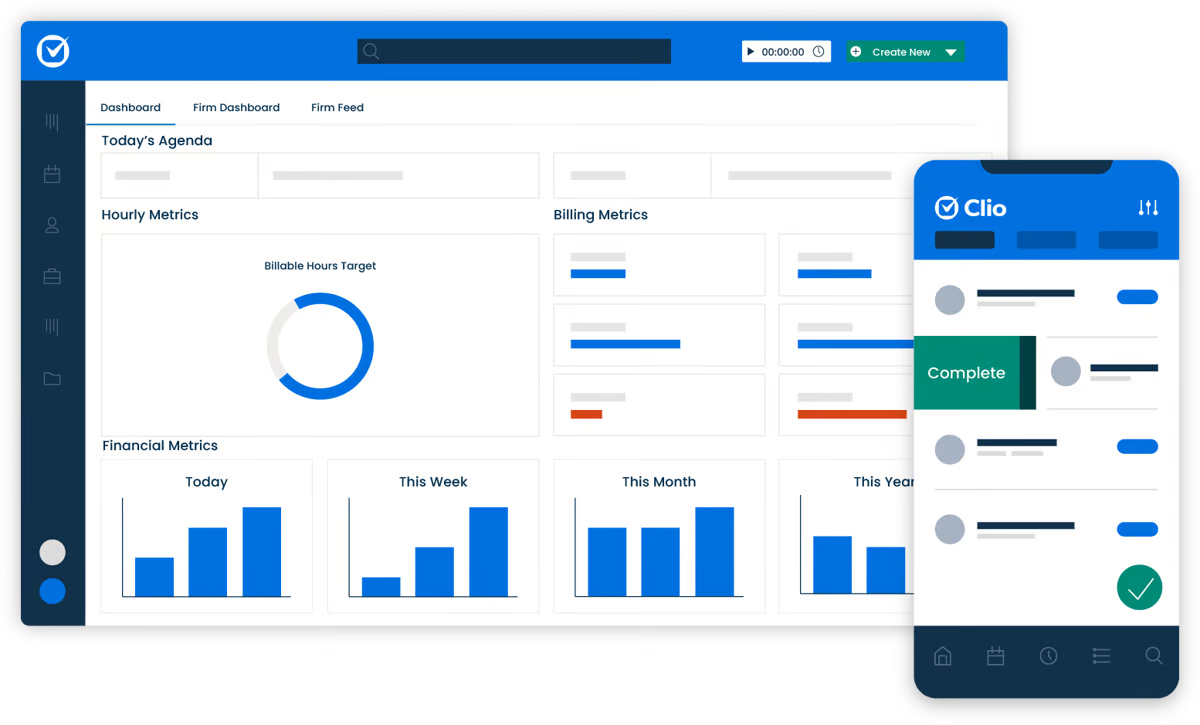
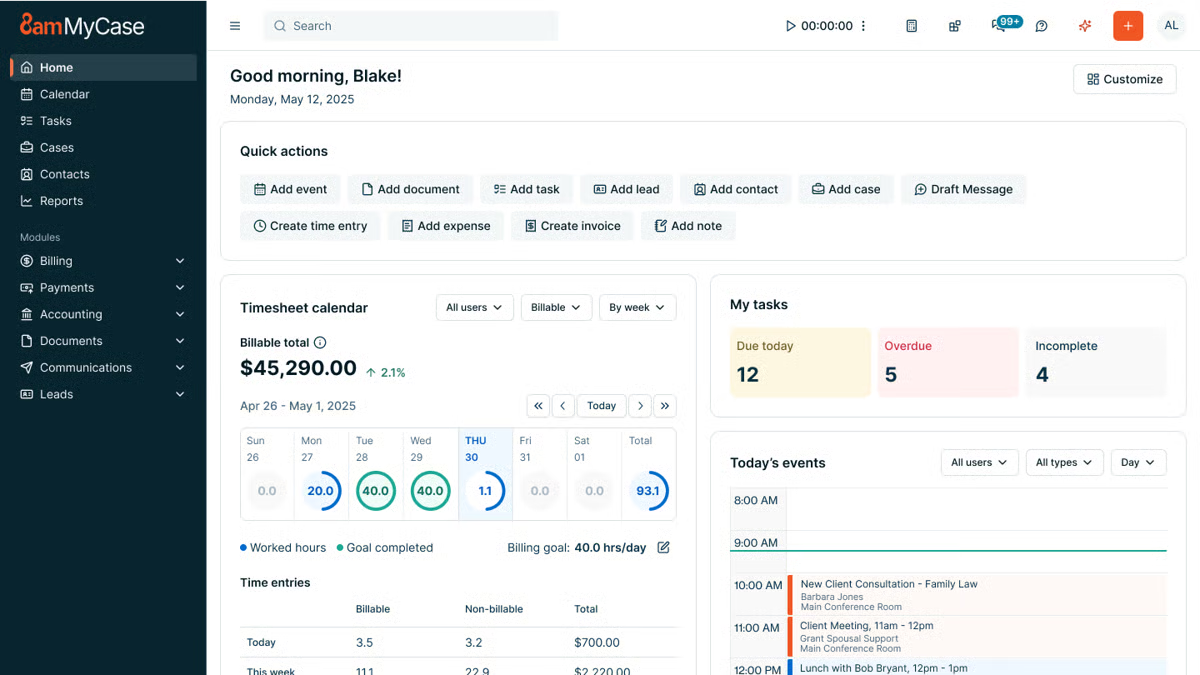
One of its key strengths is the built-in and secure client portal, where you can communicate and share documents with your clients without the hassle of extra emails.
Law firms with smaller teams love MyCase because it’s a breeze to navigate, which leaves them more time to focus on more valuable work.
What Is Briefpoint?
Briefpoint is an AI-powered discovery document automation tool that lets legal professionals prepare discovery responses and request documents within minutes.
Manual copying, pasting, and repetitive legal drafting no longer have to take up hours of your day. Briefpoint automates the heavy lifting so you can move through discovery faster and with fewer manual steps.
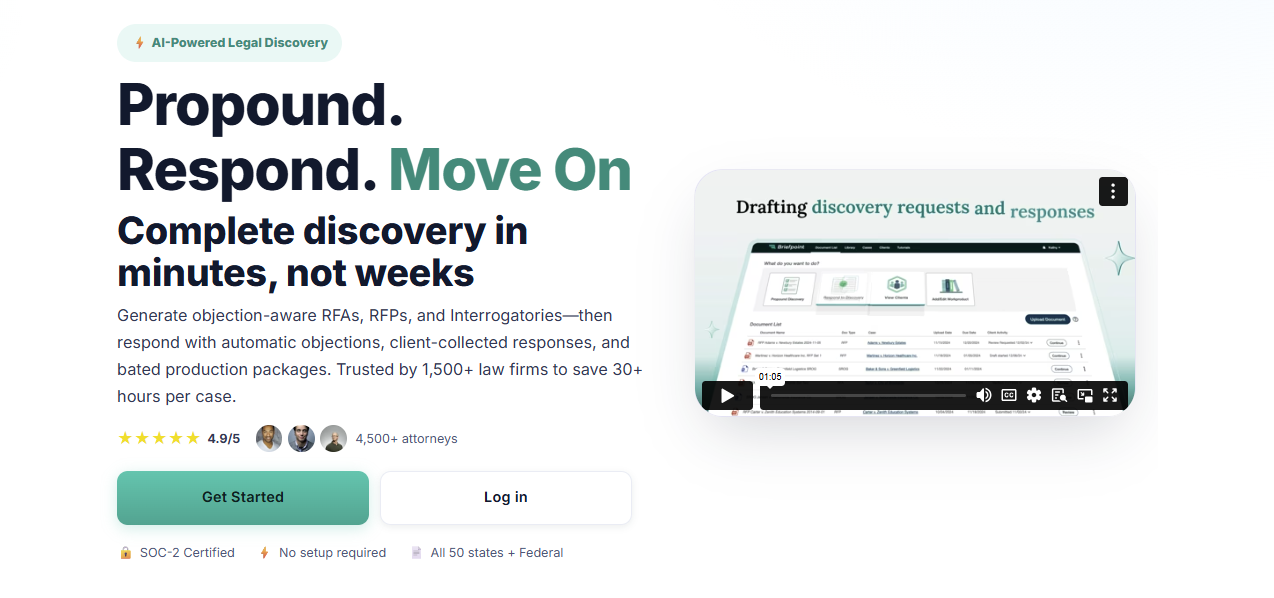
Simply upload a discovery request, and Briefpoint’s AI automatically pulls key details like case numbers, court names, party information, and more. That information is placed directly into your document to give you a solid draft right away.
From there, you can add objections simply by selecting the interrogatories you want to include.
Briefpoint also offers AutoDoc, which handles formatting and applies jurisdiction-specific rules so your discovery responses are properly structured and court-ready without extra cleanup.
You can download the document at any point to add final edits in Word.
Briefpoint also includes Bridge, a built-in tool that collects client input by translating legal questions into plain English. Client responses flow straight back into your working documents to cut down on follow-up emails and back-and-forth.
You can test Briefpoint for yourself by scheduling a demo.
Clio vs MyCase: Feature Comparison
When it comes to comparing Clio and MyCase, it’s important to break down their key features and see how they stack up against each other.
At first glance, the two platforms seem to offer a lot of the same features, but as you dig deeper, you’ll find they have distinct approaches to multiple areas of practice management.
Case Management
Clio offers a robust case management system designed to keep everything organized. For starters, you can track case timelines, store related documents, and even collaborate with your team.
Plus, it’s customizable, letting you adjust workflows to fit how your firm operates, and it integrates with a variety of other tools, giving you a lot of flexibility.
MyCase also provides a solid case management system, but leans a little more into simplicity. With a case management system that’s sturdy and reliable, the slight trade-off is a user interface that’s straightforward and easy to grasp.
You can organize cases, assign tasks, and track case progress without too much hassle, even if you have limited technical expertise.
However, MyCase has a significant edge in client communication. Its built-in client portal allows for easy updates and collaboration, which makes it super convenient for keeping clients in the loop.
Client Intake and Lead Management
Clio provides customizable intake forms that can be embedded on your website or shared with prospective clients through links.
For many Clio users, those submissions flow into Clio Grow, where new inquiries appear in a lead dashboard and can be reviewed, accepted, or declined before becoming contacts or matters.
This reduces manual data entry and keeps client information organized from the first interaction. Combined with secure messaging and other client-facing tools, Clio’s intake process connects naturally with the rest of the firm’s workflow.
Clio Grow also supports lead tracking, which gives firms visibility into how inquiries move from initial contact to active matters. That insight can be useful for teams that want a clearer view of intake volume and follow-up activity.
MyCase also includes client intake and lead management within its core platform. Firms can create online intake forms with conditional logic, collect client information, and route submissions into a built-in leads dashboard.
From there, leads move through defined stages, can be followed up with tasks and reminders, and converted into contacts and cases without re-entering data. Client communication and document sharing stay centralized through MyCase’s client portal.
Document Management
Clio takes a more detailed approach to document management. Files stay neatly organized by matter, sharing documents with your team or clients is straightforward, and everything lives in one central place.
If your firm already relies on tools like Google Drive or OneDrive, Clio’s integrations make it easier to keep files connected without jumping between systems. This kind of advanced document management tends to appeal to firms that want more control and flexibility as cases move forward.
MyCase keeps things simpler and easier to follow. The straightforward interface makes it easy to upload documents, find what you need, and share files without much setup.
Many firms also like MyCase’s matter templates, which help keep documents consistent across similar cases and cut down on repetitive work. It doesn’t offer as many integrations as Clio, but it focuses on making everyday document handling feel clear and manageable.
Billing and Time Tracking
Clio offers a comprehensive billing system that includes time tracking, invoicing, payment scheduling, and expense management.
You can track your time directly within the platform and then convert that into professional-looking invoices. Clio’s billing system is customizable, which gives you more control over how you bill clients and manage your firm’s finances.
MyCase also offers legal billing and time tracking, but it focuses on keeping things as simple as possible. Its invoicing system is easy to navigate, allowing you to create and send invoices with just a few clicks.
Although it might not be as customizable as Clio, it’s perfect for firms that want a quick, no-fuss solution.
Payment Processes
Clio makes it easy for clients to pay with Clio Payments, a built-in feature that allows for secure online payments via credit card or bank transfer.
You can set up automated reminders, which help make sure you get paid faster. Plus, Clio’s payment processing integrates seamlessly with its billing system.
MyCase has built-in payment processing, integrating with LawPay to handle online payments. It supports credit card payments and allows for partial payments, which can be useful for clients who prefer to pay in installments.
MyCase also provides automatic payment reminders, so it’s easier to stay on top of billing.
Task Management
Staying on top of deadlines and follow-ups is a big part of day-to-day legal work, and both Clio and MyCase cover the basics well.
Each platform lets you manage tasks directly within its case management software, so important things like assignments, due dates, and reminders stay tied to the right matter.
Clio leans into flexibility. Tasks can be linked to matters, assigned to specific team members, and paired with legal calendaring to help prevent missed deadlines.
For firms that want an all-in-one solution, these task features work alongside Clio’s other core tools to make it easier to keep work moving without switching systems. The trade-off is that it can take a little time to get comfortable with all the options.
Meanwhile, MyCase keeps task management more straightforward. Its user-friendly interface makes it easy to create tasks, assign responsibility, and track progress without much setup. This approach works well for small law firms that want clarity and structure without a lot of configuration.
Both platforms cover essential task management needs; the difference comes down to how much flexibility your firm wants versus how quickly you want to get started.
Clio vs. MyCase: Other Key Differences
Clio and MyCase share many of the same core features, but some of the bigger differences show up in the following aspects:
Target Market
Clio is designed to cater to a wide range of law firms, from solo practitioners to larger multi-lawyer firms.
Its broad feature set and extensive integrations make it especially appealing to firms that handle complex cases or need automated legal workflows and more advanced tools to manage a larger volume of work.
Because of its flexibility, Clio tends to attract firms that are willing to spend time learning the ins and outs of a more customizable platform.
MyCase, on the other hand, is primarily aimed at small to mid-sized law firms that value simplicity and ease of use. It’s particularly popular among firms that want to get up and running quickly without a steep learning curve.
Additionally, MyCase’s focus on client communication and straightforward design makes it a favorite for firms that don’t need a lot of customization but still want a solid, dependable tool for managing cases and expense tracking.
Key Features
What is each platform known for?
One of Clio’s standout features is its deep integration capabilities. With over 200 third-party app integrations, Clio is great for firms that need a highly customizable and flexible system.
While MyCase may not offer the same breadth of integrations as Clio, it makes up for it with its client portal, which is incredibly easy to use. The portal allows clients to view case updates, share documents, and communicate directly with their attorneys, all in one place.
Ease of Use
Clio packs in a lot of advanced functionality, which is great once you get comfortable with it. There’s a bit of a learning curve at the start, but the layout is logical, and the experience stays familiar thanks to a consistent setup across the platform.
If questions come up along the way, Clio’s support team is there to help smooth out the onboarding and day-to-day use.
On the flip side, MyCase takes a more plug-and-play approach. Most users can log in and start working almost right away, with very little training needed. Everything is laid out clearly, so tasks, matters, and client communication tools are easy to find and use.
If your firm likes having more options and doesn’t mind spending a little time learning the system, Clio gives you room to grow. But if you want something that feels natural from the first login and keeps things simple, MyCase makes that easy.
Pricing Models
Clio and MyCase both use tiered pricing to give law firms options based on their size and the functionality they need.
Clio’s plans range from core practice management to advanced automation and client intake tools, while MyCase offers a straightforward set of tiers with built-in legal accounting and billing features that many small firms appreciate.
Clio Pricing Plans
Clio has four main pricing plans:
- EasyStart – $59: Core tools for time tracking, billing, documents, e-signatures, and secure client communication.
- Essentials – $99: Adds client portal, texting, integrations, and more collaboration tools.
- Advanced – $139: Includes automated workflows, reports, custom roles, and enhanced law firm productivity features.
- Complete – $169: Adds intake forms, lead tracking (via Clio Grow), CRM-style tools, and the broadest feature set.
MyCase Pricing Plans
MyCase offers three plans:
- Basic – $49: Essential case management, billing, contact management, and client portal.
- Pro – $99: Adds unlimited two-way texting, client intake management, unlimited e-signatures, and advanced invoicing.
- Advanced – $119: Includes full-text search, advanced document automation, custom reports, MyCase Drive file sync, and split billing.
MyCase Accounting also offers built-in accounting tools and financial features like trust accounting and integrated payments without needing external products, which can simplify billing workflows for many smaller practices.
Both platforms usually include free trials, and exact prices can vary based on monthly vs. annual billing or promotions.
Clio’s higher-tier plans unlock more advanced features, while MyCase’s tiers focus on adding client-facing and financial tools across its competitive pricing structure.
Which One Is Better for Your Law Firm?
The choice between Clio and MyCase really depends on your firm’s specific needs. As you can see, both platforms offer excellent features but cater to slightly different types of law firms.
If your firm needs a more feature-rich system with greater flexibility and customization, Clio might be the better fit. However, if you’re looking for something more straightforward and easy to use, MyCase could be just what you need.
To help make your decision easier, here’s a quick comparison:
Feature | Clio | MyCase |
Case management | Robust and customizable with integrations | Simple and user-friendly |
Client communications | Basic client-sharing tools | Secure client portal for easy collaboration |
Client intake | Customizable forms with lead management | Built-in intake forms with lead tracking |
Document management | Advanced with third-party integrations | Easy to use, but has fewer integrations |
Billing and payments | Customizable with Clio Payments | Simple with LawPay integration |
How Does Briefpoint Fit Into the Mix?
While Clio and MyCase handle the essentials of practice management, Briefpoint adds a layer of efficiency that neither platform offers: discovery document automation.

If you’ve ever spent hours drafting requests for admission, production, or interrogatories, you know how tedious it can be. That’s where you can insert Briefpoint.
This AI-powered tool automates the whole process and cuts drafting time down to just minutes.
Here’s how it works:
- Smart data extraction: Just upload your discovery request, and Briefpoint’s AI pulls in routine details like case numbers, court names, and parties automatically.
- Quick objections: Need to add discovery objections? No problem. Just click the ones you want, and they’re instantly added.
- AutoDoc formatting: AutoDoc applies proper formatting, Bates numbers, and jurisdiction-specific rules so your documents stay consistent and court-ready.
- Client-friendly collaboration: With Briefpoint Bridge, you can simplify legal language for your clients and collect their input directly.
Whether your firm uses Clio or MyCase, Briefpoint integrates seamlessly to complement your practice management software with a simpler discovery process.
A Practical Guide to Legal AI Technology

What Is Legal AI Technology?
Legal AI technology covers a wide mix of tools, but they tend to move legal work in the same direction: faster drafting, cleaner organization, clearer insights, and fewer repetitive tasks draining your time.
You’ll see these tools show up in many corners of the legal industry, from contract review and document automation to research platforms and litigation support systems.
Most legal professionals encounter AI in small, practical ways at first. Maybe it’s a drafting assistant that builds a first pass of a document, a research tool that pulls relevant authority in seconds, or an intake system that organizes client information without extra steps.
Each one uses different AI capabilities, yet they all aim to help you move through your workload with a bit more ease and predictability.
Law firms often adopt legal AI tools to handle high-volume tasks with better consistency. Solo and midsize teams tend to appreciate the time savings, while larger organizations lean on these tools to coordinate information across many matters.
In short, legal AI technology describes a growing collection of tools built to support real work, not replace the judgment and skill that sit at the core of legal practice.
The Different Types of Legal AI
Different types of legal AI show up across the practice of law, each one applying artificial intelligence in its own way.
Some tools focus on language, some on prediction, and others on organizing vast amounts of information so you can move through work with less friction. You don’t need deep AI expertise to use them, but understanding the categories helps you spot what fits your workflow.
Here are the main types you’ll see:
- Generative AI tools: Create first drafts, summarize documents, suggest clauses, or rephrase text with help from large language models.
- Natural language processing systems: Read legal text, extract key points, identify entities, and interpret queries written in plain English.
- Predictive analytics: Highlight patterns in litigation data, estimate timelines, or surface similar outcomes based on historical records.
- Reinforcement learning models: Improve through repeated interaction, often used in tools that refine recommendations over time.
- Classification and clustering models: Sort large datasets, group related documents, and reveal relationships you might miss during manual review.
- Search and retrieval engines: Powered by AI that deliver faster access to relevant authority, facts, or contracts stored across your system.
Key Categories of Legal AI Solutions
Key categories of legal AI tools cover the main tasks that shape daily legal work. Each tool type handles a different piece of the workload, and many rely on machine learning to read legal documents, organize information, or connect you to the right sources faster.
Here are some of the most common ones:
- AI assistants for drafting and review: Build first-pass documents, point out issues, and help refine language during edits.
- Contract review and due diligence tools: Scan agreements, compare versions, and highlight important terms or risks in a fraction of the usual time.
- Research platforms that accelerate legal research: Link your queries to relevant case law, statutes, and court documents with far less manual digging.
- Litigation support software: Sort evidence, uncover links across files, and keep case materials structured as matters grow.
- Client intake and communication systems: Organize incoming details, respond to straightforward questions, and keep messages moving.
- Knowledge management tools: Retrieve past work, surface internal insights, and keep firm-wide resources easier to find.
- Workflow automation tools: Carry information between systems and cut down on repetitive steps in common processes.
What Benefits Can You Expect?
AI brings a noticeable lift to the way legal work gets done. Once it becomes part of your routine, everyday tasks start to move with less strain, and you get more room to focus on higher-value work.
Here’s what that looks like in practice.
Faster Output for Everyday Tasks
AI handles specific tasks that tend to slow teams down, like organizing materials, pulling early drafts, or reviewing text. Legal departments and large law firms often see big time savings here, though smaller teams feel the difference quickly, too.
More Consistent Legal Accuracy
Tools that scan legal documents, compare language, or surface authority help tighten your review process. You stay in control of the final call, and the software helps you catch details that might otherwise blend into long files.
Better Use of Internal Time
When repetitive steps fade into the background, your schedule shifts toward analysis, planning, and conversations that shape outcomes. Corporate legal departments rely on this shift to keep workloads manageable.
Improved Client Service
Quicker responses and more organized updates create a better experience for clients. Even simple AI integration, like intake or document prep, helps communication feel smoother.
Stronger Protection for Sensitive Client Data
Modern platforms offer controlled environments that help keep confidential information contained. This gives your team a clearer, safer path to work smarter with sensitive client data.
How to Integrate Legal AI Technology
Integrating legal AI technology works best when it feels like a natural extension of the work your team already handles. You don’t have to rebuild your entire workflow from the ground up.
A simple plan, the right focus areas, and a bit of room for your team to get comfortable with new tools can set the stage for steady progress across your AI initiatives. You can do something like this:
1. Start With One Workflow That Needs Relief
A lot of teams ease into legal AI by tackling a single workflow that clearly drains time. It might be reviewing dense documents, sorting large batches of information, or handling a task that always seems to pile up.
Focusing on one familiar process gives you a clean way to introduce an AI tool without disrupting everything else you already have in motion.
Discovery documents are a great first step for many litigators. The format repeats, the inputs come from materials you handle every day, and the final output supports case strategy.
A platform like Briefpoint can draft the initial version, highlight what stands out, and shape the material into something workable long before you begin your own review.
Once the tool is in place, pay attention to how it affects turnaround time and the general pace of your matters. You’ll start to see where it saves effort, where human review stays essential, and how the handoff between AI output and attorney judgment naturally finds its rhythm.
As those wins accumulate, it becomes easier to spot the next workflow that could benefit from AI support. This steady, practical approach keeps improvements manageable and helps your team stay ahead of rising demands without losing the human side of your practice.
2. Build Guardrails and Clear Review Routines
AI works best when your team has a shared plan for how the review process should flow. Guardrails give legal teams a steady framework that keeps AI output aligned with the standards of your practice of law.
A simple checklist can anchor that process and keep legal services consistent, even as new tools enter the workflow.
Helpful items to include:
- Accuracy checks for facts, names, and figures
- Citation review to confirm sources, case law, and references
- Formatting expectations for complex documents
- Requirements linked to your practice area, so nothing drifts off course
- Security steps to protect sensitive client data throughout the process
It also helps to choose the exact moment AI hands work back to your team.
AI may outline a document, summarize a case file, or extract points from massive amounts of contracts, and your lawyers shape the final version. This division keeps efficiency high while preserving the judgment calls that only humans can make.
Security measures also play a major role here. Pick a platform that keeps files contained, restricts outside access, and fits the privacy expectations of your clients. The more clarity you build into these routines, the smoother your AI initiatives will run across day-to-day legal tasks
3. Prepare Your Team for Daily Use of AI Tools
Even the best platform needs a team that feels confident using it. Offer simple guidance on how to review AI output, how to adjust prompts, and how the tool fits into everyday legal tasks.
Small training sessions tend to work well because they let people ask real-world questions tied to their matters.
Also, keep a shared space where the team can note what works, what feels clunky, and what could make the workflow smoother.
Over time, the technology blends into the background. Lawyers work more efficiently, legal teams move through documents faster, and the practice sees a lift in both law firm productivity and morale.
With each improvement, your team gains momentum and stays ahead of rising demands.
Limitations of Legal AI Tech
Legal AI has come a long way, but it still carries limits that every team should keep in mind.
AI systems can move quickly, yet they can also introduce false information when a prompt is unclear or when the model reaches beyond its training data. That’s the tradeoff with any new technology: speed paired with the need for steady human oversight.
Another point worth considering is data privacy. Many tools rely on shared infrastructure, so legal information must be handled with careful attention to data security and the expectations tied to professional conduct.
Large firms often have strict internal rules around these questions, but even smaller teams benefit from treating AI with the same caution they’d apply to any sensitive workflow.
Context is another challenge. The best AI tools can read text, summarize arguments, or pull patterns from large datasets, but they can’t fully understand strategy, tone, or the subtleties that shape legal judgment. That part still belongs to the humans doing the work.
AI can strengthen your routine, but it works well only when paired with review, guardrails, and a team that knows how to guide the output.
Treat it as support, not authority, and it becomes far easier to fit into your practice.
What Will Legal AI Tech Look Like in 2026?
Legal AI will feel far more routine by 2026, partly because personal use continues to climb. The Legal Industry Report 2025 notes that almost a third of legal professionals now use generative AI for work.
Firmwide adoption is lower, sitting around one in five, which shows how individual comfort is outpacing organizational caution. As firms refine their policies and gain confidence in accuracy and ethics controls, that gap is expected to shrink.
The report also points out that larger organizations are moving faster. Firms with more than fifty lawyers are adopting AI at roughly double the rate of smaller practices.
That trend makes sense when you consider the workloads these teams manage. When a practice moves through complex matters and massive amounts of documentation, even a modest time savings becomes meaningful.
Some practice areas also stand out. Immigration practitioners reported the highest personal use, and civil litigation teams led firmwide adoption. These areas rely heavily on quick drafting, research, and data handling, so AI fits naturally into the pace of work.
By 2026, AI tools will likely offer stronger context awareness and clearer governance structures. They will not replace the expertise required to practice law, but they will support the legal profession with smoother workflows and more dependable tools.
How Briefpoint Fits Into the Future of Legal AI
Legal AI is moving quickly, and the real value shows up when it supports the work you already do.
The tools that feel most useful are the ones that take pressure off your schedule, help you manage information more comfortably, and give you more space for the parts of practice that rely on judgment and experience.
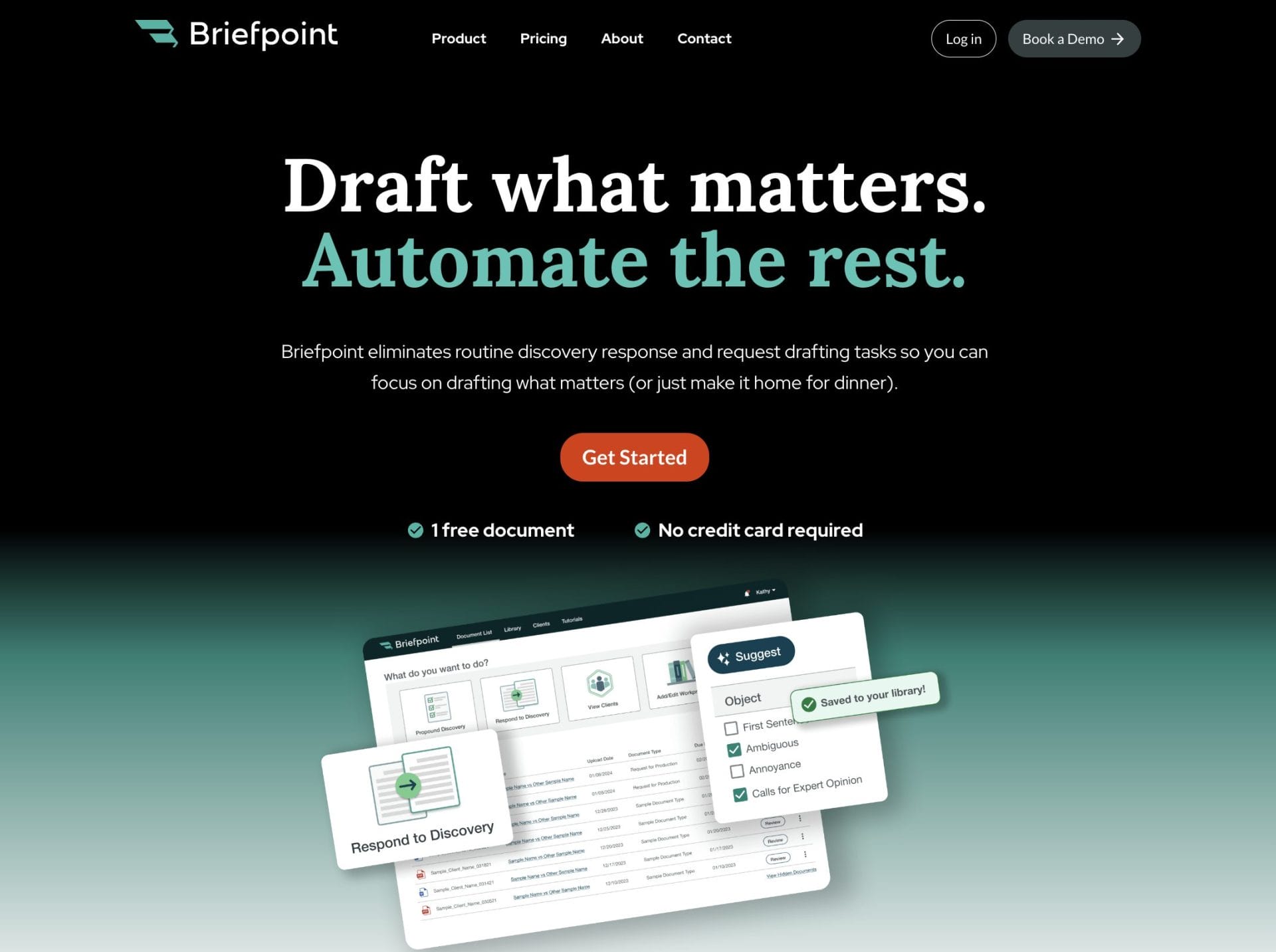
Briefpoint sits in that category. It gives you a clear way to move through drafting and document-heavy tasks without slowing down your day or pulling you away from strategic work.
If you’re exploring AI and trying to figure out what actually makes a difference in your workflow, Briefpoint is worth a closer look. It keeps your documents organized, cuts down on repetitive steps, and helps you work with more confidence and less friction.
Ready to see how it fits into your routine?
What You Should Know About Document Automation Software
What Is Document Automation Software?
Document automation software is a system that builds documents for you based on rules, templates, and the information you provide.
At its core, it replaces repetitive drafting with a smart process that assembles polished files in minutes. You give the software your data, and it produces a complete draft without the usual copying, searching, or manual edits.
Law firms lean on it because drafting legal documents demands precision, clear structure, and consistent language. When the routine parts run through automation, you gain extra room to concentrate on the legal work that actually needs your attention.
The same advantage shows up in any setting where teams generate agreements, onboard clients, prepare reports, and more.
You fill in details once, and the software handles the rest. Names, dates, clauses, and formatting all land in the right places, which gives you accurate documents from the start.
So, if you manage recurring paperwork or long templates, this kind of system turns a slow task into something that fits neatly into your day.
How Document Automation Works
You’ve probably seen how long a document workflow can take when you build everything from scratch. Automation changes that pace.
Each tool has its own approach, but most follow a similar pattern:
1. Start With Smart Templates
Everything begins with a template built to match the layout of your legal documents or business forms. The structure, preferred language, and formatting live inside these templates, so you don’t recreate the same choices over and over.
Once you set them up, they guide your entire document workflow with far less effort. This alone can tidy up processes across a law practice, especially when documents follow a predictable pattern.
2. Add Your Data Once
After choosing a template, you enter the information tied to your matter, client, or project. The document automation tool then places the same data everywhere it belongs in the document.
That means no scanning for fields, no missed updates, no jumping between drafts. New documents stay consistent because the system pulls from a single source of truth.
Here’s what this step usually looks like:
- You add names, dates, clauses, and case details in one place
- The software fills those details into every matching field
- Updates happen automatically, so you don’t repeat the same edits
- Documents stay aligned with the rules you’ve already set
- You save time by avoiding routine typing and manual checks
This approach keeps your document workflow predictable and reduces the chance of small mistakes that tend to appear during repetitive drafting.
3. Apply Logic and Automation
This is the part that turns templates into something smarter. Conditional fields control what appears based on the data you’ve added.
At the same time, artificial intelligence may help refine language or suggest missing pieces, and automated workflows walk you through each step so nothing goes out of order.
These systems support faster decisions, reduce errors, and keep complex workflows from slowing down your day.
4. Generate the Final Draft
Once the rules kick in and all the information is mapped, the software assembles a polished document. You can export to Word, share it online, or save it as one or more PDF documents.
The result usually needs far less cleanup because formatting, spacing, and structure already follow your standards.
5. Integrate With Other Tools
Most platforms connect to tools you already rely on, such as CRM systems, document storage apps, and practice management software.
These connections keep automated workflows moving in a straight line, help teams stay aligned, and give you more focus for higher-value tasks.
Common Use Cases for Document Automation
Document automation shows its value anywhere you deal with repeat work or complex documents that follow a familiar pattern.
If your business moves through the same forms every week or your team spends too much time updating old files, this kind of system lightens that load.
Many companies use it to support standard workflows like contract management, client intake, internal operations, and day-to-day tasks that don’t need a full rewrite each time.
Here are some of the most common document types people automate:
- Engagement letters and retainer documents
- NDAs for clients, vendors, or partners
- Contracts and contract amendments
- Discovery responses and other litigation documents
- HR onboarding packets and internal forms
- Sales proposals, quotes, and follow-up files
- Compliance paperwork and recurring submissions
The real benefit shows up once you’ve seen how quickly a new draft comes together. It’s a simple way to keep work moving, especially when your team handles a steady stream of similar tasks.
In other words, automation gives you the breathing room to focus on decisions and strategy while the software handles the predictable steps.
The Biggest Benefits of Document Automation Software
Once you start using automation, the difference shows up quickly. Routine drafting feels lighter, accuracy improves, and your team moves through work with more confidence.
Here are the benefits that matter most, especially for teams handling detailed or highly regulated documents.
Higher Accuracy and Fewer Mistakes
Automated templates rely on structured rules, which means names, dates, and key details land exactly where they belong. This simple feature cuts down on human error and gives you documents that stay consistent across matters, clients, or deals.
Less Time Spent on Repetitive Tasks
A system handles the repetitive steps you normally do by hand. You type information once, and the software applies it across the entire draft. That frees up more time for decision-making and any work that calls for judgment rather than repetition.
Better Organization Across Your Workflow
Documents follow the same layout and language every time. Teams stay aligned, and it becomes easier to pick up work midstream without sorting through mismatched formats or old versions.
Stronger Security for Sensitive Information
Many tools offer role-based access, audit trails, and safe storage for your files. This matters in highly regulated industries where client data, contracts, and internal records need reliable protection.
Faster Turnaround Times
When routine steps move quickly, you deliver services sooner, send out contracts faster, and close deals without unnecessary delays. Law firm productivity rises because the process no longer stalls at drafting.
Scalable Capabilities for Growing Teams
As your workload increases, legal automation supports a larger volume of documents without adding pressure to your schedule. New requests fit into the same system, and everything moves at the same speed you’re used to.
What Features to Look For in Document Automation Software
A good document automation setup should feel easy to work with and supportive of the way your team already handles information.
You want something that keeps client data organized, helps you create accurate documents, and gives your entire team a smooth path from start to finish.
Here are the features that tend to matter most when you’re comparing solutions.
- Template builder: Helps you create templates that reflect your formatting, structure, and preferred language, so document generation stays consistent.
- Conditional logic: Adjusts sections based on client information or case details, cutting down on the back-and-forth edits that usually slow things down.
- Data mapping: Pulls information from forms or connected systems and places it directly into your files. This keeps the creation process efficient and removes repeated typing.
- Collaboration tools: Give your team a shared workspace to review drafts, offer input, and keep everything organized throughout the process.
- Access controls: Helps you manage who can view or edit documents, which keeps client data protected and supports compliance needs.
- Integrations: Connects with the tools you already rely on, so your workflow stays smooth instead of scattered across multiple platforms.
- Audit trails and compliance features: Tracks edits and activity, which helps teams in regulated environments maintain proper records with confidence.
Briefpoint Can Bring Real Relief to Heavy Drafting Work
Long discovery tasks can take over your schedule quickly, especially when you’re managing repetitive drafting, formatting, or page-by-page review.
Document automation helps lighten that load, but Briefpoint goes even further by taking on the parts of discovery most teams struggle to keep up with.
Briefpoint gives you a full discovery workflow that moves far faster than traditional drafting. You can generate objection-aware RFAs, RFPs, and interrogatories, respond with AI-assisted objections and client-collected answers, and export Word-ready documents that follow state or federal rules.
Autodoc handles another major bottleneck: reviewing productions and preparing responses. Upload your complaint, RFPs, and case files, and Autodoc identifies responsive documents, applies Bates numbers, and generates a Word response with page-level citations.
If you want discovery to move faster and with far less friction, Briefpoint can help you get there.
5 Best Legal AI Tools for Accelerated Growth
What Is the Driving Force Behind Legal AI Adoption?
The legal industry has always been conservative and slow to embrace change, but AI is starting to shift that. More firms are using AI tools to handle tasks like document preparation and discovery review, reducing human error and making legal work more efficient.
Still, full adoption is far from common. According to Clio’s Legal Trends Report, only 8% of firms have fully integrated AI into their workflows, while 17% use it extensively.
Many remain hesitant; 59% aren’t sure AI will actually improve their work, while others don’t trust it (44%), think it’s unreliable (34%), or feel the technology isn’t advanced enough yet (30%).
But for the firms that have taken the leap, legal AI is already proving its value.
Machine learning-powered tools analyze massive amounts of legal data and improve with use, which makes research, drafting, and case management faster and more precise.
The most widely used AI solutions right now include legal research platforms, document drafting tools, and general AI like ChatGPT.
As AI continues to evolve, law firms and legal professionals will have to decide how to integrate it into their workflows rather than whether to use it at all.
Top 5 Legal AI Tools in the Industry
The legal field is getting a tech makeover, and AI tools are leading the charge. If you’re ready to join the AI era, here’s a look at the top 5 legal AI tools on the market.
1. Briefpoint
Briefpoint is a discovery document automation tool that gives litigation teams a faster way to draft and respond to discovery. With this AI-powered tool, you can spend more time on strategy and less on formatting, reviewing legal texts, and chasing client input.
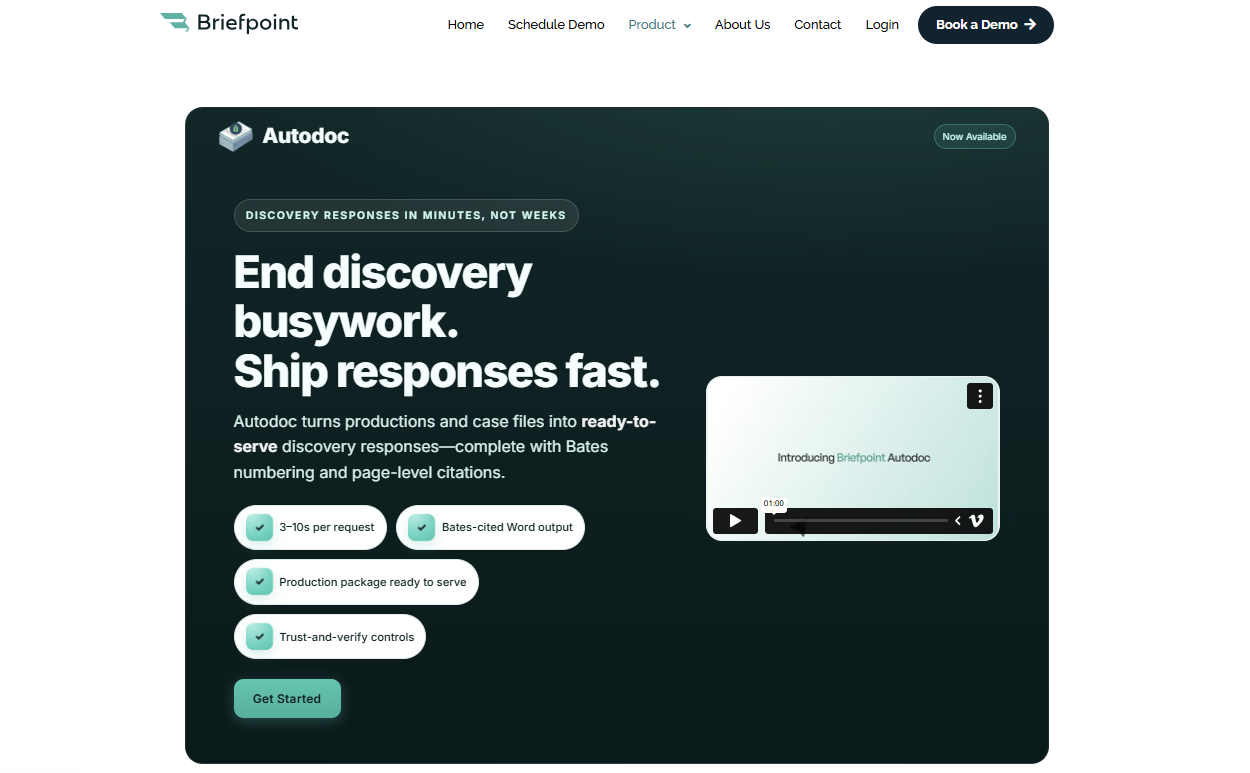
Essentially, it analyzes the requests you receive, helps you build objections and responses, and turns high-volume work into something you can manage in minutes.
The tool handles the core discovery documents that normally eat up the most time, including:
You can also use Bridge to collect client responses without long email threads. It turns complicated interrogatories into plain-language questions, gathers responses in a secure portal, and places everything directly into your draft.
And if your matters involve large productions or due diligence-style review, Autodoc adds another layer of automation.
It maps documents to each request, pulls page-level Bates citations, and creates Word-ready responses and a production package, which makes high-volume discovery far more manageable.
Key features
- AI-assisted drafting: Builds objections and responses for RFAs, RFPs, and interrogatories to reduce manual drafting effort.
- Bridge client collection: Translates interrogatories into plain English or Spanish and gathers client input through a secure portal that flows directly into your draft.
- Autodoc production automation: Maps documents to each RFP, applies page-level Bates numbering, and generates Word-ready responses and a complete production package.
- Trust-and-verify controls: Shows where the AI searched and lets you confirm or deselect files before finalizing work product.
- Privilege tagging: Flags sensitive materials and supports the creation of a privilege list during high-volume or due diligence work.
- Word-first editing: Exports to Microsoft Word for review, adjustments, and final approval.
- SOC-2 certified security: Safeguards client data and discovery materials across every step of the workflow.
Over 1,500 law firms already rely on this workflow upgrade. Test Briefpoint yourself by scheduling a demo.
2. Clio
Clio is a widely used case management platform that helps firms organize matters, coordinate client communications, and keep daily work moving without relying on multiple documents across different systems.
Its layout is straightforward, and most teams appreciate how easy it is to get up to speed after onboarding.
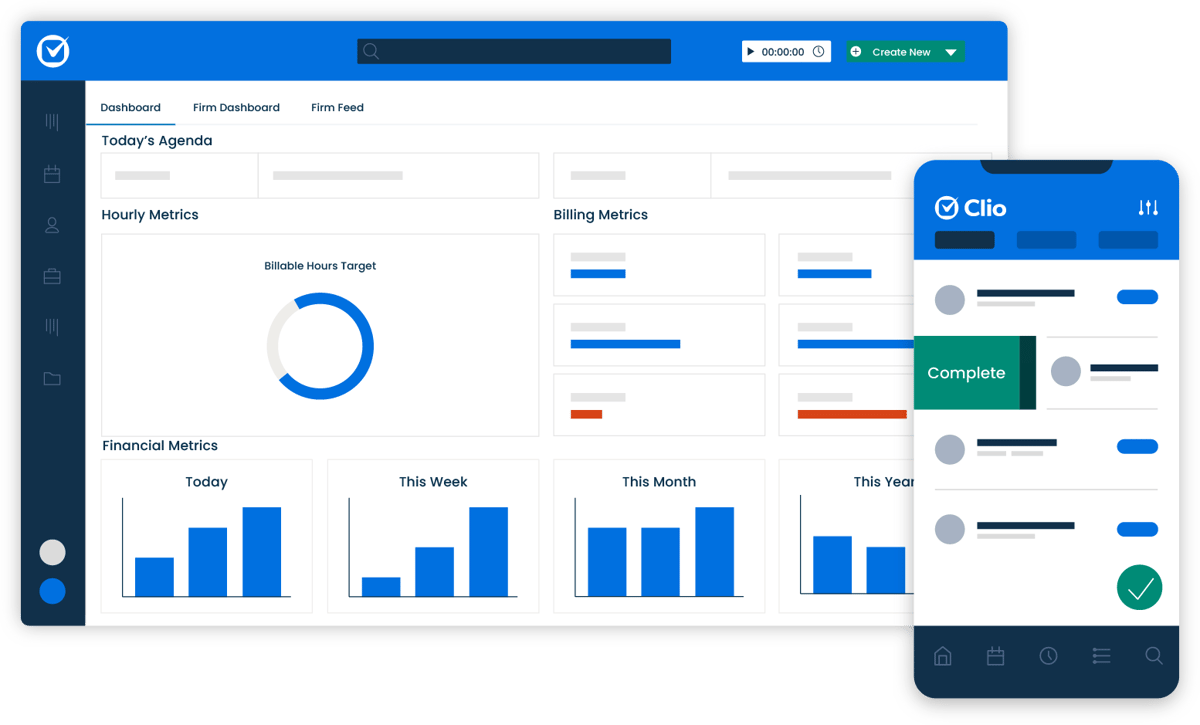
Source: G2
A centralized dashboard gives you a clear view of case details, deadlines, billing activity, and upcoming tasks. You can manage legal document templates, store files, automate routine steps, and send documents out for electronic signature, all from one place.
Clio also integrates with a large ecosystem of apps and services, which makes it easier to stay ahead of scheduling, communication, and administrative work.
And because it’s cloud-based, you can access your matters from anywhere, whether you’re in the office or meeting with a client.
Key Features
- Case management tools: Organizes matters, deadlines, tasks, and client communications in one dashboard.
- Document management: Stores files, handles multiple documents per matter, and supports legal document templates.
- E-signature support: Sends documents for signature directly through the platform.
- Legal billing and time tracking: Tracks billable work and generates invoices with minimal manual entry.
- App integrations: Connects with email, accounting platforms, legal research tools, and other legal software.
- Cloud accessibility: Lets you work from any device without relying on local servers.
3. PatentPal
PatentPal is an AI platform built to lighten the workload involved in drafting patent applications. It focuses on the mechanical writing that often slows down IP professionals, turning early ideas and claims into organized legal content that’s ready for refinement.
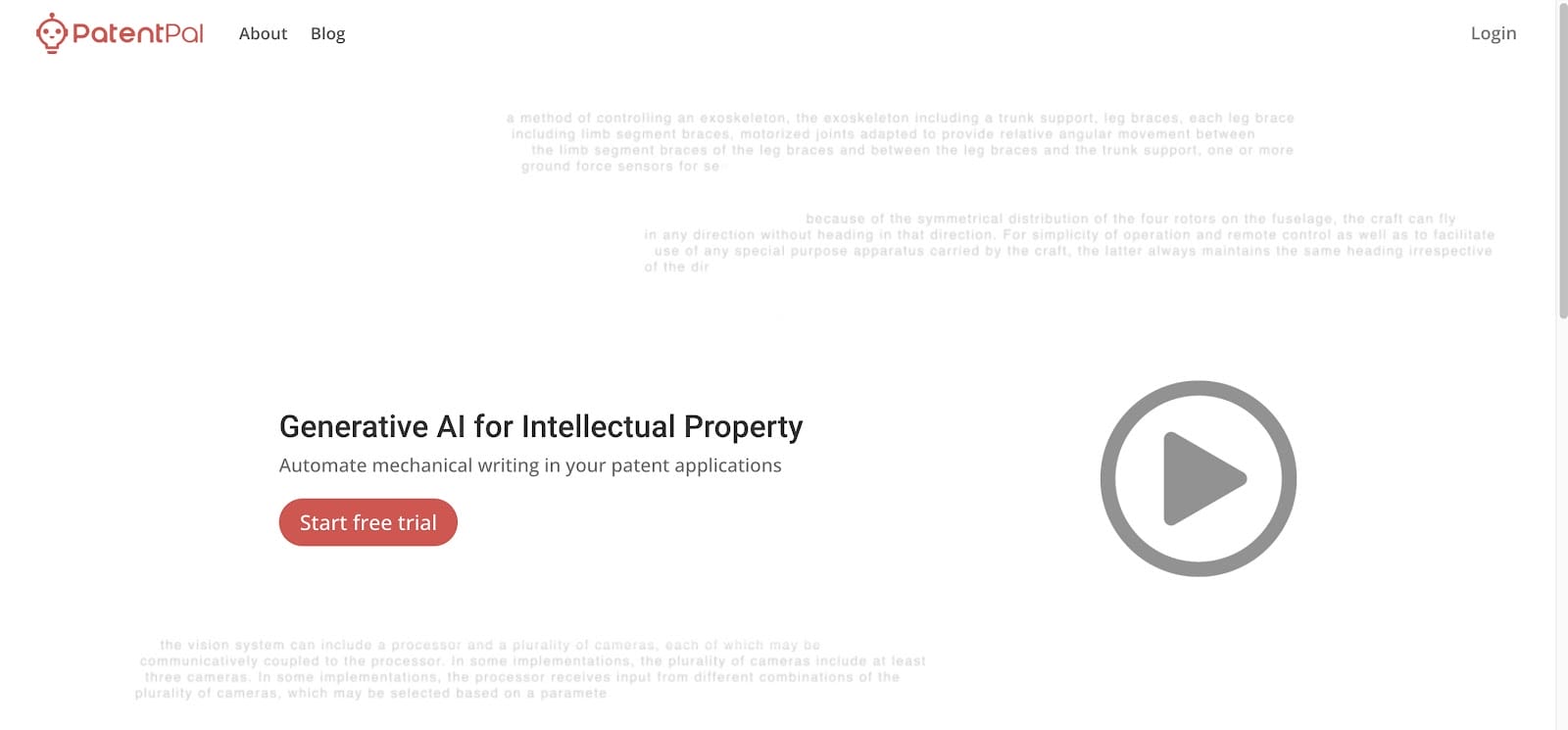
Source: PatentPal.com
Users enter their claims, and PatentPal generates structured specifications, illustrative diagrams, and early drafts that follow common patent-office expectations.
The system relies on a knowledge graph and transformer-based models to interpret claim language, run document analysis, and produce content that fits the legal context of patent work.
The platform helps solo inventors, patent prosecutors, and in-house legal teams move faster during business development or early-stage filings, especially when there’s pressure to prepare multiple applications at once.
It also supports seamless integration with other drafting tools, which makes it easier to keep everything in one workflow rather than bouncing between platforms.
Key Features
- Claim-driven drafting: Turns user-submitted claims into full specifications, diagrams, and preliminary application drafts.
- Structured legal content generation: Uses transformer models and knowledge-graph data to produce text aligned with established patent standards.
- Document analysis tools: Interprets claim language, identifies relationships, and organizes information into consistent application sections.
- Diagram creation: Generates illustrative figures that support the technical narrative in the application.
- Seamless integration: Works alongside other drafting tools to keep the workflow organized from start to finish.
- Support for high-volume work: Helps legal teams and inventors move efficiently when managing multiple filings or rapid business development cycles.
4. Spellbook AI
Spellbook AI is designed to help corporate and commercial lawyers move through contract drafting and review with far less friction.
It runs inside Microsoft Word, so you can analyze contracts, suggest revisions, and review legal documents without switching tools or disrupting your workflow.

Source: Spellbook.legal
Powered by GPT-4, Spellbook can work through detailed provisions, answer complex questions about the language in front of you, and flag risks you may want to address before finalizing a draft.
It’s particularly helpful when dealing with long agreements filled with boilerplate clauses or sensitive client information that requires close attention.
Key Features
- AI-assisted contract drafting: Suggests language, improves clarity, and helps build agreements more efficiently.
- Document review tools: Analyzes provisions, highlights risks, and reviews legal documents for issues that may need correction.
- Complex question handling: Answers detailed questions about definitions, obligations, or clause interactions directly within Word.
- Compliance support: Flags areas that may affect regulatory or internal requirements so lawyers can ensure compliance before sending a draft out.
- Boilerplate analysis: Reviews standard clauses to identify gaps, inconsistencies, or outdated language.
- Secure data handling: Manages sensitive client information with strong privacy and security safeguards.
- Microsoft Word integration: Keeps all drafting and analysis work inside a familiar environment, making adoption straightforward.
5. CoCounsel
CoCounsel is Casetext’s AI-powered legal assistant designed to help lawyers move through research, drafting, and document review with far less effort.
Many firms treat it as a virtual assistant that can answer legal questions, summarize large documents, generate research memos, and support early analysis before refining the final work product.
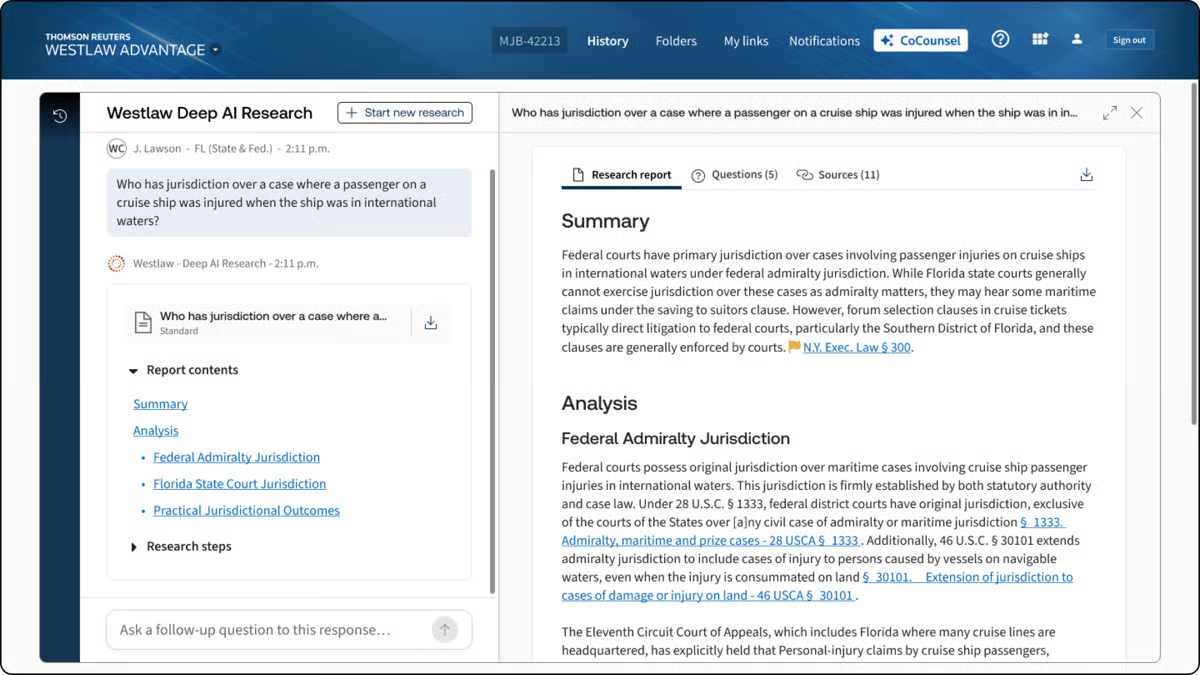
Source: G2
Trusted by more than 10,000 law firms, CoCounsel builds on Casetext’s long history of context-aware research.
It reads legal briefs, understands the legal framework behind your queries, and surfaces authorities that match the reasoning rather than just the keywords. This makes it especially helpful when you’re working through complex matters or evaluating case outcomes.
The chatbot-style interface makes it easy to ask questions in plain language and get structured responses quickly.
Whether you’re reviewing discovery or sorting through case law, CoCounsel helps lighten the load while keeping you in control of the legal judgment calls.
Key Features
- AI research assistant: Answers legal questions, prepares research memos, and provides insight into case outcomes.
- Brief analysis: Reviews legal briefs and identifies relevant authorities to guide stronger research.
- Automated legal document review: Processes discovery materials and flags important information for faster analysis.
- Drafting support: Generates early drafts, summaries, and language suggestions for legal documents.
- AI chatbot interface: Supports conversational requests and helps you work through complex issues quickly.
- Context-aware search: Surfaces case law based on legal reasoning and context rather than simple keyword matches.
How to Choose the Best Legal AI Tools for Your Business
Picking the best legal AI tool for your legal practice doesn’t have to be overwhelming or a guessing game. Here are some key tips to help you find the one that fits just right:
Pinpoint Your Practice’s Pain Points
The first step to finding the right AI tool is understanding where it can make the biggest impact. Take a look at the tasks that tend to take up a lot of time in your practice. Is document drafting slowing you down?
If so, a tool like Briefpoint can simplify this process and save hours on preparing responses and briefs.
Or, if you’re juggling client files and deadlines, a broader case management solution like Clio might be what you need.
Knowing your specific needs will help narrow down the tools that are truly worth considering.
Match Features with Your Needs
Once you’ve identified your needs, it’s time to match them with the features offered by different AI tools.
Some platforms are specialized for tasks like contract review, while others excel in managing discovery documents.
Consider the tools’ capabilities in terms of features and see if they integrate smoothly with your existing setup, like Microsoft Word or Clio. This will help make sure the new tool fits into your current legal workflow without causing disruptions.
Understand the AI
Before choosing a tool, it helps to understand what kind of AI is actually powering it. Different platforms rely on different AI models, and those choices can shape how well the tool fits your practice areas or day-to-day work.
Some tools focus on drafting support and use large language models trained to generate legal text. Others rely on machine learning trained on a legal database to improve tasks like litigation analytics, document review, or predictive insights.
A tool built for research might prioritize context recognition, while one designed for litigation strategy may focus on spotting patterns across past cases.
For example, an AI assistant like CoCounsel can answer complex questions and pull insights from a large research corpus, while a tool like Briefpoint uses AI to draft discovery responses and map documents to specific requests.
These are very different capabilities, even though both fall under “legal AI.”
Understanding what the AI is built to do (and what it isn’t) will help you choose a tool that matches the way you work rather than one that looks impressive but doesn’t fit your workflow.
Look for User-Friendly Design
Adopting a new tool shouldn’t be a struggle, so focus on finding one with an intuitive, user-friendly design.
AI-powered tools like Briefpoint and Clio are well-regarded for their simple interfaces, which help reduce onboarding time and make adoption smoother for everyone on your team.
A user-friendly platform is essential if you want to get the most out of your new AI tool without a steep learning curve or constant support.
Prioritize Data Security
Data privacy and security are non-negotiable in legal work. Legal AI software needs to prioritize protecting client information, especially when sensitive case details are involved.
Look for platforms that meet industry compliance standards like GDPR or HIPAA and offer strong encryption. Making sure these security measures are in place not only protects your clients but also gives you peace of mind, knowing that your data is secure.
Consider Support and Resources
Solid customer support and resources can make a huge difference in your experience with any new tool.
Check whether the provider offers accessible support options, like live chat, email, or phone, and if they have useful resources like training videos, guides, or webinars.
These resources can help your team make the most of the tool and troubleshoot quickly if issues come up.
Try Before You Buy
Lastly, always take advantage of free trials or demos when available. Testing out a tool firsthand is the best way to get a feel for how it fits into your practice and whether it meets your needs.
It also allows you to test the interface, performance, and integration options before making a financial commitment. By trying it out, you’ll know for sure if it’s the right choice for your practice.
Will AI Replace Lawyers?
It’s a question everyone in the field has heard by now, and it’s easy to see why. AI can accomplish daily work like drafting text, analyzing documents, and moving through certain legal tasks in seconds. But replacing lawyers entirely? That’s a very different conversation.
AI can support the work behind legal services, but it doesn’t understand people, nuance, or the strategy behind legal arguments.
It can read patterns, but it can’t grasp intent. It can review a document, but it can’t weigh the real-world consequences of a decision or guide a client through a difficult moment.
You’ve probably already seen how AI speeds up the background work. Those gains matter. They clear space for the part of the job that actually calls for judgment and experience. And that’s the part no model can replicate.
So, will AI replace lawyers? No. But it will change the rhythm of the work. The lawyers who get comfortable using these tools will move faster, think more clearly, and spend more time on the decisions that truly shape a case.
Briefpoint’s Role in a More Efficient Discovery Process
The discovery process can take over your week before you even notice it. One set of requests turns into hours of drafting objections, checking citations, and making sure everything lines up with jurisdiction-specific requirements. Not the best use of your time.
Briefpoint takes that weight off your plate by producing clean drafts, accurate citations, and organized responses that are ready for review.
What stands out is how naturally it fits into the way litigation teams already work. Objections follow your standards, client input flows straight into your documents through Bridge, and Autodoc handles the heavy lifting when you’re working with large productions.
You stay in control of the strategy while the routine steps move faster in the background.
It’s worth thinking about how much time those repetitive tasks take from your week. What could you shift your focus to if discovery didn’t demand so much of your attention?
If you want to see the difference for yourself, book a demo today!
Litigation Management Software: A Practical Guide
What Is Litigation Management Software?
Litigation management software gives legal professionals a structured way to run civil litigation cases without bouncing between disconnected tools and systems.
It’s a broad category of legal software, not one single type of tool. Different platforms cover different parts of the litigation workflow, so the term works as an umbrella for anything that helps organize case details, documents, deadlines, and administrative tasks tied to active matters.
Some firms rely on general practice management systems that handle billing, calendars, client communication, and basic document storage.
Those help with everyday operations but don’t always offer the deeper support litigation teams need once legal discovery, drafting, or document-heavy review begins.
Litigation-focused tools go further by offering features built for structured responses, document production, collaboration during discovery, and tools that keep long matters moving in a predictable rhythm.
In short, litigation management software brings the moving parts of a case into one coordinated experience. It supports the practical work legal teams deal with every day while giving them more control over timelines and essential tasks tied to criminal or civil litigation.
5 Main Types of Litigation Management Software
Some litigation tools handle one specific task really well, and others cover several parts of a case at once. However, even the most feature-packed platforms usually leave a few gaps, so most firms rely on a mixture of software to cover everything that happens during a matter.
Let’s walk through the main categories you’ll see and how each one supports the work involved in active litigation.
1. Discovery Document Automation
Discovery document automation simplifies the parts of litigation that usually depend on hours of drafting, revising, and formatting.
Essentially, these tools help legal professionals move through the discovery process with less manual work, especially when preparing legal documents tied to key litigation events.
Tasks like building interrogatories, requests for admission, and requests for production (RFPs), or turning production sets into court-ready responses, become far more manageable when the heavy lifting happens automatically.
Many platforms now use artificial intelligence to organize structure, apply formatting rules, and generate clean drafts that follow jurisdiction-specific expectations.
Briefpoint is a leading example, giving teams a full discovery workflow that supports both propounding and responding. It drafts objection-aware requests, turns client responses into Word-ready documents, and keeps everything consistent across a matter.
Autodoc adds another layer of speed for the document creation stage. It maps productions to each request, identifies responsive documents, adds page-level Bates citations, and produces a ready-to-serve package. So, a workflow that once took days can move forward in minutes.
2. Case and Matter Management
Case and matter management tools give your team one centralized platform to keep the litigation process organized from the moment a case opens.
A strong litigation management system brings documents, deadlines, notes, assignments, and other essentials into a single, predictable workflow so routine tasks feel easier to manage.
Instead of hopping between folders, emails, and spreadsheets, everything is centralized, so you can track case progress and see what needs attention.
These platforms help legal professionals manage tasks tied to motions, discovery, hearings, and client communication. They also support task tracking for critical deadlines to make sure nothing gets overlooked during a busy period.
Most tools also offer clear views of upcoming responsibilities, who owns each assignment, and how far along each step is.
Common features include:
- Calendars that show all case-related dates in one place
- Task management tools that help teams manage tasks efficiently
- Document storage with search and version control
- Contact and client information tied directly to each matter
A good case management setup keeps your team aligned and reduces the friction that tends to build up during long civil litigation cases. It also creates a smoother path for onboarding new team members who need quick access to case details and outstanding work.
3. Discovery Support
Discovery support tools help teams handle the heavier parts of document review, production prep, and data organization that appear throughout civil litigation practice.
They’re essential for firms managing large sets of case documents, especially in complex cases where identifying relevant documents can take a significant amount of valuable time.
These platforms give you a clear way to sort, categorize, and search through materials pulled from email, shared drives, uploads, or client-provided records.
Strong document management features make it easier to group files, apply tags, highlight key passages, and keep everything organized as the matter grows. Many tools also surface patterns or connections that provide valuable insights during early strategy discussions.
Common examples of discovery support tools include:
- eDiscovery software that handles large volumes of files and maintains consistent search results.
- Document review tools with tagging, commenting, and filtering to speed up attorney and paralegal workflows.
- Production preparation tools that assemble organized sets for service.
- Analytics features that help identify themes, timelines, or communication trails.
With the right discovery support tools in place, teams gain a clearer path through large data sets and a more reliable way to organize discovery documents throughout litigation.
4. Communication and Collaboration
Law firm communication and collaboration tools make your day a lot easier when you’re working through an active case.
You probably deal with a heap of emails, quick side conversations, and documents passed around in different formats. Bringing all of that into one platform helps you stay organized and gives your team a clearer picture of what’s going on.
If you work in a larger firm or legal department, this becomes even more helpful since multiple people may touch the same matter at different points.
These tools let you share updates, talk through strategy, and keep conversations connected to the right case file. Clients benefit too, since communication feels more structured and easier for them to follow.
When everyone can find the information they need without digging through old messages, managing cases feels smoother, and you save time throughout the week.
Key features you might find useful include:
- Secure messaging that keeps matter-related conversations in one spot
- Shared document spaces so you don’t hunt for files
- Tags or @-mentions that quickly loop in the right people
- Client portals that make communication easier to track
- Activity logs that show what’s been updated
5. Billing and Time Tracking
Legal billing and time-tracking tools help law firms stay on top of billable work without relying on spreadsheets or generic accounting software.
While general billing systems can handle invoices and basic bookkeeping, they rarely match the way legal teams record time, tag tasks, or capture work tied to specific matters.
On the other hand, legal tools built into litigation support software take those needs into account. They give you a clearer picture of your hours and the value of the work you’re doing.
Time-tracking software designed for litigation lets you record work as it happens, associate each entry with the right matter, and keep an accurate record of everything from drafting to discovery preparation.
You don’t have to guess what you worked on at the end of the day, and you’re less likely to miss billable work that should have been captured.
On the billing side, legal-specific systems help produce invoices that match client expectations, matter structures, and standard formats for litigation work. They also make it easier to review entries, organize them by matter, and send polished invoices with fewer edits.
What Are the Benefits of Litigation Management Software?
You can probably tell what the main advantages look like after seeing all the different types of tools a litigation management system can include. Still, it helps to step back and look at the overarching benefits that show up once everything sits in one coordinated place.
Here are some of the benefits you’ll notice:
- Less admin work: Routine steps take less time, which leaves you with more hours for legal analysis and client needs.
- Better oversight of deadlines: Every important date stays visible, and each matter has a clear timeline you can rely on.
- Stronger support for complex matters: Large volumes of documents and moving parts stay organized, which can help you keep steady progress.
- Faster access to information: Key notes and case documents appear quickly, so you can make earlier, more informed decisions.
- Smoother collaboration: Attorneys, paralegals, and staff work from the same information without extra back-and-forth.
- More consistent work product: Templates and structured workflows help your team produce aligned and reliable documents.
Once everything fits together, the workflow feels lighter, and your attention shifts naturally toward the work that drives case outcomes.
What to Consider Before Choosing a Platform
Choosing the right platform gets easier once you’ve seen what these tools can do and how the benefits line up with your daily work. All that’s left are a few practical considerations to help narrow the list and point you toward a setup that fits your team’s needs:
Ease of Use and Learning Curve
Choose software that your team can understand without long training sessions. A smoother learning curve means everyone can start using the core features quickly, which keeps the transition from disrupting your cases.
If a platform feels intuitive from the start, adoption tends to go faster, and fewer questions pile up later.
Primary Functions Your Team Relies On
Every litigation team handles tasks a little differently, so pay attention to the features your workflow depends on. Some tools focus on case organization while others revolve around discovery or document creation.
Picking a platform that supports your daily responsibilities makes the system feel like a natural extension of your work.
Cloud-Based Storage and Mobility
Access to key documents across devices helps you stay productive even as you move between the office, home, and court.
Secure cloud-based legal software also reduces the risk of misplaced files and keeps important materials within reach whenever you need them.
Team Collaboration Needs
If multiple people contribute to a matter, look for features that keep everyone aligned.
Tools that connect comments, tasks, updates, and documents in one space help reduce confusion and keep the whole team moving in the same direction.
Scalability and Future Growth
Your needs today may not be the same a year from now. A platform that grows with your caseload or team size gives you more stability over time.
Plus, it saves you from switching systems later when your practice becomes busier or more specialized.
Security and Compliance Requirements
Legal work depends on trust, so data protection matters. Choose software that treats security as a priority, with safeguards that protect sensitive files and keep your practice aligned with professional standards.
How Briefpoint Fits Into a Modern Litigation Workflow
Litigation management software gives your team a clearer, more organized way to handle the moving parts of a case, from document handling to collaboration.
When it comes to drafting court documents and keeping work aligned with court rules, Briefpoint stands out as one of the best options for teams looking to modernize their workflow.
Briefpoint is a specialized tool designed to take the most repetitive steps off your schedule, which means you can focus on valuable work that moves a case forward.
With features that support discovery drafting, client response collection, and automated formatting, Briefpoint helps you maintain consistency and keep documents ready for review and service.
For teams that want a faster, more predictable process across multiple matters, it brings the kind of support that pairs naturally with your existing systems.
If you’re ready to upgrade the way you handle litigation tasks, Briefpoint makes the transition easy.
How Legal Technology Software Supports Your Everyday Work
What Is Legal Technology Software?
Legal technology software covers a wide mix of tools that help law firms and legal professionals handle everyday work with less friction. It’s a broad category because legal processes vary so much from team to team.
One group may need help organizing matters, another may focus on legal document automation, and others may put more emphasis on research, communication, or billing. All of these fall under the same umbrella.
Most teams use legal tech software to keep daily tasks moving without relying on scattered systems or long manual steps. It gives you a clearer system for things like tracking information, storing documents, sharing updates, and handling the work that fills a typical day.
Some platforms are also built specifically for legal teams, while others come from general business software that adapts well to legal workflows. Either way, the common goal is to make it easier to manage information and stay organized.
As more legal work shifts online, these tools help create a setup that feels steady and predictable. They bring together the pieces of your practice in a way that lets you focus on the work that needs your attention, not the tools slowing you down.
Why Legal Tech Matters for Today’s Workflows
It’s hard to stay on top of everything when legal work keeps expanding, so it helps to have tools that take some pressure off your plate.
Here’s how modern legal tech tools support smoother workflows and give you more room to focus on the parts of legal practice that need your expertise.
Fewer Repetitive Tasks Slowing You Down
A lot of legal work gets eaten up by steps that feel small on their own but add up fairly quickly. Luckily, tools powered by generative AI can draft outlines, summarize long sections, or spot key language in legal documents so you don’t have to start from scratch.
A good example would be using an AI assistant to pull main deadlines from a contract before you dive into the fine print yourself.
Better Organization Across Your Files and Matters
Strong document management helps you keep everything in one platform rather than spread across emails and folders.
Here’s where you gain the most:
- Faster access to files when you need them
- Clearer version history
- Less time spent searching
For corporate legal departments or busy litigation teams, that clarity makes a noticeable difference during high-volume periods.
Improved Security for Sensitive Information
Many platforms now come with robust security features like encryption, access controls, and detailed audit logs. This makes it easier to protect client information while keeping your team’s workflow steady.
Smoother Collaboration and Higher Client Satisfaction
Quick updates, shared workspaces, and easier communication help clients feel informed and supported.
When your team can work from the same information and update each other without delay, the overall experience becomes more consistent.
Tools That Handle the Heavy Lifting Behind the Scenes
Some tasks benefit from automation running quietly in the background. Billing entries, reminders, signature tracking, and document routing can all operate with minimal oversight. You get cleaner records and fewer chances for mistakes without extra effort.
Core Categories of Legal Technology Software
Legal tech software comes in many shapes, and each category solves a different kind of problem you deal with every week.
Here’s a simple breakdown to help you understand what each one brings to your workflow.
- Practice management: Helps you organize matters, track legal tasks, manage calendars, and keep client communications in one place. Many platforms also include a client portal and options to help clients sign documents without extra steps.
- Document management and automation: Keeps important files organized and gives you easy access to drafts, versions, and shared folders. Some tools use artificial intelligence and machine learning to handle repetitive formatting or generate quick summaries.
- Contract management: Supports legal drafting, edits, approvals, and contract review in a single system. These tools help you see where an agreement stands and move it forward without losing track of changes.
- Legal billing and accounting: Designed for accurate billing, billable hours tracking, generating invoices, and expense tracking. Many tools also help you get paid faster through built-in payment options.
- Communication and collaboration: Helps your team coordinate tasks, share updates, and keep clients informed. Messaging, video calls, shared calendars, and client-facing spaces all fall here.
- eDiscovery and research: eDiscovery tools for reviewing data collections and finding relevant case law without wading through countless files on your own.
How These Tools Work Together
Once you start seeing these categories side by side, it becomes clear how much smoother things feel when they support each other. Legal tech works best as a connected setup, not a group of isolated tools.
Take a look at how the pieces can fit together in a typical legal workflow.
A Steady Path From Client Intake to Case Details
Practice management tools collect client intake information, store case details, and keep everything organized from the start. When paired with document tools, you can upload new client materials immediately and link them to the right matter without digging around for folders.
For example: A new client fills out an intake form online, and their responses automatically appear in your system alongside the documents they upload.
Cleaner, Faster Document Review in Complex Legal Work
Document management systems and eDiscovery software work well together during heavy document review. A cloud-based platform gives you a central place to sort, tag, and search through large data sets, while research tools help you check authorities during analysis.
A few benefits you’ll notice:
- Less backtracking between systems
- A clearer view of what still needs attention
- Easier collaboration when multiple reviewers step in
Smoother Communication and Collaboration Across Your Team
Communication tools connect everything by helping your team share updates and stay aligned. When your messages, files, and tasks all live within connected systems, there’s less room for confusion and fewer duplicate efforts.
Think of a scenario where your team flags a contract issue directly inside your contract management tool, then discusses it in your collaboration app without losing the context.
A More Predictable Workflow for Busy Teams
When your tools share information, your workload feels steadier and easier to manage. Tasks flow from one stage to the next without as many pauses.
A few things become noticeably smoother:
- Assigning tasks based on real-time case details
- Moving documents from review to approval without extra uploading
- Keeping everyone aligned during fast-moving matters
For example, a contract routed for approval in your contract management tool can automatically trigger a task in your practice management system, which then gives the right person a clear next step.
This kind of connected workflow helps teams stay efficient during busy periods and reduces the friction that normally shows up during complex legal work.
How to Choose the Right Legal Tech for Your Needs
The easiest way to choose legal tech is to look at what actually slows you down and match tools to those gaps. A good setup should support the whole process, feel cost-effective, and give you back time that can be spent practicing law rather than dealing with manual tasks.
Here’s a simple way to work through the selection:
- Pinpoint the tasks that take too long or pull you away from real legal work
- Note the time-consuming and repetitive steps you want to reduce
- Look for tools built to solve those specific issues
- Consider software with AI technology
- Compare options that fit your budget and firm size
- Test each platform through a demo or trial to see how natural it feels
- Make sure it connects smoothly with the tools you already use
- Review the vendor’s training resources and support
- Confirm that the tool helps you improve law firm efficiency
As you evaluate different options, focus on how each one will actually fit with the way you already practice. The right choice should remove friction, save valuable time, and make your overall process feel more manageable.
A Smarter Way to Support Litigation Work With Briefpoint
Legal technology works best when each tool handles a part of your workload that normally feels slow or repetitive.
Practice management, research platforms, billing systems, and eDiscovery tools all play a role, but litigation teams often need something extra — a way to move through discovery documents without sinking hours into formatting and repetitive drafting.
That’s where Briefpoint fits naturally into your setup. With Autodoc, which helps handle formatting tasks and document cleanup, Briefpoint gives you the automation power you need during discovery.
It automates the creation of discovery documents with AI-powered precision to give you a smoother path through tasks that usually take far too long. You get clean, ready-to-use drafts, consistent formatting, and fewer manual steps pulling you away from real legal work.
If you’re building a more modern, efficient workflow, Briefpoint is one of the easiest upgrades you can make. It supports the tools you already use, takes pressure off your schedule, and gives your team more room to focus on case strategy rather than routine drafting.
The Fundamentals of Cloud-Based eDiscovery
What Is Cloud-Based eDiscovery?
The primary goal of cloud-based eDiscovery is to provide legal teams with a more flexible way to collect data, sort through large data volumes, and quickly spot relevant data.
Older, non-cloud systems rely on local servers and fixed storage limits, which usually means everything feels slower once the documents pile up or new data sources get added. You often have to wait for IT support, upgrades, or extra capacity before moving forward.
With a cloud platform, on the other hand, the whole process feels smoother. You can pull information from email, chat platforms, cloud drives, and other sources without worrying about how much your system can handle.
The tools also scale automatically, so big matters or sudden surges in volume don’t force you to pause your workflow.
Collaboration is another thing that improves. Traditional setups sometimes create bottlenecks when multiple reviewers are working at the same time. A cloud environment keeps everyone on one shared system, reviewing legal documents side by side with consistent search results and updated data.
The eDiscovery market has leaned heavily toward cloud options because they handle modern communication data more reliably and adapt to changing workloads. For many teams, it’s simply a more practical way to manage growing collections without fighting with limited infrastructure.
How Cloud-Based eDiscovery Works
Once you understand the basics, it helps to see how everything functions in practice. Cloud platforms bring each step of the eDiscovery process into a single solution to make sure legal professionals can manage the entire review workflow more easily.
Here’s an overview of how it works:
1. Data Collection From Modern Data Sources
Cloud tools pull information from email, chat platforms, cloud drives, mobile devices, and other data sources you encounter in investigations or litigation. This makes gathering relevant information faster and more reliable, even when you’re dealing with large volumes of data.
2. Early Case Assessment and Processing
Once the system ingests the data, it indexes and organizes everything. Many platforms include early case assessment features that help you spot patterns, reduce noise, and estimate the scope of a matter before the deeper review process begins.
3. Review and Collaboration
Reviewers can search, tag, filter, and organize documents in one shared environment. Real-time updates help teams stay aligned as issues develop, which keeps legal workflows moving without unnecessary back-and-forth.
4. Legal Holds and Preservation
Most cloud systems include built-in legal holds, making it easier to preserve potentially relevant data and notify custodians without relying on spreadsheets or manual tracking.
5. Reporting, Production, and Export
Finally, you get detailed reporting, audit trails, and easy options to produce the data in standard formats for opposing counsel or the court.
Key Benefits of Cloud-Based eDiscovery
Cloud platforms lighten the load and help you move through discovery with fewer delays. With these tools, you can create more room to shape a stronger case strategy.
Aside from that, you can expect the following benefits from cloud-based eDiscovery software:
- Scalability: Works smoothly with large data volumes and adjusts as matters grow.
- Speed: Faster processing and indexing make it easier to search and analyze information right away.
- Security: Protects your evidence with encryption, access controls, and activity logs you can track at any time.
- Better collaboration: Keeps everyone in one shared review space with consistent tags, notes, and updates.
- Email threading: Groups conversations so you’re not reading the same emails again and again.
- Lower IT burden: Cuts down on hardware, updates, and maintenance to free your team from tech headaches.
- Informed decisions: Early insights help you spot patterns sooner and choose a clearer direction before the heavy review work.
- Support for investigations: Centralized data and smoother legal workflows help legal teams move from collection to production with less friction.
- Consistent reporting: Built-in reporting keeps everything organized and defensible.
Common Use Cases of Cloud-Based eDiscovery
Cloud-based eDiscovery fits naturally into a wide range of situations, especially when matters involve fast-moving data, tight deadlines, or teams working across different locations.
That’s why this kind of software is suitable for:
- Litigation cases: Teams handle document review, depositions, and production in one environment, which cuts down on back-and-forth and keeps everything organized.
- Internal investigations: Centralized data collection helps you sort through emails, chat messages, and cloud files without slowing the process or missing key details.
- Regulatory matters: When an agency requests information, cloud tools help you gather relevant data fast and maintain clean audit trails.
- Compliance monitoring: Ongoing oversight becomes easier with repeatable workflows, consistent reporting, and built-in tracking for higher-risk communication channels.
- Data breach response: Rapid collection and review give you a clearer picture of what happened, who was affected, and what your next steps should be.
- Client services: Firms that support many clients at once use cloud eDiscovery to manage multiple matters without overwhelming internal resources.
- Early case assessment: Quick processing helps teams estimate scope, detect issues, and make informed decisions before the review work expands.
Essential Features To Look For in Cloud-Based eDiscovery Software
The right cloud eDiscovery platform gives you more control, clearer insights, and smoother day-to-day work. As you compare options, it helps to focus on tools that offer the following features:
- Advanced analytics: Look for tools that highlight patterns, surface important terms, and cut down the time you spend sorting through data.
- AI-powered review: Features like generative AI summaries, classification, and smart tagging help teams move faster when the document count starts climbing.
- Search and filtering: Strong analysis and filtering capabilities help you narrow big collections into sets you can actually work with.
- Flexible data access: Your team should be able to log in securely from anywhere, review documents, and maintain consistency without chasing files across multiple locations.
- Email threading and deduplication: These features reduce clutter and prevent time wasted reviewing the same content repeatedly.
- Audit trails and reporting: Clear logs help you demonstrate defensibility, track decisions, and monitor activity across your matters.
- Security controls: Encryption, permissions, and identity tools reduce risk and protect sensitive information throughout the process.
- Cost transparency: Cloud solutions should help you anticipate costs, avoid surprises, and stay aligned with your budget.
Each of these features supports a smoother workflow and keeps your team grounded in a single source of truth.
Briefpoint Makes Cloud-Based eDiscovery Feel Manageable
Now that you’ve seen what strong cloud tools can offer, it’s clear how much time and stress you can save with the right setup.
Briefpoint takes that idea even further by removing the parts of legal discovery that usually slow everyone down.
The platform focuses on the work that eats up the most hours, like drafting responses, organizing information, keeping objections consistent, and preparing clean documents.
You can move through requests, responses, and client input in a way that feels steady and predictable, all within one workspace that keeps everything easy to follow.
Where Briefpoint really shines is Autodoc. It turns productions and case files into Word-ready, Bates-cited responses in minutes. Upload your complaint, RFPs, and files, let Autodoc pinpoint responsive documents, and download a fully prepared response package.
Many firms that used to spend days sorting, reviewing, and formatting now finish that same work in a single session.
If you’ve been looking for a way to cut down the heavy lifting in discovery, book a demo today!
5 Best Legal Project Management Software to Choose From
What Is Legal Project Management Software?
Legal project management software brings your tasks, deadlines, case details, and other important information into one organized system.
Many legal professionals use these platforms to keep matters moving without dealing with scattered emails or mismatched notes. Everything sits in a single place, which makes it easier to understand what needs attention and what’s already on track.
These tools help with tasks like:
- Scheduling
- Task assignments
- Progress tracking
- Document sharing
- Team coordination
Law firms often use legal management software to keep workloads balanced and make sure no one loses sight of important steps in a matter. It also supports budgeting, client expectations, and recurring processes that show up in different cases.
Strong legal project management tools give legal teams a clearer view of who’s doing what, how far along each task is, and where timelines might need adjustment. When used correctly, the overall workflow becomes more predictable and easier to manage.
For busy teams handling multiple matters at once, having that structure can make day-to-day work feel smoother and far less chaotic.
Why Should You Be Using Legal Project Management Software?
To reiterate, legal project management software helps legal firms keep matters organized, track moving pieces, and maintain steady progress across cases.
Many attorneys deal with shifting priorities and constant communication, so having a good project management tool gives the entire team a shared system that cuts down on disorganization and manual tracking.
Here’s why these platforms make such a difference in the legal sector:
- Greater visibility across matters: Everyone sees deadlines, task status, and upcoming steps easily.
- Clear task ownership: Legal work moves faster when responsibilities are assigned and easy to follow.
- More predictable schedules: Deadlines, milestones, and reminders help attorneys stay ahead of busy calendars.
- Smoother legal workflows: Routine steps, recurring tasks, and matter stages stay consistent from case to case.
- Better resource planning: Legal practice management software helps teams balance workloads and avoid bottlenecks.
- Improved client service: Organized communication and timely updates naturally raise client satisfaction.
- Fewer manual processes: Centralized information reduces the time spent tracking work in spreadsheets or scattered notes.
Legal teams that rely on structured project coordination often feel more in control of their caseloads, especially when managing multiple matters at once.
Top 5 Legal Project Management Software
Choosing the right platform can shape how smoothly your cases move from start to finish. To help you narrow things down, here’s a quick look at five legal project management tools many teams rely on when they want clearer workflows and better day-to-day organization.
1. PracticePanther
PracticePanther offers a flexible workspace that suits legal departments, small firms, and growing teams managing complex projects.
It brings together tasks, documents, deadlines, and communication so you’re not jumping between different systems to keep matters organized.
Source: G2
Many legal professionals appreciate that it adapts easily. You can set up project templates, build custom workflows, and shape the platform around how your team already handles legal processes.
The overall feel is structured without being rigid, which helps legal work move with fewer hiccups.
Best Features
- Custom workflows: Build matter stages and automated actions that match your internal steps and support consistent legal workflows.
- Project templates: Create reusable templates for cases you handle often, making it easier to set up new matters with the right structure.
- Document management: Store, manage, and share documents in one place so the entire team always knows where to find key files.
- Task and deadline tracking: Assign tasks, stay ahead of due dates, and follow progress from one dashboard.
- Integrations with other tools: Connect calendars, email platforms, accounting systems, and other tools to keep your workspace connected.
Pros
- Simple setup that helps teams get organized without a long learning curve
- Strong customization options for different practice areas
- Helpful document features for large matters and ongoing projects
- Clear visibility into workloads across the entire team
- Good balance of usability and power for firms in the legal industry
2. MyCase
MyCase offers a more guided way to manage matters, tasks, and communication, especially if your team wants something organized but not overwhelming.
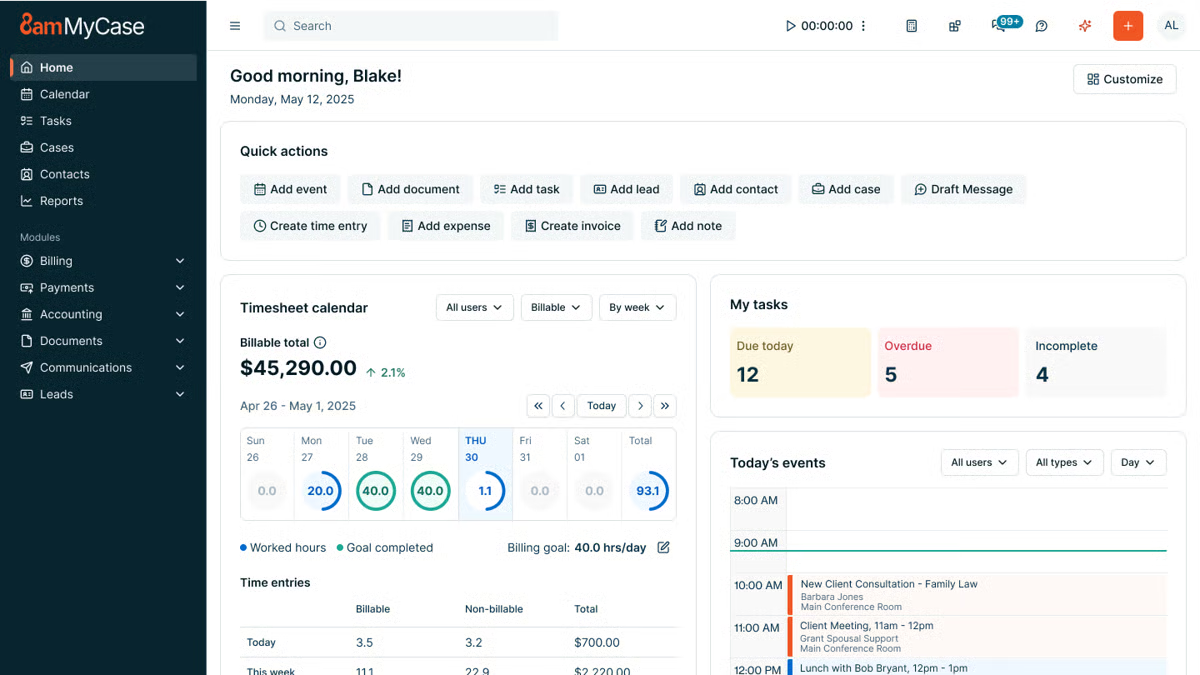
Source: G2
The platform focuses on keeping your work structured from the moment a case opens. It gives you a clear place to track actionable tasks, store legal documents, and stay aligned with your team throughout each matter.
You might like how naturally it supports case management while still giving you project-focused tools that help everyone keep pace with deadlines and daily responsibilities.
Best Features
- Actionable task management: Break down work into clear, trackable steps so nothing gets overlooked.
- Centralized case management: Keep client details, deadlines, notes, and progress in one easy-to-follow system.
- Document storage and sharing: Organize legal documents, research files, and matter-related materials in a single hub.
- Built-in communication tools: Coordinate with your team and clients without relying on outside apps.
- Workflow tools: Use structured steps that help streamline workflows and keep matters moving predictably.
Pros
- Clean interface that enables users to work efficiently
- Reliable document tools for busy practices and small firms
- Helpful law firm communication features for both internal and client updates
- Strong case organization that keeps everything accessible
- Secure platform that supports consistent, organized project work
3. Clio Manage
Clio Manage gives legal teams a structured way to handle matters, track work, and coordinate daily activity without bouncing between multiple systems.
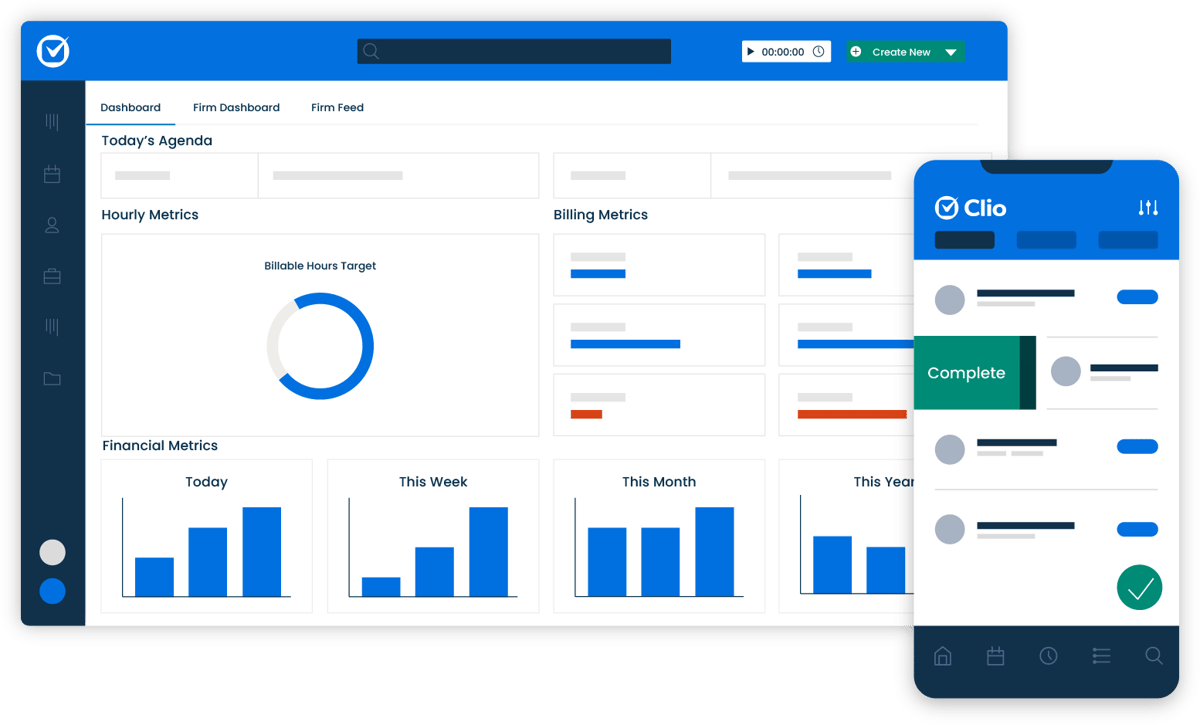
Source: G2
It combines client intake, task management, time tracking, and collaboration tools in one place. With that, your team can always have a steady flow of information as cases progress.
The platform also makes it easy to sync data from your calendar, email, and other apps you rely on, and the real-time dashboards offer a quick read on law firm productivity and upcoming deadlines. It’s a practical setup for teams that want a clearer rhythm to their work.
Best Features
- Client intake tools: Capture new client information smoothly and move it straight into your matters.
- Time tracking: Track billable and non-billable time as you work, with options to log entries from multiple devices.
- Team collaboration: Share updates, assign tasks, and keep the flow of information steady across your team.
- Real-time dashboards: See performance metrics, matter progress, and upcoming deadlines instantly.
- Customizable workflows: Set up processes that match how your firm operates and improve daily efficiency.
Pros
- Strong time tracking for accurate legal billing
- Helpful intake tools that support new client onboarding
- Clear dashboards for quick insight into active matters
- Smooth collaboration across different practice roles
- Easy integrations that keep your data synced and organized
4. Smartsheet
Smartsheet works well for legal teams that want a flexible, spreadsheet-style workspace without feeling stuck in traditional grids. It gives you an easy way to organize tasks, capture information through custom fields, and track progress across matters or internal projects.
Source: G2
Staff members can add status updates, attach documents, and monitor deadlines in a layout that feels familiar but far more structured than a basic spreadsheet.
It’s often used by legal operations teams that want a clear view of business performance while keeping day-to-day work organized.
Best Features
- Custom fields: Build the exact data structure you need for matters, tasks, or internal processes.
- Status tracking: Follow progress in real time with color-coded updates and clear task ownership.
- Dashboards: Pull together key information to quickly assess workload, deadlines, and priorities.
- Automated alerts: Receive notifications when tasks change, deadlines shift, or updates are added.
- Flexible views: Switch between grid, calendar, Gantt, and card views based on how you prefer to see your work.
Pros
- Familiar layout that’s easy for staff members to adopt
- Strong tracking tools for monitoring progress across multiple projects
- Helpful dashboards for a quick read on business performance
- Good flexibility for teams that juggle different types of work
- Clear status updates that keep everyone aligned on next steps
5. Filevine
Filevine offers a structured workspace that helps legal teams manage cases with fewer scattered updates and a lot more clarity. The platform keeps your tasks, documents, notes, and communication in one place, so important details stay connected as a matter progresses.
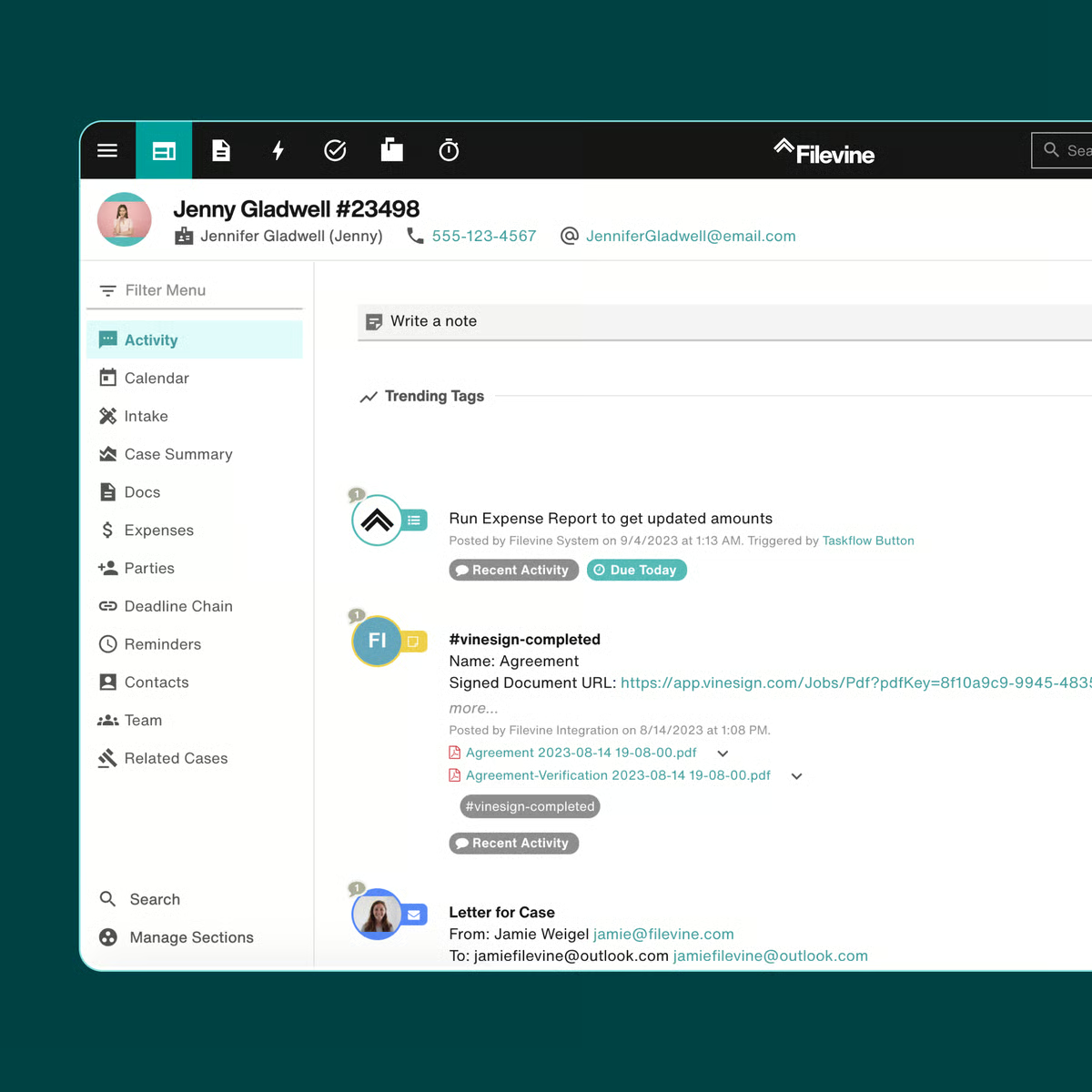
Source: G2
Its customization options are a standout, too. You can shape legal workflows, store legal briefs in organized folders, and save notes directly inside each file without losing track of information.
For teams looking to increase productivity and maintain a steady rhythm across their workload, it provides a dependable setup.
Best Features
- Customized workflows: Create processes that match the way your practice handles matters from start to finish.
- Document handling for legal briefs: Keep briefs, case files, and supporting documents neatly organized.
- In-matter notes: Save notes right where they belong so key points are easy to find later.
- Collaboration tools: Share updates, assign tasks, and keep everyone on the same page.
- Reporting tools: Review performance trends and workload insights without manual data gathering.
Pros
- Flexible workflow options suited to different practice areas
- Convenient note-taking inside each matter
- Solid document tools for briefs and related files
- Clear task visibility for smoother team coordination
- Useful reporting for tracking workload and performance
Why Briefpoint Complements the Best Project Management Software
Project management platforms keep your matters organized, but they don’t handle the document-intensive side of discovery and litigation workflows.
Briefpoint fills that gap by generating discovery documents for you, reducing manual drafting, and improving workflow efficiency where legal teams often lose the most time.
And with Autodoc, you get an even smoother lift. It takes the routine formatting, labeling, Bates numbering, and structure-based tasks off your plate. You get cleaner documents, faster turnaround, and a process that feels far more manageable.
Project tools manage the structure of your work; Briefpoint supports the substance. Together, they give you a smoother path through deadlines, requests, and the back-and-forth that defines discovery.
It’s a practical add-on for teams that want less friction in their document work and a more predictable pace during litigation.
If you’re ready to remove the most time-consuming part of your process, Briefpoint can help you get there.
MyCase vs. PracticePanther: What Are the Key Differences?
What Is MyCase?
MyCase is a cloud-based legal practice management software that gives you one place to organize your firm’s work. It’s essentially a system that keeps your tasks, contacts, billing, calendar, and legal documents from living in ten different tabs.
It first launched in 2010 and quickly picked up traction with small and midsize firms that wanted something modern but easy to learn.
Source: G2
Part of its appeal comes from its straightforward layout. You don’t need a week of training to get comfortable. Most users jump in and start managing matters, sending invoices, or uploading documents without much friction.
Its document management setup is also a big reason people choose it. You can store files, share them with your team, and keep everything tied to the right case.
Something else you might appreciate is how client-friendly it feels. The built-in portal, online payments, and messaging tools help you cut down on emails and long phone chains. Clients get a clearer view of what’s happening, and you spend less time tracking small updates.
Overall, MyCase works well for firms that want an all-in-one platform that keeps everyday tasks moving and brings your documents, communication, and case details into one organized space.
What Is PracticePanther?
PracticePanther is a legal practice management platform built for firms that want a system they can grow into.
You get a cloud-based dashboard that brings your matters, billing, calendar, and communication together, but the real draw is how flexible the software feels once you start using it.
Source: G2
If you’ve ever felt boxed in by rigid legal workflows, this tool tends to be a nice change of pace. You can customize tasks, automate repetitive steps, and shape processes around the way your firm already works.
In other words, it’s designed to support everything from simple daily checklists to more specific tasks that vary from case to case.
Another standout trait is its connection to third-party tools and apps for lawyers. Email, payment processors, document services; PracticePanther plugs into many of the platforms firms already rely on, which keeps transitions smooth and avoids extra busywork.
And because the platform scales well, it fits solo attorneys just as comfortably as expanding teams. You get comprehensive features, plenty of control over how you work, and a structure that adapts as your caseload grows.
MyCase vs. PracticePanther: An In-Depth Comparison
Not sure which tool to choose? This quick comparison gives you a clearer sense of which option fits the way your firm actually works.
Main Purpose
When you look at the core purpose of each platform, the differences become easier to spot.
MyCase simplifies daily work for law firms that want an organized, all-in-one hub. Its goal is to cut back on time-consuming admin tasks and give you a straightforward system for matters, billing, communication, documents, and more.
If you want something that works smoothly as long as you have an internet connection and doesn’t overwhelm your team, MyCase offers a very direct path.
PracticePanther takes a slightly different angle. The platform aims to give firms more control over how they work, offering deeper customization and more flexible workflows.
PracticePanther excels when you want to tailor your processes, connect with third-party tools, and build out legal automations that match your firm’s habits. It also focuses on scalability, so teams with growing caseloads or more complex workflows often appreciate its structure.
When you’re comparing MyCase and PracticePanther, it really comes down to what you value most.
Overall, MyCase offers simplicity and a clean workflow that keeps everything in one place. PracticePanther offers more advanced functionality and the freedom to shape the software around your firm. Both solve everyday challenges, just in different ways.
Key Features
Taking a closer look at the features helps you understand how each platform supports your daily flow and where its strengths differ:
MyCase’s Key Features
- Secure client portal: Clients can view case files, send secure messages, and pay invoices while keeping everything confidential.
- Automated time tracking: Tracks time as you work, so billing and completing invoices feel easier.
- Customizable invoicing: Lets you adjust formats, payment options, and payment history.
- Document solution: Stores case files, supports customizable templates, and connects with Google Drive.
- Google Calendar sync: Keeps deadlines and events aligned across your devices.
- Accounting software: Helps you manage retainers and trust balances accurately.
- Client communications: Offers secure messages and organized updates in one place.
PracticePanther’s Key Features
- Custom fields and custom tags: Lets you tailor matters with details that match your legal workflow.
- Automated time tracking: Captures billable time in the background.
- Customizable templates: Helps you create repeatable documents for recurring or specific tasks.
- Third-party integrations: Works with Google Drive, payment systems, email tools, and other solutions.
- Secure client portal: Gives clients protected access to documents, invoices, and messages.
- Trust accounting: Tracks retainers, payments, and transfers with clear reporting.
- Reporting dashboard: Helps you gain insights into billing performance and law firm productivity.
Who It’s Best For
MyCase usually clicks with lawyers who want something they can get comfortable with right away. If your priority is a clean layout, easy case management, and quick access to the basics, it fits that style well.
Legal professionals who don’t want to spend time configuring every detail tend to appreciate how smoothly it handles law firm communication, scheduling, and billing. It’s especially appealing for small firms or teams that want things organized without juggling extra setup.
PracticePanther leans toward firms that like having more control. If your practice area involves complex steps, custom fields, or a need to connect with a bunch of other tools, the platform gives you that extra flexibility.
Many lawyers choose it because they want something that grows with their client base and adapts as workloads shift. Its advanced features and customization options make it a comfortable match for teams with expanding needs or more structured workflows.
Pricing
Pricing for both platforms depends on the plan you choose and the size of your team, but here’s what you can expect at a high level.
MyCase Pricing
- Basic plan: $49 monthly: Core case management, billing, payments, client messaging, and the secure client portal.
- Pro plan: $99 monthly: Everything in Basic plus advanced reporting and enhanced document management tools.
- Advanced plan: $119 monthly: Adds MyCase Drive, advanced document automation, and expanded analytics.
PracticePanther Pricing
- Solo plan: $59 monthly: Designed for individual attorneys with core case management, billing, and calendar tools.
- Essential plan: $79 monthly: Adds integrations, automated workflows, and more robust document management.
- Business plan: $99 monthly: Includes advanced features like deeper automation, advanced reporting, and more customization options.
Add Briefpoint to Strengthen Your Legal Tech Stack
Choosing between MyCase and PracticePanther comes down to what your firm values. Both tools cover case management, billing, communication, and client-facing features, so you’re already headed in the right direction with either one.
That said, no practice management platform handles everything on its own, especially when you’re dealing with heavy document work.
This is where Briefpoint becomes a smart addition to your legal tech stack. It automates routine litigation drafting, helps you move through legal documents faster, and keeps your work product consistent across matters.
If you’re already using systems like MyCase or PracticePanther, Briefpoint fits right in by handling the pieces those platforms don’t focus on.
You can also take advantage of the Autodoc feature for quick, accurate document assembly when you’re under pressure with multiple deadlines. It generates ready-to-serve discovery responses, complete with Bates numbering and page-level citations, so you’re not piecing things together manually.
The combination saves time and keeps your workflows running smoothly, no matter which practice management system your firm prefers.
Everlaw vs. Relativity: How They Really Compare
What Is Everlaw?
Everlaw is a cloud-based eDiscovery software provider that helps legal teams search, organize, and review large sets of electronic documents in a single platform.
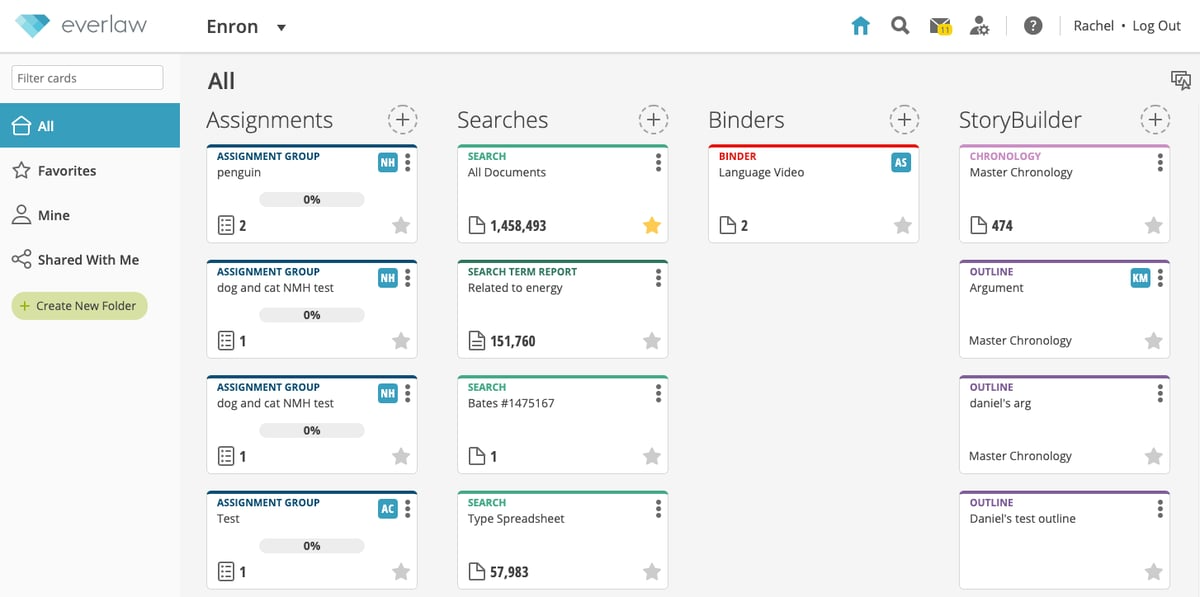
Source: G2
Essentially, it supports the full document review process and gives teams a way to move through big data collections without feeling buried in files.
Many users appreciate that Everlaw feels approachable, runs searches quickly, and offers a layout that doesn’t require weeks of training. In comparisons built on real user data, focused insights, and detailed feature ratings, it often stands out for ease of use and overall review speed.
What Is Relativity?
Relativity is one of the most widely known eDiscovery software platforms, often used for large or complex matters that call for advanced search, analytics, and review controls.
The platform gives legal teams a structured way to handle big data collections, run detailed searches, and manage document review from start to finish.
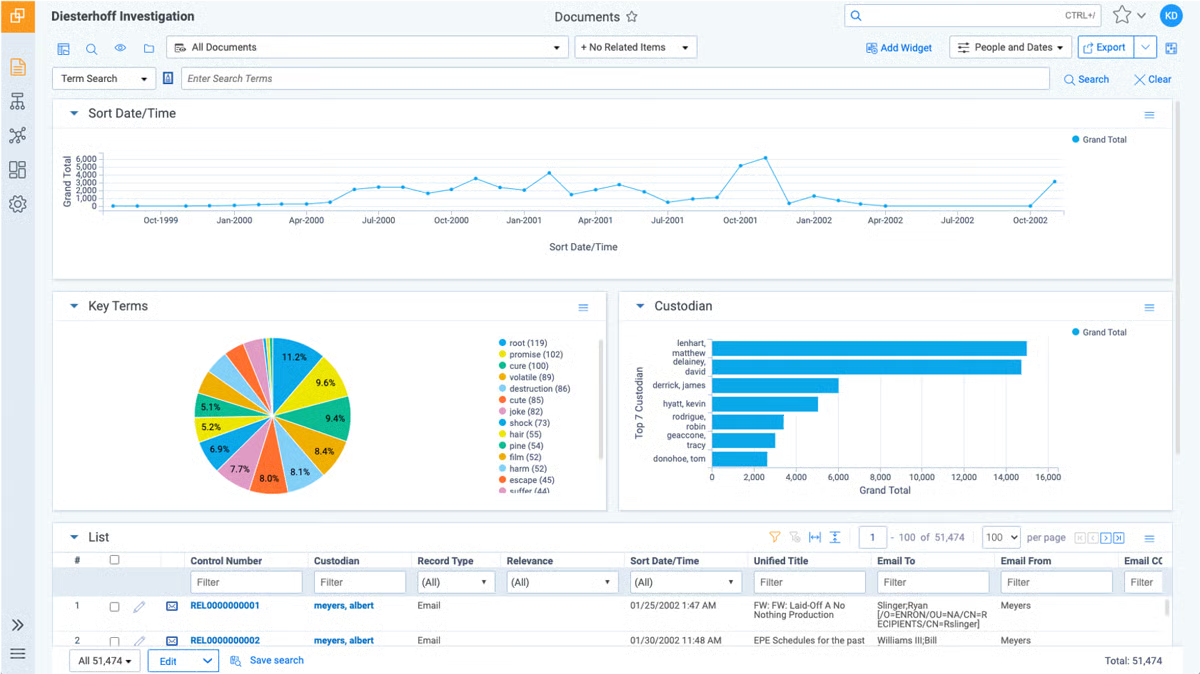
Source: G2
Many organizations rely on Relativity because it supports deep customization and integrates well with existing legal workflows. Reviews that measure user satisfaction often include multiple data points tied to performance, ease of use, and individual vendor capabilities.
Some industry reports even aggregate emotional response ratings to produce a net emotional footprint, which helps understand the overall contract experience created through real usage.
What Is Briefpoint?
Briefpoint is an AI-powered document automation platform built to help litigation teams draft and serve discovery way faster than traditional methods.
It covers the full workflow for propounding and responding to discovery and gives firms a way to surface key elements across large sets of case files without hours of manual review.
An important element of the platform is Autodoc, Briefpoint’s module that turns productions and case files into fully formatted, Bates-cited discovery responses in minutes. Autodoc handles the heavy lifting that many teams struggle with.
Upload the complaint, requests for production, and case files. Then, the system identifies responsive materials, maps them to each request, and generates Word-ready responses along with a Bates-numbered production package.
The trust-and-verify controls give reviewers clarity into where the tool searched and what it found, which allows teams to work through high-level metrics quickly while keeping full control before service.
Briefpoint as a whole goes beyond single-task automation. It propounds discovery from complaints, drafts objection-aware responses, supports client response collection, and offers a secure, structured workflow that many firms use as their central discovery hub.
Everlaw vs. Relativity vs. Briefpoint: The Key Differences You Should Know
Shopping for discovery tools can feel like a lot, especially when each platform claims to solve the same problems. This quick comparison gives you a clear view of what each one focuses on, so you can decide which direction makes the most sense for your workflow.
Main Purpose
Everlaw, Relativity, and Briefpoint each focus on a different part of the discovery process. That’s why it should be easier to see where they fit once you look at their core goals.
Everlaw centers on fast search, clear organization, and document review. Its main goal is to give legal professionals a way to sort through large data sets without feeling overloaded.
Relativity leans into customization. Teams that need flexible workflows or integrations often choose it because its particular product offerings can support complex, specialized projects.
Briefpoint focuses on drafting, responding, and producing discovery. Its document automation helps firms move from raw case files to finished work product quickly, which creates real business value for anyone who wants fewer manual steps and shorter turnaround times.
This approach saves hours (30+ per case) and produces cleaner deliverables.
Overall, each platform typically delivers benefits in different parts of the workflow, which gives you a straightforward way to decide which potential partners align with your priorities.
Best Features
Here’s a quick look at the strengths each platform brings to the table. This breakdown gives you a simple way to compare what matters most across the three lawyer tools.
Everlaw Best Features
- Fast search across large data sets: Runs quick queries across your entire database to help teams find what they need without delays.
- Visual review tools: Give reviewers a clear path through documents with timelines, notes, and simple navigation.
- Collaboration features: Let teams comment, tag, and share insights to keep everyone aligned.
- User-friendly layout: Designed to lower the learning curve for legal professionals who want clean, simple workflows.
- High-level metrics: Offers reporting that helps teams compare high-level metrics across matters.
Relativity Best Features
- Deep customization: Supports advanced workflows for teams that want to tailor features to case needs.
- Analytics and predictive coding: Helps prioritize legal documents and spot patterns early in review.
- Robust integrations: Works well with other systems used by large organizations.
- Detailed end-user information: Provides activity tracking and logs that support defensible processes.
- Proprietary evaluation methodology: Backed by industry reviews that measure overall user sentiment and long-term satisfaction.
Briefpoint Best Features
- Autodoc for drafting and production: Turns case files into Bates-cited Word responses and production packages in minutes.
- Objection-aware drafting: Generates clean, consistent discovery documents that reduce manual edits.
- Client response collection: Translates interrogatories into plain English so clients answer faster.
- Full eDiscovery workflow: Covers both propounding and responding, which offers more than strong features alone by removing entire steps.
- Significant impact on workload: Cuts hours of manual drafting, which strengthens the vendor-client relationship and simplifies conflict resolution created during busy cases.
- Plain-language client tools: Make client input faster, more accurate, and easier to manage across busy matters.
- Structured verification controls: Shows exactly where Autodoc searched, so teams keep full control before service.
Who It’s Best For
Everlaw works well for teams that want a simple user interface, fast search, and a review environment that feels easy to pick up.
It’s a good fit for firms that want an eDiscovery platform focused on organization and clarity rather than deep customization. If your priority is review efficiency and quick onboarding, Everlaw usually fits that profile.
On the other hand, Relativity suits teams that handle complex matters, need flexibility, or rely on workflows that involve multiple aspects of data management.
Larger firms and litigation groups often choose it because they want a comprehensive overview of case activity and a granular comparison of product effectiveness across different projects.
Basically, many organizations look at Relativity when software satisfaction depends on customization and structured controls.
Briefpoint is ideal for firms that want fast drafting, consistent responses, and a smoother path from raw documents to finished work product. The service experience created through Autodoc appeals to teams that need reliable turnaround times and fewer manual steps.
Briefpoint works especially well for practices that want legal automation across propounding, responding, and client response collection.
If your goal is speed, accuracy, and a tool that completes the work most platforms leave to the user, Briefpoint is often the most practical choice.
Learning Curve and Onboarding
Getting a new platform into your workflow should feel manageable, not overwhelming, so it helps to understand how each tool handles those first few days.
Everlaw is usually the easiest starting point for most legal teams. The layout feels familiar, the core actions are clear, and users often move through the basics without formal training.
Relativity asks for more time and planning. The platform gives you a lot of control, which means onboarding becomes a deeper process. Teams usually benefit from guided setup or internal admins who can configure workspaces and permissions.
This style works best for firms that want power and flexibility and don’t mind a longer path before everything feels natural.
Meanwhile, Briefpoint focuses on quick adoption. Uploads, drafting steps, and Autodoc workflows follow a simple sequence, so new users usually build confidence within minutes.
Many teams describe the customer experience as smooth because they can test real cases almost immediately.
A comprehensive assessment of all three tools shows that onboarding influences user feelings in the early stages, and understanding prior team habits helps you choose a platform that aligns with your expectations for continuous improvement and overall software performance.
What Briefpoint Offers That Everlaw and Relativity Don’t
Each platform brings something different to the table, but the real question is which one actually solves the problems your team deals with every week.
Everlaw helps with straightforward review, and Relativity supports complex, highly customized projects, but neither finishes the legal drafting or production work that usually eats up the most time.
If your goal is faster turnaround, fewer manual steps, and clear work product from the start, Briefpoint stands out as the option that reshapes the entire experience.
Briefpoint handles the part of discovery most platforms leave behind: getting from raw documents to ready-to-serve responses.
Autodoc, objection-aware drafting, and client response tools give you immediate wins, and the service experience created across the workflow helps teams move faster with less stress.
So ask yourself: which tool gives you time back, not just more features to manage? For many teams, that makes the answer obvious.
Book a demo to see how Briefpoint can support your practice.