7 Types of Legal Tech Software Every Law Firm Needs
What Is Legal Tech?
Legal tech is a broad term that covers the software and tools law firms use to manage work more efficiently.
However, it’s not one specific product or category. It’s a mix of systems that support how legal teams run day-to-day work across their entire practice, from drafting documents to managing clients and tracking matters.
Legal tech helps firms streamline operations that used to rely on manual or outdated systems. The common goals are to reduce friction and make legal work easier to manage as volume grows.
You’ll see legal tech show up in different parts of a firm, such as:
- Document automation tools for drafting and responses
- Practice and case management software
- Legal research platforms
- Contract review and contract management tools
- Billing, accounting, and payment systems
- Client intake and onboarding software
- Electronic signature tools
The Key Benefits of Implementing Legal Technology
Legal technology can take a lot of pressure off the people handling day-to-day legal work. The right software solutions support legal practitioners by simplifying routine tasks, improving access to information, and giving them more room to focus on work that requires legal expertise.
Some of the biggest benefits include:
- Better workflow efficiency: Workflow automation keeps routine tasks moving and reduces the amount of manual follow-up required.
- Fewer errors: Standardized processes, templates, and automated checks can help with reducing errors in documents and internal records.
- Stronger decision-making: Advanced technology can organize legal data and make useful information easier to review.
- More consistent processes: Legal tools can help teams follow internal policies and legal standards across matters.
- More capacity: In-house legal teams and corporate legal teams can manage heavier workloads without relying on the same level of manual effort.
- Better access to modern tools: Small law firms can use legal technology to handle work more efficiently without needing a large support team.
The Most Common Types of Legal Technology
As mentioned, legal software is an umbrella term for tech solutions that aim to make life easier in law firms and corporate legal departments.
There are far too many to dissect one by one, but we’re going to focus on the essential tools every law firm needs in their tech stack:
1. Document Automation
Document automation helps law firms create legal documents without rebuilding the same language each time. It handles repetitive work such as inserting standard provisions, applying formatting rules, and pulling client or matter details into the correct places.
Most systems rely on templates and predefined rules to generate a clean first draft from the information you provide. This can cut hours of drafting and manual review time while reducing errors caused by copying, pasting, or manual data entry.
Connections to existing systems make the process even more efficient. Names, dates, case details, and other information can flow into the document automatically, which helps maintain consistency as workloads increase.
More advanced platforms use AI tools to support tasks like document review, identify key clauses, and suggest language based on the context of the matter. The lawyer still reviews the final output, but the AI tool can make the first pass much faster.
That combination of speed, consistency, and attorney oversight makes document automation useful across the legal industry, particularly for teams that regularly produce high volumes of similar documents.
Briefpoint
Briefpoint is built specifically for discovery work, one of the most time-consuming parts of the litigation process. It helps firms move from request to response in minutes, not hours, without changing how attorneys already work.
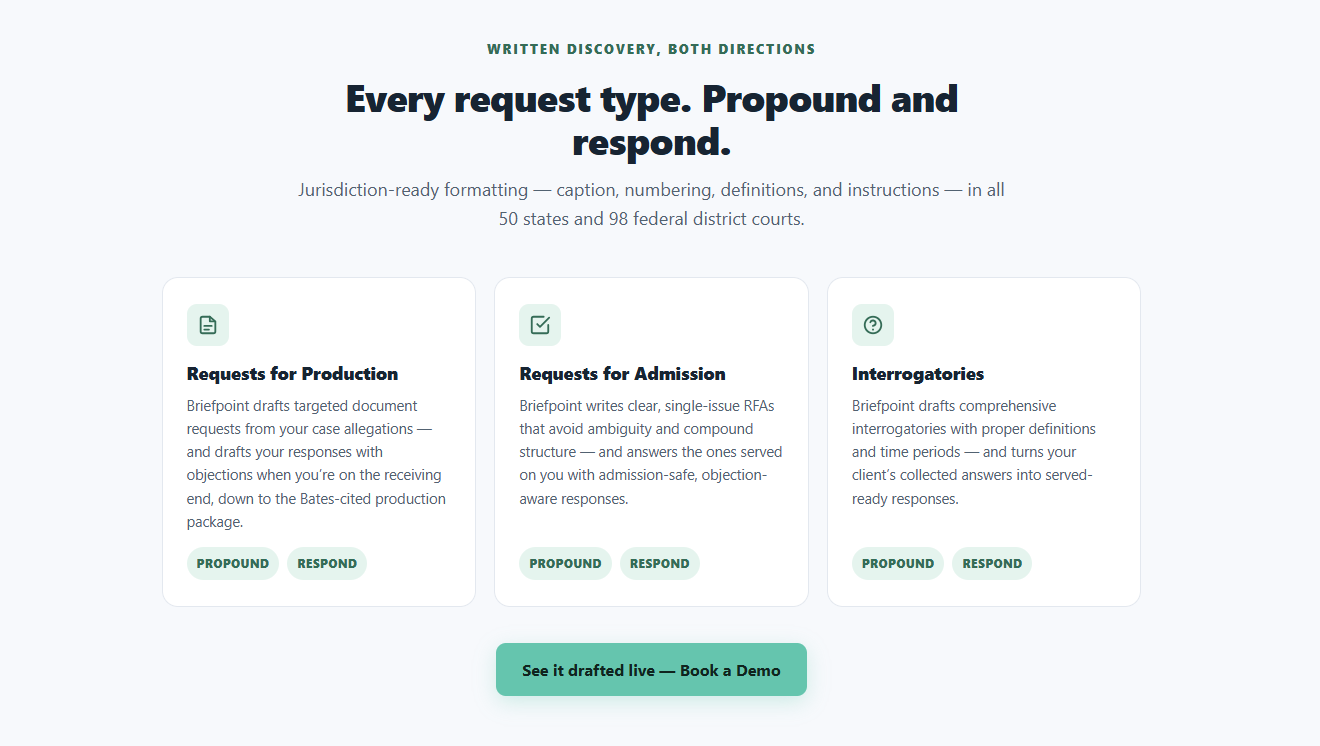
Using Briefpoint is straightforward: upload a discovery request, choose your objections and responses, and download a ready-to-serve Microsoft Word document. From there, it’s sign and serve, no manual formatting or copy-pasting required.
Briefpoint also includes Autodoc, which handles the heavy lifting behind the scenes. Autodoc structures discovery responses automatically, applies the right formatting, and keeps everything consistent across documents. That consistency alone saves a surprising amount of review time.
For client responses, Briefpoint Bridge removes even more friction. It converts discovery questions into plain English and sends them directly to clients.
Once clients submit their answers, Briefpoint places those responses into the correct sections of your document, without emails, spreadsheets, or manual cleanup.
Is discovery document drafting work eating too much into your day?
Book a demo today and see how Briefpoint can help.
2. Legal Practice Management
Once your caseload grows, keeping everything straight gets harder fast. Legal practice management software exists to keep that chaos in check.
Essentially, it pulls your firm’s daily work into one place so you always know what’s happening, what’s due, and who’s responsible.
For legal professionals, this kind of software becomes the system everyone relies on. Client details, messages, documents, and deadlines sit together, which means less time searching and fewer things falling through the cracks.
You can quickly look back at past client communications, check the status of a matter, or see what needs attention next. That context makes client service feel smoother and more intentional, even on busy days.
Most practice management tools help you:
- Keep matters, contacts, and legal documents organized
- Track deadlines, tasks, and follow-ups
- Log calls, emails, and notes as work happens
- Coordinate work when multiple people touch the same case
When everything lives in one place, it’s easier to respond quickly and handle small issues before they turn into bigger ones. It also cuts down on miscommunication as teams grow.
Security still matters, of course. Clients expect their information to be protected, and modern platforms are built with that responsibility front and center.
Clio
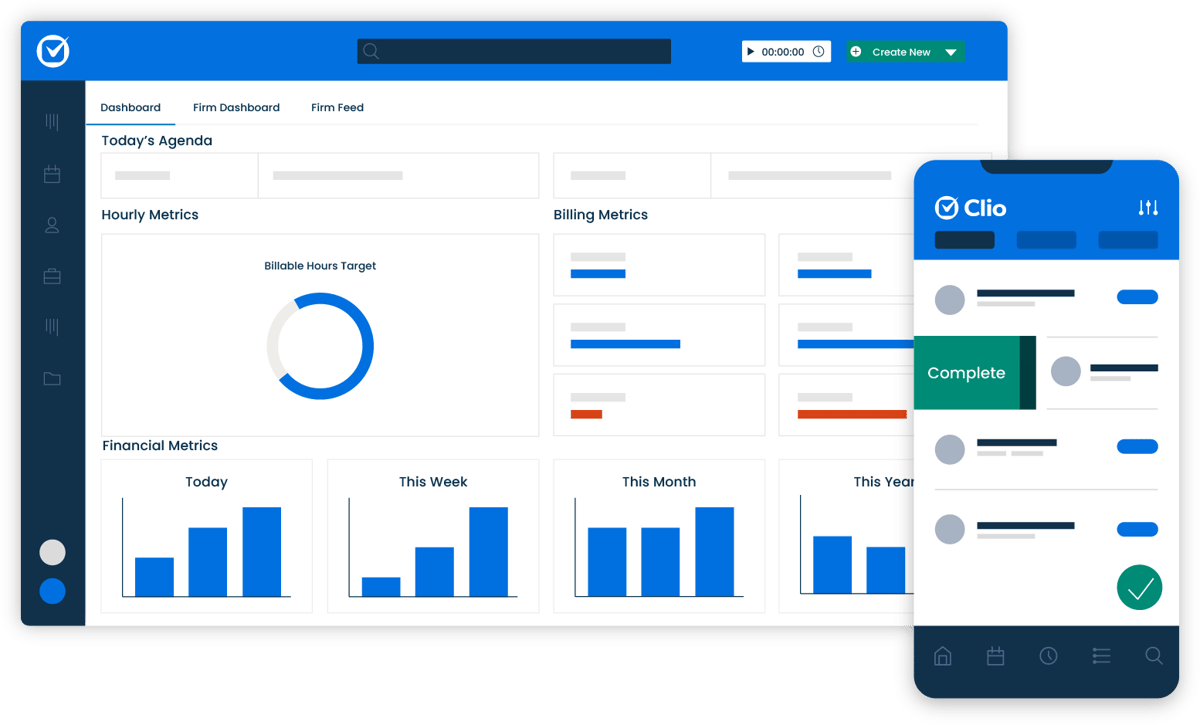
Clio is a popular choice for firms that want a clearer view of their daily work. On this platform, case details, contacts, documents, and conversations all live in one place, which makes staying organized much easier.
Source: G2
With Clio, scheduling, document storage, and communication tracking feel straightforward. It also connects with other legal tech software platforms, which helps reduce manual work across your workflow.
Whether you’re checking in with a new client or managing long-running matters, Clio keeps everything documented and easy to find, so nothing important gets missed.
3. Legal Research
Legal research is a basic part of preparing a case and advising clients. Lawyers need to review statutes, regulations, and past decisions so their arguments are grounded in current law rather than memory or assumption.
Modern legal tech solutions make that process faster and easier to manage. Many platforms use natural language processing, which lets users search in plain English and find relevant authority without working through scattered sources.
Some of the main benefits include:
- Faster access to authority: AI-powered software can search large collections of case law, statutes, and regulations in less time.
- Clearer case comparisons: Certain tools extract structured data from court decisions, making it easier to compare rulings, judges, and outcomes.
- Better risk assessments: Data-driven insights can help lawyers evaluate possible outcomes and decide where more research is needed.
- Smoother legal workflows: Research platforms can connect with e-discovery and case management tools, keeping legal authority and case facts easier to review together.
These tools reduce manual research work while still leaving the final analysis and judgment to the lawyer.
Westlaw
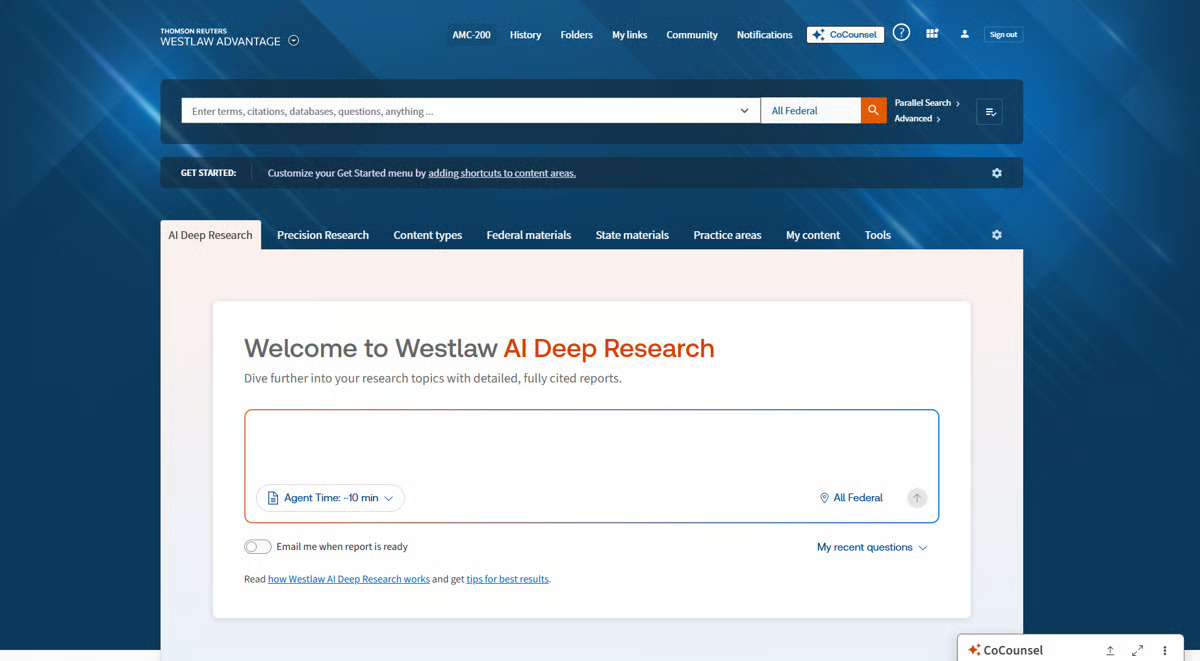
Westlaw is a well-established legal research tool that many firms use for everyday legal work. It brings case law, statutes, regulations, and secondary sources into one searchable platform, which makes it easier to find reliable authority without switching between multiple databases.
Source: G2
Its filtering tools help lawyers narrow results by jurisdiction, practice area, date, and document type. That can save a significant amount of research time, particularly when a matter involves a large body of authority.
Westlaw also supports more careful citation review through KeyCite. Lawyers can quickly see how a case has been treated by later courts, confirm whether it remains good law, and identify any negative history before relying on it. This can play an important role in minimizing errors.
The platform uses machine learning and other legal AI capabilities to improve search relevance and surface authority based on context. Some of its advanced analytics features also help users review litigation trends and compare courts, judges, or case outcomes.
For firms that need dependable access to legal sources, Westlaw remains one of the most widely used legal research tools available.
4. Contract Management
Contract management covers everything that happens from the first draft through review, approval, signing, renewal, and storage. For law firms and in-house teams, the challenge often comes down to keeping each contract organized and moving without losing track of important details.
Modern platforms simplify document handling by bringing drafts, comments, approvals, and key dates into one system.
Many also support clause extraction, which helps legal teams identify terms such as renewal dates, payment obligations, and liability provisions without reading every agreement line by line.
For example, if a company has hundreds of vendor contracts, the software can flag which agreements are approaching renewal and show where certain clauses differ from the organization’s preferred language. That gives lawyers a clearer starting point for review.
These tools can also support lifecycle management by tracking version changes, routing contracts for approval, and creating reminders for upcoming obligations. Lawyers still make the final legal calls, but the system makes the surrounding process easier to manage and more consistent.
Ironclad
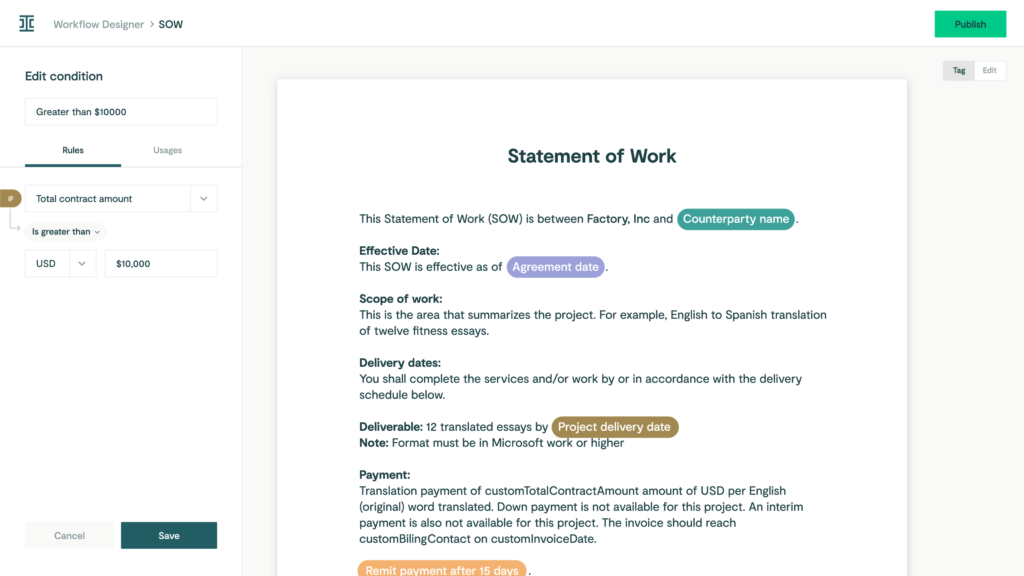
Ironclad is a contract management platform built for teams that handle a steady volume of agreements. It brings drafting, review, approvals, and post-signature tracking into one system, which helps reduce repetitive tasks and keep legal work moving.
Source: G2
Teams can create templates for common agreements and set up custom workflows based on contract type, value, or risk level. Since no two agreements are created equal, the platform allows legal teams to adjust the process when a contract needs additional review.
Ironclad also supports contract analysis by identifying important terms and clauses during review. Its artificial intelligence features can surface potential issues and give attorneys a clearer starting point, while the final legal decisions remain with the lawyer.
Strong version control keeps edits, comments, and past drafts easy to follow. Once an agreement is signed, the platform tracks key dates such as renewals and expirations and keeps related legal information in one place.
This combination of legal automation and document management makes Ironclad useful for teams that want a more consistent contract process without losing oversight. Enterprise-grade security adds another layer of protection for sensitive legal and business information.
5. Billing and Accounting
Legal billing and accounting software keeps a firm running day to day, even though it rarely gets much attention. For legal professionals, staying on top of hours, expenses, and invoices directly affects cash flow and how smoothly the practice operates.
Handled manually, these tasks take up more time than they should and make it easier for small mistakes to slip in. And when billing falls behind, it often spills into other daily operations, such as client follow-ups and internal reporting.
Modern legal billing software brings structure to this part of the firm. Time entries, expenses, and invoices stay organized and easy to review, which helps firms stay consistent and predictable with their finances.
Many billing software platforms also support e-filing and reporting to make regulatory compliance easier to manage.
Just as important, billing and accounting software tools are designed to align with regulatory standards, which helps give firms confidence that financial records are accurate and defensible.
QuickBooks
QuickBooks is a widely used accounting platform that helps law firms manage billing, expenses, and financial reporting in one place.
Firms can track billable time, create invoices, record payments, and monitor spending without relying on separate systems for each task.

Source: G2
Invoices can be sent directly to clients, which helps legal services teams keep billing accurate and follow up on unpaid balances more easily. Expense tracking also gives firms a clearer view of operating costs, including payments tied to vendor management and other legal operations.
QuickBooks reporting tools turn historical data into useful financial summaries, making it easier to review law firm profitability, compare performance, and plan ahead. These reports can help firm leaders make better decisions about staffing, spending, and future growth.
The platform supports seamless integrations with many business and legal tools, allowing billing and financial information to move between systems with less manual entry. Its straightforward interface also makes it accessible to attorneys and staff who may not have an accounting background.
6. Client Intake
Bringing in a new client doesn’t end when they say yes. The intake process is what shapes their first real impression of your firm. If it feels slow or confusing, that experience sticks.
Client intake covers how you collect client info, share forms, and explain next steps. Think of the moment after the first inquiry: someone fills out a form, makes a few phone calls, or sends documents over.
A good intake process keeps that information organized and keeps clients informed about what happens next.
For example, an intake tool might send a new client a secure form to complete before the first meeting. Once it’s submitted, the details are saved automatically, reminders go out if something’s missing, and your team sees everything in one place before the call even happens.
That kind of structure reduces back-and-forth, shortens response times, and plays a big role in improving client satisfaction.
When intake runs smoothly, clients feel supported from the very beginning, and your team starts the relationship on solid ground.
Lawmatics
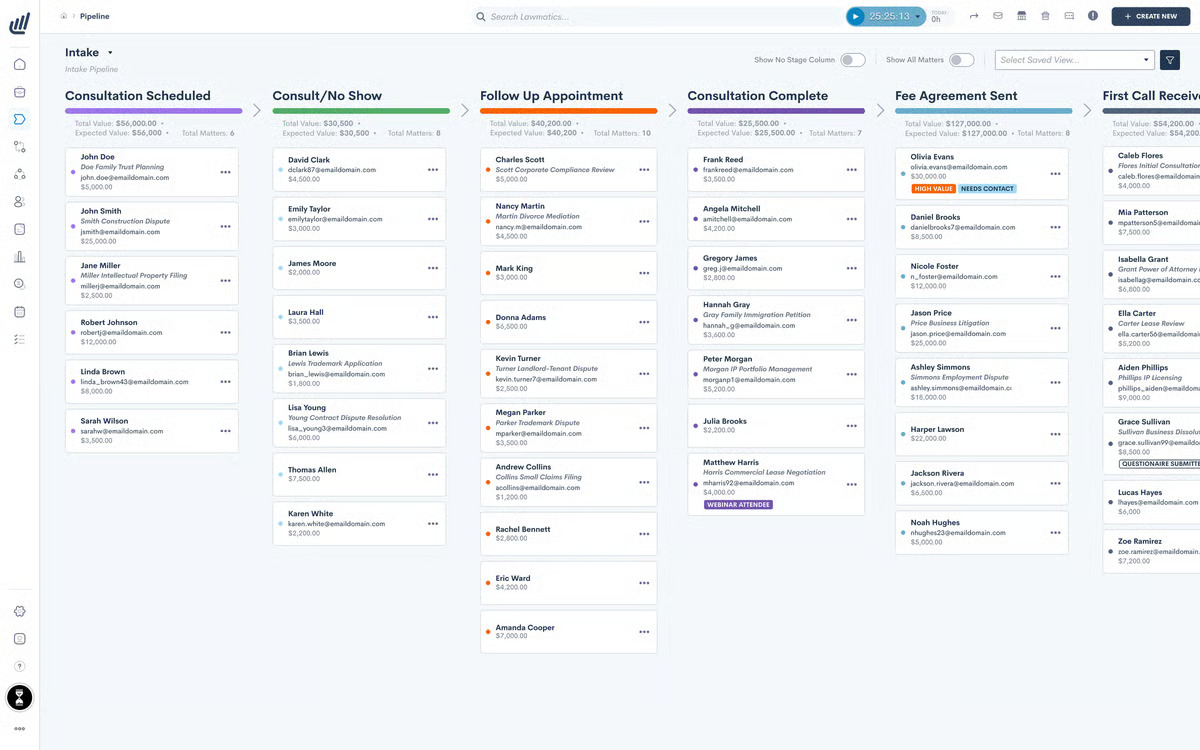
Lawmatics helps law firms manage client intake, follow-ups, and onboarding from one platform. Firms can build custom intake forms, collect documents, and guide new clients through the early stages of a matter without relying on long email chains or manual reminders.
Source: G2
The platform also tracks leads and sends automated follow-ups, helping firms stay responsive while reducing the administrative work tied to client development. Its interface is designed to be straightforward, so staff can manage intake and communication without a complicated setup.
Third-party integrations allow Lawmatics to connect with practice management systems, legal CRM platforms, and other tools already used by the firm. This keeps client information organized and reduces duplicate data entry.
Plus, Lawmatics includes controls that support data privacy, which is important when firms collect personal and case-related information during intake.
As the legal landscape becomes more technology-driven, tools like Lawmatics can help firms create a more consistent and professional experience for prospective and new clients.
7. Electronic Signatures
Electronic signatures have become a normal part of how legal documents move today. Signing no longer means printing, scanning, or dealing with physical files, which saves time and keeps things from piling up.
Many document management platforms now include e-signature tools right inside the system. That means a document can be drafted, sent out for signature, signed, and stored in the same place. Once it’s signed, it’s already filed and easy to find later.
E-signatures also help keep sensitive information protected. Built-in security features and audit trails make it clear who signed what and when, which matters for legal work.
Docusign
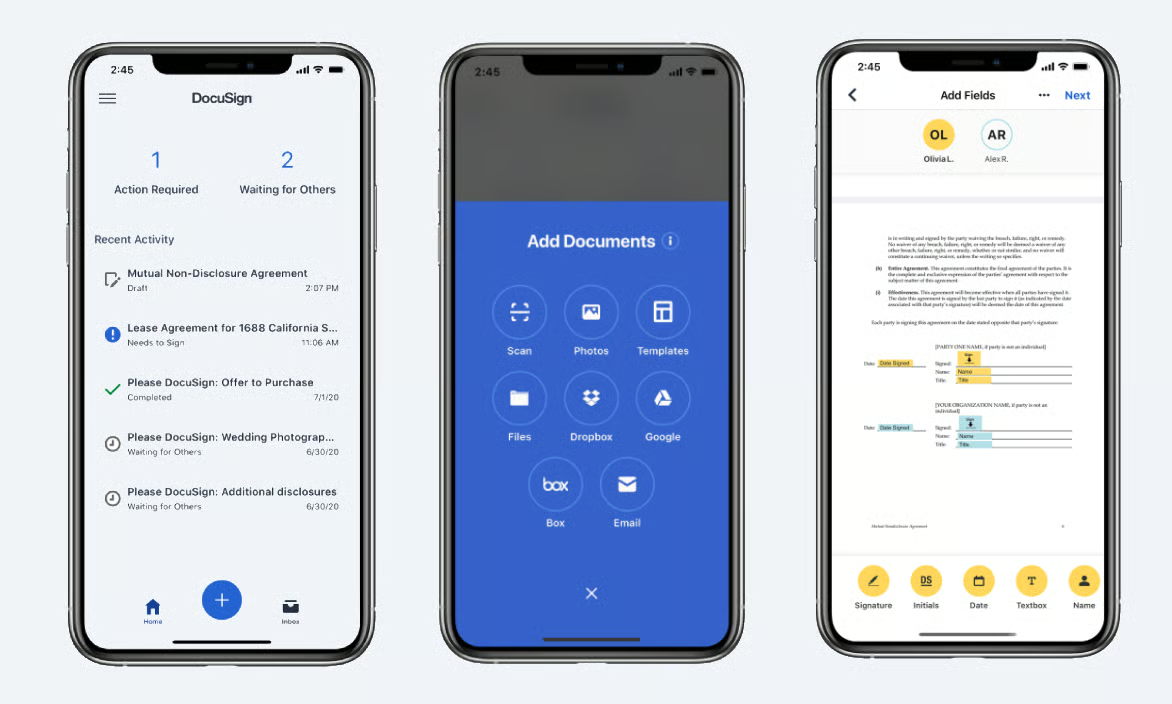
With Docusign, you can send, sign, and manage documents electronically so signatures are collected quickly and securely.
No matter what type of legal document you’re working with (contract, litigation document, or something else entirely), this platform has the versatility to handle it with ease.
Source: G2
One of the key benefits of Docusign is its ease of use. Both lawyers and clients can sign documents from any device, whether they’re in the office or on the go.
With this flexibility, delayed signatures become a thing of the past, and important documents get signed promptly.
Docusign also offers robust security features, including encryption and authentication, to protect the integrity of your documents and the confidentiality of your clients.
When Discovery Becomes the Bottleneck
Legal tech feels a lot less overwhelming once you stop looking at it as one huge change. Most firms already know they need better tools. The harder part is deciding which problem to solve first.
Discovery is often a good place to start because it touches so much of the case. Attorneys may spend hours drafting requests and responses, following up with clients, sorting through documents, and preparing production materials.
Briefpoint helps bring that work into one process. You can draft RFAs, requests for production, and interrogatories, then add objections and response language without rebuilding everything from scratch.

Client Bridge makes it easier to collect answers and documents from clients through a secure link. Their responses stay tied to the correct request, so there is less copying, pasting, and chasing down missing information.
Autodoc helps with document-heavy productions by reviewing uploaded files, finding responsive material, and creating Bates-numbered production sets with page-level citations. Briefpoint can also carry earlier answers into supplemental responses, which saves you from recreating the document later.
You still control the final work. Briefpoint simply handles more of the repetitive steps around it, so attorneys can spend less time managing discovery and more time on the case itself.
What Is a Motion to Compel? (Checklists and Guides)
Legal parties aren’t always cooperative. While the law might state they must supply information to you before a trial, they can be non-compliant.
These tactics are understandable, but they don’t always fall within the scope of the law. Parties may be breaching proper procedures and could face court sanctions, such as the imposition of legal fees or contempt of court charges, where non-compliance persists.
Motion-to-compel tools give you a way to move things forward when the other side won’t play along. They let the court step in and require the release of information tied to your case.
When you know how and when to use them, delays lose their power, and required materials tend to surface much faster.
What Is a Motion to Compel?
A motion to compel is a formal request asking the court to order another party to meet its legal obligations, usually during discovery.
Attorneys commonly file one when the opposing side fails to answer interrogatories, produce requested documents, attend a deposition, or provide complete and legally sufficient responses.
If the motion is granted, the judge may compel responses within a set deadline and require the noncompliant party to release important information relevant to the case.
Depending on the circumstances and applicable court rules, the judge may also award attorney’s fees or impose sanctions for continued refusal to cooperate.
Motions to compel can apply outside traditional discovery disputes as well. A party might seek an order requiring testimony, document production, or another form of disclosure that the opposing side has withheld.
Courts generally expect the requesting party to attempt an informal resolution first and explain why the requested material is relevant and legally discoverable.
When to File a Motion to Compel
Filing a discovery motion or a motion to compel becomes necessary when the responding party fails to meet its discovery obligations.
If you’re not getting the information you’re entitled to and informal efforts haven’t worked, a motion to compel may be your next step.
Parties Are Unresponsive to Interrogatories
If the opposing side ignores your interrogatories or provides vague, incomplete answers, it can stall your case preparation.
Without proper responses, you’re left in the dark and unable to fully assess your position or build a solid strategy. This kind of noncompliance isn’t just frustrating; it can seriously jeopardize your client’s chances in court.
As the moving party, you’re asking the court to step in and require the other side to comply with the rules. A motion to compel makes it clear that discovery isn’t optional and that delays or evasions won’t be tolerated.
If the responding party fails to answer interrogatories or respond with valid legal objections, the court may order them to produce the information and, in some cases, impose sanctions for failing to meet their discovery obligations.
Parties Won’t Produce Documents
When the other party fails to provide requested documents, filing a motion to compel discovery responses may become unavoidable. This type of noncompliance can throw off the entire case timeline and affect the fairness of the proceedings.
Here’s why a motion may be necessary in these situations:
- Missing documents can distort the facts: Without access to complete records, you’re working with half the story.
- It delays case resolution: Waiting on paperwork from an uncooperative party slows everything down.
- It undermines the discovery process: Parties are expected to respond honestly and thoroughly to all discovery responses.
- It opens the door to misconduct: When one side withholds information, it gives them an unfair tactical advantage.
- It weakens legal arguments: Without key documents, you may be unable to support your claims or defenses effectively.
If the other party refuses to comply even after informal efforts, the moving party can ask the court to order compliance.
Parties Are Deliberately Obstructing Information Discovery
Sometimes, one party takes deliberate steps to stall or block the discovery process. This could involve making excessive objections, refusing to turn over documents, or generally disrupting attempts to gather relevant information.
In both civil and criminal discovery, these tactics can prevent a fair outcome and waste valuable time.
If a non-complying party is intentionally obstructing the process, filing a motion to compel may be the only way to move forward.
But before doing so, courts often require good faith efforts to resolve disputes. This means reaching out to the other side, attempting to work things out, and documenting your efforts.
You’ll typically need to include a separate statement detailing each disputed item, your attempts to resolve the issue, and why the information is relevant. You’ll also need to request a hearing date with the court so both sides can present their positions.
For example, if an attorney refuses to produce financial records after repeated requests, claiming irrelevant privilege with no legal support, a motion to compel, supported by a clear paper trail, can pressure them to comply or risk court sanctions.
How to File a Motion to Compel
If the opposing side isn’t cooperating or you suspect they’re hiding crucial evidence, you may need to file a motion to compel.
But this process isn’t automatic. It requires careful steps to stay within procedural rules. Here’s what to do:
Meet and Confer With the Opposing Party
Before taking your issue to court, you’re expected to try resolving it informally. That means reaching out to the opposing side to meet and confer. This step helps the court determine that the requesting party made good faith efforts to work things out without legal intervention.
You should clearly address the missing discovery documents, explain what’s incomplete or missing from the responses, state the specific grounds for concern, and request further responses within a reasonable timeframe.
Be sure to document this meeting thoroughly; include the:
- Date
- Topics discussed
- Any follow-up communication
Courts often won’t consider a motion to compel unless you’ve attempted to resolve the issue first. This step lays the groundwork if you later need to compel production and shows the court you handled the issue responsibly before asking for formal enforcement.
Prepare Your Motion to Compel
If parties still fail to comply with your discovery requests, you should prepare a motion to compel. Make sure you follow established formats to avoid confusion or rejection for failing to provide the correct information.
A motion to compel typically contains:
- The name of the court
- The docket number
- The names, addresses, and details of the parties involved
- A summary of the case that provides context
- A list of discovery requests that the opposing party did not comply with
- A list of accompanying reasons explaining any non-compliance
- Reasons why the court should support discovery
The last element is critical. Courts will only issue a motion to compel if you can provide reasonable cause for the opposing party to comply with your request.
Acceptable reasons courts may accept include things like:
- Failure to release medical records relevant to a case
- Failure to supply expert deposition questions
- Getting in the way of discovery by abusing the rules of conventional legal proceedings to cause delay or incur higher costs for the opposing party
- Failure to take part in depositions
- Failure to supply documents relevant to the case
The more accurate you can make your objective, the more likely the court will grant your motion to compel. Whatever reason you choose must align with the circumstances of the case.
Serve the Motion
After the motion to compel is filed, the court begins reviewing the request and any objections from the other side. This stage matters, especially during discovery, since access to complete information can influence how the case moves forward.
In most courts, you can serve the motion electronically through e-filing. Some jurisdictions still require or allow physical service, so double-check local rules. Either way, the opposing party’s law office must receive proper notice along with all necessary information tied to the motion.
Once served, the court may allow both sides to present arguments. The judge will review the facts and determine whether the motion is justified based on what each party believes is required under the rules.
Key points to keep in mind:
- Provide a clear notice to the opposing party
- Include all necessary information and supporting legal documents
- Confirm service deadlines, which may be measured in court days
- Note any hearing set for a later date
If the court rules in your favor, it may order document production or answers and, in some cases, award attorney’s fees.
Go to the Hearing
If the other side still refuses to comply after service, the next step may be a court appearance.
A compel hearing gives both parties space to explain their positions, and the judge decides whether a court order is needed to move discovery forward.
At this point, the requesting party should be ready to show good faith efforts to resolve the issue outside the courtroom.
That usually means bringing emails, call summaries, or letters that document your attempts to work things out before asking the court to step in. This supporting evidence helps show you weren’t rushing to the litigation stage.
Be prepared to walk the judge through the original propounded discovery, such as an inspection demand or unanswered interrogatories. Your goal is to clearly show what information is missing, why it matters, and why the court should compel answers.
In some jurisdictions, separate motions may be required, one to compel compliance and another tied to sanctions. Make sure your filings stay clear and focused on the discovery at issue.
Remember: A well-prepared hearing can lead to a court order requiring the other side to produce all the information they’ve been withholding.
Defending Against a Motion to Compel
On the other hand, you will be on the receiving end of a motion to compel. When this happens, you may find yourself being asked to provide information that conflicts with your clients’ rights or falls outside of the purview of the case.
Fortunately, you can also defend against these motions to protect your client against unjustified intrusions. Here’s what to do:
Talk to the Opposing Party
As described above, one option is to “meet and confer” with the opposing party. Talking to them can sometimes help you resolve the issue without going through any formal court procedures.
When meeting with the other side, record all relevant information, including talking points and any agreements reached.
Identify Objections
Review the motion carefully. The requested discovery may reach too far, miss relevance, or touch on privilege. You have the right to object, but those objections need to be clear, legally sound, and tied to specific issues in the request.
In certain situations, a quick reference can help you spot problems faster. A discovery objections cheat sheet can be useful here, especially when you’re reviewing requests that raise the same concerns again and again. It helps you confirm when objections apply and how they’re commonly framed.
Tools like Briefpoint can also support this step. Briefpoint uses artificial intelligence to analyze propounded discovery and flag issues based on similar case law.
It highlights potential problems, suggests language, and lets you insert objections directly into your response. You can also tailor responses or use templates that fit your strategy.
Once objections are finalized, file them with the court along with any required declarations. If the court agrees under the following circumstances, it may deny or narrow the formal request, which limits access to certain information that shouldn’t be produced.
Carefully Read the Motion
Before you respond, take time to carefully read the motion to compel. Don’t skim; go line by line. Understanding exactly what the propounding party is asking for can help you craft a more focused and accurate response.
Sometimes, the language in a motion can make it seem like they’re asking for invasive or overly broad requested information, but a closer read may reveal something more limited or specific. Misunderstanding the scope could lead to unnecessary concessions or weak objections.
Look closely at how the motion aligns with civil procedure rules. Are they citing the right statutes? Did they include all required supporting documentation? Has the motion been filed correctly and timely?
Legal AI tools can speed up this review. They can flag overbroad language, missing context, or irrelevant demands, which can help you respond with stronger objections.
Some platforms even let you click to insert objections directly into a verified response, saving time and reducing the risk of error.
File Your Response
Once you’ve reviewed the motion and prepared your objections, it’s time to formally respond.
File your response with the court, explaining why the motion to compel is improper or why the requested information falls outside the bounds of discovery rules. Your documentation should be clear, well-organized, and backed by legal reasoning.
Be sure to include all necessary attachments, such as a declaration detailing your informal resolution efforts, any prior correspondence with the other party, and other evidence, such as a service form confirming that your response was properly served on opposing counsel.
If the court schedules a hearing, make sure you attend. Showing up gives you the chance to explain your objections directly and reinforce why an order compelling further discovery isn’t warranted. Skipping it means losing your opportunity to be heard.
Be Prepared to Compromise
Finally, you may need to compromise with the opposing party to avoid going to court in some cases. This tactic might involve disclosing some specific information while protecting other sensitive data.
Automate the Discovery Process Without Waste
A motion to compel can move your case forward or put your own discovery conduct under scrutiny.
Either way, you need a clear record of the requests, responses, objections, and efforts to resolve the dispute.
Briefpoint helps firms draft and respond to interrogatories, RFAs, and requests for production faster.
Bridge collects client answers and documents through a secure link, while Autodoc connects responsive files to Word-formatted responses with page-level Bates citations. Discovery Playbooks help apply your firm’s preferred objections and response strategy consistently.
With drafting, client collection, document review, and production support in one workflow, Briefpoint can reduce the time spent preparing discovery and help your team stay ready if a dispute reaches the court.
Book a demo to see how Briefpoint can support your discovery process.
5 Best Legal Operations Software for Modern Legal Teams
What Are Legal Operations?
Legal operations, or legal ops, is the business side of running a legal team. It covers the work that supports lawyers without being legal work itself. In modern legal departments, that often includes:
- Budgets
- Vendors
- Tech tools
- Data
- Reporting
- Internal processes
The goal is to take repetitive, non-legal tasks off the lawyers’ plates so they can focus on actual legal work. Legal ops helps teams work more efficiently, make better decisions, and stay on top of deadlines, legal spend, and department performance.
This area has grown into its own field, with legal operations professionals focused on improving how legal departments function. They often handle strategy, process improvement, financial oversight, vendor management, and technology adoption.
Legal operations also help departments prove their value. With stronger processes and legal ops software, teams can track workloads, measure performance, and show how their work supports the broader goals of the business.
In short, legal ops keeps the business side of legal organized so lawyers can spend more time on high-value work.
What Is Legal Operations Software?
Legal operations software is built to support the day-to-day work of legal departments. It helps manage contracts, budgets, vendors, legal spend, documents, eSignatures, compliance tasks, and more without relying on spreadsheets or outdated systems.
Most tools help reduce manual effort by handling routine tasks such as drafting discovery responses, routing contracts for review, tracking approvals, or organizing matter data.
Some also use legal AI to flag risks, surface key information, or help legal ops professionals create more efficient processes across the department.
As client demands increase, legal teams are expected to deliver faster results with fewer resources. Legal operations software helps by improving how legal work is organized, tracked, and delivered.
It’s also useful for reporting. Legal ops tools can show how much you’re spending, which vendors are performing well, and where delays are slowing work down. Essentially, this software helps legal departments run with more structure, better visibility, and less repetitive admin work.
With all this in mind, let’s take a look at some of the best tools for legal operations teams and corporate legal departments.
5 Best Legal Operations Tools Per Category
Legal operations cover a lot of ground, so there’s no one-size-fits-all tool. The best approach is to pick software that’s built for specific tasks, whether it’s drafting documents, managing contracts, or tracking billing.
Below are the top tools in each category that legal teams rely on to get things done faster and with less hassle.
1. Discovery Document Drafting: Briefpoint
Drafting discovery documents can slow everything down. It’s repetitive, detailed work that takes up valuable time you could spend on strategy, case prep, or higher-value legal work.
Briefpoint helps reduce that manual work by auto-generating clean, formatted discovery drafts in minutes. This AI-powered tool handles interrogatories, requests for admission, and requests for production across all U.S. states and federal districts.
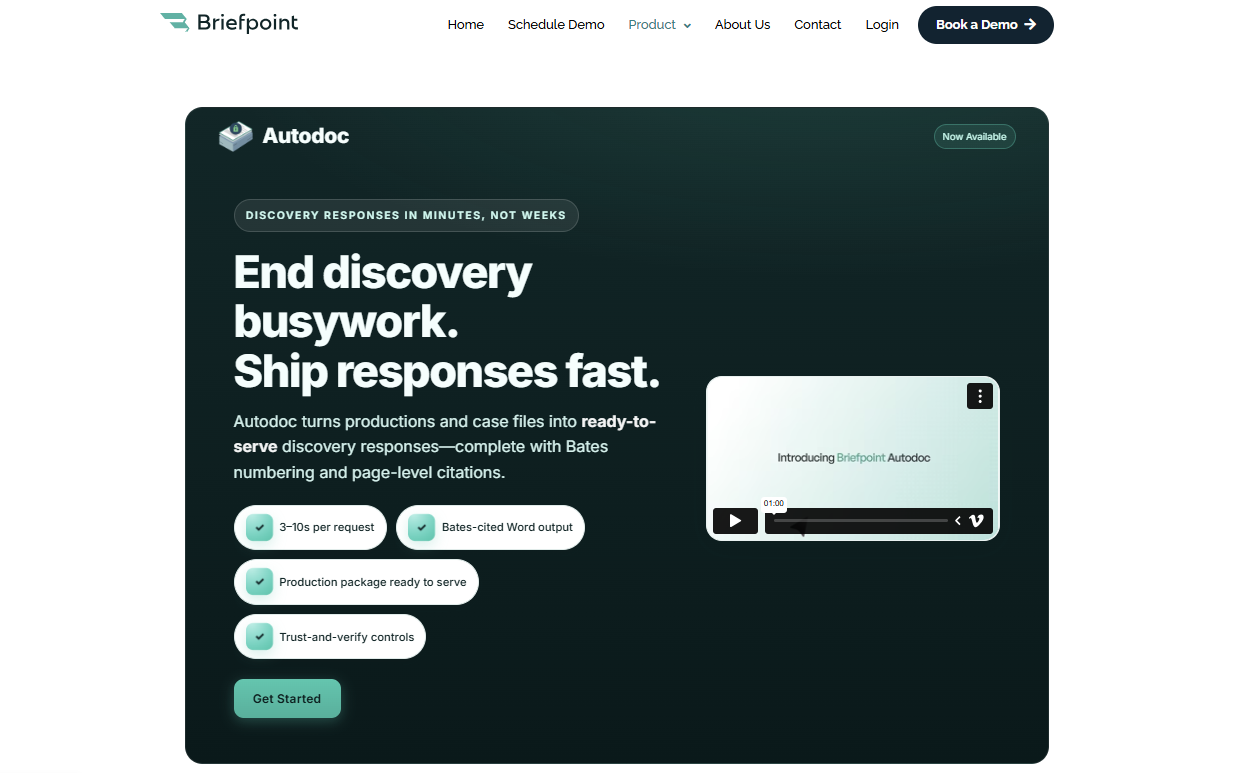
The process is simple: upload your PDF, select your objections, review the draft, and download a ready-to-edit Word file. Briefpoint also supports supplemental responses, so you can update prior discovery responses without rebuilding the document from scratch.
Autodoc takes things further by helping turn productions and case files into Bates-cited Word responses with page-level citations and a Bates-numbered production package.
That makes it especially useful when your team needs to connect supporting documents to specific discovery responses with less manual review.
Best Features
- Propound & respond support: Drafts and responds to requests for admission, requests for production, and interrogatories across all U.S. jurisdictions.
- Fast document generation: Upload a PDF and get a mostly completed draft in minutes.
- Click-to-add objections: Add objections to each request with a simple interface.
- Autodoc: Turns productions and case files into Bates-cited Word responses with page-level citations and a Bates-numbered production package.
- Supplemental responses: Helps you update prior discovery responses while preserving the original structure.
- Editable Word downloads: Export fully formatted documents for final edits or filing.
- Court-specific formatting: Detects court information to apply local rules.
- Private and secure: Uses end-to-end encryption and does not store or train on client data.
Briefpoint can help you draft legal documents in minutes instead of hours.
Find out more about the platform and book your demo today!
2. Contract Lifecycle Management: Ironclad
Contract lifecycle management, or CLM, is the process of creating, reviewing, approving, signing, storing, and tracking contracts from start to finish.
Ironclad brings that process into one central platform, which helps with contract management, document organization, and collaboration across departments.
It reduces scattered edits, long email threads, and tracking problems that often slow down vendor contracts and other high-volume agreements.
Source: G2
With Ironclad, legal teams can work with sales, finance, procurement, and other business teams using the same language and the same contract process.
Teams can set up automated approval flows, comment on documents in real time, and keep full visibility into every contract from request to signature.
Best Features
- Full contract workflow: Manages everything from drafting to signature and storage.
- Live collaboration tools: Help teams streamline collaboration with real-time editing and comments.
- Automated approvals: Routes contracts through the right steps without manual follow-up.
- Audit trail and version control: Tracks every edit, comment, and approval.
- Central contract library: Supports document organization with filters, tags, and search.
- Vendor contract support: Helps manage vendor contracts, sales agreements, NDAs, and other routine business contracts.
- Integrates with key platforms: Works with Salesforce, Slack, DocuSign, and more.
3. Collaborative eDiscovery: Everlaw
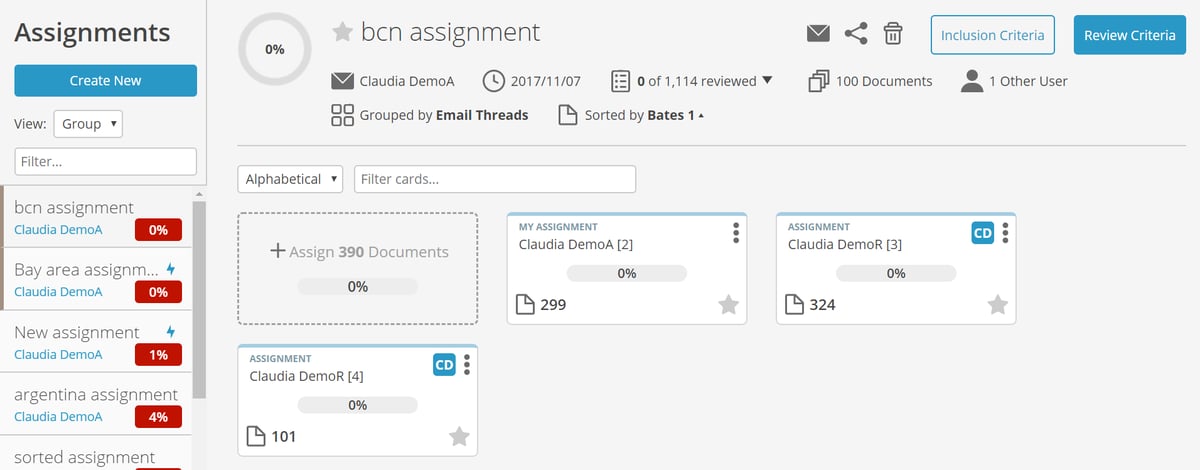
Everlaw is a cloud-based electronic discovery platform that helps legal teams review, organize, and share case documents in one secure place.
It’s designed for collaboration, which makes it easier for teams to manage internal investigations, litigation, and external matters without getting buried in files or email threads.
Source: G2
As part of modern legal operations management, Everlaw supports business processes tied to large-scale document review.
Teams can highlight key data, leave notes, assign tasks, and build case timelines within the same platform. It reduces back-and-forth communication and gives everyone easy access to the documents and context they need.
Used by law firms and in-house counsel, Everlaw fits well into a broader legal software setup. It gives legal professionals a clearer way to manage discovery, track important facts, and understand the strategic impact of the information inside their case files.
Best Features
- Cloud-based access: Review discovery documents anytime, from anywhere.
- Team collaboration tools: Comment, tag, and assign tasks within your team.
- Powerful search options: Find the right documents quickly with smart filters.
- Timeline builder: Map out events, facts, and evidence in one organized view.
- Secure document sharing: Control who sees what, inside or outside your team.
- Seamless integration: Connects with your other legal tools and systems.
4. Electronic Signatures: DocuSign
DocuSign is an electronic signature tool that allows legal teams to send, sign, and manage documents digitally. It replaces printing, scanning, and mailing paperwork, which helps speed up approvals and keep signatures organized in one place.
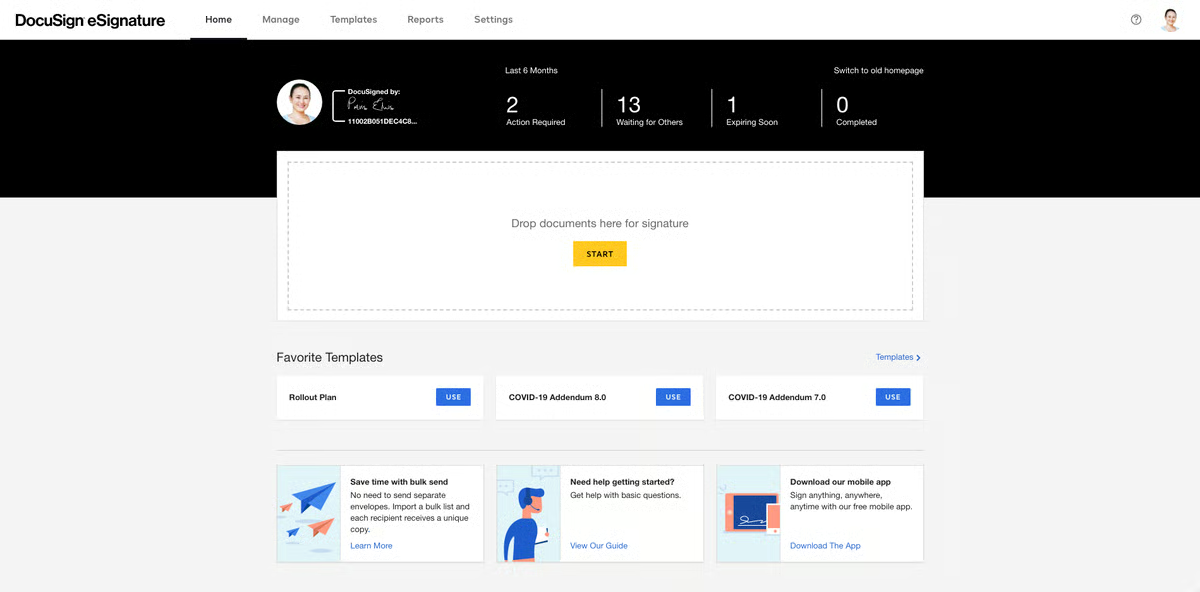
Source: G2
For in-house legal teams managing contracts, agreements, or filings, DocuSign is a key part of modern legal workflows. It helps reduce delays, improves accuracy, and makes it easier to track who signed what and when.
Everything is timestamped and stored securely, which is especially helpful when working with outside counsel, business partners, or teams across different departments.
DocuSign also supports integrations with other tools, which help the legal ops team manage legal data, document status, and signature workflows with fewer extra steps.
Best Features
- Legally binding eSignatures: Secure and accepted in courts and across industries.
- Audit trails: Track every step in the signing process for transparency.
- Reusable templates: Save time on documents you send frequently.
- Mobile-friendly signing: Send and sign documents from any device.
- Real-time notifications: Get alerts when documents are viewed or signed.
- Data privacy controls: Supports secure document handling for sensitive legal and business documents.
- Tool integrations: Works with contract tools, CRMs, and cloud storage apps.
5. Legal Accounting: LeanLaw
LeanLaw is a legal-specific accounting and billing tool built for law firms and in-house teams. It helps manage time tracking, invoicing, trust accounting, expense reporting, and financial management while syncing directly with QuickBooks Online.
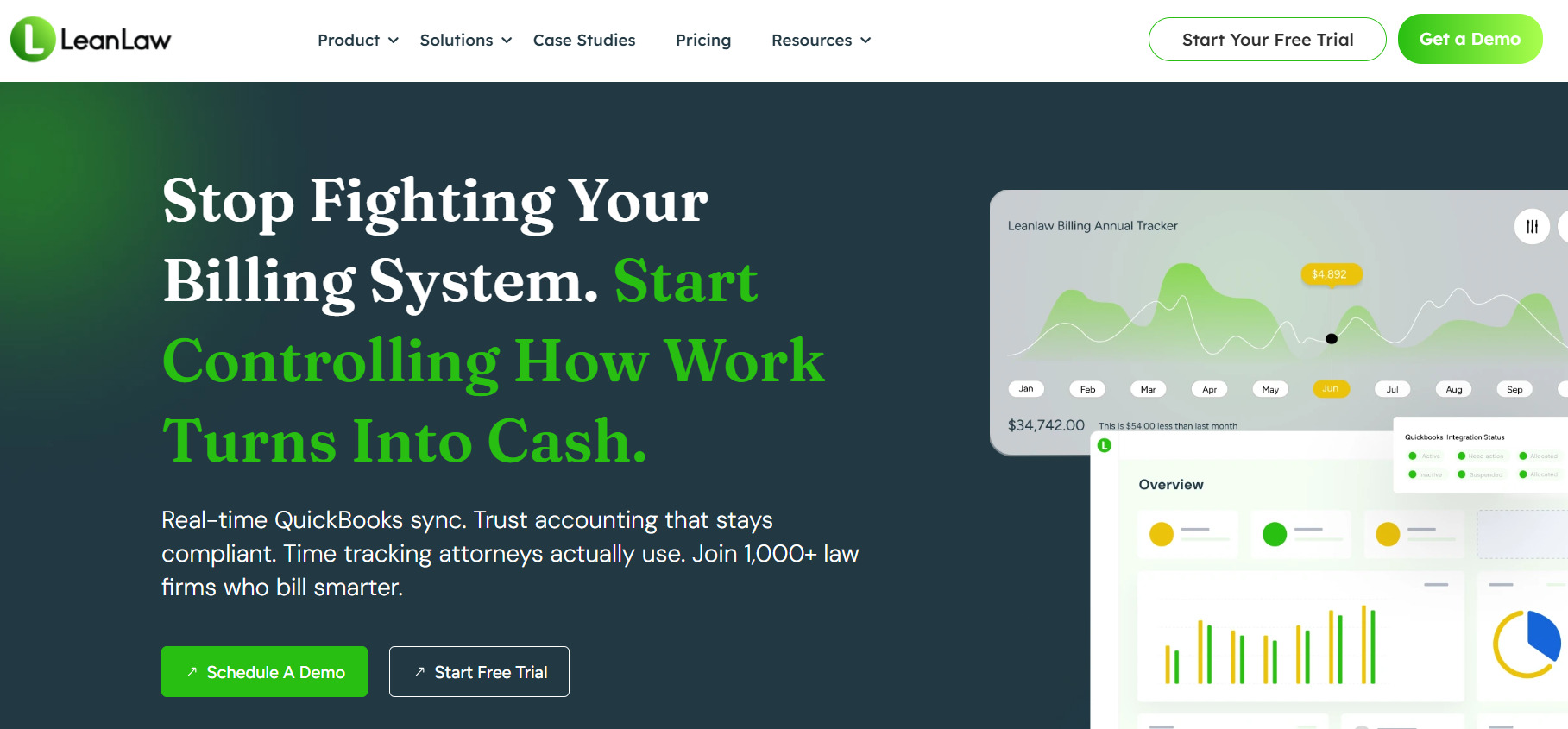
Source: LeanLaw.co
It’s designed to simplify billing and give legal leaders better visibility into legal costs without relying on scattered spreadsheets. Teams can track budgets, review outside costs, monitor billing guidelines, and make more data-driven decisions based on real financial activity.
LeanLaw also helps legal teams stay organized with detailed reporting and data analytics, which makes it easier to monitor budgets, understand performance metrics, and improve resource allocation.
It supports internal tracking needs and offers features that work well alongside legal tracker support systems used in larger departments.
Best Features
- QuickBooks Online integration: Syncs billing and accounting in real time.
- Time tracking tools: Track billable hours by client, matter, or user.
- Trust accounting: Manage client funds in compliance with legal standards.
- Detailed reporting: Review legal spend, performance metrics, and budget activity.
- Invoice automation: Generate and send polished invoices with a few clicks.
- Vendor management: Track outside costs tied to legal work and billing guidelines.
- Resource allocation support: Helps legal leaders understand where time, money, and effort are going.
- Financial visibility: Supports clearer reporting so teams can deliver measurable improvements over time.
Briefpoint Eliminates One of the Most Tedious Parts of Legal Operations
Legal operations platforms can help with contracts, billing, eSignatures, reporting, and team coordination. But even with strong systems in place, discovery drafting can still take up hours of valuable time.
Briefpoint helps reduce that workload by handling one of the most repetitive parts of legal work: drafting and responding to discovery requests. You can upload a PDF, select objections, review the output, and download a ready-to-edit Word draft in minutes.
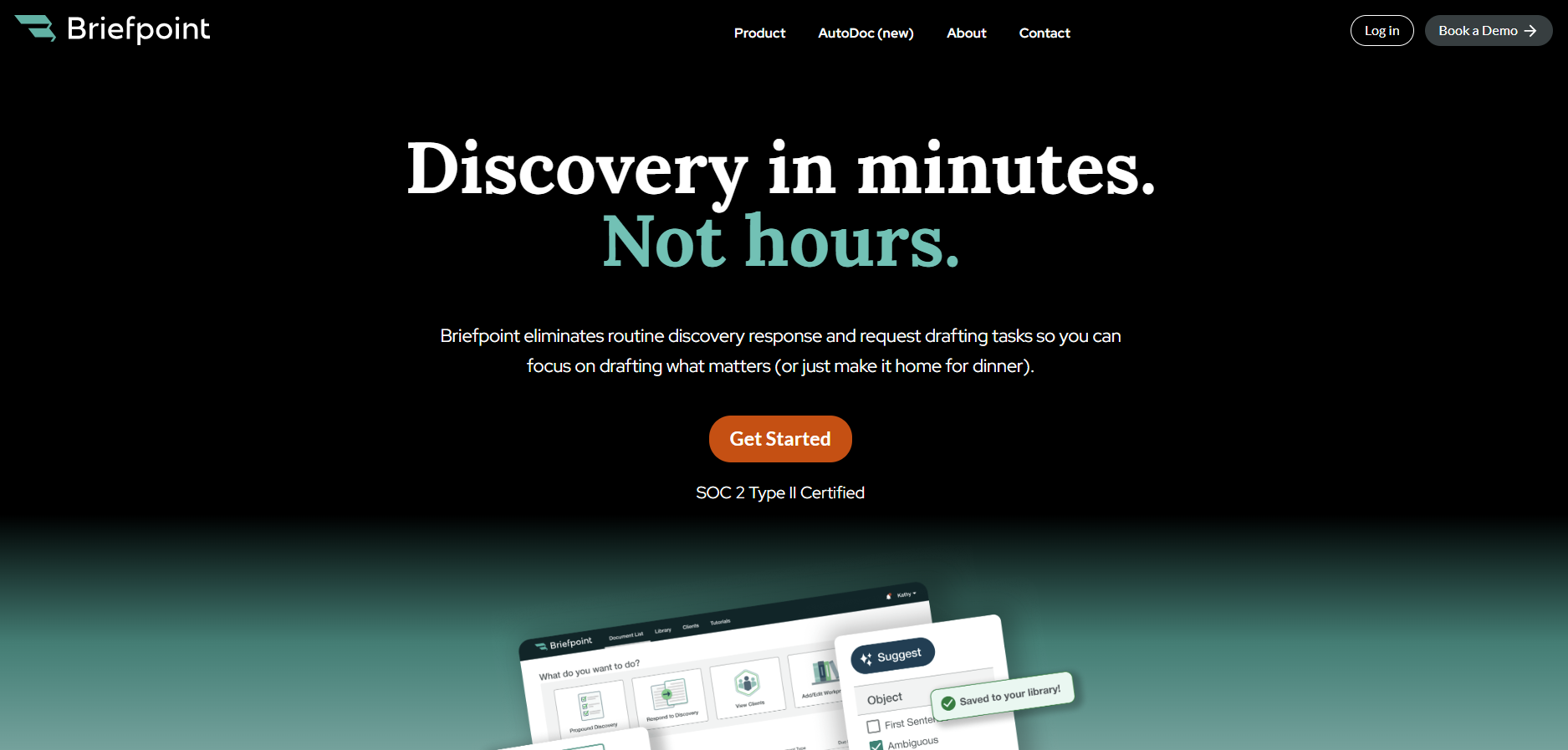
Briefpoint handles interrogatories, requests for admission, and requests for production across all U.S. jurisdictions.
It also supports supplemental responses and Autodoc, which helps turn productions and case files into Bates-cited Word responses with page-level citations and a Bates-numbered production package.
You still apply your legal expertise and make the final call. Briefpoint simply takes on the formatting, structure, and repetitive drafting work so you can focus on higher strategic value.
If your team already uses tools to manage contracts, track spend, or collect signatures, adding Briefpoint can make your legal operations toolkit more complete.
Book a demo and find out how much time you could save.
What Litigation Software Do Lawyers Use? (5 Best Options)
What Is Litigation Software?
Litigation management software is built to help legal teams manage the details of their cases more effectively. It focuses on case-specific tasks like filing deadlines, managing evidence, and handling filings.
Everything related to a case (e.g., court dates, documents, emails, and evidence) is organized in one place, so lawyers can spend less time juggling paperwork and more time focusing on strategy.
This is different from legal practice management software, which focuses on the business side of running a law firm, like billing, scheduling, and client management.
While practice management tools are great for overall operations, litigation management software is specifically designed to keep litigation cases on track.
Key features include:
- Tracking case progress with real-time updates and reminders
- Managing evidence and documents in one easy-to-access system
- Simplifying filings through integration with court systems
- Streamlining team communication and collaboration
Litigation management software makes sure that lawyers have everything they need for their cases in one place, reducing stress and improving efficiency.
It’s an essential tool for firms handling complex or high-stakes cases, especially when paired with practice management software to cover the firm’s operational needs.
What Litigation Software Do Lawyers Use?
Modern law firms take advantage of technology tools to maximize their legal workflows in terms of efficiency, accuracy, consistency, and profitability. But if you’re new to legal software, it can be challenging to figure out which ones will work best for your practice.
That said, we’ve compiled some of the best legal tools you can start with:
1. Briefpoint: Discovery Document Generation
Briefpoint helps you draft discovery documents in minutes by automating the repetitive parts of discovery work. It pulls key details from your documents, including the court, parties, set number, and request type, then helps create Word-ready drafts you can review, edit, and serve.
When your caseload includes a steady flow of discovery, small drafting tasks can take up hours very quickly. Repetitive tasks like formatting responses, checking court rules, organizing client answers, and preparing clean drafts all pull time away from strategy.
Briefpoint helps reduce that manual work so you can move discovery forward with improved efficiency.
You also get a more organized way to collect client responses. Briefpoint Bridge turns interrogatories into plain-English questions that clients can answer through a secure portal. For requests for production, clients can upload documents through Client Bridge, with files tied to the correct request item.
Briefpoint also supports supplemental responses, item-level flags, text highlights, firm-standardized objections, and Autodoc for finding responsive documents and adding Bates citations.
Best Features
- Discovery document automation: Briefpoint helps you generate discovery requests and responses with less manual drafting. It pulls key details from your documents, including the court, parties, set number, and request type, then helps create Word-ready drafts you can review, edit, and serve.
- Autodoc: Briefpoint’s Autodoc helps you search case files and productions, identify responsive documents for requests for production, and add Bates numbers to discovery responses with less manual review.
- Court rules and formatting support: Briefpoint applies local formatting rules based on the court and document type, so your drafts follow the right structure before attorney review.
- Firm-standardized objections: You can use standardized objections and response language to keep discovery responses consistent across cases and reduce repetitive drafting.
- Client response collection: Briefpoint Bridge turns interrogatories into plain-English questions that clients can answer through a secure portal, which helps cut down on long email threads and manual copy-paste work.
- Client document collection: For requests for production, clients can upload documents through Client Bridge, with files tied to the correct request item.
- Supplemental responses: Briefpoint supports supplemental discovery responses, so you can work from the original document, preserve prior answers, and track later updates more easily.
Test Briefpoint yourself by scheduling a demo here.
2. Casefleet: Litigation Management
Casefleet provides legal professionals with a specialized case management solution to organize, analyze, and manage complex litigation workflows.
Its tools, including a timeline builder, document linking, full-text search, and reporting features, make it a suitable choice if you want to keep case information, evidence, and key events organized in one centralized platform.
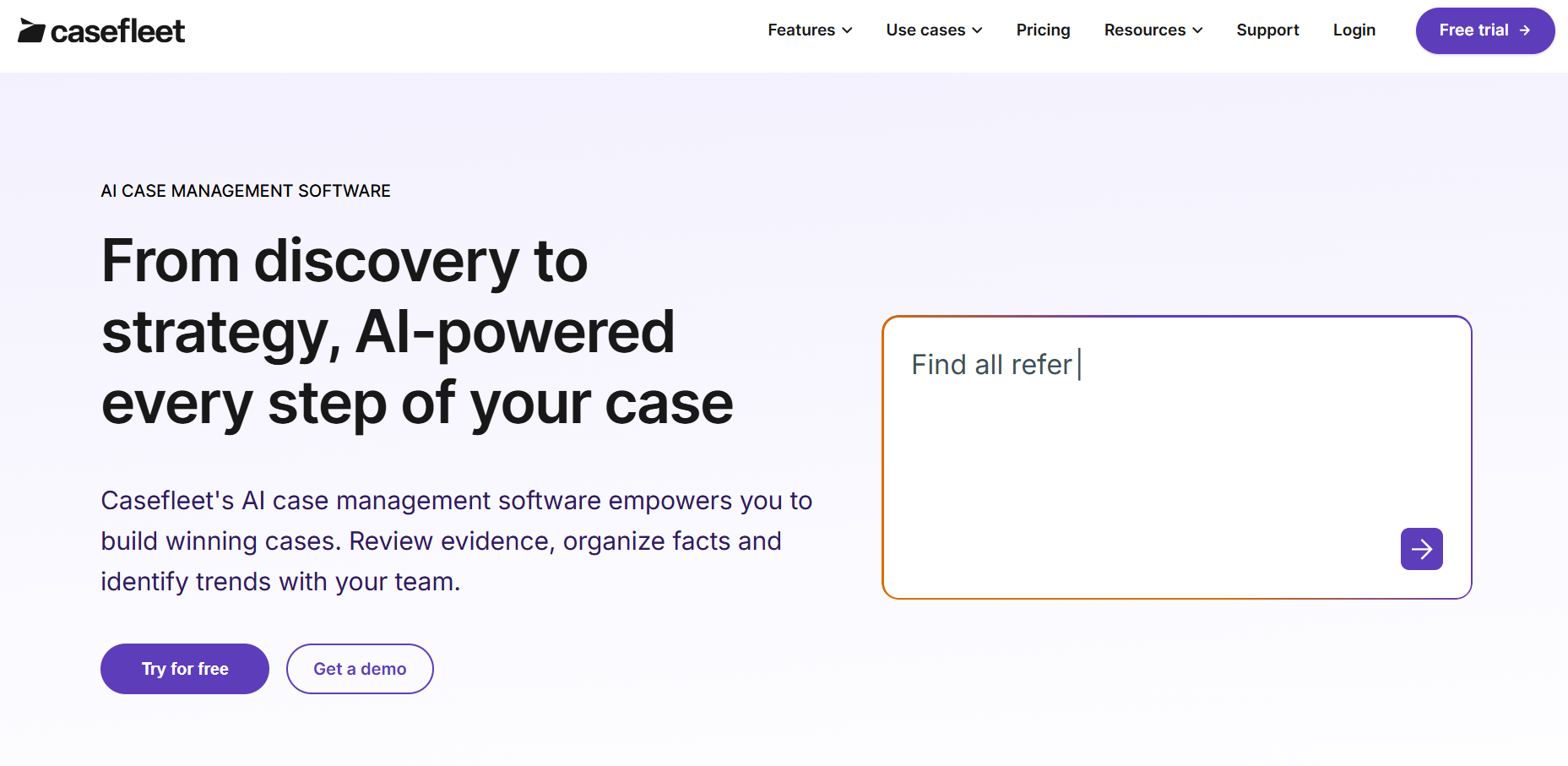
Source: Casefleet.com
Best Features
- Timeline builder: Enables detailed case timelines that connect facts, evidence, witnesses, legal issues, and key events for clearer case analysis.
- Integrated document linking: Simplifies access to evidence by attaching legal documents, transcripts, audio, video, and other source materials directly to timeline events.
- Advanced search functionality: Quickly retrieves case information with full-text search and filtering tools.
- Collaboration tools: Helps build teamwork with shared case data, real-time updates, and access controls for litigation files.
- Task management: Keeps tasks and critical deadlines organized for smoother workflow execution.
- Detailed reports: Creates detailed reports and chronologies that can support deposition prep, motions, trial planning, and case strategy.
3. HighQ: Collaboration and Matter Management
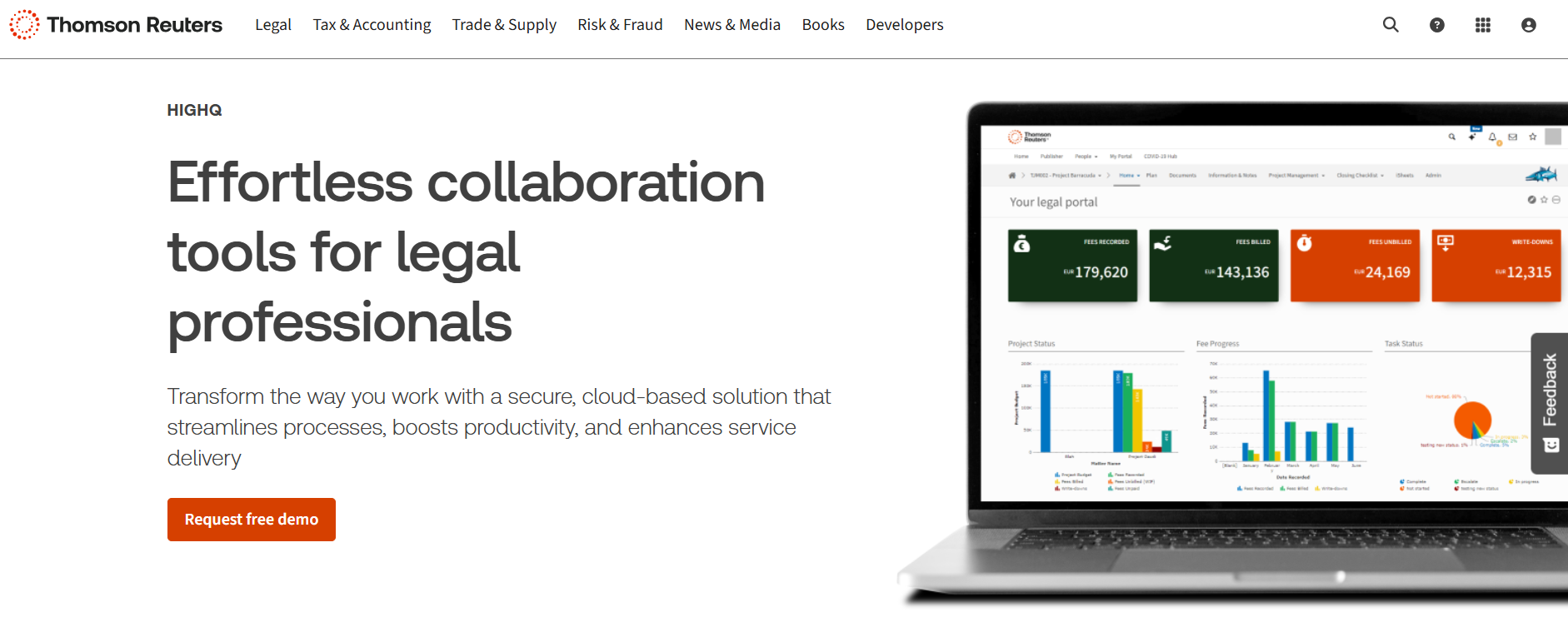
HighQ is a collaboration and matter management platform from Thomson Reuters that helps law firms and legal departments manage documents, tasks, and workflows in one secure workspace.
It’s built for complex legal work where teams need to share case documents, track progress, control access, and keep communication organized across the case lifecycle.
Source: ThomsonReuters.com
For litigation, HighQ can help you manage court documents, case files, client updates, and internal tasks from one place.
Its combination of document management, secure file sharing, client portals, and workflow automation makes it useful for complex matters, cross-functional legal projects, and other high-volume use cases that require tighter coordination.
Best Features
- Document management: Makes organizing and collaborating on case files simple with secure storage and version control.
- Workflow automation: Saves time by automating routine tasks to help litigation teams focus on strategy.
- Secure file sharing: Keeps sensitive case files safe with encrypted sharing and access controls.
- Client portals: Offers an easy way to share updates and make sure clients are on the same page.
- Integrations: Works well with tools like Microsoft Office and other legal software to make litigation workflows smoother.
4. Smokeball: Civil Litigation Management
Smokeball is a user-friendly case management software tailored to small to mid-sized law firms that handle civil litigation.
It combines document automation, task tracking, calendaring, billing, and automatic time tracking, making it a strong option for managing civil litigation cases with different needs.
Source: Smokeball.com
Smokeball keeps claims, case details, communications, documents, and deadlines connected in one place.
You can quickly access key information, assign tasks, track critical dates, and stay prepared as matters move through filings, discovery, hearings, settlement discussions, and trial preparation.
Best Features
- Case management: Centralizes case details, claims, relevant documents, communications, and case history in one place so you can quickly access the information you need.
- Document automation: Simplifies the creation of litigation documents, saving time and reducing errors across routine legal paperwork.
- Time and activity tracking: Automatically tracks time spent on tasks to improve billing accuracy and capture billable work more easily.
- Task and workflow management: Lets you assign tasks, track progress, and keep litigation work organized around clear deadlines.
- Calendar and deadline tracking: Helps you manage critical dates, court dates, filing deadlines, and key litigation events so you can meet deadlines with less manual tracking.
- Integrated email and calendar: Syncs with Outlook to connect communications, appointments, and reminders with specific cases.
- Trial preparation support: Keeps documents, tasks, deadlines, and case details organized as you move closer to hearings, mediation, or trial preparation.
5. Lex Machina: Legal Analytics
Lex Machina is a litigation analytics tool from LexisNexis that helps legal teams make better decisions using data.
This tool provides insights into judges, courts, parties, opposing counsel, motion practice, case timing, damages, and outcomes, which can support stronger decision-making across complex cases.
Source: LexMachina.com
Lex Machina is especially useful when you need a clearer view of litigation patterns before case intake, budgeting, deposition preparation, settlement discussions, or trial strategy.
Its analytics give you the ability to compare trends against industry standards, spot key dates and milestones, and plan a case strategy with less reliance on manual data entry.
Best Features
- Judge analytics: Gives insights into how judges typically rule, including motion outcomes and case timing, so you can adjust your approach accordingly.
- Opposing counsel analysis: Shows data on your opponent’s past cases, helping you understand their experience, track record, and litigation patterns.
- Case trend analysis: Tracks patterns in litigation to help you predict what might happen in similar cases and plan around key dates.
- Settlement and damages insights: Uses historical data to help estimate settlement patterns, damages, case resolutions, and potential outcomes.
- Motion practice analytics: Helps you evaluate motion outcomes, timing, and court behavior so you can prepare stronger arguments.
- Industry-specific modules: Offers tailored insights for areas like IP, employment law, antitrust, securities, insurance, and more.
Make Discovery Less Tedious With Briefpoint
Every litigator knows discovery can take up a large part of a case. One of the biggest bottlenecks is discovery document drafting, especially when you’re preparing requests, responses, objections, and supplemental responses.
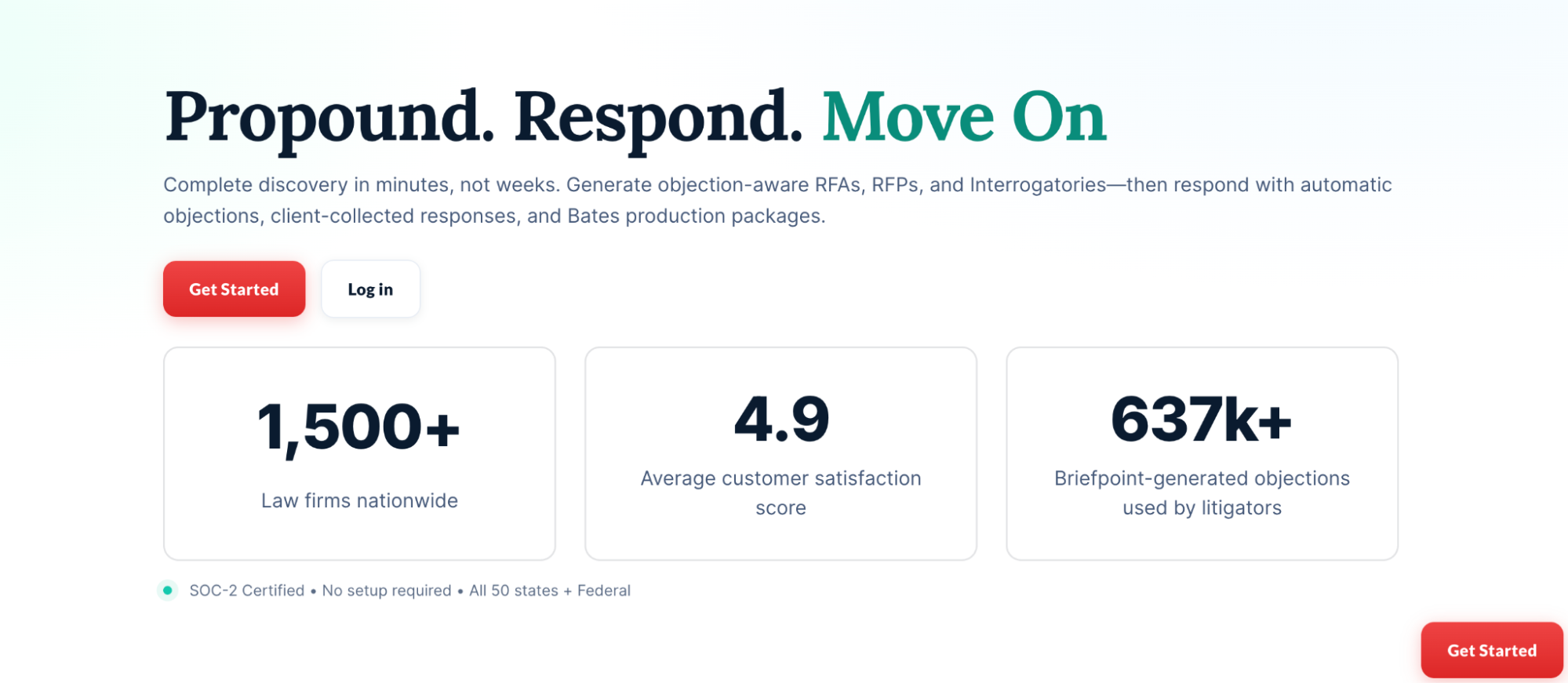
Manual drafting can take hours out of your day or your paralegal’s day. Briefpoint helps cut that down by generating discovery documents in minutes, applying the right structure, and creating Word-ready drafts you can review, edit, and serve.
Autodoc helps you move faster through document-heavy discovery. It can search case files and productions, identify responsive documents for requests for production, and help add Bates citations to discovery responses.
All that gives you a cleaner way to connect documents to the right requests without as much manual review and copying.
Top Features of Litigation Document Management Software
What Are Litigation Document Management Tools?
Litigation document management tools are software platforms built to help legal professionals organize, store, search, and share documents tied to lawsuits and other legal work.
Unlike general file storage apps, these tools are made for law firms, so they handle things like case-based organization, secure access, and version control right out of the box.
They make it easier to keep discovery files, motions, court forms, transcripts, exhibits, scanned documents, and other important legal documents sorted by matter.
Most tools also include search filters, tagging, and audit trails, which help you retrieve documents quickly and stay compliant. Some even come with AI features for drafting and tools for collaboration. In practice, they’re designed to support how litigation teams actually work without adding more steps to the day.
What Can Litigation Document Management Tools Do?
Litigation document management tools aren’t just digital filing cabinets; they’re built to handle the back-and-forth of real legal work.
Take a look at what they can actually do for your practice:
1. Organizing Case Files Across Multiple Matters
Managing documents for several cases at once takes more than a set of folders and file names. Without a clear system, it’s easy to mix things up or waste time searching for the right draft.
Legal document management software like NetDocuments helps keep everything in order. It’s a document management system built specifically for legal teams, with tools that let you organize files by matter, tag them by document type, and search by keywords or metadata.
It also adds structure to your legal document workflows. Each case stays separate, access can be limited by user or role, and audit trails track who viewed or changed a document. That’s especially useful when dealing with sensitive documents or working across teams.
Since NetDocuments is cloud-based, you’re not tied to your office computer. You can log in from anywhere with full access to your case files.
For teams managing multiple matters, it creates a single, reliable source of truth. That means no more back-and-forth trying to confirm which version is current or where something was last saved.
2. Drafting Legal Documents With AI
Drafting discovery requests and responses is tedious, repetitive, and time-consuming. Most of it follows a predictable format, but it still eats up valuable hours. That’s where Briefpoint, a legal document management software designed for litigators, makes a difference.
Briefpoint automates the drafting of requests for production, requests for admission, and interrogatories, both for propounding and responding. It works across all U.S. states and federal districts, applying local formatting rules automatically.
Here’s how the process works:
- Propound: Upload a .pdf of your Complaint or Petition
- Respond: Upload opposing counsel’s requests/interrogatories
- Customize: Select discovery objections, add responses
- Download: Get a Microsoft Word doc ready to review, sign, and serve
The AI extracts case details like court name, parties, request type, and more. From there, you can easily select objections, add responses, and download a clean draft, ready to finalize and send out.
Briefpoint doesn’t just save time; it helps teams stay consistent across cases and attorneys. You also don’t have to worry about security, as none of your data is used to train AI, and everything is encrypted.
If you’re still drafting discovery by hand, Briefpoint may be the smart shift you’ve been waiting for. Book a demo today.
3. Real-Time Collaboration on Case Documents
In the legal industry, collaboration is constant. Partners, associates, paralegals, and clients often need to weigh in on the same legal files, especially when deadlines are tight.
Without a solid system in place, you’re stuck emailing drafts back and forth, losing track of who made what change, and hoping the version you’re editing is the latest one.
A legal document management system built for collaboration can help solve that. With cloud-based document management, multiple people can review, comment on, and update documents at the same time. Changes are tracked automatically, and version histories keep everything transparent.
In other words, you know exactly who did what and when.
Let’s say you’re finalizing a motion. One attorney updates the language, another reviews citations, and a third adds exhibits.
With traditional tools, that can mean three separate versions to manage. With the right system, it’s one file, everyone works in it together, and you stay in sync.
Real-time collaboration has become a basic expectation in legal document management solutions. When paired with your law practice management software, it supports efficient document management, cuts down on errors, and keeps the whole team moving in the same direction.
4. Automating Document Version Control
Version mix-ups can derail even the most organized legal teams. When multiple people touch the same file, it’s easy to lose track of edits, or worse, send out the wrong draft. That’s why version control is one of the most valuable features in today’s document automation tools.
With the right system in place, every change is tracked. You can review previous versions, compare edits side-by-side, and restore older drafts if needed. This saves time, prevents mistakes, and avoids that awkward moment when someone realizes the wrong motion got filed.
Tools like NetDocuments and Worldox offer version control built into their platforms. But the real benefit is how these systems fit into your workflow. Only authorized personnel can make changes, while others can access documents in view-only mode. That keeps the process clean and prevents accidental edits.
Say you’re drafting a settlement agreement with multiple reviewers. Instead of juggling five versions with tracked changes in email, you’ve got one clean document, and every update is recorded automatically.
5. Secure Sharing With Co-Counsel or Experts
Legal teams often need to bring in outside help, such as co-counsel, expert witnesses, and consultants. Sharing client documents should not mean giving up control. With cloud-based legal document management software, you can give access to the right people while keeping everything else protected.
Legal tech platforms built for this purpose usually include advanced security features that general cloud drives may not offer. You can choose which files to share, limit access to only authorized users, and track activity across every document.
Here’s what secure file sharing typically includes:
- Share specific documents only with no full-folder access
- Set view-only, no-download, or time-limited access
- Track views, downloads, and changes
- Remove access instantly when needed
- Protect files with encryption at rest and in transit
For firms with complex security requirements, enterprise-grade security matters. These tools function as both knowledge management software and secure document sharing systems.
For example, if an expert needs deposition exhibits, you can send the exact files with read-only access and see when they open them.
6. Ensuring Compliance With Court Orders and Retention Policies
Legal work also involves keeping a close eye on deadlines, document retention rules, and privacy obligations. Courts often require firms to retain or delete files on specific timelines.
Failing to do that can lead to unnecessary risks, especially when client confidentiality and regulatory compliance are involved.
Basic file storage platforms don’t cut it here. They might hold your files, but they rarely provide the tools to manage timelines, flag records for deletion, or track compliance actions. A proper system does more than store. It monitors, logs, and reminds.
With a good legal document management setup in place, your firm can track how long each file should be kept, restrict access based on staff roles, and automatically apply retention policies across the system. This helps prevent accidental deletions or holding on to sensitive files longer than allowed.
Data security is baked into the process. Files are encrypted, access is limited, and audit trails are recorded. When someone questions how your law firm’s documents were handled, you’ve got the logs to show it.
7. Tracking Review Progress and Reviewer Activity
When you’re dealing with hundreds or thousands of files, staying organized plays a big role in keeping the case on track. Without the right system, human error can creep in, and important documents can get missed.
Modern document management software makes it easier to keep reviews moving. You can assign documents, track who’s working on them, and see key details like status, reviewer notes, tags, and deadlines in one place.
For example, here’s what these tools help you manage:
- Assign documents to specific reviewers
- Track progress by user, tag, or status
- Get real-time updates on completed work
- Avoid duplicate work with activity logs
- Support seamless document sharing between reviewers and case teams
They also help automate routine tasks like routing documents and sending reminders. Instead of chasing updates, you can focus on strategy, deadlines, and communication.
One of the key benefits is visibility. When everyone knows what they’re responsible for and when it’s due, your team can work with fewer delays and deliver more consistent results.
8. Quick Retrieval of Critical Docs During Depositions or Hearings
During a deposition or court hearing, every second counts. You can’t afford to pause the conversation while you scroll through folders or search your inbox for the right file. You need to be able to find the document fast and know that it’s the correct version.
A strong legal document management software makes that possible. These systems let you categorize documents by matter, document type, or keyword so they’re easy to find when the pressure’s on.
You can search using case numbers, file names, or even tags your team created. That cuts down on administrative tasks and helps you focus on the moment in front of you.
Imagine you’re in a deposition and opposing counsel refers to a set of interrogatories from six months ago. With a proper legal DMS solution, you can pull up that document in seconds and respond with confidence. There’s no fumbling with printed binders or digging through old emails.
Beyond speed, these systems also support enhancing security. Every file is protected, access is controlled, and all activity is recorded. You get fast access to what you need without compromising privacy or compliance.
9. Linking Documents to Case Chronologies and Facts
Keeping your case facts and documents in sync can be a challenge, especially when you’re working across multiple teams, timelines, and legal issues.
A well-structured legal document management system makes it easier to connect the dots between key events and supporting materials. This is where integration between case management software and your document system becomes incredibly helpful.
Rather than juggling spreadsheets and folders, you can build a case timeline and link every relevant document directly to each event. You’re not just storing all your files in one place; you’re creating context around them so your team sees the full picture.
This setup can improve your workflow in many ways:
- View and edit documents while reviewing facts or timelines
- Access multiple records or document collections side-by-side
- Update case notes and supporting documents simultaneously
- Stay organized across multiple users and deadlines
Tools like CaseFleet and FactBox offer features like this, but any system that supports timeline integration adds real value. You’re not forced to switch between platforms to see the evidence that backs your narrative.
A leading provider will let you connect everything with minimal setup, which can help your team stay aligned from intake through resolution.
Must-Have Features of a Litigation Document Management System
A reliable litigation document management system should do more than hold files. It should support how your firm works, communicates, and protects sensitive information.
When evaluating options, focus on features that improve how your team handles client files, deadlines, document filing, and document access. The best document management system keeps everything in one place, reduces manual data entry, and works with the tools you already use.
Based on our clients’ experiences, here are the features that matter most:
- Robust security: Keeps data protected with encryption, user authentication, and access controls.
- Secure client portal: Lets clients safely upload and view documents without relying on email.
- Centralized document storage: Stores case files in one place so everyone can work from the latest version.
- Seamless integration: Connects with your calendar, email, billing, and case management software.
- Smart search and tagging: Helps you find documents fast using filters, keywords, or matter-specific tags.
- Role-based access: Controls who can view or edit certain files.
- Audit trails and compliance tools: Tracks access, edits, downloads, and retention activity.
- Electronic signatures: Help teams sign and finalize documents faster when approval or execution is needed.
Make Litigation Painless With Briefpoint
Litigation is already demanding. Your document process should help you move faster and protect more time for high-value legal work.
Briefpoint helps automate discovery drafting for requests for production, requests for admission, interrogatories, and responses. It pulls key details from your documents, applies court-specific formatting, and lets you add objections and responses before you download a Word-ready draft.
With Autodoc, Briefpoint can also turn productions and case files into Bates-cited Word responses with page-level citations and a Bates-numbered production package.
Bridge helps collect client responses through a secure portal, while supplemental responses make it easier to update earlier answers without starting from scratch.
Briefpoint fits into your existing infrastructure, so you can improve discovery workflows without changing how your whole firm works.
How to Adopt Legal Automation In 2026 (With AI)
What Does Legal Automation Mean?
The simple definition of automation is the use of technology or machines to perform tasks without much human intervention.
In the legal industry, legal automation or legal workflow automation means using technology and software to tackle the repetitive, everyday tasks that lawyers traditionally spend hours on.
In the past, law firms and in-house legal teams used manual, isolated processes to handle daily workflows. This often meant staff were bogged down with tedious administrative duties.
Legal automation changes this by increasing efficiency, reducing errors, and freeing up time for legal professionals to focus on more complex, valuable work. Let’s dive deeper into that.
What Legal Processes Can You Automate?
Contrary to popular belief (among legal professionals, at least), many legal tasks are subject to automation. Some might argue that legal workflows are too complex to simplify with machines, but today’s legal tech begs to differ.
Here’s a closer look at key legal processes that can be automated:
Contract Review and Management
Contracts are crucial, but managing them can be incredibly time-consuming.
Automation tools and contract lifecycle platforms help legal departments by using natural language processing (NLP) and machine learning (ML) to scan contracts for key clauses, compliance gaps, and potential risks.
These systems can recognize legal language patterns, flag anomalies, and even suggest redlines based on pre-trained legal models or custom clause libraries. Some tools can also help you generate contracts and save you from manually drafting all your important agreements.
Version control is another major benefit. These tools maintain audit trails and track every edit across stakeholders, which helps make sure everyone is reviewing the same draft.
On top of that, workflow automation accelerates the approval process. Tools integrate with collaboration platforms and document management systems. This allows for automated routing, deadline tracking, and role-based approvals.
All this reduces the endless back-and-forth with different teams, shortens review cycles, and improves turnaround time for each contract.
Legal Document Drafting
Historically, drafting legal documents is a tedious process that requires keen attention to detail and at least a few hours spent creating, editing, and reviewing each document.
This is now changing thanks to legal document automation tools that create documents with the same accuracy and consistency as manually created ones, if not better.
Most legal document automation software platforms use a combination of artificial intelligence (AI) and templates to speed up the drafting process.
For example, Briefpoint is a generative AI and machine learning tool that drafts discovery responses by analyzing a request document, generating a draft that is mostly complete, and letting you finish up by adding pre-loaded objections or responses.
Book a demo to see it in action!
Billing Management
Automated systems in legal billing software can track billable hours and generate invoices based on those hours and predefined rates.
More specifically, they reduce manual effort by logging time entries automatically, applying correct billing codes, and cutting down the need for repetitive, time-consuming billing tasks.
These systems also monitor payments and send reminders for overdue invoices, which helps simplify the entire billing workflow and make sure you don’t miss out on any billable time.
For law firms and in-house teams, implementing legal automation in billing can make financial tracking more accurate and less stressful. The right legal technology gives you a clearer view of how time is spent, which matters generate the most value, and where billing delays tend to happen.
This leads to better cash flow for your legal team and fewer administrative headaches. It also plays a useful role in enabling legal teams to spend less time chasing invoices and more time on higher-value work.
Routine Tasks
Administrative tasks, though necessary, can take up a lot of your time. Luckily, modern tech now allows you to create automated workflows for manual processes that otherwise take too much time, money, and brain power.
For example, you can easily automate the following routine or manual tasks:
- Data entry
- Scheduling
- Sending appointment reminders
- Client intake forms
- Populating client databases
- Data entry
- Email management
- Organizing and filing documents
- Task management
- Sending task reminders and notifications
- Tracking billable hours
- Generating and sending invoices
- Monitoring payments and sending reminders
- Sharing documents securely
- Automatic time tracking
- Sending follow-up emails and updates
- Creating regular reports
Legal Research
Legal research can slow down a legal department because it often requires reviewing complex legal texts, cases, statutes, and legal data with close attention to detail.
Skipping this step isn’t an option, especially in complex litigation where one missed case or outdated rule can affect strategy.
Powered by natural language processing and AI-driven knowledge management systems, legal automation tools can search through massive databases of statutes, case law, and legal commentary in seconds.
They identify relevant passages, extract key legal principles, and surface valuable data far faster than manual review.
Many legal tech platforms also work like intelligent legal assistants. They can summarize cases, highlight jurisdiction-specific issues, and suggest similar precedents based on your matter.
Some tools also connect with internal document management systems, which helps legal teams link prior research, work product, and outcomes to new matters.
The result is a faster, more organized research process that helps your team work from current information while spending less time sorting through large volumes of legal data.
Matter Management
Matter management is another area where legal automation can make daily work easier to control. Law firms and corporate legal departments often handle dozens of active matters at once, each with its own deadlines, documents, tasks, updates, and approvals.
Legal workflow automation helps teams organize that work in one place. Rather than relying on different tools, matter management workflow tools help streamline manual processes and give legal operations teams a clearer view of what needs attention.
Key features often include:
- Centralized matter tracking: Teams can keep matter details, documents, notes, deadlines, and status updates in one organized system.
- Task and deadline management: Automated reminders help legal teams stay on top of filings, reviews, client updates, and internal requests.
- Document and communication history: Files, emails, and notes can stay tied to the right matter for easier reference.
- Reporting and analytics: Legal operations teams can track workloads, matter progress, costs, and team performance without building reports manually.
- Approval workflows: Automated routing moves requests, documents, and decisions to the right people faster.
Why Is Legal Automation Important For Law Firms?
Automation is a hotly debated topic in the legal field, and not without reason. There are many concerns about the validity of AI-generated work, and many lawyers are hesitant to automate something they can already do themselves.
There’s also a notion that the law is too complex to throw technology into the mix, but legal automation technology is proving otherwise.
If you’re still on the fence about automating, here are some benefits that might convince you to make the switch:
Increased Efficiency in Task Management
The legal profession runs on precision, but too often, time is lost on tasks that don’t need legal judgment.
Legal automation tools help reduce time-consuming tasks like assigning work, updating calendars, sending reminders, and generating automated legal documents from structured templates.
For example, a legal team handling vendor contracts can use automation to populate agreements with pre-approved language based on contract type and jurisdiction.
One of the key benefits is that teams can move low-risk tasks out of their daily manual workload. This helps reduce low-value work, keep matters organized, and optimize workflow across routine legal processes.
With more consistent workflows, your team has more room to focus on work that actually requires legal expertise, like strategy, negotiation, risk review, and client guidance.
Cost Savings in Daily Operations
Automation can lower operational costs by cutting down the time your team spends on manual processes and low-value tasks.
Fewer administrative hours are billed, which gives you more room to put resources toward client-related work, business growth, and higher-value legal functions. It also helps your team use time more wisely across the day.
For example, document assembly tools can generate standard agreements and discovery responses from approved templates. Rather than having someone copy the same details from one document to another, the system pulls the right information into the right fields and creates a draft for review.
One of the benefits of legal automation is that small time savings can add up quickly across hundreds of documents, matters, and billing cycles. With successful implementation, you can reduce repeat admin work, cut avoidable costs, and give legal professionals more time for higher-value tasks.
Improved Accuracy and Reduced Errors
Repetitive tasks increase the chance of manual errors like missed deadlines, incorrect clauses, and outdated language. These aren’t minor issues. They can easily stall deals or create compliance risks.
Legal automation helps reduce that risk by completing routine steps with more consistency. When you automate document creation using up-to-date templates, for example, you remove much of the variability that comes with manual editing.
Every contract, NDA, or policy document can follow a vetted structure, which helps lower the chance of inconsistencies or outdated language slipping through.
Take clause insertion. Rather than copying text from older documents, automated systems can pull approved language based on contract type, jurisdiction, and client preferences. This helps create a cleaner draft while improving the quality of the final work.
However, always remember that human expertise still matters. Automation handles the repetitive parts, but your team reviews the substance, checks the context, and makes the final call before anything goes out.
Ensuring Compliance with Legal Standards
Automation tools help maintain compliance with industry standards, internal policies, and regulatory requirements. Automated checks and audits make sure processes follow the latest rules, which cuts down on the risk of non-compliance.
Compliance automation is especially useful for law firms, in-house teams, and business clients that need to track deadlines, reporting duties, contract terms, and policy updates across many matters.
Common compliance-related features include:
- Compliance tracking: Tracks key rules, deadlines, approvals, and audit steps so your team can spot issues before they become bigger problems.
- Obligation tracking: Monitors contract duties, renewal dates, notice periods, payment terms, and reporting requirements tied to specific matters or agreements.
- Automated alerts: Send reminders for upcoming deadlines, required reviews, policy changes, or missing information.
- Audit trails: Records actions, edits, approvals, and document history so teams can show how a decision or process was handled.
Better Client Service
Automating admin-heavy tasks not only speeds things up but also improves the overall client experience by making your team more responsive and reliable.
Service delivery becomes more consistent, and clients notice the difference. You’re not scrambling to send updates or manually schedule meetings. Those things are handled in the background while you stay focused on the work that matters.
Client-specific tasks you can automate include:
- Client intake
- Scheduling meetings
- Billing and invoicing
- Document sharing
- Client updates and follow-ups
Simplified and Organized Workflows
How much time do you lose trying to figure out what needs to happen next?
Automation creates a more organized workflow for legal matters, so deadlines are easier to track and the next step is clearer. Rather than digging through emails or checking a spreadsheet for updates, you can rely on automation workflows to keep routine work moving through a set process.
For example, a new client intake form can automatically create a matter and assign the first task, while reminder settings help keep follow-up from slipping through the cracks.
This helps streamline processes that would otherwise depend on memory or constant manual check-ins. It also gives you a clearer view of what needs attention next, which makes daily work easier to manage.
Scalability for Growing Practices
As your practice grows, automation allows you to handle more cases and clients without needing to hire a lot more staff. This means you can expand without compromising on quality or efficiency.
Increased Job Satisfaction
Repetitive tasks can often detract from the more fulfilling aspects of legal work. Automation helps by handling these routine responsibilities, which allows legal professionals to dedicate their time to more meaningful and intellectually stimulating tasks.
This shift not only improves job satisfaction but also helps reduce burnout and turnover, which can help foster a more motivated and productive team.
Data-Driven Insights
Many automation tools come with analytics and reporting features that offer valuable insights into your legal operations. These insights can help you make informed decisions, optimize processes, and save time on research.
Good data capture also gives your team a clearer view of how work moves through the legal department. You can track matter volume, turnaround times, contract status, billing trends, workload distribution, and recurring bottlenecks.
Automation tools can also help turn unstructured data into more useful information. For example, details buried in emails, contracts, discovery documents, intake forms, and matter notes can be organized into reports your team can actually use.
With access to relevant data, you can see which tasks take the most time, where delays happen, and which processes need improvement. This makes it easier to plan staffing, manage priorities, and prove the value of the legal team to leadership.
Signs That You Need Legal Automation Software
If you’re wondering whether it’s time to invest in legal automation software, here are some signs to look out for:
1. High Volume of Routine Tasks
When your team is buried under administrative duties more than actual legal work, it’s a clear sign that you need automation.
Tasks like scheduling, data entry, and document generation can be automated, freeing up your team to focus on more important work.
2. Frequent Errors
Mistakes in documents, billing, or data entry are becoming common. Human error is inevitable, especially with repetitive tasks. Automation can significantly reduce these errors by ensuring consistency and accuracy in every process.
This not only improves the quality of your work but also builds trust with your clients, who rely on your precision and expertise.
3. Slow Turnaround Times
Struggling to meet deadlines and having clients wait longer than they should for responses and results is a red flag. Automation can speed up processes like document drafting, contract review, and legal research, so you deliver timely and efficient service.
Faster turnaround times mean happier clients and a more productive team.
4. Increasing Operational Costs
If your expenses are climbing due to inefficiencies and the need for more administrative staff, it’s time to consider automation.
Automating routine tasks can reduce operational costs by minimizing the need for additional administrative support. This allows you to allocate resources more effectively and invest in areas that drive growth and client satisfaction.
5. Employee Burnout
Overworked staff dealing with repetitive tasks can lead to burnout. In turn, this can easily lead to lower productivity and increasing turnover rates (instead of efficiency gains).
Automation can alleviate this burden by handling mundane tasks, allowing your team to focus on more challenging and rewarding work.
6. Manual Data Management
Spending too much time managing and organizing files and data manually can be a major productivity drain.
Automation can streamline data management by organizing and storing information efficiently, making it easily accessible when needed.
Automate the Most Tedious Part of Litigation
Discovery responses are often one of the most time-consuming parts of litigation, but Briefpoint changes that by automating this tedious process. With this AI-powered platform, you can save hours on manual work, reduce drafting costs, and create more accurate discovery documents.

Briefpoint’s Autodoc is built for discovery document automation. You upload your discovery request, and Briefpoint’s machine-learning system pulls key details from the document. From there, it helps generate a draft you can review, edit, and finalize.
You can also add objections and responses from a built-in menu, which helps keep your language consistent across matters. For Supplemental Responses, Briefpoint lets you work from the original document, preserve prior answers, and update responses without rebuilding the draft from scratch.
There’s also Briefpoint Bridge, a feature that helps you collect client responses and plug them into your document with less back-and-forth.
With more time to focus on strategy and client advocacy, you can handle litigation more efficiently.
Schedule a demo today and see how Briefpoint simplifies discovery.
7 Types of Law Firm Software Programs Every Firm Should Have
Types of Software Law Firms Need
Law firms juggle a lot of clients, deadlines, documents, and billing, all at once. To keep everything running smoothly, you need software that handles the real-world stuff lawyers deal with every day.
We’ve compiled a few options you can consider:
1. Document Automation
Drafting the same types of legal documents over and over eats up your time and pulls you away from the work that actually needs your attention. That’s why more legal professionals are using document automation to handle the routine stuff.
Essentially, document automation helps legal professionals knock out document creation tasks like discovery responses, letters, and forms in way less time, using pre-made templates and legal AI that actually understands legal language.
Behind the scenes, this tech uses something called natural language processing (NLP). In simple terms, it reads legal text, picks up patterns, and helps you draft documents that follow your usual style and standards. With this kind of tech, you can create a first draft faster and review the language before it goes out.
A great example is Briefpoint, a tool built for legal practice that takes the pain out of drafting discovery responses. Upload your request, add your objections, and it puts together a clean, court-ready draft, often in under an hour.
It even keeps things consistent across your firm, which is a big win when you’re dealing with multiple matters.
Take a look at how it works today.
2. Law Practice Management Software
Running a law office means dealing with a hundred things at once, including calendars, client calls, deadlines, billing, and more. Legal practice management software brings all of that under one roof, so you’re not stuck switching between five different tools.
These systems are designed to help you stay organized, keep track of every matter, and make collaboration easier across your team and internal teams. Whether you’re solo or part of a firm, the best practice management software can help you spend less time on admin.
Here’s what good legal practice management software usually includes:
- Matter management: Keep all your case details, notes, deadlines, and documents in one place.
- Time tracking: Record billable hours easily with time capture features.
- Billing and invoicing: Generate invoices, track payments, manage trust accounts, and support basic bookkeeping.
- Calendar and scheduling: Link appointments to specific matters, use calendar tools, and set reminders.
- Client communication: Secure messaging, shared portals, and video conferencing keep things clear and professional.
- Document management: Store and search for files directly within the platform.
Popular options like Clio and MyCase are trusted by firms of all sizes and offer a smooth experience with strong support.
3. Document Management
Legal document management software keeps your files organized and easy to access when you need them. For modern law firms, it’s a smarter way to handle contracts, pleadings, client records, discovery files, and everything else that piles up during a case.
In the legal industry, you can’t afford to lose track of a document or waste time digging through cluttered folders. A good document management system gives you secure storage for sensitive files, lets you tag documents by case, search by keyword, and see who made changes and when.
The essential features usually include cloud access, version history, permission controls, and integrations with other legal technology you already use.
With the right setup, your documents stay protected, your team can find what they need faster, and your files don’t get scattered across email threads or random folders.
4. Task Management
Staying on top of deadlines is a big deal for legal teams. Whether you’re tracking court dates, client calls, or filing deadlines, missing just one task can throw off an entire case. That’s why task management tools, especially ones built for legal work, are so helpful.
While general tools like Trello and Asana work fine for basic checklists, they don’t always line up with how legal teams handle case management. Legal-specific task management software ties tasks directly to cases, clients, and court schedules, to give you more control and less room for error.
A cloud-based system also makes it easier for teams to stay in sync. You can assign tasks, set due dates, and track progress without chasing updates over email.
Key benefits of legal-specific task management:
- Link tasks directly to cases and clients
- Built-in deadline calculators for court rules
- Easy access to shared calendars and status updates
- Custom workflows based on practice areas
If your current setup feels too scattered, switching to a tool designed for legal teams can definitely make your workflow more focused and easier to manage day to day.
5. Internal and Client Communication
Internal and client communication tools help you manage conversations, updates, and file sharing across your law firm. You get one place to keep everything clear and connected, both for your team and your clients.
If you’ve ever lost track of an email thread or had a client call twice in one day for the same update, you already know how frustrating it can be. A secure client portal helps with that and makes it easier to meet client expectations.
It gives your clients a secure space to upload documents, ask questions, and check progress. It also gives new clients a smoother start during client intake, since they’re not left guessing how to reach you or where to send files.
On the internal side, tools like Slack or Microsoft Teams keep your staff in sync. You can send quick updates, share documents, and talk through case details without waiting on long meetings or sorting through emails.
Some legal software solutions also bring these routine tasks into connected platforms, so updates, files, and case details are easier to manage.
If you’re trying to manage client interactions more easily, improve the client experience, and keep your team on the same page, these tools are worth looking into.
6. Client Relationship Management
Client relationship management, often called legal CRM, keeps your law firm organized, responsive, and consistent. It pulls together everything (messages, case notes, case files, and contacts) so you’re not guessing where a conversation left off or scrambling for client information right before a meeting.
Legal work involves handling a lot of sensitive data, and using one platform built for client management makes a real difference. Everything sits in one secure place that’s easy to access and tied directly to the cases you’re working on.
Look for legal CRM tools that can:
- Show a full timeline of client interactions, documents, and updates
- Help track and convert new leads without losing follow-up opportunities
- Protect sensitive client data with strong security controls
- Sync calendars and deadlines with legal calendaring features
- Automate reminders and administrative tasks so no one falls through the cracks
- Offer ongoing support so your team can actually use all the features
Keep in mind that strong client relationships don’t just happen during big wins; they’re built through everyday touchpoints. A smart client management setup helps you stay sharp, follow through, and keep clients informed. That kind of consistency leads to better communication and higher client satisfaction across the board.
7. Legal Billing And Accounting
Legal billing and accounting aren’t the same as regular business bookkeeping. Between trust accounts and detailed time tracking, law firms need tools built specifically for the job.
General billing software might work for freelancers or consultants, but it often falls short when it comes to compliance, bank-grade security, and the level of detail law firms require.
Legal-specific billing software combines time and expense tracking, payment processing, built-in accounting, and built-in accounting features into one platform. This kind of all-in-one solution helps you manage your firm’s finances without switching between separate tools or risking billing mistakes.
For example, you can:
- Track time as you work
- Bill by matter
- Handle trust accounting properly
- Manage billing workflows
- Use financial dashboards to review firm performance
- Generate reports for taxes or audits
Tools like CosmoLex and TimeSolv are built with legal needs in mind, offering everything from automated invoices to built-in trust account management. Even QuickBooks, when paired with legal plugins, can support smaller firms, though it’s not legal-specific out of the box.
With the right setup, your billing process becomes more accurate and less stressful. You’ll spend less time fixing errors and more time actually getting paid for the work you do.
Things to Consider When Choosing The Right Software
If you’ve got a sense of which lawyer tools your firm might need, the next step is figuring out which ones are actually worth using. Not all software is built the same, so it’s worth taking a closer look before making a decision.
Cloud-Based System
Cloud-based legal software gives you the freedom to manage cases from anywhere, which is a big plus for firms with remote teams or multiple locations. You don’t need to be in the office to access files. Everything’s available online, in real time.
It also cuts down on IT problems. No servers to maintain, no manual updates, just log in and work. This setup makes collaboration and workflow management easier, especially when several people are working on the same matter.
Cost
Cost can vary a lot depending on the features you need and the size of your firm. Some tools charge per user, while others offer flat monthly rates.
Before signing up, it’s smart to test out a free trial to see if the software actually fits your workflow. This gives you a chance to explore key features without committing right away.
Also, keep an eye out for hidden fees like add-ons or limited access on lower-tier plans. Choosing software that’s affordable upfront but can grow with your firm will save you time and money in the long run.
Maintenance
Maintenance matters more than most people realize, especially when your software handles tasks like document assembly, billing, or document sharing.
If updates break something or the system lags, it can throw off your whole day. Legal software that’s well-maintained usually comes with regular updates, security patches, and reliable customer support.
Ease of Use
Legal software should make your day easier, not add more confusion. If the layout is cluttered or the features are hard to find, your team won’t use it, no matter how powerful it is. In contrast, a clean, simple interface helps you get things done faster.
This is especially true for tools with document management features. You should be able to upload, tag, and search files without digging through menus or watching a long tutorial.
For example, small law firms should be able to find a client file, assign a task, or automate repetitive tasks without needing someone on staff to manage the software full-time.
The right tool should also feel future-proof enough to support your firm as your caseload grows, your team expands, or your workflows become more complex.
Integration With Other Tools
The best law firm software doesn’t work in a vacuum; it fits into the tools you already use. Whether it’s your email or accounting software, smooth integration helps everything run together without extra steps.
For example, connecting your document management software with Google Drive or Dropbox makes sharing and saving files much faster. When your tools talk to each other, it reduces double entry, keeps your data consistent, and gives your team one less thing to worry about during a busy day.
The best legal software should connect with your existing tools, so your day-to-day operations don’t feel scattered across too many platforms.
Security
Security should be one of the first things you check before choosing any law firm software. Legal work involves sensitive client files, private case details, financial records, and internal notes, so the software needs strong protections built in from the start.
Look for features like data encryption, role-based access, audit logs, and secure cloud storage. These help protect your files, track user activity, and limit access to the people who actually need it.
You should also ask about data migration before switching platforms. Moving years of case files, contacts, billing records, and documents can get messy without the right support.
Some providers offer onboarding help and training sessions, which can make the move easier for your team and reduce mistakes during setup.
Bring It All Together With the Right Tools
Every law office has different needs, but what matters most is how well your tools fit your workflow. Look for software that’s secure, easy to use, and built with legal work in mind. Start small if you need to, then add what makes sense as your caseload grows.
If you’re spending hours drafting or responding to discovery documents, Briefpoint can save you a serious amount of time.
For propounding discovery, Autodoc lets you upload a PDF of your complaint or petition. Briefpoint then automatically generates formatted interrogatories, requests for admission, and requests for production, ready to download and edit in Word.
If you’re responding, upload opposing counsel’s requests and use Briefpoint’s built-in objection features to build your responses. You can customize each one, then download a clean draft that’s ready to review, sign, and serve.
Briefpoint also includes newer features that make the discovery process easier to manage. Client Bridge helps you collect client answers and documents without long email chains, while Supplemental Responses lets you update prior responses without rebuilding the whole document from scratch.
It’s fast, secure, and designed for real legal work. Book a demo today.