5 Main Types of Litigation Documents
Every lawsuit runs on documents. From the first filing to the last appeal, court papers define the issues, record what each side is asking for, and give the judge a clear track of the case as it moves forward.
To put it another way, they are the framework that keeps a lawsuit organized from start to finish.
With that in mind, it helps to break litigation down into its core filings. Some documents get the case started, others are used to gather evidence, and later filings shape what happens in the courtroom or on appeal.
Below, you’ll find the five main types of litigation documents and how each one fits into the bigger picture.
1. Pleadings
Pleadings are the first court documents filed in a lawsuit, and they set the stage for everything that follows. Essentially, they tell the court and the other side:
- What the dispute is about
- Who the parties are
- What the lawsuit is asking for
In both state and federal courts, these filings show up as docket documents tied to a docket number, which makes it easy to follow the progress of a particular case on the court’s record.
The exact forms can vary by jurisdiction, but the idea is the same everywhere: put the claims and defenses in writing so the case can move forward.
Most lawsuits begin with a complaint, where the plaintiff explains their allegations, the legal basis for the claims, and what they want the court to do.
The defendant then files an answer, admitting or denying each point and possibly raising defenses or even counterclaims.
In some situations, a writ or other specialized forms may be used to start the process. However it begins, pleadings are the foundation of litigation or the official starting point that frames the case for the court and everyone involved.
2. Discovery Documents
Discovery documents play a central role in litigation because they give attorneys the tools to uncover facts long before a trial begins.
Additionally, they let the parties gain access to records, testimony, and evidence that the court will eventually rely on to decide the case. Each filing becomes part of the proceedings, tracked in the docket, and sometimes tied to page references or petitions in the case database.
The discovery stage is where much of the legal battle happens, because it’s the process that creates the evidence each side will later present.
Some common types of discovery documents are:
- Interrogatories: Formal questions that must be answered under oath.
- Requests for production: Demands for specific documents, files, or records.
- Requests for admission: Statements designed to confirm or deny facts and narrow disputes.
- Depositions: Sworn testimony recorded outside of court but with the same weight as in-court evidence.
- Subpoenas: Court orders requiring third parties to provide records or appear for testimony.
Because discovery can involve thousands of pages, responding quickly is no small task. Briefpoint’s Autodoc helps attorneys manage this load by auto-generating Bates-cited responses from productions and petitions in seconds.
In other words, it turns what once took weeks into a streamlined step in the proceedings. Join the waitlist today!
3. Motion Practice
Motion practice covers the many requests attorneys file to ask the court to take specific action during a case. These court documents are required to move certain issues forward and can shape the availability of evidence, the scope of discovery, or even whether a claim survives.
Each motion becomes part of the docket to give the judge an account of what each party is asking the court to accomplish. Attorneys often research prior rulings to support their position, since motions rely heavily on legal authority.
Some common examples of motions include:
- Motion to dismiss: Argues that the case should be thrown out due to legal deficiencies.
- Motion to compel discovery: Requests that the court order the other party to provide documents or testimony that have been withheld.
- Motion for summary judgment: A request asking the court to decide in favor of one party without holding a trial, on the grounds that there are no real disputes about the important facts.
- Motion in limine: Seeks to limit or exclude certain evidence before the trial begins.
- Motion for protective order: Attempts to restrict discovery to prevent undue burden or exposure of sensitive material.
Through motion practice, attorneys use the court’s authority to accomplish procedural and strategic goals that can significantly affect how a case proceeds.
4. Trial Documents
Trial documents are the materials attorneys prepare and file once a case moves from discovery into the courtroom. They help organize the presentation of evidence, guide the judge or jury, and create a record that can later be reviewed on appeal.
These filings, along with transcripts of the proceedings, often appear on the Public Access to Court Electronic Records (PACER) system in federal courts or in county dockets at the local level, which makes them part of the public record.
Attorneys rely on these documents to keep track of witnesses, exhibits, and arguments, and to make sure the case is presented clearly and consistently.
Some common trial documents include:
- Trial briefs: Written arguments submitted to the court that outline legal issues and positions.
- Witness lists: Names of individuals each party intends to call to testify.
- Exhibit lists: Catalogs of the documents, photos, or objects that will be introduced into evidence.
- Jury instructions: Proposed guidance for jurors on how to apply the law.
- Transcripts: Official records of everything said during trial, often signed and certified by the court reporter.
Together, these documents help the court find clarity in the case, give the parties a structured way to present evidence, and maintain a record that supports fairness in the proceedings.
5. Post-Trial and Appellate Documents
Post-trial and appellate documents give attorneys a way to challenge the outcome, ask for changes, or take the fight to a higher court. These filings are carefully arranged on the docket, and anyone following the case can search for them to find key information about what’s happening next.
They also give the parties a record to use if they need assistance from an appellate court to review the trial judge’s decision.
Some common examples include:
- Notice of appeal filed to start the review process
- Post-trial motions asking for a new trial or judgment changes
- Appellate briefs that explain the legal arguments to a higher court
These documents shape what happens after the trial and can determine whether a judgment stands, gets modified, or is overturned on appeal.
Litigation Documents Made Easier With Automation
As you can see, the litigation process runs on documents that all drive the case forward. The challenge is the sheer volume of paperwork that eats up attorney time.
That’s why document automation has become such a real breakthrough for busy litigators. It takes the repetitive work off your plate so you can focus on strategy and client advocacy.

Briefpoint is already proving the impact of this shift, with 96k+ documents automated by attorneys across the country. Instead of spending hours drafting the same forms over and over, you can get polished, jurisdiction-ready documents in minutes.
See it for yourself. Book a demo with Briefpoint and find out how document automation can make your litigation practice faster, simpler, and more effective.
FAQs About Litigation Documents
What is litigation documentation?
Litigation documentation refers to the court documents created and filed during a lawsuit, from pleadings and discovery to motions, trial filings, and appeals. These papers make up the official record of the case.
What does litigation mean in court terms?
In court terms, litigation is the process of resolving disputes through the legal system. It involves filing, responding, and managing documents while following the rules of procedure in the chosen jurisdiction.
What are litigation forms?
Litigation forms are standardized templates used to create filings like complaints, answers, motions, or subpoenas. Courts often provide these forms to make sure the required information appears in the right section.
What is the document that starts litigation?
Most cases begin with a complaint, which is entered into the court record to officially start proceedings. It outlines the claims, parties involved, and the relief requested.
How can you locate and view docket documents in federal courts?
You can use PACER, the database for federal courts, to locate docket documents. After creating an account, you can enter the docket number and view court filings tied to a particular case.
Are all court documents part of the public record?
Many court documents are public, but some, such as sealed filings or privileged materials, are restricted. Always note the rules of the jurisdiction before assuming availability.
The information provided on this website does not, and is not intended to, constitute legal advice; instead, all information, content, and materials available on this site are for general informational purposes only. Information on this website may not constitute the most up-to-date legal or other information.
This website contains links to other third-party websites. Such links are only for the convenience of the reader, user or browser. Readers of this website should contact their attorney to obtain advice with respect to any particular legal matter. No reader, user, or browser of this site should act or refrain from acting on the basis of information on this site without first seeking legal advice from counsel in the relevant jurisdiction. Only your individual attorney can provide assurances that the information contained herein – and your interpretation of it – is applicable or appropriate to your particular situation. Use of, and access to, this website or any of the links or resources contained within the site do not create an attorney-client relationship between the reader, user, or browser and website authors, contributors, contributing law firms, or committee members and their respective employers.
5 Litigation Management Software Options For Busy Teams
Legal work isn’t always spent in courtrooms or client meetings. A surprising amount of time goes to chasing down documents, reformatting drafts, or juggling deadlines across tools that don’t talk to each other.
According to Clio’s Legal Trends Report, lawyers bill just 2.9 hours out of an 8-hour day on average. That’s only 37% of the workday spent on billable tasks—an efficiency gap that adds up fast.
Some of that is inevitable. But a lot comes down to how legal teams manage the day-to-day of litigation. Without the right systems in place, it’s easy to lose valuable time on process instead of progress.
In this guide, we break down the tools built to change that. From discovery automation to centralized case tracking, these litigation management software platforms help legal teams stay organized, meet deadlines, and spend more time on the work that actually matters.
What is Litigation Management Software?
Litigation management software covers a broad category of tools built to help legal teams stay organized during litigation. Some focus on tracking deadlines and filings. Others specialize in automating routine tasks or generating discovery documents.
Depending on the tool, it might support civil litigation cases, internal legal teams, or full-service firms handling dozens of matters at once.
What they all have in common is the goal: making litigation case management less chaotic and more controlled.
Here’s what these tools often include:
- Calendaring for key litigation events and deadlines
- Centralized document and evidence storage
- Progress tracking and task management
- Discovery drafting or automation features
Depending on the needs of your legal team, you might use a tool that handles the entire litigation process or one that focuses on a specific phase like discovery or case tracking. Each type is designed to make legal work more manageable and efficient.
Best Software For Litigation Management
Not sure where to start? We’ve compiled tools that support various aspects of litigation, so you can find the right fit for how your team works.
1. Briefpoint
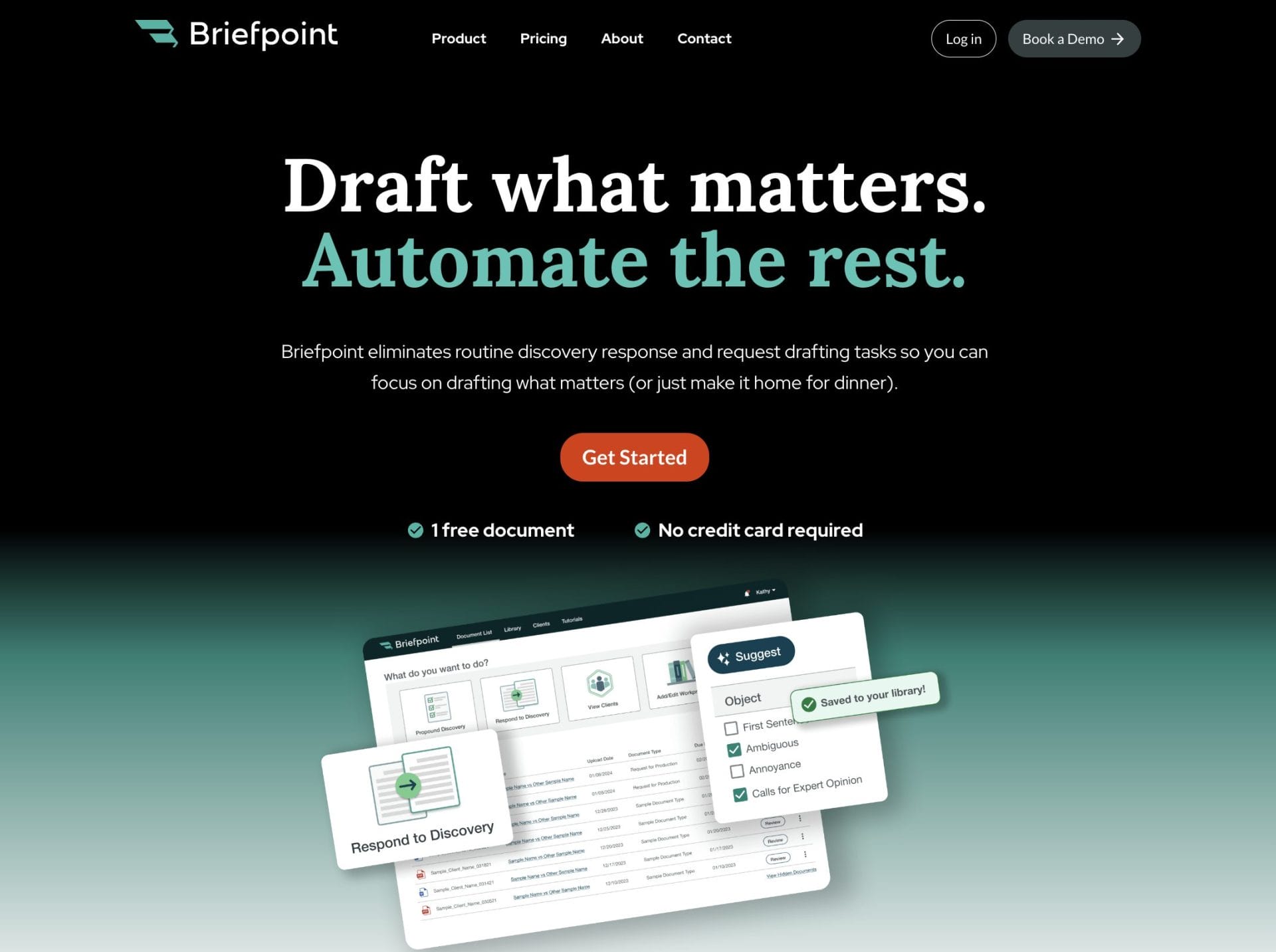
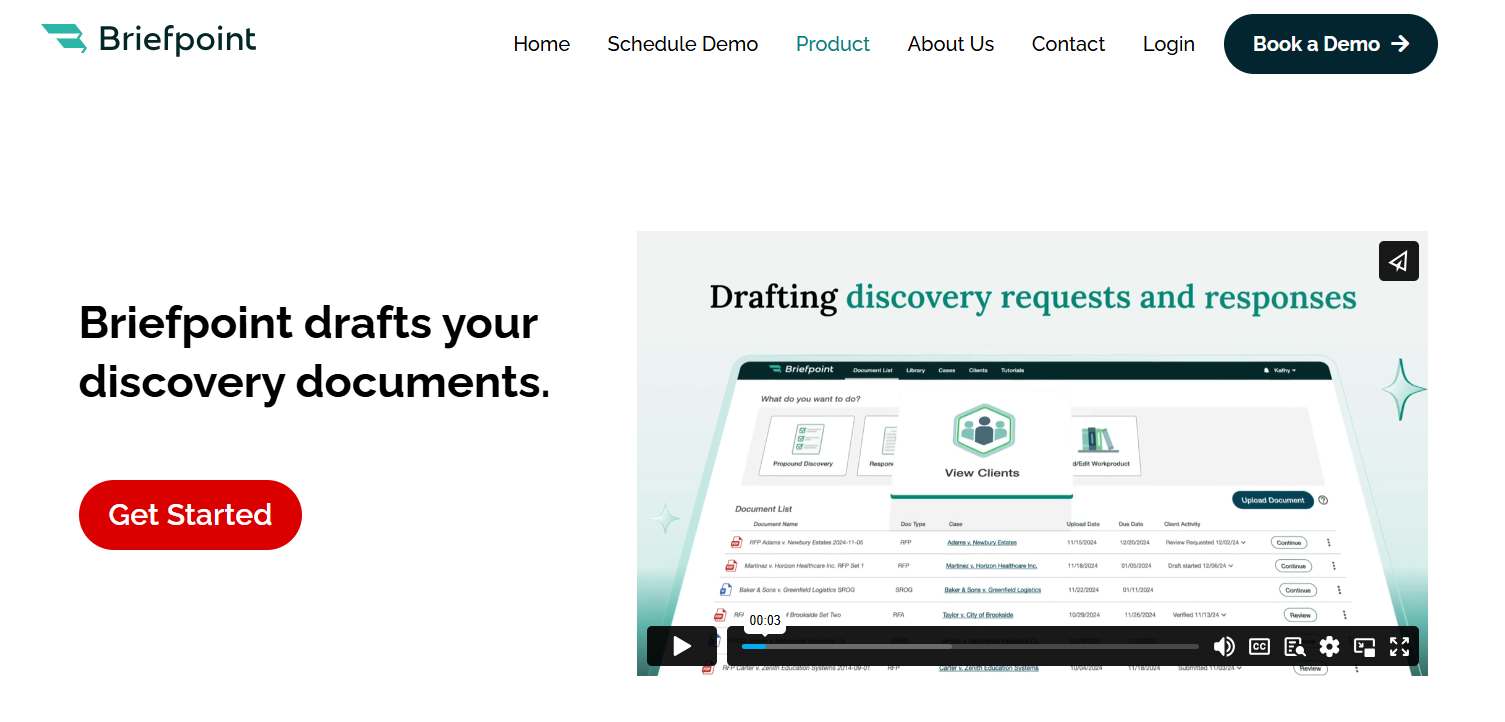
Briefpoint is a specialized tool designed to help legal professionals reclaim valuable time during the most tedious parts of the litigation process.
Built for busy law firms, it focuses on automating the discovery process—drafting interrogatories, RFAs, and RFPs in a fraction of the time it would take manually.

It’s not a general-purpose platform trying to do everything. It’s built for one thing: helping you get through discovery faster, while still aligning with court rules and filing deadlines.
By removing the need to copy and paste from templates, manually format citations, or triple-check procedural rules, Briefpoint gives litigation teams the ability to focus on strategy.
It’s ideal for in-house teams and law firms that want efficiency without sacrificing accuracy or professionalism.
Best Features
- Automated discovery drafting: Generate tailored interrogatories, requests for admission, and requests for production from complaints in under three minutes.
- Jurisdiction-ready formatting: Automatically applies proper formatting, captions, numbering, and instructions for all U.S. states and federal courts.
- Objection-aware language: Uses artificial intelligence to avoid ambiguity, compound questions, assumptions, and overbroad phrasing when propounding or responding.
- Response drafting assistance: Upload opposing counsel’s discovery and generate consistent, defensible responses using firm-standard objections and suggestions.
- Editable and exportable output: Customize drafts, regenerate variants, and export clean Word files ready for review, signature, and service.
- Secure and private platform: SOC 2 certified, HIPAA compliant, and designed to keep sensitive legal data siloed and protected.
Pros
- Purpose-built for the discovery process
- Saves hours of manual drafting and formatting
- Helps reduce the risk of procedural mistakes
- Keeps litigation teams on track with filing deadlines
- Used by hundreds of firms handling high volumes of discovery
- Makes trial preparation more focused and less administrative
- Gives legal professionals a simple, effective way to manage discovery without learning a whole new platform
See how Briefpoint works today.
2. Filevine
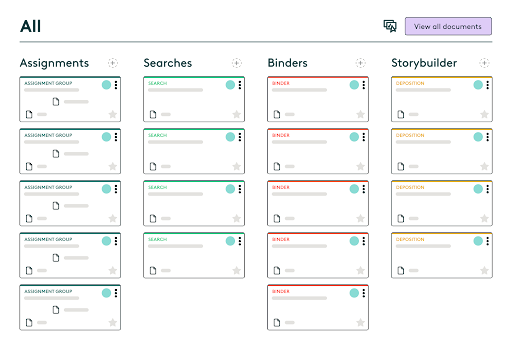
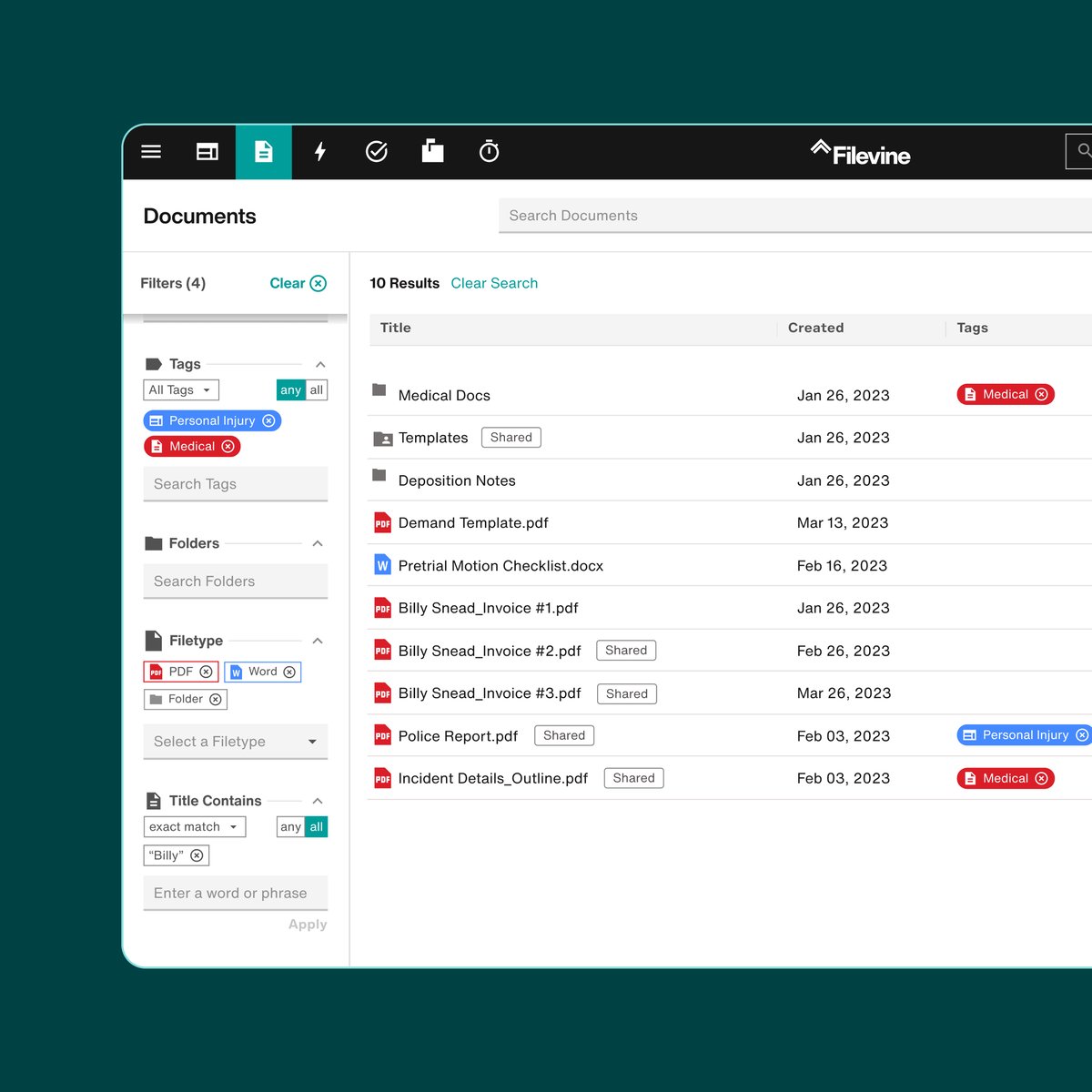
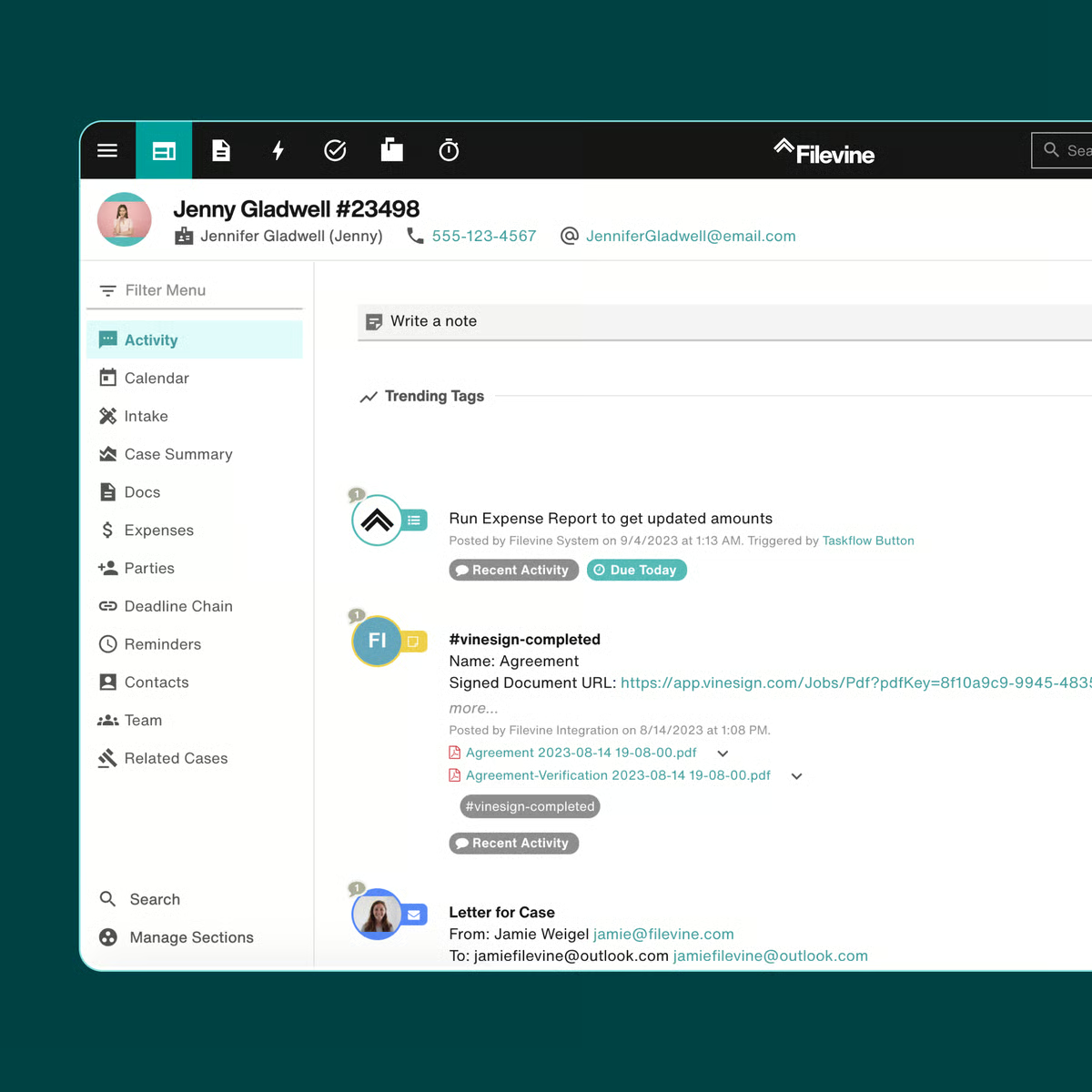
Filevine is a legal software platform designed to support litigation teams, especially at larger firms, managing complex cases. It brings together tools for communication, case tracking, and document management on one centralized platform.

Source: G2
With built-in discovery management features, Filevine helps legal teams stay on top of court documents, deadlines, and ongoing communication. It also reduces time spent on administrative tasks by automating intake, task assignments, and progress tracking.
Best Features
- Document management: Store, organize, and access court documents and evidence securely from one place.
- Case progress tracking: Monitor deadlines, assignments, and outcomes across teams and matters.
- Seamless integration: Connects easily with tools like Outlook, Google Drive, and Dropbox to fit into existing workflows.
- Reporting tools: Built-in dashboards provide valuable insights into performance and workloads.
Pros
- Designed for litigation-heavy practices and larger firms
- Handles large volumes of data and files
- Custom workflows help teams adapt to different case types
3. Clio
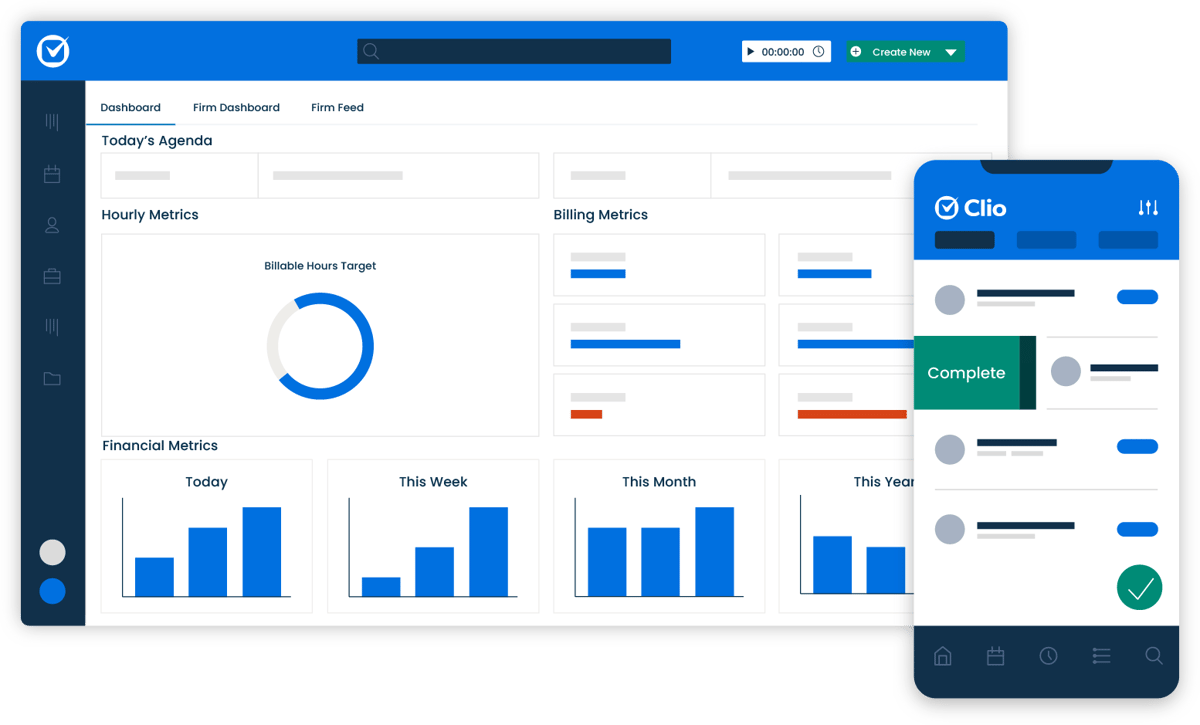
Clio is an essential tool for litigation teams looking to manage case files, deadlines, and client communications in one place. Designed for legal professionals across practice areas, it helps firms stay organized and responsive throughout the litigation case lifecycle.

Source: G2
From tracking court dates to managing electronically stored information (ESI), Clio brings together critical details that matter most during litigation. It also offers automated reminders to keep teams aligned on timelines and deliverables.
Best Features
- Case file management: Keep documents, notes, and court records organized and accessible.
- Automated reminders: Reduce the risk of missed court dates or critical deadlines with smart alerts.
- Client communication tools: Secure messaging and client portals help manage conversations and expectations.
- Calendar and task tracking: Visual tools to assign responsibilities and follow litigation workflows.
Pros
- Easy to use and quick to implement
- Cloud-based access for on-the-go litigation teams
- Helps reduce administrative overload with automation
4. Smokeball
Smokeball is a cloud-based legal software designed to help litigation teams streamline daily operations and improve visibility into active matters.
It combines document automation, time tracking, and matter management to deliver greater efficiency without adding to your team’s workload.

Source: Smokeball.com
With built-in tools to track case progress and manage legal documents securely, Smokeball supports seamless collaboration across staff, even when dealing with sensitive information. Its intuitive interface also helps reduce the learning curve for new users.
Best Features
- Automatic time tracking: Capture time spent on emails, documents, and tasks without manual entry.
- Legal document automation: Create and manage frequently used documents faster using pre-built templates.
- Matter management: Monitor deadlines, communications, and billing activity in one place.
- Expense and legal spend tracking: Get visibility into case-level costs to manage budgets and client reporting.
Pros
- Streamlines repetitive tasks to free up legal teams
- Helps maintain compliance when handling sensitive files
- Built for smaller firms that want legal automation without complexity
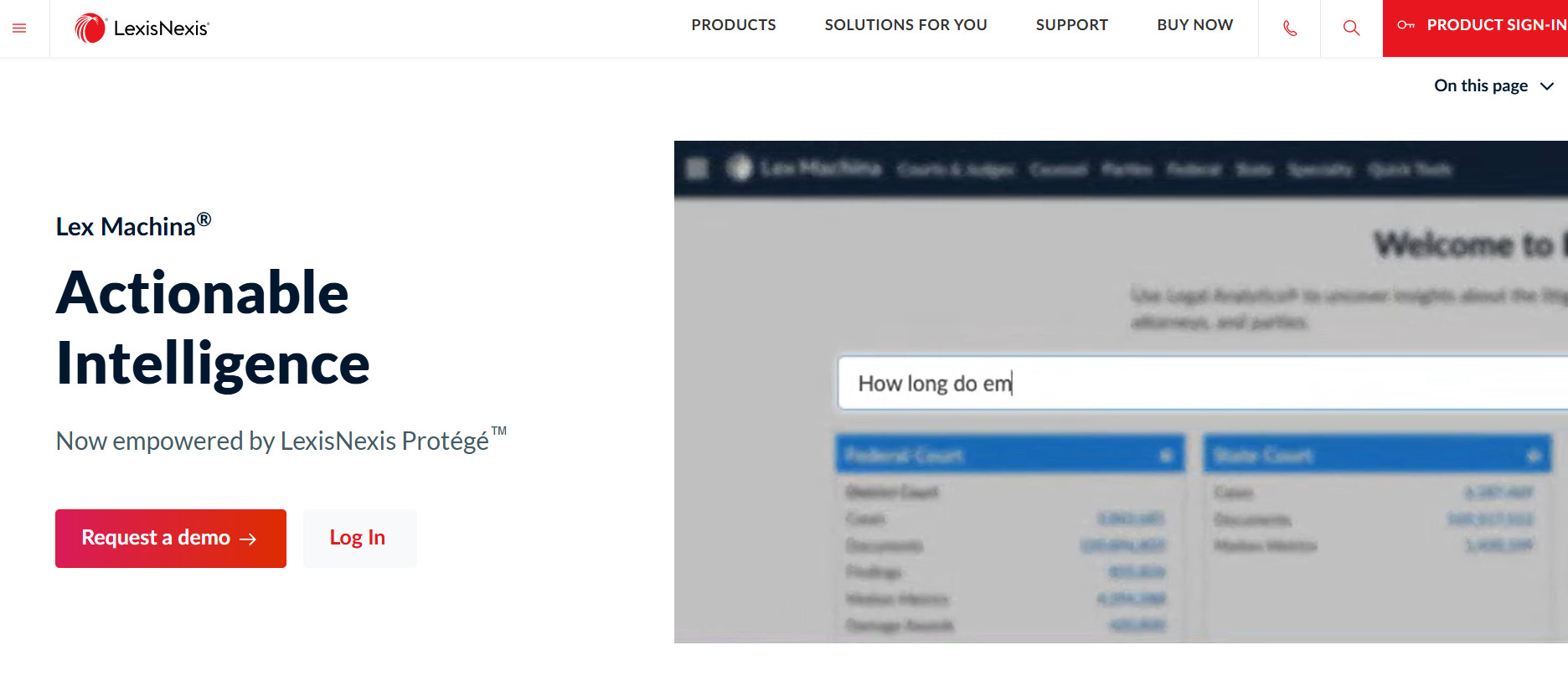
5. Lex Machina
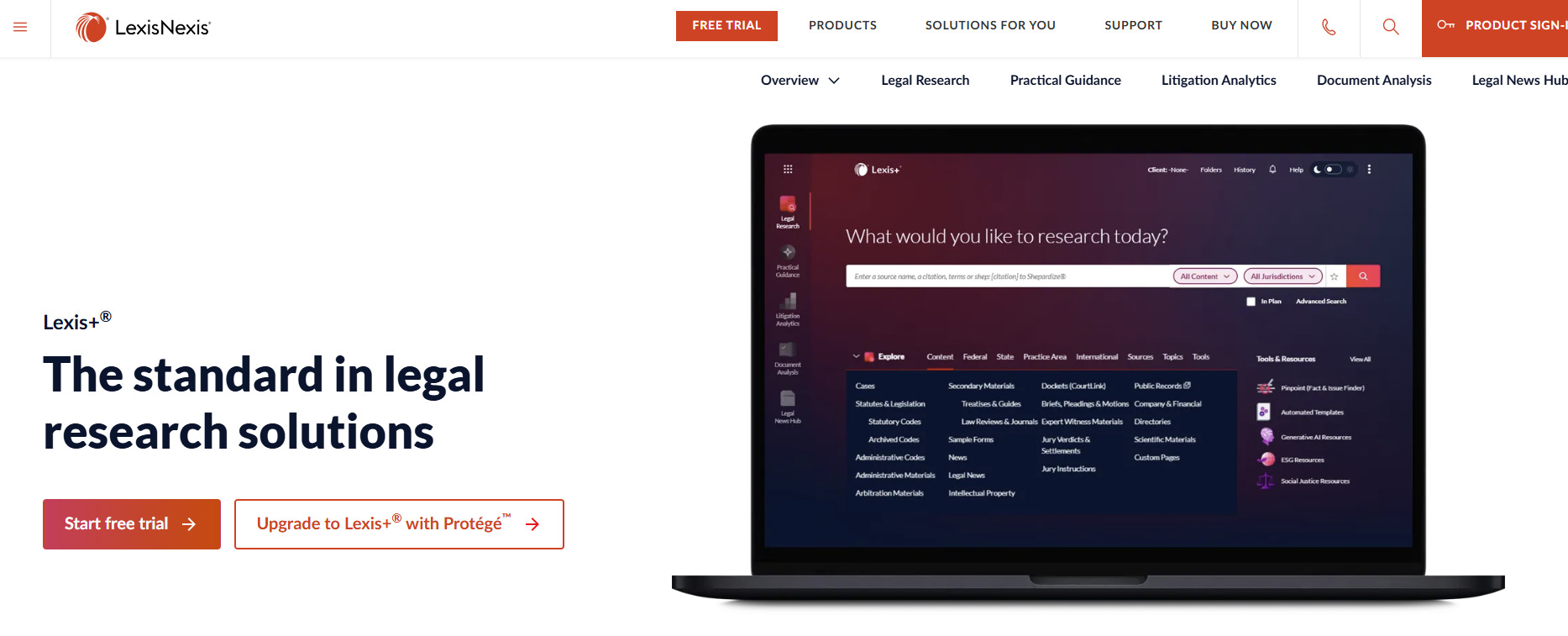
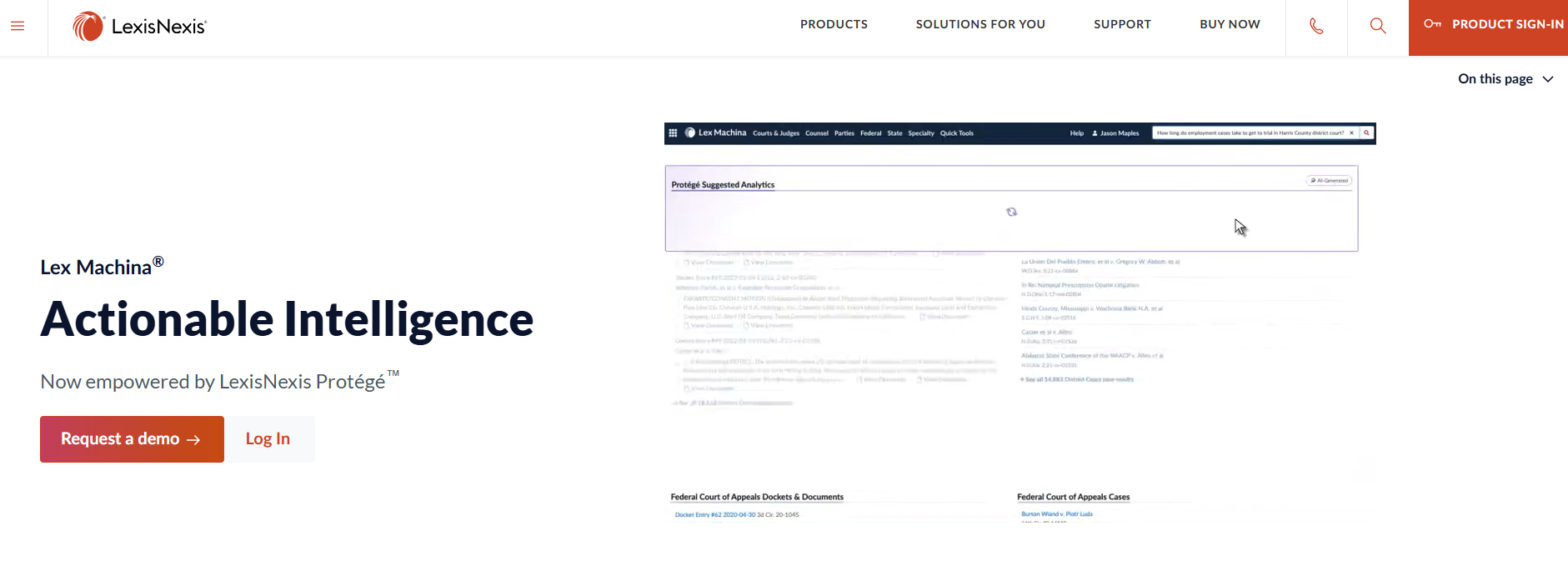
Lex Machina is a litigation analytics platform that helps lawyers make smarter, data-driven decisions.
Essentially, it mines millions of court documents to extract key case information, patterns, and outcomes, which can give you a strategic edge when evaluating how to approach a case or assess risk.

Source: LexisNexis.com
Instead of spending valuable time manually reviewing dockets, legal teams can instantly see how judges have ruled in similar cases, how opposing counsel tends to litigate, and which arguments have historically worked. That means more time for billable work and better preparation across the board.
Best Features
- Analytics for case outcomes: Review win rates, timing, and damages awarded across jurisdictions.
- Judge and opposing counsel profiles: Gain insight into tendencies and litigation history.
- Customizable filters: Zero in on relevant data for specific parties, courts, or case types.
- Visual dashboards: Present complex trends in a clear, easy-to-understand format.
Pros
- Helps lawyers focus efforts where they’re most likely to succeed
- Saves research time and supports a stronger litigation strategy
- Suitable for firms handling complex or high-stakes civil litigation cases
Better Litigation Outcomes Start With Smarter Document Management
When you’re deep into a litigation case, the last thing you need is to waste time repeating the same drafting steps or double-checking formatting rules.
Every minute counts, and so does every document. From tracking deadlines to managing court filings, you need tools that actually help you move things forward.

Briefpoint was built with that in mind. It handles the heavy lifting during discovery, turning complaints into well-structured RFAs, RFPs, and interrogatories in minutes. You stay in control while it takes care of the formatting, phrasing, and local rules.
If discovery still feels like a time sink, it doesn’t have to. Book your Briefpoint demo now and see how much easier litigation management can be.
FAQs About Litigation Management Software
What is the best legal case management software?
The best legal case management software depends on your firm’s size, practice area, and workflow needs. Some attorneys prioritize tools with strong intake process support and document automation, while others look for real-time updates and seamless collaboration tools. Choosing the right litigation management software means identifying a solution that fits your caseload and helps your team stay organized without extra administrative work.
What is legal management software?
Legal management software is a digital platform designed to help attorneys and legal teams handle core tasks such as scheduling, case tracking, document storage, and communications. The key features often include deadline management, client information databases, and collaboration tools that help streamline the litigation workflow from intake to resolution.
What is the most common legal software?
Common legal software includes platforms like Clio, Filevine, and PracticePanther, which cover a wide range of case management needs. These systems offer tools for calendaring, document management, billing, and secure communication, all built to help attorneys save time and reduce risk while managing litigation more efficiently.
Do law firms use case management software?
Yes, most law firms use case management software to centralize files, automate routine tasks, and coordinate across teams. These platforms offer real-time updates, secure access, and features that help attorneys stay focused on legal work without losing track of critical details. Security, scalability, and flexibility are major factors when selecting a solution.
The information provided on this website does not, and is not intended to, constitute legal advice; instead, all information, content, and materials available on this site are for general informational purposes only. Information on this website may not constitute the most up-to-date legal or other information.
This website contains links to other third-party websites. Such links are only for the convenience of the reader, user or browser. Readers of this website should contact their attorney to obtain advice with respect to any particular legal matter. No reader, user, or browser of this site should act or refrain from acting on the basis of information on this site without first seeking legal advice from counsel in the relevant jurisdiction. Only your individual attorney can provide assurances that the information contained herein – and your interpretation of it – is applicable or appropriate to your particular situation. Use of, and access to, this website or any of the links or resources contained within the site do not create an attorney-client relationship between the reader, user, or browser and website authors, contributors, contributing law firms, or committee members and their respective employers.
What is Litigation Management?
Litigation management gives structure to a process that can easily become chaotic.
As legal matters grow more complex and the pressure to manage timelines, budgets, and outcomes increases, having a clear approach becomes essential. This is where a structured process and often, litigation management software, can make a measurable difference.
Instead of dealing with deadlines, documents, and costs all at the same time, software helps centralize the work. It gives you visibility into what’s happening across cases and lets you respond with more focus and less guesswork.
Whether you’re managing a single dispute or overseeing a large caseload, a consistent system helps you avoid surprises and keep legal work aligned with business priorities.
In the sections ahead, we’ll break down the practical components of litigation management and how they fit into the way you work.
What Is Litigation Management?
Simply put, litigation management is how legal teams organize and control the entire litigation process, from intake to resolution. For corporate legal departments and law firms, it’s a defined system for handling legal disputes, managing risk, and keeping outside counsel accountable.
The goal is simple: make smarter decisions, avoid surprises, and stay aligned with the business.
Effective litigation management typically includes:
- Defining a clear, case-by-case litigation strategy
- Tracking deadlines, filings, and related matters
- Monitoring legal spend and reporting on key metrics
- Coordinating with internal business units
- Managing large volumes of documents and communication
- Using legal tech tools to centralize case data
Without a practical framework in place, litigation tends to get reactive. But when it’s managed well, legal teams can respond faster, control outcomes, and support the company’s bigger goals.
4 Key Elements of Litigation Management
Litigation management works best when it’s built on structure, visibility, and consistency. Whether you’re handling one high-stakes case or dozens of routine matters, the same building blocks apply.
These are the core elements that can help your team stay in control and respond with confidence:
1. Strategy and Early Assessment
Before diving into the details of a case, take a step back and look at the big picture. What’s the real risk here? What outcome are you aiming for? Is this something worth settling early, or fighting all the way through?
Your overarching goal at this stage is to make informed decisions that shape everything that follows, and a strong early assessment sets the tone. It keeps you aligned with your internal stakeholders, avoids wasted time, and gives you a clear path forward.
As you assess the case, consider:
- How strong the facts and claims actually are
- Which business units need to be looped in early
- How much time and budget the matter might demand
- What a win (or loss) means for the company
A comprehensive approach up front saves time later. It helps you stay focused, communicate clearly, and build a litigation strategy that works for the case and for the business.
2. Budgeting and Outside Counsel Management
Tracking invoices alone doesn’t give you the full picture. You need to know how your resources are being used and whether the outcomes justify the spend.
Setting billing guidelines, defining project phases, and agreeing on scope early all help keep legal fees under control and aligned with your goals.
Regular check-ins with outside counsel are essential. They keep work focused and give you insight into what’s progressing and where adjustments may be needed. When you head into settlement negotiations, having that level of visibility puts you in a stronger position.
Tying budget to results helps you make smarter calls. It also creates accountability and gives you more leverage to reduce costs without sacrificing quality or strategy.
3. Document Automation and Workflow Tools
When you’re managing large volumes of filings, responses, and discovery documents, doing everything manually slows you down and increases risk.
In contrast, automation lets you move faster without losing accuracy. It doesn’t replace your unique skill as an attorney. Rather, it gives you more time to apply it where it matters.
Document automation tools help you:
- Draft discovery responses and requests quickly
- Maintain formatting and language consistency across matters
- Track due dates and document versions
- Stay organized when collaborating with internal teams and outside counsel
This kind of legal technology is especially useful during high-volume phases like discovery or just before trial, when time is tight and errors are costly.
Tools like Briefpoint make it easier to generate polished, objection-ready documents in minutes, which ultimately frees you up to focus on strategy.
For attorneys aiming to scale their impact and improve day-to-day workflows, legal automation offers more than speed. It creates room for deeper focus, fewer errors, and long-term success without the constant drain of repetitive work.
4. Reporting and Metrics
Improvement starts with visibility. When you track key metrics, like average case duration, spend by matter type, or case outcomes, you get real insight into how your litigation efforts are performing.
That understanding gives you the ability to make smarter strategic decisions, justify your legal bill, and show how your team adds value.
Good reporting also supports transparency across departments and builds credibility with leadership and clients. It turns legal data into something actionable, not just numbers on a spreadsheet.
For example, after a major post-trial outcome, reviewing timelines, costs, and firm performance can help you understand what went well and what needs to change. This feedback loop helps improve future services and reduce risk across the board.
Win Back Time and Control During the Litigation Process With Briefpoint
You already have enough to manage, discovery shouldn’t slow you down. Drafting objections, keeping formatting consistent, and managing deadlines take up hours you could be spending on higher-value work.
Briefpoint takes care of the repetitive parts. It automates discovery drafts so you can move faster without sacrificing accuracy. Upload your document, choose your objections, and download a clean, court-ready file in minutes.
If your team is managing a growing caseload and limited resources, this gives you room to focus where it counts.
Book a Briefpoint demo and see how much smoother your discovery process can run.
FAQs About What is Litigation Management
What is the meaning of litigation management?
Litigation management refers to the way legal teams plan, track, and control the entire litigation process. It helps ensure that legal disputes are handled efficiently, with a clear strategy, cost control, and coordination across internal and external teams.
What is a litigation management system?
A litigation management system is a tool or platform that helps organize and streamline litigation work. It may include features for tracking deadlines, managing documents, monitoring legal spend, and generating reports. Many corporate legal departments use these systems to stay on top of active cases and improve decision-making.
What does it mean if your case goes to litigation?
If your case goes to litigation, it means a legal dispute is moving into the court process. This involves formal procedures like filing claims, responding to complaints, exchanging information, and possibly going to trial. It’s the opposite of resolving the issue through informal settlement or negotiation.
Is litigation the same as a lawyer?
No, litigation is a legal process, while a lawyer is a professional who represents you in that process. Litigation can involve multiple lawyers, but not all lawyers handle litigation. Some focus on advisory work, contracts, or regulatory matters outside of court.
How can effective litigation management help reduce costs and legal spend?
Effective litigation management gives you more control over how time and money are spent during the litigation process. By setting clear strategies early, tracking performance, and using tools like document automation, you can reduce unnecessary work and avoid surprise expenses. This approach helps limit legal spend, avoid delays, and ultimately reduce costs without compromising outcomes.
The information provided on this website does not, and is not intended to, constitute legal advice; instead, all information, content, and materials available on this site are for general informational purposes only. Information on this website may not constitute the most up-to-date legal or other information.
This website contains links to other third-party websites. Such links are only for the convenience of the reader, user or browser. Readers of this website should contact their attorney to obtain advice with respect to any particular legal matter. No reader, user, or browser of this site should act or refrain from acting on the basis of information on this site without first seeking legal advice from counsel in the relevant jurisdiction. Only your individual attorney can provide assurances that the information contained herein – and your interpretation of it – is applicable or appropriate to your particular situation. Use of, and access to, this website or any of the links or resources contained within the site do not create an attorney-client relationship between the reader, user, or browser and website authors, contributors, contributing law firms, or committee members and their respective employers.
5 Types of Litigation Management Software Firms Use Daily
Handling legal cases is more than just showing up in court. It’s a nonstop cycle of deadlines, paperwork, and research. Every motion, filing, and client update demands attention. That’s why it can be so easy to get lost in the details.
Litigation software helps law firms cut through the chaos. With tools designed to organize case files, automate administrative tasks, and speed up research, legal teams can work more efficiently and stay ahead of critical deadlines.
From case management to document automation, the right software can transform the way you handle litigation. Let’s explore the must-have tools that can make legal work faster, more accurate, and less overwhelming.
What is Litigation Software?
Litigation software is a suite of digital tools that helps law firms and legal departments manage cases more effectively. It’s built to handle the complexities of litigation without relying on disjointed tools or manual processes.
There is plenty of legal tech for litigation out there. Some focus on document management, others on case tracking, e-discovery, or trial preparation. But the goal is the same: to keep you organized, save time, and give you the structure to stay aligned across the life cycle of litigation.
Depending on what you’re using, litigation software can help you:
- Store and search case documents in one central location
- Track deadlines, court dates, and filing requirements
- Draft discovery responses and motions faster with templates
- Assign tasks across your team and monitor progress
- Generate reports and metrics to guide decision-making
- Communicate with clients and co-counsel without losing context
If you’re managing active cases or prepping for trial, having the right system in place keeps your work focused and your team aligned.
5 Types of Litigation Software You Need
There are various types of litigation software, each serving a specific need in the legal process. So, let’s break them down one by one to give you a better idea of what’s out there.
1. Litigation Management Software
Litigation management software keeps everything connected, so you don’t lose track of key litigation events. Instead of relying on multiple tools for task management, calendar reminders, and document storage, you get a centralized platform that supports the entire life cycle of a case.
Deadlines, court appearances, filings, team notes; it’s all in one place. With a clear view of what’s coming and what’s done, you can manage caseloads more effectively and spend less time chasing updates.
Key Features:
- Case tracking: Organizes case details, including parties involved, court documents, and status updates, so you can quickly access critical information.
- Calendar reminders for court dates: Sends automated notifications for hearings, filing deadlines, and other important litigation events to prevent missed deadlines.
- Document organization by case: Stores pleadings, motions, and other legal documents in a structured format, which helps make retrieval fast and hassle-free.
- Time tracking and billing: Logs billable hours linked to specific cases for accurate invoicing and time management.
2. Document Management Software
Every lawyer knows that paperwork is a constant. Organizing discovery documents, filing them accurately, and retrieving the right version when you need it takes time, and the risk of missing key case information is real.
That’s where document management software steps in. It stores your files securely in one place and gives you the tools to search, retrieve, and collaborate without the hassle.
You get improved efficiency across the board, especially when managing high volumes of legal documents tied to complex litigation.
Key Features:
- Secure file storage: Keeps confidential legal documents protected with encryption and access controls, which means only authorized users can view or edit files.
- Searchable document libraries: Allows quick retrieval of case files, contracts, and pleadings using keywords, metadata, or filters, so you don’t waste time digging through folders.
- Version control: Tracks changes to documents, maintaining a history of edits and preventing accidental loss of important updates.
- Sharing and collaboration tools: Allows team members to review, comment, and edit documents in real time.
3. Discovery Document Automation Software
Drafting discovery documents can be a tedious and time-consuming task, but discovery document automation software simplifies the process.
It helps generate standardized discovery requests, responses, and other court documents to save valuable time and reduce errors in these critical documents.
Key Features:
- Automated drafting of discovery documents: Uses pre-set templates and AI-driven tools to quickly generate requests for production, interrogatories, and requests for admission.
- Templates for discovery requests and responses: Provides customizable templates that align with court requirements, reducing the need to draft documents from scratch.
- Legal form generation: Automatically fills out commonly used legal forms, ensuring accuracy and compliance with jurisdictional standards.
- Customization options for specific case needs: Allows legal professionals to modify templates and add case-specific details. This helps make sure documents meet the unique demands of each case.
A great example is Briefpoint, an AI-driven tool designed to accelerate the drafting of discovery documents like requests for production, interrogatories, and requests for admission.
When you upload a document, Briefpoint’s artificial intelligence quickly analyzes it and fills in most of the routine details for you, all while adhering to court rules for documents. You can then add responses or objections from its pre-built options and finalize everything in Word.
Briefpoint’s Bridge feature also simplifies client communication by turning legal jargon into plain language, letting clients respond directly.
Plus, their answers are automatically added to your document to save you from the usual back-and-forth emails.
Test Briefpoint yourself by scheduling a demo here.
4. Legal Research Software
Legal research is a critical part of case preparation, but digging through court rulings, statutes, and regulations by hand takes time you may not have. Building strong claims and challenging opposing evidence means having the right information at your fingertips.
Legal research software uses technology to speed up the process. It helps you locate relevant case law, analyze how similar claims have been handled, and stay on top of changes in legal standards.
With tools that surface key rulings and interpretations quickly, you can spend more time strengthening your arguments and less time searching for them.
Key Features:
- Searchable databases of case law: Provides access to a vast collection of court opinions, legal briefs, and rulings, allowing for quick retrieval of relevant precedents.
- Verdict search for past rulings: Helps analyze similar cases and outcomes to give insights into how courts have ruled on comparable legal issues.
- Statute and regulation libraries: Offers a centralized source for federal, state, and local laws, which makes it easy to find applicable legal statutes.
- Real-time updates on changes in the law: Keeps you informed of newly passed legislation, amendments, and judicial decisions that could impact your cases.
5. Legal Practice Management Software
While litigation management software focuses on tracking cases and court schedules, legal practice management software goes beyond that by handling billing, client communication, and overall law firm operations.
It’s an all-in-one solution designed to keep everything running smoothly, from case intake to invoicing.
For firms handling civil litigation practice, managing deadlines is only part of the equation. Tracking client interactions, billing hours accurately, and organizing case files efficiently all require the right litigation management software.
A good litigation case management software makes sure that every aspect of the legal process (both administrative and case-related) is handled in a centralized system.
Key features:
- Client management tools: Keeps detailed records of client interactions, case details, and communication history to streamline follow-ups and case progress tracking.
- Billing and invoicing: Automates time tracking, generates invoices, and ensures accurate billing for both hourly and fixed-fee clients.
- Time tracking: Logs billable hours by case, client, or task to help attorneys accurately account for their work and maximize revenue.
- Document and case management integration: Syncs case files, legal documents, and court filings with case records, so all information is easily accessible in one place.
Simplify Your Legal Workflow with Litigation Software
Litigation moves fast, and paperwork doesn’t slow down. From filings and deadlines to discovery requests, there’s a constant stream of documents to manage. Whether it’s civil litigation or regulatory work, staying organized is non-negotiable.
Litigation software helps by automating repetitive work, minimizing administrative load, and keeping critical dates on track.

Discovery, in particular, can drain time, especially when drafting requests and responses from scratch. Briefpoint handles that for you. It creates clean, court-compliant discovery documents automatically, cutting hours down to minutes.
Want to see how much time you can get back?
Try Briefpoint for yourself! Schedule a demo today and find out how it can speed up your discovery process, cut costs, and free up more time for case strategy!
FAQs About Litigation Management Software
What is the best legal management software?
The best legal management software depends on your firm’s needs. Some platforms focus on case tracking and document management, while others offer billing, client communication, and workflow automation. Top legal software options include civil litigation software, practice management tools, and discovery automation platforms like Briefpoint for streamlining document drafting.
How much does legal case management software cost?
Pricing varies based on features, user count, and whether the software is cloud-based or on-premise. Entry-level plans can start at around $30 per user per month, while more advanced solutions with automation, integrations, and secure document storage can cost several hundred dollars per month. Many providers offer tiered pricing or custom quotes for larger firms.
What is legal spend management software?
Legal spend management software helps law firms and corporate legal departments track expenses, manage budgets, and analyze billing data. It provides insights into legal costs, ensures compliance with billing guidelines, and improves financial oversight by identifying inefficiencies in legal spending.
What does litigation support software do?
Litigation support software assists with case preparation by organizing documents, managing discovery, and facilitating legal research. It streamlines tasks like e-discovery, trial presentation, and document review, helping legal teams work more efficiently and focus on case strategy.
How can litigation software lead to cost savings?
Litigation software reduces the time spent on routine tasks like document drafting, deadline tracking, and communication. By automating these steps, legal teams can shift their focus to billable work and high-priority matters. It also cuts down on the need for outside counsel in areas where internal teams can handle tasks more efficiently, contributing to measurable cost savings.
Can legal management software improve the intake process?
Yes, many legal management platforms include tools to streamline the intake process by capturing key information from the start. This ensures client information is organized, complete, and easy to access across the team. With better intake, your company can deliver services more effectively and gain valuable insights into case trends, resource needs, and process gaps.
The information provided on this website does not, and is not intended to, constitute legal advice; instead, all information, content, and materials available on this site are for general informational purposes only. Information on this website may not constitute the most up-to-date legal or other information.
This website contains links to other third-party websites. Such links are only for the convenience of the reader, user or browser. Readers of this website should contact their attorney to obtain advice with respect to any particular legal matter. No reader, user, or browser of this site should act or refrain from acting on the basis of information on this site without first seeking legal advice from counsel in the relevant jurisdiction. Only your individual attorney can provide assurances that the information contained herein – and your interpretation of it – is applicable or appropriate to your particular situation. Use of, and access to, this website or any of the links or resources contained within the site do not create an attorney-client relationship between the reader, user, or browser and website authors, contributors, contributing law firms, or committee members and their respective employers.